10 Best Smartsheet Alternatives I’ve Tried In 2026

10 Best Alternatives To Smartsheet


The best Smartsheet alternatives let you start running projects quicker and with less overhead, are better suited for simpler projects, and offer key features that Smartsheet is missing, like invoicing. With the right alternative to Smartsheet, you can manage your projects and collaborate with the team in a way that best fits your needs.
I've used my 20+ years of experience in project management to test a variety of Smartsheet alternatives so you can find the right tool that will help you and your team track project progress, assign work, and deliver projects successfully. Below, I cover strengths and key differences, pros and cons, and ideal use cases for each tool.
What are Smartsheet Alternatives?
Smartsheet alternatives are project management and collaboration software solutions that offer similar functionality to Smartsheet, but in a simpler interface or with extra features that Smartsheet doesn't offer, like client management, invoicing, or the ability to create baselines. They also might have a lower price point than Smartsheet.
Alternatives to Smartsheet will include many of the standard project management and collaboration features typically included in this kind of software, such as task management, project tracking, and team communication.
Why Trust Our Software Recommendations
Our team has been testing and reviewing software since 2012. As project managers ourselves, we know how difficult—and important—it is to choose the right software.
For this guide, we evaluated tools using hands-on testing and independent research, scoring tools using our selection criteria. We also draw on insights from industry thought leaders and practicing project management experts.
Our reviews reflect our human editorial judgment, not a sales pitch.
Expert reviewers:
Smartsheet Competitors and Alternatives Comparison Table
Use this comparison table to compare my top Smartsheet alternatives.
| Tool | Best For | Trial Info | Price | ||
|---|---|---|---|---|---|
| 1 | Best for teams that rely on a free plan | Free plan + 14-day free trial + free demo available | From $10/user/month (billed annually) | Website | |
| 2 | Best Smartsheet alternative for a cheaper cost | Free plan + 14-day trial available | From $9/user/month (billed annually) | Website | |
| 3 | Best for in-app sales management | 14-day free trial | From $10/user/month (billed annually) | Website | |
| 4 | Best for scaling marketing & agency teams | Free demo available | Pricing upon request | Website | |
| 5 | Best for business plan management with strategy experts | Free demo available | Pricing upon request | Website | |
| 6 | Best for project cost and performance analysis | 14-day free trial | From $10/user/month (billed annually) | Website | |
| 7 | Best for detailed time tracking | Free plan + 30-day free trial + free demo available | From $5/user/month (billed annually) | Website | |
| 8 | Best for customizable task views | Free plan + 15-day free trial + free demo available | From $4/user/month (billed annually) | Website | |
| 9 | Best for full lifecycle project delivery | Not available | Pricing upon request | Website | |
| 10 | Best for task tracking with a free entry point | Free plan + trial + demo available | From $10.99/user/month (billed annually) | Website |


Best Smartsheet Competitor Overviews
Here are my reviews of each Smartsheet alternative. I’ve covered advantages and disadvantages, free trial information, and cost, as well as provided my expert opinion.I’ve used my 20+ years of experience in project management to test a variety of monday.com alternatives so you can find the right tool that will help you and your team better manage your projects and teams. Below, I cover strengths and key differences, pros and cons, and ideal use cases for each tool.

Wrike
Best for teams that rely on a free plan
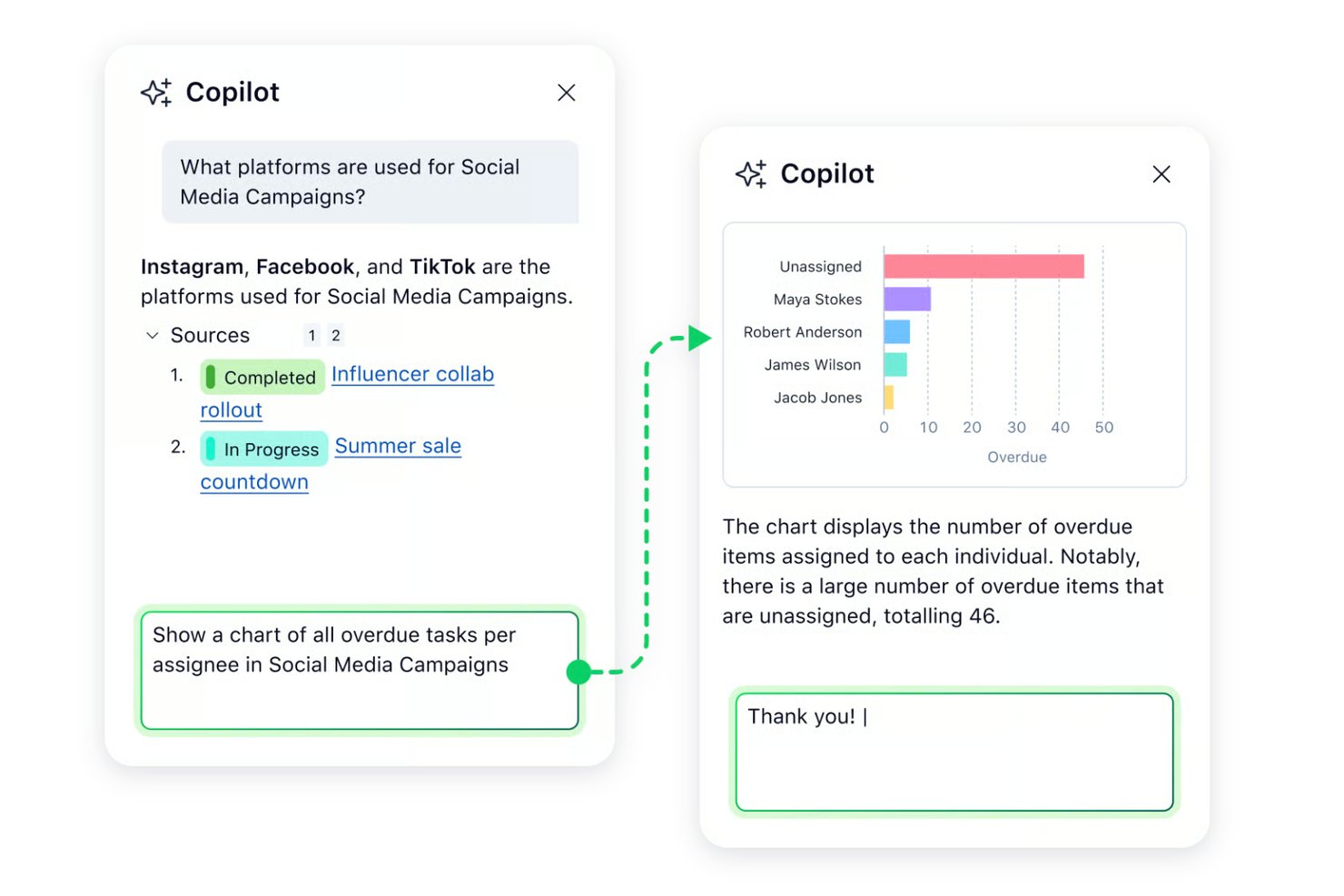
Wrike is a work management platform for enterprise PMOs and cross-functional teams that need structured delivery, resource capacity planning, and governance across programs, with a free tier also available.
Who Is Wrike Best For?
Wrike suits enterprise PMOs and cross-functional teams coordinating portfolios that need resource capacity visibility and consistent delivery governance.
Why I Picked Wrike
I picked Wrike because its free plan includes List, Board, and Table views, plus tasks and subtasks that can be cross-tagged across projects without duplication. That gives me a practical way to assess a Smartsheet alternative before considering Wrike’s resource capacity planning and governance for cross-functional programs. The free tier is a supporting advantage, while structured delivery is the stronger fit for enterprise PMOs.
Wrike Key Features
- Use case project templates: Start projects with prebuilt structures.
- AI content drafting: Draft and edit content with AI Essentials.
- AI comment summaries: Summarize project discussions with AI Essentials.
- Mobile apps: Access Wrike on iPhone and Android.
Wrike Integrations
Wrike’s apps catalog lists integrations with Salesforce, Microsoft Power BI, Tableau, QuickBooks, Klaxoon, and Google Sheets, among others. Wrike also supports Zapier and offers an API for custom integrations.
Pros and Cons
Pros:
- Workload charts support cross-team capacity planning
- Cross-tag tasks without duplicating project work
- Free List, Board, and Table views
Cons:
- Mobile task management can feel clunky
- Free plan excludes Gantt chart scheduling
New Product Updates from Wrike

Wrike Redesigns AI Agent Builder
Wrike redesigns its AI Agent Builder with a side-by-side setup, Scopes, sentence-style triggers and actions, and clearer filters. These changes make it easier to configure, test, and manage agent behavior. For more information, visit Wrike’s official site.

Best Smartsheet alternative for a cheaper cost
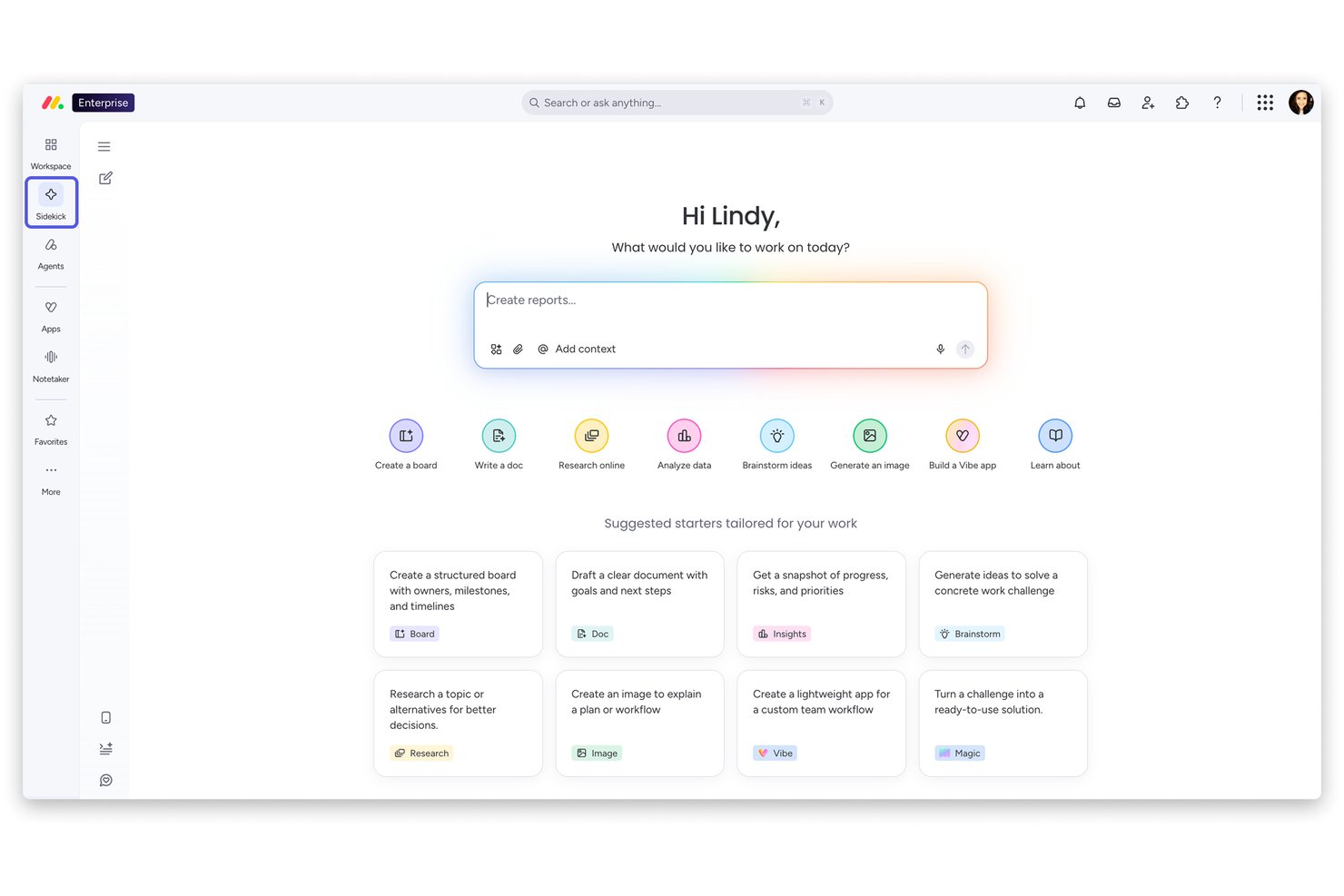
monday AI Workspace is a visual project management platform that helps cross-functional teams plan, track, and automate work across projects, portfolios, and departments—all without the spreadsheet-heavy rigidity that slows down faster-moving teams.
Who Is monday AI Workspace Best For?
Teams ranging from startups to enterprise PMOs who want a flexible, visually intuitive platform to manage work across departments without steep onboarding or implementation overhead.
Why I Picked monday AI Workspace
I've included monday AI Workspace in my top picks because the AI features you get per dollar genuinely undercut Smartsheet. At $9/seat, the Basic plan already includes the Sidekick AI assistant and Vibe app builder, while the Pro tier at $19/seat unlocks the AI workflow builder with 25,000 automation actions monthly. Smartsheet gates comparable AI and automation capabilities behind significantly higher-priced enterprise plans, and doesn't offer a free tier at all.
monday AI Workspace Key Features
- Portfolio dashboards: Aggregate and visualize data across projects for executive or PMO oversight in real time.
- Resource management: Track team workload, capacity, and assignments to optimize resource allocation across initiatives.
- Custom board templates: Use or adapt pre-built project templates for fast onboarding and standardized processes.
- Native proofing workflows: Review, annotate, and approve creative assets and documents without leaving the platform.
monday AI Workspace Integrations
monday AI Workspace offers hundreds of native integrations through its built-in integrations and marketplace, including Slack, Google Workspace, Microsoft 365, Salesforce, HubSpot, Jira, GitHub, Trello, Zendesk, Dropbox, and Zapier. An API is available for custom integrations.
Pros and Cons
Pros:
- Free tier available with core project tracking
- No-code Vibe app builder included at most tiers
- AI Sidekick generates tasks and project summaries
Cons:
- Automation limits reset monthly per plan tier
- Formula support weaker than Smartsheet's grid
New Product Updates from monday AI Workspace
monday AI Workspace Adds Human Approval Routing
monday AI Workspace adds a human-in-the-loop approval block to AI Workflows, sending approval requests and routing workflow paths based on responses. For more information, visit monday AI Workspace's official site.

Best for in-app sales management
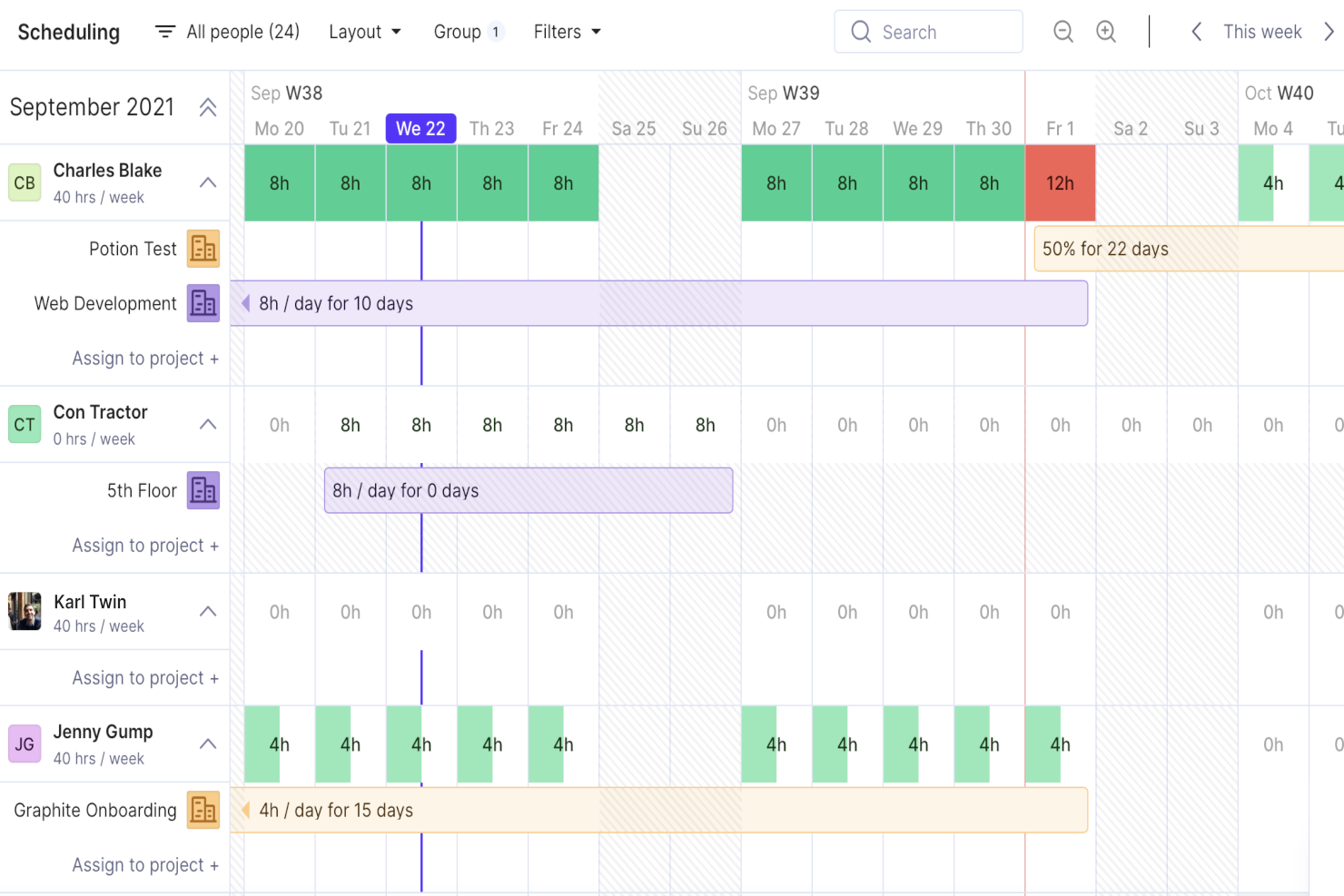
Productive is a project management platform for agencies and professional services teams that connects client projects, budgets, and resourcing to help you track delivery and team capacity.
Who Is Productive Best For?
Productive is a good fit for agency and professional services leaders who want to manage sales opportunities alongside project planning and delivery.
Why I Picked Productive
I picked Productive, best for in-app sales management, because it connects sales opportunities with project delivery. Its customizable pipeline tracks deal stages, while the Scenario Builder compares pricing and resourcing options for proposals. When a deal closes, I can convert it into a project or add it as a budget to an existing project.
Productive Key Features
- Gantt charts: Map project tasks across a timeline and track deadlines.
- Task management: Create and organize project tasks with owners and due dates.
- Time tracking: Log hours with timers, timesheets, or time suggestions.
- Project docs: Create and store documents alongside project work.
Productive Integrations
Productive integrations include Jira, HubSpot, Xero, Google Calendar, Sage, Gmail, Microsoft Outlook, Slack, BugHerd, and QuickBooks, and it connects with Zapier. An open API is available for custom integrations.
Pros and Cons
Pros:
- Profitability reports link project hours and budgets
- Budget and resource planning connect to delivery
- Sales pipeline converts closed deals to projects
Cons:
- Task workflows require clicks and limit assignees
- Reporting customization can feel clunky
New Product Updates from Productive
Productive Adds Voice Dictation, Slack Connector, Proposals, and Overtime
Productive adds voice dictation, a Slack Connector, proposal controls, and overtime tracking. These updates support faster AI interactions, client proposals, and time management. For more information, visit Productive’s official site.

Best for scaling marketing & agency teams
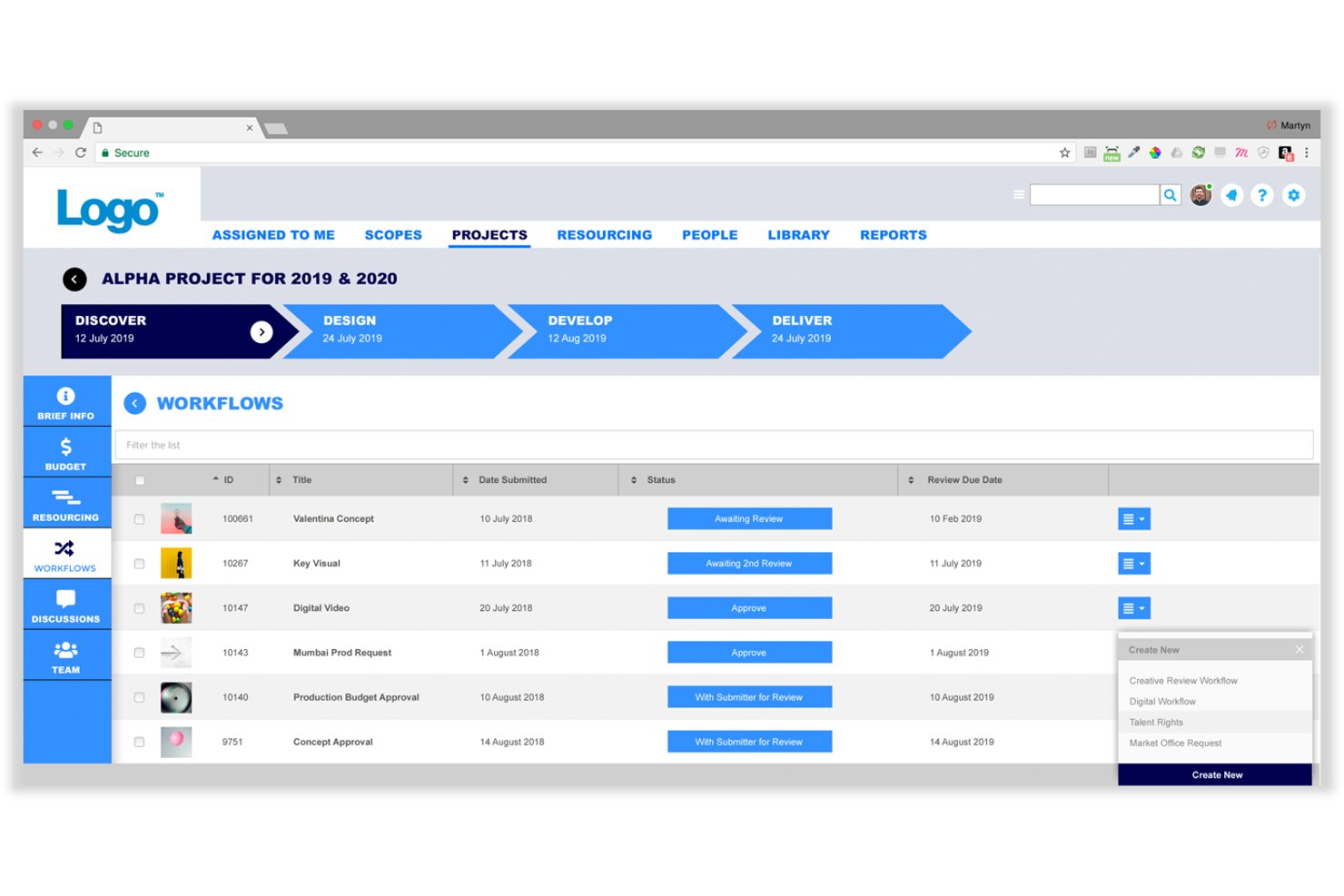
Screendragon offers marketing-focused project and workflow management for agencies and in-house teams coordinating campaign planning, creative reviews, approvals, and delivery across departments.
Who Is Screendragon Best For?
Screendragon suits marketing operations teams at growing agencies that need to organize creative and delivery processes as their workload expands.
Why I Picked Screendragon
I like Screendragon for “Best for scaling marketing & agency teams.” Its marketing-focused workflows connect campaign planning with creative reviews and approvals, helping me coordinate work across departments. I’d consider it as a Smartsheet alternative when campaign delivery needs a process tailored to marketing teams.
Screendragon Key Features
- AI agents: Draft content, summarize status, flag risks, and recommend resources.
- Dashboards: View real-time project status, milestones, and performance insights.
- Role-based permissions: Set access controls down to individual fields.
- Integrations: Connect tools such as Jira Software, Google Drive, Box, and Microsoft 365.
Screendragon Integrations
Screendragon offers pre-built integrations with Aprimo, Google Cloud Storage, Slack, HubSpot, Microsoft Teams, Microsoft Power BI, Amazon S3, Sitecore, Ziflow, Vidmob, Brandfolder, Workato, and Smartsheet. Its Connection Manager and REST API support custom connections to other API-based systems.
Pros and Cons
Pros:
- Resource and budget visibility spans project portfolios
- Configurable briefs and workflows fit campaign intake
- Creative approvals retain comments and audit trails
Cons:
- Large approval chains can make projects feel slow
- Complex menus slow first-time task navigation
New Product Updates from Screendragon
Screendragon Unveils New AI Hub
Screendragon introduced AI Hub, a new capability that lets teams build and manage AI agents directly within workflows. The update helps marketing teams automate tasks, maintain governance controls, and scale AI-driven operations more efficiently. For more information, visit Screendragon's official site.

Best for business plan management with strategy experts
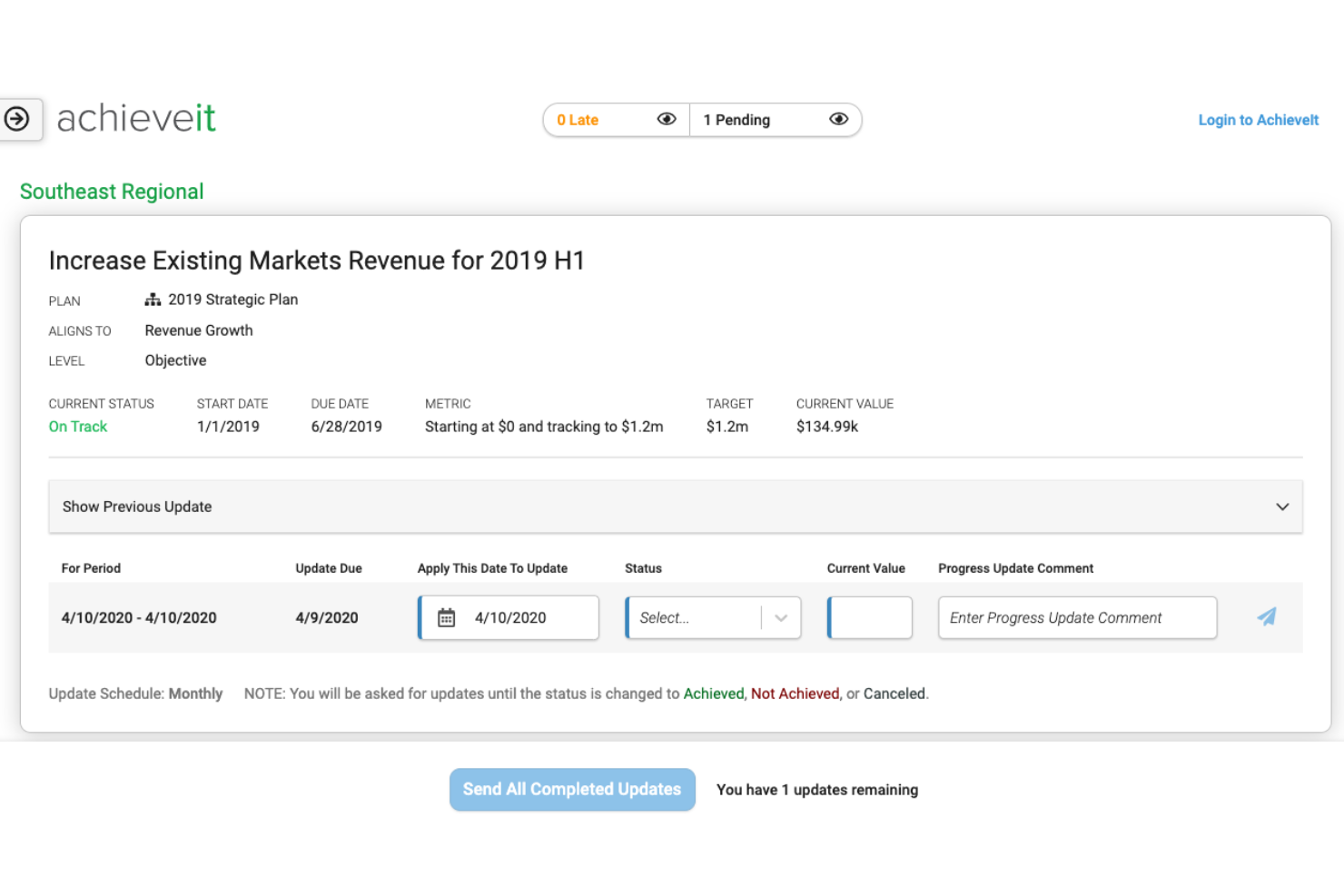
AchieveIt is a strategy execution platform for organizations that need to connect plans with projects, track progress across teams, and keep priorities visible as work changes.
Who Is AchieveIt Best For?
AchieveIt suits strategy and operations leaders who want expert support turning business plans into coordinated execution.
Why I Picked AchieveIt
I picked AchieveIt as a Smartsheet alternative for business plan management with strategy experts. It connects organizational plans to projects, tracks progress across teams, and keeps priorities visible as work changes. That helps leaders coordinate execution and spot where plans need attention.
AchieveIt Key Features
- Custom plan hierarchy: Set up plans with customizable levels, such as goals, objectives, and strategies.
- Role-based permissions: Assign user types and plan roles to control access and editing rights.
- Scheduled reports: Schedule reports to share plan data on a regular cadence.
- Microsoft Teams integration: Receive activity notifications and take action on AchieveIt work from Teams.
AchieveIt Integrations
AchieveIt offers a Microsoft Teams integration, currently in beta on certain plans, for notifications, plan subscriptions, and actions within Teams. Its REST API supports custom integrations and plan data imports and exports, with API access available on certain plans.
Pros and Cons
Pros:
- Execution specialists guide planning and adoption
- Automated updates surface stalled strategic plans
- Connects goals, initiatives, and accountable owners
Cons:
- Rigid plan structures can complicate setup
- Cross-plan reporting and historical exports are limited

Celoxis
Best for project cost and performance analysis
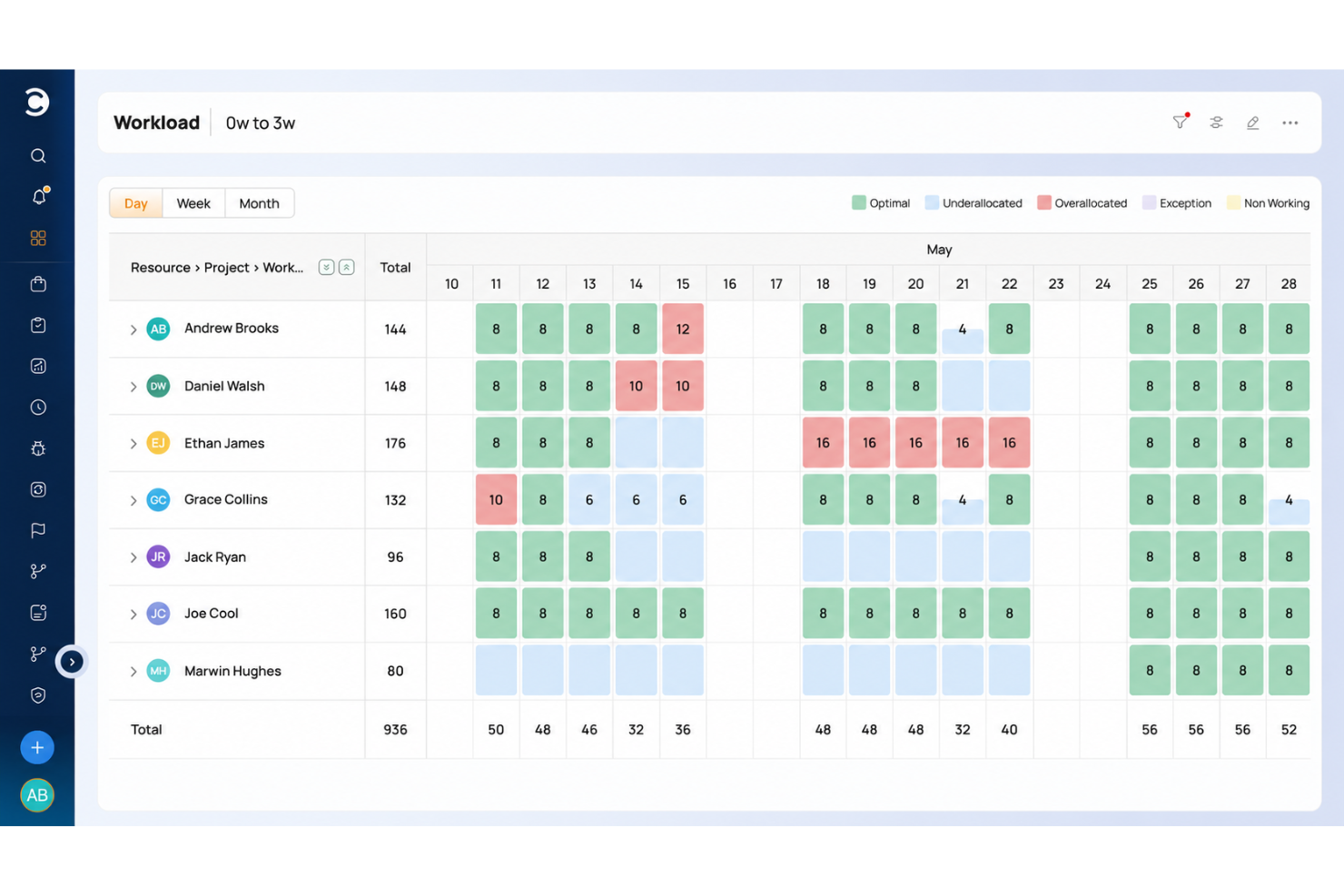
Celoxis is project management software for teams coordinating complex projects, with planning, resource scheduling, and collaboration tools to help project managers track work, timelines, and dependencies.
Who Is Celoxis Best For?
Celoxis suits project managers and PMO teams that need to analyze project costs and performance across complex work.
Why I Picked Celoxis
I include Celoxis among Smartsheet alternatives because it’s built for project cost and performance analysis. I like that it tracks budgets at project and task level and compares planned with actual costs, helping a PMO spot labor or materials overruns before they skew forecasts.
Celoxis Key Features
- Resource capacity planning : View team availability, workload, and utilization, then assign work by skills and capacity.
- Interactive Gantt charts : Map project tasks, dependencies, milestones, and critical paths on a visual timeline.
- Timesheets : Record time against project tasks with weekly timesheets and timers.
- Customizable dashboards : Build drill-down charts and reports from project data, then schedule them for email delivery.
Celoxis Integrations
Celoxis lists 21 integrations, including Microsoft Project, Microsoft Excel, Microsoft 365, Outlook, Google Drive, Jira, Salesforce, QuickBooks Online, Slack, Trello, GitHub, and Azure DevOps; Zapier and a REST API are also available.
Pros and Cons
Pros:
- Gantt dependencies recalculate when dates shift
- Resource capacity and workload across portfolios
- Project-level planned-versus-actual cost visibility
Cons:
- Interface feels dense, dated, and click-heavy
- Setup and configuration demand substantial onboarding

actiTIME
Best for detailed time tracking
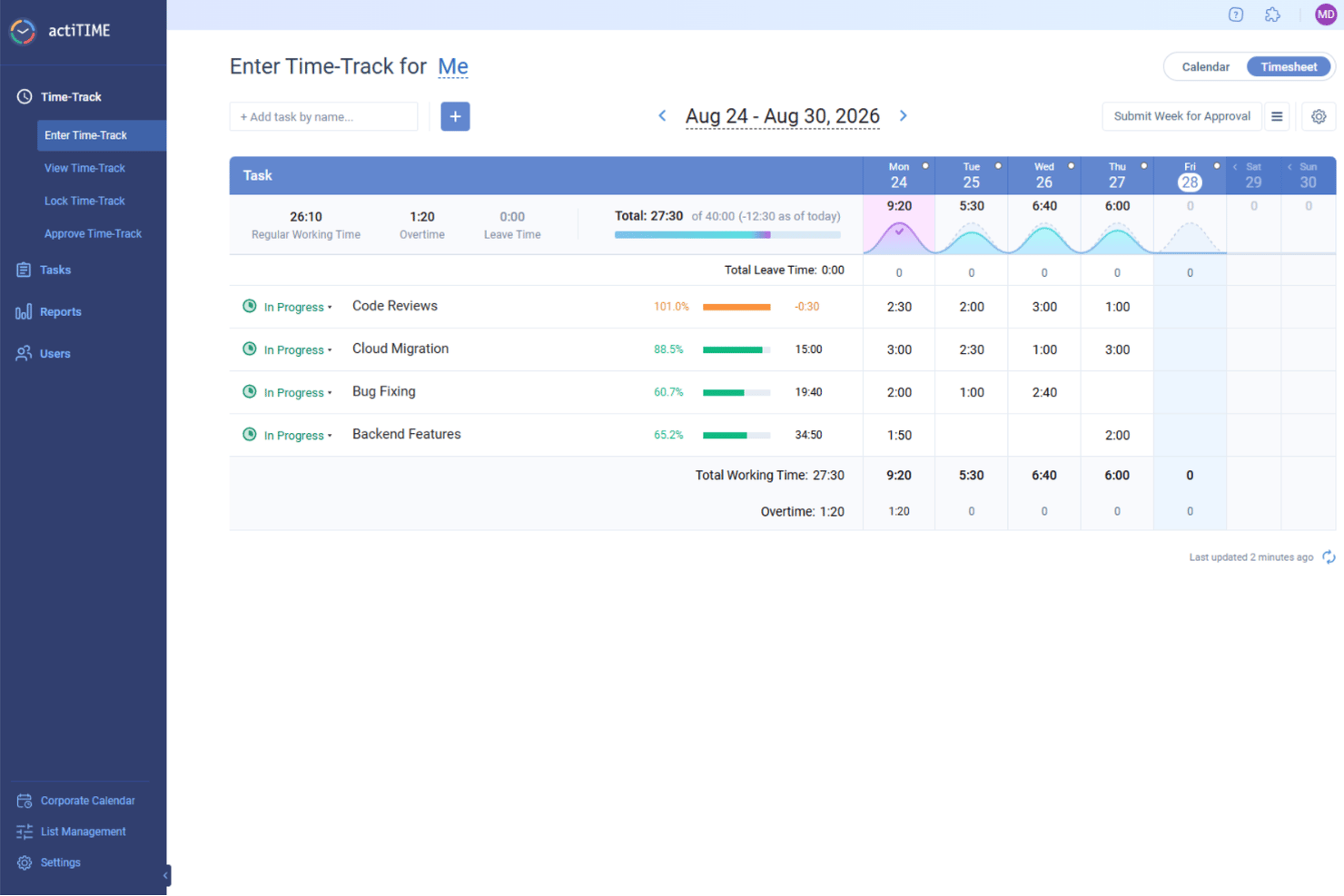
actiTIME is a work management platform for project teams that need to coordinate tasks and schedules while connecting day-to-day activity with project progress and delivery costs.
Who Is actiTIME Best For?
actiTIME suits project managers who need detailed time records to monitor team workloads, project budgets, and billable hours.
Why I Picked actiTIME
I picked actiTIME as a Smartsheet alternative when project cost visibility depends on detailed time tracking. It records hours against specific tasks and lets managers compare tracked time with project budgets. Billable rates and cost-of-work rates also help connect logged hours to delivery costs.
actiTIME Key Features
- Task assignments: Assign tasks to team members and set their priorities.
- Kanban view: View and manage tasks on a Kanban board.
- Custom workflow statuses: Configure task statuses to match your team’s workflow.
- Deadline tracking: Set deadlines for tasks and monitor due dates.
actiTIME Integrations
actiTIME lists integrations with QuickBooks Online and actiPLANS. It also connects with other apps through Zapier and offers an API for custom integrations.
Pros and Cons
Pros:
- Separates billable and nonbillable work
- Compares planned and actual project costs
- Tracks hours against tasks and budgets
Cons:
- Project-progress tracking is less extensive
- Report layouts require extra configuration
New Product Updates from actiTIME

actiTIME Visual Hour Indicator and Time-Track Report Redesign
actiTIME adds a wave-style hour indicator to the Timesheet and Calendar views and refreshes the Time-Track report for smoother navigation and clearer visuals. For more information, visit actiTIME's official site.

Best for customizable task views
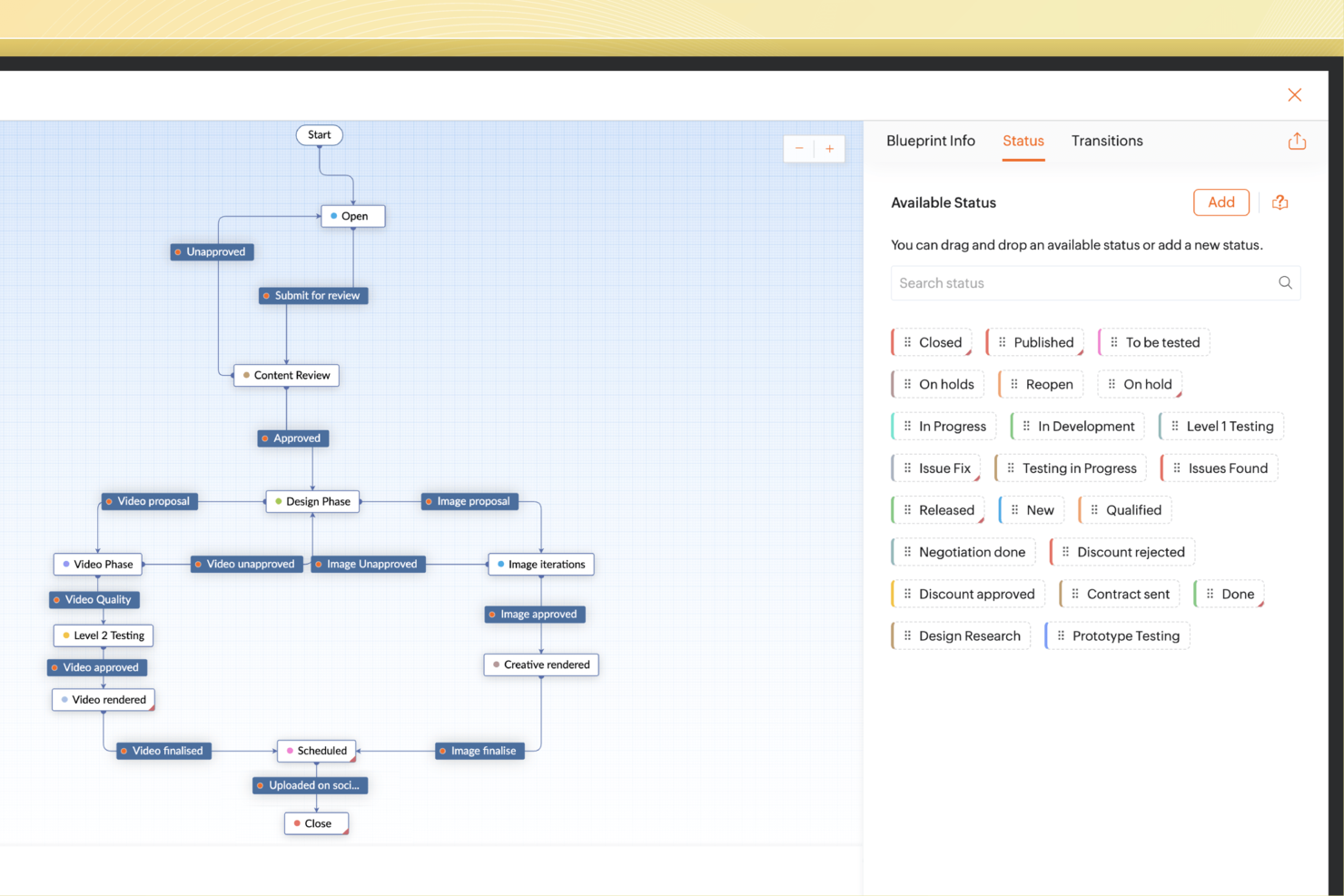
For teams that need a flexible, privacy-focused project management tool, Zoho Projects provides a practical set of features to support project execution and collaboration. It’s especially well-suited to teams that rely on detailed task tracking and time logging, with tools that help manage timelines, workloads, and resources. Teams in IT, marketing, and similar fields can use Zoho Projects to stay organized while keeping communication and coordination centralized.
Why I Picked Zoho Projects
I chose Zoho Projects as a Smartsheet alternative because of its strong task management and built-in time tracking. Features like Gantt charts and customizable task views make it easy to see project timelines and update work as requirements change. Its integration with Zoho Sprints also supports agile workflows, which is useful for teams that need to adapt quickly. Together, these capabilities meet the needs of teams managing complex projects without losing accuracy or flexibility.
Zoho Projects Key Features
In addition to robust task management, Zoho Projects offers several key features that enhance its utility as a Smartsheet alternative.
- Issue Tracking: Track and manage project-related issues to ensure timely resolution and maintain project quality.
- Collaboration Tools: Utilize feeds, chat, forums, and document management to facilitate seamless team communication.
- Automation: Implement custom workflows, SLAs, and notifications to automate repetitive tasks and streamline processes.
- Budgeting Tools: Manage project budgets effectively with tools that offer cost management and budget forecasting.
Zoho Projects Integrations
Integrations include Google Calendar, Google Tasks, Google Drive, Microsoft Office 365, Slack, Dropbox, Zoho CRM, Zoho Desk, Microsoft Teams, and Zapier.
Pros and Cons
Pros:
- Zoho ecosystem integrations available broadly
- Built-in time tracking for reporting
- Multiple task views including Gantt
Cons:
- Free plan limited users projects
- Limited third-party integrations versus competitors
New Product Updates from Zoho Projects
Zoho Projects Adds CodeX Scripts for Custom Modules
Zoho Projects now supports CodeX Scripts for custom modules, enabling conditional logic and rules for creating, updating, and deleting records. For more information, visit Zoho Projects' official site.
 .
.
Kantata
Best for full lifecycle project delivery
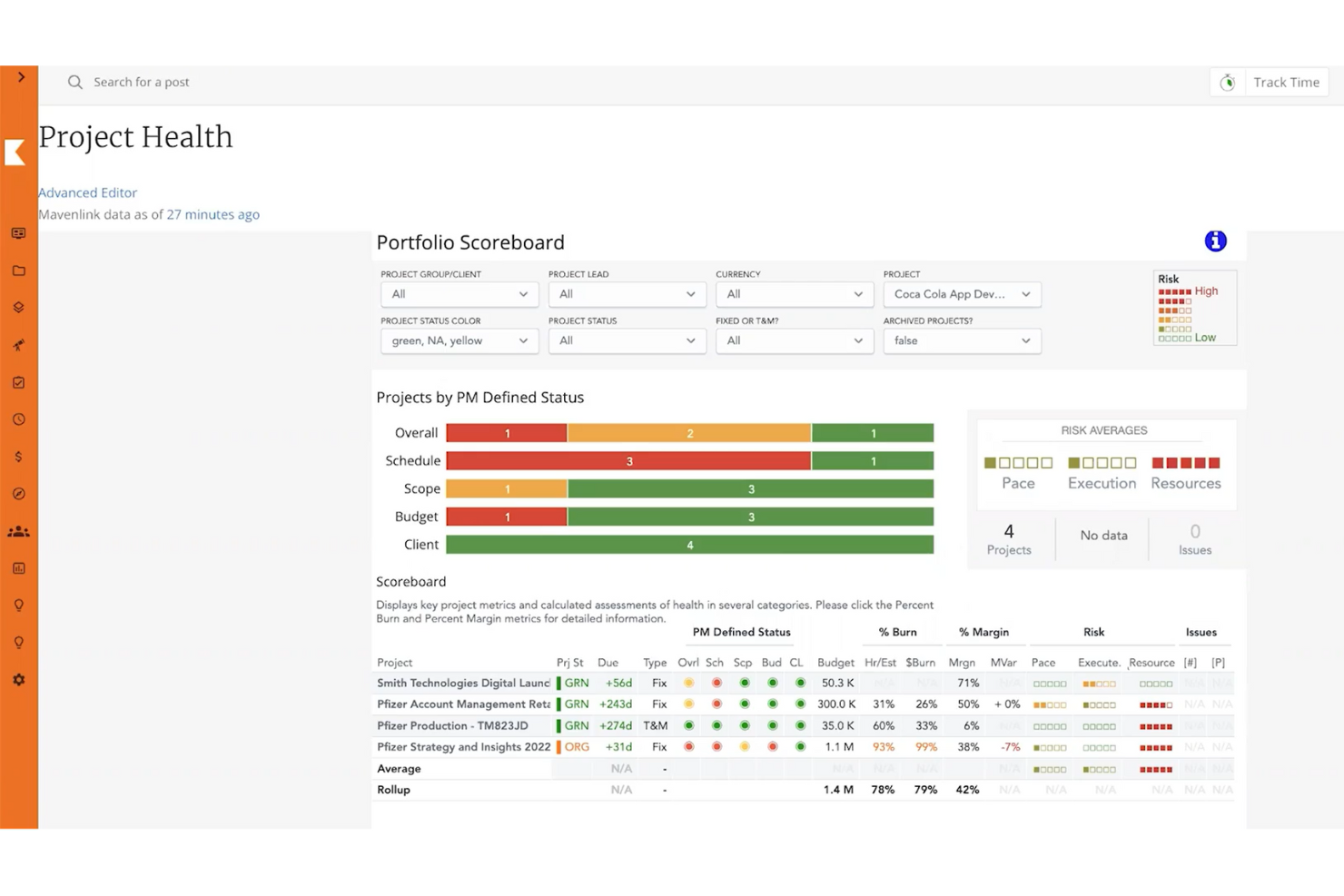
Kantata is professional services automation software for consulting and digital services teams, combining project planning, resource allocation, time tracking, and financial visibility to help managers coordinate work and monitor delivery costs.
Who Is Kantata Best For?
Kantata suits project and resource managers at consulting and digital services firms who coordinate staffing, delivery, and finances across client engagements.
Why I Picked Kantata
I picked Kantata as a Smartsheet alternative because it’s built for “Best for full lifecycle project delivery.” It connects project planning, resource allocation, and time tracking with financial visibility, so I can follow client work from staffing through delivery costs.
Kantata Key Features
- Activity feeds: View project updates, posts, and collaborator tags in a shared feed.
- External collaboration: Invite clients and partners, then manage their access permissions.
- Kantata Pulse: Collect client and employee feedback during project delivery.
- Integrations: Connect Kantata with other apps through prebuilt connectors and APIs.
Kantata Integrations
Kantata supports over 1,200 prebuilt connectors and offers APIs for custom integrations; documented connections include Salesforce, QuickBooks, NetSuite, Sage Intacct, Xero, Slack, Microsoft Teams, and Jira.
Pros and Cons
Pros:
- Time and expense tracking tie to budgets
- Resource forecasting connects capacity to demand
- Project, staffing, and financial visibility
Cons:
- Custom reports can require technical expertise
- Large timelines can load slowly
New Product Updates from Kantata

Kantata Adds Access Group Change History
Kantata adds Access Groups History, letting account administrators track changes to group details, membership, and permissions in Recent History. The update also makes these events available through the Subscribed Events API for broader monitoring. For more information, visit Kantata’s official site.
 .
.
Asana
Best for task tracking with a free entry point
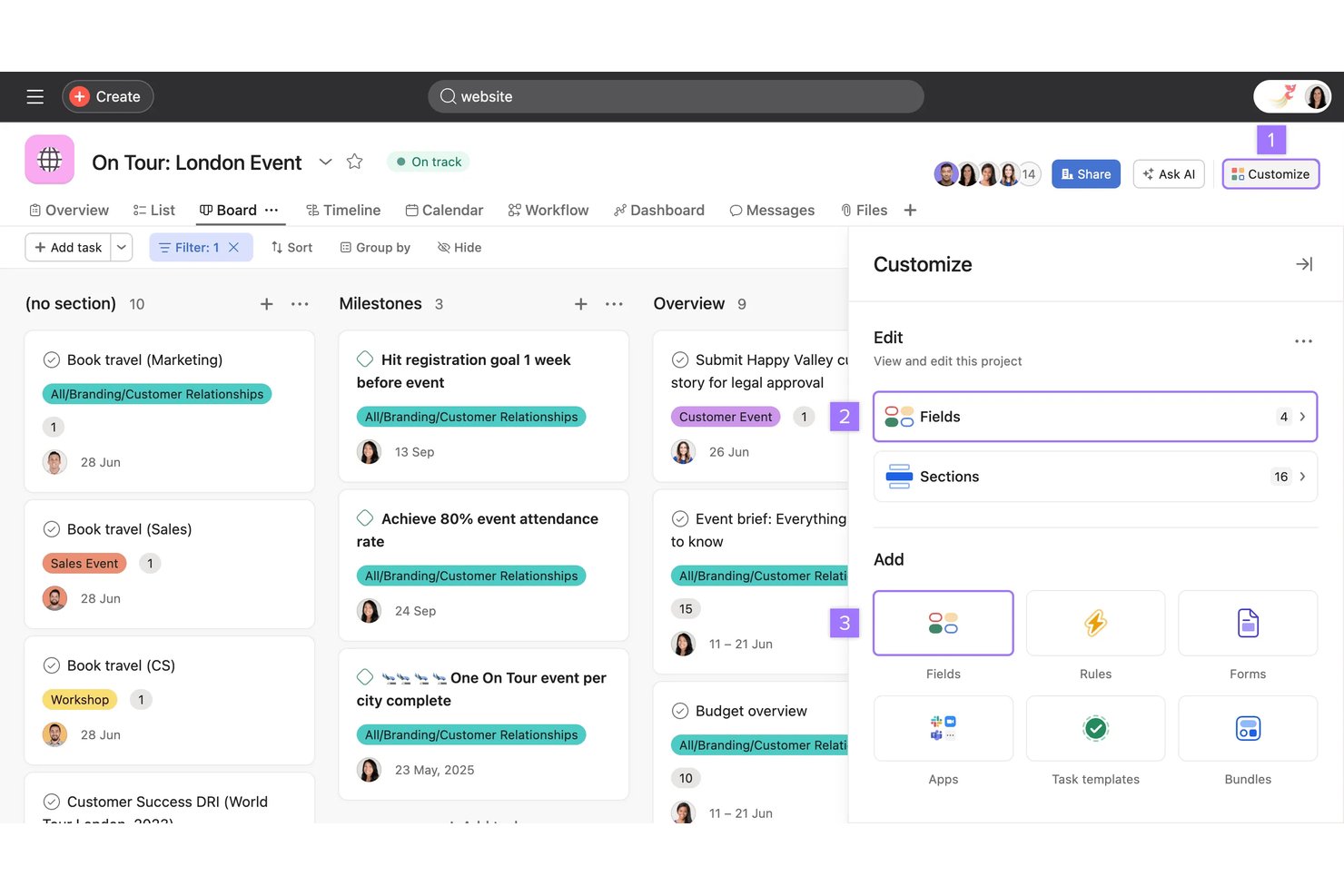
Asana is a work management platform for tech and digital teams that connects tasks, projects, and dependencies to help coordinate cross-functional work and keep delivery visible.
Who Is Asana Best For?
Asana suits small teams that need shared task tracking and want to start with a free plan.
Why I Picked Asana
I picked Asana as a Smartsheet competitor for task tracking with a free entry point. I use task assignments, due dates, and dependencies to track cross-functional work, while list and board views help me see ownership and progress across a project.
Asana Key Features
- Forms: Collect and standardize project or work requests.
- Rules: Automate routine actions when tasks meet set conditions.
- Custom fields: Add structured details to tasks for sorting and filtering.
- Gantt view: Map project work across a timeline.
Asana Integrations
Asana’s app directory lists integrations with Slack, Google Drive, Microsoft Teams, Dropbox, Jira Cloud, GitHub, and Salesforce; it also supports Zapier and offers an API for custom integrations.
Pros and Cons
Pros:
- Timeline dependencies clarify cross-team handoffs
- Forms standardize requests for repeatable workflows
- Tasks appear across multiple projects
Cons:
- Rolled-up subtasks complicate project-level reporting
- Notifications can pile up across projects
Other Smartsheet Alternatives
Here are some additional Smartsheet alternatives that didn’t make it onto my shortlist, but are still worth checking out:
- ClickUp
For AI-assisted task and workflow planning
- Hive
Internal chat and communication systems
- Jira
For agile teams tracking cross-project work
- Scoro
For project management with built-in KPI tracking
- Ravetree
For billing agencies tracking time-to-invoice
- Airtable
For building custom apps without coding
- Workzone
For pre-built reports
- Parallax
For portfolio-level resource forecasting
- GoodDay
For customizable workspaces
- Pneumatic Workflow
For repeatable process automation on-premise


About Smartsheet
Smartsheet is a spreadsheet-like project management tool. It has won a few awards on its way to becoming a favorite business app. It’s a nice option if you’re comfortable working in Excel but want a break from complicated formulas. Smartsheet performs all the calculations for you across multiple sheets. You can also add customized brand logos and set color themes for individual projects.
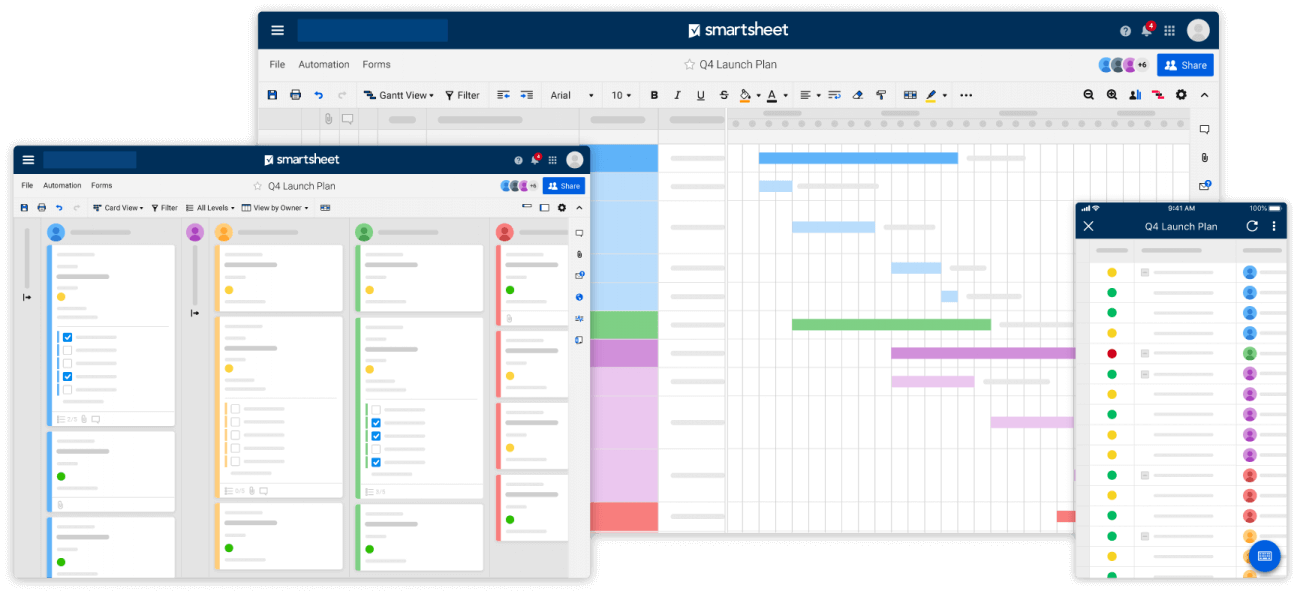
Additionally, it has useful project management features such as workflow automation and task visualization via Gantt, calendar and card views. Team members get instantly notified of critical changes, and the tool provides shared views, detail history, activity logs, automated alerts, reminders, and status reports to keep everyone aligned and informed.
The critical path feature also highlights all the tasks which directly impact your project completion date so you can keep an eye on important milestones. Smartsheet offers strong reporting features as well, such as editable summary reports that you can easily export to Excel.
Smartsheet integrations include Microsoft (Microsoft Teams, Microsoft Excel) and Google apps, as well as development essentials like Jira, and useful business apps like Salesforce, ServiceNow, Slack, Box, and Tableau. The platform is extensible through a REST API and webhooks.
This tool costs from $7/user/month, with a minimum of 3 users and a maximum of 25 users. They also offer a 30-day free trial.
Why Might You Need A Smartsheet Alternative?
Your team’s not enjoying the interface
Members who are used to collaborating via spreadsheets and database-like tools won’t have an issue with Smartsheet’s design, but others might find the UI clunky. For a more enjoyable experience, look for customizable and colorful project management tools that meet today’s standards for what software should look and feel like.
You need to invoice clients
Smartsheet has a budgeting option so you can track time, budgets, and expenses using their 10,000ft panel but there’s still no way to send invoices directly from the app. 10,000ft is also sold separately from Smartsheet as a premium add-on product.
You’re finding it too expensive
Smartsheet is indeed one of the more expensive project management solutions on the market. This is in part due to its extensive project management features and enterprise-level target market. However, you can find similar functionalities at a much lower cost.
How I Evaluate Smartsheet Alternatives
I split my evaluation into three parts. First, core functionality: any alternative must support multiple work views and structured task and project tracking—these carry the most weight. Second, I look for standout features like resource workload management or native time tracking. Third, I consider total cost of ownership and onboarding support.
Core Functionality (Table Stakes For This List)
When I'm selecting tools for my list, I score each one on a scale from 0 (does not offer the functionality) to 5 (excels in this area) for each core functionality listed below. I then convert the total into a percentage to help assess each tool's overall fit, with extra weight on any functionalities I’ve deemed essential.
- Multiple Work Views (Essential): I look for synced grid, Kanban, calendar, and timeline views so teams can switch perspectives without duplicating project data.
- Task & Project Tracking (Essential): I assess whether teams can assign owners, statuses, due dates, subtasks, and dependencies across related projects.
- Workflow Automation: I check for configurable triggers and actions, such as routing an approval or updating a status when work changes.
- Team Collaboration: I look for task-level comments, mentions, and file sharing that keep decisions and updates tied to the work.
- Reporting & Dashboards: I evaluate whether teams can see project status and progress in customizable reports or dashboards, including across multiple projects.
- Third-Party Integrations: I consider connections to communication, file storage, and calendar tools that teams already use in their workflows.
Once I have a list of tools that meet the criteria, I consider what sets each platform apart.
Differentiating Factors (What Sets Vendors Apart)
Here's how I compare and contrast different vendors:
Standout Features
Native time tracking matters when your team bills clients or tracks utilization—I check whether logging happens at the task level so you can tie hours directly to project costs without a separate tool. AI-assisted planning is worth evaluating too: monday.com and others now auto-generate project plans or flag at-risk tasks, which saves time on status reporting. I also look at resource and workload management, since visual capacity views help you spot overallocation before it derails a sprint.
Beyond Features
Total cost of ownership matters more than sticker price. I check whether automation runs, storage, or API access sit behind paywalls that inflate costs as adoption grows. Migration support is equally important—when a team is moving off Smartsheet, I evaluate whether the vendor offers guided data imports for sheets, formulas, and attachments. A rough migration stalls adoption for weeks. I also look at portfolio-level rollup views, since PMO leads need cross-project status dashboards to prioritize resources and report to leadership without stitching data together manually.
Key Features For A Viable Smartsheet Alternative
Time tracking
Basic time tracking options are available through their 10,000ft integration, which costs extra, so you might prefer a tool with native time tracking capabilities that include timesheets and time reporting.
Task and workflow management
In spite of Smartsheet looking like just another database, the tool does come with advanced task management and view options like a Gantt chart and Kanban board. In an alternative, consider solutions that let you add subtasks, task priorities, and dependencies to handle complex projects without overcrowding a spreadsheet.
A friendlier interface
Talk to your team to see what kind of UI they would prefer to replace the traditional spreadsheet-style appearance. You’ll want advanced features like custom fields, a design any user can personalize, and a variety of add-ons to make use of on top of your team’s workspace.
Custom reporting
Smartsheet boasts a strong real-time report builder feature. For teams working with lots of data or needing to provide proof of their work to clients, you’ll want an alternative that nails reporting too.