Avec 43% d’entre nous passant au moins un certain temps à travailler à distance, les outils de collaboration en ligne deviennent un élément vital du lieu de travail moderne.

Et parce que le lieu de travail moderne n’est souvent pas un lieu du tout, nous devons adopter un espace bien organisé et central où vit toute la documentation et la communication du projet. Nos clients peuvent être situés à New York, nos développeurs à Bali et notre équipe marketing à Londres. Mais nos documents, processus, délais et plannings vivent sous le même toit.

Du moins, ils le devraient.

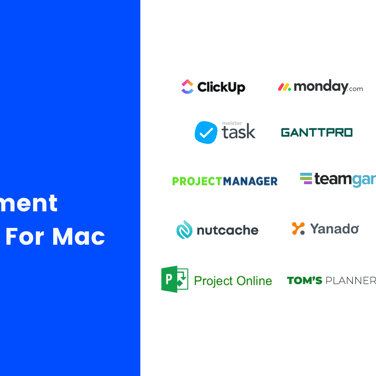
Collaboration Tools DPM Logo Soup 2021

Vous n’êtes pas convaincu? Considérez ceci : un rapport de McKinsey Global Institute a constaté que 61% de la semaine de travail est consacrée à ces trois tâches :

  • lire et répondre aux emails
  • la recherche ou la collecte d’informations
  • communiquer et collaborer à l’interne

La majeure partie de notre temps de travail est consacrée à des tâches de collaboration et de coordination. Les logiciels de collaboration éliminent une partie de la redondance et de la confusion des tâches de collaboration, ce qui nous permet de libérer des heures pour un travail plus spécifique aux rôles.

Oui, beaucoup d’entre nous se débrouillent avec une combinaison pas si astucieuse d’applications Google ou Microsoft coordonnées via un enchevêtrement d’emails. Si c’est votre cas, restez à l’écoute. Il y a une bien meilleure façon…

Quels sont les outils de collaboration de projet? (Et comment ils peuvent vous aider)

Que sont les outils de collaboration?

Un outil de collaboration en ligne permet un flux de travail mieux coordonné en fournissant une plate-forme unifiée pour la discussion en équipe, le partage de fichiers, le stockage en ligne de la documentation, l’attribution des tâches et la collaboration en temps réel des projets. Au fond, les outils de collaboration ont pour but d’aligner les gens.

Les logiciels de collaboration se présentent sous plusieurs formes. Vous connaissez probablement Slack, un outil de collaboration commun qui met l’accent sur la messagerie de groupe (si vous êtes sur Slack, n’hésitez pas à vous joindre à notre communauté en pleine croissance de Digital Project Manager ). Et vous êtes sans doute familier avec les outils de collaboration Google largement utilisés (Drive, Docs, Sheets, Hangouts) ou peut-être les outils de collaboration Microsoft (SharePoint, One Drive). Oui, les outils de collaboration peuvent être aussi simples que Skype (l’un des outils de collaboration de MS) ou même votre compte e-mail. Les applications de collaboration modernes vont encore plus loin en unifiant toutes ces interactions de travail au sein d’une plateforme unique.

Quelles sont les caractéristiques des outils de collaboration?

Si vous utilisez déjà un logiciel de GP, vous avez déjà accès à certains outils de collaboration. De nos jours, tous les logiciels de gestion de projet, y compris les outils de planification des ressources, offrent des fonctions de collaboration, comme les mises à jour de l’état des tâches, le partage de fichiers et les tableaux de visualisation des progrès. Cependant, un outil conçu spécifiquement pour la collaboration de projet peut inclure des fonctionnalités supplémentaires, telles que la vidéoconférence, le partage en direct sur des documents co-créés et des portails en contact avec les clients.

Quels sont les avantages des logiciels de collaboration?

Online Collaboration Tools Benefits

Lorsque toutes les communications, les dossiers et l’avancement du projet sont centralisés en un seul endroit, votre équipe bénéficie d’un échange d’information plus clair qui vous aidera à éviter tout malentendu. Si vous avez déjà commis l’erreur d’envoyer une version périmée d’un document partagé à un client, vous comprendrez pourquoi la collaboration est importante. Les avantages des outils de collaboration ne se limitent toutefois pas à l’amélioration de la communication : avec tout ce qui est accessible en un seul endroit, votre processus devient plus efficace et vous aurez une vision plus précise de l’avancement de votre projet.

Best Online Collaboration Tools

The Digital Project Manager est sponsorisé par le lecteur. Lorsque vous cliquez sur les liens de notre site, nous pouvons gagner une commission. En Savoir Plus.

Les meilleurs outils de collaboration de projet pour augmenter l’efficacité de votre projet

Voici une liste d’outils de collaboration de projet pour vous aider à démarrer. Nous couvrons le différentiel clé du logiciel (quels sont ses principaux avantages et inconvénients par rapport à d’autres outils), suivi d’un regard sur ses caractéristiques et fonctions, et enfin sur ses intégrations et son prix.

Best for connecting goals and projects

  • Free plan available
  • From $9/user/month (billed annually)
Visit Website
Rating: 4.6/5

monday.com is a collaboration and task management software that's well-known for its simplistic design and user-friendly features. For many organizations, it serves as the backbone for teamwork and streamlined processes. Hasan Hanif, Founder & CEO of Colour Vistas, explained how it transformed his company’s operations: “The things I like most about Monday are that it enables us to work in union, in real depth. It provides information…that keeps everyone to the same pace. Automation has saved monotony in our operations and helped us automate a majority of our processes. … It’s made our routines more efficient and easier, making us more collaborative.”

Why I picked monday.com: I love how many collaboration tools this platform offers to help you work on your projects and tasks as a team. But the main reason it made my list is because of its goal-setting capabilities. You can develop your strategic goals, and then connect them to projects and tasks. This helps keep everyone aligned and on track in their work, and contributes to better teamwork.

As for project management, the platform is highly customizable, which is always a top priority for me when I look at project management tools. You can select from an array of views to keep track of progress. Shared documents allow users to co-create meeting minutes, brainstorm, and engage with others in the team. Everything related to your project can live in one place.

monday.com Standout Features & Integrations

Features include monday.com's Teamwork Hub, which is a dedicated space where team members can track dependencies, share updates, and resolve blockers in real time. Additionally, the platform supports guest access, which enables external collaborators like clients or contractors to work alongside your team while maintaining control over shared information.

Integrations include Slack, Google Drive, Gmail, Google Calendar, Jira, GitHub, Trello, Dropbox, Zoom, and Typeform. Many more are accessible via a paid Zapier account.

Pros and Cons

Pros:

  • Free-forever plan available
  • User-friendly and intuitive interface
  • Complete work management platform

Cons:

  • Limited reporting in basic and free plans
  • Limited storage in basic and free plans

New Product Updates from monday.com

monday.com Adds Managed Columns Across Boards
monday.com’s Managed Columns keep labels consistent across multiple boards.
May 24 2026
monday.com Adds Managed Columns Across Boards

monday.com adds Managed Column to let teams standardize and reuse column labels across multiple boards from a single source of truth. The update helps organizations maintain consistency, clarity, and centralized control at scale. For more information, visit monday.com’s official site.

Best for custom workflows

  • 14-day free trial + free plan available
  • From $10/user/month (billed annually)
Visit Website
Rating: 4.3/5

Wrike is a workflow management software that's highly configurable and easy to use, making it suitable for teams of all sizes. For marketing and creative teams especially, having a centralized hub can be a real advantage. Mircea Dima, Founder & CEO/CTO of AlgoCademy, shared: “In the case of intricate marketing projects, being able to keep all assets, remarks, and schedules within a single place saved hours of back and forth and cut errors that can often go unnoticed when utilizing email chains.”

Why I picked Wrike: This platform made my list because of its versatility. It has a large suite of project management features, from resource management to approval flows to request forms and more. As for collaboration, team members can share files and chat in real-time with threaded messages and @-mentions to stay in the loop and work together more effectively. You can easily jump around from your home screen to timesheets, dashboards, calendars, and an activity stream to keep up with project progress, roadblocks, and updates.

Wrike Standout Features & Integrations

Features include dynamic request forms, which automatically route tasks to the right team members, ensuring clarity and accountability from the start. Wrike also features visual proofing and approval tools that enable teams to provide actionable feedback directly on images, videos, and documents.

Integrations include Microsoft Suite, Google Workspace, Asana, Basecamp, Dropbox, Salesforce, HubSpot, Jira, Slack, Shopify, and hundreds more.

Pros and Cons

Pros:

  • Lots of smart AI and automation features
  • Guest access available
  • Free plan with unlimited users

Cons:

  • Resource management limited to higher-tier plans
  • Real-time reports not included in free or basic plan

New Product Updates from Wrike

Wrike Improves Request Forms and Workflow Automation
Wrike adds multiple follow-up questions to request forms.
May 24 2026
Wrike Improves Request Forms and Workflow Automation

Wrike improves request forms with multi follow-up questions, cascading responses to subitems, and expanded AI Agent capabilities. The updates help teams collect detailed intake information and automatically distribute context across projects and tasks. For more information, visit Wrike’s official site.

Best for a high level of security

  • Free trial + free demo available
  • From $9/member/month (billed annually)
Visit Website
Rating: 4.5/5

Smartsheet is a spreadsheet-based project management software that helps you manage projects, automate processes, and scale up to enterprise-level programs and portfolios.

Why I picked Smartsheet: This software is designed with enterprise businesses in mind and as such, has a very high level of security. I picked it for teams who are looking to collaborate virtually, but keep their data well-governed. Granular access controls help you ensure only approved collaborators have access to specific information. The platform's request forms and approval workflows also caught my attention, as they ensure an effective transfer of data and information to right people at the right time.

Smartsheet Standout Features & Integrations

Features include a shared workspace feature that enables teams to co-edit project plans, task lists, and schedules in real time. Smartsheet’s discussion threads also enable users to attach comments directly to rows, sheets, or dashboards, ensuring that feedback and updates are contextually tied to specific tasks or data points.

Integrations include Google Workspace, Microsoft Office 365, Box, DocuSign, Slack, Microsoft Teams, Skype for Business, Gmail, Outlook, and many other apps. Some integrations require Business or Enterprise plans.

Pros and Cons

Pros:

  • Plenty of self-serve knowledge base content
  • Ability to collaborate with external partners
  • Comprehensive enterprise work management platform

Cons:

  • Robust system, comes with a learning curve
  • Freemium limited to 2 editors

New Product Updates from Smartsheet

Smartsheet Adds AI Dashboard and Chart Creation
Smartsheet AI turns prompts into editable charts and dashboards instantly.
May 25 2026
Smartsheet Adds AI Dashboard and Chart Creation

Smartsheet now lets you create dashboards with AI by describing what you need in natural language, selecting up to five sheets, and generating a preview with up to 10 widgets, plus AI chart creation and editing in the dashboard editor. For more information, visit Smartsheet's official site.

Best for in-app video recording

  • Free plan + free demo available
  • From $7/user/month (billed annually)
Visit Website
Rating: 4.6/5

ClickUp is a project management app where you can plan, track, and manage any type of work regardless of geographical location and using any device. For teams using it day-to-day, the platform’s features can be true time-savers. As Maryse Marius, Senior Project Manager at Elevate Impact, explains: “ClickUp's automation has reduced the time spent on repetitive tasks across projects. And its Docs feature replaces Google Docs for many internal processes.”

Why I picked ClickUp: This is a platform that puts a lot of thinking into what they develop. One of the most recent updates includes an in-app video recording tool that can help any team member record their screen, share a link to the video, and requires no downloads. The opportunity to collaborate in ClickUp includes comments, mentions, notifications, collaborative documents, whiteboards, and task management.

Task management features include task checklists, subtasks, reminders, priorities, and task templates, as well as the ability to filter, sort, search for, easily reorder, and view tasks in the manner most convenient for the team. Users can also create Gantt charts, calendars, and timelines to visualize tasks. ClickUp includes time tracking as well, both through integrations and natively.

ClickUp features color-coding for further organization and clarity, as well as multiple task views such as lists, calendars, Gantt charts, Kanban boards, and more.

Reporting features include the ability to create custom dashboards, as well as six built-in report types for team reporting.

ClickUp Standout Features & Integrations

Features include ClickUp's Pulse, which provides real-time activity monitoring that allows team members to see who is online, what tasks they are working on, and their current status. The platform’s Goals feature also lets teams collaboratively set, track, and update progress on shared objectives, linking them to actionable tasks for a seamless workflow.

Integrations include native connections with Slack, G Suite, Dropbox, and many more tools, as well as over 1,000+ integrations through Zapier.

New Product Updates from ClickUp

ClickUp Adds Google Drive Automations and Advanced Workload Planning
ClickUp automates Google Drive folder and document creation from tasks.
May 24 2026
ClickUp Adds Google Drive Automations and Advanced Workload Planning

ClickUp adds Google Drive automations to create folders/Docs and alert teams on new Drive files, plus deeper Workload capacity breakdowns and pre-assigning invited users to Teams. For more information, visit ClickUp's official site.

Best for knowledge management

  • Free demo available
  • Pricing upon request
Visit Website
Rating: 4.4/5

Axero is a knowledge sharing platform that can be used to build out content hubs for internal and external collaboration. It's a flexible solution that's adaptable to the needs of various types and sizes of businesses.

Why I picked Axero: I decided to give this platform a spot on my list for its capacity to build a knowledge base for either internal or external collaborators (or both). It's flexible enough to suit various contexts, yet provides the necessary structure to keep information organized, accessible, and accounted for.

You can create both public and private spaces in your company wiki, and build out content in various formats. Blog posts, forums, surveys, and broadcasts are among the supported content types. Meanwhile, commenting and like buttons allow for engagement and interaction, and live chat lets you keep all communications centralized in one space.

Axero Standout Features and Integrations

Features include a collaborative document editing feature that enables multiple team members to work on shared content in real time. Moreover, Axero’s activity feed aggregates updates from across the platform, ensuring that team members can stay informed about new content, comments, and project developments without switching between tools.

Integrations include Outlook 365, Sharepoint, OneDrive, Microsoft Teams, Google Workspace, Slack, Zoom, Dropbox, Box, Unsplash, and Twilio, among others.

Pros and Cons

Pros:

  • Suitable to the needs of larger organizations
  • Can be used for internal and external knowledge sharing
  • Highly flexible and customizable to various contexts

Cons:

  • Takes time to get familiar with all features
  • Integrations not included in starter plan

Best for centralized knowledge bases

  • 14-day free trial + free demo available
  • Pricing upon request
Visit Website
Rating: 4.7/5

Document360 is an AI-powered knowledge base designed to boost collaboration and productivity for teams and customers. It offers a customizable portal for editors and writers, a customer-facing site, and an embedded help center for SaaS products, making it a versatile tool for managing and sharing knowledge. 

Why I Picked Document360: Document360 provides an all-in-one hub where teams can organize and manage content effortlessly. Whether it's technical, product, or API documentation, it's easy to manage any type of documentation. The rich editor, version control, content reuse, and analytics help make documentation measurable and keep it consistent and updated. 

Its AI assistant, Eddy, helps your team generate structured content quickly and accurately. Eddy can transform prompts, transcripts, or videos into well-structured articles, suggest titles, create FAQs, and add tags while maintaining your predefined style guide. Document360 also includes a private share feature allowing you to securely share draft articles with reviewers, collaborators, or stakeholders without giving them full access to your knowledge base.  

Document360 Standout Features & Integrations

Features include a centralized knowledge base that enhances operational efficiency across sectors like finance, manufacturing, and education. The platform allows you to centralize standard operating procedures and create instructional manuals, which can be invaluable for training and onboarding. It even includes a category manager for organizing content across teams and departments. 

Integrations include Salesforce, HubSpot, Slack, Microsoft Teams, Zendesk, GitHub, WordPress, Google Sheets, Google Drive, Crowdin, and Zapier. 

Pros and Cons

Pros:

  • AI-powered search for instant answers
  • Eddy provides AI-driven content suggestions
  • Strong analytics capabilities

Cons:

  • No mobile app
  • Limited language support

New Product Updates from Document360

Document360 Enhances Security for Widgets and Portals
Document360 enables CSP to control and secure external content loading.
April 26 2026
Document360 Enhances Security for Widgets and Portals

Document360 adds more secure navigation in JWT widgets and new Content Security Policy controls to strengthen portal security and streamline management. You’ll get smoother access across workspaces and a clearer, structured CSP interface. For more information, visit Document360’s official site.

Best for application development

  • 30-day free trial
  • From $35/user/month (billed annually)
Visit Website
Rating: 4.4/5

QuickBase is a platform that enables the development of custom applications without requiring deep coding skills. It stands out for its no-code approach, allowing users to build industry-specific solutions with features like integrations, automations, and mobile capabilities.

Why I picked QuickBase: I selected QuickBase as a collaboration tool after judging its capabilities to enable teams to create and customize applications without the need for extensive coding skills. What differentiates QuickBase is its user-friendly interface and the empowerment it offers to citizen developers, allowing them to automate workflows and connect data effortlessly. I believe QuickBase is best for no-code app development because of its flexibility and the comprehensive solutions it provides, which cater to a wide range of business needs without requiring deep technical expertise.

QuickBase stands out as an excellent tool for collaboration due to its user-friendly interface and customizable features that cater to a wide range of business needs. It enables teams to create and share interactive, data-driven applications without requiring extensive technical knowledge. This flexibility allows for seamless integration of data from various sources, fostering efficient teamwork and decision-making.

QuickBase Standout Features & Integrations

Features include a no-code platform that enables users to build custom applications tailored to their business needs. Moreover, QuickBase’s built-in audit logs provide a collaborative safety net by tracking changes and updates, allowing teams to review and revert actions when necessary.

Integrations include Salesforce, Microsoft Teams, Google Calendar, Tableau, QuickBase Pipelines, Slack and Zapier.

Pros and Cons

Pros:

  • Robust notifications and reminders
  • Workflows are easy to set up and customize
  • Simple no-code platform is easy for non-tech people to learn

Cons:

  • May be cost prohibitive for small businesses
  • Team plan requires a minimum of 20 users

Best for collaborative inboxes

  • 30-day free trial + free plan available + free demo available
  • From $14/user/month (billed annually)
Visit Website
Rating: 4.8/5

Missive is an online collaboration tool designed to bring team communication, tasks, and shared email management into one space. It combines chat, email, and task management so you don’t have to juggle multiple apps.

Why I Picked Missive: I picked Missive because of how it lets your team work on conversations together in real time. With internal threads and collaborative drafting, you can write, review, and edit emails as a group, which makes teamwork faster and clearer. Assign and watch features make it easy to give conversations to a teammate, but still stay in the loop without disrupting the flow.

I also like how tasks are tied directly to conversations. Instead of moving between tools, you can create, view, and manage tasks right from your inbox. You’ll always know the status of a task, whether it’s being worked on or finished, without having to ask for updates. Auto-assignment and smart attributes like due dates or linked conversations help keep everyone on track and reduce back-and-forth.

Missive Standout Features & Integrations

Features include team spaces that let you set up dedicated areas for different groups, keeping their conversations and work focused. Guest access also makes it simple to collaborate with people outside your organization by inviting them into specific conversations.

Integrations include OpenAI, Integrately, Lindy.ai, Make, Close, HubSpot, Pipedrive, Salesforce, AIrcall, Dialpad, Dropbox, Google Drive, Asana, Trello, Shopify, and GitHub.

Pros and Cons

Pros:

  • AI helps draft, summarize, and translate emails
  • Built-in task management linked to conversations
  • Real-time collaborative email drafting and editing

Cons:

  • Task management less detailed than full PM tools
  • No built-in video calling option

New Product Updates from Missive

Missive Adds AI Credits and Analytics Time Series Charts
Missive’s time series charts help teams track analytics trends over time.
May 24 2026
Missive Adds AI Credits and Analytics Time Series Charts

Missive adds AI Credits and time series charts in Analytics to improve AI accessibility and reporting insights. The updates help teams use AI features without external setup and analyze performance trends more easily. For more information, visit Missive’s official site.

Best for granular permissions control

  • 14-day free trial + free demo available
  • From $8/user/month (billed annually)
Visit Website
Rating: 4.7/5

Workzone is a project management and collaboration platform that combines task tracking, file proofing, team dashboards, and project intake forms for cross-functional teams.

Who Is Workzone Best For?

Workzone is a strong fit for mid-sized teams in marketing, agencies, or operations that manage multiple concurrent projects across departments.

Why I Picked Workzone

Workzone earns its spot as one of the best on my shortlist because of how precisely you can control who sees and does what across every workspace. Workzone has five different roles you can assign to users, ranging from full admin control down to limited external access. Collaborator-level roles have more limited access and are ideal for users outside your organization, like clients or third-party vendors. Workzone uses workspaces to organize work and set permissions so that each user can access only the content appropriate for their role.

Workzone Key Features

  • File proofing and markup: Annotate images, PDFs, and videos directly in the platform and route them through an approval workflow.
  • @mention comments: Tag teammates on specific tasks or files to keep feedback and questions tied to the relevant work item.
  • Task dependencies: Link tasks so that downstream work automatically adjusts when upstream deadlines shift.
  • Personal dashboard: Each user gets a personalized view of all tasks assigned to them across every project they have access to.

Workzone Integrations

Workzone offers native integrations with Slack, Google Drive, Notion, Microsoft Teams, Zendesk, Smartsheet, monday.com, Zoom, Airtable, and more. An API is available for custom integrations.

Pros and Cons

Pros:

  • Dedicated customer success manager included
  • Cross-project dashboards with color-coded status
  • Built-in file approvals and image markup

Cons:

  • No native mobile app for iPad
  • Interface design feels visually outdated

New Product Updates from Workzone

Workzone Improved Project Creation and Document Approvals
Workzone redesigns document approvals for a cleaner workflow.
May 25 2026
Workzone Improved Project Creation and Document Approvals

Workzone introduced redesigned Documents module beta, a guided Add Project flow beta, and new admin improvements to simplify project setup and approval workflows. For more information, visit Workzone’s official site.

Best for AI-powered meeting notes

  • Free plan + free demo available
  • From $14.16/user/month (billed annually)
Visit Website
Rating: 5/5

Zoom is a collaboration platform for video, voice, and chat that helps teams connect and work together in real time. It offers flexible meeting tools, persistent chat, and AI assistance, making it a fit for both small groups and large organizations.

Why I Picked Zoom: I picked Zoom because it makes virtual meetings more productive and inclusive. Its AI assistant can summarize discussions, highlight action items, and generate notes, so you don’t have to worry about missing key details. You can also enable translated captions in more than 30 languages, which helps make conversations accessible for global teams. Beyond meetings, Zoom supports ongoing collaboration through team chat channels and a cloud VoIP service, keeping communication centralized and organized.

Zoom Standout Features & Integrations

Features include interactive whiteboards, personalized meeting layouts, surveys and polls for engagement, and short video clips for asynchronous updates. It also supports continuous chat threads with pinned assets, plus appointment scheduling through Zoom Scheduler.

Integrations include Microsoft Teams, Salesforce, Google Workspace, Slack, HubSpot, Asana, Confluence for Zoom, Microsoft 365, Calendly, Kahoot!, Fathom, and Read AI.

Pros and Cons

Pros:

  • Flexible for teams of any size
  • Strong collaboration tools like breakout rooms and whiteboards
  • Reliable audio and video quality

Cons:

  • Some advanced features require a learning curve
  • Free version has strict limits on meetings

Tableau récapitulatif des outils de collaboration

Tool Best For Trial Info Price
1

Best for connecting goals and projects

Free plan available

From $9/user/month (billed annually) Website
2

Best for custom workflows

14-day free trial + free plan available

From $10/user/month (billed annually) Website
3

Best for a high level of security

Free trial + free demo available

From $9/member/month (billed annually) Website
4

Best for in-app video recording

Free plan + free demo available

From $7/user/month (billed annually) Website
5

Best for knowledge management

Free demo available

Pricing upon request Website
6

Best for centralized knowledge bases

14-day free trial + free demo available

Pricing upon request Website
7

Best for application development

30-day free trial

From $35/user/month (billed annually) Website
8

Best for collaborative inboxes

30-day free trial + free plan available + free demo available

From $14/user/month (billed annually) Website
9

Best for granular permissions control

14-day free trial + free demo available

From $8/user/month (billed annually) Website
10

Best for AI-powered meeting notes

Free plan + free demo available

From $14.16/user/month (billed annually) Website

Autres outils de collaboration en ligne

Bien que nous ne les ayons pas inclus dans l’évaluation, il existe d’autres outils de collaboration sur lesquels nous n’avons pas encore eu l’occasion de nous plonger pleinement. Vous trouverez ci-dessous une liste de quelques options d’outils de collaboration supplémentaires pour votre agence ou studio:

  1. Miro

    For online whiteboarding

  2. FigJam

    For design collaboration

  3. MeisterTask

    For visual project boards

  4. Blink

    For mobile collaboration

  5. Troop Messenger

    For secure messaging

  6. Nifty

    For team collaboration

  7. Approval Studio

    For creative review

  8. Kintone

    For dedicated workspace threads

  9. Ziflow

    For creative asset collaboration

  10. Backlog

    For development teams

  11. Filestage

    For feedback management

  12. Evernote

    For organizing ideas

  13. Milanote

    For team-built visual boards

  14. Samepage

    Collaboration mobile app

  15. Teamwork.com

    For company-wide chats

  16. Redbooth

    For creating team dashboards

Vous voulez de l’aide pour réduire les options?

Cet outil est très utile. Nous nous sommes associés à Crozdesk pour vous donner accès à leur “Software Finder”.

Si vous saisissez certains détails sur votre projet et les fonctionnalités que vous recherchez dans un outil de gestion de projet, une liste d’outils correspondant à vos préférences sera générée. Vous fournissez votre email, et ils vous envoient un beau guide PDF avec un résumé de vos meilleures options.


Critères de sélection des outils de collaboration de projet

Pour être utiles à vous et à votre équipe, les meilleurs outils de collaboration en ligne comprendront quelques éléments essentiels, décrits ci-dessous.

  1. Discussions sur le projet – par nature, les outils de collaboration de groupe doivent impliquer le groupe. Les fonctions de discussion comprennent les conversations, les mentions, les commentaires, les discussions de groupe et les discussions individuelles privées. Les applications les plus robustes offriront également des outils de visioconférence et de conférence vocale.
  2. Téléchargement et partage de fichiers – l’outil doit fournir une infrastructure organisée pour le téléchargement de fichiers ainsi que des niveaux appropriés de permissions pour le partage de fichiers avec les prestataires extérieurs, clients, partenaires, etc. Les agences créatives bénéficieront de fonctionnalités de co-création de fichiers (telles que l’édition synchrone en temps réel et les tableaux blancs virtuels partagés). Les agences qui partagent des fichiers avec leurs clients bénéficieront d’un portail client personnalisable qui leur permet d’accéder facilement aux fichiers partagés.
  3. Liste ce qu’il faut faire et attribution des tâches – les tâches doivent être visibles dans plusieurs modèles, avec la possibilité d’attribuer des priorités et des membres aux tâches. Cela devrait comprendre un calendrier et un système de notification pour le suivi des échéanciers, des mises à jour et des échéances.
  4. Événements/jalons du projet – l’outil devrait fournir un aperçu de l’échéancier du projet avec la capacité d’établir et de suivre les jalons. Il s’agit d’un diagramme de Gantt ou d’un rapport similaire montrant les tâches, les sous-tâches, les dates de début et de fin, les dépendances et les ressources affectées.
  5. Intégration (avec d’autres types d’outils) – la collaboration dans l’environnement de travail d’aujourd’hui exige la communication et le partage entre de multiples plateformes. Vos besoins d’intégration sont spécifiques, mais un bon outil de collaboration doit inclure les bases : applications de planification des ressources, applications de documentation de Google et Microsoft, outils de suivi du temps et applications de communication.
  6. Prix – nous incluons les informations de base sur les prix pour chaque application pour faciliter l’évaluation. Gardez à l’esprit que le prix moyen des outils de collaboration tourne autour de 8$/utilisateur/mois.

Comment choisir le meilleur outil de collaboration en ligne pour votre équipe?

Avant de choisir un outil de collaboration de projet, affinez vos choix en considérant ces questions :

Pourquoi en avez-vous besoin?

Dressez une liste de vos besoins et classez-les par ordre de priorité. Par exemple, certains outils de collaboration d’équipe sont conçus avec des équipes créatives à l’esprit, avec des tableaux blancs virtuels et des outils interactifs de mappage d’idées, tandis que d’autres sont adaptés aux équipes qui ont besoin d’un workflow structuré et automatisé pour gérer des dépendances de tâches complexes. Si vous travaillez en étroite collaboration avec des partenaires et des clients, assurez-vous que votre outil de collaboration vous facilite la tâche avec plusieurs niveaux de permissions pour le partage des communications, des mises à jour et des fichiers du projet.

Quelle est la taille de votre équipe?

Combien de personnes utiliseront l’outil de collaboration – et où sont-elles? Ce n’est pas parce que votre équipe est petite que vous pourrez vous contenter d’une équipe légère. Par exemple, une petite équipe entièrement distante aura probablement besoin d’un des outils de collaboration de groupe les plus robustes, contrairement à une équipe qui partage un bureau. Si vous travaillez avec un grand nombre d’entrepreneurs, vous avez besoin d’un outil qui vous permet de collaborer avec des tiers. Si vous avez une grande équipe de développeurs, avoir un wiki d’équipe, avec beaucoup de stockage pour la documentation, va être une considération importante.

Comment cela s’intégrera-t-il à votre flux de travail?

Votre équipe est-elle toujours en ligne ou avez-vous besoin de quelque chose qui fonctionne hors ligne? Dans quelle mesure s’intègre-t-il bien dans le paysage avec tous les autres outils que vous utilisez? De nombreux outils de collaboration peuvent être utilisés pour remplacer une combinaison d’outils existants, en exécutant les fonctions des applications de partage de fichiers et des applications de communication tout en un.

Combien de temps pour l’installer?

Est-il facile à mettre en œuvre? Importe-t-il des données à partir des outils que vous utilisez actuellement? L’application offre-t-elle un support technique (et en aurez-vous besoin)? Enfin, vérifiez si la solution est hébergée ou si vous allez maintenir l’infrastructure derrière elle.

Comment est l’apprentissage?

Sera-t-il facile d’embarquer des membres de l’équipe?

Combien ça coûte?

La majorité des applications sont facturées par utilisateur, par mois. Si vous prévoyez agrandir votre équipe, comment l’augmentation des prix affectera-t-elle votre budget? De même, aurez-vous besoin d’étendre les capacités de l’application, en payant pour des fonctionnalités supplémentaires à mesure que votre entreprise se développe?

Qu’en pensez-vous?

Ce n’est qu’une petite liste des nombreux outils de collaboration qui existent. Quels sont, selon vous, les meilleurs outils de collaboration ? Comment décidez-vous de ce qui convient le mieux à votre projet et à votre équipe?

ben aston headshot
By Ben Aston

Je suis Ben Aston, chef de projet digital et fondateur de thedpm.com. J'œuvre dans le secteur depuis plus de 20 ans, notamment au Royaume-Uni, auprès des plus grandes agences digitales de Londres telles que Dare, Wunderman, Lowe et DDB. J’ai mené à bien des projets allant du film aux CMS, des jeux à la publicité, et de l’eCRM aux sites eCommerce. J’ai eu la chance de collaborer avec un large éventail de grands clients : des marques automobiles comme Land Rover, Volkswagen et Honda ; des entreprises du secteur de l’énergie, dont BT, British Gas et Exxon ; des marques de grande consommation telles qu’Unilever, ainsi que des marques d’électronique grand public comme Sony. Je suis Certified Scrum Master, PRINCE2 Practitioner et passionné de productivité !