

10 Best Project Management Software For Consultants In 2026

10 Best Project Management Software For Consultants Shortlist


There is a ton of project management software for consultants on the market, so finding the right tool can be overwhelming. You aim to streamline project workflows, enhance client communication, and manage tasks—but might be unsure which tool will serve your consulting needs. I'm here to simplify this decision for you, leveraging my extensive experience evaluating and utilizing various project management platforms designed for consultants, to present you with a curated list of the top project management software for consultants.
Why Trust Our Software Recommendations
Our team has been testing and reviewing software since 2012. As project managers ourselves, we know how difficult—and important—it is to choose the right software.
For this guide, we evaluated tools using hands-on testing and independent research, scoring tools using our selection criteria. We also draw on insights from industry thought leaders and practicing project management experts.
Our reviews reflect our human editorial judgment, not a sales pitch.
Expert reviewers:
Comparison Table: Project Management Software for Consultants Summary
This comparison table summarizes pricing details for my top project mangement software for consultant selections:
| Tool | Best For | Trial Info | Price | ||
|---|---|---|---|---|---|
| 1 | Best for multi-client project management | 14-day free trial + free demo available | From $10/user/month (billed annually) | Website | |
| 2 | Best with AI-powered project risk forecasting | Free demo available | Pricing upon request | Website | |
| 3 | Best for real-time project visibility | Free plan + 14-day free trial + free demo available | From $10/user/month (billed annually) | Website | |
| 4 | Best for integrated business operations | 15-day free trial + free plan + free demo available | From $4/user/month (billed annually) | Website | |
| 5 | Best for consultants managing global projects | Free trial available | From $16/user/month (billed annually) | Website | |
| 6 | Best with granular workspace access controls | Free plan available | From $10/user/month (billed annually) | Website | |
| 7 | Best for advanced quoting and margin insights | 14-day free trial | From $19.90/user/month (billed annually) | Website | |
| 8 | Best for complex cross-project tracking | 14-day free trial + free demo available | From $10/user/month (billed annually) | Website | |
| 9 | Best for time tracking and invoicing | 14-day free trial | From $18/user/month (billed annually) | Website | |
| 10 | Best for integrated offer-to-project conversion | Free demo available | Pricing upon request | Website |


Best Project Management Software for Consultants Reviews
Here’s my comprehensive analysis and reviews of the top project management software for consultants. Each review walks through the pros and cons, key features, and best use cases to guide you in selecting the perfect tool for your consulting needs.

Best for multi-client project management

Productive is a project management platform built for professional services firms, combining project planning, resource scheduling, time tracking, budgeting, and invoicing in a single workspace.
Who Is Productive Best For?
Productive is a strong fit for mid-sized consulting agencies and professional services firms managing multiple client engagements simultaneously.
Why I Picked Productive
I've included Productive in my top picks because it's one of the few tools that genuinely treats each client engagement as its own financial unit. The per-project budgeting and profitability tracking means I can see, in real time, whether a specific client account is making money—not just whether the team is busy. I also like the resource planning layer, which lets me view team availability across every active engagement at once and shift allocations when a client's scope changes.
Productive Key Features
- Billable time tracking: Log hours daily, via weekly timesheets, desktop timer, or directly within tasks—all tied to billable and non-billable services.
- Invoicing: Generate invoices from tracked time, expenses, or fixed-fee budgets, with support for multi-currency billing and automated retainer invoicing.
- Sales CRM: Manage deal pipelines, build and send client proposals, and convert won deals directly into projects without switching tools.
- Gantt chart view: Visualize project timelines, task dependencies, and delivery milestones across all active engagements from a single view.
Pros and Cons
Pros:
- Comprehensive features for financial management and reporting
- Robust resource planning features
- Customizable dashboard and reporting
Cons:
- Could have more integrations
- Initial setup and onboarding can be time-consuming
New Product Updates from Productive
Productive Adds Voice Dictation, Slack Connector, Proposals, and Overtime
Productive adds voice dictation, a Slack Connector, proposal controls, and overtime tracking. These updates support faster AI interactions, client proposals, and time management. For more information, visit Productive’s official site.

Accelo
Best with AI-powered project risk forecasting
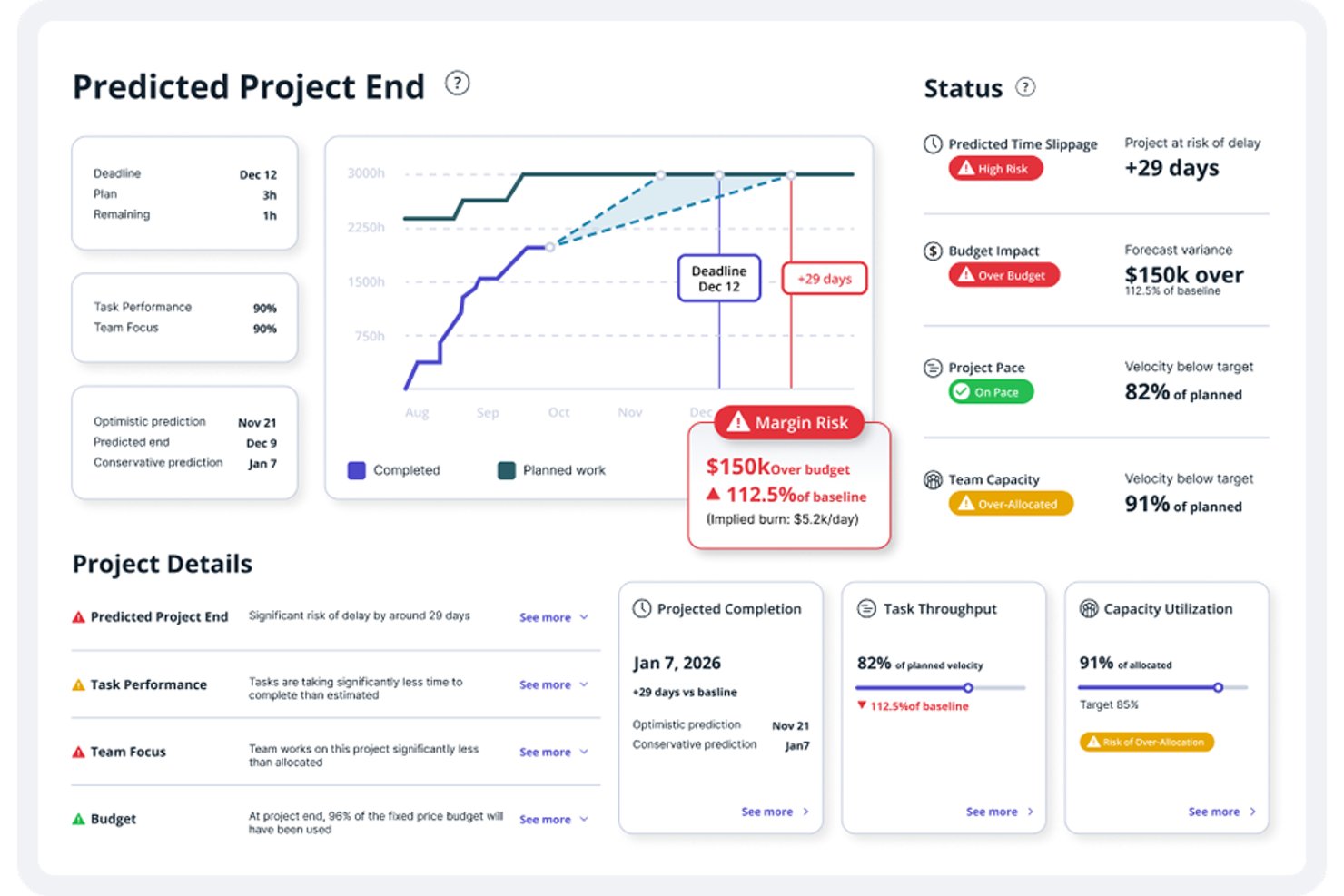
Accelo is a professional services automation platform that brings together CRM, project delivery, time tracking, resource planning, and invoicing into a single connected system for consulting teams.
Who Is Accelo Best For?
Accelo is a strong fit for boutique and mid-sized consulting firms where the same people handle client relationships, project delivery, and billing.
Why I Picked Accelo
I picked Accelo as one of the best because its AI surfaces resource bottlenecks and profit risks before they derail a client engagement. Tentative Scheduling lets me pre-assign consultants from the quote stage, so staffing isn't a scramble once a project is signed. The AI-powered resource recommendations analyze past workload patterns to predict overruns, giving me real data to have scope conversations with clients early.
Accelo Key Features
- Retainer management: Track ongoing client retainers with automated billing and contract reconciliation.
- Proposal-to-project automation: Convert accepted proposals or SOWs directly into structured consulting projects.
- Client portal access: Give your clients a dedicated dashboard for project status, invoicing, and shared assets.
- Multi-currency and entity support: Manage projects and finances across global offices or clients with different currencies.
Pros and Cons
Pros:
- AI flags budget overruns before they escalate
- Retainer drawdown tracked against contracted hours natively
- Proposal-to-project automation eliminates manual scope reentry
Cons:
- Reporting dashboards require significant manual configuration
- Client portal lacks white-label branding options
New Product Updates from Accelo
Accelo Adds Quote Designer and Pipeline Management
Accelo adds Quote Designer, enhanced pipeline views, and quote tracking with version history. This helps teams create proposals and manage opportunities from scoped work. For more information, visit Accelo’s official site.

Wrike
Best for real-time project visibility

Wrike is a project management platform built for professional services and complex team workflows, with real-time dashboards, resource management, time tracking, Gantt charts, and client collaboration tools.
Who Is Wrike Best For?
Wrike is a strong fit for mid-size to enterprise consulting teams that manage multiple client projects simultaneously and need visibility across workloads, timelines, and budgets.
Why I Picked Wrike
Wrike earns its spot as one of the best on my shortlist because of how much visibility it gives me across every active client engagement at once. I love that I can build custom real-time dashboards that pull live data from multiple projects, so I can see task status, overdue items, and budget burn without digging through individual project folders. Wrike's cross-project reporting also lets me track resource allocation across my entire portfolio, which means I can catch capacity issues before they become delivery problems.
Wrike Key Features
- Time tracking: Log hours directly on tasks and use the data to support client billing and project cost analysis.
- Interactive Gantt charts: Visualize project timelines, set dependencies, and adjust schedules with drag-and-drop task management.
- Project blueprints: Build reusable project templates to standardize delivery workflows across similar client engagements.
- Client request forms: Create intake forms that automatically generate tasks when clients submit new project requests.
Pros and Cons
Pros:
- Time tracking and resource management features
- Advanced workflow automations
- Highly customizable platform
Cons:
- Extensive features may require a learning investment
- Interface could be more intuitive
New Product Updates from Wrike

Wrike Adds Quick Search to Table View
Wrike adds Quick Search to Table View with full-table search across titles, descriptions, and fields, plus highlighted matches. This helps users find tasks faster in large tables. For more information, visit Wrike’s official site.

Best for integrated business operations

Zoho Projects is a project management platform with task management, Gantt charts, timesheet logging with invoice generation, resource allocation, budget tracking, and workflow automation built across the Zoho ecosystem.
Who Is Zoho Projects Best For?
Zoho Projects is a strong fit for consulting teams already using other Zoho products like Zoho CRM, Zoho Books, or Zoho Invoice.
Why I Picked Zoho Projects
I picked Zoho Projects as one of the best because it connects directly with Zoho CRM, letting me turn a won deal into a live project without re-entering client data. From there, logged hours flow into Zoho Invoice automatically, so billing clients requires no manual exports. Budget tracking with planned vs. actual cost visibility keeps financial oversight tight across every active engagement.
Zoho Projects Key Features
- Gantt charts: Visualize project timelines, map task dependencies, and auto-reschedule tasks when dates shift.
- Client user access: Add clients as limited users so they can view task progress and project updates directly in the tool.
- Blueprint automation: Build repeatable task workflows with defined status transitions and mandatory actions at each stage.
- Project templates: Save full project structures and reuse them across similar client engagements.
Pros and Cons
Pros:
- Customizable to fit various business needs
- Comprehensive project management features
- Deep integration with Zoho suite and third-party apps
Cons:
- Some advanced features only available in higher-priced plans
- Steeper learning curve for new users
- Can be overwhelming due to its extensive features
New Product Updates from Zoho Projects
Zoho Projects Adds CodeX Scripts for Custom Modules
Zoho Projects now supports CodeX Scripts for custom modules, enabling conditional logic and rules for creating, updating, and deleting records. For more information, visit Zoho Projects' official site.
 .
.
VOGSY
Best for consultants managing global projects

VOGSY is a professional services platform built for consultancies and service firms that need project management, resource planning, multi-currency billing, and project accounting across multiple countries and entities.
Who Is VOGSY Best For?
VOGSY is a natural fit for mid-sized consulting firms and professional services agencies that operate across multiple countries, currencies, or legal entities.
Why I Picked VOGSY
VOGSY earns its spot on my shortlist because it's one of the few project management tools built specifically for consulting firms running projects across multiple countries and legal entities. I particularly like the multi-currency billing and per-entity P&L reporting, which let my team track profitability on a Berlin engagement differently from one in Singapore without consolidating everything manually. The multi-entity project accounting also means I can manage separate financials for each regional office while still getting a unified view at the portfolio level.
VOGSY Key Features
- Skills-based resource allocation: Match consultants to projects based on skill set, availability, and utilization targets across your team.
- Quote-to-project conversion: Turn approved proposals into live projects with budget, timeline, and deliverables already mapped.
- Time and expense tracking: Log billable hours and expenses at the project level with client approval workflows built in.
- AI assistant: Query live project, resource, and financial data using natural language directly inside the platform.
Pros and Cons
Pros:
- Real-time global financial overview
- Fast setup and onboarding
- Robust resource planning tools
Cons:
- Limited mobile functionality
- Basic customization options feel restrictive
New Product Updates from VOGSY
VOGSY Adds Velocity Agent Verdicts for Quote Approvals
VOGSY adds Velocity agent verdicts for quote approval requests with risk levels, margin checks, discount analysis, and reasoning. This helps approvers assess quote risk before making a final decision. For more information, visit VOGSY’s official site.
 .
.
Notion
Best with granular workspace access controls

Notion is a connected workspace platform that combines project tracking, document management, databases, and client collaboration tools into a single, highly customizable environment.
Who Is Notion Best For?
Independent consultants and small boutique firms who need a flexible, doc-forward workspace to manage client projects and deliverables without rigid structure.
Why I Picked Notion
Notion earns its spot on my shortlist because of how precisely you can control who sees what across a shared workspace. On the Business plan, database permissions let you filter rows by assignee, so a client only ever sees their own project data, not another client's. Private teamspaces add another layer, keeping internal strategy work completely separate from client-facing pages. That level of access control handles multi-client confidentiality without needing a separate portal tool.
Notion Key Features
- Database templates: Quickly set up client project trackers, deliverables logs, or consulting engagement templates using customizable Notion database templates.
- Timeline views: Visualize project schedules, milestones, and dependencies across multiple consulting engagements from a single workspace.
- Integrated document editor: Draft, store, and version proposals, SOWs, and presentations directly within each client project’s workspace.
- Automations and workflows: Trigger notifications, duplicate templates, or move project items between stages automatically with simple built-in automation options.
Pros and Cons
Pros:
- Doc and project management in one workspace
- Granular permissions keep client data separate
- Flexible database structures for multi-client tracking
Cons:
- Resource capacity planning is not built in
- No native time tracking or billing tools

Scoro
Best for advanced quoting and margin insights
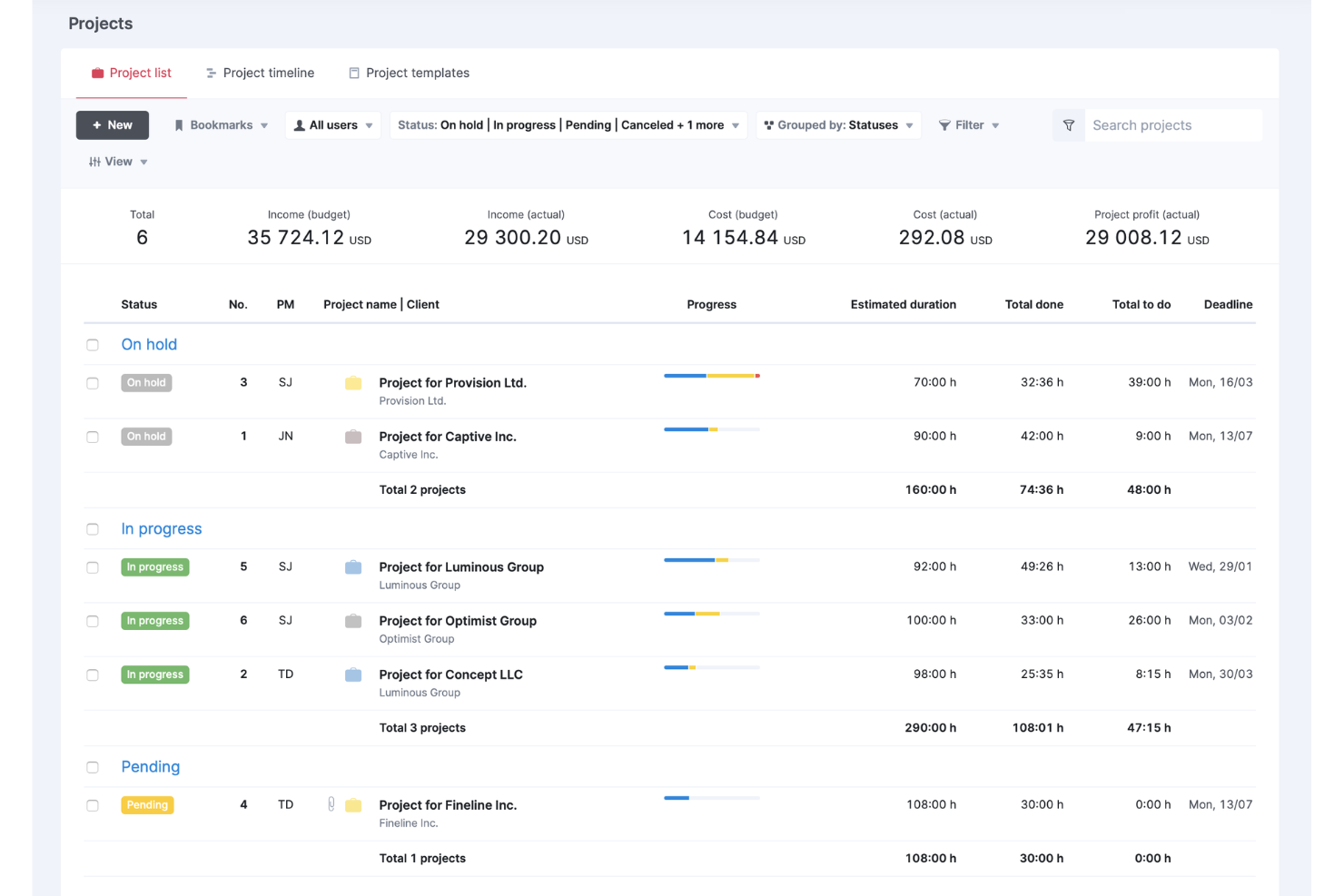
Scoro is a professional services automation platform that unifies project management, resource planning, time tracking, CRM, quoting, and financial reporting in a single system built for consulting firms and agencies.
Who Is Scoro Best For?
Scoro is a strong fit for boutique to mid-market consulting firms with 5 or more team members who need to manage client work and finances in one place.
Why I Picked Scoro
Scoro earns its spot on my shortlist because of its estimation matrix, which lets me break down deliverables by role, hours, and cost before a single hour is logged. I can see margin and markup in real time at the service or project level, so I always know whether a consulting engagement is tracking toward profit. The quoted vs. actuals reporting then closes the loop, showing exactly where scope or effort drifted.
Scoro Key Features
- Resource planner: Visual dashboard for allocating consultants and tracking workload across all active projects.
- Retainer management: Native tools to set up, track, and reconcile recurring client retainers and drawdowns.
- CRM integration: Built-in client relationship management system links sales pipeline with project delivery and invoicing.
- Multi-currency support: Handle billing and financial tracking for clients across different currencies and legal entities.
Scoro Integrations
Scoro offers native integrations with Xero, QuickBooks, HubSpot, Stripe, Google Calendar, Google Drive, Dropbox, and Zapier. An API is available for custom integrations.
Pros and Cons
Pros:
- Covers entire quote-to-cash workflow natively
- Retainer tracking built into core workflows
- Margin visibility down to the project level
Cons:
- Reporting customization requires technical configuration
- Steep setup time for smaller consulting teams
New Product Updates from Scoro

Scoro Adds Time Mobile App and ELI Improvements
Scoro adds the Scoro Time mobile app for iOS/Android to track time anywhere and expands ELI with attachments, smarter filtering, and trigger-based actions. For more information, visit Scoro's official site.

Celoxis
Best for complex cross-project tracking
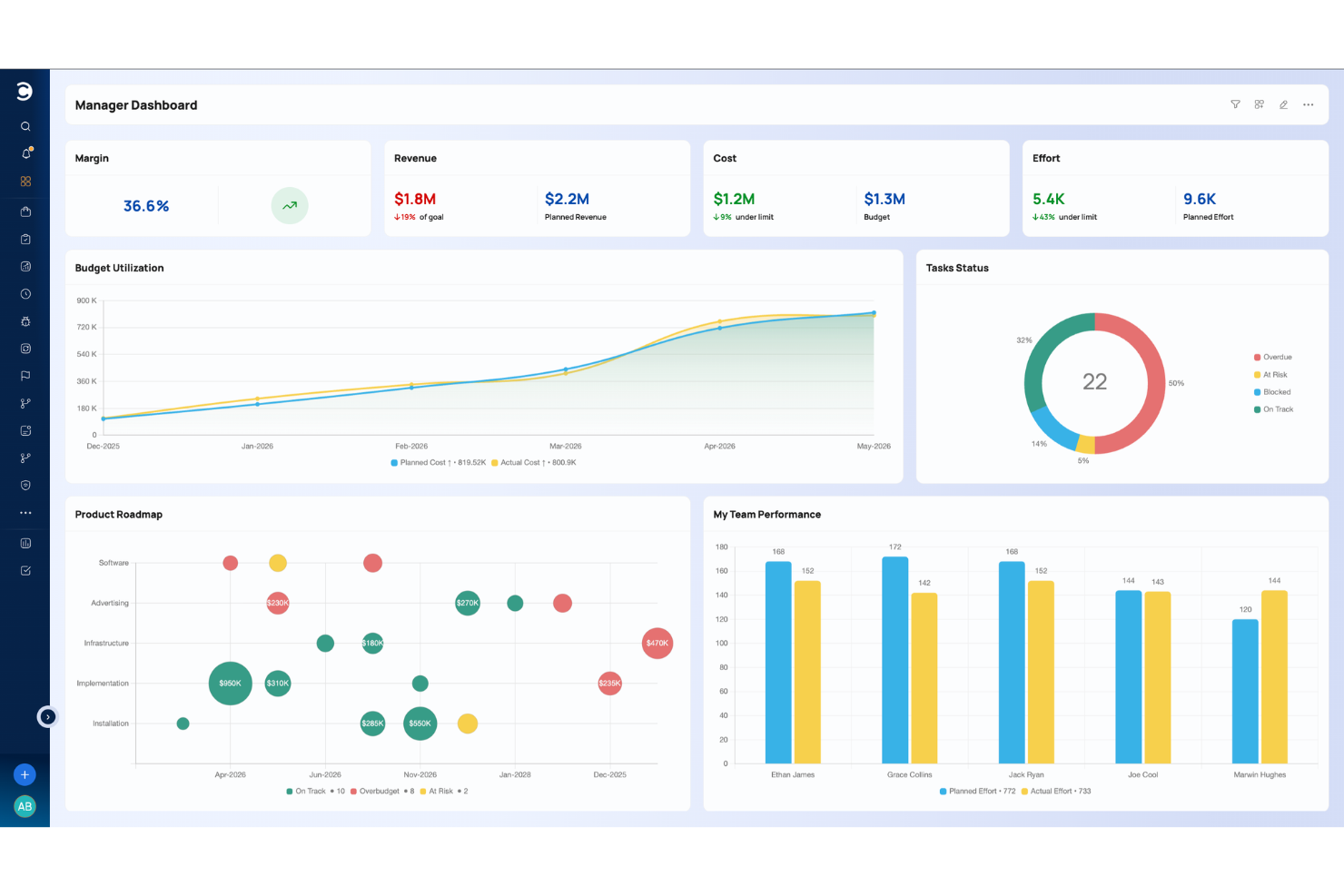
Celoxis is a project management platform for consulting and enterprise teams that combines project planning, portfolio management, resource allocation, time and expense tracking, and built-in BI dashboards in a single tool.
Who Is Celoxis Best For?
Celoxis suits mid-to-large consulting firms that manage several client projects at once and require enterprise-grade tracking without resorting to complex custom-built tools.
Why I Picked Celoxis
I picked Celoxis as one of the best because of how well it handles cross-project complexity that trips up most tools. I particularly like the inter-project dependencies feature, which lets my team link tasks across separate client engagements so a delay in one project automatically surfaces its impact elsewhere. Paired with RAG health indicators and critical path analysis, I can see exactly where things stand across a full portfolio at a glance, without digging through individual project files.
Celoxis Key Features
- Time and expense tracking: Log billable hours and project expenses within tasks. Approvals can go through multiple levels before submission.
- Client portal: Share project updates, files, and reports with external stakeholders using a dedicated, access-controlled portal.
- Resource workload management: See team availability and capacity across projects to assign work according to current demand.
- Project budget tracking: Set project budgets, monitor actual and planned costs, and track financial health at the project level.
Pros and Cons
Pros:
- Deep cross-project dependency management
- Built-in financial tracking across projects
- Supports both hourly and fixed-price models
Cons:
- Deep administrative learning curve required
- Mobile app lacks full desktop functionality
Best for time tracking and invoicing
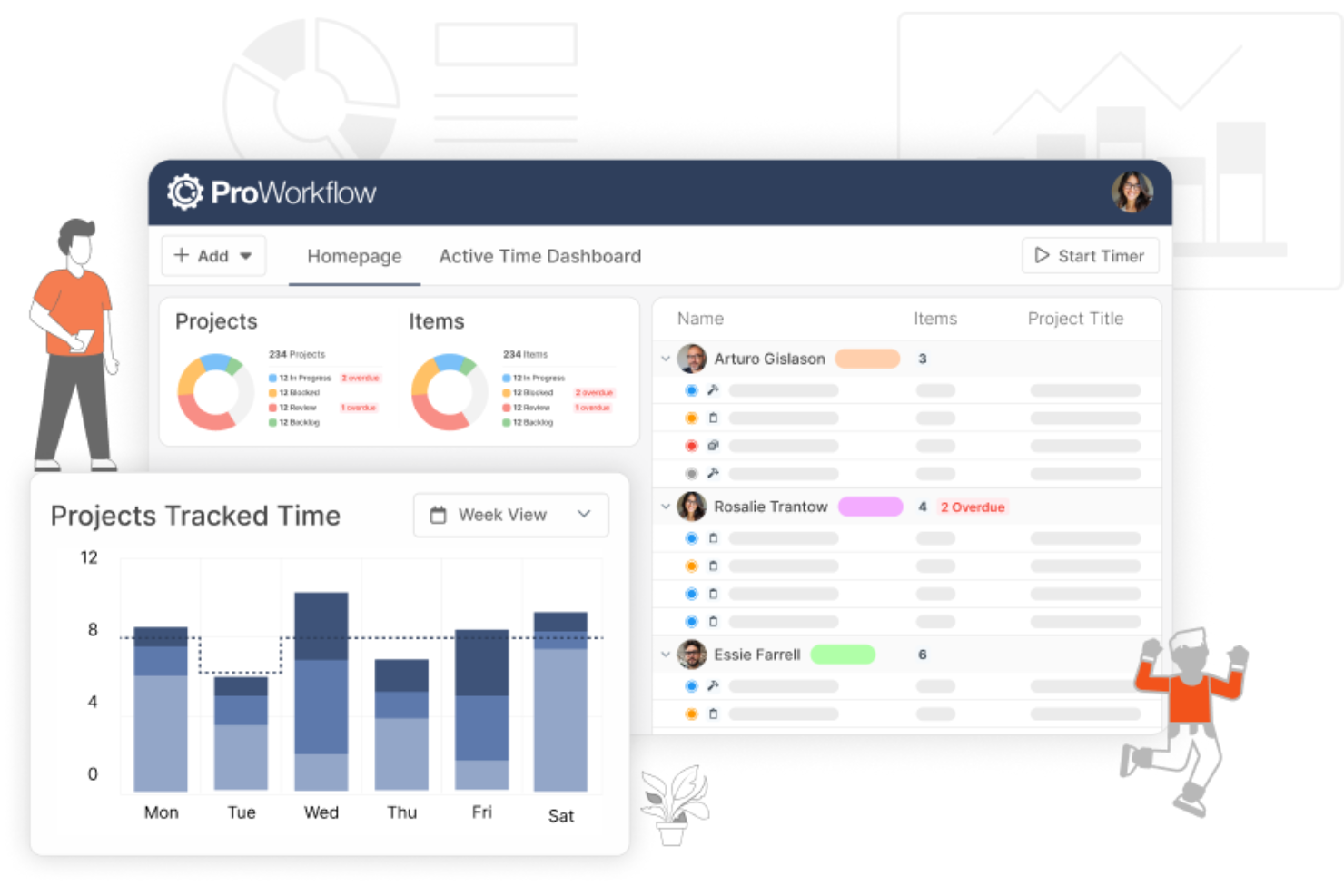
ProWorkflow is an ideal solution for consultants seeking to enhance their project management capabilities. It provides tools to streamline workflows, improve project profitability, and optimize client management, making it a valuable asset for industries like consulting, marketing, and architecture. By integrating features like time tracking and invoicing, ProWorkflow addresses the need for efficient project handling and financial oversight.
Why I Picked ProWorkflow
I picked ProWorkflow for its strong alignment with the needs of consulting professionals, particularly its robust time tracking and invoicing capabilities. Time tracking ensures accurate billing and resource allocation, while invoicing integrates seamlessly with accounting tools, providing a clear financial overview. These features, combined with the ability to manage client relationships effectively, make it a standout choice for those in the consulting industry.
ProWorkflow Key Features
In addition to its core capabilities, I also found several features that enhance its usability for consultants:
- Client Management: This feature allows you to keep track of client interactions and project progress, ensuring strong communication and client satisfaction.
- Resource Planning: You can allocate tasks and manage team workloads with visual tools like Gantt charts, optimizing resource use.
- Reporting: Generate detailed reports that provide insights into project performance, helping you make informed decisions.
- Materials Management: Keep track of project materials and expenses in one place, ensuring transparency and control over project costs.
Pros and Cons
Pros:
- Kanban and Gantt charts improve planning
- Profitability tools help manage budgets
- Real time tracking supports scheduling
Cons:
- Mobile app navigation needs improvement
- Reporting tools feel overly complex
New Product Updates from ProWorkflow

ProWorkflow Enhances Financial Insights and Project Customization
ProWorkflow introduces Client Insights, project layout customization, Gantt chart improvements, and enhanced file management. These improve financial visibility and give teams more control over project organization and tracking. For more information, visit ProWorkflow’s official site.
 .
.
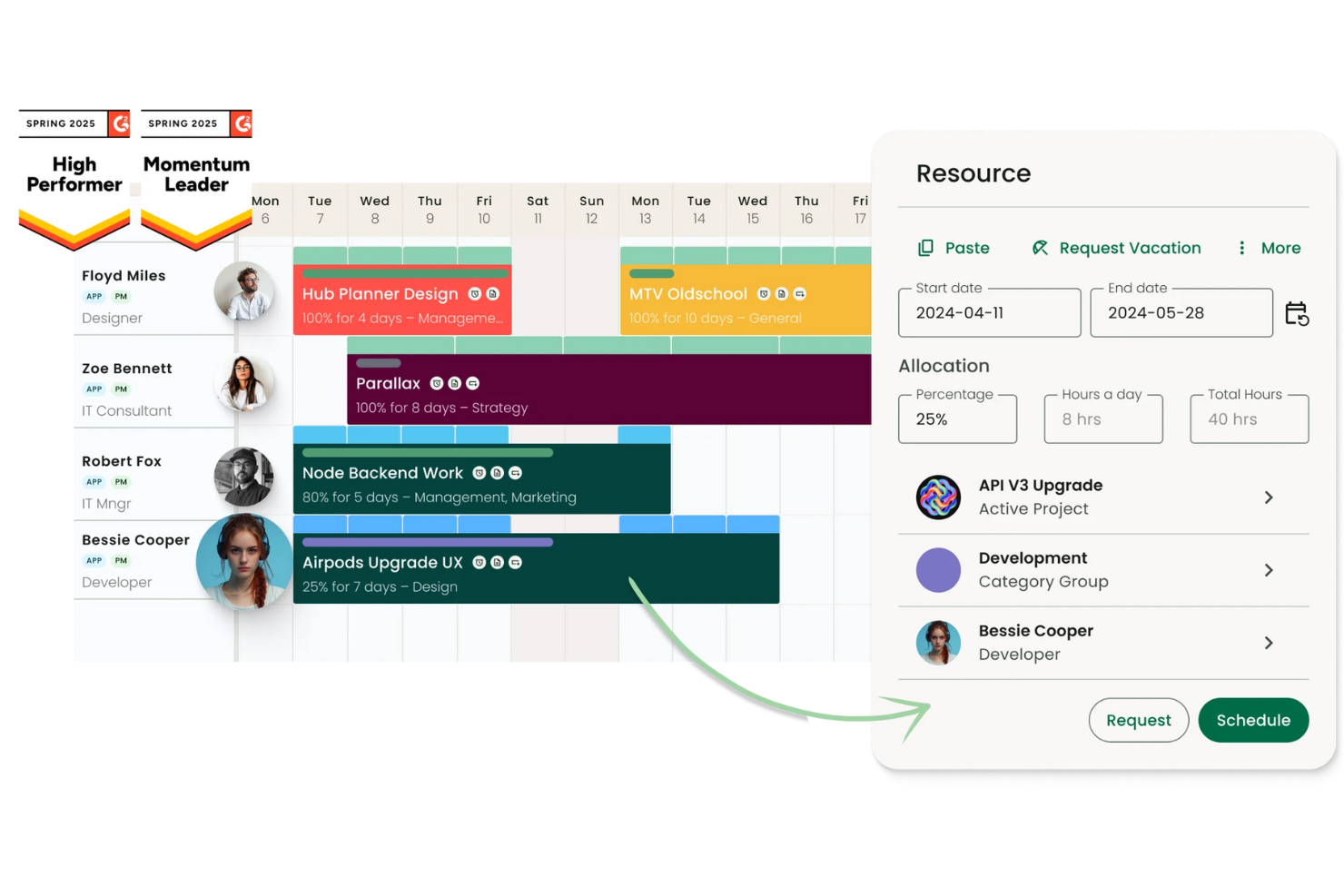
Project Flow by Milient is a project management platform built for AEC and project-based consultancies, combining phase-structured project tracking, time logging, resource allocation, budgeting, and invoicing in a single connected system.
Who Is Project Flow by Milient Best For?
Project Flow is a strong fit for small to mid-size architecture, engineering, and technical consulting firms managing multiple billable client projects.
Why I Picked Project Flow by Milient
Project Flow by Milient earns its spot on my shortlist because of how tightly it connects quoting and project delivery. I love that you can build a fee proposal in the platform, then convert it into a live project in one click. The budget, phases, and billing rates carry over automatically. I also like the portfolio-wide view that tracks budget consumption and invoiced percentages across active projects. That visibility means nothing slips between a signed proposal and the final invoice.
Project Flow by Milient Key Features
- Phase-based project structure: Organize client work into real project phases with timelines and milestones.
- Resource management module: Allocate consultants to projects and monitor capacity and utilization rates.
- Integrated invoicing and billing: Generate invoices directly from logged hours, budgets, and project data.
- Knowledge management portal: Store routines, templates, and key documents in a centralized location for teams.
Pros and Cons
Pros:
- Portfolio-wide budget and billing visibility
- Built-in invoicing tied to project phases
- Proposal-to-project conversion in one click
Cons:
- Primarily built for Scandinavian market firms
- Limited client portal for external sharing
Other Options
Below is a list of additional project management software for consultants that we shortlisted, but did not make it to the top list. Definitely worth checking them out.
- Kantata
For full lifecycle service delivery
- Projectworks
With AI-driven resource and capacity planning
- Hello Bonsai
For end-to-end project management
- Ravetree
For multi-tiered approvals
- JIRA
For agile development and issue tracking
- ReptonPOD
For comprehensive planning and execution
- BigTime
For platform-agnostic PSA integrations
- TaskRay
For Salesforce-native project management
- Smartsheet
Good for spreadsheet-like project management
- Asana
For task customization and visual project tracking
- Basecamp
For centralized project communication
- Paymo
Good for small teams and freelancers
- Freedcamp
Good for managing multiple projects on a budget
- Adobe Workfront
Good for enterprise work management
- monday AI Workspace
Good for customizable workflow templates
- ProjectManager
Good for real-time project dashboards
- Teamwork.com
For built-in retainer & contract tracking
- Zenkit
Good for data visualization and collaboration
- Assembla
Good for software development and code sharing
- Redbooth
Good for task and workflow visualization


How I Evaluate Project Management Software for Consultants
I split my evaluation into baseline requirements—like managing concurrent client engagements and billable time tracking—and the factors that distinguish one tool from another.
Core Functionality (Table Stakes For This List)
When I'm selecting tools for my list, I rank each one on a scale from 0 (does not offer the functionality) to 5 (excels in this area) for each core functionality listed below. Then, I calculate the tool's total score into a percentage. Each tool needs to achieve a minimum total score of 65% to be considered for inclusion.
- Client Project Tracking: I look for the ability to organize concurrent engagements by client, with distinct milestones, phases, and deliverable timelines per project.
- Time & Billing Tracking: Each tool needs to let consultants log billable vs. non-billable hours against specific tasks, with rate management and invoicing or export options.
- Resource & Capacity Planning: I evaluate how well a tool shows consultant workload across engagements and whether it supports utilization tracking and capacity forecasting.
- Client Collaboration & Portals: Sharing progress with external stakeholders matters, so I check for guest access, client-facing portals, or permission-controlled workspaces.
- Profitability & Financial Reporting: The tool should surface project margins, budget vs. actuals, and utilization metrics so engagement managers can spot at-risk projects early.
- Document & Deliverable Management: I look at how proposals, SOWs, and final deliverables are stored, versioned, and tied to the projects they belong to.
Once I have a list of tools that meet this criteria, I consider what sets each platform apart.
Differentiating Factors (What Sets Vendors Apart)
Here's how I compare and contrast different vendors:
Standout Features
Proposal-to-project automation is a big differentiator—I look for tools that convert an accepted SOW directly into a structured project with phases, budgets, and deliverables already populated. Retainer management also separates the field, especially for consultants running monthly drawdown engagements where tracking remaining hours against a contract is daily work. For firms serving clients across borders, multi-entity support with multi-currency billing makes a real difference in keeping financials clean.
Beyond Features
Pricing model transparency matters a lot here—consultants frequently bring on subcontractors, so I check whether guest or contractor seats inflate costs unpredictably. Integration with accounting tools like QuickBooks or Xero is another key factor, since billing data needs to flow cleanly from project to invoice without manual re-entry. I also evaluate time-to-value, because consultants bill their own hours and can't absorb weeks of onboarding. Tools with prebuilt consulting templates and guided setup tend to get firms productive faster.
How to Choose Project Management Software for Consultants
The right project management software depends on how your consulting practice operates, including your team size, number of clients, billing model, and resource planning needs.
- Solo consultants: Look for straightforward project tracking, time tracking, invoicing, reusable templates, and client access without unnecessary resource management features.
- Small consulting teams: Prioritize shared project views, workload management, time tracking, project budgets, permissions, and client collaboration.
- Growing consulting firms: For consultants managing a growing number of client relationships, client database tools can also help centralize client information, contact details, and relationship history alongside project work.
- Firms managing retainers: Consider tools that track recurring projects, contracted versus used hours, recurring billing, and ongoing client work.
- Firms with complex resource needs: Look for capacity planning, skills-based allocation, utilization reporting, and visibility across multiple simultaneous engagements.
When comparing tools, start with how you currently deliver client work and where you need more visibility. A solo consultant may only need project and time tracking, while a larger consulting firm may benefit from a professional services automation platform that combines project management with resource planning and financial management.
Trends in Project Management Software for Consultants in 2026
Project management platforms continue to add features for client reporting, resource planning, and financial oversight. Based on recent product updates and release notes, these are the trends I’m monitoring:
- Client-Focused Dashboards: More platforms provide dashboards designed for client reporting. For example, consultants can share project milestones, deadlines, and performance metrics without exposing internal information.
- Dynamic Resource Allocation: Resource planning tools are becoming more responsive to schedule and workload changes. As a result, consultants can reassign work when priorities shift or team members reach capacity.
- Profitability Tracking: Some platforms now track profitability by project, client, or team member. Therefore, consulting firms can compare revenue with labor and project costs before adjusting pricing or staffing.
- White-Labeling Options: Branding controls allow consultants to customize client-facing portals, reports, and workspaces. In turn, clients receive a more consistent experience across project communications and deliverables.
- Scenario Planning for Proposals: Scenario-planning features let consultants compare possible budgets, schedules, and staffing plans. Consequently, they can present realistic options before confirming the scope of an engagement.
What Is Project Management Software for Consultants?
Project management software for consultants helps consulting professionals manage projects, client engagements, and administrative work. It typically combines task management, time tracking, project planning, and client collaboration features.
The software provides a central place to organize schedules, resources, documents, and project communication. As a result, consultants can monitor deliverables, deadlines, and budgets across multiple client engagements.
Essential Project Management Features for Consultants
The best project management software for consultants should support both project delivery and client administration. Although requirements vary by firm, the following features are commonly useful:
- Billable Time Tracking: Records billable and non-billable hours against specific clients, projects, and tasks. This data can support invoicing, utilization reporting, and project cost analysis.
- Project Budgeting and Profitability: Compares budgets, labor costs, billable revenue, and actual project performance so you can monitor the financial health of each engagement.
- Client Portals and Guest Access: Gives clients controlled access to relevant project information, such as status updates, deliverables, approvals, files, and invoices, without exposing internal work.
- Resource and Capacity Planning: Shows consultant availability and assignments across concurrent engagements. Look for workload, utilization, skills, and future capacity views if you're managing a larger team.
- Retainer Management: Tracks recurring engagements against contracted hours, budgets, or billing periods so you can see how much of a client's retainer has been consumed.
- Proposal or SOW-to-Project Workflows: Converts approved scopes, quotes, or statements of work into active projects, reducing the need to recreate project details manually.
- Timesheet-to-Invoice Workflows: Connects approved billable time and expenses with invoicing or accounting systems so project records can flow into client billing.
- Multi-Client Reporting: Provides portfolio-level views across active engagements so you can compare deadlines, budgets, resource demand, project health, and financial performance.
- Document and Deliverable Management: Keeps SOWs, project files, deliverables, approvals, and related documentation attached to the relevant client engagement.
- Accounting and CRM Integrations: Connects project data with systems used for sales, accounting, and invoicing to reduce duplicate entry between the commercial and delivery sides of the business.
How Consultants Manage Multiple Client Projects
Managing several client engagements at once requires visibility across projects without mixing client work together. Project management software can help consultants by providing:
- Separate projects for each client: Keep tasks, files, deadlines, and communication organized by engagement.
- Cross-project workload views: See consultant capacity across engagements and identify scheduling conflicts before assigning new work. Resource management software for consultants can provide deeper visibility into availability and resource allocation across projects.
- Billable time tracking: Monitor hours by client and project to compare actual effort with planned hours.
- Reusable project templates: Standardize recurring consulting workflows, deliverables, and project stages.
- Client access controls: Give clients visibility into relevant tasks, files, and updates while keeping internal work private.
- Project budget tracking: Compare time and costs against project budgets as work progresses.
Benefits of Project Management Software for Consultants
Project management software can help consultants manage client work while keeping an eye on time, resources, and project performance. The main benefits include:
- Manage multiple client projects: Keep timelines, tasks, deliverables, and deadlines organized across separate client engagements.
- Track billable and non-billable time: See where consultant hours are being spent and connect time worked to project budgets and billing.
- Control project scope and budgets: Compare planned work with actual time and costs to identify projects that are moving beyond their original scope.
- Plan consultant capacity: See workloads across projects so you can identify availability and avoid assigning more work than a consultant can reasonably handle.
- Monitor project profitability: Track project costs, billable hours, budgets, and margins to understand which engagements are performing as expected.
- Standardize recurring client work: Use templates, workflows, and automations to create consistent processes for common consulting engagements.
- Keep client communication connected to projects: Centralize approvals, files, updates, and other project information rather than managing them across separate channels.
Costs & Pricing of Project Management Software for Consultants
Selecting the right project management software is crucial for consultants aiming to streamline their workflow, enhance productivity, and manage projects efficiently. With a variety of pricing options available, understanding the different plans and what they offer can help you choose the software that best fits your needs and budget.
Here’s a breakdown of typical plan options and their pricing for project management software tailored for consultants:
| Plan Type | Average Price | Common Features |
| Free | $0 | Basic task management, limited users, limited storage |
| Basic | $10 - $15 per user/month | Task and project tracking, simple reports, limited integration |
| Standard | $20 - $35 per user/month | Time tracking, expanded integrations, enhanced reporting |
| Premium | $35 - $60 per user/month | Resource management, advanced analytics, unlimited projects |
| Enterprise | Custom pricing | Custom integrations, dedicated support, comprehensive analytics |
When considering project management software, it’s crucial to weigh the needs of your consulting practice against the features and limitations of each plan. Starting with a free or low-cost option can be a practical way to evaluate the software’s effectiveness before committing to a more feature-rich, higher-cost plan.
Project Management Software for Consultants FAQs
Here are some of the frequently asked questions I get asked about project management software for consultants.
Can I use project management software for small-scale projects?
Absolutely. Most project management software is designed to be scalable, making it suitable for projects of any size, from small tasks to large-scale operations.
Is it necessary to have technical skills to use project management software?
No, most software is user-friendly, and designed with intuitive interfaces that require minimal technical skills. Training resources and support are typically available for more complex features
How secure is my data in project management software?
Top project management software for consultants prioritizes data security with encryption, secure data centers, and compliance with international privacy standards to protect your information.
Can I integrate other tools with my project management software?
Yes, many project management tools offer integration capabilities with popular software like email, calendar apps, CRM systems, and financial software to streamline your workflow.
Is there project management software that works on mobile devices?
Yes, most providers offer mobile applications or mobile-friendly web versions, allowing you to manage your projects and stay updated from anywhere.
Do project management software providers offer customer support?
Yes, customer support is a standard offering, with many providers delivering multiple support channels, including email, chat, and phone, along with extensive knowledge bases and tutorials.
Can I customize project management software to fit my consulting firm’s needs?
Absolutely. Many project management tools allow the customization of workflows, fields, reports, and dashboards to align with your specific project management needs and preferences.
How can consultants track project profitability with project management software?
Consultants can track project profitability by comparing project revenue with the time, labor costs, expenses, and other resources used to deliver the work. Project management software with budgeting and financial tracking features can help consultants monitor budget versus actuals, billable hours, project margins, and scope changes as an engagement progresses.
For fixed-fee projects, this can help identify when additional hours are reducing the expected margin. For time-and-materials engagements, it can help consultants compare billable hours with costs and project budgets.
How is project management software for consulting firms different from general project management software?
Project management software for consulting firms typically goes beyond task and deadline tracking to support the commercial side of client work. Depending on the tool, this can include billable time tracking, resource utilization, project budgets and profitability, retainers, invoicing, and client permissions. These capabilities are particularly useful for consulting firms that need to manage both project delivery and the financial performance of client engagements.
Do consultants need project management software with a client portal?
Not every consultant needs a client portal, but it can be useful when clients need regular access to project information. Client portals can give clients a dedicated place to review project updates, access files and deliverables, provide approvals, and track progress without exposing internal tasks or discussions.
For consultants managing frequent client communication, client management software may also provide tools for managing client relationships alongside project delivery.