

10 Best Hello Bonsai Alternatives for Freelancers in 2026

Best Hello Bonsai Alternatives Shortlist


The best Hello Bonsai alternatives integrate project management, time tracking, invoicing, and client collaboration—giving agencies complete control over every step, from proposal to payment. If you’re searching for Hello Bonsai alternatives, you likely need tools that fit your agency’s workflow, flex as you grow, and bring finance and project delivery under one roof.
Choosing the right option matters because you want to prevent process chaos, keep everyone on track, and spend less time jumping between systems. This list breaks down top options to help you zero in on a solution that matches how your agency works now and supports where you want to go.
What Is Hello Bonsai?
Hello Bonsai is business management software for freelancers, entrepreneurs, agencies, and small business owners who need one place to manage client work. It combines project management software, proposals, contracts, invoicing, payments, time tracking, task management tools, and client records, making it a practical business management tool for running a freelance business or small team.
As an all-in-one solution, Hello Bonsai helps business owners manage each business process from client onboarding to project delivery and payment. It is especially useful for service-based teams that want user-friendly tools for document management, project organization, and recurring client work without relying on several disconnected systems.
Hello Bonsai Alternatives Comparison Table
This comparison table summarizes pricing details for my top Hello Bonsai alternative selections:
| Tool | Best For | Trial Info | Price | ||
|---|---|---|---|---|---|
| 1 | Best for AI-driven resource planning | Free demo available | Pricing upon request | Website | |
| 2 | Best for client-focused project management | 14-day free trial | From $9.99/user/month (billed annually) | Website | |
| 3 | Best for resource and financial management | 21-day free trial + free demo available | From $17.10/user/month (billed annually) | Website | |
| 4 | Best for team and client communication | 30-day free trial + free demo available | From $15/user/month | Website | |
| 5 | Best for workflow customization | 30-day free trial + free plan + free demo available | From $11.20/user/month (billed annually) | Website | |
| 6 | Best for task, doc, and goal customization | Free plan available | From $7/user/month (billed annually) | Website | |
| 7 | Best for task and workflow management | Free plan available | From $10.99/user/month (billed annually) | Website | |
| 8 | Best for agencies and consultancies | 14-day free trial + free demo available | From $19.90/user/month (billed annually) | Website | |
| 9 | Best for spreadsheet-inspired project management | 30-day free trial | From $9/user/month (billed annually) | Website | |
| 10 | Best for all-in-one agency operations management | 14-day free trial + free demo available | From $10/month (billed annually) | Website |


Why Trust Our Software Recommendations
Our team has been testing and reviewing software since 2012. As project managers ourselves, we know how difficult—and important—it is to choose the right software.
For this guide, we evaluated tools using hands-on testing and independent research, scoring tools using our selection criteria. We also draw on insights from industry thought leaders and practicing project management experts.
Our reviews reflect our human editorial judgment, not a sales pitch.
Expert reviewers:
Best Hello Bonsai Alternatives Reviews
Below are my detailed summaries of the best Hello Bonsai alternatives that made it onto my shortlist. My reviews offer a detailed look at the features, best use cases, and pricing of each platform to help you find the best one for you.

Forecast
Best for AI-driven resource planning
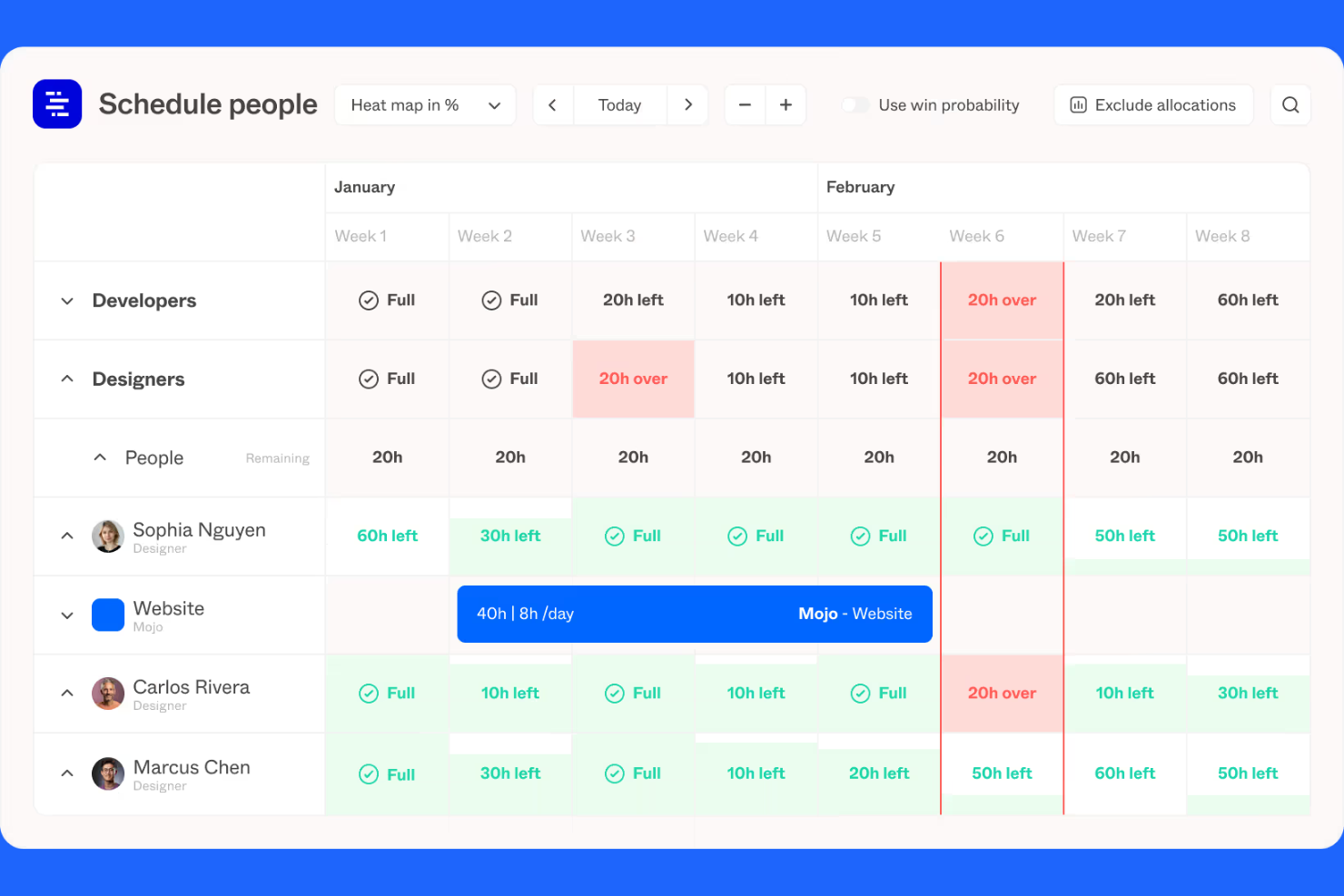
Forecast is a work management platform built for agencies that need integrated project, resource, and financial management. It’s a good choice for teams looking for a unified view of project progress, resource allocation, and budget status in one place.
Who Is Forecast Best For?
Agencies or consultancies with complex resource planning and time tracking needs across client projects.
Why Forecast Is a Good Hello Bonsai Alternative
I picked Forecast because it gives my team real-time visibility into resources, time, and budgets without switching between tools. The capacity planning view shows me exactly who's available and when, so I can assign work without overloading anyone. I also rely on Forecast's budget tracking, which ties project finances directly to logged hours and expenses, so I always know where a project stands against its budget. That kind of connected financial and resource data in one place is something Hello Bonsai simply doesn't offer at the same depth.
Forecast Key Features
- Rate cards: Set custom billing rates by role, client, or project type to ensure accurate revenue calculations across different work arrangements.
- Project scoping: Map out project phases, tasks, and deadlines at the start of an engagement to define scope and reduce mid-project drift.
- Revenue recognition: Track and report on earned revenue separately from invoiced amounts to maintain accurate financial reporting across projects.
- Invoicing: Generate invoices directly from tracked project time and expenses, with payment tracking built in.
Forecast Integrations
Forecast offers native integrations with Google Calendar, Google Drive, Jira, QuickBooks Online, Xero, GitHub, Microsoft 365, Slack, Trello, and Salesforce. An API is available for custom integrations.
Pros and Cons
Pros:
- Rate cards help manage client and project billing rules
- Revenue recognition supports agency financial oversight
- Capacity planning gives teams real-time resource visibility
Cons:
- Client portal functionality is limited
- Proposal and contract tools are not built in

Best for client-focused project management
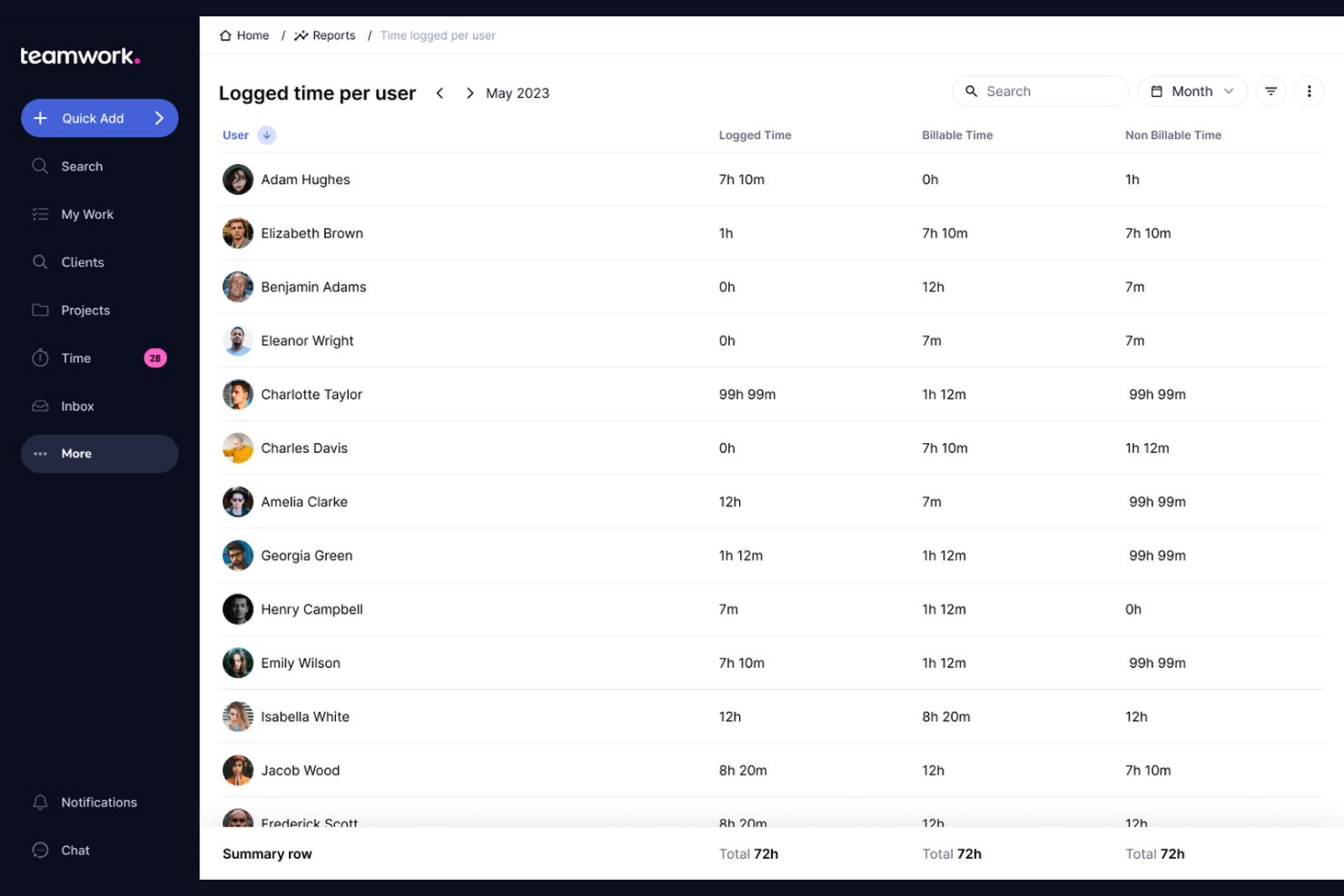
Teamwork.com is an agency-focused project management platform designed for client service teams juggling multiple deliverables and deadlines. If you need to centralize task assignments, track billable hours, and organize client communications, Teamwork.com is worth considering.
Who Is Teamwork.com Best For?
Creative agencies and professional services teams who need integrated project management with time tracking and client billing controls.
Why Teamwork.com Is a Good Hello Bonsai Alternative
I picked Teamwork.com because it's purpose-built for client work in a way that general project management tools simply aren't. The native time tracking ties directly into per-project budgets, so I can see in real time whether a client engagement is trending over budget before it's too late to course-correct. I also appreciate the built-in profitability reporting, which lets me pull a financial snapshot across all active projects by client without building a custom report from scratch. For agencies managing retainers or recurring work, the recurring budget tracking feature alone saves a significant amount of manual reconciliation each month.
Teamwork.com Key Features
- Client access controls: Invite clients into projects with role-based permissions that limit what they can view or edit.
- Workload planner: See each team member's task load across all active projects and reassign work directly from the view.
- Milestone tracking: Set project milestones with due dates and link dependent tasks to keep deliverables on schedule.
- Forms: Create intake forms that automatically generate tasks when submitted, routing new client requests into the right project.
Teamwork.com Integrations
Teamwork.com offers 70+ native integrations, including Slack, HubSpot, Zapier, QuickBooks, Microsoft 365, Google Drive, Dropbox, Xero, Harvest, and Jira. An API is available for custom integrations.
Pros and Cons
Pros:
- Workload planner helps balance agency capacity
- Task-level time tracking supports billable work
- Client permissions support controlled project collaboration
Cons:
- Expense tracking is not natively included
- Proposal and contract tools are not built in

Best for resource and financial management
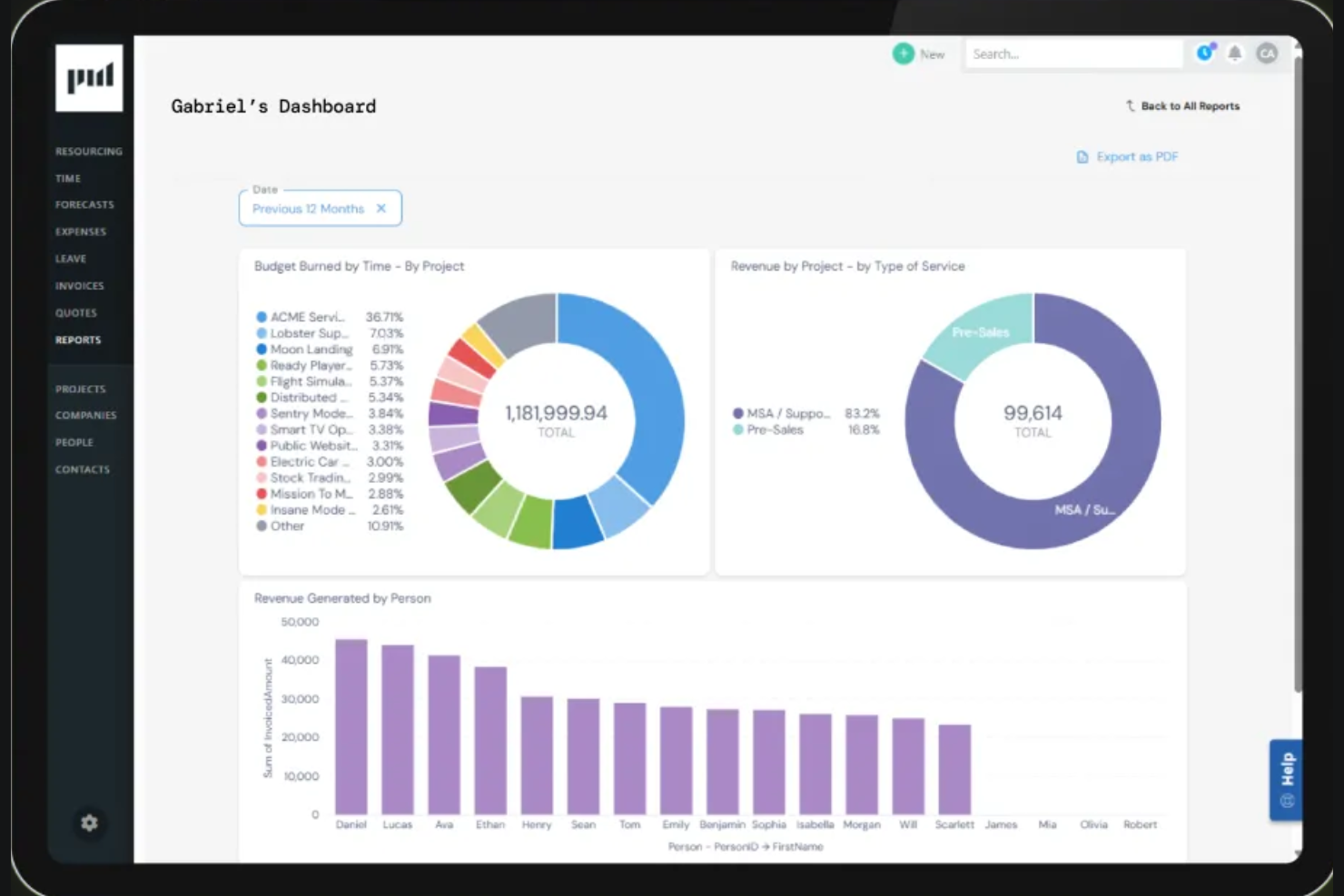
Projectworks is a project operations platform designed for consultancies and agencies who want financial and resource management tightly linked to project delivery. I think it appeals most to firms looking to replace spreadsheets with unified forecasting, invoicing, and resource scheduling.
Who Is Projectworks Best For?
Projectworks is a strong fit for consultancy operations managers needing integrated resource management and financial forecasting across distributed project teams.
Why Projectworks Is a Good Hello Bonsai Alternative
I picked Projectworks because it's purpose-built for consultancies that need resource and financial management tightly connected—not bolted together. The capacity heatmap in the resourcing module shows availability across every team member in real time, so I can see who's overbooked before it disrupts delivery. What I find especially useful is how resourcing data feeds directly into the financial forecast, giving me a live view of projected burn, revenue, and margin by project or person. That connection between staffing decisions and bottom-line impact is something Hello Bonsai can't come close to matching at this level of depth.
Projectworks Key Features
- Flexible billing models: Set up time and materials, fixed fee, percentage-based, or mixed billing per project or client.
- Work in progress (WIP) reporting: Track WIP across all active projects with live financial data tied directly to logged time and expenses.
- Multi-entity support: Connect multiple Xero entities to one Projectworks environment for firms operating across locations.
- Quoting tools: Build quotes from live project data and send them to clients directly from the platform.
Projectworks Integrations
Projectworks offers native integrations with Xero, QuickBooks Online, HubSpot, Slack, and Microsoft 365, and provides an API for custom integrations.
Pros and Cons
Pros:
- Flexible billing models support varied client engagements
- Forecasting connects resourcing decisions to revenue impact
- Capacity heatmaps show team availability across projects
Cons:
- Workflow customization is less deep than dedicated project tools
- Creative asset management is limited

Basecamp
Best for team and client communication
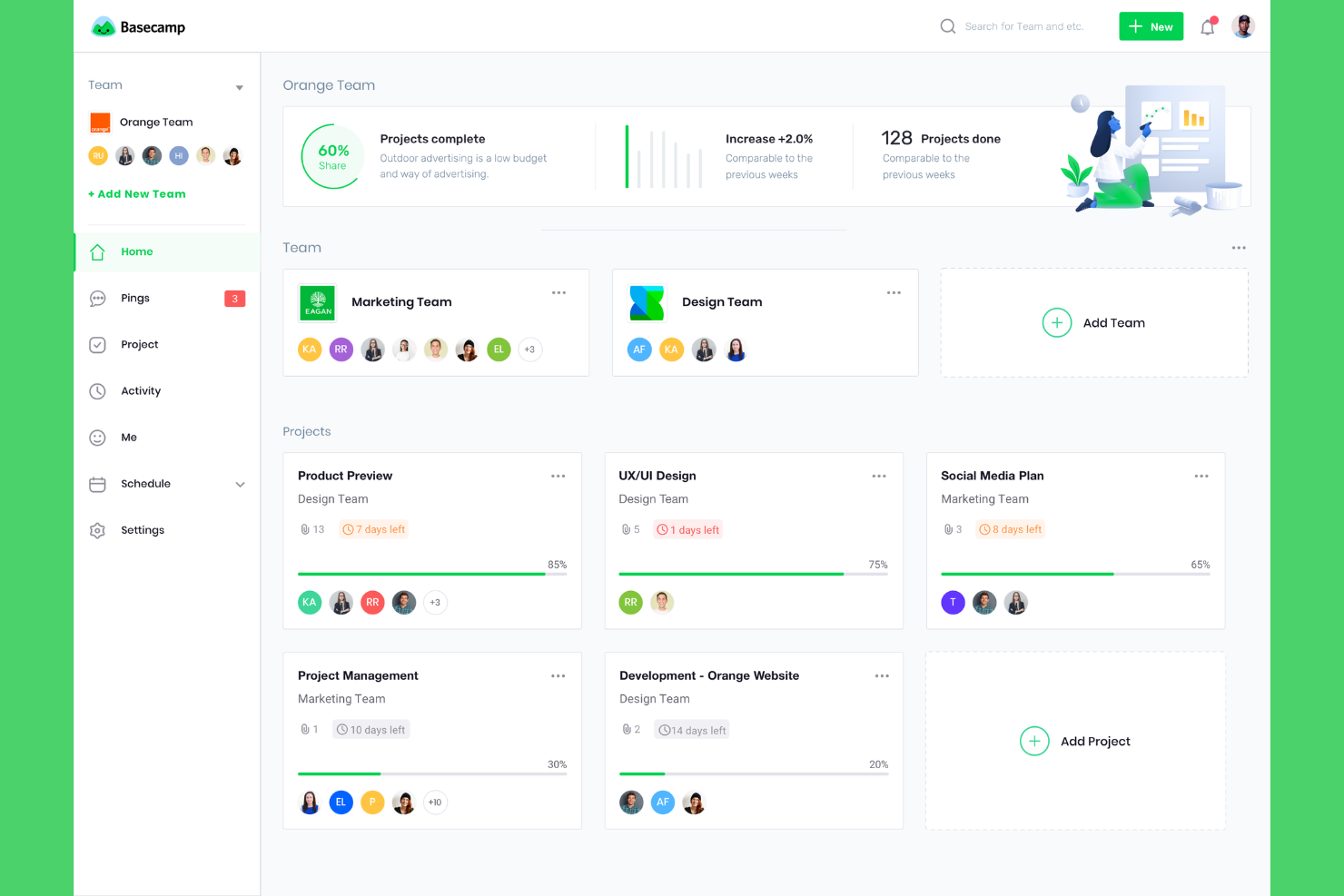
Basecamp gives agencies a single place for project communication, task assignments, and sharing files with clients. If your team wants a straightforward platform to coordinate daily work and feedback, Basecamp is worth considering.
Who Is Basecamp Best For?
Agencies looking for a simple platform where account managers, creatives, and clients can manage conversations and project tasks together.
Why Basecamp Is a Good Hello Bonsai Alternative
I picked Basecamp because it keeps every project conversation, file, and task in one place without requiring anyone to dig through email threads or chat logs. Each project gets its own space with a message board, to-do lists, a shared document area, and a group chat—so my team and clients always know where to look. I especially like Basecamp's client access feature, which lets me invite clients into a project without exposing internal threads. That separation between internal and client-facing communication is something I find genuinely useful when managing multiple accounts at once.
Basecamp Key Features
- Campfire chat: A real-time group chat room built into every project for quick team conversations.
- Hill Charts: A visual progress tracker that shows where each task stands between figuring it out and getting it done.
- Automatic check-ins: Scheduled prompts that ask team members questions and collect responses in one thread.
- Doors: A way to link external tools directly inside a Basecamp project for quick access.
Basecamp Integrations
Basecamp offers native integrations with Slack, Zapier, Trello, Google Drive, Dropbox, Microsoft OneDrive, and Microsoft Outlook. An API is available for custom integrations.
Pros and Cons
Pros:
- Automatic check-ins collect routine project updates
- Client access controls separate internal and external work
- Project-based messaging keeps client communication organized
Cons:
- Reporting and analytics are basic
- Task dependencies and Gantt charts are limited

Podio
Best for workflow customization
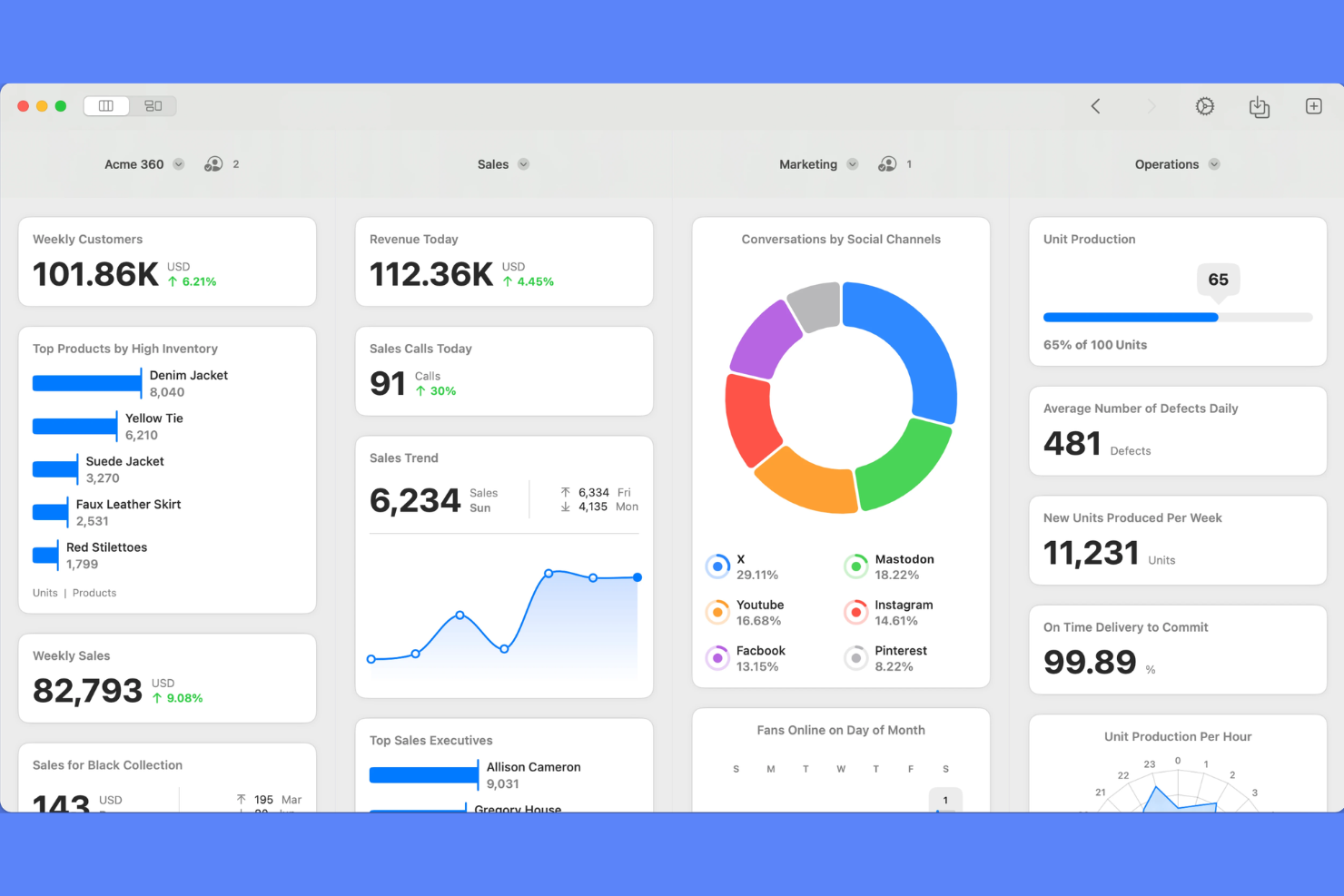
Podio is a flexible work management platform for agencies and creative teams that want to build custom processes around their unique workflows. I think you'll find it especially useful if your team needs to centralize projects, automate routine work, and manage deliverables all in one place.
Who Is Podio Best For?
Podio fits project managers and operations leads in agencies that need to design custom workflows and automate approval processes.
Why Podio Is a Good Hello Bonsai Alternative
I picked Podio because of how far you can push its workflow automation without needing developer support. Using Podio Workflows, I've built automated approval chains for client deliverables—when a task moves to review, the right stakeholder gets notified and the next action triggers automatically. I also use Podio Apps to build custom workspaces that match exactly how my team tracks briefs, campaigns, and client feedback. That level of structural flexibility is something Hello Bonsai simply doesn't offer.
Podio Key Features
- Podio Apps builder: Create custom data structures and item types to match your agency's specific project types.
- Visual project tracking: View tasks and projects across kanban boards, calendars, and list views.
- Granular user permissions: Control workspace and app access by team member, role, or external collaborator.
- Built-in messaging and activity streams: Communicate directly on tasks and items without leaving the platform.
Podio Integrations
Podio offers native integrations with Google Drive, Dropbox, OneDrive, Box, Evernote, and Microsoft Exchange, and connects with Zapier. An API is available for custom integrations.
Pros and Cons
Pros:
- Granular permissions control workspace access
- Workflow automation supports approval routing
- Custom apps adapt workspaces to agency processes
Cons:
- Most workflows require manual setup
- Reporting dashboards have limited visual depth

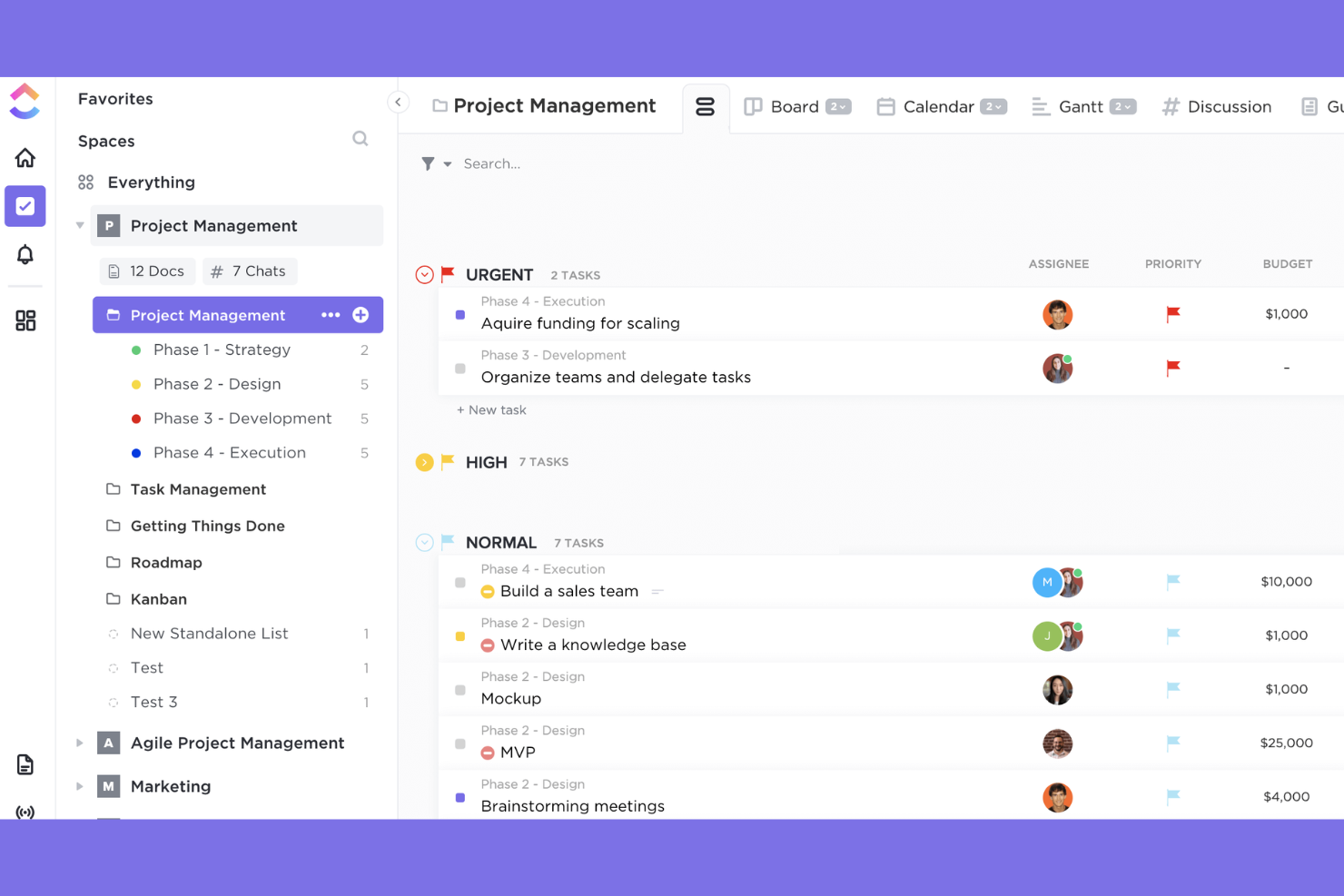
If your agency juggles diverse workflows and client projects, ClickUp gives you tools to centralize all your work. I think teams wanting customizable workspaces and all-in-one task, doc, and resource management will find ClickUp especially useful.
Who Is ClickUp Best For?
ClickUp is a solid choice for mid-sized and large agencies balancing multi-team projects and layered workflow management.
Why ClickUp Is a Good Hello Bonsai Alternative
What draws me to ClickUp as a Hello Bonsai alternative is how much of your work it holds in one place. The custom hierarchy—Spaces, Folders, and Lists—lets my team structure work around how our agency actually operates, whether that's by client, department, or project type. I especially like Docs, which connect directly to tasks and projects, so briefs, specs, and meeting notes live right next to the work they support. Dashboards add another layer, letting me build shareable client-facing views with real-time progress data, which replaces the static status decks I used to send every week.
ClickUp Key Features
- Goals: Set measurable targets and link them to tasks and projects to track progress automatically.
- Time tracking: Log hours directly on tasks without needing a separate time tracking tool.
- Whiteboards: Run collaborative planning and brainstorming sessions on a shared visual canvas.
- Automations: Set trigger-based rules to handle repetitive task actions across projects.
ClickUp Integrations
ClickUp offers native integrations with Slack, Google Drive, Dropbox, GitHub, GitLab, Zoom, HubSpot, Zendesk, Microsoft Teams, Google Calendar, and connects with Zapier. An API is available for custom integrations.
Pros and Cons
Pros:
- Multiple views support different project planning styles
- Docs connect project knowledge to active work
- Custom workspace hierarchy supports complex agency structures
Cons:
- Resource allocation tools are less advanced than their peers
- Quote and invoice generation are not built in
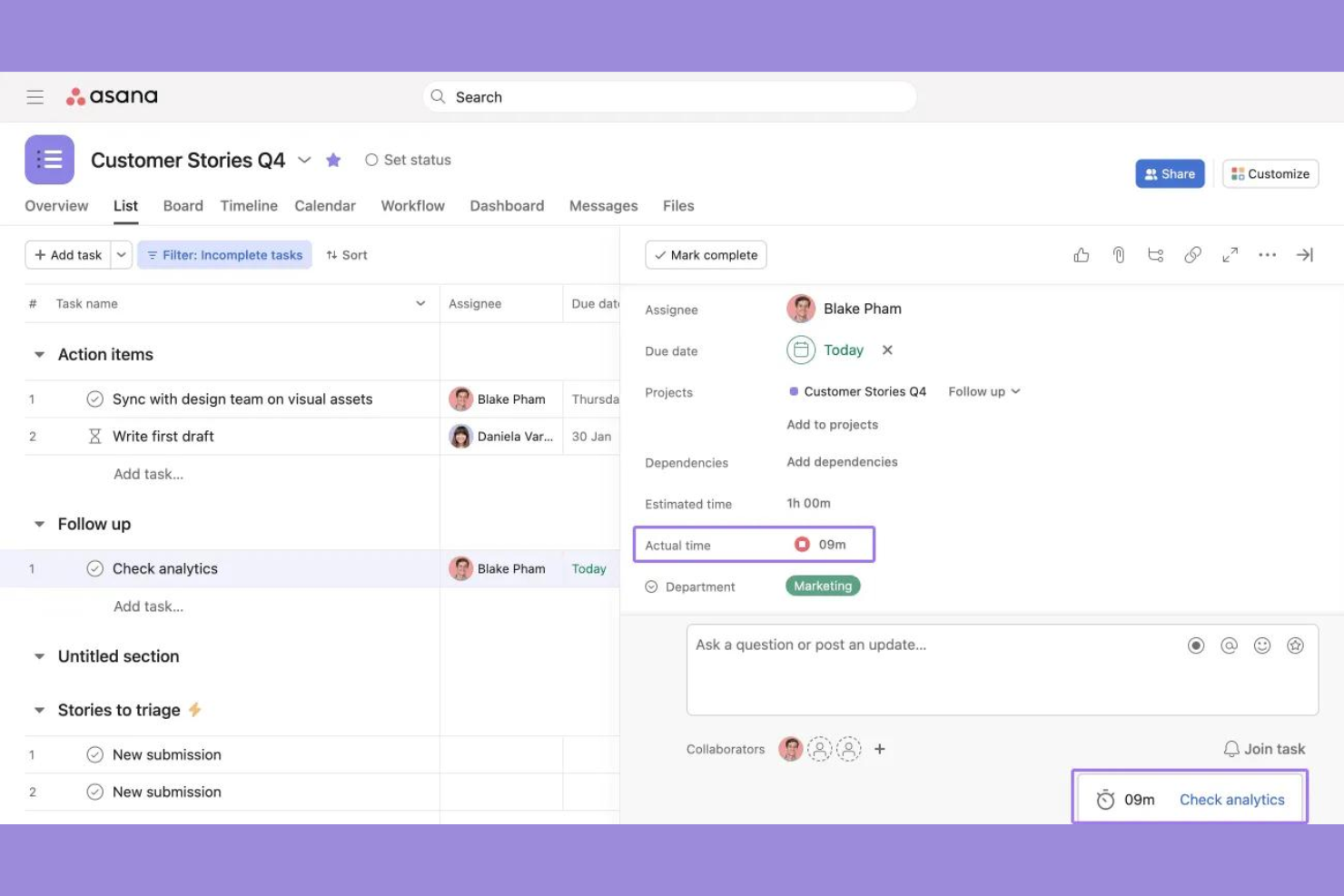
If your agency juggles multiple teams and deadlines, Asana offers a platform for managing projects, tasks, and dependencies with clear visual oversight. It's especially useful for agencies that need structured workflows and transparency across client or internal projects.
Who Is Asana Best For?
Asana is a strong fit for agencies and digital teams that need to coordinate complex project schedules and cross-functional task management.
Why Asana Is a Good Hello Bonsai Alternative
I picked Asana because it goes much deeper into project and workflow orchestration than Hello Bonsai ever does. Where Bonsai is built around individual client engagements, Asana lets me manage work across multiple teams and projects simultaneously, with task dependencies, timeline views, and Kanban boards all in one place. I appreciate the Rules feature especially—my team uses it to automatically assign tasks, trigger status changes, and route work when a project moves between stages, which keeps things moving without manual follow-up. Portfolios also give me a single view of all active projects and their health, something Hello Bonsai doesn't offer at all.
Asana Key Features
- Goals: Link team tasks directly to company or client objectives to track progress at every level.
- Workload management: View each team member's assigned tasks and capacity across projects in one place.
- Custom fields: Add project-specific data points to tasks, such as priority, budget, or client name.
- Forms: Capture incoming work requests through structured intake forms that auto-create tasks in a project.
Asana Integrations
Asana offers native integrations with Slack, Jira Cloud, Salesforce, Google Drive, Microsoft Teams, Zoom, Dropbox, Adobe Creative Cloud, Google Calendar, and Zapier, and provides an API for custom integrations.
Pros and Cons
Pros:
- Portfolios track project health across multiple clients
- Automation rules reduce manual task handoffs
- Timeline and board views support visual project planning
Cons:
- Financial tracking is limited for agency operations
- Client invoicing tools are not built in

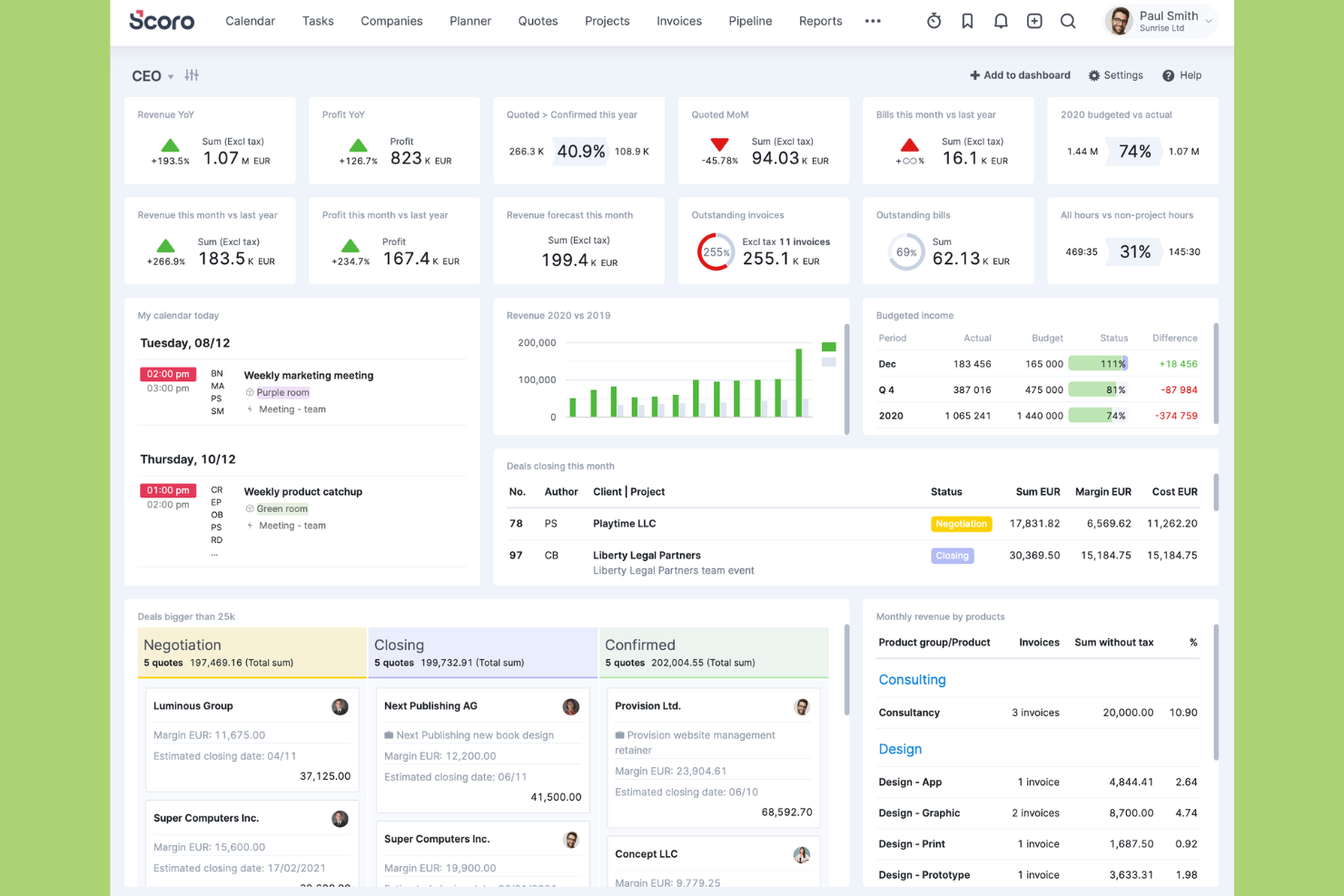
Scoro is an all-in-one agency platform aimed at teams who want to unify project management, billing, and reporting. If you’re looking to centralize your workflows and financials, I think Scoro has the breadth to cover those needs.
Who Is Scoro Best For?
Scoro is well-suited to agency leaders and operations managers who want unified oversight of projects, finances, and resources in a single platform.
Why Scoro Is a Good Hello Bonsai Alternative
I picked Scoro because it covers the full project lifecycle in a single system—from quoting through to invoicing—which is exactly what Hello Bonsai users are often looking for at a larger scale. What I find most useful is the "Quoted vs Actual" table, which tracks planned budget against real labor costs and expenses as a project runs, giving me a live view of margin. The resource bookings feature also lets my team reserve capacity before a project kicks off, so I can spot conflicts early rather than mid-sprint. Together, those two features give agencies a level of financial and operational visibility that Hello Bonsai simply doesn't match.
Scoro Key Features
- Retainer management: Track recurring client retainers with scheduled billing and progress visibility.
- Project templates: Build reusable templates for common project types to speed up setup.
- Time tracking: Log billable and non-billable hours directly against tasks and projects.
- Custom dashboards: Build role-specific dashboards that surface the metrics most relevant to your work.
Scoro Integrations
Scoro offers native integrations with Xero, QuickBooks, Zapier, Google Calendar, Google Drive, Outlook, Slack, Mailchimp, Dropbox, and has an API for custom integrations.
Pros and Cons
Pros:
- Dashboards show role-specific performance metrics
- Retainer management supports recurring client work
- Project financials connect quotes, budgets, and invoices
Cons:
- Setup takes time for agency-specific workflows
- Contract and e-signature tools are not built in

Best for spreadsheet-inspired project management
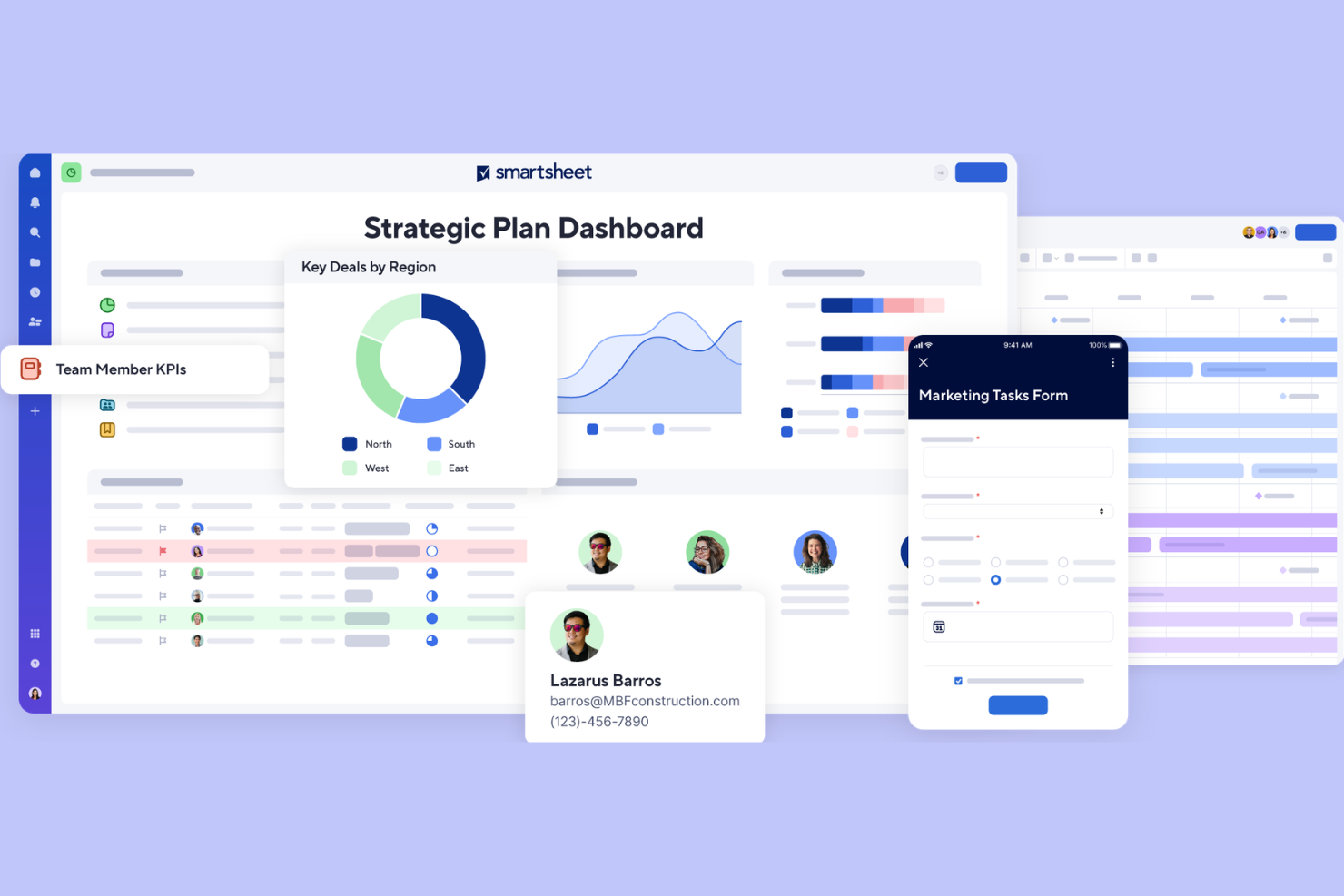
Smartsheet is a grid-based work management platform built for agencies that need flexible, spreadsheet-style project planning with multi-layered reporting. I think it's a good fit for teams who want to manage complex timelines, dependencies, and approvals without rigid process constraints.
Who Is Smartsheet Best For?
Project managers at midsize and large agencies who want spreadsheet-style control over project plans, recurring workflows, and reporting.
Why Smartsheet Is a Good Hello Bonsai Alternative
I picked Smartsheet because its cross-sheet reporting is genuinely hard to match. I use roll-up reports to pull live data from multiple project sheets into a single dashboard, giving leadership a real-time view across every active engagement. Smartsheet's Gantt charts also support critical path tracking and dependency management in a way that feels native to how agencies actually plan phased work. For teams running complex, multi-deliverable projects, that level of structural control is something Hello Bonsai simply doesn't offer.
Smartsheet Key Features
- Resource management: View team capacity and allocate workloads across multiple projects from a single interface.
- Automated workflows: Set trigger-based alerts, approval requests, and row updates without writing any code.
- Intake forms: Build custom request forms that feed submissions directly into a project sheet.
- Baseline tracking: Capture original project schedules and compare them against actual progress over time.
Smartsheet Integrations
Smartsheet offers 90+ native integrations, including Slack, Microsoft Teams, Google Workspace, Salesforce, Docusign, Jira, Tableau, ServiceNow, Box, and Microsoft 365.
Pros and Cons
Pros:
- Approval workflows help manage project reviews
- Cross-sheet reporting supports portfolio visibility
- Grid view feels familiar for spreadsheet users
Cons:
- Advanced permissions require higher-tier plans
- Task time tracking requires add-ons
New Product Updates from Smartsheet
Smartsheet Introduces Custom Privacy Notices for Forms
Smartsheet introduces custom privacy notices that admins can apply across all organizational forms. This helps teams communicate data practices consistently. For more information, visit Smartsheet’s official site.

Productive
Best for all-in-one agency operations management
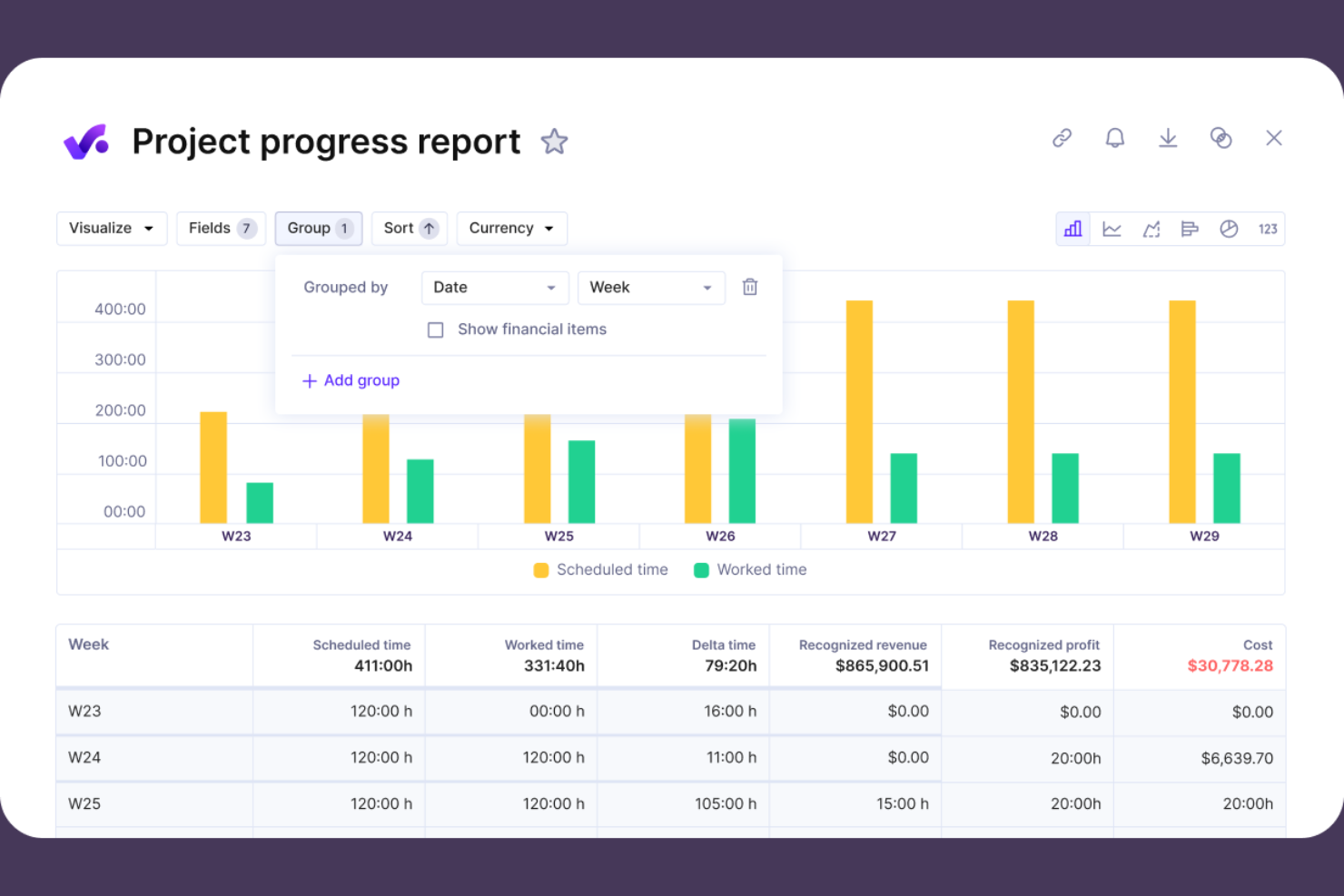
Productive is purpose-built for agencies that want to unite project management, resource planning, and financial oversight in one place. It’s a strong fit for teams needing advanced cost tracking and built-in reporting to keep client projects and profitability visible at all times.
Who Is Productive Best For?
Agencies and consultancies with multiple clients and projects that need project delivery, financials, and resources in one unified workspace.
Why Productive Is a Good Hello Bonsai Alternative
I picked Productive because it gives agency teams a direct line of sight between project delivery and financial performance. I really appreciate the built-in budgeting tools, which let me set project budgets, track actuals against forecasts, and flag overruns before they become problems. Productive's agency-specific reports also stand out to me—I can pull utilization rates, margin reports, and billable hour summaries without needing a separate BI tool. For agencies where profitability tracking is non-negotiable, that combination is hard to match.
Productive Key Features
- Sales CRM: Manage your agency's pipeline and convert deals directly into projects without switching tools.
- Gantt chart: Visualize project timelines, map dependencies, and adjust schedules across multiple active projects.
- Automated invoicing: Generate invoice drafts automatically from tracked billable hours logged against project budgets.
- Scenario builder: Model different resource and revenue scenarios to plan for capacity changes before they happen.
Productive Integrations
Productive offers native integrations with Slack, QuickBooks Online, Google Calendar, Xero, HubSpot, and Jira. An API is available for custom integrations.
Pros and Cons
Pros:
- Project time tracking includes approval workflows
- Resource planning connects capacity to project delivery
- Budgeting and profitability reporting built for agencies
Cons:
- Large project timelines can feel slower to manage
- Dashboard widgets offer limited customization
New Product Updates from Productive

Productive Adds Agent Triggers, Teams Integration, and Time Controls
Productive adds automated agent triggers, broader AI file support, Microsoft Teams integration, Resource Planner improvements, and new time entry controls. These updates expand automation while improving scheduling, collaboration, and time tracking. For more information, visit Productive’s official site.
Other Hello Bonsai Alternatives
Here are some additional Hello Bonsai alternatives that didn’t make it onto my shortlist, but are still worth checking out:
- Wrike
For cross-functional team collaboration
- monday.com
For flexible work OS for project planning
- ProofHub
For centralized project planning and collaboration software
- Microsoft Project
For enterprise-grade project planning
- TeamGantt
For intuitive Gantt charts for scheduling
- Notion
For AI-supported documentation creation
- Trello
For visual task boards for simple project organization
- KanbanFlow
For lean project management with time-tracking


How I Evaluate Bonsai Alternatives
I evaluate these tools in two layers: the baseline capabilities every option must have—invoicing, contracts, time tracking—and the differentiators that set the best fits apart for freelancers and agencies.
Core Functionality (Table Stakes For This List)
When I'm selecting tools for my list, I rank each one on a scale from 0 (does not offer the functionality) to 5 (excels in this area) for each core functionality listed below. Then, I calculate the tool's total score into a percentage. Each tool needs to achieve a minimum total score of 65% to be considered for inclusion.
- Project & Task Management: I look for task creation, due dates, assignees, and multiple views so you can manage a client website redesign from kickoff to delivery.
- Time Tracking: Each tool should let you log hours against specific projects or clients, since accurate time logs directly feed into billing.
- Invoicing & Payments: I check whether you can generate custom invoices, send them to clients, and collect payments through gateways like Stripe or PayPal.
- Proposals & Contracts: Tools should support creating, sending, and e-signing proposals and contracts—like scoping a retainer agreement before work begins.
- Client & CRM Management: I evaluate how each platform stores client details, project history, and communication so you have full context in one place.
- Expense & Financial Tracking: Logging project expenses and viewing basic profitability reports matters, especially when you're quoting fixed-fee projects.
Once I have a list of tools that meet this criteria, I consider what sets each platform apart.
Differentiating Factors (What Sets Vendors Apart)
Here's how I compare and contrast different vendors:
Standout Features
A branded client portal where clients review deliverables, approve milestones, and pay invoices cuts down on back-and-forth emails. I also evaluate automation workflows—things like recurring invoice scheduling and late payment reminders that remove repetitive admin. Template libraries round this out. Having reusable proposals and contracts for common engagement types, like monthly retainers or fixed-scope builds, means you're not drafting documents from scratch for every new client.
Beyond Features
Pricing structure matters a lot here because many users are solo freelancers or small agencies watching every line item. I look at whether plans scale affordably as you add collaborators or subcontractors. Integration ecosystems are just as important—if a tool connects natively with QuickBooks or Xero, you avoid double-entering expenses at tax time. I also evaluate how quickly a new user can get up and running, since a freelancer switching tools mid-project can't afford a steep learning curve or a lengthy data migration.
Why Look For a Hello Bonsai Alternative?
While Hello Bonsai is a good choice of agency software, there are a number of reasons why some users seek out alternative solutions. You might be looking for a Hello Bonsai alternative because…
- You need deeper project management or resource planning
- Built-in time tracking features are too basic
- Your agency requires more advanced reporting tools
- You want flexible ways to collaborate with clients
- The platform lacks native integrations you rely on
If any of these sound like you, you’ve come to the right place. My list contains several agency software options that are better suited for teams facing these challenges with Hello Bonsai and looking for alternative solutions.
Hello Bonsai Key Features
Here are some of the key features of Hello Bonsai, to help you contrast and compare what alternative solutions offer:
- Project templates: Start new projects quickly with drag-and-drop customizable templates designed for repeatable client workflows, helping freelancers and small teams keep work consistent across engagements.
- Client management: Store client details, engagement history, and communication records in one place so business owners can manage relationships without relying on scattered notes or spreadsheets.
- Proposals and contracts: Create, send, and collect signed proposals and contracts, helping service providers formalize new client work and move projects forward with less manual admin.
- Invoicing and payments: Send branded invoices, accept online payments, and manage recurring billing so freelance business owners can keep client payments tied to active work.
- Time tracking: Track billable and non-billable hours across projects and tasks, giving teams better visibility into how time is spent.
- Task management: Assign tasks, set due dates, and organize project activity in a visual workspace that supports everyday project management software needs.
- Expense tracking: Record business expenses by project or client to support billing, reimbursement, and financial reporting.
- Recurring workflows: Build repeatable processes for common client work, such as retainers, recurring deliverables, and ongoing service packages.
- Mobile app access: Manage projects, track time, and stay connected with clients and team members from iOS and Android devices.
- Reporting dashboard: Review project status, business performance, utilization, and streamline financial activity to support better decisions across the company.