
25 Best BPMS (Business Process Management Systems) in 2026

15 Best BPMS Shortlist
Here's my pick of the 15 best software from the 25 tools reviewed.


There are seemingly countless business process management solutions available, so figuring out which is best for you is tough. You want to increase the visibility of business processes and detect inefficiencies so you can maintain a healthy operation but need to figure out which tool is best for you.
I've got you! In this post I make things simple, leveraging my experience managing big, complex projects, and using dozens of different PM tools to bring you this shortlist of the best BPMS.
Table of Contents
- Best Software Shortlist
- Why Trust Us
- Compare Specs
- Reviews
- Other Business Process Management Systems
- Related Project Management Software
- Selection Criteria
- How To Choose
- Trends In Business Process Management Systems
- What is a BPMS?
- Features
- Benefits
- Costs & Pricing
- Security and Data Privacy within BPMS
- FAQs
Why You Can Trust Us
We’ve been testing and reviewing project management software since 2012. As project managers ourselves, we know how critical and difficult it is to make the right decision when selecting software.
We invest in deep research to help our audience make better software purchasing decisions. We’ve tested more than 2,000 tools for different project management use cases and written over 1,000 comprehensive software reviews. Learn how we stay transparent & our software review methodology.
BPMS Pricing Comparison Chart
Here is a table where you can compare all the tools we just covered in the overviews.
| Tool | Best For | Trial Info | Price | ||
|---|---|---|---|---|---|
| 1 | Best for customization | Free plan available | From $9/seat/month (billed annually) | Website | |
| 2 | Best for managing sales business processes | 14-day free trial available | From $14/seat/month (billed annually) | Website | |
| 3 | Best for AI-driven predictive analytics | Free trial + free demo available | From $9/member/month (billed annually) | Website | |
| 4 | Best for no-code workflow automation | Free plan available | From $19.50/month (billed annually) | Website | |
| 5 | Best BPMS tool for teams of all sizes | Free plan + free demo + 14-day free trial available | From $10/user/month (billed annually) + add-on fee | Website | |
| 6 | Best BPMS for rapidly growing organizations that need to scale process growth | 15-day free trial | From $19/user/month (billed annually) | Website | |
| 7 | Best for AI-driven workflows | Free demo available | Pricing upon request | Website | |
| 8 | Best for intelligent document processing | Free trial available + free demo | Pricing upon request | Website | |
| 9 | Best no-code BPM software | Free demo available | Pricing upon request | Website | |
| 10 | Best for building custom business processes | 30-day free trial + free demo available | From $24/user/month (billed annually) | Website | |
| 11 | Best for automating scheduled tasks | 14-day free trial + free demo available | Pricing upon request | Website | |
| 12 | Best for model validation and value chain modeling | Free trial available | Pricing upon request | Website | |
| 13 | Best for efficiently automating processes | 30-day free trial | Pricing upon request | Website | |
| 14 | Best for collaborative process & task management | 14-day free trial | From $10/user/month | Website | |
| 15 | Best for document management & control | Free demo available | Pricing upon request | Website |


-

Accelo
Visit WebsiteThis is an aggregated rating for this tool including ratings from Crozdesk users and ratings from other sites.4.4 -
Wrike
Visit WebsiteThis is an aggregated rating for this tool including ratings from Crozdesk users and ratings from other sites.4.2 -
Forecast
Visit WebsiteThis is an aggregated rating for this tool including ratings from Crozdesk users and ratings from other sites.4.6



Best BPMS Reviews
Here’s a brief description of each of the BPM automation tools that are featured on my top 15 list. I go into detail about what each tool offers and why it was selected for this business process modelling tools comparison.

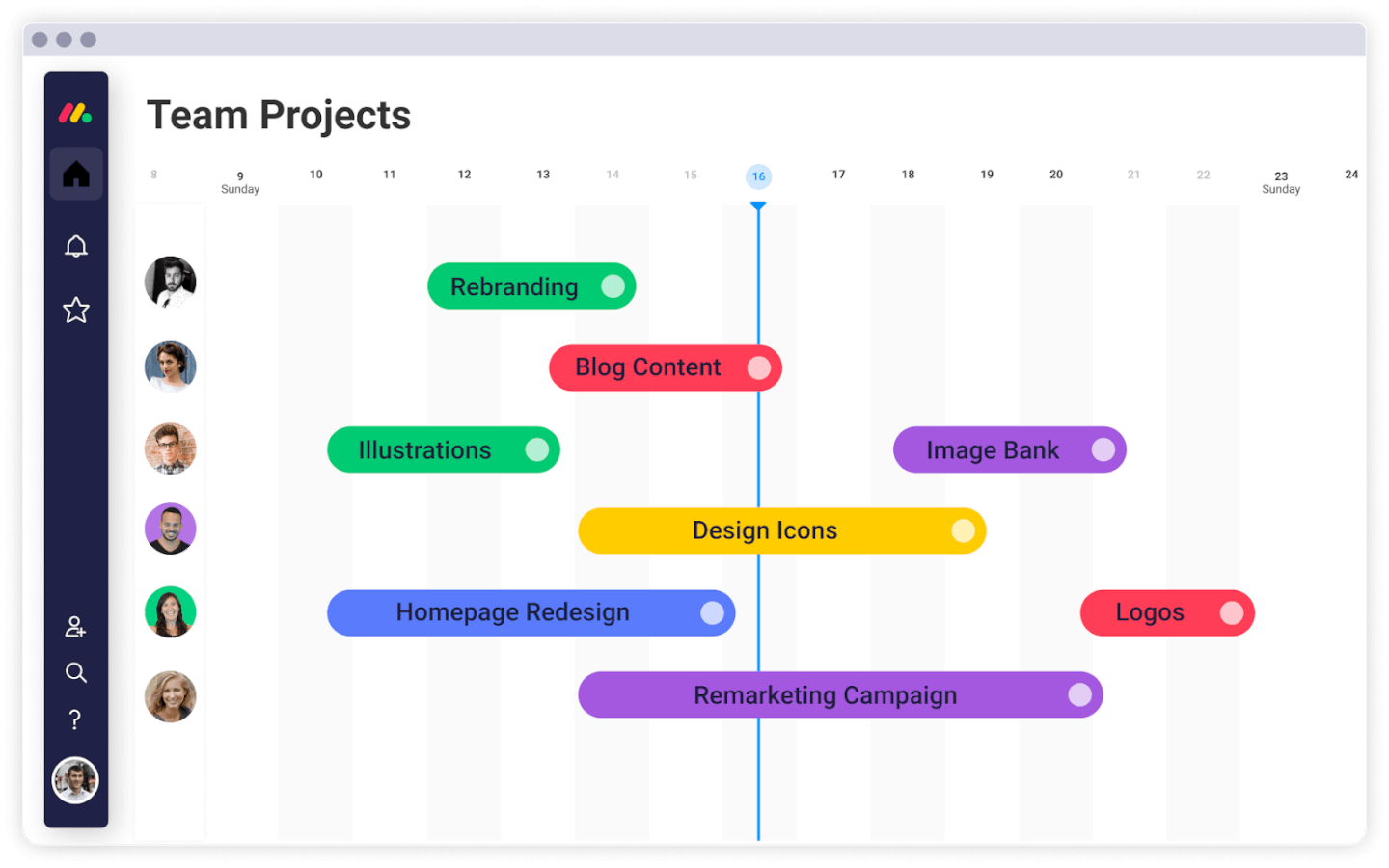
monday.com gives teams in tech, operations, and service industries a flexible platform to design, automate, and track business processes, helping you manage workflows, approvals, and cross-functional collaboration in one place.
Who Is monday.com Best For?
monday.com is a strong fit for mid-sized to enterprise teams that need to manage complex, multi-step processes across product, engineering, and operations functions.
Why I Picked monday.com
I picked monday.com as one of the best BPMS options because its no-code workflow builder lets my team design and automate processes from scratch without developer support. I like that you can build custom automation recipes using "if this, then that" logic—for example, automatically moving a task to a new stage, notifying a stakeholder, and updating a status column the moment an approval is submitted. The custom dashboards are another area where monday.com excels: you can pull data from multiple boards into a single view, then slice it by team, project phase, or priority to get the reporting your process requires. That level of control over how your workflows appear, operate, and produce reports is what makes it useful for managing complex, multi-step business processes.
monday.com Key Features
- Gantt chart view: Visualize project timelines, set milestones, and map task dependencies directly on an interactive Gantt chart.
- Resource management: Track team workloads and allocate tasks based on availability and capacity across multiple projects.
- Goals and OKR tracking: Connect day-to-day tasks and projects to high-level strategic objectives so teams can monitor progress in real time.
- Request and approval management: Route incoming requests through structured intake forms and multi-step approval workflows.
monday.com Integrations
Integrations include Salesforce, QuickBooks, HubSpot, Zendesk, Active Directory, GitHub, GitLab, Slack, Gmail, and Google Calendar.
New Product Updates from monday.com

monday.com's AI Blocks Now Available to All Users
monday.com AI Blocks are now available to all users, enabling teams to integrate AI directly into workflows. This rollout helps automate tasks and improve productivity across projects. For more information, visit monday.com's official site.

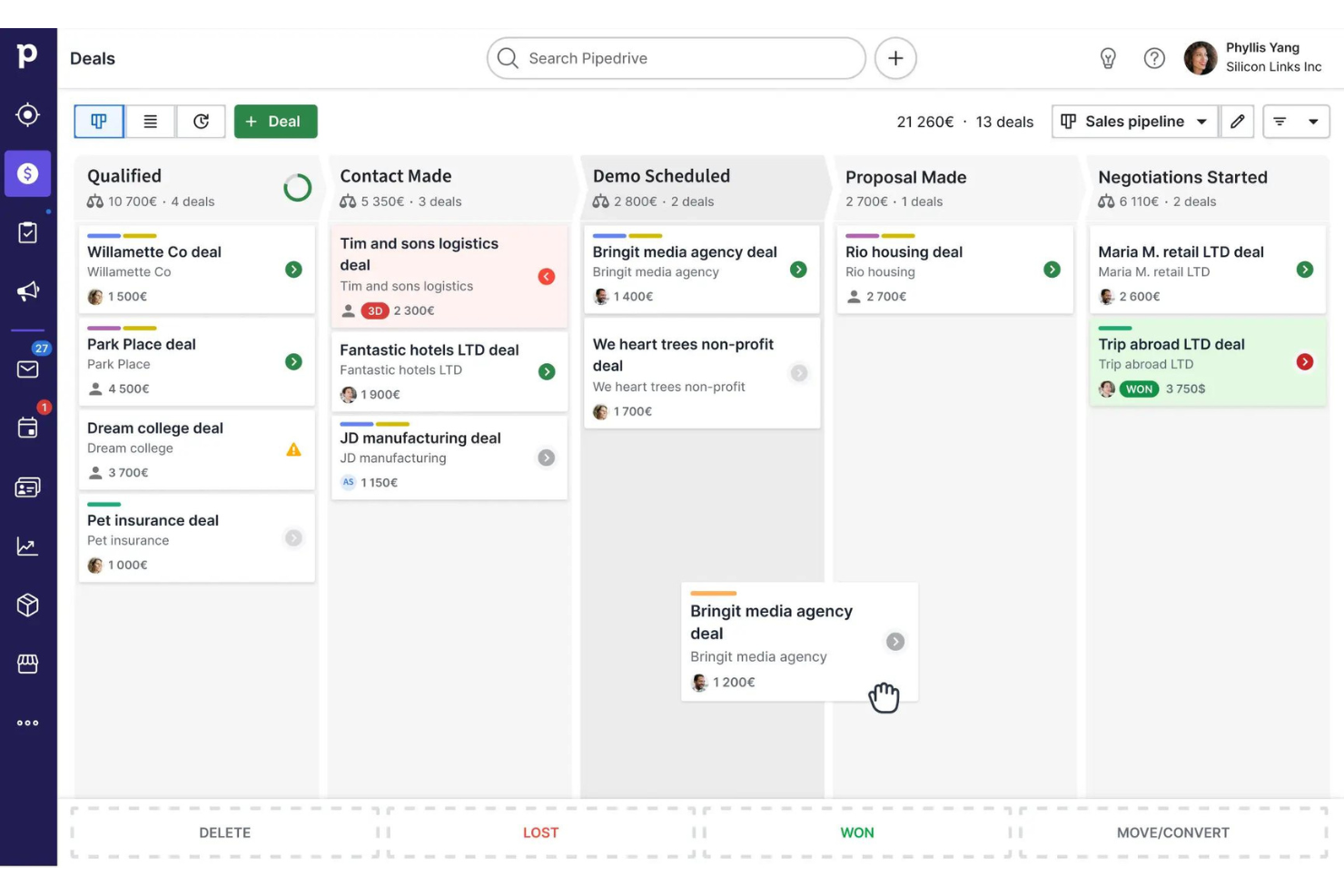
Pipedrive is a process-focused platform for sales teams and small businesses, helping them organize, automate, and track their sales workflows from lead to close.
Who Is Pipedrive Best For?
Pipedrive is a strong fit for small to mid-sized sales teams that need a structured, visual way to manage their pipeline and sales processes.
Why I Picked Pipedrive
Pipedrive earns its spot on my shortlist because of how well it structures and automates the end-to-end sales process. I particularly like the visual pipeline builder, where you can customize stages to match your exact sales cycle, set deal-level win probabilities, and use color-coded cues to flag deals that are going cold. My team uses the automation tools to trigger follow-up tasks and emails based on deal stage changes, which cuts down on the manual work that usually slips through the cracks. The insights and reporting layer ties it all together—I can track pipeline metrics, set team-wide goals, and surface bottlenecks before they derail a quarter.
Pipedrive Key Features
- Lead inbox: Capture and qualify incoming leads in a dedicated space before they enter your active pipeline.
- Activity scheduling: Create and assign calls, meetings, and tasks directly to deals or contacts to keep follow-ups on track.
- Customizable dashboards: Build dashboards with the specific sales metrics and KPIs your team needs to monitor.
- Email sync: Connect your inbox to Pipedrive to log email conversations automatically against the relevant deal or contact.
Pipedrive Integrations
Integrations include PandaDoc, Leadfeeder, JustCall, LinkPort, Outfunnel, Slack, QuickBooks, Trello, Zoom, and Gmail.

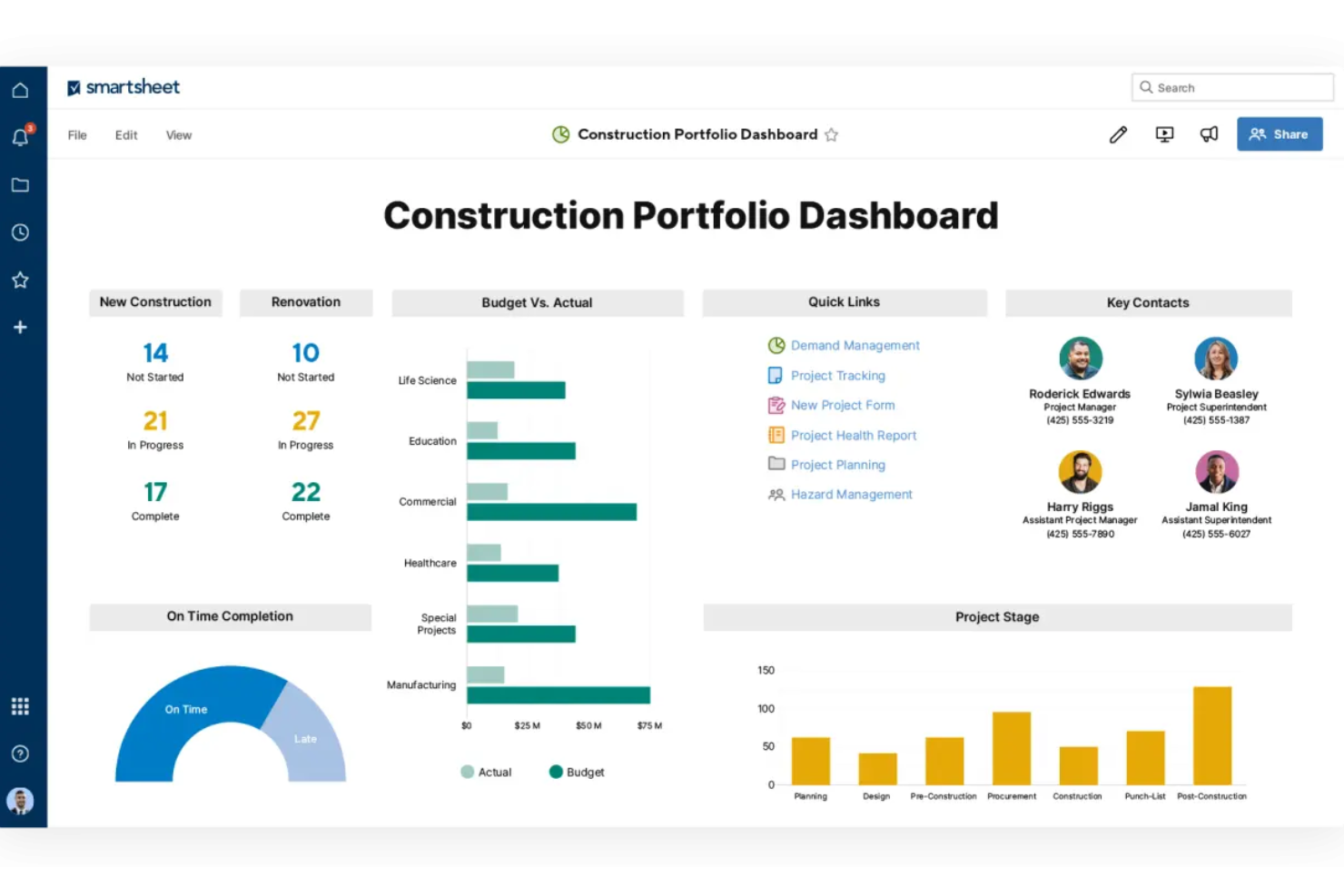
Smartsheet is a flexible business process management platform used by project managers and operations teams to automate workflows, manage approvals, and gain real-time visibility into complex processes across industries.
Who Is Smartsheet Best For?
Smartsheet is a strong fit for mid-size to enterprise teams in industries like technology, construction, and professional services that need structured process management at scale.
Why I Picked Smartsheet
I picked Smartsheet as one of the best because I love how its AI layer is woven directly into the process management experience rather than bolted on as an afterthought. The Smart Agent for Project Management is what really gets my attention—it actively monitors work in progress, flags risks, and can take next steps automatically, which means my team isn't waiting for a weekly status meeting to find out a dependency has slipped. I also use the AI-powered data analysis feature to pull instant insights from sheet data and push live charts straight into dashboards, so leadership always has a current view of process health without me manually compiling reports.
Smartsheet Key Features
- Automated workflows: Build no-code automation rules that trigger actions like row updates, approvals, and notifications based on defined conditions.
- Dynamic Gantt charts: Visualize project timelines, set dependencies, and adjust schedules with drag-and-drop controls directly in the sheet view.
- Branching approval workflows: Route approval requests to different stakeholders based on form responses or field values within a process.
- Resource management: View team capacity, allocate work across projects, and track utilization from a centralized resource dashboard.
Smartsheet Integrations
Integrations include Adobe, AWS, Box, DocuSign, Dropbox, Google Workspace, Power BI, SAP, Jira, and Salesforce.
Pros and Cons
Pros:
- Integrates well with common work and collaboration tools
- No-code tools support workflow automation without heavy setup
- AI-driven insights help anticipate workload and process delays
Cons:
- Mobile field capture features depend on connectivity and may not match offline-capable dedicated construction apps.
- Advanced automation features require higher-tier plans
New Product Updates from Smartsheet

Smartsheet Adds Direct Data Import to Existing Sheets
Smartsheet introduces direct data import to existing sheets in table view. This update lets you import CSV, XLS, and XLSX files directly into sheets, reducing manual work and speeding up data setup. For more information, visit Smartsheet's official site.

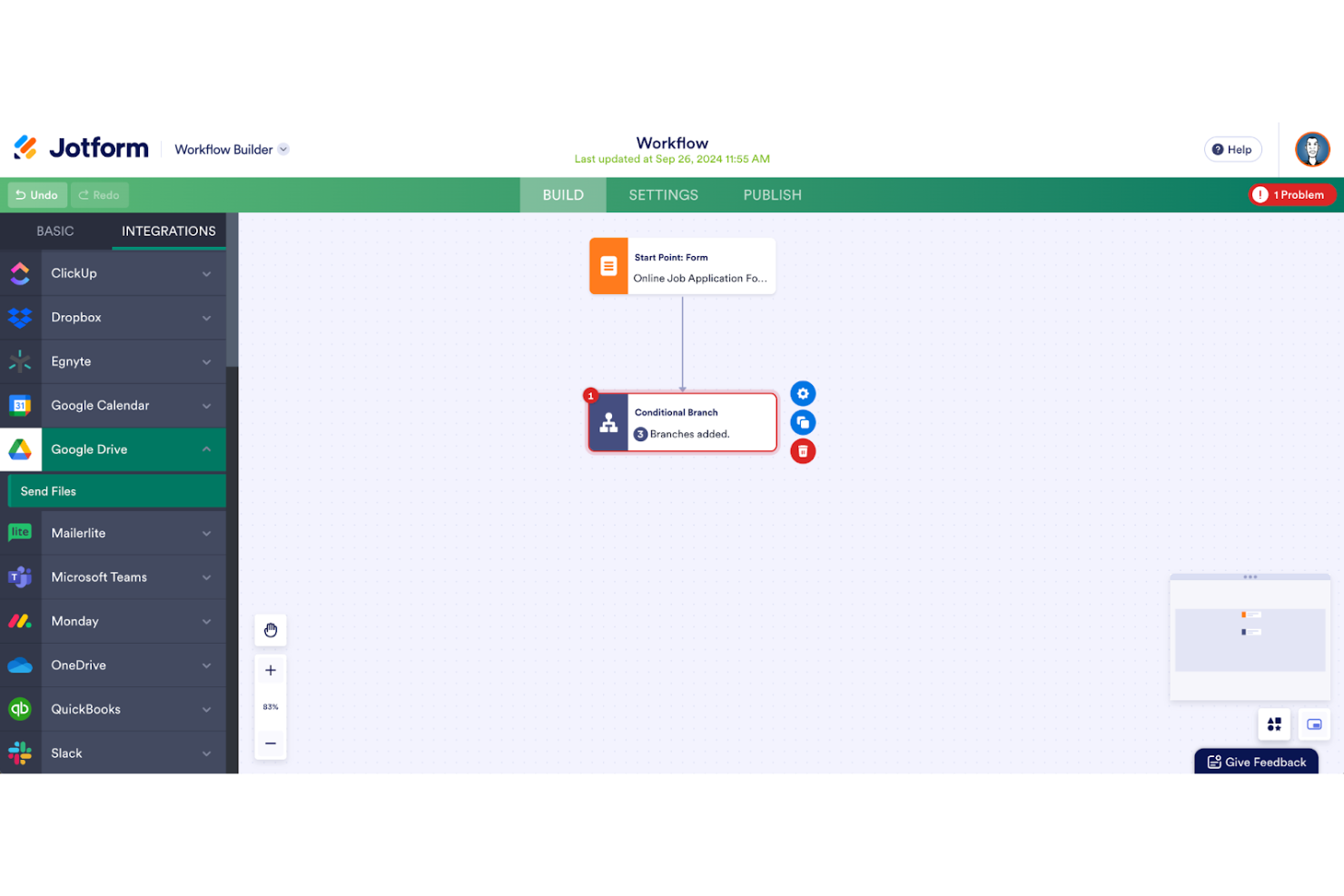
Jotform Workflows gives teams in any industry a way to automate business processes using customizable forms, approval flows, and integrations, helping you digitize and manage tasks without needing technical skills.
Who Is Jotform Workflows Best For?
Jotform Workflows is a strong fit for small to mid-sized teams that need to automate approval processes and data collection without relying on developers or IT support.
Why I Picked Jotform Workflows
Jotform Workflows earns its spot on my shortlist because it's one of the few BPMS tools that lets you build genuinely complex, multi-step processes without writing a single line of code. I like how the drag-and-drop builder lets you visually map out parallel processes, so multiple approvals or tasks can run simultaneously rather than waiting in a queue. The conditional logic is where it really clicks for me—I've used it to split workflows based on form responses, so different teams automatically receive the right tasks depending on what was submitted. The 200+ pre-built workflow templates also mean my team can get a process like employee onboarding or expense reimbursement up and running in minutes, not days.
Jotform Workflows Key Features
- E-signature collection: Request and collect legally binding e-signatures directly within a workflow, without needing a separate signing tool.
- In-workflow payment requests: Add payment collection steps at any stage of a workflow, with support for 40+ payment gateways and no added transaction fees.
- Automated reminders and due dates: Set custom due dates and automatic email reminders for pending tasks or approvals to keep processes on track.
- Workflow progress reports: Generate detailed reports that summarize each workflow step and show who completed which task, shareable automatically with stakeholders.
Jotform Workflows Integrations
Integrations include Google Drive, Slack, Airtable, Dropbox, Microsoft Teams, Square, PayPal, Stripe, Authorize.Net, and Box.
Pros and Cons
Pros:
- Integrates with Google Drive Slack
- Conditional logic enables dynamic workflows
- No-code drag-and-drop workflow builder
Cons:
- Free plan limits complex workflows
- Advanced features require paid plans

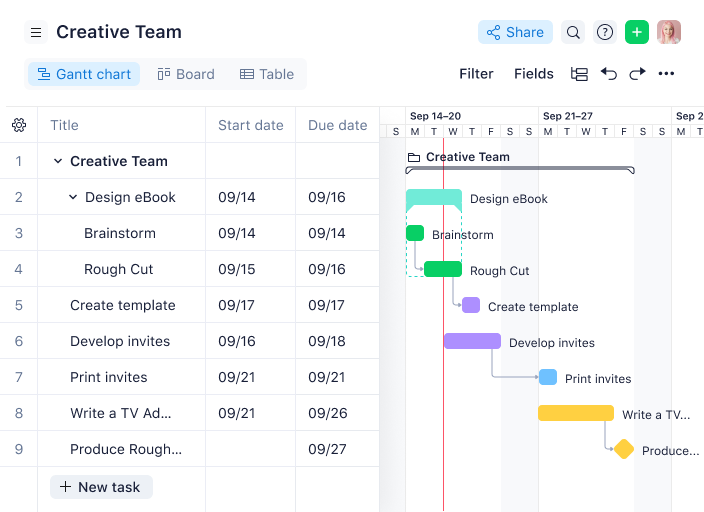
Wrike is a business process management platform designed for teams who need to automate workflows, track projects, and improve cross-functional collaboration across industries like tech, marketing, and professional services.
Who Is Wrike Best For?
Wrike is a good fit for teams of any size—from small startups to large enterprises—that need a scalable platform to manage complex workflows and cross-functional projects.
Why I Picked Wrike
Wrike earns its spot on my shortlist because it scales from small teams to large enterprises without forcing you to overhaul your setup as you grow. I particularly like the project blueprints feature—you can templatize entire workflows and spin up new processes in seconds, which is a real advantage when you're managing repeatable work across multiple teams. I also use Wrike's no-code automation rules to move tasks through approval stages, escalate at-risk items, and trigger status updates automatically. The resource bookings and effort management tools let my team forecast capacity before committing to new work, which keeps delivery predictable at any team size.
Wrike Key Features
- Custom project views: Switch between Gantt, Kanban, Board, Calendar, and Table views to visualize work the way your team actually thinks.
- Request forms: Build dynamic intake forms that automatically generate tasks, projects, and workflows when submitted.
- Real-time dashboards: Create custom dashboards with multiple metrics and KPIs to track project progress and surface risks at a glance.
- Scrum boards: Manage Agile sprints with backlog prioritization, shared Scrum boards, and Agile dashboards for real-time progress tracking.
Wrike Integrations
Integrations include Salesforce, Microsoft Teams, Google Drive, Microsoft SharePoint, Zoom, Adobe Creative Cloud, QuickBooks, Power BI, Tableau, and Miro.
New Product Updates from Wrike

Streamlining Workspaces with New Updates
Wrike announces custom space templates, AI Agents in Wrike Labs, and a new Guage widget to improve project management. For more information, visit Wrike's official site.

Qntrl
Best BPMS for rapidly growing organizations that need to scale process growth
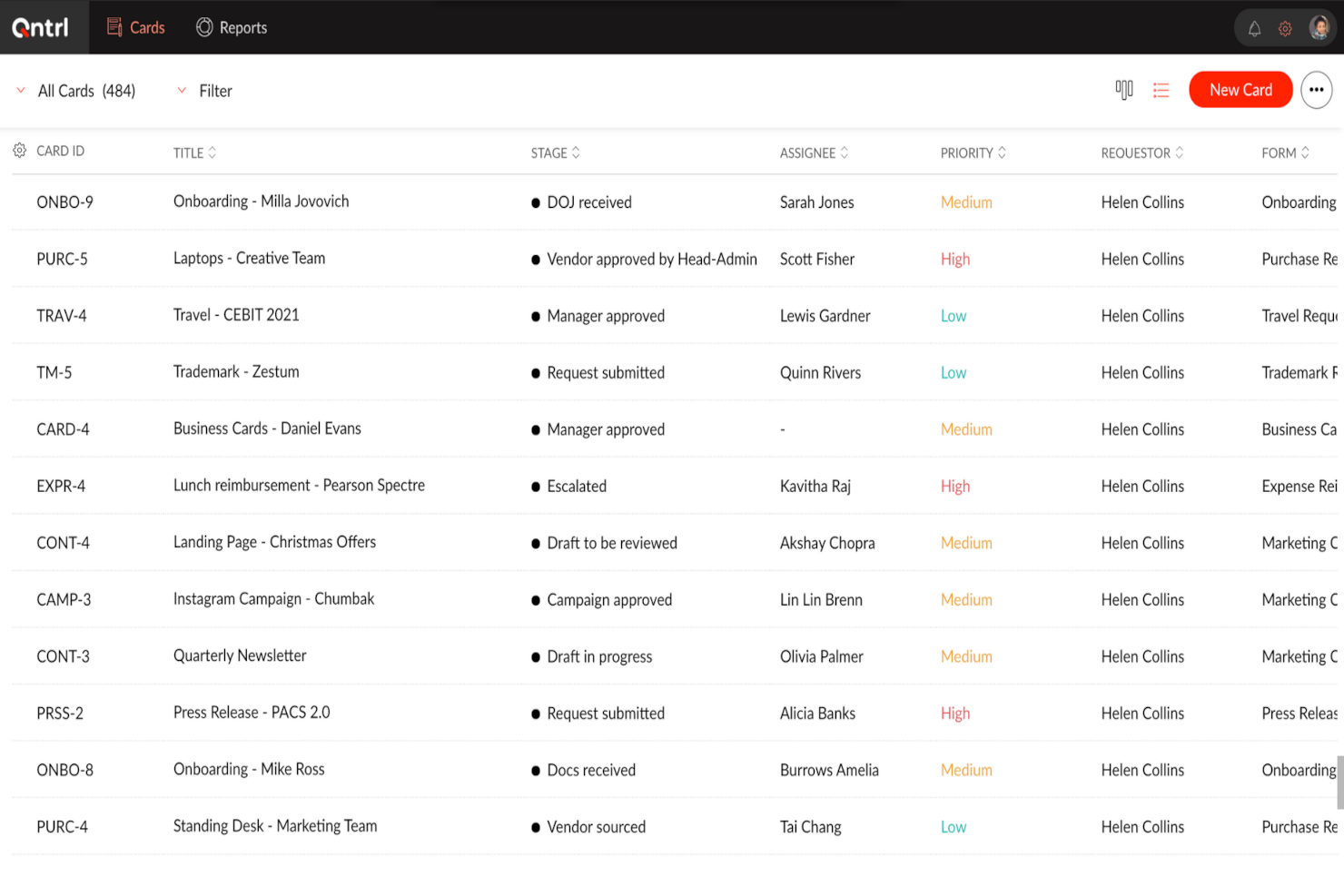
Qntrl is a workflow automation platform built for teams and organizations that need to design, manage, and optimize complex business processes with customizable controls and clear process visibility.
Who Is Qntrl Best For?
Qntrl is a good fit for mid-sized to enterprise teams that need structured, scalable process management across multiple departments or functions.
Why I Picked Qntrl
Qntrl earns its spot on my shortlist because it's built specifically for medium to large organizations that need to scale process automation across multiple departments without rebuilding workflows from scratch every time. I particularly like the workflow template library—my team can start with a pre-built procurement or HR process and tailor it to fit specific requirements, which reduces setup time when rolling out new processes. SLA tracking and automated escalation rules ensure that when a step stalls, Qntrl automatically reroutes or escalates it, so growing teams don't need to manually chase approvals as volume increases. Add in the role-based access controls and field-level permissions, and you can expand access to new teams or departments without compromising data governance.
Qntrl Key Features
- Visual workflow builder: A drag-and-drop builder lets you design structured processes with parallel transitions, conditional logic, and built-in automation rules.
- Centralized request management: All incoming requests are submitted and tracked in one place, with customizable work views and real-time status updates.
- Audit logs and compliance tracking: Every action is time-stamped and logged, making it straightforward to meet internal policies and regulatory requirements.
- Document generation: Automatically generate documents at defined workflow stages, reducing manual output tasks across departments.
Qntrl Integrations
Integrations include SAP, Oracle, MySQL, Active Directory, Zoho CRM, Zoho Desk, Zoho Books, Jira, Slack, and Zendesk.

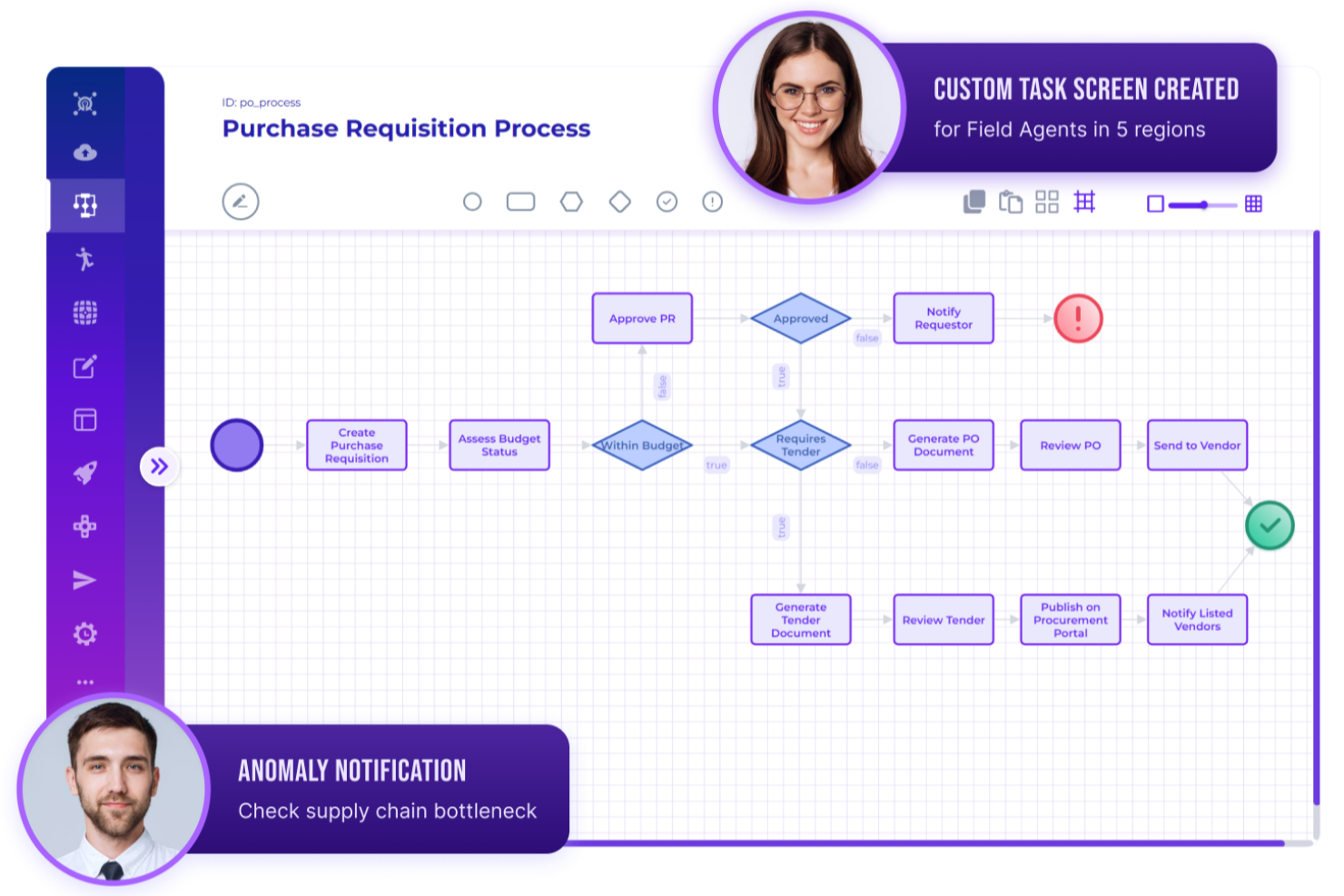
Rierino is a low-code business process management platform designed for teams who want to automate complex workflows, streamline operations, and adapt to changing business needs across industries like finance, retail, and telecom.
Who Is Rierino Best For?
Rierino is a strong fit for mid-to-large enterprises in data-intensive industries like retail, finance, and telecom that need flexible, scalable process automation without heavy IT dependency.
Why I Picked Rierino
Rierino earns its spot on my shortlist because of how it handles AI-driven workflow automation in a way that actually changes how process logic gets built. I particularly like the AI-assisted decision nodes, which let my team embed machine learning-based rules directly into process flows—so a loan approval or fraud check isn't a manual handoff but an automated decision point. Rierino's low-code process designer also lets us modify those workflows without waiting on a developer, which matters when business rules shift mid-quarter.
Rierino Key Features
- Drag-and-drop workflow designer: Build and update process flows visually, with support for conditional logic, branching, timers, and multi-step sequences.
- SLA and escalation management: Define SLA thresholds and configure automatic escalations based on time, conditions, or assigned roles.
- Role-based access control: Set granular permissions so each team member only sees and interacts with the process steps relevant to their role.
- Real-time process dashboards: Monitor KPIs and track process performance through mission-specific dashboards that update as operations run.
Rierino Integrations
Integrations include Adyen, Algolia, Amazon Web Services, Cloudinary, Couchbase, Elastic, Google Cloud Platform, Kafka, Microsoft, and SAP.
New Product Updates from Rierino
Rierino Adds Dynamic Instructions and AI Agent Guidance
Rierino introduces dynamic AI agent instructions and customizable agent guidance features that improve personalization and help users better understand and interact with AI agents. For more information, visit Rierino’s official site.
 .
.
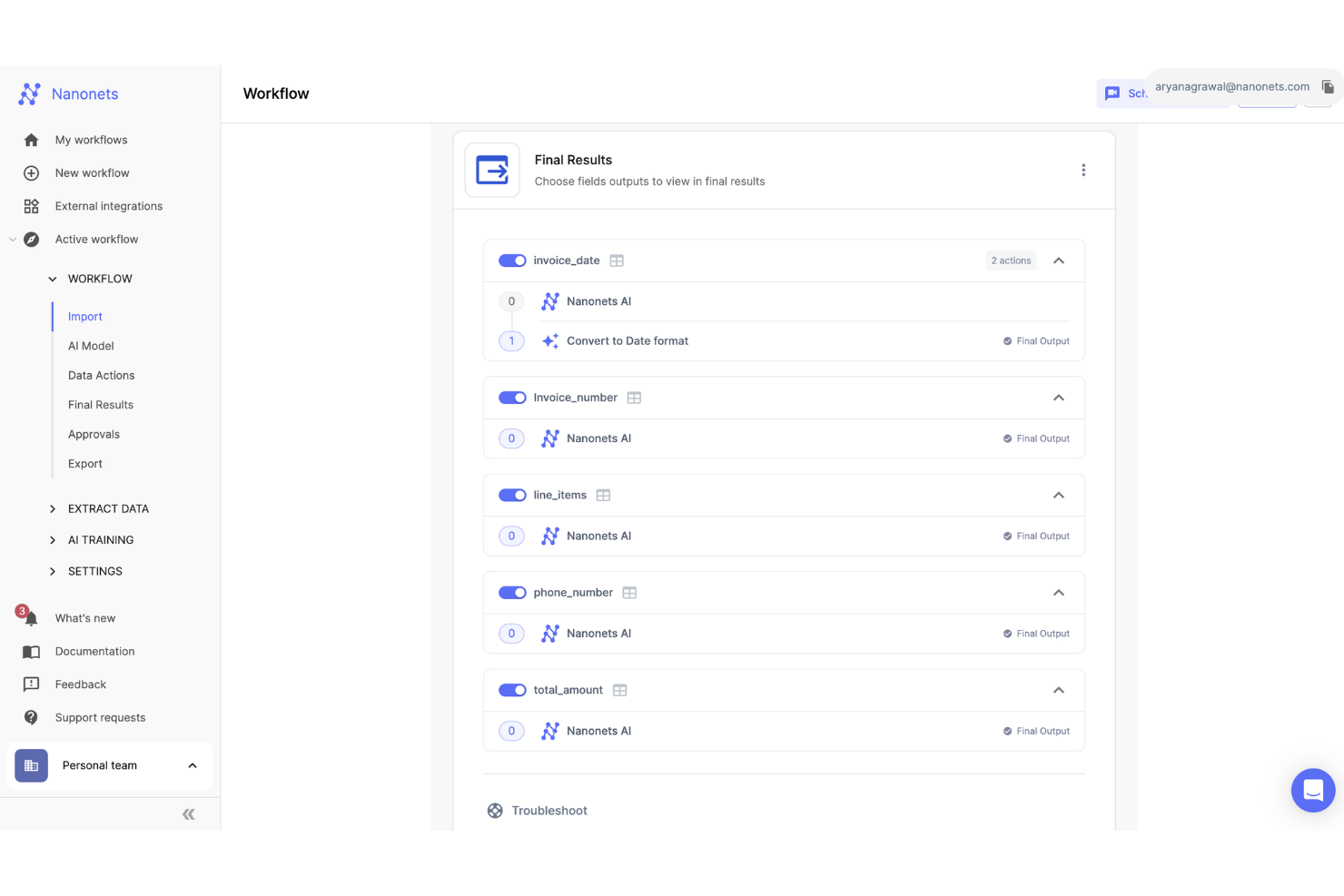
Nanonets is an AI-driven business process management platform designed for teams in finance, operations, and compliance who need to automate document-heavy workflows and streamline data extraction across multiple systems.
Who Is Nanonets Best For?
Nanonets is a strong fit for finance and operations teams in mid-size to enterprise companies that process large volumes of documents like invoices, receipts, and forms.
Why I Picked Nanonets
I picked Nanonets as one of the best because its intelligent document processing capability goes well beyond basic OCR. It supports over 300 document types—from invoices and purchase orders to insurance claim forms and bank statements—and uses AI to extract structured data from all of them without manual data entry. I also like the human-in-the-loop approval feature, which lets my team insert validation checkpoints into automated workflows so that edge cases get reviewed before a process moves forward. That's especially useful when processing high-stakes documents like vendor invoices or mortgage applications where a single extraction error has real downstream consequences.
Nanonets Key Features
- No-code workflow builder: Create and automate complex multi-step business processes using a drag-and-drop interface without writing any code.
- AI model library: Access a suite of pre-built, production-ready AI models for document classification, data extraction, and validation across workflow steps.
- Role-based access control: Assign permissions by role to manage who can view, edit, or approve specific workflows and documents across your team.
- Audit logs and history: Track every action taken within a workflow, including approvals, edits, and exports, for full process visibility and compliance.
Nanonets Integrations
Integrations include SAP, QuickBooks, Salesforce, Xero, Microsoft Dynamics 365, Oracle NetSuite, FreshBooks, Zoho Books, Sage Intacct, and Google Drive.

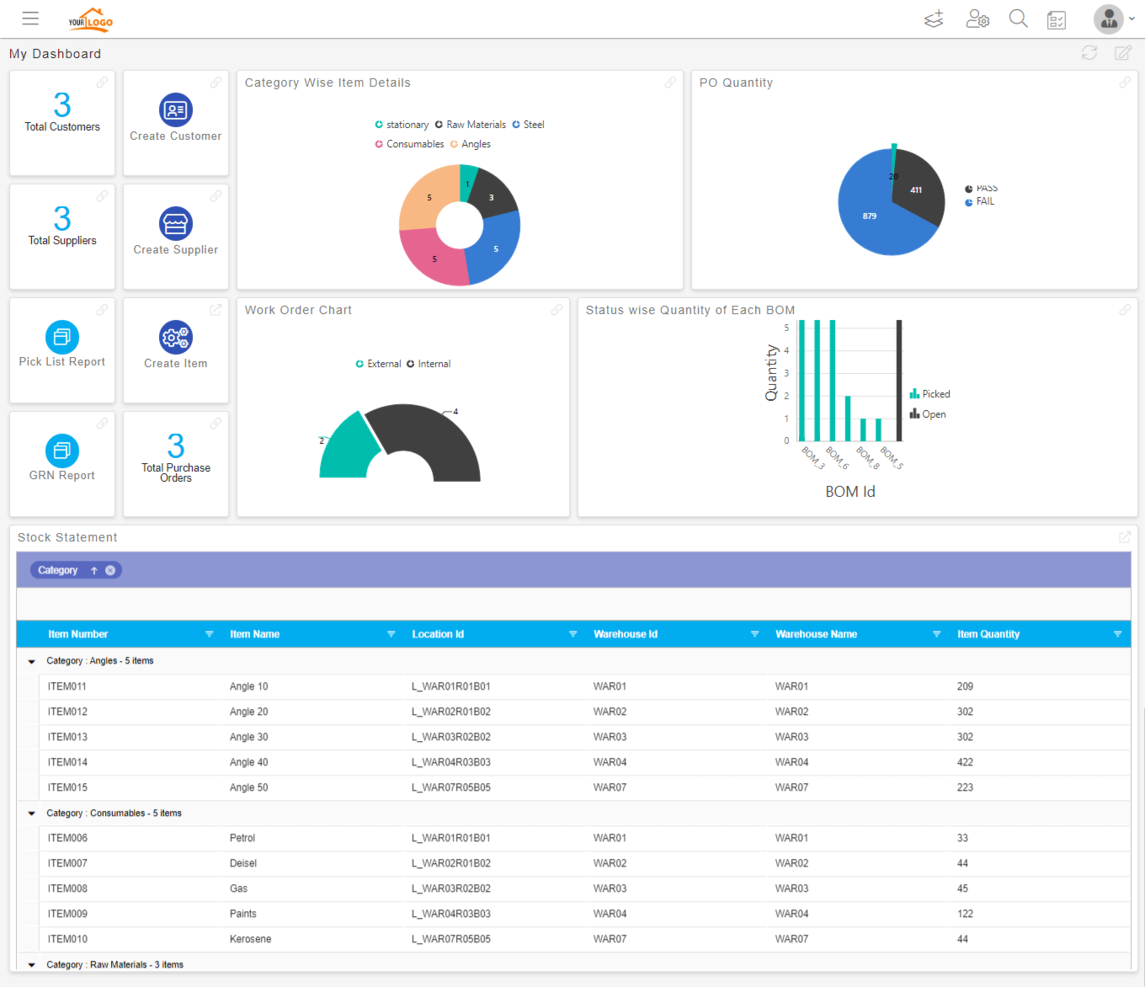
Quixy is a cloud-based business process management platform designed for teams who want to automate workflows and build custom business apps without coding, helping organizations in industries like manufacturing, finance, and services accelerate the digitization and optimization of their processes.
Who Is Quixy Best For?
Quixy is a good fit for mid-sized enterprises and operations teams that need to automate and manage business processes without relying on developers or IT resources.
Why I Picked Quixy
Quixy earns its spot as one of the best on my shortlist because it's one of the few BPM platforms where non-technical users can genuinely own the entire process-building experience. I like that the visual workflow designer lets you model multi-step approval processes—like a purchase order workflow with conditional routing and field-level access controls—without writing a single line of code. The rules engine is where it really clicks for me: you configure business logic directly in the UI, so a finance manager can set up escalation rules or compliance checkpoints without filing an IT ticket. Quixy also includes an inbuilt simulator that lets you test every workflow path before deployment, which I find cuts down on the back-and-forth that usually slows process rollouts.
Quixy Key Features
- Document generator: Build and auto-populate documents like purchase orders, invoices, and contracts using live data pulled directly from your Quixy apps.
- Ready-to-use app templates: Access pre-built apps for common processes—like employee onboarding, leave management, and IT service requests—that you can deploy or customize immediately.
- Agentic AI: Configure AI-driven workflow actions that make autonomous decisions, such as validating compliance checks or routing approvals, without manual intervention.
- Custom dashboards: Each user builds their own dashboard with the specific reports, charts, and task views they need, rather than working from a fixed shared layout.
Quixy Integrations
Integrations include Salesforce, Oracle, SAP, Microsoft Dynamics 365, Slack, Microsoft Teams, Google Workspace, Dropbox, Twilio, and Zapier.
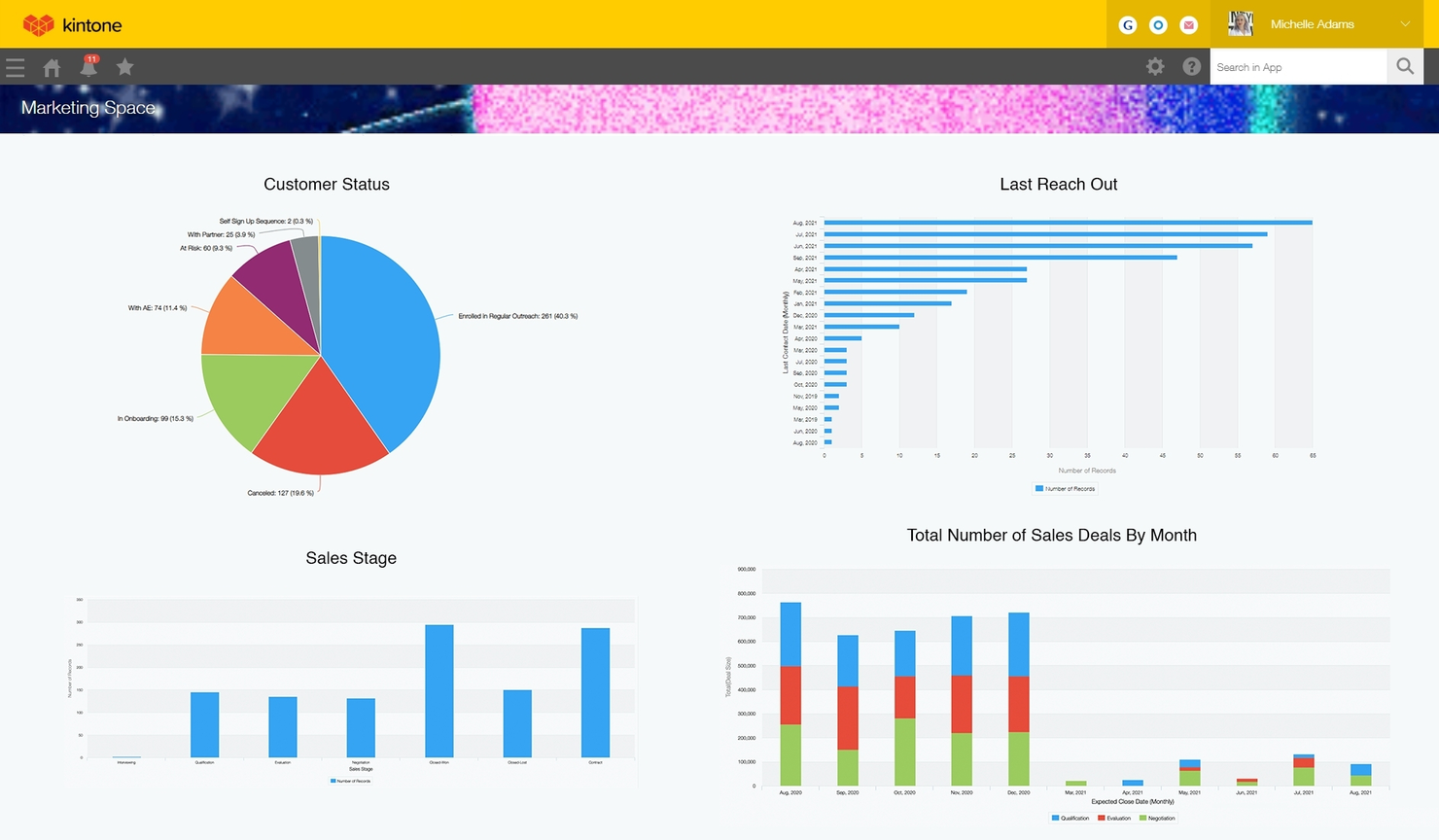
Kintone gives teams in industries like manufacturing, healthcare, and professional services a no-code platform to design, automate, and manage business processes tailored to their unique workflows.
Who Is Kintone Best For?
Kintone is a good fit for small to mid-sized teams that need to build and manage custom workflows without relying on developers or IT.
Why I Picked Kintone
Kintone earns its spot on my shortlist because it lets teams build fully custom business process apps without writing a single line of code. I love that you can use the drag-and-drop app builder to design database-backed workflows from scratch—or convert existing spreadsheets into live process apps in minutes. For example, my team can build a multi-step approval workflow for purchase requests, assign it to the right people, and set automated task handoffs so nothing stalls between stages. The process builder also lets you tweak workflows on the fly, so when a process changes, you're not stuck waiting on a developer to update it.
Kintone Key Features
- Custom app templates: Start new process apps from a library of pre-built templates covering common business functions like project tracking and expense management.
- In-app comments and threads: Attach conversations directly to records and tasks so all context stays tied to the relevant process.
- Role-based permissions: Control who can view, edit, or manage specific apps and records at the user or group level.
- Dashboard and reporting views: Build custom charts and summary reports to monitor process activity and track progress across workflows.
Kintone Integrations
Integrations include Salesforce, Slack, Gmail, Google Calendar, Box, Dropbox, QuickBooks, Tableau, Zapier, and Microsoft Teams.

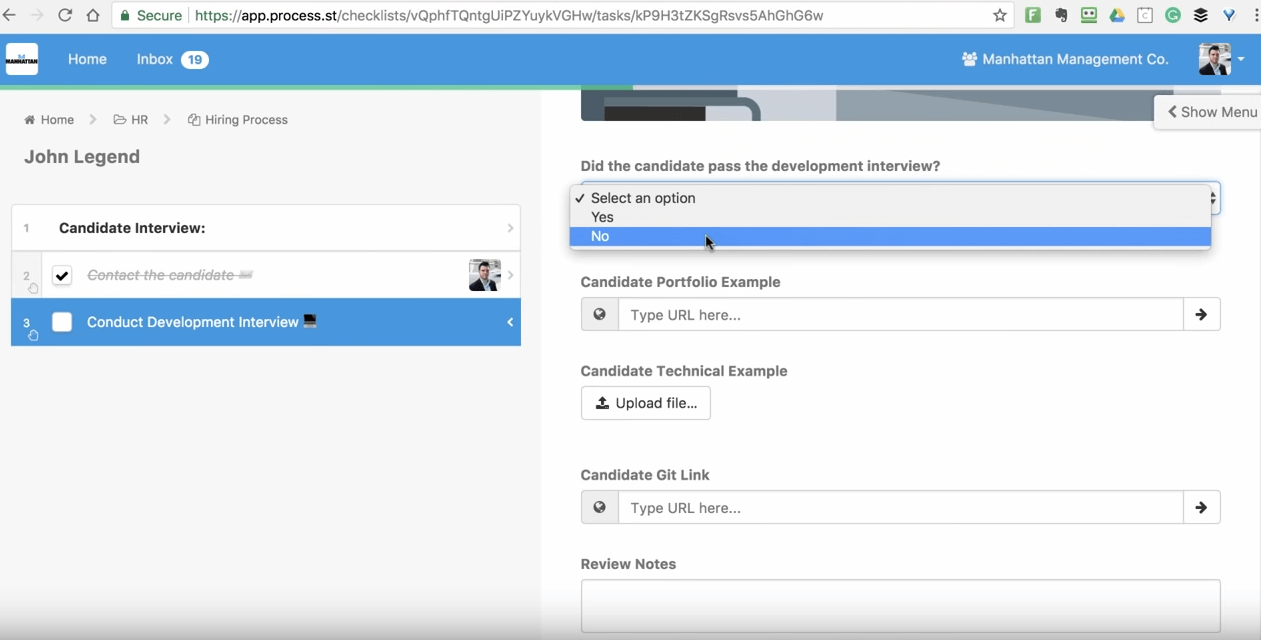
Process Street is a no-code workflow management platform for teams in operations, HR, finance, and IT that document, automate, and track recurring business processes.
Who Is Process Street Best For?
Process Street is a strong fit for operations and process-focused teams at small to mid-sized companies that run high-volume, repeatable workflows across departments.
Why I Picked Process Street
Process Street earns its spot on my shortlist because of how well it handles scheduled workflow automation for recurring operational tasks. I particularly like the scheduling feature, which lets my team set workflows to run automatically on a defined cadence—daily standups, weekly compliance checks, monthly vendor reviews—without anyone needing to manually kick them off. Pair that with conditional logic, and the platform routes each run down the right path based on the data captured, so the same workflow template can handle multiple scenarios. Stop tasks are another feature I rely on, since they enforce task completion order and prevent a workflow from progressing until critical inputs are captured.
Process Street Key Features
- No-code workflow builder: Create and edit process templates using a drag-and-drop editor without writing any code.
- Role-based task assignment: Assign specific workflow tasks to team members or groups based on their role within the process.
- Approval workflows: Build multi-step approval chains directly into a workflow to gate progress on sign-off from designated reviewers.
- Audit trail: Track every action taken within a workflow run, including task completions, edits, and comments, for compliance and review purposes.
Process Street Integrations
Integrations include Salesforce, Slack, Microsoft Teams, Google Sheets, Jira, DocuSign, HubSpot, Mailchimp, Stripe, and Greenhouse.

Best for model validation and value chain modeling
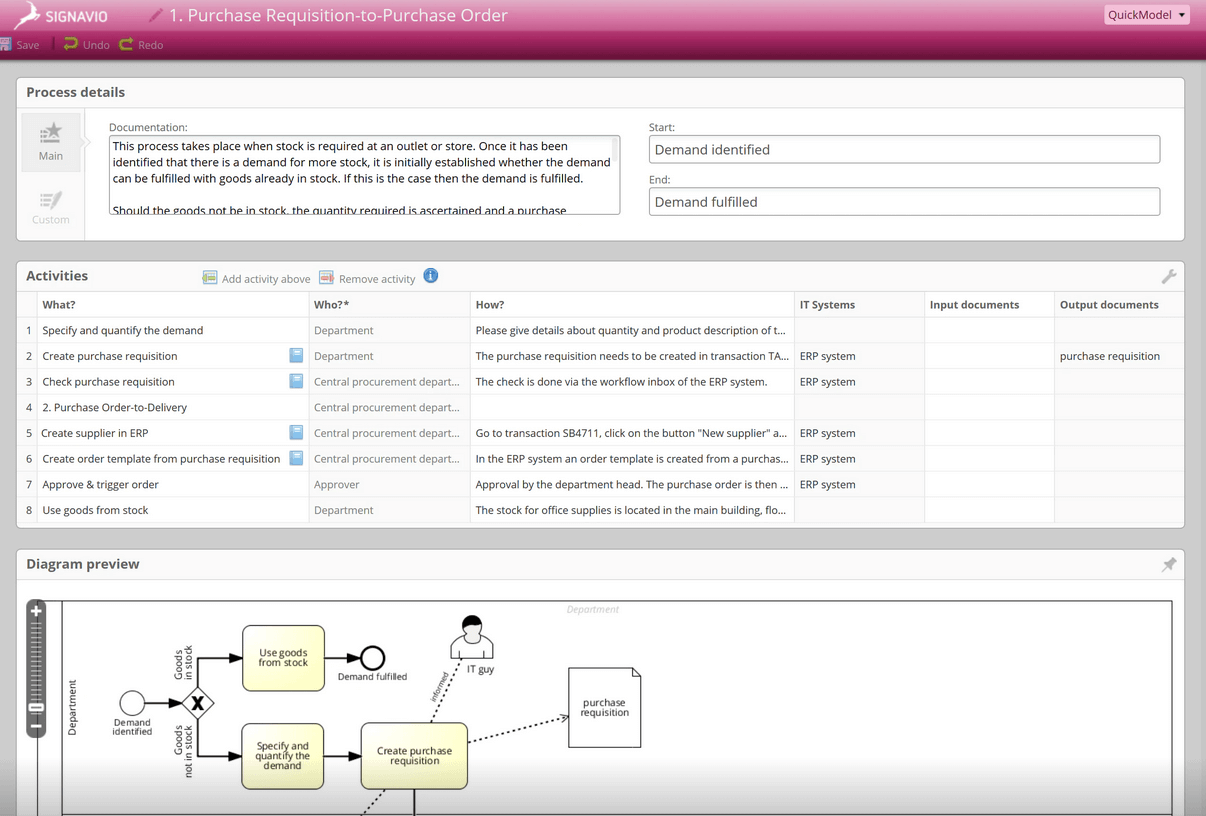
SAP Signavio Process Manager helps enterprise teams map, analyze, and optimize complex business processes, making it a go-to choice for organizations that need to drive process improvement and ensure compliance across large, distributed operations.
Who Is SAP Signavio Process Manager Best For?
SAP Signavio Process Manager is a strong fit for large enterprises and process excellence teams that need to model, govern, and continuously improve complex, cross-functional workflows at scale.
Why I Picked SAP Signavio Process Manager
SAP Signavio Process Manager earns its spot on my shortlist because of how well it handles model validation and value chain modeling in a single platform. I particularly like the configurable modeling conventions feature, which runs real-time validation checks—surfacing warnings, hints, and errors as you build—so my team can catch modeling mistakes before they compound into bigger documentation problems. Additionally, value chain modeling lets us create high-level views of the entire process landscape, linking individual BPMN diagrams and process groups to show how business units connect chronologically. I've found this combination especially useful when aligning process documentation with stakeholder reviews, where both the big picture and the detail-level accuracy must hold.
SAP Signavio Process Manager Key Features
- Process simulation: Test how proposed process changes would affect outcomes before committing to them in a live environment.
- BPMN 2.0 modeling support: Build process diagrams using the BPMN 2.0 standard, even without prior modeling experience.
- Process repository reporting: Generate usage, analytics, and compliance reports across your entire process repository.
- Collaborative process design: Assign process attributes like owners and IT systems while multiple stakeholders contribute to the same model simultaneously.
SAP Signavio Process Manager Integrations
Integrations include SAP S/4HANA, SAP Solution Manager, SAP Cloud ALM, SAP Build, LeanIX, Microsoft Teams, Slack, Oracle, ServiceNow, and Salesforce.

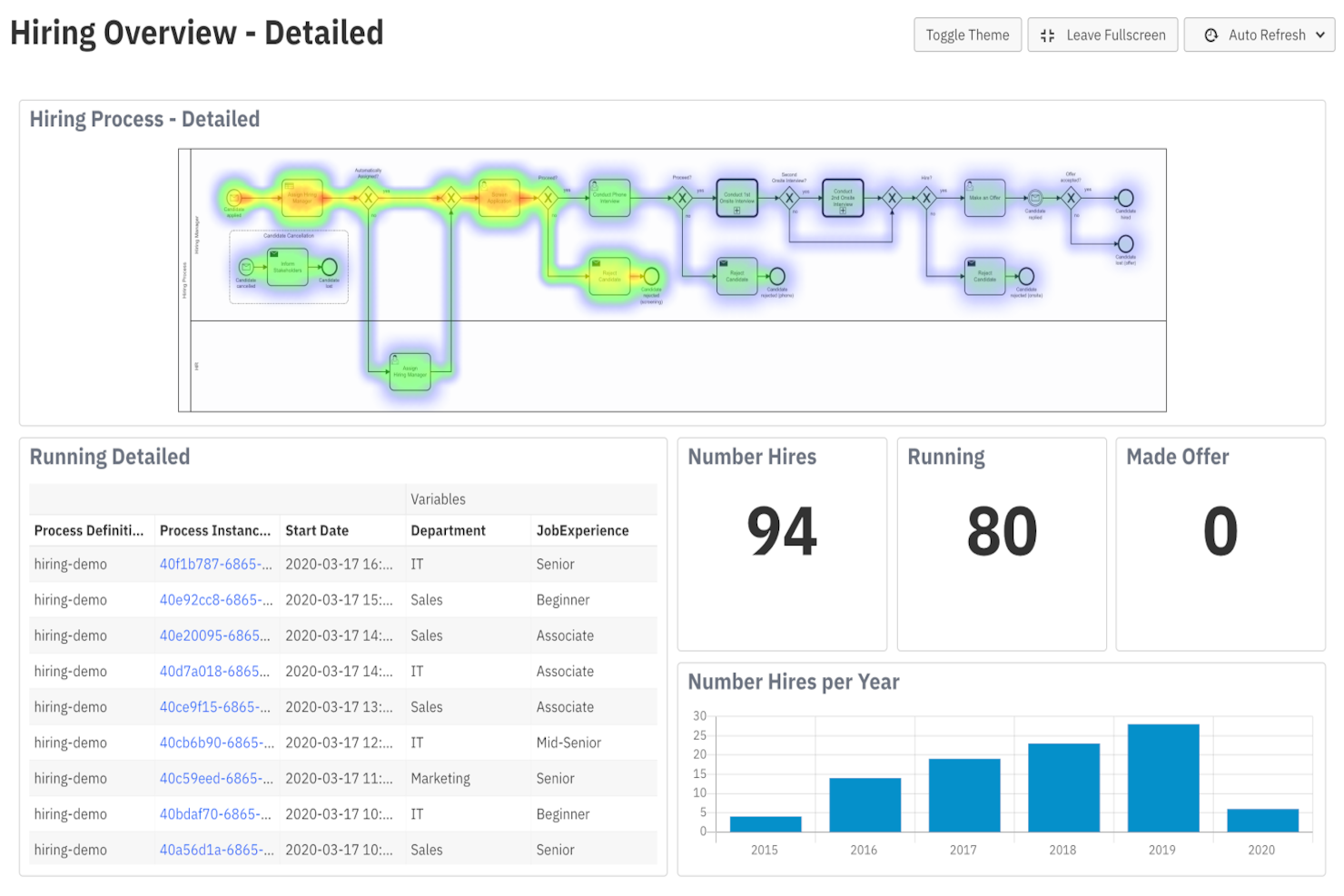
Camunda Platform gives enterprise teams and IT departments a flexible way to model, automate, and monitor complex business processes using open standards and developer-friendly tools.
Who Is Camunda Platform Best For?
Camunda Platform is a strong fit for enterprise engineering and operations teams that need to orchestrate complex, high-volume processes across distributed systems and microservices.
Why I Picked Camunda Platform
Camunda Platform earns its spot on my shortlist because of how it handles process automation at scale without sacrificing developer control. The Zeebe engine is what really sets it apart—it uses an event-streaming architecture instead of a traditional relational database, which means it can process millions of concurrent workflow instances without hitting the bottlenecks you'd typically see in high-volume environments. I also like that what you model in BPMN is exactly what executes in production—no translation layers or hidden logic between design and runtime. That direct model-to-execution approach means my team can deploy process changes faster and trust that the behavior matches what was designed. Additionally, Camunda Copilot lets you convert existing documentation or legacy BPM exports directly into executable BPMN models, which cuts down the time it takes to get new processes up and running.
Camunda Platform Key Features
- DMN-based decision automation: Model and execute business rules using Decision Model and Notation (DMN) tables directly within your process flows, separate from process logic.
- Camunda Operate: Monitor running process instances in real time, trace execution paths, modify variables, and resolve incidents without digging through logs.
- Process instance migration: Deploy updated process versions and move running instances to the new version without downtime, preserving state and data throughout.
- Camunda Optimize: Analyze completed process instances to surface bottlenecks, track task durations, and identify trends for continuous process improvement.
Camunda Platform Integrations
Integrations include SAP, ServiceNow, RPA (UiPath and Automation Anywhere), IDP (ABBYY), scikit-learn, pandas, AWS, Google Cloud Platform, and custom systems via API.

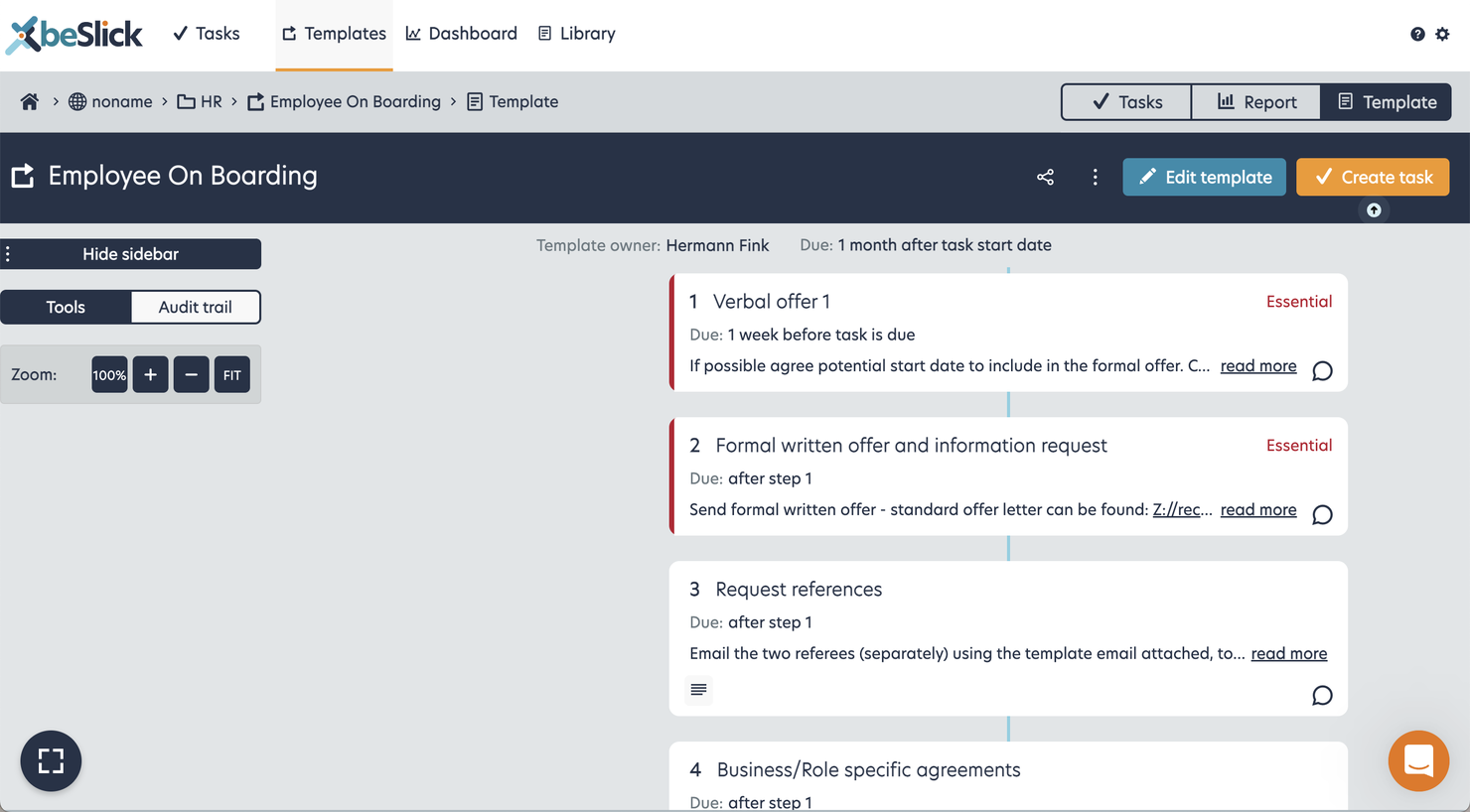
beSlick is an easy-to-use but powerful business process management system for small to medium businesses that provides a full task management system that is integrated into the processes and procedures you design.
Alongside centralizing processes, its strength is in how it also provides every user with their own personal to-do manager and the drag & drop process builder that uses familiar flowcharts, with decision branching, loops and step dependencies (and dependent dates). You can embed videos, links & docs to make them useful for training, and when you run them as tasks you can also capture data and file uploads. It’s easy for even non-technical users to create business processes.
The 'my tasks' section is great! Whether a task comes from a process or a simple reminder like ‘check finance report’ (which you can mark private), you can snooze, prioritize, and reassign tasks easily. If a task is from a template, it becomes a dynamic checklist which is very easy to follow and see progress.
Uniquely and helpful from a compliance perspective, it records when things can’t be done and why, or why someone is completing a step not assigned to them. You can export all of this as a CSV to analyze further (or to provide as evidence). It also collects process feedback for review and makes this highly visible to everyone, which is very useful for continuous improvement.
Reporting is about quality not quantity – so not hugely configurable, but those included are incredibly useful. It also supports Groups, unlimited Guest Access (free), logo branding, @-mention comments and very highly rated customer support.
Integration with other business systems such as G Suite, Salesforce or databases is handled using the ever-popular Zapier.
Pricing starts at $10/month.

Revver is a document-centric business process management platform for teams in regulated industries who need to automate workflows, maintain compliance, and keep tight control over document access and approvals.
Who Is Revver Best For?
Revver is a strong fit for small to mid-sized businesses in compliance-heavy industries like finance, legal, and HR that need structured document control built into their day-to-day processes.
Why I Picked Revver
Revver earns its spot on my shortlist because document management and control aren't just add-ons here—they're the core of how the platform handles business processes. I like that Revver's folder templates and template sync automatically create and maintain consistent folder structures across clients, employees, or projects, so my team isn't manually rebuilding the same filing logic every time. The governance features are what really set it apart for me: you can configure automated file retention policies, timed deletions, and access controls that enforce compliance without anyone having to remember to act on them. The audit trail gives my team a full, timestamped record of every action taken on a document—which is exactly what you need when a process review or external audit comes up.
Revver Key Features
- No-code workflow builder: Configure document routing, approvals, and notifications using trigger-based automation without writing any code.
- eSignature: Request, send, and track legally binding signatures directly within the platform using drag-and-drop template setup.
- Zonal OCR and smart data extraction: Automatically pull structured data from uploaded documents to reduce manual data entry in approval workflows.
- Email import: Route incoming emails and attachments directly into Revver folders, where they can automatically trigger downstream workflows.
Revver Integrations
Integrations include Microsoft 365, Google Drive, DocuSign, Salesforce, SAP, Microsoft Dynamics, Workday, Entra AD (Azure AD), Active Directory/LDAP, and Gmail.
Other Business Process Management Systems
Here are a few more that didn’t make the top BPM tools comparison. If you need additional suggestions for online BPM, check these out.
- Gluu
For mapping end-to-end processes
- Oracle BPM Suite
Business analytics dashboard feature
- SAP Business ByDesign
For integrated CRM
- Pneumatic Workflow
Enterprise-grade workflow management
- IBM Blueworks Live
BPMS tool for usability
- OnBase by Hyland
For creating drag and drop business process paths
- iGrafx
For what-if analysis of process changes
- K2 Platform
BPMS for security and governance
- Trisotech
For process diagramming and modeling
- Novacura
Low-code platform


Related Project Management Software Reviews
If you still haven't found what you're looking for here, check out these other related tools that we've tested and evaluated:
- Project Management Software
- Digital Process Automation Software
- Intelligent Process Automation Software
- Resource Management Software
- Workflow Automation Software
- Task Management Software
- Productivity Tools
- Project Tracking Software
Selection Criteria For Business Process Management Systems (BPMS)
Selecting a Business Process Management System (BPMS) involves examining each tool's functionality and how well it meets specific use cases crucial to your organization. The right BPMS should offer comprehensive tools for process modeling, automation, and optimization. Based on my personal trials and extensive research, I have developed a set of criteria to help users prioritize features that directly address key needs and objectives for streamlining and automating business processes. Additionally, each criterion is weighted to reflect its importance to my overall evaluation of each tool.
Core BPMS Functionality (25% of total weighting score): To be considered for inclusion on my list of the best BPM systems, the solution had to support the ability to fulfill common use cases. It's crucial that a BPMS can handle the everyday demands of a business, making operations smoother and more efficient. These demands can include:
- Automating repetitive tasks
- Streamlining employee onboarding and training processes
- Managing customer support requests
- Optimizing inventory management
- Facilitating project management and collaboration
Additional Standout Features (25% of total weighting score): Beyond basic functionality, standout features can differentiate a BPMS in a crowded market. I look for innovations that offer users unique benefits, such as AI and machine learning capabilities, which can predict and enhance process improvements. These benefits can also include:
- Advanced integration capabilities with new technology platforms
- Unique customization options for process modeling
- Proprietary technology that enhances automation accuracy
- Enhanced security features for data protection
- Innovative collaboration tools for remote teams
Usability (10% of total weighting score): A powerful BPMS must also be accessible to its users, ensuring that its advanced features can be leveraged without a steep learning curve. This criterion assesses how user-friendly and intuitive the BPMS interface is, including:
- Intuitive process design tools, like drag-and-drop interfaces
- Clear, logical navigation paths through the system
- Visual data representation for easy understanding of analytics
- Mobile accessibility for on-the-go process management
Onboarding (10% of total weighting score): Effective onboarding is key to realizing the value of a BPMS quickly and efficiently. Here, I evaluate the resources and tools provided to help new users get up to speed with minimal effort, including:
- Availability of comprehensive training materials, such as videos and tutorials
- Pre-built templates for common processes
- Interactive product tours and in-app guidance
- Support options like chatbots and webinars for immediate assistance
Customer Support (10% of total weighting score): Strong customer support ensures that any issues encountered can be resolved quickly, minimizing downtime. In this evaluation, the focus is on:
- 24/7 availability through multiple channels (chat, email, phone)
- Knowledgeable and responsive support teams
- Community forums for peer-to-peer assistance
- Regularly updated FAQ and help documentation
Value For Money (10% of total weighting score): Assessing value for money involves looking beyond the sticker price to evaluate what you actually get for your investment. This includes considering:
- Transparent pricing models without hidden costs
- Flexible plans that scale with business growth
- Comparisons with similar tools in the market for competitive pricing
Customer Reviews (10% of total weighting score): Customer reviews offer a window into how the BPMS performs in real-world settings. This criterion takes into account the breadth and depth of user feedback, focusing on:
- High overall satisfaction scores
- Positive feedback on specific features relevant to BPMS use cases
- Testimonials on the impact of the BPMS on business process efficiency
- Reports of positive experiences with customer support and onboarding
Using this comprehensive approach and detailed criteria, I can be sure that I recommend business process management systems that will not only meet a business's current needs, but also scale with their growth, adapting to evolving business requirements and driving continued efficiency, innovation, and success.
How To Choose a BPMS
With so many different business process management solutions available, it can be challenging to make decisions on what BPMS is going to be the best fit for your needs.
As you're shortlisting, trialing, and selecting business process management systems, consider the following:
- What problem are you trying to solve - Start by identifying the business process management feature gap you're trying to fill to clarify the features and functionality the BPMS needs to provide. If you identify that you are only trying to have documented and organized processes, for example, you may need to look at process documentation software instead. This analysis is super useful to identify the problem and the exact tool that will help you.
- Who will need to use it - To evaluate cost and requirements, consider who'll be using the software and how many licenses you'll need. You'll need to evaluate if it'll just be the project management professionals, or the whole organization that will require access. When that's clear, it's worth considering if you're prioritizing ease of use for all, or speed for your BPMS power users.
- What other tools it needs to work with - Clarify what tools you're replacing, what tools are staying, and the tools you'll need to integrate with, such as accounting, CRM or HR software. You'll need to decide if the tools will need to integrate together, or alternatively, if you can replace multiple tools with one consolidated BPMS.
- What outcomes are important - Consider the result that the software needs to deliver to be considered a success. Consider what capability you want to gain, or what you want to improve, and how you will be measuring success. For example, an outcome could be the ability to get greater visibility into performance. You could compare business process management features until you’re blue in the face, but if you aren’t thinking about the outcomes you want to drive, you could be wasting a lot of valuable time.
- How it would work within your organization - Consider the software selection alongside your workflows and delivery methodology. Evaluate what's working well, and the areas that are causing issues that need to be addressed. Remember every business is different — don’t assume that because a tool is popular that it'll work in your organization.
Trends In Business Process Management Systems For 2025
In 2025, business process management systems are experiencing significant changes, driven by the need to further streamline and automate business processes. Moreover, these changes are not just about making incremental improvements, but rather about transforming how companies operate on a fundamental level. Here, I have compiled several trends that I believe will continue to impact BPM tools and business process management in general both now and in the future.
Trends in BPMS and Technology
- Increased Emphasis on AI and Machine Learning: The most rapidly evolving feature in BPMS is the integration of artificial intelligence (AI) and machine learning algorithms to predict process outcomes, automate decision-making, and optimize workflows. This trend underscores the shift towards predictive business process management, where systems can forecast process bottlenecks and suggest improvements proactively.
- Rise of No-code/Low-code Platforms: There's a significant move towards no-code and low-code platforms, making BPMS more accessible to non-technical users. This trend indicates a democratization of process management, allowing team members across different levels of technical expertise to design, implement, and modify workflows without extensive coding knowledge.
- Blockchain for Enhanced Security and Transparency: An unusual yet rapidly emerging functionality within BPMS is the use of blockchain technology. This novel feature is particularly relevant for industries requiring high levels of documentation integrity and audit trails, such as finance and healthcare. Blockchain integration into BPMS platforms ensures data integrity, enhances security, and provides transparent process documentation.
- Mobile-First Design for BPMS: With the rise of remote work and the need for access to business processes from anywhere, BPMS platforms are prioritizing mobile-first designs. This trend towards enhanced mobile accessibility ensures that users can efficiently manage, monitor, and participate in business processes through their mobile devices, leading to increased productivity and engagement.
- Sustainability Reporting and Compliance Features: With growing emphasis on corporate social responsibility, BPMS platforms are incorporating sustainability reporting and compliance management features. These functionalities enable organizations to monitor and report on their environmental impact and ensure adherence to relevant sustainability standards and regulations.
These trends highlight the BPM industry's response to the changing work environment, emphasizing mobility, collaboration, accessibility, sustainability, and data security. As organizations continue to navigate the complexities of digital transformation, these developments in BPMS technology play a crucial role in enabling more efficient, flexible, and secure business process management.
What is a BPMS?
A Business Process Management System (BPMS) is a software suite where you can map out processes, automate routine tasks, enforce business rules, monitor process performance, and foster collaboration among teams involved in different stages of a process. In summary, you can design, model, execute, monitor, and continuously improve business processes. BPMS features include process modeling, workflow automation, business rules management, analytics, and collaboration tools.
A BPMS increases operational efficiency, improves process visibility, and makes you more agile when adapting to changing business needs.
Features of Business Process Management Systems (BPMS)
Business process management systems (BPMS) can be pivotal tools for organizations aiming to enhance their operational efficiency, streamline processes, and automate repetitive tasks. These systems allow businesses to map out, execute, optimize, and analyze their workflows, ensuring that they remain competitive and responsive to market demands. Here, I outline the most critical features to consider when selecting a BPM system to ensure that it will meets your business needs effectively and provide good value to your team.
- Process Modeling and Design - This feature allows for the visual mapping and design of business processes. It is essential because it helps in understanding and optimizing workflows before their implementation, ensuring they are as efficient as possible.
- Workflow Automation - Enables the automation of repetitive tasks within a process. Automating these tasks reduces the need for manual intervention, which can significantly decrease errors and increase productivity.
- Integration Capabilities - A BPM system should seamlessly integrate with existing business systems and software. This integration is crucial for ensuring data consistency across platforms and enhancing the automation of processes.
- Business Rules Engine - Allows for the setting of specific rules that govern the process flow. This feature is important for maintaining compliance with internal policies and external regulations, ensuring that processes are executed correctly.
- Analytics and Reporting - Provides real-time insights into process performance. Having access to detailed analytics and reports is vital for identifying bottlenecks, measuring efficiency, and guiding informed decision-making.
- User Access Management - Enables control over who can view or edit processes and data. This feature ensures that sensitive information remains secure and that processes are only modified by authorized personnel.
- Process Simulation - Offers the ability to simulate process changes before they are implemented. Simulation is key for predicting the impact of process modifications, allowing for risk-free optimization.
- Mobile Accessibility - Ensures that the BPM system is accessible via mobile devices. Mobile access is increasingly important for supporting remote work and ensuring that team members can stay connected and informed, regardless of their location.
- Scalability - The system should be able to grow with your business. Scalability is critical for ensuring that the BPM system can handle an increasing number of processes and users without performance degradation.
- Collaboration Tools - Facilitates communication and collaboration among team members. Collaboration tools are essential for ensuring that all stakeholders can contribute to process optimization and problem-solving.
Selecting a BPMS with these features ensures that businesses can not only streamline and automate their processes effectively, but also adapt to changes rapidly, improving overall operational efficiency. By prioritizing these capabilities, organizations can better position themselves to meet their strategic goals, respond to market changes, and deliver value to their customers.
Benefits of Business Process Management Systems (BPMS)
In today's fast-paced business environment, staying ahead requires more than just a good strategy; it involves the continuous optimization of operational processes. Business process management systems (BPMS) are at the forefront of this, offering tools that streamline, automate, and refine business workflows. For organizations contemplating purchasing a BPMS, understanding the tangible benefits that these systems can provide is essential.
- Increased Operational Efficiency - BPM systems optimize business processes through automation and streamlined workflows. This leads to reduced manual effort and errors, thereby increasing the overall speed and efficiency of business operations.
- Enhanced Visibility - With a BPMS, businesses gain real-time insights into their processes. This enhanced visibility allows managers and team members to monitor process performance closely, identifying bottlenecks and areas for improvement swiftly.
- Improved Compliance and Risk Management - BPM systems facilitates adherence to regulatory requirements by automating compliance processes. This significantly reduces the risk of non-compliance and the associated financial penalties, while also ensuring that business operations are always audit-ready.
- Greater Flexibility and Scalability - The software allows businesses to quickly adapt to changes in the market or within the organization itself. A BPMS provides the flexibility to modify processes without extensive downtime or retraining, making it easier for businesses to scale operations up or down as required.
- Enhanced Customer Satisfaction - By streamlining operations and improving product or service delivery times, a BPMS can directly contribute to better customer experiences. Happy customers are more likely to remain loyal and recommend your services, driving long-term business growth.
Adopting a BPMS is a strategic move that can help position businesses for success. The tool should not only simplify complex processes, but also unlock new opportunities for growth and innovation. As companies look to future-proof their operations, investing in BPMS may be a wise decision, promising enhanced efficiency, compliance, and customer satisfaction.
Costs & Pricing for Business Process Management Systems (BPMS)
When selecting a BPMS for your team, it is crucial to understand the various plan and pricing options available. BPMS providers typically offer a range of plans to accommodate businesses of different sizes and needs, from free versions designed for small teams or individuals just starting out, to enterprise-level packages equipped with advanced features for large organizations.
The right plan for you will depend on several factors, including the size of your team, the complexity of your processes, and specific features you need to effectively manage and automate your business processes. Here is a breakdown of the typical plans, prices, and common features you may encounter in your search for the right BPMS for you.
Plan Comparison Table For BPM Systems
| Plan Type | Average Price | Common Features |
|---|---|---|
| Free | $0 | Basic process modeling, Limited automation, Access for a small number of users |
| Standard | $15 - $30/user/month | Process modeling, Basic automation, Integration capabilities, User access management |
| Professional | $30 - $60/user/month | Advanced process modeling, Enhanced automation features, Advanced analytics, Increased integration options |
| Enterprise | Custom pricing | Custom process modeling, Full automation capabilities, Full integration suite, Premium support, Advanced security features |
Choosing the right BPMS plan requires a careful evaluation of your business's current needs and future growth expectations. Keep in mind that while higher-tier plans offer more features, the free or lower-cost options might be sufficient if your team is or uses simpler processes.
BPMS Frequently Asked Questions
Find answers to common questions other people ask about this topic.
What does BPMS mean?
BPMS stands for Business Process Management Systems. Typically, it is a suite of software made to collect, organize, analyze, automate, and improve upon existing business processes, including processes that involve human interaction and software or applications. BPMS may be used by IT or non-IT staff and often requires coordination between the two.
Additionally, BPMS is best for ongoing improvements of systems and is designed for continuous process improvement rather than a one-time process update.
What’s the difference between BPM and BPMS?
BPM stands for business process management and is the discipline in charge of creating, improving, optimizing, measuring, and automating business processes. On the other hand, BPMS are BPM systems that help you do this work from your computer.
A basic BPMS has an elementary set of tools designed primarily to improve or launch a new IT application. It is often used by smaller companies and by non-IT users. BPMS is a more robust suite of business process software designed to coordinate between IT and non-IT groups in order to analyze processes more long-term with the goal of continuous system improvement.
What are the benefits of BPM?
Business Process Management (BPM) may help you by:
- Making your business processes more adaptable with less cost to do so
- Improving productivity by identifying and eliminating bottlenecks
- Automating workflows to become more efficient
- Keeping track of compliance and regulatory standards in your industry
- Improving customer and employee management and satisfaction rates
- Ensuring consistency and reliability of processes between department or for new hire training
Who uses BPMS?
BPM software is commonly used by mid-to-large-sized corporations to assist in automating business processes through various styles of workflow apps.
Processes that might be grouped, analyzed, or improved using the above include the full lifecycle of processes: employee onboarding, expense reporting, vacation or PTO requests, account management, invoicing systems, loan origination, compliance management, CRM, project management, approval workflows, and more.
Additionally, BPMS tools tend to focus on long-term, ongoing analysis, and improvement rather than a one-off launch of a particular app or process.
What is the expected ROI of BPM software?
BPMS pays for itself in productivity, which translates to reduce costs for your organization. Here are four categories you can consider when calculating ROI for your BPMS:
- Process efficiency: Measure the time and resources saved by automating and optimizing processes.
- Cost reduction: Calculate the reduction in operational costs, including labor and materials.
- Error reduction: Quantify how much money is saved by minimizing errors and rework.
- Increased revenue: Determine whether the BPM software has led to higher sales or better customer experiences.
What other related tools can I use?
If a BPMS isn’t the right fit for your needs, there are plenty of other tools out there that might suit you better. Check out some of our other software reviews:
Security and Data Privacy within BPMS
BPM systems often handle sensitive and confidential information, including customer data, financial records, and intellectual property. Therefore, ensuring the security of this data is critical to avoid data breaches and potential legal and reputational damage.
Just imagine what would happen if someone gains access to critical business processes that represent your competitive advantage.
Data breaches and security incidents can result in significant operational disruptions, financial losses, and damage to an organization's reputation. A secure BPM system helps minimize these operational risks.
What's Next?
If you're in the process of researching bpm software, connect with a SoftwareSelect advisor for free recommendations.
You fill out a form and have a quick chat where they get into the specifics of your needs. Then you'll get a shortlist of software to review. They'll even support you through the entire buying process, including price negotiations.