

10 Best Flowlu Alternatives in 2026

Best Flowlu Alternatives Shortlist


Strong Flowlu alternatives give your team flexible workflows, detailed task management, and easy client tracking—all without locking you into a single way of working. If you’re searching for tools like Flowlu, you probably need project management software that adapts to your business, supports growth, and simplifies your daily operations. In this guide, I’ll break down the top Flowlu alternatives for workflow software, focusing on options that fit a range of small business solutions. I’ll compare providers based on features, ease of use, customer support, and real user reviews, to help you choose the right fit and optimize the way your team works.
What Is Flowlu?
Flowlu is a cloud-based work management platform built for small businesses that want to organize projects, tasks, and client data in one place. You get project planning, customizable workflows, invoicing, CRM, and resource management tools under a single dashboard. Flowlu helps teams streamline daily work, automate routine processes, and keep client communications organized. With AI-powered features and a user-friendly interface, it’s designed for businesses with a wide range of business needs that want flexibility and all-in-one access to core business operations.
Flowlu Alternatives Comparison Table
This comparison table summarizes pricing details for my top Flowlu alternative selections:
| Tool | Best For | Trial Info | Price | ||
|---|---|---|---|---|---|
| 1 | Best for project profitability insights | 14-day free trial | From $17/user/month | Website | |
| 2 | Best for collaborative project milestone tracking | Free plan + 14-day free trial available | From $10/user/month (billed annually) | Website | |
| 3 | Best for time tracking with invoicing and expenses | Free plan + 14-day free trial available | From $11.95/month | Website | |
| 4 | Best for freelancers managing tasks and invoices | 7-day free trial | From $19/month | Website | |
| 5 | Best for customizable views and task hierarchies | Free plan + free trial + free demo available | From $12/user/month | Website | |
| 6 | Best for branded client portals and CRM | 14-day free trial | From $19/month | Website | |
| 7 | Best for solo consultant projects and contracts | 7-day free trial | From $9/user/month (billed annually) | Website | |
| 8 | Best for telephony and workflow automation | 15-day free trial + free demo available | From $49/month (billed annually) | Website | |
| 9 | Best all-in-one suite for small business ops | 30-day free trial | From CAD $13/user/month (billed annually) | Website | |
| 10 | Best for unified business and client management | Free plan available | From $24/month (billed annually) | Website |


Why Trust Our Software Recommendations
Our team has been testing and reviewing software since 2012. As project managers ourselves, we know how difficult—and important—it is to choose the right software.
For this guide, we evaluated tools using hands-on testing and independent research, scoring tools using our selection criteria. We also draw on insights from industry thought leaders and practicing project management experts.
Our reviews reflect our human editorial judgment, not a sales pitch.
Expert reviewers:
Best Flowlu Alternatives Reviews
Below are my detailed summaries of the best Flowlu alternatives that made it onto my shortlist. My reviews offer a detailed look at the features, best use cases, and integrations of each workflow software to help you find the best one for you.

Scoro
Best for project profitability insights
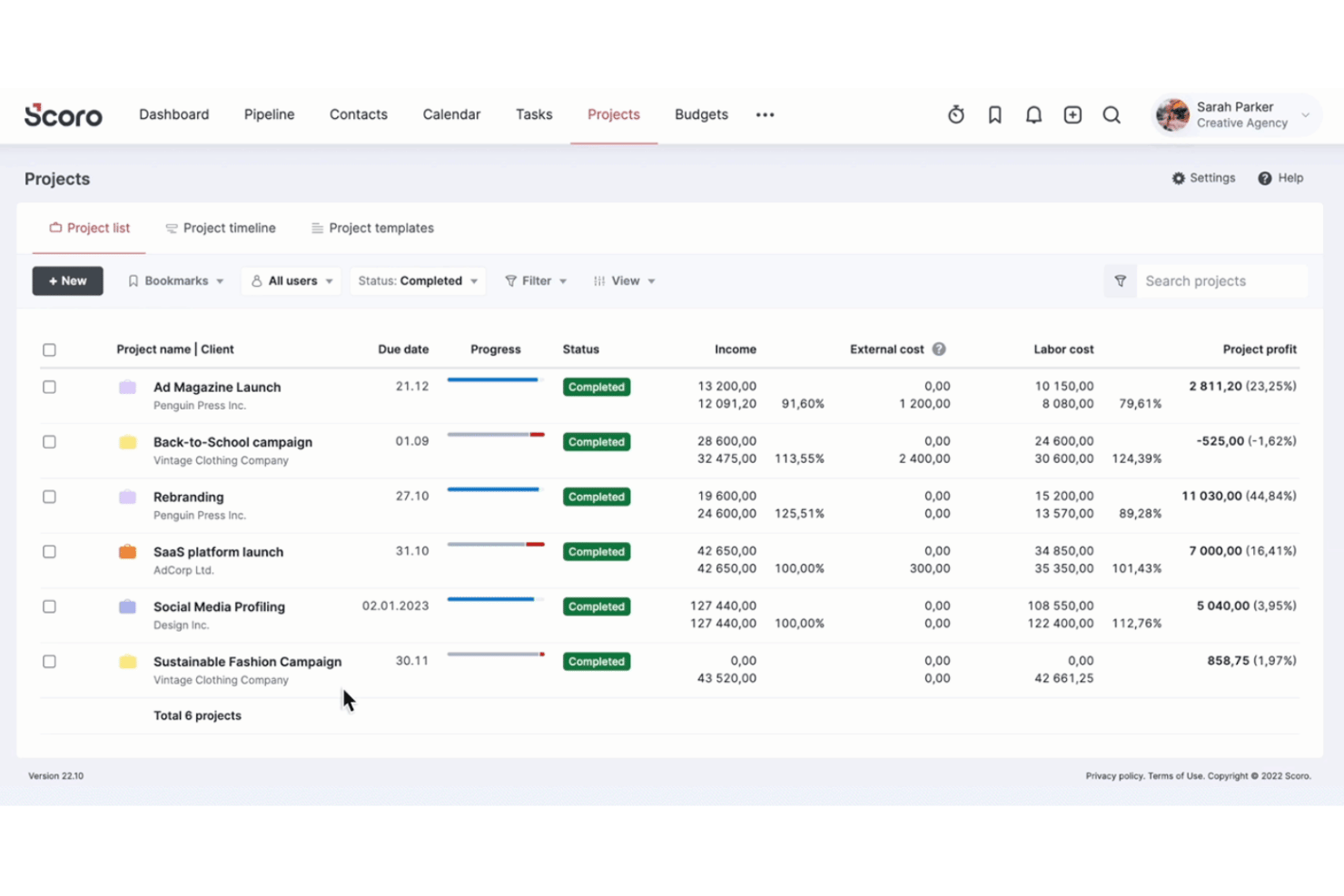
Scoro is a professional services automation platform for agencies and consultancies that want to run projects, track finances, manage client relationships, and log time all in a single system.
Who Is Scoro Best For?
Scoro is a strong fit for mid-sized professional services firms — typically 10 or more people — that bill clients by the hour or project.
Why Scoro Is a Good Flowlu Alternative
I've included Scoro in my top picks because its project profitability tracking goes far deeper than what Flowlu offers. Where Flowlu gives you basic budget tracking, Scoro's cost and profit forecast shows you real-time margin at the role and service level. I also love the quote estimation matrix, which breaks deliverables down by role and effort before a project even starts, so you're not guessing at profitability after the fact.
Scoro Key Features
- Integrated CRM: Track leads, manage sales pipelines, and link deals directly to projects in one system.
- Resource planning: Assign roles, schedule team members, and forecast capacity with drag-and-drop visual tools.
- Automated invoicing: Generate, send, and track digital invoices and recurring bills with built-in financial workflows.
- Permission controls: Customize user access, set granular permissions, and manage data visibility across departments.
Scoro Integrations
Scoro offers native integrations with Xero, QuickBooks, HubSpot, Salesforce, Google Calendar, Slack, Zapier, and more. An API is available for custom integrations.
Pros and Cons
Pros:
- Client portal included without extra seats
- Quotes link directly to project budgets
- Real-time project profitability dashboards
Cons:
- Reporting customization requires configuration effort
- Steep setup time for smaller teams
New Product Updates from Scoro

Scoro Adds Time Mobile App and ELI Improvements
Scoro adds the Scoro Time mobile app for iOS/Android to track time anywhere and expands ELI with attachments, smarter filtering, and trigger-based actions. For more information, visit Scoro's official site.
Nifty
Best for collaborative project milestone tracking
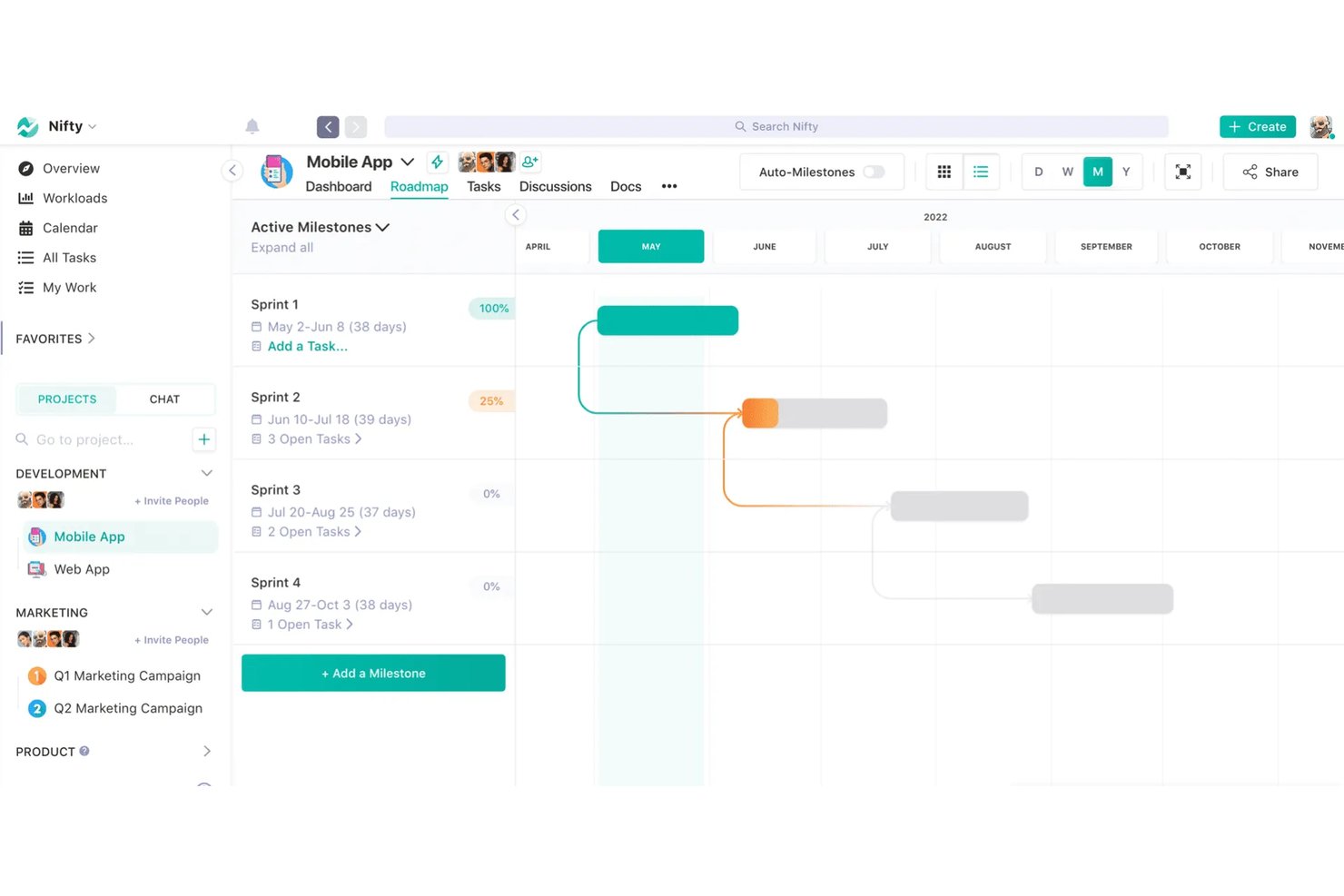
Nifty is a project management platform built for agencies and small teams who need to coordinate tasks, timelines, docs, and team communication without juggling multiple tools.
Who Is Nifty Best For?
Nifty is a strong fit for project managers and team leads at small-to-mid-sized agencies who need milestone-driven planning with built-in collaboration tools.
Why Nifty Is a Good Flowlu Alternative
I picked Nifty as one of the best because its milestone-based roadmaps automatically roll up task progress in real time, so you always know exactly where a project stands. I love that discussions and docs attach directly to individual milestones, keeping context with the work instead of scattered across email threads. When a milestone slips, my team spots it immediately on the shared roadmap and can reassign tasks without leaving the view.
Nifty Key Features
- Project portfolios: Easily organize multiple projects into portfolios for client or team management.
- Native docs and Google Docs integration: Create and edit documents directly inside Nifty or link Google Docs to any project.
- Time tracking and reporting: Log time on tasks and generate reports to monitor project hours and team workloads.
- Workflow automations: Automate recurring task creation, status changes, and notifications across projects to boost efficiency.
Nifty Integrations
Nifty offers native integrations with Google Drive, Zoom, Slack, Microsoft OneDrive, Microsoft Teams, Dropbox, and GitHub. It also supports Zapier and provides an API for custom integrations.
Pros and Cons
Pros:
- Guest access included on all plans
- Docs and chat built into projects
- Milestone roadmaps update progress automatically
Cons:
- Mobile app trails the desktop experience
- Reporting lacks depth for complex projects
Avaza
Best for time tracking with invoicing and expenses
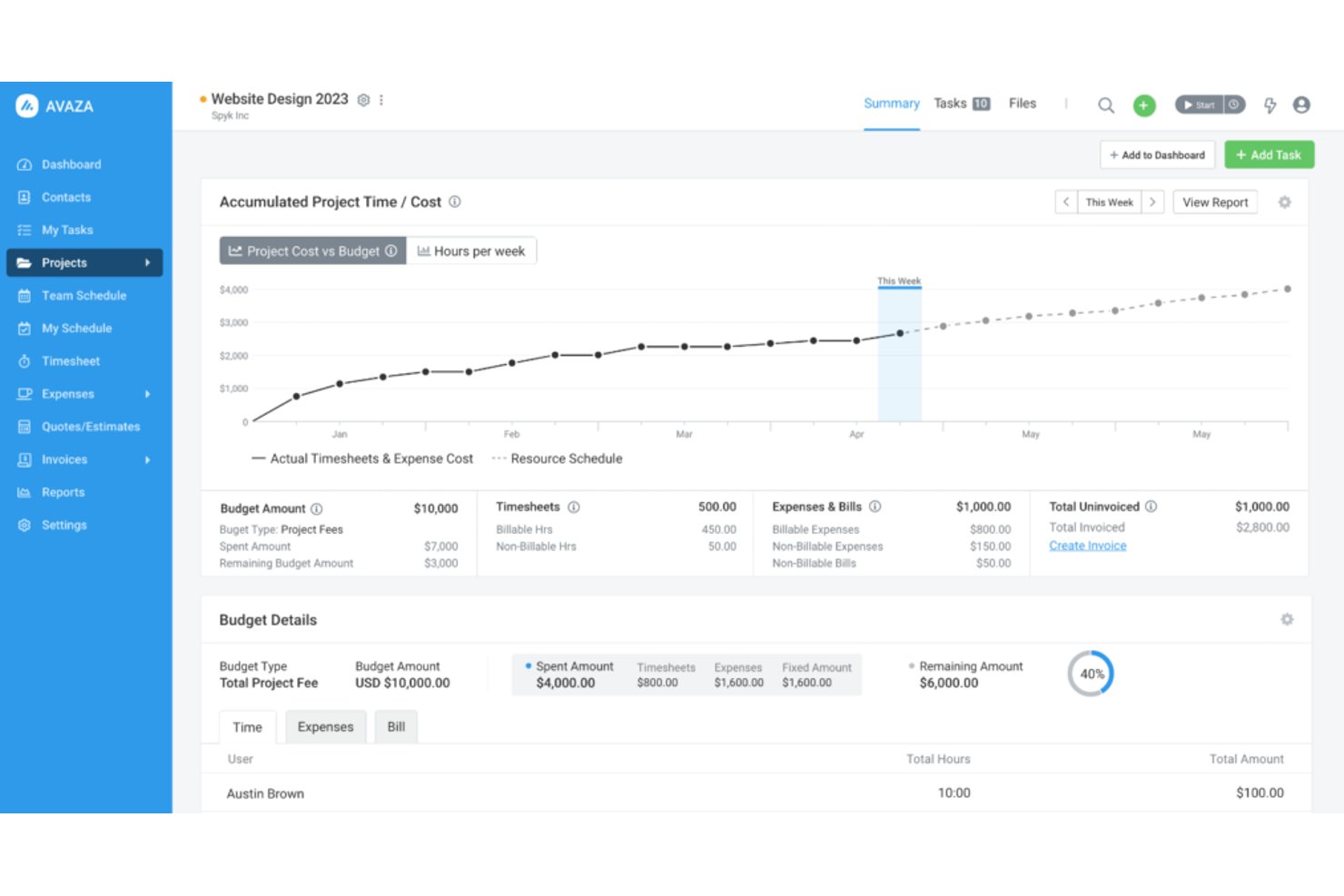
Avaza is a SaaS project and financial management platform built for agencies, startups, and professional services teams that need to run client work, track billable time, and send invoices without stitching together multiple tools.
Who Is Avaza Best For?
Avaza is a strong fit for small professional services firms and freelancers managing client projects where time logged needs to connect directly to what gets billed.
Why Avaza Is a Good Flowlu Alternative
I picked Avaza because its time tracking and invoicing workflow is tighter than almost anything else at this price point. You can log billable hours directly against a task, then pull those timesheets into a client invoice in a few clicks, with billing rates already applied. Avaza also supports retainer and recurring invoicing natively, so if your business runs on monthly client contracts, you're not piecing that together with a separate billing tool.
Avaza Key Features
- Project Gantt view: Visualize project timelines, dependencies, and milestones for better coordination across teams.
- Resource scheduling: Allocate team members to projects based on availability and see workload at a glance.
- Built-in team chat: Start group and direct message threads right inside Avaza for fast decision-making without toggling tools.
- Recurring tasks: Set up automated repeat tasks for ongoing deliverables or administrative routines.
Avaza Integrations
Avaza offers native integrations with Xero, QuickBooks Online, Stripe, PayPal, and more, and connects with Zapier. An API is available for custom integrations.
Pros and Cons
Pros:
- Client portal included on all paid plans
- Expense tracking ties directly to projects
- Time entries sync directly to invoices
Cons:
- Reporting customization is fairly basic
- CRM features are limited compared to Flowlu
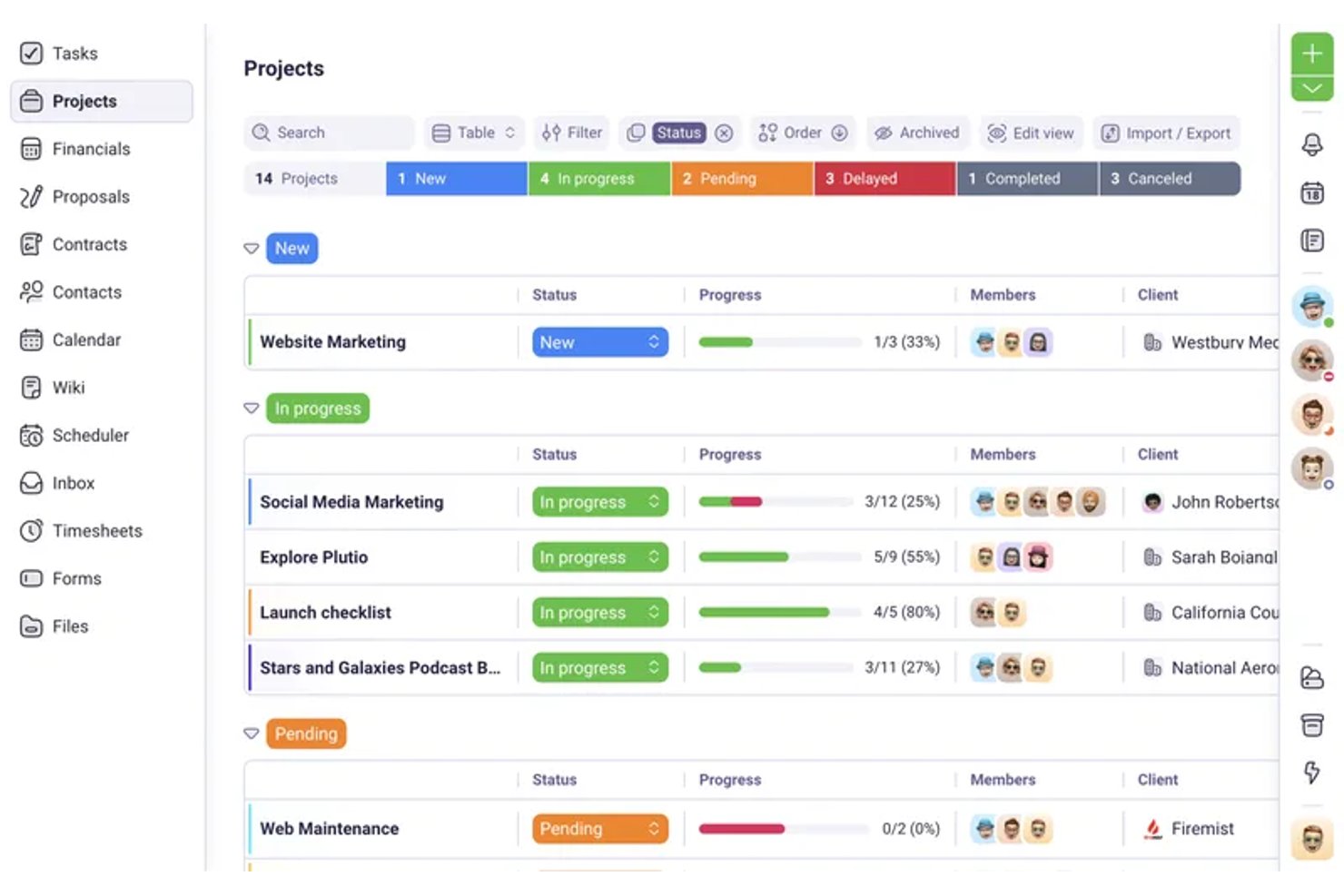
Plutio is an all-in-one business management platform built for freelancers and small agencies who need to handle client projects, invoicing, contracts, and time tracking without juggling multiple tools.
Who Is Plutio Best For?
Plutio is a strong fit for solo operators and small service-based businesses running client-facing work across design, development, consulting, or creative services.
Why Plutio Is a Good Flowlu Alternative
I picked Plutio as one of the best Flowlu alternatives because it handles the full client billing lifecycle in one place, something Flowlu doesn't prioritize as tightly. When I create a project in Plutio, I can log time directly against tasks, then convert those logged hours into a branded invoice with one click. The proposals and contracts module adds another layer I appreciate: a client can sign a contract, trigger a project, and receive a deposit invoice without me touching three separate tools.
Plutio Key Features
- Branded client portal: Give clients a dedicated space to view project status, share files, and approve deliverables.
- Contract management: Draft, send, and track legally binding contracts with integrated e-signatures.
- Forms and questionnaires: Build custom intake forms and feedback surveys directly in the platform.
- Multi-view project boards: Switch between Kanban boards, lists, calendars, and Gantt charts for flexible task tracking.
Plutio Integrations
Plutio offers native integrations with Stripe, PayPal, and Square for payments, and connects with Zapier. An API is available for custom integrations.
Pros and Cons
Pros:
- Contracts and proposals built into the platform
- Time logs convert directly to invoices
- Client portal included without extra paid seats
Cons:
- Reporting lacks advanced financial forecasting options
- CRM depth limited for growing sales teams

ClickUp
Best for customizable views and task hierarchies
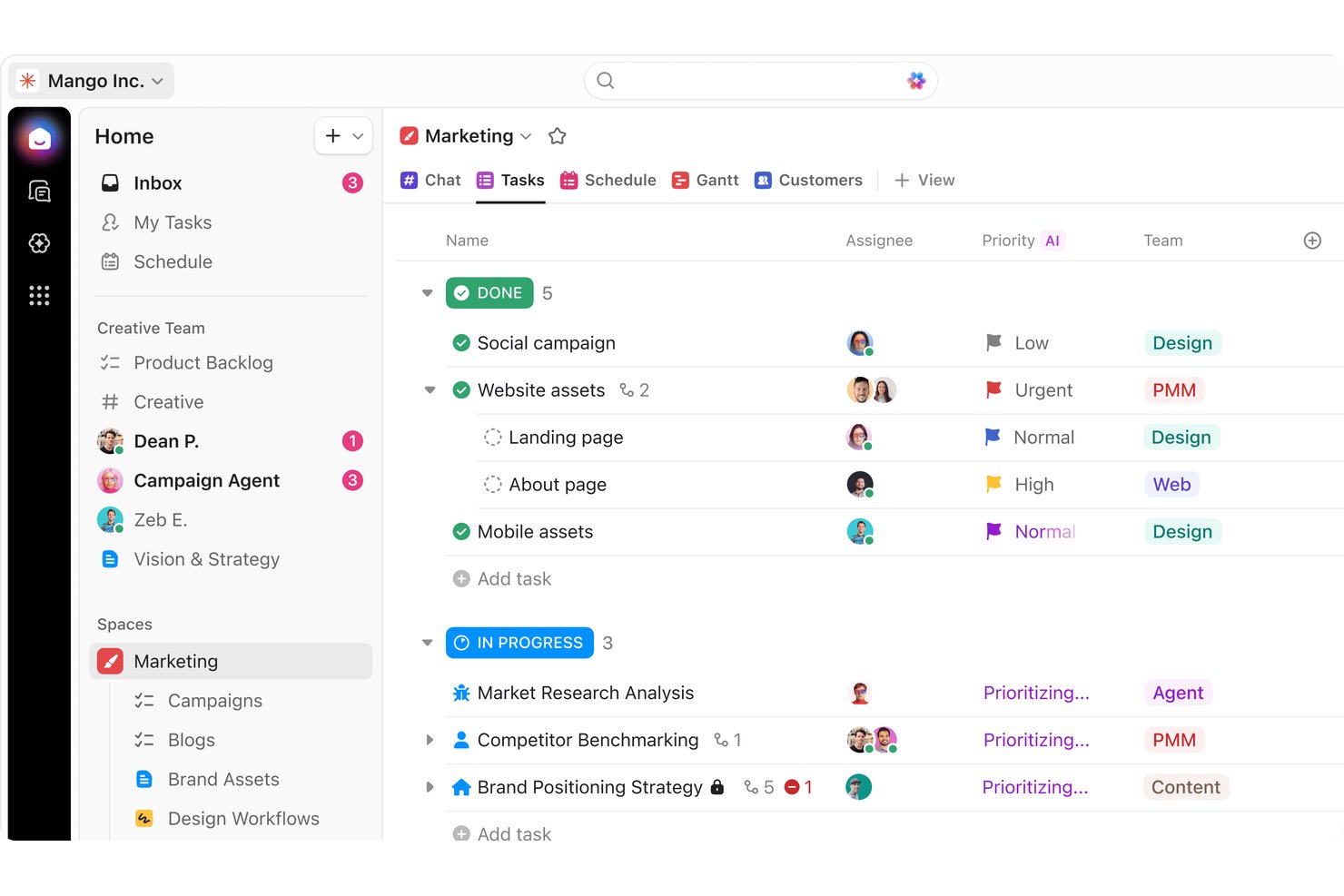
ClickUp is an all-in-one work platform that lets small teams manage projects, track time, collaborate on docs, and automate workflows without juggling multiple tools.
Who Is ClickUp Best For?
It's a strong fit for project managers and team leads at growing SMBs who need a highly configurable workspace that can adapt to multiple workflows at once.
Why ClickUp Is a Good Flowlu Alternative
I picked ClickUp as one of the best because its task hierarchy is genuinely more flexible than what Flowlu offers, on top of that, it also offers a free version. You can nest tasks into subtasks, organize those under folders, lists, and spaces, then flip between Gantt, Timeline, Mind Map, or Kanban views without rebuilding anything. I particularly like how custom fields and custom statuses let each team shape their own workflow logic within that same structure.
ClickUp Key Features
- Native time tracking: Track billable or non-billable hours directly on tasks without using any add-on.
- Automations engine: Create workflow automations for task handoffs, reminders, or status changes with no coding needed.
- Docs and knowledge base: Build and share wikis, SOPs, or meeting notes in the same workspace used for project delivery.
- Team chat and comments: Message teammates or add threaded comments on any task, doc, or project for instant context.
ClickUp Integrations
ClickUp offers native integrations with Slack, GitHub, Google Workspace, Microsoft 365, Zoom, HubSpot, Salesforce, Zendesk, Harvest, and Dropbox. It also connects with Zapier and provides an API for custom integrations.
Pros and Cons
Pros:
- Free plan supports unlimited tasks
- Highly granular custom field controls
- 15+ view types including Mind Map
Cons:
- No built-in invoicing or billing tools
- Notifications can become overwhelming quickly
New Product Updates from ClickUp
ClickUp Adds Meetings Hub, Super Agent Templates, and ZoomInfo Integration
ClickUp adds a searchable Meetings Hub, new ways to clone and template Super Agents, and a ZoomInfo integration through the App Center. These updates improve meeting retrieval, agent reuse, and access to sales intelligence. For more information, visit ClickUp’s official site.

Best for branded client portals and CRM
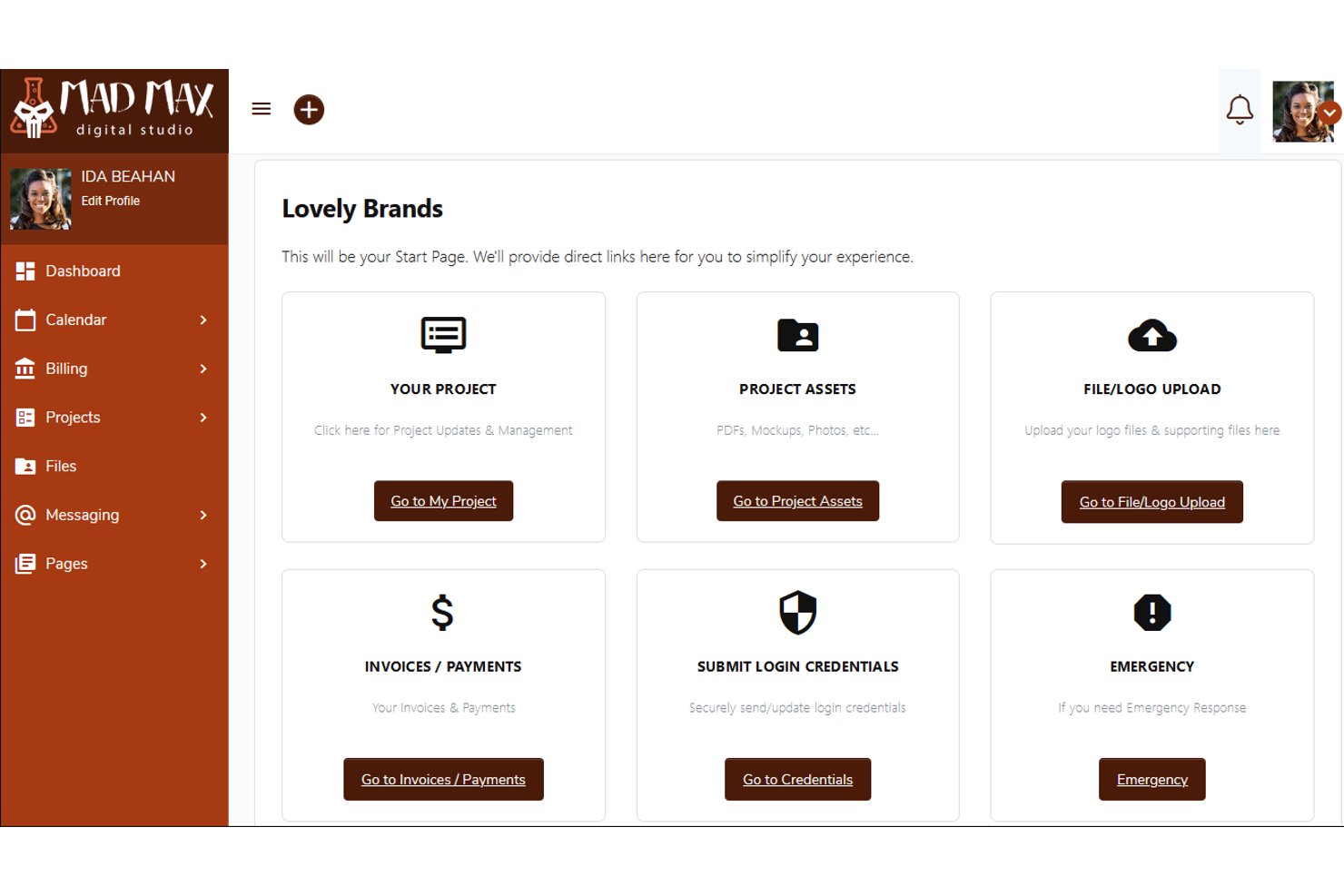
SuiteDash is an all-in-one business platform built for agencies and service-based businesses that want to manage clients, projects, billing, and team workflows without stitching together multiple tools.
Who Is SuiteDash Best For?
SuiteDash suits small agencies and independent consultants who need a fully branded client-facing system without paying per-seat fees as their client base grows.
Why SuiteDash Is a Good Flowlu Alternative
I've included SuiteDash in my top picks because the depth of its white-label client portal is genuinely rare at this price point. Clients log in through a branded URL, see a custom-branded dashboard, and can even download a white-labeled mobile app under your business name. I also like that the CRM ties directly into the portal, so deal pipelines, Kickoff intake forms, and automated client onboarding all feed into the same branded experience your clients interact with daily.
SuiteDash Key Features
- Project task generators: Quickly create reusable task lists, templates, and workflows unique to different project types.
- Encrypted file exchange: Share, request, and organize documents securely with clients through client-specific folders.
- Built-in appointment scheduling: Schedule meetings with clients using custom booking pages and direct calendar integration.
- Dynamic proposal builder: Generate contracts and proposals with merge fields, client e-signature capture, and automated document tracking.
SuiteDash Integrations
Native integrations include Stripe, PayPal, QuickBooks Online, and Zoom. SuiteDash is also available on Zapier and has an API for custom integrations.
Pros and Cons
Pros:
- Time logs convert directly to invoices
- Automated client onboarding via Kickoff intake forms
- White-labeled mobile app for client access
Cons:
- Mobile experience feels underdeveloped for daily tasks
- Reporting dashboards lack depth for project analytics

Bonsai
Best for solo consultant projects and contracts
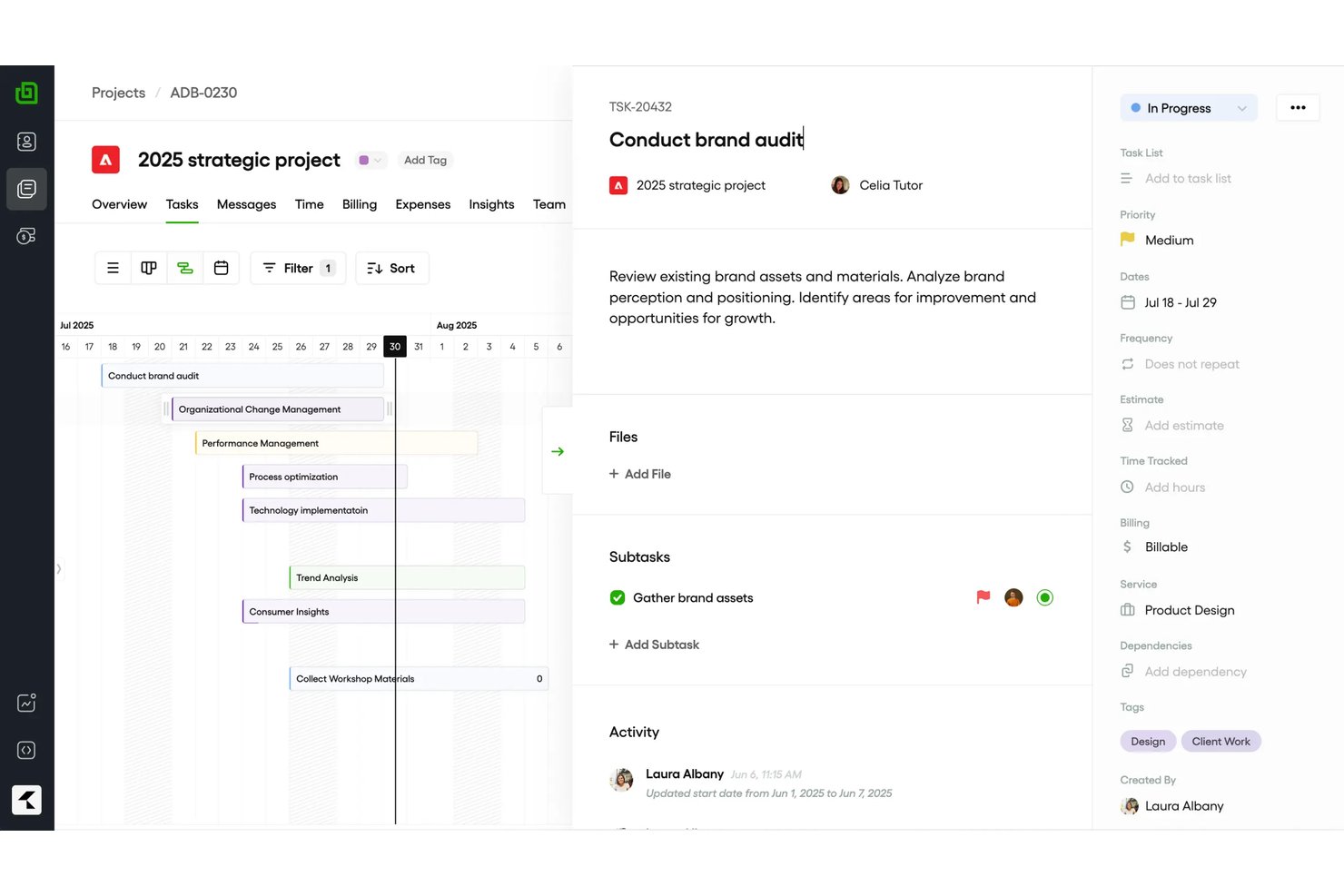
Bonsai is an all-in-one platform for freelancers and small agencies that brings together contracts, proposals, invoicing, project management, and CRM into a single client operations workspace.
Who Is Bonsai Best For?
Bonsai suits independent consultants and boutique service firms managing client work, contracts, and billing without a dedicated operations team.
Why Bonsai Is a Good Flowlu Alternative
I picked Bonsai as one of the best because it handles the full contract-to-payment lifecycle in a single place. I love that you can send a proposal, collect an e-signature, and auto-convert it into an invoice without switching tools. Time tracking ties directly into billing, so solo consultants can log hours against a project and invoice in one click. Retainer billing is also built in natively, which is a genuine differentiator for consultants on recurring contracts.
Bonsai Key Features
- Customizable client portal: Give each client a dedicated space to view project details, communicate, and access documents.
- Kanban and Gantt project views: Switch between Kanban boards and Gantt charts for task management and project planning.
- Recurring tasks and retainers: Set up repeating tasks and manage retainer contracts for ongoing client work.
- QuickBooks and Xero integration: Sync financial data with popular accounting platforms for unified bookkeeping and export reports to spreadsheets when needed.
Bonsai Integrations
Bonsai offers native integrations with QuickBooks Online, Xero, Calendly, and more. It also connects with Zapier.
Pros and Cons
Pros:
- Client portal included on all plans
- Time tracking converts directly to invoices
- Contract and proposal tools built in natively
Cons:
- Reporting lacks depth compared to competitors
- Limited team collaboration for larger agencies

Bitrix24
Best for telephony and workflow automation
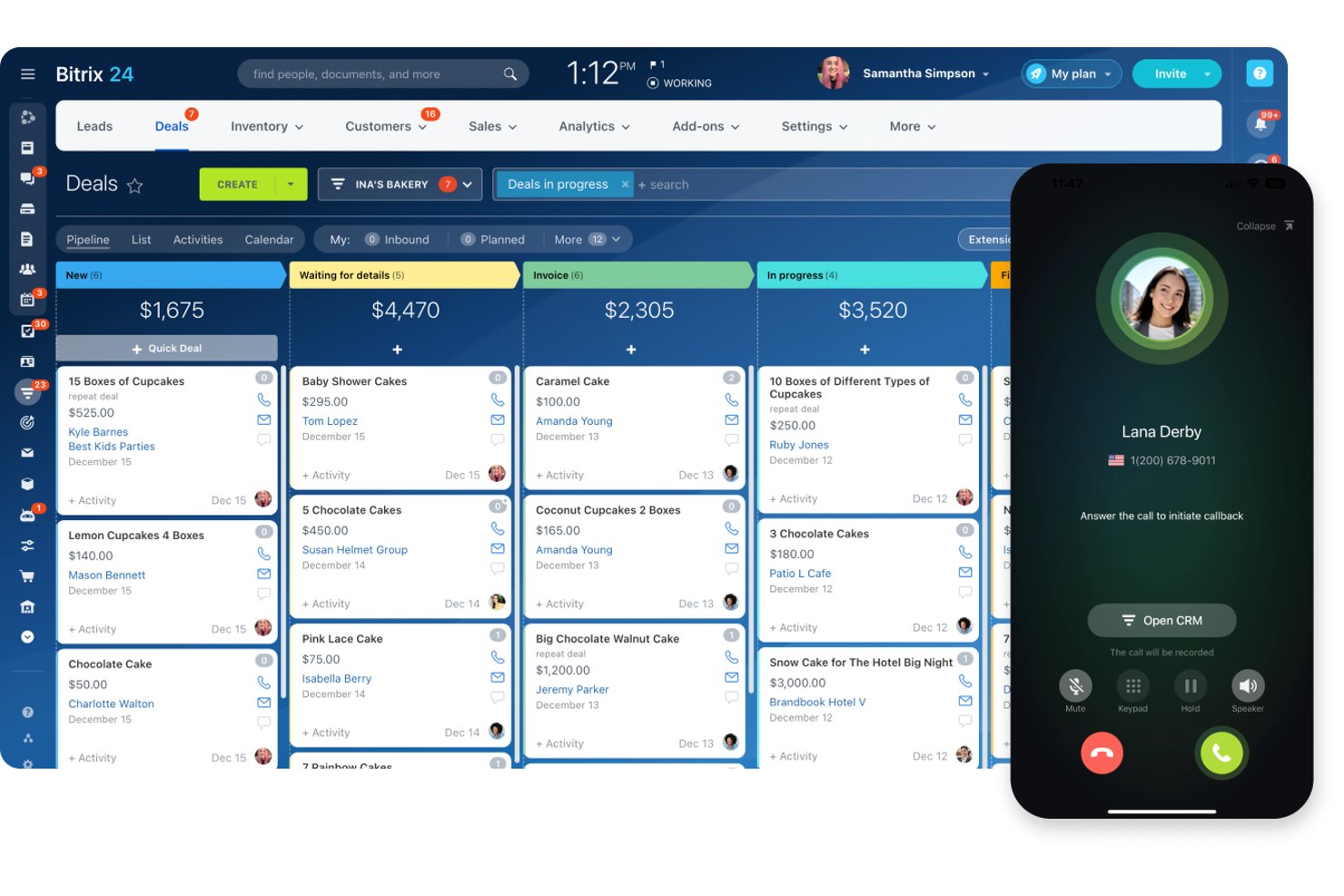
Bitrix24 is an all-in-one platform that combines CRM, project management, telephony, and team collaboration in a single workspace, making it a strong fit for small agencies and professional services teams juggling client work across too many disconnected tools.
Who Is Bitrix24 Best For?
Bitrix24 is a strong fit for growing SMBs that want to replace several standalone subscriptions with one platform covering CRM, projects, and communication.
Why Bitrix24 Is a Good Flowlu Alternative
I picked Bitrix24 as one of the best because its native telephony goes well beyond basic call logging. The AI CoPilot transcribes calls in real time and auto-populates CRM deal fields, so client details are captured without manual input after every conversation. On top of that, the visual drag-and-drop workflow builder handles multi-step approval chains and no-code RPA tasks spanning projects, CRM records, and HR processes in a single automation layer.
Bitrix24 Key Features
- Project management dashboard: Track tasks, milestones, and deadlines across multiple projects in Kanban, Gantt, and calendar views.
- Built-in client portal: Share project updates, files, and invoices directly with clients through a branded, external access point.
- Integrated knowledge base: Create internal wikis and process documentation accessible by the whole team or shared externally.
- Role-based access controls: Set granular permissions for users, ensuring sensitive data and project areas are only accessible to authorized team members.
Bitrix24 Integrations
Bitrix24 offers native integrations with Google Workspace, Microsoft 365, Slack, Mailchimp, Twilio, Zoom, Shopify, Dropbox, and Xero, and connects with Zapier. An API is available for custom integrations.
Pros and Cons
Pros:
- No-code automations span CRM and project modules
- Free plan supports unlimited user seats
- Native telephony built directly into the platform
Cons:
- Reporting lags behind dedicated analytics tools
- Interface feels cluttered with too many modules
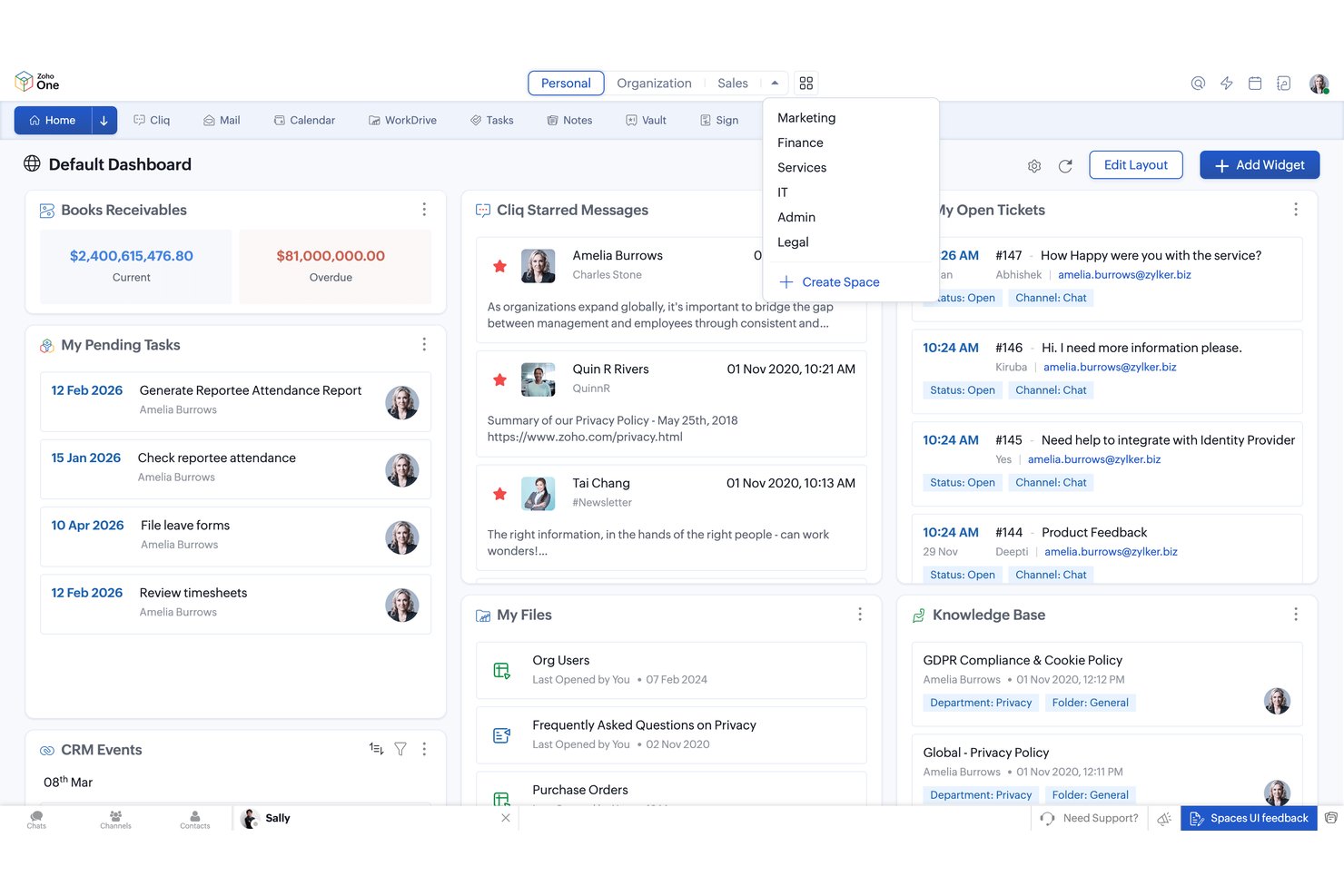
Zoho One brings together 50+ native apps—from CRM and project management to invoicing and HR—under one subscription, making it a natural fit for small businesses that want broader functionality than a standalone PM tool like Flowlu can offer.
Who Is Zoho One Best For?
Zoho One is a strong fit for small businesses that are juggling too many disconnected tools and want to consolidate their ops, sales, and finance stack into one subscription.
Why Zoho One Is a Good Flowlu Alternative
I picked Zoho One because project time logs sync directly into Zoho Invoice. That means you can generate client invoices from billable hours without switching tools. I also like that Zoho CRM's pipeline and lead scoring connect natively to Zoho Projects, so a closed deal flows straight into a project record. Where Flowlu covers the basics of PM, CRM, and finance, Zoho One goes deeper with dedicated apps like Zoho Books for full accounting.
Zoho One Key Features
- Multi-project Gantt view: Visualize timelines and dependencies for many projects at once in a single dashboard.
- Custom fields and layouts: Tailor records in CRM, projects, and finance modules to fit specific agency or client requirements.
- Built-in team chat and channels: Collaborate in real time with threaded messages, group channels, and project-based chat inside Zoho Cliq.
- Document management with WorkDrive: Store, organize, and share files securely with granular permissions and integrated version control.
Zoho One Integrations
Zoho One offers native integrations across its own suite, including Zoho CRM, Books, Projects, Invoice, Mail, Cliq, WorkDrive, and Analytics, as well as with Google Workspace, Microsoft 365, and more. API access is available for custom integrations.
Pros and Cons
Pros:
- Dedicated accounting with full project P&L tracking
- Time logs convert directly to client invoices
- 50+ native apps under one subscription
Cons:
- Initial configuration across all apps takes time
- App quality varies significantly across the suite
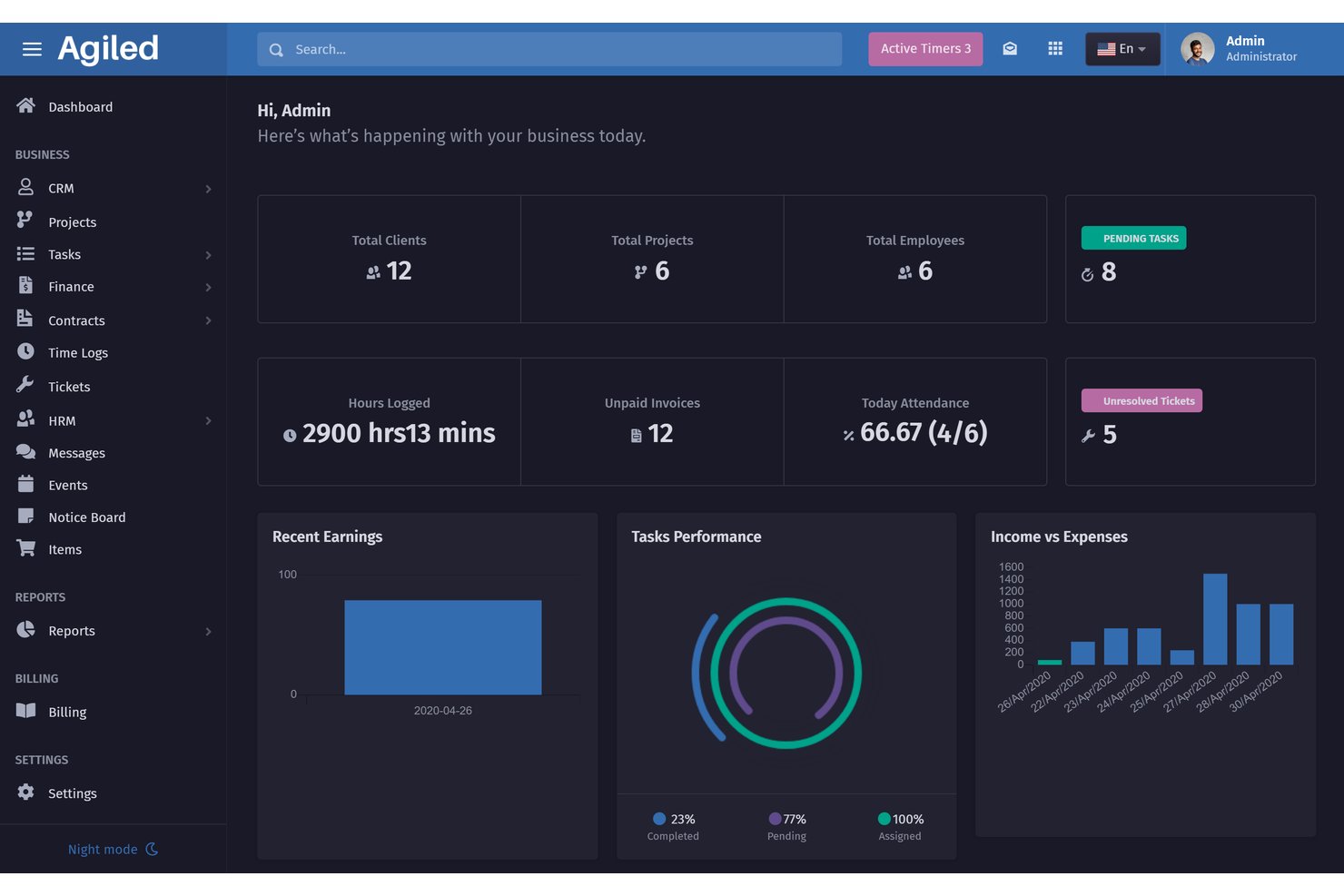
Agiled is an all-in-one business management platform built for agencies, freelancers, and small service teams who need CRM, project management, invoicing, and a client portal in one connected workspace.
Who Is Agiled Best For?
Agiled suits small service businesses and solo operators looking to consolidate client work, projects, and billing without managing multiple subscriptions.
Why Agiled Is a Good Flowlu Alternative
I've included Agiled in my top picks because the white-label client portal is something Flowlu simply doesn't match. I give clients a branded login where they can view invoices, track project progress, and raise support tickets without any Agiled branding in sight. On top of that, the node-based workflow editor lets me trigger automations across CRM, projects, and invoicing in a single connected flow.
Agiled Key Features
- Integrated CRM dashboards: Manage deals, contacts, and sales pipelines with visual stage tracking and activity timelines.
- Built-in time tracking: Log billable and non-billable hours on tasks with timers and auto-generated timesheets.
- Multi-view project workspace: Switch between Kanban, list, Gantt, and calendar views to organize work by status or deadline.
- Expense and invoice management: Generate invoices, track expenses, and link financial records directly to projects.
Agiled Integrations
Agiled offers native integrations with Stripe, Google Calendar, Zoom, Slack, QuickBooks, Zapier, and many more. You can also use our API and webhooks for custom integrations.
Pros and Cons
Pros:
- Logged hours convert directly to invoices
- Won deals auto-generate linked project templates
- Branded client portal on all plans
Cons:
- Reporting dashboards lack granular financial detail
- Mobile app is far less capable
Other Flowlu Alternatives
Here are some additional Flowlu alternatives options that didn’t make it onto my shortlist, but are still worth checking out:
- Paymo
For time tracking and project billing
- Productive
For resource planning in agencies
- Teamwork.com
For task management and client access control
- Keap
For small business CRM and automations
- Accelo
For service business workflow automation
- Ravetree
For centralized resource and project tracking
- ActiveCollab
For project budgeting with task tracking
- HoneyBook
For managing client bookings and payments
- Striven
For integrating operations and accounting
- Dubsado
For automating client onboarding workflows


How I Evaluate Flowlu Alternatives
When your team tracks projects, sends invoices, and manages leads from one dashboard, I first look for the core functionality Flowlu already provides. Then I evaluate the differentiators that set each option apart.
Core Functionality (Table Stakes for This List)
When I'm selecting tools for my list, I rank each one on a scale from 0 (does not offer the functionality) to 5 (excels in this area) for each core functionality listed below. Then, I calculate the tool's total score into a percentage. Each tool needs to achieve a minimum total score of 75% to be considered for inclusion.
- Project & task management: I check whether each tool offers multiple views like Kanban, Gantt, and list, plus dependencies and subtasks for organizing complex deliverables.
- Financial project tools: Tying invoices, estimates, and expense tracking directly to projects matters, especially for agencies billing clients per milestone.
- Integrated CRM: I evaluate how well the CRM connects to project work, like whether a won deal can trigger a new project with pre-built tasks and budgets.
- Time tracking: Tools should support timers, manual entries, and billable hour tagging so consultants can log work and convert tracked time into invoices.
- Team collaboration: I look for built-in chat, file sharing, and knowledge base features that keep conversations tied to tasks instead of scattered across Slack threads.
- Workflow automation: The ability to set up rule-based triggers across modules saves real time, like auto-assigning tasks when a project moves to a new stage.
Once I have a list of tools that meet the criteria, I consider what sets each platform apart.
Differentiating Factors (What Sets Vendors Apart)
Here's how I compare and contrast different vendors:
Standout Features
Client portal access is a real differentiator. I look for platforms where clients can review progress, approve deliverables, and pay invoices without a paid seat. Financial forecasting also matters. Tools that pull revenue projections from logged time and expenses give agency owners a real-time view of project profitability. I also evaluate how tightly CRM pipelines connect to project creation, since the best setups auto-generate project templates when a deal closes.
Beyond Features
Pricing structure shapes real cost quickly. I check whether a tool charges per user or offers flat-rate team plans, since a growing consultancy can see costs double overnight with per-seat pricing. Integration depth also matters—I look for native connections to tools like QuickBooks, Xero, and Slack, plus Zapier or API access for custom workflows. Security is another factor I evaluate, especially role-based permissions and SSO support for teams scaling past a handful of users.
Why Look For a Flowlu Alternative?
While Flowlu is a good choice of workflow software for small business, there are a number of reasons why some users seek out alternative solutions. You might be looking for a Flowlu alternative because…
- Needing more advanced financial forecasting
- Wanting a client portal with no paid seat requirement
- Outgrowing limited customization for workflows
- Preferring more native integrations with third-party tools
- Requiring on-premise or self-hosted deployment options
- Facing restrictions based on regional data privacy compliance
If any of these sound like you, you’ve come to the right place. My list contains several workflow software for small business options that are better suited for teams facing these challenges with Flowlu and looking for alternative solutions.
Flowlu Key Features
Here are some of the key features of Flowlu, to help you contrast and compare what alternative solutions offer:
- Project and task management: Create, organize, and track tasks and projects with customizable statuses, deadlines, dependencies, and multiple views like Kanban or Gantt for visual planning.
- Integrated CRM: Manage leads, contacts, sales pipelines, and deal stages directly alongside project work, linking opportunities to specific tasks and projects for unified client management.
- Invoicing and estimates: Generate client invoices and estimates tied to project deliverables, send them directly from the platform, and keep financial records connected to project activities.
- Time tracking: Use built-in timers and manual entries to log hours spent on tasks, track billable and non-billable time, and generate reports for both team performance and client billing.
- Expense and revenue tracking: Record expenses, track project costs, compare estimates to actuals, and monitor revenue streams, enabling a clear view of profitability on each project.
- Collaboration tools: Share files, comment on tasks, and mention teammates to keep all conversations, documents, and decisions in a central location for easy access and transparency.
- Workflow automation: Create rules and triggers that automate repetitive actions, such as assigning tasks, updating statuses, or sending notifications when certain criteria are met.
- Knowledge base builder: Develop internal wikis for sharing operating procedures or create external help centers clients can access for self-service information and FAQs.
- Client portal: Provide clients with limited access to track project progress, review deliverables, and communicate securely without requiring a paid seat.
- Custom fields and templates: Tailor projects, tasks, and CRM records with custom fields, and save time by applying pre-built templates for commonly repeated processes.