


SuiteDash Review: Pros, Cons, Features & Pricing



SuiteDash is a project management software with CRM built for agencies and service businesses that need to manage client relationships, project delivery, and invoicing without switching between tools. I'd consider it if you want more built-in functionality than HubSpot offers, especially around client portals and project tracking, without having to stitch together a stack of separate tools to cover those gaps.
SuiteDash Evaluation Summary

- From $19/month
- 14-day free trial
Why Trust Our Software Recommendations
Our team has been testing and reviewing software since 2012. As project managers ourselves, we know how difficult—and important—it is to choose the right software.
For this guide, we evaluated tools using hands-on testing and independent research, scoring tools using our selection criteria. We also draw on insights from industry thought leaders and practicing project management experts.
Our reviews reflect our human editorial judgment, not a sales pitch.
Expert reviewers:
SuiteDash Overview
In my opinion, SuiteDash offers a solid all-in-one solution for businesses seeking to consolidate their CRM, project management, and client portal needs. While the platform provides robust features and good customer support, its onboarding process could be smoother compared to competitors.
It's best suited for small to mid-sized businesses or teams that value integration over individual tool specialization. Despite its higher cost per user, the integration of multiple functionalities can justify the investment for those needing comprehensive solutions.
pros
-
SuiteDash offers a user-friendly interface that makes navigation straightforward for your team.
-
The platform encourages collaborative work by integrating project management with CRM tasks.
-
Strong customer support ensures that you can get help quickly when needed.
cons
-
Some users find the onboarding process complicated and could use more guidance.
-
The interface can be overwhelming with too many features for new users.
-
Advanced reporting features are lacking, which might require additional tools for detailed analytics.
Is SuiteDash Right For Your Needs?
Who Would be a Good Fit for SuiteDash?
SuiteDash is a great choice for small to mid-sized businesses and creative agencies that need to manage client relationships and projects in one place. If your team values collaboration and needs a tool that combines CRM with project management, SuiteDash can help streamline your workflow.
Marketing teams, freelancers, and design firms will appreciate the user-friendly interface and strong customer support that SuiteDash offers, making it easier to handle client interactions and deliver projects efficiently.
-
Small Businesses
SuiteDash helps small businesses manage client interactions and projects in one platform, saving time and boosting efficiency.
-
Creative Agencies
Design firms and marketing teams benefit from SuiteDash's project management features that integrate seamlessly with CRM tasks.
-
Freelancers
Freelancers find SuiteDash useful for tracking client projects and communications without juggling multiple tools.
-
Consulting Firms
Consulting firms can use SuiteDash to keep client information organized and streamline their project management processes.
-
Remote Teams
Remote teams appreciate SuiteDash's collaborative features, allowing team members to work together effectively from different locations.
-
Non-Profits
Non-profits benefit from SuiteDash's ability to manage donor relationships and organize fundraising projects efficiently.
Who Would be a Bad Fit for SuiteDash?
SuiteDash might not be the best fit for large enterprises or teams needing highly specialized CRM tools. If your business requires advanced analytics or highly customizable features, you might find SuiteDash lacking.
Industries like finance or healthcare that need detailed reporting and compliance features may find SuiteDash's capabilities insufficient. Additionally, if your team struggles with complex onboarding processes, SuiteDash's setup might be a hurdle.
-
Large Enterprises
Large enterprises may find SuiteDash's features too limited for their complex CRM needs.
-
Finance Sector
The finance sector requires detailed analytics and compliance features that SuiteDash doesn't fully provide.
-
Healthcare Industry
Healthcare providers needing specialized reporting and privacy features may find SuiteDash inadequate.
-
Advanced Analytics Teams
Teams focused on data analytics might be disappointed by SuiteDash's lack of advanced reporting tools.
-
Highly Regulated Industries
Industries with strict compliance requirements might not find the necessary features in SuiteDash.
-
Tech Startups
Tech startups seeking cutting-edge integrations and customizations may find SuiteDash too basic for their innovative needs.
Our Review Methodology
How We Test & Score Tools
We’ve spent years building, refining, and improving our software testing and scoring system. The rubric is designed to capture the nuances of software selection and what makes a tool effective, focusing on critical aspects of the decision-making process.
Below, you can see exactly how our testing and scoring works across seven criteria. It allows us to provide an unbiased evaluation of the software based on core functionality, standout features, ease of use, onboarding, customer support, integrations, customer reviews, and value for money.
Core Functionality (25% of final scoring)
The starting point of our evaluation is always the core functionality of the tool. Does it have the basic features and functions that a user would expect to see? Are any of those core features locked to higher-tiered pricing plans? At its core, we expect a tool to stand up against the baseline capabilities of its competitors.
Standout Features (25% of final scoring)
Next, we evaluate uncommon standout features that go above and beyond the core functionality typically found in tools of its kind. A high score reflects specialized or unique features that make the product faster, more efficient, or offer additional value to the user.
We also evaluate how easy it is to integrate with other tools typically found in the tech stack to expand the functionality and utility of the software. Tools offering plentiful native integrations, 3rd party connections, and API access to build custom integrations score best.
Ease of Use (10% of final scoring)
We consider how quick and easy it is to execute the tasks defined in the core functionality using the tool. High scoring software is well designed, intuitive to use, offers mobile apps, provides templates, and makes relatively complex tasks seem simple.
Onboarding (10% of final scoring)
We know how important rapid team adoption is for a new platform, so we evaluate how easy it is to learn and use a tool with minimal training. We evaluate how quickly a team member can get set up and start using the tool with no experience. High scoring solutions indicate little or no support is required.
Customer Support (10% of final scoring)
We review how quick and easy it is to get unstuck and find help by phone, live chat, or knowledge base. Tools and companies that provide real-time support score best, while chatbots score worst.
Customer Reviews (10% of final scoring)
Beyond our own testing and evaluation, we consider the net promoter score from current and past customers. We review their likelihood, given the option, to choose the tool again for the core functionality. A high scoring software reflects a high net promoter score from current or past customers.
Value for Money (10% of final scoring)
Lastly, in consideration of all the other criteria, we review the average price of entry level plans against the core features and consider the value of the other evaluation criteria. Software that delivers more, for less, will score higher.
Core Features
Client Portal: SuiteDash offers a client portal that lets you share files, communicate, and manage projects with clients in a secure environment. This builds transparency and trust with your clients.
Project Management: You can organize tasks, set deadlines, and track progress within SuiteDash's project management tool. This keeps your team aligned and projects on schedule.
CRM Tools: SuiteDash provides CRM functionalities to manage your client interactions and relationships effectively. It helps you keep track of leads, follow-ups, and client needs.
Invoicing: Create and send invoices directly from the platform, making it easy to manage billing. This ensures you get paid on time without juggling multiple tools.
Time Tracking: Track time spent on projects to improve productivity and billing accuracy. It helps your team stay accountable and manage workloads efficiently.
Email Marketing: SuiteDash includes email marketing tools to help you reach out to clients and leads. This feature supports your marketing efforts directly within the CRM.

Standout Features
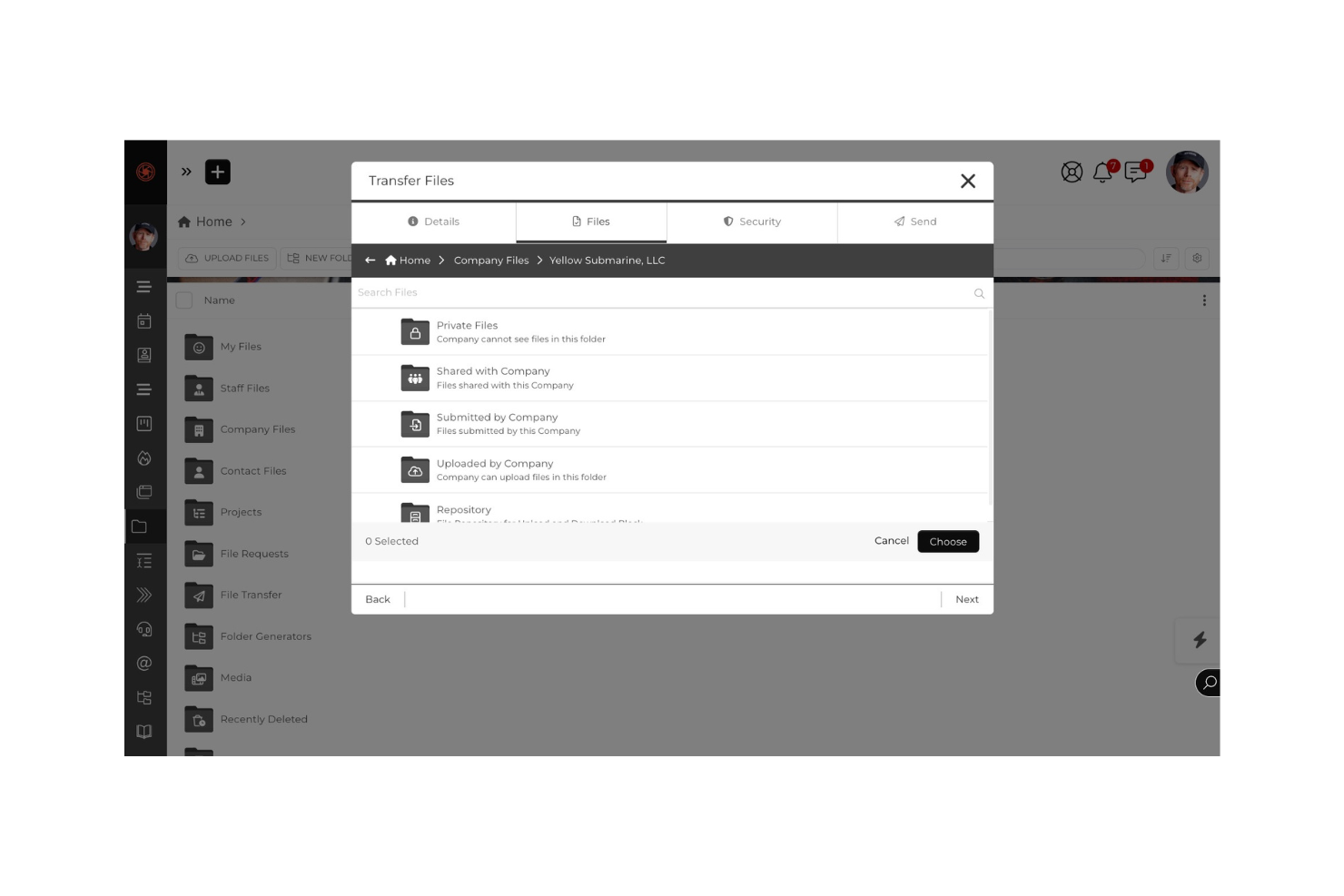
File Sharing & Storage: The platform lets you share, request, and manage files securely. This ensures your team and clients always have access to the latest documents.
Support Tickets: The support ticket system lets you manage client issues in an organized way. It ensures problems are tracked, prioritized, and resolved efficiently.
Ease of Use
SuiteDash offers a user-friendly interface, but it can feel overwhelming due to its extensive features. New users might find the learning curve steep, especially during the onboarding process.
However, once you get familiar with the layout, navigating through CRM functions and project management tools becomes more intuitive. The platform's design aims to streamline your team's workflow, though it requires some patience and time to master all the features effectively.

Onboarding
SuiteDash's onboarding process can be challenging for new users due to its complex setup and extensive features. While the platform provides tutorials and support resources, users often find they need more guidance to fully understand the system.
The time to value might be longer as your team navigates the learning curve. Despite these challenges, the available customer support can be a crucial aid in helping you and your team get up to speed.
Customer Support
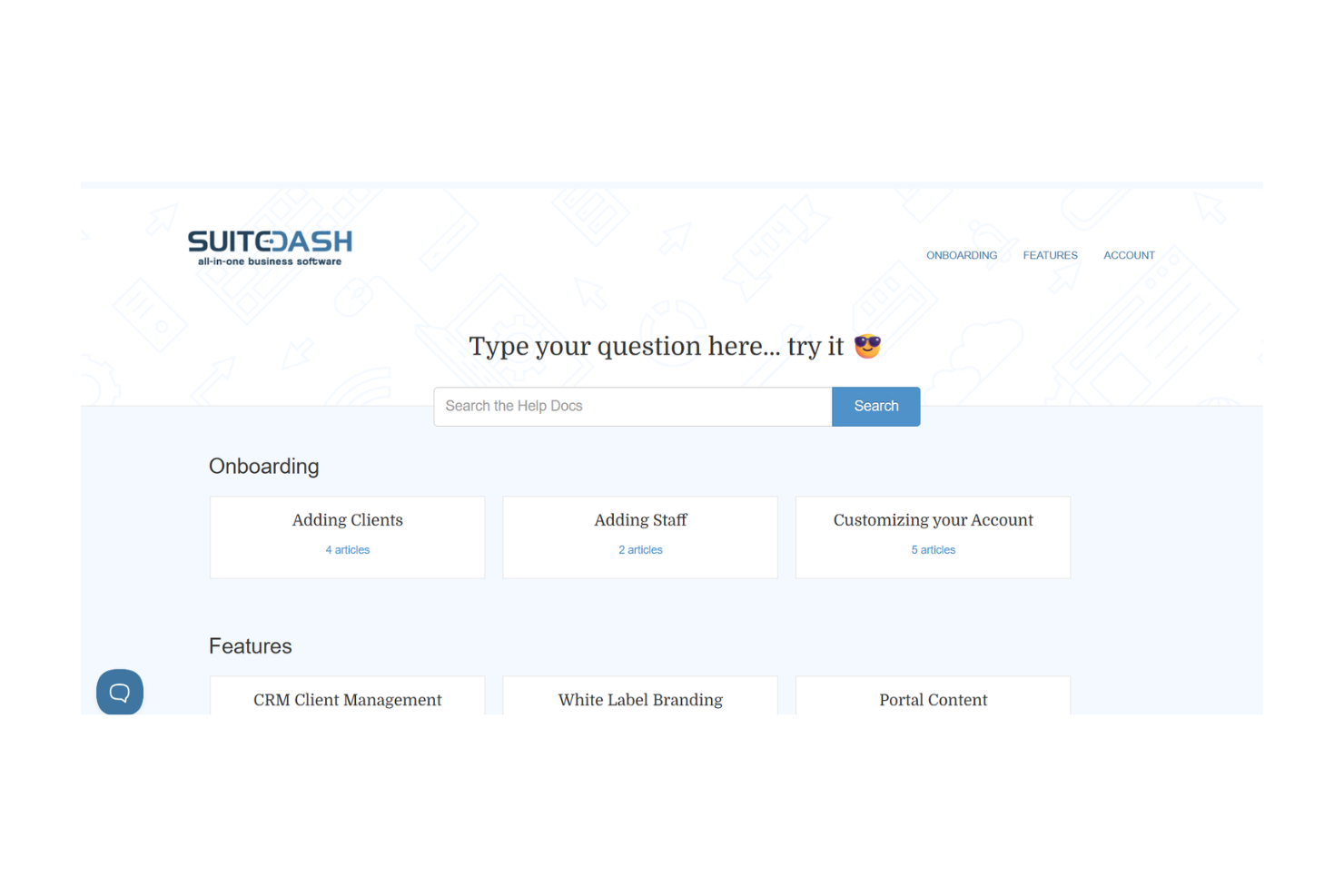
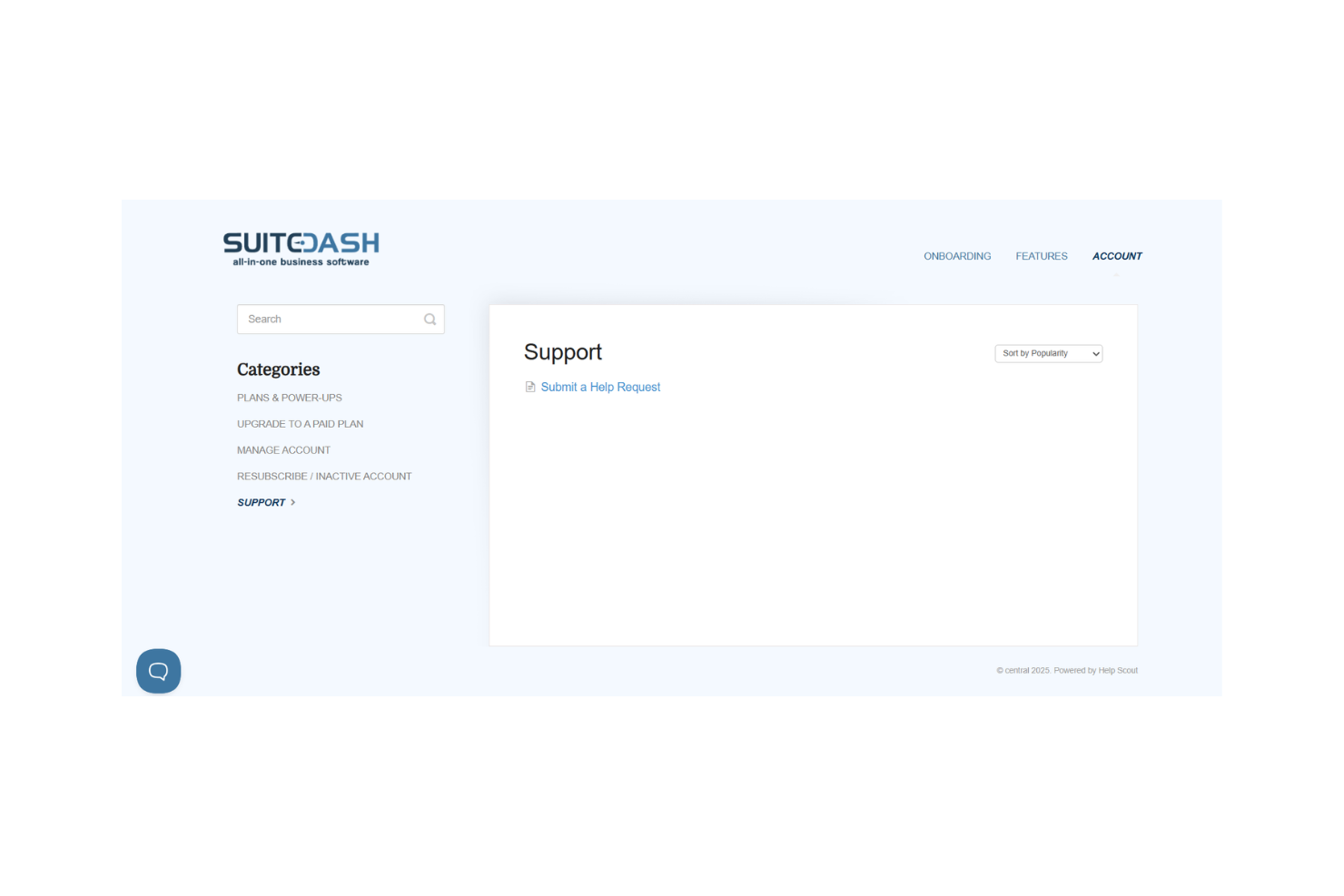
SuiteDash provides solid customer support, making it easier for your team to navigate challenges. Users appreciate the responsive assistance available through various channels, including email and chat. The support team is known for being helpful and knowledgeable, which can be a relief when you're stuck.
While the platform's complexity might require more frequent support, having reliable customer service ensures your questions are addressed promptly, enhancing your overall experience with SuiteDash. SuiteDash integrates natively with Google Calendar, QuickBooks Online, Stripe, PayPal, Braintree, Twilio, Zoom, SendGrid, WordPress, and hCaptcha.
SuiteDash also connects with third-party integration tools like Zapier and offers an API for custom integrations.
Value for Money
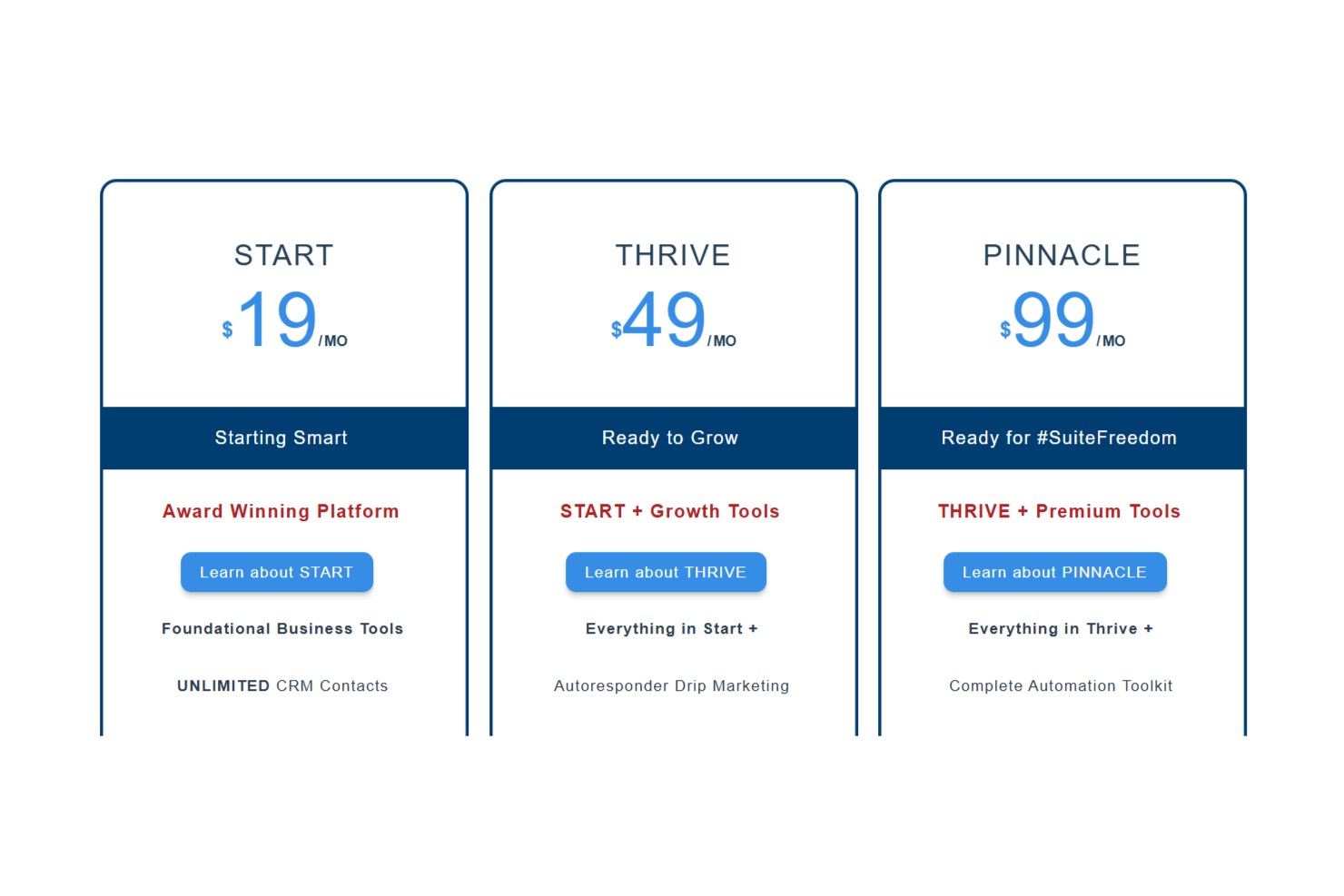
SuiteDash pricing offers a range of plans, but some users feel the cost is high for small teams. While the platform combines multiple tools, which can justify its price, the value depends on how extensively your team uses its features. The higher tiers provide more functionality, which might be overkill for smaller operations.
- Start Plan: Basic CRM and project management features.
- Thrive Plan: Adds advanced automation and white labeling.
- Pinnacle Plan: Includes all features with priority support and custom domain options.
SuiteDash Specs
- API
- Batch Permissions & Access
- Budgeting
- Calendar Management
- Collaboration Support
- Contact Management
- Contact Sharing
- Customer Management
- Dashboard
- Dashboards
- Data Export
- Data Import
- Data Visualization
- Dependency Tracking
- Document Sharing
- Expense Tracking
- External Integrations
- File Sharing
- Gantt Charts
- Kanban Boards
- Multi-User
- Notifications
- Project Management
- Resource Management
- Scheduling
- Task Scheduling/Tracking
- Third-Party Plugins/Add-Ons
- Time Management
- Travel Management
- Workflow Management
SuiteDash FAQs
How does SuiteDash handle data security and compliance?
Can SuiteDash be customized to fit my team's workflow?
Is SuiteDash suitable for remote teams?
How does SuiteDash support client communication?
What kind of training resources does SuiteDash offer?
Can I import data from other systems into SuiteDash?
How often does SuiteDash release updates and new features?
Does SuiteDash offer mobile access?
SuiteDash Company Overview & History
SuiteDash is a private software company in North Carolina, founded by Mike Lambert in 2012 to manage his agency’s workflows. It offers an all-in-one client portal and business management platform with CRM, onboarding, billing, file sharing, support, and LMS.
The company runs with about 10 staff, no major outside funding, and focuses on automation, white-label branding, and user-driven development.
SuiteDash Major Milestones
- 2012: Concept and development began when founder Mike Lambert built a unified tool to manage his digital agency workflows.
- 2012: SuiteDash was officially founded as a SaaS product.
- 2025: SuiteDash remains privately held and unfunded, with approximately ten employees.
- Ongoing: The company emphasizes a community-driven roadmap and regular feature updates in response to user feedback.