

10 Best Plutio Alternatives for Freelance Business in 2026

Best Plutio Alternatives Shortlist


A strong Plutio alternative gives your team flexible workflow automation, integrated client management, and collaboration features that fit your business processes. If you’re searching for Plutio alternatives, you’re likely looking for tools that handle project tracking, invoicing, and team coordination—without forcing you into a rigid system. The right platform should adapt to your workflows, support cross-functional teams, and scale as your needs change. In this list, you’ll find business management solutions that offer a range of features and integrations, so you can compare options and choose the best fit for your team’s unique requirements.
What Is Plutio?
Plutio is a business management platform that combines project tracking, client management, invoicing, and collaboration tools in one workspace. Teams and freelancers use Plutio to organize tasks, manage client communications, and handle billing from a single dashboard. Its customizable workflows and integrations help users coordinate projects and centralize business operations without switching between multiple apps.
Plutio Alternatives Comparison Table
This comparison table summarizes pricing details for my top Plutio alternative selections.
| Tool | Best For | Trial Info | Price | ||
|---|---|---|---|---|---|
| 1 | Best for independent freelancer admin | Free plan + free trial available | From $18.75/month (billed annually) | Website | |
| 2 | Best for freelancers managing contracts | Free demo + 7-day free trial | From $9/user/month (billed annually) | Website | |
| 3 | Best for unified team collaboration | Free plan available | From $8/month (billed annually) | Website | |
| 4 | Best for all-in-one business app suite | 30-day free trial | From CAD $13/user/month (billed annually) | Website | |
| 5 | Best for client onboarding automation | Free trial + free demo available | From $28/month (billed annually) | Website | |
| 6 | Best for productized agency services | Free trial available | From $39/month (billed annually) | Website | |
| 7 | Best for local service business management | Free demo available | Pricing upon request | Website | |
| 8 | Best for agency resource planning | 14-day free trial + free demo available | From $10/month (billed annually) | Website | |
| 9 | Best for small business operations | 90-day free trial | From $35/user/month | Website | |
| 10 | Best for creative business invoicing | Free trial available | From $29/month (billed annually) | Website |

Why Trust Our Software Recommendations
Our team has been testing and reviewing software since 2012. As project managers ourselves, we know how difficult—and important—it is to choose the right software.
For this guide, we evaluated tools using hands-on testing and independent research, scoring tools using our selection criteria. We also draw on insights from industry thought leaders and practicing project management experts.
Our reviews reflect our human editorial judgment, not a sales pitch.
Expert reviewers:
Best Plutio Alternatives Reviews
Below are my detailed summaries of the Plutio alternatives that made it onto my shortlist. My reviews offer a detailed look at the features, best use cases, and integrations of each platform to help you find the best one for your business.

Indy
Best for independent freelancer admin
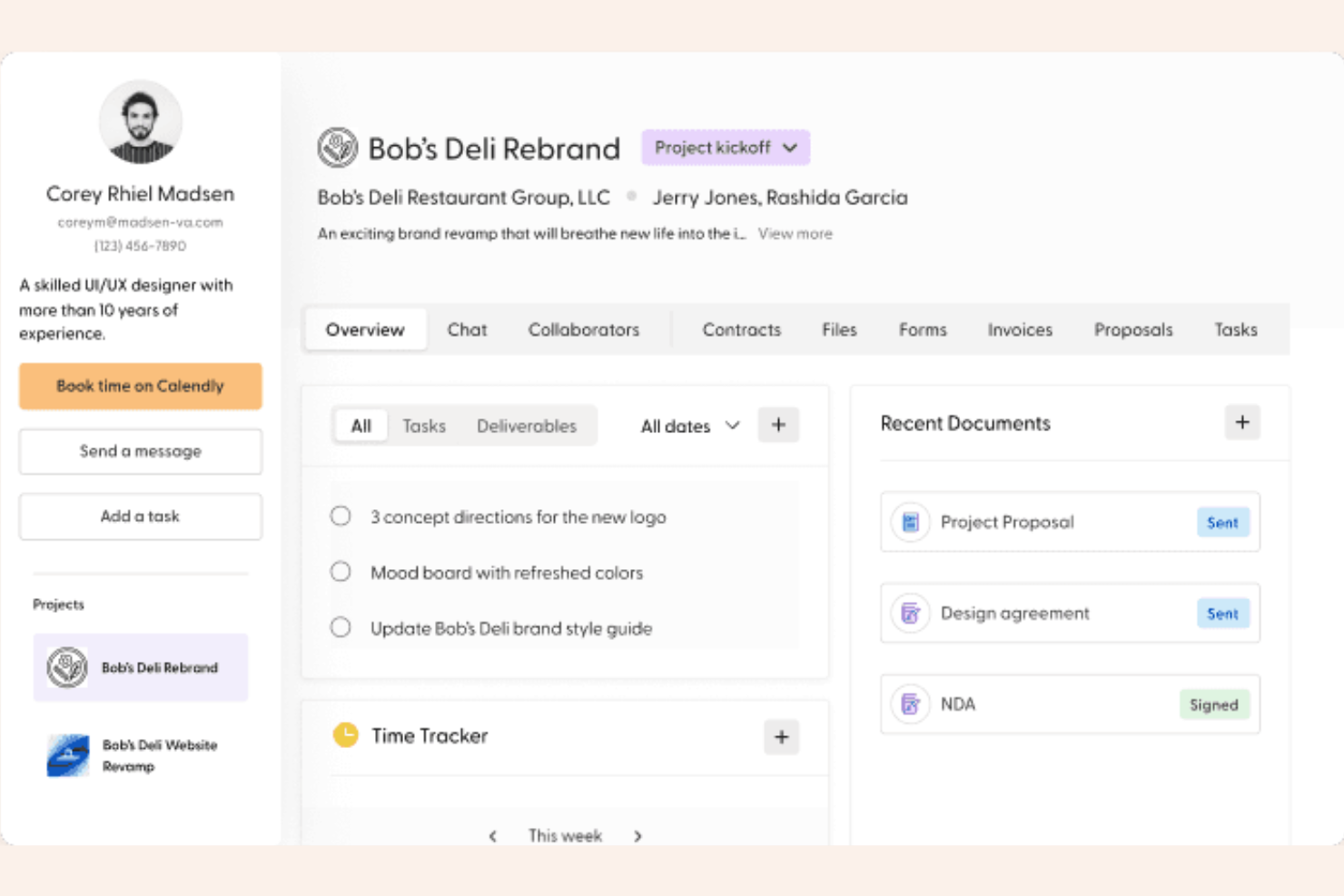
Indy is an administrative suite built specifically for solo professionals to manage the business side of freelancing. It consolidates essential tools like proposals, contracts, and invoicing into one clean workspace to eliminate the need for multiple subscriptions.
Why I picked Indy
I chose Indy because it is one of the few platforms that remains accessible for freelancers just starting their journey. While Plutio offers deep project customization, Indy excels at the admin-first workflow, getting a contract signed and an invoice paid with zero technical friction. Its focus on simplicity makes it the best choice for those who want to spend less time configuring their workspace and more time billable.
Indy Key Features
In addition to its project customization features, Indy also offers:
- Contract Wizard: Create legally-sound, lawyer-vetted contracts in minutes by simply plugging in your project details.
- Lead Generation Forms: Build and embed custom forms on your website to capture new client inquiries directly into your CRM.
- One-Click Invoicing: Automatically convert your tracked hours and unbilled project tasks into professional invoices.
- Files & Feedback: Share project deliverables with clients who can leave timestamped comments and approvals without creating an account.
Indy Integrations
Integrations include Gmail and Zapier.
Pros and Cons
Pros:
- Built-in lawyer-vetted templates
- Minimal learning curve
- Generous free plan for beginners
Cons:
- No native mobile app
- Basic task management features

Bonsai
Best for freelancers managing contracts
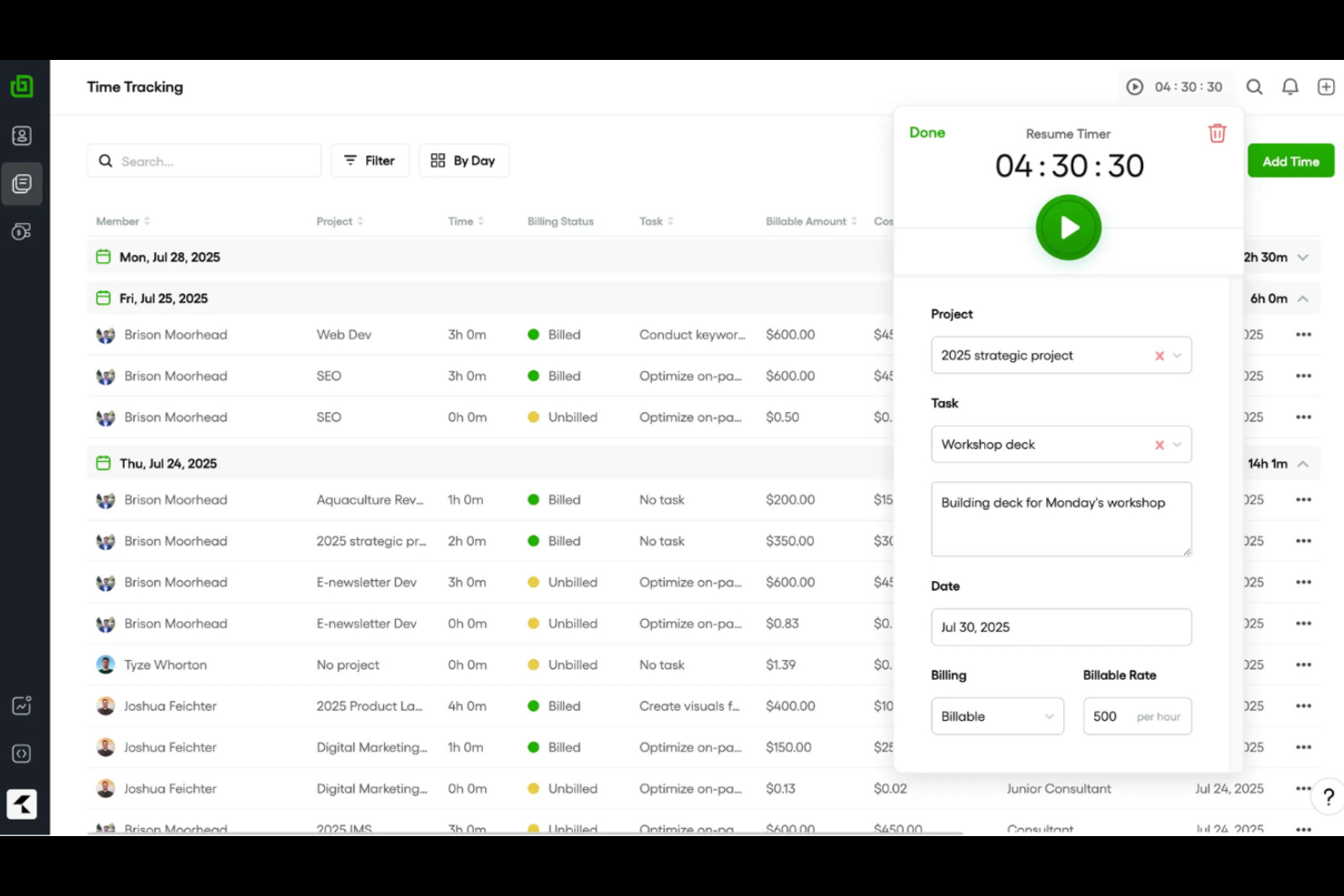
Freelancers who need to manage contracts, proposals, and payments in one place often turn to Bonsai. The platform is designed specifically for independent professionals who want to automate client onboarding, contract creation, and invoicing. Unlike broader business management tools, Bonsai offers legally vetted contract templates and e-signature features tailored for freelance workflows.
Why Bonsai Is a Good Plutio Alternative
If you’re a freelancer who needs to manage contracts and client paperwork, Bonsai offers a focused solution that Plutio doesn’t match. I picked Bonsai because it provides customizable, legally vetted contract templates and built-in e-signature functionality, making it easy to formalize agreements with clients. The platform also includes proposal creation and automated invoicing, so you can handle the entire client lifecycle from one place. For independent professionals, these features make Bonsai a strong alternative to more general business management platforms.
Bonsai Key Features
Some other features that make Bonsai appealing include:
- Time Tracking: Track billable hours directly within projects and tasks.
- Expense Management: Log and categorize expenses for each client or project.
- Client CRM: Store client contact details, notes, and project history in one place.
- Task and Project Management: Organize deliverables, set deadlines, and monitor progress for multiple projects.
Bonsai Integrations
Integrations include QuickBooks Online, Zapier, Calendly, Xero, and more.
Pros and Cons
Pros:
- Integrated time tracking for billable hours
- Built-in e-signature for client agreements
- Legally vetted contract templates for freelancers
Cons:
- No white-label client portal customization
- No kanban or advanced project boards

OneDeck
Best for unified team collaboration
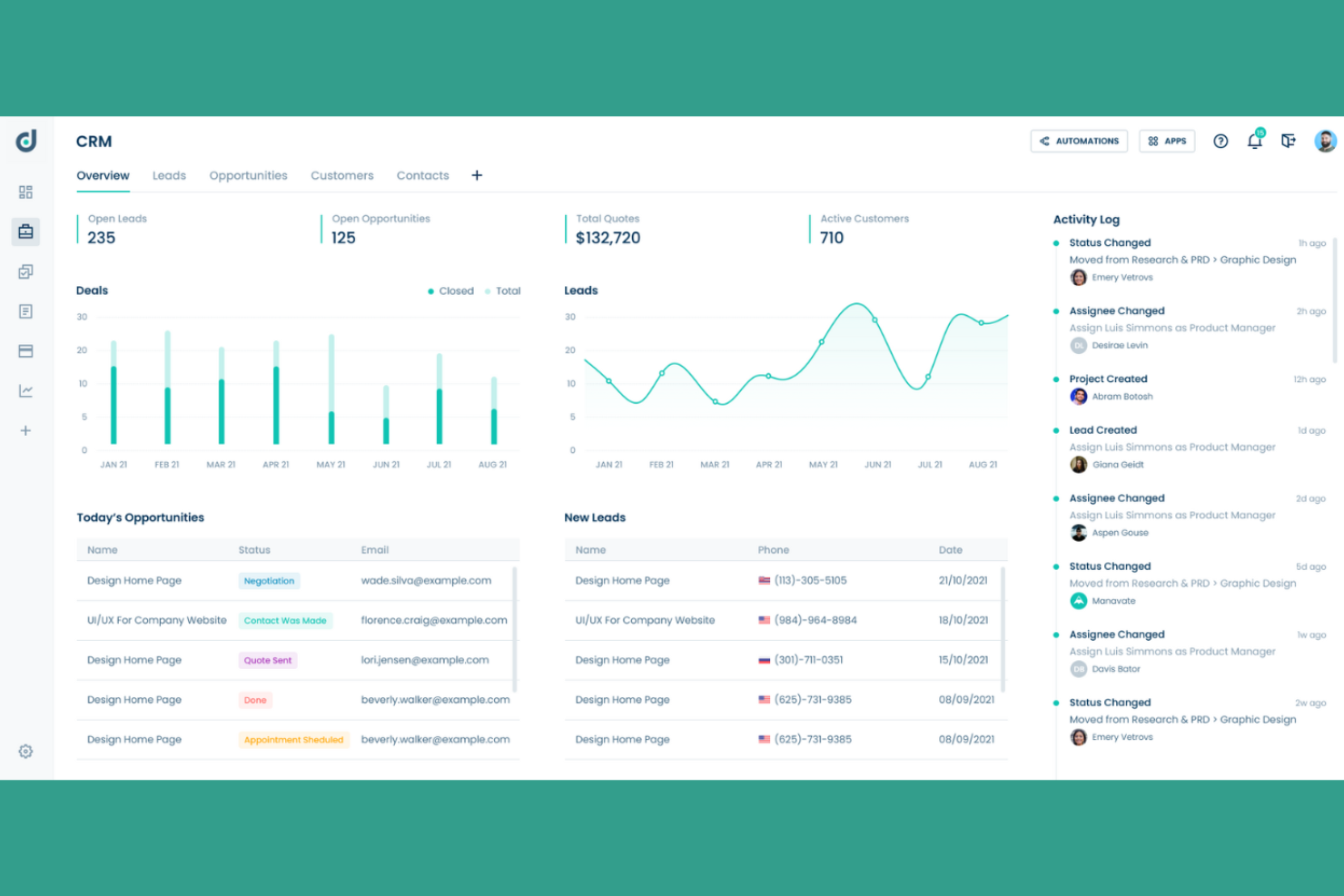
If your team needs a single workspace to manage projects, docs, and communication, OneDeck brings everything together in one platform. It’s designed for cross-functional teams that want to reduce tool-switching and keep all collaboration in context. OneDeck stands out for its unified approach, combining project tracking, document editing, and team chat in a single user interface.
Why OneDeck Is a Good Plutio Alternative
Unlike platforms that separate project management, docs, and chat, OneDeck unifies these core functions in a single workspace. I picked OneDeck because it lets teams manage tasks, collaborate on documents, and communicate in real time without switching tools. The platform’s shared spaces keep project files, discussions, and updates organized and accessible to everyone involved. If your team values having all collaboration and project work in one place, OneDeck offers a focused alternative to Plutio.
OneDeck Key Features
Some other features in OneDeck that may interest business management teams include:
- Kanban Boards: Visualize and organize tasks using drag-and-drop boards.
- Customizable Workflows: Set up unique workflows to match your team’s processes.
- Role-Based Permissions: Control access to projects, documents, and conversations by user role.
- File Sharing and Storage: Upload, store, and share files directly within the platform.
OneDeck Integrations
Integrations include LinkedIn, WooCommerce, Instagram, Google Sheets, Excel, Gmail, Google Calendar, Google Docs, Facebook, and more.
Pros and Cons
Pros:
- Kanban boards and Gantt charts for task tracking
- Real-time collaborative document editing
- Combines project management and team chat
Cons:
- Lacks client portal functionality
- No built-in invoicing or billing tools
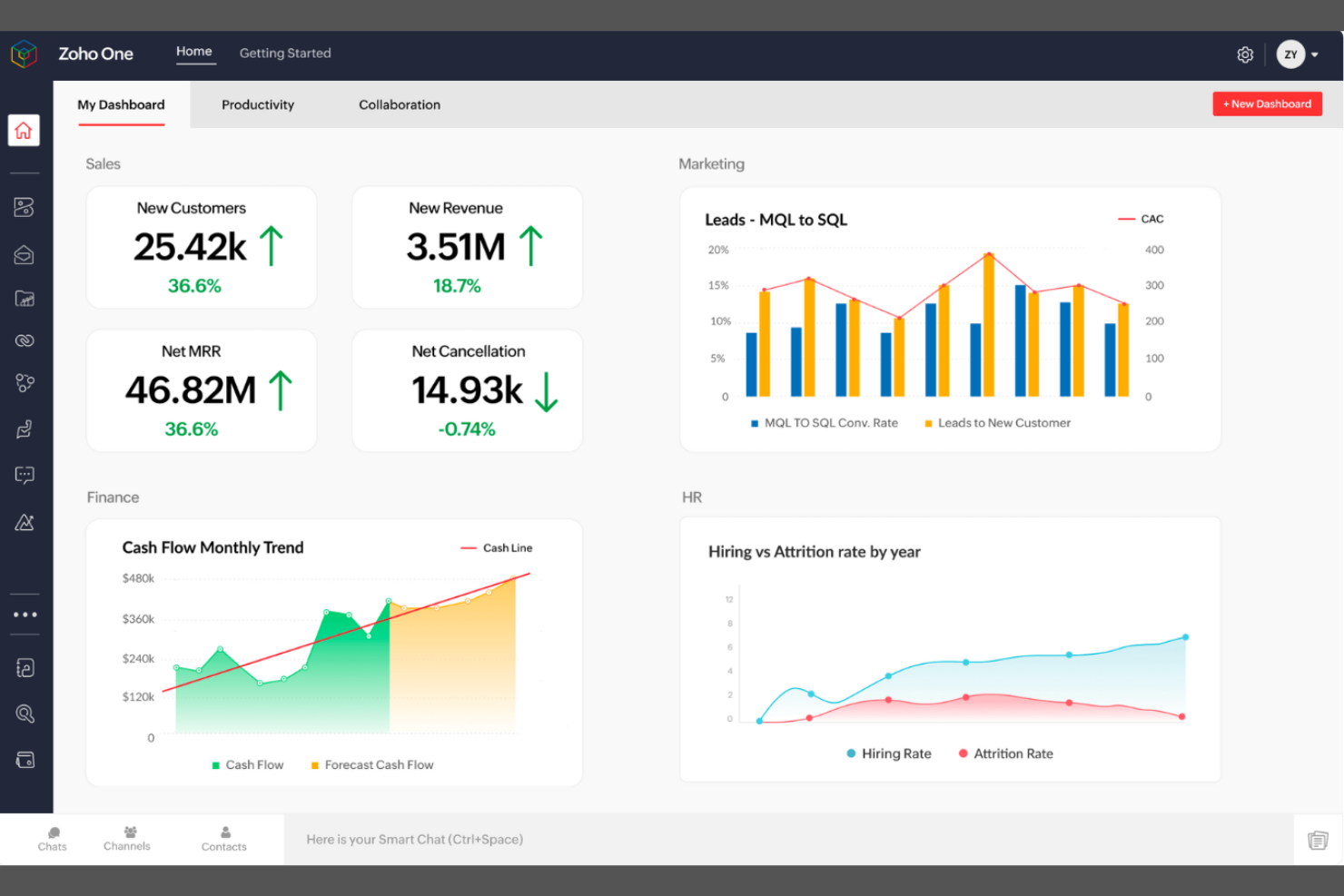
If you’re looking for a unified suite to manage every aspect of your business, Zoho One brings together over 40 integrated apps under one subscription. This platform is a strong fit for growing businesses and teams that want to centralize sales, finance, HR, and operations without juggling multiple vendors. Unlike Plutio, Zoho One covers a broader range of business functions in a single, tightly connected ecosystem.
Why Zoho One Is a Good Plutio Alternative
What sets Zoho One apart is its all-in-one solution as a business app that covers nearly every operational need. I picked Zoho One because it brings together tools for CRM, project management, HR, finance, and collaboration under a single subscription. This unified approach means your team can manage sales, projects, and back-office functions without switching between separate platforms. If you want a business management platform that centralizes your workflows and data, Zoho One is a strong alternative to Plutio.
Zoho One Key Features
Some other features that make Zoho One useful for business management include:
- Custom App Builder: Create tailored business applications using a drag-and-drop interface without coding.
- Integrated In-Depth Analytics: Access unified dashboards and reports that pull data from all Zoho apps in your suite.
- Multi-Channel Communication: Manage email, social media, live chat, and telephony from a single platform.
- Role-Based Access Controls: Set permissions and access levels for users across different apps and departments.
Zoho One Integrations
Integrations include Zoho CRM, Zoho Books, Zoho Projects, Zoho People, Zoho Desk, Zoho Inventory, Zoho Mail, and more.
Pros and Cons
Pros:
- Native mobile apps for most modules
- Centralized admin panel for user management
- Built-in workflow automation across all apps
Cons:
- Some features require separate configuration steps
- Occasional sync delays between some apps
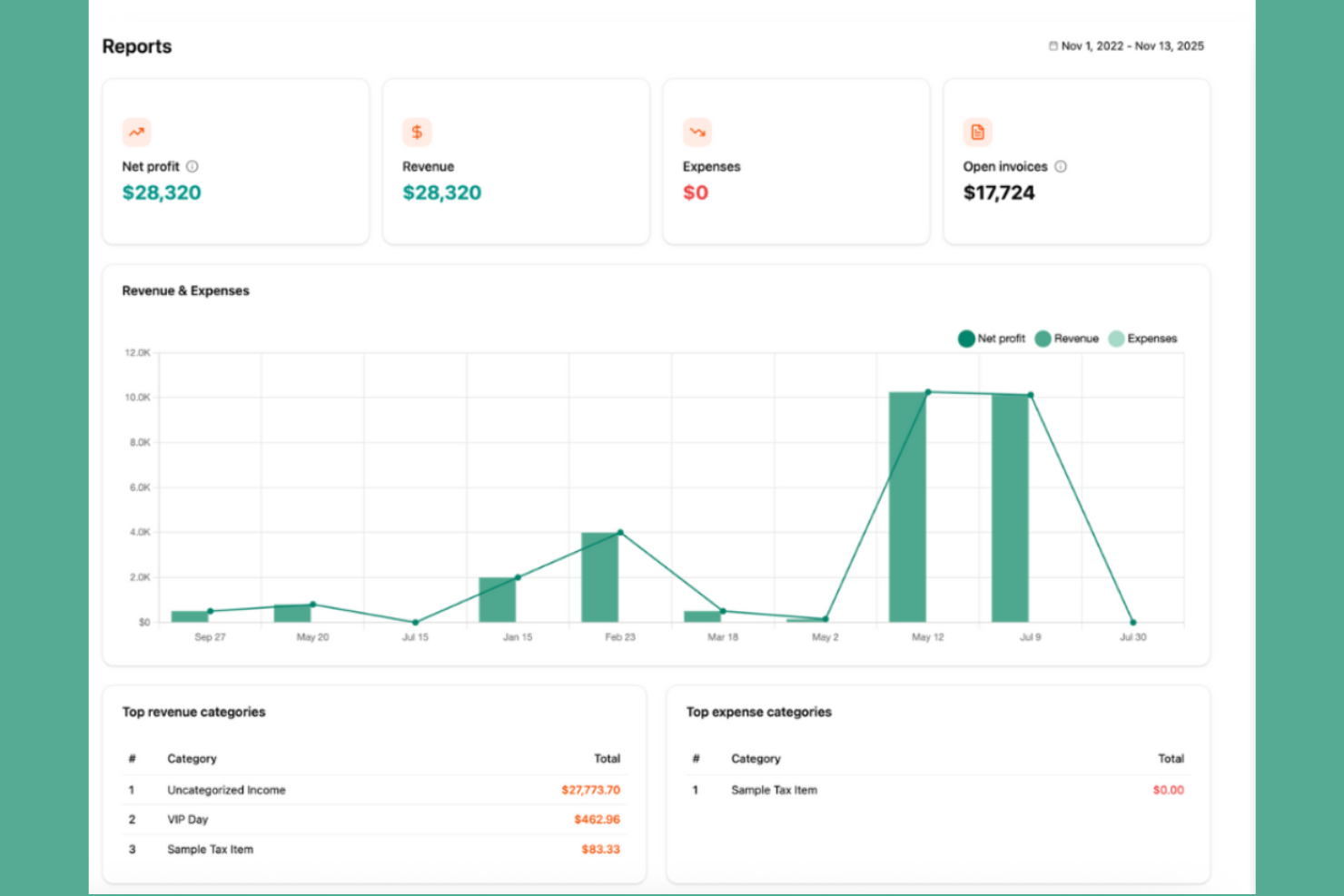
Freelancers and small agencies looking to automate client onboarding often turn to Dubsado. This platform specializes in streamlining proposals, contracts, and invoicing so you can move clients from inquiry to project kickoff with less manual work. Dubsado stands out for its customizable workflows and client portals, making it easier to manage the entire onboarding process in one place.
Why Dubsado Is a Good Plutio Alternative
For teams that want to automate client onboarding from start to finish, Dubsado offers a focused set of tools that Plutio doesn’t match. I picked Dubsado because its workflow automation lets you trigger forms, contracts, and invoices based on client actions. The platform’s customizable client portals give each client a branded space to view documents and track progress. If your business depends on moving clients smoothly through onboarding, Dubsado’s automation features make it a strong alternative.
Dubsado Key Features
Some other features in Dubsado that may interest business management teams include:
- Scheduler Tool: Book appointments and meetings directly through the platform.
- Task Management: Create, assign, and track tasks for yourself or your team.
- Customizable Templates: Build reusable templates for emails, forms, and contracts.
- Payment Processing: Accept payments online through integrations with Stripe.
Dubsado Integrations
Integrations include Gmail, Microsoft 365, Stripe, QuickBooks, and more.
Pros and Cons
Pros:
- Customizable client portals for each project
- Scheduler tool integrates with client workflows
- Automates sending contracts and proposals
Cons:
- Lacks native team chat or messaging
- Most integrations require higher paid tier

ManyRequests is a client portal software and commerce platform designed for agencies that sell services as repeatable packages. It combines a professional storefront with a request-based workflow to move clients from checkout to project delivery without manual intervention.
Why I picked ManyRequests
I picked ManyRequests because it transforms the traditional agency model into a product experience. While Plutio is a flexible toolkit for custom projects, ManyRequests is built specifically for the productized service workflow, using a service catalog and automated intake to eliminate the back-and-forth of custom proposals. It is the best choice for agencies that want to scale by selling fixed-price packages or monthly retainers through a branded checkout.
ManyRequests Key Features
- Service Catalog: Display your offerings in a professional gallery where clients can purchase one-time tasks or recurring subscriptions.
- Request-Based Dashboard: Replace messy email threads with a centralized queue where clients submit structured briefs based on their purchased plan.
- Design & Video Proofing: Upload creative assets for clients to leave timestamped feedback and annotations directly on the files.
- White-Label Client Portal: Provide a fully branded experience with a custom domain, logo, and colors so the platform feels like your own proprietary software.
ManyRequests Integrations
Integrations include Slack, Zapier, and more.
Pros and Cons
Pros:
- Dedicated design annotation tools
- Unlimited clients on all plans
- Built-in checkout for services
Cons:
- Limited internal automation features
- Steep starting price point
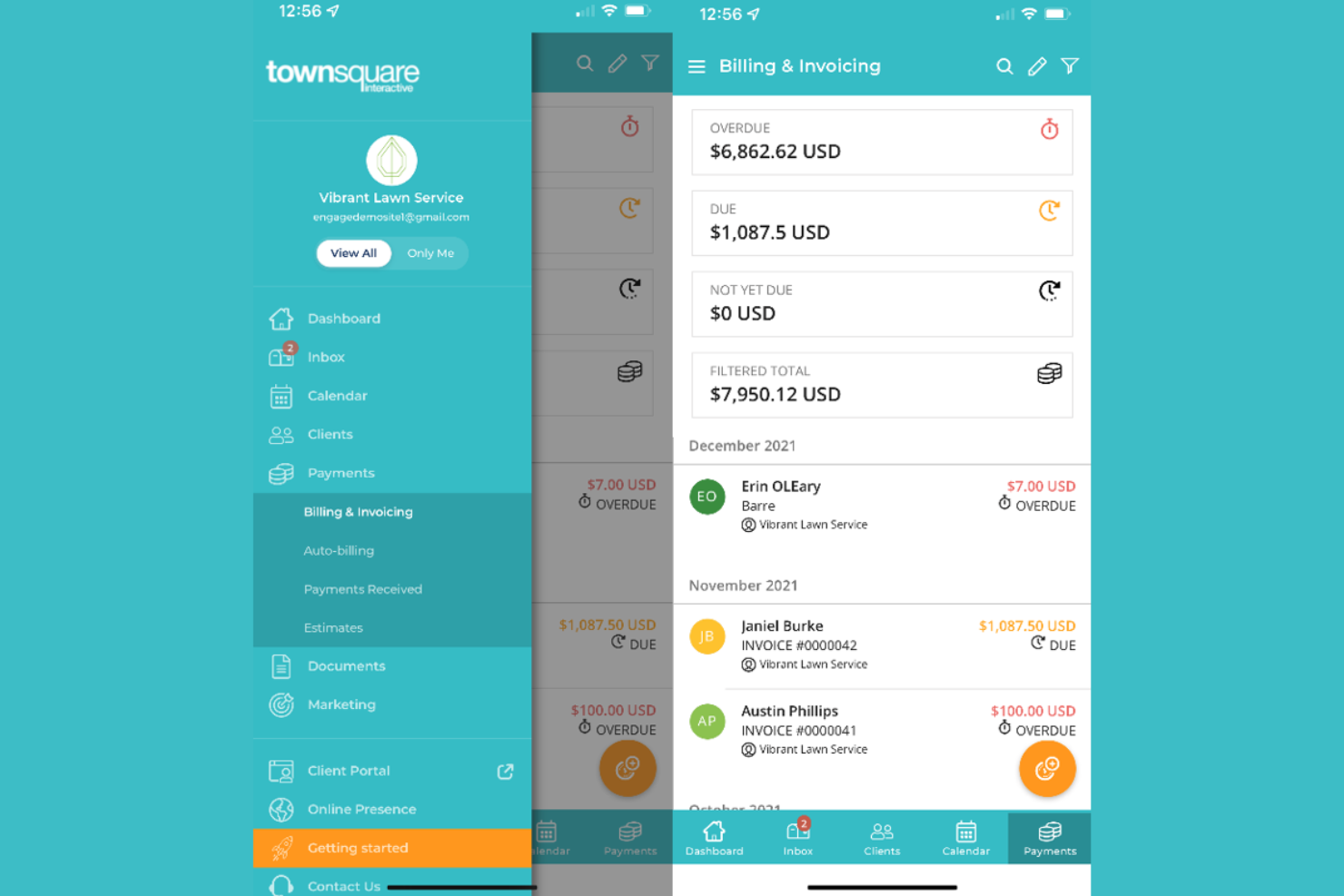
Local service business owners looking for an all-in-one work management and marketing solution may want to consider Townsquare Interactive. The platform is built for contractors, home services, and other local providers who need help with online presence, lead management, and customer communication. Unlike broader business management tools, Townsquare Interactive combines website management, SEO, and digital marketing services tailored specifically for local service operations.
Why Townsquare Interactive Is a Good Plutio Alternative
For local service businesses that need more than just a project management tool, Townsquare Interactive offers a focused set of tools designed for their unique needs. I picked Townsquare Interactive because it combines business management with website creation, local SEO, and lead tracking in one platform. The built-in CRM helps manage customer relationships and communications, while the marketing dashboard gives you visibility into your online performance. If your business depends on attracting and managing local clients, Townsquare Interactive delivers features that go beyond what Plutio offers.
Townsquare Interactive Key Features
Some other features that stand out in Townsquare Interactive include:
- Reputation Monitoring: Track and respond to customer reviews from multiple platforms in one place.
- Appointment Scheduling: Allow clients to book services directly through your website.
- Social Media Management: Manage and schedule posts across major social platforms from a single dashboard.
- Business Listings Management: Update and sync your business information across local directories.
Townsquare Interactive Integrations
Integrations are not publicly available.
Pros and Cons
Pros:
- Reputation monitoring for online reviews
- Offers local SEO and directory management
- Includes website design and hosting services
Cons:
- No built-in time tracking for jobs
- No project or task management tools

Best for agency resource planning
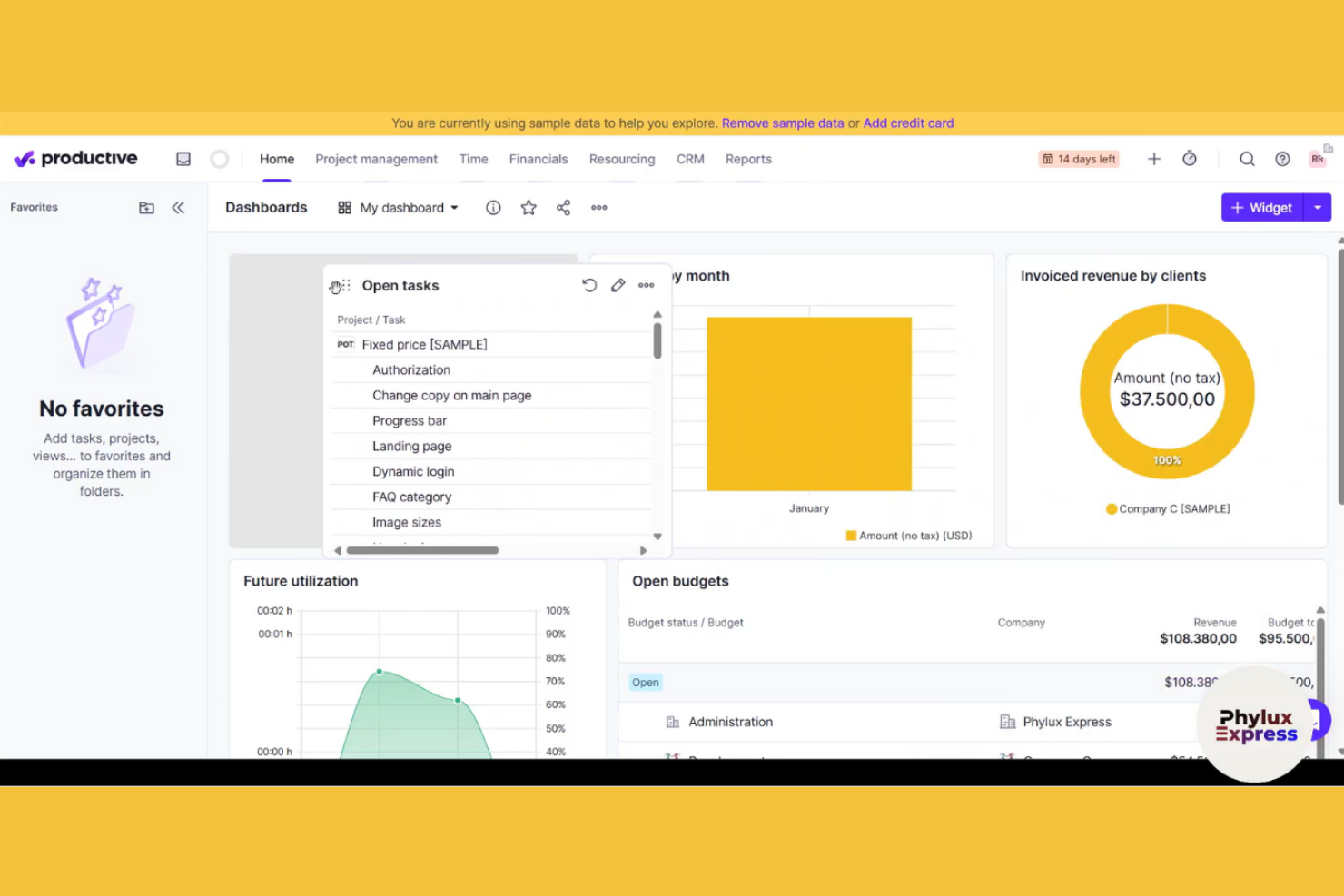
Agencies looking to optimize resource planning and project profitability often choose Productive. The platform is built for agencies that need to manage capacity, track billable hours, and forecast workloads across multiple projects. Unlike broader business management tools, Productive combines resource management, time tracking, and financial insights in one place to help agency teams balance workloads and maximize revenue.
Why Productive Is a Good Plutio Alternative
For agencies that need to plan and allocate resources across multiple projects, Productive offers a level of visibility that Plutio doesn’t provide. I picked Productive because its resource planning module lets you assign team members based on availability and skill set, helping you avoid overbooking or underutilizing staff. The platform also includes built-in time tracking and utilization reporting, so you can monitor project progress and adjust workloads in real time. These features make Productive a strong fit for agencies focused on maximizing team capacity and project profitability.
Productive Key Features
Some other features that make Productive useful for agencies include:
- Budgeting and Profitability Tracking: Monitor project budgets and margins with real-time financial dashboards.
- Sales Pipeline Management: Track leads, deals, and sales activities from inquiry to close.
- Document Management: Store, organize, and share project files and documents within the platform.
- Custom Reporting: Build and schedule tailored reports on project, financial, or operational data.
Productive Integrations
Integrations include Jira, HubSpot, Xero, Google Calendar, Sage, Gmail, Microsoft Outlook, Slack, and more.
Pros and Cons
Pros:
- Sales pipeline tracks deals alongside projects
- Custom reporting supports agency-specific metrics
- Profitability tracking links time and financial data
Cons:
- Limited automation for recurring project tasks
- Lacks built-in contract or proposal templates
New Product Updates from Productive
Productive Adds Voice Dictation, Slack Connector, Proposals, and Overtime
Productive adds voice dictation, a Slack Connector, proposal controls, and overtime tracking. These updates support faster AI interactions, client proposals, and time management. For more information, visit Productive’s official site.

Striven
Best for small business operations
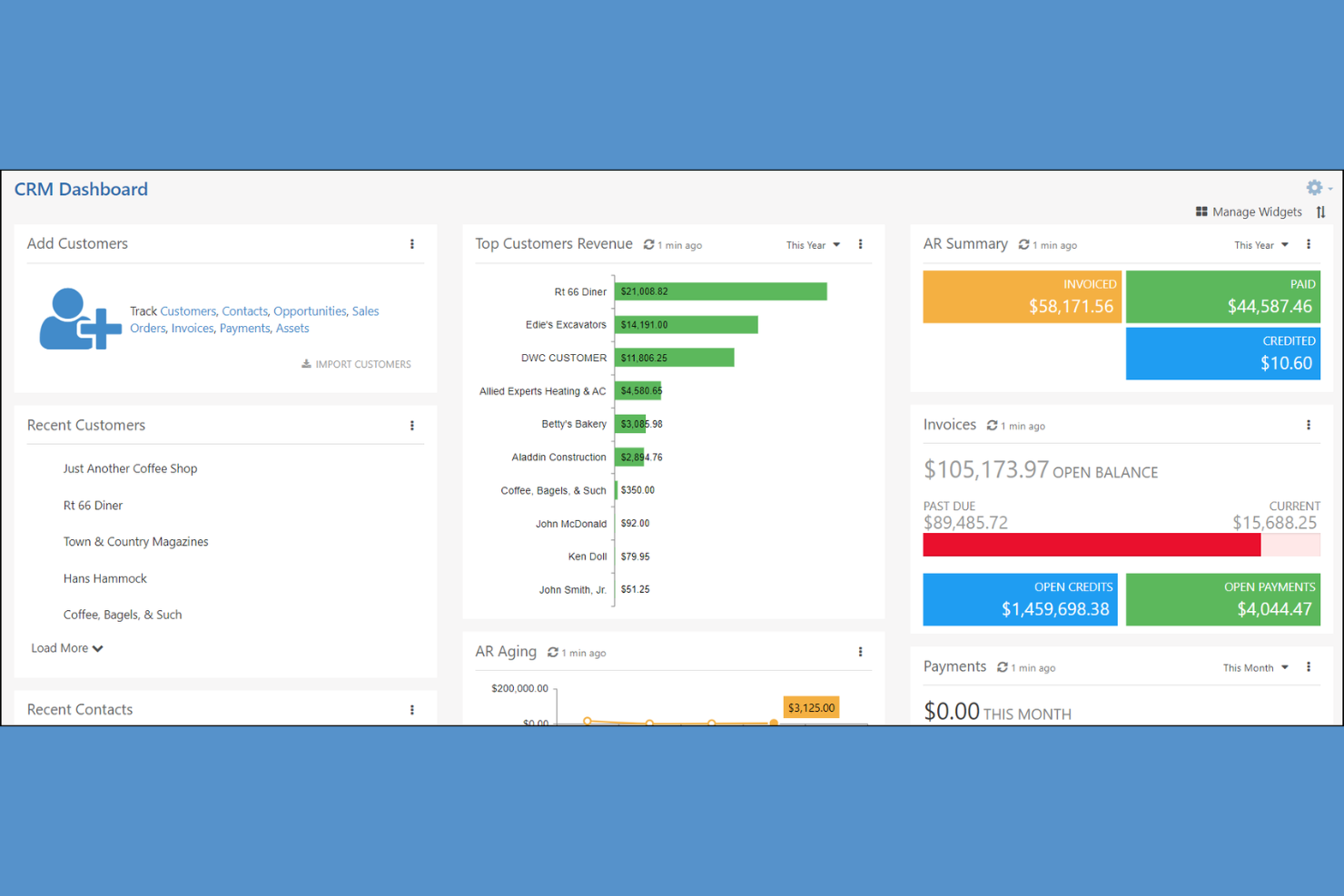
Striven is an all-in-one tool for business management designed with small businesses in mind. It brings together accounting, CRM, HR, and project management in a single system, making it easier for teams to keep everything connected. If you’re looking for a solution that reduces the need for multiple separate tools, Striven offers a unified approach that stands out from more fragmented platforms like Plutio.
Why Striven Is a Good Plutio Alternative
For small businesses that need a unified platform, Striven stands out as a strong Plutio alternative. I picked it for this list because it combines core business functions like accounting, HR, and project management in one place, which is rare among business management tools. The platform’s built-in CRM and financial management features help small teams avoid juggling multiple disconnected systems. If you want a solution that’s purpose-built for small business operations, Striven’s all-in-one approach is hard to match.
Striven Key Features
Some other features worth noting for Striven include:
- Document Management: Store, organize, and share business documents securely within the platform.
- Inventory Tracking: Monitor stock levels, manage orders, and track inventory movement in real time.
- Custom Reporting: Build and schedule tailored reports across all business functions for better insights.
- Vendor Management: Maintain detailed vendor records, track purchase orders, and manage supplier relationships.
Striven Integrations
Integrations include Authorize.net, Email Relay, Google Calendar, Microsoft Calendar, ShipStation, Shopify, Square, Stripe, and more.
Pros and Cons
Pros:
- Payroll processing included with HR features
- Customizable dashboards for different user roles
- Built-in inventory and order management tools
Cons:
- Basic reporting templates
- No native client portal for external users

HoneyBook
Best for creative business invoicing

If you run a creative business and need a better way to handle invoicing, HoneyBook is built for you. This platform combines client management, invoicing, and contract tools in one place, making it especially useful for photographers, designers, and event professionals. Unlike Plutio, HoneyBook focuses on simplifying the client experience from proposal to payment, so you can carry out project planning and payments without extra hassle.
Why HoneyBook Is a Good Plutio Alternative
For creative professionals who need invoicing that fits their workflow, HoneyBook offers a focused solution that Plutio doesn’t match. I picked HoneyBook because it lets you create branded invoices, automate payment reminders, and manage contracts all in one place. The platform’s proposal-to-payment workflow is designed specifically for client-facing businesses like photographers, event planners, and designers. If you want a business management platform that puts invoicing and client experience at the center, HoneyBook is a strong alternative.
HoneyBook Key Features
Some other HoneyBook features worth highlighting include:
- Client Portal: Give clients a dedicated space to view projects, invoices, and messages.
- Workflow Automation: Set up automated task sequences for onboarding, follow-ups, and project milestones.
- Calendar Scheduling: Allow clients to book meetings directly through your HoneyBook calendar.
- Expense Tracking: Record and categorize business expenses within the platform.
HoneyBook Integrations
Integrations are available via Zapier.
Pros and Cons
Pros:
- Proposal and invoice tracking in one place
- Client portal for project communication
- Branded invoice templates for creative businesses
Cons:
- Limited project management board views
- No built-in time tracking feature
Other Plutio Alternatives
Here are some additional Plutio alternatives that didn’t make it onto my shortlist, but are still worth checking out:
- Asana
For cross-team task coordination
- monday.com
For customizable workflow automation
- ClickUp
For internal team customizability
- CoordinateHQ
For passwordless client collaboration


How I Evaluate Plutio Alternatives
I evaluate these platforms in two layers: the core capabilities a tool must have to make the list, and the differentiators—like white-labeling, recurring billing, or automation—that set one apart.
Core Functionality (Table Stakes For This List)
When I'm selecting tools for my list, I rank each one on a scale from 0 (does not offer the functionality) to 5 (excels in this area) for each core functionality listed below. Then, I calculate the tool's total score into a percentage. Each tool needs to achieve a minimum total score of 65% to be considered for inclusion.
- Project & Task Management: I look for multiple views like Kanban boards, Gantt charts, and calendars, plus the ability to set dependencies and milestones across several client projects at once.
- Client Billing Tools: Each tool should let you create and send invoices, and I check whether proposals or contracts with e-signature are also part of the billing workflow.
- Time Tracking: Built-in timers tied directly to tasks matter here, especially for freelancers who need to convert tracked hours into billable line items on client invoices.
- Client Collaboration Portal: I evaluate whether the platform offers a dedicated space where clients can view project progress, share files, and submit approvals without needing a full account.
- Integrated Messaging: Real-time chat or threaded discussions within the platform keep conversations tied to project context rather than scattered across email and external apps.
- CRM Capabilities: Contact management with pipeline views or deal stages helps freelancers and agency owners track leads from first inquiry through to signed contract.
Once I have a list of tools that meet this criteria, I consider what sets each platform apart.
Differentiating Factors (What Sets Vendors Apart)
Here's how I compare and contrast different vendors:
Standout Features
White-label branding is a big differentiator for agency owners who want clients to interact with a portal that carries their own logo, colors, and custom domain. I also evaluate whether a tool supports recurring billing for retainer clients, since manually recreating invoices each month adds unnecessary friction. Automation workflows round out the picture—tools that can trigger invoice reminders, task assignments, or status updates based on project milestones save hours of repetitive admin work.
Beyond Features
Pricing structure matters a lot here—freelancers and small agencies need to know whether they're paying per user or getting unlimited seats on a flat rate. I also check how well each tool connects with payment gateways like Stripe and PayPal, plus accounting platforms like QuickBooks and Xero, since billing data needs to flow somewhere. Onboarding speed is another factor I weigh; solo operators rarely have time for lengthy setup, so I look for ready-made templates and guided walkthroughs that get you productive within days.
Why Look For a Plutio Alternative?
While Plutio is a good choice of business management platform, there are a number of reasons why some users seek out alternative solutions. You might be looking for a Plutio alternative because…
- You need more advanced invoicing or billing features
- Your team requires built-in time tracking tools
- You want deeper integrations with accounting software
- You manage projects with complex workflow needs
- Your business operates outside Plutio’s supported regions
If any of these sound like you, you’ve come to the right place. My list contains several business management platform options that are better suited for teams facing these challenges with Plutio and looking for alternative solutions.
Plutio Key Features
Here are some of the key features of Plutio, to help you contrast and compare what alternative solutions offer:
- Project and task management boards
- Time tracking and timesheet management
- Customizable invoicing and billing tools
- Client portal for communication and file sharing
- Proposal and contract creation with e-signatures
- Built-in CRM for client management
- Workflow automation for repetitive tasks
- Calendar and scheduling integration
- White-label branding options
- Team chat and real-time collaboration