

10 Best Avaza Alternative Tools for Project Teams in 2026

Best Avaza Alternatives Shortlist


Finding the right project management and collaboration tool is important for any team, and while Avaza offers a range of useful features, it might not suit everyone’s needs.
Using my experience in project management software, I tested and compared some of the top solutions on the market. In my in-depth reviews, we’ll explore the best alternatives to Avaza, highlighting options that provide diverse functionalities to enhance productivity and streamline workflows.
What Is Avaza?
Avaza is an advanced project management and collaboration software designed to help teams manage projects, track time, and handle expenses. It’s widely used by small to medium-sized businesses, freelancers, and agencies to streamline workflows, improve collaboration, and ensure efficient resource management.
Why Trust Our Software Recommendations
Our team has been testing and reviewing software since 2012. As project managers ourselves, we know how difficult—and important—it is to choose the right software.
For this guide, we evaluated tools using hands-on testing and independent research, scoring tools using our selection criteria. We also draw on insights from industry thought leaders and practicing project management experts.
Our reviews reflect our human editorial judgment, not a sales pitch.
Expert reviewers:
Avaza Alternatives Comparison Table
| Tool | Best For | Trial Info | Price | ||
|---|---|---|---|---|---|
| 1 | Best for agency management | 14-day free trial | From $10/user/month (billed annually) | Website | |
| 2 | Best for detailed project scheduling | Not available | From $679.99 one-time | Website | |
| 3 | Best for all-in-one project management | Free plan available | From $12/user/month | Website | |
| 4 | Best for team collaboration and clarity | 14-day free trial | From $45/month (billed annually) | Website | |
| 5 | Best for integrated CRM capabilities | Free demo available | From $39/user/month | Website | |
| 6 | Best for connecting work to company goals | Free plan available | From $10.99/user/month (billed annually) | Website | |
| 7 | Best for adaptive project management | Free demo available | Pricing upon request | Website | |
| 8 | Best for managing deskless teams | Free plan available | From $29/month (billed annually) | Website | |
| 9 | Best for enterprise work management | 30-day free trial | From $9/user/month (billed annually) | Website | |
| 10 | Best for advanced project portfolio management | 14-day free trial | From $10/user/month (billed annually) | Website |


Best Avaza Alternatives Reviews
Here are my detailed analyses of each Avaza alternative. I’ll cover their pros and cons, features, and best use cases to help you find the right tool for your needs.

Best for agency management
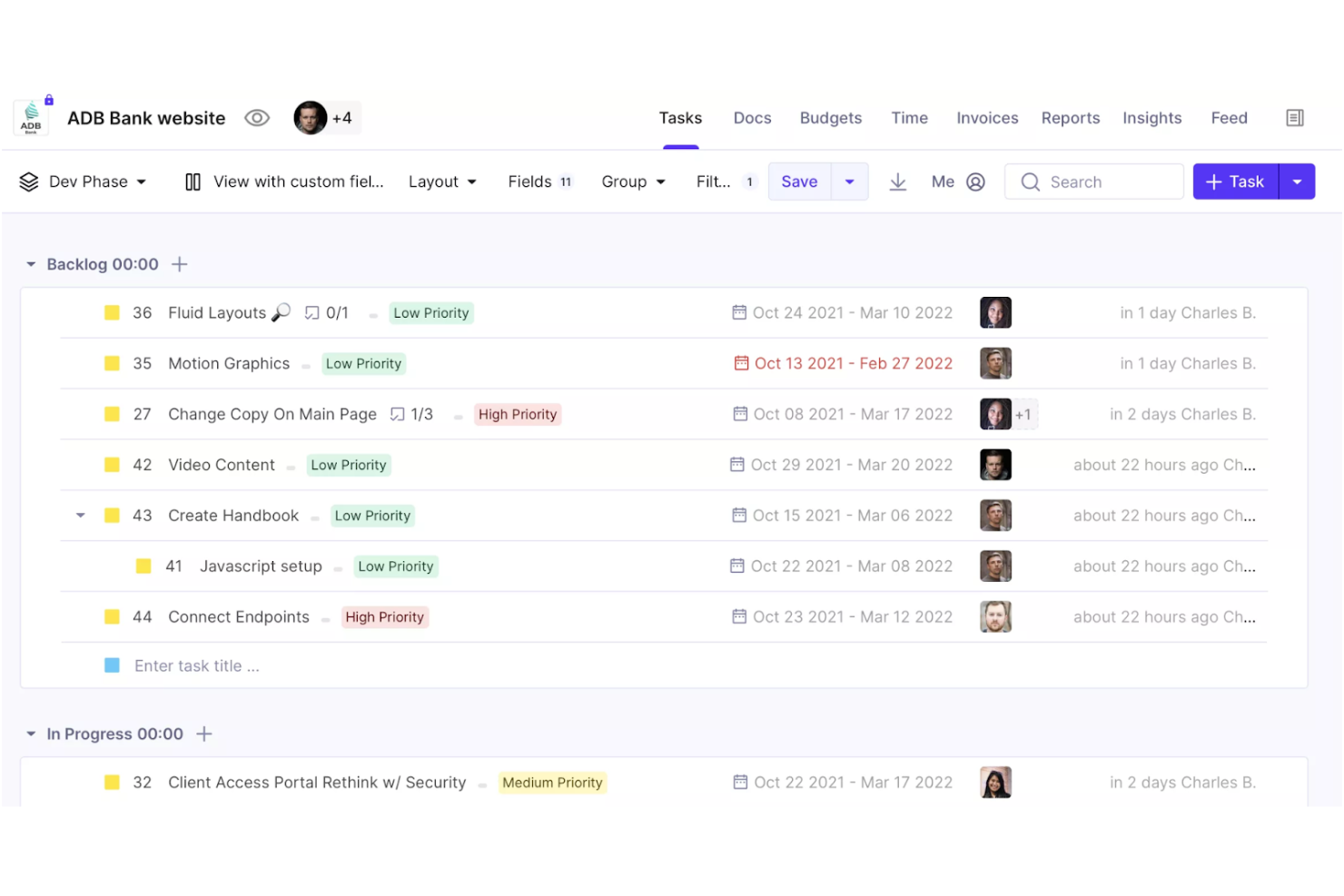
Productive is a project and business management platform for agencies and other service teams that need to coordinate tasks, capacity, time, and budgets as an Avaza alternative.
Who Is Productive Best For?
Productive suits agency leaders who need a shared view of client project profitability, staffing, and delivery across multiple accounts.
Why I Picked Productive
I pick Productive, my “Best for agency management” choice, as an Avaza alternative because it connects agency delivery with financial oversight. I use its capacity planning, time tracking, and project budgets to check who’s available and how assigning work affects a client project’s profitability.
Productive Key Features
- Workflow automations: Trigger actions such as creating invoices or sending Slack messages.
- Project templates: Reuse task structures, subtasks, descriptions, and assignees.
- Client forms: Collect feedback and turn submissions into tasks or emails.
- Project views: Switch between Board, List, Gantt, Calendar, and Timeline layouts.
Productive Integrations
Productive lists integrations with Jira, HubSpot, Xero, Google Calendar, Sage, Gmail, Microsoft Outlook, Slack, BugHerd, and QuickBooks. It also connects with Zapier and offers an Open API for custom integrations.
Pros and Cons
Pros:
- Templates and multiple views support repeatable delivery
- Tracks agency profitability by project and service
- Connects resource planning with project budgets
Cons:
- Task editing lacks shared ownership and undo
- Reporting can feel clunky and limited
New Product Updates from Productive
Productive Adds Voice Dictation, Slack Connector, Proposals, and Overtime
Productive adds voice dictation, a Slack Connector, proposal controls, and overtime tracking. These updates support faster AI interactions, client proposals, and time management. For more information, visit Productive’s official site.
Best for detailed project scheduling
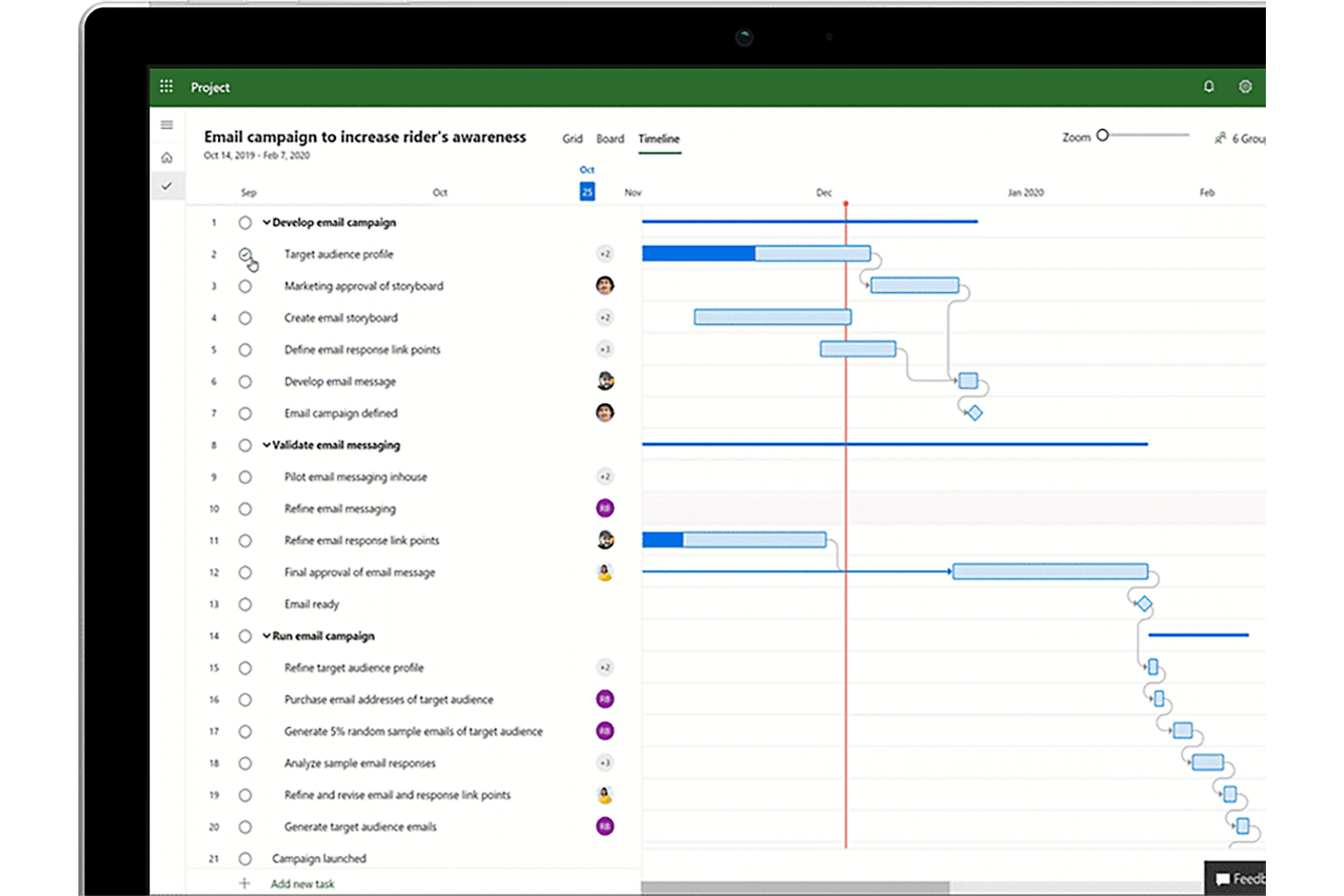
Microsoft Project combines project planning and portfolio management for teams that need to coordinate resources, dependencies, and delivery plans across complex, cross-functional work.
Who Is Microsoft Project Best For?
Project managers in engineering, IT, and operations who need to map task sequences, deadlines, and resource assignments in detail.
Why I Picked Microsoft Project
I picked Microsoft Project as an Avaza alternative because “Best for detailed project scheduling” fits its Gantt charts, task dependencies, and resource assignments. I use dependencies to map engineering handoffs and see how a change to one task affects the rest of the delivery schedule.
Microsoft Project Key Features
- Project templates: Start plans with reusable project structures and task details.
- Baseline tracking: Save planned dates and compare them with the current schedule.
- Built-in reports: View project progress, costs, and resource data in report formats.
- Board view: Organize work as cards across customizable columns.
Microsoft Project Integrations
Microsoft Project Professional can sync tasks with SharePoint, and Microsoft provides Power BI templates to connect Project Online and Project for the web data to Power BI. Project for the web also supports schedule APIs for custom integrations.
Pros and Cons
Pros:
- Resource assignments clarify capacity across projects
- Gantt charts make schedule slippage visible
- Task dependencies map complex delivery sequences
Cons:
- Agile work gets less scheduling support
- Configuration and maintenance take considerable effort

ClickUp
Best for all-in-one project management
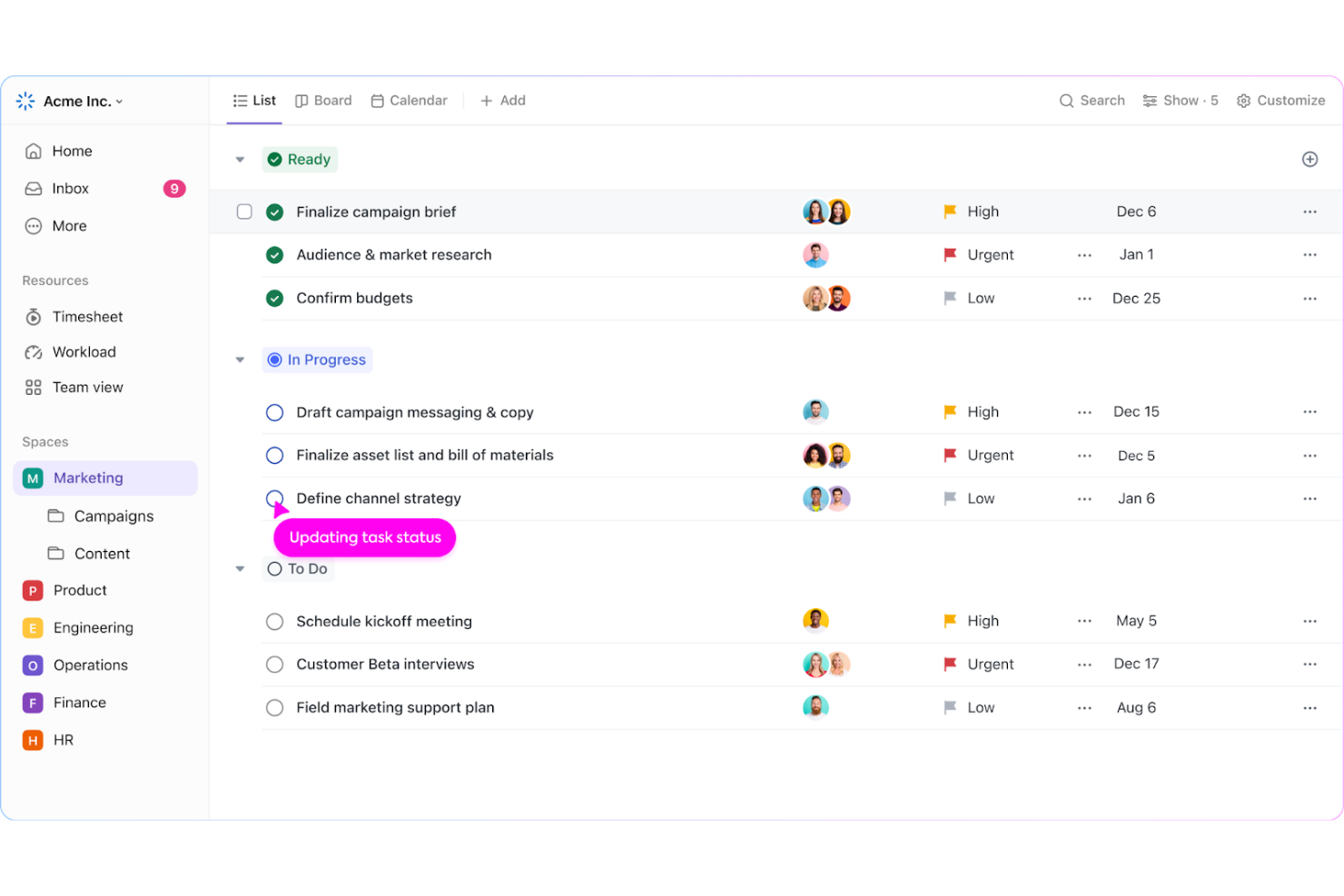
ClickUp is a work management platform for product, engineering, and operations teams that brings tasks, project updates, and recurring workflow automation into one shared workspace.
Who Is ClickUp Best For?
ClickUp suits project managers who oversee multiple workstreams and need flexible ways to track tasks, owners, and deadlines as plans change.
Why I Picked ClickUp
I picked ClickUp as an Avaza alternative because it brings project work and workflow automation into one workspace. I use Automations to assign tasks or update statuses when work moves between stages, while recurring tasks keep routine launches and reviews on schedule. Custom task statuses let my team track each handoff without splitting the workflow across separate tools.
ClickUp Key Features
- Multiple task views: Switch between list, board, calendar, and Gantt views.
- Custom fields: Add data fields such as priority, effort, or project phase to tasks.
- Task dependencies: Link tasks to show which work must happen first.
- Dashboards: Build panels that display project metrics and task data.
ClickUp Integrations
ClickUp offers native integrations with Slack, GitHub, GitLab, Google Drive, Google Calendar, Microsoft Teams, Figma, Zoom, and Jira, and it connects with Zapier. It also provides an API for custom integrations.
Pros and Cons
Pros:
- Automations reduce repetitive task updates
- Dashboards show workload and project progress
- Custom statuses map cross-team handoffs
Cons:
- Notification volume can bury important updates
- Complex views can lag on large projects

ProofHub
Best for team collaboration and clarity
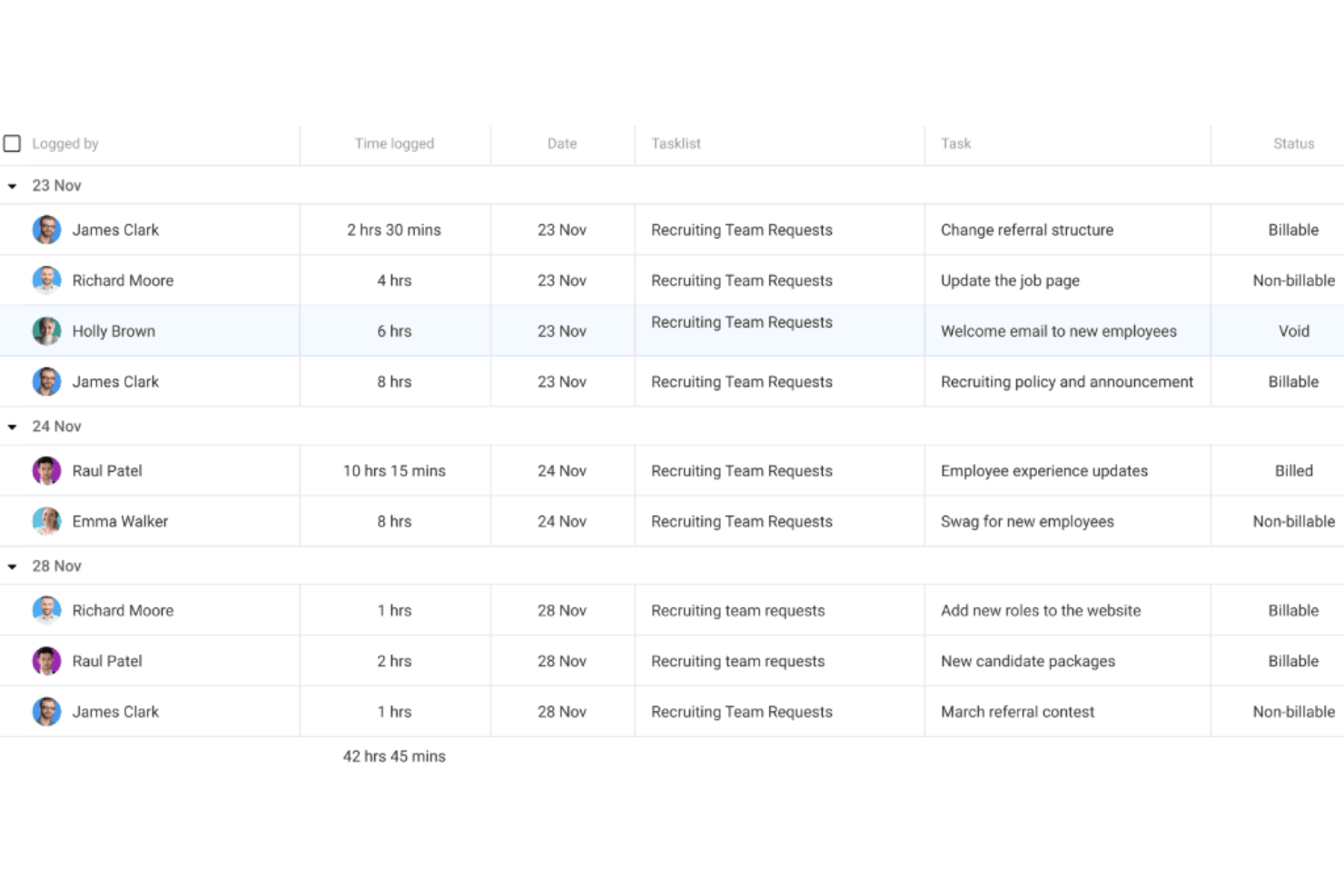
ProofHub is a project management platform for cross-functional teams that need to coordinate tasks, discussions, files, and schedules in one place instead of juggling separate tools.
Who Is ProofHub Best For?
ProofHub is a good fit for project managers at growing teams who need a shared workspace to keep ownership, decisions, and deadlines visible.
Why I Picked ProofHub
I picked ProofHub as an Avaza alternative for team collaboration and clarity. I like that I can assign task owners and deadlines, then use task comments and team discussions to clarify handoffs while keeping project files in the same workspace. That keeps decisions connected to the work and makes the next owner easier to identify.
ProofHub Key Features
- Kanban boards: Create custom workflow stages and move tasks between them.
- Gantt charts: Map tasks on a timeline and set task dependencies.
- Time tracking: Log time against tasks with built-in timers or manual entries.
- Calendar: View project events and deadlines in a shared calendar.
ProofHub Integrations
ProofHub offers integrations with Slack, Box, Dropbox, Google Calendar, iCal, OneDrive, FreshBooks, FreshBooks Classic, and QuickBooks. It also provides an API for custom integrations.
Pros and Cons
Pros:
- Proofing annotations keep feedback tied to files
- Gantt charts clarify dependencies and deadlines
- Keeps task discussions and files together
Cons:
- No native invoicing or expense tracking
- Reporting offers limited customization

Ravetree
Best for integrated CRM capabilities
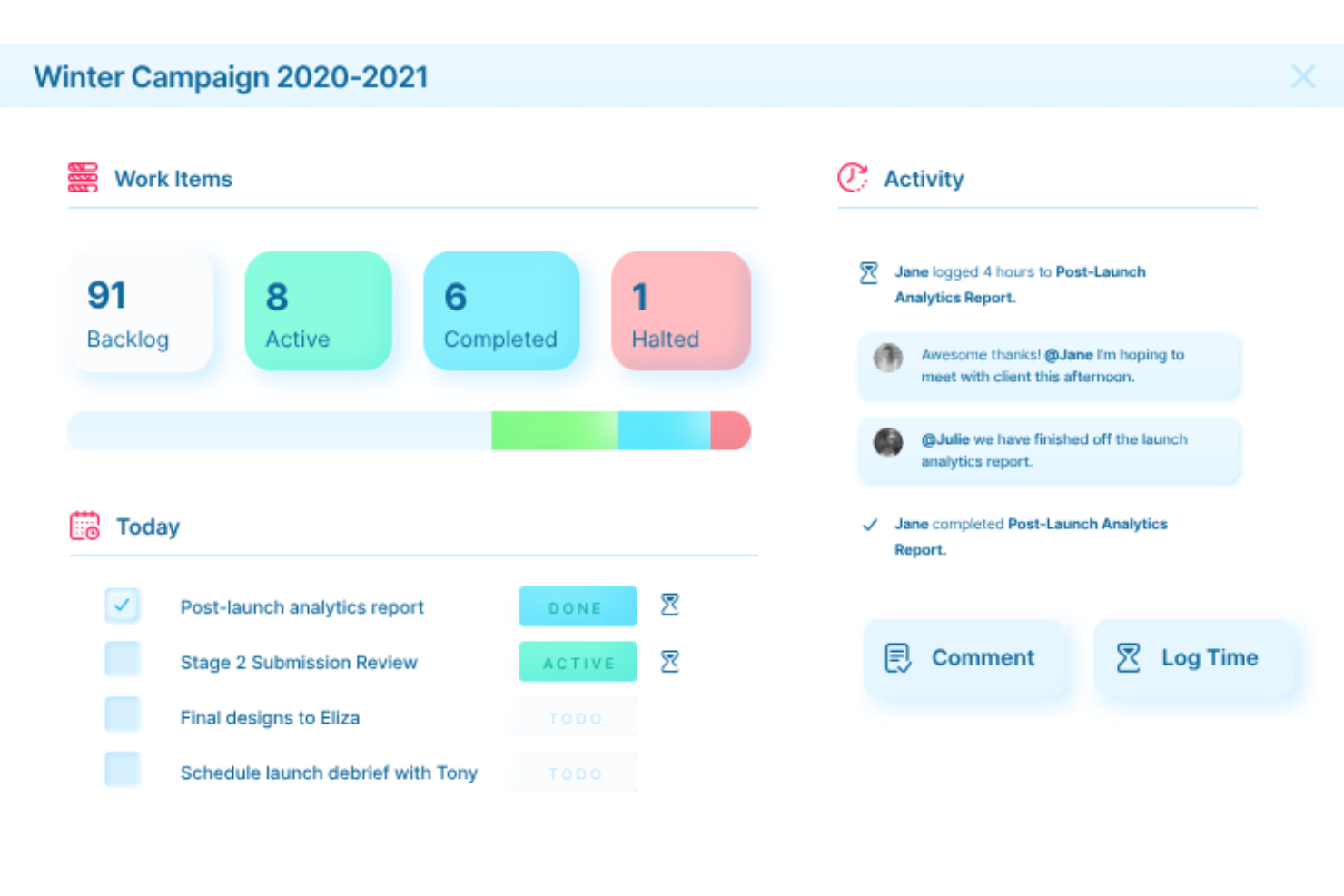
Ravetree is a work management platform for agencies, consultancies, and other service teams that connects project planning, resource management, and time tracking to improve delivery visibility and control client work.
Who Is Ravetree Best For?
Ravetree suits agency and consulting teams that want client and prospect records connected to their project work.
Why I Picked Ravetree
I picked Ravetree as an Avaza alternative for its integrated CRM capabilities. I like that teams can track accounts and sales opportunities in a pipeline, then connect won work to projects. That link helps keep client context visible when a prospect becomes an active delivery engagement.
Ravetree Key Features
- Gantt timelines: Map tasks, milestones, and dependencies on project timelines.
- Repeating tasks: Set tasks to recur on a schedule.
- Resource scheduling: Assign unscheduled tasks to people or work roles with drag-and-drop scheduling.
- Request approvals: Build request forms with required fields and multi-tier approval workflows.
Ravetree Integrations
Ravetree documents integrations with QuickBooks, Xero, HubSpot, Google Drive, Dropbox, Google Calendar, Outlook Calendar, Stripe, and Zapier. It also offers an Open API for custom integrations.
Pros and Cons
Pros:
- Resource planning connects capacity with delivery
- Phase budgets roll up for invoicing
- CRM deals can create templated projects
Cons:
- Resource views grow visually crowded at scale
- Mobile app offers less than desktop
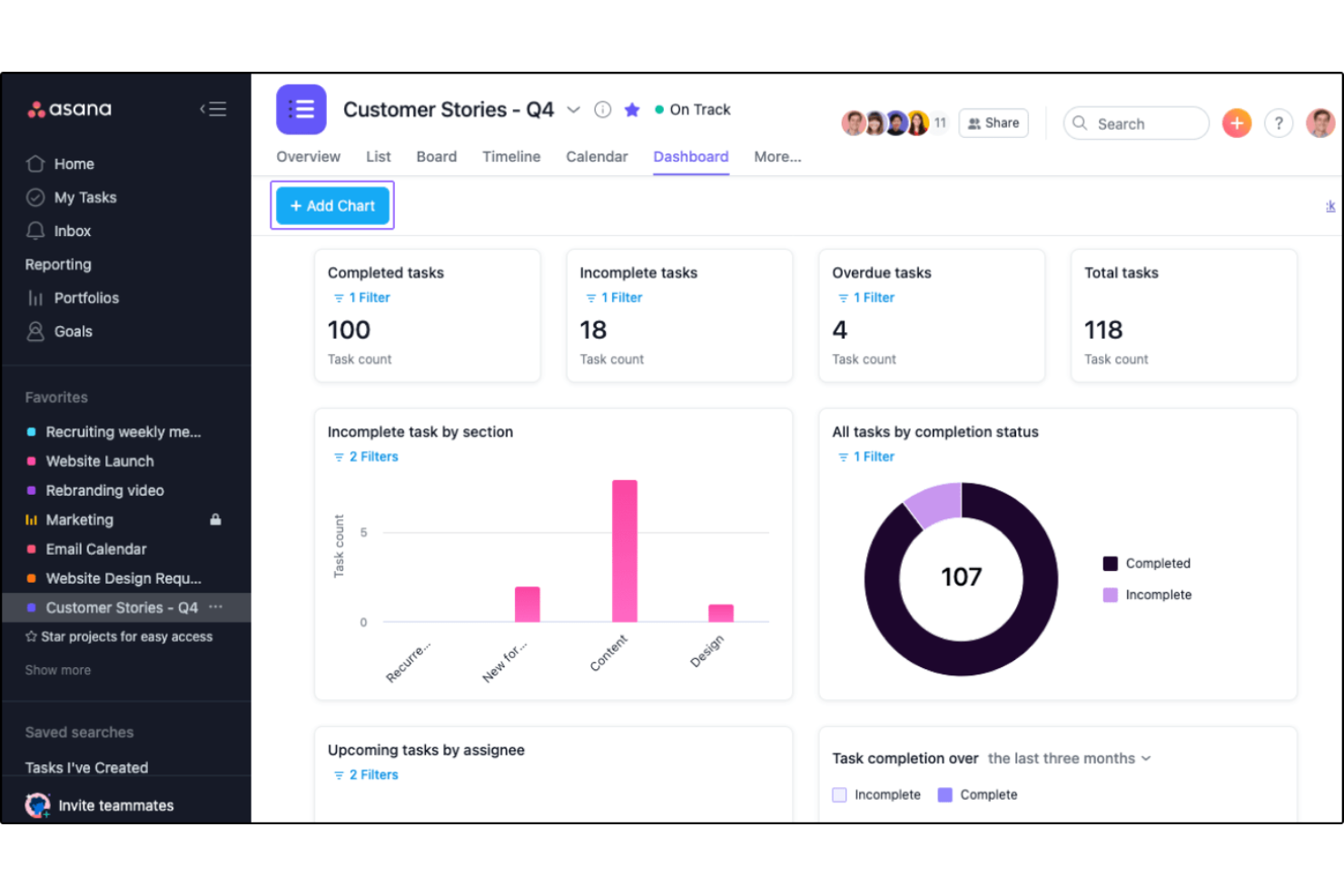
For product, engineering, and design teams juggling shifting priorities, Asana is a work management platform that organizes projects and automated workflows, keeping owners, dependencies, and delivery status visible.
Who Is Asana Best For?
Asana suits project and operations teams that need to connect cross-functional work and milestones to company objectives.
Why I Picked Asana
I picked Asana as an Avaza alternative because it’s built for connecting work to company goals. I link projects or tasks to a goal, then Asana can calculate progress from completed tasks or project milestones. For a product launch, rules can also trigger task actions as work moves through the workflow.
Asana Key Features
- Forms: Collect project requests and turn submissions into tasks.
- Custom fields: Add structured details like priority or status to tasks.
- Project templates: Start projects with reusable tasks, sections, and settings.
- Portfolios: Group projects and track their status in one view.
Asana Integrations
Asana’s app directory lists integrations with Slack, Google Drive, Microsoft Teams, Jira Cloud, Salesforce, ServiceNow, Google Calendar, Gmail, Everhour, and Zapier. Asana also provides an API for custom integrations.
Pros and Cons
Pros:
- Reusable templates standardize recurring project kickoffs
- Portfolios show status across multiple projects
- Tasks connect directly to measurable company goals
Cons:
- Expense and quote management require another tool
- No built-in invoicing for client work

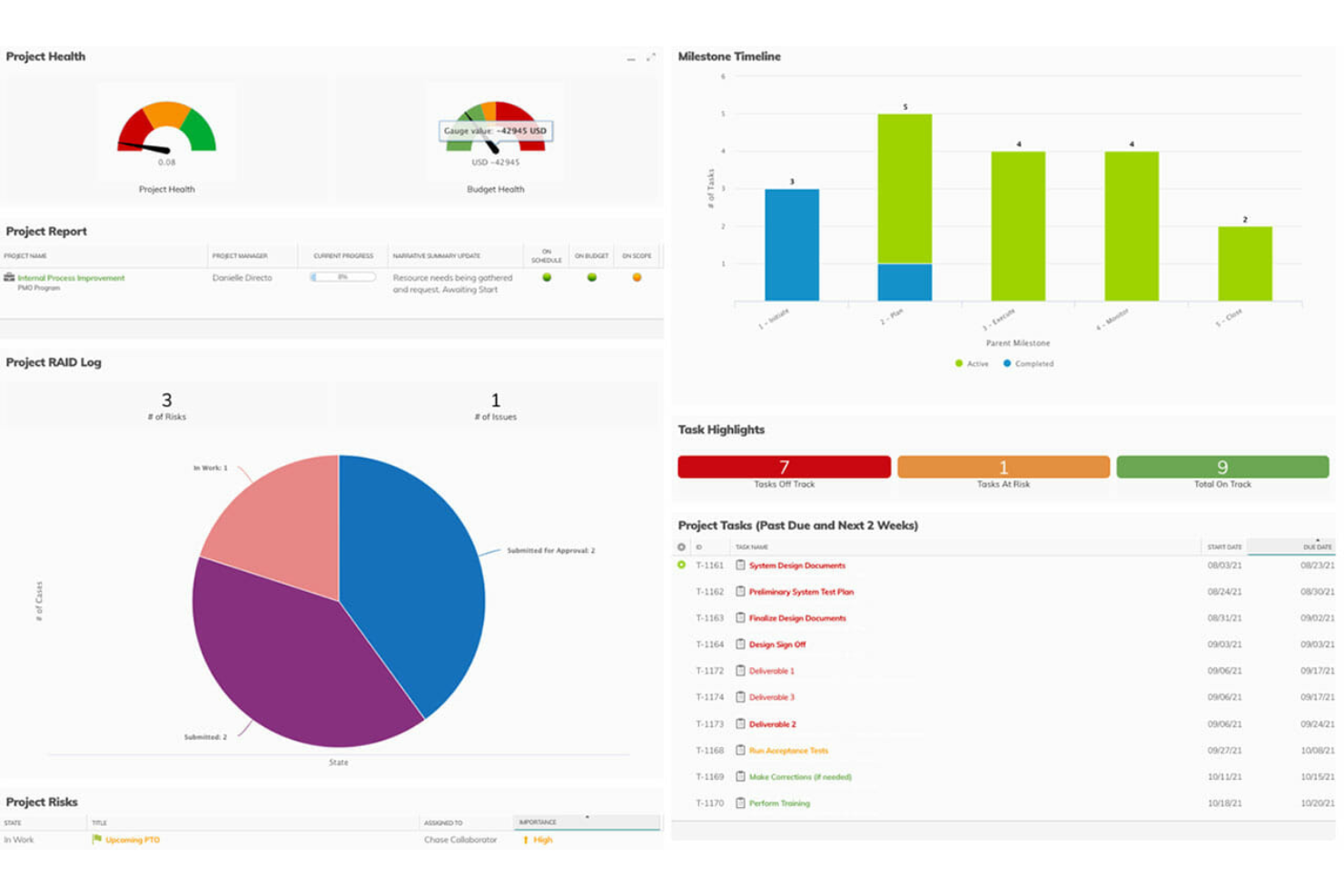
Planview Adaptive Work is an enterprise work management platform for technology and digital teams that need to coordinate projects, adjust priorities, and align delivery plans with people and resources.
Who Is Planview Adaptive Work Best For?
Planview Adaptive Work suits PMOs and portfolio leaders at large technology organizations that need to reprioritize projects as strategy, capacity, and delivery needs change.
Why I Picked Planview Adaptive Work
I picked Planview Adaptive Work as an Avaza alternative for adaptive project management. Its request intake, scoring, and approval routing help PMOs manage shifting demand, while capacity planning and portfolio roadmaps show where to reassign work when engineering bandwidth changes. I also like its risk registers for tracking delivery risks and mitigation plans.
Planview Adaptive Work Key Features
- Gantt charts and dependencies: Map work breakdown structures, milestones, and project dependencies.
- Jira-connected agile rollups: Connect Jira work with project views and manage Kanban backlogs and sprint plans.
- Configurable dashboards and reports: Build reports and dashboards with project data and access permissions.
- Time and expense tracking: Record billable and non-billable time and expenses, then submit them for approval.
Planview Adaptive Work Integrations
Planview AdaptiveWork lists integrations with Jira, Salesforce, Microsoft Teams, Slack, SharePoint, ServiceNow, Microsoft Excel, Tableau, and Box, and connects with Zapier. Planview Hub supports configurable, near-real-time connections with Jira, Azure DevOps, Salesforce, and ServiceNow; an API is available for custom integrations.
Pros and Cons
Pros:
- Users praise customizable project tracking views
- Capacity plans expose engineering resource conflicts
- Portfolio intake helps reprioritize shifting demand
Cons:
- Custom interface development can take time
- Reviews report slow loading on occasion

Best for managing deskless teams
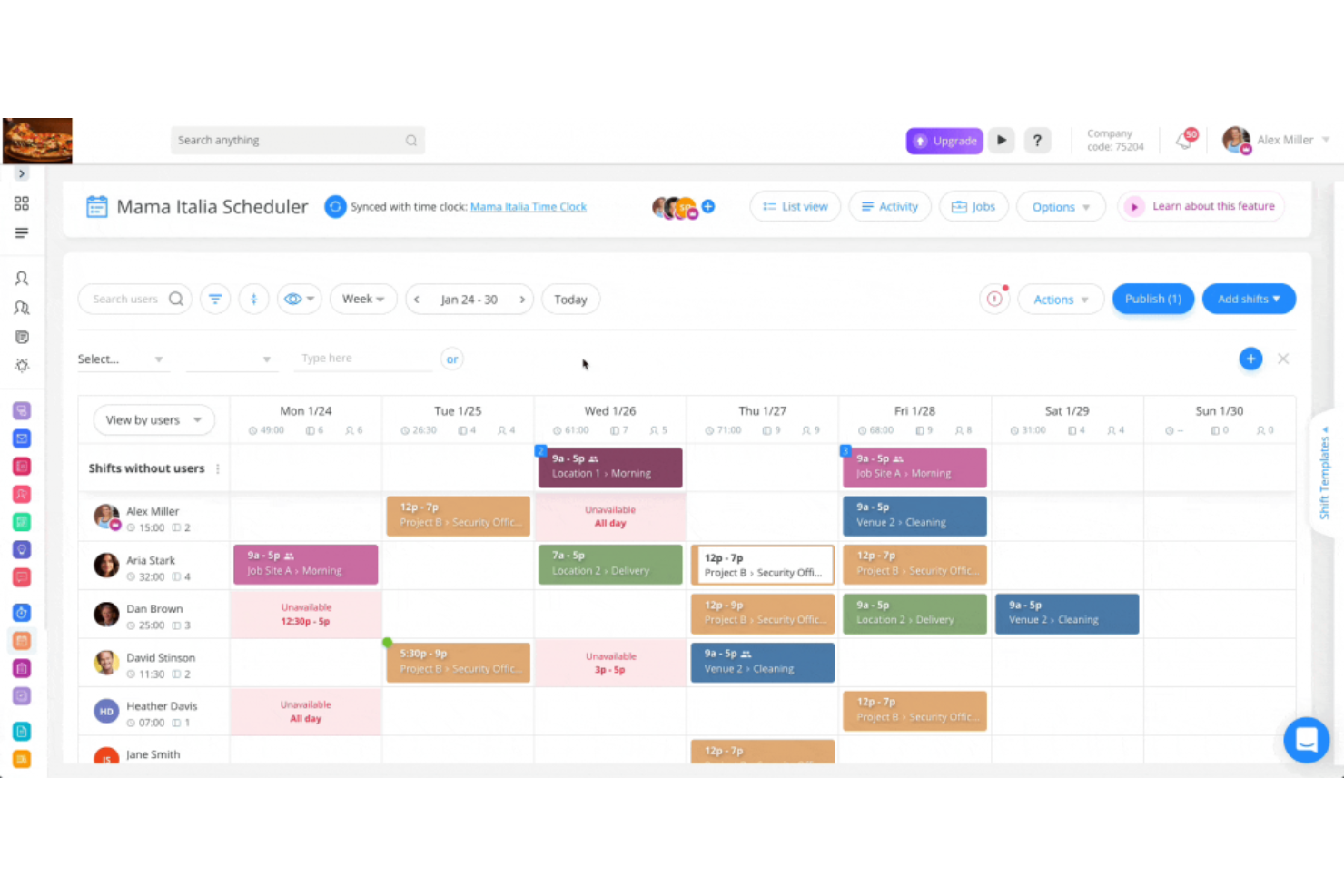
Connecteam is an employee operations platform that helps businesses coordinate schedules, time tracking, communication, and daily tasks across teams with mobile and on-site work.
Who Is Connecteam Best For?
Connecteam suits operations managers coordinating frontline and hourly workers across multiple locations or job sites.
Why I Picked Connecteam
I picked Connecteam as an Avaza alternative because it’s built for managing deskless teams. I like how managers can coordinate shift schedules, track work hours, and assign daily tasks across multiple job sites. That connects everyday field workflows with the people responsible for carrying them out.
Connecteam Key Features
- In-app chat: Send direct messages and group chats from the mobile app.
- Company updates: Publish announcements with read receipts and comments.
- Digital forms: Create forms for reports, requests, and inspections.
- Employee training: Build courses with lessons, quizzes, and progress tracking.
Connecteam Integrations
Connecteam lists integrations with Microsoft Teams, QuickBooks Online, Xero, BambooHR, ADP Workforce Now, RUN Powered by ADP, Lightspeed Restaurant, PrismHR, Wix Bookings, and Zapier. It also offers API access and webhooks for custom connections.
Pros and Cons
Pros:
- Mobile forms capture field reports and inspections
- Schedules, chats, and tasks share one app
- GPS clock-ins tie hours to job sites
Cons:
- Limited project-level budgeting and financial reporting
- No native invoicing or client billing
New Product Updates from Connecteam

Connecteam Expands Break and Timesheet Controls
Connecteam adds flexible break thresholds, personalized policies, auto-end options, a centralized exceptions report, and improved timesheet issue visibility to help teams manage breaks and timesheets more effectively. For more information, visit Connecteam’s official site.
 .
.
Best for enterprise work management
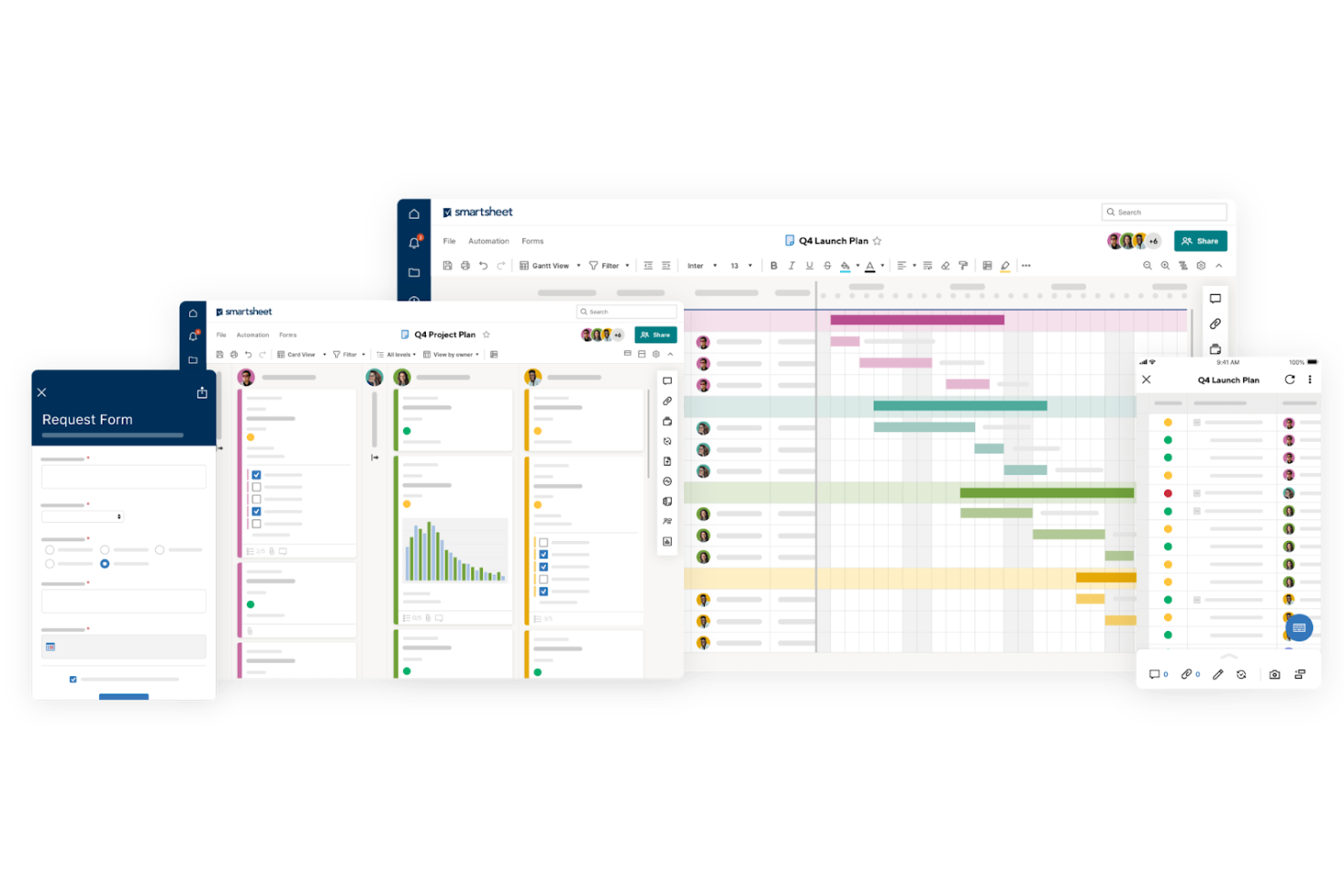
Smartsheet combines spreadsheet-style project tracking, workflow automation, and reporting for teams coordinating work across departments, helping larger organizations clarify ownership, dependencies, and project status.
Who Is Smartsheet Best For?
Smartsheet suits program and portfolio managers who need consistent ways to plan and oversee work across multiple teams.
Why I Picked Smartsheet
I picked Smartsheet as an Avaza alternative because it fits “Best for enterprise work management.” Its automated approval and update-request workflows route project changes, while Control Center standardizes project setup from templates. Portfolio dashboards roll status and risks across initiatives into a leadership view.
Smartsheet Key Features
- Multiple views: Switch sheets between grid, Gantt, card, and calendar views.
- Forms: Create forms that collect responses directly in a sheet.
- Reports: Build reports that combine rows from multiple sheets.
- Cell linking: Link cells across sheets to keep referenced values updated.
Smartsheet Integrations
Smartsheet lists 175+ integrations, including Jira Software, Power BI, Salesforce, ServiceNow, Tableau, Workday, Microsoft Teams, Slack, Microsoft Power Automate, and Zapier. Its API supports custom integrations on Business plans and higher, while some integrations require paid add-ons.
Pros and Cons
Pros:
- Editable reports consolidate work across multiple sheets
- Reusable templates standardize enterprise project launches
- Portfolio dashboards surface cross-project status and risks
Cons:
- Formula-heavy sheets can slow at scale
- No native time tracking or client billing
New Product Updates from Smartsheet

Smartsheet Adds Non-Plan User Management in Admin Center
Smartsheet adds a Non plan users tab to the Seat types and true-up page in Admin Center. This lets system admins review non-plan users and add them to the plan or remove them from the organization in one place. For more information, visit Smartsheet’s official site.

Celoxis
Best for advanced project portfolio management
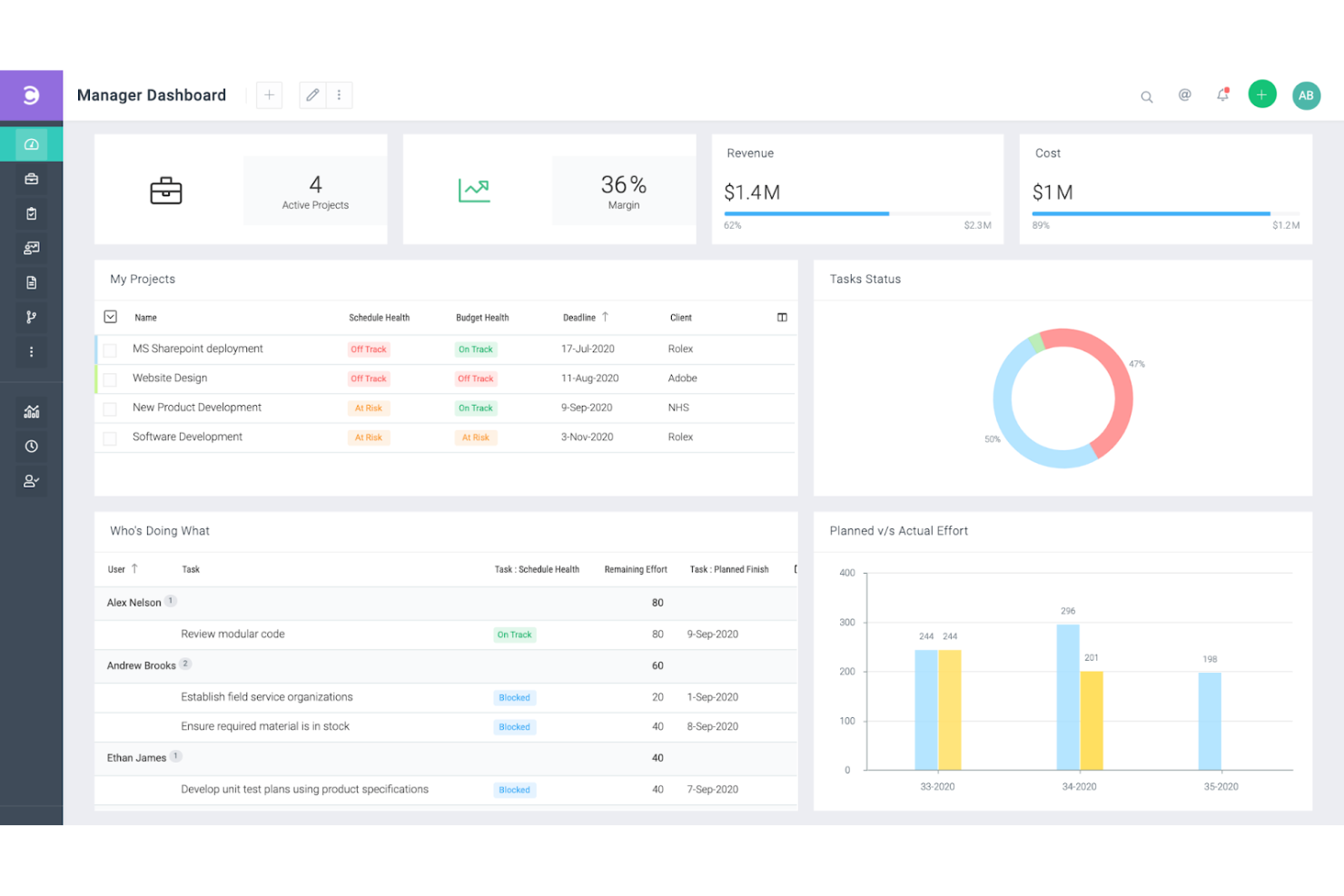
Celoxis is a project management platform for digital teams that need to coordinate work, track schedules and resources, and manage shifting priorities and dependencies across projects.
Who Is Celoxis Best For?
Celoxis suits PMO leads and project managers overseeing multiple interdependent initiatives who need portfolio-level visibility into priorities and delivery.
Why I Picked Celoxis
I picked Celoxis as an Avaza alternative for its “Best for advanced project portfolio management” fit. I like its conditional intake forms and scoring to route and rank project requests, then capacity planning and workload views to spot resource conflicts across initiatives. Gantt dependencies help me see how a delayed engineering milestone affects other project schedules.
Celoxis Key Features
- Timesheets: Log hours against tasks and separate billable from non-billable time.
- Financial tracking: Compare project budgets, forecasts, actual costs, and expenses.
- Approval workflows: Set up approval steps for project changes and requests.
- Custom reports: Create filtered reports and schedule them for email delivery.
Celoxis Integrations
Celoxis has 21 integrations configured inside its platform, including Microsoft Project, Google Drive, Jira, GitHub, Azure DevOps, Salesforce, QuickBooks Online, Slack, and Trello. It also connects with Zapier and offers a REST API for custom integrations.
Pros and Cons
Pros:
- Budgets, forecasts, and actuals share dashboards
- Capacity planning flags resource conflicts early
- Portfolio-wide dependency and schedule visibility
Cons:
- Mobile app handles approvals better than planning
- Dense navigation slows new user adoption
- Initial workflow and report setup takes time
Other Avaza Alternatives
Below is a list of additional Avaza alternatives that I shortlisted. While they didn’t make the top 10, they’re still valuable and worth further research.
- Zoho Projects
For comprehensive project tracking
- Quickbase
For dynamic work and complex projects
- Accelo
For professional services automation
- Wrike
For team collaboration and project tracking
- Kantata
For resource management and planning
- Scoro
For quote-to-cash visibility across projects
- Certinia
For financial management and services
- Plaky
For simple task management
- Teamwork
For managing client projects
- Odoo
For customizable ERP solutions
- Meisterplan
For project portfolio planning
- Ruddr
For professional services automation
- QPM
For AI-driven project management


Related Project Management Software Reviews
If you still haven't found what you're looking for here, check out these other related tools that we've tested and evaluated:
- Project Management Software
- Resource Management Software
- Workflow Automation Software
- Time Tracking Software
- Task Management Software
- Collaboration Tools
- Gantt Chart Maker
- Productivity Tools
- Project Tracking Software
- Project Scheduling Software
How I Evaluate Avaza Alternatives
I evaluate tools in two layers: baseline must-haves like project-linked time tracking and client invoicing, and the differentiators that make one tool a better fit than another.
Core Functionality (Table Stakes For This List)
When I'm selecting tools for my list, I rank each one on a scale from 0 (does not offer the functionality) to 5 (excels in this area) for each core functionality listed below. Then, I calculate the tool's total score into a percentage. Each tool needs to achieve a minimum total score of 65% to be considered for inclusion.
- Project & Task Management: I look for multiple views, subtasks, and dependencies—the structure agency teams need to track client deliverables across workstreams.
- Time Tracking: Each tool should connect timers and timesheets to specific tasks and clients, with billable/non-billable toggles for accurate invoicing later.
- Invoicing & Billing: I evaluate whether you can generate invoices directly from logged hours and expenses, with support for multi-currency and online payments.
- Expense Management: The tool should let teams log project expenses, attach receipts, and mark items as billable so they flow into client invoices without rework.
- Resource & Capacity Planning: I check for scheduling and workload views that show who's overbooked—helpful when you're staffing consultants across multiple client projects.
- Financial Reporting: Budget vs. actual tracking and profitability dashboards matter here, especially for agencies that need to prove margin on each client engagement.
Once I have a list of tools that meet this criteria, I consider what sets each platform apart.
Differentiating Factors (What Sets Vendors Apart)
Here's how I compare and contrast different vendors:
Standout Features
A client portal can change how your agency handles approvals and visibility. I look for tools that let clients track progress, review deliverables, and pay invoices without an email chain. Quoting and estimate features also matter—when a tool converts a proposal into a live project and then an invoice, it eliminates manual handoffs between sales and delivery. For retainer-based teams, I check whether recurring invoicing is built in so monthly billing runs on autopilot.
Beyond Features
Accounting integrations are a big deal here. I check whether each tool syncs with QuickBooks or Xero so teams aren't manually reconciling invoices and payments. Multi-currency support is equally important—if you bill clients across different regions, the platform should handle currency conversion and local tax rules at the invoice level. I also evaluate pricing structures to see how costs scale as you add users, since a tool that works for a five-person consultancy should still make sense when that team doubles.
Why Look for an Avaza Alternative?
Although Avaza is a valuable tool, there may be several reasons why you’re searching for an alternative. Some of these reasons could be related to:
- Cost: While Avaza offers various pricing plans, it may not align with everyone’s budget, especially for smaller teams or freelancers. If you’re looking for a more cost-effective solution that still provides essential project management features, an alternative could be a better fit.
- Complexity: Avaza has an advanced set of features, but this can make the platform feel overwhelming for users who need something more straightforward. If your team prefers a simpler tool that focuses on essential functions without added complexity, exploring other options might be beneficial.
- Customization: Avaza provides a decent range of customization, but it might not meet the specific needs of every organization. If you require more flexibility to tailor the software to your workflows or branding, you may want to consider other tools that offer a higher level of customization.
- Integration: While Avaza supports various integrations, it may not connect seamlessly with all the specific tools your team relies on. If seamless integration with your existing software ecosystem is vital, finding an alternative with broader or more specialized integration capabilities could enhance your workflow.
- Support: Avaza offers customer support, but it may not be as responsive or comprehensive as some users need. If timely and effective customer support is a priority for your team, you might want to look into alternatives known for their outstanding support services.
Key Features of Avaza Alternatives
Here are some key features of Avaza that your alternative software should be able to replicate or improve upon to be a good fit.
- Project Management: Collaborate on projects with task management, discussions, file sharing, and activity feeds.
- Resource Scheduling: Manage team schedules on an interactive calendar to make smarter project scheduling decisions.
- Team Chat: Use a powerful business communication platform for direct and group conversations, as well as topic-focused channels.
- Time Tracking: Track time directly on tasks with optional timesheet approval workflows.
- Expense Management: Digitize receipts, manage recurring expenses, and streamline expense approvals.
- Online Invoicing: Create professional invoices quickly, convert estimates into invoices, and accept online payments.
- Recurring Invoicing: Automate the generation of invoices at predefined intervals.
- Quotes & Estimates: Create and send professional estimates that can be converted into projects or invoices.
- Business Reporting: Access over 50 real-time reports that can be customized, saved, and scheduled for automatic delivery.
- Integrations: Connect with over 500 popular apps to enhance the user experience and streamline workflows.