

10 Best AI Workflow Tools Reviewed in 2026

Best AI Workflow Tools Shortlist


Managing projects today involves coordinating tasks, tracking progress across teams, and adapting quickly when plans change. Workflow tools can help, but AI workflow tools take this a step further by automating routine tasks, identifying inefficiencies, and providing insights that support better planning and execution.
From my experience testing these platforms, the AI capabilities are what make the difference. They can flag potential bottlenecks, recommend next steps, and help teams stay aligned without constant manual oversight. In this article, I will highlight the top AI workflow tools available, focusing on the features and benefits that meaningfully improve day-to-day project operations.
You will find clear, unbiased reviews based on hands-on research to help you choose the solution that best supports your team and your projects.
Why Trust Our Software Recommendations
Our team has been testing and reviewing software since 2012. As project managers ourselves, we know how difficult—and important—it is to choose the right software.
For this guide, we evaluated tools using hands-on testing and independent research, scoring tools using our selection criteria. We also draw on insights from industry thought leaders and practicing project management experts.
Our reviews reflect our human editorial judgment, not a sales pitch.
Expert reviewers:
AI Workflow Tools Comparison Table
This comparison table summarizes pricing details for my top AI workflow tool selections.
| Tool | Best For | Trial Info | Price | ||
|---|---|---|---|---|---|
| 1 | Best for AI-driven risk identification & reporting | Free plan available | From $9/user/month (billed annually) | Website | |
| 2 | Best for embedding workflows in client portals | Free plan available | From $99/month | Website | |
| 3 | Best for customizable approval process flows | Free demo available | Pricing upon request | Website | |
| 4 | Best for AI-driven task prioritization | 14-day free trial | From $10/user/month (billed annually) | Website | |
| 5 | Best with 1,000+ prebuilt connectors | 30-day free trial | Pricing upon request | Website | |
| 6 | Best for AI automation in complex processes | Free plan + free demo available | From $9/month (billed annually) | Website | |
| 7 | Best for open-source workflow customization | Free trial available | From €20/month (billed annually) | Website | |
| 8 | Best AI roadmap-planning tool for product managers | 30-day free trial + free demo available | From $9/user/month | Website | |
| 9 | Best for AI orchestration | Free plan available | From $19.99/month (billed annually) | Website | |
| 10 | Best for enterprises integrating AI systems | 30-day free trial | Pricing upon request | Website |


Best AI Workflow Tool Reviews
Below are my detailed summaries of the best AI workflow tools that made it onto my shortlist. My reviews offer a detailed look at the key features, pros & cons, integrations, and ideal use cases of each tool to help you find the best one for you.

Best for AI-driven risk identification & reporting
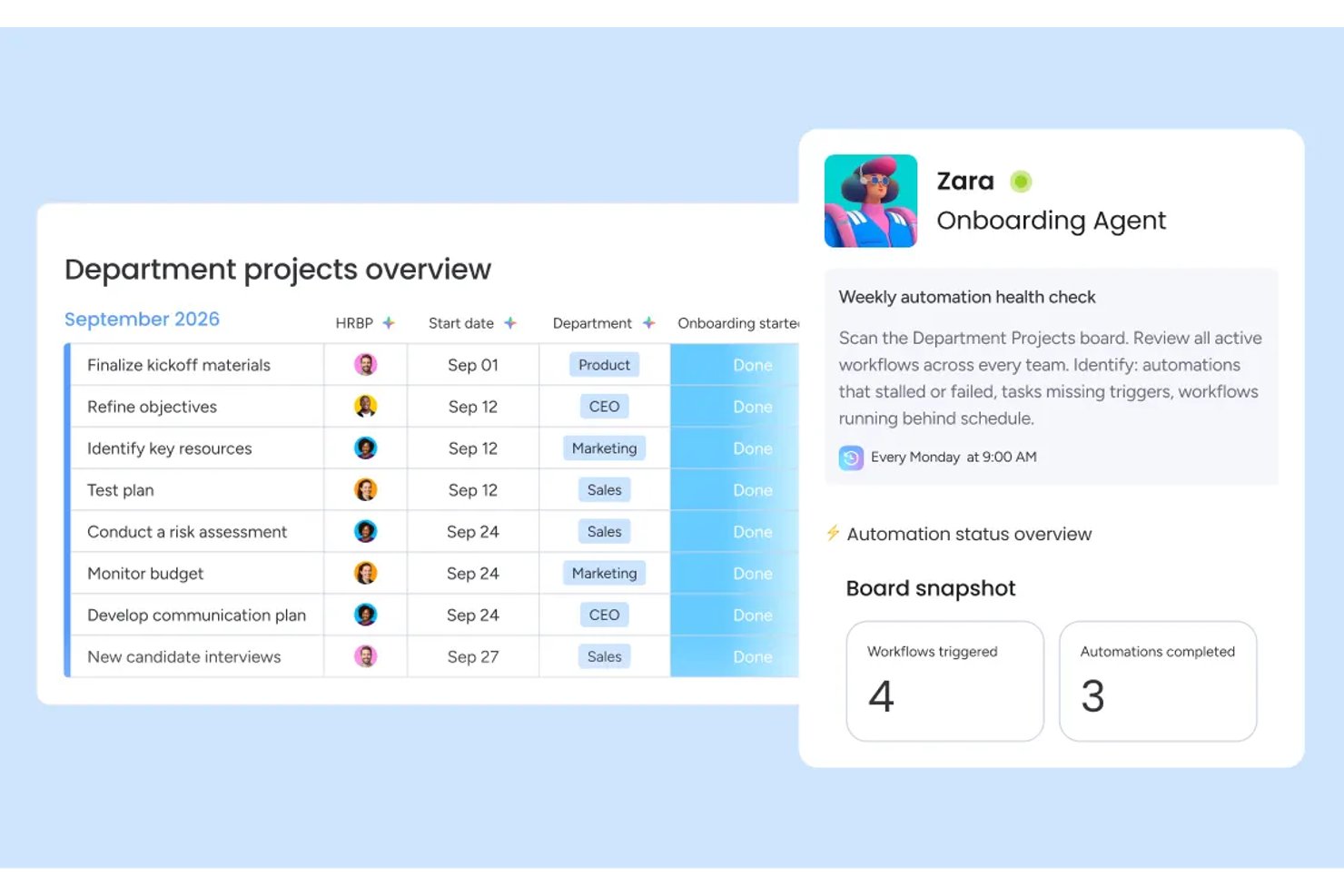
monday AI Workspace is an AI-native work management platform that blends workflow automation, agentic task execution, generative project planning, and predictive portfolio intelligence in one environment.
Who Is monday AI Workspace Best For?
It's a strong fit for mid-to-large enterprise teams and PMO-led organizations that need portfolio-level AI oversight across multiple concurrent projects.
Why I Picked monday AI Workspace
monday AI Workspace earns its spot on my shortlist because of how it handles risk before it becomes a problem. I love the AI-powered risk insights feature, which scans dependencies across active boards and flags delays before they cascade. The portfolio-level AI reporting then pulls that data into executive-ready dashboards, so I'm not digging through individual boards to piece together project health.
monday AI Workspace Key Features
- AI workflow builder: Lets you orchestrate multi-step, condition-based automations across teams and tools using AI-driven rules.
- Sidekick AI assistant: Provides a natural language interface for querying project data, updating tasks, and managing workstreams.
- Vibe app builder: Enables no-code creation of custom business applications directly within your workspace.
- AI meeting notetaker: Automatically records, transcribes, and summarizes meetings so action items are captured and shared.
monday AI Workspace Integrations
monday AI Workspace offers hundreds of native integrations through its built-in integrations and marketplace, including Slack, Jira, Google Workspace, Microsoft Teams, Salesforce, HubSpot, Asana, Trello, GitHub, and Zoom. It also supports Zapier and provides an API for custom integrations.
Pros and Cons
Pros:
- No-code custom AI agents for any workflow
- Portfolio-level AI reporting across multiple projects
- AI risk flags surface before delays cascade
Cons:
- Overwhelming for small teams with simple workflows
- AI features locked behind higher-tier plans
New Product Updates from monday AI Workspace
monday AI Workspace Adds Human Approval Routing
monday AI Workspace adds a human-in-the-loop approval block to AI Workflows, sending approval requests and routing workflow paths based on responses. For more information, visit monday AI Workspace's official site.

Moxo
Best for embedding workflows in client portals
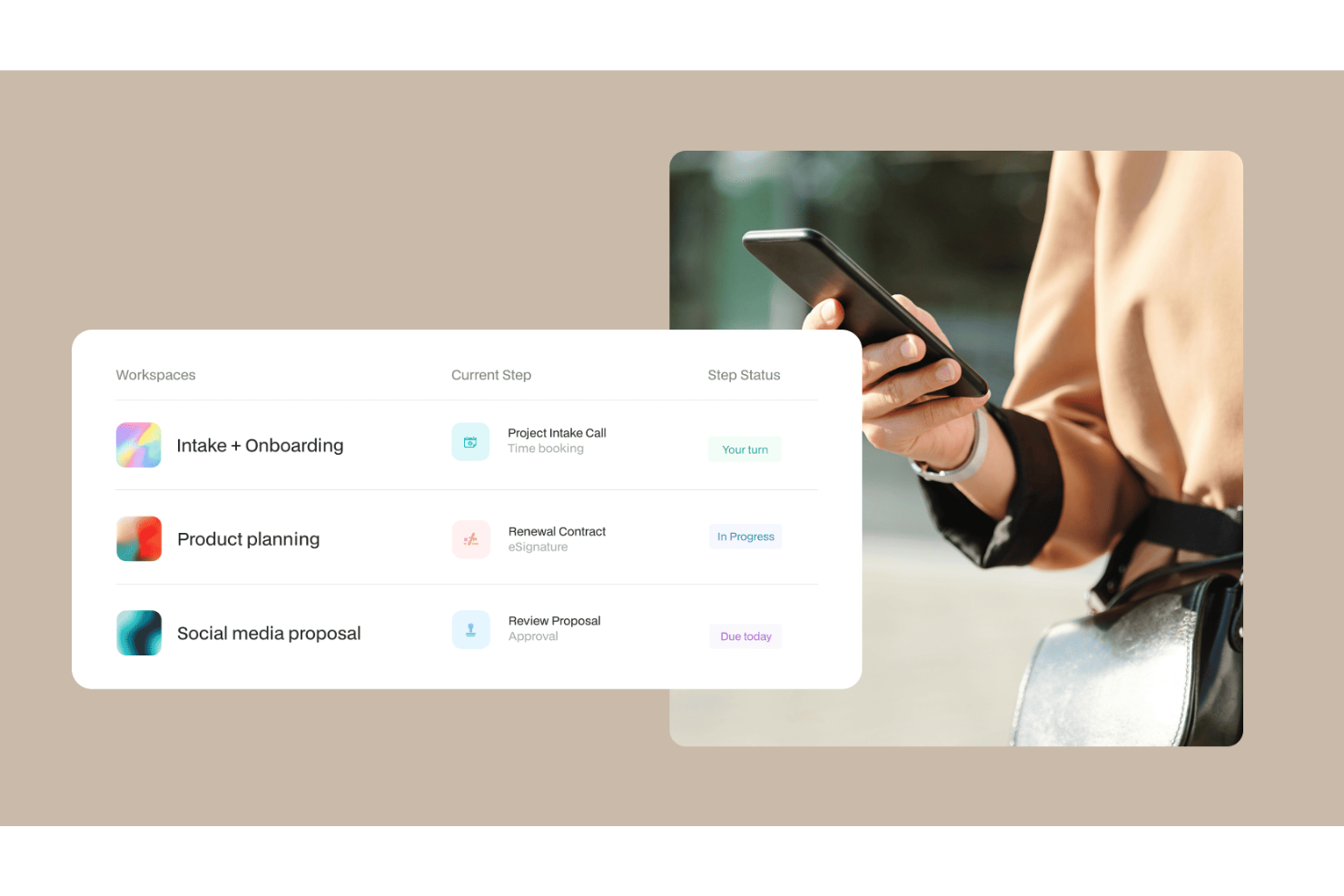
Moxo is an AI workflow platform that combines a visual workflow builder with AI agents to orchestrate multi-step business processes across both internal teams and external clients within a branded portal environment.
Who Is Moxo Best For?
Moxo is a strong fit for client-facing teams in financial services, legal, and professional services who need to manage external stakeholders within structured workflows.
Why I Picked Moxo
I've included Moxo in my top picks because it's one of the few AI workflow tools that lets you embed entire process flows directly into your own app or website. Using its SDKs for iOS, Android, and JavaScript, my team can surface structured workflows (document collection, approvals, eSignatures) inside a fully branded client portal, so clients complete steps without ever leaving your product. The white-label customization goes deep: logo, colors, UI components, and feature visibility are all configurable at an organizational level.
Moxo Key Features
- AI workflow agents: Moxo's Assist, Automate, and Amplify agents handle task preparation, validation, and escalation within active workflows.
- Conditional workflow logic: Build branching paths, loops, and parallel tracks in the visual workflow builder based on step outcomes or input data.
- SLA timers: Set time-based triggers on individual workflow steps to automatically escalate or reassign tasks when deadlines are missed.
- Secure in-app messaging: Send encrypted messages, files, and alerts directly within the workflow context, without switching to external tools.
Moxo Integrations
Moxo offers direct integrations with Salesforce, HubSpot, Microsoft Dynamics, Zoho, Wealthbox, Redtail, Filevine, Global Relay, Smarsh, Xero, and Follow Up Boss, plus file upload integrations with Google Drive, Dropbox, Box, and OneDrive, and calendar syncing with Google Calendar and Outlook. It connects with Zapier, and a REST API with webhooks is available for custom integrations.
Pros and Cons
Pros:
- SOC 2 Type II and GDPR compliant
- White-label branding for client-facing portals
- Built-in eSignatures, forms, and approvals in one workspace
Cons:
- Task tracking lacks depth for internal projects
- No built-in time tracking for tasks

Best for customizable approval process flows

Screendragon is a no-code workflow management platform built for enterprise marketing and creative operations teams, combining AI agents, visual workflow automation, dynamic form-based intake, digital approval management, and real-time reporting.
Who Is Screendragon Best For?
Screendragon is a strong fit for enterprise marketing, agency, and creative operations teams that need structured, scalable workflow management across complex, multi-stakeholder projects.
Why I Picked Screendragon
I've included Screendragon in my top picks because its digital approval workflow management is genuinely configurable in ways most tools don't allow. You can build multi-step approval loops directly into your no-code workflow design, with conditional routing that sends work to different reviewers based on specific criteria. I also like that every approval decision is captured in an automated audit trail, with side-by-side version comparison and in-platform markup, so there's no ambiguity about what was reviewed, by whom, or when.
Screendragon Key Features
- AI Hub: Build, deploy, and govern custom AI agents directly within your workflows for tasks like briefing, content generation, and compliance checking.
- Dynamic form builder: Create custom intake forms with conditional logic to capture structured project information at the start of any workflow.
- Real-time workflow analytics: Access custom dashboards and reports that surface workload, bottleneck, and process performance data across active workflows.
- AI resource forecasting: Use Screendragon's AI Resourcing Agent to model and predict resource demand based on active project pipelines.
Screendragon Integrations
Screendragon offers pre-built integrations that connect with tools teams already use, including Aprimo, Microsoft Power BI, Google Cloud Platform Storage, HubSpot, Amazon S3, Sitecore, Ziflow, Vidmob, Brandfolder, Smartsheet, and Workato. Additional integrations shown on their site include Jira, Google Drive, Egnyte, Box, Adobe, OneDrive, NetSuite, Salesforce, Microsoft Dynamics 365, SAP, Microsoft 365, and Trello. An API and a Connection Manager are available for connecting Screendragon to any system with an open API.
Pros and Cons
Pros:
- Dynamic forms with conditional field logic
- Granular role-based permission controls
- Built-in AI agents for workflow automation
Cons:
- Requires dedicated onboarding time investment
- Enterprise-focused, complex for smaller teams
New Product Updates from Screendragon
Screendragon Unveils New AI Hub
Screendragon introduced AI Hub, a new capability that lets teams build and manage AI agents directly within workflows. The update helps marketing teams automate tasks, maintain governance controls, and scale AI-driven operations more efficiently. For more information, visit Screendragon's official site.

Wrike
Best for AI-driven task prioritization

For those looking for an AI-driven workflow solution, Wrike stands out for its mix of automation and collaboration tools. It works well for enterprises and teams of all sizes that want to improve operations and simplify project management. By automating routine tasks and strengthening team collaboration, Wrike helps teams handle complex projects more efficiently.
Why I Picked Wrike
I picked Wrike for its strong integration of AI into workflow management. Its Copilot feature is a key highlight; it helps teams prioritize tasks and generate insights that support better decision-making. The platform also lets users automate processes using natural language commands, which reduces time spent on repetitive work and frees teams to focus on more strategic tasks. These capabilities make Wrike a solid choice for teams that want to boost productivity with AI-driven tools.
Wrike Key Features
In addition to its AI-driven capabilities, Wrike offers several other features that enhance workflow management:
- Customizable Dashboards: Tailor the interface to your team's needs, providing a personalized view of projects and priorities.
- Gantt Charts: Visualize project timelines and dependencies with interactive Gantt charts, making it easier to manage complex projects.
- Time Tracking: Keep track of time spent on tasks and projects for accurate billing and productivity analysis.
- In-Platform Email: Communicate with external stakeholders directly within the platform, ensuring seamless project updates and collaboration.
Wrike Integrations
Integrations include Microsoft Teams, Google Workspace, Zoom, Slack, Dropbox, Outlook, Salesforce, HubSpot, Jira, and Adobe Creative Cloud.
Pros and Cons
Pros:
- Customizable real-time dashboards
- No-code workflow automation tools
- AI-powered task prioritization
Cons:
- Pricing may challenge small teams
- Advanced features require higher tiers
New Product Updates from Wrike

Wrike Adds Quick Search to Table View
Wrike adds Quick Search to Table View with full-table search across titles, descriptions, and fields, plus highlighted matches. This helps users find tasks faster in large tables. For more information, visit Wrike’s official site.

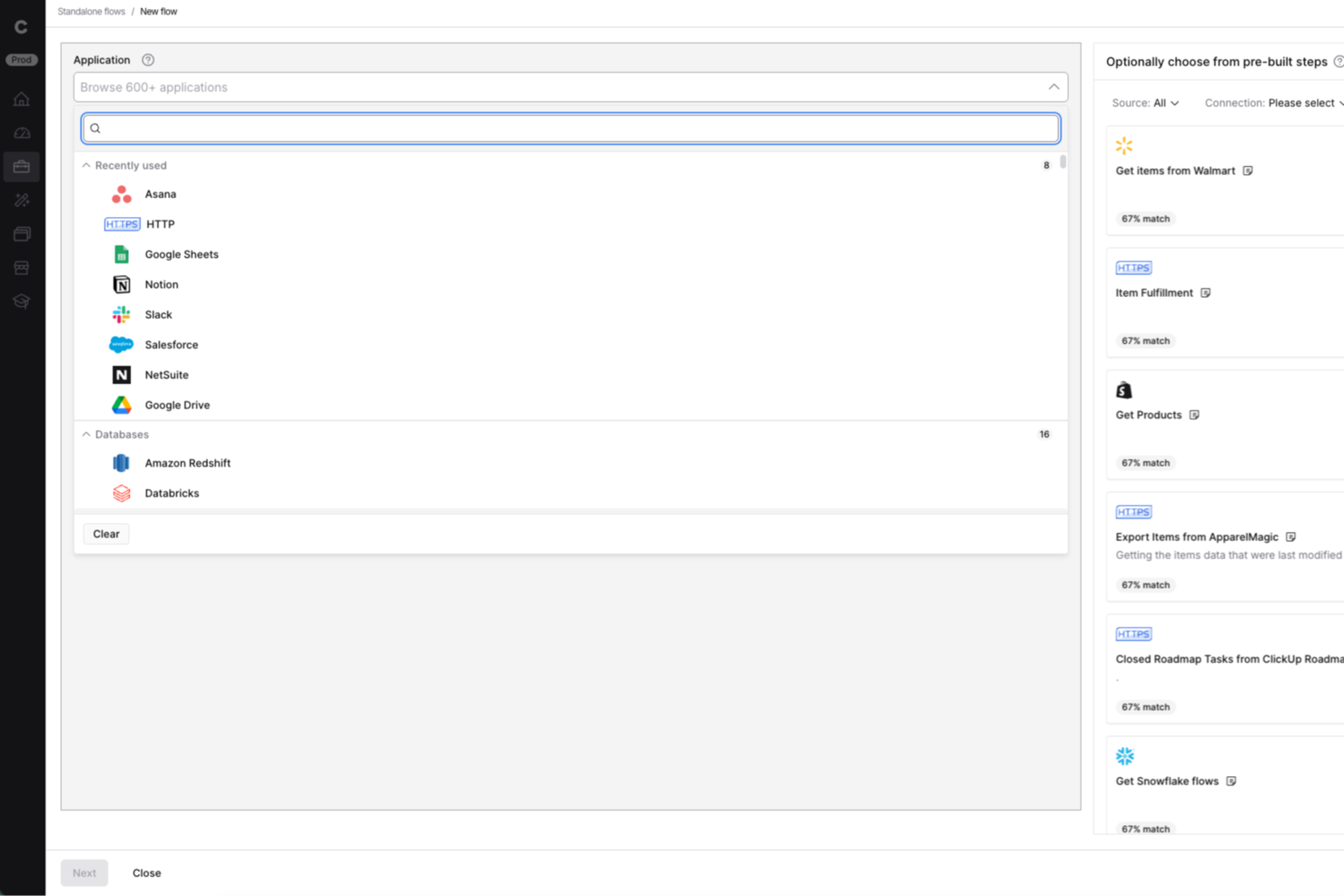
Celigo is an integration and automation platform designed for IT teams and business operations leaders who need to connect cloud apps, automate workflows, and manage data across multiple systems without heavy coding.
Who Is Celigo Best For?
Mid-sized to large businesses with complex integration needs across multiple cloud applications and departments.
Why I Picked Celigo
I picked Celigo as one of the best because having access to over 1,000 prebuilt connectors lets my team connect cloud apps like Salesforce, NetSuite, and Shopify in minutes. I can quickly automate workflows between our CRM, ERP, and ecommerce platforms without custom development. This huge connector library means we spend less time building integrations from scratch and more time optimizing our processes.
Celigo Key Features
- AI-guided flow builder: Build and customize integration workflows using AI-driven suggestions and automation.
- Error management dashboard: Monitor, diagnose, and resolve integration errors from a centralized dashboard.
- Role-based access controls: Set granular permissions for users and teams to manage integrations securely.
- Real-time data synchronization: Keep data consistent across connected systems with automated, real-time syncing.
Celigo Integrations
Integrations include Salesforce, Microsoft Dynamics 365 Business Central, Oracle NetSuite, Walmart, SAP, Snowflake, Acumatica, ADP, Adobe, and 3PL Central.
Pros and Cons
Pros:
- Detailed audit logs for compliance tracking
- Multi-environment support for safe testing
- Granular access controls for sensitive workflows
Cons:
- Advanced features require higher-tier pricing
- No free-forever plan available
New Product Updates from Celigo
Celigo Adds API Group Assignment During API Setup
Celigo adds API group assignment during create, clone, and move actions. This reduces extra setup steps by letting teams organize APIs before the relative URI is defined. For more information, visit Celigo’s official site.
 .
.
Make
Best for AI automation in complex processes

Make is a visual automation platform for teams that need to design complex, multi-step workflows. It supports developers and technical users by combining workflow automation with AI agents, generative AI functions, and real-time orchestration tools.
Why I picked Make: Make offers a visual programming interface that simplifies the creation of detailed workflows. You can integrate its generative AI capabilities to enhance process automation, making it easier to manage complex tasks. Its interface, AI agent capabilities, and support for branching logic help teams manage processes that require detailed automation. It also offers templates and a wide range of AI-supported integrations.
Standout features & integrations:
Features include a user-friendly drag-and-drop builder that allows you to orchestrate workflows without coding. You can set up triggers and actions to automate repetitive tasks effectively. The platform also supports real-time monitoring, letting you track workflow performance and make adjustments as needed.
Integrations include Google Workspace, Slack, Google Gemini, Trello, Dropbox, Shopify, HubSpot, ChatGPT, Mailchimp, Salesforce, QuickBooks, and Asana.
Pros and Cons
Pros:
- Real-time monitoring for workflow adjustments
- Supports complex automation needs
- Customizable workflows with visual interface
Cons:
- Can be overwhelming for beginners
- Requires learning for advanced features

n8n
Best for open-source workflow customization

n8n is an open-source workflow automation software that caters to developers and tech-savvy teams looking for flexibility in building custom workflows. It supports AI workflows, custom code, and self-hosting, making it suitable for organizations requiring flexibility and data control.
Why I picked n8n: n8n offers AI features like automated decision-making and data processing, which allow you to create tailored workflows that fit specific business needs. Its support for custom JavaScript/Python code, built-in AI nodes, LangChain compatibility, and extensive triggers enables technical teams to tailor advanced automation to their needs. Self-hosting also offers additional control over data handling.
Standout features & integrations:
Features include a visual workflow editor, which makes it easy to design complex workflows without coding. You can use webhook triggers to initiate workflows based on real-time events. The tool also provides built-in error handling to ensure processes run smoothly, minimizing disruptions.
Integrations include Slack, Google Sheets, Trello, GitHub, Discord, Airtable, Dropbox, Twitter, Shopify, and Notion.
Pros and Cons
Pros:
- Intuitive visual workflow editor
- Supports self-hosting for greater control
- Highly customizable through its open-source framework
Cons:
- Limited support compared to competitor tools
- Requires technical knowledge for setup

Aha!
Best AI roadmap-planning tool for product managers

Aha! is a product management software designed for product managers to create strategic roadmaps and manage product development. It caters to teams looking to align product strategy with execution using AI-driven insights and planning tools.
Why I picked Aha!: Aha! supports product managers who need structured planning tools that use AI assistance. Its predictive analytics, AI-supported whiteboards, and strategic planning capabilities help teams prioritize work and adjust roadmaps efficiently. The platform also offers an AI assistant across roadmapping and whiteboard tools, helping teams analyze data and create documentation more quickly. These capabilities make it a strong fit for product managers who need to align strategy with execution.
Standout features & integrations:
Features include goal tracking to align your team’s efforts with company objectives, idea management to capture and prioritize customer feedback, and custom workflows to adapt processes to your team's needs.
Integrations include Jira, Slack, Microsoft Teams, Salesforce, GitHub, Asana, Trello, Azure DevOps, Google Analytics, and Confluence.
Pros and Cons
Pros:
- Customizable workflows for varied needs
- Effective idea management system
- Strong support for strategic planning
Cons:
- Reporting lacks customization options
- Slight learning curve for new users


Zapier is an AI orchestration platform that helps teams connect and automate workflows across thousands of apps and AI tools—without code. It's used by organizations of all sizes, from fast-growing startups to large enterprises, to coordinate work across marketing, sales, RevOps, IT, and operations
Why I picked Zapier: Zapier is well-suited for teams that need to build, adapt, and scale automations quickly across many tools. Its AI Copilot helps users design multi-step workflows using natural language, reducing the effort required to coordinate complex processes. Pre-built templates and an accessible interface support fast setup, while more advanced logic, AI actions, and admin controls allow larger organizations to manage and orchestrate workflows across departments without heavy technical overhead.
Standout features & integrations:
Features include AI-driven workflow creation, a visual editor for building automations, AI agents and chatbots for task execution, and Tables for organizing workflow data. It allows you to automate repetitive tasks through workflows called "Zaps," which connect thousands of apps to run tasks without code, saving time and reducing manual effort.
Integrations include Google Sheets, Slack, Trello, Gmail, LinkedIn, Salesforce, HubSpot, Dropbox, Asana, Microsoft Teams, and more.
Pros and Cons
Pros:
- Integrates with thousands of apps and AI tools
- No-code workflows accessible to non-technical users
- Scales well from two-step automations to complex, cross-team systems
Cons:
- Free plan limited to two-step workflows
- No mobile app


Boomi Flow is a low-code application development platform designed for enterprises looking to automate workflows and integrate systems across various departments. Its main users are large organizations that need to connect disparate systems and automate complex business processes using AI-driven tools.
Why I picked Boomi Flow: Boomi Flow fits enterprise teams that need to connect multiple systems while maintaining consistent workflow logic. Its AI-supported automation and ability to create applications that route data between ERPs, CRMs, and internal tools make it effective for handling enterprise-scale processes. Its AI-assisted automation helps enterprises manage complex integrations and decision flows.
Standout features & integrations:
Features include a visual design interface for building applications without extensive coding. You can easily leverage dynamic workflows to adapt to changing business needs. The platform also supports mobile app deployment, allowing you to extend functionality to mobile devices.
Integrations include Salesforce, SAP, Oracle, Microsoft Dynamics 365, NetSuite, Workday, ServiceNow, Slack, Google Workspace, and AWS.
Pros and Cons
Pros:
- Mobile app deployment capabilities
- Scalable for large enterprise needs
- Strong support for complex integrations
Cons:
- Can be complex for small teams
- Requires time for initial setup
Other AI Workflow Tools
Here are some additional AI workflow tool options that didn’t make it onto my shortlist, but are still worth checking out:


How I Evaluate AI Workflow Tools
Every tool on this list needs to do more than slap an AI label on basic automations—I look for platforms that actually save PMs time on things like building project plans, routing approvals, or flagging risks before they derail a sprint. I split my evaluation into core functionality every tool must have to qualify and differentiating factors that separate good options from great ones.
Core Functionality (Table Stakes For This List)
When I'm selecting tools for my list, I rank each one on a scale from 0 (does not offer the functionality) to 5 (excels in this area) for each core functionality listed below. Then, I calculate the tool's total score into a percentage. Each tool needs to achieve a minimum total score of 65% to be considered for inclusion.
- AI Workflow Automation: I look for tools that go beyond basic if-then rules to trigger multi-step workflows with AI logic, like auto-routing a design review to the right approver based on project context.
- Generative Task Creation: A good tool here lets you type a high-level objective and get back a structured plan with subtasks and dependencies, not just a generic to-do list.
- Predictive Project Intelligence: I evaluate whether the AI surfaces useful forecasts, like flagging that a sprint is likely to slip based on team velocity trends or unresolved blockers.
- AI Summarization & Insights: Tools earn points here when they can distill a week's worth of async updates or a 45-minute standup recording into clear next steps your stakeholders can act on.
- Native PM Integrations: Whether a tool connects to platforms like Jira, Asana, or monday.com with real two-way sync matters, so AI actions actually flow back into the systems teams already use.
- Conversational AI Assistant: I check whether you can query project status or update tasks through natural language, like asking "What's blocking the Q3 launch?" and getting a real answer.
Once I have a list of tools that meet this criteria, I consider what sets each platform apart.
Differentiating Factors (What Sets Vendors Apart)
Here's how I compare and contrast different vendors:
Standout Features
I pay close attention to whether a tool lets you build custom AI agents for recurring rituals like sprint retrospectives or stakeholder digest emails. Cross-tool orchestration is another big differentiator—the best platforms can kick off actions across your CRM, docs, and dev tools in a single workflow run. I also evaluate workflow analytics dashboards that show automation ROI and time saved, since that's the data PMO leaders need to justify the investment.
Beyond Features
Data security and AI governance matter a lot here—I check whether a vendor is clear about how project data is handled and whether it trains external LLMs. For PMO directors managing sensitive roadmaps, that's a real concern. Pricing transparency is another factor I weigh, especially around AI credit models that can spike costs as automation usage grows. I also look at time-to-value: does the tool ship prebuilt PM workflow templates, or does your team need weeks of setup before a single automation runs?
How to Choose AI Workflow Tools
It’s easy to get bogged down in long feature lists and complex pricing structures. To help you stay focused as you work through your unique software selection process, here’s a checklist of factors to keep in mind:
| Factor | What to Consider |
|---|---|
| Scalability | Will the tool grow with your business? Check if it can handle increased data and user loads without a hitch. Consider future-proofing your choice to avoid switching costs later. |
| Integrations | Does it connect with your current systems? Ensure it supports the apps you already use to avoid costly workarounds. |
| Customizability | Can you tailor it to your workflows? Look for tools that let you adapt processes without needing a developer. |
| Ease of use | Is it user-friendly for your team? A steep learning curve can slow adoption, so prioritize intuitive interfaces. |
| Implementation and onboarding | How quickly can you get started? Assess the time and resources needed for setup and training. Tools with guided onboarding save time. |
| Cost | What’s the total cost of ownership? Factor in hidden fees and compare pricing plans to ensure it fits your budget. |
| Security safeguards | Does it protect your data? Look for encryption, access controls, and compliance with data protection regulations to keep your information safe. |
| Support availability | Is help available when you need it? Consider the provider’s support hours and channels, like chat or phone, to ensure you can get assistance promptly. |
What Are AI Workflow Tools?
AI workflow tools are software solutions that automate and optimize business processes using artificial intelligence. These tools are typically used by professionals in fields like project management, marketing, and operations to enhance efficiency and accuracy. Automation, predictive analytics, and natural language processing features help with reducing manual tasks, improving decision-making, and facilitating communication. Overall, these tools provide significant value by freeing up time for strategic work and minimizing errors.
Features
When selecting AI workflow tools, keep an eye out for the following key features:
- Automation capabilities: Automate repetitive tasks to reduce manual workload and increase efficiency.
- Predictive analytics: Use data to forecast outcomes and make informed decisions quickly.
- Natural language processing: Facilitate communication by interpreting and responding to human language inputs.
- AI-driven decision-making: Support strategic planning with AI-generated insights and recommendations.
- Customizable workflows: Adapt processes to fit specific business needs without coding expertise.
- Visual workflow builder: Design and manage workflows using an intuitive drag-and-drop interface.
- Integration options: Connect with existing tools to ensure a smooth flow of information across systems.
- Real-time monitoring: Track workflow performance and make necessary adjustments on the fly.
- Security safeguards: Protect sensitive data with encryption and compliance with data protection regulations.
- Mobile access: Manage workflows on the go with mobile app support for increased flexibility.
Benefits
Implementing AI workflow tools provides several benefits for your team and your business. Here are a few you can look forward to:
- Increased efficiency: Automate repetitive tasks, freeing up time for more strategic work.
- Improved decision-making: Use predictive analytics and AI insights to make informed choices quickly.
- Enhanced communication: Facilitate interactions with natural language processing, making it easier to manage tasks and projects.
- Greater customization: Tailor workflows to meet specific needs without needing technical expertise.
- Better data security: Protect sensitive information with advanced security measures and compliance features.
- Real-time adaptability: Monitor workflows in real-time and adjust processes as needed to maintain productivity.
- Flexibility on the go: Access and manage workflows from mobile devices, ensuring work continues smoothly from anywhere.
Costs & Pricing
Selecting AI workflow tools requires an understanding of the various pricing models and plans available. Costs vary based on features, team size, add-ons, and more. The table below summarizes common plans, their average prices, and typical features included in AI workflow tools solutions:
Plan Comparison Table for AI Workflow Tools
| Plan Type | Average Price | Common Features |
|---|---|---|
| Free Plan | $0 | Basic automation, limited integrations, and community support. |
| Personal Plan | $9-$2,347/user/month | Enhanced automation, more integrations, and basic analytics. |
| Business Plan | $16-$3,293/user/month | Advanced automation, premium integrations, team collaboration tools, and priority support. |
| Enterprise Plan | $29-$3600/user/month | Custom workflows, enterprise-grade security, dedicated account management, and advanced analytics. |
AI Workflow Tools FAQs
Here are some answers to common questions about AI workflow tools:
How do I integrate AI workflow tools with my current systems?
Yes, most AI workflow tools are designed to integrate with existing systems. You should check the tool’s integration capabilities to ensure it connects with your current software, such as CRM, email, and project management platforms. Look for tools that offer API support or pre-built connectors. If you face compatibility issues, consider using middleware solutions to bridge the gap. Test integrations in a controlled environment to avoid disruptions. This approach helps maintain smooth operations while adopting new technology.
Can AI workflow tools handle complex workflows?
Yes, many AI workflow tools are built to manage complex workflows. They offer features like conditional logic, branching paths, and multi-step automation to accommodate intricate processes. When setting up, map out your workflow to identify key points of automation. Utilize the tool’s visual builder to organize tasks and ensure each step aligns with your business needs. Regularly review and adjust workflows to optimize performance and adapt to changes in your operations.
How secure are AI workflow tools for data protection?
AI workflow tools prioritize data security with encryption, access controls, and compliance measures. Before choosing a tool, evaluate its security features and ensure it aligns with your organization’s data protection policies. Check for compliance with industry standards like GDPR or HIPAA, if applicable. Implement role-based access controls to restrict data access to authorized users. Regularly audit and update security settings to keep your data safe from potential threats.
How can AI workflow tools help reduce project delays?
AI workflow tools help reduce project delays by automating routine tasks, sending timely reminders, and flagging bottlenecks. They simplify approvals and handoffs between team members, ensuring that nothing falls through the cracks. Real-time notifications and progress tracking keep everyone aligned, making it easier to spot and address issues before they slow down the project.
What are the common challenges when adopting AI workflow tools?
Common challenges include team resistance to change, integration issues with existing software, and a learning curve for new features. You might face data migration difficulties or uncertainty about which processes to automate first. Overcome these by offering training, starting with simple workflows, involving key stakeholders early, and choosing tools with strong support resources.
What’s Next:
If you're in the process of researching AI workflow tools, connect with a SoftwareSelect advisor for free recommendations.
You fill out a form and have a quick chat where they get into the specifics of your needs. Then you'll get a shortlist of software to review. They'll even support you through the entire buying process, including price negotiations.