


Moxo vs. ServiceNow: Comparison and Expert Reviews for 2026



Workflow problems do not always begin with a broken process. Sometimes the process works fine until more teams, systems, approvals, and outside participants pile on, turning a simple handoff into an enterprise-sized headache.
Moxo and ServiceNow are workflow automation platforms built to solve different operational problems. Moxo focuses on human-AI process orchestration across employees, clients, vendors, AI agents, and connected systems, while ServiceNow supports enterprise-wide workflow automation across IT, HR, customer service, security, finance, and other business functions.
In this detailed comparison, I’ve evaluated Moxo and ServiceNow to help you decide which platform better fits your workflow automation needs.
Moxo vs. ServiceNow: An Overview
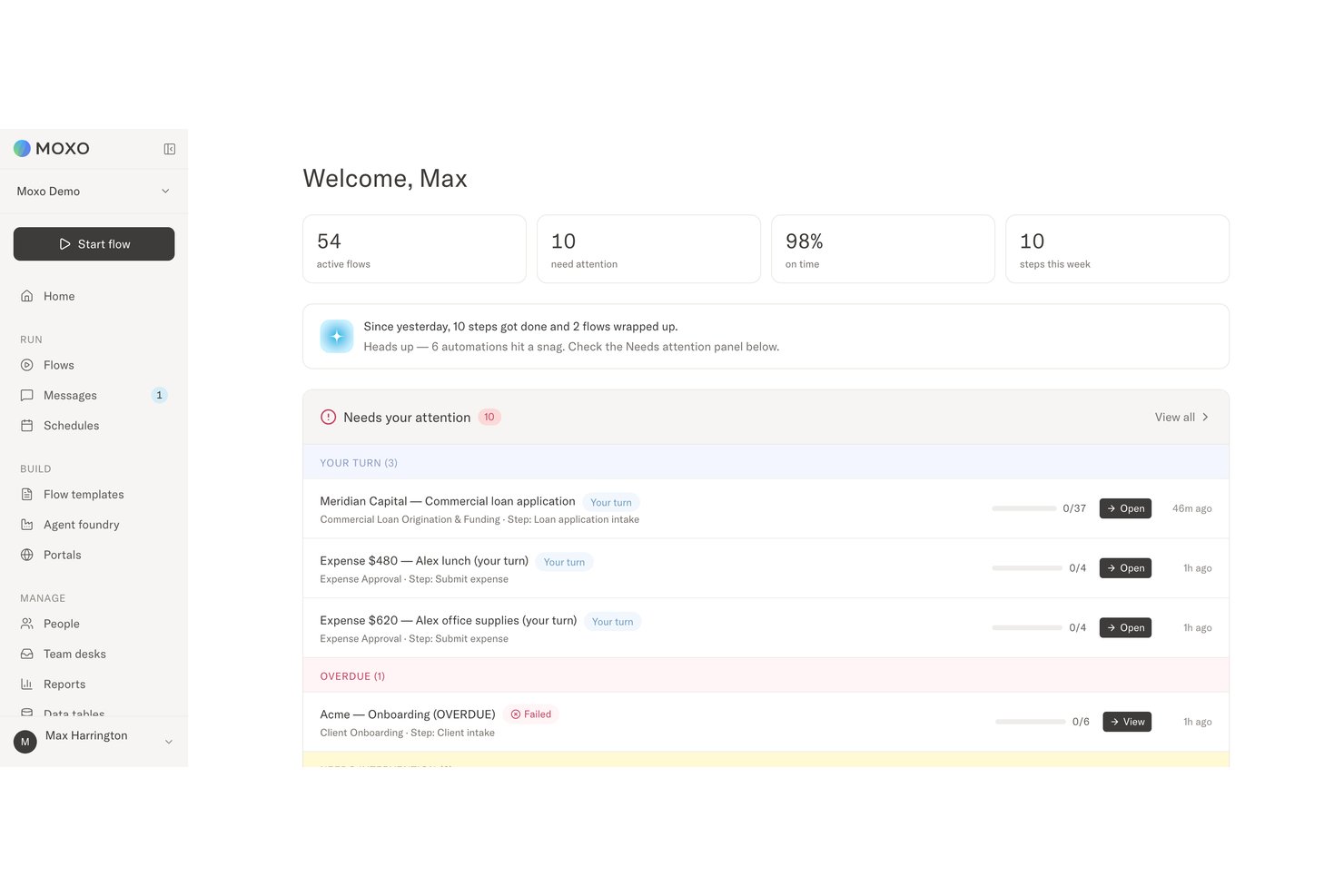
Moxo
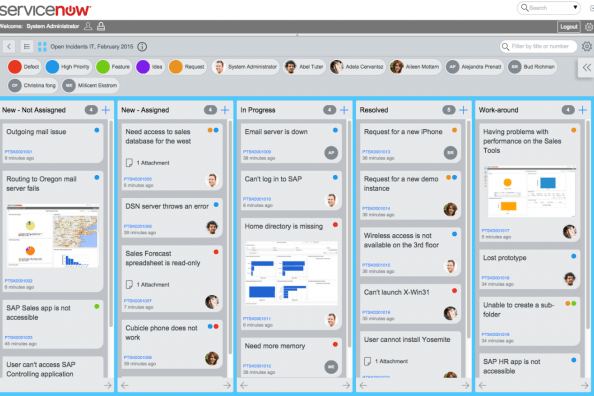
ServiceNow



Why Trust Our Software Recommendations
Our team has been testing and reviewing software since 2012. As project managers ourselves, we know how difficult—and important—it is to choose the right software.
For this guide, we evaluated tools using hands-on testing and independent research, scoring tools using our selection criteria. We also draw on insights from industry thought leaders and practicing project management experts.
Our reviews reflect our human editorial judgment, not a sales pitch.
Expert reviewers:
Moxo vs. ServiceNow Pricing Comparison
| Moxo | ServiceNow | |
|---|---|---|
| Free Trial | Free trial available | Free demo available |
| Pricing | From $5,000/year (billed annually) | Pricing upon request |
Moxo vs. ServiceNow Pricing & Hidden Costs
Moxo publishes Free, Business, and Pro pricing, while Enterprise uses a custom quote. Costs rise when teams need more flows and AI credits or move to higher tiers for custom portals, supervisor agents, APIs, SSO, and audit logs. ServiceNow, meanwhile, uses custom pricing based on the selected products, deployment scope, and operational requirements. Additional costs may include implementation consulting, migration, integrations, training, support, extra modules, and ongoing administration.
Choosing between them largely comes down to whether you prefer Moxo’s clearer tier structure or ServiceNow’s highly tailored enterprise model. Before committing, ask for a full cost breakdown covering setup, usage limits, support, integrations, customization, and future expansion, since the subscription quote may be only one part of the total investment.
Moxo vs. ServiceNow Feature Comparison
| Moxo | ServiceNow | |
|---|---|---|
| API | ||
| Analytics | ||
| Batch Permissions & Access | ||
| Customer Management | ||
| Data Export | ||
| Data Import | ||
| External Integrations | ||
| Multi-User | ||
| Notifications | ||
| Project Management | ||
| Workflow Management |
Moxo vs. ServiceNow Integrations
| Integration | Moxo | ServiceNow |
|---|---|---|
| Salesforce | ✅ | ✅ |
| Microsoft Teams | ✅ | ✅ |
| Google Drive | ✅ | ✅ |
| Slack | ✅ | ✅ |
| Zoom | ✅ | ✅ |
| DocuSign | ✅ | ✅ |
| Jira | ✅ | ✅ |
| Outlook | ✅ | ✅ |
| API | ✅ | ✅ |
| Zapier | ✅ | ✅ |
Both platforms offer broad integration coverage, but they use those connections differently. Moxo pulls data and actions into multi-party workflows involving employees, clients, vendors, and AI agents, while ServiceNow is built to connect large enterprise environments across IT, HR, customer service, security, and other departments. Overall, ServiceNow offers greater depth for complex enterprise ecosystems, whereas Moxo makes connected systems easier to coordinate around external collaboration and accountable human decisions.
Moxo vs. ServiceNow Security, Compliance & Reliability
| Factor | Moxo | ServiceNow |
|---|---|---|
| Data Protection | Uses a multi-tenant architecture with KMS-encrypted storage and encryption in transit and at rest to protect workflow data and documents. | Encrypts data in transit and at rest, with additional protection available for sensitive fields, attachments, databases, and encryption keys. |
| Compliance & Privacy | Maintains SOC 2 Type II and SOC 3 certifications, undergoes regular third-party audits, and provides controls supporting GDPR requirements across regulated workflows. | Maintains a broad portfolio of SOC, ISO, privacy, cloud security, and business continuity certifications for global enterprises. |
| Identity & Access | Supports SAML 2.0 SSO and role-based controls across employees, external stakeholders, and AI agents, limiting who can access data, complete actions, or make decisions. | Provides SSO, MFA, directory integrations, and granular role-based controls over applications, records, fields, and administrative functions. |
| Auditability & E-Signatures | Maintains immutable audit logs for human and AI actions and includes native e-signatures protected through KMS-backed cryptography. | Records user activity, system events, transactions, and configuration changes to support audits, investigations, and governance. |
| Reliability & Recovery | Uses enterprise-grade infrastructure, layered security controls, flexible deployment options, and regular testing to protect workflow availability and data integrity. | Uses redundant infrastructure, continuous replication, monitoring, backups, and tested disaster-recovery procedures for enterprise availability. |
Moxo brings security into the workflow itself, with controlled access, immutable records, and cryptographically protected signatures covering both human and AI activity. ServiceNow, meanwhile, offers broader infrastructure governance and global certifications, but Moxo is the more focused choice when secure external participation and decision accountability cannot be left vague.
Moxo vs. ServiceNow Ease of Use
| Factor | Moxo | ServiceNow |
|---|---|---|
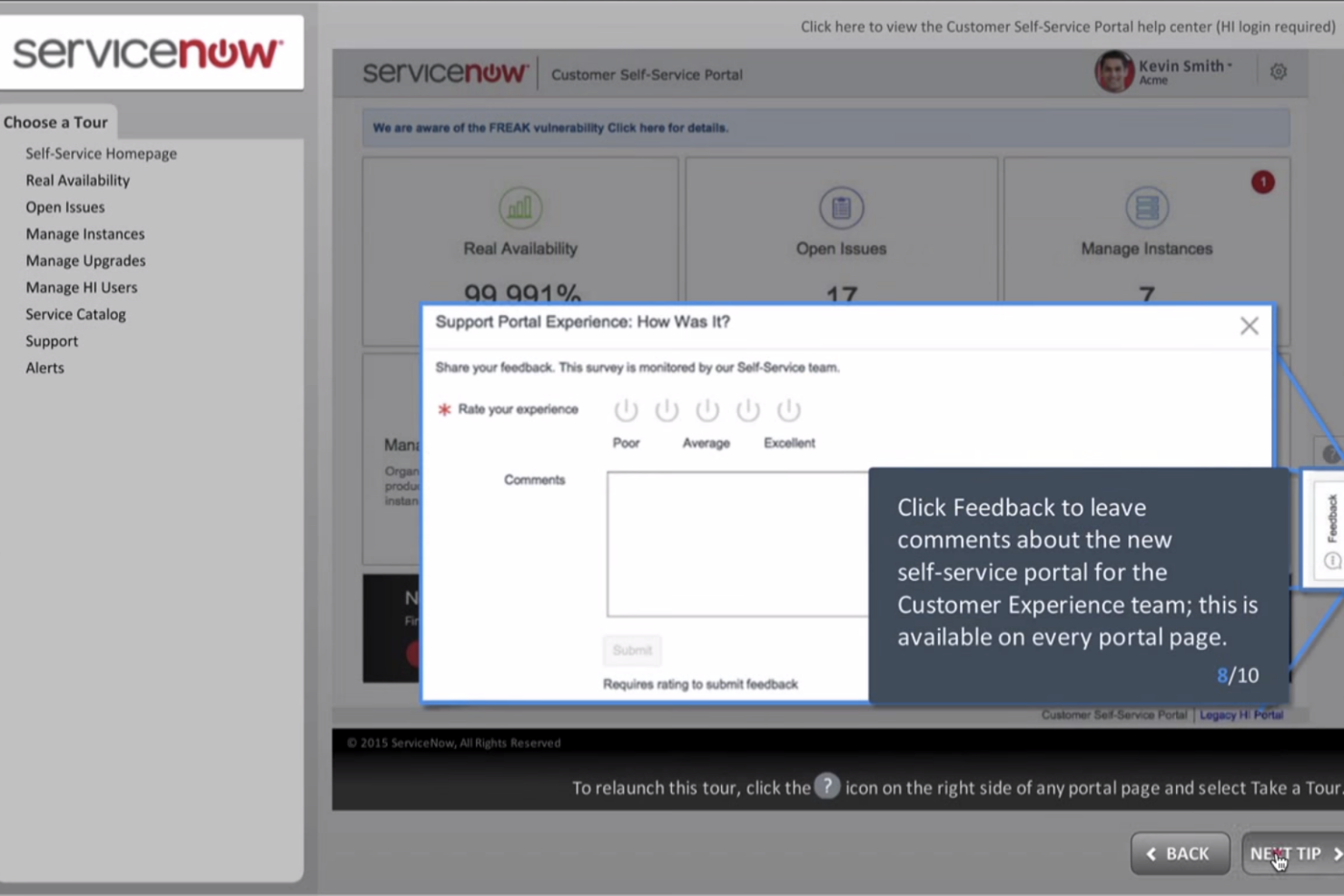
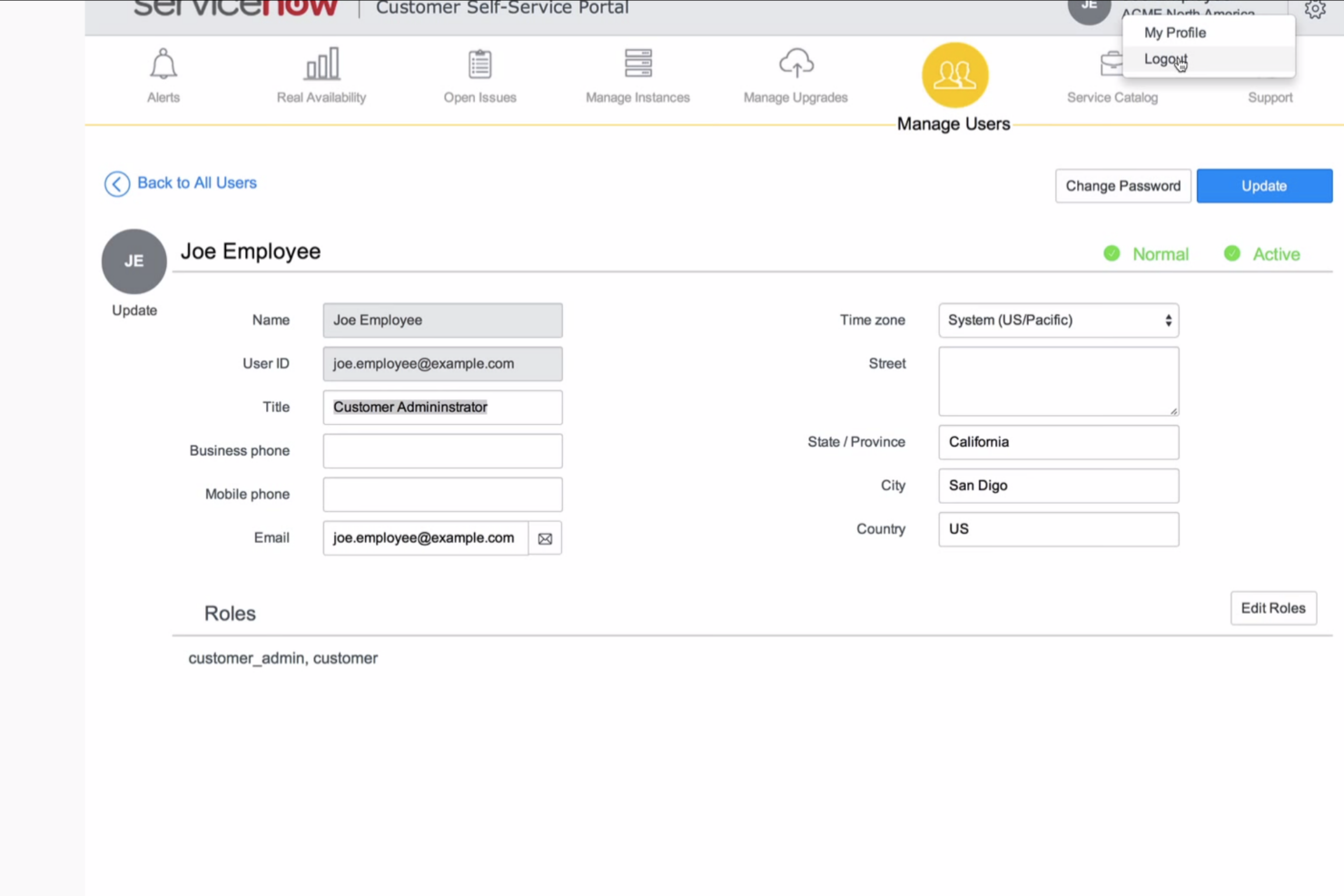
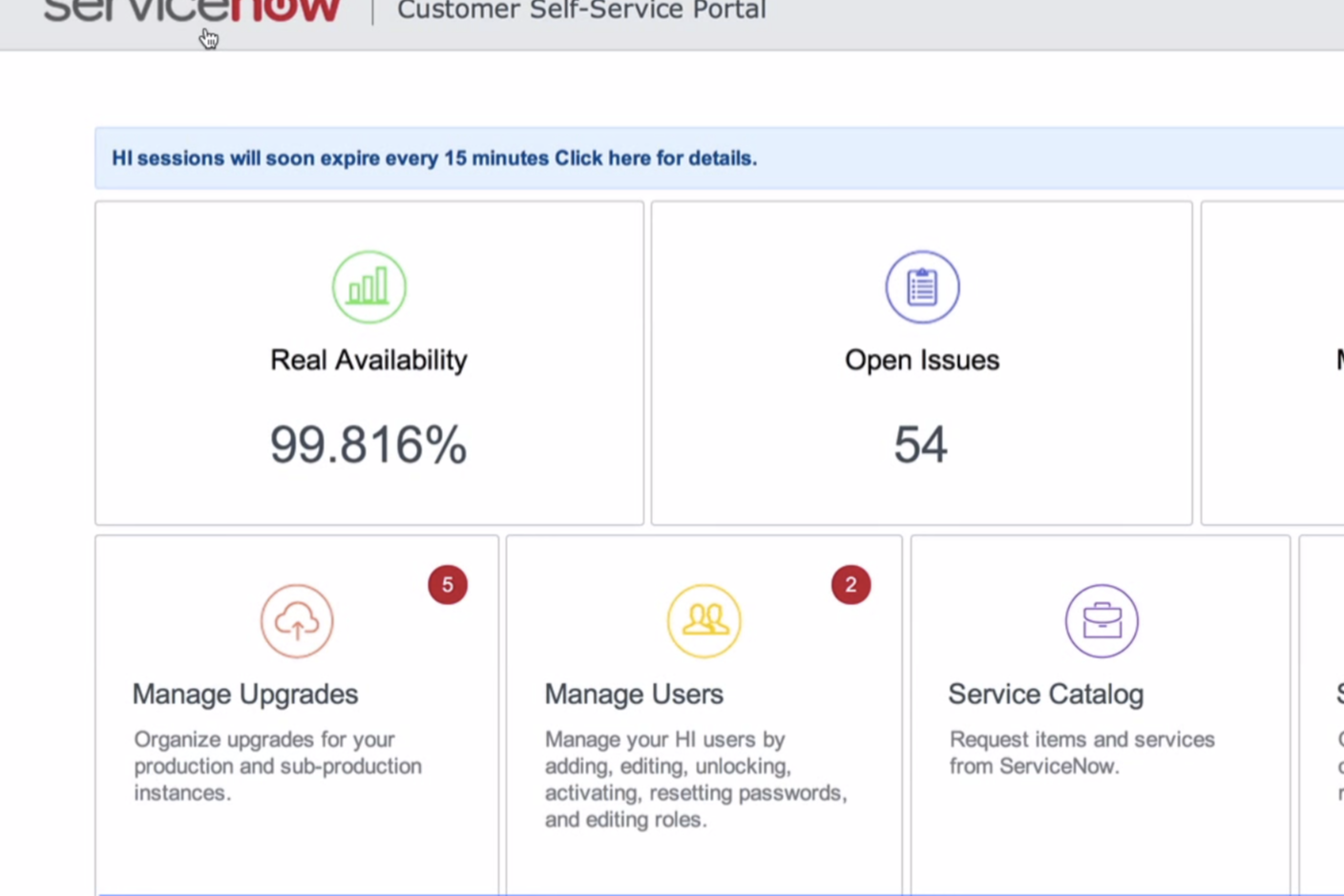
| User Interface | Uses guided flows and custom portals so employees, clients, vendors, and other participants see only the messages, files, decisions, and actions relevant to them. | Brings workflows, services, analytics, and administration into a feature-rich enterprise interface that can take new users time to learn. |
| Onboarding | Supports self-service onboarding through templates, its no-code workflow builder, and uploaded documents or diagrams, with guided implementation available for larger deployments. | Provides extensive documentation, training, and implementation resources, although enterprise rollouts often require administrators, consultants, or certified partners. |
| Workflow Setup | Its no-code workflow builder generates roles, branching, data references, deadlines, and escalation rules from written instructions, documents, or diagrams. Advanced agent supervision still requires thoughtful design. | Offers deep low-code configuration across applications, data, automations, and business rules, but complex setups usually demand technical expertise and ongoing administration. |
| Customer Support | Includes in-app assistance and a knowledge base, with customer success support and forward-deployed engineering available for more complex implementations. | Provides documentation, community resources, technical support, and enterprise service options, with coverage and response levels depending on the support package. |
| Mobile Experience | Gives internal and external participants mobile access to custom portals, guided actions, approvals, files, messages, and workflow updates without exposing the full process. | Supports mobile service requests, approvals, tasks, incidents, and employee workflows, although the experience reflects its broader enterprise platform structure. |
From an ease-of-use perspective, Moxo keeps setup lighter through its no-code workflow builder, guided flows, and custom portals that show each participant only what they need to complete. ServiceNow offers considerably more configuration depth, but that flexibility usually involves heavier onboarding, more administration, and greater technical support. Moxo is the easier fit for organizations launching complex, multi-party workflows, while ServiceNow better suits large enterprises willing to accept a steeper learning curve for deeper control.
Moxo vs ServiceNow: Pros & Cons
Moxo
- Agentic AI handles preparation, validation, routing, and monitoring
- Custom portals keep external participants aligned
- Human-in-the-loop controls, SLA rules, and audit trails reinforce accountability
- Advanced workflow design requires an adjustment period
- Less common integrations may require Zapier, Composio, or APIs
- Reporting focuses on process operations rather than customizable BI
ServiceNow
- It enhances your team's efficiency with powerful workflow automation.
- You can customize it extensively to fit your specific business needs.
- It offers strong customer support to help you resolve issues quickly.
- The user interface can be complex, which might slow down new users.
- It requires a learning curve to fully leverage its capabilities.
- You might find the initial setup time-consuming for larger implementations.
Best Use Cases for Moxo and ServiceNow
Moxo
- Professional Services Firms Accounting, legal, consulting, and marketing firms can manage client onboarding, document collection, approvals, and recurring service delivery.
- Financial Services and Insurance Banks, lenders, wealth managers, and insurers can coordinate applications, compliance checks, exception reviews, signatures, and client decisions.
- Healthcare Administration Healthcare organizations can manage provider credentialing, intake, document verification, acknowledgements, and approval-heavy processes.
- B2B SaaS Customer Operations Customer success and implementation teams can coordinate onboarding, account reviews, renewals, and service requests across customers and internal specialists.
- Real Estate and Construction Firms Moxo helps organize contracts, approvals, vendor requirements, project documentation, and communication between clients, brokers, contractors, and internal staff.
- Manufacturing and Logistics Operations Operations teams can use Moxo for vendor onboarding, order fulfillment, compliance checks, document requests, and other multi-party workflows.
ServiceNow
- IT Departments ServiceNow's comprehensive workflow automation helps your IT team manage tasks and incidents efficiently.
- Healthcare Organizations The platform supports compliance and streamlines your healthcare operations with its customizable workflows.
- Finance Companies ServiceNow offers robust security features that help your finance team manage sensitive data securely.
- Technology Firms With its integration capabilities, your tech team can easily connect existing tools and improve productivity.
- Project Management Teams ServiceNow's extensive customization allows your team to tailor workflows for specific project needs.
- Customer Service Departments The platform's strong support features help your customer service team resolve issues quickly and effectively.
Who Should Use Moxo, and Who Should Use ServiceNow?
If you need workflow automation software for complex processes across employees, clients, vendors, AI agents, and connected systems, Moxo is likely the better fit. It suits professional services, financial services, healthcare, and other regulated organizations that need custom portals, accountable approvals, audit trails, and human oversight without turning every rollout into an IT project.
If, instead, you need an enterprise platform for automating work across IT, customer service, HR, security, finance, and other departments, ServiceNow may be the stronger choice. It works best for large healthcare, financial services, technology, and global organizations that need deep customization, broad integrations, mature service management, and enough administrative control to keep sprawling operations from becoming their own full-time problem.
Differences Between Moxo and ServiceNow
| Moxo | ServiceNow | |
|---|---|---|
| AI Agent Model | Uses Agent Foundry to deploy Prepare, Advise, Review, Automation, and Chat agents, with supervisor agents and human checkpoints governing sensitive decisions. | Uses AI Agent Studio and enterprise AI agents to automate work across applications, data, and workflows within the ServiceNow AI Platform. |
| Deployment Ownership | Its no-code workflow builder lets business teams generate structured workflows from natural-language instructions, documents, or diagrams without waiting for a lengthy IT-led development cycle. | Supports no-code and low-code development, but complex enterprise deployments typically involve administrators, developers, governance teams, or implementation partners. |
| External Participant Experience | Provides custom portals configured for clients, vendors, partners, and other participants, with secure access to relevant messages, files, resources, and assigned actions through accounts or magic links. | Delivers employee and customer experiences through enterprise portals, workspaces, and service interfaces connected to the broader ServiceNow environment. |
| Platform Architecture | Uses process-centric flows to coordinate people, AI agents, documents, decisions, and system actions across departments and organizations. | Uses a unified enterprise data model to connect AI, workflows, applications, security, and records across 450+ third-party applications. |
| Primary Workflow Scope | Orchestrates complex processes across employees, clients, vendors, AI agents, and connected systems, with named humans remaining accountable for critical decisions. | Automates enterprise-wide workflows across IT, HR, customer service, security, finance, and other business functions on a shared platform. |
| Visit MoxoOpens new window | Read ServiceNow ReviewOpens new window |
Similarities Between Moxo and ServiceNow
| Forms and Data Collection | Both collect structured requests, questionnaires, documents, and supporting information within the workflow, giving each participant the context needed before the next action begins. |
|---|---|
| Integrations and Extensibility | Both connect workflows with third-party business systems and support APIs, automation tools, and configurable actions for transferring data or triggering work across a wider technology stack. |
| Notifications and Escalations | Both send reminders, status updates, and escalation alerts based on deadlines, stalled work, conditions, or exceptions, reducing the need for someone to chase every handoff manually. |
| Reporting and Process Visibility | Both provide dashboards, workflow histories, and performance data that help teams track progress, uncover bottlenecks, measure completion times, and review how each process was handled. |
| Task and Approval Management | Both assign work by role, route approvals and decision steps, set deadlines, and preserve ownership as a process moves across multiple participants and departments. |
| Visit MoxoOpens new window Read ServiceNow ReviewOpens new window | |