


Moxo vs. Pipefy: Comparison and Expert Reviews for 2026



Workflow automation sounds simple until a process starts bouncing between departments, clients, vendors, systems, and the occasional approval no one wants to own. At that point, a few triggers and reminder emails are not enough. You need a clearer way to manage the full workflow without losing the humans who still need to make the important calls.
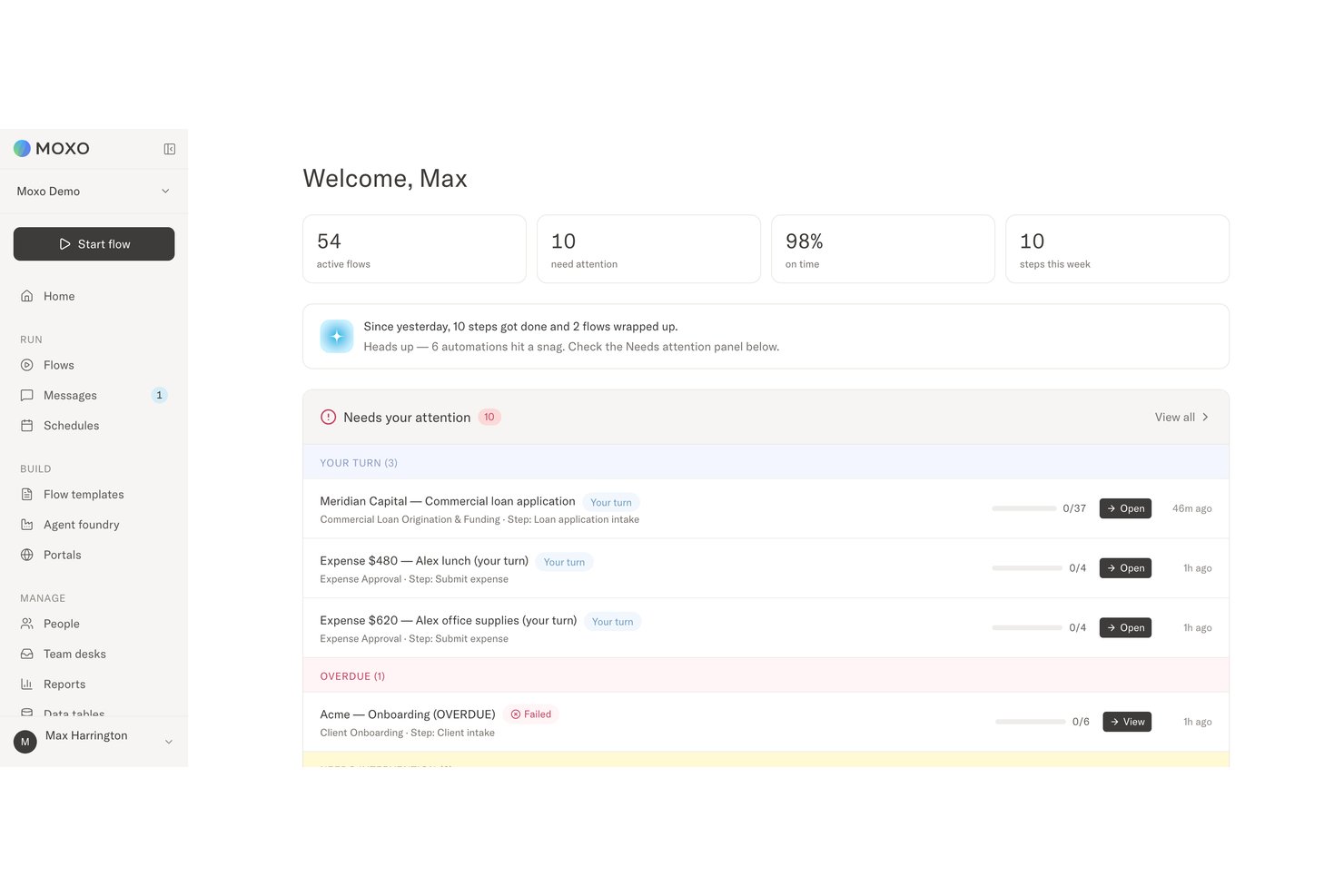
Moxo and Pipefy are workflow automation platforms, but they solve the problem differently. Moxo combines human-AI orchestration, custom client workspaces, and accountable decision-making, while Pipefy focuses on no-code process design, AI agents, forms, portals, integrations, and governance across broader business operations.
In this detailed comparison, I’ve evaluated and tested Moxo and Pipefy using my expertise in workflow automation to help you determine which tool is the right fit for your business processes and productivity goals.
Moxo vs. Pipefy: An Overview
Moxo
Pipefy


Why Trust Our Software Recommendations
Our team has been testing and reviewing software since 2012. As project managers ourselves, we know how difficult—and important—it is to choose the right software.
For this guide, we evaluated tools using hands-on testing and independent research, scoring tools using our selection criteria. We also draw on insights from industry thought leaders and practicing project management experts.
Our reviews reflect our human editorial judgment, not a sales pitch.
Expert reviewers:
Moxo vs. Pipefy Pricing Comparison
| Moxo | Pipefy | |
|---|---|---|
| Free Trial | Free trial available | Free plan |
| Pricing | From $5,000/year (billed annually) | Pricing upon request |
Moxo vs. Pipefy Pricing & Hidden Costs
Moxo is easier to budget for upfront because it publishes pricing for its Free, Business, and Pro tiers, while Enterprise uses custom pricing. Costs can still rise when teams need more flows and AI credits or move to higher tiers for custom client portals, advanced agents, API access, SSO, and enterprise customization. Pipefy offers a free Starter plan, but Business and Enterprise require a sales quote. Its paid plans may also involve per-user billing, higher usage limits, integrations, storage, database capacity, and additional support services.
The bigger question is which platform includes the capabilities your processes require. Moxo may offer better value when external stakeholders, AI agents, custom portals, and accountable approvals are central to the workflow. Pipefy may suit organizations standardizing processes across large user groups and departments, although per-user billing and quote-based plans can make costs less predictable. Confirm usage limits, implementation support, integration costs, training, email limits, and automation or storage fees before committing.
Moxo vs. Pipefy Feature Comparison
| Moxo | Pipefy | |
|---|---|---|
| API | ||
| Access Management | ||
| Analytics | ||
| Approval Workflows | ||
| Audit Trail | ||
| Batch Permissions & Access | ||
| Business Rules Mining | ||
| Compliance Tracking | ||
| Custom Reports | ||
| Customer Management | ||
| Data Export | ||
| Data Import | ||
| Document Management | ||
| External Integrations | ||
| Form Builder | ||
| Multi-User | ||
| Notifications | ||
| Process Modeling | ||
| Process Reporting | ||
| Project Management | ||
| Reports | ||
| Risk Assessment | ||
| Roadmapping | ||
| White-label | ||
| Workflow Management |
Moxo vs. Pipefy Integrations
| Integration | Moxo | Pipefy |
|---|---|---|
| DocuSign | ✅ | ✅ |
| Gmail | ✅ | ✅ |
| HubSpot | ✅ | ✅ |
| Slack | ✅ | ✅ |
| Jira | ✅ | ✅ |
| Salesforce | ✅ | ✅ |
| SAP | ✅ | ✅ |
| Google Drive | ✅ | ✅ |
| QuickBooks | ✅ | ✅ |
| Dropbox | ✅ | ✅ |
| API | ✅ | ✅ |
| Zapier | ✅ | ✅ |
Both platforms connect with common communication, CRM, document, finance, and business tools. Moxo uses integrations to coordinate data and actions across multi-party workflows, while Pipefy supports automation across departments and requester-facing processes. APIs and Zapier extend both platforms when a prebuilt connector is unavailable.
Moxo vs. Pipefy Security, Compliance & Reliability
| Factor | Moxo | Pipefy |
|---|---|---|
| Data Protection | Uses a multi-tenant architecture with KMS-encrypted storage for workflow data, files, and process records. | Encrypts data in transit and at rest using enterprise security controls. |
| Security & Compliance | SOC 2 Type II compliant, with documented controls covering the security and handling of customer data. | SOC 2 Type II compliant and supports enterprise privacy and governance requirements. |
| Access Controls | Supports SAML 2.0 SSO and role-based access controls across employees, external participants, and AI agents. | Provides SSO, multi-factor authentication, private processes, and configurable user permissions. |
| Auditability | Maintains immutable audit logs that preserve workflow actions, decisions, timestamps, and accountability across human and AI-supported steps. | Records workflow activity, user actions, and process changes through audit logs and process histories. |
| Electronic Signatures | Includes native e-signatures protected by KMS-backed cryptography, keeping signed actions within the same auditable workflow. | Supports electronic signatures within approval and process workflows. |
Both Moxo and Pipefy provide the security controls expected from enterprise workflow automation software, including encryption, access management, compliance support, and audit logging. Moxo emphasizes decision-level traceability across people and AI agents, while Pipefy offers broader governance for departmental automation.
Moxo vs. Pipefy Ease of Use
| Factor | Moxo | Pipefy |
|---|---|---|
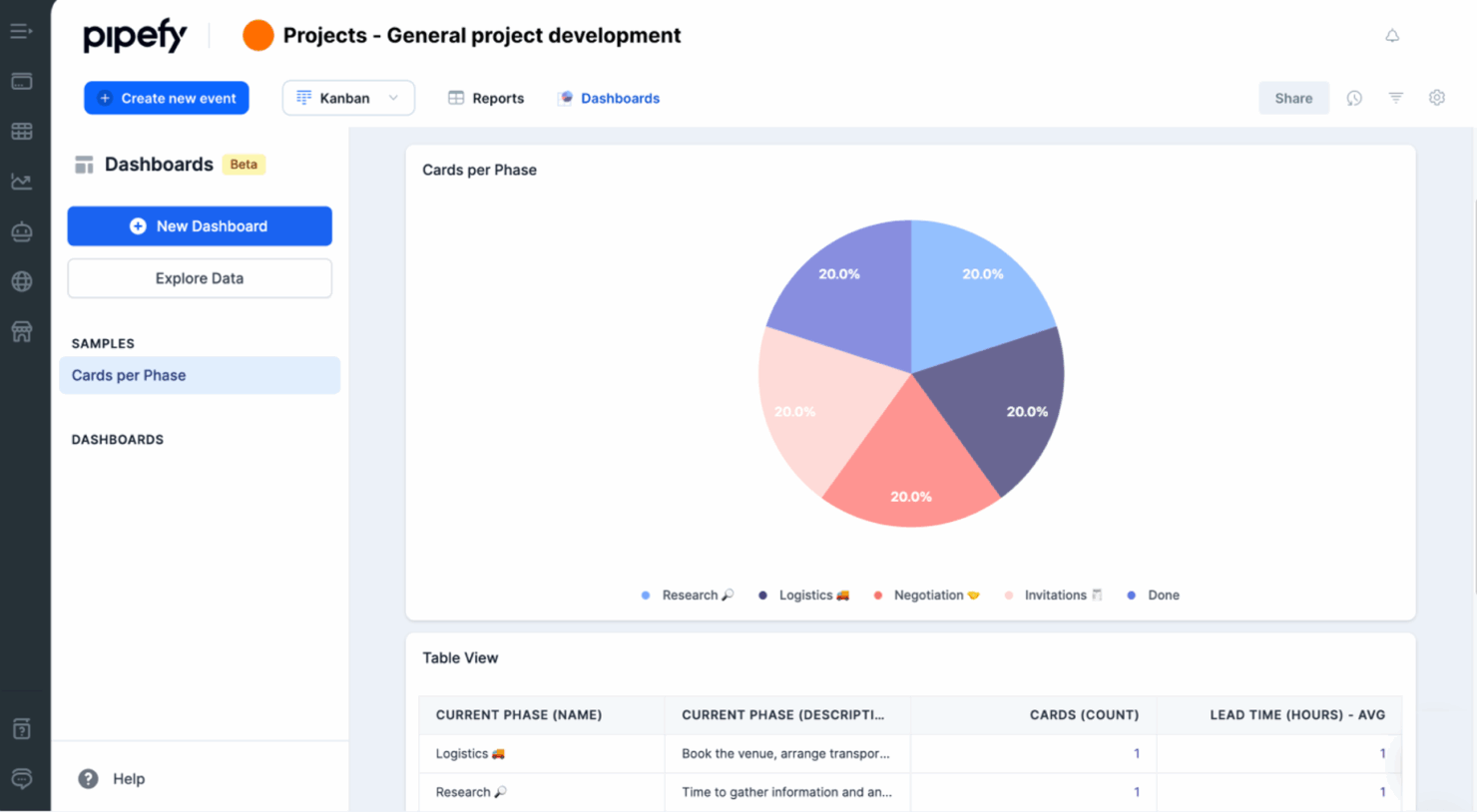
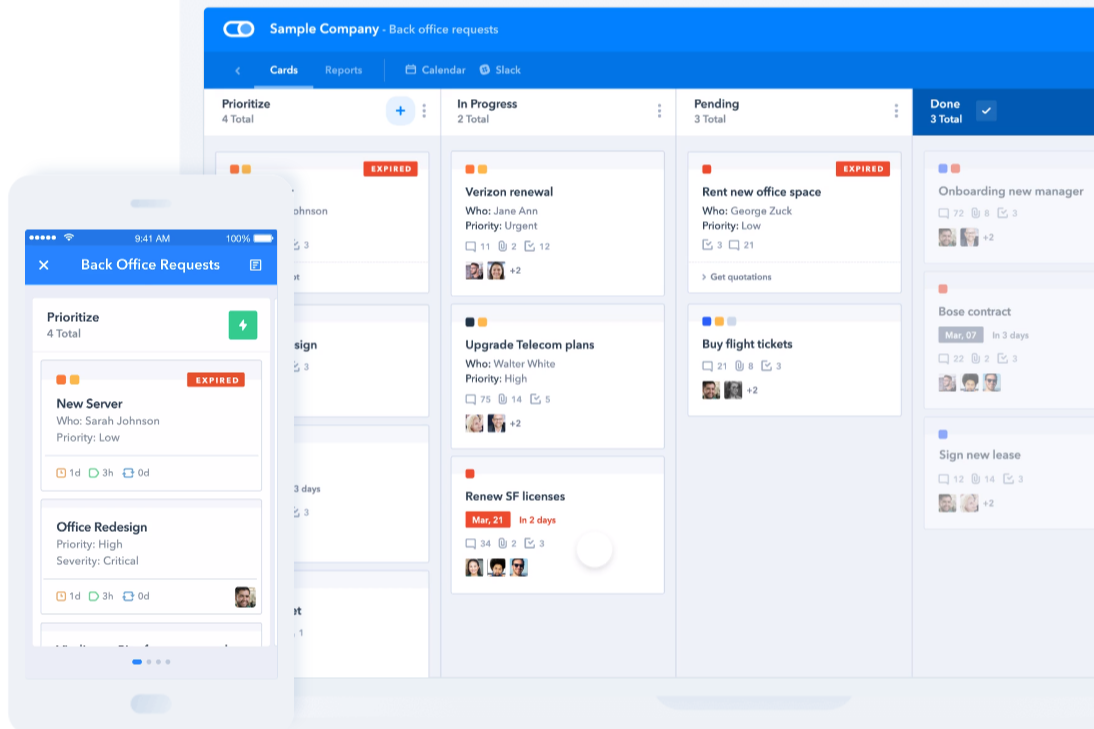
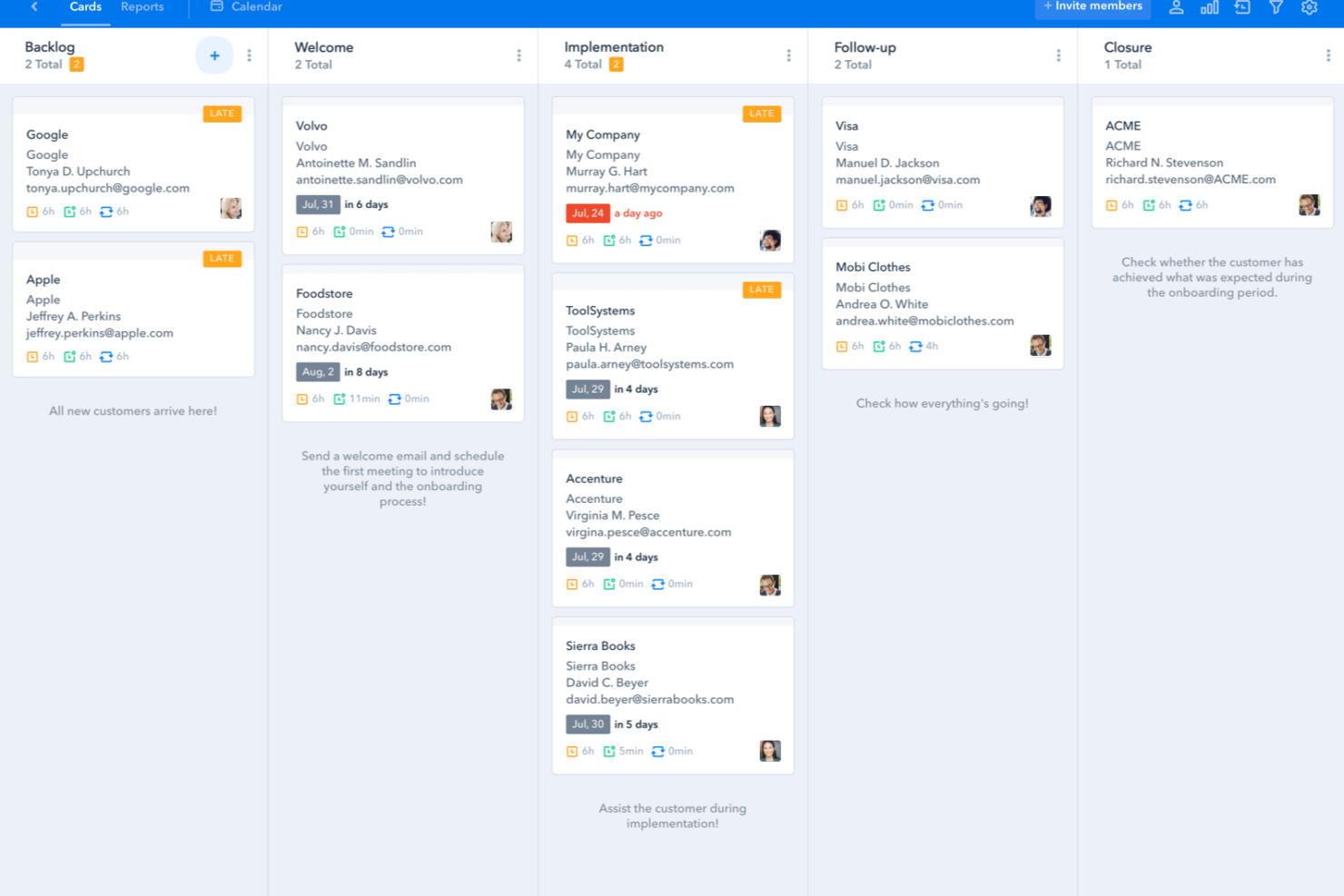
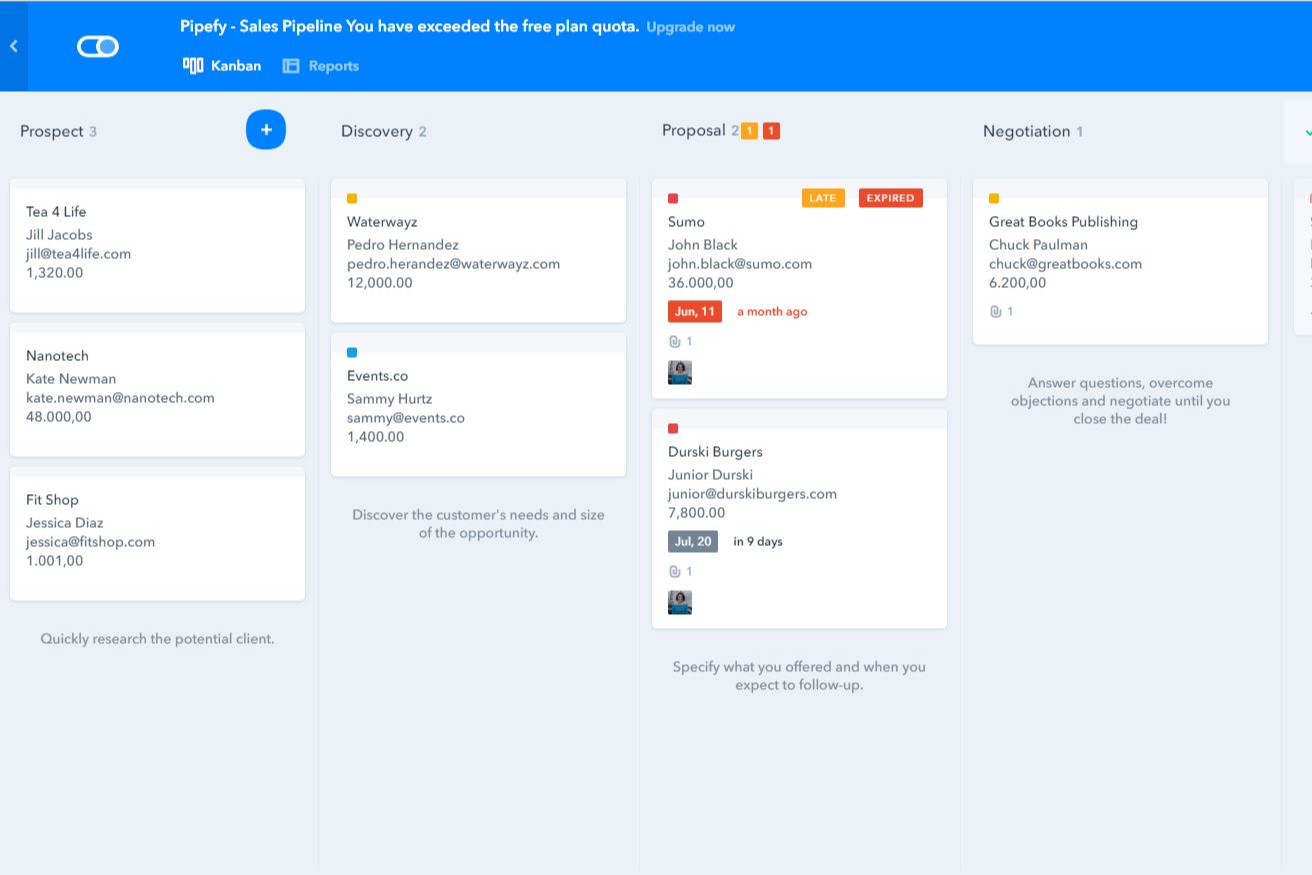
| User Interface | Combines guided flows, custom portals, contextual messages, files, and decision steps so employees and external participants see what is relevant to their role. | Uses a visual no-code workspace with pipes, cards, forms, and Kanban-style stages that make process status easy to scan. |
| Onboarding | Supports self-serve setup through templates, AI-assisted process creation, and document uploads, plus guided implementation for larger deployments. | Offers templates, tutorials, and no-code configuration for quick setup, though enterprise permissions and integrations may take longer to configure. |
| Workflow Setup | Its no-code workflow builder generates structured flows from written instructions, diagrams, or process documents, although complex branching and agent supervision require more planning. | Provides a drag-and-drop builder with customizable stages, forms, conditional logic, and automation rules for structured internal workflows. |
| Support Resources | Includes in-app support, with customer success management and forward-deployed engineering available on higher tiers. | Provides a help center, academy, community resources, and plan-dependent support for implementation and configuration. |
| Mobile Experience | Supports mobile access to custom portals, messages, files, requests, and assigned actions, while magic links let external participants join without creating a full account. | Its mobile apps let users view pipes, update cards, receive notifications, and complete workflow tasks away from a desktop. |
Moxo offers a more guided experience for workflows involving clients, vendors, and other external participants, particularly through its custom portals and contextual actions. Pipefy feels more familiar for teams that prefer visual boards, forms, and clearly defined process stages. Both are approachable, although Moxo’s advanced branching and agent-based workflows may require more process-design work.
Moxo vs Pipefy: Pros & Cons
Moxo
- Agentic AI handles preparation, validation, routing, and monitoring
- Custom portals keep external participants aligned
- Human-in-the-loop controls, SLA rules, and audit trails reinforce accountability
- Advanced workflow design requires an adjustment period
- Less common integrations may require Zapier, Composio, or APIs
- Reporting focuses on process operations rather than customizable BI
Pipefy
- Pipefy's user-friendly interface helps your team quickly adapt and manage tasks.
- It offers excellent customer support, so your team can resolve issues promptly.
- The platform's flexibility makes it easy for your team to customize workflows to fit specific needs.
- The onboarding process can be challenging and might require extra time to master.
- The reporting features may not meet the needs of teams that want advanced analytics.
- Customization options can be limited for teams with highly specific requirements.
Best Use Cases for Moxo and Pipefy
Moxo
- Professional Services Firms Accounting, legal, consulting, and marketing firms can manage client onboarding, document collection, approvals, and recurring service delivery.
- Financial Services and Insurance Banks, lenders, wealth managers, and insurers can coordinate applications, compliance checks, exception reviews, signatures, and client decisions.
- Healthcare Administration Healthcare organizations can manage provider credentialing, intake, document verification, acknowledgements, and approval-heavy processes.
- B2B SaaS Customer Operations Customer success and implementation teams can coordinate onboarding, account reviews, renewals, and service requests across customers and internal specialists.
- Real Estate and Construction Firms Moxo helps organize contracts, approvals, vendor requirements, project documentation, and communication between clients, brokers, contractors, and internal staff.
- Manufacturing and Logistics Operations Operations teams can use Moxo for vendor onboarding, order fulfillment, compliance checks, document requests, and other multi-party workflows.
Pipefy
- Marketing teams Pipefy lets your team automate campaign workflows to save time and reduce manual tasks.
- HR departments Your HR team can improve recruitment and onboarding processes with Pipefy's customizable workflows.
- Finance teams Pipefy helps your finance team automate approval processes and manage invoices effectively.
- Small businesses Pipefy’s easy-to-use platform lets small businesses get up and running and start organizing and automating daily operations quickly.
- Project managers Pipefy provides project managers with tools to track progress and manage tasks smoothly.
- Customer support Customer support teams can use Pipefy to automate ticket management and improve response times.
Who Should Use Moxo, And Who Should Use Pipefy?
If you need workflow automation software for complex processes across employees, clients, vendors, AI agents, and connected systems, Moxo is likely the better fit. It suits professional services, financial services, healthcare, and other compliance-heavy organizations that need custom client portals, accountable approvals, audit trails, and collaboration beyond internal teams.
If you want a visual no-code platform for automating and standardizing processes across several departments, Pipefy may be the stronger choice. It works well for HR, finance, IT, customer support, marketing, and operations workflows, particularly when customizable forms, portals, Kanban-style stages, and conditional automation matter most.
Differences Between Moxo and Pipefy
| Moxo | Pipefy | |
|---|---|---|
| AI Agent Architecture | Agent Foundry supports purpose-built agents that prepare, advise, review, automate, and monitor work, with supervisor agents available to check outputs and escalate exceptions. | Uses AI agents, Copilot, and assistant capabilities to build workflows, extract information, answer questions, and automate repetitive process tasks. |
| Decision Governance | Keeps humans accountable for approvals, exceptions, compliance sign-offs, and client commitments, with immutable logs recording who decided, when, and with what context. | Uses permissions, approval rules, activity histories, and process controls to govern how work moves through automated departmental workflows. |
| External Participant Experience | Provides branded workspaces configured for clients, vendors, partners, and other participants, with access to relevant messages, files, resources, and assigned actions through accounts or magic links. | Offers portals and request forms that let employees, customers, suppliers, and other guests submit information, track requests, and participate in selected process steps. |
| Primary Workflow Scope | Built around complex, multi-party processes that cross organizational boundaries, including customer onboarding, implementations, service delivery, and vendor management. | Built for broad business process automation across HR, finance, IT, procurement, customer support, and operations, including processes involving external requesters. |
| Workflow Design Model | Its no-code workflow builder generates structured flows from natural-language instructions, uploaded diagrams, or process documents, including roles, branching, data references, deadlines, and escalation rules. | Combines natural-language and AI-assisted process creation with a visual no-code model based on pipes, cards, forms, stages, conditional logic, and automation rules. |
| Visit MoxoOpens new window | Read Pipefy ReviewOpens new window |
Similarities Between Moxo and Pipefy
| Automation and Notifications | Both can trigger actions, route work, send reminders, and notify participants based on workflow events, conditions, and due dates. |
|---|---|
| Document Workflows | Both support file requests, document sharing, electronic signatures, and process records for workflows that depend on submitted or approved documents. |
| Forms and Data Collection | Both let teams build forms and questionnaires to collect complete, standardized information from employees, customers, vendors, and other participants. |
| Integrations and Extensibility | Both connect with common business applications and provide API and Zapier support for extending workflows into additional systems. |
| Task and Approval Management | Both support assigned tasks, deadlines, approvals, decisions, and structured handoffs that move work from one stage to the next. |
| Visit MoxoOpens new window Read Pipefy ReviewOpens new window | |