17 Best Project Management Software Trainings in 2026


The right project management software training can close the gap between knowing a tool exists and actually using it well. I've rounded up options covering the most widely used platforms—from Jira and Asana to Miro and monday.com—so you can find training that fits your tool, your experience level, and how your team works.
The 17 Best Project Management Software Training
Below are my summaries of the best project management software training. My reviews offer a look at each course's learning objectives, best fits, cost, and more.
1. Asana Academy - Asana
Best for: Asana users who want free, official training with credentials


Asana Academy is Asana's official learning platform, offering free structured training that takes you from basic setup through advanced workflow automation and AI features. Because it's built and maintained by Asana, the curriculum stays current with the actual product—including newer capabilities like AI Studio and AI Teammates.
What you'll learn: Set up and navigate Asana projects, build automated workflows, manage resources and workload, configure admin settings, and use Asana's AI features to accelerate project execution.
Course details:
- Format: Online; self-paced recordings and live instructor-led sessions
- Duration: 10 minutes to 10 hours depending on course or credential path
- Level/prerequisites: Beginner to advanced; prerequisites not specified
- Price: Free; Workflow Specialist Certificate valued at $299 USD and Asana Administrator Certificate at $199 USD, both free for a limited time
- Assessment: Quizzes required for skill badges; capstone exam required for certificate programs
- Certificate/credits: Skill badges (Asana Foundations, AI Studio Foundations, Campaign Management, Resource Management) and certificates (Workflow Specialist, Asana Administrator), awarded by Asana
Considerations: Most Asana features covered in the training require a paid Asana subscription, so the free courses alone won't give you hands-on access to everything you're learning about.
2. monday academy - monday.com
Best for: monday.com users who want free lessons plus paid certification
monday academy is monday.com's official learning platform, offering free self-paced lessons alongside paid certification exams. The role-based learning paths let you focus on what's relevant to your job—whether you're building workflows, managing a CRM pipeline, or administering an account—without wading through unrelated content.
What you'll learn: Build and automate monday.com workflows, configure board permissions, set up reporting dashboards, manage CRM pipelines, and use AI features like custom AI Blocks.
Course details:
- Format: Online; self-paced lessons, guided learning paths, live and on-demand webinars
- Duration: ~30 minutes per lesson; certification exams are 1.5–2 hours
- Level/prerequisites: Beginner to advanced; prerequisites not specified
- Price: Lessons and learning paths free; certification exams $95 USD each
- Assessment: Timed online exams required for certification; passing score of 80%
- Certificate/credits: Badges for individual lessons, super badges for learning paths, and diplomas with LinkedIn-ready digital badges for passed certifications, awarded by monday.com
Considerations: The certification exams are scenario-based and timed, so budget preparation time beyond the free lessons before booking an exam.
3. ClickUp University - ClickUp
Best for: ClickUp users who want free, role-specific certification

ClickUp University is ClickUp's official training platform, and it's entirely free—lessons, learning paths, and certificate exams included. The role-based paths (marketing, software, agencies, people ops) mean you're not working through a generic curriculum to find what's relevant to your team.
What you'll learn: Set up ClickUp workspaces, build automations and custom workflows, manage sprints and dashboards, configure admin permissions, and use ClickUp Brain and AI agents for task management.
Course details:
- Format: Online; self-paced on-demand video lessons, guided learning paths, and recorded webinars
- Duration: 2–40 minutes per lesson; learning paths range from roughly 1–4 hours
- Level/prerequisites: Beginner to advanced; prerequisites not specified
- Price: Free
- Assessment: Open-book exams with unlimited attempts and no time limit; 80% passing score required
- Certificate/credits: Novice, Expert, Admin Essentials, and topic-specific certificates awarded by ClickUp; shareable on LinkedIn
Considerations: ClickUp's free plan has limited features, so hands-on practice with advanced topics like automations and dashboards requires a paid ClickUp subscription.

4. Get the Most Out of Jira - Atlassian
Best for: New Jira users who need a quick, free introduction

Atlassian Learning's Get the Most Out of Jira is a free, three-course path built by the Jira team. At 90 minutes total, it's structured to get new users productive quickly—covering daily navigation, work item management, and personal workspace setup without unnecessary detours.
What you'll learn: Navigate the Jira interface, create and track work items using attachments and linked content, use List, Timeline, and Calendar views to prioritize work, and configure dashboards and notification settings.
Course details:
- Format: Online; self-paced on-demand lessons; a free 60-minute live instructor-led class is also available
- Duration: 1 hour 30 minutes total across three courses
- Level/prerequisites: Beginner; prerequisites not specified
- Price: Free
- Certificate/credits: Completion-based digital badges awarded per course by Atlassian; no formal certificate included in this path
Considerations: This path doesn't include a certification exam—if you need a formal credential, the Jira Essentials certification (Atlassian Certified Associate) is a separate exam priced at $100 USD.
5. Smartsheet University - Smartsheet
Best for: Smartsheet users pursuing an evidence-based certification

Smartsheet University is Smartsheet's official training platform, offering a three-tier credentialing path—Builder, Professional, and Architect—that maps directly to how your Smartsheet responsibilities grow over time. What sets it apart is the evidence-based certification model: Professional and Architect exams require both a proctored test and real-world solution submissions.
What you'll learn: Build project sheets, reports, and dashboards; design automations and approval workflows; manage portfolios; and architect scalable, integrated enterprise solutions.
Course details:
- Format: Online; self-paced eLearning and live virtual instructor-led training; private team training available
- Duration: Builder path ~15 hours (self-paced) or ~12 hours (instructor-led); Professional and Architect paths ~13+ hours each
- Level/prerequisites: Beginner to advanced; Professional certification requires Builder certificate; Architect certification requires both Builder and Professional credentials
- Price: Builder path and certificate free; Professional certification exam $300 USD per attempt; Architect certification exam $500 USD per attempt
- Assessment: Builder certificate awarded on path completion; Professional and Architect certifications require a 90-minute proctored exam plus evidence submission, both completed within 60 days of registration
- Certificate/credits: Builder Certificate of Achievement, Smartsheet Certified Professional, and Smartsheet Certified Architect issued by Smartsheet; PMI PDUs available for select instructor-led offerings
Considerations: Hands-on course activities require a paid Smartsheet subscription, which is separate from University pricing and adds to the total cost.
6. Wrike Discover - Wrike
Best for: Wrike users who want free, role-based training with PMI PDUs

Wrike Discover is Wrike's official training platform, free for all Wrike users. Its role-based tracks—Beginner, Individual, Leader, and Champion—mean you're learning what's relevant to how you actually use Wrike, not sitting through a generic product tour.
What you'll learn: Navigate Wrike's core building blocks, manage personal productivity with dashboards and task views, track team performance, and configure spaces, permissions, and request forms as an admin.
Course details:
- Format: Online; self-paced on-demand video lessons with guided exercises and knowledge checks
- Duration: ~12 minutes per course; ~2 hours 43 minutes across all four role-based tracks
- Level/prerequisites: Beginner to advanced; a Wrike account is required to access the portal
- Price: Free with a Wrike subscription; Product Mastery Bronze $99 USD; Product Mastery Silver and AI Elite Mastery $299 USD each per attempt
- Assessment: Knowledge checks embedded in free courses; Bronze requires activity screenshots and an 80% pass mark; Silver requires practical exercises in a demo account and an 80% pass mark
- Certificate/credits: Digital certificates and badges for paid certifications (Product Mastery Bronze, Silver, AI Elite Mastery), shareable on LinkedIn and issued by Wrike; PMI PDUs available across 200+ courses via Wrike's PMI-authorized training partner status
Considerations: Many features covered in advanced courses—automations, request forms, custom workflows, and reports—require a paid Wrike subscription, which is priced separately from the certification fees.
7. Microsoft Project Training - Master of Project Academy
Best for: Microsoft Project beginners who want real-world practice
Master of Project Academy's Microsoft Project Training takes a project-first approach: instead of walking through menus and features in isolation, you build a complete plan from scratch using a realistic project scenario. That end-to-end structure helps the material stick in a way that feature-by-feature demos rarely do.
What you'll learn: Create and structure a project plan, assign and manage resources, set baselines, track schedule progress, and generate reports in Microsoft Project 2021.
Course details:
- Format: Online, self-paced; video lectures with exercises and interactive case studies
- Duration: 9+ hours across 69+ lectures; lifetime access available
- Level/prerequisites: Beginner to intermediate; no prior Microsoft Project experience required
- Price: $57 USD/month, $177 USD/year, or $277 USD lifetime; 30-day money-back guarantee
- Assessment: Section exercises, interactive case studies, and an end-of-course quiz
- Certificate/credits: Completion certificate issued by Master of Project Academy; 9 PMI PDUs applicable toward PMP renewal
Considerations: You'll need a Microsoft Project license to practice hands-on alongside the lectures, and that cost sits entirely outside the course fee.
For more, try these courses about project planning or these project scheduling courses.
8. Agile with Atlassian Jira - Atlassian
Best for: Agile teams learning Jira straight from its maker

Agile with Atlassian Jira is built by Atlassian and delivered through Coursera. Rather than separating agile theory from tool training, it weaves Scrum, Kanban, and Jira configuration together—so what you learn in one module applies directly in the next. Hands-on labs run inside a free Jira Software Cloud site, so you're not just watching.
What you'll learn: Build and customize Kanban and Scrum boards in Jira, execute sprints, search with JQL, manage epics and versions, and configure user permissions.
Course details:
- Format: Online, self-paced; video lectures, readings, and hands-on labs
- Duration: ~12 hours; self-paced with flexible scheduling
- Level/prerequisites: Beginner; no prior Jira or agile experience required
- Price: Free to audit; ~$59 USD for a certificate; included with Coursera Plus
- Assessment: 4 graded assignments, one per module (~30 minutes each)
- Certificate/credits: Coursera completion certificate issued by Atlassian; prepares for Atlassian's APB-330 Pro Skills Badge (separate exam required)
Considerations: Graded assignments and the certificate require payment; auditing gives full access to video and lab content but not the credential.
Find more tips and tricks for Jira here, and check out these Kanban courses.
9. Get the Most Out of Trello - Atlassian
Best for: Trello beginners who want free, official onboarding

Atlassian built this free learning path to teach Trello from the ground up. It covers the full user journey—from creating your first board to managing permissions and automations—in under two and a half hours. If your team is onboarding to Trello, this is the fastest way to get everyone working from the same playbook.
What you'll learn: Create and manage Trello boards, lists, and cards; configure permissions and invite members; add Power-Ups; and set up automations.
Course details:
- Format: Online, self-paced; on-demand lessons with videos and guided content
- Duration: 2 hours 25 minutes across 14 lessons; self-paced with no deadline
- Level/prerequisites: Beginner to intermediate; no prior Trello experience required; free Atlassian account required to access
- Price: Free
- Certificate/credits: Digital completion badge per course, issued by Atlassian; shareable on LinkedIn
Considerations: Some features covered—custom fields, certain Power-Ups, and automations—depend on your Trello subscription tier, so access in practice may vary from what the course demonstrates.
10. Monday.com Training: Become a Pro - Udemy
Best for: Project managers moving to monday.com from another tool

This Udemy course by Fred Braun teaches monday.com from account setup through advanced automations, integrations, and AI features. What makes it worth your time is the exercise-driven format—you build real systems like an invoice tracker and OKR dashboard, not just watch feature demos. It includes 14 days of monday.com Premium access so you can practice without a paid subscription.
What you'll learn: Configure monday.com boards and dashboards, set up automations and integrations, build OKR trackers and CRM workflows, and use monday.com AI tools.
Course details:
- Format: Online, self-paced; on-demand video lectures with hands-on exercises and downloadable resources
- Duration: ~4.5 hours of instructional content; lifetime access
- Level/prerequisites: Beginner; no prior monday.com experience required
- Price: $49.99 USD for lifetime access; also available via Udemy Personal Plan from $12.99 USD/month
- Certificate/credits: Udemy certificate of completion; shareable on LinkedIn
Considerations: The certificate is a standard Udemy completion certificate—it's not a vendor credential from monday.com, so it won't carry weight as a platform-recognized qualification.
11. Software Project Management – The Complete Course - Udemy
Best for: Software PMs who want method and multi-tool training
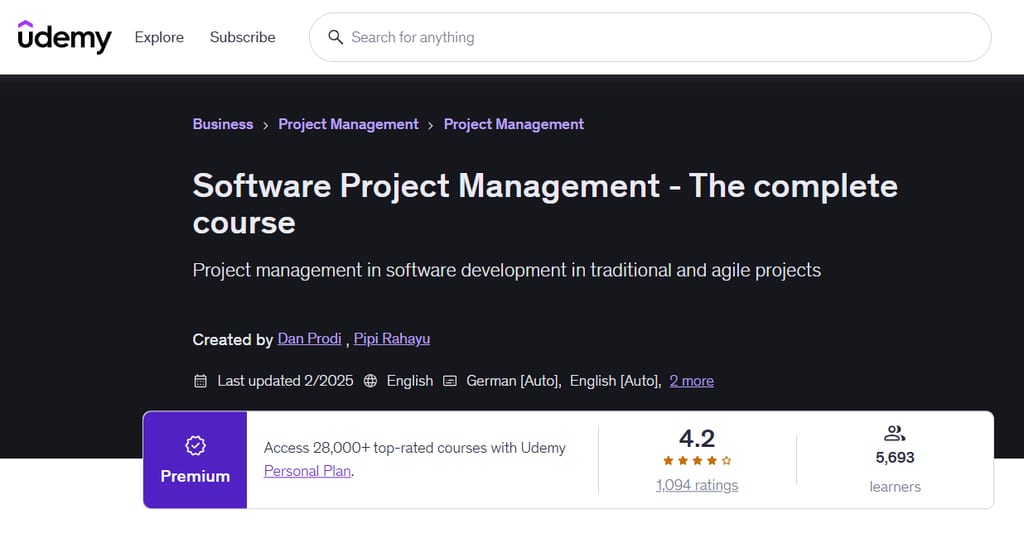
Dan Prodi and Pipi Rahayu's Udemy course pairs software PM methodology with hands-on training across Microsoft Project, Smartsheet, Jira, and Excel. A running case study ties theory to practice across all 21 sections, making it one of the few courses that covers the full project lifecycle and the tools to execute it.
What you'll learn: Build project plans and track resources in Microsoft Project and Smartsheet, manage agile boards in Jira, estimate software costs, and apply risk assessment and change management across the full project lifecycle.
Course details:
- Format: Online, self-paced; on-demand video lectures with downloadable resources
- Duration: 18.5 hours of video content; lifetime access with no deadline
- Level/prerequisites: Beginner; basic Microsoft Office knowledge required
- Price: $64.99 USD for lifetime access; also available via Udemy Personal Plan from $12.99 USD/month
- Certificate/credits: Udemy certificate of completion; shareable on LinkedIn
Considerations: The certificate is a standard Udemy completion credential—it carries no vendor recognition from Microsoft, Atlassian, or Smartsheet, so it won't substitute for platform-specific certifications.
12. Google Project Management Professional Certificate - Coursera
Best for: Career changers who need a recognized PM credential

Google's Project Management Professional Certificate on Coursera covers both traditional and Agile PM methodology across seven structured courses. With 2.8M+ learners and a 4.8/5 rating, it's one of the most recognized entry-level PM programs available—and its PMI partnership means hours count toward CAPM® eligibility.
What you'll learn: Build project charters and risk plans, manage Scrum and Waterfall workflows, apply AI to PM tasks, and create stakeholder reports using tools like Google Sheets and Asana.
Course details:
- Format: Online, self-paced; on-demand video with practice-based assessments and a capstone project
- Duration: 140+ hours across 7 courses; recommended 6 months at 10 hours/week
- Level/prerequisites: Beginner; no prior experience or degree required
- Price: $59 USD/month after a 7-day free trial; most learners finish in under $300 total
- Assessment: Practice-based assessments throughout all 7 courses, plus a 40-hour capstone project
- Certificate/credits: Google Professional Certificate via Coursera; Credly digital badge; 100+ PMI education hours toward CAPM®; up to 9 ACE college credits recommended
Considerations: The credential is a Google-issued certificate, not a PMI certification—it contributes education hours toward CAPM® eligibility, but you'll still need to meet PMI's full requirements and pass a separate exam to earn that designation.
For more on upskilling in project management, check out these project management training courses.
13. How to Create a Jira SCRUM Project - Coursera
Best for: Beginners who want hands-on Jira practice in under 2 hours

Angelo Paolillo's Coursera Guided Project gets you working inside Jira within minutes. Using a split-screen cloud workspace, you follow along in real time—no downloads required. It's a focused, two-hour introduction for anyone who needs to get comfortable with Jira Scrum workflows quickly.
What you'll learn: Create a Scrum project in Jira, write user stories and epics, plan and manage sprints, set task dependencies, and generate a burndown chart.
Course details:
- Format: Online, self-paced; browser-based cloud workspace with split-screen guided instruction; desktop or laptop required
- Duration: Approximately 2 hours; no access deadline specified
- Level/prerequisites: Beginner; no prior Jira or Scrum experience required
- Price: Free to enroll; also included with a Coursera Plus subscription
- Certificate/credits: Coursera certificate of completion; shareable on LinkedIn
Considerations: The certificate carries no Atlassian vendor recognition, so it won't count toward official Jira or Scrum certifications.
If you're looking for Scrum-specific training options, check out this list of Scrum courses.
14. Zoho Projects Online Training Course - Zoho
Best for: Zoho Projects users who want live, vendor-led training
Zoho's own product experts deliver this instructor-led training directly through Zoho Spark. That vendor-to-learner connection matters: you're learning Zoho Projects from the people who built it, and the one-on-one format can be shaped around your organization's specific workflows and setup.
What you'll learn: Configure Zoho Projects from the ground up, manage tasks and timesheets, read Gantt charts, track bugs, and administer portal settings, user roles, and team permissions.
Course details:
- Format: Live, online; one-on-one or virtual classroom sessions
- Duration: 2 days; 4 hours per day across 8 modules
- Level/prerequisites: Beginner to intermediate; no prerequisites specified
- Price: Not published; contact for pricing
- Certificate/credits: Participation certificate issued upon completion
Considerations: The participation certificate confirms attendance but is not an administrator or consultant certification—Zoho's separate proctored certification exams are a distinct offering you'd need to pursue independently.
15. Learn Teamwork | Quick Start Course - Udemy
Best for: New Teamwork.com users who want a full project lifecycle walkthrough
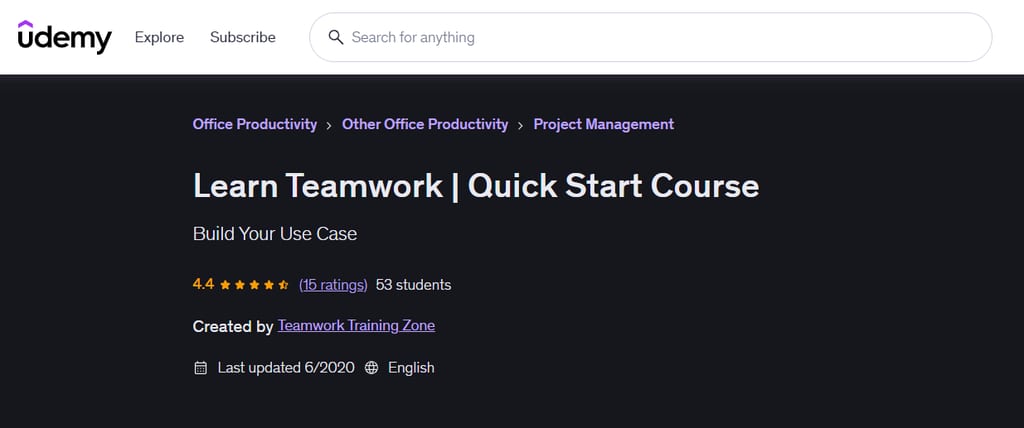
Learn Teamwork on Udemy is a self-paced video course from Teamwork Training that walks you through Teamwork.com from initial setup to project closeout. It's worth considering if your team runs on Teamwork.com and you want a structured walkthrough rather than piecing together help docs.
What you'll learn: Set up and configure Teamwork.com, manage tasks and Gantt charts, track time, run Agile boards, and archive completed projects.
Course details:
- Format: Online, self-paced; on-demand video with lifetime access
- Duration: 3 hours 4 minutes across 38 lectures
- Level/prerequisites: Beginner to intermediate; some project management experience recommended
- Price: $49.99 USD per learner; frequent Udemy promotional discounts apply
- Certificate/credits: Udemy certificate of completion; shareable but not a vendor or industry credential
Considerations: The course was last updated in June 2020, and Teamwork.com has updated its interface significantly since then—some UI elements and features shown in the videos may not match what you'll see in the current product.
16. Airtable Mastery: Ultimate Guide to Unlock Full Potential - Udemy

Best for: Airtable users building a PM workflow from scratch
Airtable Mastery is a Udemy course from RPATech that teaches Airtable through a single hands-on project. You build a personal task management app from start to finish, so you learn how the platform's features connect rather than exploring them in isolation.
What you'll learn: Set up an Airtable base, create Kanban and calendar views, build automated task reminders, design interfaces and forms, and integrate time-tracking extensions.
Course details:
- Format: Online, self-paced; on-demand video with quizzes and practice assignments
- Duration: 2.5 hours of video content across 10 lectures; lifetime access
- Level/prerequisites: Beginner; basic computer skills and a free or paid Airtable account required
- Price: $64.99 USD per learner; Udemy promotional discounts and Personal Plan subscription access apply
- Assessment: Quizzes and hands-on practice assignments included throughout
- Certificate/credits: Udemy certificate of completion; not a vendor or industry credential
Considerations: This course uses AI-generated content, which may affect the depth and accuracy of instruction compared to expert-led alternatives.
17. Learn Miro Step by Step: Maximize Your Productivity - Udemy
Best for: Miro beginners who work in agile team environments
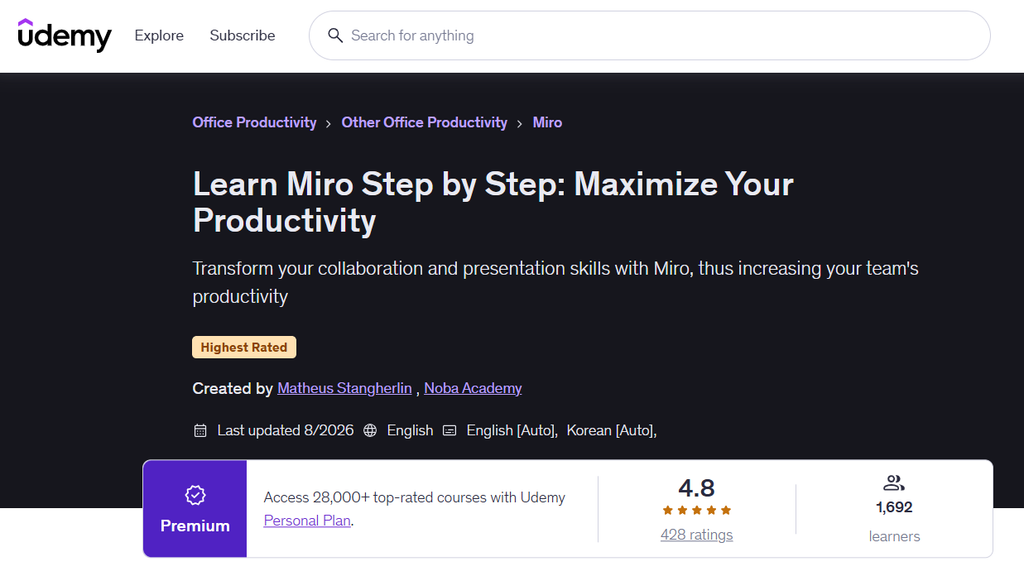
Learn Miro Step by Step is a Udemy course by Matheus Stangherlin of Noba Academy. With a 4.8/5 rating from over 400 learners, it's worth considering if your team uses Miro for sprint planning or workshops and you want a quick, structured way to get up to speed.
What you'll learn: Set up and navigate Miro, build visual workflows with boards and mind maps, facilitate agile sprints and retrospectives, and use Miro AI for project management tasks.
Course details:
- Format: Online, self-paced; on-demand video with lifetime access
- Duration: 1.5 hours of video content across 10 lectures
- Level/prerequisites: Beginner; no prior Miro experience required
- Price: $19.99 USD for lifetime access; Udemy promotional discounts and Personal Plan subscription apply
- Certificate/credits: Udemy certificate of completion; not a vendor or industry credential
Considerations: At under 90 minutes, this is a quick orientation to Miro rather than an in-depth guide, so advanced workflows will require additional learning beyond this course.
Take a deeper dive with these productivity courses.
How to Choose a Project Management Software Training Course
Start by naming the specific problem you're trying to solve. Whether you're new to a tool your team just adopted or looking to get more out of a platform you already use, your answer shapes every other decision.
- Match the course to your tool, not just the topic. A course on Jira won't help you work faster in Asana. Before comparing anything else, confirm the course covers the specific software your team runs on.
- Check when the course was last updated. Several tools in this space—including Teamwork.com and Monday.com—update their interfaces regularly. A course last updated in 2020 may show workflows that no longer exist, which slows rather than helps your learning.
- Assess how you learn best. Self-paced video works well if you need flexibility; instructor-led or cohort-based formats add accountability and feedback. Check whether the course includes hands-on exercises, not just walkthroughs—building something yourself is how tool knowledge actually sticks.
- Be realistic about time. Course lengths in this roundup range from under 90 minutes to multi-week programs. A longer course isn't inherently more valuable; a 1.5-hour Miro primer may be all you need if you're learning one specific workflow.
- Understand what the credential is worth. Completion certificates from Udemy, LinkedIn Learning, and similar platforms are shareable but aren't professional certifications. If you need PMI PDUs or vendor-recognized credentials, confirm those are explicitly offered before enrolling.
- Factor in the real cost. List prices rarely reflect what you'll pay. Check whether the platform runs frequent promotions or offers subscription access that makes the course significantly cheaper.
Project Management Software Training FAQ
Can project management software training replace project management fundamentals?
No. Software training teaches you how to use a platform’s features, but it won’t teach you how to plan work, manage risks, or coordinate stakeholders. If you’re new to project management, pair tool training with fundamentals courses—learning Jira won’t help you if you don’t understand what a sprint retrospective is for in the first place.
Should you practice in a separate workspace before using the software on a live project?
Yes, if you can. A sandbox or test project lets you try settings, automations, and workflows without disrupting active work. If a dedicated practice environment isn’t available, start with a small, low-stakes project so mistakes don’t affect your team while you’re still building confidence with the tool.
How can you tell whether a course will prepare you for your team's actual workflows?
Compare the course curriculum directly against what your team actually does—assigning work, tracking dependencies, running standups, reporting to stakeholders. If the course topics don’t map to your day-to-day, you’ll need to fill those gaps elsewhere. Look for exercises that involve realistic tasks, not just feature walkthroughs.
Do you need a paid software account to take a training course?
Not always. Many tools offer free tiers sufficient for following along with beginner courses, but some features covered in training—automations, advanced reporting, admin controls—may require a paid plan. Check the course prerequisites and the software’s current plan limits before you start so you’re not blocked mid-lesson.
What's Next?
Want to connect with other digital project managers and share resources and best practices? Join our membership community and get access to 100+ templates, samples, and examples, plus connect with hundreds of peers in Slack.