

7 Expert Tips and Tricks For Managing Projects In Jira


Love it or hate it, Jira is ubiquitous within software development and IT teams. Wherever you fall on the spectrum of feelings toward Jira, using its features and capabilities to your advantage will at least make your life easier (although I can’t guarantee it will chtemplange your feelings).
To that end, here are seven Jira tips and tricks that will save you time, speed up your workflows, and make managing projects easier.
Jira Tricks And Tips
Although Jira Software’s user interface can admittedly be a little behind the times, it’s a powerful tool. These simple hacks (many of them come from our community of project management professionals) will provide some workarounds and systems for navigating things a little quicker.

1. Set up custom dashboards to monitor project health
This one comes from Ryan Gilbreath, a digital project manager at Mobelux and a DPM community member.
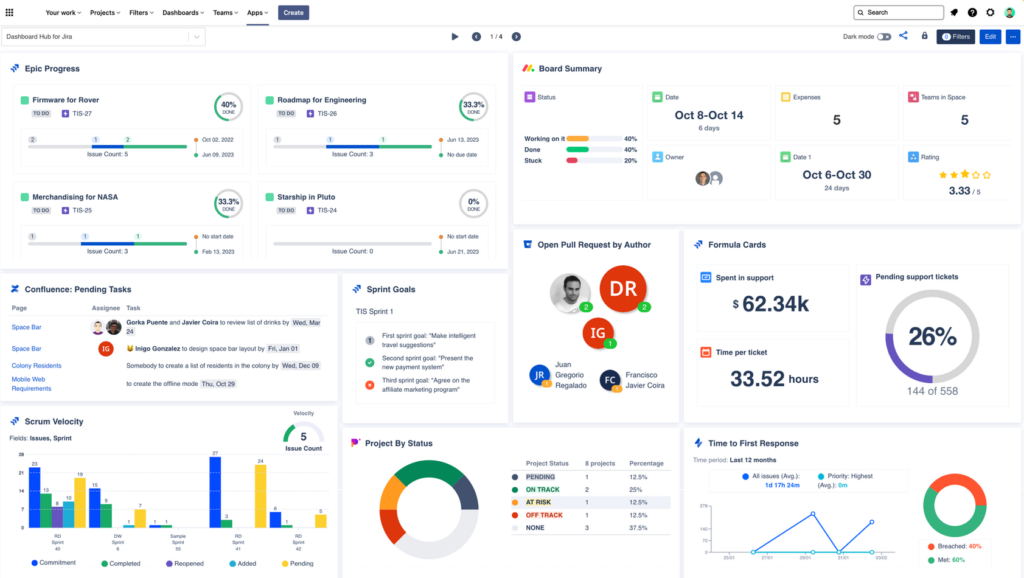
Developing a project health dashboard…has proven to be highly beneficial for both myself and my internal and external stakeholders. This dashboard encompasses metrics such as team versus individual velocity, sprint health, key dates, risks, and more.

Stakeholder management is a crucial part of a project manager’s job. Project managers need to be thinking about how to make project information as easy to find and digest as possible, and, as Gilbreath says, how to best demonstrate the value that the team is bringing to the project.
Sending a simple link to a Jira board may not effectively convey this value. Presenting a high-level overview to stakeholders can have a more significant impact.
Here’s an example project management dashboard; yours is likely to look a bit different as it will depend on the metrics you choose to track.

2. Make the release feature work for you
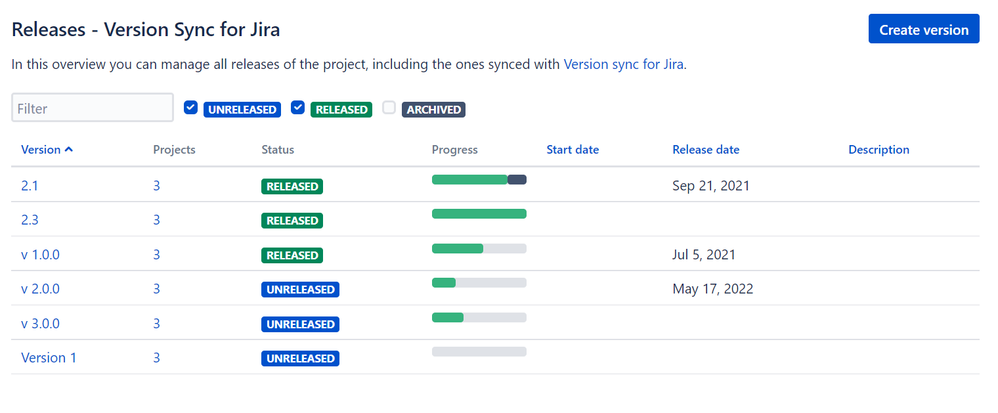
Julia Kozlov, a digital project manager and DPM member, and her team use Jira’s release feature as a one-stop shop for tracking and reporting on the work that’s being done on a project.
It allows us to manage feature releases as well as hotfixes for quick work that needs to get out. From the Release feature, I am also able to export quick reports/summaries of the work we’ve done for the month, which I can email to our clients.

It’s also a great prioritization tool, and a way to track the velocity of the team, especially if you’re using agile project management or Scrum.
I actively use [it] with both my clients and dev team to [laser] in priorities and [maintain] solid velocity…
Here’s what the release tool looks like.
3. Labels
This one is simple, but just as powerful. Senior Director in the Program Management Office at Aura Sarah M. Hoban’s go-to hack for Jira is making use of labels.
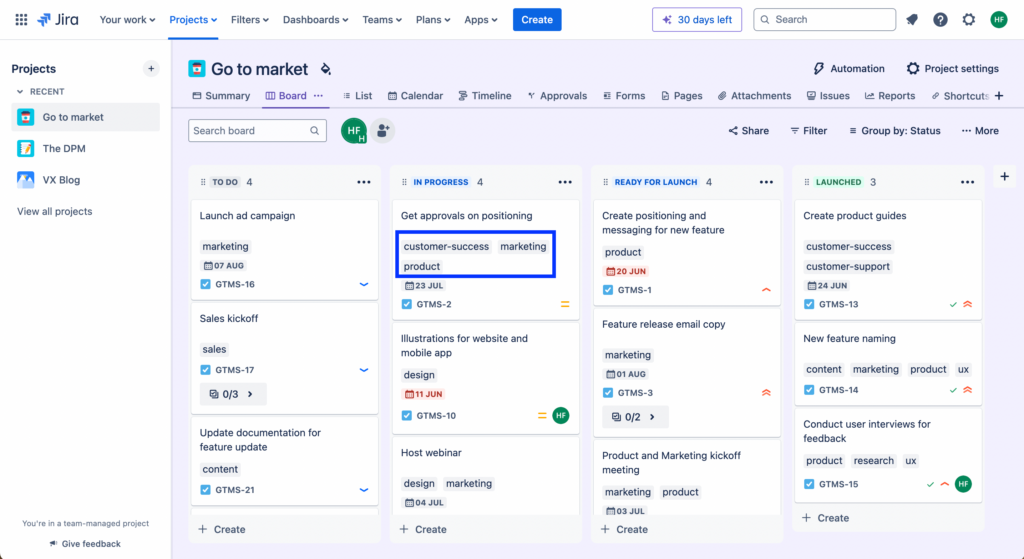
When the hierarchy of epics, stories, and tasks doesn’t cut it, and you’ve already got too many parent and child relationships to keep straight, labels are your best friend. You can use them to categorize and classify any attribute that your heart desires. Keeping your team happy without overcomplicating your ticketing structure? It’s a win-win!

Here’s how this might look, once you’ve got a robust system in place.
4. Keyboard Shortcuts
Here’s another simple but effective tip that comes to us from Tom Jauncey, founder of Nautilus Marketing.
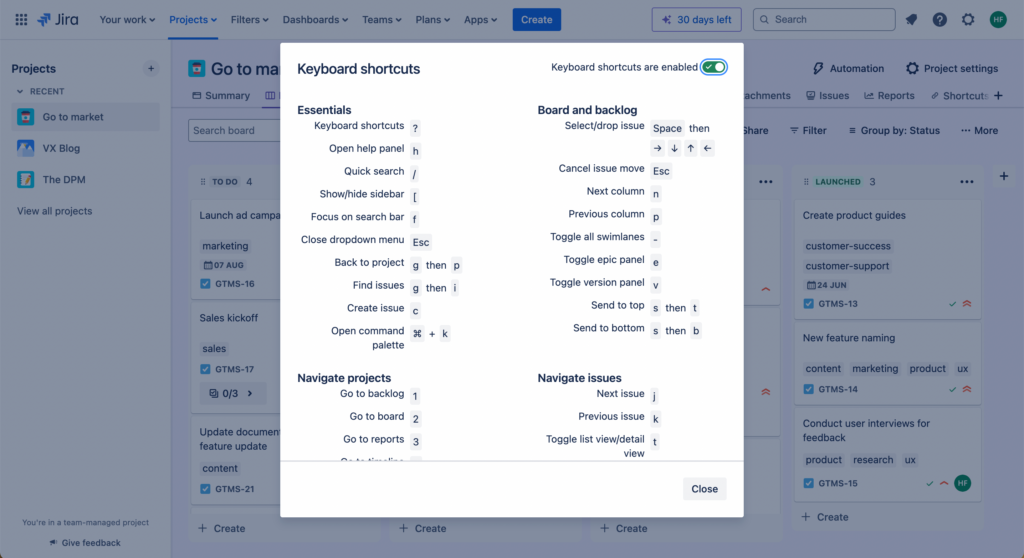
…Utilizing keyboard shortcuts! Let’s say that by pressing the dot key (“.”), you can directly access the quick action menu. This…allows me to navigate through various sections quickly, without leaving the current [screen]. This trick saves me ample time while I manage multiple tasks simultaneously.

You can decide to enable or disable shortcuts in your space with a simple toggle.
5. Color Coding
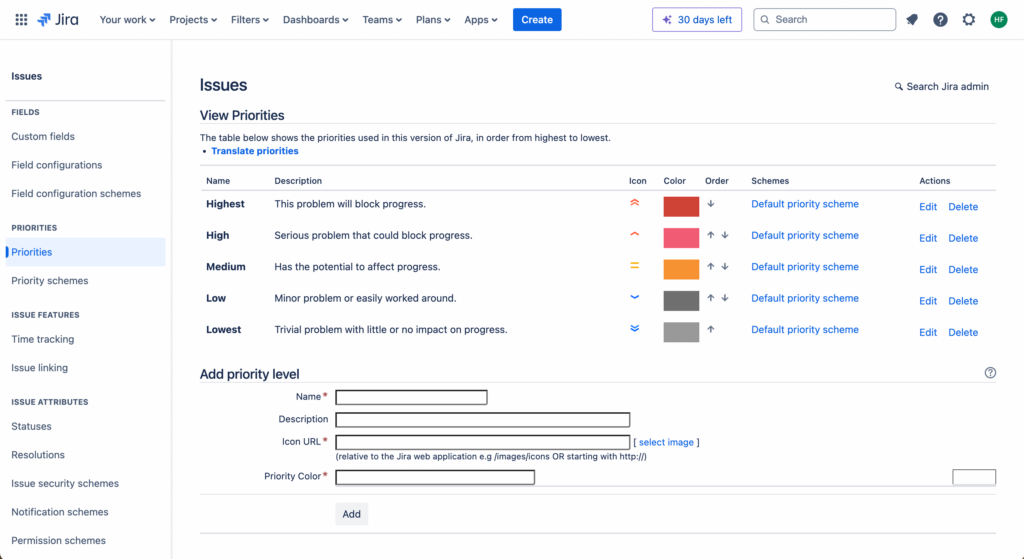
Geoffrey Bourne, co-founder of Ayrshare, explains the value of color-coding tickets when it comes to prioritization and visibility.
It may sound basic but the use of color simplifies and speeds up our processes. Assigning a color to each priority level means our team can see what’s priority instantly. A quick visual check is far quicker than taking a deeper look.

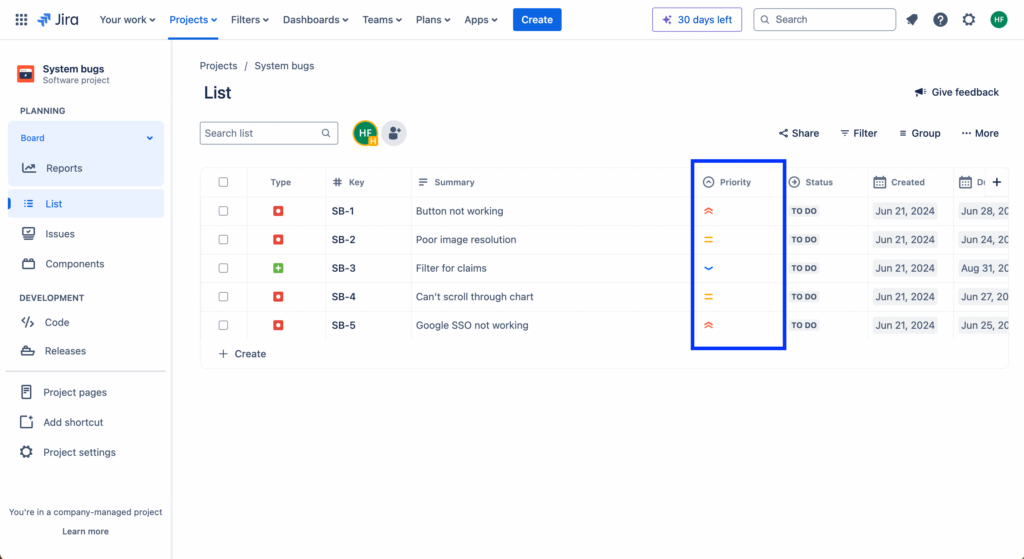
Again, this is quite simple, but having a visual cue that indicates an item’s priority level or status allows you and your team to quickly understand what’s happening with that item, instead of being forced to spend more time diving deeper.
6. Link Tickets To Each Other
Easily finding and tracking specific tickets across your project ensures you can see which assignees or team members are working on which items, and trace changes to tickets back to who made them.
Katalin Ravasz, project manager and member of The DPM Community, explains the importance of setting up a ticket hierarchy that allows you to keep track of things.
Tickets shouldn’t hang in the air, but instead should be linked to each other through hierarchical structures (i.e. epic → task → subtask) and horizontal relations (various linking types, labels, components, etc.). This ensures an increased level of traceability when you need to find a ticket.

This requires you to spend some time thinking about how tickets should be linked (for example, will you link everything to a parent ticket, in chronological order, etc.), setting up your linking system, and then onboarding your team to make sure they’re using your system properly.
7. Combine It With Confluence
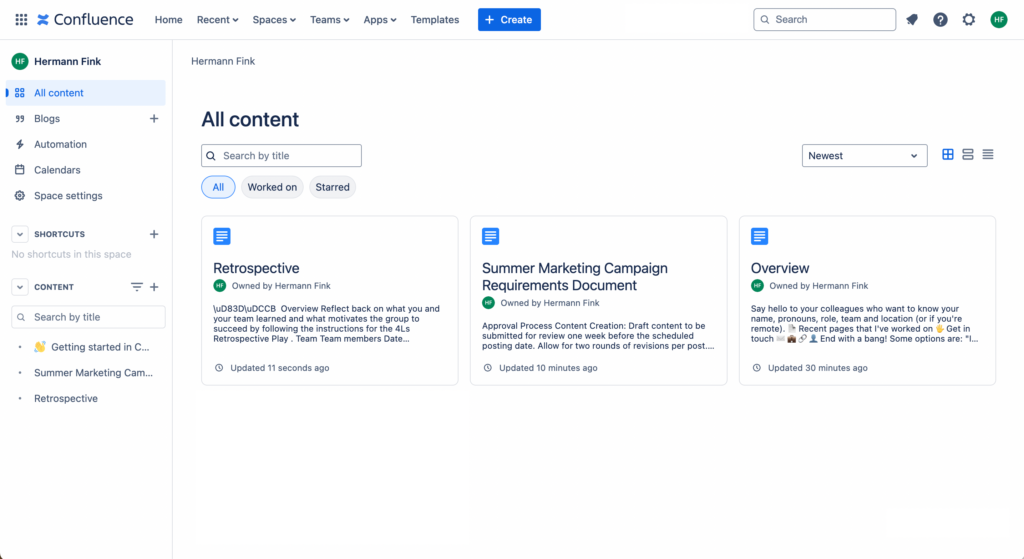
Depending on your use case, combining Jira with Confluence, another one of Atlassian’s offerings, offers a whole host of other capabilities that will save you time.
Here’s Stefan Chekanov, Co-Founder & CEO at Brosix, on the value that he and his team get from combining Confluence with Jira:
I find using Confluence extremely handy for sorting documentation for better clarity. It’s much more organized than cramming every single detail into tickets. For example, if you’re working on a new feature, put together a requirements doc in Confluence. All of your testing procedures and critical flows can go in there too. Your QA team will know exactly what to test and how, without digging through Jira tickets.

This is especially helpful if you’re using other tools in Atlassian’s ecosystem, as they will integrate easily and play nice with each other. You may also prefer a project management tool compatible with Jira to maintain synchronization.

Looking for alternatives to Jira?
Not sure if Jira is the right solution for you and your team? We’ve tested, reviewed, and evaluated the most popular project management software to help you find the best tools to manage and control projects and teams more effectively.
Clicks on the links below may earn a commission, which supports our independent testing and review of software and services. Learn more about how we stay transparent.


Want hacks for other popular project management software? Try these Airtable tips and tricks.
Join For More Project Management Tips and Tricks
Looking for more insights on project management and project management software? Join our membership community to access 100+ templates, samples, and examples, and connect with 100s of other digital project managers in Slack.



