

10 Software Development Project Management Tools in 2026

Top Software Development Project Management Tools Shortlist


Most project management tools weren’t built for developers—they were adapted for them. That’s why so many teams still end up stitching together workflows across issue trackers, code repositories, and chat tools just to stay aligned.
When your sprint planning lives in one place, your code in another, and your updates somewhere else entirely, things slip. The right software development project management tool fixes that. It brings your planning, tracking, and collaboration into a system that actually reflects how development work happens—whether you're running Agile sprints, managing releases, or coordinating across product and engineering.
In this guide, I’ve broken down the best options to help you simplify workflows, reduce context switching, and keep your team moving forward without the usual friction.
Why Trust Our Software Recommendations
Our team has been testing and reviewing software since 2012. As project managers ourselves, we know how difficult—and important—it is to choose the right software.
For this guide, we evaluated tools using hands-on testing and independent research, scoring tools using our selection criteria. We also draw on insights from industry thought leaders and practicing project management experts.
Our reviews reflect our human editorial judgment, not a sales pitch.
Expert reviewers:
Software Development Project Management Tools Comparison Table
This comparison chart summarizes pricing details for my top project management software selections for software development:
| Tool | Best For | Trial Info | Price | ||
|---|---|---|---|---|---|
| 1 | Best for Agile teams avoiding enterprise complexity | Free plan + 30-day free trial available | From $7.65/user/month (billed annually) | Website | |
| 2 | Best for integrated client collaboration tools | 14-day free trial + free demo available | From $10/user/month (billed annually) | Website | |
| 3 | Best for planning large-scale development initiatives with detailed timelines and dependencies | 30-day free trial | From $10/user/month (billed annually) | Website | |
| 4 | Best for the simplest way to manage tasks directly alongside code changes | Free plan available | From $4/user/month | Website | |
| 5 | Best with AI agents for knowledge and tasks | Free plan available | From $10/user/month (billed annually) | Website | |
| 6 | Best for tracking billable hours and project profitability | Free plan + 14-day free trial + free demo available | From $9.99/user/month (billed annually) | Website | |
| 7 | Best for a robust and customizable Agile workflow engine for scaling teams | Free plan + 14-day free trial available | From $8.48/user/month | Website | |
| 8 | Best for deep GitHub-native project management with true multi-repo hierarchy | Free plan + 14-day free trial + free demo available | From $4.99/user/month (billed annually) | Website | |
| 9 | Best for visual workflow tool with low setup and fast adoption | Free plan available | From $5/user/month (billed annually) | Website | |
| 10 | Best for cross-functional coordination between dev and non-dev teams | Free plan available | From $10.99/user/month (billed annually) | Website |
Software Development Project Management Tools Reviews
Below are my detailed summaries of the best software development project management tools that made it onto my shortlist. My reviews offer a detailed look at the features, integrations, and best use cases of each platform to help you find the best one for you.

Quire
Best for Agile teams avoiding enterprise complexity
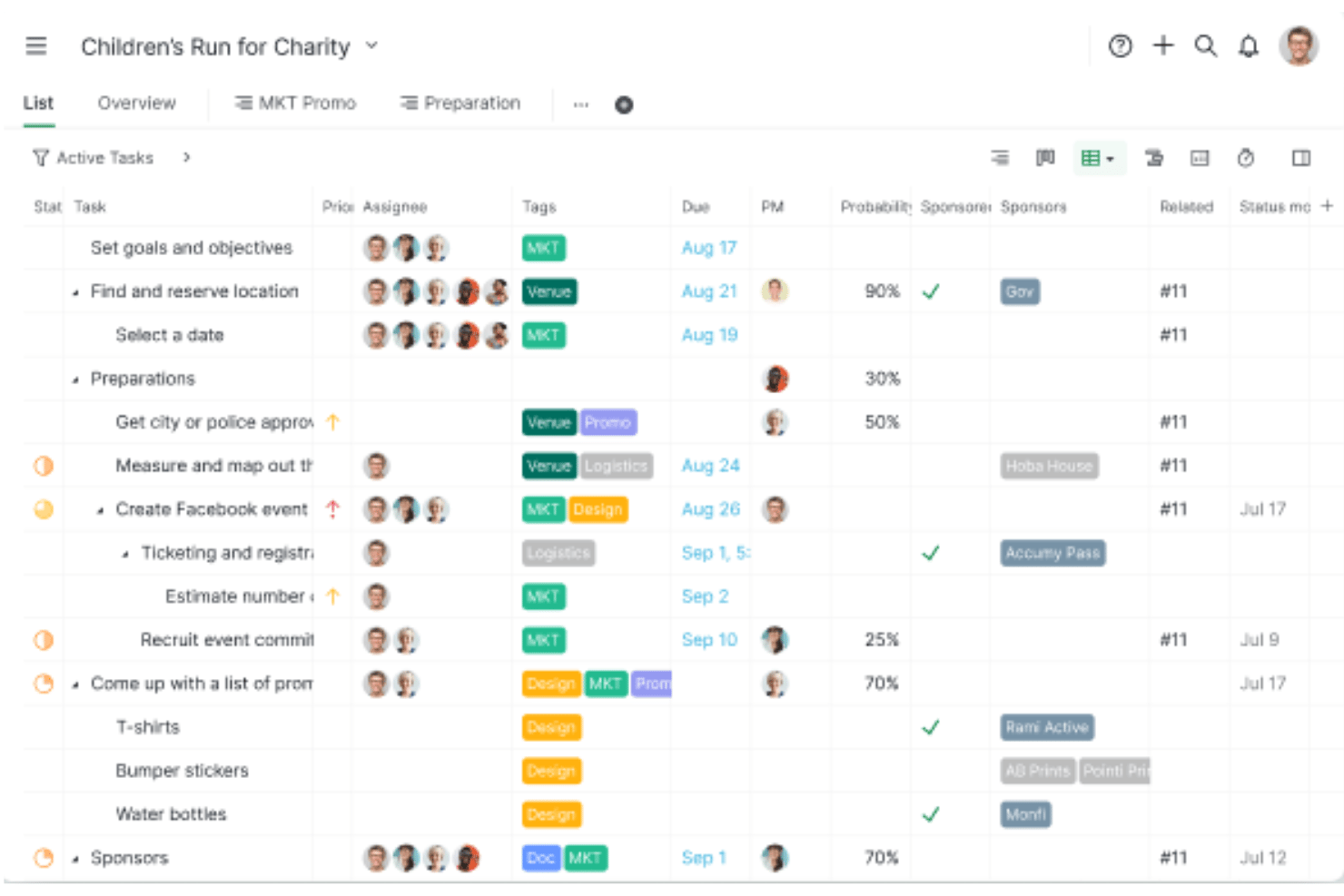
Quire is a project management tool built around a nested task hierarchy, offering Kanban boards, sprint sublists, Timeline (Gantt) views, and native GitHub integration for software teams.
Who Is Quire Best For?
Quire suits small dev teams and early-stage startups that want Agile-friendly task management without the overhead of enterprise tools like Jira.
Why I Picked Quire
I've included Quire in my top picks because it gives Agile teams a genuinely lightweight alternative to tools like Jira, without sacrificing the structural depth dev teams actually need. I particularly like how the nested task hierarchy maps naturally to epics, stories, and bugs, and how sprint sublists let you pull backlog items into a focused sprint board without any clunky setup. The native GitHub integration, available even on the free plan, means commits and issues stay linked to tasks from day one.
Quire Key Features
- Nested task hierarchy: Break down epics, stories, and bugs into unlimited levels of subtasks, keeping parent-child relationships visible across every project view.
- Timeline view: Schedule tasks and milestones on a Gantt-style timeline with dependency linking, giving you a clear picture of sprint pacing and delivery windows.
- Smart Folders: Aggregate multiple projects into a single portfolio view for cross-team tracking and reporting without duplicating work.
- MCP server: Connect AI assistants like Claude directly to Quire via a first-party Model Context Protocol server to create, update, and query tasks using natural language.
Quire Integrations
Quire offers native integrations with GitHub, Slack, Microsoft Teams, Google Drive, Google Calendar, and Dropbox. It also provides a REST API for custom integrations and supports Zapier.
Pros and Cons
Pros:
- Customizable statuses support varied development workflows
- Native GitHub integration for code traceability
- Nested task hierarchy for structuring epics and bugs
Cons:
- Lacks native CI/CD and DevOps integrations
- No built-in burndown or velocity charts
New Product Updates from Quire

Quire Adds Task and Standalone Reminders
Quire adds task reminders and standalone reminders with shared notifications, recurring schedules, and automatic date tracking. These updates help teams stay ahead of deadlines and manage reminders that do not need a task. For more information, visit Quire’s official site.
 .
.
Celoxis
Best for integrated client collaboration tools
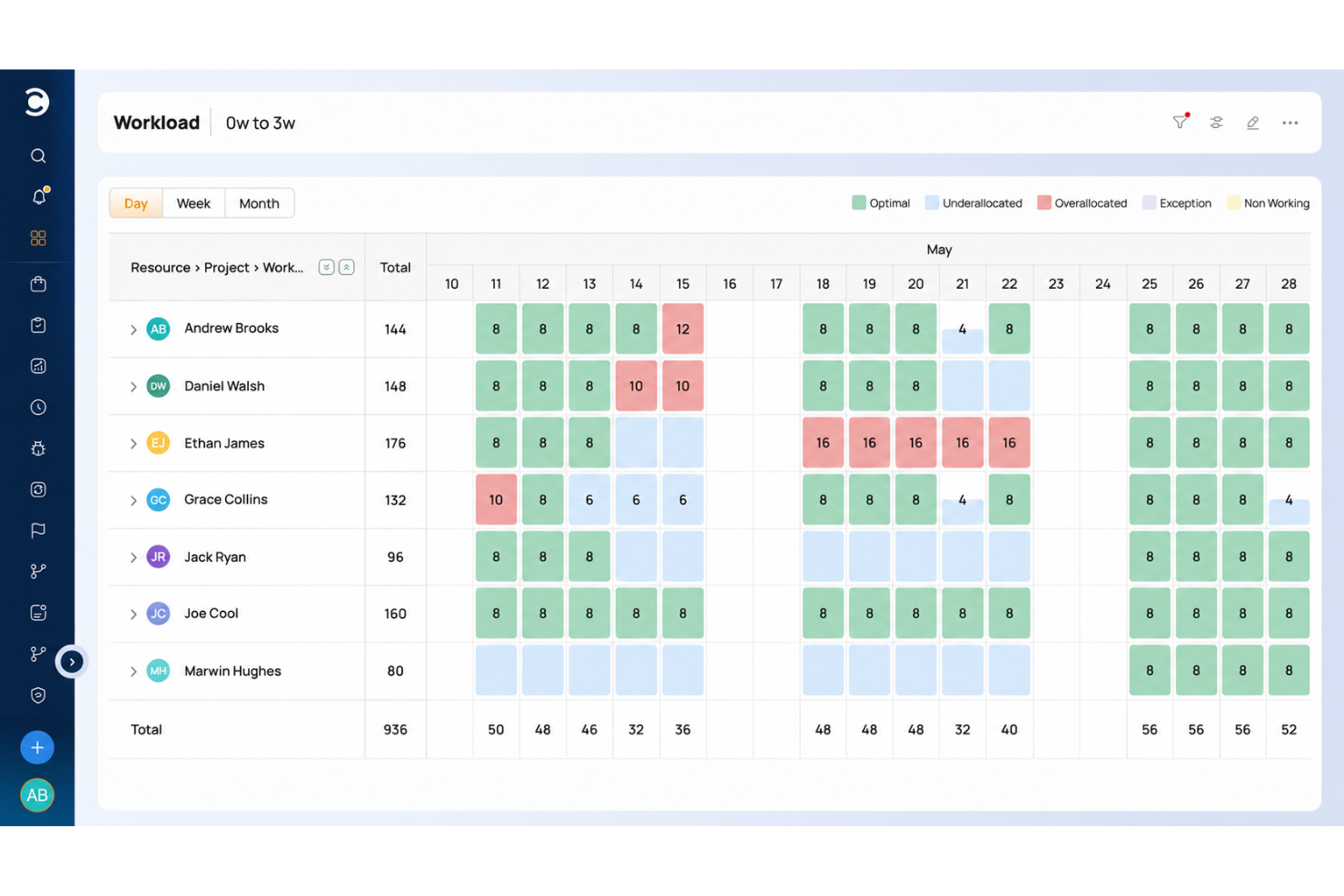
Celoxis is a project portfolio management platform that combines Gantt scheduling, resource management, request intake, budgeting, and portfolio tracking with native integrations for development tools like Jira, GitHub, and Azure DevOps.
Who Is Celoxis Best For?
Celoxis is a good fit for mid-size to enterprise project management offices (PMOs) that need to manage multiple projects, portfolios, and cross-functional teams from a single platform.
Why I Picked Celoxis
I picked Celoxis as one of the best because of how it handles client visibility without requiring additional seat licenses. The free, fully customizable client portal lets clients log in to their own personalized dashboards, where they can track progress, review reports, and exchange comments directly on tasks. I also like that you can share reports and schedule automated PDF delivery to clients on a recurring basis, which cuts down on the manual status update cycle that eats into a dev PM's time.
Celoxis Key Features
- Interactive Gantt charts: Build multi-project timelines with task dependencies, critical path highlighting, and automatic schedule recalculation.
- Resource workload management: View team capacity across projects using workload heatmaps, and reassign tasks directly from the chart.
- Time and expense tracking: Log hours against specific tasks and run multi-level approval workflows before billing.
- Bug and issue tracking app: Use a built-in workflow app to log, assign, and resolve bugs without leaving your project workspace.
Celoxis Integrations
Celoxis offers native integrations with Google Drive, Microsoft Excel, Microsoft Project, Salesforce, Jira, Zendesk, Slack, QuickBooks Online, and more. It also connects with Zapier, and an API is available for custom integrations.
Pros and Cons
Pros:
- On-premise and cloud deployment options
- Interactive Gantt charts with auto-rescheduling
- Built-in financial tracking with revenue forecasting
Cons:
- Dashboards slow with large project loads
- UI feels dated and menu-heavy

Best for planning large-scale development initiatives with detailed timelines and dependencies
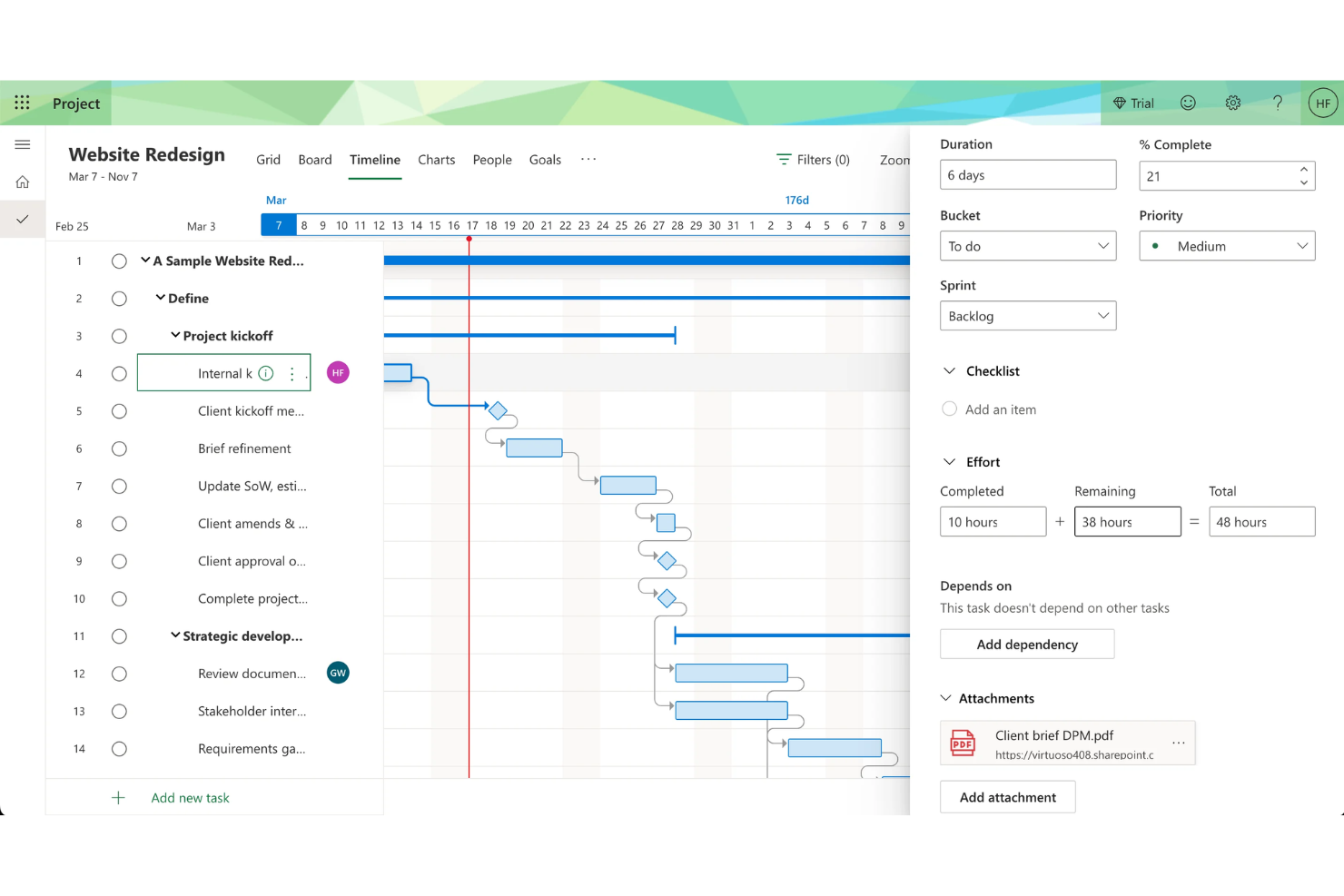
Microsoft Project is a project management platform for software teams that provides timeline planning, resource allocation, dependency mapping, and portfolio management in a single workspace.
Who Is Microsoft Project Best For?
Enterprise project managers and PMOs who need to coordinate complex, multi-team software development initiatives.
Why I Picked Microsoft Project
Microsoft Project is built for complexity. I picked Microsoft Project as one of the best because I rely on its Gantt charts and timeline views to map out dependencies and milestones for multi-phase software projects. My team uses its resource management features to allocate developer hours and balance workloads across overlapping initiatives. I like how the critical path analysis helps us spot bottlenecks before they impact delivery.
Microsoft Project Key Features
- Portfolio selection and optimization: Evaluate and prioritize multiple projects based on strategic impact.
- Built-in project templates: Start new projects quickly with pre-configured templates for common workflows.
- Timesheet submission: Track actual work hours and update progress directly within the platform.
- Integration with Microsoft 365: Sync tasks, calendars, and files with Microsoft Teams, Outlook, and SharePoint.
Microsoft Project Integrations
Microsoft Project has native integrations across the Microsoft ecosystem, including Microsoft 365, Teams, Outlook, SharePoint, Power BI, Power Apps, and Power Automate. An API is available for custom integrations.
Pros and Cons
Pros:
- Integrates natively with Microsoft 365 suite
- Offers advanced resource allocation tools
- Handles complex project dependencies and hierarchies
Cons:
- Steep pricing for smaller teams
- Lacks built-in Agile board views

Best for the simplest way to manage tasks directly alongside code changes
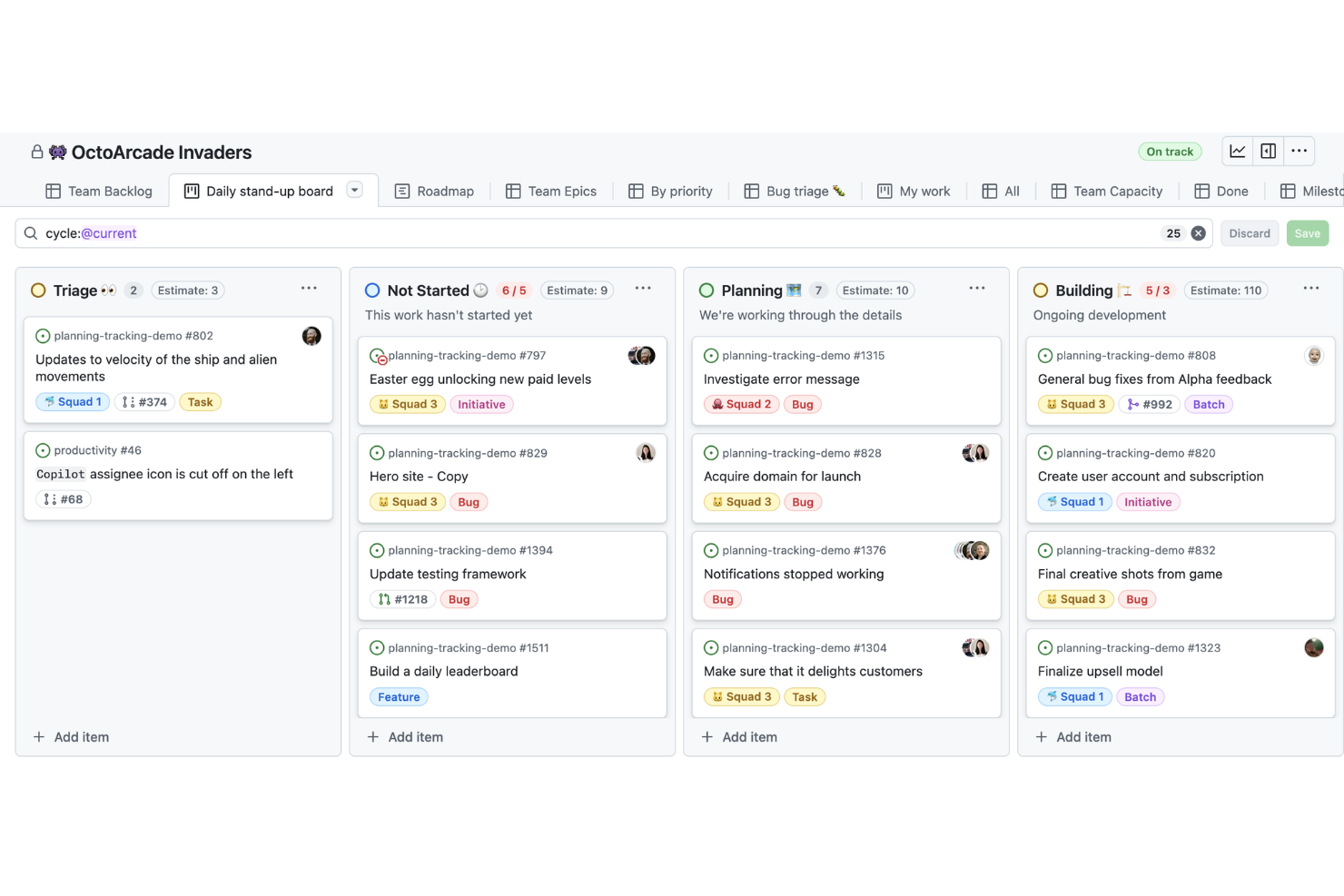
GitHub Projects is a project management tool built into GitHub that lets software teams organize issues, pull requests, and tasks directly alongside their code repositories.
Who Are GitHub Projects Best For?
Software development teams that need to manage project tasks directly within their GitHub repositories.
Why I Picked GitHub Projects
GitHub Projects is the most lightweight option for teams that don’t want a separate project management system at all. Instead of layering on another tool, it keeps everything tied directly to pull requests and issues. I included it because it’s ideal for smaller teams or fast-moving projects where simplicity and proximity to code matter more than advanced reporting.
GitHub Projects Key Features
- Custom fields: Add and configure fields to track metadata specific to your workflow.
- Views: Switch between board, table, and timeline views for different project perspectives.
- Saved filters: Create and reuse filters to quickly surface relevant issues or pull requests.
- Bulk editing: Update multiple issues or pull requests at once from within your project board.
GitHub Projects Integrations
GitHub Projects offers native integrations with GitHub Actions, GitHub Issues, and GitHub Pull Requests, and provides an API for custom integrations.
Pros and Cons
Pros:
- Flexible views with board table and timeline options
- Real time updates from pull requests
- Direct connection between issues and code changes
Cons:
- Permissions tied to repository structure
- Limited reporting and analytics capabilities

Notion
Best with AI agents for knowledge and tasks
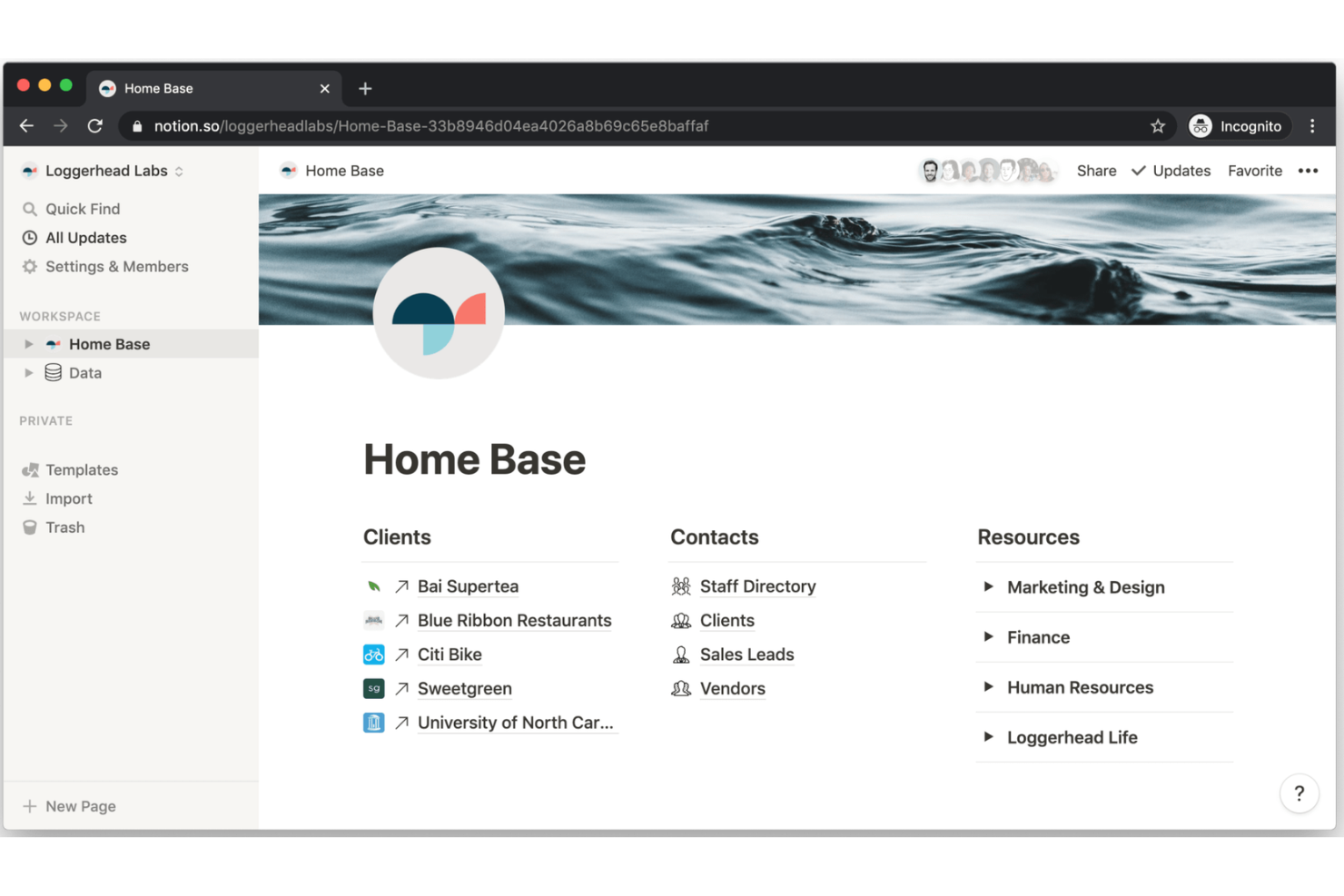
Notion is a modular workspace platform for software teams that combines project management, documentation, database tracking, and AI-powered knowledge management in one system.
Who Is Notion Best For?
Product and engineering teams who want a flexible workspace for managing projects, documentation, and knowledge.
Why I Picked Notion
Notion isn’t the most structured tool—but that’s the point. Compared to rigid systems, it gives teams full control over how they manage projects, documentation, and knowledge in one place. I chose it for teams that prioritize flexibility and want to consolidate tools rather than specialize.
Notion Key Features
- Kanban board view: Organize and move tasks visually across project stages.
- Custom templates: Create and reuse templates for sprint planning, bug tracking, or meeting notes.
- Version history: Track and restore previous versions of any page or database.
- Permissions management: Set granular access controls for pages, databases, and workspaces.
Notion Integrations
Notion offers native integrations with GitHub, Slack, Jira, Asana, Google Drive, Figma, Zoom, and Trello, and connects with Zapier. An API is available for custom integrations.
Pros and Cons
Pros:
- Custom templates for Agile workflows
- Real-time collaborative editing for project pages
- Embeds code snippets and technical docs
Cons:
- Kanban boards lack advanced automation options
- Lacks built-in time tracking for tasks

Best for tracking billable hours and project profitability
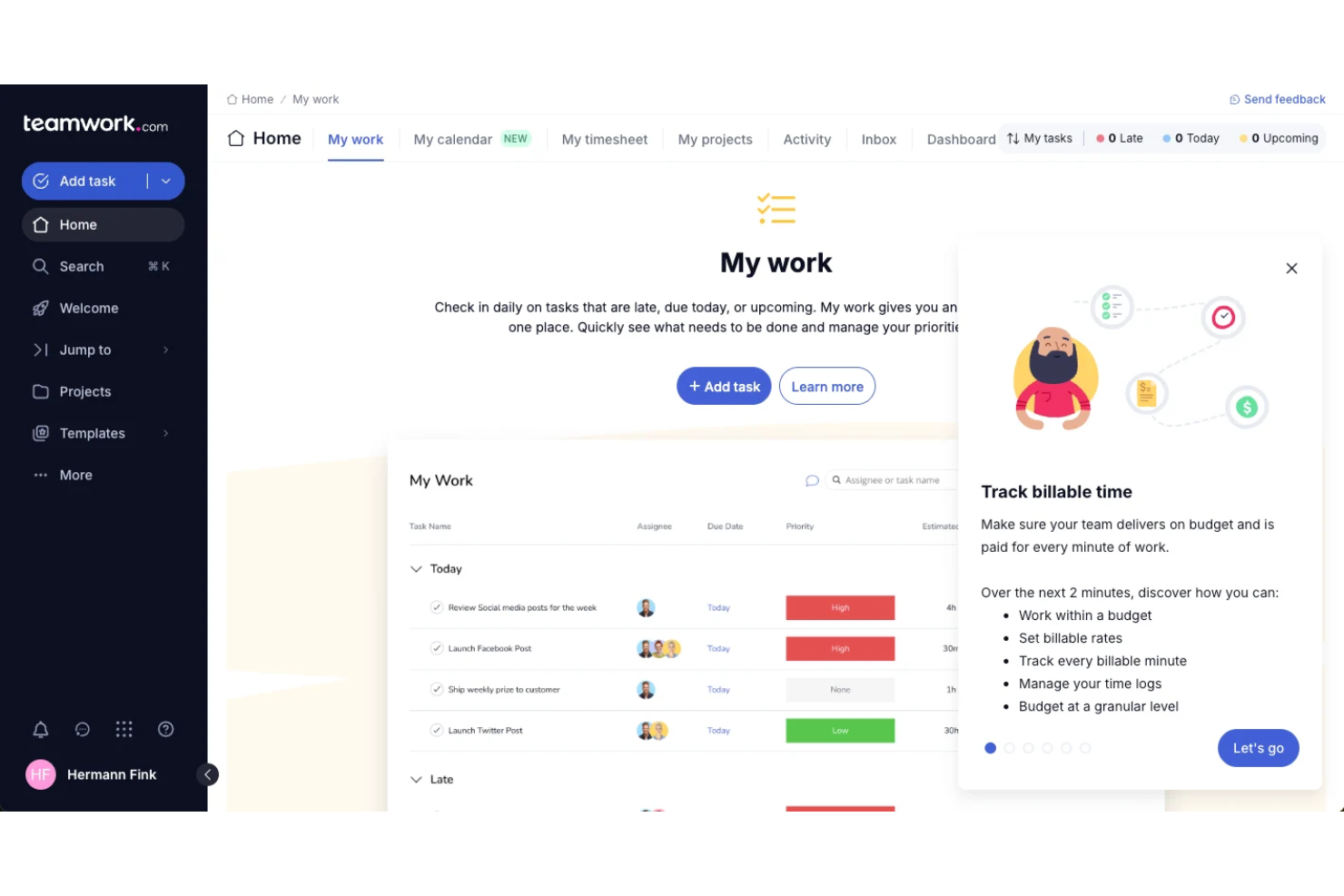
Teamwork.com is a project management platform for software teams that combines task management, time tracking, billing, resource scheduling, and client collaboration in one system.
Who Is Teamwork.com Best For?
Agencies and client services teams looking to track billable hours and project profitability.
Why I Picked Teamwork.com
Most tools treat time tracking as an add-on. Teamwork makes it central. I included it because it’s one of the few platforms that connects project execution directly to billable hours and profitability—making it a better fit for agencies and client-facing teams.
Teamwork.com Key Features
- Task dependencies: Set and visualize dependencies between tasks to manage project flow.
- Gantt chart view: Plan and adjust project timelines with interactive Gantt charts.
- Milestone tracking: Track key project milestones and deadlines in one place.
- Client portal: Give clients access to project updates, files, and communications.
Teamwork.com Integrations
Teamwork.com offers 150+ native integrations, including Slack, Microsoft Office, Harvest, Xero, BugHerd, HubSpot, Stripe, and ChatGPT, and connects with Zapier. An API is available for custom integrations.
Pros and Cons
Pros:
- Client portal supports external collaboration
- Profitability dashboard for project financials
- Built-in time tracking for billable work
Cons:
- Resource management is less advanced than peers
- Limited Agile board customization options

Jira
Best for a robust and customizable Agile workflow engine for scaling teams

Jira is a software development project management tool from Atlassian that provides issue tracking, sprint planning, backlog management, and customizable workflows for Agile teams.
Who Is Jira Best For?
Agile software development teams that need detailed sprint, backlog, and issue tracking.
Why I Picked Jira
If you need strict Agile processes, Jira still sets the standard. Compared to more flexible tools, it gives you deeper control over sprint structure, backlog grooming, and issue tracking. I chose it because it handles complexity better than most—especially for teams managing multiple squads, detailed workflows, and large backlogs.
Jira Key Features
- Advanced permissions: Control user access and project visibility at a granular level.
- Marketplace apps: Extend functionality with thousands of add-ons from the Atlassian Marketplace.
- Automation engine: Set up custom rules to automate repetitive project management tasks.
- Release management: Track, schedule, and manage software releases within your projects.
Jira Integrations
Jira offers native integrations with Confluence, Bitbucket, Trello, GitHub, Slack, Microsoft Teams, Google Drive, Dropbox, Zendesk, and Salesforce, and provides an API for custom integrations.
Pros and Cons
Pros:
- Detailed reporting and dashboard capabilities
- Highly customizable workflows for development teams
- Advanced sprint and backlog management tools
Cons:
- Can feel slow with large projects
- Complex setup for new users

Zenhub
Best for deep GitHub-native project management with true multi-repo hierarchy
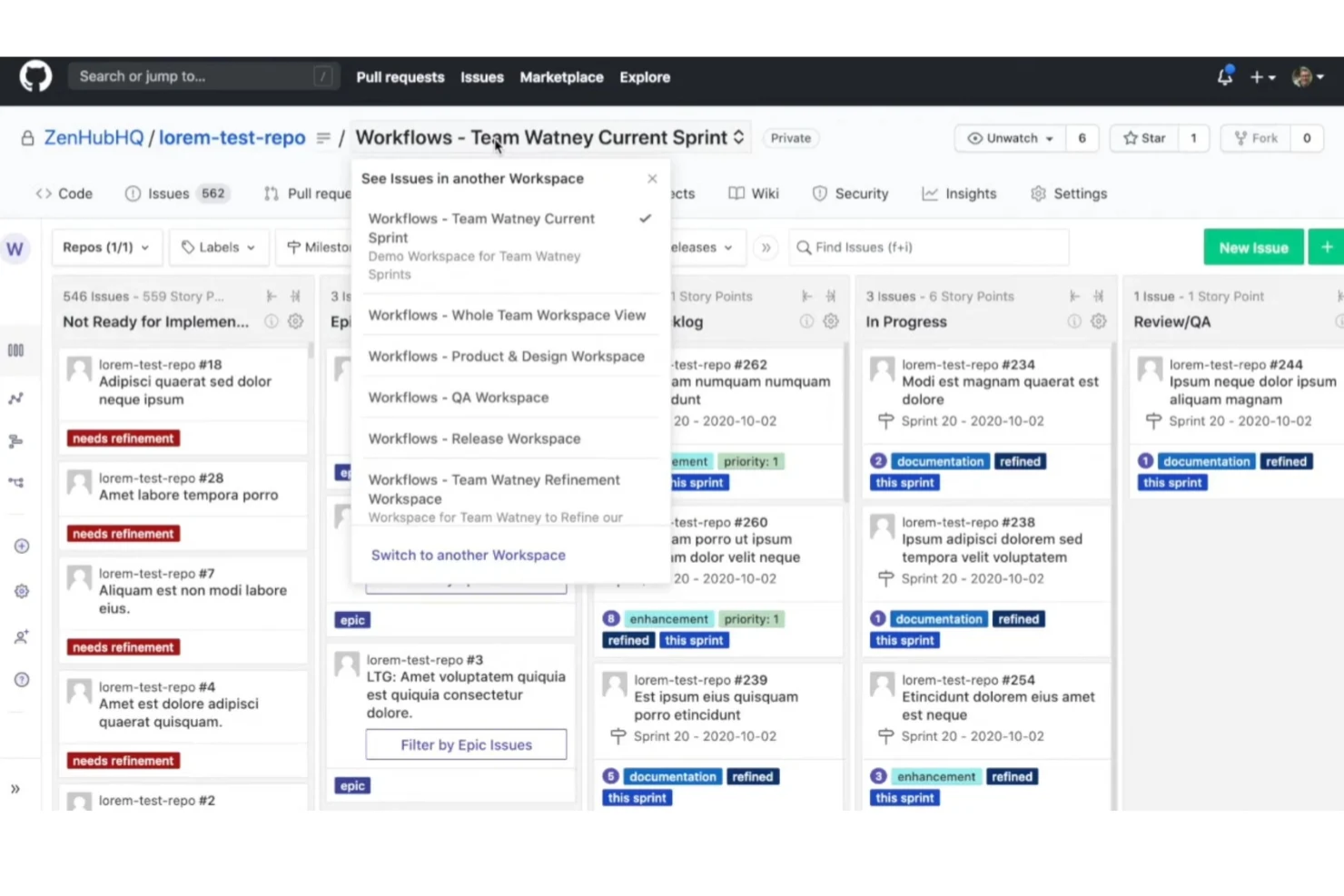
Zenhub is a project management platform for software teams that connects directly to GitHub, offering issue tracking, sprint planning, and workflow automation built for code-centric environments.
Who Is Zenhub Best For?
Software development teams that manage projects directly within GitHub and need advanced project structuring.
Why I Picked Zenhub
Most tools force you to sync or duplicate work between your project manager and GitHub. Zenhub removes that friction entirely by letting you plan, track, and manage complex projects directly inside your repositories. It stands out if your team wants zero context switching and tighter alignment between code and project structure—something more general tools struggle to replicate.
Zenhub Key Features
- Automated workflows: Set up rules to automate repetitive project management tasks within your boards.
- Burndown and velocity charts: Visualize sprint progress and team performance with built-in Agile reporting tools.
- Slack integration: Connect Zenhub to Slack channels for real-time project updates and notifications.
- Roadmap visualization: Map out project timelines and milestones using interactive roadmap views.
Zenhub Integrations
Zenhub offers native integrations with GitHub and Slack, and provides an API for custom integrations.
Pros and Cons
Pros:
- Built-in Agile reporting and analytics
- Supports multi-repo project tracking
- Deep GitHub integration for issue management
Cons:
- No built-in time tracking features
- Limited outside GitHub ecosystem functionality
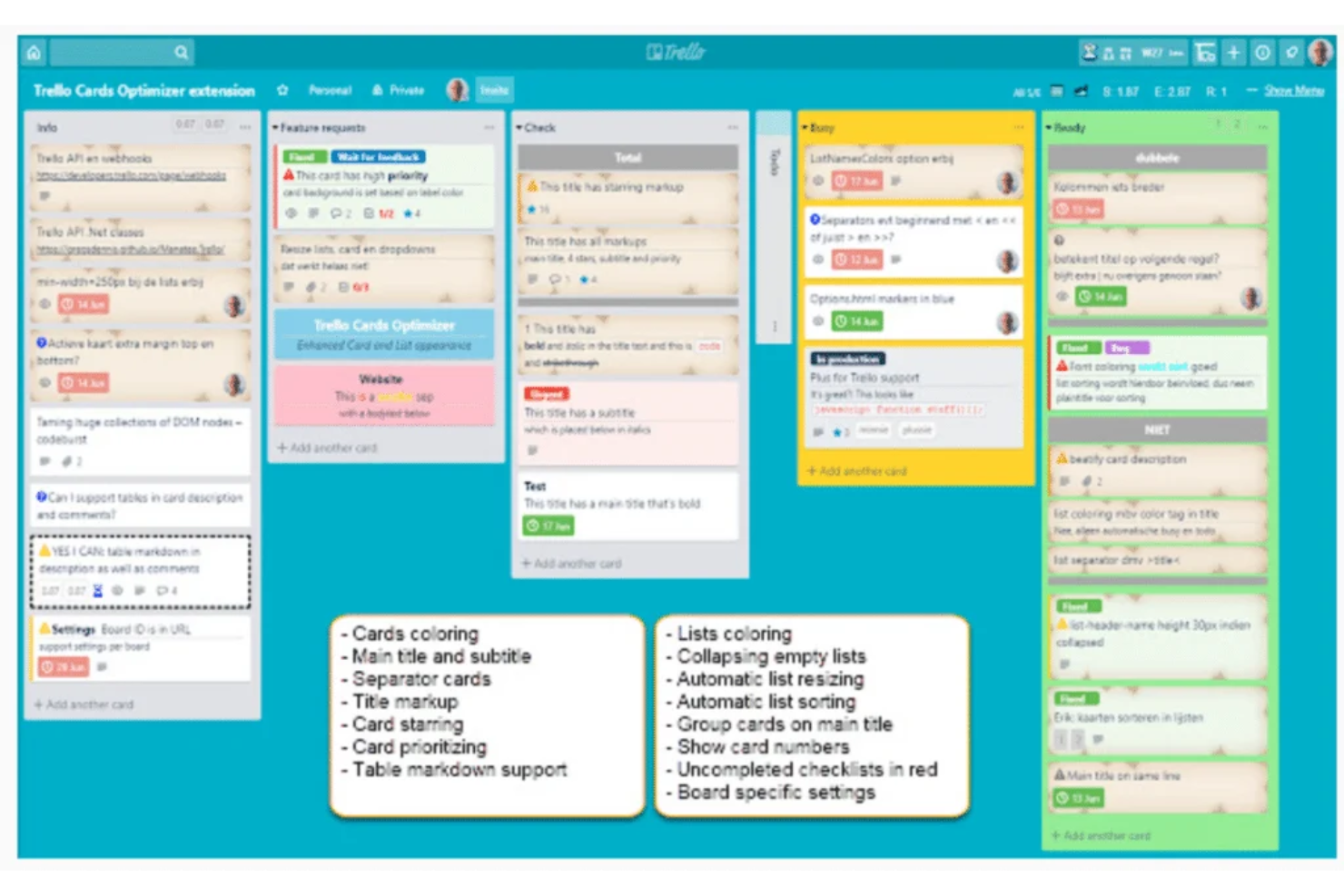
Trello is a visual project management tool for software teams that organizes tasks, tracks progress, and automates workflows using boards, lists, and cards.
Who Is Trello Best For?
Small software teams and startups needing a simple, visual way to manage tasks and workflows.
Why I Picked Trello
Trello offers one of the simplest ways to get a team up and running quickly. Compared to more complex platforms, it trades depth for ease of use. I included it because it’s ideal for smaller teams or early-stage projects that need clarity and speed—not heavy process or reporting.
Trello Key Features
- Card attachments: Attach files, screenshots, or documents directly to task cards.
- Power-Ups library: Add integrations and extra features like calendar views or voting.
- Activity log: Track all changes and updates made to boards and cards.
- Labels and filters: Categorize tasks and quickly filter cards by status or priority.
Trello Integrations
Trello offers native integrations with Jira, Slack, Google Drive, Dropbox, GitHub, Confluence, Evernote, Box, and Microsoft Teams. It connects with Zapier and provides an API for custom integrations.
Pros and Cons
Pros:
- Power-Ups add features for dev workflows
- Butler automations handle repetitive dev tasks
- Visual boards make sprint planning simple
Cons:
- Permissions are board-level, not granular
- Task dependencies are basic and manual
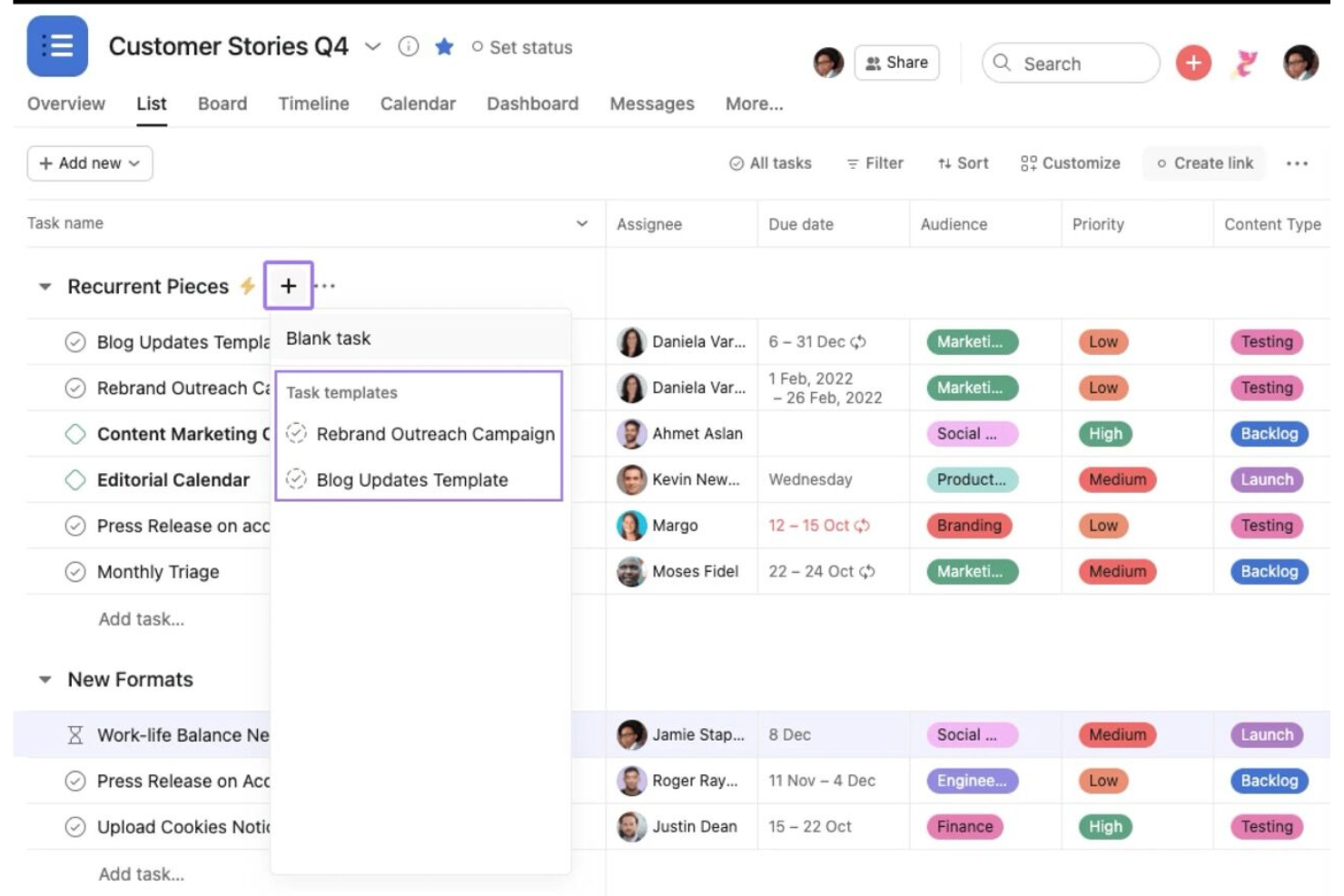
Asana is a work management platform for software development project management that lets teams organize tasks, manage projects, assign responsibilities, and coordinate work across multiple departments.
Who Is Asana Best For?
Project managers and cross-functional teams in mid-sized to large organizations who need to coordinate work across departments.
Why I Picked Asana
Most developer-focused tools struggle when work extends beyond engineering. Asana fills that gap by making it easier to coordinate across product, marketing, and operations without losing structure. I picked it because it’s better suited for organizations where software development is just one part of a broader workflow.
Asana Key Features
- Timeline view: Visualize project schedules and task dependencies in a Gantt-style chart.
- Workload management: Monitor team capacity and balance assignments across projects.
- Milestone tracking: Mark and track key project milestones to monitor progress.
- Rules automation: Set up custom triggers and actions to automate routine project workflows.
Asana Integrations
Asana offers 200+ native integrations, including Slack, GitHub, Jira Cloud, Google Drive, Microsoft Teams, Zoom, Salesforce, Dropbox, Adobe Creative Cloud, and Zapier. An API is available for custom integrations.
Pros and Cons
Pros:
- Built in workload management for resource planning
- Multiple project views including timeline and calendar
- Strong cross functional collaboration across teams
Cons:
- Task dependencies can become difficult to manage
- Limited Agile reporting features
Other Software Development Project Management Tools
Here are some additional software development project management tools options that didn’t make it onto my shortlist, but are still worth checking out:
- monday AI Workspace
Balance of flexibility and AI-assisted workflow automation
- Smartsheet
For portfolio-level dashboards and reporting
- Wrike
For advanced analytics and customizable reporting across large teams
- Zoho Projects
For time tracking with invoicing
- ProofHub
For built-in team discussions
- ProjectManager
For real-time workload management
- Backlog
For bug tracking in collaborative teams
- Airtable
For customizable workflow automation
- OpenProject
For self-hosted deployment options
- GoodDay
For multi-view project dashboards
- GitLab
For full DevOps lifecycle in one platform
- nTask
For built-in risk management features
- Shortcut
For story mapping in Agile teams
- ClickUp
For all-in-one work management with AI
- Aha! Develop
For Agile roadmap visualization


How I Evaluate Software Development Project Management Tools
I evaluate tools on two layers: the baseline dev capabilities a product must have—sprint management, issue tracking, Git integration—and the differentiators that make one tool right for your team.
Core Functionality (Table Stakes For This List)
When I'm selecting tools for my list, I rank each one on a scale from 0 (does not offer the functionality) to 5 (excels in this area) for each core functionality listed below. Then, I calculate the tool's total score into a percentage. Each tool needs to achieve a minimum total score of 65% to be considered for inclusion.
- Agile Sprint Management: I look for real sprint planning with backlog grooming, capacity allocation, and iteration tracking—not just a Kanban board relabeled as "agile."
- Issue & Bug Tracking: Every tool should let teams create, assign, and prioritize bugs, user stories, and epics with clear lifecycle stages from triage through resolution.
- Dev Tool Integrations: I check for native connections to Git providers like GitHub, GitLab, or Bitbucket, plus CI/CD platforms, so commits link directly to tickets.
- Roadmapping & Release Planning: Teams shipping versioned products need milestone tracking, cross-sprint release grouping, and dependency mapping to coordinate delivery.
- Dev-Specific Reporting: I evaluate whether the tool generates burndown charts, velocity trends, and cycle time metrics—reports that actually help engineering leads spot blockers.
- Customizable Dev Workflows: The tool should support configurable statuses and transitions that mirror how dev teams actually work, like adding a code review or QA stage.
Once I have a list of tools that meet the criteria, I consider what sets each platform apart.
Differentiating Factors (What Sets Vendors Apart)
Here's how I compare and contrast different vendors:
Standout Features
Code-level traceability is a major differentiator. I look for tools that link pull requests, branches, and deployments directly to tickets so you can trace a feature from requirement to production. AI-assisted capabilities also matter more each year, especially auto-generated user stories and sprint risk predictions that save leads hours of planning time. Native time tracking with story point estimation is another factor I evaluate, since it lets teams compare estimated vs. actual effort without toggling to a separate tool.
Beyond Features
I evaluate how deeply a tool connects to the broader dev stack. REST APIs and webhooks matter when your team needs custom automations between CI/CD pipelines and project boards. Security is another key factor, especially for teams handling proprietary code; I check for SOC 2 compliance, SSO/SAML support, and role-based access controls. Migration tooling also weighs heavily in my assessment, since switching from a platform like Jira or Azure DevOps can stall adoption if the vendor doesn't offer solid import utilities and onboarding support.
How to Choose Software Development Project Management Tools
It’s easy to get bogged down in long feature lists and complex pricing structures. To help you stay focused as you work through your unique software selection process, here’s a checklist of factors to keep in mind:
| Factor | What to Consider |
| Scalability | Will the tool handle your team size and project volume as you grow? Check user limits and project caps. |
| Integrations | Does it connect natively to your existing tools like code repos, chat, and documentation platforms? |
| Customizability | Can you tailor workflows, fields, and permissions to match your team’s processes and terminology? |
| Ease of use | Will your team adopt it quickly, or will training and support be a constant need? |
| Implementation and onboarding | How long will it take to get up and running? Are there migration tools, templates, or onboarding support? |
| Cost | Are pricing tiers clear and predictable as your needs change? Watch for per-user fees and add-on costs. |
| Security safeguards | Does the tool offer SSO, data encryption, and role-based access controls to protect sensitive project data? |
| Support availability | Is help available when you need it—especially during critical project phases or outside standard hours? |
What Is Project Management for Software Development?
Project management for software development is the process of organizing, assigning, and tracking work across task lists, subtasks, and to-do lists to deliver software projects on time. Project management apps help teams coordinate work, manage a project portfolio, and track metrics while keeping development tasks connected to broader business workflows like CRM systems and file storage.
These tools are used by small teams and larger organizations to manage everything from simple projects to complex builds. Teams use them to assign tasks, monitor progress through dashboards and widgets, and stay connected through mobile app access. While some platforms have a learning curve, many support unlimited users and flexible setups that adapt to different development workflows.
Features of Software Development Project Management Tools
When selecting software development project management tools, keep an eye out for the following key features:
- Task management: Lets you create, assign, and track tasks or issues, so everyone knows what needs to be done and by whom.
- Gantt charts: Visualize project timelines, dependencies, and milestones, helping teams plan and adjust schedules as work progresses.
- Kanban or Agile boards: Provide a drag-and-drop interface for managing work in columns, supporting Agile workflows like Scrum or Kanban.
- Resource allocation: Tracks team member workloads and availability, making it easier to balance assignments and avoid bottlenecks.
- Time tracking: Records hours spent on tasks or projects, supporting accurate billing, forecasting, and performance analysis.
- Collaboration tools: Offers built-in chat, comments, or file sharing to keep communication and documentation centralized.
- Reporting and analytics: Generates real-time reports on progress, velocity, and project health, helping teams and stakeholders stay informed.
- Integration capabilities: Connects with code repositories, CI/CD pipelines, and other tools to streamline development workflows.
- Permission controls: Allows you to set user roles and access levels, protecting sensitive information and supporting compliance needs.
- Automated notifications: Sends alerts or reminders for deadlines, status changes, or important updates, reducing manual follow-up.
Benefits of Software Development Project Management Tools
Implementing software development project management tools provides several benefits for your team and your business. Here are a few you can look forward to:
- Improved project visibility: Centralized dashboards and reporting features make it easy to track progress, deadlines, and bottlenecks in real time.
- Better team collaboration: Built-in communication tools and shared workspaces keep everyone aligned and reduce miscommunication.
- Faster issue resolution: Task tracking and automated notifications help teams quickly identify, assign, and resolve bugs or blockers.
- More predictable delivery: Timeline planning, resource allocation, and dependency management support on-time project completion.
- Enhanced accountability: Permission controls and activity logs clarify responsibilities and make it easier to audit project actions.
- Streamlined workflows: Integrations with code repositories and CI/CD tools reduce manual work and keep development processes connected.
- Data-driven decision making: Analytics and reporting features provide insights that help teams prioritize work and allocate resources effectively.
Costs and Pricing of Software Development Project Management Tools
Selecting software development project management tools requires an understanding of the various pricing models and plans available. Costs vary based on features, team size, add-ons, and more. The table below summarizes common plans, their average prices, and typical features included in software development project management tools solutions:
Plan Comparison Table for Software Development Project Management Tools
| Plan Type | Average Price | Common Features |
| Free Plan | $0 | Basic task management, limited users, simple reporting, and community support. |
| Personal Plan | $5-$15/user/month | Task and project tracking, basic integrations, limited storage, and email support. |
| Business Plan | $15-$30/user/month | Advanced reporting, resource management, workflow automation, integrations, and priority support. |
| Enterprise Plan | $30-$60/user/month | Custom permissions, enhanced security, advanced analytics, dedicated onboarding, and SLA-backed support. |
Software Development Project Management Tools FAQs
Here are some answers to common questions about software development project management tools:
What’s the difference between software development project management tools and general project management tools?
Software development project management tools include features tailored for coding teams, like issue tracking, code repository integrations, and Agile boards. General project management tools focus more on task tracking and scheduling without these development-specific capabilities.
Can these tools support both Agile and waterfall methodologies?
Yes, most software development project management tools support both Agile and waterfall approaches. You can usually switch between Kanban boards, Scrum sprints, and Gantt charts to match your team’s preferred workflow.
How do these tools help with cross-functional collaboration?
These tools centralize communication, documentation, and task assignments, making it easier for developers, designers, and product managers to stay aligned. Features like shared boards, comments, and file attachments keep everyone on the same page.
Are there security risks with cloud-based project management tools?
Yes, cloud-based tools can pose security risks if not properly configured. Look for solutions with encryption, SSO, and role-based access controls, and always review the vendor’s compliance certifications and data handling policies.
What should I consider when migrating from another tool?
Plan for data migration, user training, and workflow adjustments. Check if the new tool offers import utilities, onboarding support, and documentation to help your team transition smoothly without losing important project history.