

10 Height.app Alternatives for Project Management in 2026

10 Best Height.app Alternatives Shortlist


Managing projects can be a tough job. You juggle timelines, resources, and team dynamics. When your current tool lacks the versatility to meet your needs, it may be time to explore alternatives. Height.app might not fit everyone's style or business model.
I've spent time testing and reviewing project management tools, and I understand the unique challenges you face. My goal is to guide you to software that truly supports your workflow.
In this article, I'll share insights into the top Height.app alternatives. You'll find user-friendly options that can enhance collaboration and fit your team's specific needs. Let's find the right tool for you together.
What is Height.app?
Height.app is a project collaboration tool designed to help teams manage milestones and projects efficiently. It's commonly used by project managers, team leads, and coordinators who need to keep their teams organized and on track.
Features like task tracking, real-time collaboration, and customizable workflows help with organizing your projects, improving communication, and keeping everyone aligned. Overall, Height.app offers a platform for enhancing team productivity and project oversight.
Height.app Alternatives Comparison Table
This comparison table highlights pricing details for my top Height.app alternatives.
| Tool | Best For | Trial Info | Price | ||
|---|---|---|---|---|---|
| 1 | Best for PM and ops teams in one workspace | 14-day free trial | From $15/user/month (billed annually) | Website | |
| 2 | Best for all-in-one client project tracking | Free plan + 14-day free trial available | From $10/user/month (billed annually) | Website | |
| 3 | Best for docs and tasks in one workspace | Free plan + Free trial + Free demo available | From $10/user/month | Website | |
| 4 | Best for product development teams | Free plan available | From $10/user/month (billed annually) | Website | |
| 5 | Best for task prioritization | Free plan available | From $10.99/user/month (billed annually) | Website | |
| 6 | Best for cross-team views and built-in chat | Free plan + 14-day trial + demo available | From $5/user/month (billed annually) | Website | |
| 7 | Best for team collaboration | Free plan + 14-day free trial + free demo available | From $10/user/month (billed annually) | Website | |
| 8 | Best for self-hosted dev team workflows | Free plan + 14-day free trial + free demo available | From $6/user/month (billed annually) | Website | |
| 9 | Best for AI-powered workflow automations | Free plan + 14-day trial available | From $9/user/month (billed annually) | Website | |
| 10 | Best for customizable dashboards | Free plan + free trial + free demo available | From $12/user/month | Website |


Why Trust Our Software Recommendations
Our team has been testing and reviewing software since 2012. As project managers ourselves, we know how difficult—and important—it is to choose the right software.
For this guide, we evaluated tools using hands-on testing and independent research, scoring tools using our selection criteria. We also draw on insights from industry thought leaders and practicing project management experts.
Our reviews reflect our human editorial judgment, not a sales pitch.
Expert reviewers:
Best Height.app Alternative Reviews
Below are my detailed summaries of the best Height.app alternatives that made it onto my shortlist. My reviews offer a look at the key features, pros and cons, integrations, and ideal use cases of each tool to help you find the best one for you.
Best for PM and ops teams in one workspace
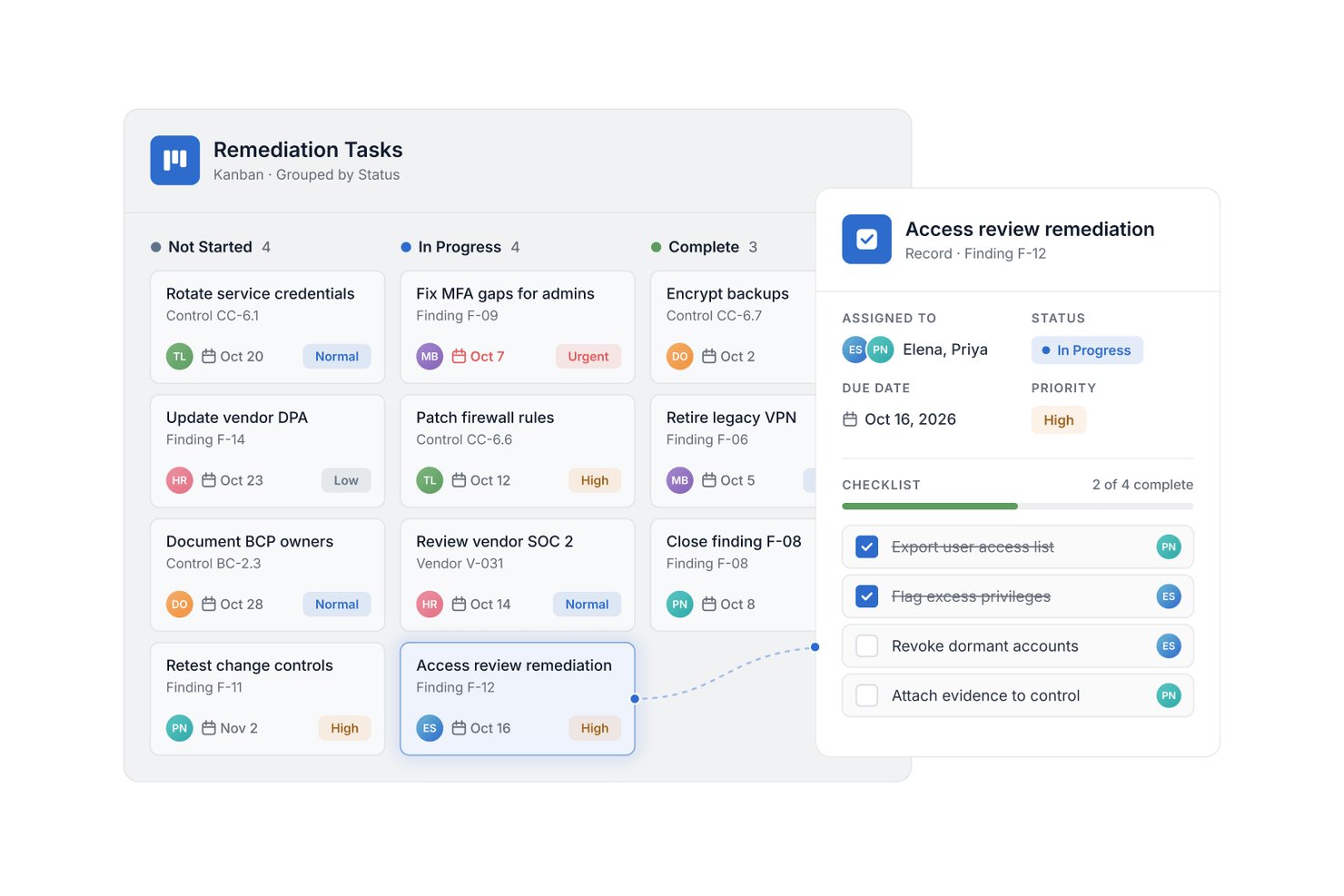
SmartSuite is a configurable work management platform for product, engineering, and operations teams that need to coordinate project tasks and workflows in one place.
Who Is SmartSuite Best For?
SmartSuite suits project managers and operations leads who need to connect delivery plans with day-to-day business processes.
Why I Picked SmartSuite
I picked SmartSuite as a Height.app alternative because it matches the “Best for PM and ops teams in one workspace” focus. Its relational records connect project plans with operational workflows, while dashboards show status across both. I like that automation can trigger multi-step actions when an ops request changes, moving intake into delivery while keeping it linked to the project.
SmartSuite Key Features
- Task views: Switch between Kanban, list, calendar, timeline, and Gantt layouts.
- Milestone tracking: Set milestones and map task dependencies, critical paths, and schedule rollups.
- RAID logs: Track risks, assumptions, issues, and dependencies with owners and due dates.
- Project templates: Start with structures for scope, deliverables, roles, documents, decisions, and tasks.
SmartSuite Integrations
SmartSuite lists 16 native integrations, including Salesforce, Jira Cloud, Slack, Microsoft Teams, HubSpot, Google Drive, and Google Sheets. It also supports Zapier and Make connectors, plus a REST API and webhooks for custom integrations.
Pros and Cons
Pros:
- Automations move requests into delivery
- Dashboards report status across connected work
- Links project records with operational workflows
Cons:
- Large database imports can be challenging
- Formula options fall short of spreadsheets
Nifty
Best for all-in-one client project tracking
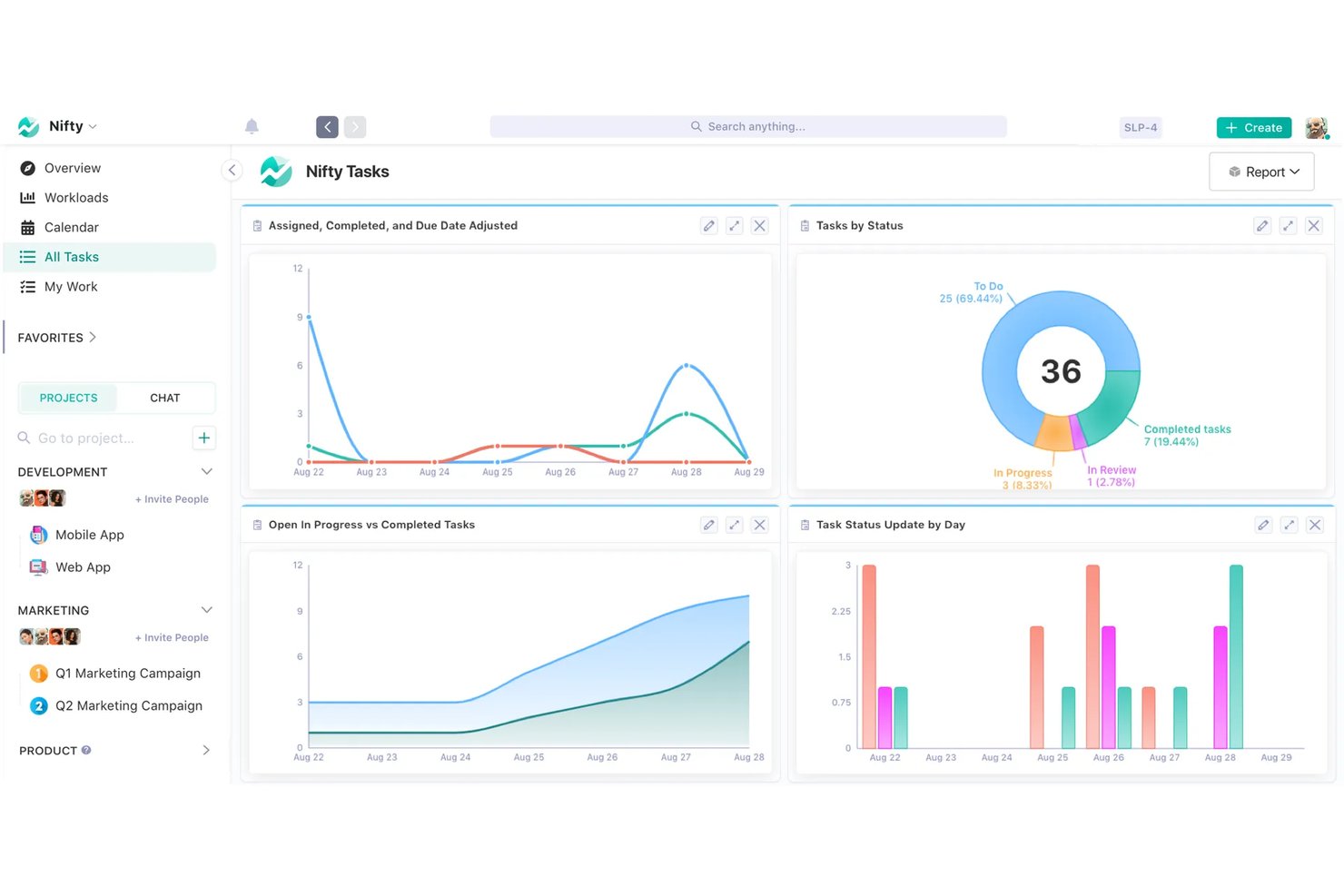
Nifty is a project management platform for agencies and cross-functional teams that brings task planning, timelines, documents, and conversations together to keep delivery work and updates from fragmenting across tools.
Who Is Nifty Best For?
Nifty is a good fit for client-facing project managers who need to track deliverables, timelines, and updates across client engagements.
Why I Picked Nifty
I picked Nifty as a Best Height.app alternative because it’s Best for all-in-one client project tracking. I like that I can hide internal tasks, milestones, and conversations from clients while sharing relevant project updates. Milestones group tasks and show progress, which helps me report deliverables without exposing internal work.
Nifty Key Features
- Time tracking: Log billable or nonbillable hours against tasks.
- Workload view: Review assignments by team member and adjust task dates.
- Forms: Collect submissions and route them to tasks, documents, or discussions.
- App integrations: Connect tools such as GitHub, Slack, Figma, Google, and Zoom.
Nifty Integrations
Nifty offers native integrations with Harvest, Webex, Zoom, Slack, GitHub, Microsoft 365, Google Workspace, Miro, Typeform, and Figma, and connects with Zapier. Its API supports custom integrations and is available on the Business plan and above.
Pros and Cons
Pros:
- Project discussions stay alongside delivery work
- Milestones turn task progress into client updates
- Client portals keep internal work private
Cons:
- Mobile app misses some desktop capabilities
- Advanced reporting offers limited depth
Notion
Best for docs and tasks in one workspace
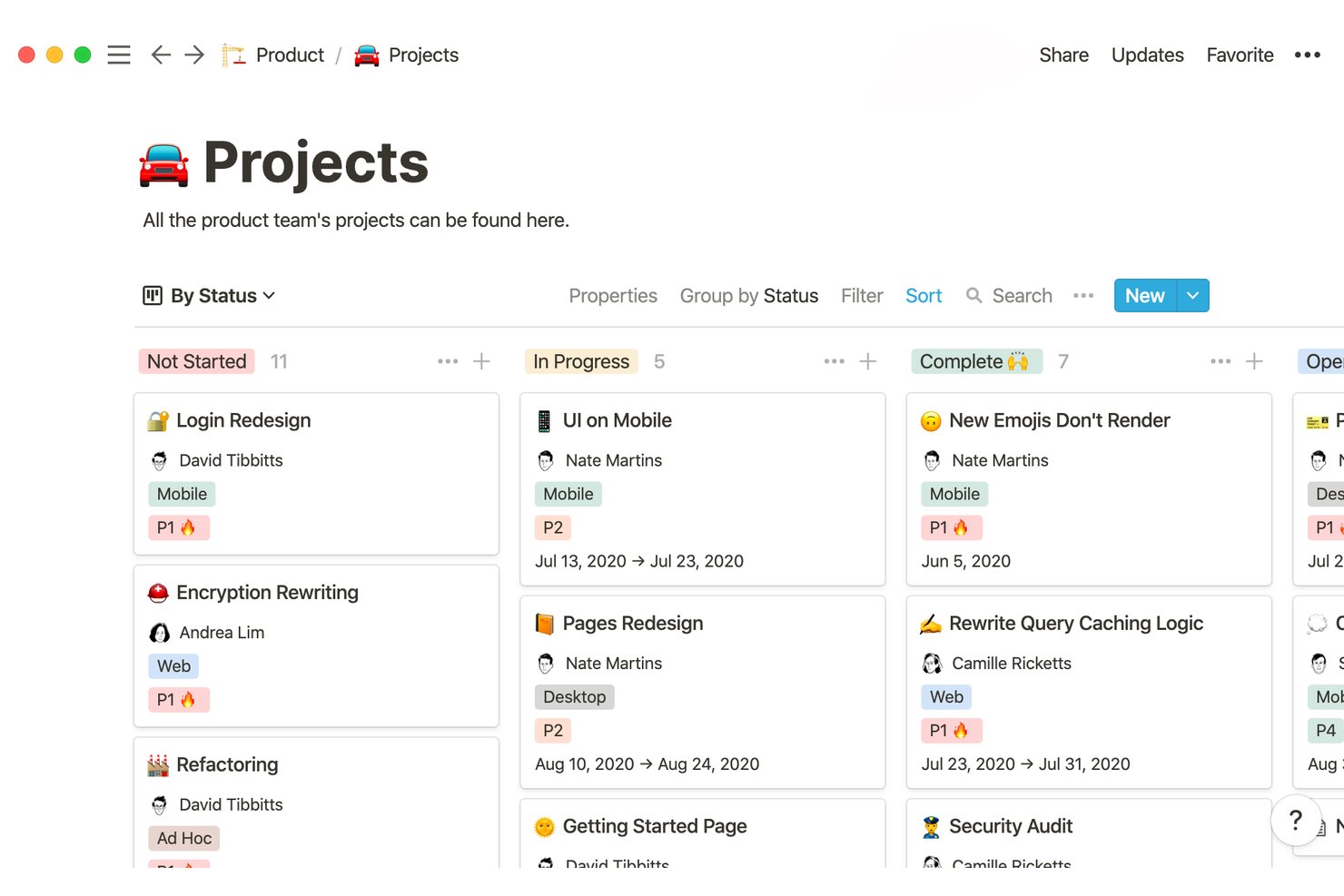
Notion is a flexible project management workspace for product and engineering teams that need to coordinate shifting priorities, track work, and keep project context connected.
Who Is Notion Best For?
Notion is a good fit for project managers at digital teams who want to keep project plans, decisions, and day-to-day work connected.
Why I Picked Notion
I picked Notion because it’s best for docs and tasks in one workspace. I like how teams can keep project briefs and decisions on pages, then track deliverables in databases with status, owner, and timeline views. That connection helps me review a task’s context without hunting through separate tools.
Notion Key Features
- Board view: Group project items into columns and move them between stages.
- Calendar view: Display dated project items on a calendar.
- Task dependencies: Link tasks to show which work must happen first.
- Sub-items: Break larger tasks into smaller, trackable pieces.
Notion Integrations
Notion offers native integrations with Slack, GitHub, Jira, and Salesforce, including database syncs for GitHub, Jira, and more. It also connects with Zapier and provides an API for custom integrations.
Pros and Cons
Pros:
- Reusable templates adapt to team-specific workflows
- Project briefs stay attached to tracked deliverables
- Docs and tasks share one searchable workspace
Cons:
- Complex databases can slow large workspaces
- Advanced delivery controls trail dedicated project platforms

Linear
Best for product development teams
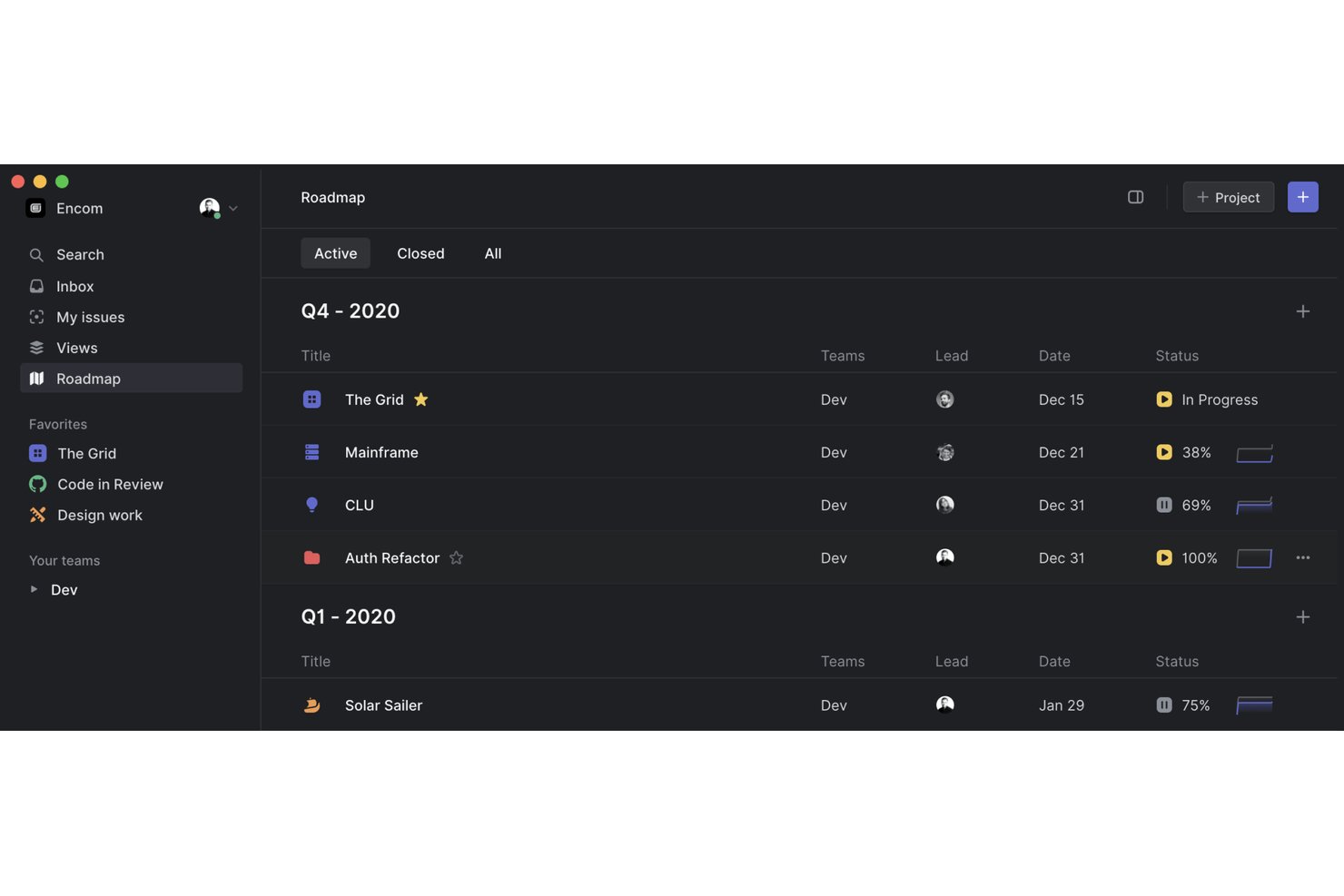
Linear is project management and issue tracking software that helps product and engineering teams plan roadmaps, coordinate development work, and track priorities and progress.
Who Is Linear Best For?
Linear fits software teams that want product, design, and engineering work coordinated in one issue-tracking workspace.
Why I Picked Linear
I picked Linear, labeled “Best for product development teams,” because its issue workflows and cycles connect prioritized bugs and features to planned releases. I use projects and roadmaps to link engineering tickets with larger launches, helping teams moving from Height track delivery against product goals.
Linear Key Features
- Custom views: Filter issues by properties such as assignee, status, or priority and save the view.
- Issue templates: Create reusable templates with predefined fields and prompts for recurring requests.
- Integrations: Connect tools such as GitHub and Slack to link development work and conversations.
- Triage inbox: Review incoming issues, then assign them, update their details, or move them into team workflows.
Linear Integrations
Linear documents integrations with GitHub, Slack, Figma, Google Sheets, GitLab, Jira, Microsoft Teams, and Zapier; its directory also includes more than 250 third-party integrations. Linear provides an API for custom integrations.
Pros and Cons
Pros:
- Projects connect prioritized issues with launches
- Cycles tie sprint work to product roadmaps
- Keyboard shortcuts speed up issue triage
Cons:
- Cross-project reporting often needs exported data
- Custom fields and workflow states remain limited
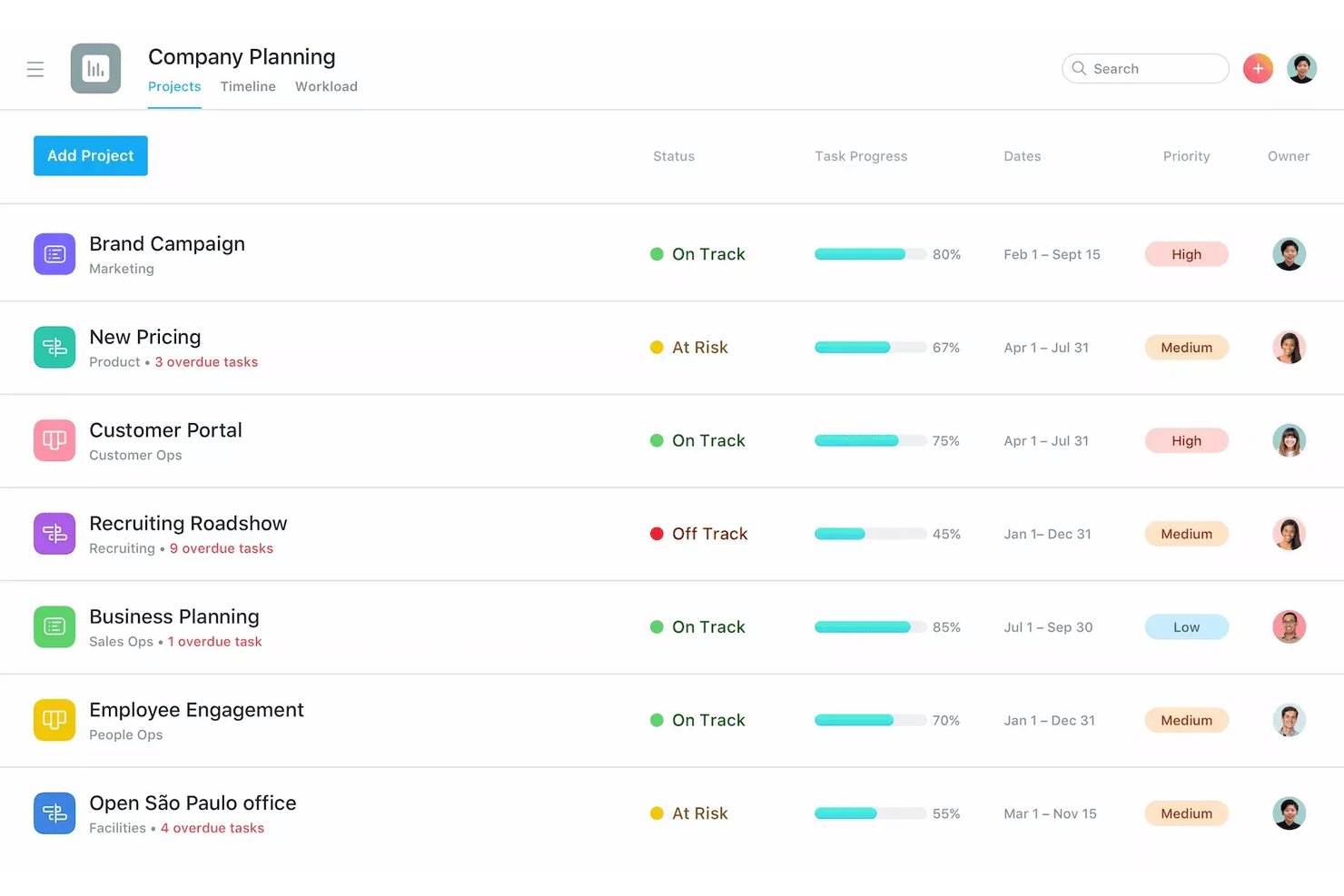
Asana is a work management platform for product and cross-functional teams that need to coordinate projects, clarify ownership, and keep work visible as priorities and deadlines change.
Who Is Asana Best For?
Product and project managers in tech teams can use Asana to set task priorities and keep work focused as requirements change.
Why I Picked Asana
I picked Asana as a Height.app alternative because its USP is Best for task prioritization. I use custom fields to label backlog items by priority, then sort or filter List and Board views to surface urgent work when release requirements shift. That keeps the next decisions visible without losing track of lower-priority tasks.
Asana Key Features
- Task dependencies: Link tasks to show which work must finish before another task can start.
- Timeline view: Map tasks and dates on a visual project schedule.
- Rules: Automate actions, such as assigning tasks when they move to a section.
- Forms: Collect and route project requests as tasks.
Asana Integrations
Asana’s app directory lists integrations with Slack, Microsoft Teams, Google Drive, Jira Cloud, GitHub, GitLab, Azure DevOps, and Zapier. Asana also provides an API for custom integrations.
Pros and Cons
Pros:
- Multi-homing keeps shared tasks visible across projects
- Dependencies and timelines clarify sequencing
- Custom fields make priority sorting straightforward
Cons:
- Large projects can feel crowded during setup
- Notifications can bury important project updates
Hive
Best for cross-team views and built-in chat
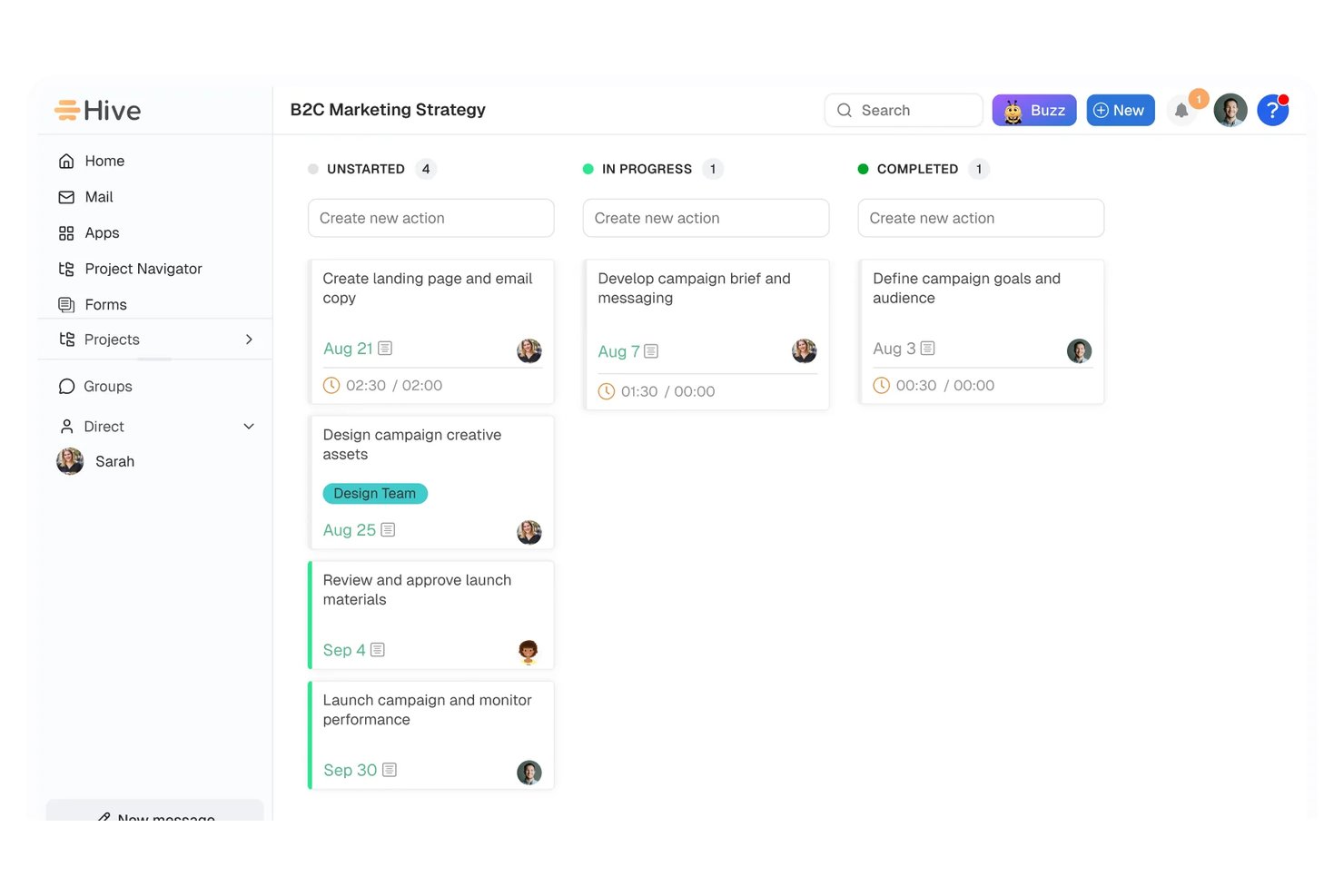
Hive is a project management platform for digital teams that need to coordinate cross-functional projects, track work, and keep shifting priorities visible.
Who Is Hive Best For?
Hive suits project managers coordinating product, design, and engineering teams who need shared project views and built-in chat.
Why I Picked Hive
I picked Hive as one of the best Height.app alternatives for its cross-team views and built-in chat. I like that teams can switch between Kanban, Gantt, calendar, and table views, then coordinate project work in Hive’s chat without moving discussions to a separate tool.
Hive Key Features
- Time tracking: Track time on action cards and transfer entries to timesheets.
- Custom fields: Add fields to capture project details your team needs.
- Workflow automation: Build workflows in Hive or connect work across apps.
- Request forms: Collect work requests from internal or external stakeholders.
Hive Integrations
Hive offers integrations with Slack, Microsoft Teams, Jira, GitHub, Zoom, Google Drive, Dropbox, Google Calendar, Outlook Calendar, and QuickBooks. It also supports Zapier and provides an API for custom integrations.
Pros and Cons
Pros:
- Built-in chat keeps discussions beside project work
- Portfolio view surfaces project status across teams
- Kanban, Gantt, calendar, and table views
Cons:
- Workflow setup takes time for new teams
- Mobile app can lag during urgent updates

Wrike
Best for team collaboration
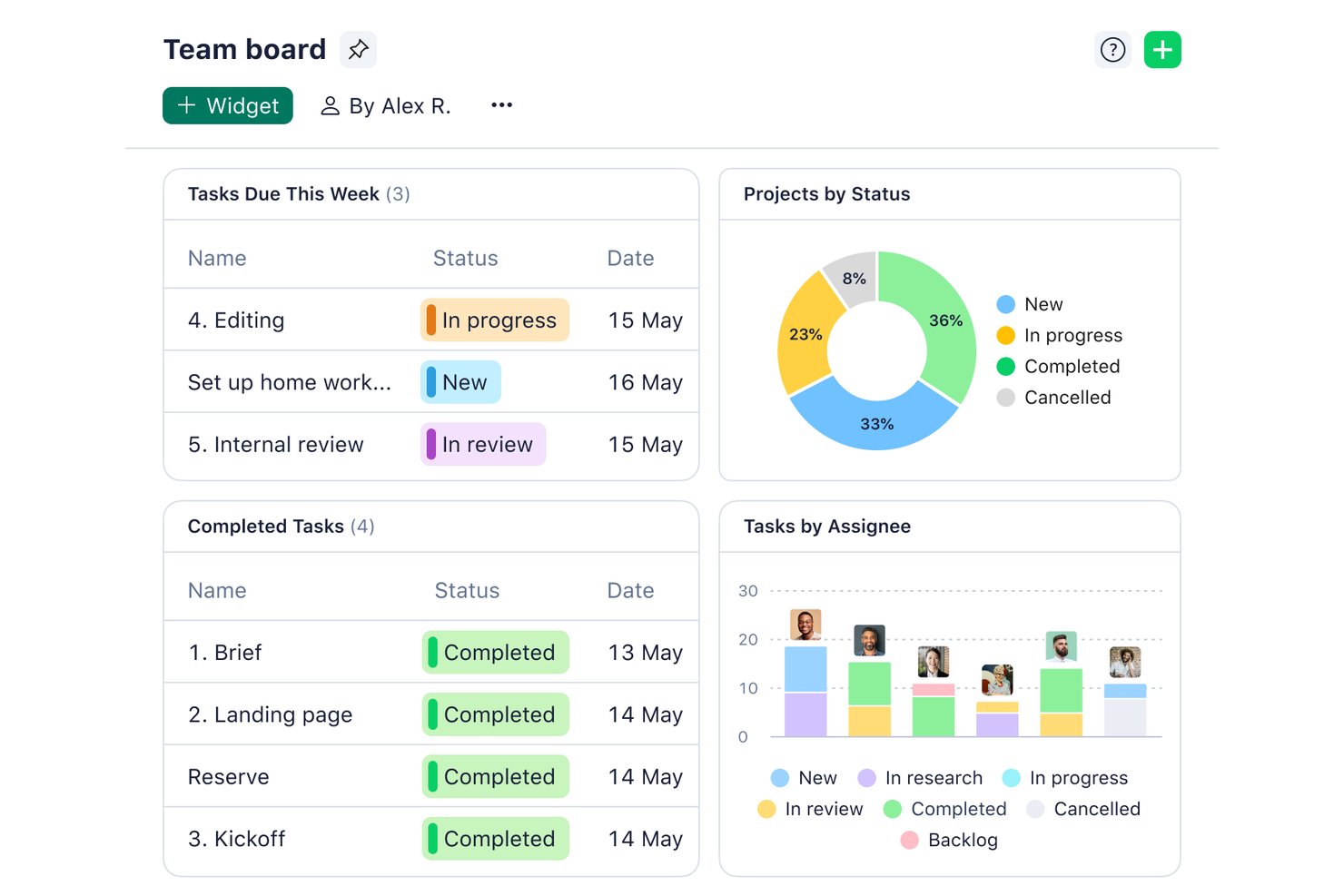
Wrike is a project management platform for product, engineering, and digital teams that need to coordinate work, track dependencies, and keep changing plans visible across functions.
Who Is Wrike Best For?
Wrike suits project managers in growing digital businesses who need clear ownership and handoffs across departments.
Why I Picked Wrike
I picked Wrike as a Height.app alternative because it’s my choice for “Best for team collaboration.” I like that cross-tagging lets teams track the same task across projects without duplicating it. Shared dashboards also give product and engineering a view of status, deadlines, and ownership.
Wrike Key Features
- Gantt charts: Map tasks on a timeline and adjust schedules as dates change.
- Custom workflows: Set task statuses and approval steps for different work types.
- Request forms: Collect project details through forms that create tasks or projects.
- Time tracking: Log time against tasks with built-in timers or manual entries.
Wrike Integrations
Wrike lists 400+ prebuilt connectors, including Slack, Google Calendar, Google Sheets, Salesforce, Jira, GitHub, Microsoft Teams, Zoom, and Power BI. It also supports Zapier and offers an API for custom integrations.
Pros and Cons
Pros:
- Request forms turn intake into assigned work
- Dashboards unify ownership, deadlines, and status
- Cross-tagging keeps tasks visible across projects
Cons:
- Gantt dependency paths can feel cluttered
- Complex setup can slow smaller teams
New Product Updates from Wrike

Wrike Redesigns AI Agent Builder
Wrike redesigns its AI Agent Builder with a side-by-side setup, Scopes, sentence-style triggers and actions, and clearer filters. These changes make it easier to configure, test, and manage agent behavior. For more information, visit Wrike’s official site.
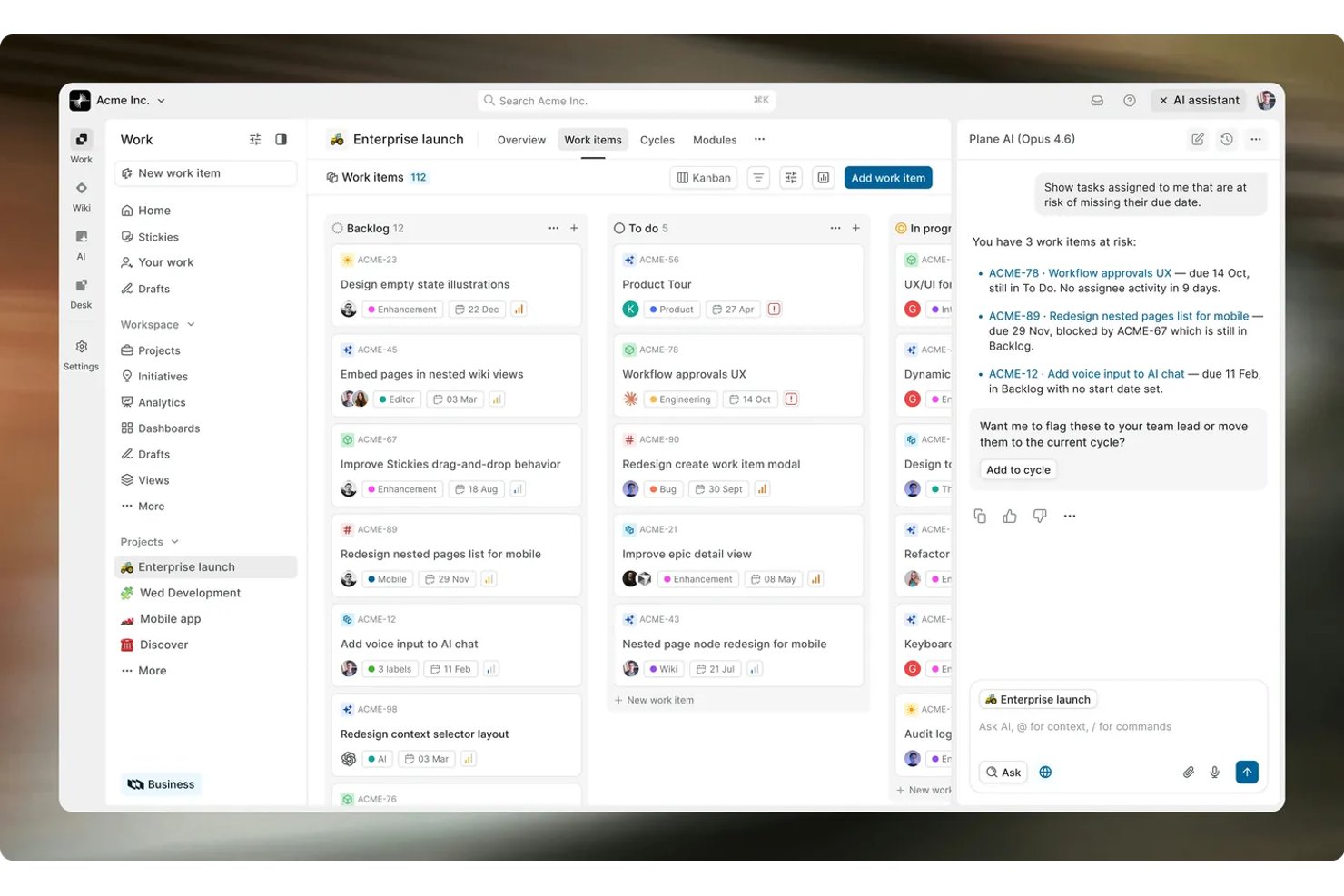
Plane combines project planning and issue tracking for software teams that need to organize backlogs, coordinate development work, and keep delivery status visible.
Who Is Plane Best For?
Plane suits software engineering teams that want to self-host project planning and issue tracking on infrastructure they control.
Why I Picked Plane
I picked Plane as a Best Height.app alternative because it’s best for self-hosted dev team workflows. I like that teams can host Plane on their own infrastructure and organize development work as issues, group planned work into cycles, and coordinate larger efforts with modules. That setup suits teams that want backlog and delivery tracking under their control.
Plane Key Features
- Project views: Switch between Board, Spreadsheet, List, and Gantt layouts.
- Dashboards: Track workload, blockers, velocity, and scope changes.
- Pages and wiki: Create project documentation, specs, and team knowledge pages.
- Integrations: Connect Plane with GitHub, GitLab, Slack, and Sentry.
Plane Integrations
Plane offers native integrations with GitHub, GitHub Enterprise, GitLab, Slack, Sentry, and Draw.io. It also offers a REST API for custom integrations.
Pros and Cons
Pros:
- Linked docs keep specs beside issues
- Cycles connect sprint planning with delivery tracking
- Self-hosting keeps engineering work on your infrastructure
Cons:
- Reporting lacks customizable dashboards
- Self-hosted instances can lag or fail loading

Best for AI-powered workflow automations
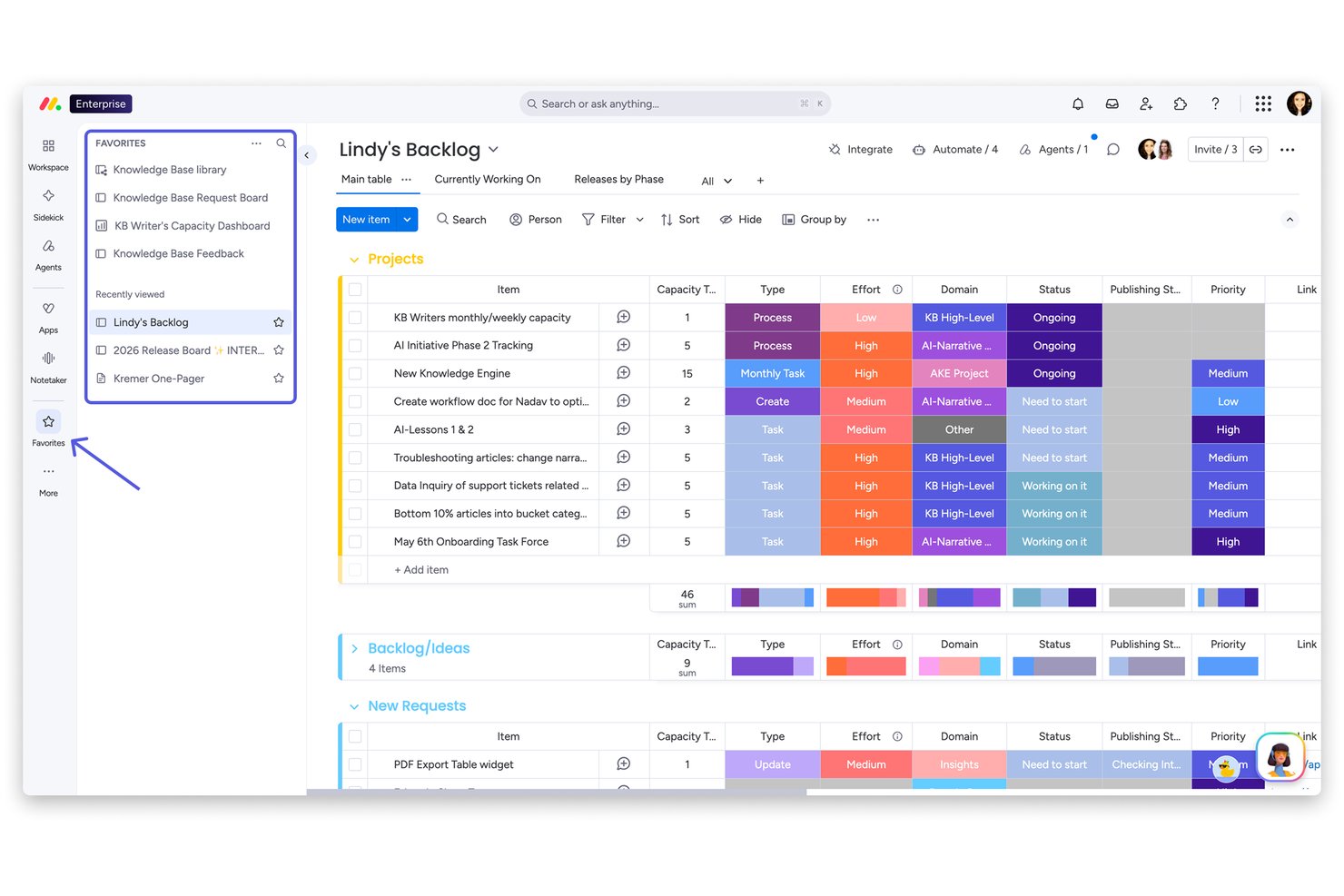
monday AI Workspace gives product, engineering, and design teams a shared project management platform for coordinating tasks, timelines, and ownership as priorities shift.
Who Is monday AI Workspace Best For?
monday AI Workspace suits project managers at tech and digital teams who want AI-powered automations to handle recurring workflows.
Why I Picked monday AI Workspace
I picked monday AI Workspace as a Height.app alternative, particularly for its “Best for AI-powered workflow automations” focus. Its AI blocks can summarize updates and extract details from requests, while automations can route items or notify owners when statuses change. I like how those features can reduce manual sorting during project intake and handoffs.
monday AI Workspace Key Features
- Project views: Switch between Kanban, Gantt, timeline, and calendar views.
- Dashboards: Combine project data in customizable dashboards with charts and widgets.
- Workload view: See team members’ assigned work and capacity across projects.
- Dependency column: Link tasks to show which items depend on others.
monday AI Workspace Integrations
monday AI Workspace offers 850+ integrations and apps through built-in integrations and its marketplace, including Slack, GitHub, GitLab, Google Calendar, Outlook, Microsoft Teams, Salesforce, and HubSpot. It also connects with Zapier and provides APIs and SDKs for custom integrations.
Pros and Cons
Pros:
- Dashboards consolidate project and workload data
- Kanban, Gantt, timeline, and calendar views
- No-code automations route status changes
Cons:
- Complex workflows need deliberate setup
- Cross-board reporting needs workarounds
New Product Updates from monday AI Workspace
monday AI Workspace Adds Human Approval Routing
monday AI Workspace adds a human-in-the-loop approval block to AI Workflows, sending approval requests and routing workflow paths based on responses. For more information, visit monday AI Workspace's official site.
ClickUp
Best for customizable dashboards
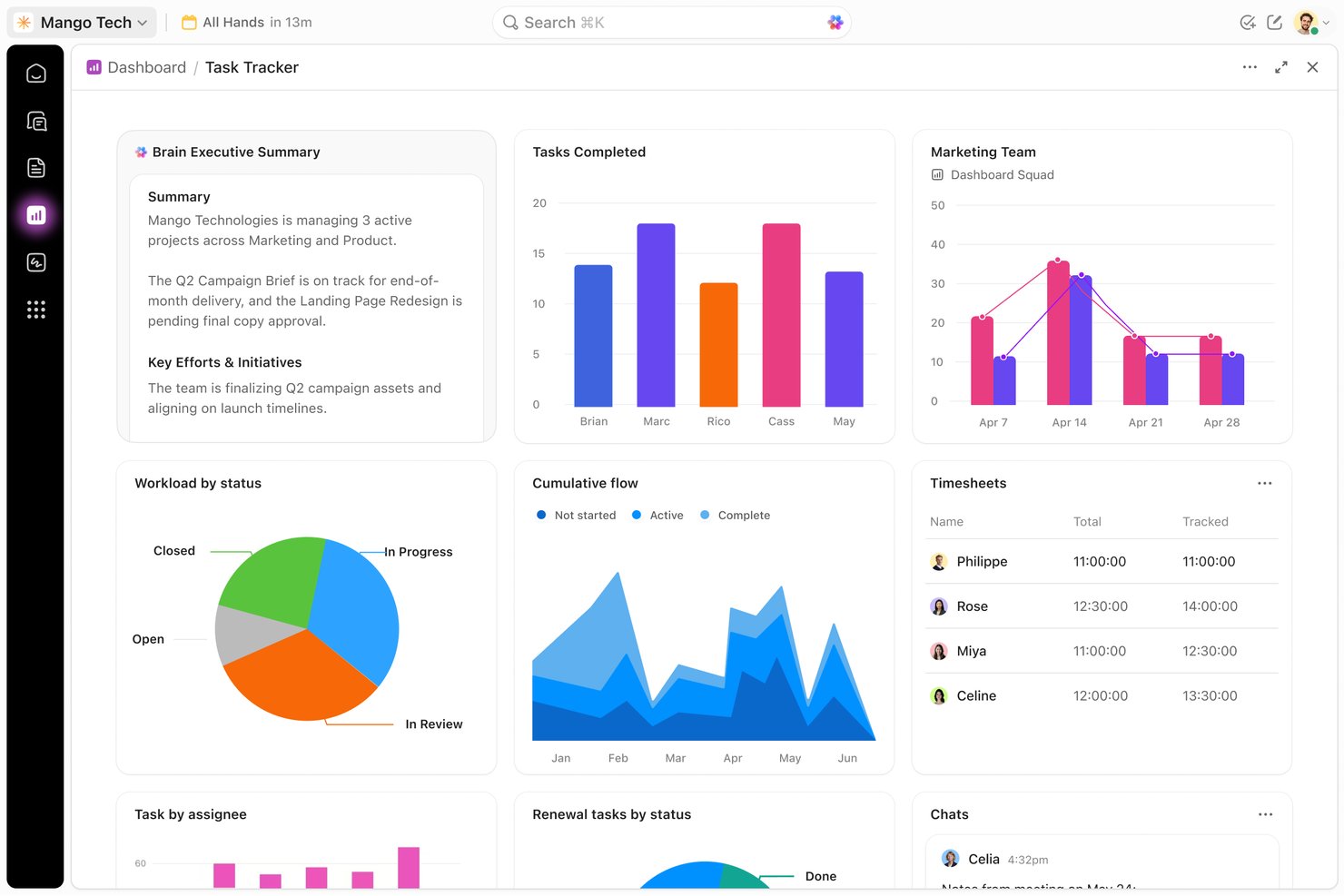
ClickUp is an all-in-one project management platform for product, engineering, and digital teams that need to coordinate tasks, documentation, and cross-functional work as priorities shift.
Who Is ClickUp Best For?
ClickUp suits project managers who want customizable dashboards to track progress and dependencies across cross-functional workstreams.
Why I Picked ClickUp
I picked ClickUp as a Height alternative because it’s Best for customizable dashboards. I build views with task, workload, and sprint widgets, then filter work by assignee, status, or priority. For release reviews, I chart progress and overdue tasks so teams can spot delivery risks quickly.
ClickUp Key Features
- ClickUp Docs: Create and edit project documentation alongside your work.
- Task dependencies: Link tasks to show which work must happen first.
- Goals: Set measurable targets and connect them to tasks.
- Automations: Set rules that trigger actions when task conditions change.
ClickUp Integrations
ClickUp lists native integrations with Slack, GitHub, GitLab, Bitbucket, Google Drive, Google Calendar, Microsoft Teams, Zoom, and HubSpot; it also connects with Zapier. ClickUp provides a public API and webhooks for custom integrations.
Pros and Cons
Pros:
- Docs and goals link plans to execution
- Dependencies connect cross-team tasks and sequencing
- Custom dashboards track workload across projects
Cons:
- Extensive settings can clutter project views
- Large boards can load slowly
New Product Updates from ClickUp
ClickUp Adds Meetings Hub, Super Agent Templates, and ZoomInfo Integration
ClickUp adds a searchable Meetings Hub, new ways to clone and template Super Agents, and a ZoomInfo integration through the App Center. These updates improve meeting retrieval, agent reuse, and access to sales intelligence. For more information, visit ClickUp’s official site.
Other Height.app Alternatives
Here are some additional Height.app alternatives that didn’t make it onto my shortlist, but are still worth checking out:
- GoodDay
For open-source visual project management
- Zoho Projects
For Gantt-driven classic project tracking
- Teamwork.com
For client-focused project tracking
- Bitrix24
For free advanced tools
- Shortcut
For engineering workflows
- YouTrack
For dev-team issue tracking via JetBrains
- Superthread
For GitHub-linked sprint tracking


How I Evaluate Height App Alternatives
I split my evaluation into three parts. First, core functionality—specifically, whether a tool lets you create and track tasks with real ownership and status visibility, and supports multiple views like boards, timelines, and lists. This carries the most weight. Second, I look for standout features like AI-driven task triage and bi-directional GitHub sync. Third, I consider migration support and pricing transparency.
Core Functionality (Table Stakes For This List)
When I'm selecting tools for my list, I score each one on a scale from 0 (does not offer the functionality) to 5 (excels in this area) for each core functionality listed below. I then convert the total into a percentage to help assess each tool's overall fit, with extra weight on any functionalities I’ve deemed essential.
- Task & Project Tracking (Essential): I look for clear ownership, statuses, and deadlines, plus subtasks or dependencies to map work across a project.
- Multiple Views: I check for useful list, board, timeline, or calendar views that help teams see priorities and delivery dates.
- Workflow Automation: I evaluate whether triggers can handle routine work, such as assigning a task or notifying a team when its status changes.
- Collaboration & Communication: I look for comments, mentions, and shared docs tied to work, so decisions stay connected to the relevant task or project.
- Integrations: I consider how tools connect to apps such as Slack, GitHub, or Google Drive within existing team workflows.
Once I have a list of tools that meet the criteria, I consider what sets each platform apart.
Differentiating Factors (What Sets Vendors Apart)
Here's how I compare and contrast different vendors:
Standout Features
I look for AI task triage that goes beyond simple automation—tools like Height's AI could auto-classify bugs and draft descriptions, so I check whether alternatives offer similar intelligent routing. Bi-directional GitHub sync matters because I want PR merges to update task status automatically, not manually. I also evaluate whether a platform embeds docs directly into task objects, since linking a separate wiki page is not the same as writing specs inside the task itself.
Beyond Features
After Height's shutdown, I check each vendor's funding status and release cadence—teams that just migrated don't want to do it again in a year. I also evaluate migration support, like whether a tool offers a dedicated import wizard for Height, Linear, or Jira that preserves task history and attachments. Pricing structure matters too, especially whether free tiers exist for small dev teams testing a new platform before committing at scale.
Why Look For A Height.app Alternative?
While Height.app is a good project collaboration tool choice, there are a number of reasons why some users seek out alternative solutions. You might be looking for a Height.app alternative because…
- You need more advanced customization options
- Your team requires better offline capabilities
- You want a tool with a more straightforward interface
- Your projects demand more in-depth reporting features
- You need a solution with wider integration options
- Your team is growing and needs scalable pricing
If any of these sound like you, you’ve come to the right place. My list includes project collaboration tool options that are better suited for teams facing these challenges with Height.app and looking for alternative solutions.
Height.app Key Features
Here are some of the key features of Height.app, to help you contrast and compare what alternative solutions offer:
- AI-powered automation: Automates routine tasks to free up your team's time.
- Task management: Organizes tasks efficiently to enhance productivity.
- Custom workflows: Allow your team to tailor processes to specific needs.
- Real-time collaboration: Enables instant communication, messaging, notifications, and real-time updates among team members.
- Extensive dashboards: Provide a clear overview of project statuses and metrics.
- Integration capabilities: Connect with various tools to optimize workflows.
- Time tracking: Monitors time spent on tasks to manage workloads effectively.
- Kanban boards: Visualize tasks for easy tracking and management.
- Gantt charts: Help in planning and scheduling project timelines.
- Subtask nesting: Breaks down complex tasks into manageable parts.