

10 Best Teamwork Alternative Tools for Projects in 2026

Best Teamwork Alternatives Shortlist


The best Teamwork alternatives provide more flexible reporting and dashboards for monitoring progress, additional metrics, options for bulk editing, and more functionality in the mobile app. With the right alternative to Teamwork, you can better track projects, manage timelines, and build a collaborative environment for your team.
I’ve used my experience in project management and 3+ years of testing software to review dozens of Teamwork alternatives so you can find the right tool to help you and your team collaborate on project work across departments, manage workloads and resources, and organize project portfolios across your organization. Below, I cover strengths and key differences, pros and cons, and ideal use cases for each tool.
What are Teamwork Alternatives?
Teamwork alternatives are project management software and collaboration tools that offer comparable features to Teamwork, but may also include more reporting and analytics features, more flexibility and customizability, and file storage features. They might also offer a more functional mobile app, or be better suited for big organizations with large project portfolios.
Alternatives to Teamwork will also typically include the standard project management and collaboration features like resource management, timeline management, and project planning.
Why Trust Our Software Recommendations
Our team has been testing and reviewing software since 2012. As project managers ourselves, we know how difficult—and important—it is to choose the right software.
For this guide, we evaluated tools using hands-on testing and independent research, scoring tools using our selection criteria. We also draw on insights from industry thought leaders and practicing project management experts.
Our reviews reflect our human editorial judgment, not a sales pitch.
Expert reviewers:
Teamwork Alternatives Comparison Table
This comparison table summarizes pricing details for my top Teamwork alternative selections:
| Tool | Best For | Trial Info | Price | ||
|---|---|---|---|---|---|
| 1 | Best for comprehensive agency project management | 14-day free trial | From $10/user/month (billed annually) | Website | |
| 2 | Best for managing client billing within projects | Free demo available | Pricing upon request | Website | |
| 3 | Best for breaking down large projects | Free plan + 15-day free trial + free demo available | From $4/user/month (billed annually) | Website | |
| 4 | Best for extensive workflow and dashboard customization | Free plan + 14-day free trial + free demo available | From $10/user/month (billed annually) | Website | |
| 5 | Best for team communication and collaboration | Free plan available | From $7.25/user/month (billed annually) | Website | |
| 6 | Best for agency quote-to-cash project tracking | 14-day free trial | From $17/user/month | Website | |
| 7 | Best for interactive Gantt charts | 14-day free trial + free demo available | From $7/user/month (billed annually) | Website | |
| 8 | Best for client onboarding management | 14-day free trial | From $49/user/month (billed annually) | Website | |
| 9 | Best for advanced customizable project management | Free plan + free trial + free demo available | From $12/user/month | Website | |
| 10 | Best for uniting teams, goals, and processes | Free plan + 14-day free trial available | From $10/user/month (billed annually) | Website |


Best Teamwork Alternative Reviews
In this section, I will provide an in-depth analysis and overview of each of the Teamwork alternatives. I will walk through the pros and cons of each tool, their features, and their best use cases.

Best for comprehensive agency project management
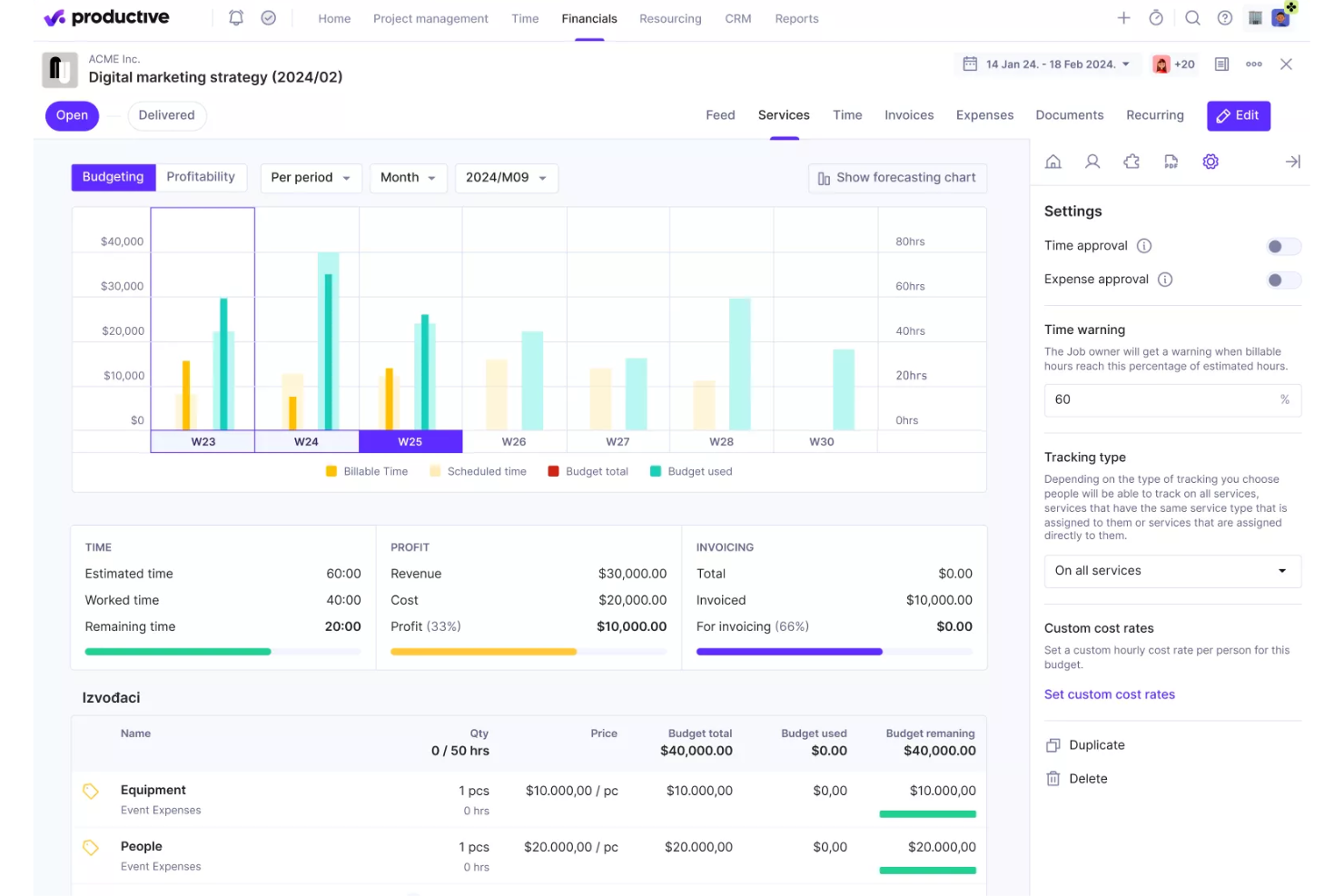
Productive is a professional services management platform that brings together project tracking, resource planning, time tracking, budgeting, invoicing, and financial reporting in a single workspace.
Who Is Productive Best For?
Productive is a strong fit for agencies and professional services teams that need project management, time tracking, and client billing to work together in one place.
Why I Picked Productive
I've included Productive in my top picks because it's built specifically for agency project management, where project tracking and financial visibility need to live in the same place. I particularly like how budgets, tracked time, and profitability data sit directly alongside tasks and timelines, so you can see a project's financial health without switching tools. The Resource Planner also gives you top-down capacity planning across your whole team, making it easier to staff client work before you've mapped out every task.
Productive Key Features
- Client invoicing: Create, send, and automate invoice drafts directly from tracked time and project budgets, with connections to accounting tools like QuickBooks and Xero.
- Task dependencies: Set blocking, waiting-on, or linked dependencies between tasks to control sequencing and surface them in Gantt views.
- Time tracking with approvals: Log hours via timer or manual entry across web, desktop, and mobile, then submit timesheets for manager review and approval.
- Automation builder: Configure workflow automations—including AI-created ones from plain-language descriptions—to reduce repetitive manual steps across projects.
Productive Integrations
Productive offers native integrations with Jira, QuickBooks, Xero, Google Calendar, Slack, HubSpot, Microsoft Outlook, and HRIS platforms. It also provides an open API, webhooks, and Zapier connectivity for custom integrations.
Pros and Cons
Pros:
- Resource planning shows capacity across projects
- Gantt dependencies clarify task sequencing
- Project budgets connect tracked time and profitability
Cons:
- Workload view lacks daily hour allocation
- Dense navigation can slow daily workflows
New Product Updates from Productive
Productive Adds Voice Dictation, Slack Connector, Proposals, and Overtime
Productive adds voice dictation, a Slack Connector, proposal controls, and overtime tracking. These updates support faster AI interactions, client proposals, and time management. For more information, visit Productive’s official site.

Accelo
Best for managing client billing within projects
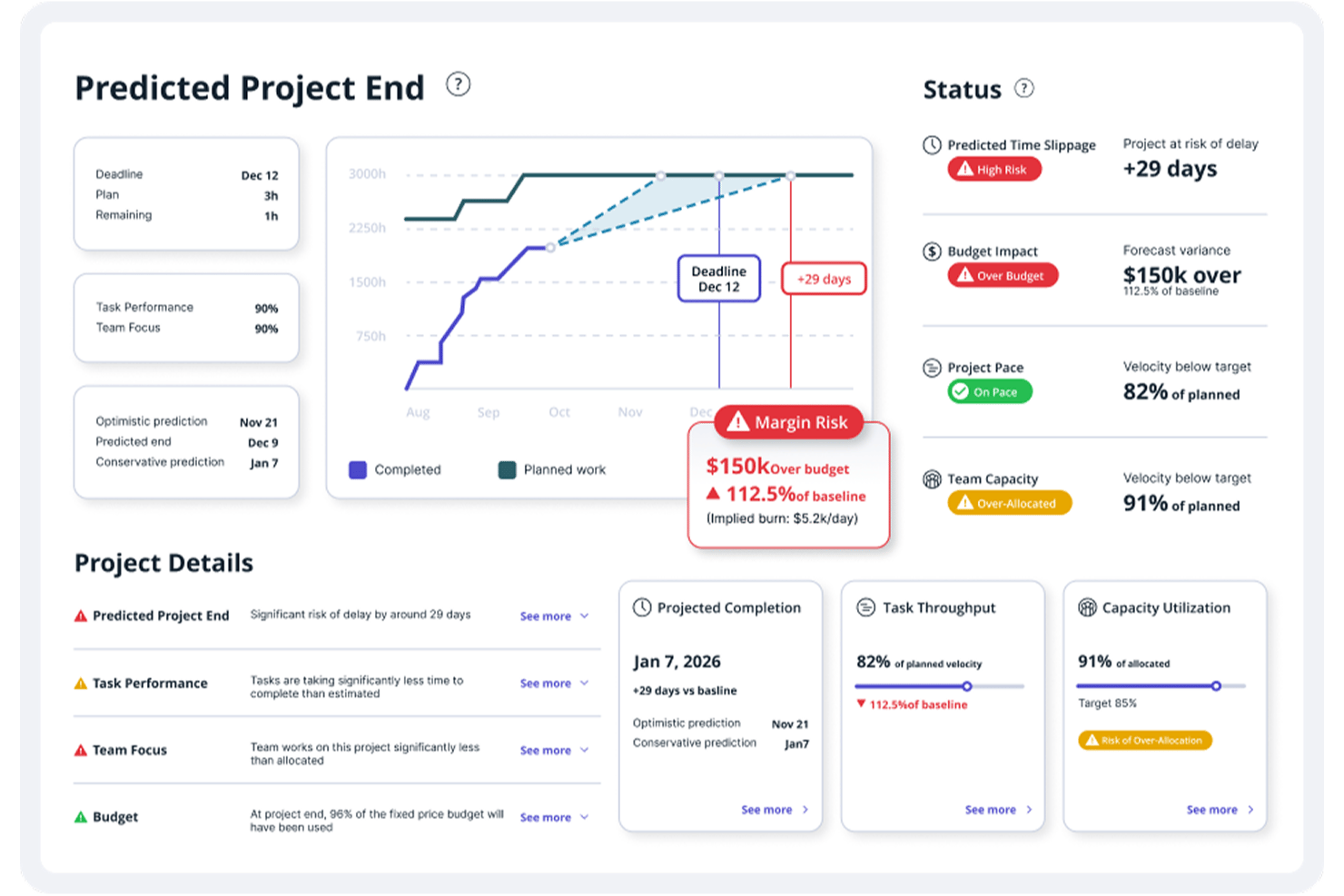
Accelo is a professional services automation platform that connects project management, time tracking, resource scheduling, client billing, and financial reporting in one system.
Who Is Accelo Best For?
Accelo is a strong fit for client-services teams—agencies, consultancies, and professional services firms—that need to connect project delivery with billing in one place.
Why I Picked Accelo
I picked Accelo as one of the best because it's the only tool on this list that treats client billing as a native part of project delivery, not a separate step. When my team logs time against a project or ticket, that data flows directly into invoices, whether the engagement is fixed-price or time-and-materials. I also like how retainer tracking works in practice: you can see hours burned against budget in real time, and clients can view that same data through the branded client portal without needing a separate report.
Accelo Key Features
- Resource scheduling: Assign and view team availability across projects using soft and hard allocations, with capacity forecasting and utilization reporting built in.
- AI-assisted timesheets: Accelo suggests time entries based on actual work activity, reducing manual logging for individual team members.
- Client portal: Give clients a branded workspace to view project status, access shared files, complete assigned tasks, and submit sign-off approvals.
- Portfolio views: Review progress, budget usage, and status across multiple projects from a single rollup view.
Accelo Integrations
Accelo integrates with Microsoft 365, Google Workspace, Xero, QuickBooks, Jira, and Zapier. Its REST API, Forms API, and webhooks support custom integrations.
Pros and Cons
Pros:
- Shares approvals and project status with clients
- Tracks milestones, dependencies, and portfolio progress
- Connects logged work directly to client invoices
Cons:
- Reviewers report crowded screens and slow updates
- Setup demands time across connected workflows
New Product Updates from Accelo

Accelo Rebuilds Mobile App for Project and Time Management
Accelo rebuilds its mobile app with task management, new work creation, and mobile timesheets for Forecast customers. This helps teams keep project and time data current while working away from a desktop. For more information, visit Accelo’s official site.

Best for breaking down large projects
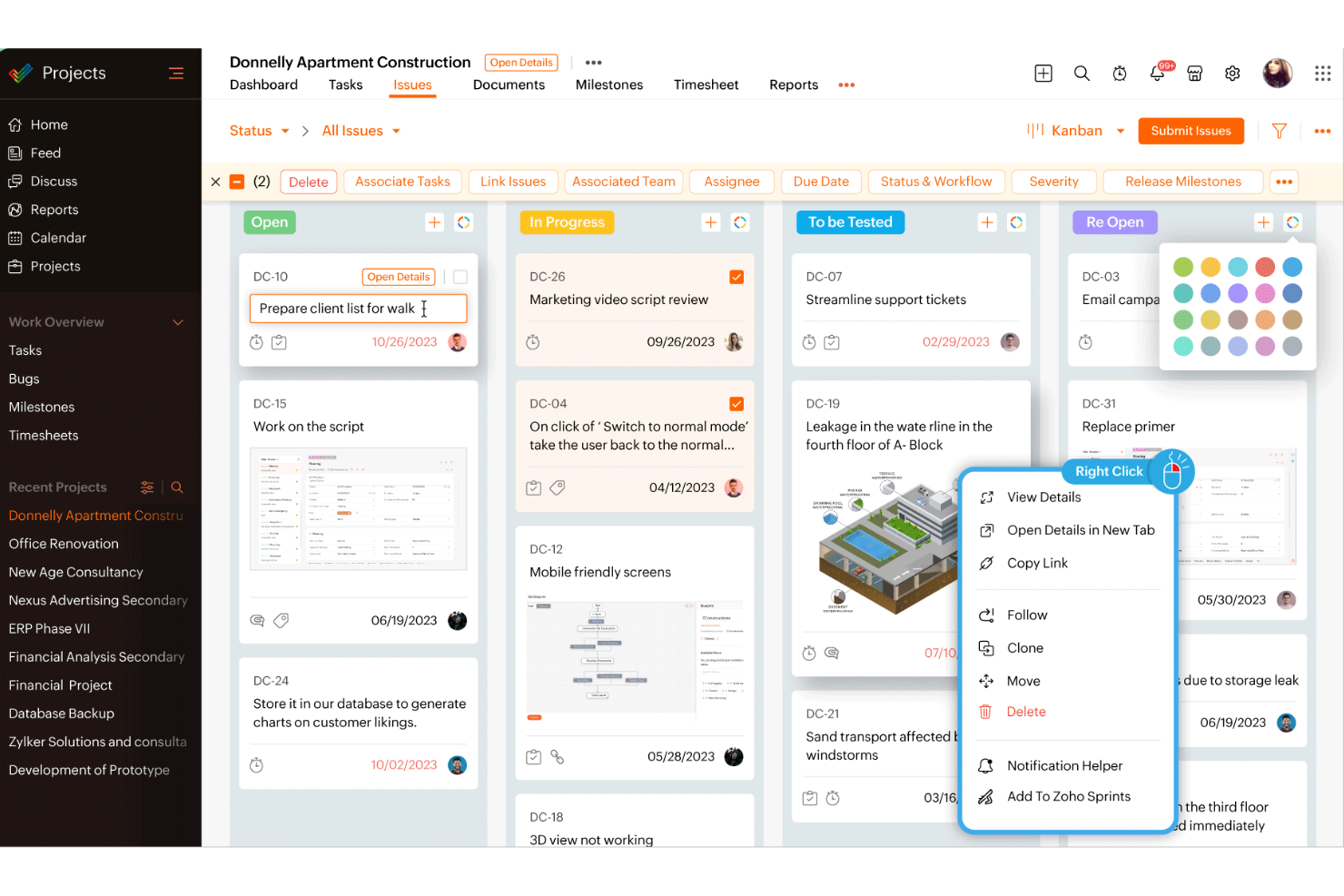
Zoho Projects is a project management platform with task breakdowns, Gantt charts, time tracking, resource management, workflow automation, and built-in collaboration tools across Kanban, list, and calendar views.
Who Is Zoho Projects Best For?
Zoho Projects is a strong fit for project managers who need to break large, complex projects into structured, trackable work across distributed teams.
Why I Picked Zoho Projects
I've included Zoho Projects in my top picks because it's built specifically around breaking complex work into structured, trackable layers: milestones, task lists, tasks, and subtasks, each with owners, dependencies, and progress tracking. I like how the critical path analysis (on Enterprise) lets you immediately see which tasks would delay the entire project if they slip. The blueprint feature also lets you design task workflows that automatically reassign work and alert the right people as statuses change, which removes a lot of manual coordination on larger projects.
Zoho Projects Key Features
- Time tracking with billable logs: Log hours via timers or manual entry, mark them billable or non-billable, and submit them for approval directly within tasks.
- Task blueprints: Design step-by-step task workflows that automatically reassign work, update fields, and notify the right people as statuses change.
- Portfolio dashboard: View progress across all projects, tasks, and issues in one place, with status, ownership, and budget-health reporting.
- Earned value management: Compare planned versus actual schedule, cost, and time to measure project performance and forecast outcomes.
Zoho Projects Integrations
Zoho Projects offers 50+ marketplace integrations, plus native connections with Zoho Books, Zoho CRM, Slack, Microsoft Teams, Google Drive, GitHub, GitLab, and Basecamp. It also provides a REST API and Zapier integration for custom connectivity.
Pros and Cons
Pros:
- Billable time logs support approval workflows
- Workload views clarify team assignments
- Detailed task breakdowns with dependency tracking
Cons:
- Mobile app offers fewer desktop features
- Crowded menus can slow task navigation
New Product Updates from Zoho Projects
Zoho Projects Adds CodeX Scripts for Custom Modules
Zoho Projects now supports CodeX Scripts for custom modules, enabling conditional logic and rules for creating, updating, and deleting records. For more information, visit Zoho Projects' official site.
 .
.
Wrike
Best for extensive workflow and dashboard customization
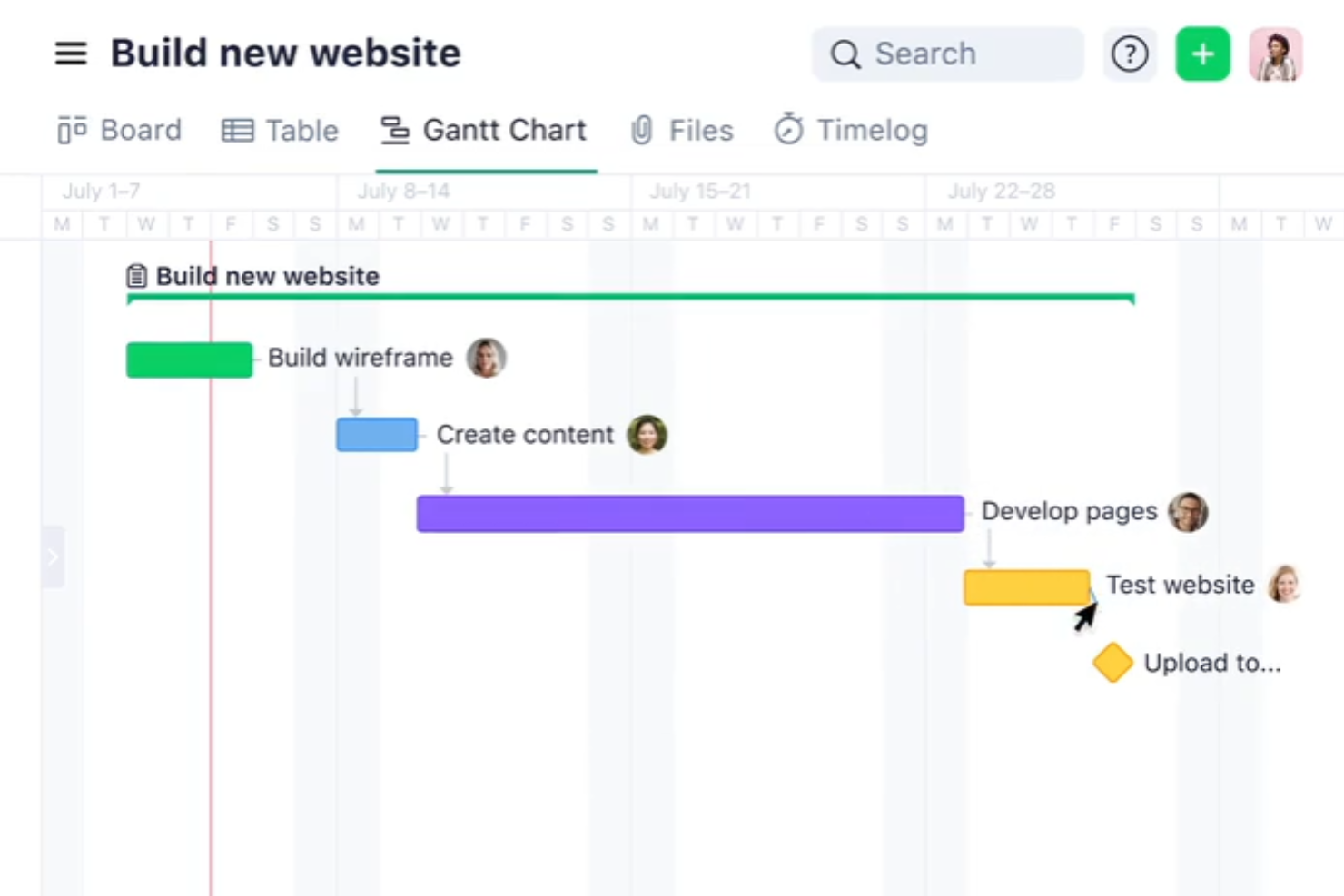
Wrike is a work management platform that covers project planning, task tracking, resource scheduling, workflow automation, and cross-project reporting in a single configurable workspace.
Who Is Wrike Best For?
Wrike is a strong fit for project managers and operations teams at mid-sized to large organizations that need to customize how work flows, gets tracked, and gets reported across multiple teams.
Why I Picked Wrike
Wrike earns its spot on my shortlist because of how far you can push its workflow and dashboard customization without touching a line of code. I like that you can build dashboards with custom widgets that pull live data across every project in your portfolio, so stakeholders get a real-time view instead of a manually updated slide deck. The rule-based automation and blueprints let my team standardize how projects are set up and handed off, cutting the repetitive admin that slows things down between sprints.
Wrike Key Features
- Workload charts: View team capacity across projects, flag overloaded members, and hold unassigned tasks in a backlog for redistribution.
- Proofing and guest approvals: Leave comments directly on images, videos, PDFs, and Office files, and invite external reviewers to approve assets without giving them access to your workspace.
- Cross-tagging: Track the same task across multiple spaces, folders, and projects without duplicating it.
- Time tracking with billable categorization: Log hours against tasks, mark work as billable or non-billable, and export time entries to QuickBooks Online (available from Business for time tracking; billable time and QuickBooks export from Pinnacle).
Wrike Integrations
Wrike offers 400+ pre-built native integrations, including Slack, Microsoft Teams, Google Drive, Dropbox, QuickBooks, Jira, Salesforce, and Tableau. It also provides an open REST API and Wrike Integrate for no-code connections and workflow automation.
Pros and Cons
Pros:
- Proofing keeps client feedback on assets
- Task ownership and dependencies reduce update chasing
- Cross-project dashboards clarify portfolio status
Cons:
- Time tracking feels basic for detailed work
- Work hierarchy complicates setup and navigation
New Product Updates from Wrike

Wrike Redesigns AI Agent Builder
Wrike redesigns its AI Agent Builder with a side-by-side setup, Scopes, sentence-style triggers and actions, and clearer filters. These changes make it easier to configure, test, and manage agent behavior. For more information, visit Wrike’s official site.

Slack
Best for team communication and collaboration
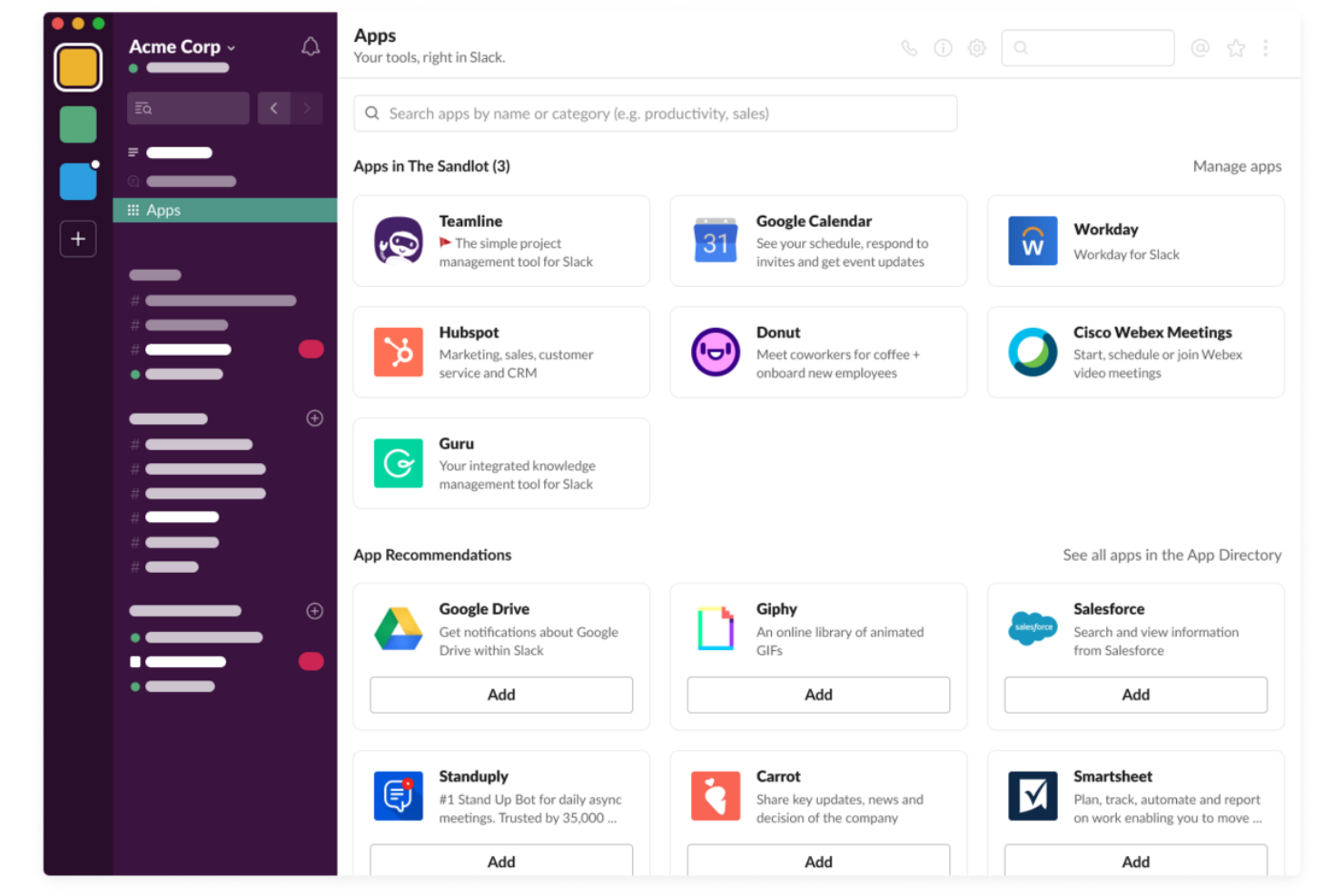
Slack is a powerful communication platform designed to facilitate team collaboration and streamline communication. It offers a centralized space for messaging, file sharing, and integrating other tools, making it essential for teams seeking efficient and organized communication channels.
Why it's a good Teamwork alternative:
Slack’s powerful communication features help to manage and improve team collaboration through channels, direct messaging, and integration with numerous productivity tools. Its real-time messaging, file sharing, and searchable history enhance team connectivity and efficiency, making it ideal for teams looking to improve their communication and project coordination.
Standout features & integrations:
Features include real-time messaging, file sharing, searchable message history, customizable channels, direct messaging, video and voice calls, notifications, workflow automation, custom emojis and reactions, pinning important messages, and advanced security features.
Integrations include Google Drive, Google Calendar, Dropbox, Trello, Asana, and Microsoft Office 365.
Pros and Cons
Pros:
- Powerful search functionality
- Extensive integration options
- Real-time messaging and notifications
Cons:
- Notification management can be challenging
- Can become cluttered with excessive channels

Scoro
Best for agency quote-to-cash project tracking
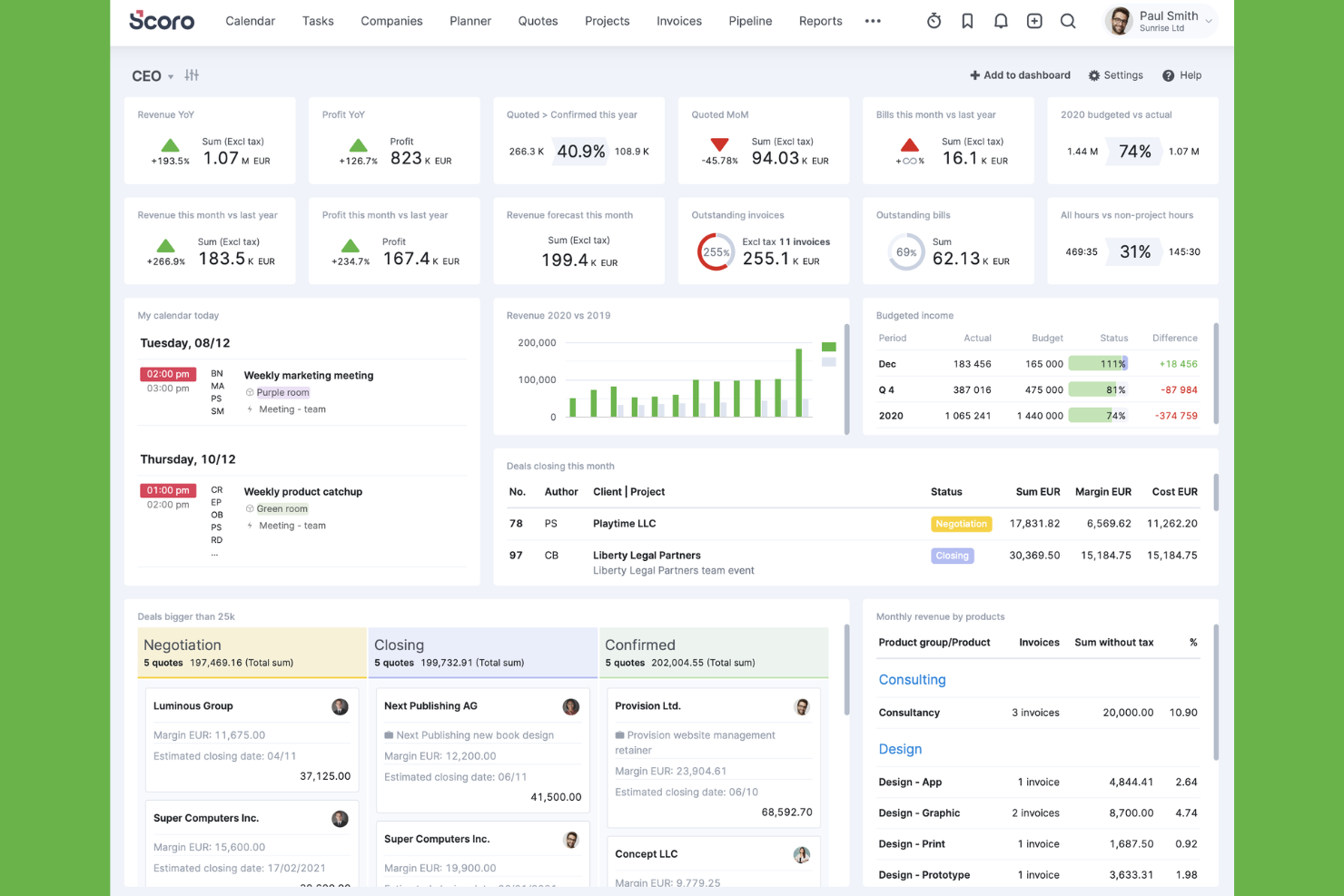
Scoro is a professional services automation platform that connects project management, resource planning, time tracking, CRM, quoting, and client invoicing in a single system.
Who Is Scoro Best For?
Scoro is a strong fit for client-services teams and agencies that need to manage the full project lifecycle—from quoting and delivery to invoicing—in one place.
Why I Picked Scoro
Scoro earns its spot on my shortlist because it genuinely closes the loop between winning work and getting paid for it. I love how you can build a client quote, convert it into a live project budget, log time against tasks, and push a final invoice to Xero or QuickBooks, all without leaving the platform. The budget-health charts that forecast profit from both delivered and planned work are something I haven't seen done this cleanly elsewhere.
Scoro Key Features
- Task dependencies: Set finish-to-start, start-to-start, finish-to-finish, and start-to-finish relationships with day-based lag or lead buffers between tasks.
- Planner: View scheduled work, remaining availability, time off, and overtime by team member, and distribute or reschedule tasks directly from the same view.
- Customer Portal: Give clients permissioned access to projects, files, comments, tasks, and invoices through a dedicated portal.
- ELI AI assistant: Ask natural-language questions to retrieve operational data, generate reports, and carry out routine tasks like updating budgets or sending reminders.
Scoro Integrations
Scoro lists 40+ integrations, including native Xero, QuickBooks, HubSpot, Salesforce, Jira, Slack, Google Drive, Dropbox, and Stripe connections. It also supports REST and HTTP/JSON APIs, webhooks, MCP, and Zapier.
Pros and Cons
Pros:
- Quote-to-invoice tracking connects delivery with profitability
- Planner helps teams balance cross-project workloads
- Detailed dependencies support complex project schedules
Cons:
- Custom reports can require spreadsheet work
- Task navigation can require extra clicks
New Product Updates from Scoro

Scoro Adds Time Mobile App and ELI Improvements
Scoro adds the Scoro Time mobile app for iOS/Android to track time anywhere and expands ELI with attachments, smarter filtering, and trigger-based actions. For more information, visit Scoro's official site.

GanttPRO
Best for interactive Gantt charts
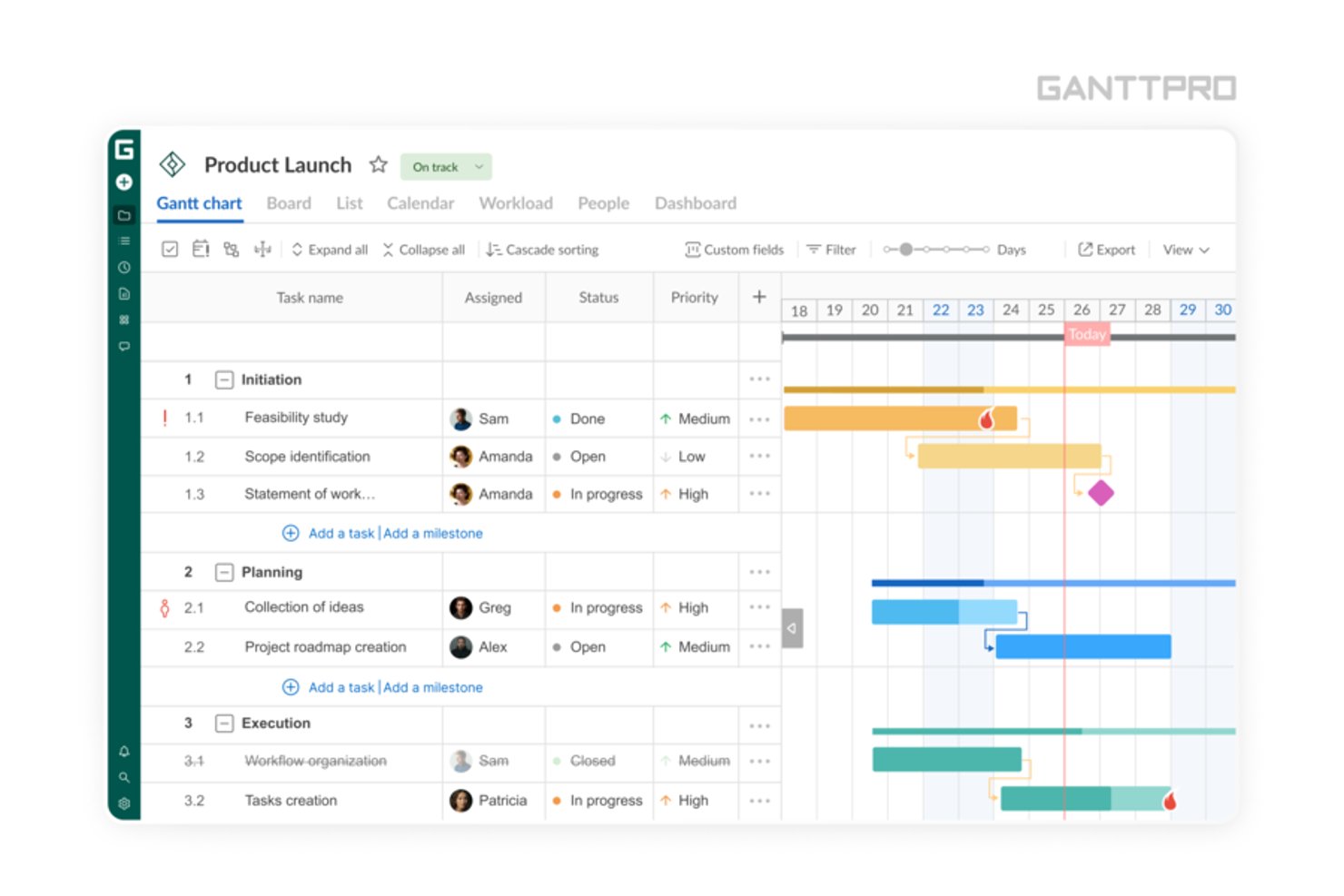
GanttPRO is a cloud-based project management tool built around interactive Gantt charts, with task tracking, dependency management, workload views, and portfolio planning across multiple projects.
Who Is GanttPRO Best For?
GanttPRO is a strong fit for project managers who need precise timeline control and dependency tracking across multiple concurrent projects.
Why I Picked GanttPRO
I picked GanttPRO as one of the best because its interactive Gantt charts go well beyond a visual timeline. Dependencies with lead and lag times, auto scheduling that ripples date changes across connected tasks, and a critical path view make it genuinely useful when you're managing complex, multi-phase projects where one slip affects everything downstream. I also like the cross-project workload view, which lets you see at a glance where team members are overloaded before it becomes a problem.
GanttPRO Key Features
- Baseline tracking: Save an initial project version and compare it against the current plan to see how far things have drifted.
- Time logging: Log hours directly against tasks using a built-in timer or manual entry, with exportable time-log reports available on Business and Enterprise plans.
- Budget planning: Calculate project costs from tasks and resources, track actual spend against estimates, and export budget analysis reports covering assignees, time, and cost.
- Shareable project links: Share a static or dynamic view of your project plan with external stakeholders via a private link, no registration required on their end.
GanttPRO Integrations
GanttPRO offers native integrations with Slack, Microsoft Teams, Google Drive, OneDrive, Jira Cloud, Microsoft Project, and Microsoft Excel. It also provides an open API on Business and Enterprise plans for custom integrations.
Pros and Cons
Pros:
- Workload views reveal cross-project team overload
- Auto scheduling recalculates dependent task dates
- Reviewers praise clear Gantt scheduling and dependencies
Cons:
- Resource views lack detailed forecasting depth
- No built-in invoicing or proofing workflows
Best for client onboarding management
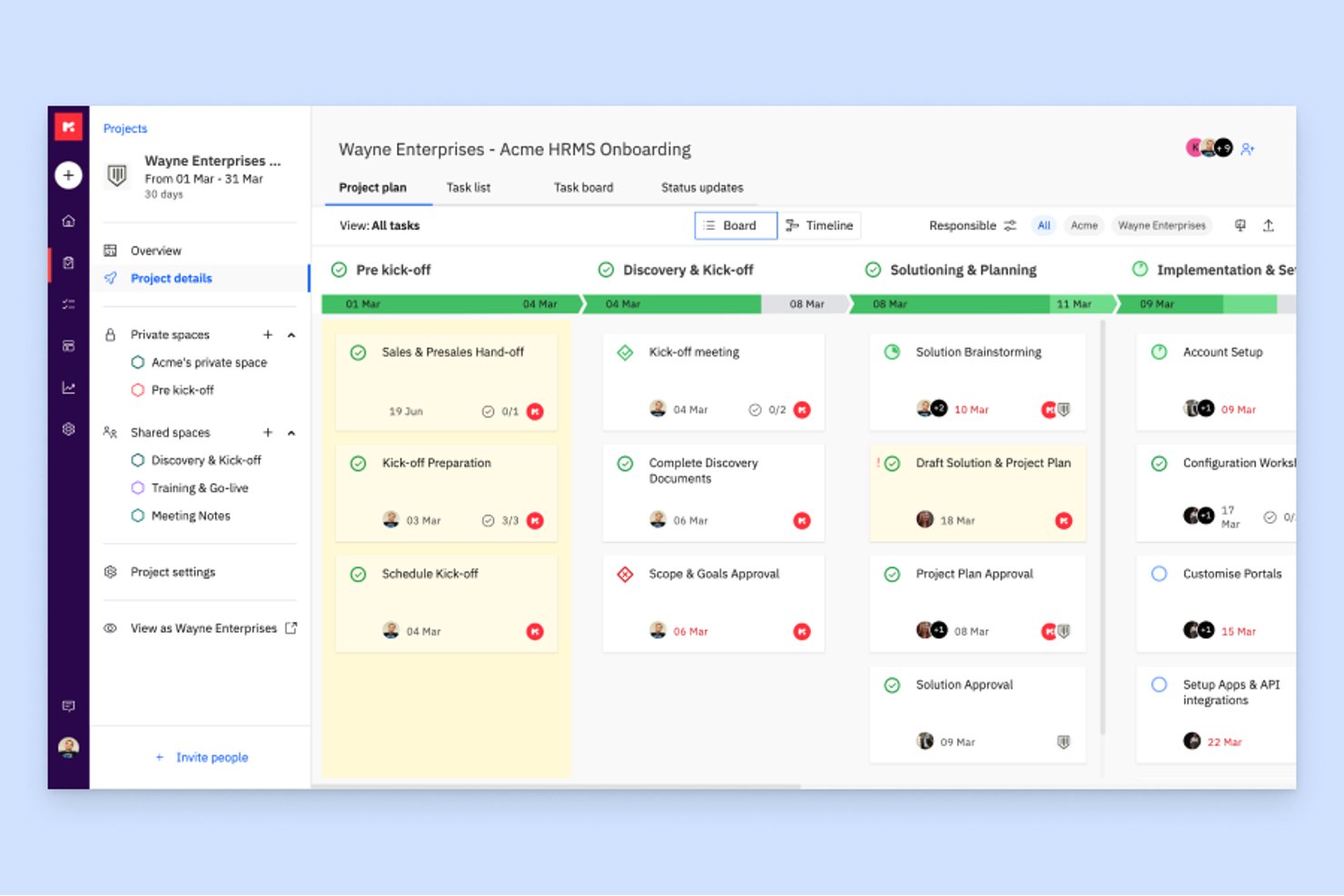
Rocketlane is a professional services automation platform that combines project management, client onboarding, resource planning, time tracking, and financial management tools for client-facing delivery teams.
Who Is Rocketlane Best For?
Rocketlane is a strong fit for professional services and client delivery teams that need to manage projects, track time, and give clients direct visibility into progress—all in one place.
Why I Picked Rocketlane
I picked Rocketlane as one of the best because it's purpose-built for client onboarding management in a way most project tools simply aren't. The branded customer portal gives clients real-time visibility into tasks, timelines, and ownership, which cuts down the back-and-forth that slows onboarding down. I also love that milestones can trigger CSAT surveys automatically, so you're capturing client sentiment at the moments that actually matter.
Rocketlane Key Features
- Resource AI: Evaluates team members' forecast utilization and capacity to recommend hard or soft bookings across projects using load-balance, maximize-margins, or manual planning methods.
- Time tracking and timesheet approvals: Lets team members log billable and non-billable time against specific tasks, then submit timesheets for manager review and approval.
- Annotations and proofing: Supports version-controlled file markup with arrows, freehand drawings, and comment threads that can be shared with or hidden from clients.
- Custom automations: Triggers workflow actions across projects based on defined conditions, with up to 200 runs per user per month on Standard and 500 on Premium.
Rocketlane Integrations
Rocketlane offers native integrations with Salesforce, HubSpot, Jira, Slack, Google Calendar, Outlook Calendar, QuickBooks, and Workato, plus Zapier. It also provides a REST API and webhooks for custom integrations.
Pros and Cons
Pros:
- Timesheets connect project effort and resources
- Reusable templates organize onboarding tasks
- Branded client portals reduce status chasing
Cons:
- Configuration takes time for complex workflows
- Dependency changes can require repeated updates
New Product Updates from Rocketlane

Rocketlane Introduces Governance and Workforce Agents
Rocketlane introduces Governance Agents and Workforce Agents to automate delivery processes and recurring tasks. These updates help teams enforce rules and streamline project execution. For more information, visit Rocketlane’s official site.
 .
.
ClickUp
Best for advanced customizable project management
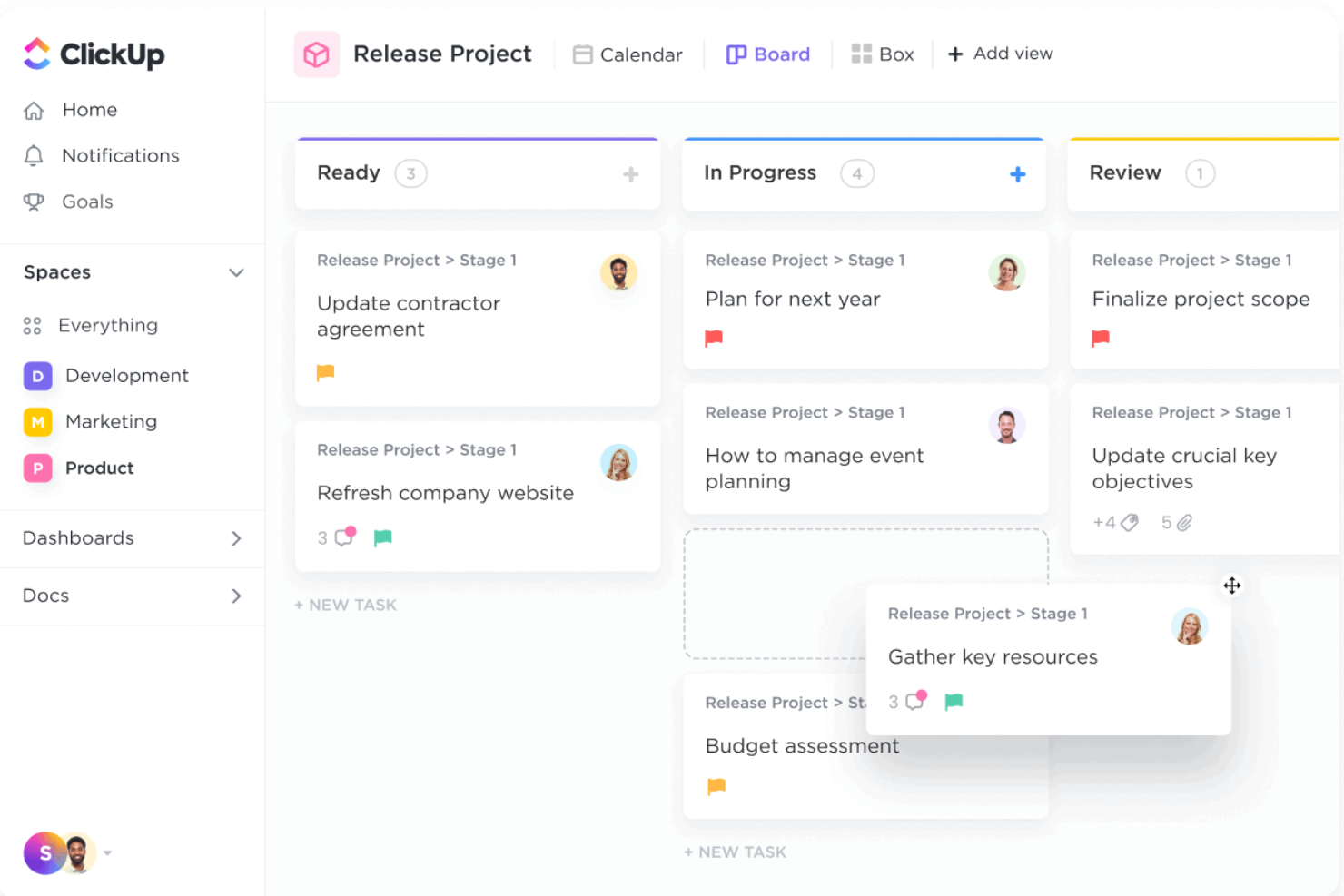
ClickUp is an all-in-one project management platform that brings together task tracking, multiple project views, workload management, docs, time tracking, and built-in automation across a single customizable workspace.
Who Is ClickUp Best For?
ClickUp suits project managers and cross-functional teams who need a highly configurable workspace to manage complex, multi-workstream projects without switching between tools.
Why I Picked ClickUp
ClickUp earns its spot on my shortlist because of how far you can push its customization without losing coherence across your workspace. I'm particularly drawn to how it handles task structure: nested subtasks, dependency-aware rescheduling, and 11 distinct project views mean I can model genuinely complex, multi-workstream projects in one place. The Workload view lets me see capacity by assignee across active projects and manually rebalance when someone's over-allocated.
ClickUp Key Features
- Goal tracking: Set measurable targets and link them to tasks so progress updates automatically as work gets completed.
- Built-in proofing: Pin feedback directly to images, videos, and PDFs on tasks without needing a separate review tool.
- Automations: Set trigger-based rules to move tasks, update statuses, or notify teammates when conditions are met.
- Guest permissions: Invite external clients to specific tasks or project locations with view-only or comment-only access.
ClickUp Integrations
ClickUp lists 50+ native integrations and connects with 1,000+ tools, including Slack, Microsoft Teams, Google Drive, GitHub, HubSpot, Zoom, Google Calendar, and Figma. It also offers a public API, webhooks, OAuth, and Zapier.
Pros and Cons
Pros:
- Pin review feedback to task attachments
- Switch among 11 project views
- Nested tasks, dependencies, and milestones
Cons:
- Extensive setup can overwhelm new teams
- Teamwork migration requires CSV workarounds
New Product Updates from ClickUp
ClickUp Adds Meetings Hub, Super Agent Templates, and ZoomInfo Integration
ClickUp adds a searchable Meetings Hub, new ways to clone and template Super Agents, and a ZoomInfo integration through the App Center. These updates improve meeting retrieval, agent reuse, and access to sales intelligence. For more information, visit ClickUp’s official site.
Nifty
Best for uniting teams, goals, and processes
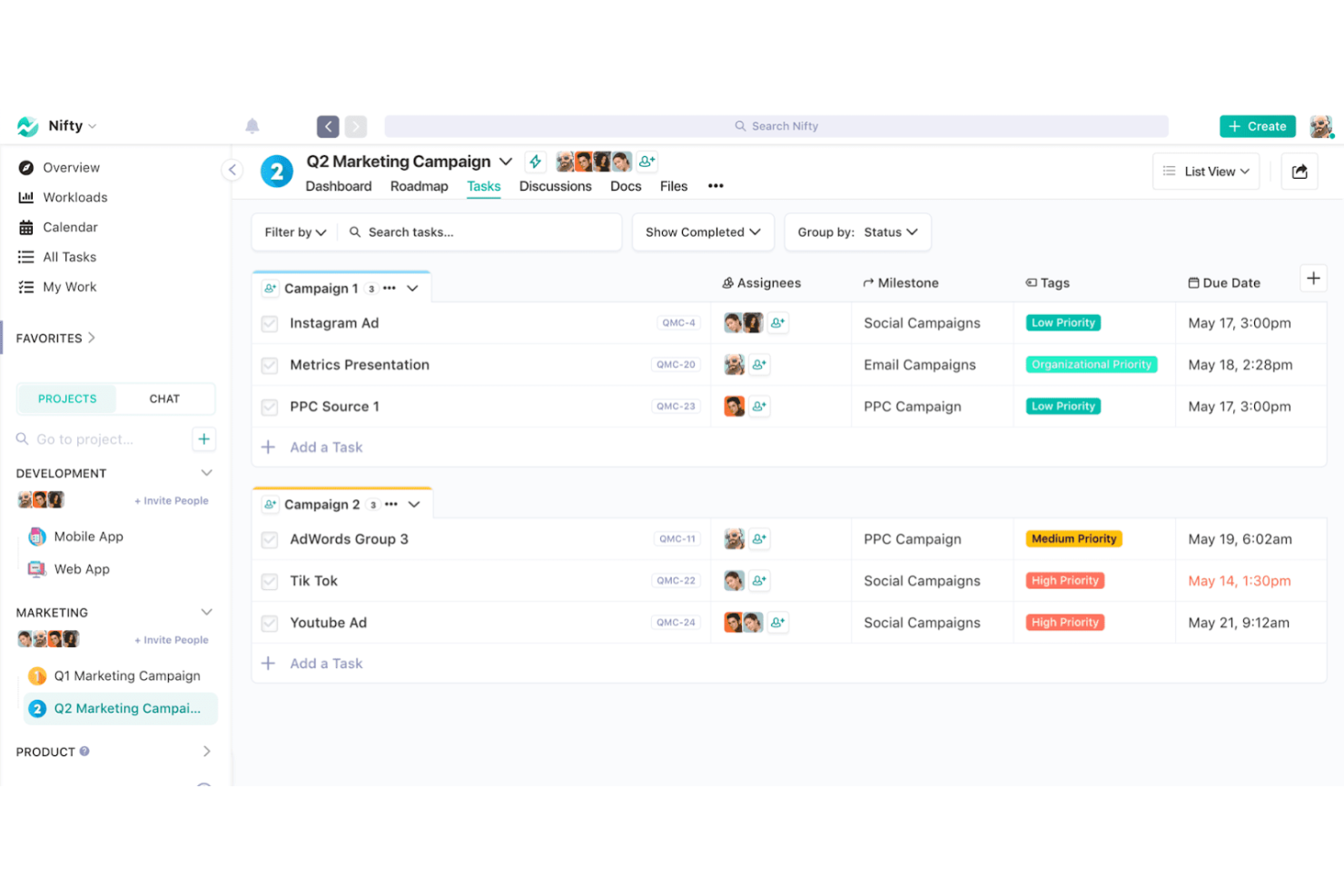
Nifty is a project management platform that brings together task tracking, milestone roadmaps, team discussions, docs, and workload management in a single workspace.
Who Is Nifty Best For?
Nifty is a strong fit for agencies and client-services teams that need to manage tasks, milestones, and client communication in one place.
Why I Picked Nifty
I've included Nifty in my top picks because it genuinely unites the pieces that usually live in separate tools: milestone roadmaps, task boards, team discussions, and goal tracking all sit inside the same workspace. I especially like how milestones roll up progress automatically from task completion, so my team's roadmap reflects reality without manual updates. Portfolios let me group client projects and view status across all of them from one dashboard, which keeps delivery visible at every level.
Nifty Key Features
- Task dependencies: Link tasks so that dependent work is blocked from being moved or completed until its prerequisite task is finished.
- File proofing: Leave annotated comments on images, files, and videos attached to tasks, with annotations converting automatically into subtasks.
- Workflow automations: Set up if/then rules to assign users, update deadlines, and manage tasks based on defined conditions.
- Orbit AI: Generate structured projects, tasks with assignees and due dates, and project-specific documents directly from a text description.
Nifty Integrations
Nifty offers native integrations with Slack, Google Drive & Calendar, Microsoft Suite, GitHub, HubSpot, Harvest, Zoom, and Microsoft Teams. It also supports Zapier and a REST API with webhooks on Business plans and above.
Pros and Cons
Pros:
- Proofing comments become assignable subtasks
- Client discussions and deliverables stay project-linked
- Milestone progress updates automatically from tasks
Cons:
- Advanced reports offer limited export customization
- Notifications can be inconsistent across devices
Other Teamwork Alternatives
Below is a list of additional Teamwork alternatives that I shortlisted. While they didn’t make the top 10, they’re still valuable and worth further research.
- Freedcamp
For unlimited storage
- Workzone
For real-time project visibility
- Process Street
For project management workflow templates
- ProofHub
For all-in-one project management
- Microsoft Teams
For Microsoft integrations
- Bonsai Agency Software
For centralized client and project management
- Taskworld
For integrated chat and analytics
- Podio
For workflow automation
- Bitrix24
For CRM business management
- Redmine
For open-source project management


Related Project Management Software Reviews
If you still haven't found what you're looking for here, check out these other related tools that we've tested and evaluated:
- Project Management Software
- Resource Management Software
- Workflow Automation Software
- Time Tracking Software
- Task Management Software
- Collaboration Tools
- Gantt Chart Maker
- Productivity Tools
- Project Tracking Software
- Project Scheduling Software
How I Evaluate Teamwork Alternatives
I look at Teamwork alternatives in two layers: the core features a tool must have—task management, time tracking, client access—and the differentiators that separate the best options.
Core Functionality (Table Stakes For This List)
When I'm selecting tools for my list, I rank each one on a scale from 0 (does not offer the functionality) to 5 (excels in this area) for each core functionality listed below. Then, I calculate the tool's total score into a percentage. Each tool needs to achieve a minimum total score of 75% to be considered for inclusion.
- Task & Project Management: I look for structured task hierarchies, dependencies, and milestones—things like mapping a website redesign across phases with subtasks under each deliverable.
- Multiple Project Views: Each tool should offer at least list, board, Gantt, and calendar views so teams can switch between planning a sprint backlog and reviewing a monthly timeline.
- Time Tracking & Billing: Billable vs. non-billable tagging matters here, along with budget tracking per project—essential when your team logs hours across multiple client retainers.
- Client & Guest Collaboration: I evaluate whether external stakeholders can access projects with permission controls, like giving a client comment-only access to a deliverables board.
- Resource & Workload Management: Tools should surface capacity at a glance so a PM can spot an overloaded designer and redistribute tasks before deadlines slip.
- Team Collaboration Tools: I check for in-context communication features like threaded comments, @mentions, file sharing, and proofing tied directly to tasks rather than siloed in separate apps.
Once I have a list of tools that meet this criteria, I consider what sets each platform apart.
Differentiating Factors (What Sets Vendors Apart)
Here's how I compare and contrast different vendors:
Standout Features
Automation rules are a big differentiator—I look for tools that let you auto-assign tasks, trigger status changes, and send notifications based on conditions, which saves hours on repetitive project setup. Proofing and approval workflows also matter, especially for creative teams routing design files through multiple review rounds. I evaluate reporting dashboards for cross-project profitability tracking, since agency leaders need to see which accounts are eating into margins without exporting data to a spreadsheet.
Beyond Features
Integrations matter a lot when switching from Teamwork. I check whether each tool connects natively to accounting platforms like QuickBooks or Xero, since billable-hours workflows break down without that link. Pricing transparency is another key factor—I evaluate whether mid-tier plans include time tracking and client access or gate them behind enterprise pricing. I also consider onboarding support, particularly migration assistance, because moving active projects with task histories and logged hours to a new platform is where most transitions stall.
Why Look for a Teamwork Alternative
Teamwork is a valuable project management software with advanced features and integrations. However, it might not be the right fit for every team. Typically, you may be looking for an alternative to Teamwork if you:
- Need a lower cost option: Teamwork offers plans from $11/user/month, but if you’re a small business or need more seats, you may fare better with a cheaper solution.
- Want a more intuitive interface: Although Teamwork has a rather user-friendly interface, it may become more complicated with larger projects, leading you to find an alternative.
- Seek further customization options: Customized views and templates are more important than most realize for streamlining processes, making a solution with these features valuable.
- Need better integration: Teamwork integrates with several tools, but if it doesn’t connect well with your current stack, you may need an alternative solution.
- Desire more customer support: For those times you just can’t seem to find the answer, you want a software that provides dedicated customer support.
Ultimately, finding the right tool can enhance team productivity, streamline project execution, and contribute to overall business success. By reviewing alternatives, you can ensure that your chosen software fits your specific requirements, driving overall team efficiency and collaboration.
Ket Features of Teamwork Alternatives
Here are some key features of Teamwork that your alternative software should be able to replicate or improve upon in order to be a good fit:
- Task Management: Your chosen software must allow you to easily create, assign, and track tasks. Make sure to set deadlines, prioritize tasks, and monitor progress to keep various projects on track.
- Time Tracking: With your software, you should be able to track billable hours and generate reports to analyze how time is spent across different activities.
- Gantt Charts: With Gantt charts, you can plan and schedule tasks, adjust timelines, and manage project progress with a clear and detailed overview.
- Milestones: The right Teamwork alternative will enable you to define important points in the project dashboard and monitor their achievement to stay aligned with overall objectives.
- File Sharing: Top Teamwork alternatives help leaders ensure all team members have the necessary files and information at their fingertips.
- Team Collaboration: A good software enhances teamwork and streamlines communication to keep everyone informed and engaged.
- Project Templates: With your Teamwork alternative, you should be able to customize templates to fit your specific needs and start new projects quickly.
- Reporting: Using the right alternative software lets you easily track metrics, analyze data, and present findings to stakeholders.
- Integrations: Make sure your chosen solution can connect with other tools like Slack, Google Drive, and more to streamline workflows and enhance productivity.
- Mobile App: A valuable software alternative will help you stay connected, update recurring tasks, and collaborate with your team from anywhere, ensuring continuous project progress.
When evaluating Teamwork alternatives, it's essential to compare their key features to ensure they meet your project management needs. Whether you prioritize intuitive interfaces, advanced collaboration tools, or detailed reporting capabilities, there's a solution out there that fits your team's unique requirements.