

10 Best Slite Alternatives for Knowledge Bases in 2026

10 Slite Alternatives Shortlist


A strong Slite alternative gives your team flexible knowledge management, real-time collaboration, and AI-powered search—without locking you into a single workflow. If you’re searching for Slite alternatives, you’re likely looking for tools that support fast documentation, easy sharing, and reliable integrations with your existing stack.
This list will help you compare leading options, so you can find a knowledge base platform that fits your team’s needs, adapts to change, and keeps information accessible as your projects evolve.
What Is Slite?
Slite is an AI-powered knowledge base platform designed for team documentation and information sharing. It lets teams create, organize, and search internal documentations, meeting notes, and project wikis in one place. Slite’s features include collaborative editing, version history, and integrations with popular tools.
Its AI capabilities help users find answers quickly and keep content up to date, making it a popular choice for distributed and fast-moving teams.
Slite Alternatives Comparison Table
This comparison table summarizes pricing details for my top Slite alternatives:
| Tool | Best For | Trial Info | Price | ||
|---|---|---|---|---|---|
| 1 | Best for knowledge base analytics tools | Free demo available | Pricing upon request | Website | |
| 2 | Best for 10,000+ customizable templates | Free plan available | From $10/user/month (billed annually) | Website | |
| 3 | Best for docs that double as team apps | Free plan available | From $12/user/month (billed annually) | Website | |
| 4 | Best for serving docs in 60+ languages | Free demo + 15-day free trial available | From $0.99/user/month (billed annually) | Website | |
| 5 | Best for teams already running Jira workflows | Free plan available | From $5.78/user/month | Website | |
| 6 | Best for docs tied to project workflows | Free plan available | From $10/user/month | Website | |
| 7 | Best for docs-as-code with Git Sync | 14-day free trial + free plan available | From $65/site/month + $12/user/month (billed annually) | Website | |
| 8 | Best for verified knowledge across connected apps | Free plan available | From $11.95/month | Website | |
| 9 | Best for developer and API documentation portals | 14-day free trial available | From $80/month (billed annually) | Website | |
| 10 | Best for search-driven team knowledge sharing | Free plan available | From $6.67/user/month (billed annually) | Website |
Why Trust Our Software Recommendations
Our team has been testing and reviewing software since 2012. As project managers ourselves, we know how difficult—and important—it is to choose the right software.
For this guide, we evaluated tools using hands-on testing and independent research, scoring tools using our selection criteria. We also draw on insights from industry thought leaders and practicing project management experts.
Our reviews reflect our human editorial judgment, not a sales pitch.
Expert reviewers:
Slite Alternatives Reviews
Below are my detailed summaries of the best Slite alternatives that made it onto my shortlist. My reviews offer a detailed look at the features, integrations, and best use cases of each platform to help you find the best one for you.

Best for knowledge base analytics tools
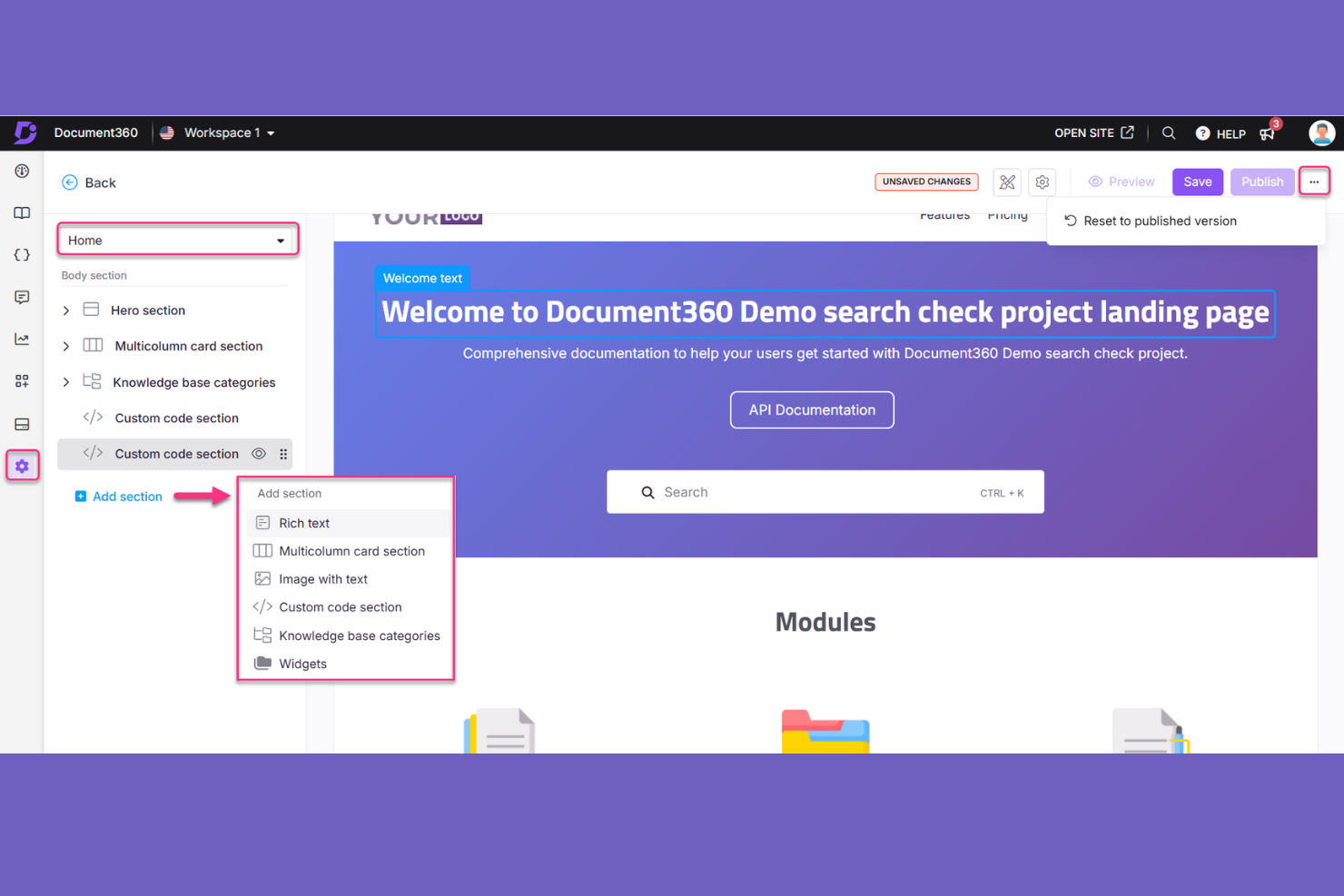
Document360 gives product and support teams a knowledge management platform for organizing internal documentation and customer-facing guides, helping reduce scattered information and outdated answers.
Who Is Document360 Best For?
Document360 suits knowledge managers and support teams that need analytics to track how readers use their knowledge base.
Why I Picked Document360
I picked Document360 as a Slite alternative for Best for knowledge base analytics tools because its article analytics track views, reads, and feedback. Search reports surface popular queries and no-result terms, so I can spot documentation gaps and decide what to update or write.
Document360 Key Features
- Version control: Track documentation revisions and maintain separate versions for product releases.
- Custom workflows: Assign review and approval steps to documentation tasks.
- Content editors: Create articles with Markdown, WYSIWYG, or Advanced WYSIWYG editors.
- Access controls: Set reader access to public, private, or mixed, and restrict specific articles or categories.
Document360 Integrations
Document360 documents 25+ integrations, including Zendesk, Freshdesk, Slack, Microsoft Teams, Intercom, Salesforce, GitHub, Google Analytics, Segment, and Zapier. It also provides a REST API for custom integrations.
Pros and Cons
Pros:
- Review workflows organize article approvals
- Version diffs support safe documentation updates
- Article analytics expose content gaps
Cons:
- Large articles can trigger editor lag
- Workspace analytics lack consolidated reporting
New Product Updates from Document360

Document360 Adds Bulk Mirroring, Eddy AI Citations, and Unified SSO
Document360 adds bulk article mirroring, citations in Eddy AI chatbot responses, and a unified Enterprise SSO setup. These updates improve content reuse, answer verification, and access management. For more information, visit Document360’s official site.
 .
.
Notion
Best for 10,000+ customizable templates
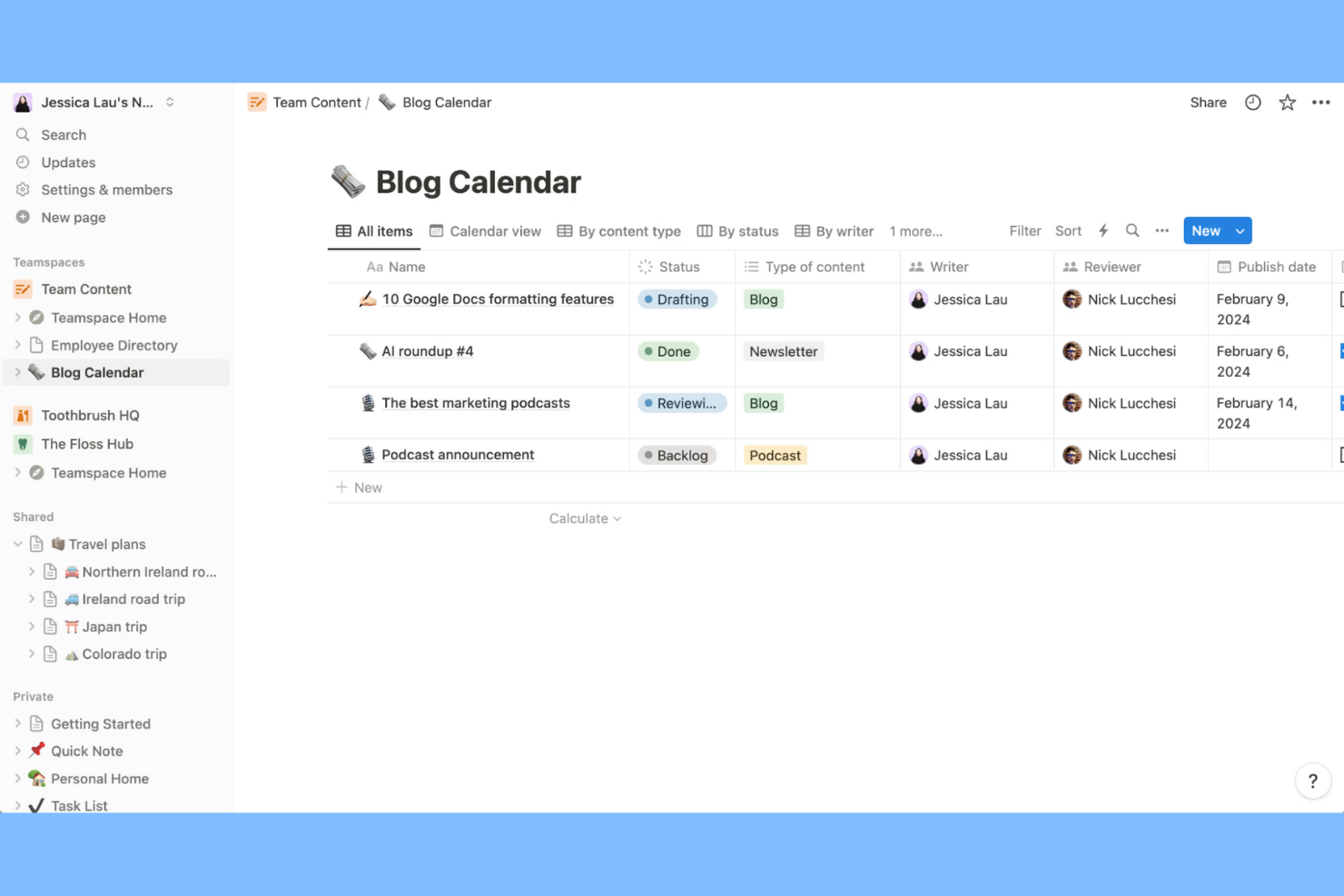
Notion gives product and engineering teams a flexible knowledge management workspace for connecting documentation, project plans, and decisions, so teams can find shared context without chasing information across separate tools.
Who Is Notion Best For?
Notion suits project managers who want customizable templates for setting up project plans, documentation, and repeatable team workflows.
Why I Picked Notion
I picked Notion as a Slite alternative because it’s Best for 10,000+ customizable templates. I like how project managers can adapt templates into project plans, team documentation, and repeatable workflows, then keep decisions and project context together in one workspace.
Notion Key Features
- Nested pages: Create pages within pages to organize related knowledge.
- Backlinks: See which pages link to a page you’re viewing.
- Workspace search: Search page titles and content across your workspace.
- Page permissions: Set access levels for individual pages and invite specific people.
Notion Integrations
Notion has a native Slack integration and partner connections in its gallery, including Google Drive and GitHub; Zapier is also supported. Its API lets teams build custom integrations.
Pros and Cons
Pros:
- Backlinks reveal connections across scattered knowledge
- Nested pages keep decisions beside project context
- Template gallery accelerates repeatable team documentation
Cons:
- Page-level permissions lack granular role controls
- Large databases can load slowly
Coda
Best for docs that double as team apps
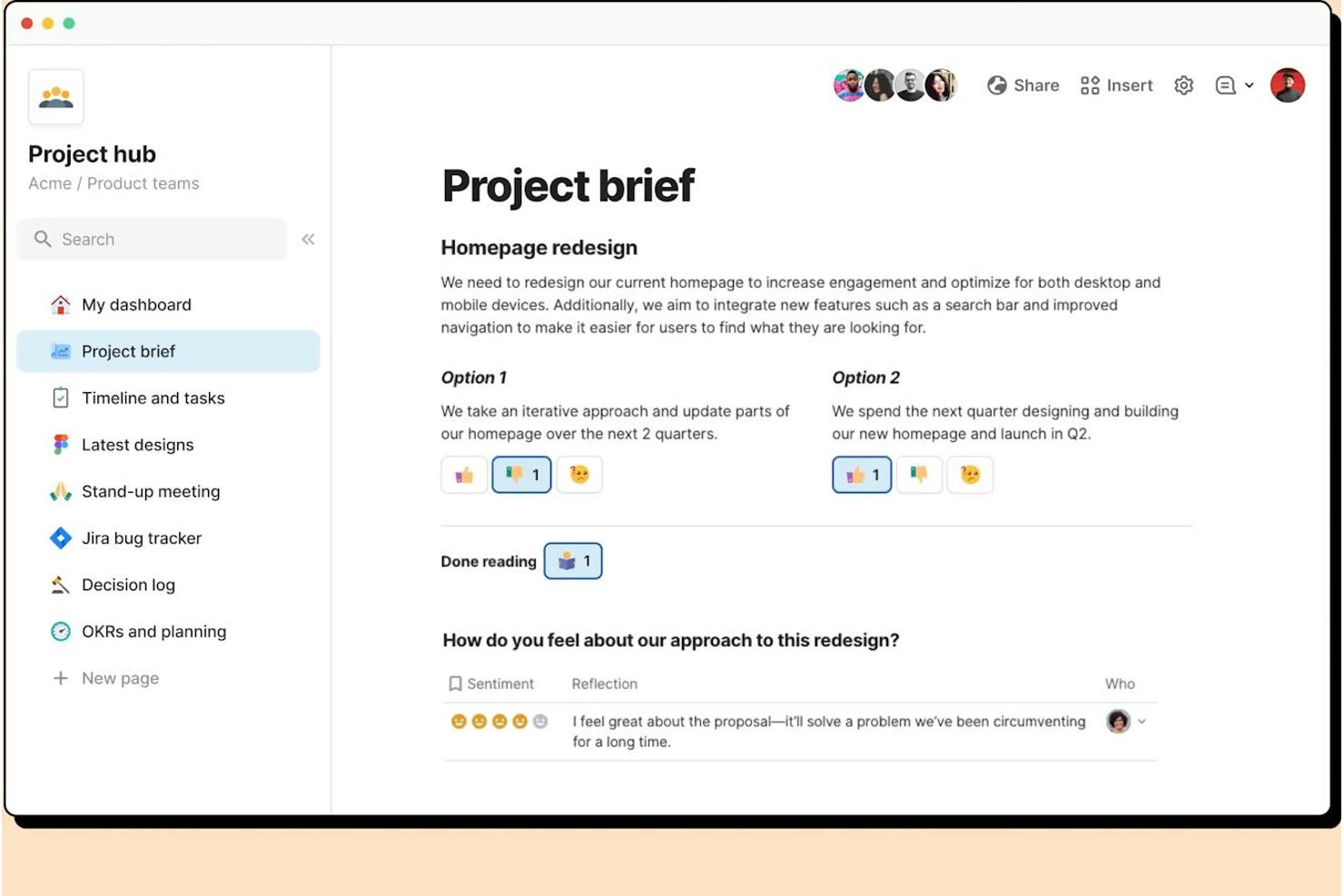
Coda is a knowledge management platform for product and project teams that connects shared documentation with plans and workflows, helping keep project context and decisions easy to find.
Who Is Coda Best For?
Coda is a good fit for product and operations teams that want to turn shared documents into interactive tools for tracking work and coordinating projects.
Why I Picked Coda
I picked Coda as a Slite alternative because it’s Best for docs that double as team apps. I like how its tables can track project plans, while buttons let teammates update status or trigger actions from the same doc. Automations can handle recurring updates, so a team can keep decisions and delivery tracking together.
Coda Key Features
- Nested pages: Create subpages to organize project guidance, decisions, and reference material.
- Packs: Connect docs with external services such as Slack, Google Calendar, and Jira.
- Comments and mentions: Add contextual feedback and tag teammates directly in a doc.
- Doc templates: Start with reusable formats for meeting notes, project briefs, and team wikis.
Coda Integrations
Coda offers 600+ integrations through its Packs ecosystem, including Slack, Jira, Google Calendar, Gmail, Salesforce, Figma, and Microsoft Teams. It also connects with Zapier and provides a public API for custom integrations.
Pros and Cons
Pros:
- Buttons and automations reduce manual status updates
- Formula-driven tables support live project tracking
- Combines project docs, tables, and workflows
Cons:
- Large documents can suffer slow loading
- Advanced formulas and automations require ramp-up

Best for serving docs in 60+ languages
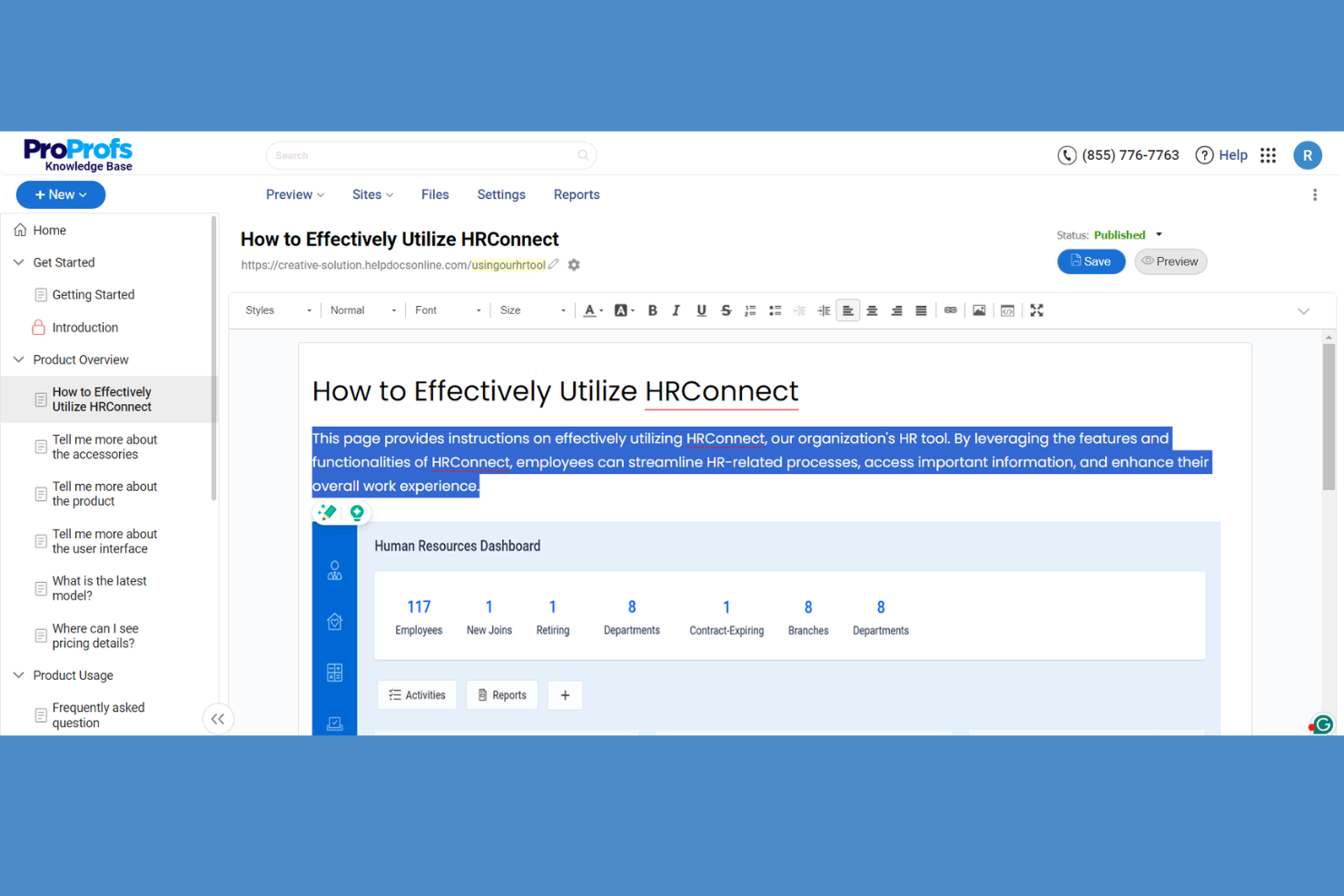
ProProfs Knowledge Base helps customer support and internal teams organize FAQs, how-to guides, and company procedures so people can find answers without relying on repeated one-to-one help.
Who Is ProProfs Knowledge Base Best For?
It suits customer support and documentation teams that need to serve help content in 60+ languages.
Why I Picked ProProfs Knowledge Base
I picked ProProfs Knowledge Base as my “Best for serving docs in 60+ languages” option because it supports 60+ language localization and Google Translate for 90+ languages. I like that visitors can choose a language, while teams can edit translations to correct product terms or article labels.
ProProfs Knowledge Base Key Features
- Version history: Compare article revisions and restore an earlier version.
- Approval workflows: Assign article reviews and set custom publishing statuses.
- Access controls: Restrict sites, pages, or sections with roles and permissions.
- Content analytics: Track searches, article reads, failed searches, and content activity.
ProProfs Knowledge Base Integrations
ProProfs Knowledge Base lists integrations with Jira, Slack, Zendesk, Salesforce, Freshdesk, Google Analytics, Hotjar, Microsoft Clarity, Azure AD, and Crowdin. It also offers a REST API for custom integrations and programmatic content management.
Pros and Cons
Pros:
- Flags failed searches and content gaps
- Combines customer help centers and internal wikis
- Serves documentation in 60+ languages
Cons:
- Approval workflows need improvement
- Template customization feels limited

Best for teams already running Jira workflows
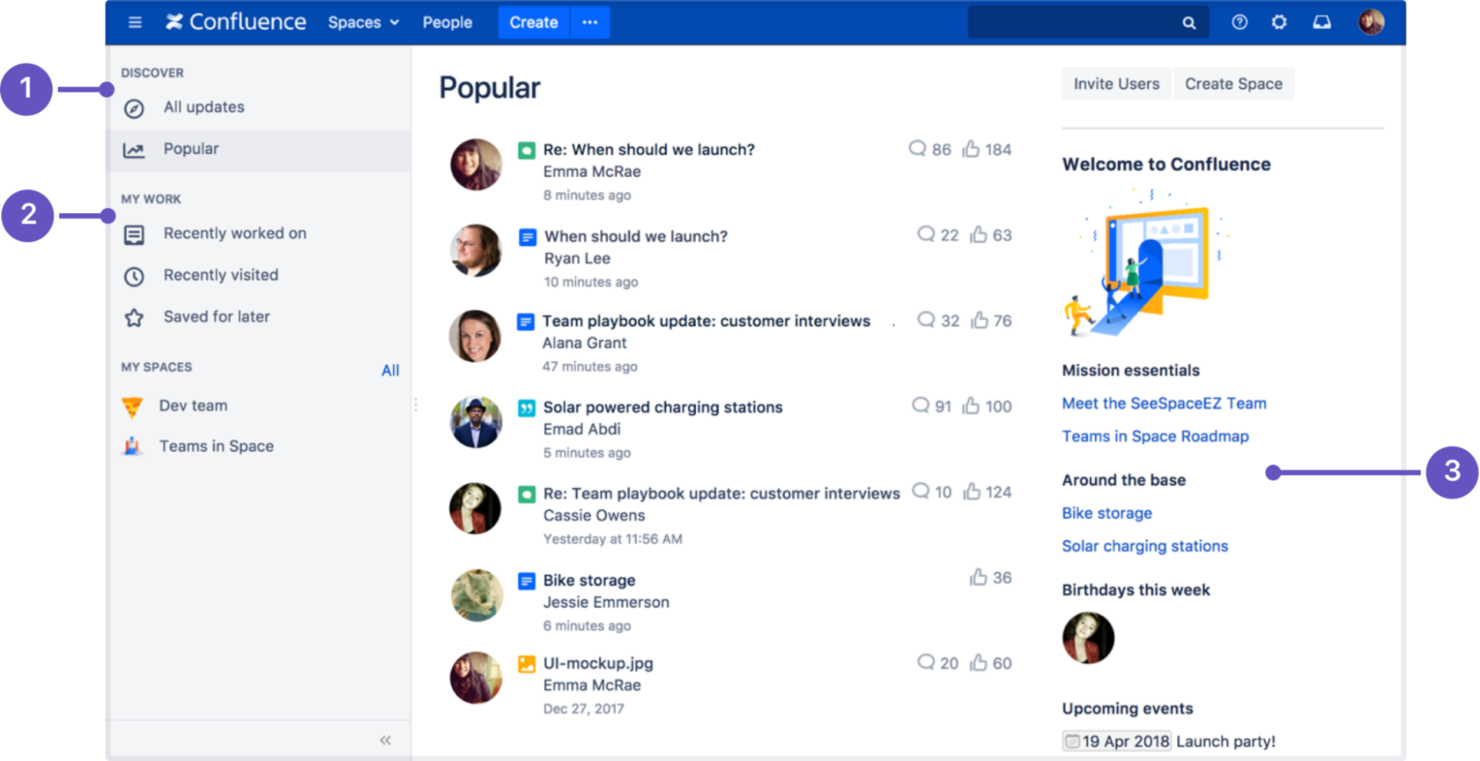
Confluence gives product, engineering, and other cross-functional teams a shared workspace to create and organize project documentation, keep decisions accessible, and reduce scattered knowledge.
Who Is Confluence Best For?
Product and engineering teams with Jira workflows can use Confluence to keep project specs, decisions, and documentation together.
Why I Picked Confluence
I pick Confluence as a Slite alternative because “Best for teams already running Jira workflows” describes its fit. I can embed Jira issue lists in project pages and link specs or decision records to the tickets they shape, keeping the rationale close to active epics.
Confluence Key Features
- Page templates: Start documentation with templates for meeting notes, project plans, and other common formats.
- Spaces: Organize pages by team, project, or topic within dedicated work areas.
- Page version history: Review earlier page versions and restore one when needed.
- Labels and search: Add labels to pages and search for content across your workspace.
Confluence Integrations
Confluence has a native Jira integration for linking documentation to work items and embedding Jira data in pages; it also integrates with Slack and Microsoft Teams. Thousands of additional apps are available through Atlassian Marketplace, and a REST API supports custom integrations.
Pros and Cons
Pros:
- Templates speed repeatable specs and meeting notes
- Version history supports safe documentation updates
- Spaces and pages keep project knowledge structured
Cons:
- Spaces grow cluttered without naming standards
- Search can surface archived or outdated pages

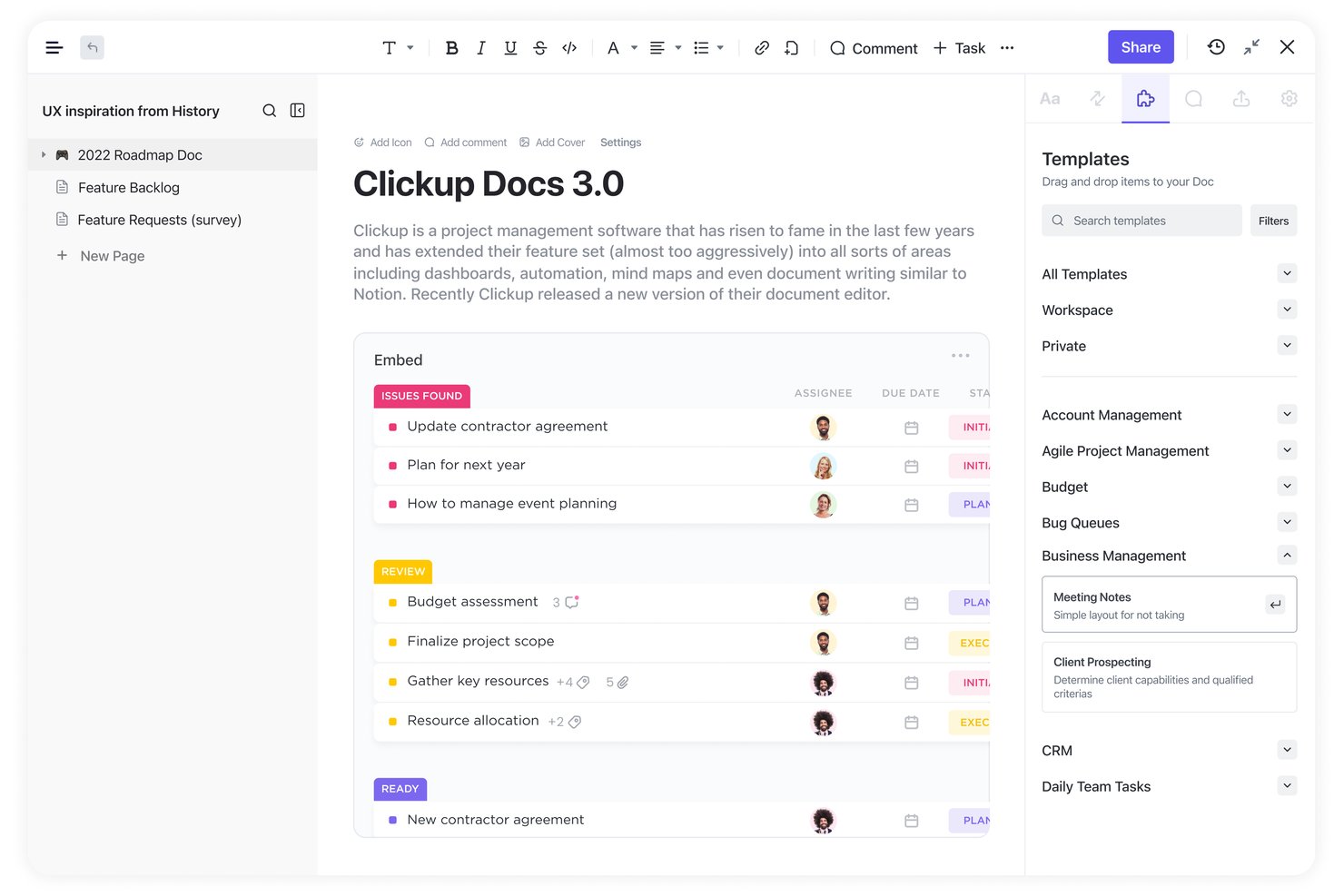
ClickUp is a work management platform for product and engineering teams that combines knowledge management with task and project planning, keeping specs, decisions, and delivery details easier to find.
Who Is ClickUp Best For?
Project managers coordinating cross-functional tech work will find ClickUp useful when they want project documentation close to delivery planning.
Why I Picked ClickUp
I picked ClickUp as my “Best for docs tied to project workflows” option because its Docs connect project knowledge to delivery. I like that teams can link Docs to tasks and create tasks from document text, keeping specs and decisions close to the work they guide.
ClickUp Key Features
- Nested pages and templates: Organize knowledge in nested Docs and start from reusable templates.
- Real-time collaboration: Edit Docs together and leave inline comments.
- Version history: Review earlier versions and restore a previous draft.
- Docs Hub: Search, sort, and filter Docs by owner, date, or location.
ClickUp Integrations
ClickUp has native integrations with Slack, GitHub, GitLab, Google Drive, Google Calendar, Microsoft Teams, Figma, Zoom, and Miro, and connects with Zapier. Its public API supports custom integrations.
Pros and Cons
Pros:
- Nest wiki pages to organize project specs
- Turn document text into trackable tasks
- Link docs directly to delivery tasks
Cons:
- Document tables can be frustrating to edit
- Page-level permissions limit wiki access control


GitBook is a knowledge base platform for product and engineering teams that need to organize technical documentation, keep guidance current, and share information with colleagues and users.
Who Is GitBook Best For?
GitBook suits engineering teams that maintain product documentation alongside code and want Git-based workflows for managing updates.
Why I Picked GitBook
I picked GitBook as a strong Slite alternative because it’s Best for docs-as-code with Git Sync. Git Sync connects documentation to a Git repository, so engineers can update API guides through branch and pull request reviews. I like this workflow for keeping technical docs aligned with code changes.
GitBook Key Features
- Block editor: Create pages with Markdown, text, tables, code, API references, and embeds.
- Reusable content: Sync shared content across multiple pages and update all instances together.
- Page comments: Discuss content with threaded replies, @mentions, and resolved comments.
- Docs insights: Review page views, reader feedback, and popular searches on published docs sites.
GitBook Integrations
GitBook offers built-in Git Sync for GitHub and GitLab, plus integrations with Slack, Intercom, Jira, and Linear. Slack, GitHub, Linear, and Jira are also supported as GitBook Agent channels, currently available as an add-on in early access; GitBook provides a developer platform and API for custom integrations.
Pros and Cons
Pros:
- Page analytics surface reader feedback
- Branch-based reviews clarify documentation changes
- Keeps Markdown documentation aligned with code
Cons:
- Version merges can risk lost edits
- Limited layout controls restrict branded docs

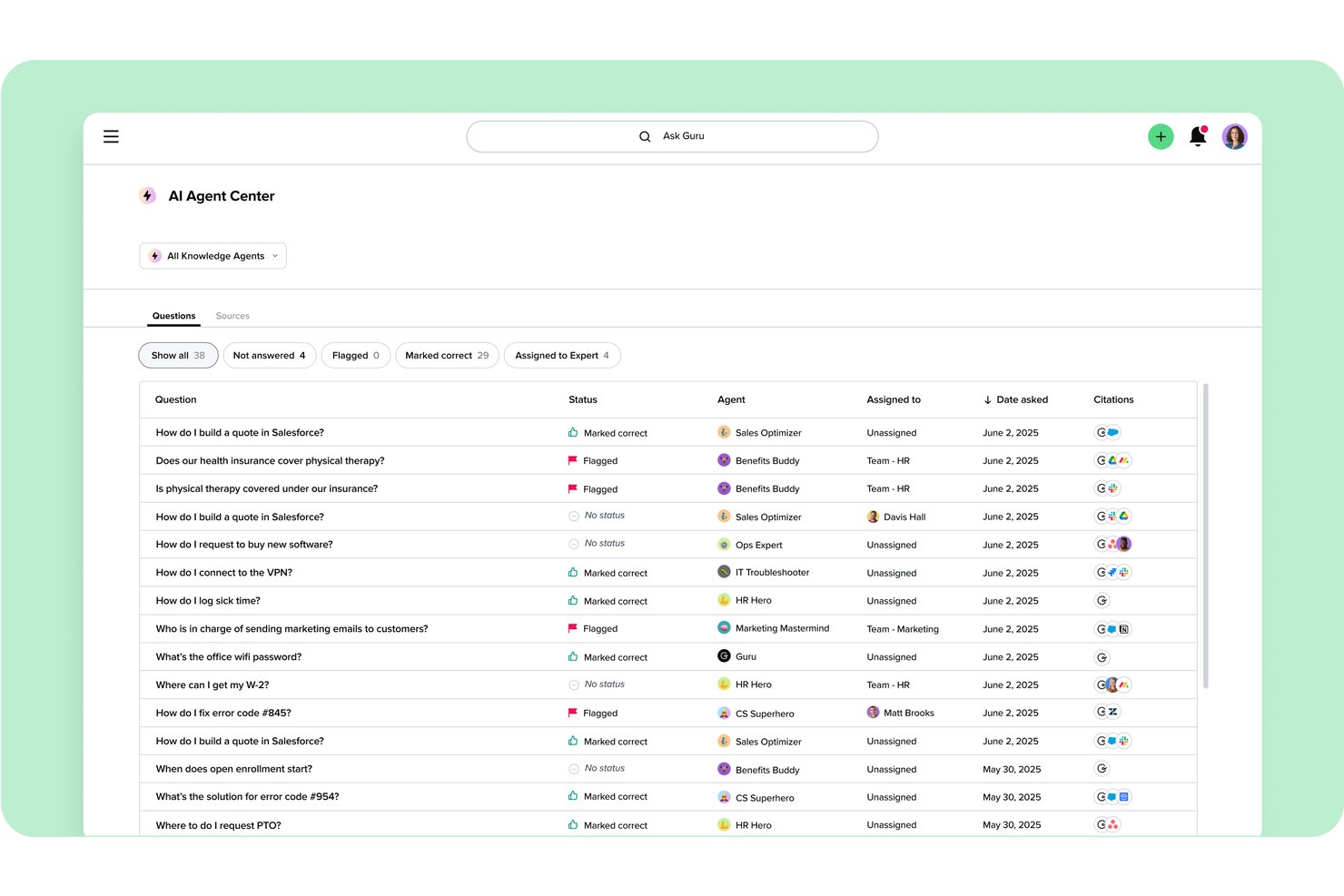
Guru is a knowledge management platform that helps distributed teams organize company know-how into searchable answers, reducing repeated questions and scattered documentation.
Who Is Guru Best For?
Guru is a good fit for knowledge managers and cross-functional teams that need verified answers across the apps they already use.
Why I Picked Guru
I picked Guru for verified knowledge across connected apps, especially when project decisions and process guidance live outside a wiki. Its knowledge Cards can surface in tools like Slack and Microsoft Teams, while verification workflows assign owners and review dates. I like that setup for checking current launch criteria or escalation steps without leaving a team conversation.
Guru Key Features
- Custom Pages: Arrange team knowledge in page layouts with permissions and embedded content.
- Knowledge Agents: Configure AI agents with specific knowledge sources and prompts.
- Content suggestions: Surface relevant information based on user activity and permissions.
- Analytics dashboards: Review content views, search activity, and team engagement.
Guru Integrations
Guru lists 100+ integrations, including its Slack and Microsoft Teams apps and connections to Google Drive, Confluence, Jira, and GitHub. It supports Zapier, Workato, and Prismatic, and offers a REST API for custom integrations.
Pros and Cons
Pros:
- Analytics reveal underused documentation
- Permission-aware answers protect sensitive project notes
- Verification owners flag stale project guidance
Cons:
- AI answers can misread complex questions
- Search gets cluttered as card libraries grow


Archbee is a knowledge base platform for software teams that need to organize technical guidance, product information, and internal docs so engineers and stakeholders can find answers quickly.
Who Is Archbee Best For?
Archbee suits engineering and product teams that need a shared portal for API references, developer guides, and technical documentation.
Why I Picked Archbee
I picked Archbee for developer and API documentation portals because it connects API references to the code engineers maintain. Teams can sync docs with GitHub or GitLab and generate OpenAPI/Swagger references, while Scalar lets developers explore and test APIs in the portal.
Archbee Key Features
- Native branches: Create isolated document branches for review and merge approved changes.
- Multiplayer editing: Collaborate on documents in real time.
- Reusable snippets and variables: Update repeated content in one place across documents.
- Custom domains: Publish your knowledge portal under your own domain.
Archbee Integrations
Archbee advertises 1,800+ integrations, including GitHub, GitLab, Slack, Jira, Intercom, Zendesk, and Zapier. It also offers an API and webhooks for custom integrations.
Pros and Cons
Pros:
- Reviewers praise fast, clear authoring
- Git-style branches support review and merges
- OpenAPI references pair with editable docs
Cons:
- Search indexing lags after large edits
- API-only workflows trail specialist platforms

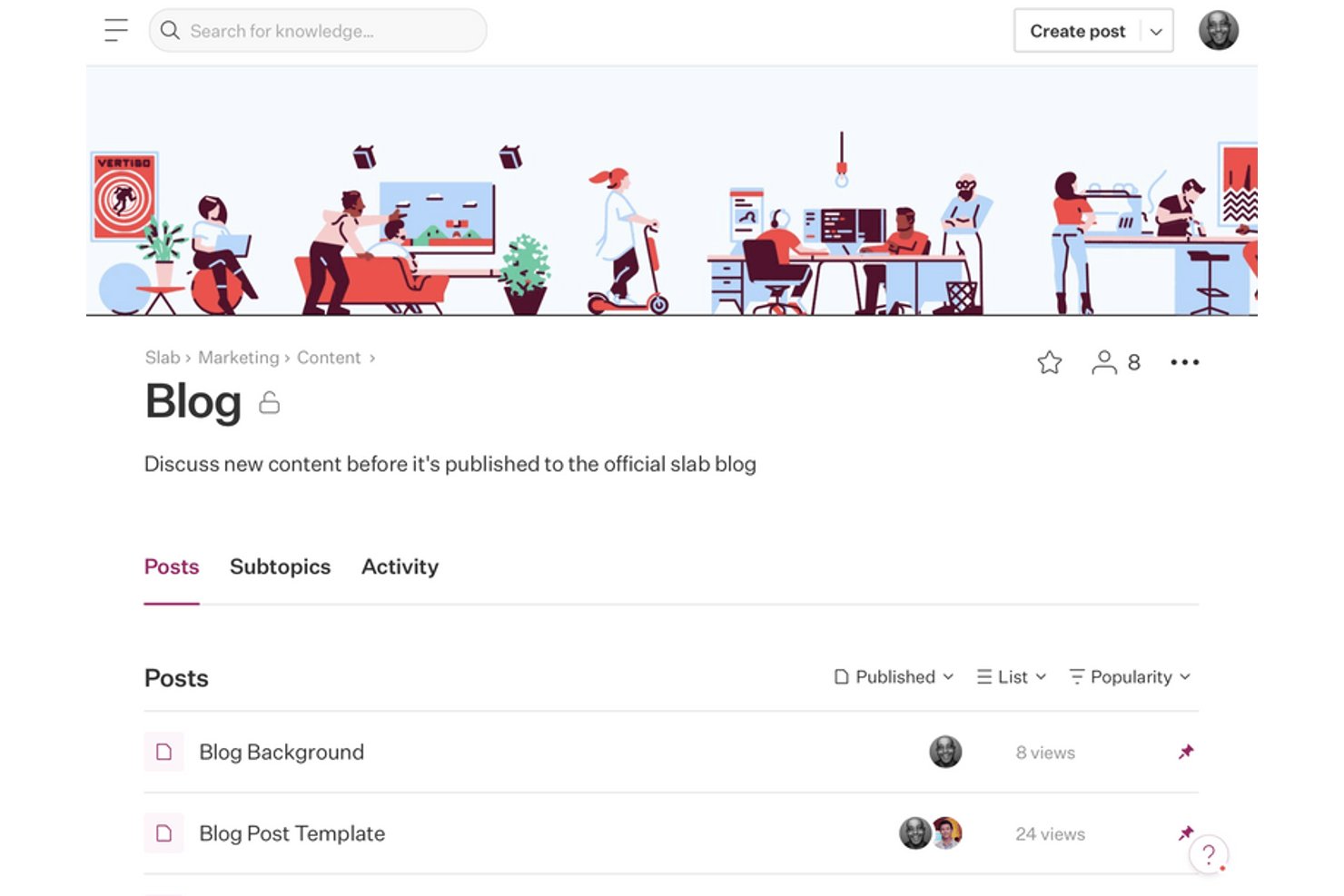
Slab gives product, engineering, and operations teams a shared space for internal documentation, helping keep project decisions, processes, and team knowledge easy to maintain and use.
Who Is Slab Best For?
Slab is a good fit for cross-functional teams that need to find trusted answers quickly across a growing library of internal knowledge.
Why I Picked Slab
I picked Slab for search-driven team knowledge sharing: Unified Search looks across Slab and connected tools in one place, so I can find a project decision without switching apps. I also like how hierarchical topics organize posts, while multiple topics let one decision appear in relevant areas.
Slab Key Features
- Templates: Start posts from reusable formats for meeting notes, code reviews, and team processes.
- Real-time collaboration: Edit posts with teammates as changes appear live.
- Verification: Assign maintainers to review and confirm posts remain current.
- Version history: View earlier versions of posts and restore past content.
Slab Integrations
Slab lists 50 integrations, including Slack, Google Workspace, GitHub, Jira, Linear, Asana, GitLab, Figma, Microsoft, and Dropbox. Its API and webhooks support custom tools and workflows on Business and Enterprise plans.
Pros and Cons
Pros:
- Markdown editing suits technical documentation
- Topics organize policies, notes, and decisions
- Search spans Slab and connected tools
Cons:
- Tables and image layouts feel restrictive
- Permissions can lack needed granularity
Other Slite Alternatives
Here are some additional Slite alternatives options that didn’t make it onto my shortlist, but are still worth checking out:
- Outline
For open-source wiki with AI answers
- Perfect Wiki
For Microsoft Teams-native wiki access
- Nuclino
For wiki-style real-time co-editing
- Trainual
For role-based onboarding and SOP training
- Quip
For Salesforce-connected document workflows
- Helpjuice
For AI-powered knowledge search and analytics
- Glean
For enterprise-wide AI search and retrieval
- HelpDocs
For customer-facing help center publishing
- Docmost
For self-hosted team wiki control
- Almanac
For Git-style document version control


How I Evaluate Slite Alternatives
I evaluate each tool in two layers: the baseline collaboration and knowledge-base capabilities PMs need day-to-day, and the differentiators that make one a better fit than another.
Core Functionality (Table Stakes For This List)
When I'm selecting tools for my list, I rank each one on a scale from 0 (does not offer the functionality) to 5 (excels in this area) for each core functionality listed below. Then, I calculate the tool's total score into a percentage. Each tool needs to achieve a minimum total score of 65% to be considered for inclusion.
- Collaborative Document Editing: I look for real-time co-editing where multiple PMs and contributors can work on a project brief or retrospective simultaneously with comments, mentions, and version history.
- Knowledge Base Organization: A clean, navigable hierarchy matters—nested pages, folders, or collections that let you build a team wiki your engineers and designers can actually browse without asking where things live.
- Search & Content Discovery: I evaluate how quickly you can surface a specific decision or spec from months ago, checking for full-text search, filters, and attachment indexing across the workspace.
- Project Management Integrations: Each tool's native connections with platforms like Jira, Asana, Linear, and Slack get a close look, since docs that live apart from your delivery tools tend to go stale fast.
- Templates & Structured Content: Pre-built and custom templates for meeting notes, sprint retrospectives, and project kickoff docs help teams standardize without starting from scratch every time.
- Permissions & Access Controls: Granular sharing settings matter when your workspace includes guest contractors, cross-functional stakeholders, and sensitive project content that needs role-based visibility.
Once I have a list of tools that meet this criteria, I consider what sets each platform apart.
Differentiating Factors (What Sets Vendors Apart)
Here's how I compare and contrast different vendors:
Standout Features
AI-powered assistance is a big differentiator—I look for tools that can summarize long docs, answer questions from your existing knowledge base, and draft content from prompts. Embedded databases with kanban, table, or timeline views also stand out because they let you manage roadmaps and task tracking right alongside your documentation. I evaluate whether a tool offers verified knowledge workflows, too, since stale project docs are a real problem for distributed teams that need to trust what they're reading.
Beyond Features
Migration support is one of the first things I check—moving a team from Slite or Confluence means importing hundreds of pages, and tools with dedicated importers save weeks of manual copy-paste. I also evaluate how transparent pricing is, especially around guest users and AI add-ons, since those costs add up fast on larger project teams. Integration depth matters here too, particularly open API and automation support for connecting docs to your existing delivery stack.
Why Look For a Slite Alternative?
While Slite is a good choice of an AI-powered knowledge management platform, there are a number of reasons why some users seek out alternative solutions. You might be looking for a Slite alternative because…
- You need advanced analytics and reporting tools
- Your team requires real-time collaborative editing
- You want more control over branding and customization
- You need multilingual content management
- Your organization has strict data residency requirements
- You want deeper integrations with other business tools
If any of these sound like you, you’ve come to the right place. My list contains several AI-powered knowledge management tools that are better suited for teams facing these challenges with Slite and looking for alternative solutions.
Slite Key Features
Here are some of the key features of Slite, to help you contrast and compare what alternative solutions offer:
- AI-powered search for quick information retrieval
- Collaborative document editing with commenting
- Knowledge base templates for fast setup
- Document version history and rollback
- Permission controls for team and guest access
- Slack integration for notifications and sharing
- Structured folders and tagging for organization
- In-app discussion threads for team communication
- Public and private knowledge base options
- Real-time notifications for document updates