

10 Best Slab Alternatives in 2026

Best Slab Alternatives Shortlist


If you’re searching for Slab alternatives, you probably need a way to centralize knowledge, connect work across functions, and make information easy to find—without losing momentum. Teams in fast-moving tech and product environments know how much missed details or scattered docs slow things down.
Here, you’ll get a quick overview of the best Slab alternatives, what makes each one unique, and practical tips to help you pick the right fit for your documentation needs.
What Is Slab?
Slab is a document collaboration tool for organizing and sharing internal knowledge across teams. You can create, edit, and structure documentation in one place, making information easy to author and discover. Slab supports integrations with popular workplace apps, so you can connect docs to daily work. Teams use Slab to keep wikis, project notes, guides, and onboarding materials current—reducing redundant questions and building a searchable, single source of truth.
Slab Alternatives Comparison Table
This comparison table summarizes pricing details for my top Slab alternative selections:
| Tool | Best For | Trial Info | Price | ||
|---|---|---|---|---|---|
| 1 | Best for Slack-driven internal wikis | 30-day free trial | From $8/user/month (billed annually) | Website | |
| 2 | Best for technical documentation | 14-day free trial + free plan available | From $65/site/month + $12/user/month (billed annually) | Website | |
| 3 | Best for scaling internal knowledge bases | Free demo + 14-day free trial available | From $249/month | Website | |
| 4 | Best for open source internal documentation | 30-day free trial | From $4/user/month (billed annually) | Website | |
| 5 | Best for self-hosted wiki solution | Free to use | Free to use | Website | |
| 6 | Best for structured remote team wikis | Free demo + 14-day free trial available | From $10/user/month (billed annually) | Website | |
| 7 | Best for real-time collaboration | Free plan available | From $6/user/month (billed annually) | Website | |
| 8 | Best for connecting docs with project workflows | Free plan + Free trial + Free demo available | From $10/user/month | Website | |
| 9 | Best for Jira and Atlassian ecosystem integration | Free plan + 7-day trial available | From $5.78/user/month | Website | |
| 10 | Best for AI-powered knowledge verification | Free demo available | Pricing upon request | Website |
Why Trust Our Software Recommendations
Our team has been testing and reviewing software since 2012. As project managers ourselves, we know how difficult—and important—it is to choose the right software.
For this guide, we evaluated tools using hands-on testing and independent research, scoring tools using our selection criteria. We also draw on insights from industry thought leaders and practicing project management experts.
Our reviews reflect our human editorial judgment, not a sales pitch.
Expert reviewers:
Best Slab Alternatives Reviews
Below are my detailed summaries of the best Slab alternatives that made it onto my shortlist. My reviews offer a detailed look at the features, best use cases, and integrations of each platform to help you find the best one for you.

Tettra
Best for Slack-driven internal wikis
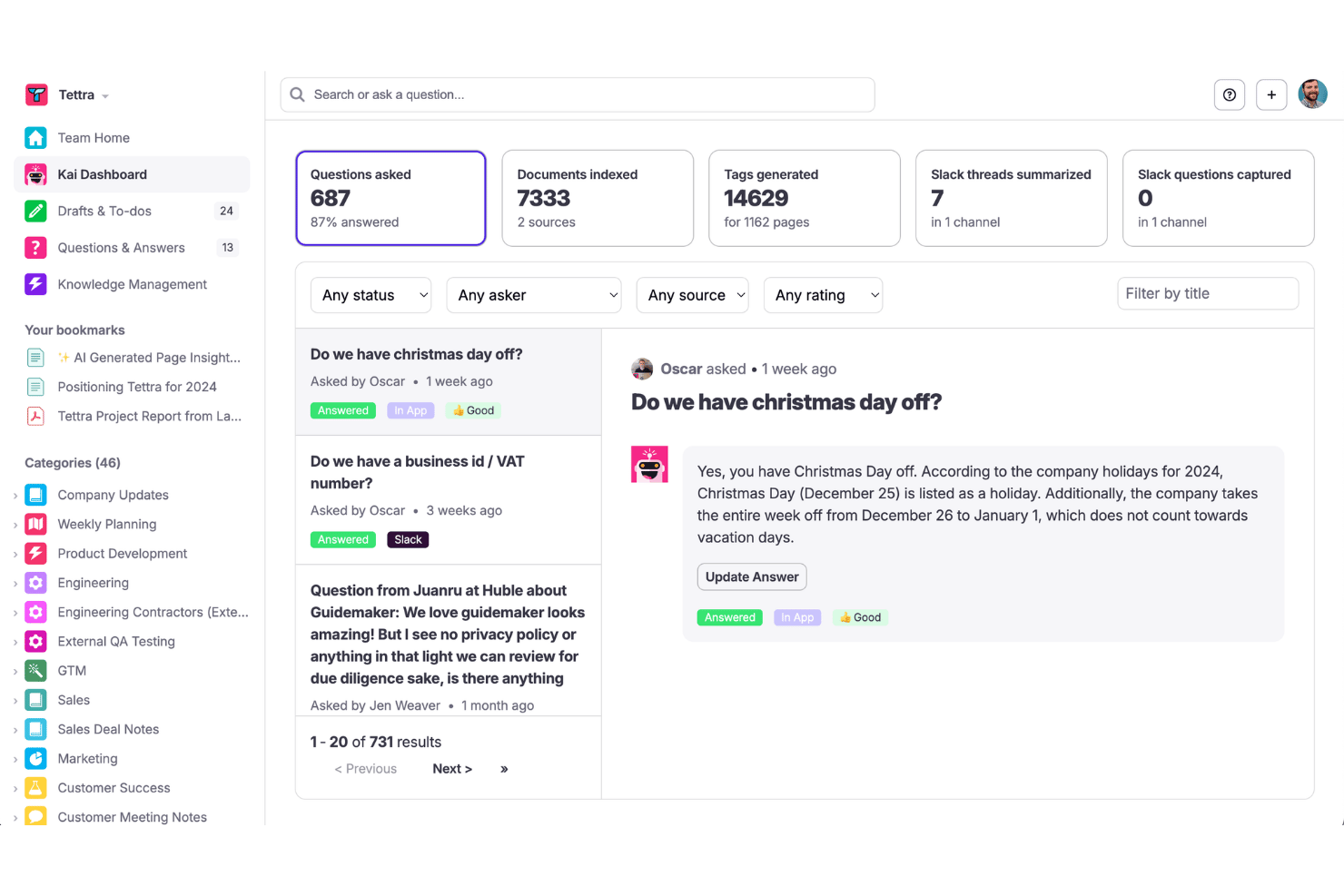
Tettra is an AI-powered knowledge base for distributed teams who need to capture internal SOPs, runbooks, and team knowledge and surface answers to repetitive questions directly inside Slack.
Who Is Tettra Best For?
Tettra suits small to mid-sized teams — particularly remote operations and engineering leads — who rely on Slack as their primary communication layer.
Why Tettra Is a Good Slack Alternative
I've included Tettra in my top picks because of how it handles Slack-native knowledge delivery. Its Kai AI bot answers questions directly inside Slack channels by pulling from your knowledge base instantly, so team members never need to open a separate tool mid-conversation. I also appreciate the verification workflow, which automatically flags stale pages and prompts subject matter experts to confirm accuracy on a set schedule, keeping the wiki trustworthy without manual audits.
Tettra Key Features
- Category-based page organization: Organize knowledge into nested categories and subcategories for easy navigation.
- WYSIWYG and markdown editor: Create and format pages using a modern editor with support for rich media, embeds, and code blocks.
- Slack, Teams, and GitHub integrations: Connect with popular communication and development tools for quick access and content sharing.
- Usage analytics: Track engagement and page views across your internal wiki to identify high-traffic content and knowledge gaps.
Tettra Integrations
Tettra offers native integrations with Slack, Microsoft Teams, Google Workspace, and GitHub, and connects with Zapier. An API is available for custom integrations.
Pros and Cons
Pros:
- Suggested questions help surface knowledge gaps
- Verification cycles auto-flag stale documentation
- AI bot surfaces answers within Slack
Cons:
- Page analytics are fairly surface-level
- No block-based or database-style editing

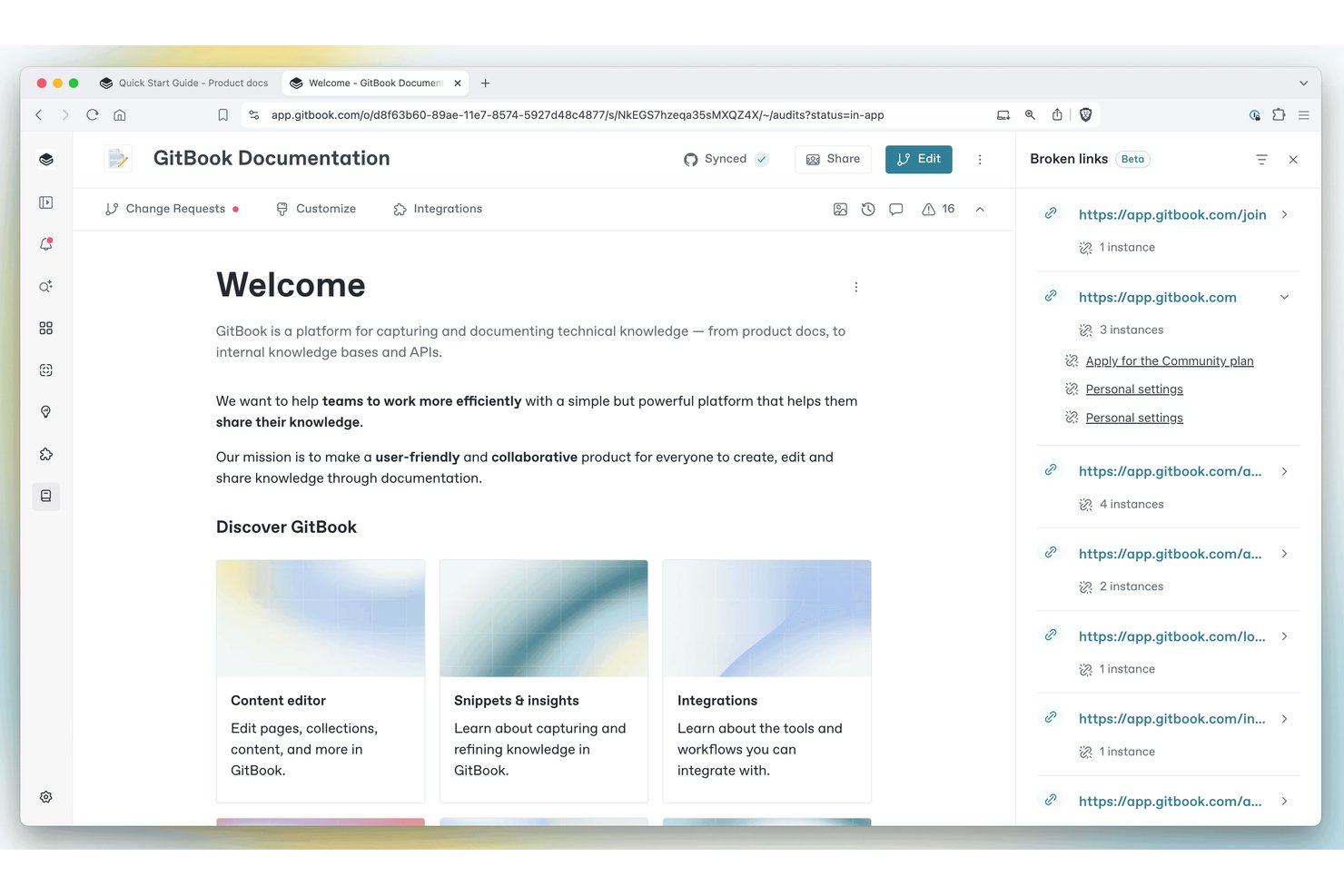
GitBook is a documentation platform built for engineering and product teams who need to create, version, and publish technical docs with Git-backed workflows, AI writing tools, and branded public-facing sites.
Who Is GitBook Best For?
GitBook is a strong fit for engineering and product teams at tech companies that need to manage and publish developer-facing documentation alongside their codebase.
Why GitBook Is a Good Slab Alternative
I picked GitBook as one of the best because of how deeply it integrates with developer workflows. Two-way Git Sync with GitHub or GitLab means my team's docs stay in step with the codebase, and change requests follow the same branch-review-merge pattern engineers already use daily. The built-in API playground also lets us embed live, interactive API references directly in the docs, which Slab simply can't do.
GitBook Key Features
- AI-powered semantic search: Finds answers and relevant content across all documentation using advanced language models.
- Adaptive content by user segment: Shows or hides specific documentation sections based on user role or profile.
- Granular page-level permissions: Lets admins control who can view or edit individual pages or folders.
- Real-time preview deployments: Allows users to preview documentation site changes instantly before publishing live.
GitBook Integrations
GitBook offers native integrations with GitHub, GitLab, Slack, Linear, Figma, Loom, Lucidchart, Intercom, HubSpot, and Google Analytics. An API is available for custom integrations.
Pros and Cons
Pros:
- Publishes branded external documentation sites
- AI search surfaces answers across all docs
- Git Sync mirrors docs alongside your codebase
Cons:
- Limited formatting flexibility
- Real-time collaboration has reported sync issues

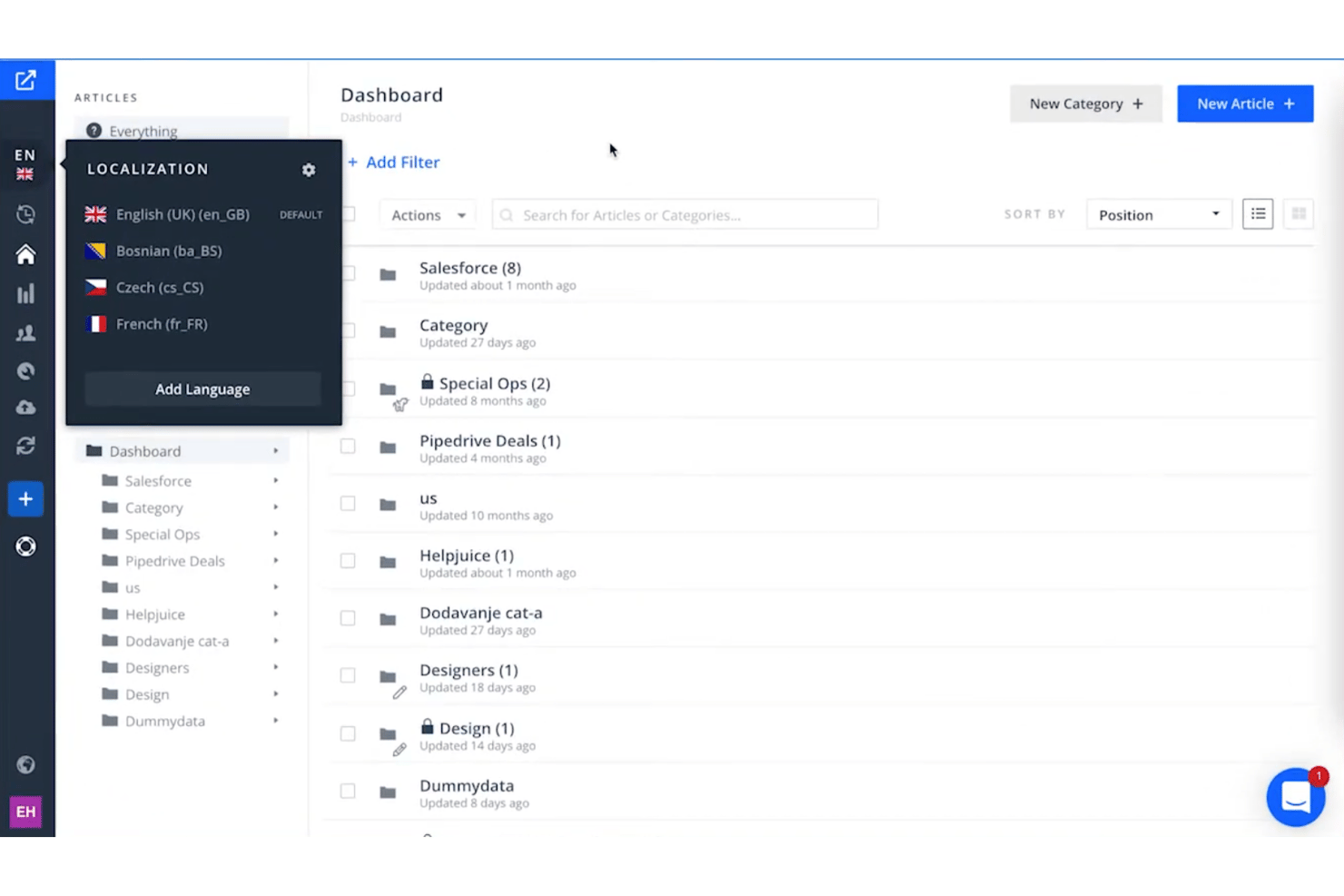
Helpjuice is a dedicated knowledge base platform built for mid-market and enterprise teams that need AI-powered search, deep branding control, and structured documentation without the sprawl of an all-in-one workspace tool.
Who Is Helpjuice Best For?
Helpjuice fits mid-market to enterprise teams managing large, growing knowledge bases where search accuracy, access control, and multilingual support matter.
Why Helpjuice Is a Good Slab Alternative
I picked Helpjuice as one of the best on my shortlist because of how well it handles search at scale. The AI-powered search indexes across articles, PDFs, and images, so a growing knowledge base stays navigable as your content library expands. I also appreciate the analytics layer, which surfaces search terms returning zero results, making it straightforward to spot and close content gaps before they turn into repeated support requests or onboarding confusion.
Helpjuice Key Features
- Custom branding and theming: Adjust the look and feel of your knowledge base with visual and code editing options.
- Multilingual article management: Auto-translate content across 40+ languages and manually review translations for accuracy.
- Version control and publishing workflows: Track article history, schedule content rollout, and require approvals before publishing.
- Slack integration: Create and share articles directly from Slack conversations and capture knowledge in real time.
Helpjuice Integrations
Helpjuice offers native integrations with Slack, Salesforce, Google Analytics, and Chrome, and provides an API for custom integrations.
Pros and Cons
Pros:
- Verification workflows flag outdated articles
- Analytics reveal unanswered search queries
- AI search surfaces answers without page browsing
Cons:
- Editor feels less modern than alternatives
- Real-time co-editing lags behind competitors

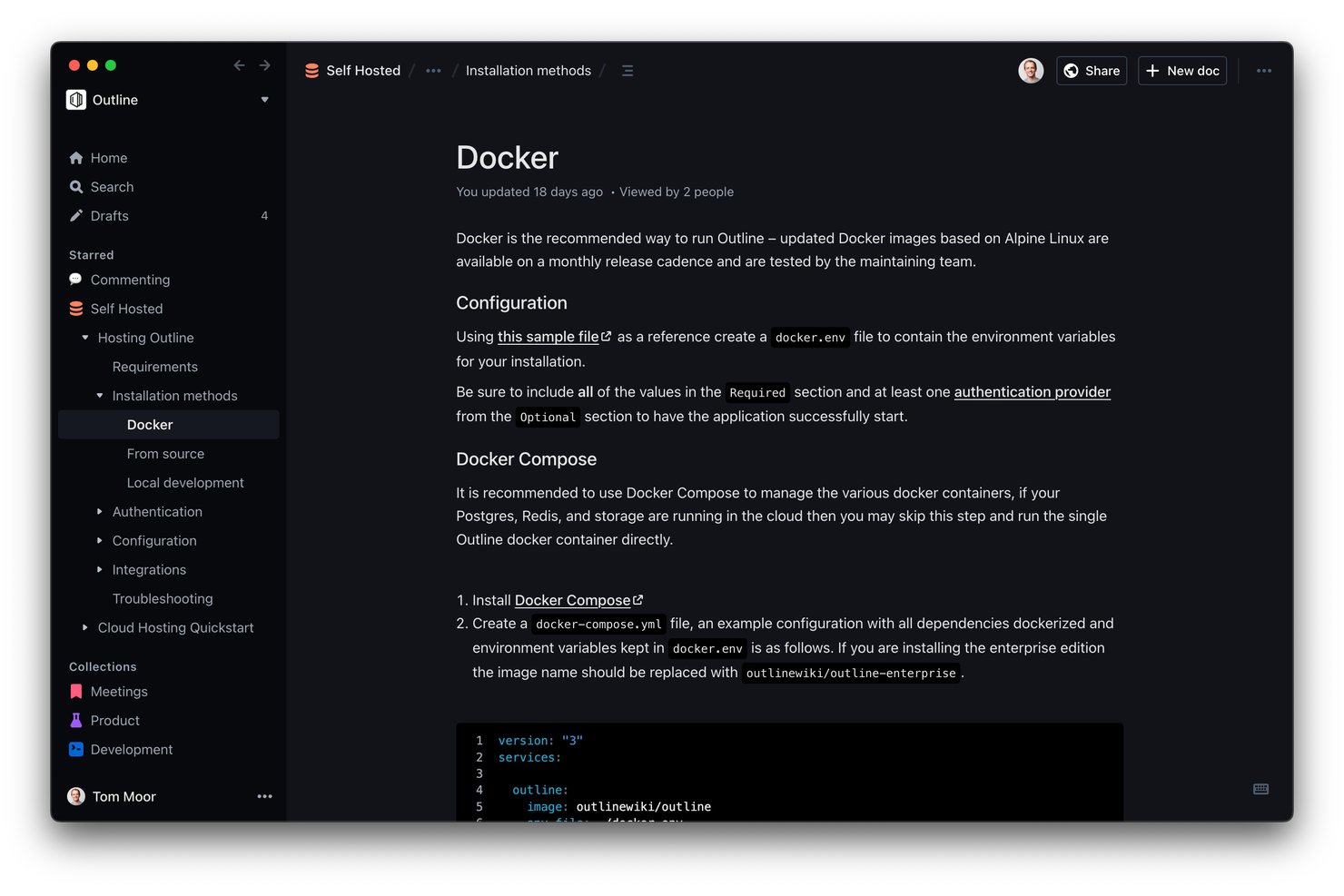
Outline is a wiki and knowledge base platform built for teams that want to own their documentation infrastructure, with open-source code, self-hosting support, and a fast Markdown editor that makes it a strong fit for engineering-led and distributed teams.
Who Is Outline Best For?
Outline is a strong fit for tech-forward teams and startups that want full control over their internal knowledge base without depending on a vendor-managed platform.
Why Outline Is a Good Slab Alternative
I've included Outline in my top picks because its open-source, self-hostable architecture gives teams something Slab simply can't: full ownership of their documentation infrastructure. I particularly like the auto-created bidirectional links, which build a connected knowledge graph as you write without any extra configuration. The AI-powered search across all documents is also genuinely useful when you're hunting for a specific runbook buried deep in a nested collection.
Outline Key Features
- Self-hosting support: Deploy Outline on your own infrastructure for maximum data ownership and compliance.
- Slack integration: Search, share, and get document updates directly inside Slack to keep teams in sync.
- Real-time collaborative editor: Multiple users can edit docs at the same time with markdown, embeds, and comments.
- Granular access controls: Set permissions for users, groups, and guests at the doc, collection, or workspace level.
Outline Integrations
Outline offers native integrations with Slack, GitHub, Figma, Trello, Airtable, Miro, Zendesk, and Zapier. An API is available for custom integrations.
Pros and Cons
Pros:
- Real-time co-editing with inline comments
- Open-source code is fully auditable
- Self-hostable for full data ownership
Cons:
- No built-in content verification workflows
- Self-hosting requires significant technical setup

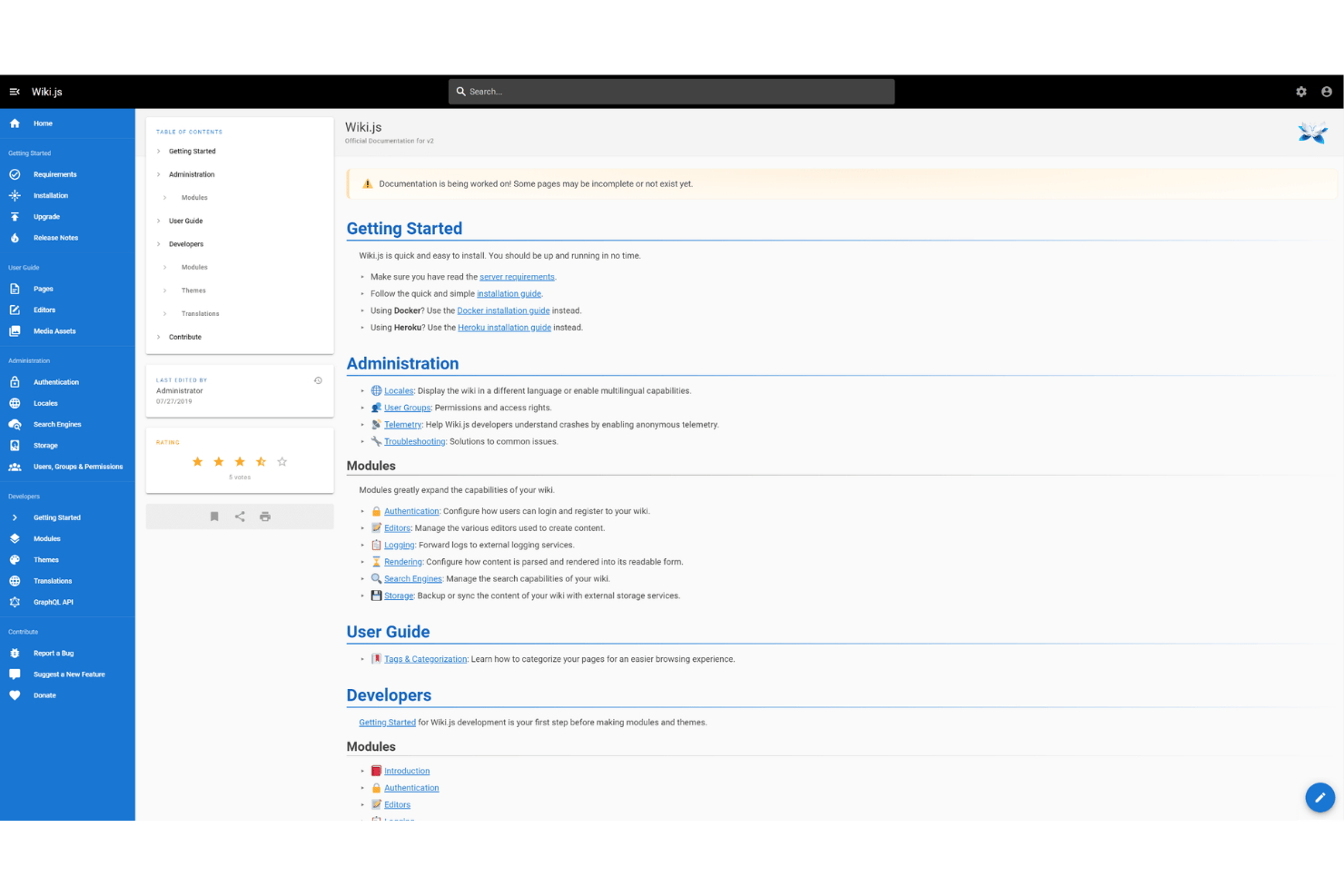
Wiki.js is an open-source, self-hosted wiki platform built on Node.js that gives technical teams full control over their documentation infrastructure, data storage, and access management without a licensing cost.
Who Is Wiki.js Best For?
Wiki.js is a strong fit for engineering and DevOps teams that need on-premise documentation with Git-based workflows and enterprise authentication.
Why Wiki.js Is a Good Slab Alternative
I picked Wiki.js as one of the best because it's the only option on my shortlist that gives you full control over where your documentation lives. I run it on my own infrastructure, which means my team's internal runbooks and project specs never touch a third-party server. The Git sync feature automatically commits every page change to GitHub or GitLab, so our documentation history lives directly alongside our codebase.
Wiki.js Key Features
- Multi-level page hierarchy: Organize documentation with nested folders, categories, and custom navigation structures.
- Granular access controls: Assign permissions by group, user, or even individual page for tighter content security.
- Integrated diagrams and math: Create and embed UML diagrams, flowcharts, and mathematical expressions directly in documentation pages.
- Database-agnostic backend: Run on PostgreSQL, MySQL, MariaDB, SQLite, or SQL Server to fit your team's infrastructure.
Wiki.js Integrations
Wiki.js offers native integrations with GitHub, GitLab, Bitbucket, Azure DevOps, LDAP, Auth0, Okta, Slack, Microsoft Azure Active Directory, Google Drive, and Algolia. An API is available for custom integrations.
Pros and Cons
Pros:
- Git sync tracks every page change automatically
- Supports markdown, WYSIWYG, and code editors
- Full data ownership with self-hosted deployment
Cons:
- Requires server setup and ongoing maintenance
- No real-time co-editing between team members

Slite
Best for structured remote team wikis
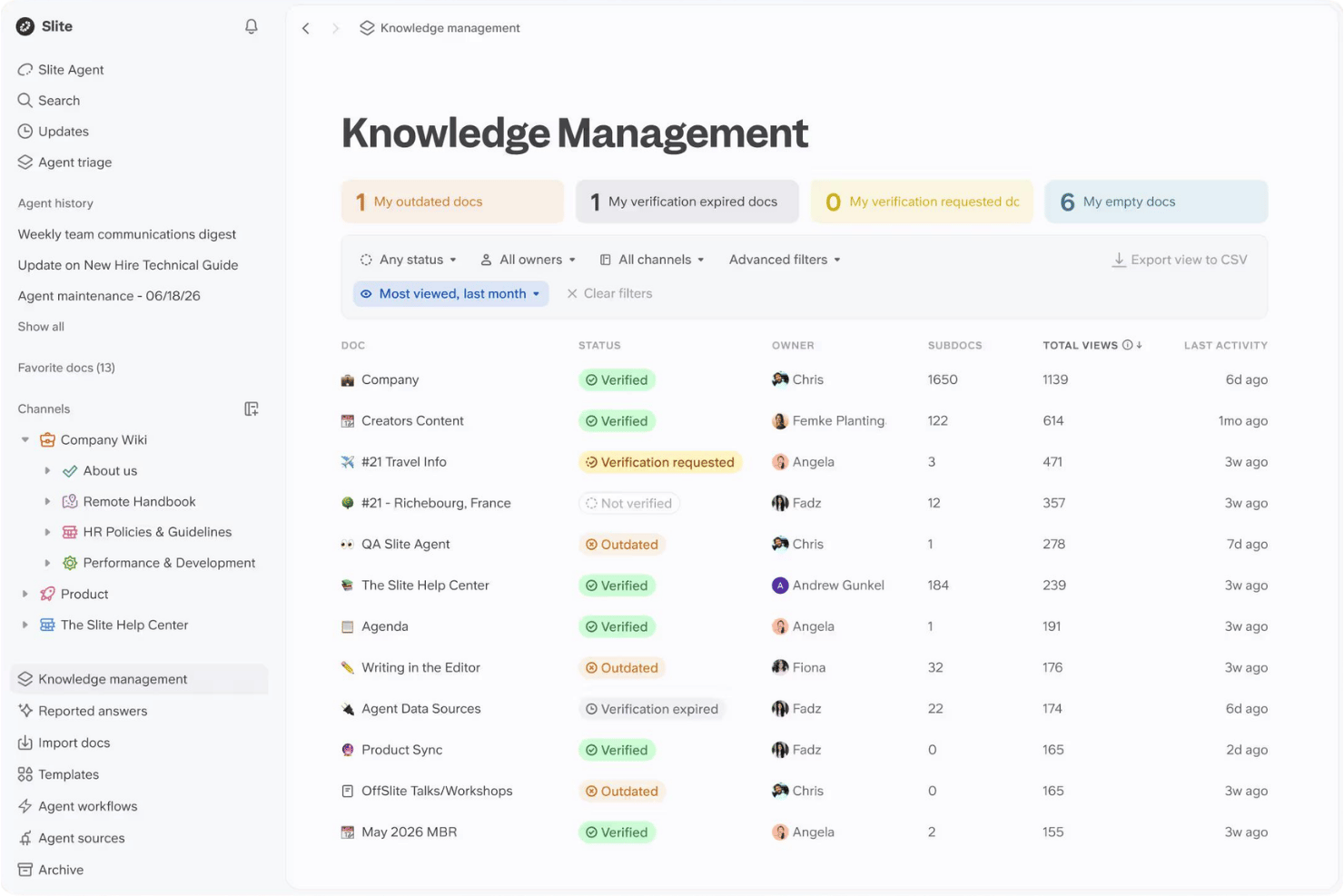
Slite is an AI-powered knowledge base for distributed teams that keeps documentation current through automated verification workflows, so project teams always find answers they can actually trust.
Who Is Slite Best For?
Slite is a strong fit for remote and hybrid teams in tech who need a shared, structured space for onboarding docs, runbooks, and SOPs.
Why Slite Is a Good Slab Alternative
I've included Slite in my top picks because its verification workflow solves a problem every remote wiki eventually faces: docs going stale without anyone noticing. Each doc can be assigned a validity period, and the Slite Agent cross-references your content against activity in connected tools like Slack or Linear, then flags drifted docs for human approval. In practice, that means my team's onboarding guides and runbooks stay trustworthy without manually auditing the wiki every quarter.
Slite Key Features
- AI-powered semantic search: Find answers in natural language with workspace-wide, context-aware results and citations.
- Real-time collaborative editor: Multiple users can co-edit, comment, and mention teammates in any document.
- Granular permissions and SSO: Control access at workspace, collection, or page level with enterprise-ready authentication.
- Native integrations panel: Connect directly with tools like Jira, Slack, Linear, GitHub, and Google Drive for unified knowledge management.
Slite Integrations
Slite offers native integrations with Slack, Jira, GitHub, Linear, Asana, Notion, Confluence, Google Drive, Loom, and Figma, and also provides an API for custom integrations.
Pros and Cons
Pros:
- Clean editor keeps focus on writing documentation
- Doc verification flags outdated content
- AI search surfaces answers across docs
Cons:
- Offline access is not reliably supported
- Analytics on doc usage are fairly limited

Nuclino
Best for real-time collaboration
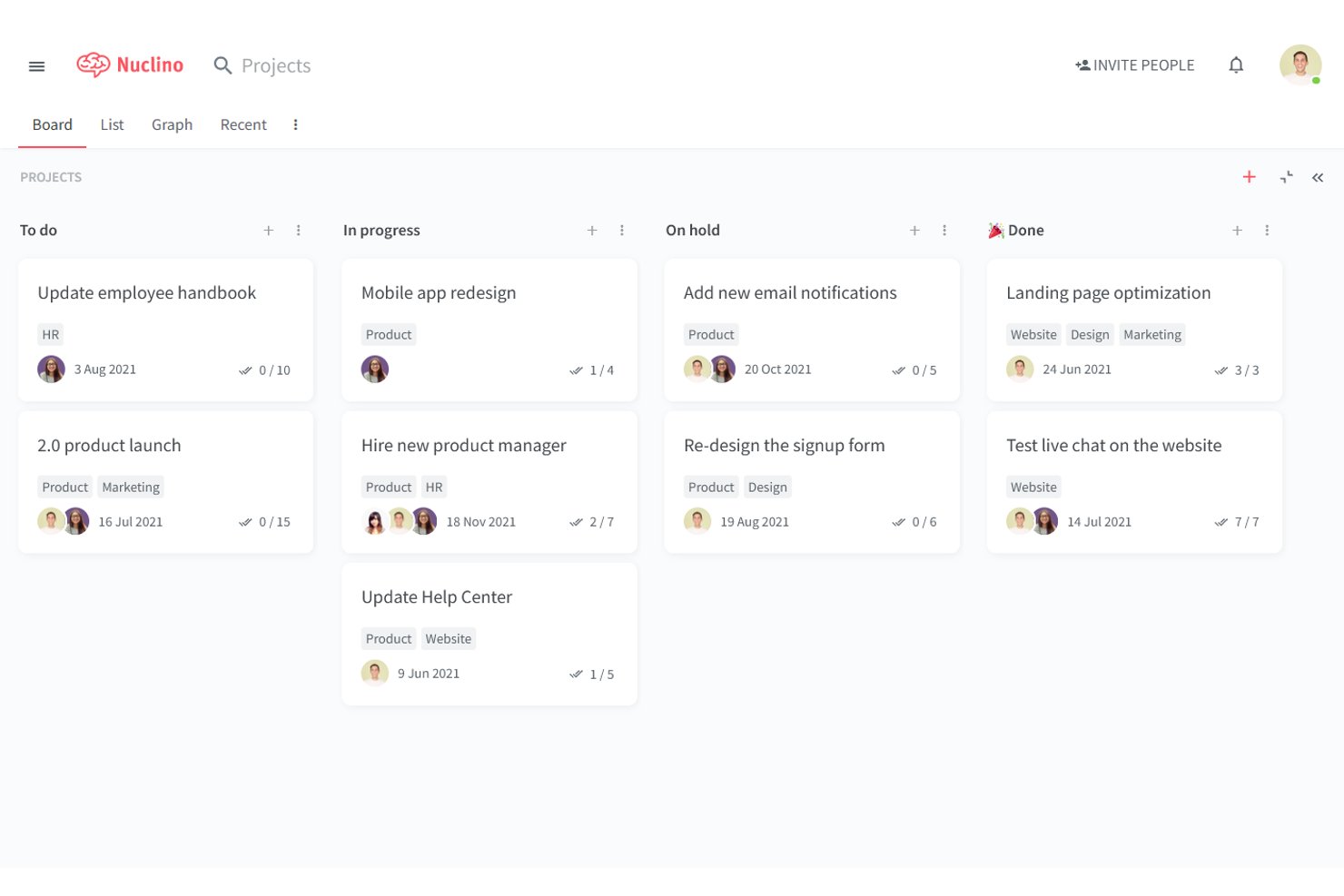
Nuclino is a lightweight team wiki and knowledge base that appeals to distributed project teams who need fast, real-time documentation without the complexity of heavier tools like Confluence or Notion.
Who Is Nuclino Best For?
Nuclino is a strong fit for small to mid-sized engineering and product teams that need a simple, fast wiki without a steep setup process.
Why Nuclino Is a Good Slab Alternative
I picked Nuclino as one of the best because its real-time co-editing goes noticeably beyond what Slab offers. Every edit is visible instantly, with presence indicators showing exactly who's working where on a page. I also appreciate the built-in canvas feature, which lets my team sketch diagrams and map out workflows directly alongside written documentation, without opening a separate tool.
Nuclino Key Features
- Multi-level hierarchical organization: Structure pages, topics, and collections with nested folders and cross-linking.
- Markdown-first editor: Create and format project documentation with support for code blocks, tables, images, and embeds.
- Workspace-level and private access controls: Restrict viewing or editing privileges at the workspace and folder level depending on your team's needs.
- Native integrations with project tools: Embed content from Jira, Slack, GitHub, and Google Drive directly into documentation pages.
Nuclino Integrations
Nuclino offers native integrations with Slack, Jira, GitHub, Google Drive, YouTube, Typeform, Lucidchart, Figma, Miro, and CodePen, and provides an API for custom integrations.
Pros and Cons
Pros:
- Fast full-text search across all pages
- Built-in canvas for visual documentation
- Real-time presence indicators during co-editing
Cons:
- No AI-powered semantic search available
- Limited content verification or review workflows

Notion
Best for connecting docs with project workflows
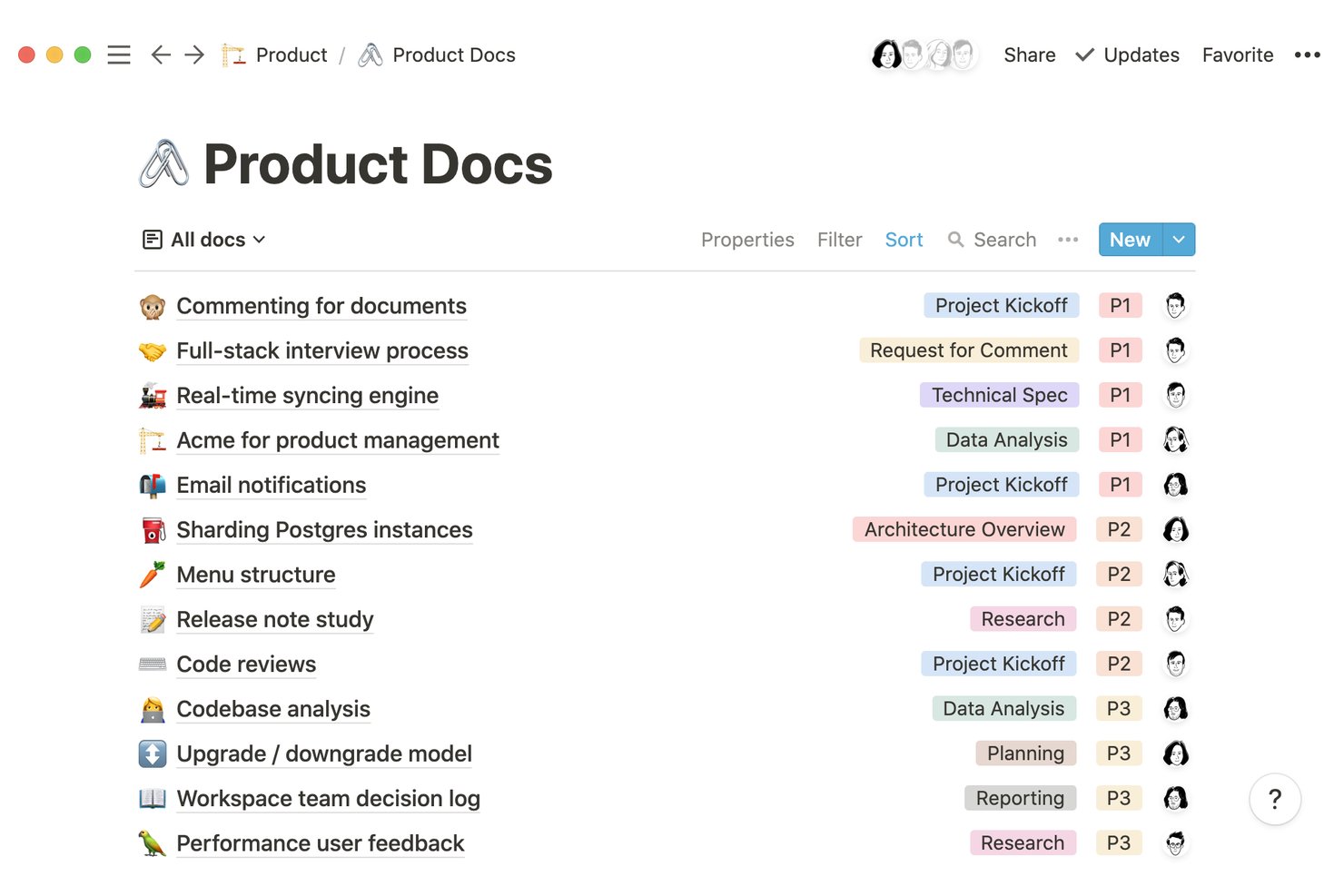
Notion is a block-based workspace that combines wikis, databases, and project tracking in one place, making it a strong fit for teams that want their documentation and project workflows to live together rather than in separate tools.
Who Is Notion Best For?
Notion suits cross-functional teams in tech and digital environments where project managers, engineers, and designers need shared documentation tied directly to active work.
Why Notion Is a Good Slab Alternative
I picked Notion as one of the best Slab alternatives because it's the only tool where a project brief and a live task database can exist on the same page. My team can embed a filtered database view directly inside a spec doc, so engineers see which tickets relate to which requirements without switching tabs. The backlinks feature keeps everything connected: every page can reference and be referenced by others, so the wiki stays linked to active work as the project evolves rather than becoming a static archive.
Notion Key Features
- AI-powered semantic search: Instantly surfaces relevant content and answers from across your workspace using advanced large language models.
- Granular page-level permissions: Lets you control access for every page, database, and teamspace with detailed roles and restriction settings.
- Real-time co-editing with presence indicators: Multiple users can edit docs at once, see live cursors, and add inline comments without overwriting each other.
- Template library and workspace import tools: Teams can quickly spin up SOPs, project docs, and wikis with ready-made templates or bring in existing content.
Notion Integrations
Notion offers native integrations with Slack, Jira, Asana, GitHub, Google Drive, Microsoft Teams, Box, Salesforce, and OneDrive, and provides an API for custom integrations.
Pros and Cons
Pros:
- Nested pages support wiki-style content organization
- Block-based editor handles tables, code, and embeds
- Docs and databases live on one page
Cons:
- Workspace gets cluttered without governance
- Search relevance weaker than dedicated tools

Best for Jira and Atlassian ecosystem integration
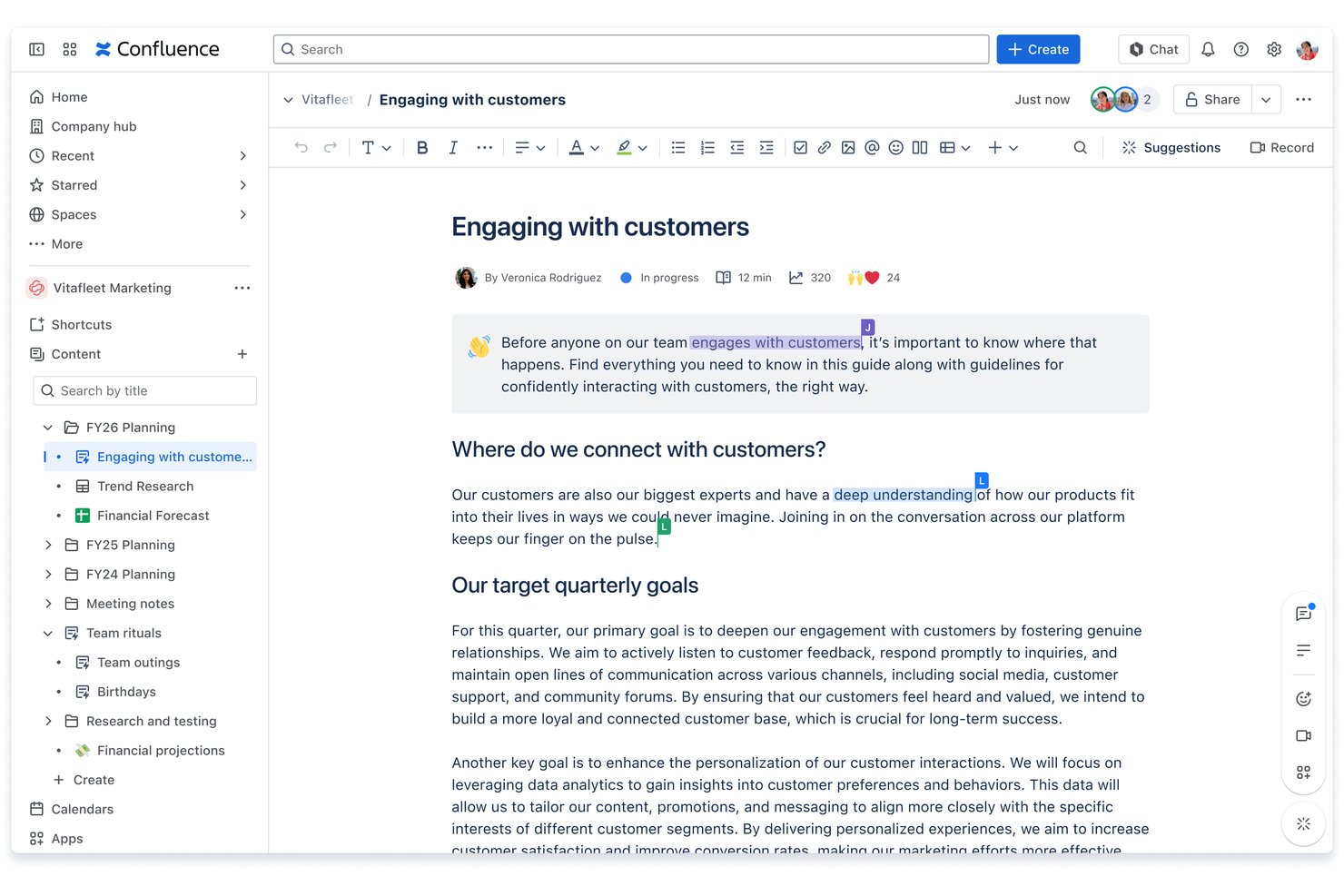
Confluence is an AI-powered wiki and knowledge management platform from Atlassian, built for engineering and project teams that need to centralize documentation, runbooks, and SOPs alongside their existing development workflows.
Who Is Confluence Best For?
Confluence is a strong fit for mid-size to enterprise engineering organizations that run multiple teams on Jira and need documentation to live close to their delivery work.
Why Confluence Is a Good Slab alternatives
I picked Confluence as one of the best Slab alternatives because of how tightly it connects documentation to active project work in Jira. I can embed live Jira issue lists directly into a Confluence page, so a sprint planning doc or engineering spec always reflects real-time ticket status. Rovo AI also searches across both Confluence and Jira simultaneously, which means I'm not context-switching between tools to surface what I need.
Confluence Key Features
- Granular page permissions: Control viewing and editing access down to the individual page level for complex teams.
- Version history and rollback: Restore older versions of any page to recover lost content or audit changes.
- Whiteboards for ideation: Use built-in digital whiteboards to brainstorm and map out projects visually within the wiki.
- Bulk archiving: Archive multiple outdated pages at once to keep your documentation organized and relevant.
Confluence Integrations
Confluence offers native integrations across the Atlassian ecosystem, including Jira, Trello, Bitbucket, and Jira Service Management, plus supports connections with Slack, Microsoft Teams, Google Drive, GitHub, Figma, and Loom. An API is available for custom integrations.
Pros and Cons
Pros:
- Whiteboards built into the wiki natively
- Rovo AI surfaces answers across pages
- Nested page hierarchy scales for large teams
Cons:
- Admin setup takes significant time upfront
- Page editor feels clunky versus modern tools

Guru
Best for AI-powered knowledge verification
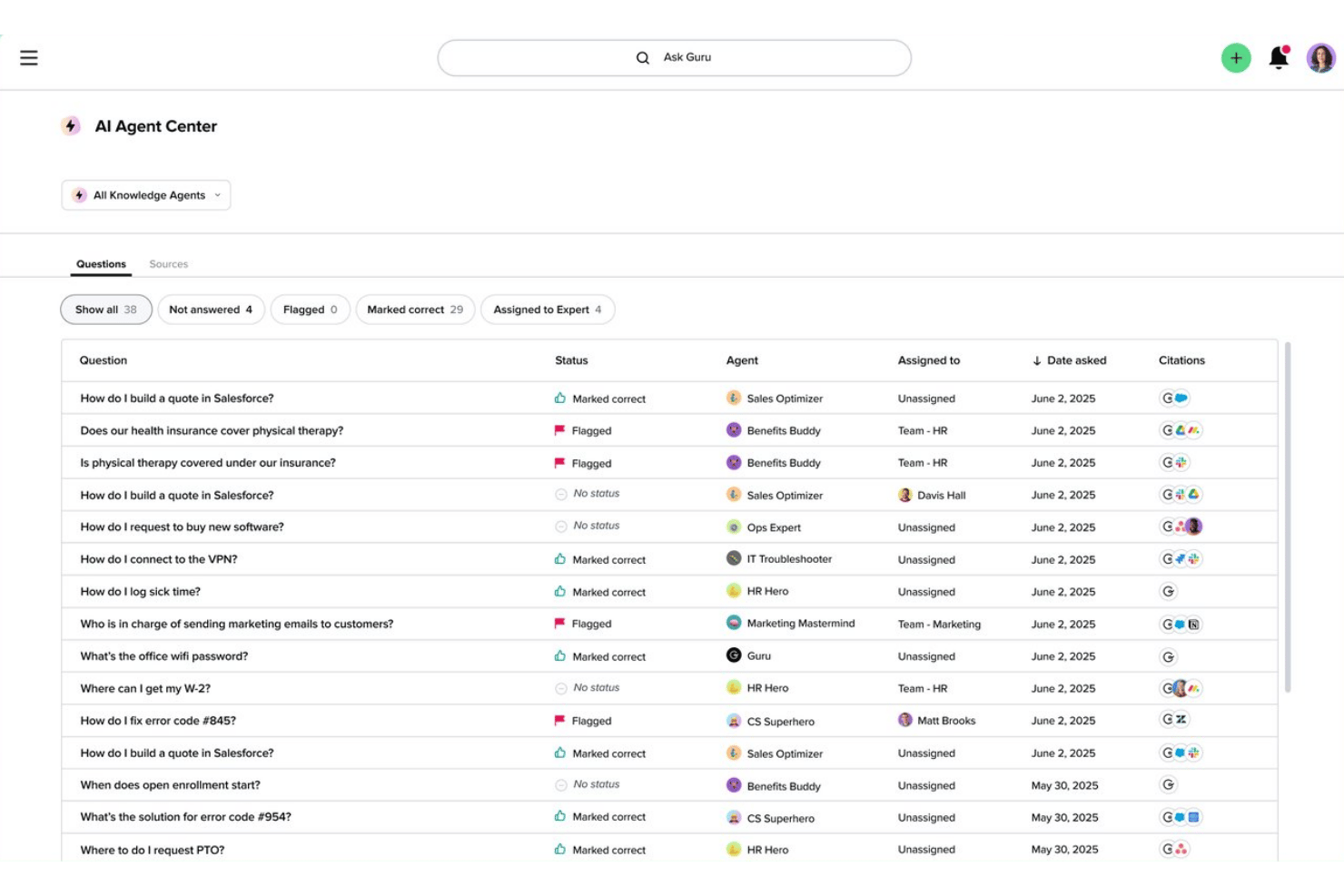
Guru is an AI-powered knowledge platform built for enterprise and distributed teams that need a single, verified source of internal knowledge—structured, searchable, and delivered directly inside the tools your team already uses.
Who Is Guru Best For?
Guru is a strong fit for mid-to-large enterprises with distributed teams that need verified, governed knowledge delivered across complex tech stacks.
Why Guru Is a Good Slab Alternative
I've included Guru in my top picks because its verification workflow is something Slab simply doesn't offer. In Guru, subject matter experts are assigned to review and confirm each knowledge card on a set schedule, so outdated SOPs don't quietly sit in your wiki unchallenged. Guru's Knowledge Agents then surface cited, permission-aware answers inside Slack, grounded only in knowledge your team has already verified.
Guru Key Features
- Enterprise-grade access controls: Govern content with SOC 2 Type II, HIPAA compliance, SSO, SCIM, RBAC, and audit logs.
- Collection and board hierarchy: Organize documentation in multi-level collections and boards for granular structuring.
- AI semantic search: Find information instantly with contextual, AI-powered search that scans across cards and integrated tools.
- 100+ native integrations: Connect directly to tools like Jira, Asana, Slack, GitHub, and Microsoft Teams for in-workflow knowledge delivery.
Guru Integrations
Guru offers 100+ native integrations, including Slack, Microsoft Teams, Jira, GitHub, Asana, Salesforce, HubSpot, Front, Intercom, and Notion, and provides an API for custom integrations.
Pros and Cons
Pros:
- Federated search indexes external tools like Notion
- AI surfaces verified answers inside Slack
- Scheduled verification prevents stale documentation
Cons:
- Admin setup is complex for smaller teams
- Card-based format limits long-form documentation
Other Slab Alternatives
Here are some additional Slab alternative options that didn’t make it onto my shortlist, but are still worth checking out:
- ClickUp
For docs tied to tasks and goals
- Document360
For granular knowledge base access control
- Trainual
For onboarding and SOP documentation
- Archbee
For API and developer documentation hubs
- Zoho Learn
For integrated knowledge management and LMS
- Coda
For building interactive knowledge bases
- Obsidian
For linking with knowledge graphs
- BookStack
For open source wiki customization
- Kipwise
For browser and Slack knowledge search
- Docmost
For real-time document workflows


How I Evaluate Slab Alternatives
I split my evaluation into two layers: core features all Slab alternatives share and differentiators that set each apart. Core functionality is the baseline; differentiators—AI search and verification workflows—reveal where each platform pulls ahead.
Core Functionality (Table Stakes For This List)
When I'm selecting tools for my list, I rank each one on a scale from 0 (does not offer the functionality) to 5 (excels in this area) for each core functionality listed below. Then, I calculate the tool's total score into a percentage. Each tool needs to achieve a minimum total score of 65% to be considered for inclusion.
- Wiki structure: I evaluate how each tool organizes pages, topics, and collections—whether teams can nest runbooks under project folders and cross-link related SOPs.
- Rich text editor: The editor should handle embeds, code blocks, tables, and images so engineering leads and ops managers can document processes without switching tools.
- Universal search: I check whether search covers pages, comments, and attachments with enough speed and filtering to surface answers during a live standup or incident call.
- Access controls: Teams often need folder-level or page-level permissions—like restricting a client folder to specific agency coordinators while keeping company-wide docs open.
- Real-time collaboration: I look for simultaneous editing, inline comments, and mentions that let distributed teammates co-author a post-mortem or sprint retrospective together.
- PM tool integrations: Connecting your wiki to tools like Slack, Jira, or Asana matters, so I evaluate the depth of each integration beyond basic link unfurling.
Once I have a list of tools that meet the criteria, I consider what sets each platform apart.
Differentiating Factors (What Sets Vendors Apart)
Here's how I compare and contrast different vendors:
Standout Features
AI-powered search changes how teams find answers. Instead of scanning page titles, tools like Guru return direct responses pulled from your knowledge base. Unified search takes this further by indexing content across Slack, GitHub, and Google Drive. Your wiki becomes the single entry point for all project knowledge. Verification workflows are equally important to me. Scheduled review cycles that flag stale runbooks and assign owners to re-certify them keep your documentation trustworthy as projects evolve.
Beyond Features
Integration ecosystem matters a lot when your team already relies on Jira, GitHub, or Slack daily. I evaluate whether each tool offers deep, native connections or just surface-level link previews. Migration support is just as important. If you're moving from Slab or Confluence, I check how easy it is to import existing content without losing page structure or formatting. Pricing transparency also shapes my recommendations. Some vendors gate features like SSO or analytics behind higher tiers, which can push costs up fast as your team grows.
Why Look For A Slab Alternative?
While Slab is a good choice of document collaboration tools, there are a number of reasons why some users seek out alternative solutions. You might be looking for a Slab alternative because…
- Needing stronger integrations with PM tools like Jira or Asana
- Wanting customizable page or folder permissions for different teams
- Seeking more affordable pricing models for growing teams
- Requiring advanced AI-powered search features
- Looking for easier migration from legacy wikis or Confluence
- Wanting a platform with broader language or compliance support
If any of these sound like you, you’ve come to the right place. My list contains several good options for document collaboration tools that are better suited for teams facing these challenges with Slab and looking for alternative solutions.
Slab Alternatives Key Features
Here are some of the key features of Slab alternatives, to help you contrast and compare what alternative solutions offer:
- Wiki structure: Organize content into hierarchies with nested pages, topics, and collections, making it easy to navigate lengthy documentation and find SOPs or project playbooks quickly.
- Rich text editor: Create detailed documentation with support for images, code blocks, tables, checklists, and embedded content so your team can convey information clearly and visually.
- Powerful search: Search across all documentation, comments, and attachments with filters and full-text recognition, surfacing relevant content instantly when you need answers.
- Granular permissions: Assign viewing or editing access at the workspace, folder, or page level, enabling teams to control visibility and safeguard sensitive internal documentation.
- Real-time collaboration: Co-edit pages, leave inline comments, and tag teammates in discussions, all while seeing updates happen live without version conflicts.
- PM tool integrations: Connect your documentation to tools like Jira, Asana, Slack, GitHub, and Microsoft Teams to create an efficient workflow that keeps projects and knowledge in sync.
- Content verification: Set review cycles so subject-matter experts are prompted to update or re-certify critical docs, keeping information accurate over time.
- Unified search across tools: Index knowledge from external platforms like Google Docs, Notion, or Confluence, letting users discover information across your entire tool stack from a single search bar.
- Migration support: Import and aggregate content from existing wikis, markdown files, or legacy systems with minimal setup, simplifying the move for teams transitioning to a new platform.
- Compliance and security: Features like SSO, audit logs, encryption, and region-specific data residency options ensure enterprise security for companies handling sensitive information.