

10 Best GitBook Alternatives for Documentation in 2026

GitBook Alternatives Shortlist


A strong GitBook alternative gives your team flexible documentation tools, real-time collaboration, and easy integration with your existing workflows. If you’re searching for GitBook alternatives, you’re likely facing limits with customization, collaboration, or scaling your documentation as your projects grow. The right all-in-one solution can help you manage project documentation, technical docs, knowledge bases, or API references without the friction you’ve experienced in GitBook.
In this list, you’ll find options that fit a range of team sizes, tech stacks, and specific needs, whether you want a simpler interface with a lower learning curve or more advanced documentation capabilities that match your workflow and project goals.
What Is GitBook?
GitBook is a documentation software platform that helps teams create, organize, and share knowledge in a structured, web-based format. It supports collaborative editing, version control, and integrates with tools like GitHub. Teams use GitBook to manage technical documentation, internal wikis, and product guides. Its user-friendly interface and markdown support make it accessible for both technical and non-technical users who need to maintain up-to-date, searchable documentation.
GitBook Alternatives Comparison Table
This comparison table summarizes pricing details for my top GitBook alternative selections.
| Tool | Best For | Trial Info | Price | ||
|---|---|---|---|---|---|
| 1 | Best for multilingual documentation creation | Free trial available | Pricing upon request | Website | |
| 2 | Best for keeping team knowledge current with AI | Free demo + 14-day free trial available | From $10/user/month (billed annually) | Website | |
| 3 | Best for turning video into published docs | Free demo + 30-day free trial available | From $25/month | Website | |
| 4 | Best for combining docs with project management | Free plan + Free trial + Free demo available | From $10/user/month | Website | |
| 5 | Best for enterprise-scale knowledge sharing | Free plan + 7-day trial available | From $5.78/user/month | Website | |
| 6 | Best for API and developer documentation | 14-day free trial available | From $80/month | Website | |
| 7 | Best for designing and documenting APIs | Free plan + 14-day free trial available | From $44/month (billed annually) | Website | |
| 8 | Best for interactive developer onboarding experiences | Free plan + free trial + free demo available | From $250/month (billed annually) | Website | |
| 9 | Best for search-driven knowledge management | Free demo + 14-day free trial available | From $249/month | Website | |
| 10 | Best for automated documentation generation | Free plan + free demo available | From $250/month (billed annually) | Website |
Why Trust Our Software Recommendations
Our team has been testing and reviewing software since 2012. As project managers ourselves, we know how difficult—and important—it is to choose the right software.
For this guide, we evaluated tools using hands-on testing and independent research, scoring tools using our selection criteria. We also draw on insights from industry thought leaders and practicing project management experts.
Our reviews reflect our human editorial judgment, not a sales pitch.
Expert reviewers:
GitBook Alternatives Reviews
Below are my detailed summaries of the GitBook alternatives that made it onto my shortlist. My reviews offer a detailed look at the features, best use cases, and integrations of each platform to help you find the best one for your team.

Best for multilingual documentation creation
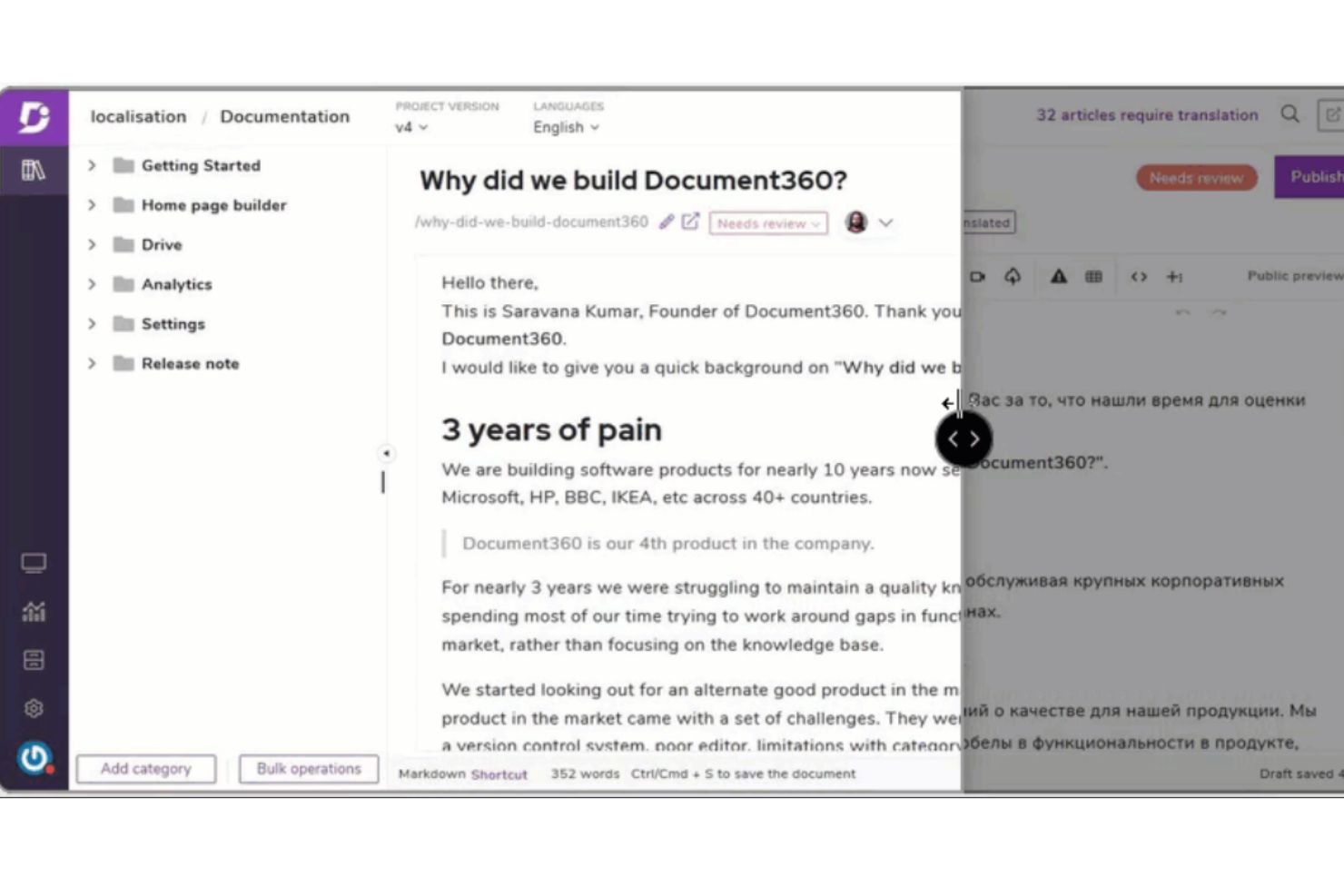
Document360 is a knowledge base platform built for teams that need organized, easily accessible, and well-structured product or process documentation. If you’re looking for a GitBook alternative with more advanced content management and customization options, Document360 is worth a close look.
Who Is Document360 Best For?
Ideal for global product teams and technical writers who need to manage cross-language documentation at scale.
Why Document360 Is a Good GitBook Alternative
I picked Document360 for multilingual documentation because it handles translation workflows directly inside the platform—no exporting, no third-party localization tools required. When my team adds a new language version of an article, Document360 keeps it tied to the original so version history stays intact across all languages. I also appreciate the per-language publishing controls, which lets us publish an English version while a French translation is still in review. For global product teams shipping documentation across regions, that kind of structured localization workflow is something GitBook doesn't offer at the same depth.
Document360 Key Features
- AI-powered search: Delivers contextual, intent-based search results across your entire knowledge base.
- Custom domain and branding: Configure a branded documentation portal with your own domain and styling.
- Article-level analytics: Track reader engagement, search queries, and article performance from a built-in dashboard.
- Team collaboration roles: Assign writers, editors, and reviewers with role-based permissions across projects.
Document360 Integrations
Document360 offers native integrations with Slack, Microsoft Teams, Zendesk, Freshdesk, Intercom, Google Drive, Disqus, Olark, and Segment. An API is available for custom integrations.
Pros and Cons
Pros:
- Built-in localization workflow for translations
- Markdown and WYSIWYG editor options
- Advanced category structuring for large documentation
Cons:
- No built-in diagram or flowchart tools
- Article template customization is limited
New Product Updates from Document360

Document360 Adds Bulk Mirroring, Eddy AI Citations, and Unified SSO
Document360 adds bulk article mirroring, citations in Eddy AI chatbot responses, and a unified Enterprise SSO setup. These updates improve content reuse, answer verification, and access management. For more information, visit Document360’s official site.
 .
.
Slite
Best for keeping team knowledge current with AI
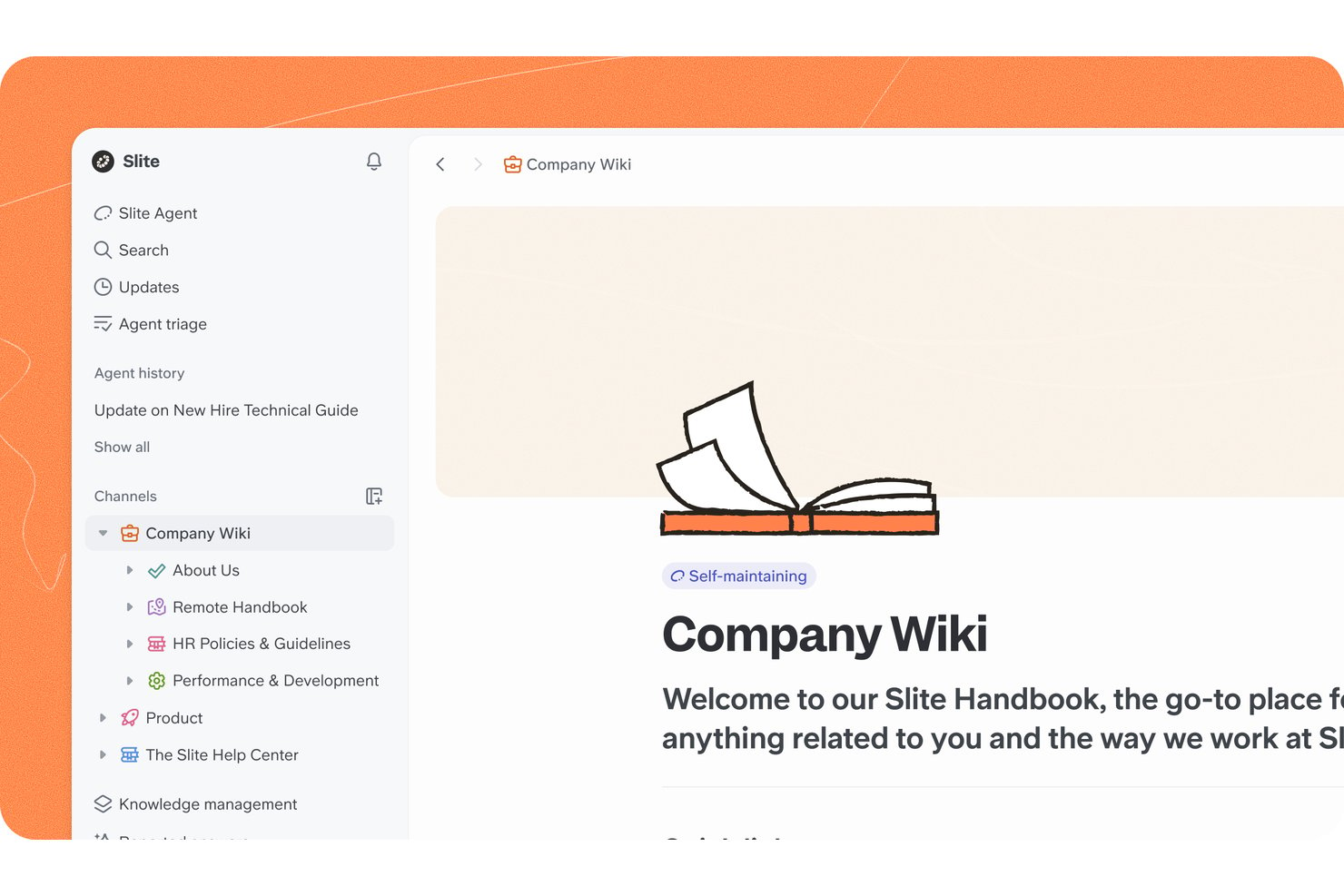
Slite is a knowledge base for product and engineering teams to organize project decisions, processes, and shared documentation so people can find the context they need as work changes.
Who Is Slite Best For?
Slite suits product and engineering teams that need AI-assisted knowledge management to keep project decisions and processes current.
Why I Picked Slite
I picked Slite as a GitBook alternative because it helps keep team knowledge current with AI. I like that document owners can set verification windows, with reminders when content is due for review. Slite’s AI answers questions from internal docs and cites its sources, so I can check context before relying on an answer.
Slite Key Features
- Channels: Organize documents by department, team, or project.
- Collections: Display documents in tables with sortable, filterable views.
- Document templates: Create repeatable documents for meetings, hiring scorecards, or feature design.
- Automate subdocs: Schedule new sub-documents from a template.
Slite Integrations
Slite connects to Google Drive and Slack as AI agent sources, and supports embeds for GitHub, Jira, Linear, Notion, and Google Docs. It also connects with Zapier and provides an API for custom integrations.
Pros and Cons
Pros:
- Collections and channels organize team knowledge
- Review reminders help prevent stale docs
- AI answers cite source documents
Cons:
- No offline access to documents
- Limited formatting for complex documentation

Docsie
Best for turning video into published docs
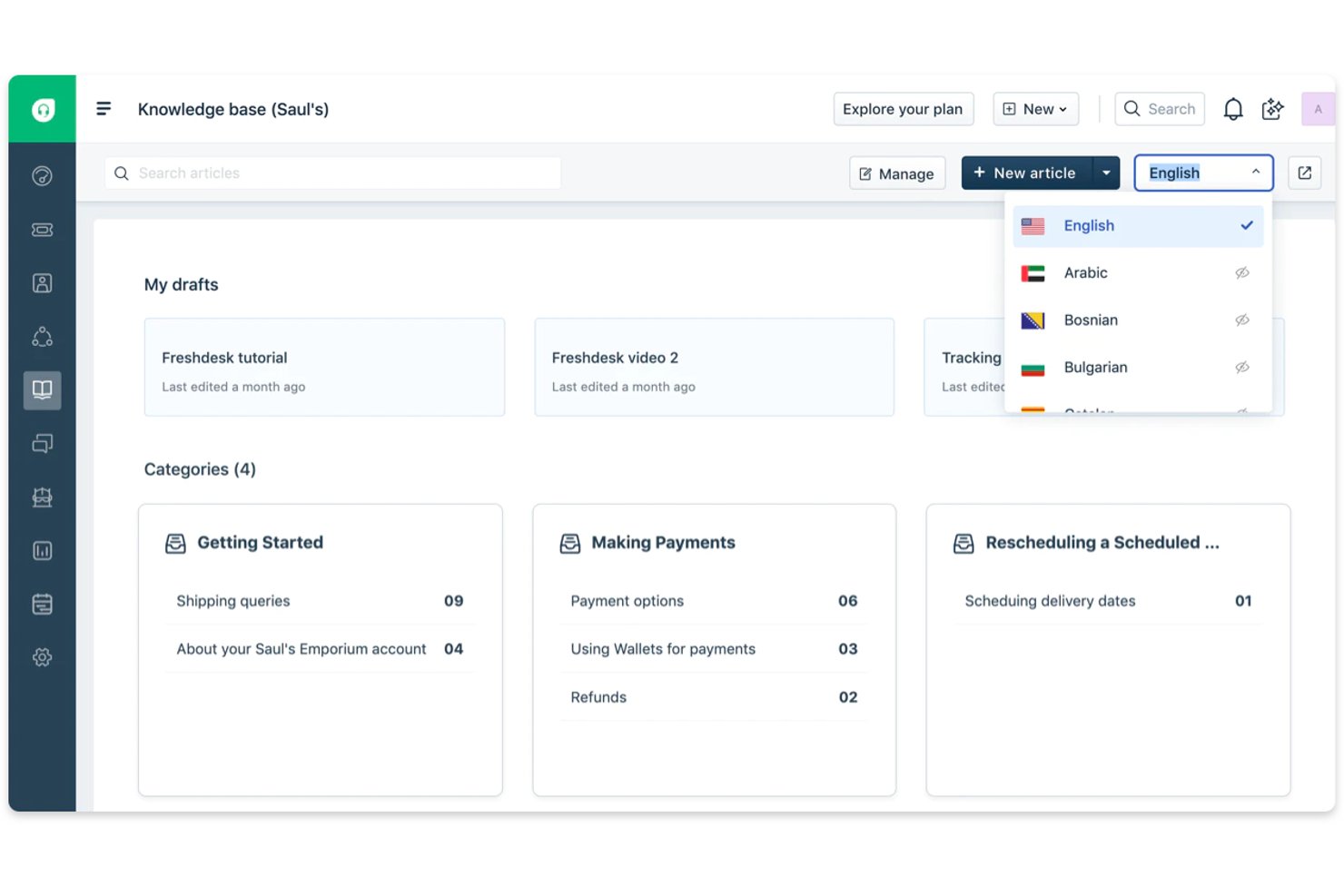
Docsie gives product, support, and operations teams a shared platform to create and manage knowledge bases, user guides, and process documentation.
Who Is Docsie Best For?
Docsie suits product and support teams that turn walkthrough videos into searchable user guides and help-center articles.
Why I Picked Docsie
I picked Docsie as “Best for turning video into published docs” because it turns product walkthroughs into editable documentation. It analyzes narration and on-screen activity, then creates chapters, numbered steps, and screenshots. I can review the draft and publish it as searchable knowledge-base content, preserving the UI details people need to follow.
Docsie Key Features
- AI translation: Translate documentation into more than 20 languages.
- Role-based permissions: Assign team roles and control access to content.
- Approval workflows: Route documentation through review and approval steps.
- Version history: Review content changes and audit trails.
Docsie Integrations
Docsie documents four app integrations: GitHub, GitLab, Bitbucket, and Zapier, and offers an API for custom integrations. Its webhooks can send event notifications to Slack, Mattermost, and Microsoft Teams.
Pros and Cons
Pros:
- Versions and approvals support governed updates
- Captures UI screenshots alongside numbered instructions
- Turns walkthrough videos into editable guides
Cons:
- Editors cannot lock documents during revisions
- Advanced features take time to locate

Notion
Best for combining docs with project management
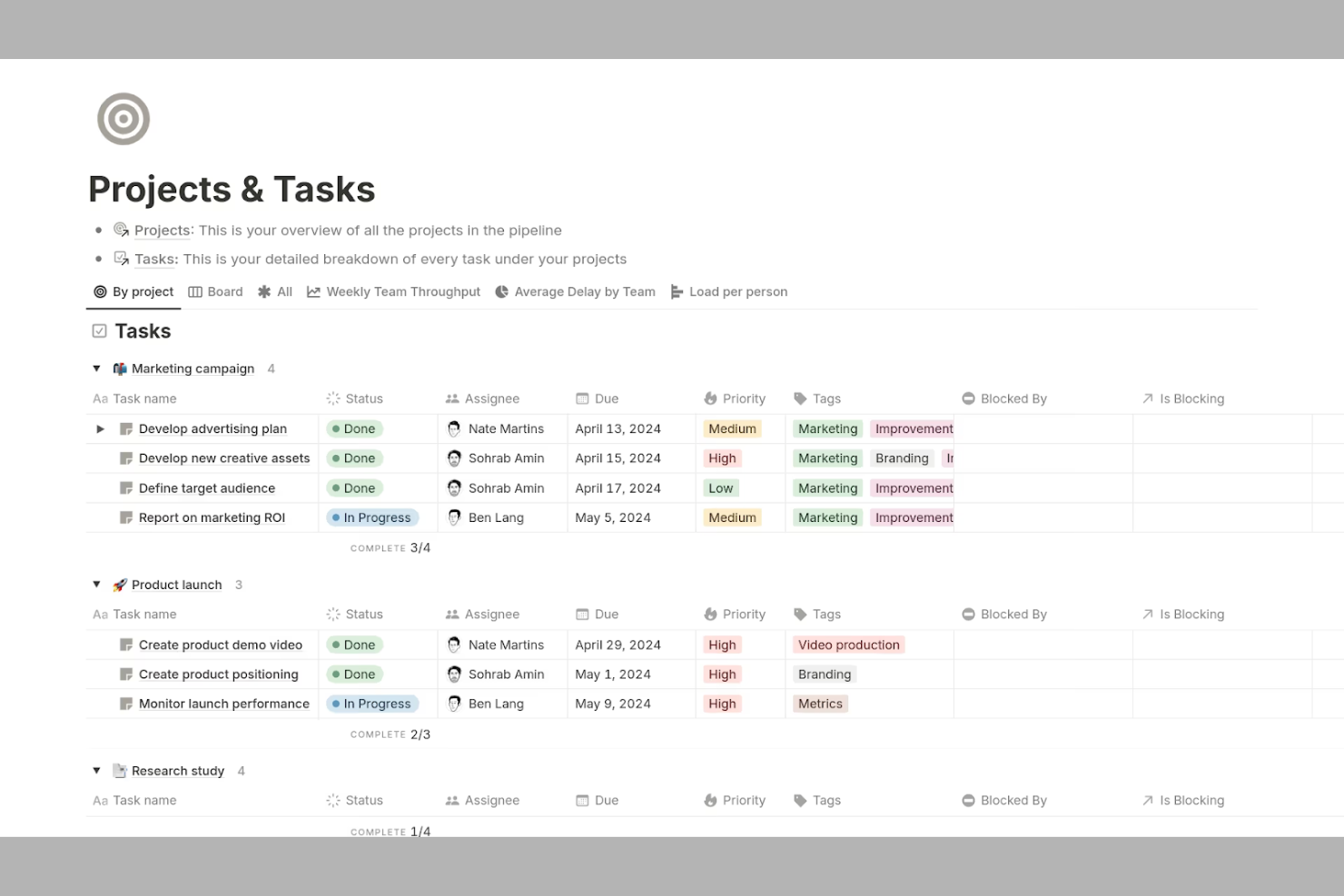
Notion brings together documentation, project management, and team collaboration in a single workspace. It’s a strong fit for tech teams, startups, and cross-functional groups that want to manage docs, tasks, and knowledge bases side by side. If you need flexible organization and real-time editing beyond what GitBook offers, Notion stands out with its customizable pages, integrated databases, and a growing ecosystem of integrations and extensions.
Why Notion Is a Good GitBook Alternative
Notion stands out for teams that want to manage documentation and project work in one place. I picked it as a GitBook alternative because you can create docs, wikis, and task boards all within the same workspace. Its database feature lets you link documentation directly to project tasks, making it easy to keep everything connected. This approach is especially useful for teams that need to track progress and reference documentation without switching tools.
Notion Key Features
Some other features in Notion make it a flexible choice for documentation and knowledge management:
- Markdown Support: You can write and format documentation using markdown syntax for quick, consistent styling.
- Page Version History: Track changes and restore previous versions of any page to maintain accurate documentation.
- Permissions and Access Control: Set granular permissions for pages and databases to control who can view or edit content.
- Template Gallery: Access a library of pre-built templates for wikis, meeting notes, and product documentation to speed up setup.
Notion Integrations
Integrations include Slack, Google Drive, Trello, Asana, GitHub, Zoom, Figma, Typeform, Intercom, Salesforce, and more.
Pros and Cons
Pros:
- Rich media embedding for images and files
- Real-time collaborative editing for teams
- Combines docs, wikis, and project boards
Cons:
- No built-in version comparison for pages
- Exporting content to other formats is basic

Best for enterprise-scale knowledge sharing
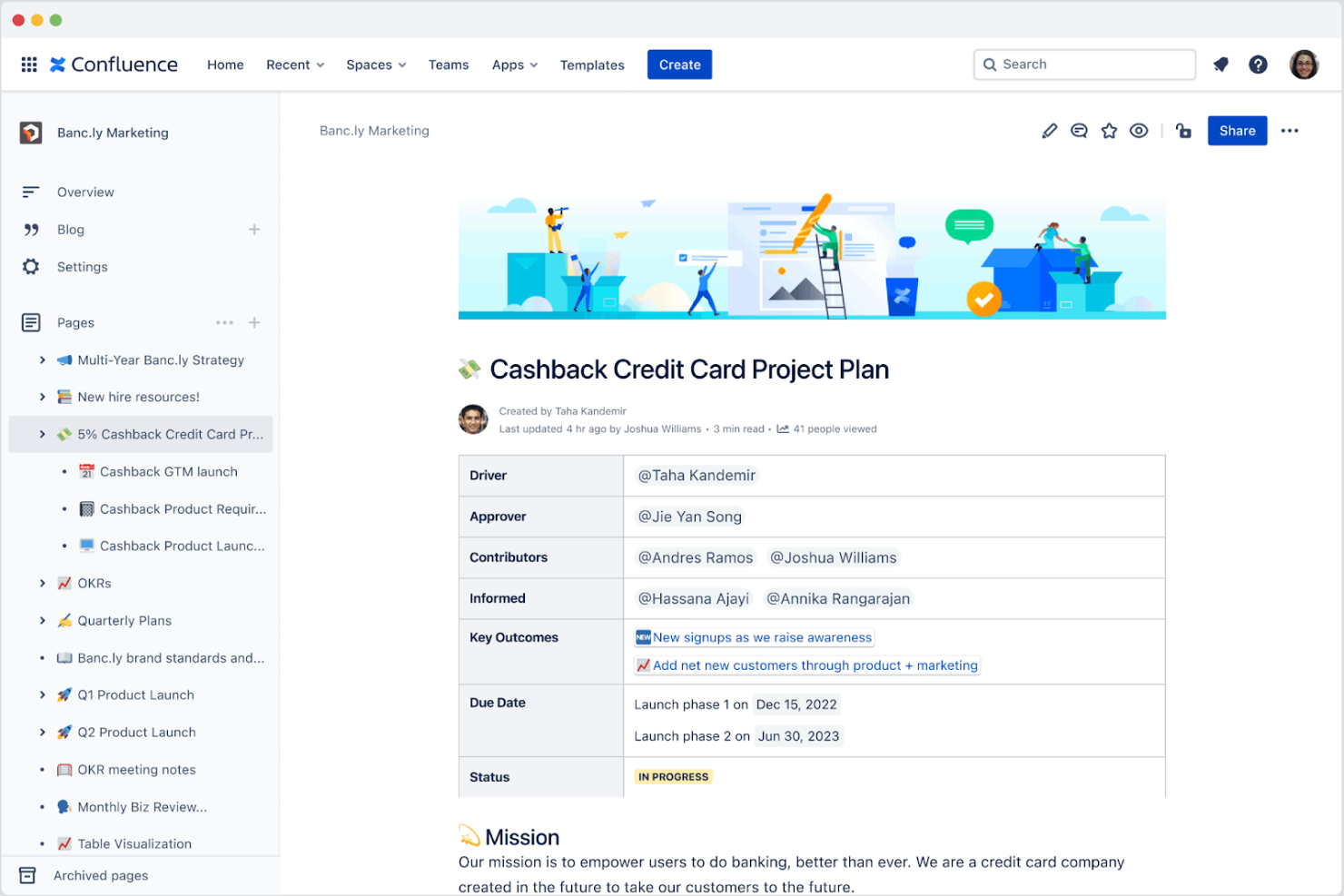
If your organization needs a documentation platform that scales across departments and teams, Confluence is built for enterprise knowledge sharing. It’s a strong fit for IT, HR, and business operations teams that need to organize, collaborate on, and secure large volumes of internal content. Unlike GitBook, Confluence offers granular permissions, advanced page hierarchies, and deep integration with Atlassian tools to support complex workflows.
Why Confluence Is a Good GitBook Alternative
For organizations that need to manage knowledge at scale, Confluence offers features designed for enterprise-wide collaboration and control. I appreciate how its granular permissions let you manage access for different teams, departments, or even individual users. The advanced page hierarchy system makes it easy to organize thousands of documents in a way that’s both logical and secure. If you’re looking for a documentation solution that can handle complex, multi-team environments, Confluence brings structure and governance that GitBook doesn’t provide.
Confluence Key Features
Some other features in Confluence help teams create, manage, and collaborate on documentation at scale:
- Templates Library: Access a wide range of pre-built templates for meeting notes, project plans, and documentation pages.
- Inline Comments: Add comments directly on pages to facilitate feedback and discussion without leaving the document.
- Page Analytics: Track page views and engagement metrics to understand how content is being used.
- Macros: Embed dynamic content like task lists, calendars, and Jira issues directly into documentation pages.
Confluence Integrations
Integrations include Jira Software, Trello, Slack, Microsoft Teams, Google Drive, Dropbox, Bitbucket, Zoom, Salesforce, GitHub, and more.
Pros and Cons
Pros:
- Page analytics provide insights into content engagement
- Inline comments support threaded team discussions
- Deep integration with Jira for project tracking
Cons:
- Limited public sharing without additional configuration
- Exporting to PDF or Word has formatting issues
Archbee
Best for API and developer documentation
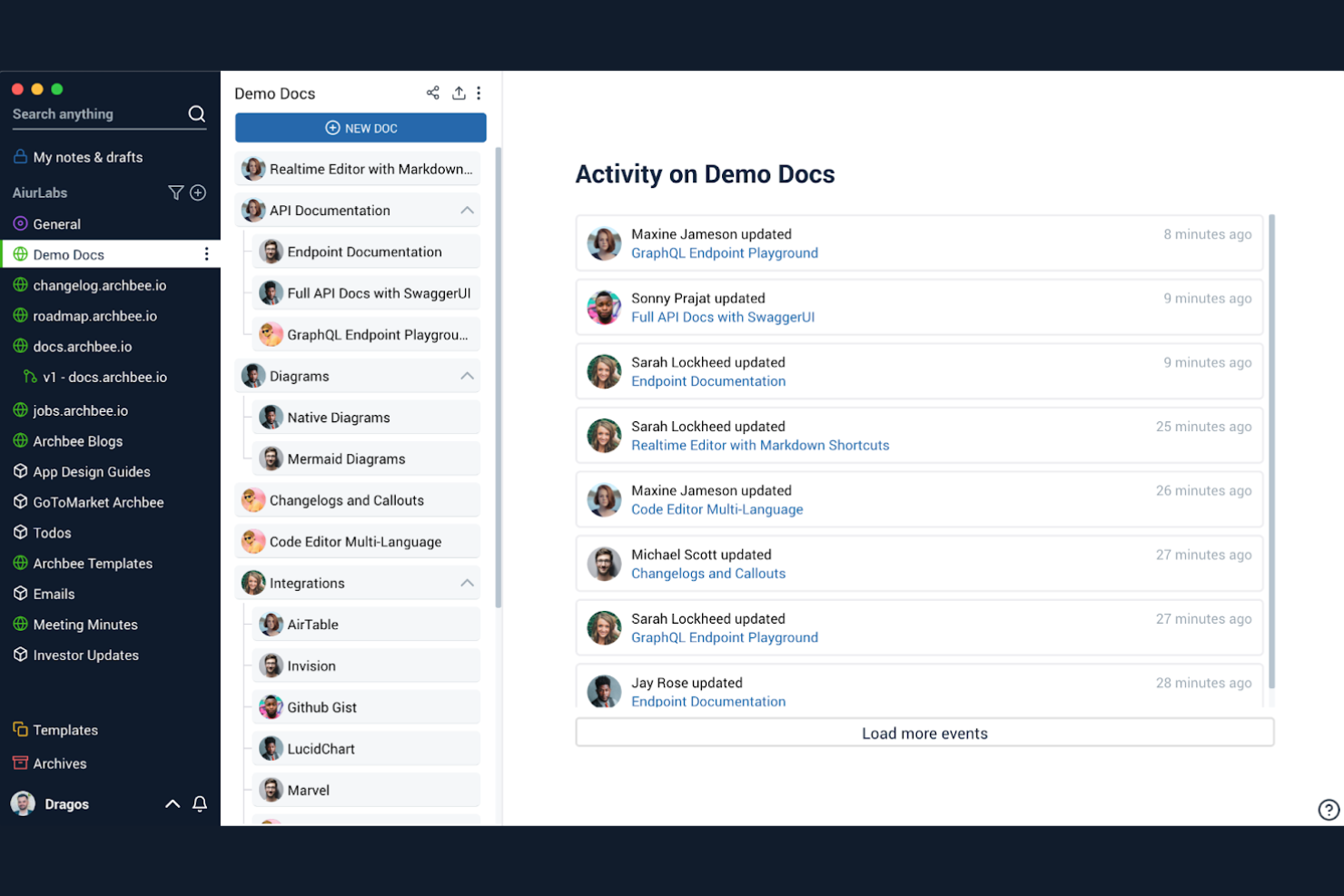
When you need a documentation platform built for technical teams, Archbee stands out with its focus on API and developer docs. It’s a strong fit for SaaS companies, engineering teams, and product managers who need to publish interactive API references and code samples alongside internal knowledge. Unlike GitBook, Archbee offers built-in API explorer tools and advanced developer-focused widgets that make technical documentation more interactive and useful.
Why Archbee Is a Good GitBook Alternative
If your team needs to document APIs or developer workflows, Archbee brings specialized tools that GitBook doesn’t offer. I picked Archbee because it lets you embed interactive API references directly into your docs, making it easier for developers to explore endpoints and test requests. The platform also supports code blocks with syntax highlighting and live code samples, which are essential for technical documentation. These features make Archbee a strong choice for teams focused on building and sharing developer-facing documentation.
Archbee Key Features
Some other features in Archbee help technical teams manage and publish documentation more effectively:
- Custom Domain Support: Publish documentation under your own branded domain for a professional appearance.
- Team Collaboration Tools: Assign roles, mention teammates, and comment directly within docs to coordinate work.
- Document Templates: Use pre-built templates to standardize new documentation and speed up content creation.
- Analytics Dashboard: Track page views and user engagement with built-in analytics for your documentation.
Archbee Integrations
Integrations include GitHub, GitLab, Bitbucket, Slack, Google Drive, Jira, Confluence, Notion, Trello, and more.
Pros and Cons
Pros:
- Pre-built templates for technical documentation types
- Document analytics for tracking reader engagement
- Interactive API explorer for live endpoint testing
Cons:
- Search function can miss nested content
- Occasional editor lag with large documents

Best for designing and documenting APIs

API designers and developer teams who need to create, manage, and document APIs may find Stoplight especially useful. The platform stands out for its visual API modeling tools and deep support for the OpenAPI specification, making it easier to design and document complex APIs collaboratively. Unlike GitBook, Stoplight is purpose-built for API workflows, offering features that help teams standardize, mock, and publish API docs from a single workspace.
Why Stoplight Is a Good GitBook Alternative
For teams focused on designing and documenting APIs, Stoplight offers a specialized toolkit that goes beyond what GitBook provides. I picked Stoplight because it combines visual API modeling with instant documentation generation, making it easier to keep API docs accurate and up to date. The platform supports mocking endpoints and validating OpenAPI definitions, which helps teams test and refine APIs before launch. If your main priority is managing the full API lifecycle within your documentation workflow, Stoplight delivers features tailored specifically for that need.
Stoplight Key Features
Some other features in Stoplight help teams manage and publish API documentation more efficiently:
- Version Control Integration: Connect your API projects to Git repositories for change tracking and collaboration.
- Custom Documentation Themes: Apply custom branding and themes to published API docs.
- Role-Based Access Controls: Set permissions for editing, viewing, and publishing documentation across your team.
- Reusable API Design Components: Create and manage shared models, parameters, and responses for consistency across multiple APIs.
Stoplight Integrations
Integrations include GitHub, GitLab, Bitbucket, Azure DevOps, CircleCI, and more.
Pros and Cons
Pros:
- Reusable components for consistent API design
- Version control integration with Git repositories
- Built-in mocking for API endpoint testing
Cons:
- No built-in support for non-API docs
- Documentation export options are limited
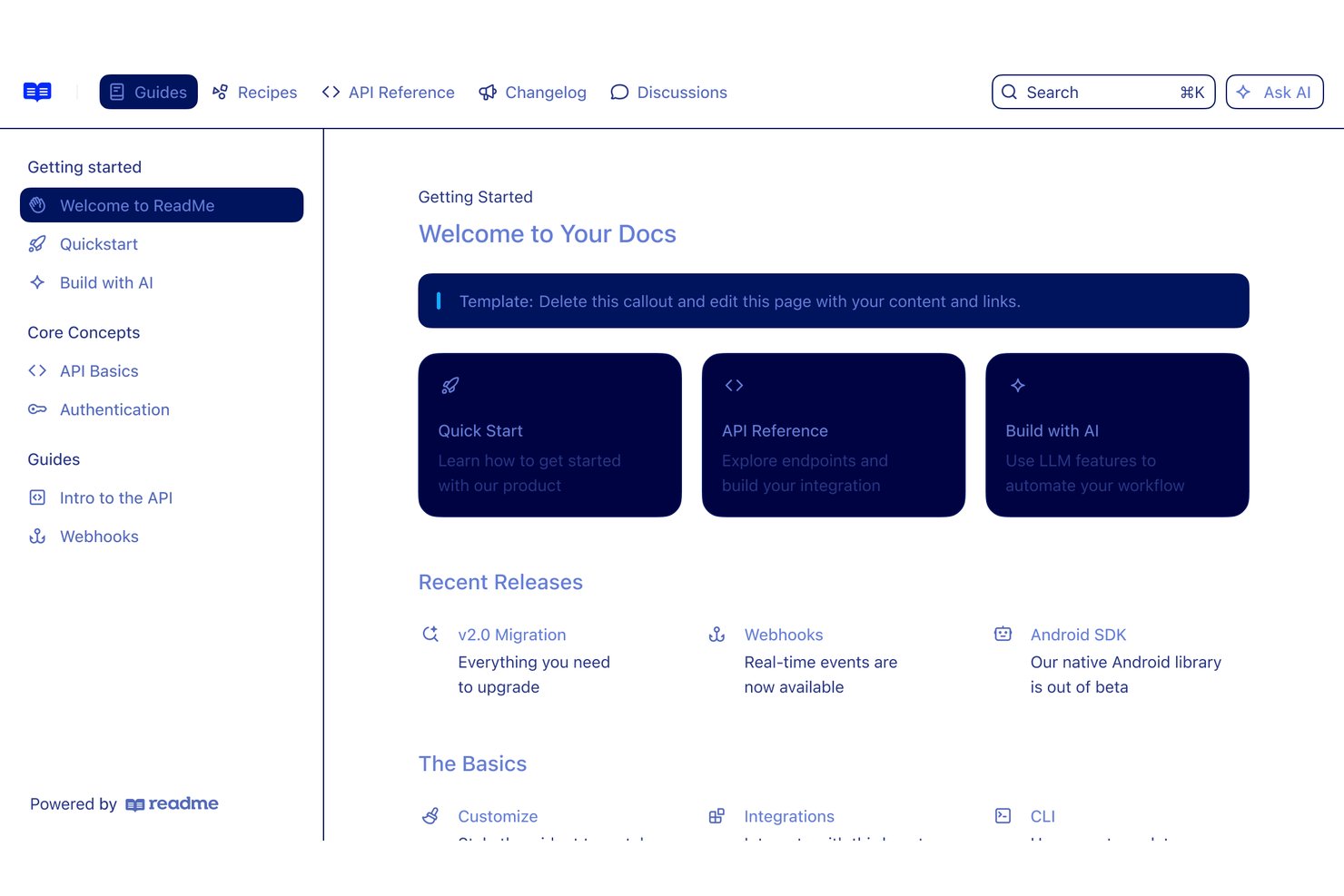
ReadMe is a documentation platform for software teams that combines API reference materials, tutorials, and developer guides to help users understand integrations and adopt technical products.
Who Is ReadMe Best For?
ReadMe suits API product teams that want developers to explore endpoints, follow guides, and learn integrations through interactive documentation.
Why I Picked ReadMe
I picked ReadMe as a GitBook alternative because it fits “Best for interactive developer onboarding experiences.” Its API Explorer lets developers test endpoints from the reference, while guides and code samples walk them through integration steps. I like how that takes a new user from exploring an API to making a first request within the docs.
ReadMe Key Features
- Git sync: Connect a GitHub or GitLab repository for two-way documentation updates.
- Documentation versioning: Maintain separate documentation sets for different API versions.
- Changelog: Publish updates and announcements in a feed for your users.
- Documentation analytics: Track documentation traffic and page views in an analytics dashboard.
ReadMe Integrations
ReadMe supports bidirectional Git sync with GitHub, GitHub Enterprise Server, and GitLab, plus integrations with Postman, Slack, Google Analytics, Segment, Zendesk, and Microsoft Teams. It also provides an API for custom integrations.
Pros and Cons
Pros:
- API activity analytics show developer adoption
- Generated references pair endpoints with code samples
- Endpoint testing brings requests into documentation
Cons:
- Image placement often needs HTML workarounds
- Navigation supports only two hierarchy levels

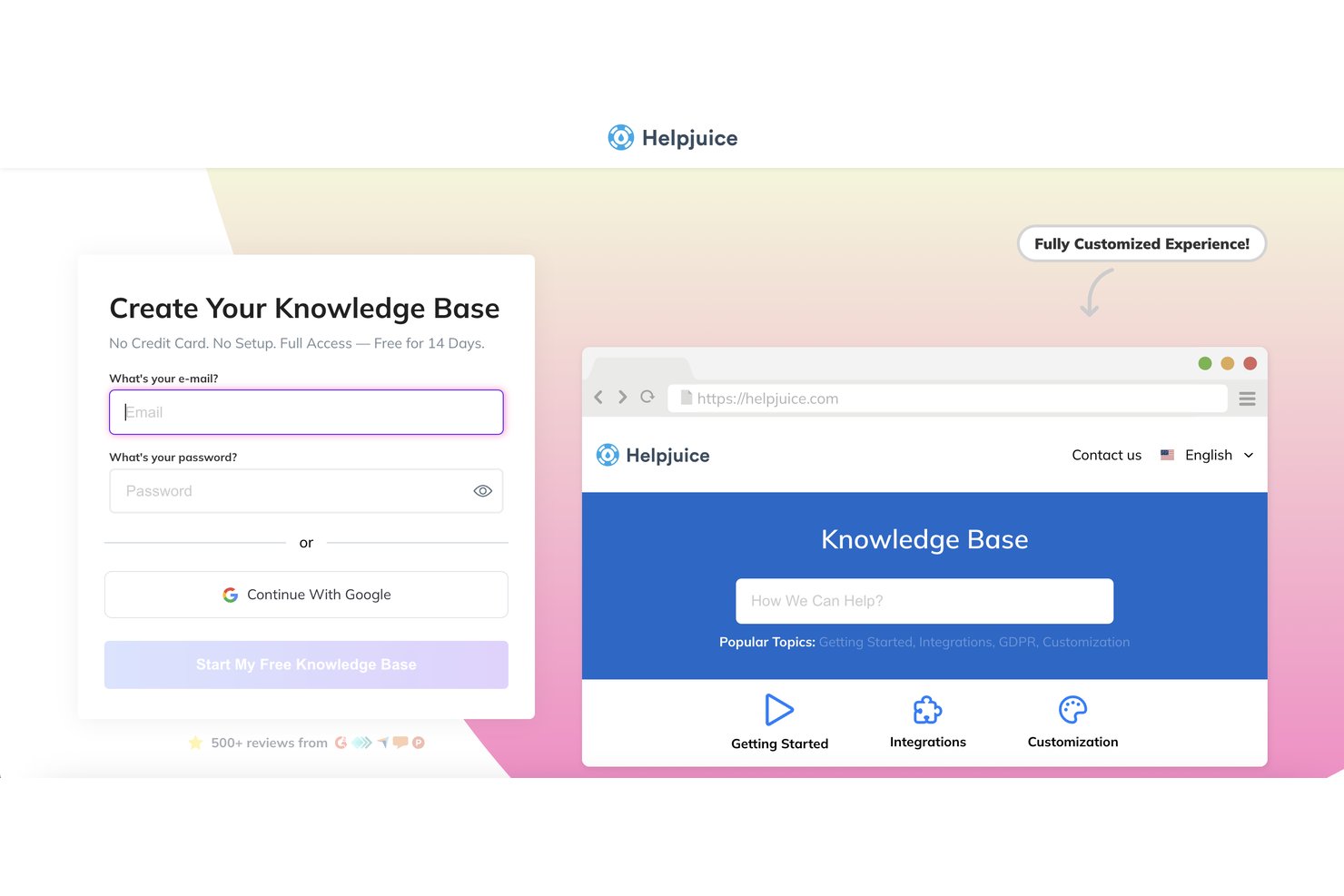
Helpjuice gives customer support and operations teams a dedicated place for customer help content and internal procedures, replacing scattered documents with a knowledge base they can keep up to date.
Who Is Helpjuice Best For?
Helpjuice suits customer support and operations teams that need searchable customer help content and internal procedures.
Why I Picked Helpjuice
I rate Helpjuice as a GitBook alternative for search-driven knowledge management. Its AI-powered search, category filters, and search across PDFs and other formats help people find answers in varied documentation. I also like that search analytics show what users are looking for, so I can identify missing answers and prioritize article updates.
Helpjuice Key Features
- Version history: Review earlier article versions and restore content when needed.
- Real-time editing: Let contributors edit articles together and leave comments.
- Approval workflows: Route draft content through review before publication.
- Multilingual content management: Assign translations and synchronize updates across language versions.
Helpjuice Integrations
Helpjuice offers a built-in Slack integration for searching and sharing articles and receiving content notifications; Google Analytics can be added through its layout customization. It also connects with Zapier and provides an API for custom integrations.
Pros and Cons
Pros:
- Article editor supports version history and collaboration
- Search analytics reveal unanswered user queries
- Search spans PDFs and varied document formats
Cons:
- Autosave and visual editing can be unreliable
- Category organization options can feel limited


For teams looking to automate the creation of technical documentation, Mintlify offers a unique approach. It’s designed for engineering teams and SaaS companies that want to generate and update docs directly from their codebase with minimal manual effort. Unlike GitBook, Mintlify uses AI-powered tools to keep documentation current as your code evolves.
Why Mintlify Is a Good GitBook Alternative
If you want documentation that keeps pace with your codebase, Mintlify is built for automated documentation generation. I picked Mintlify because it uses AI to scan your code and generate up-to-date docs without manual intervention. The tool also supports auto-updating documentation as your code changes, so your docs stay accurate with every commit. For teams that want to reduce the manual workload of maintaining technical documentation, Mintlify offers a hands-off, code-driven approach that’s different from GitBook’s manual editing model.
Mintlify Key Features
Some other features in Mintlify help teams deliver and manage documentation more effectively:
- Custom Branding: Apply your company’s logo, colors, and style to your documentation site.
- Interactive API Reference: Generate interactive API docs that let users try endpoints directly from the documentation.
- Analytics Dashboard: Track documentation usage and engagement with built-in analytics.
- Collaboration Tools: Allow multiple team members to review, comment, and suggest changes within the documentation platform.
Mintlify Integrations
Native integrations are not currently listed.
Pros and Cons
Pros:
- Real-time collaboration with in-doc commenting
- Interactive API reference pages for developers
- AI generates docs directly from code comments
Cons:
- No built-in WYSIWYG editor for manual edits
- Advanced features may require engineering setup
Other GitBook Alternatives
Here are some additional GitBook alternatives that didn’t make it onto my shortlist, but are still worth checking out:
- Redocly
For API-first docs with Git-based review
- Fern
For API-first docs with Git-backed editing
- ProProfs Knowledge Base
For docs without a Git workflow


How I Evaluate GitBook Alternatives
I split my evaluation into three parts: tools must first organize content into navigable hierarchical docs and sync with Git-based workflows—this carries the most weight. I then look for API reference generation and AI-assisted drafting as differentiators. Beyond features, I consider pricing scalability and migration support.
Core Functionality (Table Stakes For This List)
When I'm selecting tools for my list, I score each one on a scale from 0 (does not offer the functionality) to 5 (excels in this area) for each core functionality listed below. I then convert the total into a percentage to help assess each tool's overall fit, with extra weight on any functionalities I’ve deemed essential.
- Structured Publishing (Essential): I look for nested, reorderable pages that make release notes, API guides, and product documentation easy to navigate.
- Version Control (Essential): I assess revision history, rollback, and Git workflows that keep docs aligned with product releases and review cycles.
- Collaborative Editing: I check how teams draft, comment, and review updates before publishing handoff materials or developer guides.
- Publishing Controls: I look for public and private access options, page-level permissions, and ways to stage or schedule documentation releases.
- Documentation Search: I assess full-text search across published pages so readers can find answers in large product or API guides.
- Output Customization: I consider branding, themes, layout, and custom domains for documentation sites serving different products or audiences.
Once I have a list of tools that meet the criteria, I consider what sets each platform apart.
Differentiating Factors (What Sets Vendors Apart)
Here's how I compare and contrast different vendors:
Standout Features
I look for API reference generation that builds interactive docs straight from OpenAPI specs, since manual formatting eats hours during every release cycle. Analytics and feedback capture matter just as much—I check whether a tool tracks search queries and page-level ratings so you can spot gaps before users file support tickets. I also evaluate AI content assistants that help draft or summarize sections, which speeds up onboarding docs for new team members.
Beyond Features
Pricing models vary widely—I check whether plans charge per editor, per published space, or by usage, since seat-based costs can spike fast when you add contributors across squads. I also evaluate how well each tool fits docs-as-code workflows, because teams already using Git branching and Markdown need documentation that deploys alongside code without extra steps. Migration support matters too: vendors that offer importers for GitBook, Confluence, or Markdown content save weeks of manual rework during a switchover.
Why Look For a GitBook Alternative?
While GitBook is a good choice of documentation software, there are a number of reasons why some users seek out alternative solutions. You might be looking for a GitBook alternative because…
- You need advanced API documentation features
- Your team requires granular access controls
- You want more customization for branding
- You need better support for large documentation sets
- Your workflow depends on integrations GitBook doesn’t offer
- You need offline editing or export options
If any of these sound like you, you’ve come to the right place. My list contains several documentation software options that are better suited for teams facing these challenges with GitBook and looking for alternative solutions.
GitBook Key Features
Here are some of the key features of GitBook, to help you contrast and compare what alternative solutions offer:
- Collaborative editing with real-time updates
- Structured document hierarchy and navigation
- Markdown-based content creation
- Version history and change tracking
- Public and private documentation spaces
- Custom domain support for published docs
- Search functionality across all documentation
- Embeddable content blocks and media
- User roles and permissions management
- Integration with GitHub for content sync