

10 Best Document360 Alternatives for Help Docs in 2026

10 Best Document360 Alternatives Shortlist


Managing internal knowledge shouldn’t feel like a workaround. If Document360 isn’t delivering the flexibility, integrations, or scalability your team needs, you’re probably spending more time maintaining your knowledge base than improving it.
The right knowledge management tool should reduce friction — not add to it. After reviewing and comparing leading alternatives, I’ve narrowed down the best options based on usability, customization, integrations, and long-term fit.
In this guide, you’ll find the top Document360 alternatives, what they do well, where they fall short, and which types of teams they’re best suited for — so you can choose a platform that actually supports how your team works.
What Is Document360?
Document360 is a knowledge management software designed to help you and your team organize and share information efficiently. It's commonly used by project managers, customer support teams, and IT professionals who need a reliable tool to manage documentation.
Its feature set, such as version control, analytics, and a user-friendly editor, helps maintain clear and accessible knowledge bases. Overall, Document360 optimizes how your team creates, curates, and accesses information.
Best Document360 Alternatives Summary
This comparison chart summarizes pricing details for my top Document360 alternative selections to help you find the best one for your budget and business needs.
| Tool | Best For | Trial Info | Price | ||
|---|---|---|---|---|---|
| 1 | Best for lightweight internal knowledge hubs | Free plan available | From $6/user/month (billed annually) | Website | |
| 2 | Best for integrated team tools | Free plan available | From $12/user/month (billed annually) | Website | |
| 3 | Best for AI-driven self-service | Free demo + 15-day free trial available | From $0.99/user/month (billed annually) | Website | |
| 4 | Best for data-driven centralized knowledge tools | Free demo available | Pricing upon request | Website | |
| 5 | Best for dynamic documentation | 14-day free trial available | From $80/month | Website | |
| 6 | Best for improving customer service experience | Free demo available | Pricing upon request | Website | |
| 7 | Best for team collaboration workspaces | Free trial + free plan available | From $5.42/user/month | Website | |
| 8 | Best for customizable and controlled content access | 30-day free trial | From $100/month | Website | |
| 9 | Best for user feedback tracking | Free plan available | From $29/user/month (billed annually) | Website | |
| 10 | Best for developer-focused API documentation | 14-day free trial + free plan available | From $65/site/month + $12/user/month (billed annually) | Website |
Why Trust Our Software Recommendations
Our team has been testing and reviewing software since 2012. As project managers ourselves, we know how difficult—and important—it is to choose the right software.
For this guide, we evaluated tools using hands-on testing and independent research, scoring tools using our selection criteria. We also draw on insights from industry thought leaders and practicing project management experts.
Our reviews reflect our human editorial judgment, not a sales pitch.
Expert reviewers:
Best Document360 Alternatives Reviews
Below are my detailed summaries of the best Document360 alternatives that made it onto my shortlist. My reviews offer a detailed look at the key features, pros and cons, integrations, and ideal use cases of each tool to help you find the best one for you.

Nuclino
Best for lightweight internal knowledge hubs

Nuclino is a collaborative knowledge management tool ideal for small teams needing to organize and share information effortlessly. It's popular among startups, small businesses, and agile teams to optimize their documentation and communication processes.
Why it's a good Document360 alternative: Nuclino offers a visual workspace, instant search, and real-time collaboration that organizes knowledge in a more intuitive way. Its ability to connect related items with internal links and its lightweight design make it a strong choice for teams looking to streamline their knowledge management.
Standout features and integrations:
Features include a visual workspace that helps your team map out projects and ideas. You can use instant search to find the information you need quickly. The platform also supports markdown for easy formatting and content creation.
Integrations include Slack, Google Drive, GitHub Gist, Dropbox, OneDrive, Microsoft Teams, Figma, Lucidchart, and more.
Pros and Cons
Pros:
- Supports markdown formatting
- Instant search functionality
- Simple and intuitive design
Cons:
- Inefficient API/data export
- Limited bulk operations
Coda
Best for integrated team tools
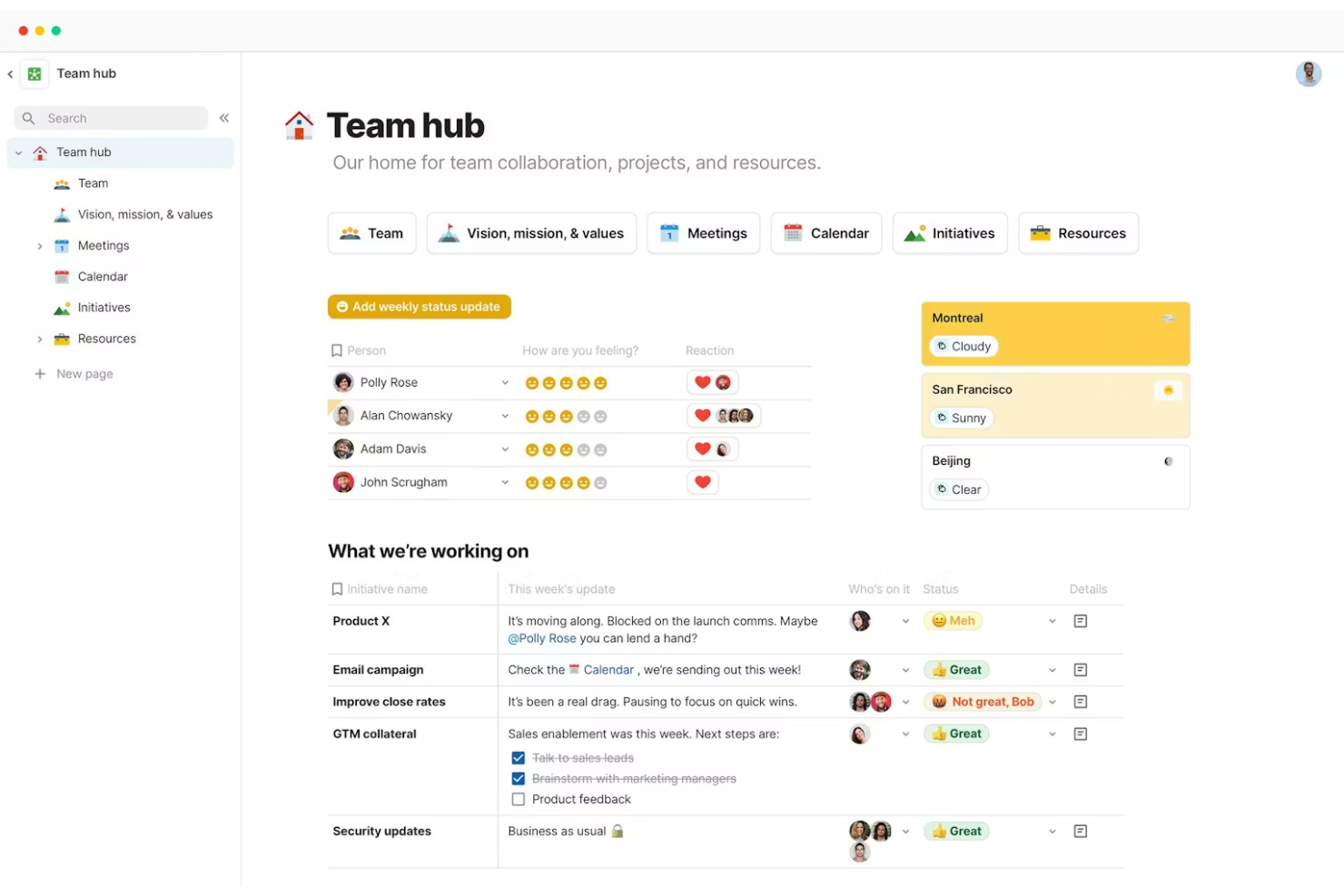
Coda is a versatile document management platform that combines documents, spreadsheets, and apps into a unified workspace. It's popular among project managers, product teams, and startups for organizing tasks and collaborating efficiently.
Why it's a good Document360 alternative: Coda offers interactive tables, customizable templates, and real-time collaboration, which integrate various team tools into one platform.
Standout features and integrations:
Features include interactive tables that help your team manage data such as spreadsheets. You can use customizable templates to set up new projects quickly. The platform also supports real-time collaboration, allowing team members to work together effectively.
Integrations include Slack, Google Calendar, Jira, GitHub, Figma, Salesforce, and more.
Pros and Cons
Pros:
- Integrates various team tools
- Supports real-time collaboration
- Combines documents and spreadsheets
Cons:
- API/sync limits apply
- Limited markdown support

Best for AI-driven self-service
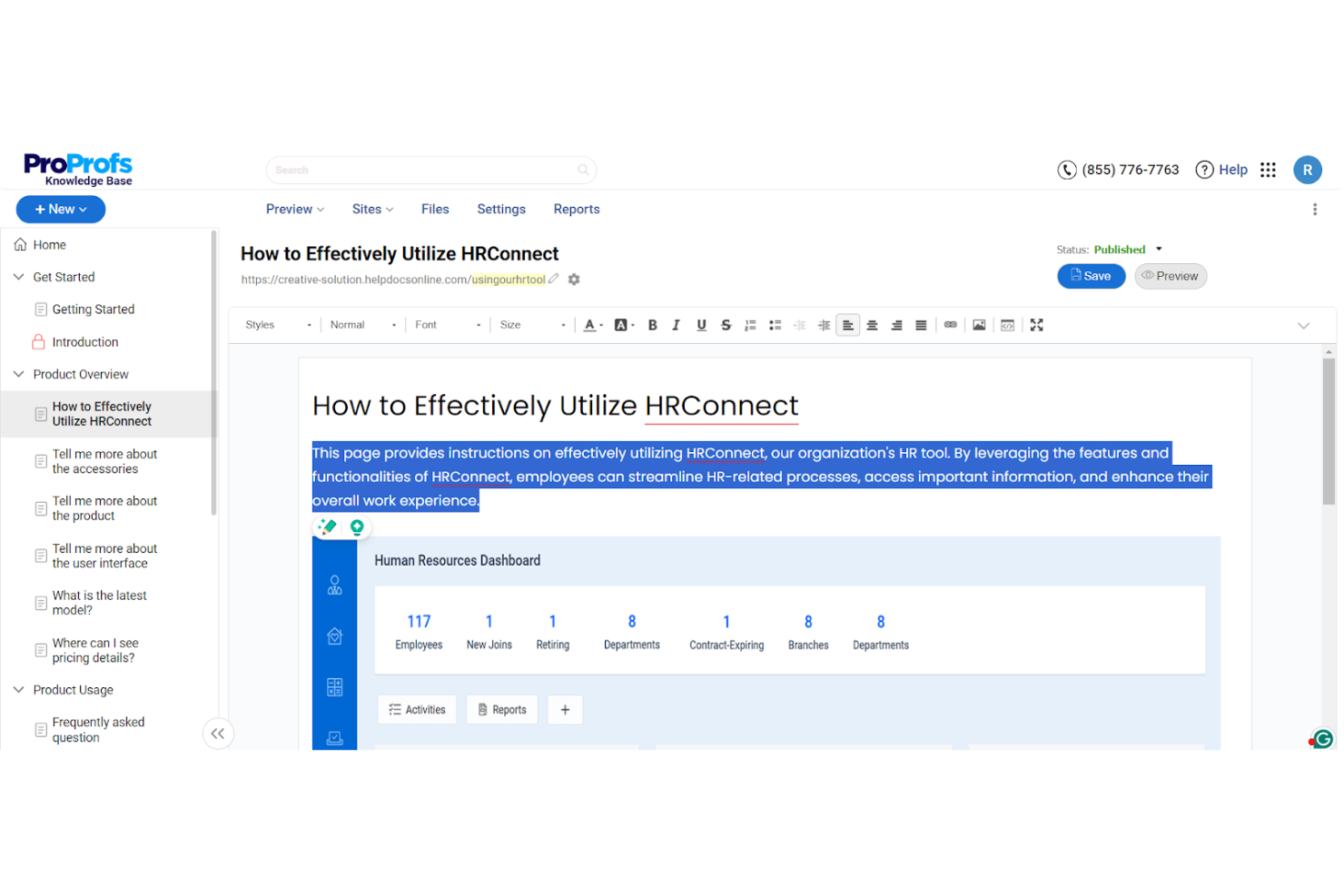
ProProfs Knowledge Base is an AI-powered knowledge management tool designed for teams needing efficient documentation and self-help solutions. It's used by customer support, sales, and IT teams to reduce support tickets and enhance access to information.
Why it's a good Document360 alternative: ProProfs Knowledge Base stands out with its AI-assisted content creation, customizable branding, and security controls that support building tailored and secure knowledge hubs. It also includes contextual help widgets, built-in analytics that reveal how users interact with content, and AI-driven insights for an automation-focused approach to knowledge management.
Standout features and integrations:
Features include AI-driven content creation that helps your team produce articles efficiently. You can customize branding to align with your company's identity. The platform supports over 90 languages, making it versatile for international teams.
Integrations include Google Analytics, Zendesk, Freshdesk, Salesforce, Slack, Jira, and more.
Pros and Cons
Pros:
- Secure access controls
- Real-time collaboration
- Multilingual support available
Cons:
- Limited bulk content actions
- Basic version control tracking

Best for data-driven centralized knowledge tools
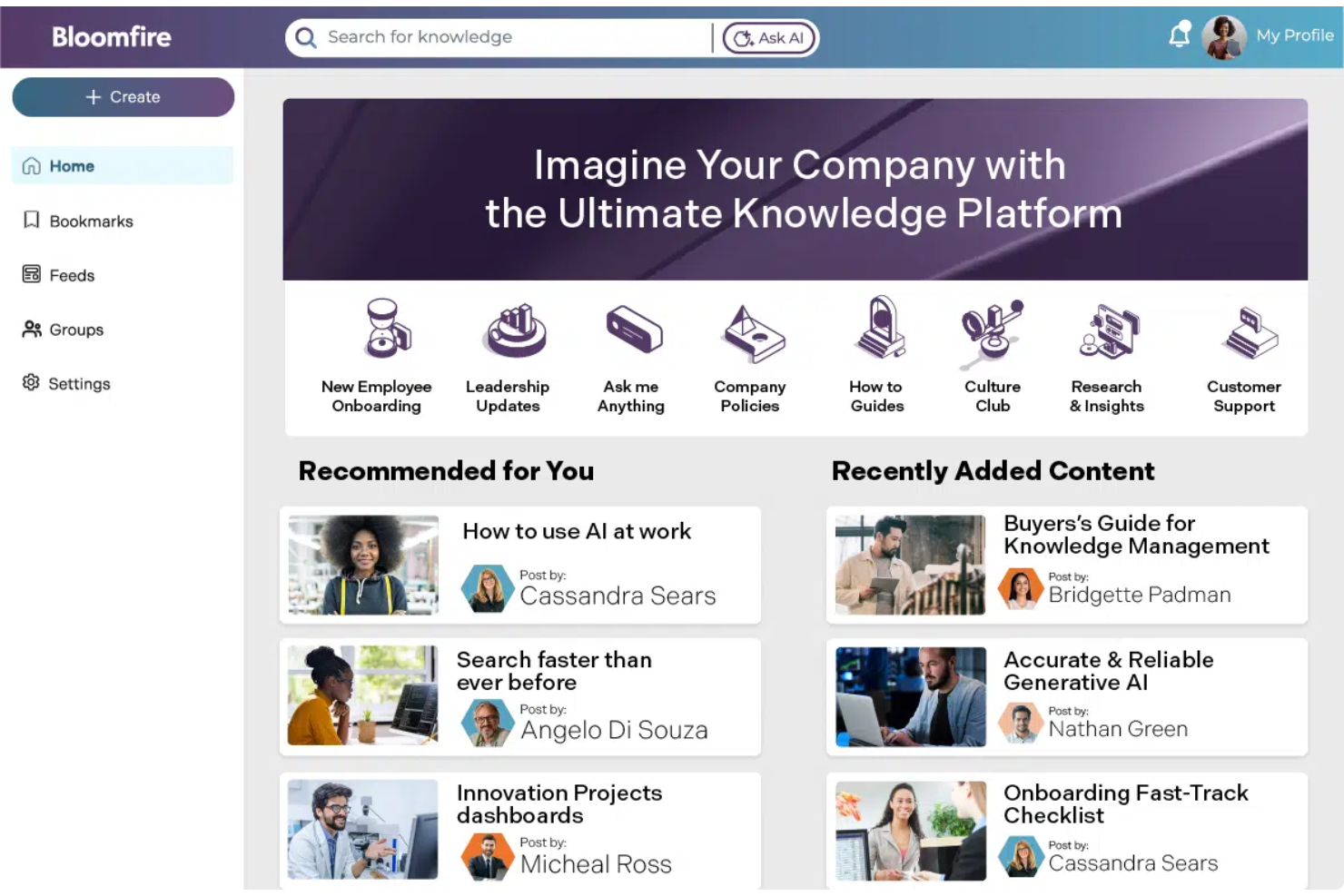
Bloomfire is a knowledge-sharing platform designed to help teams access and share insights efficiently. It's primarily used by sales, marketing, and customer service teams to enhance collaboration and decision-making processes.
Why it's a good Document360 alternative: Bloomfire offers advanced search capabilities, content categorization, and analytics that extract data insights more effectively. Its focus on data-driven decision-making and its ease of use for content sharing make it a suitable choice for teams looking to improve their knowledge management with actionable insights.
Standout features and integrations:
Features include customizable content tagging, which helps your team organize and retrieve information quickly. You can use the Q&A section to foster interactive discussions and share knowledge. The platform also supports multimedia content, allowing you to share videos, images, and documents easily.
Integrations include Salesforce, Slack, Microsoft Teams, Google Drive, Zendesk, SharePoint, Okta, and more.
Pros and Cons
Pros:
- Encourages interactive discussions
- Advanced search functionality
- Supports multimedia content
Cons:
- Content indexing lags sometimes
- Search needs exact phrasing

Archbee
Best for dynamic documentation
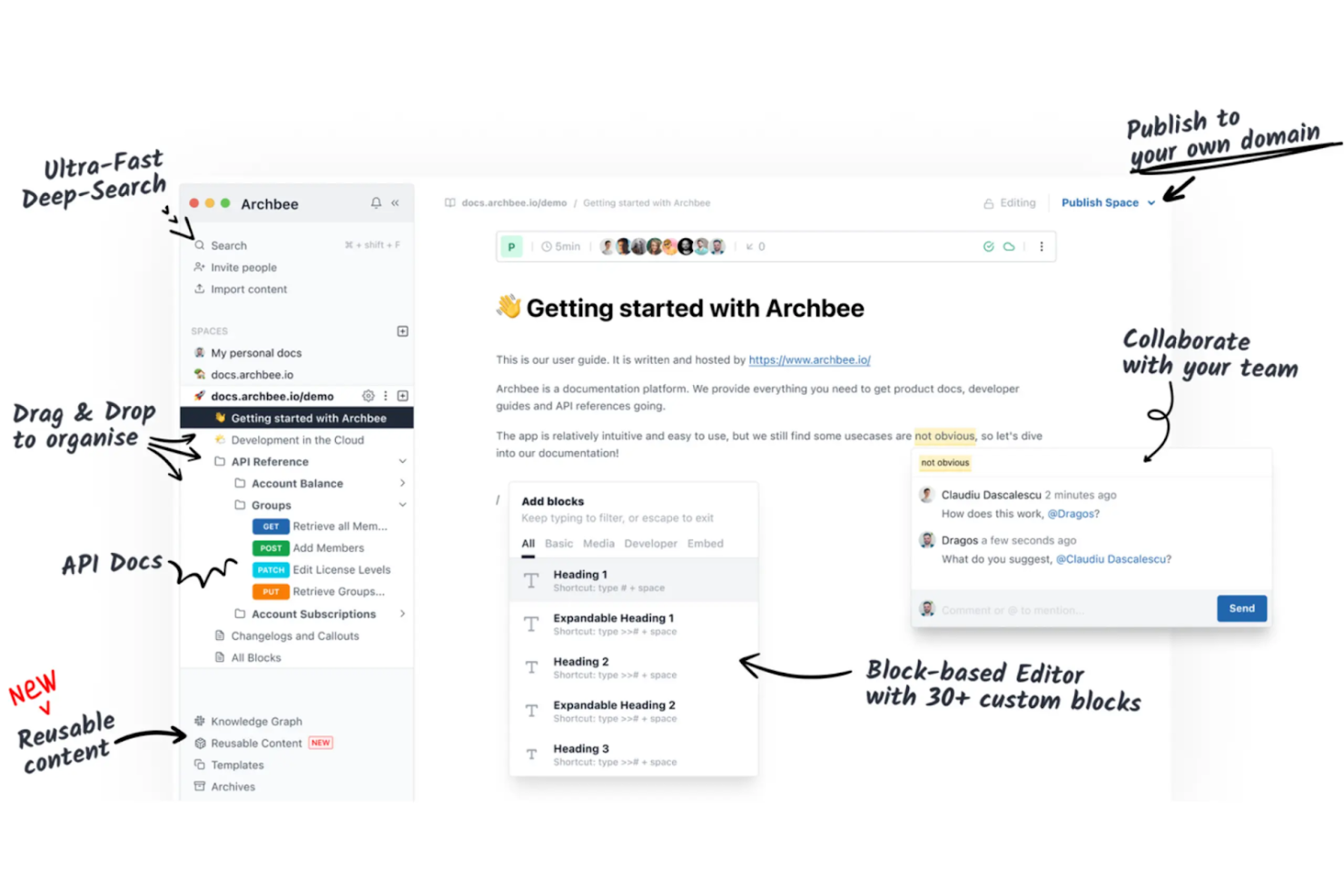
Archbee is a documentation platform tailored for software teams and startups to create, manage, and share knowledge efficiently. It's used by developers and technical writers to maintain dynamic documentation that evolves with their projects.
Why it's a good Document360 alternative: Archbee offers real-time collaborative editing, markdown support, and custom API documentation, which keep content up-to-date and accessible. Its focus on interactive documentation makes it a suitable choice for teams that need to adapt their communication quickly.
Standout features and integrations:
Features include a built-in diagram editor that helps your team visualize complex processes. You can use the versioning system to track changes and revert if necessary. The platform also supports custom domain hosting for a professional appearance.
Integrations include Slack, GitHub, Google Analytics, Intercom, Trello, Jira, Zapier, Figma, and more.
Pros and Cons
Pros:
- Supports custom API documentation
- Real-time collaborative editing
- Custom domain hosting
Cons:
- Limited bulk content actions
- Limited export format options
Knowmax
Best for improving customer service experience
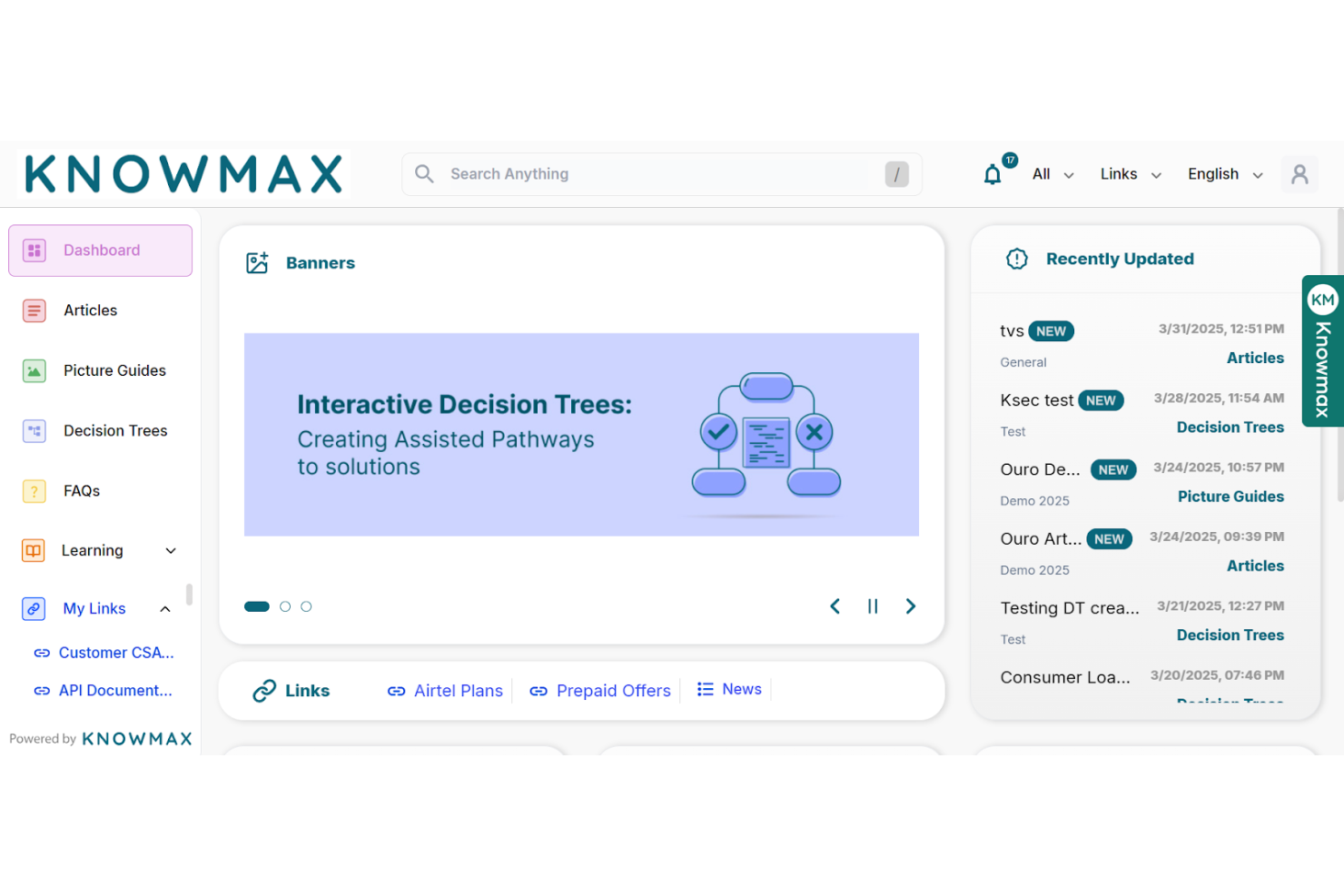
Knowmax is an AI-driven knowledge management platform designed to enhance customer experience for industries such as telecom, banking, and healthcare. It's used by customer experience teams to provide quick access to actionable knowledge and improve service delivery.
Why it's a good Document360 alternative: Knowmax offers guided flows, visual troubleshooting guides, and self-service channels, which reduce response times and increase customer satisfaction. Its focus on AI-driven contextual knowledge makes it ideal for teams looking to improve first contact resolution and overall service quality.
Standout features and integrations:
Features include guided flows that help your team resolve issues more quickly. Visual troubleshooting guides make complex processes easier to understand. The platform also supports self-service channels to reduce repetitive support tickets.
Integrations include Salesforce, Zendesk, SAP, Freshdesk, Genesys, and more.
Pros and Cons
Pros:
- Reduces average handling time
- Supports multiple industries
- Enhances first contact resolution
Cons:
- Inflexible role permissions
- Basic collaboration features

Best for team collaboration workspaces

Confluence is a collaborative workspace software designed for teams needing to create, organize, and discuss work in one place. It's widely used by project managers, software developers, and IT professionals to improve team collaboration and documentation processes.
Why it's a good Document360 alternative: Confluence provides real-time editing, customizable templates, and a rich text editor for collaborative content creation. Its strong focus on teamwork and integration with other Atlassian products makes it a versatile choice for teams looking to improve communication and content management.
Standout features and integrations:
Features include a page versioning system that helps you track changes and maintain document history. You can use task management tools to assign and track work within your team. The platform also offers a range of templates to manage content creation.
Integrations include Jira, Trello, Bitbucket, Slack, Microsoft Teams, Google Drive, Dropbox, Zoom, GitHub, Lucidchart, and more.
Pros and Cons
Pros:
- Extensive template library
- Integration with Atlassian tools
- Supports real-time editing
Cons:
- Complex permissions setup
- PDF exports often misformat

Best for customizable and controlled content access
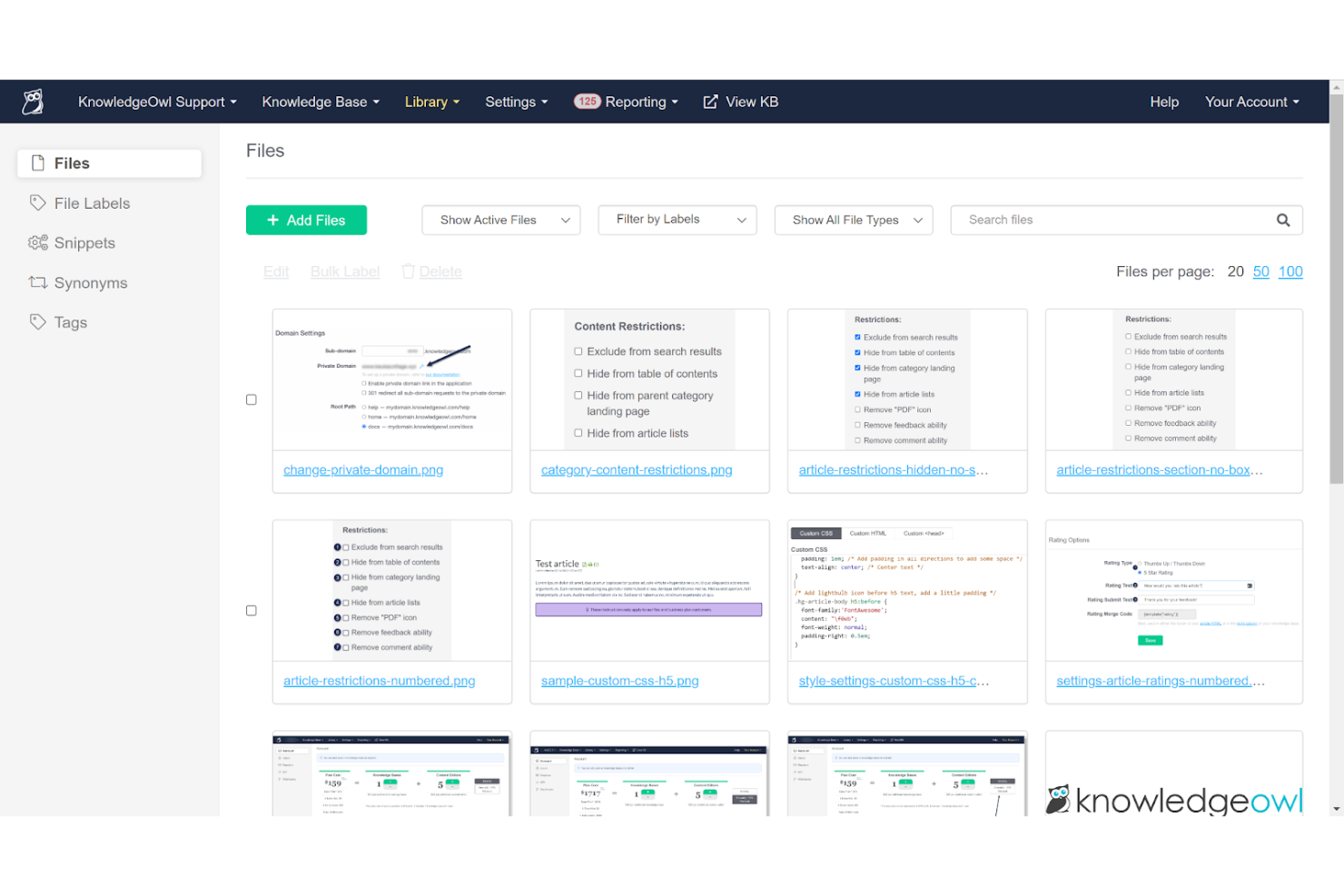
KnowledgeOwl is a knowledge base software designed to help businesses create and manage online documentation and support portals. It's used by customer service teams and technical writers to deliver organized and accessible information.
Why it's a good Document360 alternative: KnowledgeOwl offers customizable security settings, content categorization, and analytics, which maintain secure and well-organized knowledge bases. Its ability to tailor security features ensures that your information remains protected and accessible to the right users.
Standout features and integrations:
Features include a drag-and-drop editor that helps your team easily create and update content. You can customize the look and feel of your knowledge base to match your brand. The platform also supports version history, allowing you to track changes over time.
Integrations include Salesforce, Zendesk, Freshdesk, Google Analytics, Slack, Mailchimp, Zapier, and more.
Pros and Cons
Pros:
- Drag-and-drop content editor
- Supports detailed analytics
- Highly customizable security settings
Cons:
- Limited built-in add-ons
- Uploads over 200 MB are blocked

Best for user feedback tracking
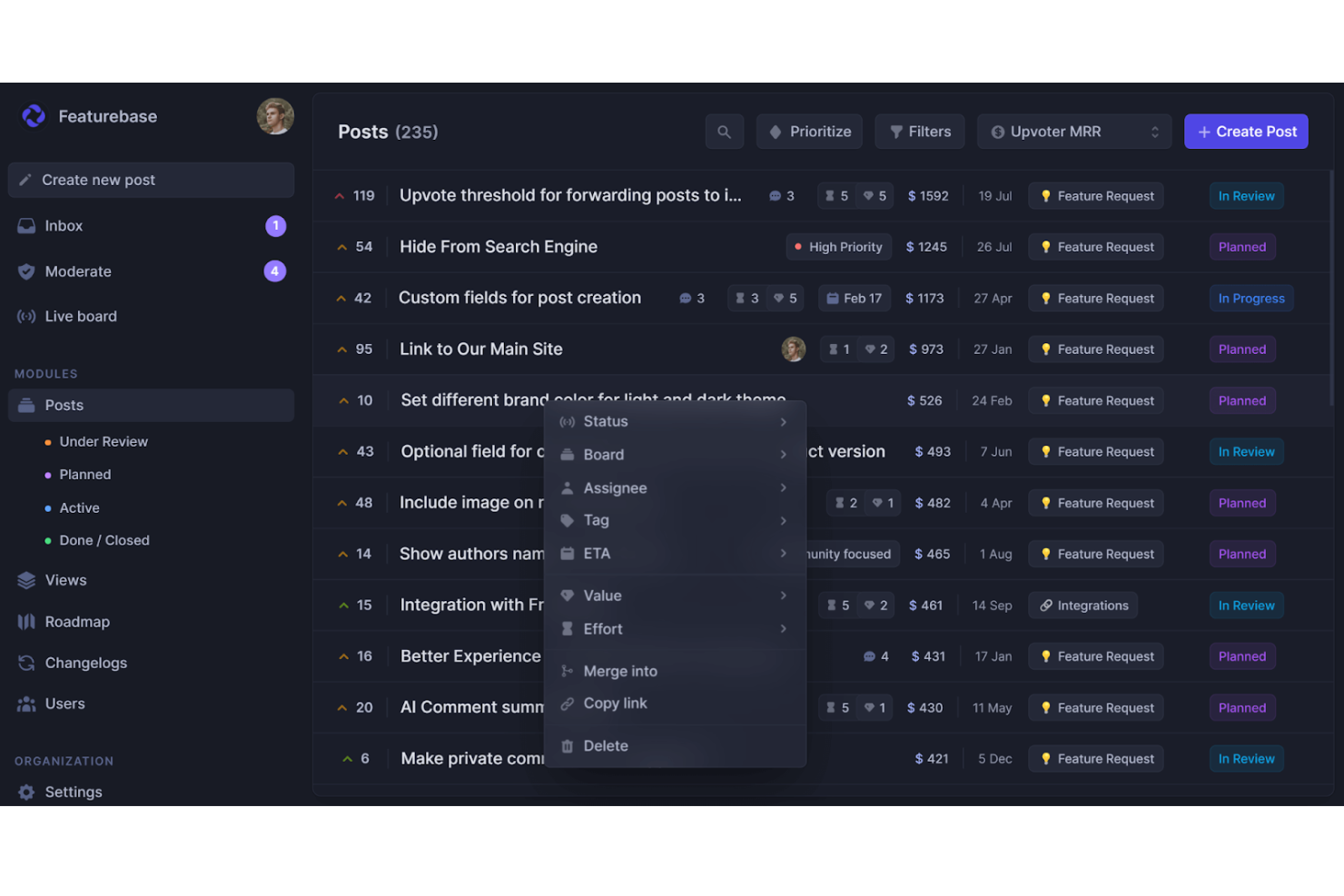
Featurebase is a cloud-based platform for product teams that unifies feedback management, knowledge base publishing, customer support, and product changelogs in one place. It’s used by small to mid-sized SaaS teams that want to centralize user feedback, documentation, and product updates.
Why it's a good Document360 alternative: Featurebase includes a built-in help center for creating public or private documentation. Its embeddable help widget facilitates in-app assistance, while an AI-powered search engine helps users quickly find the right answers. With branding, customization options, and support for multilingual content, it offers the capabilities of a dedicated knowledge base platform with the added benefit of integrated feedback tracking.
Standout features and integrations:
Features include a public and internal knowledge base with permission controls so you decide who gets access. Its Notion-style editor makes article creation intuitive, and support for 40+ languages helps you reach global audiences. You also get real-time analytics on article views and performance.
Integrations include Slack, Intercom, GitHub, Jira, ClickUp, Zendesk, Segment, Discord, and more.
Pros and Cons
Pros:
- In-app help widget
- Article performance analytics
- Multilingual knowledge base
Cons:
- Not ideal for large enterprise documentation needs
- No dedicated mobile app

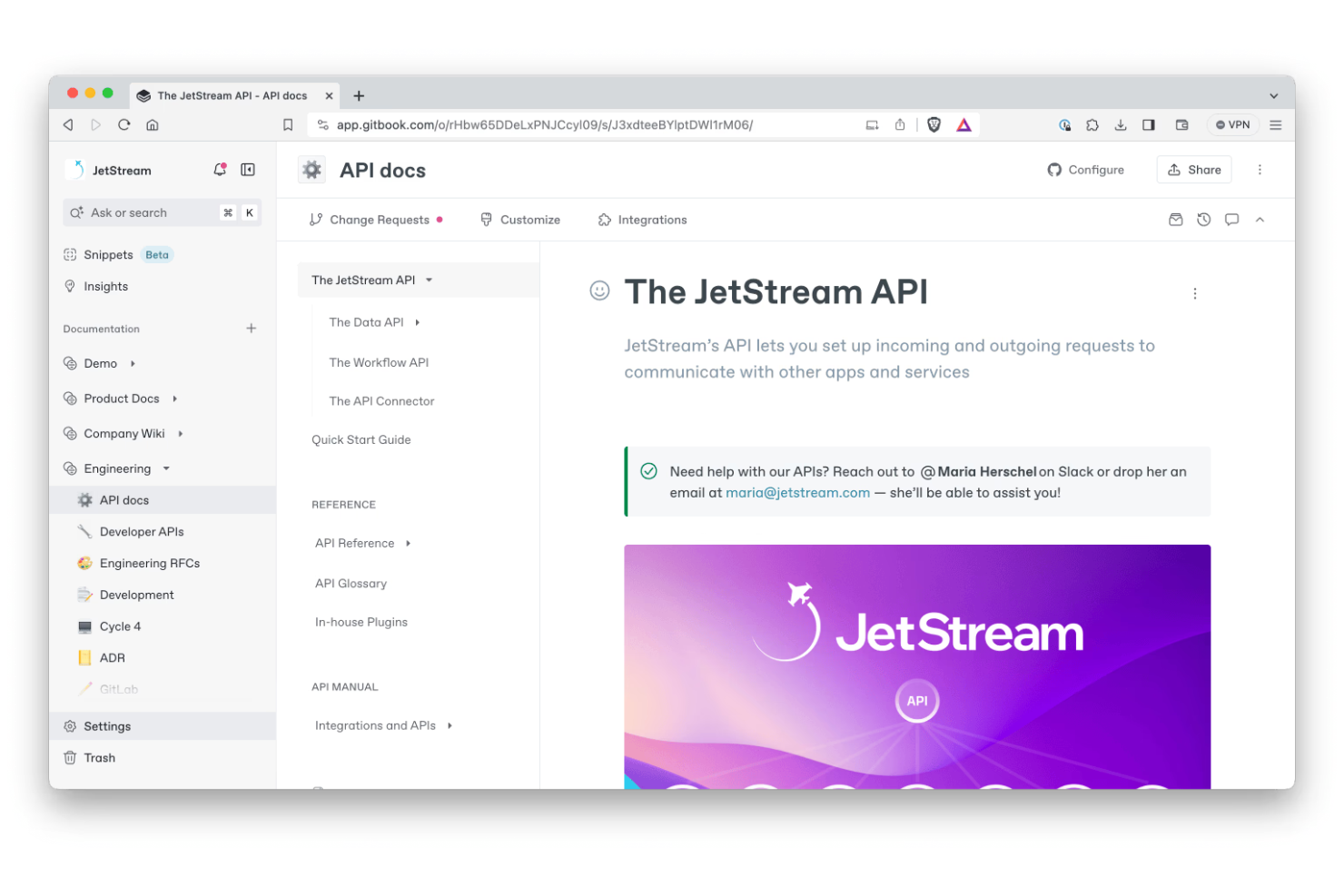
GitBook is a collaborative documentation platform designed for developers and technical teams to create and manage API documentation. It's used by software engineers and product teams to produce clear and accessible technical content.
Why it's a good Document360 alternative: GitBook offers live code blocks, version control, and collaborative editing, which help with creating and maintaining up-to-date API documentation. Its intuitive interface and focus on technical documentation make it an ideal choice for teams needing to document APIs effectively.
Standout features and integrations:
Features include a real-time collaborative editor that helps your team work effectively. You can use the markdown support to format your documents easily. The platform also provides custom domains to give your documentation a professional look.
Integrations include Slack, GitHub, Google Analytics, Intercom, Segment, Sentry, Trello, Jira, Figma, and more.
Pros and Cons
Pros:
- Offers version control
- Live code block capabilities
- Supports real-time collaboration
Cons:
- Basic collaboration tools
- Limited customization options
Other Document360 Alternatives
Here are some additional Document360 alternatives that didn’t make it onto my shortlist but are still worth checking out:
- Helpjuice
For AI-assisted content creation
- MadCap Flare
For enterprise-grade technical documentation
- Zendesk
For high-volume customer support management
- ClickUp
For task management system integration
- Slite
For async team documentation
- Guru
For real-time knowledge sync
- Adobe RoboHelp
For producing multimedia assistance content
- HelpNDoc
For intuitive document creation
- HelpSmith
For lightweight HTML help creation
- HelpDocs
For creating customer self-service hubs
- Paligo
For component-based content authoring
- HelpKit
For Notion-based help centers


How I Evaluate Document360 Alternatives
I evaluate tools across two layers: the baseline must-haves—like versioned KB structures, collaborative authoring, and access controls—and differentiators like PMO integrations and AI tooling.
Core Functionality (Table Stakes For This List)
When I'm selecting tools for my list, I rank each one on a scale from 0 (does not offer the functionality) to 5 (excels in this area) for each core functionality listed below. Then, I calculate the tool's total score into a percentage. Each tool needs to achieve a minimum total score of 65% to be considered for inclusion.
- Knowledge Base Creation: I look for structured, multi-level category hierarchies that let you organize project docs the way your PMO actually thinks—by phase, workstream, or deliverable type.
- Rich Content Editor: Whether it's markdown or WYSIWYG, I evaluate how well the editor handles tables, code blocks, embedded diagrams, and callouts typical of technical project documentation.
- Version Control & History: Every good KB tracks revisions, but I check for side-by-side diffs and rollback so you can safely update a runbook mid-sprint without losing the original.
- Collaborative Authoring: Teams need more than shared editing. I look for review workflows, inline comments, and role-based permissions that mirror how cross-functional project teams actually contribute.
- Search & Discovery: A knowledge base is only useful if people find what they need. I evaluate full-text search quality, tag filtering, and how well results surface across large documentation sets.
- Publishing & Access Control: I consider whether you can maintain both a private internal wiki for your delivery team and a client-facing portal with separate branding and reader permissions.
Once I have a list of tools that meet this criteria, I consider what sets each platform apart.
Differentiating Factors (What Sets Vendors Apart)
Here's how I compare and contrast different vendors:
Standout Features
I pay close attention to how well a platform connects with project tools like Jira, Asana, or ClickUp—linking KB articles to active tickets or epics keeps docs relevant. Built-in analytics also matter. I want to see which articles go unread or which search queries return no results, so PMOs can spot documentation gaps. Templates for project charters, retrospectives, and RAID logs are another differentiator, since they help teams standardize documentation across multiple projects without starting from scratch.
Beyond Features
Pricing structure matters a lot here. Some platforms charge per author while readers access content free, which suits PMOs with large teams consuming docs but few contributors. Migration support is another factor I evaluate—switching from Document360 or Confluence mid-project is painful without solid import tools and onboarding guidance. Security and compliance certifications like SOC 2 and SSO support also weigh heavily, especially for teams managing sensitive project data or working with enterprise clients who require strict access governance.
Why Look for a Document360 Alternative?
While Document360 is a good choice of knowledge management software, there are a number of reasons why some users seek out alternative solutions. You might be looking for a Document360 alternative because…
- You need more customization options.
- Your team requires better integration capabilities.
- You're looking for a more budget-friendly solution.
- You need support for multiple languages.
- Your team demands stronger collaboration features.
- You require advanced analytics and reporting.
If any of these sound like you, you’ve come to the right place. My list contains several knowledge management software options that are better suited for teams facing these challenges with Document360 and looking for alternative solutions.
Document360 Key Features
Here are some of the key features of Document360 to help you contrast and compare what alternative solutions offer:
- Knowledge base portal: Provide advanced editor and management tools for your content creation needs.
- Knowledge base site: Customize public or private knowledge bases for your users.
- Knowledge base assistant: Use an embeddable widget to access knowledge bases easily from your SaaS products or websites.
- Integrations and extensions: Connect with various third-party tools to enhance functionality.
- Platform API: Interact directly with the knowledge base via a REST API for greater flexibility.
- Pro analytics: Gain insights into user behavior and content performance to improve your knowledge base.
- Custom workflow builder: Tailor workflows to fit your team's specific needs and processes.
- Support ticket deflector: Reduce support tickets by providing users with relevant knowledge base articles.
- Media storage: Store and manage media files efficiently within the platform.
- Eddy AI: Leverage generative AI for enhanced documentation assistance.
What’s Next:
If you're in the process of researching knowledge management software, connect with a SoftwareSelect advisor for free recommendations.
You fill out a form and have a quick chat where they get into the specifics of your needs. Then you'll get a shortlist of software to review. They'll even support you through the entire buying process, including price negotiations.