

10 Best AI Professional Services Automation Software in 2026

AI Professional Services Automation Software Shortlist


AI professional services automation software uses artificial intelligence to help teams manage complex projects, resources, and client work more efficiently. These tools support consulting firms and service-based businesses by improving operational efficiency and automating tasks across the project lifecycle. They provide business intelligence and real-time insights into project financials, helping teams make data-driven decisions and better align work with business needs. By improving visibility into client relationships and performance, these platforms improve overall decision-making and project outcomes. In this guide, you’ll find the top AI-powered PSA tools for 2026, so you can compare features and pick the right fit for your team’s needs.
Why Trust Our Software Recommendations
Our team has been testing and reviewing software since 2012. As project managers ourselves, we know how difficult—and important—it is to choose the right software.
For this guide, we evaluated tools using hands-on testing and independent research, scoring tools using our selection criteria. We also draw on insights from industry thought leaders and practicing project management experts.
Our reviews reflect our human editorial judgment, not a sales pitch.
Expert reviewers:
AI Professional Services Automation Software Comparison Table
This comparison table summarizes pricing details for my top AI Professional Services Automation software selections:
| Tool | Best For | Trial Info | Price | ||
|---|---|---|---|---|---|
| 1 | Best for automated contract management | Free demo available | Pricing upon request | Website | |
| 2 | Best for AI-powered no-code app development | Free demo available | $40/user/month | Website | |
| 3 | Best with configurable resource forecasting tools | Free demo available | Pricing upon request | Website | |
| 4 | Best for client onboarding workflows | 14-day free trial + free demo available | From $19/user/month (billed annually) | Website | |
| 5 | Best for PSA on Salesforce | Free demo available | Pricing upon request | Website | |
| 6 | Best for MSP service automation | 14-day free trial + free demo available | From $129/user/month | Website | |
| 7 | Best for projects and financial management | 14-day free trial + free demo available | From $19.90/user/month (billed annually) | Website | |
| 8 | Best for AI project resource planning | Free demo available | Pricing upon request | Website | |
| 9 | Best for enterprise services automation | Free demo available | Pricing upon request | Website | |
| 10 | Best for agency management and analytics | 14-day free trial + free demo available | From $10/user/month (billed annually) | Website |


AI Professional Services Automation Software Reviews
Below are my detailed summaries of the AI professional services automation software that made it onto my shortlist. My reviews offer a detailed look at the features, best use cases, and integrations of each platform to help you find the best one for you.

Accelo
Best for automated contract management

Accelo is an AI-powered professional services automation platform that unifies project management, resource scheduling, time tracking, retainer management, and invoicing in one connected system.
Who Is Accelo Best For?
Accelo is a strong fit for mid-size professional services firms in consulting, IT services, accounting, or agencies that need one platform to manage client work from sales through invoicing.
Why I Picked Accelo
Accelo is one of my top picks because I love how contract management is woven directly into project delivery and billing. Retainer tracking connects to live time logs, so I can see exactly how much of a contract's hours have been consumed at any point. What really sets it apart is scope creep management: when delivery drifts beyond contracted scope, Accelo surfaces it in context, before it hits margins. Automated invoicing then generates bills from those same time logs, removing the manual reconciliation step entirely.
Accelo Key Features
- AI-assisted resource scheduling: Matches team members to projects based on skill, availability, and current workload using AI recommendations.
- Predictive risk flagging: Monitors projects, resourcing, and financials to surface early warning signs before issues escalate.
- Revenue forecasting: Projects future revenue and profitability at the engagement level using live delivery data.
- Client request management: Centralizes incoming client requests and routes them into tracked, billable workflows.
Accelo Integrations
Accelo offers 30+ native integrations, including Salesforce, HubSpot, Jira, QuickBooks, Xero, Sage Intacct, Slack, GitHub, GitLab, and Azure DevOps, with broader connectivity across the Microsoft ecosystem through Microsoft 365, Microsoft Teams, and Microsoft Entra. It also connects with Zapier and provides a RESTful API for custom integrations.
Pros and Cons
Pros:
- AI flags scope drift before it escalates
- Sales-to-project handoff requires no rework
- Automatic time capture reduces missed billable hours
Cons:
- Missing native trigger testing sandbox
- Mobile app lacks full desktop functionality
New Product Updates from Accelo
Accelo Adds Quote Designer and Pipeline Management
Accelo adds Quote Designer, enhanced pipeline views, and quote tracking with version history. This helps teams create proposals and manage opportunities from scoped work. For more information, visit Accelo’s official site.
Best for AI-powered no-code app development
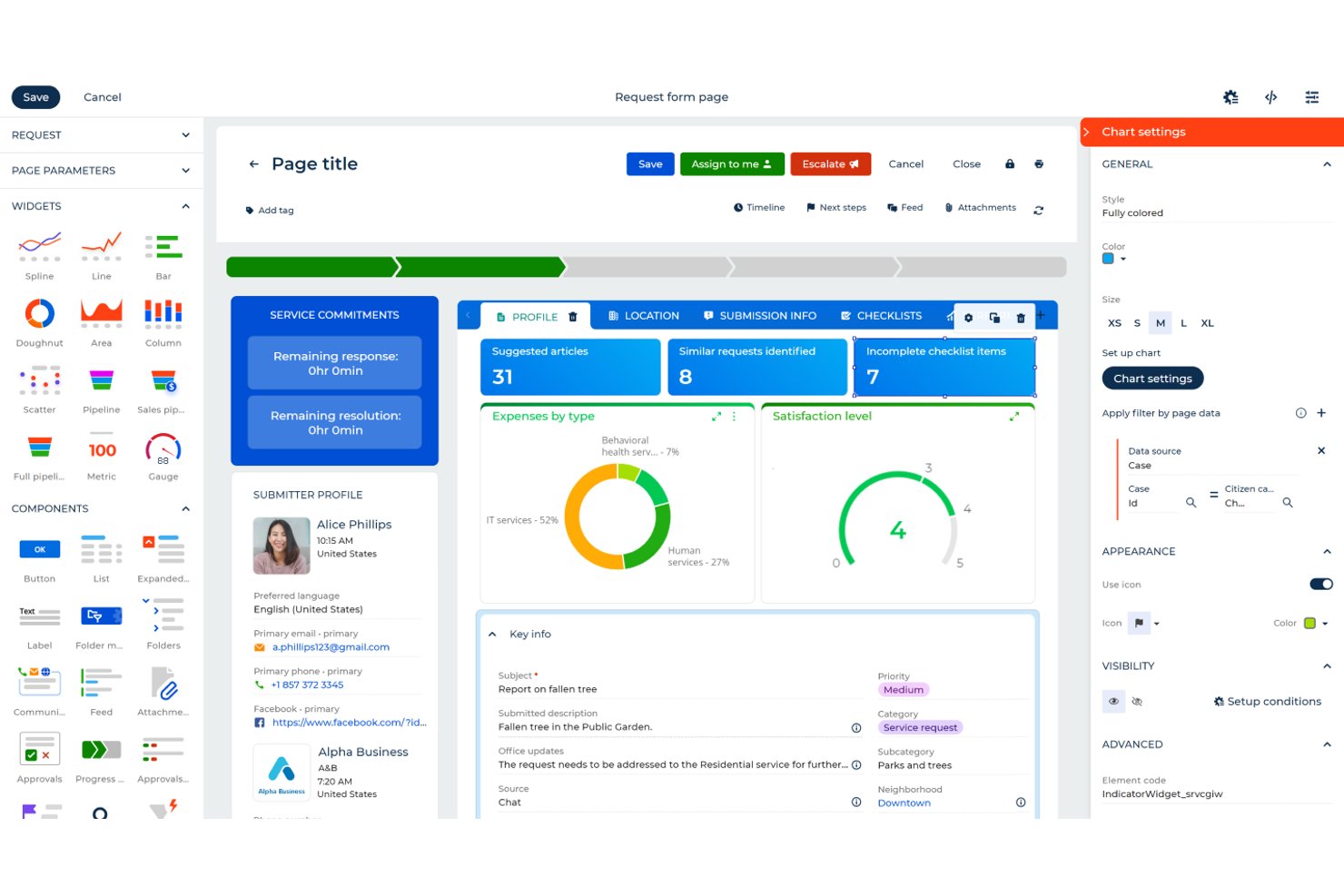
Creatio Studio is an AI-native no-code platform that lets teams build custom applications, automate workflows, and configure CRM processes using visual designers and natural language prompts.
Who Is Creatio Studio Best For?
Creatio Studio suits mid-market and enterprise professional services firms that need to build and automate custom workflows without relying on IT or development resources.
Why I Picked Creatio Studio
I picked Creatio Studio as one of the best because its AI-driven app generation is genuinely impressive. I can describe a process in plain language, and the platform builds the data model, views, and objects automatically. My team is also able to use the composable no-code architecture to reuse pre-built components, spinning up client onboarding workflows or milestone-based billing automations without touching code.
Creatio Studio Key Features
- Visual workflow designer: Build and modify automated business processes using a drag-and-drop interface.
- Marketplace of pre-built apps: Access a library of ready-made solutions and integrations for quick deployment.
- Granular access controls: Configure detailed user permissions and roles for secure collaboration on projects.
- Real-time analytics dashboards: Monitor project, process, or app metrics with customizable, live dashboards.
Creatio Studio Integrations
Creatio Studio offers native integrations with Power BI, Microsoft 365, Twilio, WhatsApp, Zoom, Formstack, Avaya, and more. An API is available for custom integrations.
Pros and Cons
Pros:
- Fast app prototyping with natural language
- Wide library of industry workflow templates
- AI tools for automating process design
Cons:
- Learning curve can be steep initially
- Requires developer training for complex customization
New Product Updates from Creatio AI Studio
Creatio Studio Expands AI App-Building Capabilities
Creatio Studio adds expanded AI coding agents, AI-generated pivot tables, and built-in analytics for generated apps. These updates let users build more UI, logic, and reporting components from natural-language prompts. For more information, visit Creatio Studio’s official site.

Kantata
Best with configurable resource forecasting tools
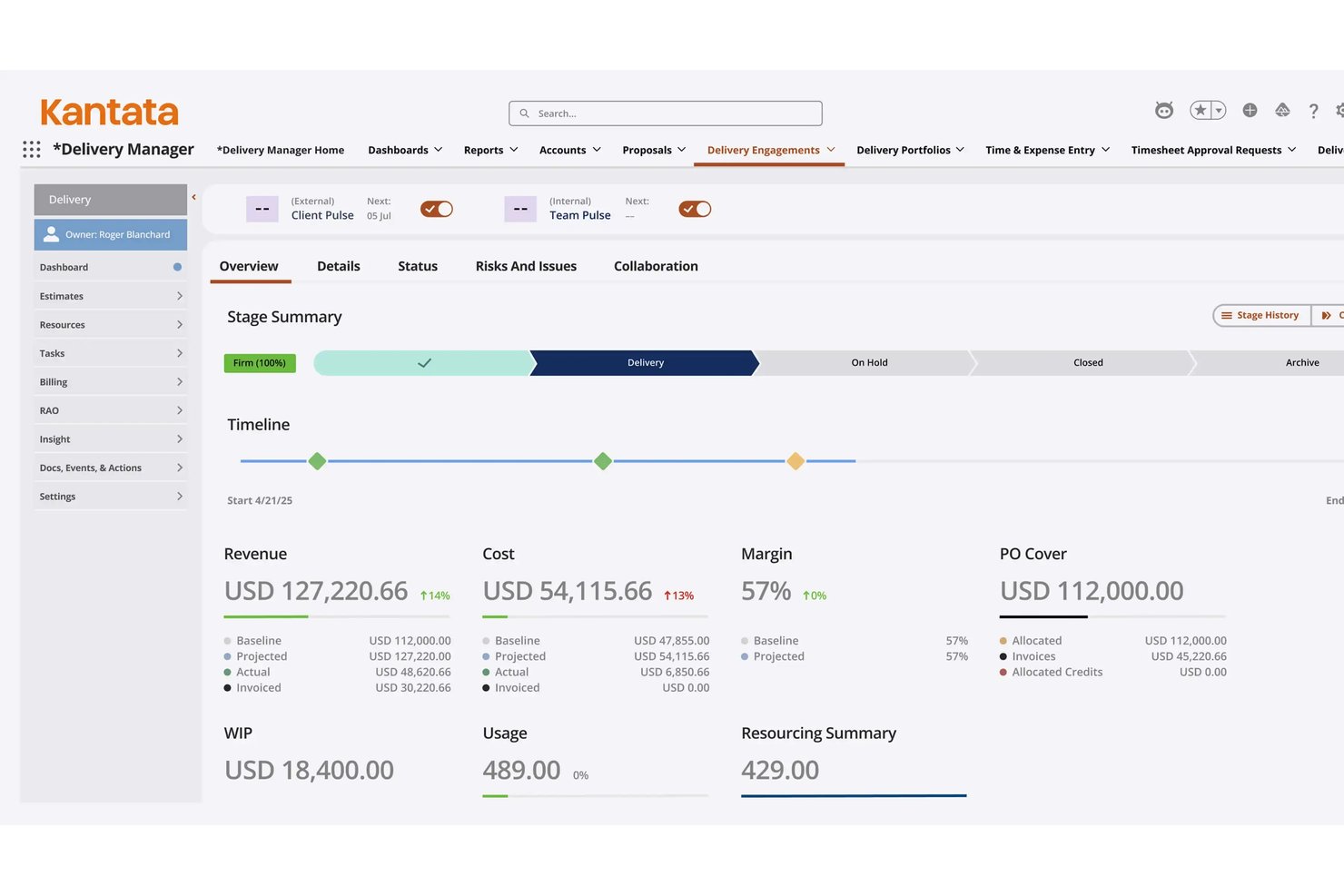
Kantata is a purpose-built AI PSA platform that unifies resource management, project execution, financial tracking, and business intelligence for professional services organizations.
Who Is Kantata Best For?
Kantata suits mid-market to enterprise professional services firms — including IT consulting, management consulting, and software services — that need to manage complex, multi-project resource demands at scale.
Why I Picked Kantata
Kantata earns its spot on my shortlist because of how the Expertise Engine approaches resource forecasting. It's built on a proprietary Services Language Model that learns from every project, proposal, and engagement, so forecasting gets smarter with each delivery cycle. I also like the Staffing Optimizer, which evaluates resource permutations across concurrent projects at a scale that manual scheduling simply can't match.
Kantata Key Features
- Salesforce-native deployment option: Choose a PSA instance deeply embedded within your Salesforce ecosystem for native data flow and security.
- Real-time financial dashboards: Access up-to-date insights into project budgets, profitability, and margin performance.
- Collaboration and feedback module: Centralize team communications and client feedback directly inside the platform.
- Integrated time and expense tracking: Log time and expenses in context with project work for accurate, audit-ready records.
Kantata Integrations
Kantata offers over 1,200 native integrations, including Salesforce, Slack, QuickBooks, NetSuite, Sage Intacct, Xero, Microsoft Teams, MuleSoft, and Workato. An API is available for custom integrations.
Pros and Cons
Pros:
- Deep Salesforce-native deployment option
- Configurable project portfolio forecasting dashboards
- Advanced AI-driven resource optimization workflow
Cons:
- Usability can be challenging for new users
- Setup and configuration require significant time investment
New Product Updates from Kantata

Kantata Adds Access Group Change History
Kantata adds Access Groups History, letting account administrators track changes to group details, membership, and permissions in Recent History. The update also makes these events available through the Subscribed Events API for broader monitoring. For more information, visit Kantata’s official site.
 .
.
Best for client onboarding workflows
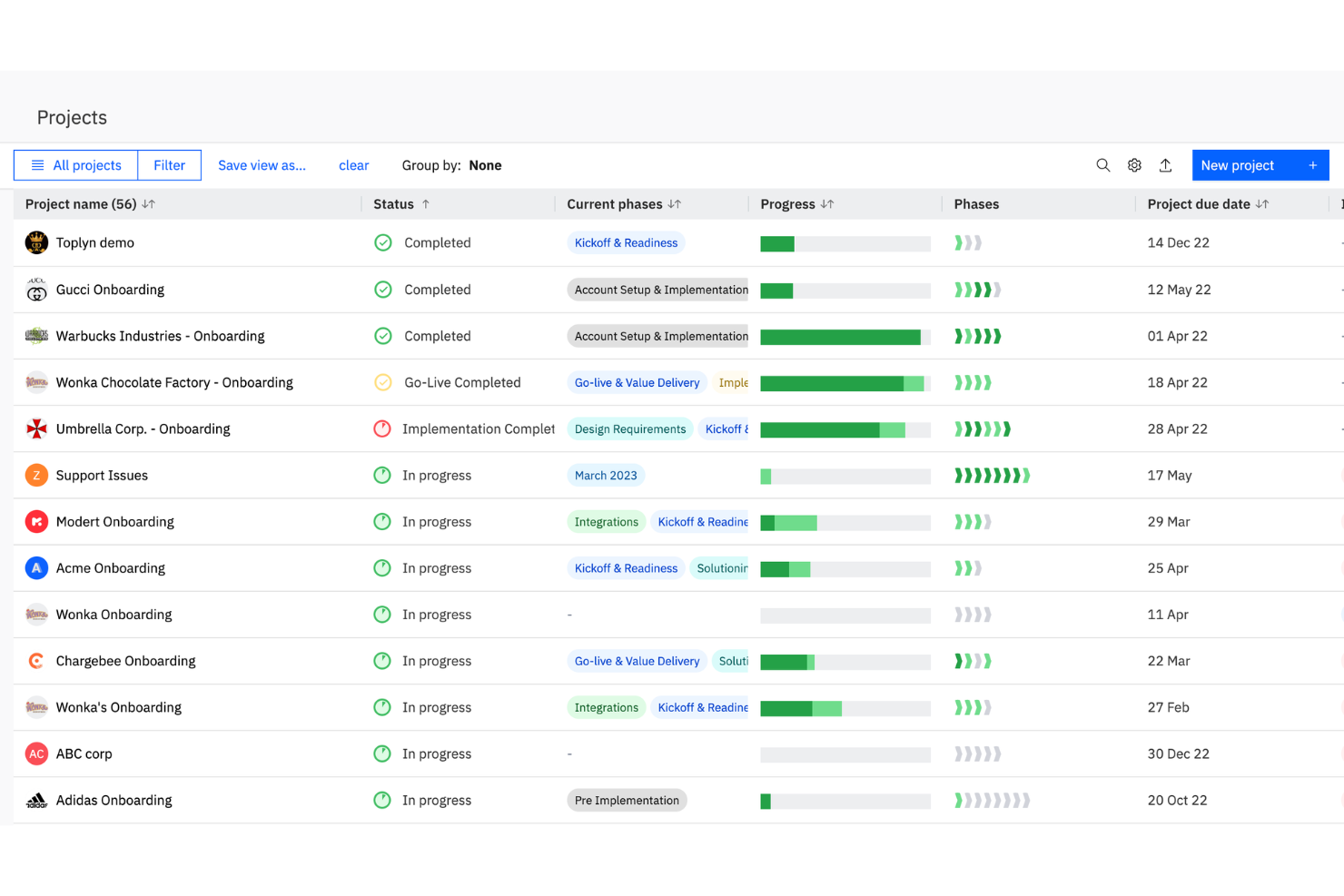
Rocketlane is a professional services automation platform designed for client-facing teams, combining project management, resource planning, onboarding workflows, and time tracking in one system.
Who Is Rocketlane Best For?
Client onboarding and implementation teams at SaaS companies and service providers who need unified project and resource management.
Why I Picked Rocketlane
I picked Rocketlane as one of the best because I use its purpose-built onboarding and PSA platform to manage every services business project from kickoff through delivery. I rely on its unified workspace instead of juggling spreadsheets, keeping project plans, documents, and communication in one place. The built-in resource management and timesheets improve visibility into billable work, while the clean interface improves the overall user experience for both my team and clients.
Rocketlane Key Features
- Custom project templates: Create and reuse templates for repeatable onboarding or service projects.
- Client portal: Give clients access to project status, documents, and tasks in a branded portal.
- Automated task reminders: Set up automated notifications for upcoming or overdue tasks.
- Document collaboration: Collaborate on project documents directly within the platform.
Rocketlane Integrations
Rocketlane offers native integrations with Salesforce, HubSpot, Jira, Slack, Google Calendar, Microsoft Teams, and Zapier. An API is available for custom integrations.
Pros and Cons
Pros:
- Detailed resource utilization and workload insights
- Automated client onboarding and project templates
- AI-powered project health and risk alerts
Cons:
- No built-in CRM for sales management
- Limited billing and invoicing capabilities
New Product Updates from Rocketlane

Rocketlane Introduces Governance and Workforce Agents
Rocketlane introduces Governance Agents and Workforce Agents to automate delivery processes and recurring tasks. These updates help teams enforce rules and streamline project execution. For more information, visit Rocketlane’s official site.
 .
.
Certinia
Best for PSA on Salesforce
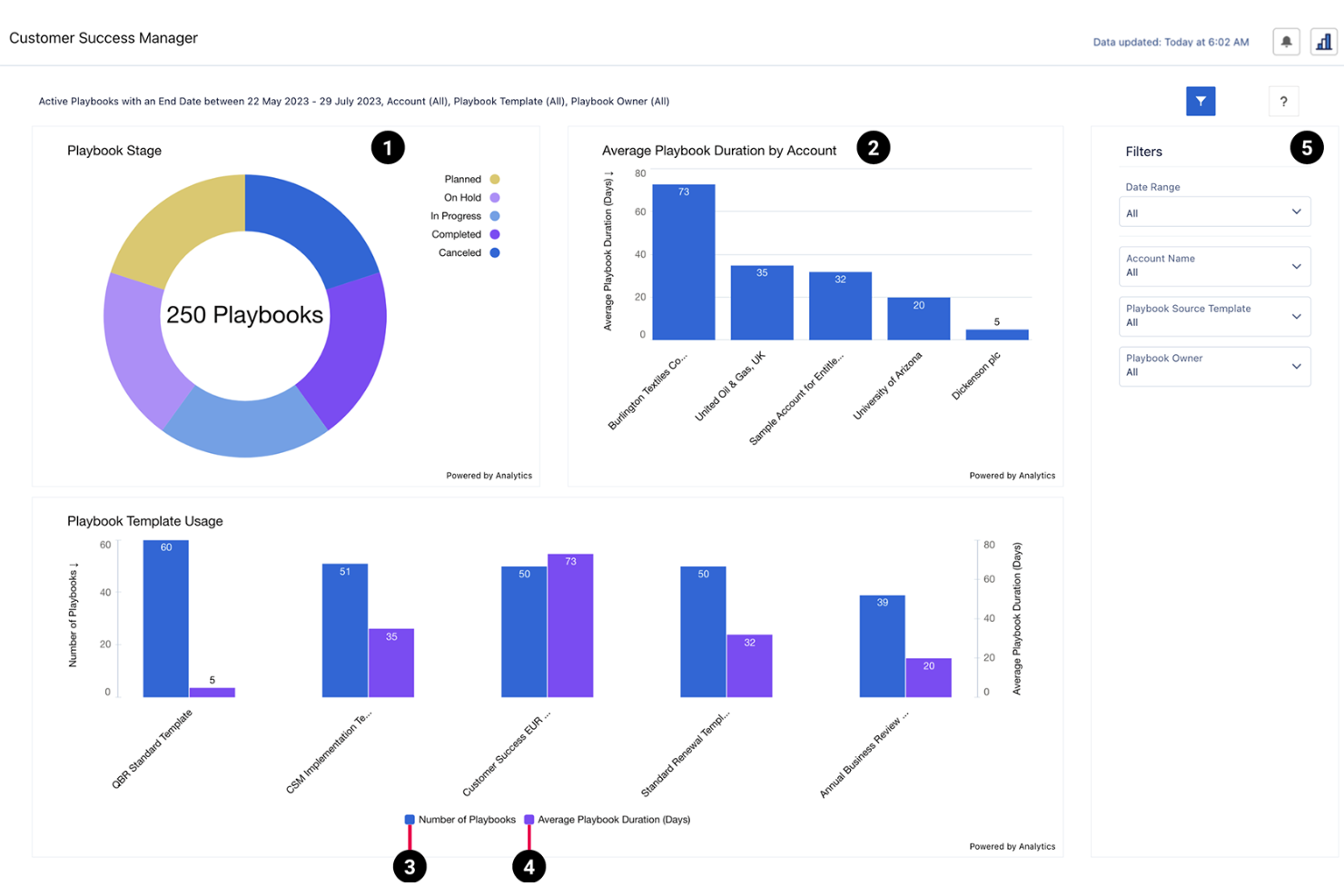
Certinia is a professional services automation platform built on Salesforce that combines resource management, project accounting, time tracking, and AI-powered forecasting for service organizations.
Who Is Certinia Best For?
Certinia is a strong fit for large professional services organizations that already use Salesforce as their core business platform.
Why I Picked Certinia
I picked Certinia as one of the best because I like how it brings AI-powered forecasting and resource management directly into the Salesforce ecosystem. My team uses Certinia to connect project accounting, time tracking, and resource planning with our CRM data. I rely on its AI-driven insights to optimize project staffing and predict revenue trends.
Certinia Key Features
- Resource request workflows: Route and approve resource requests within project teams.
- Milestone billing: Automate invoicing based on project milestones and deliverables.
- Skills management: Track and match team skills to project requirements.
- Expense management: Submit, approve, and track project-related expenses in one place.
Certinia Integrations
Certinia offers native integrations with Salesforce, Slack, DocuSign, Conga, and FinancialForce Accounting. An API is available for custom integrations.
Pros and Cons
Pros:
- Built-in time and expense approval processes
- Real-time project margin and profitability tracking
- Automated revenue recognition and billing workflows
Cons:
- No built-in client portal functionality
- Fewer billing models for complex contracts
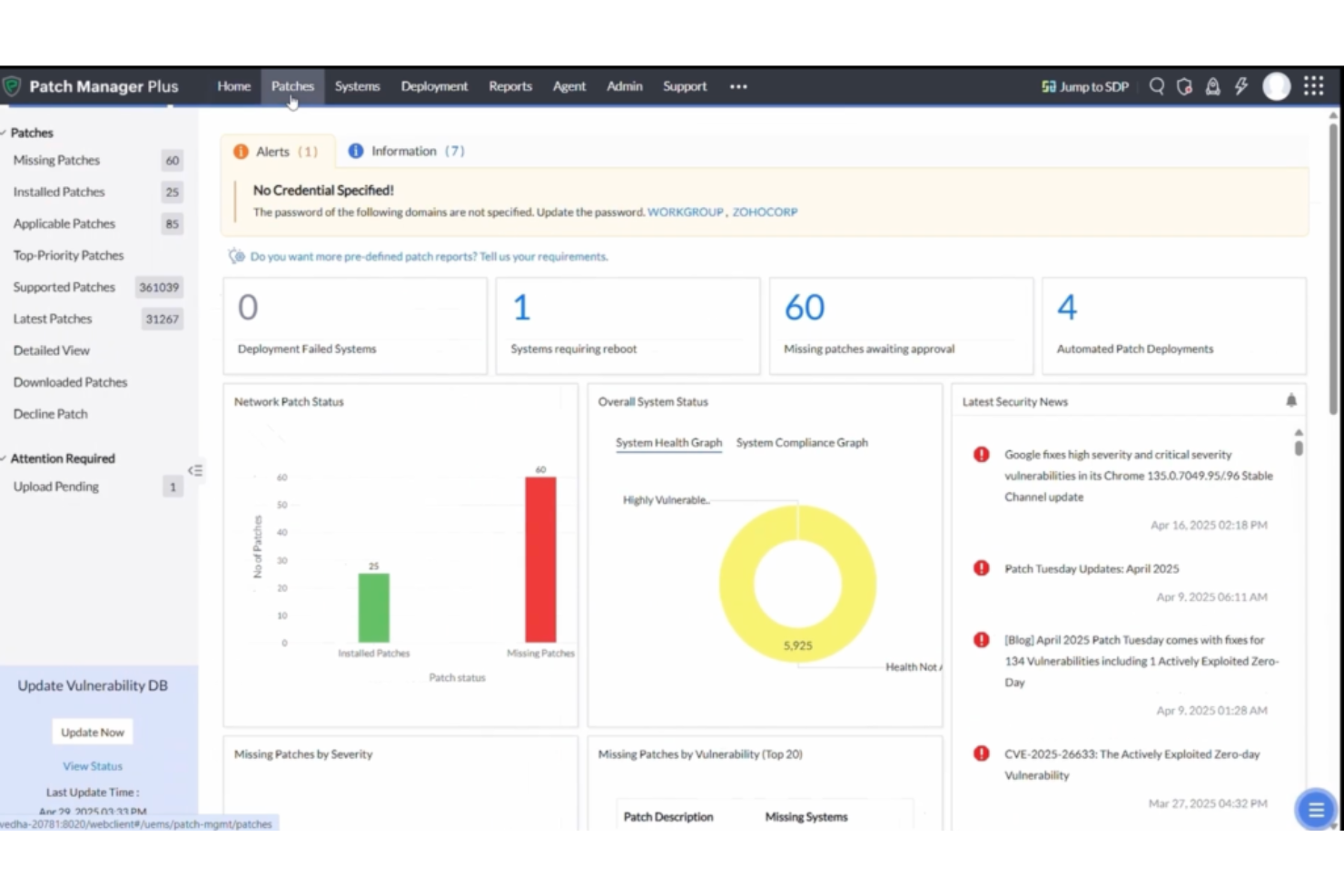
Syncro is a professional services automation platform for MSPs that combines ticketing, billing, remote monitoring and management, asset tracking, and workflow automation in one system.
Who Is Syncro Best For?
Syncro is a strong fit for managed service providers and IT businesses that want unified PSA and RMM capabilities in one platform.
Why I Picked Syncro
I picked Syncro as one of the best because I rely on its unified PSA and RMM platform to manage tickets, automate billing, and monitor client endpoints from a single dashboard. I like that my team can trigger automated workflows based on device alerts and link service tickets directly to assets. In practice, that means we handle client support, invoicing, and device management without switching between multiple systems.
Syncro Key Features
- Custom ticket forms: Build and deploy ticket forms tailored to your workflows.
- SLA management: Set and track service level agreements for client requests.
- Inventory tracking: Monitor hardware and software assets across client sites.
- Integrated quoting: Generate and send quotes directly from the platform.
Syncro Integrations
Syncro offers 50+ native integrations, including QuickBooks, Xero, CloudRadial, ConnectWise, Domotz, Emsisoft, and Worldpay, and provides an API for custom integrations.
Pros and Cons
Pros:
- Integrated billing with recurring invoice support
- Automated ticket routing and escalation rules
- Built-in RMM and PSA in one platform
Cons:
- Few integrations with niche MSP tools
- Limited project management capabilities

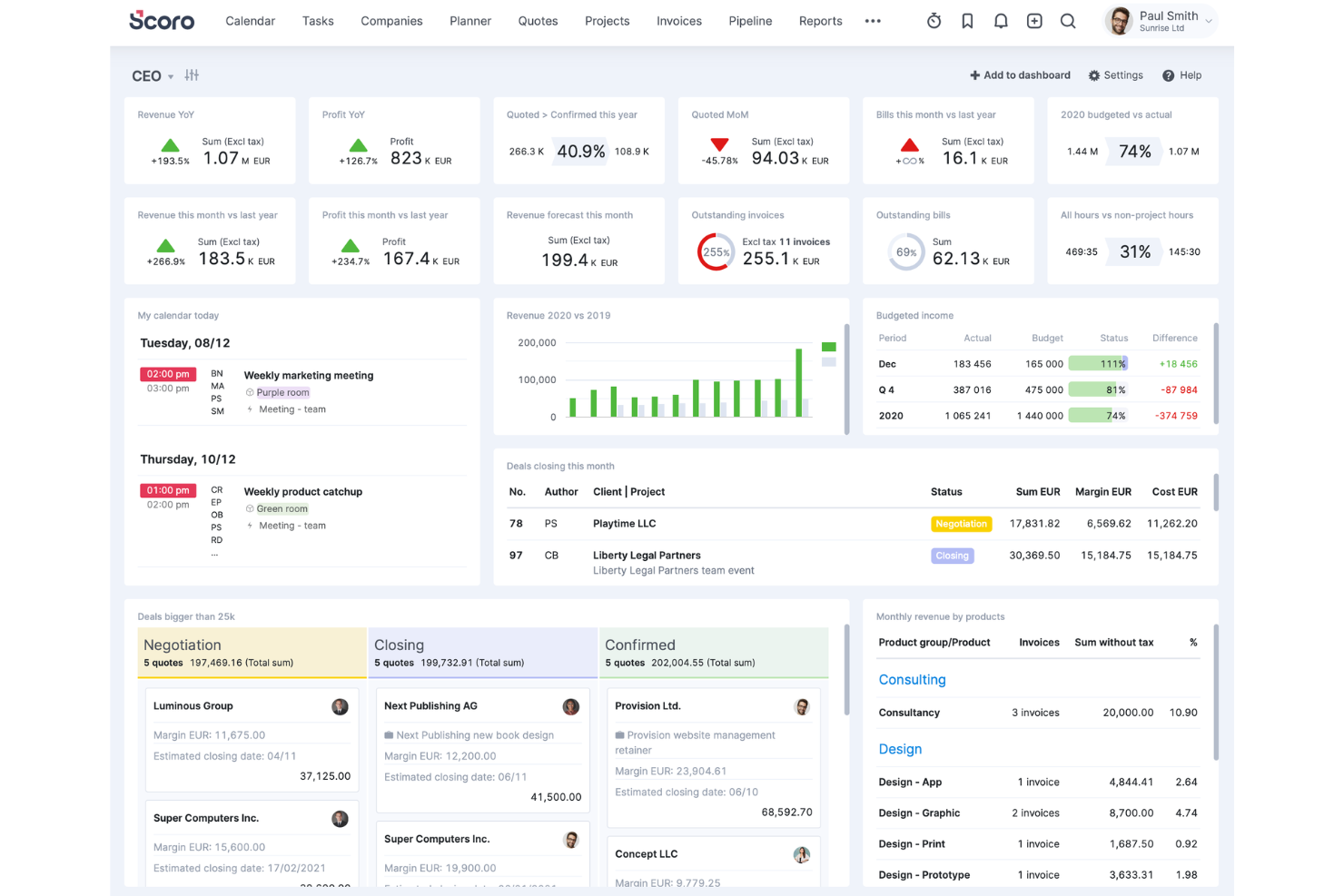
Scoro is a professional services automation platform for agencies and consultancies that brings together project management, quoting, billing, resource scheduling, and real-time reporting in one system.
Who Is Scoro Best For?
Agencies and consultancies that need unified project, billing, and resource management in one platform.
Why I Picked Scoro
I picked Scoro as one of the best because I use its all-in-one work management to keep projects, billing, and resource planning tightly connected for my agency clients. I rely on its quoting and invoicing tools to handle client contracts and revenue tracking in the same system as project delivery. The real-time dashboards let me monitor project health and team utilization without switching platforms.
Scoro Key Features
- Task automation: Automate recurring tasks and reminders across projects.
- Calendar integration: Sync project schedules with Google and Outlook calendars.
- Custom workflow templates: Build and reuse templates for repeatable project types.
- Permission controls: Set granular access rights for users and teams.
Scoro Integrations
Scoro offers native integrations with Xero, QuickBooks Online, Zapier, Google Calendar, Outlook, Slack, HubSpot, Mailchimp, and Dropbox. An API is available for custom integrations.
Pros and Cons
Pros:
- Built-in quoting and sales pipeline management
- Native integrations with major CRM and accounting tools
- Project profitability tracking with real-time dashboards
Cons:
- Gantt chart functionality is less flexible
- No advanced AI for resource allocation
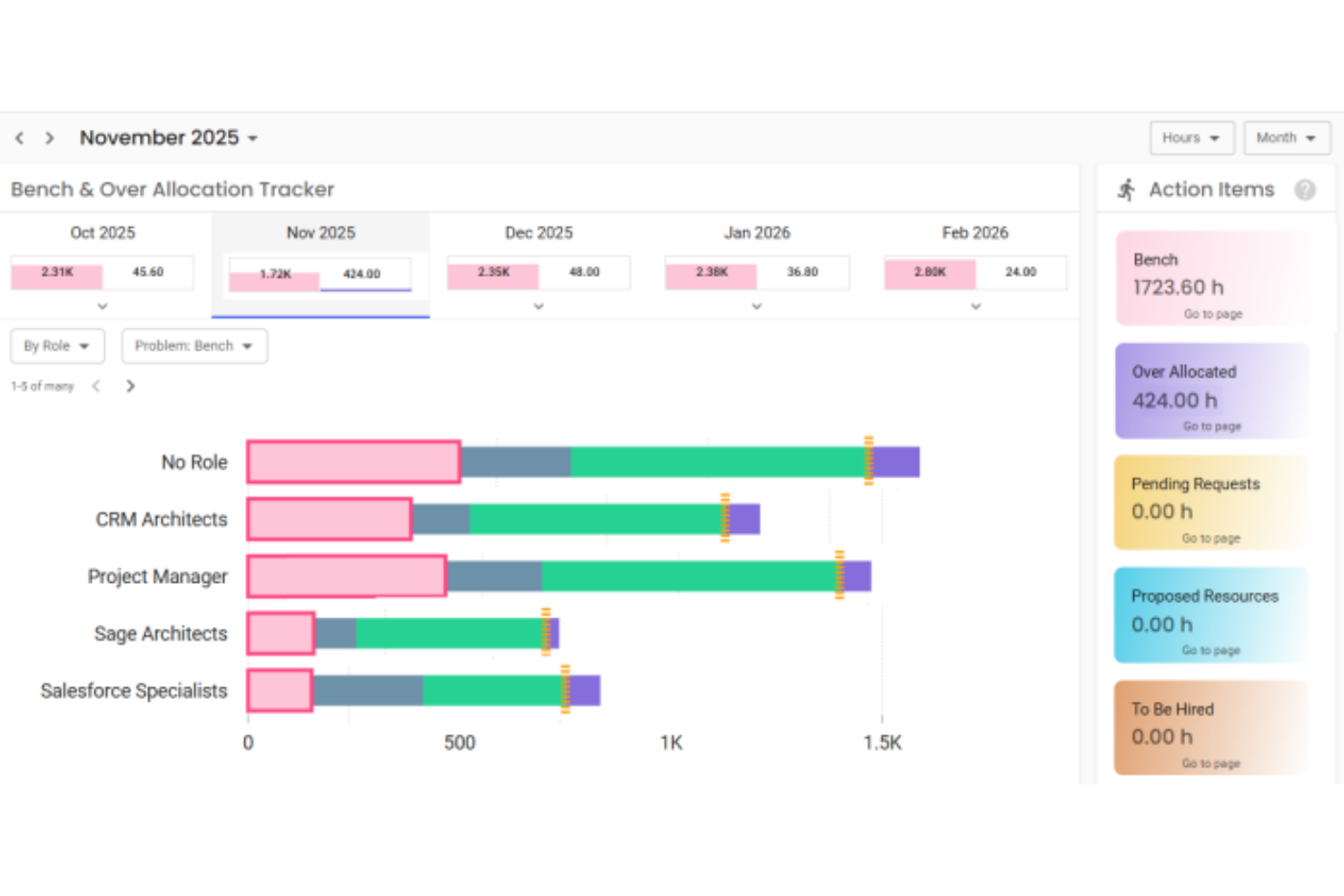
Polaris is an AI-powered professional services automation platform for IT consulting and services firms, offering project management, resource planning, time tracking, and billing in a unified system.
Who Is Polaris Best For?
IT consulting and services firms that need AI-driven project and resource management.
Why I Picked Polaris
I picked Polaris as one of the best because I use its AI-powered SmartMatch engine to automate resource allocation and project staffing for IT consulting work. I rely on its real-time project health dashboards and predictive analytics to keep projects on track. The platform’s unified billing and time tracking help my team manage complex client engagements without switching tools.
Polaris Key Features
- Project budgeting tools: Set, track, and manage project budgets in real time.
- Custom workflow automation: Automate approval processes and task assignments with configurable workflows.
- Mobile time and expense entry: Log time and expenses from any device using the mobile app.
- Role-based access controls: Manage user permissions and data visibility by role or department.
Polaris Integrations
Polaris integrates with Slack, Salesforce, and more, and supports connections with ERP, CRM, HCM, and payroll systems through APIs and built-in connectors.
Pros and Cons
Pros:
- Automated compliance tracking for IT consulting
- Advanced project budgeting with predictive analytics
- AI-driven resource management and allocation
Cons:
- Custom workflow automation options are limited
- Limited support for non-IT service workflows
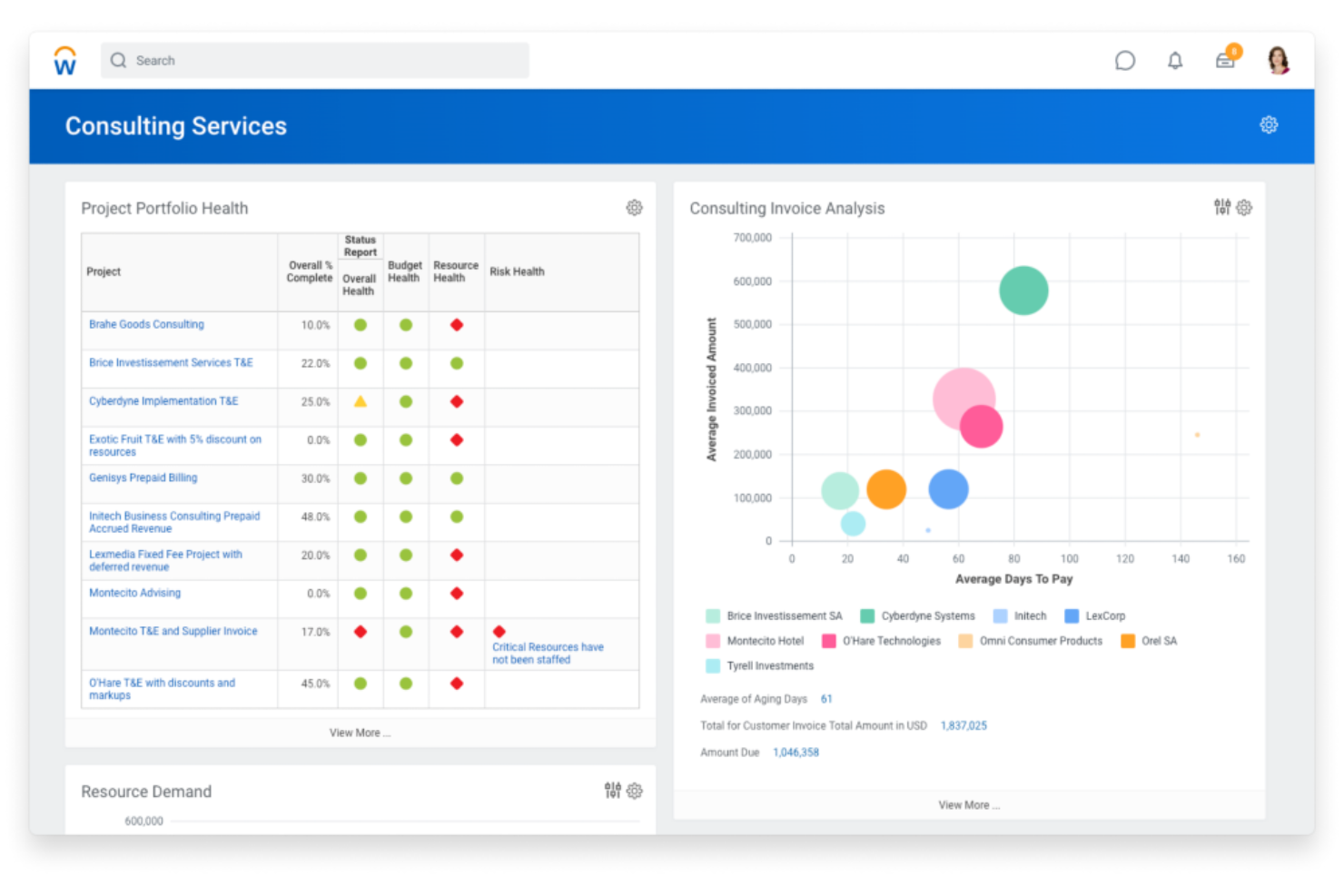
Workday PSA is an AI-powered professional services automation platform that combines project management, resource planning, time tracking, financials, and HR in a unified system.
Who Is Workday PSA Best For?
Workday PSA is a strong fit for large enterprises and global professional services organizations that need unified project, financial, and HR management.
Why I Picked Workday PSA
I picked Workday PSA as one of the best because I like how it brings AI-powered forecasting and unified project, financial, and HR data into a single platform. My team uses Workday PSA to automate resource allocation and track project profitability in real time. I rely on its built-in analytics to optimize staffing and manage utilization across global teams.
Workday PSA Key Features
- Project budgeting tools: Set, manage, and monitor project budgets in detail.
- Time and expense tracking: Capture billable hours and expenses directly within the platform.
- Role-based dashboards: Give users personalized views of project and resource data.
- Automated invoice generation: Create and send invoices based on project milestones or time entries.
Workday PSA Integrations
Workday PSA offers native integrations across the Workday ecosystem, including financial management, HR, and planning modules. Additional integrations are available through the Workday Marketplace, and an API is available for custom integrations.
Pros and Cons
Pros:
- Deep native integration with Workday Financial Management
- Automated time, expense, and billing workflows
- Unified project, financial, and HR data platform
Cons:
- Fewer options for niche industry requirements
- Limited integrations with non-Workday platforms

Productive
Best for agency management and analytics
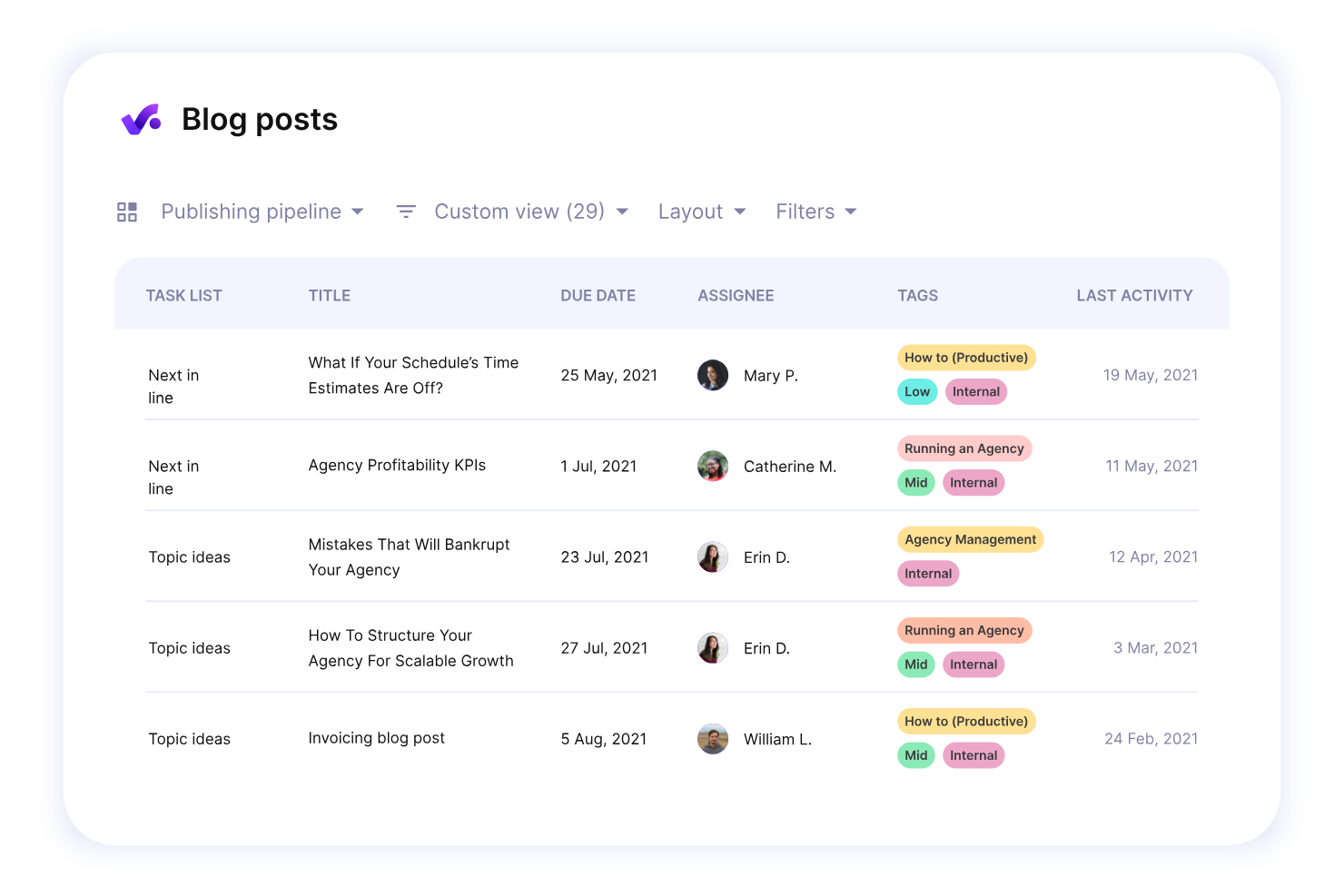
Productive is an agency management platform for professional services teams that combines project management, resource planning, budgeting, time tracking, and advanced analytics in one system.
Who Is Productive Best For?
Agencies and consultancies that need unified project, resource, and financial management in one platform.
Why I Picked Productive
I picked Productive as one of the best because I use its advanced reporting to drill into project profitability and resource utilization across my agency. I rely on its all-in-one approach to manage budgets, track billable hours, and handle invoicing without switching tools. The platform’s customizable dashboards let me surface the exact metrics my team needs for client and project reviews.
Productive Key Features
- Task management: Organize, assign, and track tasks for every project.
- Resource scheduling: Allocate team members to projects using a visual calendar.
- Document storage: Store and share project files within the platform.
- Client portal: Give clients access to project updates and deliverables.
Productive Integrations
Productive offers native integrations with Slack, Xero, QuickBooks, Google Calendar, and HubSpot, and provides an API for custom integrations.
Pros and Cons
Pros:
- Integrated document management and file sharing
- Automated time tracking with approval workflows
- Built-in sales pipeline and deal tracking
Cons:
- No built-in client-facing portal
- Limited advanced resource scheduling features
New Product Updates from Productive
Productive Adds Voice Dictation, Slack Connector, Proposals, and Overtime
Productive adds voice dictation, a Slack Connector, proposal controls, and overtime tracking. These updates support faster AI interactions, client proposals, and time management. For more information, visit Productive’s official site.
Other AI Professional Services Automation Software
Here are some additional AI professional services automation software options that didn’t make it onto my shortlist, but are still worth checking out:
- BigTime
For time tracking and billing
- SuperOps
For AI-driven MSP workflows
- Atera
For PSA with RMM tools
- BQE Core
For project accounting and billing
- HaloPSA
For all-in-one MSP management
- ConnectWise PSA
For IT service management workflows
- Autotask PSA
For cloud-based service desk management
- Planview PSA
For resource and financial planning
- Ruddr
For lightweight PSA for small teams
- NetSuite SuiteProjects
For PSA within NetSuite ERP


How I Evaluate AI Professional Services Automation Software
Every tool here has to prove its AI delivers real value—like smarter staffing, sharper margin forecasts, or faster project delivery. I evaluate in two layers: the core functionality a tool needs to qualify, and the differentiators that separate good picks from great ones.
Core Functionality (Table Stakes For This List)
When I'm selecting tools for my list, I rank each one on a scale from 0 (does not offer the functionality) to 5 (excels in this area) for each core functionality listed below. Then, I calculate the tool's total score into a percentage. Each tool needs to achieve a minimum total score of 65% to be considered for inclusion.
- AI-Driven Resource Optimization: I check whether the platform uses AI to recommend staffing based on skills, availability, and workload—like matching a senior cloud architect to a client engagement automatically.
- Project Automation & Forecasting: Each tool should automate project planning and use predictive models to forecast timelines and effort, not just offer static Gantt charts or manual task templates.
- Time & Billing Automation: I look for automated time capture tied to billing rules and client contracts, so consultants aren't manually logging hours and finance isn't chasing timesheets at month-end.
- Financial & Margin Intelligence: The platform should surface real-time profitability data per project or client, with AI-powered margin forecasting that flags at-risk engagements before they erode revenue.
- Predictive Risk & Analytics: I evaluate whether analytics go beyond static dashboards to proactively flag risks like utilization dips, scope creep, or delivery delays using AI models.
- Unified PSA Workflow Integration: Projects, resources, financials, and CRM data should live in one connected system—with integrations into tools like Salesforce, NetSuite, or QuickBooks to close data gaps.
Once I have a list of tools that meet the criteria, I consider what sets each platform apart.
Differentiating Factors (What Sets Vendors Apart)
Here's how I compare and contrast different vendors:
Standout Features
Scenario planning is a big differentiator—I look for tools that let you model what happens if a key consultant leaves mid-engagement or a new deal closes early. A strong skills intelligence graph also matters, since it keeps resource profiles current as people gain certifications or shift roles. I also evaluate whether a platform can auto-generate SOWs from historical project data, which saves delivery leads hours of drafting time on repeat engagements.
Beyond Features
AI transparency matters a lot in this space. When a platform recommends pulling a consultant off one project to staff another, I want to understand why—and so does leadership. I also evaluate how well a tool fits into an existing tech stack, especially connections to CRM and accounting systems like Salesforce or NetSuite. Implementation timelines are worth checking too, since PSA rollouts at mid-market and enterprise firms can stall without guided onboarding and prebuilt services templates.
How to Choose AI Professional Services Automation Software
It’s easy to get bogged down in long feature lists and complex pricing structures. To help you stay focused as you work through your unique software selection process, here’s a checklist of factors to keep in mind:
| Factor | What to Consider |
|---|---|
| Scalability | Will the software handle your team’s growth, new service lines, or global expansion without major disruption or cost increases? |
| Integrations | Does it connect natively to your core systems like ERP, CRM, HR, or accounting? Are APIs or connectors available for custom workflows? |
| Customizability | Can you tailor workflows, fields, and dashboards to match your processes, or are you limited to rigid templates and structures? |
| Ease of use | Will your team adopt the tool quickly, or will complex navigation and unclear workflows slow down daily operations and project delivery? |
| Implementation and onboarding | How long does setup take, and what resources are required? Are migration tools, training, and vendor support included in the process? |
| Cost | Are pricing tiers transparent and predictable? Watch for hidden fees, user minimums, or extra charges for integrations and support. |
| Security safeguards | Does the platform meet your data privacy, access control, and audit requirements? Look for certifications and clear security documentation. |
| Support availability | Is help available when you need it—especially during critical project phases? Check for 24/7 support, dedicated reps, and response times. |
What Is AI Professional Services Automation Software?
AI professional services automation software is a digital platform that uses artificial intelligence to manage projects, resources, time tracking, billing, and reporting for service-based organizations. These tools help teams automate routine tasks, optimize resource allocation, and gain real-time insights into project performance, profitability, and utilization.
Features of AI Professional Services Automation Software
When selecting AI professional services automation software, keep an eye out for the following key features:
- AI-powered resource allocation: Uses machine learning to match the right people to the right projects based on skills, availability, and workload.
- Automated time tracking: Captures and logs work hours automatically, reducing manual entry and improving billing accuracy.
- Project budgeting and forecasting: Provides real-time budget tracking and predictive analytics to help teams anticipate overruns and manage costs.
- Integrated billing and invoicing: Automates the creation and delivery of invoices based on project milestones, time entries, or expenses.
- Utilization and profitability analytics: Delivers dashboards and reports that show how resources are used and which projects drive the most profit.
- Workflow automation: Simplifies repetitive tasks like approvals, notifications, and document routing to save time and reduce errors.
- Customizable dashboards: Lets users tailor views and reports to monitor KPIs, project health, and team performance at a glance.
- Native integrations: Connects directly with core business systems such as ERP, CRM, and HR platforms for unified data management.
- Mobile access: Enables team members to manage tasks, log time, and approve expenses from any device, supporting remote and on-the-go work.
- Role-based permissions: Controls access to sensitive data and features, ensuring the right people see and do only what they’re authorized to.
Benefits of AI Professional Services Automation Software
Implementing AI professional services automation software provides several benefits for your team and your business. Here are a few you can look forward to:
- Improved project visibility: Real-time dashboards and analytics give you a clear view of project status, resource utilization, and financial performance.
- Faster, more accurate billing: Automated time tracking and invoicing reduce manual errors and speed up the billing cycle.
- Optimized resource allocation: AI-driven scheduling ensures the right people are assigned to the right projects based on skills and availability.
- Reduced administrative workload: Workflow automation handles repetitive tasks like approvals and notifications, freeing up your team for higher-value work.
- Better forecasting and planning: Predictive analytics help you anticipate project risks, budget overruns, and resource gaps before they become issues.
- Improved data integration: Native integrations with ERP, CRM, and HR systems centralize your data and eliminate silos across teams.
- Stronger compliance and security: Role-based permissions and audit trails help protect sensitive information and support regulatory requirements.
Costs and Pricing of AI Professional Services Automation Software
Selecting AI professional services automation software requires an understanding of the various pricing models and plans available. Costs vary based on features, team size, add-ons, and more. The table below summarizes common plans, their average prices, and typical features included in AI professional services automation software solutions:
Plan Comparison Table for AI Professional Services Automation Software
| Plan Type | Average Price | Common Features |
|---|---|---|
| Free Plan | $0 | Basic project tracking, limited users, simple time tracking, and email support. |
| Personal Plan | $10-$25/user/month | Single user access, core project management, time and expense tracking, and basic reporting. |
| Business Plan | $30-$60/user/month | Multi-user support, resource scheduling, automated billing, integrations, advanced analytics, and mobile access. |
| Enterprise Plan | $70-$150/user/month | Custom workflows, AI-powered forecasting, advanced security, dedicated support, API access, and compliance tools. |
AI Professional Services Automation Software FAQs
Here are some answers to common questions about AI professional services automation software:
How does AI improve professional services automation software?
AI improves professional services automation software by automating repetitive tasks, predicting resource needs, and providing real-time insights into project performance. This helps teams make better decisions, reduce manual work, and increase overall efficiency.
Can AI professional services automation software integrate with my existing tools?
Yes, most AI professional services automation software offers integrations with popular ERP, CRM, HR, and accounting systems. Always check for native integrations or available APIs to ensure compatibility with your current tech stack.
Is AI professional services automation software suitable for small teams?
Yes, many solutions offer flexible plans and features that work well for small teams. Look for platforms with simple onboarding, scalable pricing, and essential automation features that don’t require a dedicated IT team to manage.
What security measures should I expect from these platforms?
You should expect features like role-based permissions, data encryption, audit trails, and compliance with industry standards such as SOC 2 or GDPR. Always review the vendor’s security documentation before making a decision.
How long does it take to implement AI professional services automation software?
Implementation time varies by platform and organization size. Small teams can often get started within a few days, while larger organizations may need several weeks for data migration, integrations, and user training.