
21 Best Time Tracking Software for Small Businesses Reviewed in 2026

Best Time Tracking Software for Small Businesses Shortlist
Here’s our shortlist of the best time tracking for small businesses:


Managing a small business comes with its own set of challenges, especially when it comes to tracking time. Every minute counts, and keeping track of your team's time and hours can be a constant struggle. That's where time tracking software comes in, helping you manage labor costs and boost productivity.
Choosing the right tool makes all the difference, so we've tested a range of options to give you an unbiased view of the best software available.
In this article, we share our top picks for the best time tracking software for small businesses. You'll find insights into features, benefits, and what makes each one stand out. Let's dive in and find the right fit for your team.
Why You Can Trust Us
Best Time Tracking for Small Business Summary
This comparison chart summarizes pricing details for my top time tracking solutions for small businesses to help you find the best one for your budget and business needs.
| Tool | Best For | Trial Info | Price | ||
|---|---|---|---|---|---|
| 1 | Best for combining time and budget management | Free plan + free trial available | From $6/user/month (billed annually) | Website | |
| 2 | Best for AI time tracking insights | Free 14-day trial + free demo available | From $9/user/month (billed annually) | Website | |
| 3 | Best for automatic time tracking | 14-day free trial + free plan + free demo available | From $2.49/user/month (billed annually) | Website | |
| 4 | Best for quick task switching | Free plan + 30-day free trial available | From $9/user/month (billed annually) | Website | |
| 5 | Best for customizable reports | Free 14-day trial + free plan + free demo available | From $4/user/month (billed annually) | Website | |
| 6 | Best for browser extension tracking | Free 7-day trial + free plan + free demo available | From $5.49/user/month (billed annually) | Website | |
| 7 | Best for payroll integration | Free trial + free demo available | From $20/month + $8/user/month (billed annually) | Website | |
| 8 | Best for remote team monitoring | Free 14-day trial + free demo available | From $6.67/user/month (billed annually) | Website | |
| 9 | Best for productivity insights | Free 14-day trial + free demo available | From $7/month (billed annually) | Website | |
| 10 | Best for HR integration | Free trial + free plan + free demo available | From $4.40/user/month (billed annually) | Website | |
| 11 | Best for project time invoicing | Free 30-day trial + free plan available | From $9/seat/month (billed annually) | Website | |
| 12 | Best for real-time analytics and time mapping | Free 7-day trial | From $6.40/seat/month (billed annually) | Website |

-

Accelo
Visit WebsiteThis is an aggregated rating for this tool including ratings from Crozdesk users and ratings from other sites.4.4 -
Forecast
Visit WebsiteThis is an aggregated rating for this tool including ratings from Crozdesk users and ratings from other sites.4.6 -
Wrike
Visit WebsiteThis is an aggregated rating for this tool including ratings from Crozdesk users and ratings from other sites.4.2





Best Time Tracking Software for Small Businesses Reviews
Below are detailed summaries of the best time tracking software for small businesses that made it onto our shortlist. Each offers a detailed look at the key features, pros and cons, integrations, and ideal use cases to help you find the best tool for you.

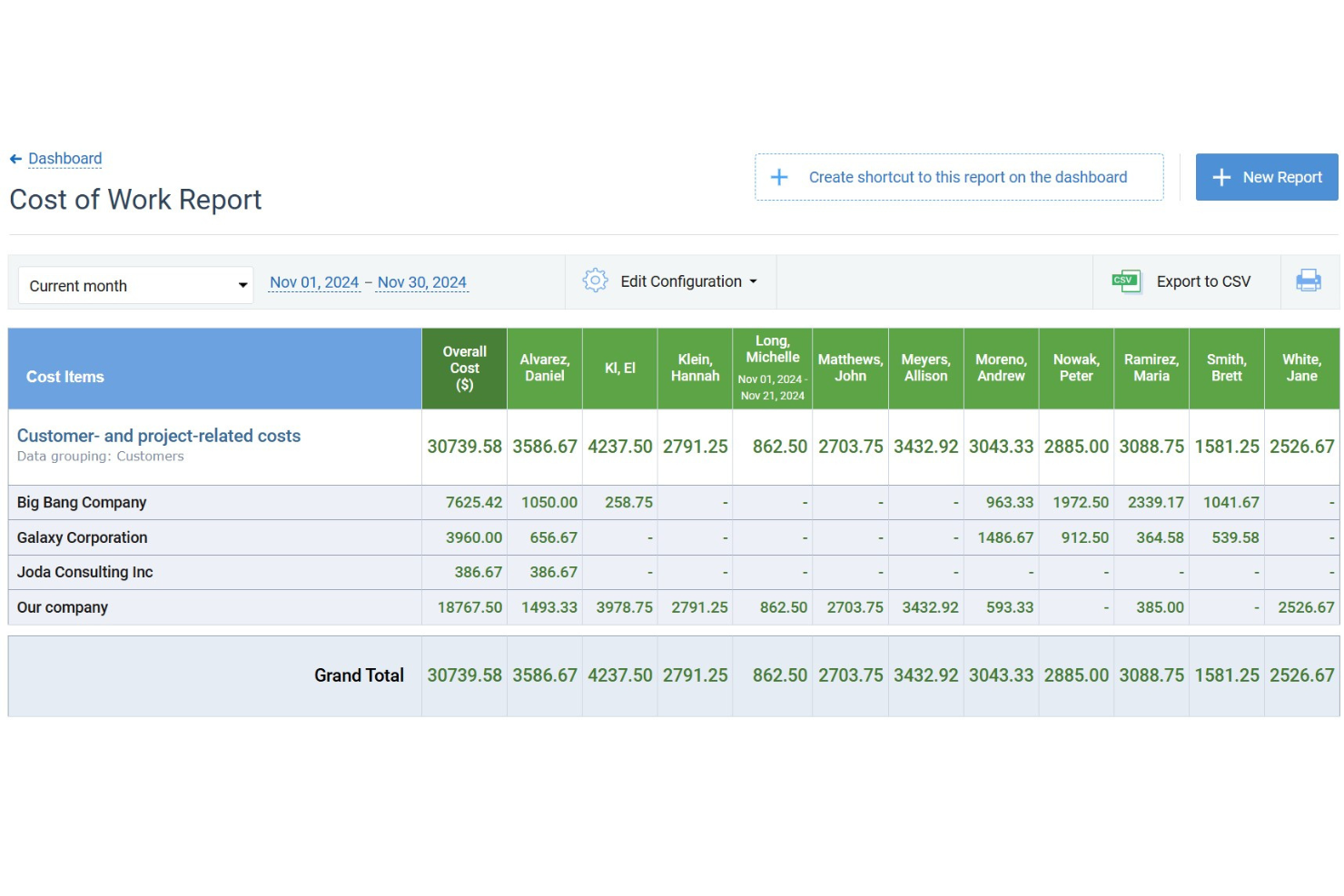
For small businesses seeking an efficient way to manage time and budget, actiTIME offers a tailored solution that addresses these needs with precision. Designed to support project tracking, budget management, and team collaboration, it appeals to a wide range of industries. By integrating easily with tools like QuickBooks, actiTIME ensures your operations are not only timely but also cost-effective, allowing you to stay focused on delivering quality work.
Why I Picked actiTIME
I picked actiTIME because its unique ability to combine time tracking with budget management makes it highly relevant for small businesses. One standout feature is its project tracking, which allows you to assign tasks, set deadlines, and monitor progress, ensuring projects are completed on time. Additionally, the budget management tools enable you to track project costs and set financial goals, helping your team stay within budget. With these features, actiTIME directly addresses the challenges of time and budget management, making it a great choice for small businesses.
actiTIME Key Features
In addition to its project tracking and budget management capabilities, I also found several other features that cater to small business needs:
- Reporting and Analytics: Generate detailed reports on time usage, project progress, and team performance to make informed decisions.
- Billing and Invoicing: Customize billing rates and generate invoices based on tracked time and expenses.
- Leave Management: Manage paid time off (PTO) and set accrual rules to ensure accurate leave tracking.
- Team Management: Assign work, manage roles, and monitor team performance to optimize productivity.
actiTIME Integrations
Integrations include QuickBooks, Zapier, and an API for custom integrations.
Pros and Cons
Pros:
- Offers customizable workflows for project management
- Allows for detailed financial and time reporting
- Includes mobile apps for both Android and iOS devices
Cons:
- Per user pricing can add up for smaller businesses
- Lacks some advanced features, like GPS and facial recognition
New Product Updates from actiTIME

actiTIME's Enhanced Custom Field Imports and Timesheet Settings
actiTIME enhances project setup and daily tracking with new custom fields import and refined timesheet & calendar settings. These updates help you keep all your task data in sync and view your workday the way you want. For more information, visit actiTIME's official site.
 .
.
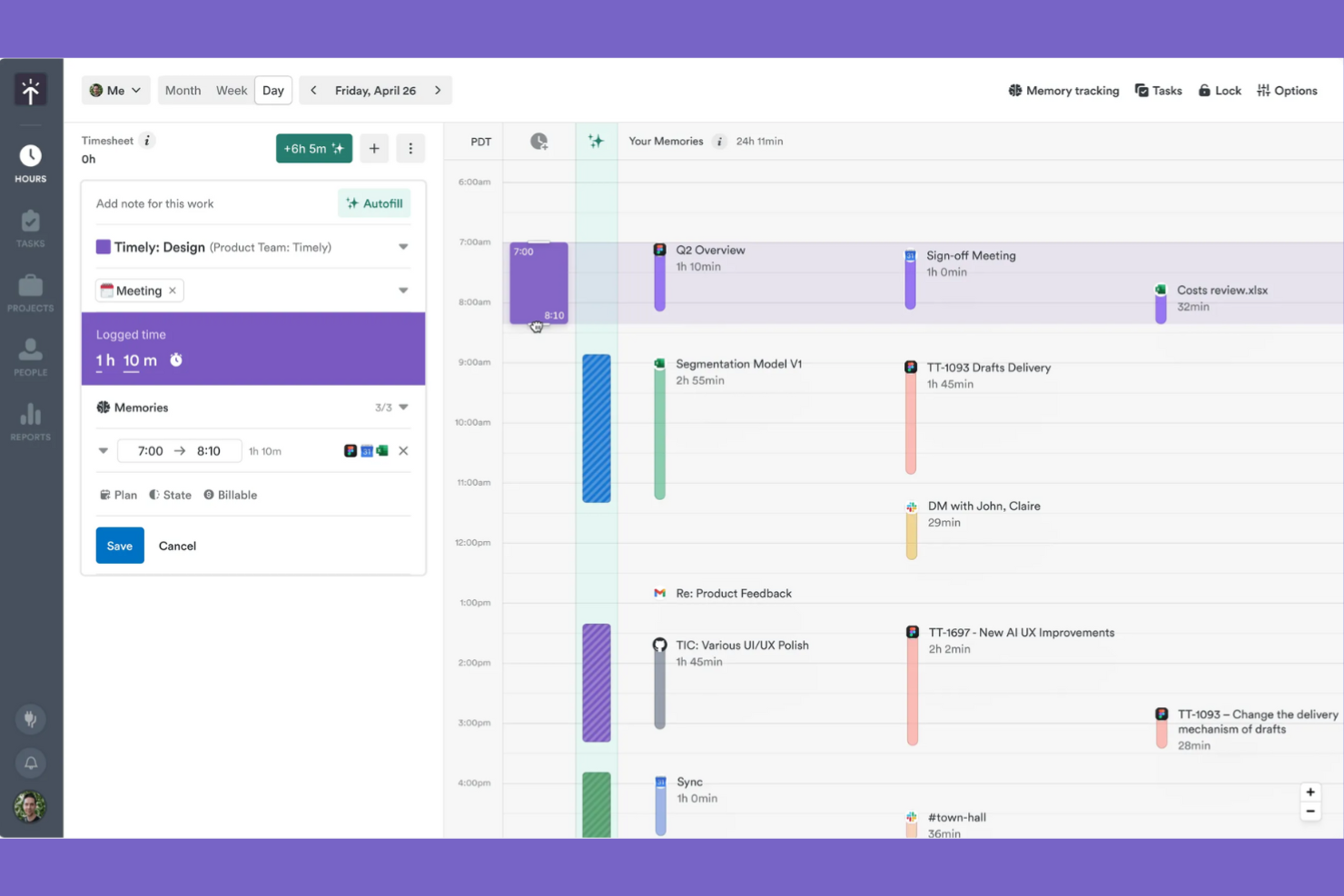
Timely is a time tracking software for small businesses, freelancers, and larger teams who want to efficiently manage projects and optimize productivity.
Why I picked Timely: It's known for its AI-driven tracking, which automatically logs your work activities without manual input. This feature suits teams managing multiple tasks that want to maintain accurate time tracking. The tool offers detailed project reports that help you understand where time is being spent.
Standout features and integrations:
Features include project budgeting to help you manage financial resources effectively. You can also use the tool's timeline view to get a visual representation of your team's workload. The reporting feature offers insights into productivity and time allocation.
Integrations include Outlook Calendar, Google Calendar, GitHub, Zoom, Jira, and more.
Pros and Cons
Pros:
- Strong project budgets and profitability views
- Frictionless UX encourages consistent time logging
- AI memory tracker auto-builds timesheets
Cons:
- AI categorizations sometimes need manual corrections
- Higher pricing than many small-business tools

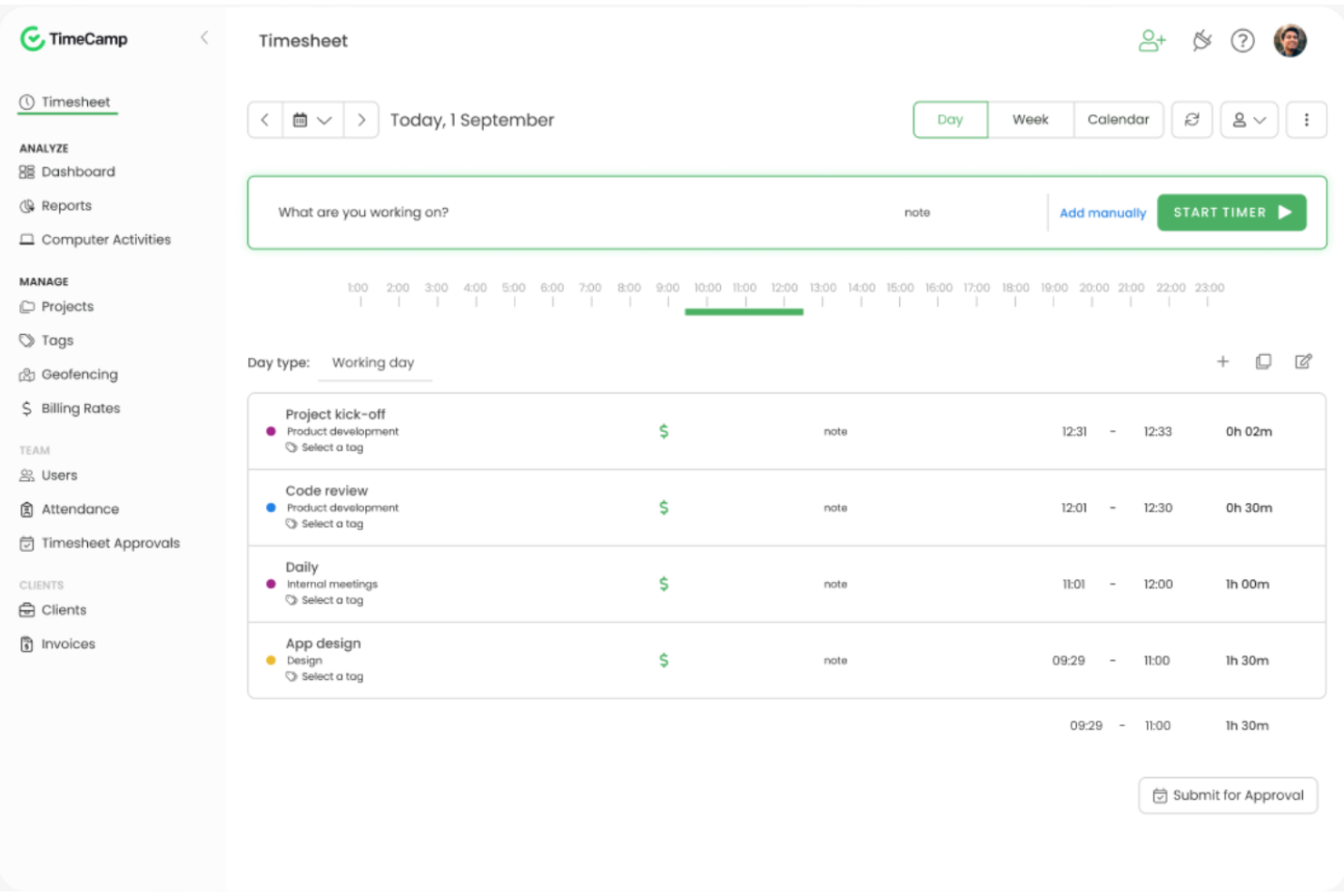
TimeCamp is time tracking software for freelancers, small businesses, and enterprise teams. It helps users automatically track time, manage projects, and analyze productivity.
Why I picked TimeCamp: Automatic time tracking means you can focus on work without manually logging hours. This feature is particularly helpful for teams that juggle multiple tasks throughout the day. You can also generate detailed reports that provide insights into time usage and productivity.
Standout features and integrations:
Features include a time diary that offers a detailed view of how time is spent. You can set up invoicing directly from tracked time, providing accurate billing. The tool also provides productivity tracking that helps you identify areas for improvement.
Integrations include Slack, monday.com, Jira, QuickBooks, Xero, Google Calendar, and more.
Pros and Cons
Pros:
- Good invoicing options for client billing
- Strong integrations with popular project tools
- Automatic tracking via keywords and windows
Cons:
- The feature set feels basic for enterprises
- Reports of bugs and sync glitches

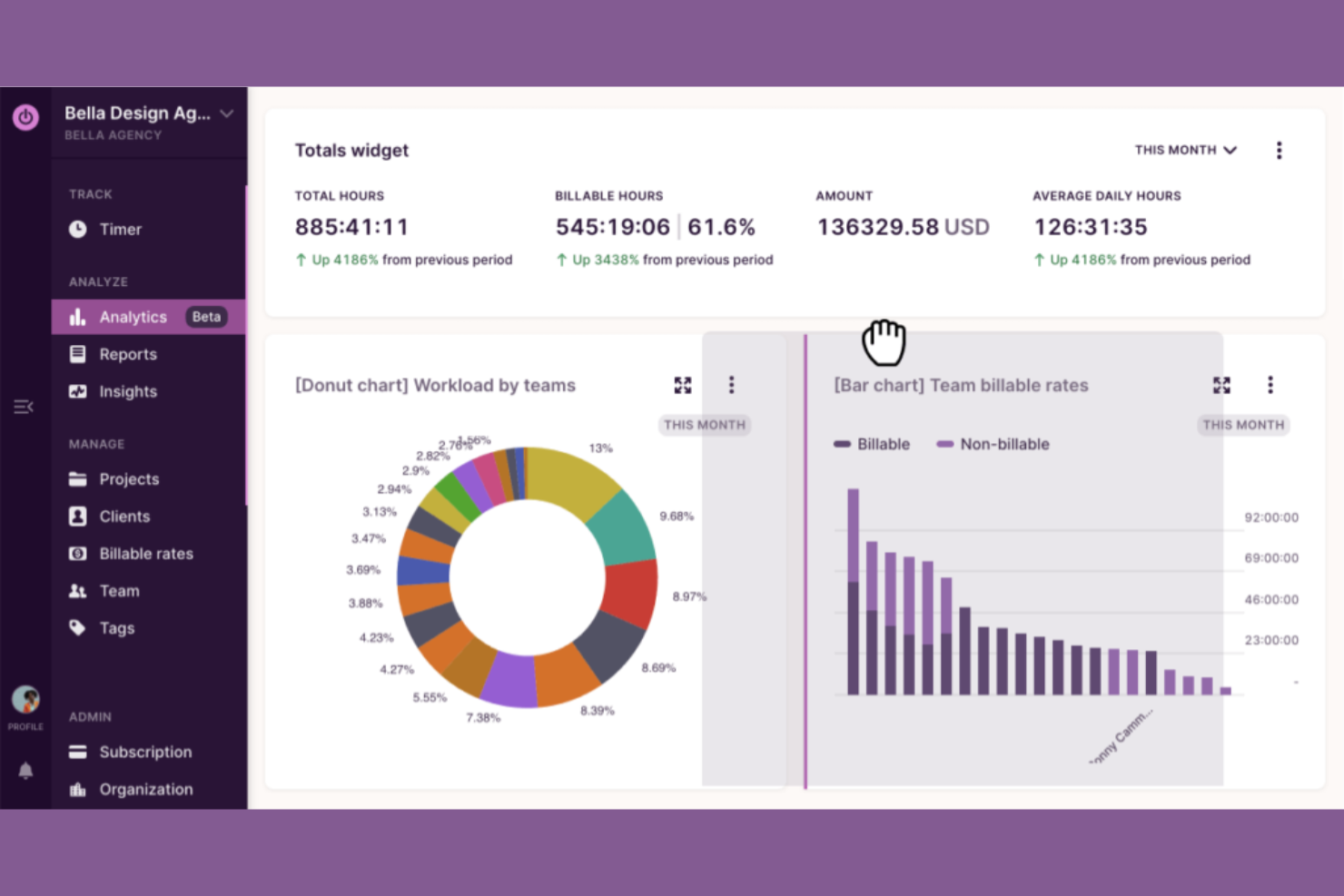
Toggl Track is a tool for freelancers and small to medium-sized businesses to track time and manage projects with ease.
Why I picked Toggl Track: Its simple interface lets you start tracking time without extensive training. You can quickly switch between tasks to maintain accurate time entries and access detailed reports that provide insights into time usage. Its focus on simplicity makes it a great choice for teams that value ease of use.
Standout features and integrations:
Features include a timer that allows you to track time with a single click. You can also use the reporting feature to gain insights into how time is spent across projects. The tool provides reminders and notifications to help you stay on top of your tasks.
Integrations include Trello, Slack, Jira, Google Calendar, GitHub, Notion, and more.
Pros and Cons
Pros:
- Calendar view clarifies daily time blocks
- Intuitive interface freelancers love
- Generous free tier for small teams
Cons:
- No GPS tracking or geofencing
- Frequent feature changes confuse existing users

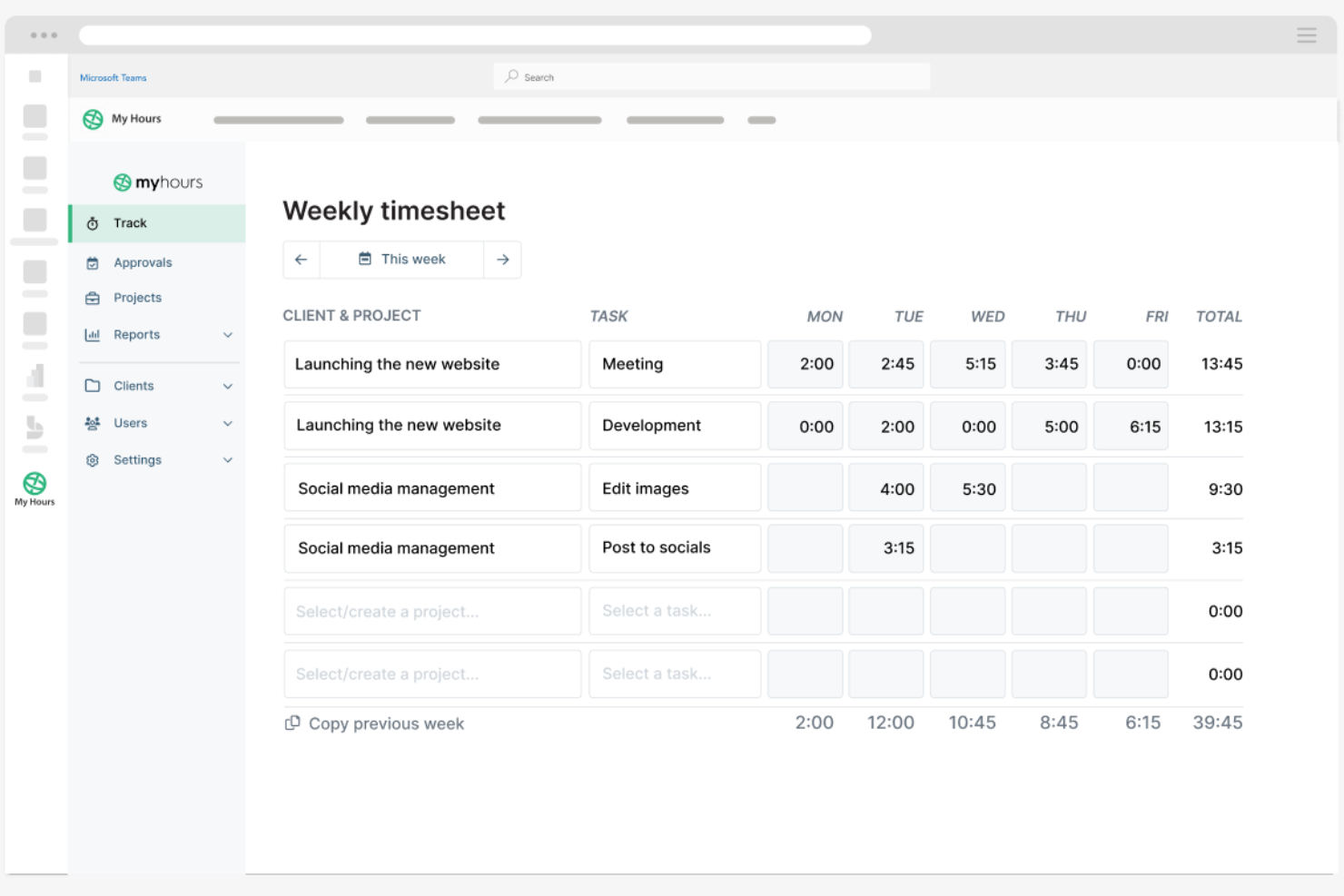
My Hours is a versatile time tracking software for small businesses and freelancers. It helps users efficiently manage projects, track billable hours, and generate insightful reports.
Why I picked My Hours: Its customizable reporting feature allows you to create detailed reports that provide insights into project progress and team productivity. The tool also offers flexible billing options, making it easy to adjust to different client requirements. Its user-friendly interface simplifies time tracking for teams of all sizes.
Standout features and integrations:
Features include task management that lets you organize and prioritize work efficiently and track project progress. You can also set budget limits to keep projects on track financially. The tool's time tracker allows for precise logging of billable and non-billable hours.
Integrations include Jira, Microsoft Teams, Power BI, monday.com, QuickBooks, and more.
Pros and Cons
Pros:
- Profit tracking helps monitor project margins
- Built-in approval workflows for timesheets
- Highly flexible, customizable reporting layouts
Cons:
- Integrations are limited compared with major competitors
- No full invoicing or expenses module


Clockify is a time tracking software for teams and individuals across various industries, including freelancers and consultants. It helps users track work hours and manage projects efficiently.
Why I picked Clockify: It offers a browser extension with real-time timers and detailed reports, making it easy to track time and productivity directly in your browser without switching between apps. This feature is perfect for those who spend most of their time online and want an easy way to log hours. Clockify also supports unlimited users, making it an ideal choice for growing teams.
Standout features and integrations:
Features include timekeeping with real-time timers, detailed time reports that provide insights into team productivity, and project management functionalities that allow you to organize tasks and deadlines effectively.
Integrations include Jira, QuickBooks, monday.com, Google Calendar, Notion, GitHub, and more.
Pros and Cons
Pros:
- Detailed reports across clients and projects
- Unlimited users on the forever free plan
- Browser extension simplifies web-based tracking
Cons:
- Limited functionality when used offline
- No built-in payroll processing tools

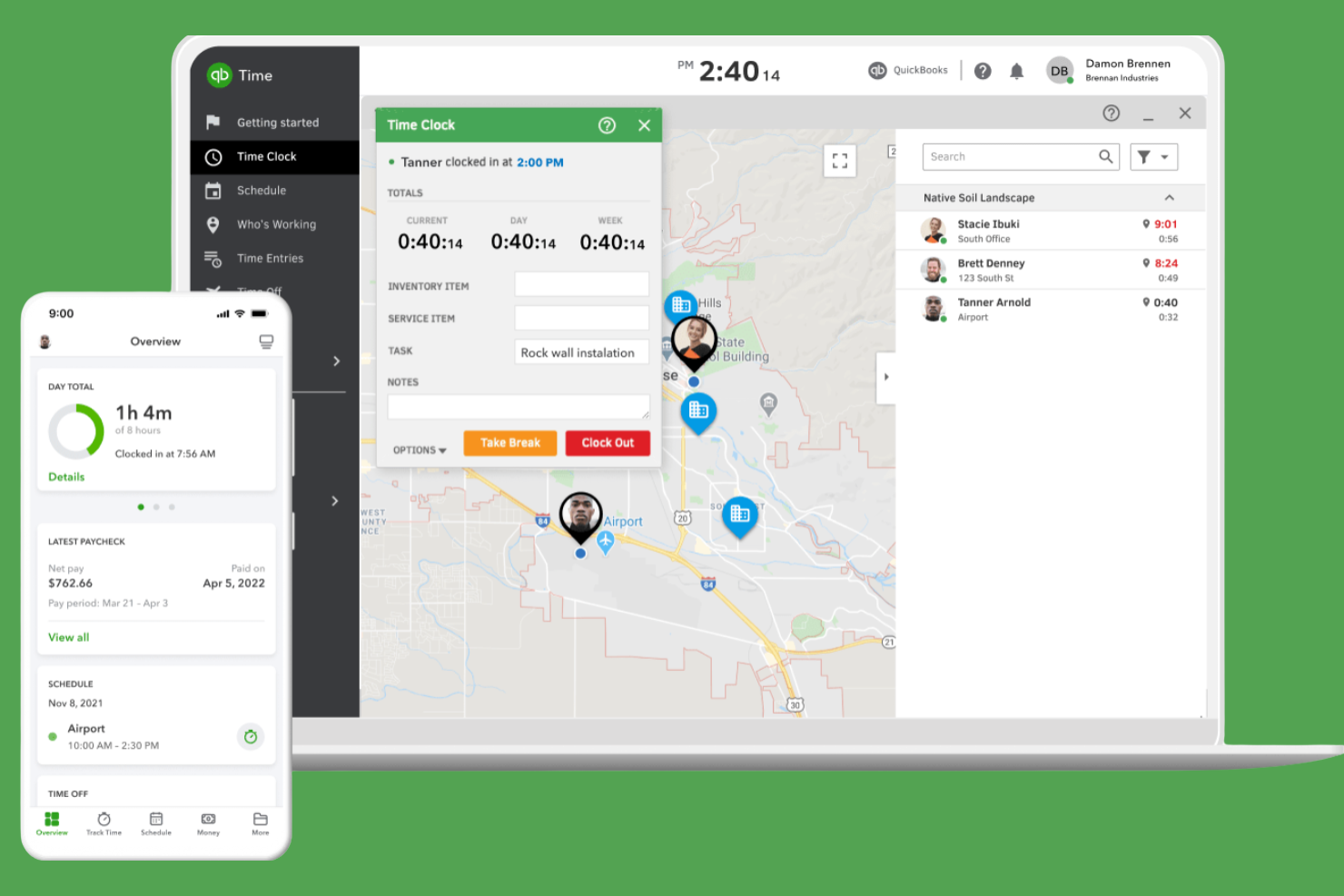
QuickBooks Time is a time tracking software for efficient payroll management. It serves small to medium-sized businesses by tracking employee hours and integrating with payroll systems.
Why I picked QuickBooks Time: It excels in payroll integration, making it easy to manage wages and tax calculations. The tool provides GPS tracking to monitor remote workers, providing accurate time entries and customized alerts for clock-ins and clock-outs.
Standout features and integrations:
Features include GPS tracking to monitor remote workers effectively. You can also set up job and shift scheduling to organize your team’s workload. The tool provides mobile time tracking, allowing your team to log hours from anywhere.
Integrations include ADP, Square, Paychex, and more.
Pros and Cons
Pros:
- Strong GPS tools for field crews
- Geofencing reduces time theft on jobs
- Deep native integration with QuickBooks payroll
Cons:
- Interface changes frustrate some long-time users
- Pricing gets expensive as headcount grows

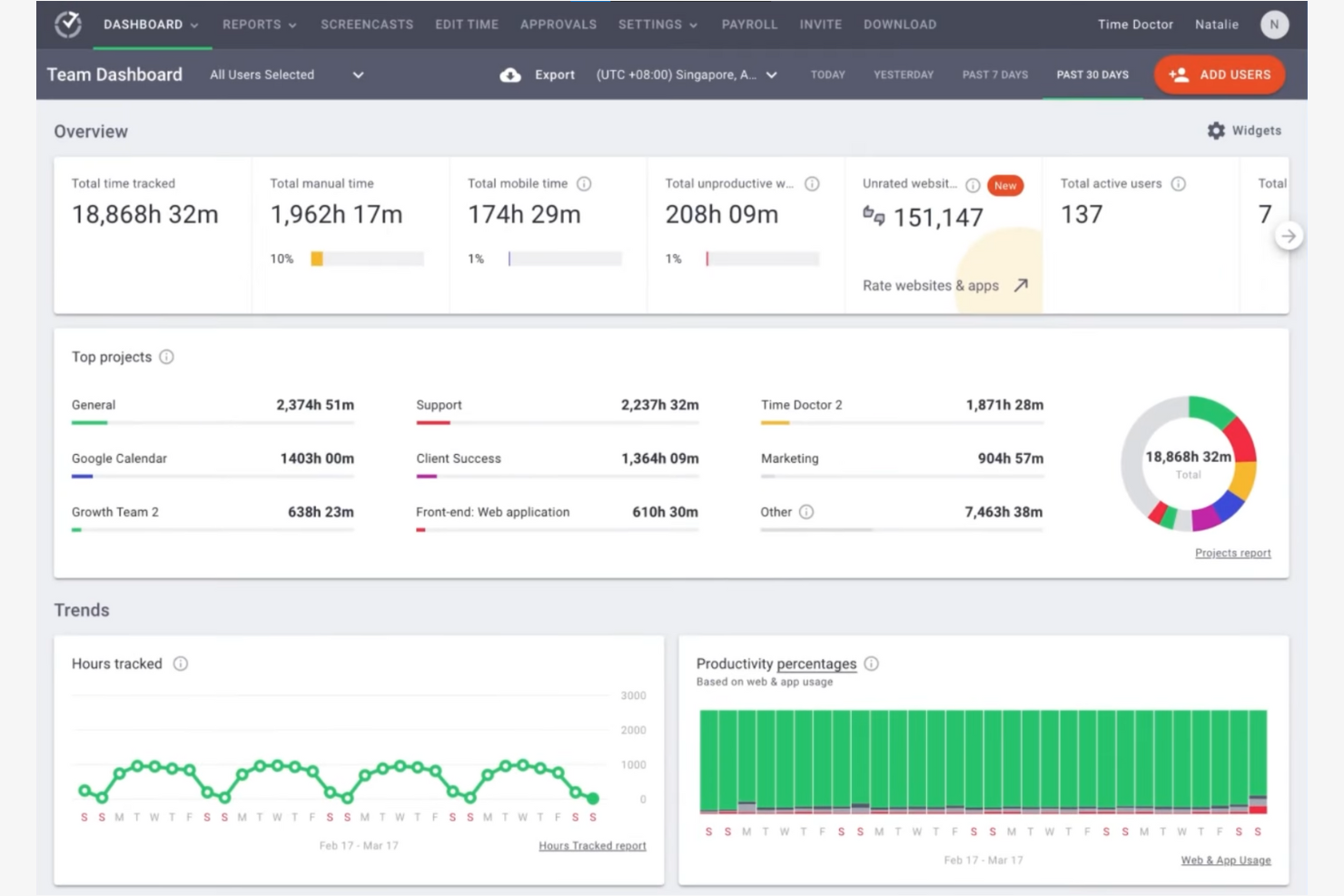
Time Doctor is a time tracking software for small businesses that need to monitor the productivity of remote employees, track time, and manage projects from anywhere, with strong employee monitoring features.
Why I picked Time Doctor: Remote team monitoring is essential for businesses with distributed teams. You can track time spent on tasks and get detailed reports on employee productivity. The tool also provides screenshot monitoring, helping you confirm that work hours are spent efficiently.
Standout features and integrations:
Features include distraction alerts that help keep your team focused on tasks. You can also set up payroll management directly within the tool, simplifying the payment process. The tool provides time-use reports that offer insights into productivity patterns.
Integrations include Jira, monday.com, GitHub, Salesforce, and more.
Pros and Cons
Pros:
- Useful productivity analytics for contractors
- Distraction alerts encourage focused work sessions
- Granular activity data for distributed teams
Cons:
- No GPS or advanced scheduling tools
- Screenshot monitoring can feel overly invasive

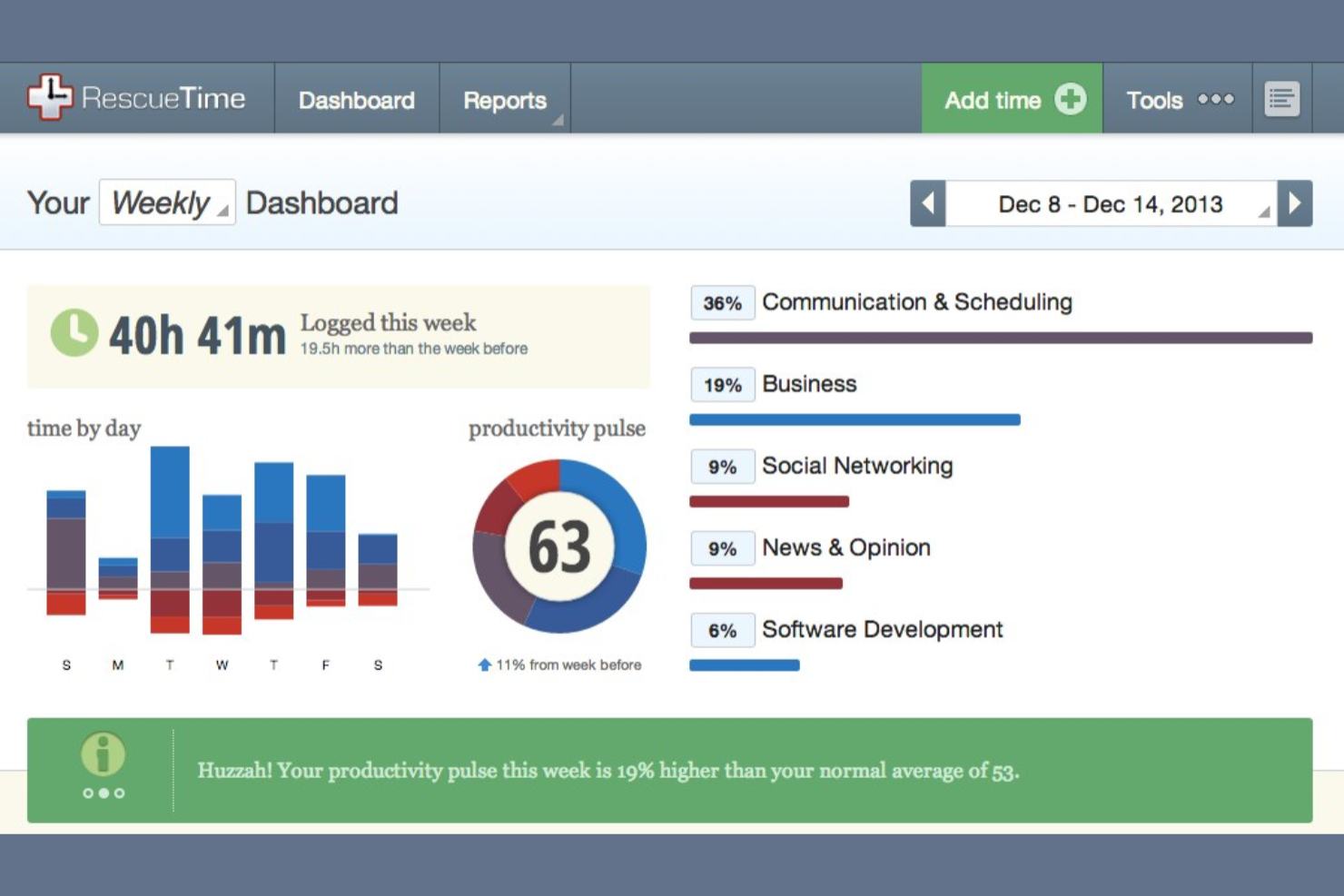
RescueTime is a time management tool designed to improve productivity for individuals and small teams. It helps users understand how they spend their time and identify areas for improvement.
Why I picked RescueTime: It offers deep productivity insights, allowing you to analyze your work habits and improve efficiency. The tool tracks time spent on various activities, helping you identify distractions. You can set goals to boost productivity and receive alerts when you're off track.
Standout features and integrations:
Features include daily highlights that let you log achievements and tasks. You can set up focus time to block distracting websites and apps. The tool provides detailed reports that help you understand your productivity patterns.
Integrations include Slack, Google Calendar, Microsoft Outlook, GitHub, and more.
Pros and Cons
Pros:
- Strong productivity scoring and habit insights
- Focus sessions help reduce digital distractions
- Automatic app and website usage categorization
Cons:
- No GPS or time-clock style features
- Weak fit for payroll or attendance


Timesheets.com is a time tracking and workforce management software for small businesses and HR departments. It helps users track employee hours, manage payroll, and support compliance with labor regulations.
Why I picked Timesheets.com: It offers smooth integration with HR systems, allowing you to efficiently manage employee records and payroll. The tool provides detailed timesheet approvals and time off tracking, which are essential for HR management. You can also track expenses and mileage, making it a versatile choice for businesses with mobile employees.
Standout features and integrations:
Features include time-off tracking that simplifies leave management. You can also use expense tracking to monitor project costs and custom timesheets to suit specific needs.
Integrations include QuickBooks, ADP, Sage, Wells Fargo, and more.
Pros and Cons
Pros:
- Affordable option for payroll-focused teams
- DCAA-compliant audit trail for timesheets
- Strong mileage and expense tracking features
Cons:
- Mobile experience is weaker than many rivals
- The outdated interface feels clunky for newcomers


Harvest is a time tracking and invoicing software for project management and billing. It serves small to medium-sized businesses by offering features that help track time, manage expenses, and create invoices.
Why I picked Harvest: Harvest simplifies tracking employee hours, project budgets, and expenses. Its intuitive interface makes logging time and generating reports easy, while integrated invoicing and payroll help maintain accurate billing and keep projects on schedule.
Standout features and integrations:
Features include project management tools that help organize tasks and deadlines efficiently. The tool's reporting feature provides insights into team productivity and project progress. You can also track expenses, helping you stay within budget.
Integrations include QuickBooks Online, Xero, Slack, GitHub, Stripe, PayPal, and more.
Pros and Cons
Pros:
- Solid budget tracking for fixed projects
- Clean interface suits client-service agencies
- Excellent invoicing directly from tracked hours
Cons:
- Project management features stay fairly basic
- May feel pricey for solo freelancers


Insightful is an AI-powered workforce intelligence platform that provides small businesses with real-time activity analysis and automated time tracking. By replacing manual logs with automatic time mapping, it eliminates human error and provides clear visibility into team dynamics, making it a good tool for optimizing resource allocation for businesses that have remote and hybrid environments.
Why I Picked Insightful
I selected Insightful for its ability to convert raw activity data into actionable operational insights. Its automatic time mapping ensures precise tracking of work hours without manual intervention, while real-time analytics help managers instantly identify bottlenecks. These features are vital for small businesses that need to maintain oversight and efficiency without the overhead of complex manual reporting.
Insightful Key Features
In addition to the features mentioned, Insightful offers other features that could be beneficial for small businesses:
- Screen Monitoring: With this feature, you can capture screen activities, ensuring compliance and security within your team.
- Insider Threat Detection: This functionality helps in safeguarding your business by monitoring for any unauthorized activities.
Insightful Integrations
Integrations include Asana, BambooHR, ClickUp, Jira, and more.
Pros and Cons
Pros:
- Compares productivity across different environments
- Benchmarks top performers to replicate success
- Flags overwork to prevent burnout
Cons:
- Some employees may find the features intrusive
- Tracking is limited to desktop only
Other Time Tracking Software for Small Businesses
Here are some additional time tracking software for small businesses that didn’t make it onto my shortlist, but are still worth checking out:
- Homebase
For shift scheduling
- Connecteam
For deskless teams
- Paymo
For task management integration
- FreshBooks
For invoicing simplicity
- Buddy Punch
For employee self-service
- Hubstaff
For GPS location tracking
- Monitask
For screenshot monitoring
- Deltek Replicon Time
For compliance tracking
- Scoro
For project billing


Time Tracking Software for Small Businesses Selection Criteria
When selecting the best time tracking software for small businesses to include in this list, I considered common buyer needs and pain points, such as efficiently managing employee hours and confirming accurate payroll processing. I also used the following framework to keep my evaluation structured and fair:
Core Functionality (25% of total score)
To be considered for inclusion in this list, each solution had to fulfill these common use cases:
- Track employee hours
- Generate timesheets
- Integrate with payroll systems
- Monitor project time
- Provide basic reporting
Additional Standout Features (25% of total score)
To help further narrow down the competition, I also looked for unique features, such as:
- GPS location tracking
- Automatic time logging
- Customizable reports
- Mobile app functionality
- Integration with project management tools
Usability (10% of total score)
To get a sense of the usability of each system, I considered the following:
- Intuitive interface design
- Easy navigation
- Minimal learning curve
- Customizable dashboards
- Accessibility on multiple devices
Onboarding (10% of total score)
To evaluate the onboarding experience for each platform, I considered the following:
- Availability of training videos
- Interactive product tours
- Complete templates
- Access to webinars
- Use of chatbots for guidance
Customer Support (10% of total score)
To assess each software provider’s customer support services, I considered the following:
- 24/7 support availability
- Live chat options
- Response time to inquiries
- Quality of help center resources
- Availability of phone support
Value For Money (10% of total score)
To evaluate the value for money of each platform, I considered the following:
- Competitive pricing
- Range of features offered
- Availability of free trials
- Transparent pricing structure
- Discounts for annual subscriptions
Customer Reviews (10% of total score)
To get a sense of overall customer satisfaction, I considered the following when reading customer reviews:
- Overall satisfaction ratings
- Feedback on ease of use
- Comments on customer support
- Reports on reliability and uptime
- User recommendations
How To Choose Time Tracking Software for Small Businesses
It’s easy to get bogged down in long feature lists and complex pricing structures. To help you stay focused as you work through your unique software selection process, here’s a checklist of factors to keep in mind:
| Factor | What to Consider |
|---|---|
| Scalability | Can the tool grow with your business? Check whether it supports more users or additional features as your team grows. |
| Integrations | Does it work with your current systems? Confirm it integrates with payroll, project management, and other tools you use. |
| Customizability | Can you tailor it to fit your workflow? Look for options to customize reports, dashboards, and user roles. |
| Ease of use | Is it simple for your team to adopt? Test the interface for intuitiveness and check user reviews for feedback on usability. |
| Implementation and onboarding | How long will it take to get started? Evaluate the availability of training resources such as videos, webinars, or product tours. |
| Cost | Is the pricing transparent and within budget? Consider the total cost, including any hidden fees or discounts for annual plans. |
| Security safeguards | Does it protect your data? Look for encryption, access controls, and compliance with data protection regulations such as GDPR. |
| Support availability | Will you get help when needed? Check if support is available 24/7 and through multiple channels such as chat, email, or phone. |
What Is Time Tracking Software for Small Businesses?
Time tracking software for small businesses helps monitor and record employee work hours. These tools are commonly used by managers, HR professionals, and small business owners to maintain accurate payroll and improve productivity. Features such as time logging, reporting, and payroll system integrations support efficient management and data accuracy. Overall, these tools help businesses save time and reduce errors in tracking employee hours.
Features
When selecting time tracking software for a small business, keep an eye out for the following key features:
- Time logging: Allows employees to record their work hours accurately using web, mobile, or kiosk-based time clocks, supporting precise payroll and billing.
- Reporting: Provides detailed insights into time usage, helping managers analyze productivity and identify areas for improvement.
- Integrations: Connects with payroll and project management tools to support operations and reduce manual data entry.
- GPS tracking: Monitors remote employees' locations, providing accurate time entries for fieldwork.
- Automatic time tracking: Logs work activities without manual input to automate time capture, saving time and reducing errors.
- Shift scheduling: Helps businesses plan and manage employee shifts, keeping everyone informed and organized.
- Expense tracking: Monitors project costs and expenses, aiding in budget management and financial planning.
- Customizable dashboard: Allows users to tailor their interface to display the most relevant information for their needs.
- Mobile access: Enables employees to track time and access features from anywhere in a browser, desktop app, or on iOS and Android devices, improving flexibility and convenience.
- Security safeguards: Protects sensitive data with encryption and access controls, supporting compliance with data protection regulations.
Benefits
Implementing time tracking software for a small business provides several benefits for your team and your business. Here are a few you can look forward to:
- Accurate payroll: Provides precise calculation of employee wages by tracking work hours and integrating with payroll systems.
- Improved productivity: Identifies how time is spent, helping managers and employees optimize work habits and focus on priorities.
- Cost management: Monitors project expenses and tracks time against budgets to help control costs and improve financial planning.
- Increased accountability: Offers transparency into employee work hours, encouraging responsibility and trust within teams.
- Flexible scheduling: Facilitates easy shift planning and adjustment, keeping team members informed and schedules running smoothly.
- Data-driven insights: Provides valuable reports and analytics to support informed decision-making and strategic planning.
- Increased convenience: Allows employees to log time and access features from mobile devices, offering flexibility and ease of use.
Costs and Pricing
Selecting time tracking software for small businesses requires understanding the various pricing models and plans available. Costs vary based on features, team size, add-ons, and your billing method, such as paying monthly by credit card. The table below summarizes common plans, their average prices, and typical features included in time tracking for small business solutions:
Plan Comparison Table for Time Tracking Software for Small Businesses
| Plan Type | Average Price | Common Features |
|---|---|---|
| Free Plan | $0 | Basic time tracking, limited reporting, and mobile access. |
| Personal Plan | $5-$10/user/month | Time tracking, basic reporting, mobile access, and limited integrations. |
| Business Plan | $10-$25/user/month | Advanced reporting, project management tools, integrations with payroll, and customizable dashboards. |
| Enterprise Plan | $15+/user/month | Complete reporting, full integrations, dedicated support, and advanced security features. |
Time Tracking Software for Small Businesses FAQs
Here are some answers to common questions about time tracking software for small businesses:
How does time tracking software work?
A time tracking software records the time you and your team spend on different tasks and projects. It usually involves starting a timer when you begin a task and stopping it when you finish. Many tools also offer automatic tracking that logs time based on your computer activity. This helps maintain accurate billing and productivity analysis. You can view and analyze the tracked time through reports, helping you make informed decisions about workflow and efficiency.
Can time tracking software integrate with project management tools?
Many time tracking platforms offer direct integrations with tools such as Asana, Trello, Jira, or Monday.com. This lets you link tracked hours directly to specific tasks or projects, making it easier to analyze productivity and manage budgets.
Can time tracking software be used offline?
Some time tracking software can be used offline. These tools let you log hours offline and sync your data once you’re back online. This is especially useful for teams working in remote areas or in areas with unreliable connectivity. Check if the software you’re considering offers offline functionality, as this can vary. Offline capabilities let you continue tracking time without interruptions and maintain accurate records.
How can time tracking software help reduce project overruns?
Time tracking gives you real-time visibility into how long tasks actually take. You can spot scope creep early and adjust your team’s workload or project plan before overruns happen. It also helps you create more accurate estimates for future projects.
Is time tracking software secure?
Most time tracking software includes security features to protect your data. These may include encryption, regular backups, and access controls to restrict sensitive information to authorized users. When choosing a tool, review its security policies and compliance with data protection regulations such as GDPR. Having security measures in place is important to safeguard your business information and maintain client trust.
Do I need technical expertise to set it up?
You don’t need advanced technical expertise to set up most time tracking software. These tools feature user-friendly interfaces and often include step-by-step guides or tutorials to assist with setup. Many providers offer support via chat, email, or phone to help with any questions. With a bit of initial guidance, you can have the software up and running quickly, allowing you to focus on tracking time efficiently.
What’s Next:
If you're researching time tracking solutions for small businesses, connect with a SoftwareSelect advisor for free recommendations.
You fill out a form and have a quick chat where they get into the specifics of your needs. Then you'll get a shortlist of software to review. They'll even support you through the entire buying process, including price negotiations.