


actiTIME Review: Pros, Cons, Features, and Pricing Explained


actiTIME is a time tracking software and project accounting platform built for teams that need visibility into how time translates into project costs, billing, and overall performance. It helps organizations capture work hours, organize work by client and task, and turn that data into reports for budgeting and profitability analysis.
For teams dealing with inconsistent time tracking, limited insight into project costs, or difficulty comparing planned versus actual work, actiTIME provides a structured system for tracking time and monitoring performance. This review breaks down its features, strengths, limitations, and pricing to help determine whether it aligns with your operational needs.
actiTIME Evaluation Summary
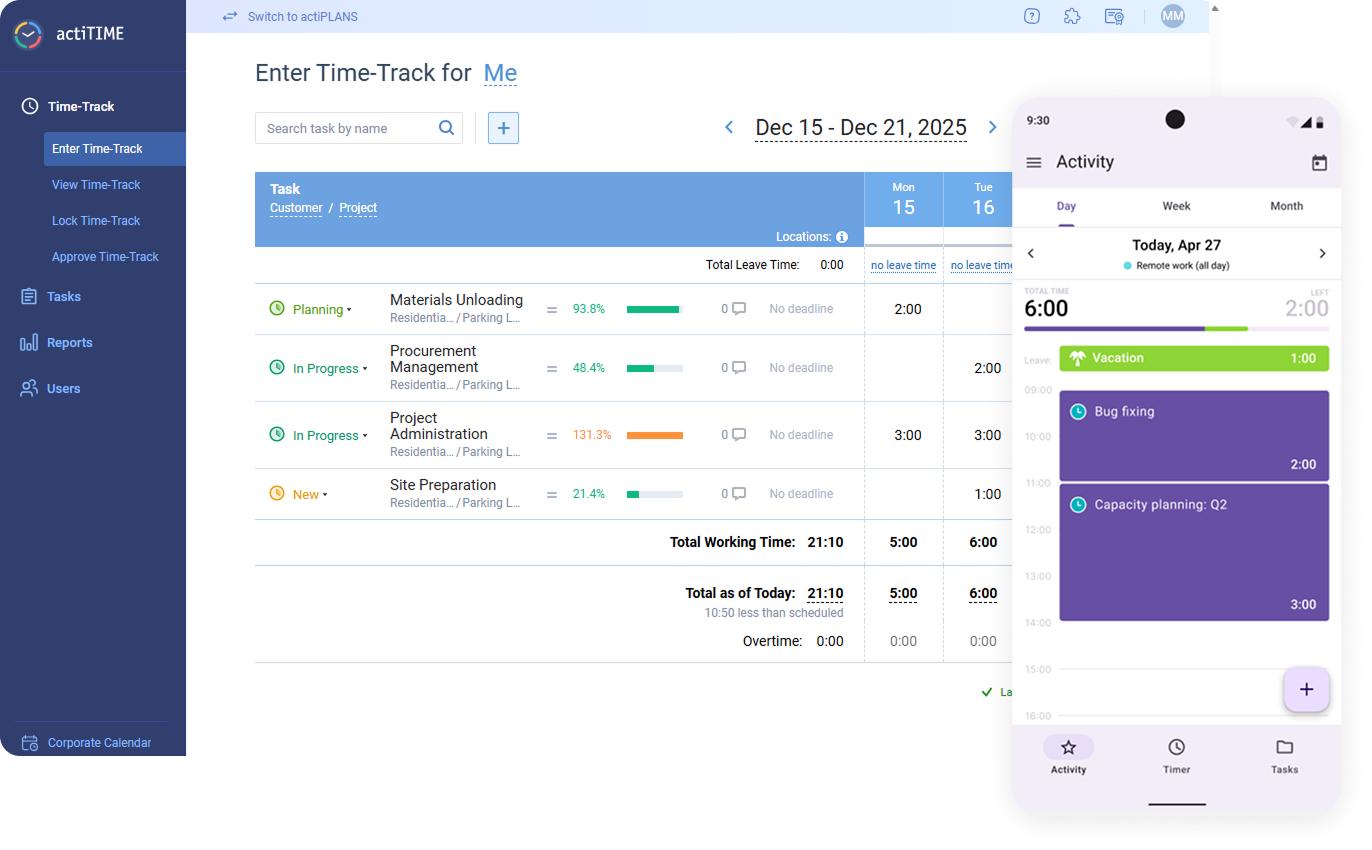
- From $6/user/month (billed annually)
- Free plan + free trial available
Why You Can Trust Us
We’ve been testing and reviewing project management software since 2012. As project managers ourselves, we know how critical and difficult it is to make the right decision when selecting software.
We invest in deep research to help our audience make better software purchasing decisions. We’ve tested more than 2,000 tools for different project management use cases and written over 1,000 comprehensive software reviews. Learn how we stay transparent & our software review methodology.
actiTIME Overview
Compared to simpler time trackers, actiTIME stands out for its deeper focus on cost control, billing, and project-level reporting. It supports multiple budget types (time, cost, and billing) and allows teams to analyze profitability across clients, projects, and tasks. However, that added depth comes with tradeoffs. The platform can require more setup and configuration for teams using advanced features, and its ecosystem of native integrations is relatively limited—often relying on Zapier or API connections for flexibility.
pros
-
Detailed time tracking at the project and task level for better visibility.
-
Built-in leave and PTO management within the same system.
-
Strong, customizable reporting for cost, billing, and performance analysis.
cons
-
Mobile app features are limited compared to the web version.
-
Limited native integrations compared to many competing platforms.
-
No built-in payroll processing, though direct payroll integrations are available.
Is actiTIME Right For Your Needs?
Who Would be a Good Fit for actiTIME?
actiTIME is a strong fit if you need more than basic time tracking—especially if you want to connect time data to project costs, billing, and profitability. It works well for teams managing multiple clients or complex projects where tracking budgets and comparing estimated vs. actual time is essential.
It’s best suited for teams that need detailed task-level tracking, multi-level budgeting, and built-in PTO management alongside reporting. Because of its configurability, actiTIME is most effective for teams willing to invest some setup time to gain deeper operational insight.
-
Professional Services Firms
actiTIME is well-suited for professional services teams that rely on billable hours and client-based work. Its billing rates, invoicing capabilities, and profitability reporting help track margins and ensure projects stay within budget.
-
Creative Agencies
Agencies managing multiple clients benefit from task-level tracking, workflow statuses, and Kanban views, which provide visibility into project progress while supporting detailed time and cost reporting across accounts.
-
IT Departments
Internal teams can use actiTIME to monitor resource allocation, track time across initiatives, and manage leave in one system, helping improve planning and visibility across ongoing projects.
-
Consulting Teams
Consulting teams can leverage billable vs. non-billable tracking, rate management, and estimated vs. actual reporting to better manage client engagements and evaluate project performance.
-
Engineering Teams
For engineering or technical teams, actiTIME’s granular time tracking and budget controls support more accurate project costing, forecasting, and workload analysis across complex projects.
-
Mid-Sized Companies
Growing organizations benefit from actiTIME’s scalable structure, user roles/permissions, and customizable settings, though larger teams may need to account for its limited native integrations.
Who Would be a Bad Fit for actiTIME?
actiTIME may not be the best choice if you need a lightweight, plug-and-play time tracking tool or rely heavily on native integrations. Its feature depth and configurability can feel excessive for simple use cases, and teams looking for a more modern or streamlined interface may find it less intuitive.
It’s also less suitable for organizations that require advanced payroll functionality, strict compliance certifications (such as SOC 2 or ISO 27001), or field-based workforce features like geofencing and shift enforcement.
-
Freelancers
The feature set is often too complex for simple, solo time tracking needs.
-
Retail Businesses
Lacks shift scheduling, POS integrations, and tools for hourly workforce management.
-
Startups
Setup and configuration can slow down teams that need fast, simple tools.
-
HR Departments
No built-in payroll processing or advanced HR analytics capabilities.
-
Field Service Teams
Lacks geofencing, GPS tracking, and compliance tools needed for mobile workforces.
-
Manufacturing Teams
Not designed for shift-based labor tracking or production floor time clock workflows.
Our Review Methodology
How We Test & Score Tools
We’ve spent years building, refining, and improving our software testing and scoring system. The rubric is designed to capture the nuances of software selection and what makes a tool effective, focusing on critical aspects of the decision-making process.
Below, you can see exactly how our testing and scoring works across seven criteria. It allows us to provide an unbiased evaluation of the software based on core functionality, standout features, ease of use, onboarding, customer support, integrations, customer reviews, and value for money.
Core Functionality (25% of final scoring)
The starting point of our evaluation is always the core functionality of the tool. Does it have the basic features and functions that a user would expect to see? Are any of those core features locked to higher-tiered pricing plans? At its core, we expect a tool to stand up against the baseline capabilities of its competitors.
Standout Features (25% of final scoring)
Next, we evaluate uncommon standout features that go above and beyond the core functionality typically found in tools of its kind. A high score reflects specialized or unique features that make the product faster, more efficient, or offer additional value to the user.
We also evaluate how easy it is to integrate with other tools typically found in the tech stack to expand the functionality and utility of the software. Tools offering plentiful native integrations, 3rd party connections, and API access to build custom integrations score best.
Ease of Use (10% of final scoring)
We consider how quick and easy it is to execute the tasks defined in the core functionality using the tool. High scoring software is well designed, intuitive to use, offers mobile apps, provides templates, and makes relatively complex tasks seem simple.
Onboarding (10% of final scoring)
We know how important rapid team adoption is for a new platform, so we evaluate how easy it is to learn and use a tool with minimal training. We evaluate how quickly a team member can get set up and start using the tool with no experience. High scoring solutions indicate little or no support is required.
Customer Support (10% of final scoring)
We review how quick and easy it is to get unstuck and find help by phone, live chat, or knowledge base. Tools and companies that provide real-time support score best, while chatbots score worst.
Customer Reviews (10% of final scoring)
Beyond our own testing and evaluation, we consider the net promoter score from current and past customers. We review their likelihood, given the option, to choose the tool again for the core functionality. A high scoring software reflects a high net promoter score from current or past customers.
Value for Money (10% of final scoring)
Lastly, in consideration of all the other criteria, we review the average price of entry level plans against the core features and consider the value of the other evaluation criteria. Software that delivers more, for less, will score higher.
Core Features
Time Tracking
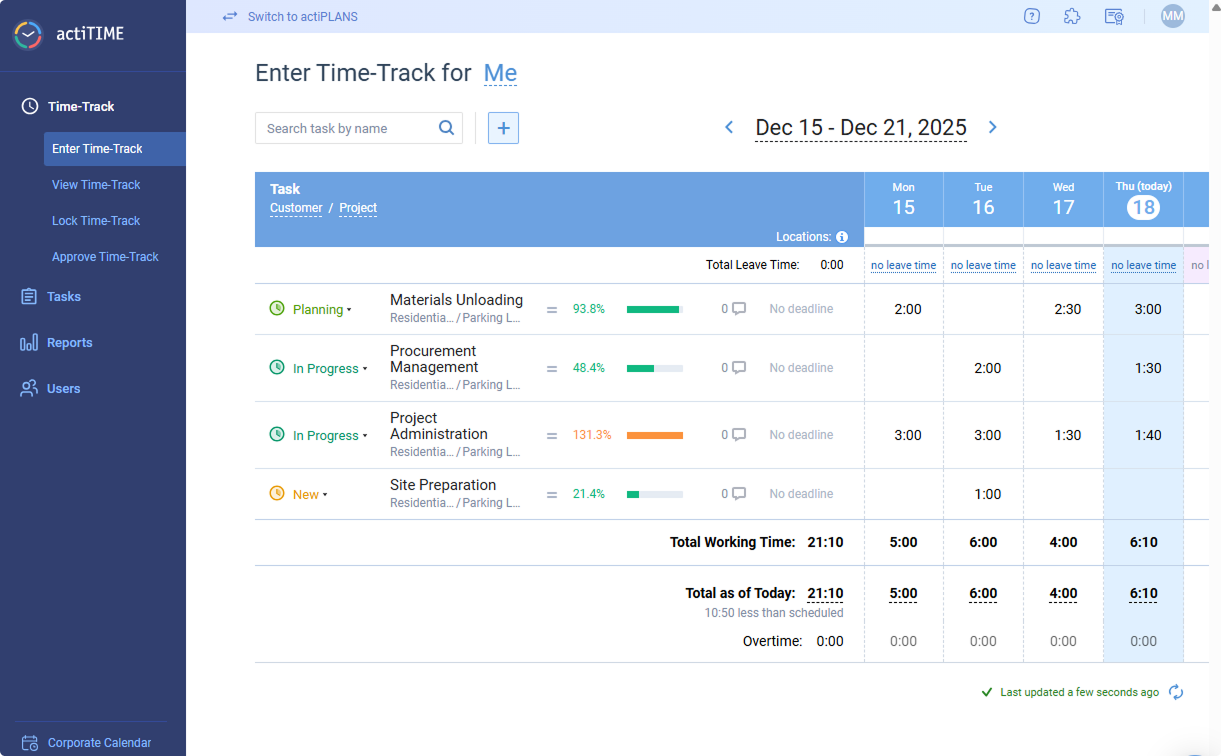
Track work hours by project, client, or task with daily or weekly timesheets and the calendar format. Users can enter time manually or use timers for real-time tracking.
Project & Task Management
Plan, assign, and monitor tasks within projects to keep teams aligned. Task progress is visible to managers and team members for better accountability.
Reporting & Data Analysis
Generate customizable reports on time usage, project costs, and team performance. Export reports for invoicing, payroll, or internal analysis.
Budget Tracking
Compare planned vs. actual time and costs to prevent overruns. Set project budgets and receive alerts when limits are approached.
Billing & Invoicing
Track billable hours, apply custom rates, and generate invoices directly from tracked time. This feature supports accurate client billing and revenue tracking.
Leave Management
Manage PTO, sick leave, and other absences within the same platform. Approvals and balances are tracked automatically for each team member.
Time Governance & Approvals
Control time entry with timesheet approvals, locking, and submission reminders to ensure accuracy and compliance across teams.
Standout Features
Multi-Dimensional Budgeting
actiTIME lets you track time, cost, and billing budgets simultaneously across tasks, projects, and clients. This makes it easier to monitor profitability—not just time spent.
Automated Browser-Based Time Capture
The Time Management Assistant can automatically track time spent across web apps and platforms, reducing reliance on manual entry.
Ease of Use
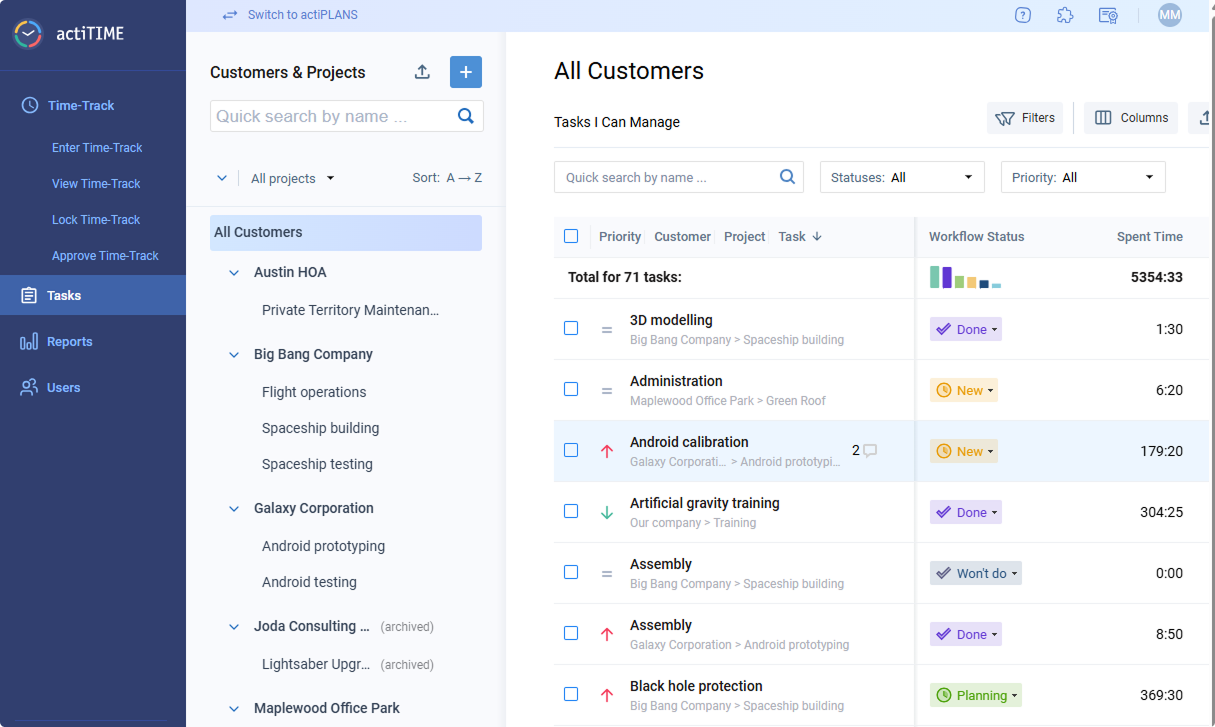
actiTIME offers a generally intuitive interface with clear navigation, especially for core tasks like entering time and running reports. Most users can get comfortable with basic functionality relatively quickly, particularly in simpler setups. However, as more features are enabled—such as workflows, budgets, and permissions—the interface can feel more complex or busy.
Onboarding
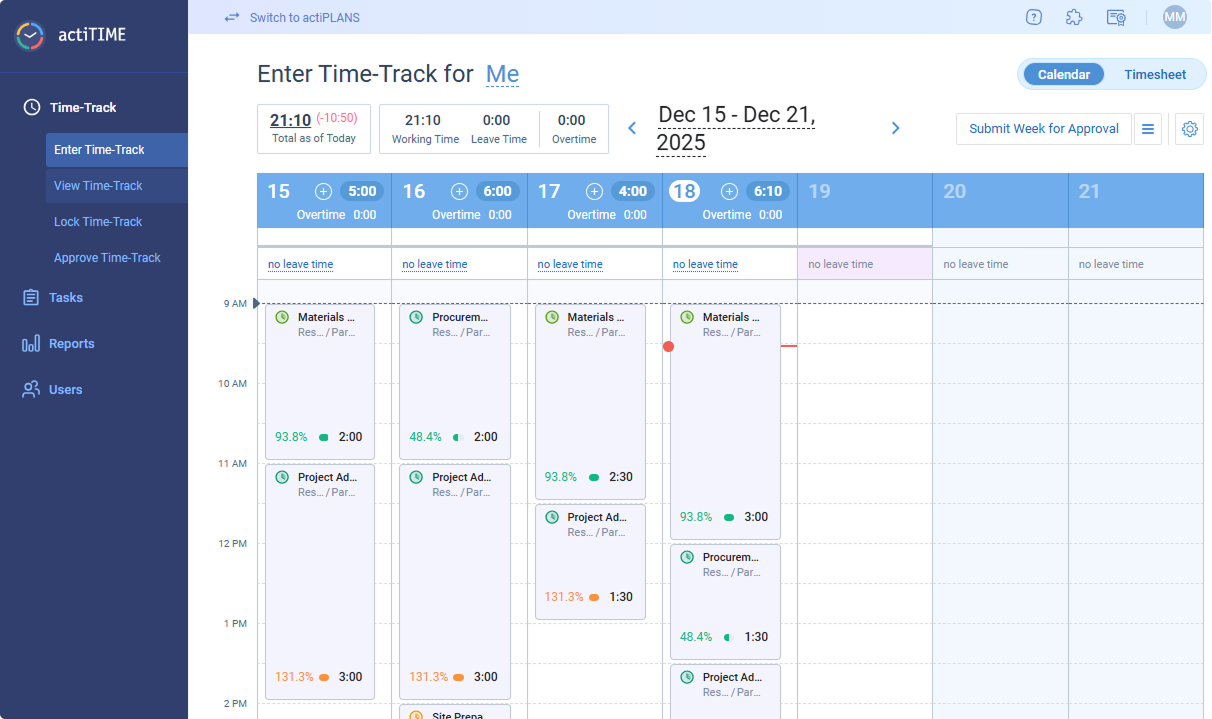
actiTIME provides a structured onboarding experience with a detailed knowledge base, how-to videos, and optional demos. New accounts include sample data and guided steps, helping teams understand how to set up customers, projects, and tasks before rolling out usage.
Initial setup is relatively straightforward for basic use cases, but configuring more advanced features—such as budgets, workflows, and permissions—can take additional time. Most teams can begin tracking time quickly, though full implementation may require more planning and admin involvement.
Customer Support
actiTIME offers multi-channel support, including email, chat, phone, and online contact forms, along with a comprehensive help center and video resources. Users generally report responsive and helpful support, particularly for onboarding and troubleshooting. However, support availability hours are not clearly defined, and response times may vary.

Integrations
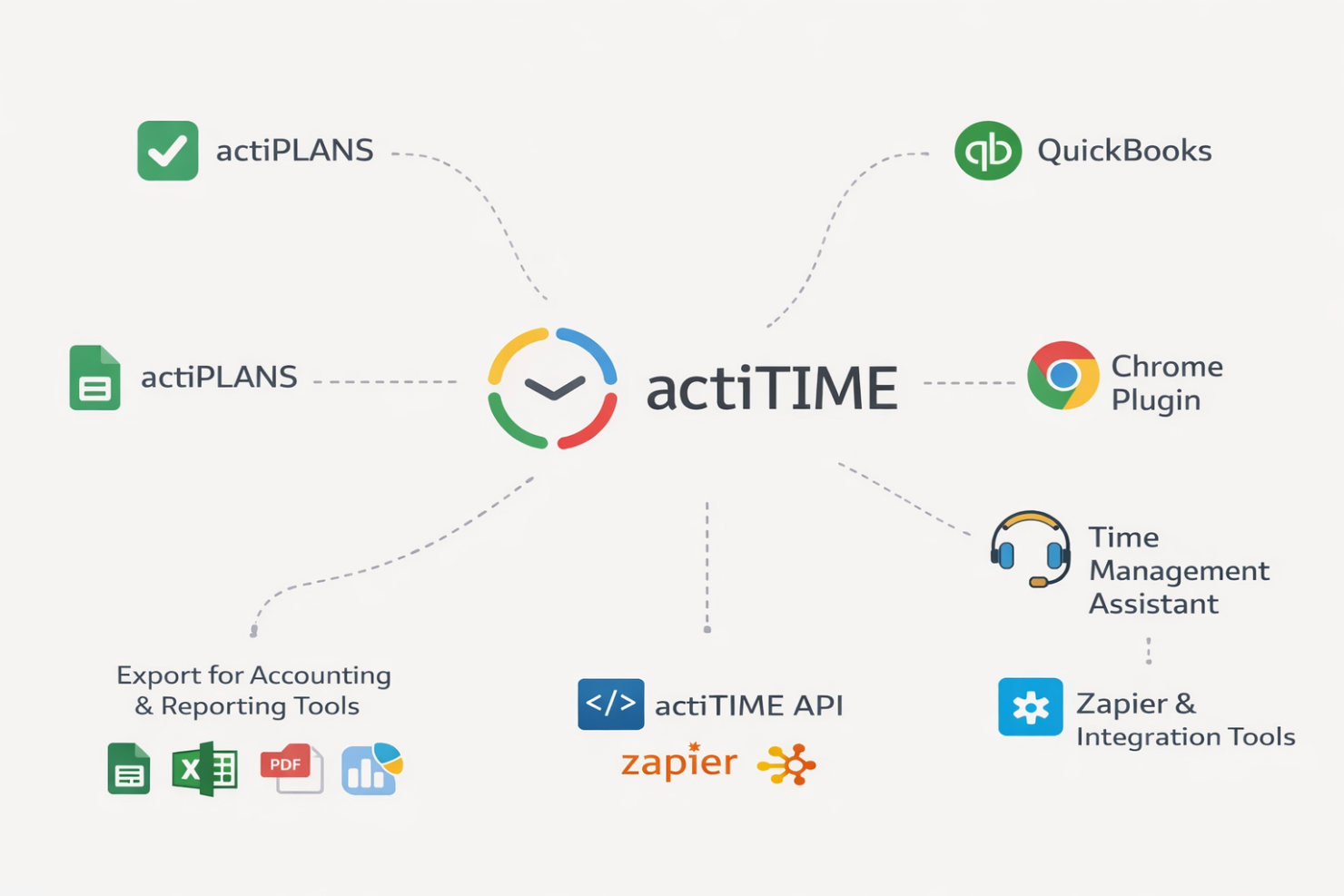
actiTIME integrates with actiPLANS, QuickBooks, Chrome Plugin, Time Management Assistant, and offers export options for accounting and reporting tools, among others.
actiTIME also provides an API and connects with third-party integration tools like Zapier for broader workflow automation.
Value for Money
actiTIME offers solid value for teams that need detailed time tracking, budgeting, and billing capabilities at a relatively affordable price point. Rather than a lightweight tool, it provides deeper functionality—especially for tracking project costs and profitability—which can justify the cost for service-based teams.
The free plan is useful for very small teams but comes with limited functionality. Paid plans remain competitively priced as you scale, though organizations with more complex needs may incur additional costs for customization, data migration, or (in self-hosted setups) infrastructure and maintenance.
- 1–3 Users: Free plan with limited functionality, suitable for basic time tracking needs
- 1–40 Users: Entry-level paid tier with full access to core features, including reporting, billing, and project tracking
- 41–200 Users: Same feature set as lower tier, with more cost-efficient scaling for growing teams
- 200+ Users: Custom enterprise plan with a fixed pricing model and full feature access
- Self-Hosted: One-time license with full functionality, requiring internal infrastructure, setup, and ongoing maintenance

New Product Updates from actiTIME

actiTIME's Enhanced Custom Field Imports and Timesheet Settings
actiTIME now supports importing custom fields and workflow statuses while also refining timesheet and calendar settings for more flexible task organization. These updates improve efficiency by preserving important setup data and allowing users to adjust task views to fit their workflow. Here are the details of the updates:
Custom Fields Import
- Custom Field Uploading: Lets users import custom fields and workflow statuses during task setup.
- Faster Project Configuration: Saves time by retaining more detailed project data during imports.
Refined Timesheet & Calendar Settings
- Task Grouping & Sorting: Users can reorder task attributes via drag-and-drop for better organization.
- Priority Display Options: Choose between icon-only or icon-with-text priority labels.
- Workday Visualization: Displays location, total hours, and schedule load to support clearer daily planning.
Visit actiTIME's official site for more details.
 for more details.
actiTIME Introduces a New Navigation Experience
actiTIME introduces a new collapsible sidebar menu that reorganizes navigation and makes key features easier to access. This update improves usability by reducing workspace clutter and helping users move through the platform more efficiently.
Visit actiTIME's official site for more details.
actiTIME Specs
- Analytics
- API
- Approval Workflows
- Attendance Tracking
- Batch Permissions & Access
- Billing/Invoicing
- Budgeting
- Calendar Management
- Dashboard
- Data Export
- Data Import
- Data Visualization
- Expense Tracking
- External Integrations
- Forecasting
- Multi-User
- Notifications
- Project Management
- Resource Management
- Scheduling
- Task Scheduling/Tracking
- Time Management
- Timesheets
- Vacation & Absence Calendar
actiTIME FAQs
Can actiTIME handle multiple projects and clients at once?
How customizable are actiTIME’s reports?
Does actiTIME support billable and non-billable hours?
What data security and compliance measures does actiTIME provide?
How easy is it to onboard a new team to actiTIME?
Can actiTIME track paid time off and other leave types?
Is there a mobile app or a mobile-friendly version of actiTIME?
What kind of customer support does actiTIME provide?
actiTIME Company Overview & History
actiTIME is a privately held company specializing in time tracking and project management software for businesses of all sizes. Headquartered in Toronto, Canada, actiTIME serves over 100,000 clients worldwide. Notable clients include Xerox, Cisco, AbbVie, Bristol, DHL, General Electric, and Philips. actiTIME also offers actiPLANS, a leave management solution, and is known for its focus on usability and continuous product updates.
actiTIME Major Milestones
- 2004: actiTIME Inc. founded and initial product launched.
- 2000s–2010s: Expanded client base to include major global enterprises.
- 2020s: Surpassed 100,000 clients worldwide and introduced actiPLANS as a complementary product.