

10 Best Guru Alternatives in 2026

Best Guru Alternatives Shortlist


If you’re searching for Guru alternatives, you’re probably dealing with gaps in collaboration, customization, or search features. Finding a replacement can have a huge impact on how your team captures tribal knowledge, empowers new hires, and supports customers—all while dealing with constant changes and distributed work.
In this guide, you’ll see how each option stacks up, so you can make a clear, confident choice and boost your team’s ability to find answers when it matters most.
What Is Guru?
Guru is a cloud-based knowledge management software that helps teams capture, organize, and share internal information. It’s designed to make it easy for employees to store company knowledge, access answers quickly, and keep documentation up to date. Teams use Guru to reduce repetitive questions, support onboarding, and maintain a single source of truth—especially across distributed and fast-moving digital workplaces.
Guru Alternatives Comparison Table
This comparison table summarizes pricing details for my top Guru alternative selections:
| Tool | Best For | Trial Info | Price | ||
|---|---|---|---|---|---|
| 1 | Best for public knowledge bases | Free demo available | Pricing upon request | Website | |
| 2 | Best for unifying docs with project management | Free plan + free demo available | From $9/user/month (billed annually) | Website | |
| 3 | Best for lightweight visual wiki | Free plan available | From $6/user/month (billed annually) | Website | |
| 4 | Best for structured corporate learning | Free plan available | From $1/user/month | Website | |
| 5 | Best for combined team and customer support | 30-day free trial | From $100/month | Website | |
| 6 | Best for asynchronous team collaboration | Free demo + 14-day free trial available | From $10/user/month (billed annually) | Website | |
| 7 | Best for customizable team workspaces | Free plan + free demo available | From $10/user/month (billed annually) | Website | |
| 8 | Best for Slack integration | 30-day free trial | From $8/user/month (billed annually) | Website | |
| 9 | Best for technical documentation | Free trial + free plan available | From $5.42/user/month | Website | |
| 10 | Best for simple structured documentation | Free plan available | From $6.67/user/month (billed annually) | Website |

Why Trust Our Software Recommendations
Our team has been testing and reviewing software since 2012. As project managers ourselves, we know how difficult—and important—it is to choose the right software.
For this guide, we evaluated tools using hands-on testing and independent research, scoring tools using our selection criteria. We also draw on insights from industry thought leaders and practicing project management experts.
Our reviews reflect our human editorial judgment, not a sales pitch.
Expert reviewers:
Best Guru Alternatives Reviews
Below are my detailed summaries of the best Guru alternatives that made it onto my shortlist. My reviews offer a detailed look at the features, best use cases, and integrations of each knowledge base platform to help you find the best one for you.

Best for public knowledge bases
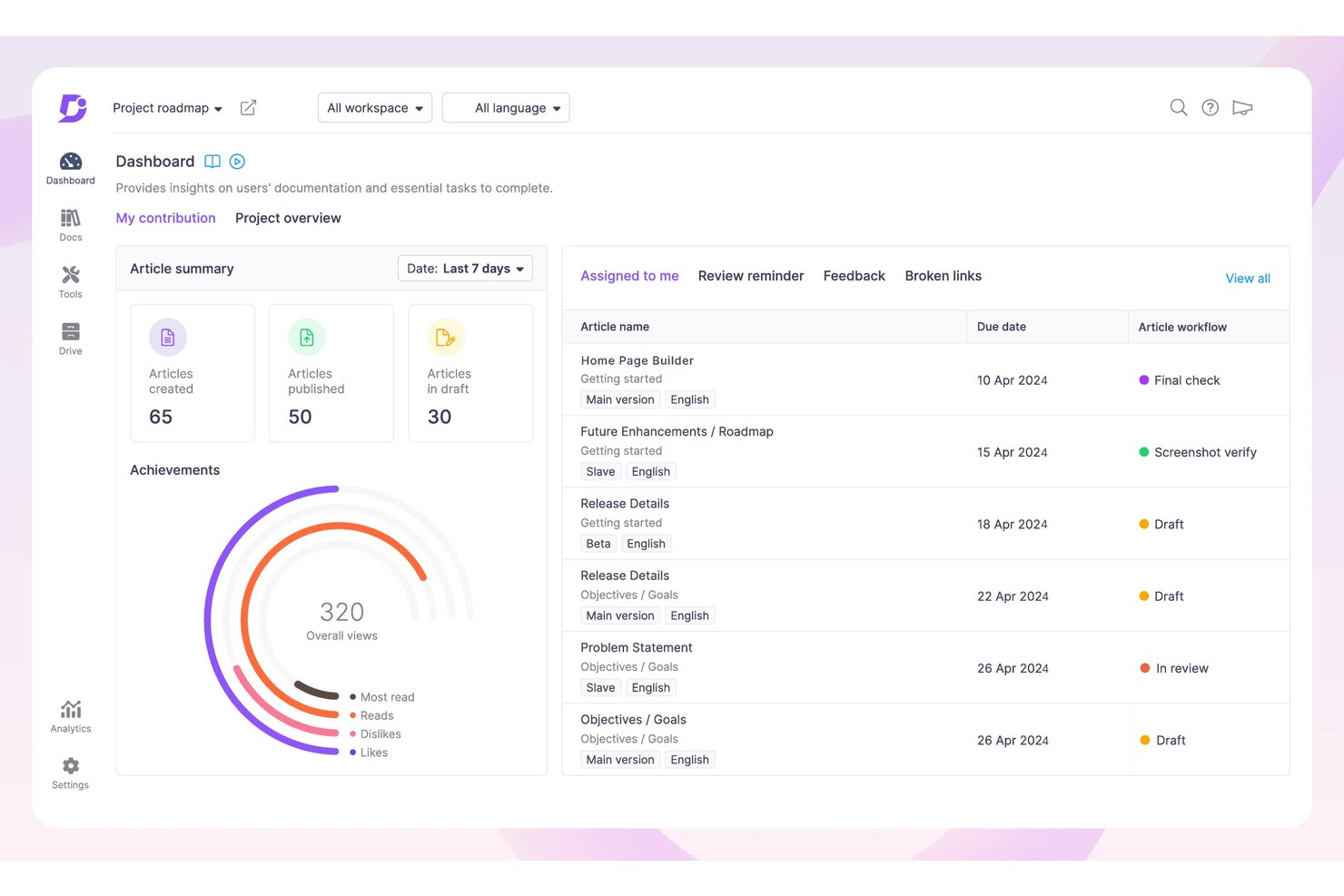
Document360 is a documentation platform built for teams that need structured, governed, and searchable knowledge—covering everything from customer-facing help centers to internal SOPs and developer docs.
Who Is Document360 Best For?
Document360 is a strong fit for operations and process managers who own documentation at scale across multiple products, teams, or customer-facing portals.
Why Document360 Is a Good Guru Alternative
I picked Document360 for my shortlist because it's one of the few Guru alternatives built specifically for public-facing documentation at scale. The six-level category system lets me structure complex product content in a way that's genuinely navigable for external readers, not just internal teammates. I also lean on its custom domain publishing and branded help center to deliver a polished, SEO-indexed site that Guru simply isn't designed to replicate.
Document360 Key Features
- Eddy AI suite: Lets you use generative AI to create, summarize, and translate articles across multiple languages quickly.
- Advanced analytics dashboard: Provides detailed insights into search trends, user engagement, content gaps, and article performance.
- Custom workflow builder: Allows teams to define multi-step review and approval processes for content before it gets published.
- Granular permissions: Supports role-based access control, SSO, SCIM provisioning, and private knowledge base projects for secure documentation management.
Document360 Integrations
Document360 offers native integrations with Slack, Microsoft Teams, GitHub, Freshdesk, Intercom, Zendesk, Salesforce, Google Analytics, Segment, Crowdin, and Zapier. An API is available for custom integrations.
Pros and Cons
Pros:
- Scheduled content review cycles with owner assignment
- Multilingual content support across 30+ languages
- Article versioning with full revision history
Cons:
- AI assistant limited to Document360 content only
- No browser extension for in-context knowledge delivery
New Product Updates from Document360

Document360 Adds Drive and Eddy AI Workflow Updates
Document360 adds Drive file renaming, Eddy AI email ticket notifications, and Drive image support in AI Capture. These updates simplify file management, support escalation, and visual content editing. For more information, visit Document360’s official site.
 .
.
ClickUp
Best for unifying docs with project management
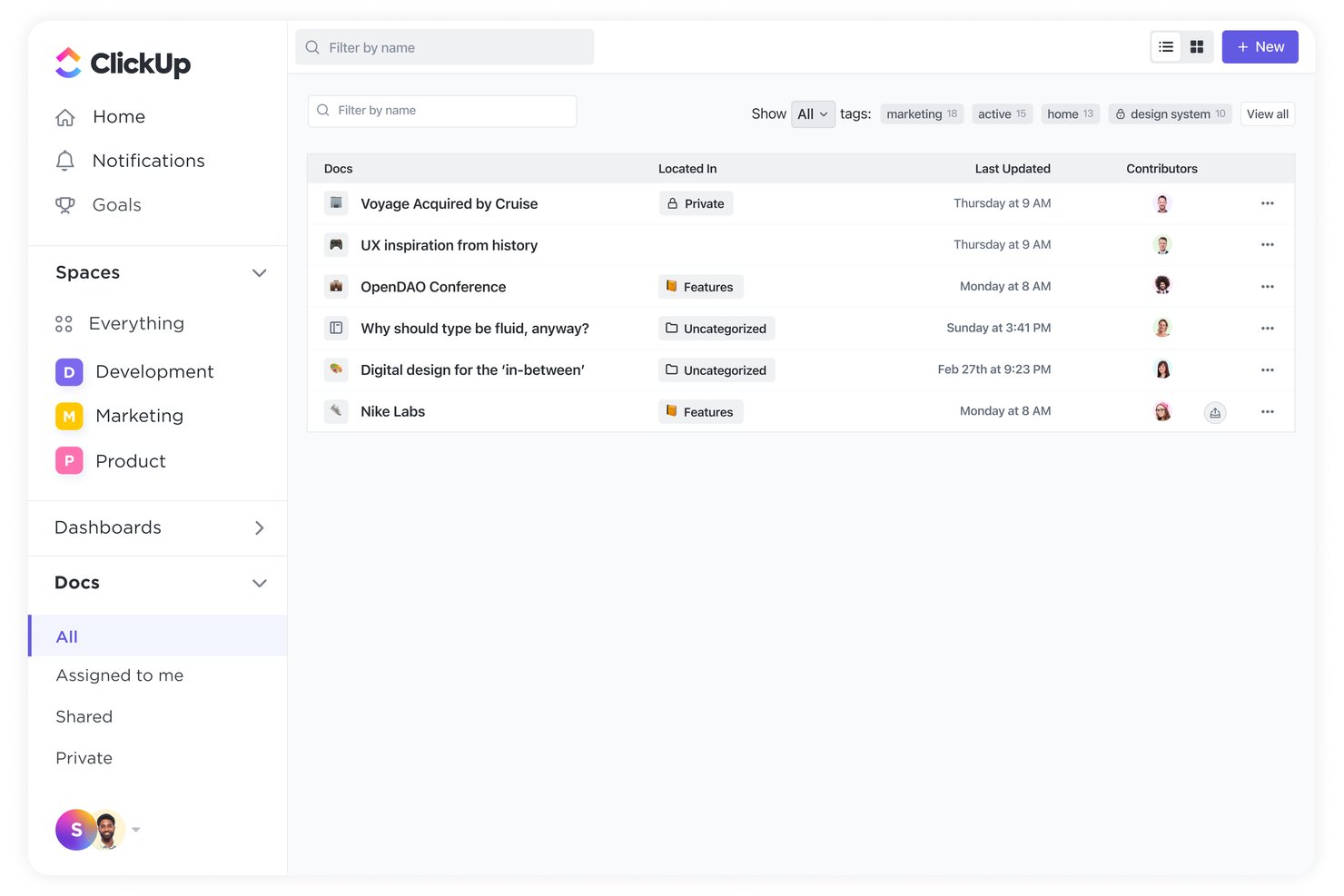
ClickUp is an all-in-one work platform that embeds collaborative Docs directly into project workflows, making it a natural fit for project teams who want searchable knowledge and task execution in a single platform.
Who Is ClickUp Best For?
ClickUp suits cross-functional project teams that want to manage tasks, documentation, and team knowledge without maintaining separate tools for each.
Why ClickUp Is a Good Guru Alternative
I picked ClickUp because its Connected Docs feature does something Guru doesn't: it links every doc directly to the tasks and sprints it supports. I can attach a product spec to an active sprint, then convert inline doc comments into tracked tasks without leaving the page. The Docs Hub gives my team one searchable index across all workspace documentation, so nothing lives in isolation from the work it informs.
ClickUp Key Features
- Docs Hub: Search, sort, and filter all workspace docs from a single, centralized view.
- Granular permissions: Control access at the doc, page, or folder level with group and role-based settings.
- AI Notetaker: Automatically transcribe and summarize meeting notes inside docs.
- Enterprise-grade integrations: Connect with tools like Google Drive, Slack, Jira, and OneDrive for unified workflows.
ClickUp Integrations
ClickUp offers native integrations with Slack, Google Drive, GitHub, Figma, Dropbox, OneDrive, Outlook, Vimeo, HubSpot, and Jira. It also connects with Zapier and provides an API for custom integrations.
Pros and Cons
Pros:
- Nested pages support complex structures
- AI search spans the full workspace
- Docs link directly to tasks and sprints
Cons:
- Doc features feel secondary to task management
- No automated content verification or expiry workflows
New Product Updates from ClickUp
ClickUp Adds Meetings Hub, Super Agent Templates, and ZoomInfo Integration
ClickUp adds a searchable Meetings Hub, new ways to clone and template Super Agents, and a ZoomInfo integration through the App Center. These updates improve meeting retrieval, agent reuse, and access to sales intelligence. For more information, visit ClickUp’s official site.

Nuclino
Best for lightweight visual wiki
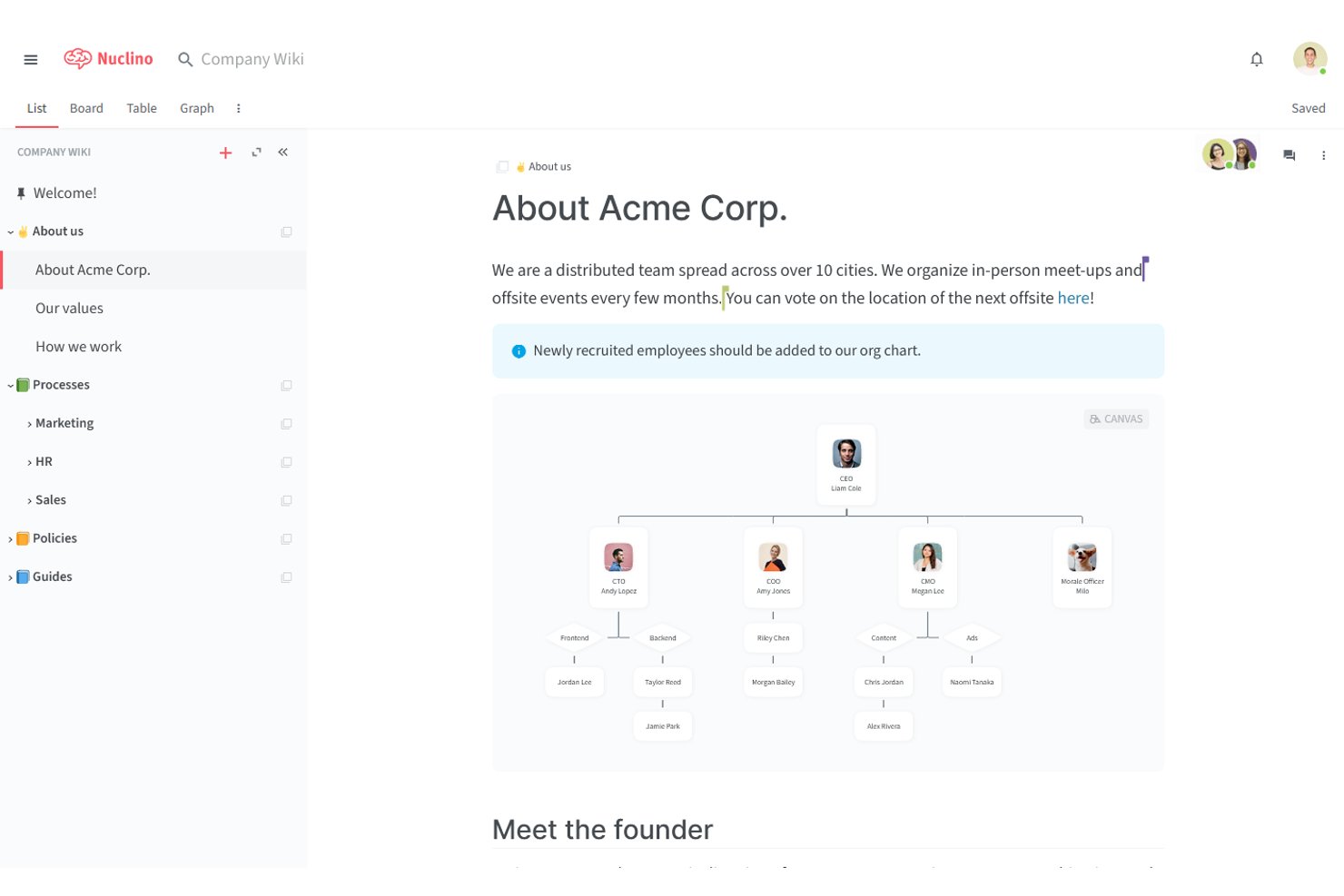
Nuclino is a lightweight team wiki that gives project teams a fast, visually organized space to store SOPs, playbooks, and documentation without the complexity of heavier knowledge management platforms.
Who Is Nuclino Best For?
Nuclino is a strong fit for small to mid-sized tech teams that want a clean, fast internal wiki without the overhead of enterprise-grade platforms.
Why Nuclino Is a Good Guru Alternative
I've included Nuclino in my top picks because its graph view genuinely changes how you navigate a knowledge base. Unlike a flat document list, the graph renders every article and its connections visually, so you can spot orphaned content or coverage gaps immediately. I also rely on the built-in canvas to diagram workflows and process maps directly alongside written docs, without switching to a separate tool.
Nuclino Key Features
- Sidekick AI assistant: Drafts, edits, and answers questions using workspace content to speed up knowledge retrieval.
- Multiple workspace views: Switch between list, board, table, and graph views to organize and visualize documentation the way your team works best.
- Real-time collaborative editor: Allows multiple users to write, comment, and edit documents simultaneously with instant updates.
- Advanced permissions and SSO: Configure roles, groups, and SAML-based single sign-on to protect sensitive information and control workspace access.
Nuclino Integrations
Nuclino offers native integrations with Slack, Microsoft Teams, Jira, GitHub, Figma, Google Drive, OneDrive, SharePoint, Airtable, and Zapier. An API is available for custom integrations.
Pros and Cons
Pros:
- Pages load and open noticeably fast
- Canvas supports diagrams directly inside docs
- Graph view maps content connections visually
Cons:
- Search doesn't generate AI-synthesized answers
- No scheduled content verification or review cycles

Best for structured corporate learning
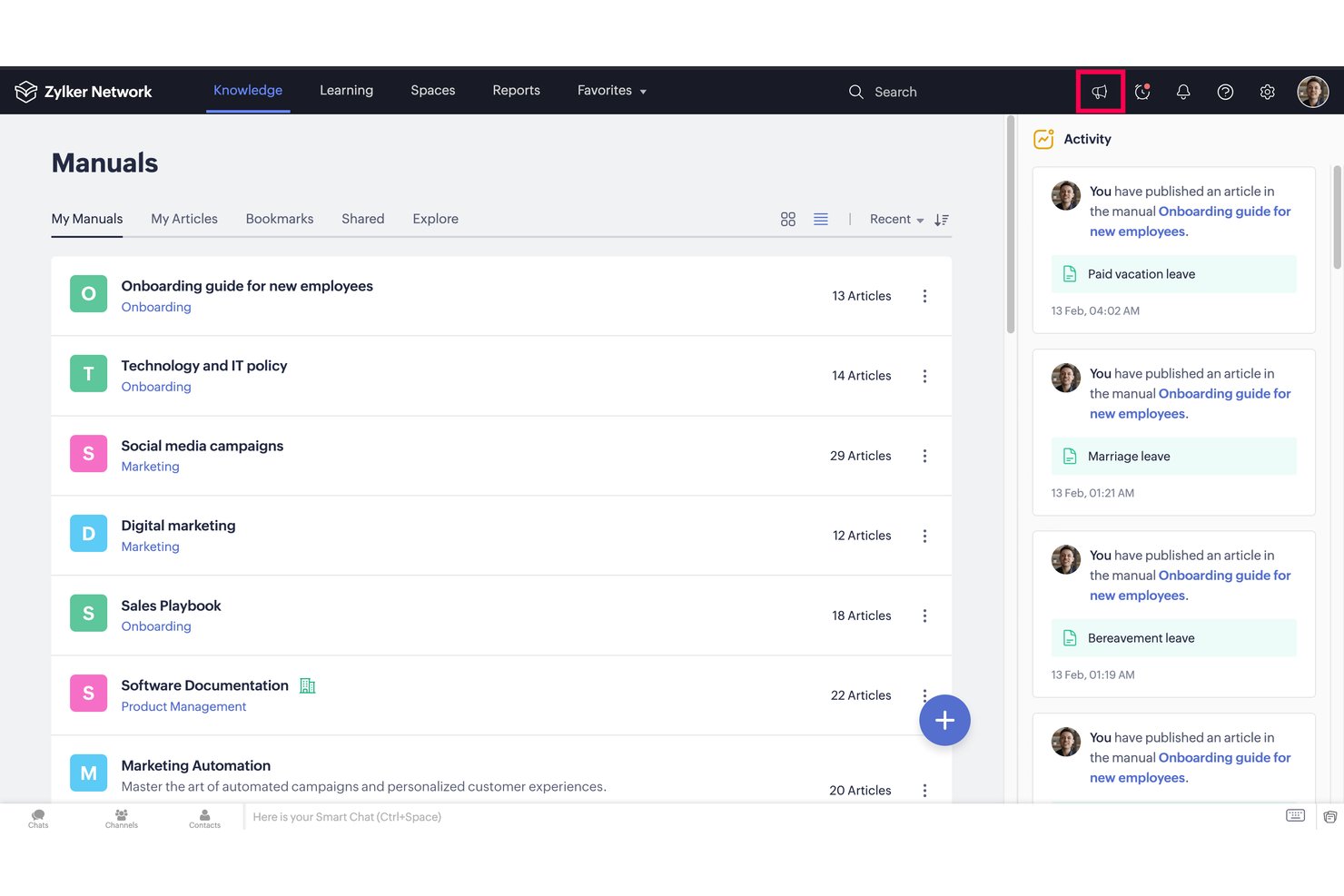
Zoho Learn is a knowledge management platform built for teams that need to combine internal documentation with structured employee training in a single, organized hub.
Who Is Zoho Learn Best For?
Zoho Learn is a strong fit for small to mid-sized organizations already using the Zoho ecosystem who need a combined knowledge base and training platform.
Why Zoho Learn Is a Good Guru Alternative
I picked Zoho Learn for this list because it goes where Guru doesn't: a full LMS built directly into the knowledge base. I use the course builder to turn SOPs and onboarding docs into structured training paths, complete with quizzes, assessments, and completion tracking. The article verification feature on the Professional plan keeps content ownership clear, flagging stale material before it causes confusion across teams.
Zoho Learn Key Features
- Spaces and manuals: Create organized knowledge hierarchies with nested spaces, manuals, and articles for clearer documentation.
- Universal search: Instantly find articles, manuals, or courses with cross-repository search powered by keywords and filters.
- Role-based permissions: Grant different levels of access to users or groups, helping control visibility and editing rights.
- Mobile app access: Access and contribute to knowledge content remotely through native iOS and Android apps.
Zoho Learn Integrations
Zoho Learn offers native integrations within the Zoho ecosystem, including Zoho CRM, Zoho Projects, and Zoho Desk. An API is available for custom integrations.
Pros and Cons
Pros:
- Article verification keeps content ownership clear
- Built-in quizzes and completion tracking
- Knowledge base and LMS in one
Cons:
- No browser extension for in-workflow access
- Reporting and analytics are fairly basic
Best for combined team and customer support
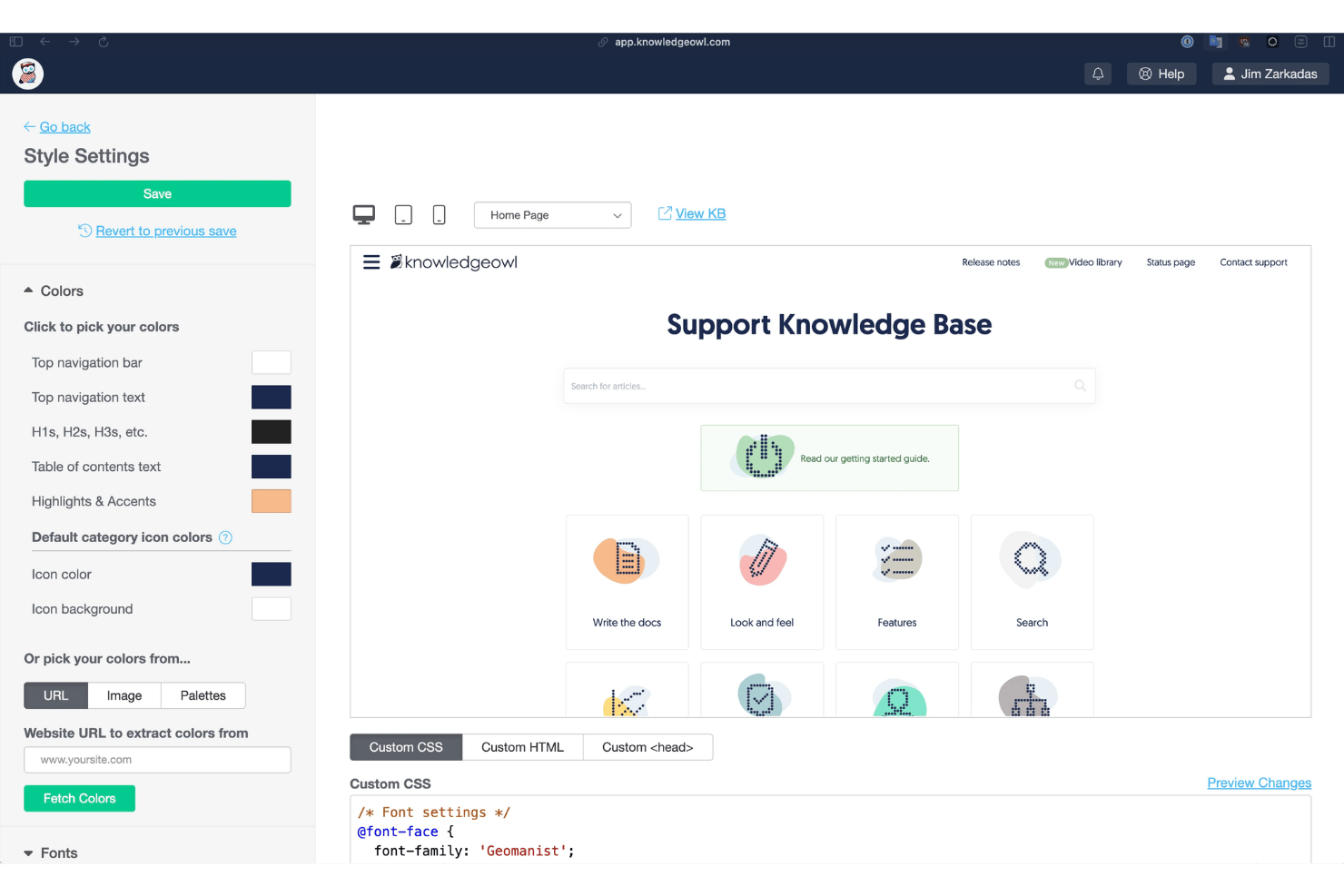
KnowledgeOwl is a knowledge base platform built for teams that need to manage both internal documentation and customer-facing help centers from a single, highly customizable hub.
Who Is KnowledgeOwl Best For?
It's a strong fit for operations and support teams at small to mid-sized businesses that need structured, maintainable documentation without heavy IT involvement.
Why KnowledgeOwl Is a Good Guru Alternative
I picked KnowledgeOwl as one of the best because it handles both internal wikis and public help centers from a single login, something most standalone tools force you to manage separately. I particularly like the reusable snippets feature: update content in one place and it syncs across every article instantly. The Owl Intelligence AI chatbot generates cited answers without hallucinating, which matters when customers rely on it for accurate information.
KnowledgeOwl Key Features
- Custom theme builder: Apply HTML, CSS, and JavaScript to fully control your knowledge base look and feel.
- Granular permissions: Assign precise roles, groups, and content-level access across public and private documentation.
- White-glove migration: Import content from Salesforce, Zendesk, Confluence, and Freshdesk with dedicated support.
- Owl Analytics: Track search terms, article performance, and reading patterns to identify content gaps.
KnowledgeOwl Integrations
KnowledgeOwl offers native integrations with Slack, Zendesk, Freshdesk, Ottokit, Confluence (import), Salesforce SSO, and Userlane. An API is available for custom integrations.
Pros and Cons
Pros:
- Responsive human support included on all plans
- Full CSS and HTML theme customization available
- Reusable snippets sync updates across all articles
Cons:
- No built-in AI writing assistance for authors
- Search lacks advanced filtering for large libraries

Slite
Best for asynchronous team collaboration
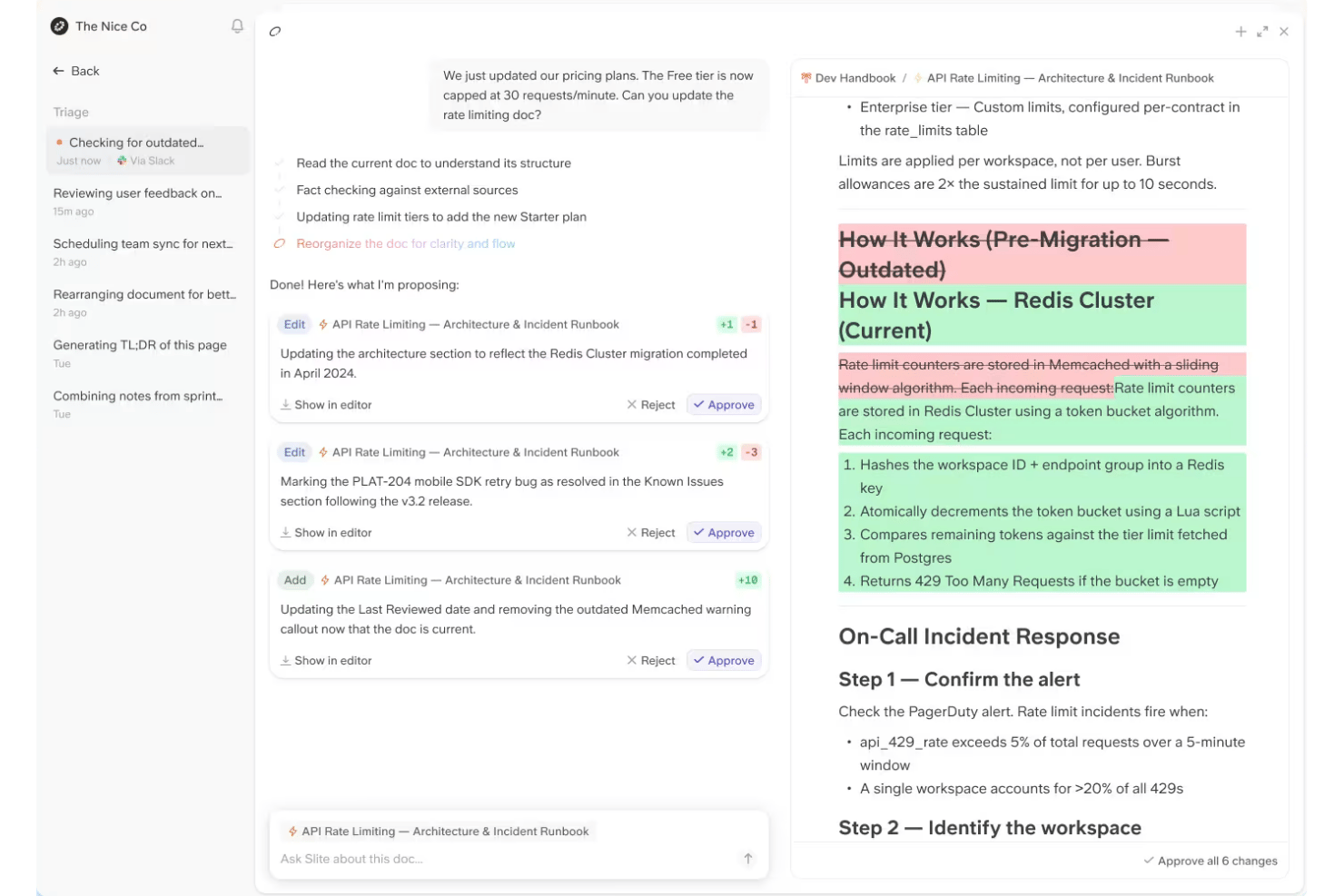
Slite is an AI-native knowledge base built for project and delivery teams who need a living, searchable source of truth—one that flags outdated docs, drafts fixes, and answers team questions directly inside Slack.
Who Is Slite Best For?
Slite is a strong fit for startups and scaling teams that need a lightweight, low-maintenance knowledge base without the complexity of enterprise platforms like Confluence.
Why Slite Is a Good Guru Alternative
I've included Slite in my top picks because its async-first design solves the exact problem Guru teams run into: stale docs nobody has time to fix. Slite's Agent cross-references Slack threads and GitHub activity to detect doc drift, then drafts corrected text and routes it to the doc owner for approval. The Ask feature lets teammates pull cited answers from the knowledge base directly in Slack, without interrupting anyone.
Slite Key Features
- Knowledge management panel: Centralizes ownership, verification status, and triage actions for all knowledge assets.
- Multilingual question support: Understands and answers questions in multiple languages, including with spelling and phrasing errors.
- Bulk import and migration tools: Lets you migrate docs from Notion, Confluence, Google Docs, or use batch uploads.
- Public docs with custom branding: Share selected pages with custom domains and manage SEO indexing for externally shared content.
Slite Integrations
Slite offers native integrations with Slack, GitHub, Jira, ClickUp, Linear, Trello, Asana, Figma, Google Drive, Notion, and Confluence, and provides an API for custom integrations.
Pros and Cons
Pros:
- Async-first design suits distributed project teams
- Doc drift detection flags stale knowledge
- AI-generated answers reduce FAQs
Cons:
- Limited permissions controls for larger org structures
- No analytics dashboard for knowledge gap trends

Notion
Best for customizable team workspaces
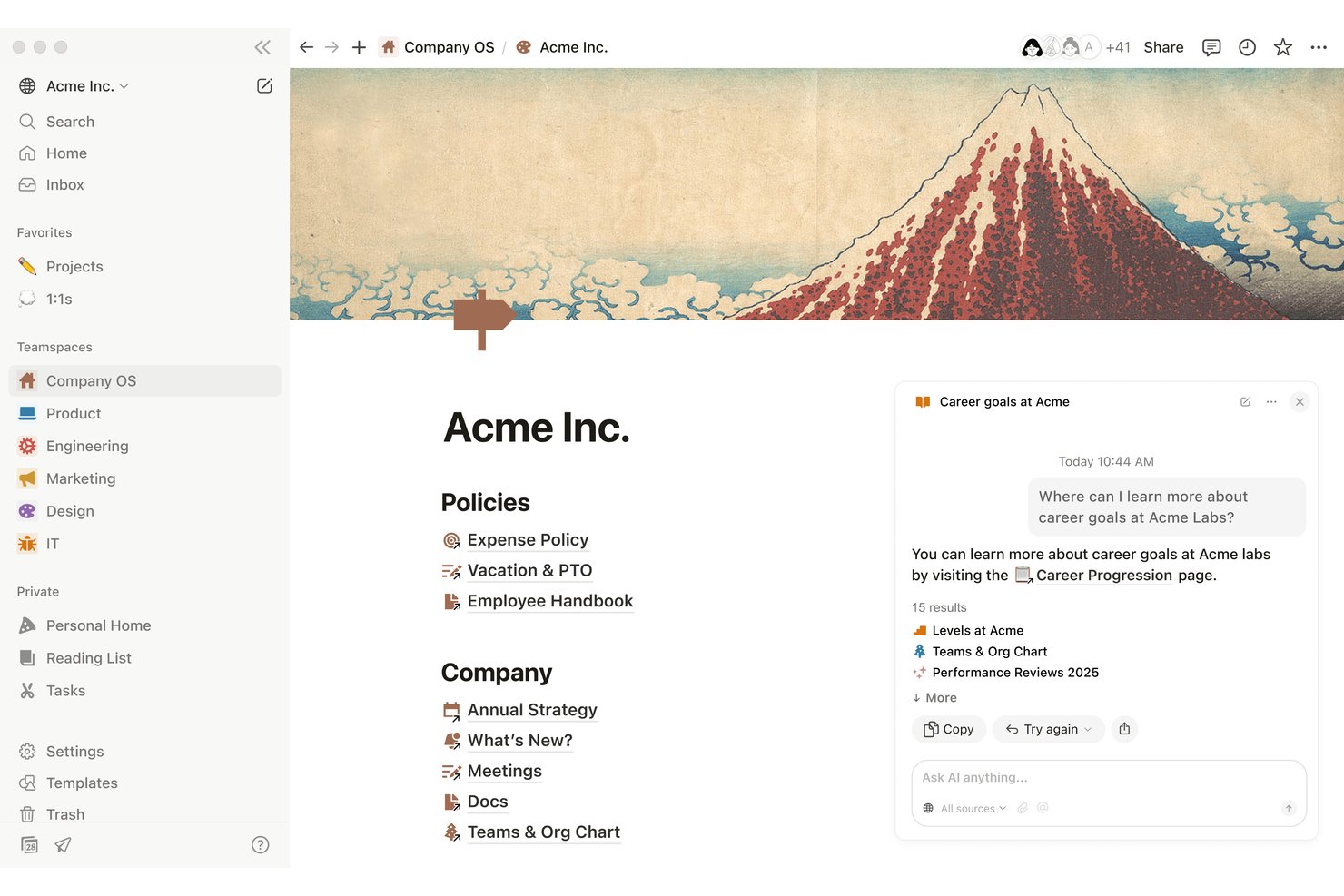
Notion is a block-based workspace platform that lets project teams build fully custom knowledge bases, wikis, and documentation hubs without being locked into a rigid structure.
Who Is Notion Best For?
Notion is a strong fit for cross-functional teams at growing tech companies that need a flexible, self-built knowledge hub rather than a pre-structured tool.
Why Notion Is a Good Guru Alternative
Notion earns its spot on my shortlist because the block-based architecture genuinely lets you build a knowledge workspace from scratch rather than conforming to a preset structure. I love that synced blocks let me update a piece of content once and have it propagate across every page that references it, which keeps SOPs and playbooks consistent without manual edits. Teamspaces give product, engineering, and design their own organized areas while staying connected to the broader company wiki.
Notion Key Features
- Enterprise-grade permissions and SSO: Set granular access controls with SAML SSO, SCIM, role-based permissions, and private teamspaces for secure knowledge management.
- AI-powered enterprise search: Let users search Notion plus connected apps like Slack, Google Drive, Jira, and GitHub from a single place with one query.
- Customizable page templates: Build and reuse standardized templates for meeting notes, project documentation, SOPs, and onboarding guides.
- Integration library and API: Connect to tools like Jira, Teams, Outlook, Asana, and Figma or automate processes using Zapier, Make, or the Notion API.
Notion Integrations
Notion offers native integrations with Slack, Microsoft Teams, Google Drive, Jira, GitHub, Asana, Figma, Loom, Outlook, and Calendly. It also provides an API for custom integrations and is available on Zapier.
Pros and Cons
Pros:
- Teamspaces organize knowledge by function or project
- Synced blocks keep documentation consistent
- Highly flexible wiki and page structure
Cons:
- Search relevance weakens across large knowledge bases
- No built-in content expiry workflows

Tettra
Best for Slack integration
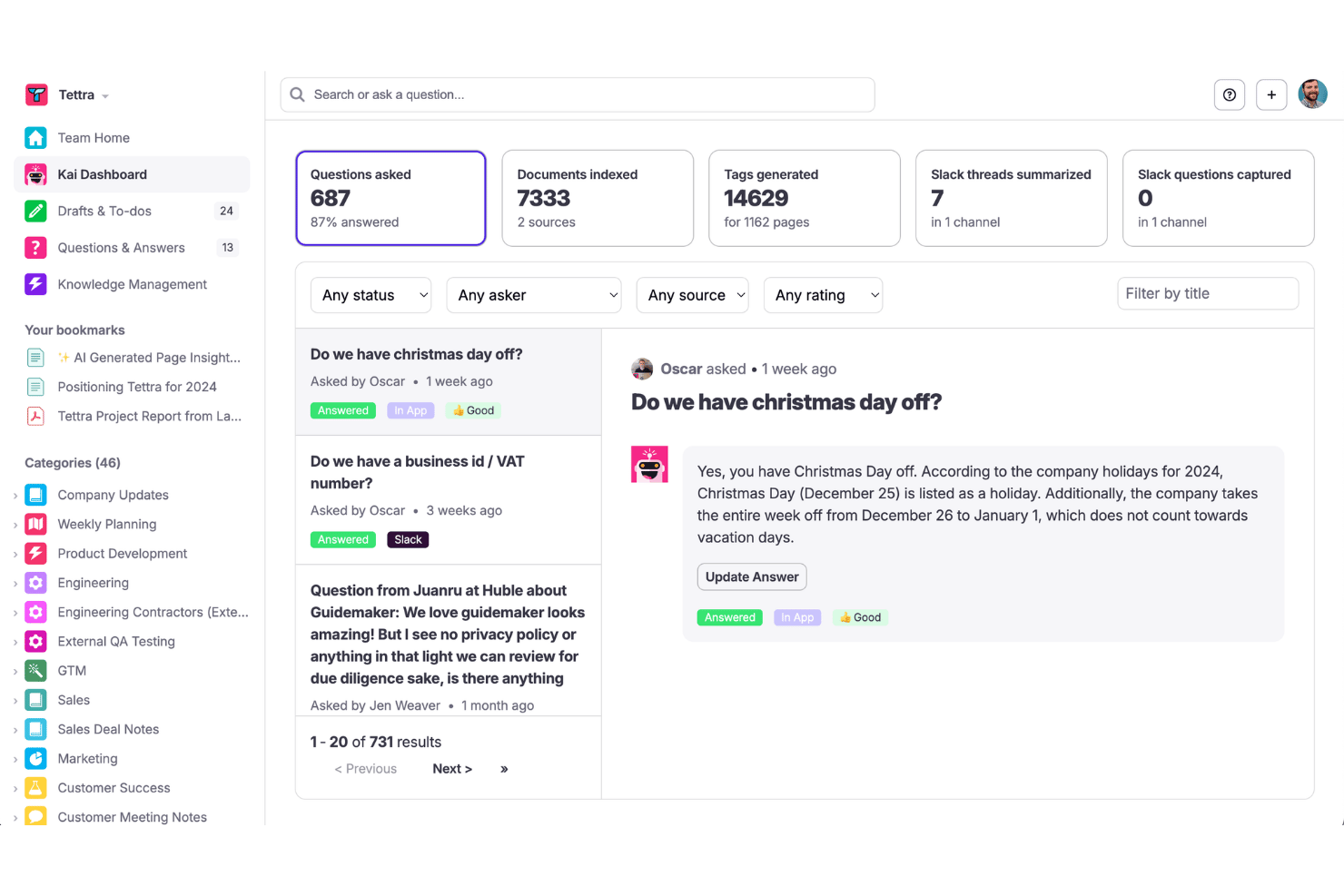
Tettra is a knowledge base platform built for small to mid-sized teams who need a lightweight way to document SOPs, answer repeated questions, and keep company knowledge accurate and accessible without leaving their daily workflow.
Who Is Tettra Best For?
Tettra is a strong fit for operations and process managers at small to mid-sized companies that run their daily communication primarily through Slack.
Why Tettra Is a Good Guru Alternative
I picked Tettra as one of the best Guru alternatives because of how deeply it's built around Slack. Tettra's Kai AI bot answers team questions directly inside Slack channels and DMs, pulling from your knowledge base without anyone leaving the conversation. When Kai can't find an answer, it routes the question to the right subject matter expert, and that answer gets saved as a new knowledge article automatically.
Tettra Key Features
- Content verification workflows: Assign page owners and set regular review cycles to ensure documentation stays accurate.
- Category and subcategory organization: Structure pages with categories and subcategories for clear, searchable navigation.
- Usage analytics: Access analytics dashboards to identify knowledge gaps and track engagement with documentation.
- API access: Use Tettra’s API to integrate with custom workflows or sync content across business systems.
Tettra Integrations
Tettra offers native integrations with Slack, Google Workspace, GitHub, Microsoft Teams, and Zapier, and provides an API for custom integrations.
Pros and Cons
Pros:
- Built-in verification cycles flag outdated pages
- Unanswered questions auto-save as new articles
- AI bot answers questions directly in Slack
Cons:
- Search struggles with larger content libraries
- Limited formatting compared to wiki-style alternatives

Best for technical documentation
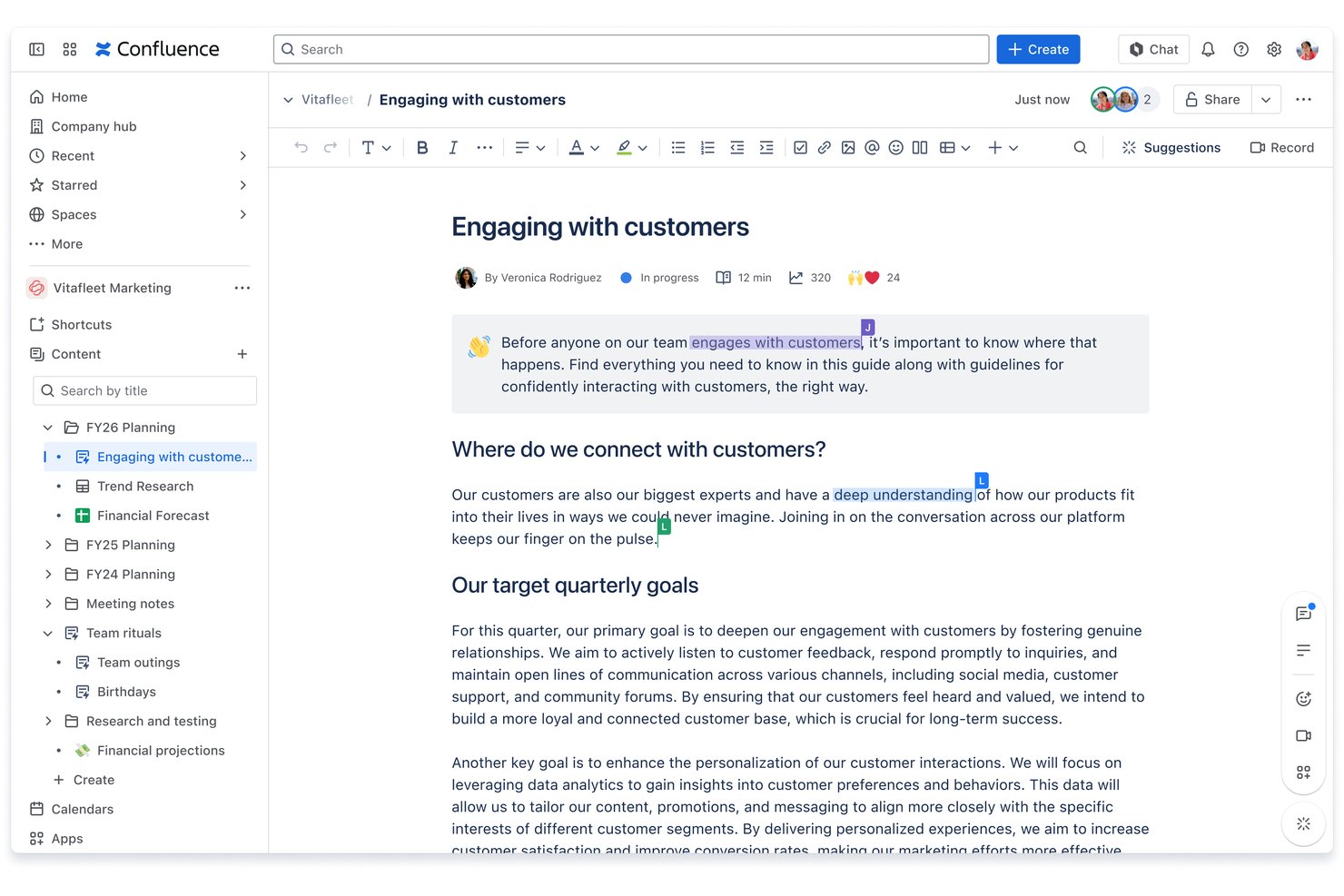
Confluence is Atlassian's wiki-based documentation platform built for technical and cross-functional teams who need a centralized, searchable knowledge hub that connects directly with Jira and the broader Atlassian ecosystem.
Who Is Confluence Best For?
Confluence is a strong fit for engineering and technical program management teams already using Jira who need deep documentation integrated with their development workflows.
Why Confluence Is a Good Guru Alternative
I've included Confluence in my top picks because no other wiki tool embeds live Jira data directly into documentation pages the way it does. When my team writes a technical spec, we can pull in live sprint data, issue lists, and roadmap views without leaving the page. Rovo AI adds another layer, letting us revisualize dense technical content as timelines or structured summaries on demand.
Confluence Key Features
- Macros and templates: Pre-built components let you add charts, calendars, task lists, and code blocks to pages.
- Whiteboards and live docs: Collaborative tools support brainstorming, mapping, and visualizing ideas directly within your workspace.
- Space and page hierarchy: Create a structured knowledge base using nested pages, space permissions, and clear content organization.
- Granular permissions: Control access at the space or page level with enterprise-grade roles, SSO, and SCIM support.
Confluence Integrations
Confluence offers native integrations with Jira, Trello, Bitbucket, Slack, Microsoft Teams, Google Drive, Dropbox, and Loom, plus supports custom integrations via the Atlassian Marketplace and API.
Pros and Cons
Pros:
- Rovo AI generates answers from existing docs
- Structured page hierarchy with nested pages
- Deep Jira integration for technical documentation
Cons:
- No built-in content verification ownership workflows
- Search becomes harder to navigate at scale

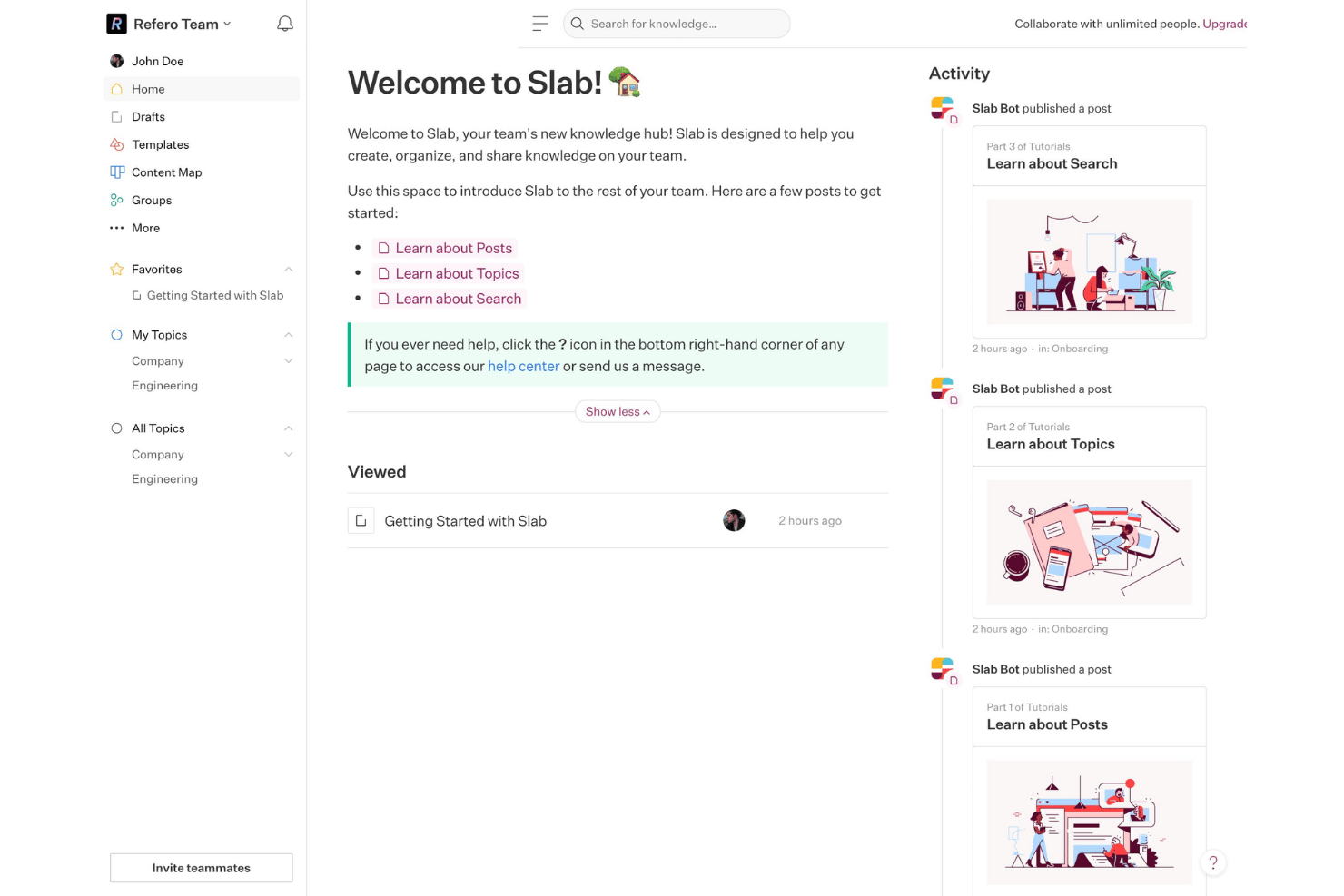
Slab is a knowledge base and wiki built for product, engineering, and operations teams who need a clean, organized place to document SOPs, playbooks, and project knowledge without the complexity of tools like Confluence.
Who Is Slab Best For?
Slab is a good fit for small to mid-sized teams in tech who want structured internal documentation without the overhead of enterprise wiki tools.
Why Slab Is a Good Guru Alternative
I picked Slab as one of the best because its topic-based organization genuinely outperforms Guru's card-based model for structured, long-form documentation. Instead of rigid folders, content can live across multiple overlapping topics, so a project playbook surfaces under both "onboarding" and "Q4 delivery" without duplication. Paired with native content verification, my team can assign owners and flag outdated docs before they create confusion mid-project.
Slab Key Features
- Unified search: Quickly find information across Slab and all connected sources like Google Drive, Jira, and Slack.
- Real-time collaboration: Multiple users can edit and comment on pages together, with version history always available.
- Granular permissions: Control access with group, guest, and topic-level settings, plus SSO and SCIM for enterprise needs.
- AI Autofix and Predict: Use built-in AI to suggest improvements and ensure documents stay relevant with automatic recommendations.
Slab Integrations
Slab offers 40+ native integrations, including Google Drive, Jira, Slack, Asana, Trello, GitHub, Notion, Intercom, Microsoft Teams, and Dropbox, with a GraphQL API available for custom integrations.
Pros and Cons
Pros:
- Clean editor with minimal formatting distractions
- Content verification with assigned ownership built in
- Topic-based organization keeps content structured
Cons:
- Analytics on knowledge gaps are limited
- No browser extension
Other Guru Alternatives
Here are some additional Guru alternative options that didn’t make it onto my shortlist, but are still worth checking out:
- Helpjuice
For advanced search analytics
- Glean
Enterprise AI search
- Trainual
For automating role-based onboarding
- Archbee
For developer documentation
- Scribe
For automatic process capture
- Coda
For blending docs with interactive workflows
- Wiki.js
For self-hosted deployments
- Outline
For open source team collaboration
- Kipwise
For real-time browser extension
- Docmost
For open-source real-time editing


How I Evaluate Guru Alternatives
I evaluate these tools across two levels: the core features every Guru alternative must have, and the differentiators that separate them. Core functionality maps to features inherent to knowledge base platforms; differentiators may go further.
Core Functionality (Table Stakes for This List)
When I'm selecting tools for my list, I rank each one on a scale from 0 (does not offer the functionality) to 5 (excels in this area) for each core functionality listed below. Then, I calculate the tool's total score into a percentage. Each tool needs to achieve a minimum total score of 65% to be considered for inclusion.
- Centralized knowledge base: I look for structured ways to organize cards, articles, or docs so a PM can find a sprint retrospective template or a release checklist without digging through folders.
- Content verification workflows: Stale documentation derails projects, so I evaluate whether each tool supports owner assignment, scheduled review cycles, and status indicators that flag outdated content.
- In-app knowledge delivery: I check whether knowledge surfaces inside Slack, Microsoft Teams, or a browser extension so team members can pull up SOPs mid-conversation without switching tabs.
- AI-powered search and answers: Search needs to go beyond keywords. I look for semantic or generative AI search that can synthesize answers from multiple articles when someone asks a natural-language question.
- Third-party integrations: Project teams live in tools like Jira, Asana, and Google Drive, so I evaluate how many native integrations each platform offers and whether an open API fills any gaps.
- Permissions and access control: I consider whether a tool supports role-based permissions, group-level access, and SSO so you can control who views or edits sensitive project knowledge across teams.
Once I have a list of tools that meet the criteria, I consider what sets each platform apart.
Differentiating Factors (What Sets Vendors Apart)
Here's how I compare and contrast different vendors:
Standout Features
Analytics on knowledge gaps is something I pay close attention to. Dashboards that track unanswered queries and trending searches help you prioritize what to write next. Multi-source federated search also matters because PM teams typically store knowledge across Google Drive, Confluence, and Slack—tools that index across those sources save you from migrating everything into one platform. I also evaluate how far AI answers go, specifically whether a tool synthesizes responses from multiple articles with clear citations.
Beyond Features
Primary use case fit is the first thing I consider. A tool built for customer-facing help centers works very differently from one designed for internal knowledge base and project playbooks. Implementation and content migration also weigh heavily—if you're moving from Guru or Confluence, I look at whether the platform offers import tools and onboarding support to shorten your transition. Pricing models matter too, especially whether per-seat costs stay manageable as your project team scales or if flat-rate plans make more sense.
Why Look For A Guru Alternative?
While Guru is a good choice of knowledge base software, there are a number of reasons why some users seek out alternative solutions. You might be looking for a Guru alternative because…
- Need for deeper third-party integrations
- Frustration with content verification workflows
- Limited flexibility for custom knowledge structures
- Desire for more advanced AI-powered search
- Scalability concerns as your team grows
- Restrictions on data residency or compliance options
If any of these sound like you, you’ve come to the right place. My list contains several knowledge base software options that are better suited for teams facing these challenges with Guru and looking for alternative solutions.
Guru Key Features
Here are some of the key features of Guru to help you contrast and compare what alternative solutions offer:
- Centralized knowledge base: Stores, organizes, and indexes internal knowledge into cards and collections so teams can find answers quickly during projects.
- Content verification workflows: Allows you to assign content owners and set scheduled review cycles to keep project docs accurate and up to date.
- Browser extension and in-app delivery: Surfaces verified knowledge contextually in Slack, Microsoft Teams, or web apps so answers are always accessible in your workflow.
- AI-powered search functionality: Uses AI to pull relevant information and synthesize answers from multiple sources within your internal documentation.
- Third-party integrations: Connects with project management, chat, and document platforms like Jira, Asana, Google Drive, and Confluence to centralize knowledge from multiple tools.
- Granular access controls: Lets administrators set permissions at the group, collection, or individual card level to safeguard sensitive information.
- Analytics on knowledge gaps: Provides dashboards reporting on unanswered questions and low engagement to help knowledge managers prioritize content creation efforts.
- Template library: Offers ready-to-use templates for SOPs, playbooks, onboarding guides, and more to help teams create documentation faster.
- Mobile access: Makes knowledge sharing easier by allowing team members to access, search, and use knowledge from mobile devices, supporting flexible or distributed work environments.