
17 Best Project Management Software for Professional Services Picked for 2026

Project Management Software for Professional Services Shortlist
Here’s my shortlist of project management software for professional services:


Project management software for professional services helps your team plan, track, and deliver client projects while managing resources, budgets, and timelines in one place. If you’re searching for the right platform, you’re likely balancing shifting client demands, complex billing, and the need for real-time visibility across multiple projects.
The right software can help you coordinate work across teams, keep stakeholders aligned, and ensure nothing falls through the cracks. In this list, you’ll find a curated selection of tools designed specifically for professional services firms, so you can compare features and choose the best fit for your business.
Why You Can Trust Us
Best Project Management Software for Professional Services Summary
This comparison chart summarizes pricing details for my top project management software for professional services selections to help you find the best one for your budget and business needs.
| Tool | Best For | Trial Info | Price | ||
|---|---|---|---|---|---|
| 1 | Best for real-time project tracking | 30-day free trial + free demo available | From $14/user/month (billed annually) | Website | |
| 2 | Best for government contracting compliance | Free demo available | Pricing upon request | Website | |
| 3 | Best for client collaboration features | 30-day free trial + free plan + free demo available | From $10.99/user/month (billed annually) | Website | |
| 4 | Best with software development integrations | 14-day free trial + free plan available | From $7.91/user/month | Website | |
| 5 | Best for all-in-one business management | 14-day free trial + free demo available | From €18.90/user/month (billed annually) | Website | |
| 6 | Best for resource forecasting accuracy | Free demo available | Pricing upon request | Website | |
| 7 | Best for agency resource planning | 14-day free trial available | From $10/user/month (billed annually) | Website | |
| 8 | Best for time and billing management | Free demo available | From $20/user/month (billed annually) | Website | |
| 9 | Best for customizable workflow automation | Free plan + free demo + 14-day free trial available | From $10/user/month (billed annually) | Website | |
| 10 | Best for professional services analytics | 21-day free trial + free demo available | From $17.10/user/month (billed annually) | Website | |
| 11 | Best for multi-project visibility | 14-day free trial + free demo available | From $6/user/month | Website |


-

Insightful
Visit WebsiteThis is an aggregated rating for this tool including ratings from Crozdesk users and ratings from other sites.4.8 -
Accelo
Visit WebsiteThis is an aggregated rating for this tool including ratings from Crozdesk users and ratings from other sites.4.4 -
Forecast
Visit WebsiteThis is an aggregated rating for this tool including ratings from Crozdesk users and ratings from other sites.4.6




Project Management Software for Professional Services Reviews
Below are my detailed summaries of project management software for professional services that made it onto my shortlist. My reviews offer a detailed look at the features, best use cases, and integrations of each platform to help you find the best one for your team.


ProjectManager gives teams live visibility into project progress, making it a strong fit for organizations that need up-to-the-minute updates. It’s especially useful for project managers overseeing distributed teams or juggling multiple deadlines. With real-time dashboards and automated status updates, ProjectManager helps you spot issues and adjust plans quickly.
Why I Picked ProjectManager
What sets ProjectManager apart is its focus on real-time project tracking, which is essential for professional services teams managing fast-moving projects. I picked ProjectManager because its live dashboards and instant status updates let you monitor progress and spot bottlenecks as they happen.
The platform’s automated alerts and activity feeds keep everyone aligned, even when teams are distributed or working across time zones. This level of visibility helps project managers make quick, informed decisions and keep projects moving forward.
ProjectManager Key Features
Some other features that make ProjectManager useful for professional services teams include:
- Gantt Chart Planning: Build and adjust project timelines with drag-and-drop Gantt charts.
- Resource Management: Allocate team members and track their workload across multiple projects.
- Document Sharing: Store, organize, and share project files directly within the platform.
- Timesheet Tracking: Log and approve time entries for accurate project billing and reporting.
ProjectManager Integrations
Integrations include Microsoft Teams, Slack, Jira, MS Project, Power BI, Acumatica, Excel, Azure DevOps, Google, and OneDrive.
Pros and Cons
Pros:
- Resource management tools track team workload across projects
- Drag-and-drop Gantt charts simplify schedule adjustments
- Real-time dashboards provide instant project status visibility
Cons:
- Reporting customization options are limited
- No built-in client portal for external collaboration

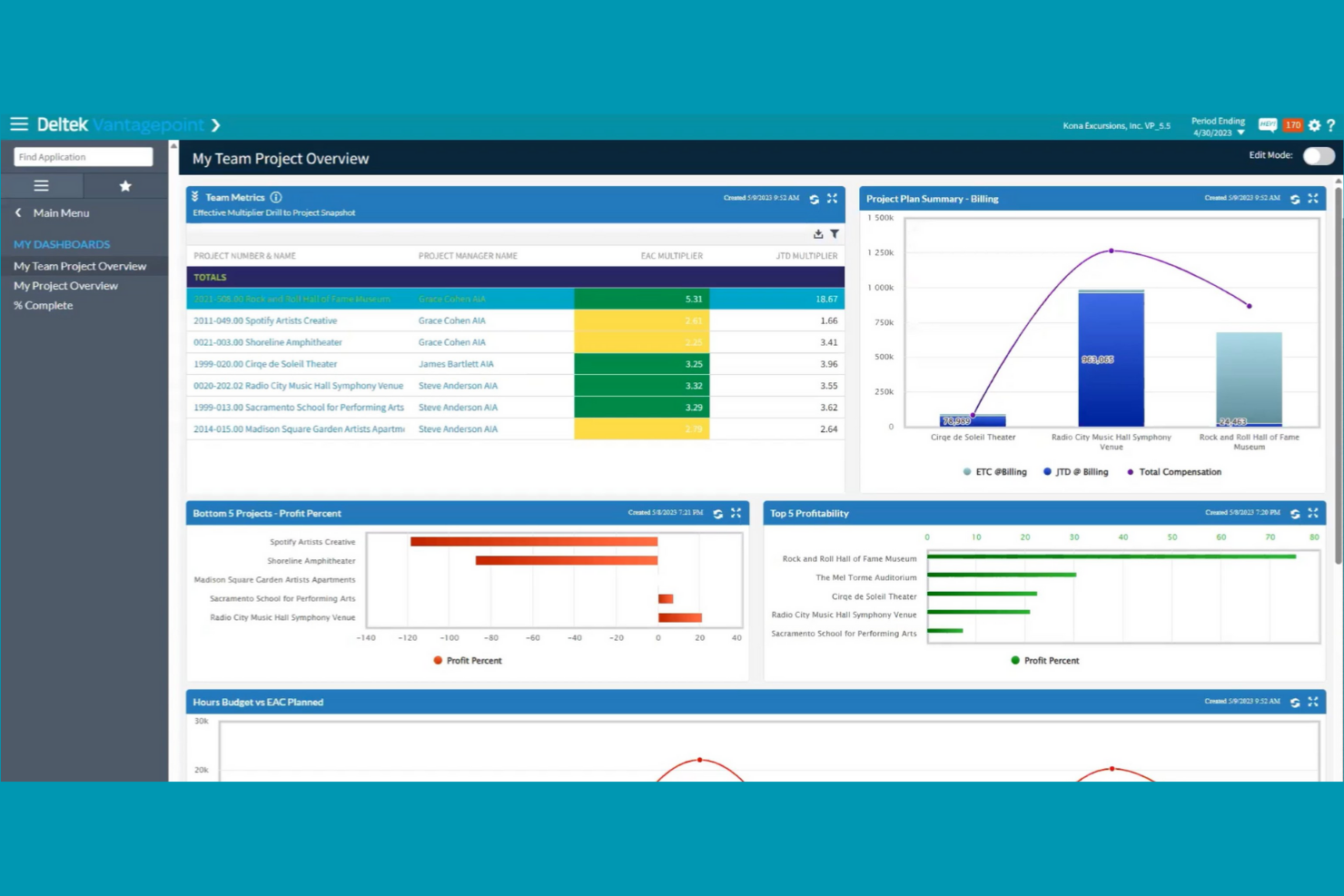
Deltek is purpose-built for firms that need to manage projects while meeting strict government contracting requirements. It’s especially relevant for professional services organizations working with federal, state, or local agencies that must follow compliance standards like DCAA or FAR. Deltek helps you handle project accounting, timekeeping, and reporting with features designed to support audit readiness and contract oversight.
Why I Picked Deltek
Unlike most project management platforms, Deltek is designed specifically to address the compliance needs of government contractors. I picked Deltek because it offers built-in support for DCAA audits, FAR regulations, and other government standards that professional services firms must follow when working with public sector clients.
Features like automated cost allocation and contract-specific reporting help teams stay audit-ready and avoid compliance pitfalls. For organizations that can’t afford to risk non-compliance, Deltek’s focus on regulatory requirements makes it a strong fit.
Deltek Key Features
In addition to its compliance-focused capabilities, Deltek offers several other features for professional services teams:
- Resource Planning: Allocate staff and track utilization across multiple projects.
- Integrated CRM: Manage client relationships and capture project opportunities within the same platform.
- Document Management: Store, organize, and control access to project files and contracts.
- Mobile Time and Expense Entry: Submit timesheets and expenses from any device.
Deltek Integrations
Integrations include tools such as Microsoft Project, QuickBooks, Salesforce, SAP, Oracle, IBM, Adobe, Google Workspace, Slack, and Trello.
Pros and Cons
Pros:
- Resource planning tools manage staffing across projects
- Automated cost allocation supports compliant project billing
- DCAA-compliant timekeeping supports government contract requirements
Cons:
- Customization often requires vendor support
- Reporting tools require specialized training


Agencies and client-facing teams often turn to Teamwork for its advanced client collaboration features. The platform is designed for professional services firms that need to manage projects while keeping clients in the loop. With built-in client access controls and communication tools, Teamwork helps you centralize feedback and approvals without losing project momentum.
Why I Picked Teamwork
For professional services teams that need to keep clients engaged throughout a project, Teamwork stands out for its client collaboration features. I picked Teamwork because it lets you grant clients controlled access to project spaces, so they can review progress, leave feedback, and approve deliverables without seeing sensitive internal details.
The platform’s built-in client communication tools, like project-specific messaging and file sharing, help centralize all client interactions in one place. This setup makes it easier to manage expectations and maintain transparency with clients from kickoff to project close.
Teamwork Key Features
Some other features that make Teamwork useful for professional services teams include:
- Task Dependencies: Set up and manage task relationships to control project flow.
- Time Tracking: Track billable and non-billable hours directly within each project.
- Invoice Generation: Create and send invoices based on tracked time and project milestones.
- Portfolio Management: View and manage multiple projects across your organization from a single dashboard.
Teamwork Integrations
Integrations include Slack, Google Drive, Dropbox, HubSpot, QuickBooks, Xero, Zapier, Microsoft Teams, Outlook, and Trello.
Pros and Cons
Pros:
- Task templates simplify repeatable service project processes
- Built-in time tracking connects directly to invoicing workflows
- Client access permissions support transparent collaboration
Cons:
- Mobile notifications can be inconsistent
- Resource scheduling lacks advanced forecasting features

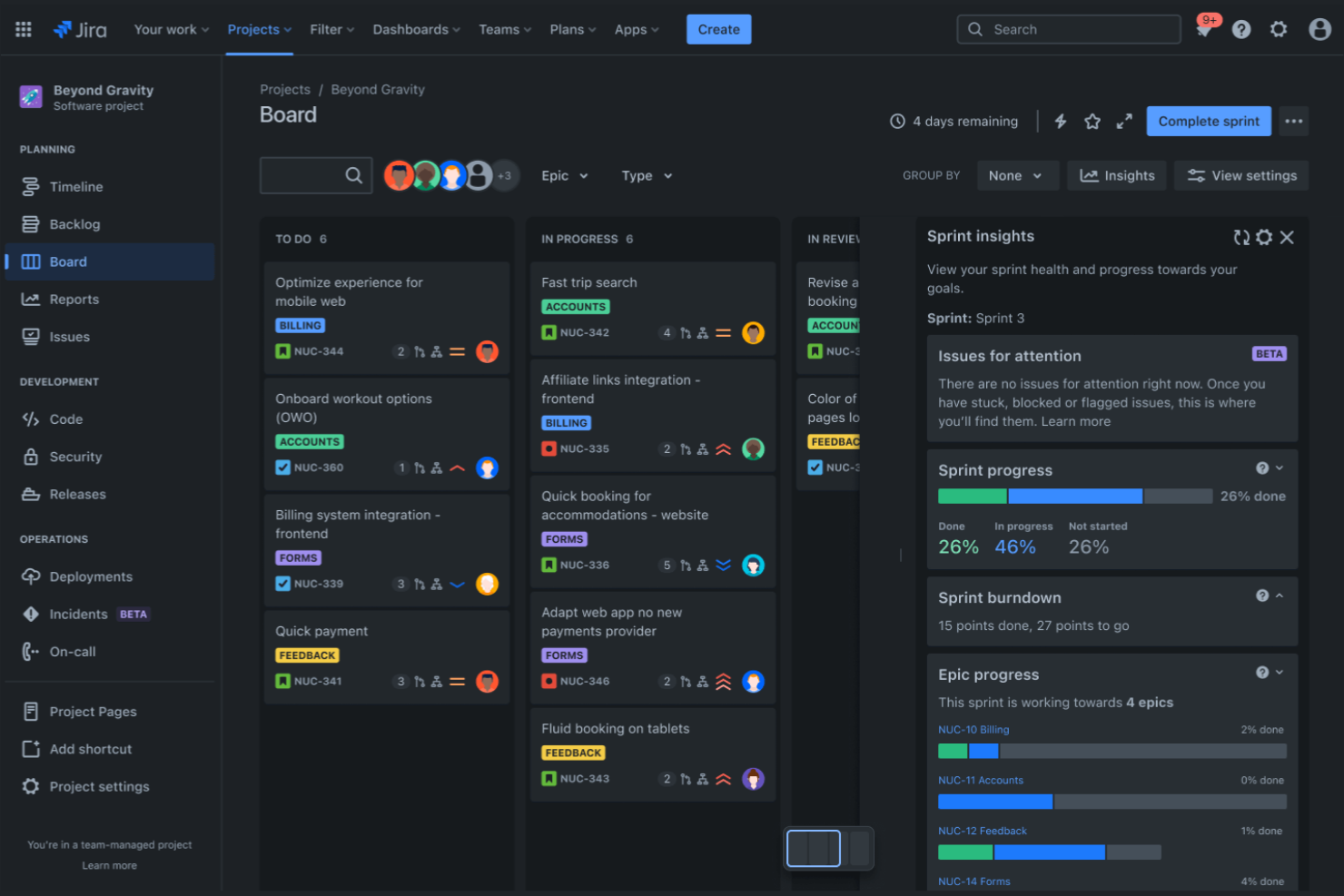
Jira brings together a suite of tools designed for teams that need deep integration with software development workflows. It’s a strong fit for IT consultancies, digital agencies, and professional services firms that manage technical projects alongside client deliverables. With features that connect project tracking, code repositories, and deployment pipelines, Jira helps you coordinate work across technical and non-technical teams.
Why I Picked Jira
What sets Jira apart is its ability to connect project management directly with software development tools. I picked Jira because it lets you link issues, tasks, and project milestones with code repositories and deployment pipelines.
Features like Jira’s Agile boards and Bitbucket’s code management help professional services teams keep technical and client-facing work in sync. For firms that deliver software or technical solutions, Jira’s ecosystem supports collaboration between project managers, developers, and stakeholders in one place.
Jira Key Features
Some other features that make Jira useful for professional services teams include:
- Advanced Permissions: Control access to projects, issues, and documentation at a granular level.
- Custom Workflows: Design and automate unique approval and task processes for each team or project.
- Knowledge Base Integration: Link project work to Confluence pages for easy documentation and reference.
- Time Tracking: Log and report on time spent across tasks and projects.
Jira Integrations
Integrations include Slack, GitHub, Microsoft Teams, Google Drive, Dropbox, Salesforce, Zoom, Trello, Asana, and GitLab.
Pros and Cons
Pros:
- Marketplace offers extensive add-ons for specialized workflows
- Issue linking connects development tasks to project milestones
- Agile boards support Scrum and Kanban project workflows
Cons:
- Email notifications can become overwhelming
- Reporting dashboards require manual setup


Scoro brings project management, billing, CRM, and reporting together in one platform for professional services teams. It’s a strong fit for agencies and consultancies that want to manage projects, finances, and client work without juggling multiple tools. Scoro helps you connect project delivery with business operations, so you can track everything from sales to invoicing in a single workspace.
Why I Picked Scoro
What sets Scoro apart is its ability to unify project management, billing, and CRM in one platform, making it a true all-in-one business management solution. I picked Scoro because it lets professional services teams handle project planning, time tracking, and invoicing without switching between different tools.
Features like built-in quoting and budgeting help you manage the entire client lifecycle, from sales to project delivery to billing. For teams that want to connect project work with business operations, Scoro’s integrated approach is especially valuable.
Scoro Key Features
Some other features that make Scoro useful for professional services teams include:
- Task Board View: Visualize and manage tasks using a drag-and-drop board layout.
- Calendar Integration: Sync project schedules and deadlines with Google Calendar and Outlook.
- Custom Dashboards: Build dashboards to track KPIs, project progress, and financial metrics.
- Automated Recurring Invoices: Set up and manage recurring billing for ongoing client work.
Scoro Integrations
Integrations include Google Calendar, Microsoft Exchange, QuickBooks, Xero, Stripe, Jira, HubSpot, Salesforce, Dropbox, and Zapier.
Pros and Cons
Pros:
- Custom dashboards track project and business performance metrics
- Built-in quoting and budgeting support project planning
- All-in-one platform connects project delivery and financial management
Cons:
- API access requires higher-tier plans
- Task dependency controls are limited for complex projects

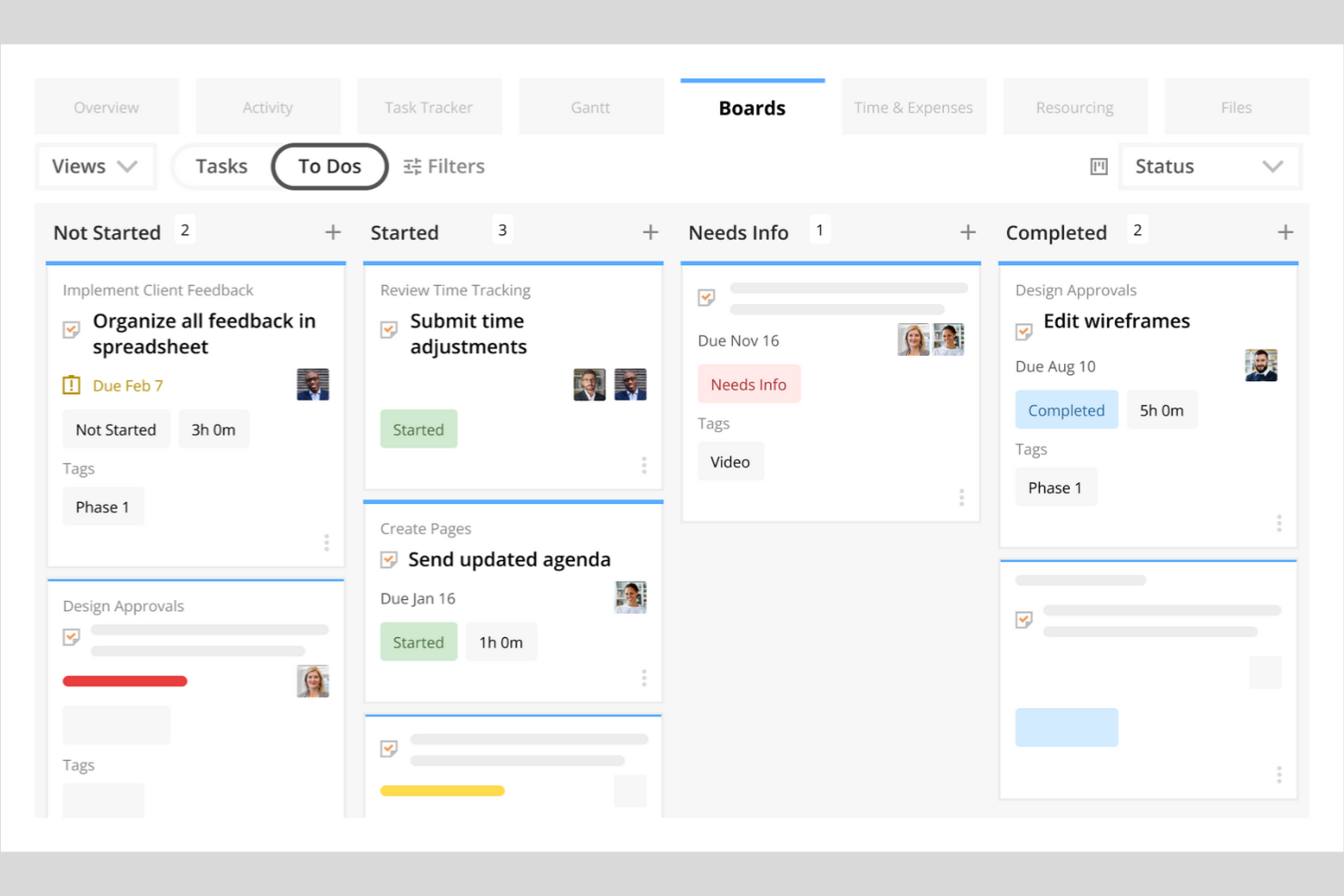
Kantata stands out for professional services organizations that need precise control over resource allocation and project staffing. It’s built for teams managing billable hours, shifting client demands, and complex project portfolios. With its advanced forecasting and utilization tools, Kantata helps you match the right people to the right projects and anticipate resourcing gaps before they impact delivery.
Why I Picked Kantata
Resource forecasting is a constant challenge for professional services teams, and Kantata addresses this with a level of accuracy that’s hard to match. I picked Kantata because its resource management engine lets you forecast demand, model different staffing scenarios, and visualize utilization rates across your entire portfolio.
The platform’s skills matching and capacity planning features help you assign the right people to the right projects, reducing both under- and over-allocation. For organizations where billable utilization and project staffing are business-critical, Kantata’s forecasting tools provide the visibility and control you need.
Kantata Key Features
Some other features that make Kantata valuable for professional services teams include:
- Project Accounting: Track budgets, expenses, and margins directly within each project workspace.
- Custom Reporting: Build and schedule tailored reports on project health, financials, and team performance.
- Client Collaboration Portal: Share project updates, files, and timelines with clients in a secure environment.
- Time and Expense Tracking: Capture billable hours and expenses at the task or project level for accurate invoicing.
Kantata Integrations
Integrations include Salesforce, Slack, Jira, HubSpot, Xero, QuickBooks, Expensify, Sage Intacct, Microsoft Teams, and Google Drive.
Pros and Cons
Pros:
- Project accounting tracks margins and project profitability
- Skills matching supports precise project staffing decisions
- Resource forecasting models future staffing demand
Cons:
- Interface changes can disrupt existing workflows
- Mobile app functionality is limited

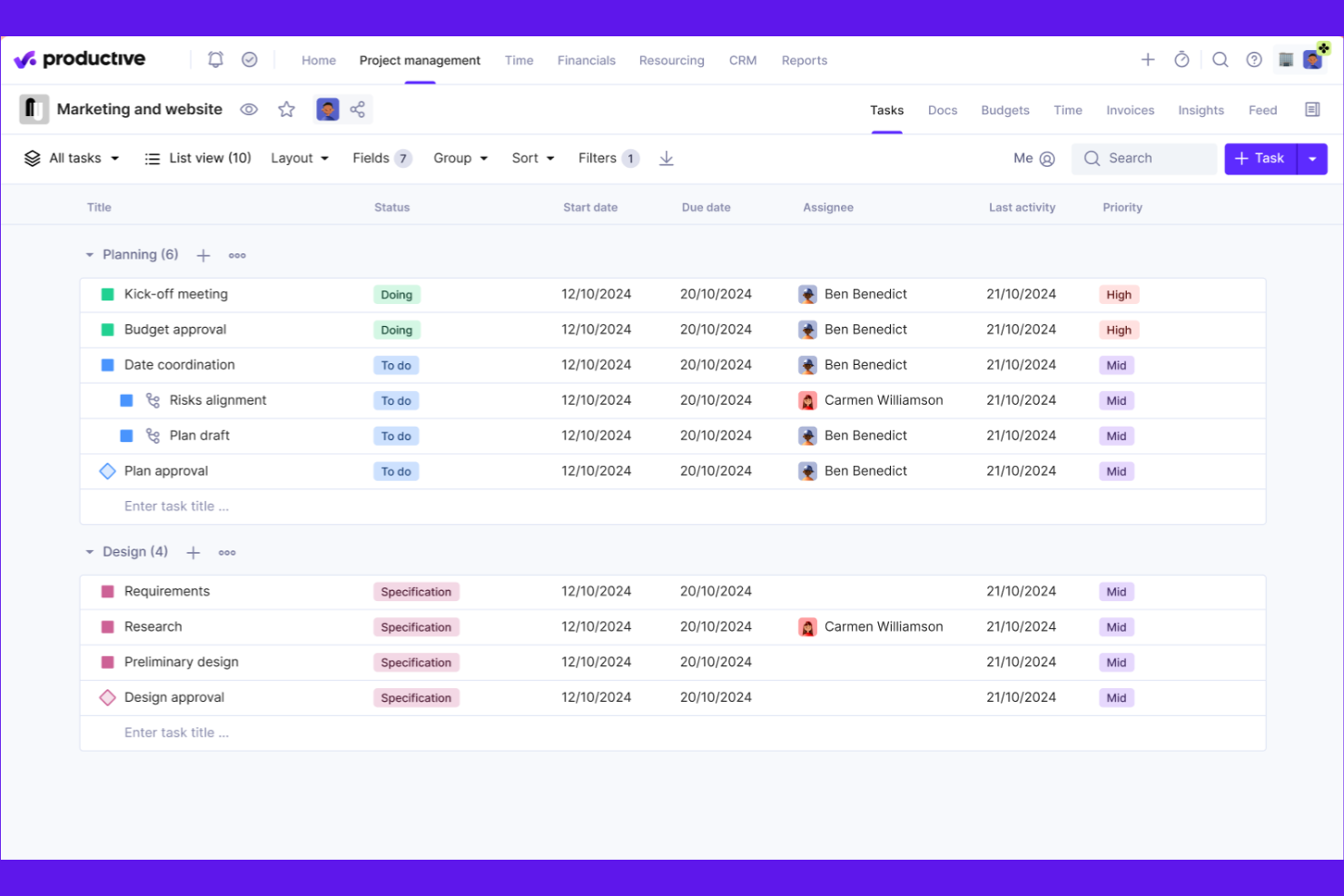
Productive is designed for agencies that need to manage resources, projects, and budgets in one place. It’s especially useful for teams balancing multiple client accounts and shifting workloads. With built-in forecasting and utilization tracking, Productive helps agencies optimize staffing and project delivery.
Why I Picked Productive
When it comes to agency resource planning, Productive offers a level of visibility and control that’s hard to match. I picked Productive because it combines resource scheduling, capacity planning, and real-time utilization tracking in one platform. The tool lets you forecast workloads, assign team members based on availability, and monitor billable hours across projects. This makes it easier for agencies to balance client demands, avoid overbooking, and keep projects on track.
Productive Key Features
In addition to its resource planning strengths, Productive offers several other features that support agency operations:
- Budget Management: Track project budgets, expenses, and profitability in real time.
- Client Portal: Share project updates, files, and invoices directly with clients.
- Custom Reporting: Build and schedule detailed reports on project and financial metrics.
- Task Collaboration: Assign tasks, set deadlines, and communicate with team members within each project.
Productive Integrations
Integrations include Jira, HubSpot, Xero, Google Calendar, Sage, Gmail, Microsoft Outlook, Slack, BugHerd, and QuickBooks.
Pros and Cons
Pros:
- Profitability tracking connects time, budgets, and expenses
- Forecasting tools improve resource planning accuracy
- Utilization dashboards visualize team workload in real time
Cons:
- Custom fields are limited on lower-tier plans
- No built-in Gantt chart for timeline planning
New Product Updates from Productive

Productive Introduces Resource Request Feature
Productive introduces a resource request feature that helps teams request and allocate resources more efficiently. For more information, visit Productive's official site.


BigTime is built for professional services firms that need precise control over time tracking and billing. It’s especially useful for consultancies, accounting firms, and engineering teams that juggle multiple client projects and complex billing arrangements. With features for detailed timesheet entry, expense capture, and invoicing, BigTime helps you keep billable hours accurate and client billing transparent.
Why I Picked BigTime
When accurate time and billing management is a top priority, BigTime offers a focused solution for professional services teams. I picked BigTime because it lets you capture billable hours with detailed timesheets and automatically link them to client invoices.
The platform’s expense tracking tools help you manage reimbursable costs and keep project budgets on track. For firms that need to handle complex billing scenarios, BigTime’s flexible invoicing options make it easier to bill clients accurately and transparently.
BigTime Key Features
Some other features that make BigTime valuable for professional services teams include:
- Resource Allocation: Assign staff to projects based on availability and skill sets.
- Project Budgeting: Set and monitor project budgets to avoid overruns.
- Custom Reporting: Build tailored reports to analyze project and financial data.
- Workflow Automation: Automate approval processes for timesheets and expenses.
BigTime Integrations
Integrations include QuickBooks, Sage Intacct, Lacerte, Xero, NetSuite, Salesforce, HubSpot, Jira, BambooHR, and Zendesk.
Pros and Cons
Pros:
- Resource allocation dashboard visualizes staff availability
- Expense tracking connects directly to project invoices
- Detailed timesheets support accurate client billing
Cons:
- Project templates offer limited flexibility
- Gantt chart functionality is limited

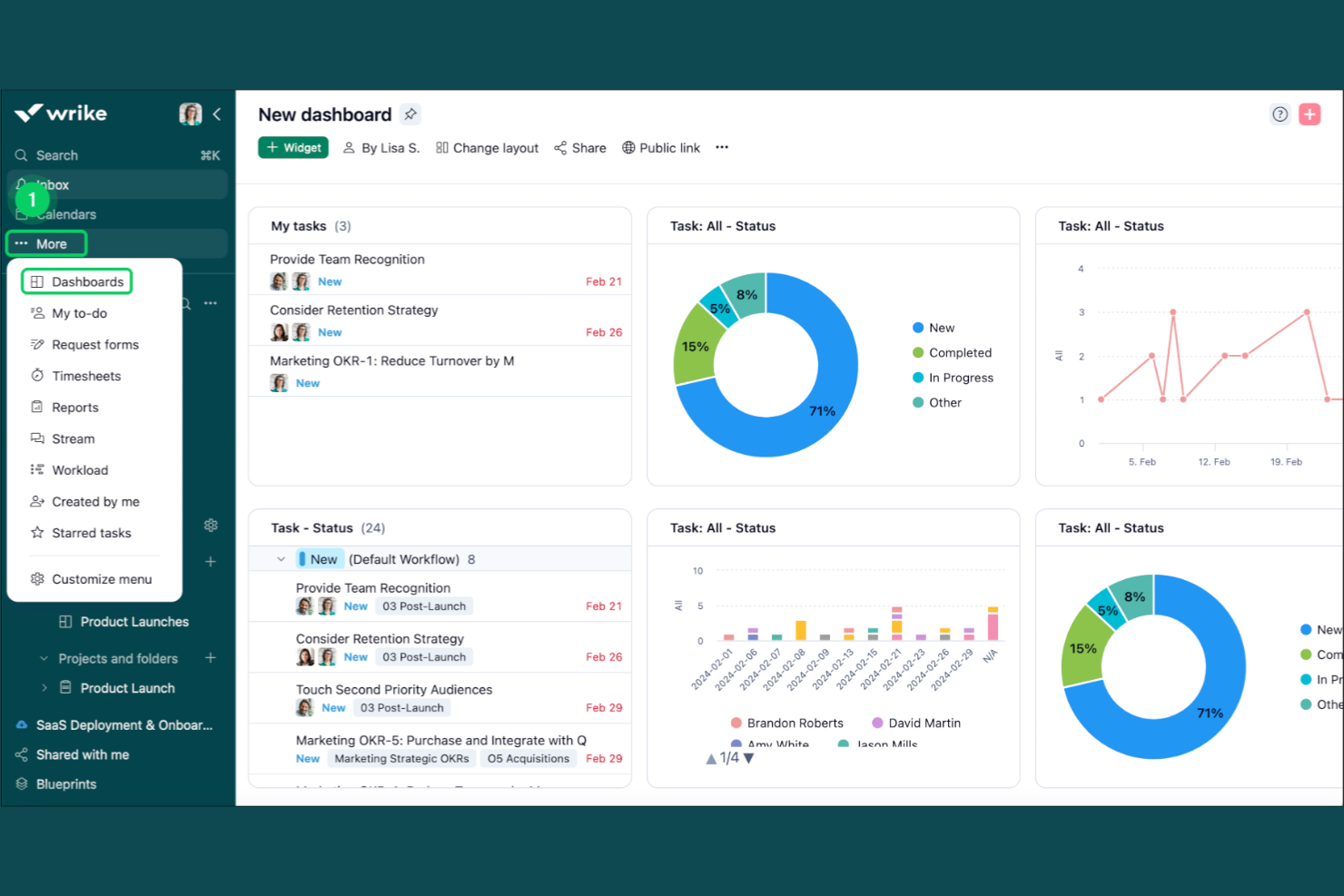
Wrike offers project management software with deep workflow automation and customization options. It’s a strong fit for professional services teams that need to tailor processes for different clients or project types. Use Wrike to automate repetitive tasks and keep complex projects organized across departments.
Why I Picked Wrike
For professional services teams that need to adapt workflows to different client needs, Wrike’s customizable workflow automation stands out. I picked Wrike because it lets you build custom request forms and automate task assignments based on project type or client. The automation engine supports conditional logic, so you can trigger actions and notifications as projects progress. This flexibility helps teams reduce manual work and maintain consistency, even when managing a high volume of varied client projects.
Wrike Key Features
Some other features in Wrike that support professional services teams include:
- Gantt Chart View: Visualize project timelines and dependencies to manage deadlines and resource allocation.
- Time Tracking: Log billable and non-billable hours directly within tasks for accurate client invoicing.
- Document Proofing: Review, comment, and approve files within the platform to speed up client feedback cycles.
- Portfolio Management: Group related projects together and monitor progress across multiple client engagements.
Wrike Integrations
Integrations include Salesforce, HubSpot, NetSuite, QuickBooks, Jira, GitHub, Microsoft Teams, and many more.
Pros and Cons
Pros:
- Document proofing accelerates client review and feedback cycles
- Built-in time tracking supports accurate billable hour logging
- Custom workflow automation supports varied client project processes
Cons:
- Initial setup can take time for large teams
- Automation features require higher-tier plans
New Product Updates from Wrike

Streamlining Workspaces with New Updates
Wrike announces custom space templates, AI Agents in Wrike Labs, and a new Guage widget to improve project management. For more information, visit Wrike's official site.


ProjectWorks is designed for professional services firms that need deep analytics across projects, people, and financials. It’s especially useful for consultancies and agencies that want to connect project delivery with business performance in real time. With its unified analytics and forecasting tools, ProjectWorks helps you spot trends, manage resources, and make data-driven decisions across your portfolio.
Why I Picked ProjectWorks
Analytics is where ProjectWorks really sets itself apart for professional services teams. I picked ProjectWorks because it brings together project, resource, and financial data into a single analytics dashboard, making it easier to track performance and profitability.
Real-time reporting and forecasting tools let you drill into utilization, revenue, and pipeline metrics without exporting data to spreadsheets. For firms that need to connect delivery metrics with business outcomes, ProjectWorks offers the analytics depth and flexibility that’s often missing from other project management tools.
ProjectWorks Key Features
Some other features that make ProjectWorks useful for professional services teams include:
- Resource Scheduling Board: Visualize and assign resources to projects using a drag-and-drop interface.
- Leave and Time Off Management: Track staff availability and manage leave requests directly within the platform.
- Invoice Generation: Create, send, and track invoices linked to project milestones and deliverables.
- Customizable Project Templates: Standardize project setup with reusable templates tailored to your workflows.
ProjectWorks Integrations
Integrations include Xero, QuickBooks, MYOB, HubSpot, Salesforce, 12d Synergy, Jira, Azure DevOps, Employment Hero, and Data Connection.
Pros and Cons
Pros:
- Invoice creation links directly to project milestones
- Resource planning includes future pipeline visibility
- Analytics dashboards combine project and financial performance data
Cons:
- Integration setup can require vendor assistance
- Gantt chart functionality is limited
New Product Updates from Projectworks

Projectworks Adds HubSpot Line Item Budget Creation
Projectworks now allows users to create budgets directly from HubSpot Line Items, simplifying project management and budget allocation. For more information, visit Projectworks' official site.
 .
.

Workzone is designed for teams that need to manage multiple projects at once without losing sight of deadlines or priorities. It’s especially useful for professional services firms juggling client work across departments or business units. With its project dashboards and cross-project reporting, Workzone helps you keep every project visible and on track.
Why I Picked Workzone
Unlike many project management tools, Workzone is built to give you a clear, real-time view across all your projects at once. I picked Workzone because its multi-project dashboards let professional services teams monitor progress, deadlines, and workloads without toggling between separate project spaces.
The platform’s portfolio-level reporting and workload views help you spot bottlenecks and balance resources across clients or departments. For teams managing several projects in parallel, Workzone’s visibility features make it easier to keep everything organized and moving forward.
Workzone Key Features
Some other features that make Workzone useful for professional services teams include:
- Task Dependencies: Set up task relationships to manage project sequencing and handoffs.
- Document Sharing and Versioning: Store, share, and track changes to project files within the platform.
- Automated Project Templates: Create and reuse templates for recurring client projects or deliverables.
- Time Tracking: Log hours directly on tasks to monitor project effort and support client billing.
Workzone Integrations
Integrations include Slack, Google Drive, Dropbox, Box, Microsoft Outlook, Microsoft Excel, Microsoft Word, Microsoft PowerPoint, SharePoint, and many more.
Pros and Cons
Pros:
- Automated templates standardize recurring client projects
- Task dependencies support structured project workflows
- Multi-project dashboards show portfolio-wide project progress
Cons:
- No built-in resource forecasting tools
- Limited integrations with financial systems
Other Project Management Software for Professional Services
Here are some additional project management software for professional services options that didn’t make it onto my shortlist, but are still worth checking out:
- Workday
With enterprise HR and finance integration
- SAP
With advanced financial reporting
- Certinia
For Salesforce-native project operations
- Asana
For structured project planning with intuitive task management and workflow automation
- monday.com
For highly visual work management with customizable project workflows
- ClickUp
For consolidating project management, documents, and team collaboration in one platform


Project Management Software for Professional Services Selection Criteria
When selecting the best project management software for professional services to include in this list, I considered common buyer needs and pain points like managing complex client projects and tracking billable hours across teams. I also used the following framework to keep my evaluation structured and fair:
Core Functionality (25% of total score)
To be considered for inclusion in this list, each solution had to fulfill these common use cases:
- Manage project timelines and milestones
- Assign and track tasks for team members
- Monitor project budgets and expenses
- Track time and billable hours
- Generate project status and financial reports
Additional Standout Features (25% of total score)
To help further narrow down the competition, I also looked for unique features, such as:
- Automated client billing and invoicing
- Resource forecasting and capacity planning
- Integrated HR and finance modules
- Custom workflow and approval automation
- Real-time analytics dashboards
Usability (10% of total score)
To get a sense of the usability of each system, I considered the following:
- Simple and intuitive user interface
- Minimal clicks to complete common actions
- Clear navigation and menu structure
- Customizable dashboards and views
- Responsive design for mobile and desktop
Onboarding (10% of total score)
To evaluate the onboarding experience for each platform, I considered the following:
- Availability of step-by-step product tours
- Access to training videos and documentation
- Pre-built templates for common project types
- In-app chatbots or guided help
- Live webinars or onboarding sessions
Customer Support (10% of total score)
To assess each software provider’s customer support services, I considered the following:
- 24/7 support availability
- Multiple support channels like chat, email, and phone
- Fast response times to inquiries
- Access to a searchable knowledge base
- Dedicated account managers for enterprise clients
Value For Money (10% of total score)
To evaluate the value for money of each platform, I considered the following:
- Transparent and flexible pricing plans
- Features included at each pricing tier
- Discounts for annual or volume commitments
- No hidden fees or surprise charges
- Free trial or demo availability
Customer Reviews (10% of total score)
To get a sense of overall customer satisfaction, I considered the following when reading customer reviews:
- Positive feedback on project management features
- Reports of reliable uptime and performance
- Comments on customer support quality
- User experiences with onboarding and training
- Feedback on integration with other tools
How to Choose Project Management Software for Professional Services
It’s easy to get bogged down in long feature lists and complex pricing structures. To help you stay focused as you work through your unique software selection process, here’s a checklist of factors to keep in mind:
| Factor | What to Consider |
|---|---|
| Scalability | Will the software support your team size and project volume as you grow? Check for user limits, project caps, and pricing jumps as your needs expand. |
| Integrations | Does it connect natively to your core systems (CRM, accounting, HR, document management)? Gaps here can create manual work and data silos. |
| Customizability | Can you tailor workflows, fields, and permissions to match your firm’s processes? Rigid tools may force you to change how your team works. |
| Ease of use | Will your team adopt it quickly? Look for clear navigation, minimal training requirements, and a UI that matches your team’s technical comfort level. |
| Implementation and onboarding | How long will it take to get up and running? Consider migration support, data import tools, and the availability of onboarding resources or services. |
| Cost | Are pricing tiers transparent and predictable as you scale? Watch for hidden fees, required add-ons, or minimum contract terms that could impact your ROI. |
| Security safeguards | Does the tool meet your data privacy and security standards? Look for encryption, access controls, audit logs, and compliance with relevant regulations. |
| Support availability | What support channels are offered, and during what hours? Consider if you need 24/7 help, dedicated account management, or self-service resources. |
What Is Project Management Software for Professional Services?
Project management software for professional services is a digital platform that helps service-based organizations plan, track, and deliver client projects while managing resources, budgets, and timelines. These software solutions bring together project planning, financial management, and team collaboration in a single system so firms can coordinate work more effectively.
Instead of relying on disconnected tools or manual processes, professional services teams can manage projects end-to-end while tracking resource allocation, project profitability, and client deliverables. With better visibility into workloads and progress, organizations can make informed decisions, support team collaboration, and adapt workflows to meet the specific needs of each project.
Features
When selecting project management software for professional services, keep an eye out for the following key features:
- Project planning and scheduling: Build timelines, define milestones, and map dependencies to create a clear roadmap for project delivery across multiple teams.
- Resource management: Allocate team members based on skills, availability, and workload so projects remain balanced and professional services teams can meet client commitments.
- Time tracking: Log billable and non-billable hours directly within the platform to support accurate invoicing and monitor project profitability.
- Budgeting and expense tracking: Track project budgets, expenses, and financial performance to connect delivery work with financial management and maintain profitability.
- Client billing and invoicing: Generate user-friendly invoices based on tracked time, deliverables, or milestones while keeping financial data connected to project activity.
- Kanban boards: Organize tasks visually using Kanban boards so teams can manage work management processes and monitor project progress more easily.
- AI-powered workflow automation: Many tools now automate workflows for task approvals, status updates, and notifications so teams can reduce manual work and keep projects moving forward.
- Reporting and analytics: Generate reports on project progress, team utilization, and financial metrics to support better decision-making across professional services teams.
- Collaboration tools: Enable team collaboration through shared workspaces, task comments, and file sharing so stakeholders stay aligned throughout the project lifecycle.
- ERP integrations: Connect project management with ERP systems to align project data with financial management and broader business operations.
Benefits
Implementing project management software for professional services provides several benefits for your team and your business. Here are a few you can look forward to:
- Centralized project visibility: Access all project timelines, budgets, and deliverables in one place, making it easier to monitor progress and spot issues early.
- Improved resource allocation: Assign team members based on real-time availability and skill sets, reducing bottlenecks and overbooking.
- Accurate time and expense tracking: Capture billable hours and project costs directly in the platform, supporting precise invoicing and profitability analysis.
- Streamlined client billing: Automate invoice generation and billing cycles using tracked time, milestones, or deliverables, reducing manual work and errors.
- Enhanced collaboration: Share documents, updates, and feedback within the platform, keeping everyone aligned and informed throughout the project lifecycle.
- Customizable workflows: Adapt approval processes and task handoffs to match your firm’s unique project delivery methods, increasing efficiency and accountability.
- Data-driven decision-making: Use built-in reporting and analytics to evaluate project performance, resource utilization, and financial outcomes, supporting better business decisions.
Costs and Pricing
Selecting project management software for professional services requires an understanding of the various pricing models and plans available. Costs vary based on features, team size, add-ons, and more. The table below summarizes common plans, their average prices, and typical features included in project management software for professional services solutions:
Plan Comparison Table for Project Management Software for Professional Services
| Plan Type | Average Price | Common Features |
|---|---|---|
| Free Plan | $0 | Basic task management, limited users, simple project tracking, and basic reporting. |
| Personal Plan | $5-$15/user/month | Task assignment, calendar integration, limited time tracking, and basic document sharing. |
| Business Plan | $20-$40/user/month | Advanced project planning, resource management, time and expense tracking, client billing, and custom workflows. |
| Enterprise Plan | $50-$100/user/month | Advanced security, custom integrations, dedicated support, advanced analytics, and compliance management. |
Project Management Software for Professional Services FAQs
Here are some answers to common questions about project management software for professional services:
How is project management software for professional services different from general project management tools?
Project management software for professional services includes features tailored for client work, such as time tracking, billing, and resource management. These tools help service-based teams manage client projects, track billable hours, and handle invoicing, which are not always included in general project management tools.
Can project management software for professional services integrate with accounting or CRM systems?
Yes, most project management software for professional services offers integrations with popular accounting and CRM systems. This allows you to sync client data, automate invoicing, and connect project activity with financial records, reducing manual data entry and improving accuracy.
What should I consider when migrating from spreadsheets to project management software for professional services?
Start by mapping your current workflows and data fields to the new system. Look for import tools, onboarding support, and training resources to help your team transition smoothly. Plan for a phased rollout and set aside time for user training and process adjustments.
Is it possible to manage multiple clients and projects at once with these tools?
Yes, project management software for professional services is designed to handle multiple clients and projects simultaneously. You can set up separate workspaces, assign teams, and track progress, budgets, and billing for each client or project within the same platform.
How do these tools help with resource allocation and capacity planning?
These tools provide dashboards and reports that show team availability, workload, and project assignments. You can forecast resource needs, avoid overbooking, and adjust assignments in real time to keep projects on track and teams balanced.
What’s Next:
If you're in the process of researching project management software for professional services, connect with a SoftwareSelect advisor for free recommendations.
You fill out a form and have a quick chat where they get into the specifics of your needs. Then you'll get a shortlist of software to review. They'll even support you through the entire buying process, including price negotiations.