

10 Best Professional Services Scheduling Software Reviewed in 2026

Best Professional Services Scheduling Software Shortlist


Managing schedules and appointments can feel like juggling flaming torches. You want to focus on what really matters: your projects, your team, and your clients. That's where professional services scheduling software comes in. It helps you keep everything organized, so you can breathe a little easier.
In my experience, the right tool can make a big difference. I've independently tested and reviewed various options to help you find the best fit for your needs. This article will guide you through the top picks, highlighting what each offers and how they can solve common scheduling headaches.
You'll get an unbiased look at the features and pros and cons of each tool so you can make an informed decision for your team. Let's dive in.
Why Trust Our Software Recommendations
Our team has been testing and reviewing software since 2012. As project managers ourselves, we know how difficult—and important—it is to choose the right software.
For this guide, we evaluated tools using hands-on testing and independent research, scoring tools using our selection criteria. We also draw on insights from industry thought leaders and practicing project management experts.
Our reviews reflect our human editorial judgment, not a sales pitch.
Expert reviewers:
Professional Services Scheduling Software Comparison Table
The table below compares pricing details for my top professional services scheduling software selections.
| Tool | Best For | Trial Info | Price | ||
|---|---|---|---|---|---|
| 1 | Best for end-to-end PS firm resourcing | 14-day free trial | From $19.90/user/month (billed annually) | Website | |
| 2 | Best for client bookings | 7-day free trial | From $20/month | Website | |
| 3 | Best for meeting scheduling | 14-day free trial + free plan + free demo available | From $10/seat/month (billed annually) | Website | |
| 4 | Best for time zone support | 14-day free trial and free plan available | From $14.40/user/month | Website | |
| 5 | Best for small businesses | Free plan available | From $19.99/month (billed annually) | Website | |
| 6 | Best for custom bookings | Free plan available | From $11.9/month (billed annually) | Website | |
| 7 | Best for field services | Free demo available | Pricing upon request | Website | |
| 8 | Best for payment integration | 30-day free trial + free plan available | From $29/user/month (billed annually) | Website | |
| 9 | Best for open-source users | 14-day free trial + free plan + free demo available | From $12/user/month | Website | |
| 10 | Best for project tracking | 14-day free trial + free demo available | From $10/month (billed annually) | Website |


Best Professional Services Scheduling Software Review
Below are my detailed summaries of the best professional services scheduling software that made it onto my shortlist. My reviews offer a detailed look at the key features, pros and cons, integrations, and ideal use cases of each tool to help you find the best one for you.

Scoro
Best for end-to-end PS firm resourcing
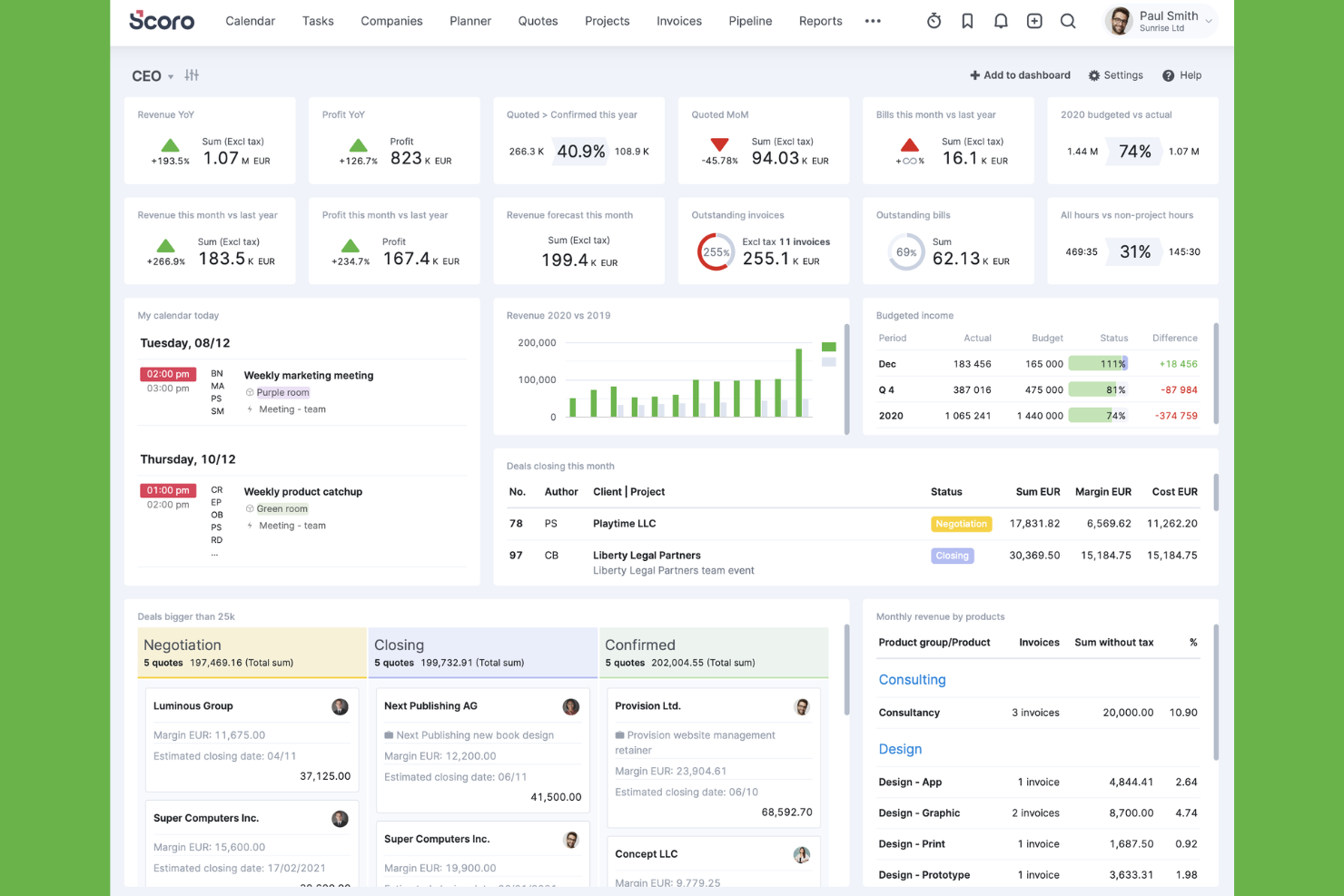
Scoro is a PSA platform built specifically for professional services firms that unifies resource scheduling, project delivery, time tracking, quoting, and financial reporting in a single system.
Who Is Scoro Best For?
Scoro is a strong fit for consulting firms, agencies, and IT services businesses that need to manage the full project lifecycle—from pipeline and resourcing to invoicing—in one place.
Why I Picked Scoro
Scoro earns its spot on my shortlist because it covers the entire PS firm workflow, from pipeline to invoicing, without requiring a stack of separate tools. What I particularly like is the quote estimation matrix, which breaks project deliverables down by role, effort, cost, and margin before a single hour is logged, so profitability is baked in from the sales stage. The Bookings module then carries that context forward, letting you assign confirmed or soft (tentative) bookings against real capacity data that already accounts for leave and public holidays.
Scoro Key Features
- 360° time usage view: Shows planned, booked, and logged time side by side across individuals, roles, and projects in a single view.
- WIP reporting: Surfaces unbilled time and uninvoiced costs so you can forecast revenue and cost completion before a project closes.
- Utilization heatmaps: Color-coded capacity indicators flag overloaded and underutilized team members across your scheduling view in real time.
- ELI AI assistant: Lets you query project and billing data in plain language and automate data capture from receipts and documents.
Scoro Integrations
Scoro offers native integrations with Salesforce, HubSpot, Google Calendar, Microsoft 365, Jira, BambooHR, Xero, QuickBooks, and Slack. Its open API supports custom integrations, with Azure Active Directory available for SSO.
Pros and Cons
Pros:
- Quote estimation links role effort to profitability
- 360° time view shows real-time utilization
- Bookings module supports tentative and confirmed assignments
Cons:
- Mobile app has fewer features than desktop
- Initial setup can be time consuming
New Product Updates from Scoro

Scoro Adds Time Mobile App and ELI Improvements
Scoro adds the Scoro Time mobile app for iOS/Android to track time anywhere and expands ELI with attachments, smarter filtering, and trigger-based actions. For more information, visit Scoro's official site.

Best for client bookings
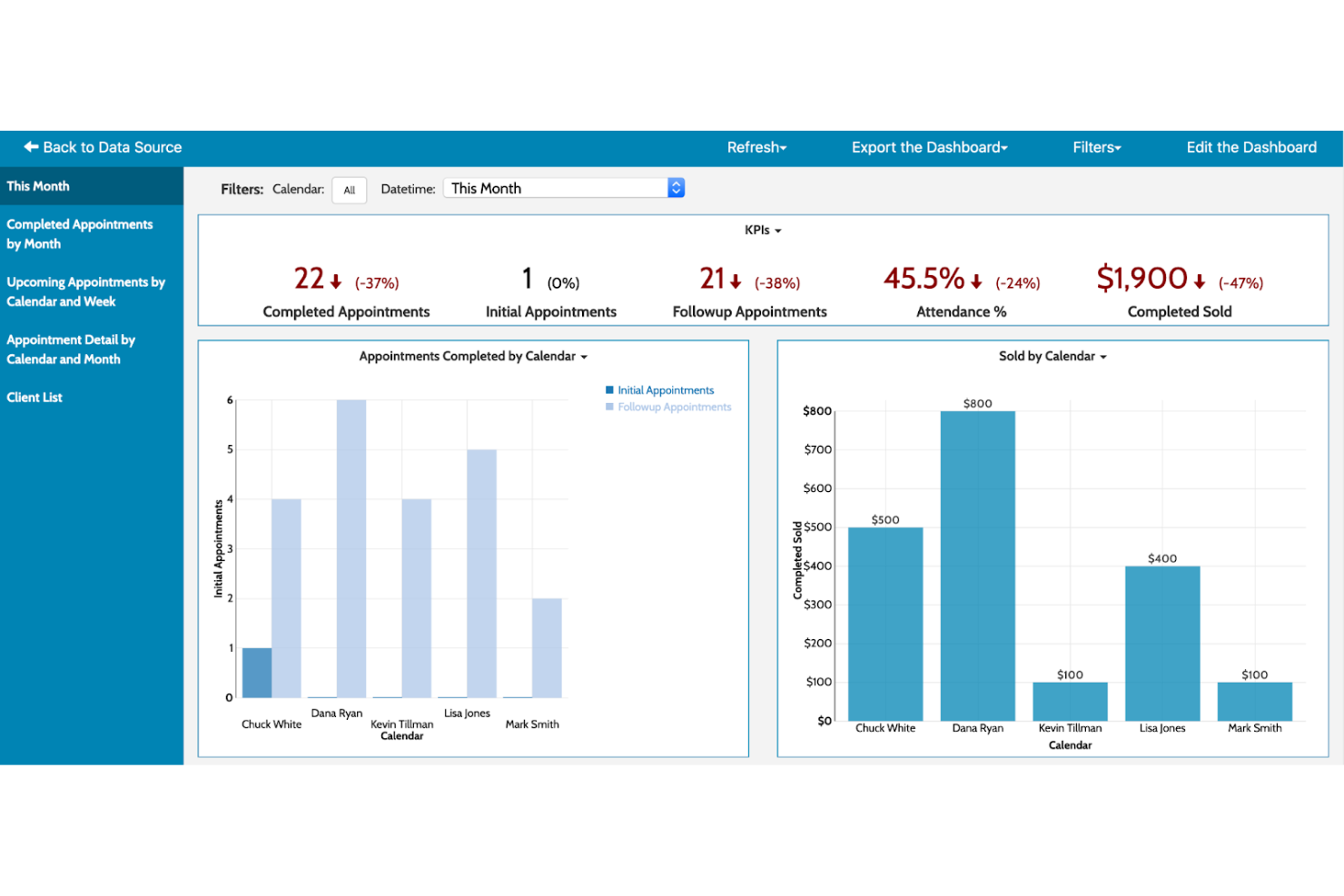
Acuity Scheduling is an online appointment scheduling software designed for businesses that require efficient client booking management. It automates client bookings, reminders, and payments to ensure smooth operations.
Why I picked Acuity Scheduling: It's tailored for client bookings with features that automate scheduling and client management. You can customize appointment types to fit your business needs. The platform supports automatic time zone adjustments, ensuring clients book at the right time. It also provides intake forms to gather client information before appointments.
Standout Features and Integrations:
Features include appointment packages, which allow you to sell bundled services, and gift certificates for an added revenue stream. You can also block off personal time to ensure your schedule reflects your availability accurately. The software's reporting tools help you analyze booking trends.
Integrations include Google Calendar, Zoom, Mailchimp, QuickBooks, PayPal, Stripe, and more.
Pros and Cons
Pros:
- Offers intake forms
- Supports appointment packages
- Automatic time zone adjustments
Cons:
- Requires internet connection
- Limited customization for branding

Calendly
Best for meeting scheduling

Calendly is an online scheduling tool designed primarily for individuals and teams needing efficient meeting management. It simplifies the process of scheduling meetings without the back-and-forth emails.
Why I picked Calendly: It's ideal for scheduling meetings with ease and efficiency. Calendly allows you to set your availability and share your link, letting others book appointments and meetings at times that work for you. You can customize meeting types to suit different needs. It also automatically adjusts for time zones, which is great for global teams.
Standout Features and Integrations:
Features include buffer times between meetings, helping you manage your schedule without overlaps. You can also set daily limits on the number of meetings to prevent burnout and promote wellness in your team. Additionally, Calendly offers group scheduling options for team meetings.
Integrations include Google Calendar, Outlook, Zoom, Microsoft Teams, Slack, HubSpot, and more.
Pros and Cons
Pros:
- Customizable meeting types
- Automatic time zone adjustments
- Easy to share scheduling links
Cons:
- Poor support for group polls
- Restrictive branding controls

Best for time zone support

YouCanBookMe is an online scheduling tool primarily used by professionals who need to manage appointments across different time zones. It simplifies booking processes, allowing users to avoid the hassle of time zone conversions.
Why I picked YouCanBookMe: It excels in handling time zone differences, ensuring accurate scheduling for global teams. You can set your availability and let clients book at their convenience. The tool automatically adjusts for time zone changes, reducing errors. It also offers customizable booking pages to fit your brand.
Standout Features and Integrations:
Features include email and SMS reminders to reduce no-shows, ensuring your schedule stays on track. You can also set buffer times between appointments to manage your workload effectively. The tool supports group bookings, making it easy to coordinate meetings with multiple participants.
Integrations include Google Calendar, Outlook, Zoom, Microsoft Teams, Slack, Zapier, and more.
Pros and Cons
Pros:
- Supports group bookings
- Customizable booking pages
- Handles multiple time zones
Cons:
- Basic features on free plan
- Mobile app is not available
Appointy
Best for small businesses
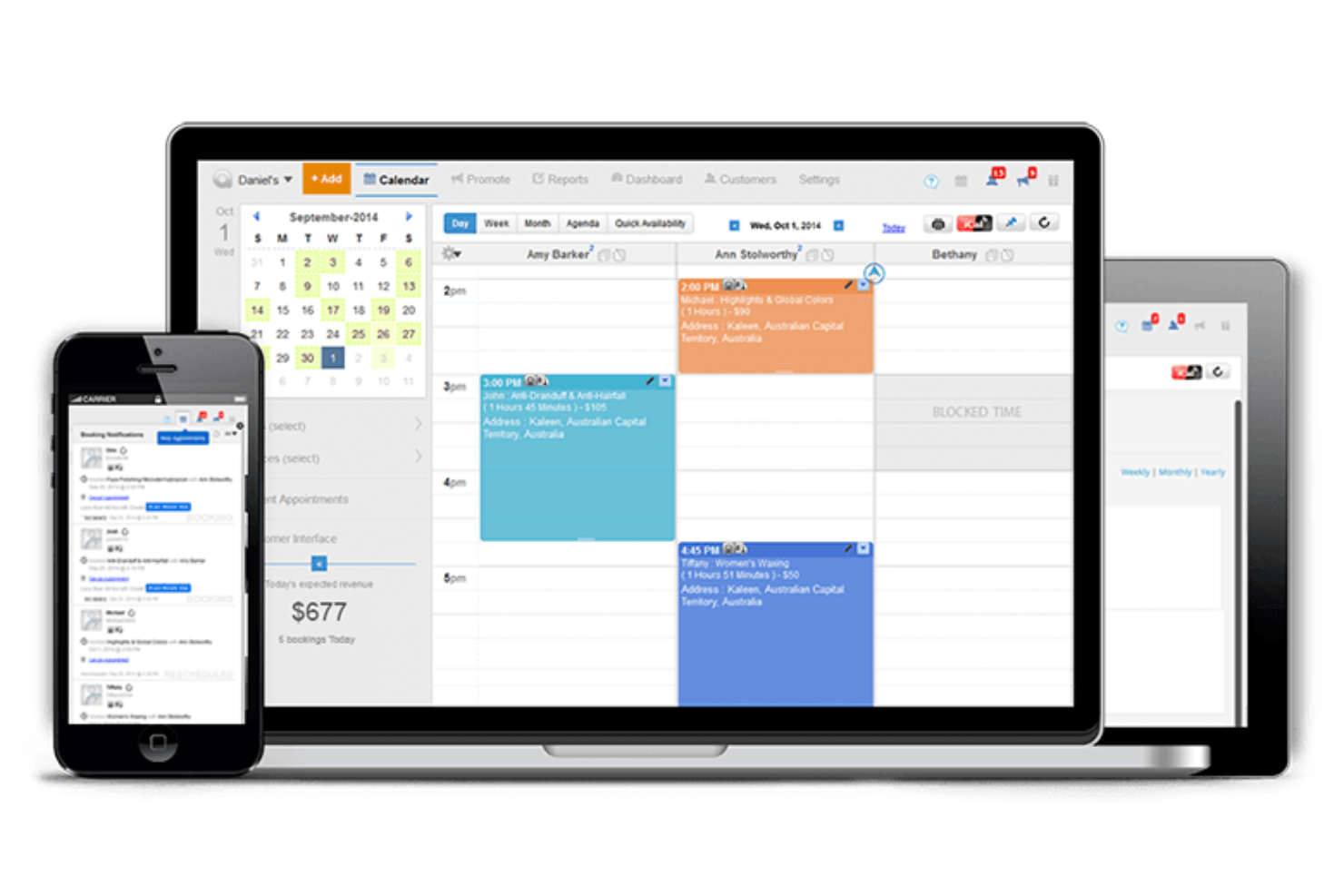
Appointy is an online scheduling software tailored for small businesses. It helps manage appointments, automate reminders, and simplify client bookings.
Why I picked Appointy: It's ideal for small businesses looking for easy scheduling solutions. Appointy offers automated reminders and online payments, which are essential for small business efficiency. Customizable booking pages cater to specific business needs. Its simple interface allows even non-tech-savvy users to navigate pages smoothly.
Standout Features and Integrations:
Features include the ability to manage multiple locations, offer membership deals, and create recurring appointments. You can set buffer times between appointments to keep your schedule running smoothly and improve customer experience. The software also supports class and event bookings.
Integrations include Google Calendar, Zoom, Stripe, PayPal, WordPress, Facebook, and more.
Pros and Cons
Pros:
- Handles online payments
- Automates reminder messages
- Customizable booking pages
Cons:
- Outdated UI/UX design
- Occasional sync issues

Best for custom bookings

SimplyBook.me is an online booking system aimed at businesses that need customizable scheduling solutions. It helps manage appointments, client bookings, and service offerings efficiently.
Why I picked SimplyBook.me: It's perfect for businesses seeking custom booking options with features that let you tailor the booking experience. You can create personalized booking pages that reflect your brand. The tool supports a variety of service offerings, allowing you to cater to different client needs. It also provides tools for managing promotions and discounts, improving client engagement.
Standout Features and Integrations:
Features include automated reminders to reduce no-shows, ensuring your schedule stays on track. You can also manage memberships and packages, offering clients more flexible options. The software supports payment processing, allowing you to handle transactions with minimal stress.
Integrations include Google Calendar, Facebook, Instagram, WordPress, Stripe, PayPal, and more.
Pros and Cons
Pros:
- Manages promotions and discounts
- Supports memberships and packages
- Highly customizable booking pages
Cons:
- Costs add up with ‘Custom Features'
- Dated admin interface design

Best for field services
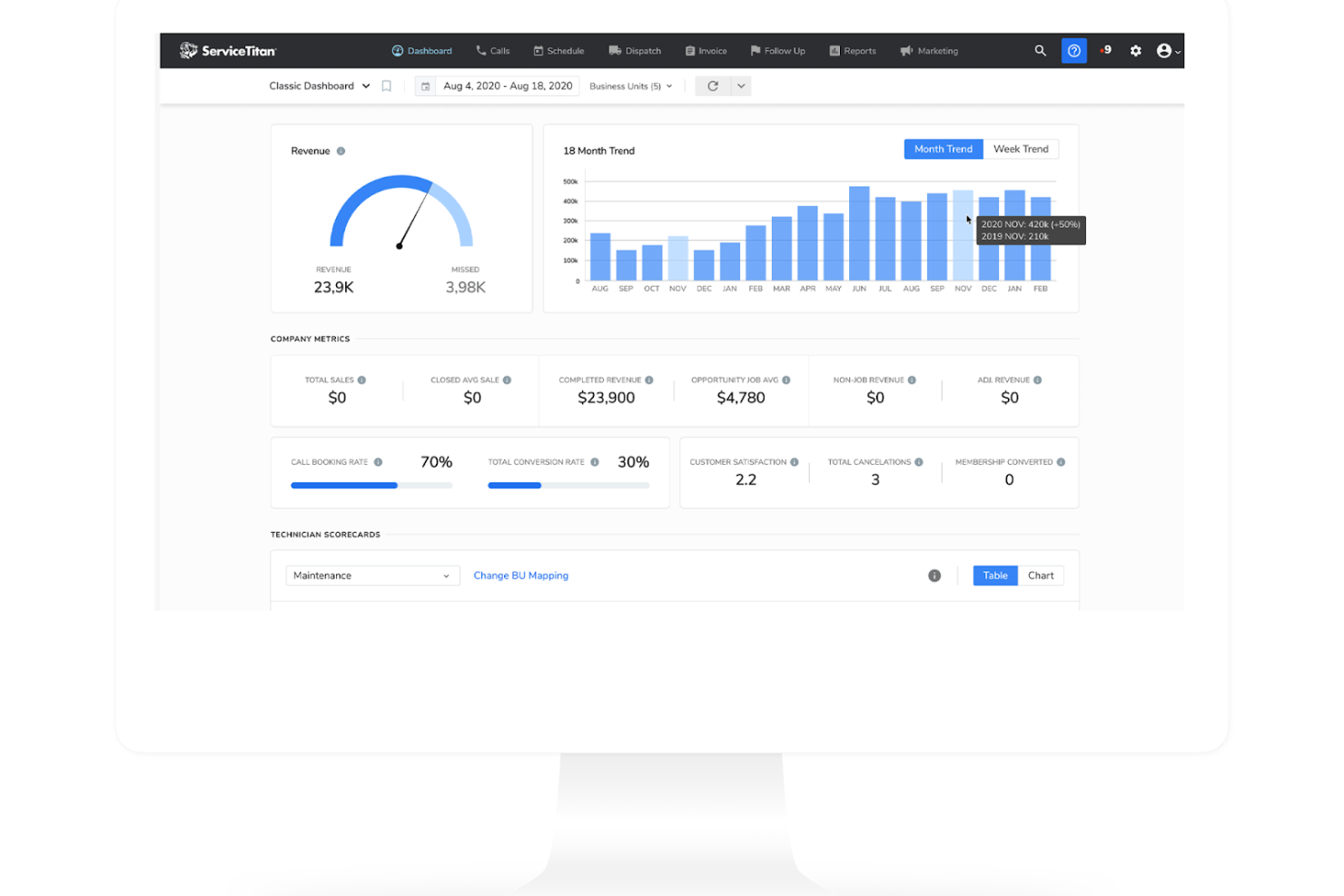
ServiceTitan is a field service management software designed for businesses in the home and commercial service sectors. It offers tools for scheduling, dispatching, and managing field operations effectively.
Why I picked ServiceTitan: It's tailored for field services, providing features that simplify scheduling and dispatching tasks. You can track field technicians in real time, ensuring jobs are completed efficiently. The software supports easy invoicing and payment processing directly from the field. It also offers customer relationship management (CRM) tools that help maintain strong client communications and development.
Standout Features and Integrations:
Features include advanced reporting tools that give insights into your business performance. You can also automate marketing campaigns to engage customers and grow your business. The software supports inventory management, helping you keep track of supplies and equipment.
Integrations include QuickBooks, Salesforce, Intuit, Google Calendar, Microsoft Outlook, and more.
Pros and Cons
Pros:
- Supports inventory management
- CRM tools
- Real-time technician tracking
Cons:
- Frequent software glitches
- Very high subscription cost

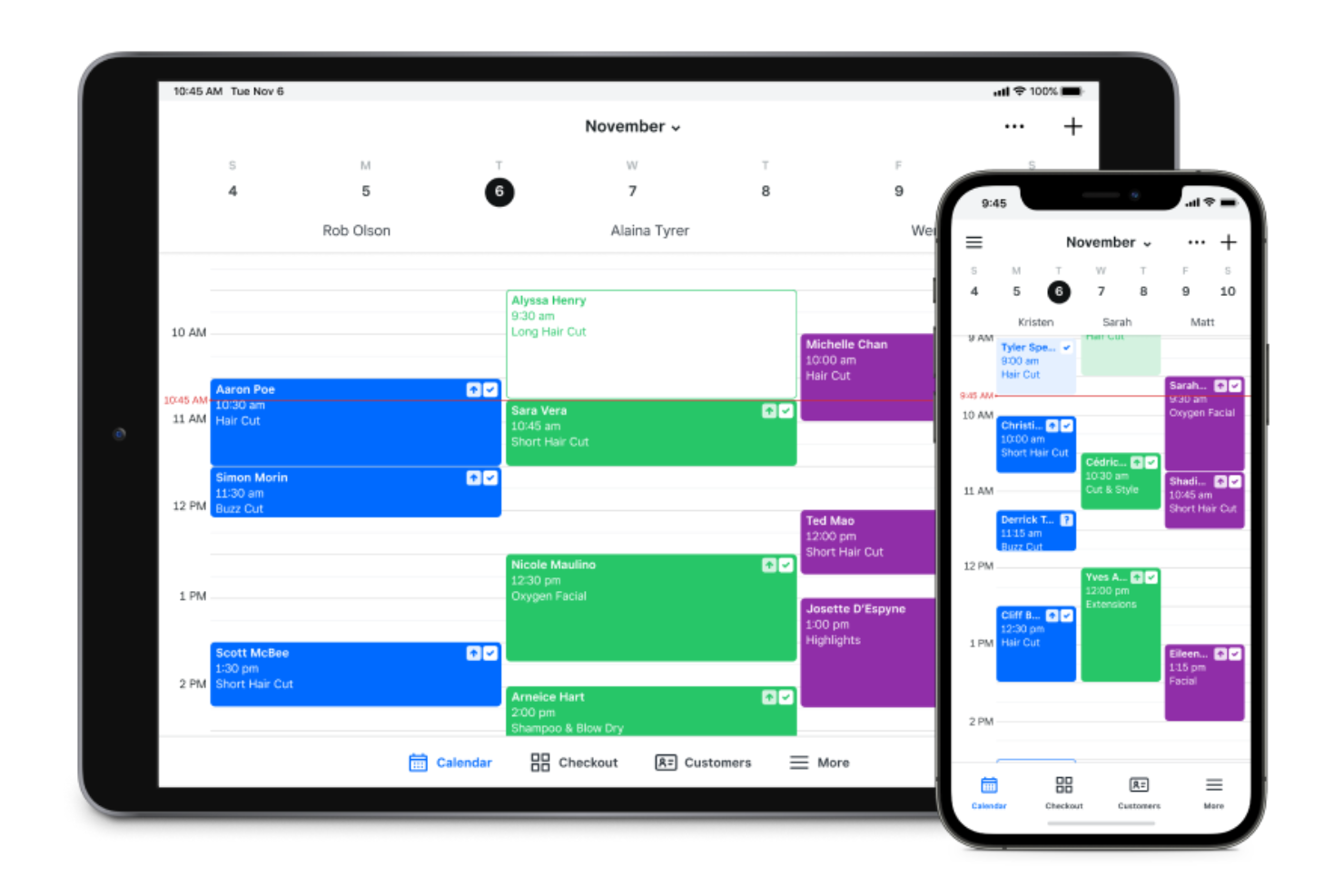
Square Appointments is an online scheduling software tailored for businesses that need integrated payment solutions. It serves small to medium-sized businesses, supporting appointment bookings and payment processing.
Why I picked Square Appointments: It offers smooth payment integration with Square's payment processing system, making transactions straightforward. You can manage bookings and payments within a single platform. The software supports automated reminders through text messages to reduce last-minute no-shows. It also provides a user-friendly interface that suits businesses of all sizes.
Standout Features and Integrations:
Features include the ability to manage staff schedules, allowing you to oversee real-time availability and allocate resources efficiently. You can set up recurring appointments for regular clients, which simplifies ongoing scheduling. The platform also offers reporting tools to track business performance.
Integrations include Google Calendar, Instagram, QuickBooks, Wix, Weebly, WordPress, and more.
Pros and Cons
Pros:
- Supports staff scheduling
- Automated reminders for clients
- Integrated payment processing
Cons:
- High processing fees
- Basic intake forms

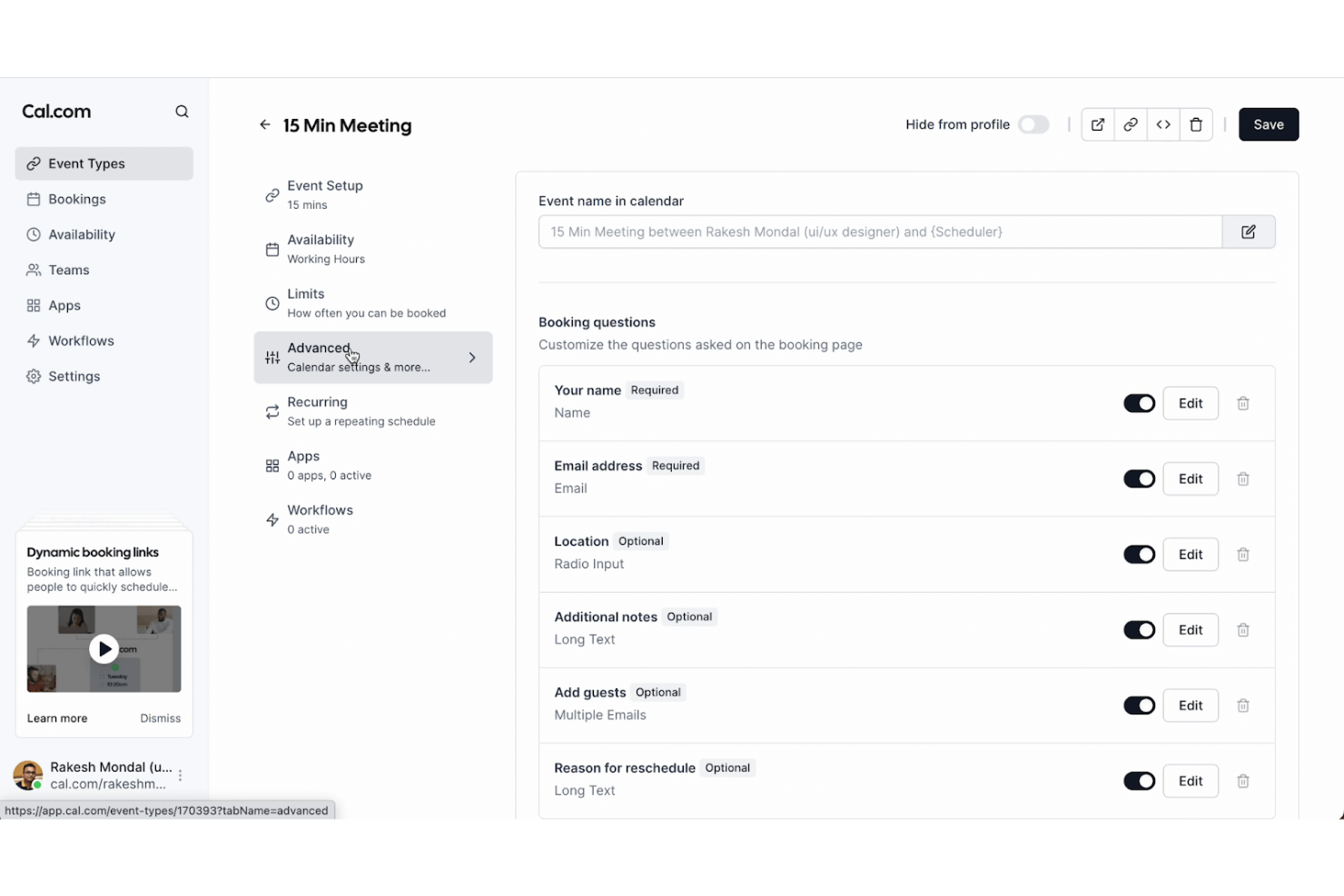
Cal.com is an open-source scheduling tool that caters to developers and businesses looking for customizable solutions. It provides scheduling capabilities with a focus on flexibility and adaptability.
Why I picked Cal.com: It offers an open-source platform, allowing users to customize and modify the tool according to their needs. You can integrate it with various systems and permissions to adapt it to fit your team's workflow. The tool supports multiple scheduling options, making it versatile for different use cases. It's ideal for tech-savvy users who want to build and expand on its core functionalities.
Standout Features and Integrations:
Features include customizable booking pages that let you tailor the user experience. You can also set custom availability to reflect your specific schedule needs. The software supports group scheduling, making it easy to coordinate with multiple participants.
Integrations include Google Calendar, Zoom, Microsoft Teams, Slack, Zapier, and more.
Pros and Cons
Pros:
- Open-source flexibility
- Supports multiple scheduling options
- Highly customizable for developers
Cons:
- Regular updates needed for stability
- Limited out-of-the-box features

Productive
Best for project tracking
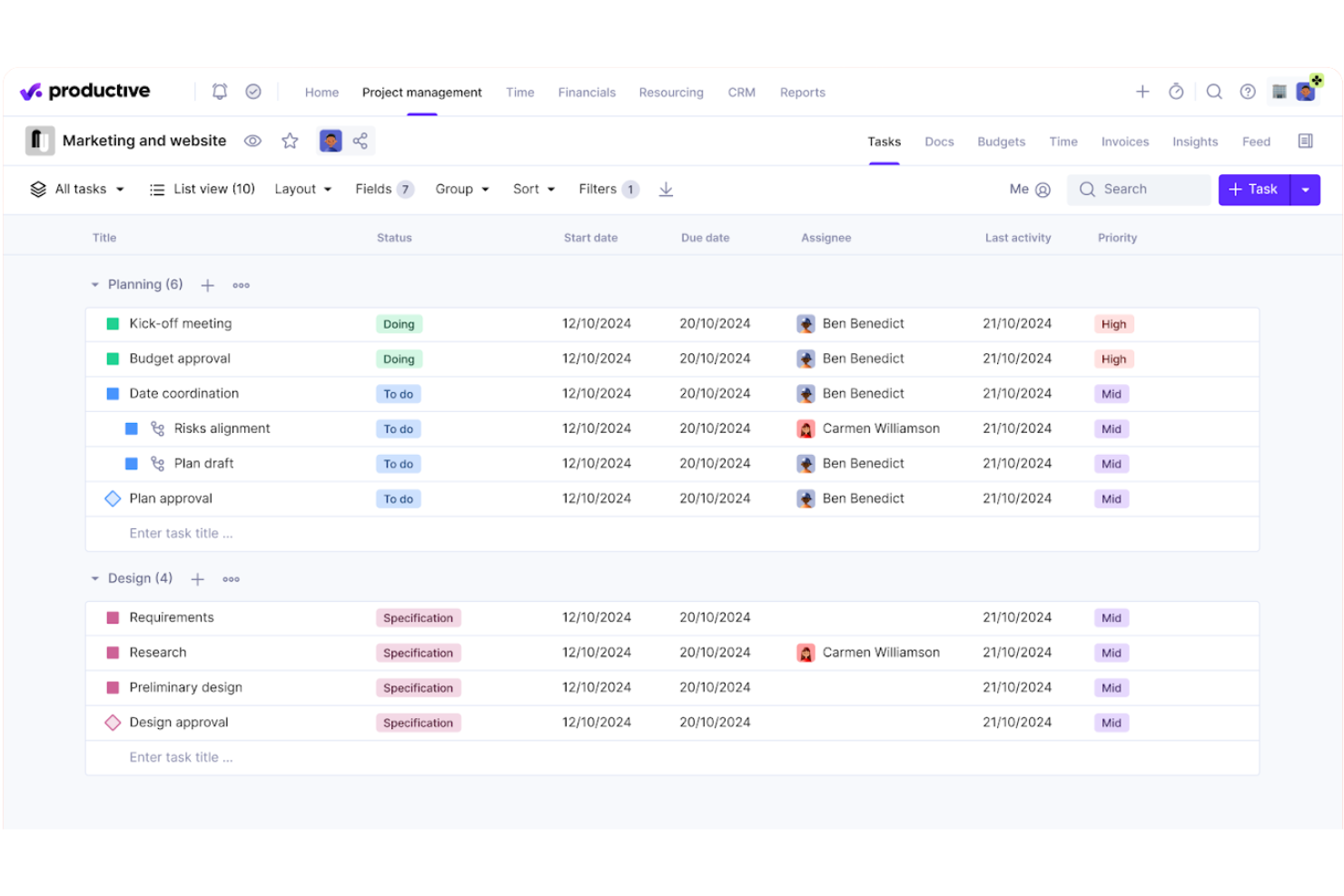
Productive is a professional services scheduling software built to align team capacity with project demands. It centralizes resource allocation, real-time availability, and workload balancing to help firms maintain a steady and sustainable pace.
Why I picked Productive: It excels in resource scheduling and provides a high-level view of team bandwidth and upcoming gaps. You can manage shifts, time-off requests, and billable utilization within a single interface, ensuring no one is overbooked. The tool offers visual heatmaps to identify which consultants are under-taxed or at risk of burnout. It also includes integrated forecasting features, allowing you to see how today’s schedule impacts your firm's long-term profitability and hiring needs.
Standout Features and Integrations:
Features include budget management tools, which help you keep projects on track financially. You can also create detailed reports to analyze team performance. The software supports task management, allowing you to assign and prioritize tasks.
Integrations include Slack, QuickBooks, Xero, Google Calendar, Asana, Trello, and more.
Pros and Cons
Pros:
- Includes resource planning
- Customizable dashboards
- Detailed project profitability insights
Cons:
- Occasional UI lag
- Limited custom reporting
New Product Updates from Productive
Productive Adds Voice Dictation, Slack Connector, Proposals, and Overtime
Productive adds voice dictation, a Slack Connector, proposal controls, and overtime tracking. These updates support faster AI interactions, client proposals, and time management. For more information, visit Productive’s official site.
Other Professional Services Scheduling Software
Here are some additional professional services scheduling software options that didn’t make it onto my shortlist, but are still worth checking out:
- Connecteam
For mobile teams
- Kantata
All-in-one solution
- Housecall Pro
For home services
- monday AI Workspace
For visual project tracking
- Setmore
For appointment-based businesses
- Jobber
For automated client communication


How I Evaluate Professional Services Scheduling Software
I split my evaluation into what a tool must do—like matching consultants to pipeline deals by skills and availability—and what separates the best options from the rest.
Core Functionality (Table Stakes For This List)
When I'm selecting tools for my list, I rank each one on a scale from 0 (does not offer the functionality) to 5 (excels in this area) for each core functionality listed below. Then, I calculate the tool's total score into a percentage. Each tool needs to achieve a minimum total score of 65% to be considered for inclusion.
- Resource Scheduling & Allocation: I evaluate how each tool handles assigning consultants to engagements—whether it offers visual, drag-and-drop scheduling or relies on static task lists.
- Capacity & Availability Management: Real-time workload views matter here, especially how well a tool surfaces PTO, part-time schedules, and overbooked team members.
- Skills & Role-Based Matching: I check whether you can tag resources by certification, seniority, or skill set and then filter by those attributes when staffing a new engagement.
- Utilization & Billable Hours Tracking: Each tool needs to distinguish billable from non-billable time and report utilization rates at the individual, team, and project level.
- Project & Timeline Management: I look at how projects are structured—whether the tool supports phases, milestones, dependencies, and deadline tracking tied to staffed resources.
- Forecasting & Demand Planning: Pipeline-aware forecasting is key, so I evaluate whether the tool lets you project future resource needs against confirmed and probable engagements.
Once I have a list of tools that meet this criteria, I consider what sets each platform apart.
Differentiating Factors (What Sets Vendors Apart)
Here's how I compare and contrast different vendors:
Standout Features
Scenario planning is a major differentiator—I look for tools that let you model what happens to your bench and utilization if a deal closes next month or a key consultant rolls off early. A CRM-to-resourcing bridge adds real value here, pulling pipeline opportunities so you can soft-book people before contracts are signed. I also evaluate AI staffing recommendations that surface the best-fit consultant based on skills, availability, and past project history.
Beyond Features
Integration depth matters a lot here. I evaluate whether a tool connects natively to your PSA suite, finance system, and HRIS so availability and billing data stay in sync without manual exports. Reporting is another area I weigh heavily—pre-built utilization and bench dashboards save PMO leads from building reports from scratch in external BI tools. Implementation speed also factors in, especially how well a vendor supports migrating historical data from spreadsheets or a legacy system.
How To Choose Professional Services Scheduling Software
It's easy to get bogged down in long feature lists and complex pricing structures. To help you stay focused as you work through your unique software selection process, here's a checklist of factors to keep in mind:
| Factor | What To Consider |
|---|---|
| Scalability | Will the software grow with your business? Check if it can handle more users and appointments as you expand. Avoid tools that limit future growth. |
| Integrations | Does it work with your current tools? Make sure it connects with your calendars, email, and other software you rely on daily. |
| Customizability | Can you tailor it to fit your needs? Look for options to customize booking pages and workflows to match your processes. |
| Ease of use | Is the interface intuitive? Test it yourself or read user reviews to see if the system is easy to navigate without extensive training. |
| Implementation and onboarding | How quickly can you get started? Consider the time and resources needed for setup and training to ensure a smooth transition for your team. |
| Cost | Does the pricing fit your budget? Compare costs across tools, considering both upfront fees and ongoing expenses. Look for free trials to test value. |
| Security safeguards | How does it protect your data? Verify encryption standards and data protection measures to keep your information safe. |
| Support availability | When can you reach support? Check for 24/7 availability and multiple contact methods to ensure help is there when you need it. |
What Is Professional Services Scheduling Software?
Professional services scheduling software is a tool that helps businesses manage appointments and scheduling efficiently. Typically used by consultants, agencies, and service providers, it offers value by organizing schedules and reducing booking conflicts. Features such as automated reminders, calendar sync, and customizable booking options help with efficient time management and client satisfaction. Overall, these tools support productivity by simplifying scheduling tasks and improving client interactions.
Features
When selecting professional services scheduling software, keep an eye out for the following key features:
- Automated reminders: Send notifications to clients and staff to reduce no-shows and keep everyone on schedule.
- Calendar sync: Integrates with popular calendar apps to ensure all appointments and events are up-to-date and visible.
- Customizable booking pages: Allow businesses to create branded booking experiences that align with their services and client needs.
- Time zone adjustments: Automatically adjust appointment times for clients in different time zones, preventing double-bookings and scheduling errors.
- Payment processing: Enables secure transactions directly through the scheduling platform, simplifying billing and payment collection.
- Group scheduling: Facilitates bookings for multiple participants at once, ideal for team meetings or group sessions.
- Mobile app availability: Provides access to scheduling features on the go, ensuring flexibility for mobile teams.
- Reporting tools: Offer insights into scheduling trends and business performance, helping reduce cancellations and rescheduling with strategic planning.
- Resource management: Manages staff availability and resources to optimize scheduling and service delivery.
- Client management: Stores client information and history, improving personalized service and communication.
Benefits
Implementing professional services scheduling software provides several benefits for your team and your business. Here are a few you can look forward to:
- Improved efficiency: Automate scheduling tasks such as reminders and calendar sync, freeing up time for your team to focus on other responsibilities.
- Increased client satisfaction: Offer customizable booking options and time zone adjustments, ensuring a smooth and personalized booking experience for clients.
- Reduced no-shows: Send automated reminders to clients, significantly lowering the rate of missed appointments and scheduling conflicts.
- Simplified payment processing: Integrate payment options directly into the scheduling platform, making transactions easy and secure for both you and your clients.
- Better resource management: Manage staff availability and resources, optimizing how appointments are scheduled and services are delivered.
- Valuable insights: Provide reporting tools that give insights into scheduling trends and business performance, aiding in strategic decision-making.
- Increased flexibility: Mobile app availability allows your team to access scheduling features on-the-go, supporting remote work and mobile operations.
Costs and Pricing
Selecting professional services scheduling software requires an understanding of the various pricing models and plans available. Costs vary based on features, team size, add-ons, and more. The table below summarizes common plans, their average prices, and typical features included in professional services scheduling software solutions:
Plan Comparison Table for Professional Services Scheduling Software
| Plan Type | Average Price | Common Features |
|---|---|---|
| Free Plan | $0 | Basic scheduling, limited calendar sync, and essential reminders. |
| Personal Plan | $7-$49/user/month | Customizable booking pages, expanded calendar integrations, and basic reporting tools. |
| Business Plan | $30-$60/user/month | Advanced scheduling options, payment processing, and group booking capabilities. |
| Enterprise Plan | $70-$100/user/month | Detailed reporting, dedicated support, advanced customization, and full-feature integration. |
Professional Services Scheduling Software FAQs
Here are some answers to common questions about professional services scheduling software:
What should I consider when choosing scheduling software?
When choosing scheduling software, consider how it integrates with your existing tools, the level of customization it offers, and its scalability to grow with your business. Also, evaluate the ease of use and the quality of customer support available. Make sure the software aligns with your specific needs and workflows. Testing a few options with free trials can provide insight into what works best for your team.
Can scheduling software improve client communication?
Yes, scheduling software like Jobber can support client communication by automating appointment reminders and confirmations. It can also provide clients with self-service booking options, making it easier for them to schedule and manage appointments. Clear communication reduces no-shows and increases client satisfaction, which is beneficial for maintaining strong client relationships.
Is data security a concern with scheduling software?
Yes, data security is a concern, and it’s important to choose software that offers strong encryption and data protection measures. Look for tools that comply with industry standards and regulations, such as GDPR or HIPAA, if applicable. Always inquire about the software’s security features and read user reviews to ensure your data is safe.
Can I use scheduling software for remote teams?
Yes, scheduling software is excellent for managing remote teams as it allows everyone to access schedules and appointments from anywhere. Features such as mobile app availability and time zone adjustments make it easy for remote workers to stay connected. This flexibility supports efficient team collaboration, regardless of location.