

10 Best Calendly Alternatives for Meeting Booking in 2026

Best Calendly Alternatives Shortlist


Managing your team's calendar effectively can be a headache. Scheduling meetings, managing appointments, and making sure everyone is on the same page can take up your valuable time. That's where appointment scheduling software like Calendly comes in.
But Calendly might not fit everyone's needs. Maybe you're looking for more customization, ease of use, a better pricing plan, or specific features that Calendly doesn't offer. Whatever the reason, you're not alone in seeking alternatives.
I've identified and tested the top Calendly alternatives that could better fit your requirements. In this article, I'll share unbiased insights on each, helping you find the right scheduling app solution for your team's unique challenges.
What Is Calendly?
Calendly is a calendar management software that simplifies the scheduling process by allowing users to set their availability and share it with others. It's commonly used by professionals like sales teams, consultants, and freelancers who need to book meetings efficiently. Calendly offers features like automated reminders, time zone detection, and calendar integration with other apps, which help reduce scheduling conflicts and save time. Overall, Calendly provides a user-friendly way to book appointments without the back-and-forth emails.
Calendly Alternatives Comparison
This comparison chart summarizes pricing details for my top Calendly alternatives.
| Tool | Best For | Trial Info | Price | ||
|---|---|---|---|---|---|
| 1 | Best for industry-specific solutions | 7-day free trial | From $20/month | Website | |
| 2 | Best for customizable booking pages | 14-day free trial and free plan available | From $14.40/user/month | Website | |
| 3 | Best for group meeting polls | Free plan available | From $6.95/user/month (billed annually) | Website | |
| 4 | Best for lifetime deal pricing | Free plan available | From $29 (single payment) | Website | |
| 5 | Best for Google ecosystem users | 14-day free trial | $7.56/month | Website | |
| 6 | Best for AI-powered scheduling | Free plan available | From $10/seat/month | Website | |
| 7 | Best for branded scheduling | 7-day free trial + free demo available | From $9/month (billed annually) | Website | |
| 8 | Best for meeting type customization | 14-day free trial + free plan available | From $9.99/user/month (billed annually) | Website | |
| 9 | Best for open-source scheduling | 14-day free trial + free plan + free demo available | From $12/user/month | Website | |
| 10 | Best for client relationship management | Free trial available | From $29/month (billed annually) | Website |
Why Trust Our Software Recommendations
Our team has been testing and reviewing software since 2012. As project managers ourselves, we know how difficult—and important—it is to choose the right software.
For this guide, we evaluated tools using hands-on testing and independent research, scoring tools using our selection criteria. We also draw on insights from industry thought leaders and practicing project management experts.
Our reviews reflect our human editorial judgment, not a sales pitch.
Expert reviewers:
Best Calendly Alternatives Reviews
Below are my detailed summaries of the best Calendly alternatives that made it onto my shortlist. My reviews offer a detailed look at the key features, pros and cons, integrations, and ideal use cases for each tool to help you find the best scheduling app for you.

Best for industry-specific solutions
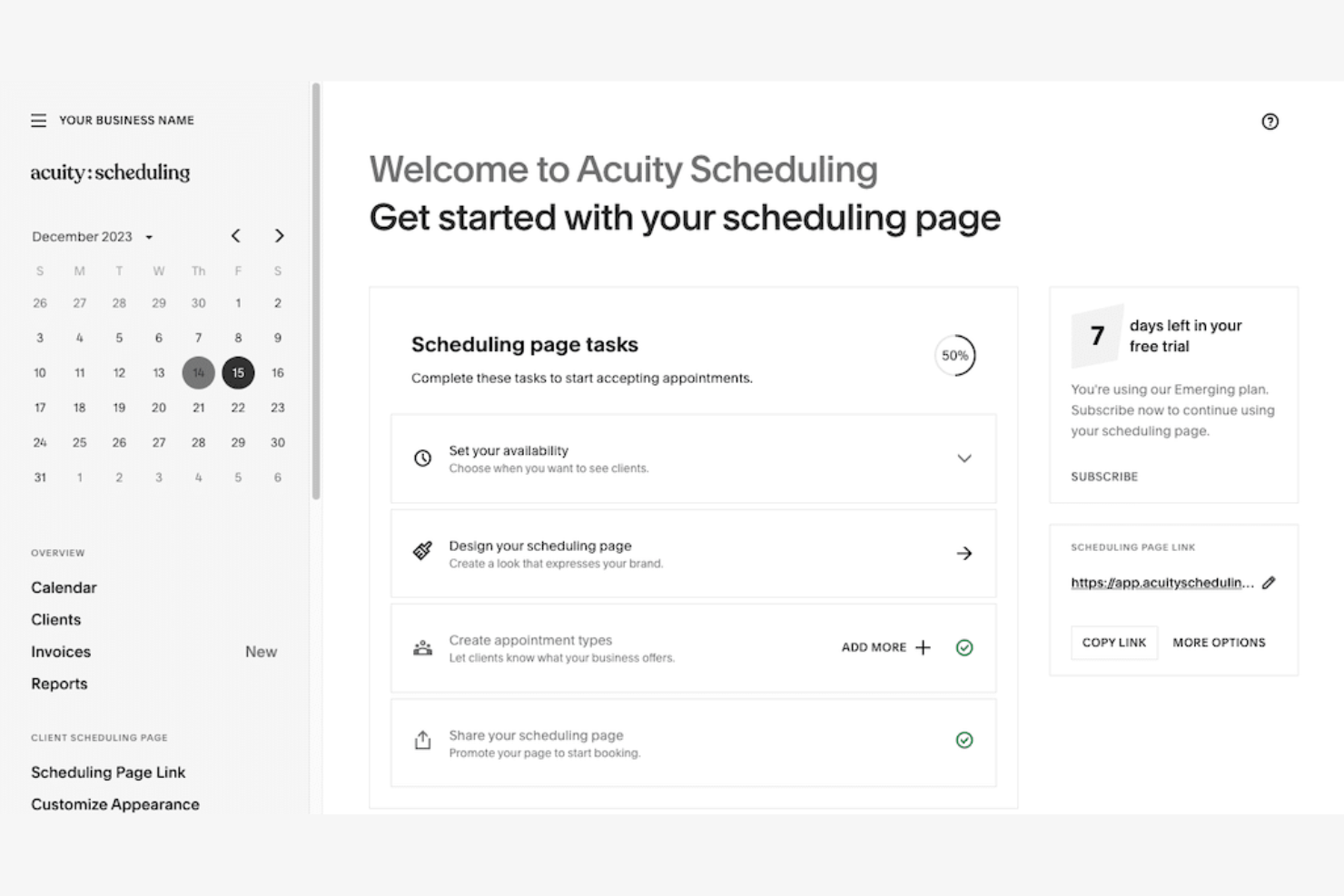
Acuity Scheduling is an online appointment scheduling tool with tailored scheduling solutions. It's meant for industries that need specific booking features and flexible appointment management.
Why Acuity Scheduling is a good Calendly alternative: Acuity Scheduling provides industry-specific solutions, accommodating unique scheduling needs with customizable booking pages and intake forms. You can manage multiple locations and staff schedules easily. Its ability to handle different time zones and send automatic reminders helps optimize your appointment process. This makes it a valuable tool for businesses with specialized scheduling requirements.
Standout features and integrations:
Features include client self-scheduling, which allows clients to book at their convenience. You can also accept payments directly through the scheduling interface, simplifying the payment process. Acuity Scheduling offers detailed reporting, allowing you to analyze booking trends.
Integrations include Google Meet, Zoom, QuickBooks, Stripe, PayPal, GoToMeeting, Squarespace, Zapier, and more.
Pros and Cons
Pros:
- Automatic reminders
- Handles multiple locations
- Industry-specific customization
Cons:
- Can be complex to set up
- Learning curve for new users

Best for customizable booking pages
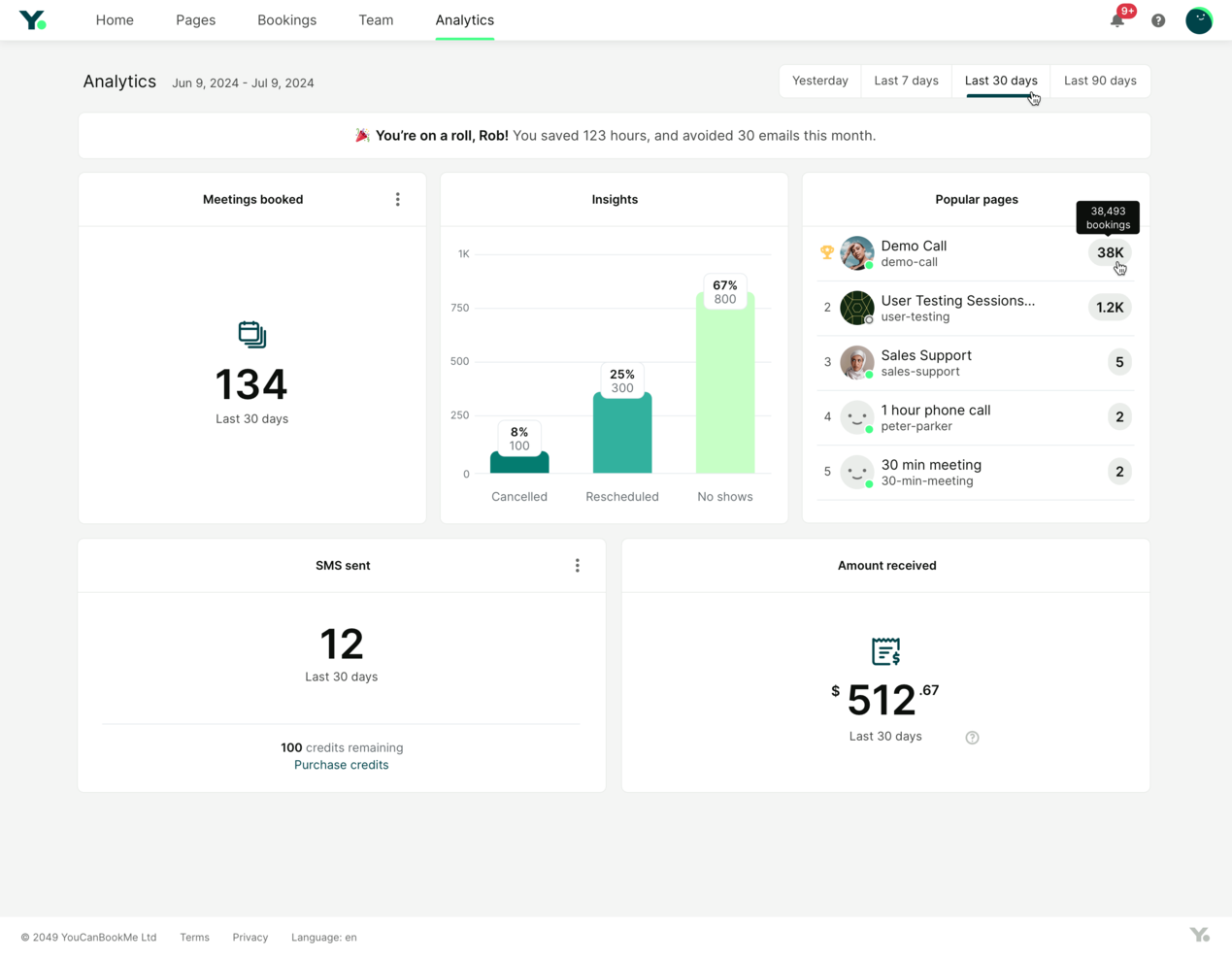
YouCanBookMe is an online scheduling tool that helps professionals manage appointments with ease. It optimizes booking processes and improves client interactions.
Why YouCanBookMe is a good Calendly alternative: YouCanBookMe allows you to create booking pages, offering a personalized experience for your clients. You can adjust the appearance and settings to align with your brand's identity. Features like time zone detection and automatic reminders keep your schedule organized and reduce the risk of missed appointments. This flexibility and attention to detail make YouCanBookMe a strong contender for those needing more personalized scheduling options.
Standout features and integrations:
Features include the ability to set buffer times between appointments, allowing you adequate time to prepare. You can also create and manage multiple booking profiles, supporting different services or team members. The tool provides detailed analytics, helping you track and optimize your scheduling performance.
Integrations include Google Calendar, Microsoft Outlook, Zoom, Slack, Zapier, iCloud Calendar, Office 365, Stripe, Microsoft Teams, and more.
Pros and Cons
Pros:
- Time zone detection
- Automatic reminders
- Customizable booking pages
Cons:
- Requires setup time
- Limited advanced features

Doodle
Best for group meeting polls

Doodle is a scheduling tool designed to simplify the process of finding the best time for group meetings. It's popular among teams and organizations that need to coordinate with multiple participants.
Why Doodle is a good Calendly alternative: Doodle's polling feature allows participants to vote on preferred meeting times, making it ideal for group scheduling. You can create polls, send them out, and quickly see which time works best for everyone. This capability is especially useful for larger teams or events where finding a common time is challenging. Doodle's easy-to-use interface makes it easy for anyone to participate.
Standout features and integrations:
Features include custom branding options, which let you personalize your scheduling interface. You can also set deadlines for poll responses, ensuring timely feedback. Doodle's calendar view provides a clear overview of all proposed meeting times, helping you make informed appointment scheduling decisions.
Integrations include Google Calendar, Microsoft Outlook, Slack, Zoom, Microsoft Teams, Zapier, and more.
Pros and Cons
Pros:
- Deadline settings for responses
- Polling for meeting times
- Easy group scheduling
Cons:
- Basic customization for free users
- Limited advanced features

TidyCal
Best for lifetime deal pricing
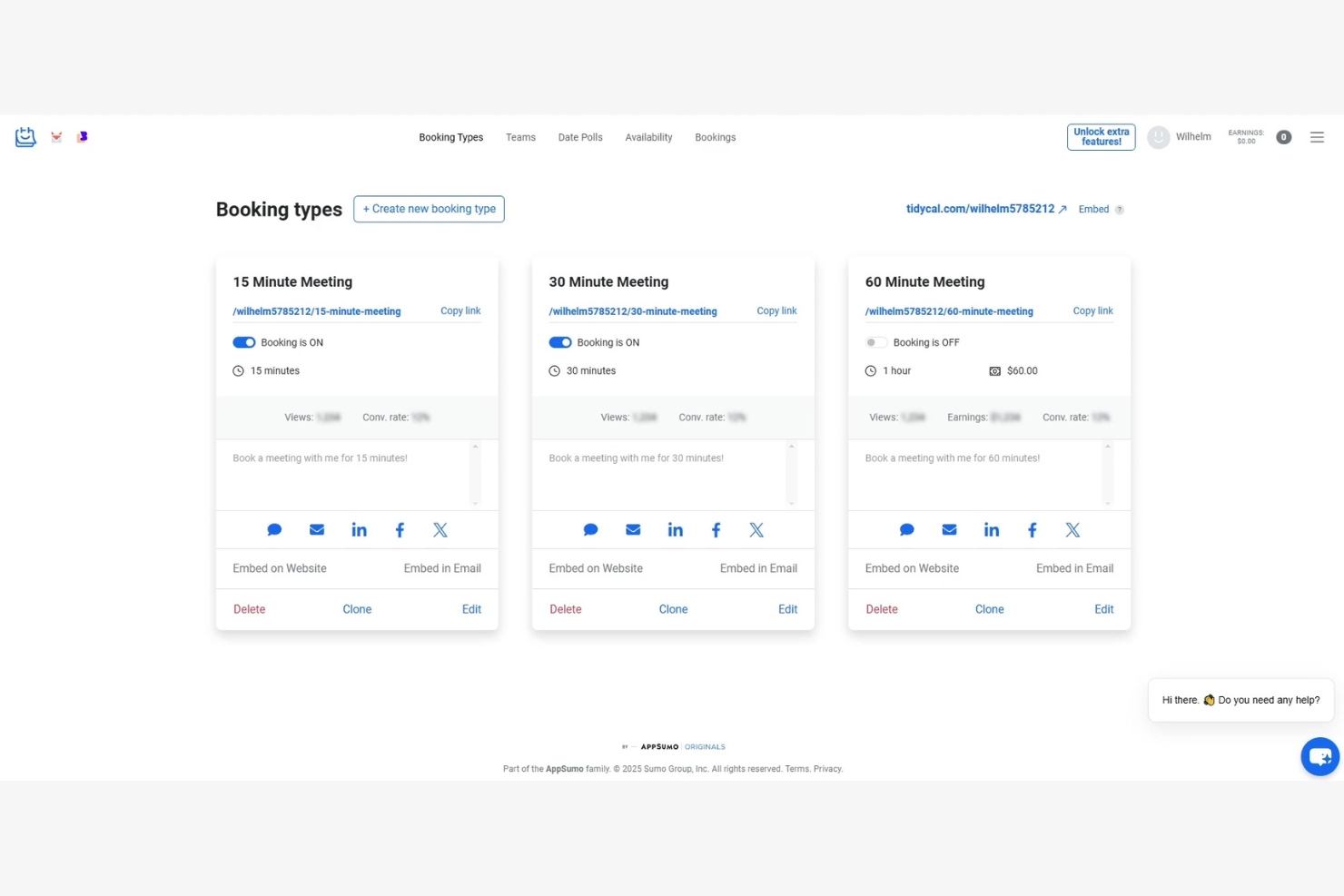
TidyCal is a scheduling tool designed for entrepreneurs and small businesses looking for an affordable way to manage appointments. It helps users organize their schedules efficiently without the recurring costs associated with many other tools.
Why TidyCal is a good Calendly alternative: TidyCal offers a lifetime deal, making it a cost-effective choice compared to Calendly's subscription model. It provides an easy-to-use interface where you can set availability and let clients book time with you. Features like time zone detection and calendar syncing ensure your appointments are accurate. This makes it ideal for those who want straightforward scheduling without ongoing expenses.
Standout features and integrations:
Features include customizable booking pages, allowing you to tailor the look and feel to match your brand. You can also set buffer times between appointments to give yourself breathing room. TidyCal's automatic time zone conversion ensures that your meetings are scheduled accurately, regardless of where your clients are located.
Integrations include Google Calendar, Outlook Calendar, Apple Calendar, Zapier, and more.
Pros and Cons
Pros:
- Automatic time zone conversion
- Customizable booking pages
- One-time payment option
Cons:
- May not scale with large teams
- Limited advanced features

Best for Google ecosystem users
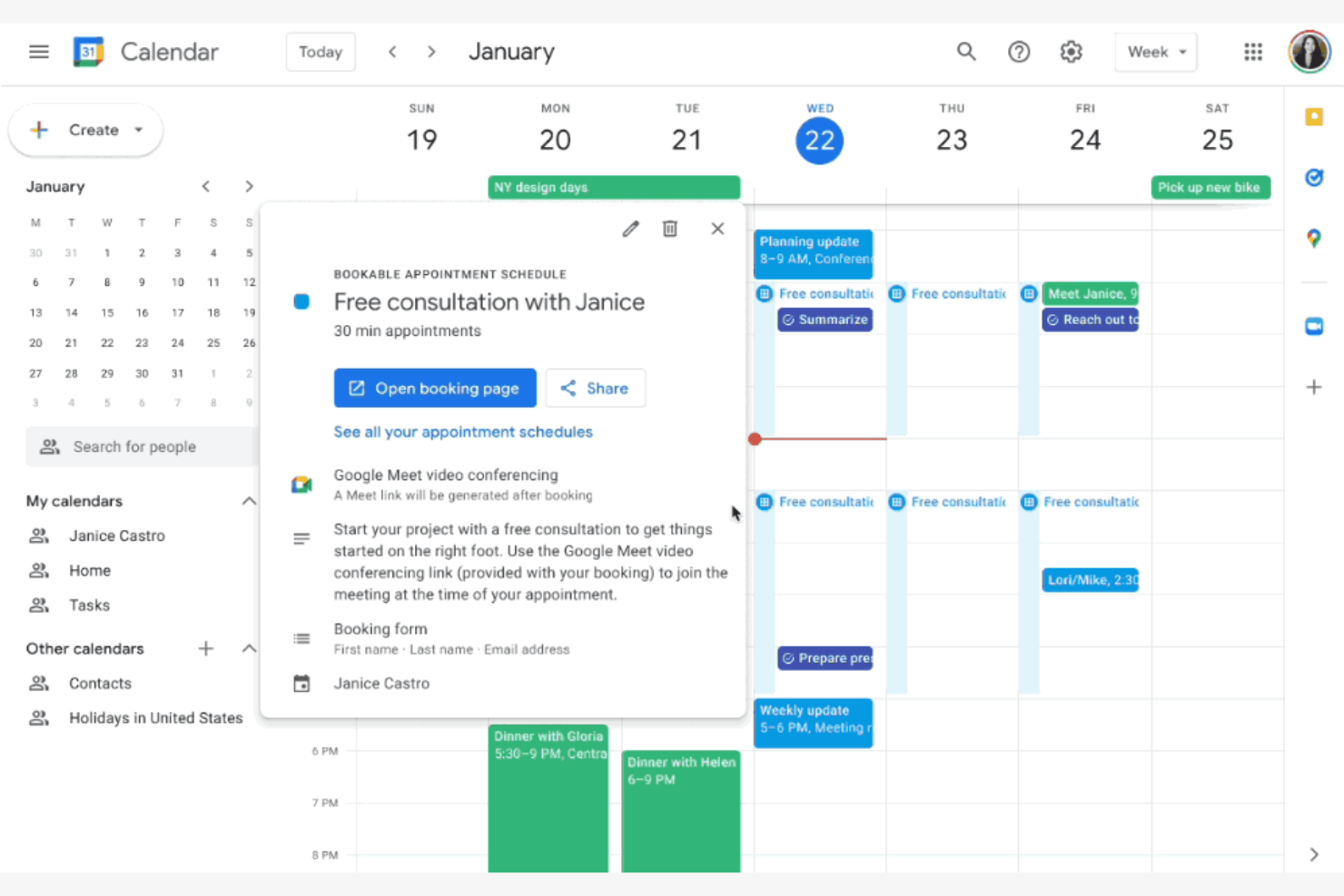
Google Calendar is a digital calendar tool widely used by individuals and businesses for scheduling and managing events. It's popular among users who are already engaged with Google's ecosystem, offering easy access and integration with other Google services.
Why Google Calendar is a good Calendly alternative: Google Calendar is ideal for users who want integration and connections with Gmail and other Google apps. Its ability to automatically add events from Gmail and share calendars with others makes it a convenient choice. Users can also set up reminders and recurring events with ease. The tool's intuitive interface and accessibility across devices make it a practical choice for both personal and professional use.
Standout features and integrations:
Features include the ability to create multiple calendars for different purposes, which helps keep your work and personal events organized. You can set event-specific notifications to stay on top of your schedule. The color-coding feature allows you to visually differentiate between types of events and priorities.
Integrations include Gmail, Google Meet, Microsoft Outlook, Slack, Zoom, Trello, Salesforce, Asana, Zapier, HubSpot, Microsoft Teams, and more.
Pros and Cons
Pros:
- User-friendly interface
- Accessible on all devices
- Integrates with Google services
Cons:
- Limited team scheduling features
- Lacks advanced booking workflows

Reclaim
Best for AI-powered scheduling
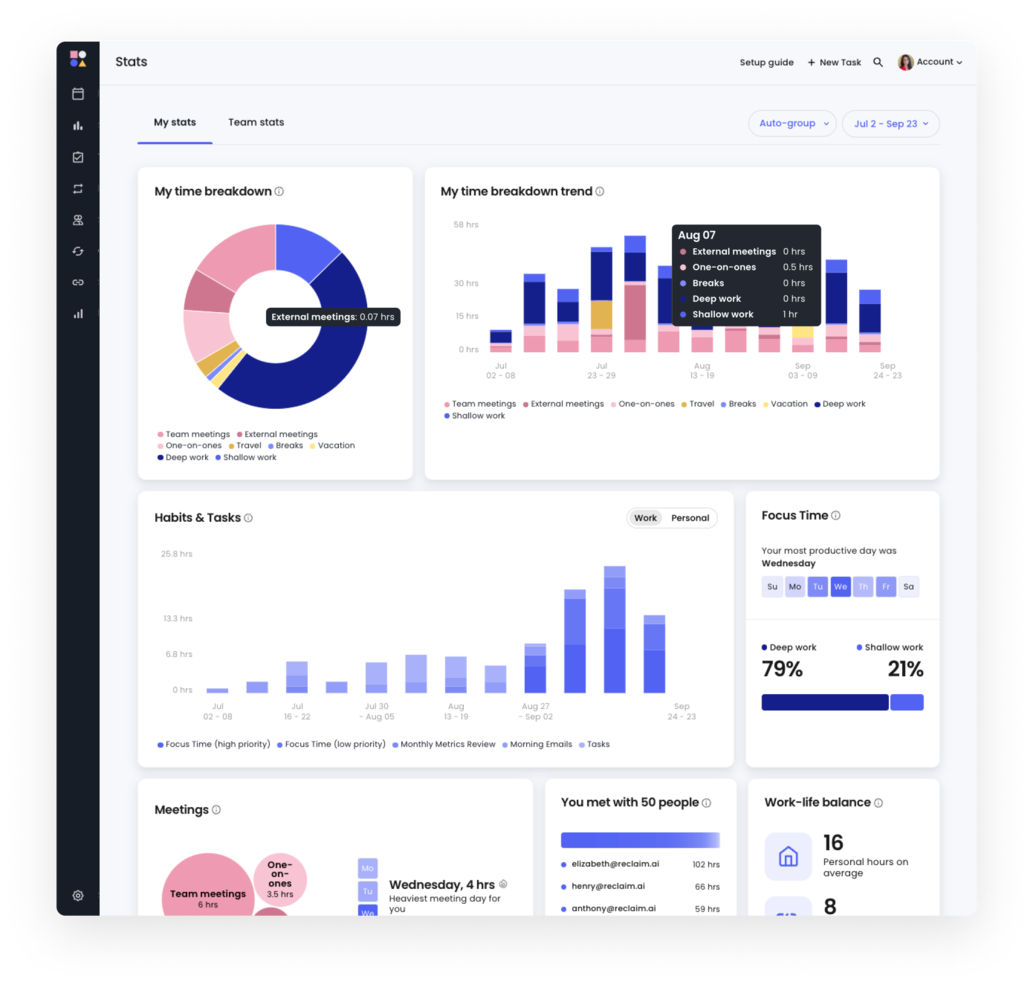
Reclaim is an AI-powered calendar tool designed for individuals and teams to boost productivity by automating scheduling tasks. It is mainly used by professionals across various industries, such as HR, sales, and engineering, to optimize their work-life balance.
Why Reclaim is a good Calendly alternative: Reclaim automates appointment scheduling, protects focus time, and coordinates tasks, making it distinct from Calendly. These capabilities help users reclaim time and reduce scheduling conflicts, offering a more automated and efficient experience.
Standout features and integrations:
Features include task management, focus time protection, and habit tracking. You can set buffer times to ensure breaks between meetings, and use smart scheduling to automatically adjust your calendar based on priorities. Reclaim's AI-driven workflow helps you manage your workweek efficiently, supporting your productivity.
Integrations include Google Calendar, Slack, Asana, Zoom, ClickUp, Microsoft Outlook, Jira, Todoist, and more.
Pros and Cons
Pros:
- Smart meeting adjustments
- Built-in buffers for time management
- Focus time protection
Cons:
- Requires calendar integration
- Steeper learning curve


Sprintful is an online scheduling tool designed for businesses and professionals to manage appointments and meetings efficiently. It caters to users who need customized scheduling solutions with branding options to align with their business identity.
Why Sprintful is a good Calendly alternative: Sprintful provides customized booking pages with your brand's colors, logos, and themes. This helps create a cohesive experience for your clients. Additionally, Sprintful has flexible scheduling options, including buffer times and recurring appointments to support your business needs.
Standout features and integrations:
Features include the ability for multiple team members to manage their appointments under one account. You can also set up automated follow-ups to reduce no-shows and ensure meeting times are kept. Sprintful's reporting feature allows you to track bookings and gain insights into your scheduling efficiency.
Integrations include Google Calendar, Microsoft Outlook, Zoom, Slack, Stripe, Microsoft Teams, Zapier, and more.
Pros and Cons
Pros:
- Automated reminders
- Flexible scheduling settings
- Custom branding options
Cons:
- Can be complex for beginners
- Limited advanced features

SimplyMeet.me is an online scheduling tool designed to simplify the process of arranging meetings for professionals and teams. It offers a straightforward way to manage different types of meetings efficiently.
Why SimplyMeet.me is a good Calendly alternative: SimplyMeet.me allows you to customize meeting types to support various scheduling needs. You can set different durations and availability, providing options for your clients. Its user-friendly interface ensures that you can quickly adjust settings to match your preferences. This adaptability makes SimplyMeet.me a practical choice for those seeking more control over their scheduling.
Standout features and integrations:
Features include automated reminders to notify participants ahead of meetings, reducing no-shows. You can also create personalized booking links, making it easy for clients to schedule time with you. SimplyMeet.me provides analytics to track your scheduling activity and improve efficiency.
Integrations include Google Calendar, Microsoft Outlook, Zoom, Microsoft Teams, Slack, iCloud Calendar, Office 365, and more.
Pros and Cons
Pros:
- Automated reminders
- Flexible scheduling options
- Custom meeting types
Cons:
- Requires setup time
- Limited advanced features

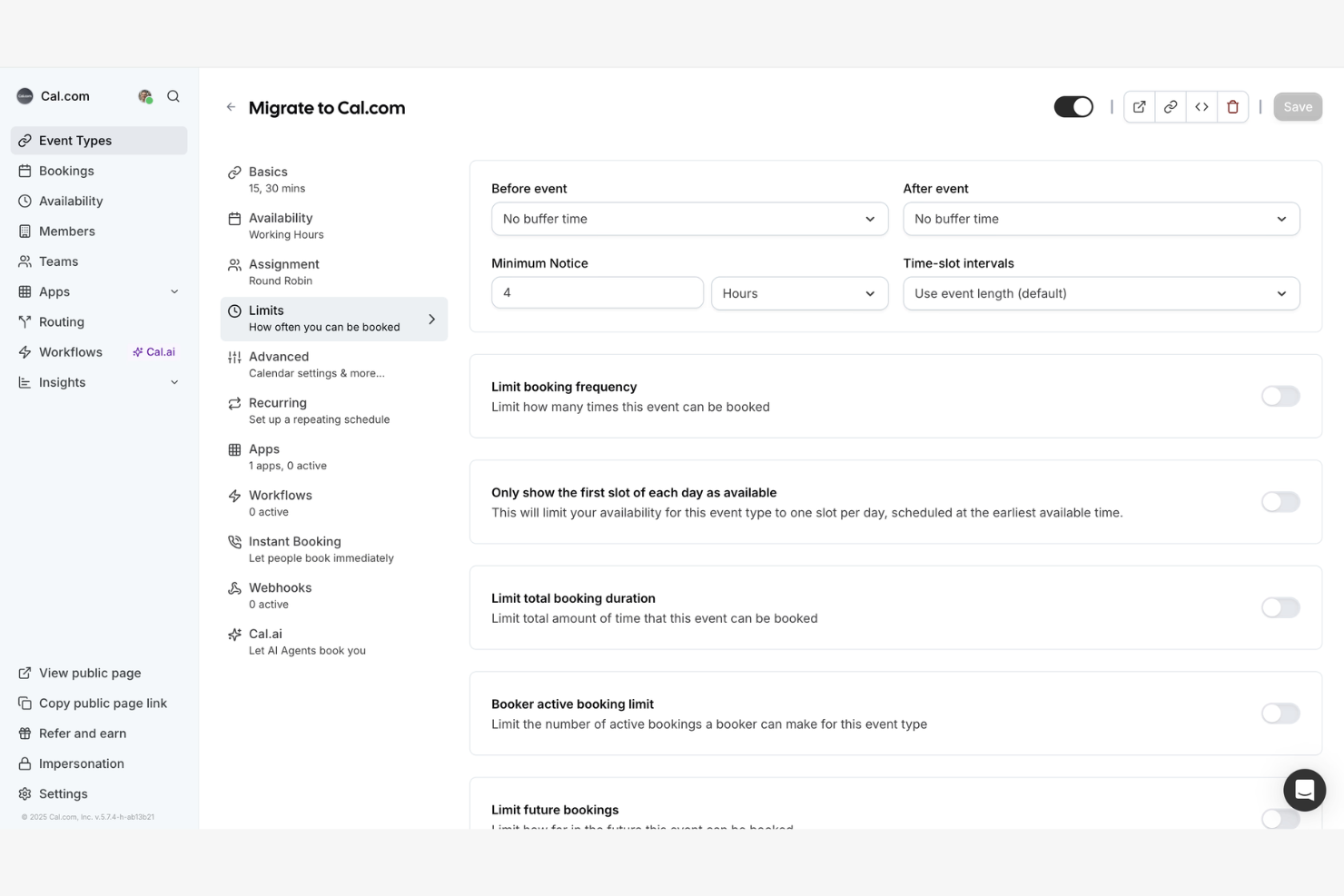
Cal.com is an open-source scheduling platform for businesses and developers seeking customizable solutions. It's adaptable to specific requirements without being tied to proprietary software.
Why Cal.com is a good Calendly alternative: Cal.com's open-source nature allows you to customize and extend its functionalities to fit your needs. You can modify the codebase to integrate features or workflows. Its flexibility ensures that you can adapt the tool as your business evolves. This makes it a great choice for teams that prioritize customization and control over their scheduling software.
Standout features and integrations:
Features include the ability to self-host the platform, giving you complete control over your data and privacy. You can also tailor booking pages, ensuring that the scheduling process aligns with your brand. Cal.com supports multiple languages, making it suitable for global teams and diverse users.
Integrations include Google Calendar, Microsoft Outlook, Zoom, Slack, Microsoft Teams, iCloud Calendar, Office 365, Webex, Zapier, and more.
Pros and Cons
Pros:
- Custom booking pages
- Supports multiple languages
- Open-source customization
Cons:
- Setup can be time-consuming
- Limited out-of-the-box features

HoneyBook
Best for client relationship management

HoneyBook is a business management platform to manage projects, book clients, and optimize administrative tasks. While not primarily a scheduling tool, it may be suited to service-based businesses that want scheduling bundled into a broader client management workflow.
Why HoneyBook is a good Calendly alternative: HoneyBook offers more than simple scheduling. You can manage projects, contracts, and invoices all in one place, providing a holistic solution for your business needs. The tool also allows you to automate workflows, saving you time and reducing manual tasks. This makes HoneyBook a valuable choice for those who want to integrate scheduling with broader business management functions.
Standout features and integrations:
Features include templates for proposals, contracts, and invoices, allowing you to maintain consistency across client interactions. You can also set up automated payment reminders to ensure timely transactions. HoneyBook's task management feature helps you keep track of project milestones and deadlines.
Integrations include QuickBooks, Google Calendar, Gmail, Zapier, Zoom, Calendly, Slack, and more.
Pros and Cons
Pros:
- Integrates scheduling with business functions
- Task management capabilities
- Automated payment follow-ups
Cons:
- May not suit all industries
- May require onboarding support
Other Calendly Alternatives
Here are some additional Calendly alternatives that didn’t make it onto my shortlist, but are still worth checking out:
- SimplyBook.me
For service-based businesses
- Setmore
For small businesses
- Appointy
For appointment reminders
- Chili Piper
For sales teams
- OnceHub
For lead engagement
- Picktime
For resource scheduling
- Engageware
For customer engagement
- GoodTime
For interview scheduling
- Trafft
For online booking management
- Motion
For task automation


How I Evaluate Calendly Alternatives
I evaluate tools on two layers: the scheduling fundamentals each must have, like team availability and calendar sync, and the differentiators that matter most for PMs running cross-functional work.
Core Functionality (Table Stakes For This List)
When I'm selecting tools for my list, I rank each one on a scale from 0 (does not offer the functionality) to 5 (excels in this area) for each core functionality listed below. Then, I calculate the tool's total score into a percentage. Each tool needs to achieve a minimum total score of 75% to be considered for inclusion.
- Automated Meeting Scheduling: I check whether invitees can self-book based on real-time availability—like a client picking a kickoff slot without a single email thread.
- Calendar Sync: Each tool should sync bi-directionally with Google, Outlook, iCloud, and Exchange so PMs juggling multiple calendars avoid double-bookings.
- Team & Group Scheduling: I look for round-robin, collective, and group booking options—essential when a sprint review requires a designer, a dev lead, and a PM on the same call.
- Customizable Booking Pages: Configurable event types, intake questions, buffers, and branding matter. A 15-minute standup link should look and behave differently than a 60-minute discovery call.
- Video Conferencing Integration: I evaluate whether the tool auto-generates Zoom, Google Meet, or Microsoft Teams links at booking time, so hosts aren't manually pasting URLs into every invite.
- Workflow Automation & Notifications: Automated confirmations, reminders, and follow-ups keep meetings on track. I also look at whether the tool connects to PM and CRM platforms for post-booking workflows.
Once I have a list of tools that meet this criteria, I consider what sets each platform apart.
Differentiating Factors (What Sets Vendors Apart)
Here's how I compare and contrast different vendors:
Standout Features
Meeting polls are a big one—when you're trying to align five stakeholders for a sprint review, letting everyone vote on times beats sending a round-robin link. I also look for routing forms that direct bookers to the right PM or team based on intake answers, which saves time on discovery calls. Analytics and reporting round things out. Tracking no-show rates and booking volume helps with capacity planning across project teams.
Beyond Features
How well a tool connects to your PM stack matters. I check for native integrations with platforms like Jira, Asana, or monday.com—so booked meetings can link directly to tasks or epics. Pricing structure is another key factor. A tool that locks team scheduling behind an enterprise tier can quickly become impractical for a growing PMO. I also evaluate the client-facing experience, especially white-labeling and embeddable widgets, since agencies and consultancies need booking pages that match their brand when scheduling with external stakeholders.
Why Look for a Calendly Alternative?
While Calendly is a good choice for appointment scheduling software, there are a number of limited features and reasons why some users look for a new scheduling tool. You might be looking for a Calendly alternative because:
- You need more customized CRM options
- Your team scheduling needs require advanced calendar integrations
- You want budget-friendly paid plans
- Your business operates in multiple time zones
- You need better customer support
If any of these sound like you, you’ve come to the right place. My list contains several options that embed workflows that are better suited for teams experiencing these challenges and seeking Calendly alternatives.
Features
Here are some of the key features of Calendly, to help you contrast and compare what alternative solutions offer:
- Schedule Automation: Supports round-robin appointment scheduling for meetings, saving you time.
- Integrations: Connects with tools like Google Calendar and Microsoft Outlook Calendar in real time to manage group scheduling and prevent double-booking.
- Custom Event Types: Lets you create tailored meeting formats for specific needs.
- Mobile and Browser Access: Allows you to schedule appointments and manage your meeting times on the go with the mobile app and web access.
- Automated Reminders: Sends notifications and email reminders to reduce cancellations and no-shows while also helping invitees remember meetings.
- Analytics: Tracks meeting performance to help you improve appointment scheduling processes.
- Routing Forms: Directs users to the appropriate booking page based on collected information.
- Admin Management Tools: Provides control over user dashboard activities and scheduling pages.
- Security Features: Ensures data protection and compliance with privacy standards.