

10 Best Jobber Alternatives for Service Businesses in 2026

10 Best Jobber Alternatives Shortlist


Managing a field service business can come with its own set of challenges. As business owners, you might find that Jobber isn't meeting all of your needs, whether because you need more advanced features and greater scalability or because you have to meet specific industry requirements. That's where exploring alternatives can make a difference.
In my experience, service businesses need management software that simplifies business management operations, enhances team collaboration, and improves customer satisfaction. I'm here to help you find the right fit for your business.
I'll share my top picks for Jobber alternatives, focusing on what each tool does best. This guide aims to provide you with unbiased insights, making it easier for you to choose a solution that aligns with your unique goals.
What Is Jobber?
Jobber is a field service management software designed to help small- to medium-sized service businesses manage their operations. It's commonly used by professionals such as landscapers, cleaners, and contractors, providing them with tools to organize jobs, communicate with clients, and handle billing efficiently. Scheduling, invoicing, and client management features help businesses stay organized and improve customer satisfaction. Overall, Jobber offers value by simplifying day-to-day operations and supporting service delivery.
Best Jobber Alternatives Summary
This comparison chart summarizes pricing details for my top Jobber alternative selections to help you find the best one for your budget and business needs.
| Tool | Best For | Trial Info | Price | ||
|---|---|---|---|---|---|
| 1 | Best for solo and small crew affordability | 7-day free trial | From $15/month (billed annually) | Website | |
| 2 | Best for flexible field scheduling | Free demo available | Pricing upon request | Website | |
| 3 | Best for maintenance teams | 7-day free trial + free demo available | From $24/user/month | Website | |
| 4 | Best for the fire protection industry | Free demo available | Pricing upon request | Website | |
| 5 | Best for commercial service | Free demo available | Pricing upon request | Website | |
| 6 | Best for small businesses | 30-day free trial + free demo available | From $60/5 users/month (billed annually) | Website | |
| 7 | Best for HVAC and plumbing industries | Free demo available | Pricing upon request | Website | |
| 8 | Best for asset management | Free demo available | Pricing upon request | Website | |
| 9 | Best QuickBooks integration | Free demo available | Pricing upon request | Website | |
| 10 | Best user-friendly interface | Free demo available | From $165/user/month (billed annually) | Website |
Why Trust Our Software Recommendations
Our team has been testing and reviewing software since 2012. As project managers ourselves, we know how difficult—and important—it is to choose the right software.
For this guide, we evaluated tools using hands-on testing and independent research, scoring tools using our selection criteria. We also draw on insights from industry thought leaders and practicing project management experts.
Our reviews reflect our human editorial judgment, not a sales pitch.
Expert reviewers:
Best Jobber Alternatives Reviews
Below are my detailed summaries of the best Jobber alternatives that made it onto my shortlist. My reviews offer a detailed look at the key features, pros and cons, integrations, and ideal use cases of each tool to help you find the best one for you.

Tofu
Best for solo and small crew affordability
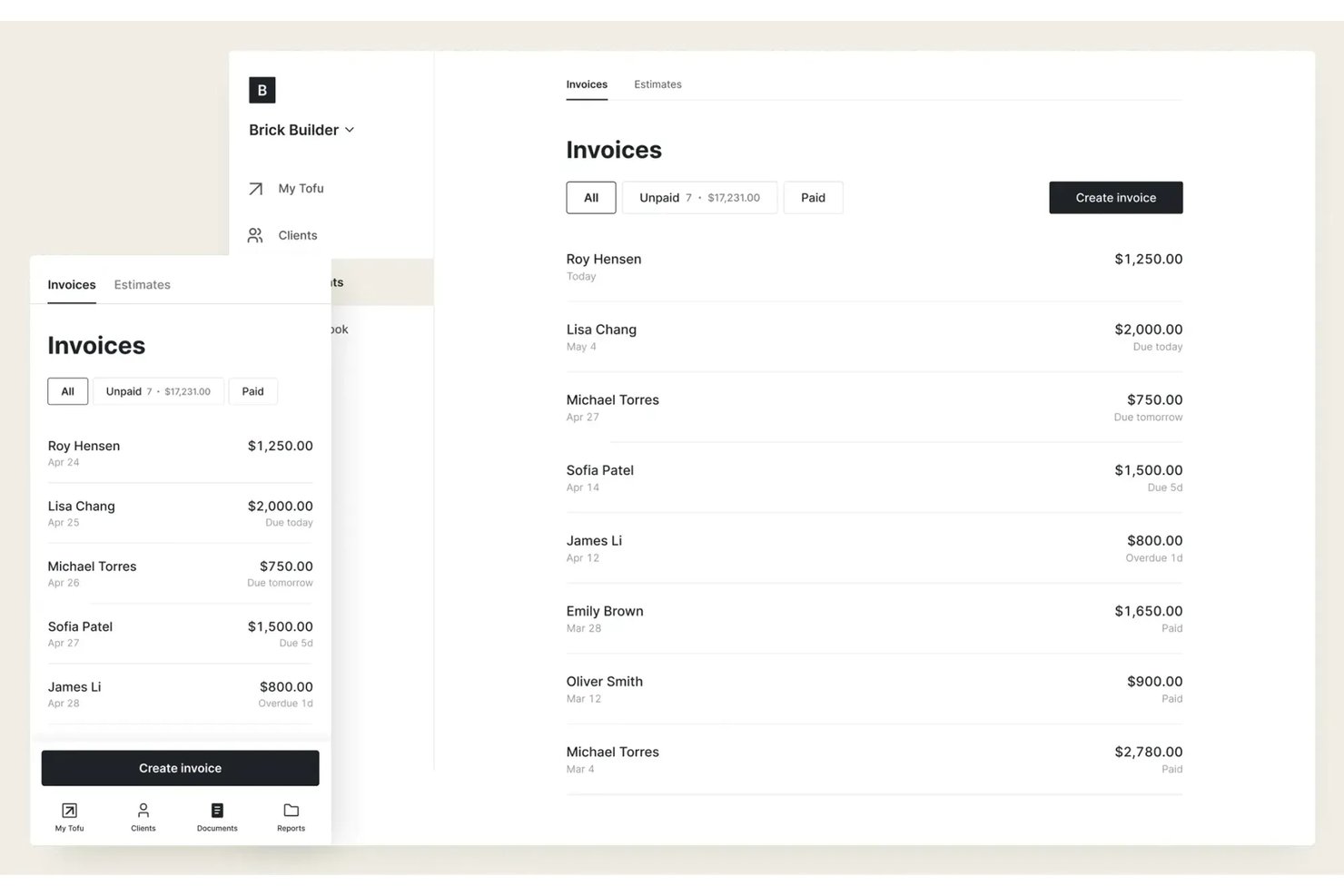
Tofu is a field service management platform designed for freelancers, solo operators, and lean teams who need affordable, no-fuss scheduling, dispatch, and job tracking without layers of extra features or overhead.
Who Is Tofu Best For?
Solo operators and small crews who want simple, low-cost field service scheduling and job tracking without unnecessary complexity.
Why Tofu Is a Good Jobber Alternative
I picked Tofu for my shortlist because the platform strips field service management down to what solo operators and small teams actually need: affordable job scheduling, dispatch, and real-time job tracking. I appreciate that Tofu avoids complexity and lets me track jobs, clients, and crew members without digging through extra modules or features.
Tofu Key Features
- Client database management: Store and organize client contact details, job history, and preferences in one place.
- Job notes and attachments: Add notes and upload photos or files to each job for quick reference in the field.
- Automated job reminders: Set automatic reminders to notify you or your crew about upcoming jobs or deadlines.
- Mobile-friendly interface: Access schedules, job information, and updates from any smartphone or tablet.
Tofu Integrations
Native integrations are not clearly documented. Tofu offers an API for custom integrations.
Pros and Cons
Pros:
- No unnecessary features crowd the interface
- Job notes and photo attachments from mobile
- Simple scheduling fits solo and small crews
Cons:
- Custom integrations require using the API
- No built-in client communication tools

Best for flexible field scheduling

FieldPulse is a field service management platform built for trades and service teams. It lets you handle scheduling, jobs, and customer work in one place.
Why FieldPulse is a good Jobber alternative: FieldPulse features flexible scheduling tools that enable your team to adjust jobs at any time. The drag-and-drop calendar makes it easier to move appointments and fit in last-minute requests. Real-time job updates help everyone stay aligned when plans shift. These features allow you more room to adapt your team's schedule as needed.
Standout features & integrations:
Features include job costing that helps you track work in the field, simple estimate and invoicing tools that keep your paperwork in one spot, and an alert system that keeps your crew informed while they're on the job.
Integrations include QuickBooks, CompanyCam, NiceJob, Wisetack, Ruby, and more.
Pros and Cons
Pros:
- All-in-one workflow management
- Easy feature setup
- Flexible job scheduling
Cons:
- Limited layout control
- Reports may have a learning curve

UpKeep
Best for maintenance teams

UpKeep is a maintenance and asset management software designed for maintenance teams across various industries. It helps manage work orders, asset tracking, and preventive maintenance tasks.
Why UpKeep is a good Jobber alternative: UpKeep is tailored for maintenance teams, offering features including mobile access for on-the-go updates and asset management tools that keep your equipment in shape. Its preventive maintenance scheduling helps reduce downtime and extend asset lifespan. Real-time reporting capabilities provide insights that can help your team make informed decisions.
Standout features & integrations:
Features include work order management, which simplifies task assignments and updates, and an asset tracking feature, which helps you monitor equipment status and history. The preventive maintenance tool allows you to schedule regular upkeep to avoid unexpected breakdowns.
Integrations include QuickBooks, Google Workspace, Microsoft Teams, Slack, Zapier, Dropbox, Salesforce, Amazon Alexa, Xero, HubSpot, and more.
Pros and Cons
Pros:
- Preventive maintenance scheduling
- Real-time reporting
- Effective asset management
Cons:
- Less suited for non-maintenance industries
- Limited customization options
Best for the fire protection industry
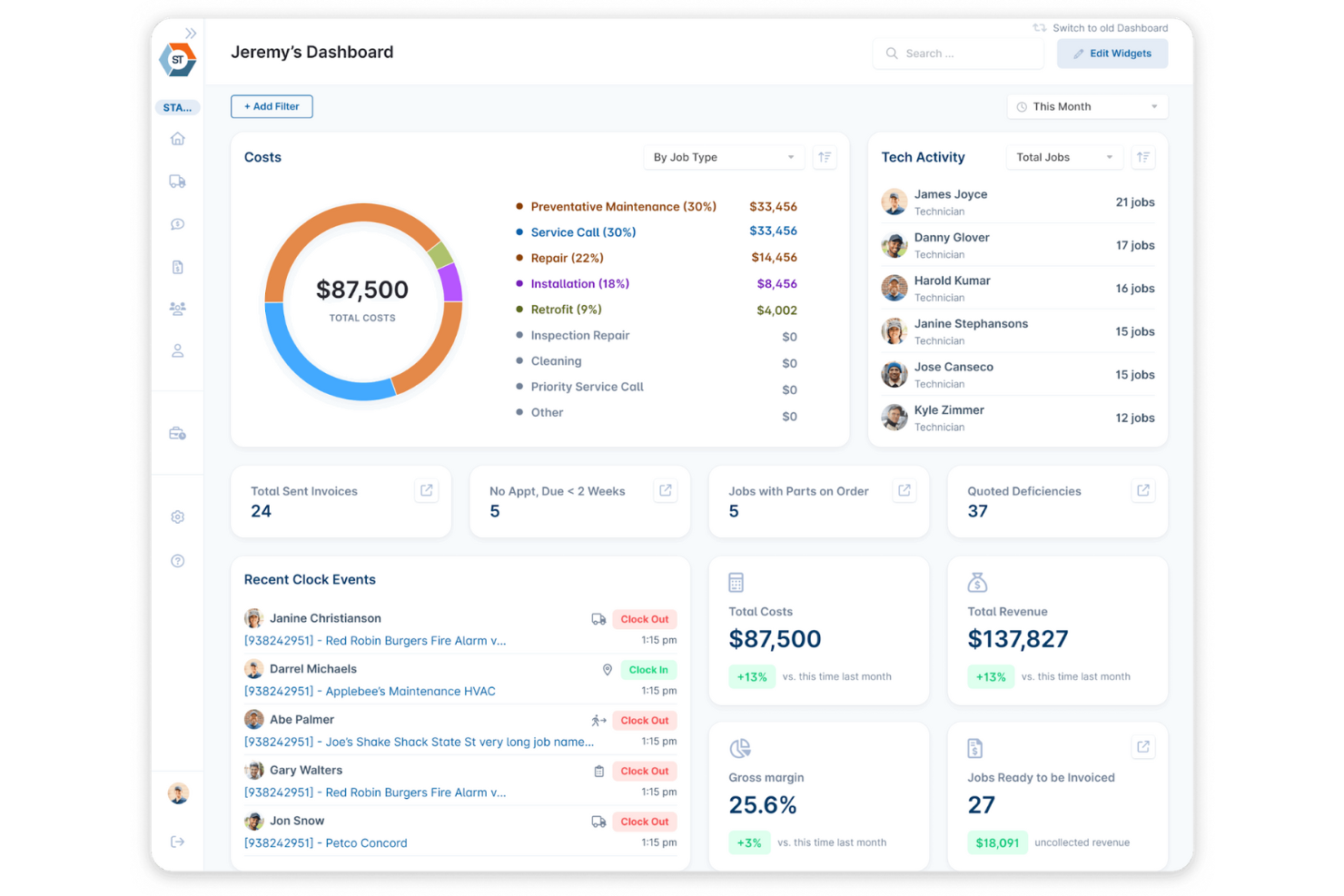
ServiceTrade is a field service management software designed for commercial service providers, particularly contractors in the fire protection and mechanical services industry. It assists with managing work orders, scheduling, service agreements, and customer interactions.
Why ServiceTrade is a good Jobber alternative: ServiceTrade offers features, including digital inspection management and compliance tracking. Its online customer portal helps your clients view service history and upcoming appointments. Real-time scheduling and dispatching ensure your team stays on track. The software's focus on industry-specific needs makes it a valuable tool for specialized businesses.
Standout features & integrations:
Features include photo and video documentation, which allows you to accurately capture jobsite details. Automated notifications keep your team and clients informed about job status and updates.
Integrations include QuickBooks, Sage Intacct, Broadly, NetSuite, FieldLogix, and more.
Pros and Cons
Pros:
- Digital inspection management
- Effective compliance tracking
- Strong support for fire protection services
Cons:
- Internet-dependent functions
- Setup requires time

Best for commercial service
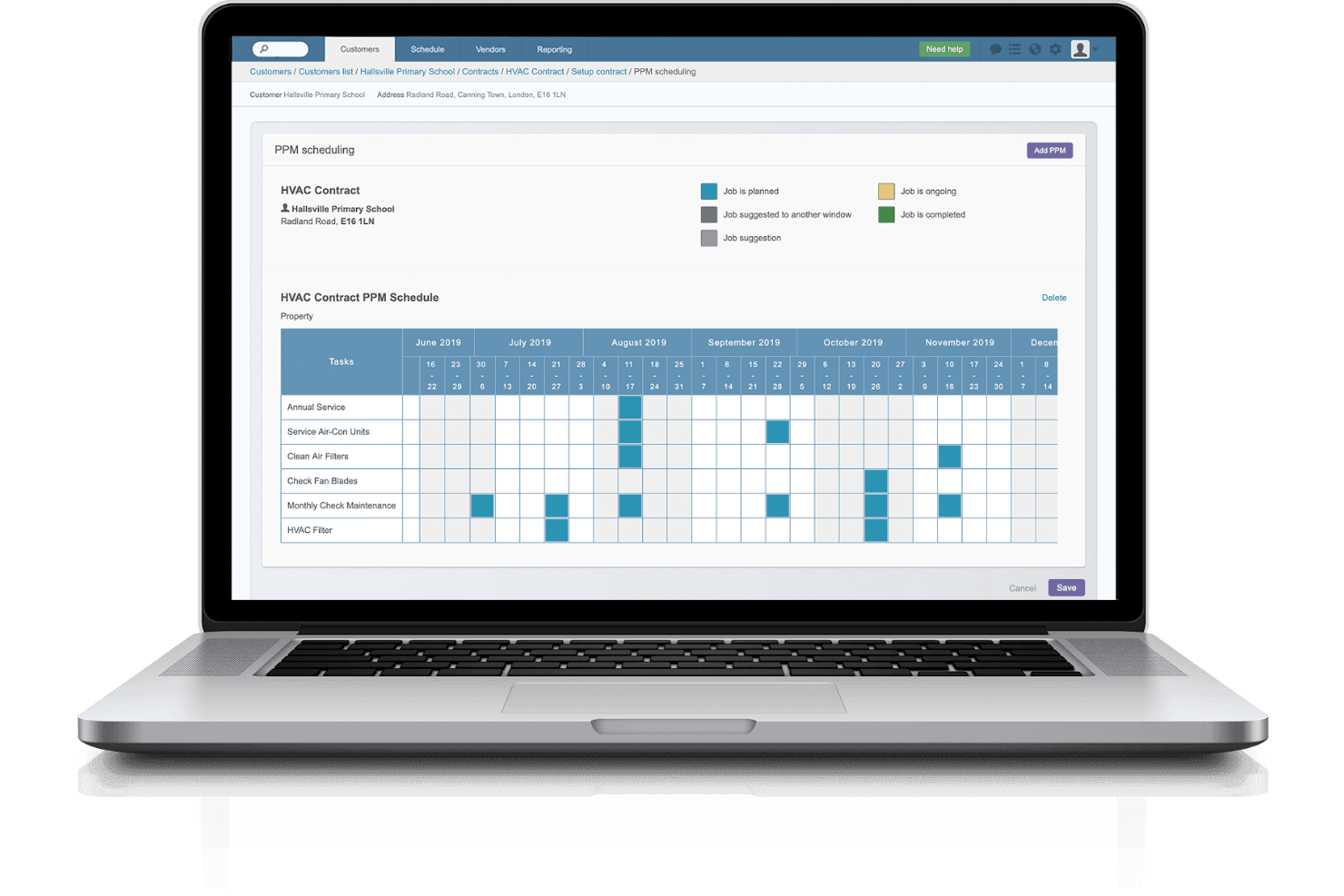
Commusoft is a field service management software tailored for commercial service companies, helping them manage customer relationships, scheduling, and job tracking. Its main users include HVAC and generator installers and plumbing, refrigeration, and electrical businesses.
Why Commusoft is a good Jobber alternative: Commusoft offers specialized tools for commercial services looking to enhance their operations, such as advanced scheduling and job management features that cater to complex projects. Its customer management system ensures you have detailed records for every client interaction. Automated communication tools keep your team and clients informed about job progress.
Standout features & integrations:
Features include inventory management, which helps you track stock levels and reduce waste. The reporting feature provides live insights into your business operations. The mobile app ensures your team can access job details from anywhere.
Integrations include QuickBooks, Sage, Xero, Mailchimp, Stripe, Google Calendar, Outlook, Zapier, and more.
Pros and Cons
Pros:
- Detailed customer records
- Advanced scheduling and inventory management capabilities
- Specialized for commercial services
Cons:
- Takes significant time to set up and implement
- Limited workflow customization

Kickserv
Best for small businesses
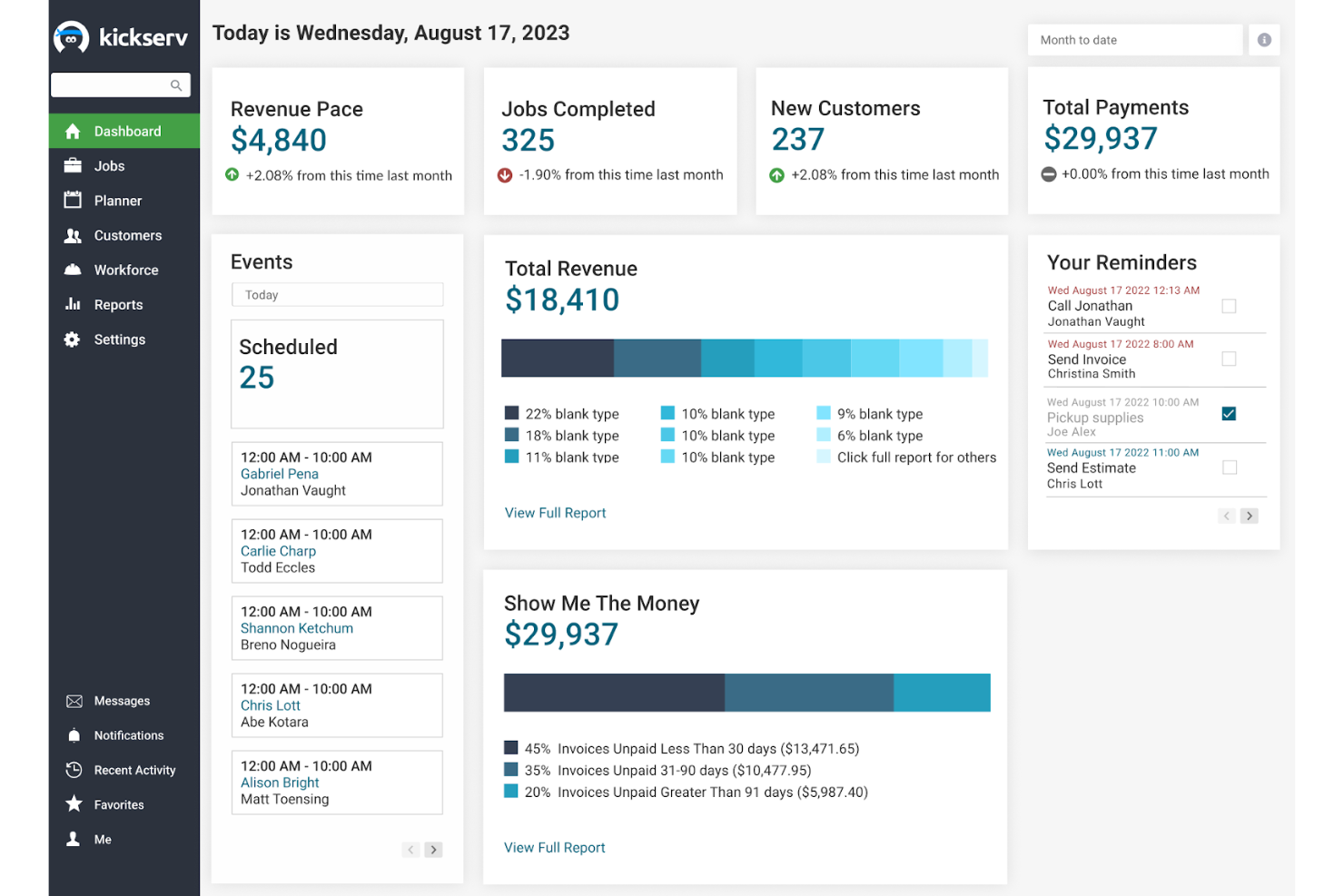
Kickserv is a field service management software designed to help small businesses manage customer interactions, job scheduling, and payment processing. It serves industries such as plumbing, HVAC, and construction, providing key functions including customer management and invoicing.
Why Kickserv is a good Jobber alternative: Kickserv is well-suited for small teams with its easy-to-use interface, communication software, and cost-effective pricing. Automated reminders and messaging can help keep your team and customers on the same page, while the Customer Center allows clients to make appointments and online payments at any time.
Standout features & integrations:
Features include the ability to schedule and send estimates, which helps you quickly provide quotes to clients. Mobile access ensures your technicians can update job status in the field. The invoicing feature allows you to manage billing more efficiently.
Integrations include QuickBooks, Stripe, Google Calendar, Mailchimp, Podium, and Customer Lobby.
Pros and Cons
Pros:
- Simple payment processing
- Automated customer reminders
- Ease of use for small teams
Cons:
- Not ideal for large companies
- Limited advanced features

Best for HVAC and plumbing industries
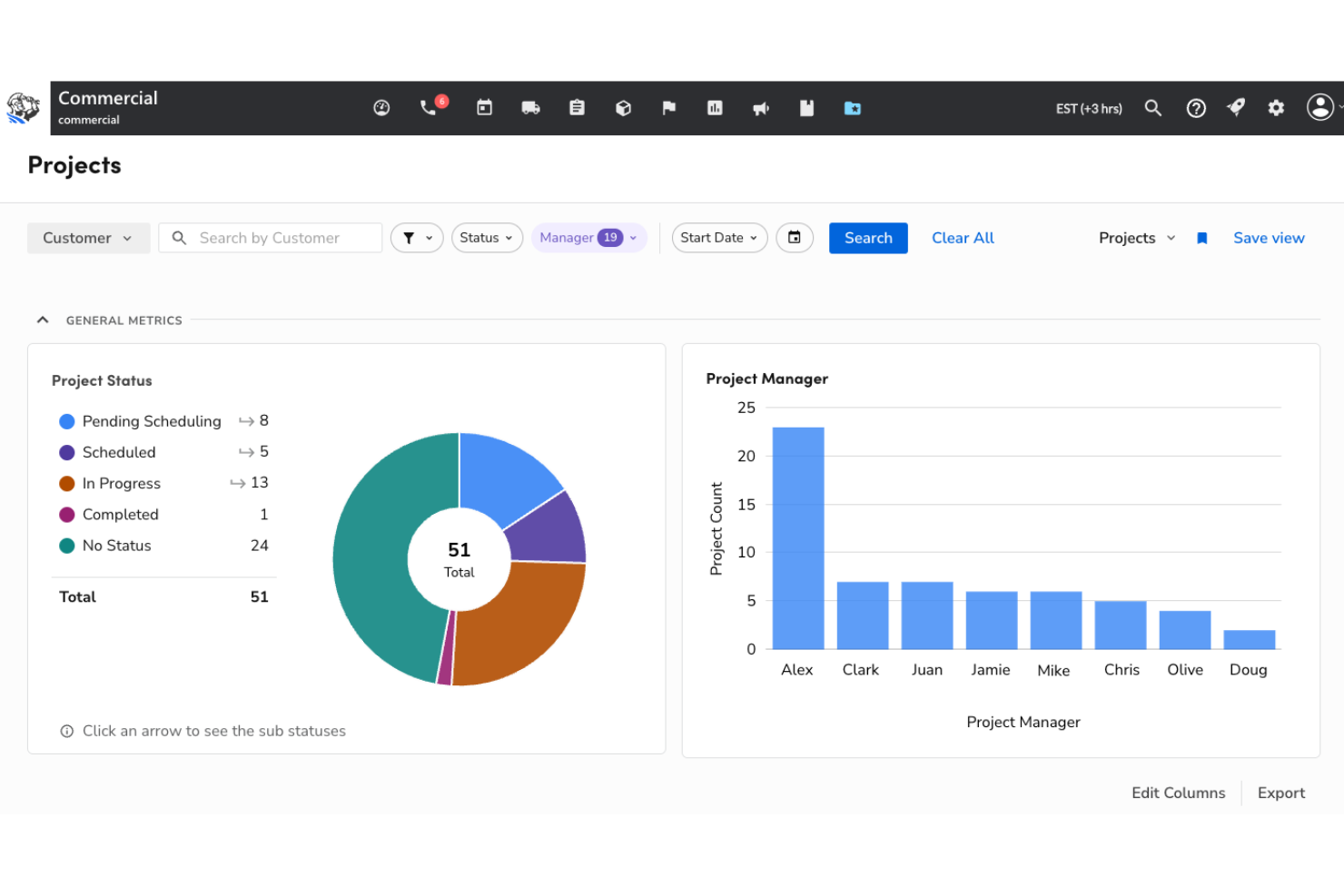
ServiceTitan is a field service management (FSM) software tailored for commercial and home service businesses, suitable for HVAC, plumbing, and electrical trade professionals. It helps manage scheduling, dispatching, and customer relationships.
Why ServiceTitan is a good Jobber alternative: ServiceTitan excels in the HVAC and plumbing sectors with features such as advanced scheduling, dispatching, and GPS tracking. Its mobile app ensures field technicians have access to all the information they need while on the go. The CRM software's focus on detailed reporting allows you to track every aspect of your business. Customer communication tools help you keep your clients informed and satisfied, which can improve the overall customer experience.
Standout features & integrations:
Features include call booking, which allows you to capture and convert leads efficiently. The mobile app helps keep your team connected in the field. Automated marketing tools can be used to maintain customer engagement without extra effort.
Integrations include QuickBooks, Sage Intacct, Reserve with Google, Agave, ClearPathGPS, and more.
Pros and Cons
Pros:
- Mobile app for field use
- Strong for HVAC businesses
- Advanced GPS tracking
Cons:
- Complex setup process
- Pricing not transparent

Best for asset management

ServiceMax is a field service management software designed for industries that require detailed asset management and maintenance. It helps manage work orders, scheduling, and asset tracking for businesses with complex service operations.
Why ServiceMax is a good Jobber alternative: ServiceMax offers strong asset performance management and predictive maintenance with tools that can help your team anticipate issues before they arise. The software's real-time data analytics provide insights for optimizing service delivery. Its focus on detailed asset tracking makes it a strong choice for businesses with extensive equipment and machinery.
Standout features & integrations:
Features include work order management, which helps track job assignments and updates. The scheduling feature allows you to effectively allocate resources. The customer portal lets clients access service history and request support.
Integrations are not publicly listed.
Pros and Cons
Pros:
- Suited for complex operations
- Predictive maintenance tools
- Strong asset management capabilities
Cons:
- Primarily cloud-based
- May require technical expertise

Best QuickBooks integration
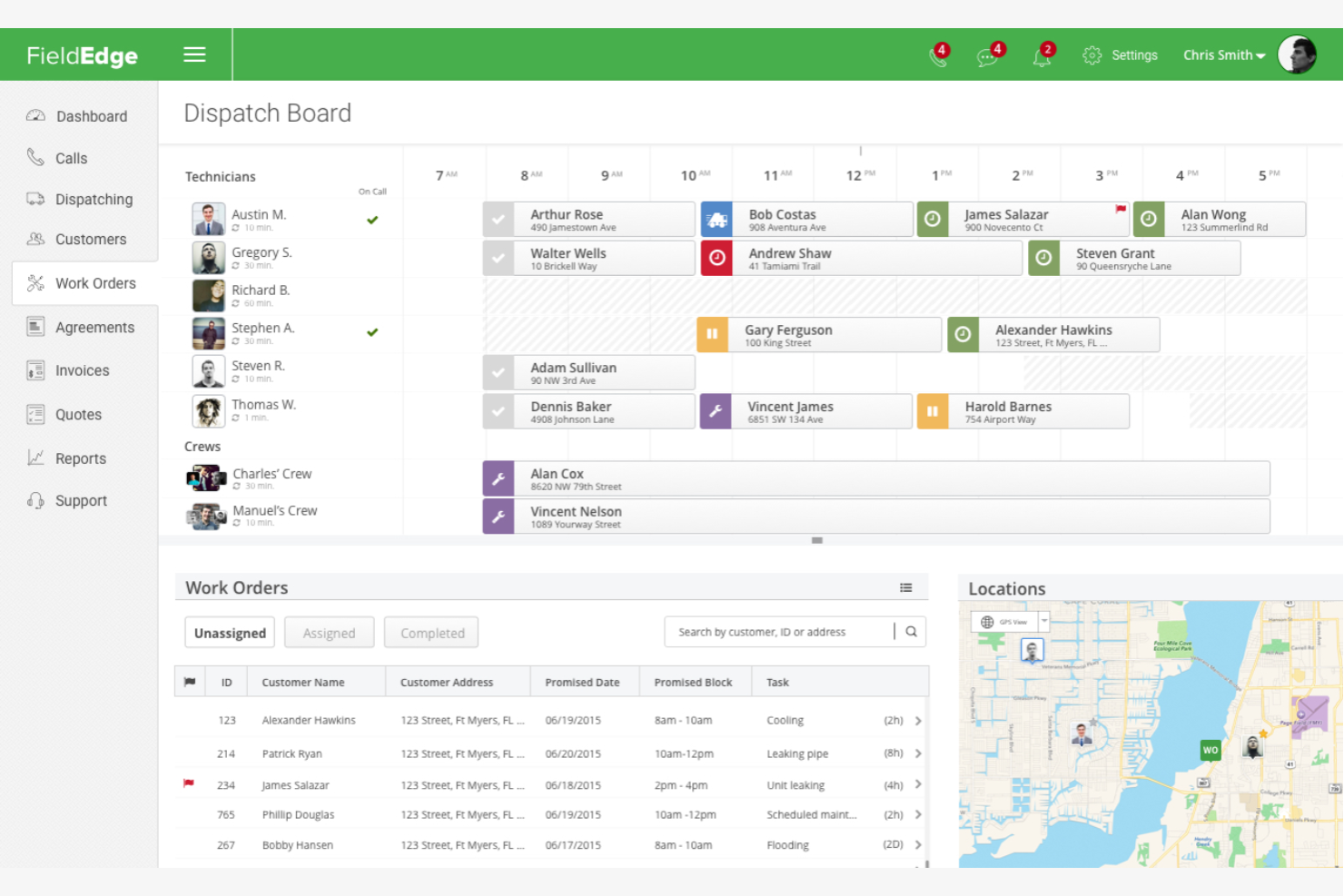
FieldEdge is a field service management software tailored for HVAC, plumbing, electrical services, and contractors. It helps organize scheduling, dispatching, and customer management functions.
Why FieldEdge is a good Jobber alternative: FieldEdge's QuickBooks online integration is designed to make financial management more straightforward for your business. Updates sync automatically, ensuring that your accounting data is always current. The software's mobile app lets service providers access job details and change statuses in real time. Advanced reporting tools give you detailed insights into your operations, helping you make informed decisions.
Standout features & integrations:
Features include a customer management system that helps you keep track of client history and a dispatch board that allows you to assign jobs to your team. Invoicing features let you handle billing right from the jobsite.
Integrations include QuickBooks, ADP, FleetSharp, Ruby, Customer Lobby, and more.
Pros and Cons
Pros:
- Detailed reporting tools
- Real-time data updates
- Strong QuickBooks integration
Cons:
- Requires consistent internet access
- Learning curve for new users

Best user-friendly interface
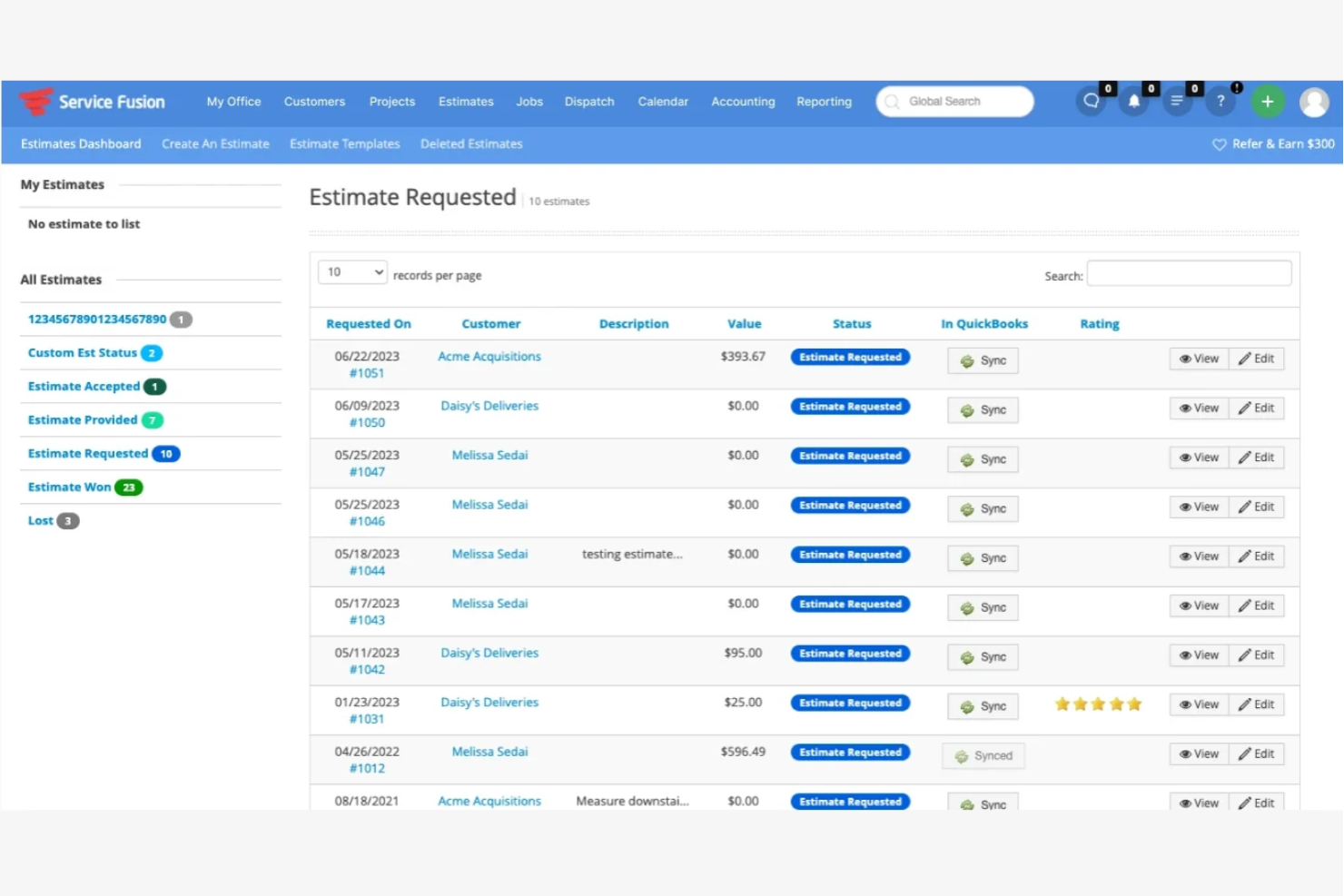
Service Fusion is a field service management software designed to help small- to medium-sized businesses manage their operations efficiently. It serves industries such as HVAC, plumbing, and electrical, focusing on scheduling, dispatching, and invoicing.
Why Service Fusion is a good Jobber alternative: Service Fusion offers an intuitive interface that simplifies the learning curve for your team. Its drag-and-drop calendar makes scheduling straightforward, and the mobile app ensures your technicians have access to job details anytime. Real-time GPS tracking helps you monitor your team's location and job progress.
Standout features & integrations:
Features include a job dashboard that lets you track job status and history, a customer list feature that helps you maintain detailed client records, and an invoicing tool that allows you to handle billing and payments directly from the platform.
Integrations include Profit Rhino, Service Nation, QuickBooks, LiveSwitch, Amply, Nexa, and more.
Pros and Cons
Pros:
- Ideal for small businesses
- Drag-and-drop scheduling
- Easy-to-use interface
Cons:
- Not suited for large enterprises
- Limited advanced features
Other Jobber Alternatives
Here are some additional Jobber alternatives that didn’t make it onto my shortlist but are still worth checking out:
- Joist
For contractor financing
- Buildbite
For construction projects
- Housecall Pro
For payment processing
- Simpro
For balancing various workflows
- vCita
For client communication
- Connecteam
For employee engagement
- SafetyCulture
For safety and risk management
- Fieldpoint
For customizable features
- Arrivy
For delivery operations
- OneCrew
For paving professionals
- Workever
For field team tracking
- Agentforce Field Service
For enterprise scalability


How I Evaluate Jobber Alternatives
I split my evaluation into two layers: core field service requirements that qualify a tool for the list, and differentiators like client portals and route optimization that set vendors apart.
Core Functionality (Table Stakes For This List)
When I'm selecting tools for my list, I rank each one on a scale from 0 (does not offer the functionality) to 5 (excels in this area) for each core functionality listed below. Then, I calculate the tool's total score into a percentage. Each tool needs to achieve a minimum total score of 65% to be considered for inclusion.
- Job Scheduling & Dispatch: I look at how each tool handles assigning techs to jobs, drag-and-drop calendar views, and whether dispatchers can see crew locations in real time.
- Quoting & Invoicing: Each platform should let you build an estimate on-site, send it for approval, and convert it to an invoice without re-entering job details.
- Mobile Field App: Field crews need to pull up job notes, mark tasks complete, and capture photos from a phone—so I check how each app performs with spotty signal.
- Customer & Property Records: I evaluate whether the CRM ties service history to specific addresses, which matters for repeat-visit trades like lawn care or pest control.
- Integrated Payment Processing: I look for in-app card and ACH collection tied directly to invoices, so office staff aren't chasing payments through a separate system.
- Work Order Tracking: Every job should move through a clear lifecycle from request to completion, with attached notes, checklists, and status updates visible to the team.
Once I have a list of tools that meet this criteria, I consider what sets each platform apart.
Differentiating Factors (What Sets Vendors Apart)
Here's how I compare and contrast different vendors:
Standout Features
Route optimization matters when your crew runs five or more stops a day—tools that auto-sequence jobs by location save real drive time. I also evaluate whether a platform supports recurring job automation, since trades like lawn care and cleaning rely on weekly or monthly visits that need auto-generated work orders. A client self-service portal is another differentiator. Letting customers approve quotes and pay invoices on their own cuts down on back-and-forth phone calls that slow the office down.
Beyond Features
Industry vertical fit is a big one—an HVAC company needs different templates and workflows than a cleaning service, so I check whether a platform offers trade-specific configurations out of the box. Accounting integrations also weigh heavily. A two-way sync with QuickBooks or Xero keeps the books clean without double entry. I evaluate the total cost of ownership too, paying attention to per-user pricing models, payment processing markups, and whether month-to-month plans are available for seasonal businesses that scale crews up and down.
Why Look for a Jobber Alternative?
While Jobber is a good choice of service management software, there are a number of reasons why some users may seek out alternative solutions. You might be looking for a Jobber alternative because…
- You need more advanced reporting features
- Your team requires industry-specific tools
- You want better scalability for growth
- You need more flexible pricing plans
- Your team needs enhanced customization options
If any of these sound like you, you’ve come to the right place. My list contains several service management software options that are better suited for teams facing these challenges with Jobber.
Jobber Key Features
Here are some of the key features of Jobber to help you compare and contrast them with what alternative solutions offer:
- Scheduling and dispatching: Easily assign jobs to your team and manage appointments.
- Invoicing and payments: Create invoices and process payments efficiently.
- Client management: Keep detailed records of client interactions and history.
- Mobile app: Access job details and updates from anywhere.
- Quoting: Generate and send professional quotes to clients quickly.
- Time tracking: Monitor work hours and job duration for accurate billing.
- Job management: Track job progress and updates in real time.
- Reporting: Gain insights into business performance with customizable reports.
- Online booking: Allow clients to schedule services directly through your website.
What’s Next:
If you're in the process of researching service management software, connect with a SoftwareSelect advisor for free recommendations.
You fill out a form and have a quick chat where they get into the specifics of your needs. Then you'll get a shortlist of software to review. They'll even support you through the entire buying process, including price negotiations.