

10 Best Free Client Onboarding Software in 2026

Free Client Onboarding Software Shortlist


Free client onboarding software gives your team tools to welcome, organize, and manage new clients without upfront costs—either through a free plan or a free trial. If you’re searching for ways to automate onboarding, keep everyone on the same page, and deliver a smooth client experience without breaking the bank, you’re in the right place. This guide highlights the top free options, so you can compare features, see what fits your workflow, and make a confident choice for your business in 2026.
Why You Can Trust Us
We’ve been testing and reviewing project management software since 2012. As project managers ourselves, we know how critical and difficult it is to make the right decision when selecting software.
We invest in deep research to help our audience make better software purchasing decisions. We’ve tested more than 2,000 tools for different project management use cases and written over 1,000 comprehensive software reviews. Learn how we stay transparent & our software review methodology.
Best Free Client Onboarding Software Summary
This comparison chart summarizes pricing details for my top free client onboarding software selections to help you find the best one for your budget and business needs.
| Tool | Best For | Trial Info | Price | ||
|---|---|---|---|---|---|
| 1 | Best for secure client portals with workflow automation | Free plan available | From $99/month | Website | |
| 2 | Best for a flexible workspace for building onboarding checklists and guides | Free plan available | From $10/user/month (billed annually) | Website | |
| 3 | Best for no-code client portals for onboarding and resource sharing | Free plan + free demo available | From $19/month (billed annually) | Website | |
| 4 | Best for a spreadsheet-database hybrid for tracking onboarding progress | Free plan + free demo + 14-day trial available | From $20/user/month | Website | |
| 5 | Best for client onboarding workspaces with templates and automation | Free plan + free demo available | From $350/month | Website | |
| 6 | Best for SOP templates for structured client onboarding | Free plan available | From $7/user/month (billed annually) | Website | |
| 7 | Best for onboarding and client portals for small teams | 7-day free trial + free plan available | From $20/month | Website | |
| 8 | Best for CRM with built-in onboarding pipeline tools | 28-day free trial + free plan available | From $20/seat/month | Website | |
| 9 | Best for interactive forms for client intake and onboarding surveys | Free plan available | From $28/month (billed annually) | Website | |
| 10 | Best for client portals with task management and file sharing | Free trial + free plan available | From $6.50/month (billed annually) | Website |

Free Client Onboarding Software Reviews
Below are my detailed summaries of the best free client onboarding software that made it onto my shortlist. My reviews offer a detailed look at the features, best use cases, and pricing of each platform to help you find the best one for you.

Moxo
Best for secure client portals with workflow automation
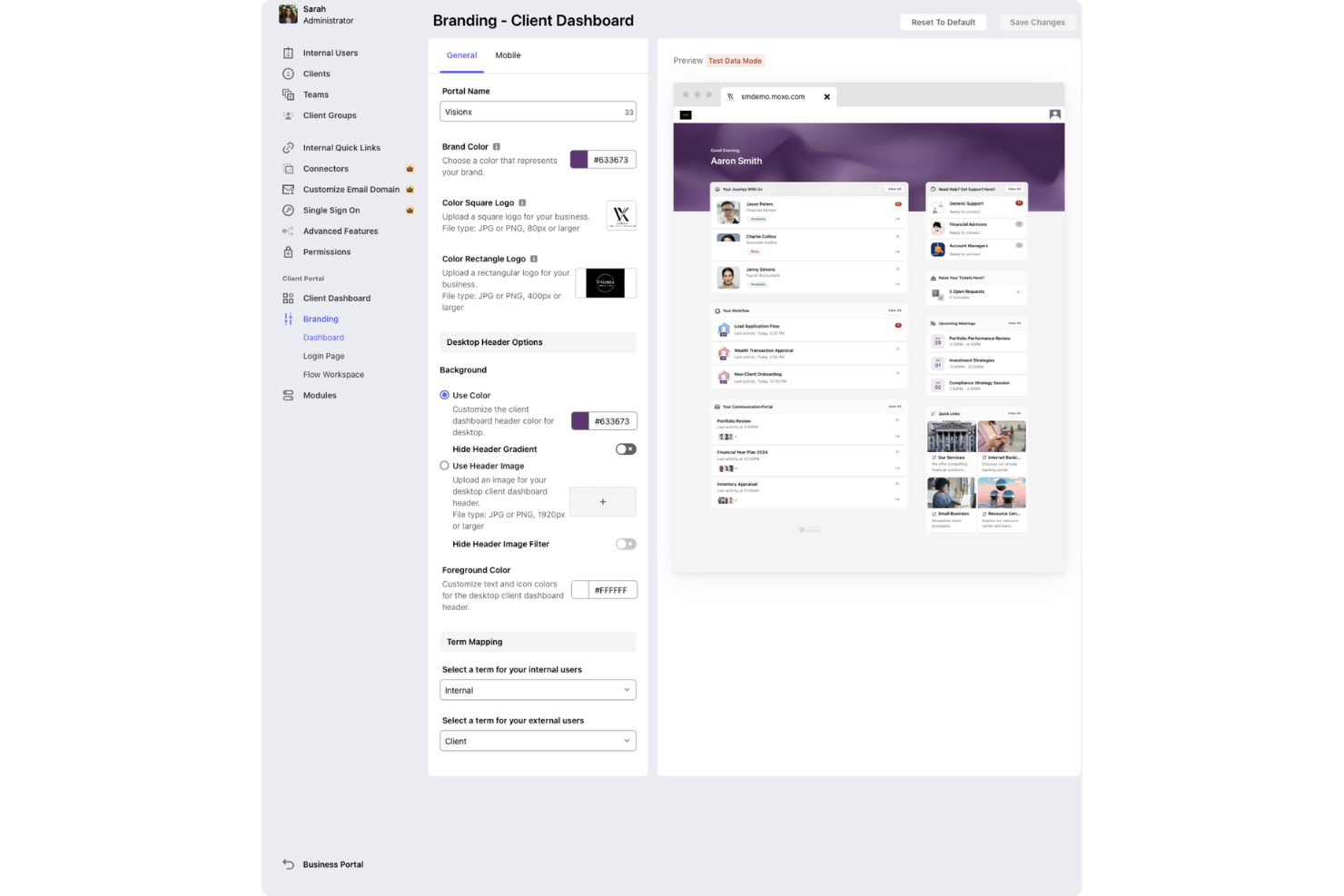
Moxo is a client onboarding and workflow management platform that provides secure client portals, digital forms, e-signatures, and real-time collaboration tools for managing onboarding processes.
Who Is Moxo Best For?
Moxo suits client-facing teams at financial services firms, consultancies, and professional services companies that need secure, branded onboarding portals.
Why I Picked Moxo
I picked Moxo as one of the best because I can set up secure, branded onboarding portals for clients and manage all onboarding steps in one place. I like that Moxo supports digital forms and e-signatures, which lets my team collect documents and approvals without switching tools. The free trial lets me test these features with real clients before committing.
Moxo Key Features
- In-app chat: Communicate with clients directly within the onboarding portal.
- Task tracking: Assign and monitor onboarding tasks for each client.
- Document sharing: Upload and organize files for client access and review.
- Audit trails: Track all client interactions and activity for compliance.
Moxo Integrations
Moxo offers native integrations with DocuSign, Salesforce, HubSpot, Outlook, and Google for meeting scheduling and data sync. An API is available for custom integrations.
What's Free?
Moxo offers a free plan with limited “flows” and AI credits. The plan provides access to core onboarding features, and users can perform up to two flows and have access to 500 AI credits per month.
Pros and Cons
Pros:
- Branded experience with customizable client workspaces
- Automated task assignment and progress tracking
- Real-time chat and messaging with clients
Cons:
- Mobile app notifications can be inconsistent
- No free plan, only a free trial

Notion
Best for a flexible workspace for building onboarding checklists and guides
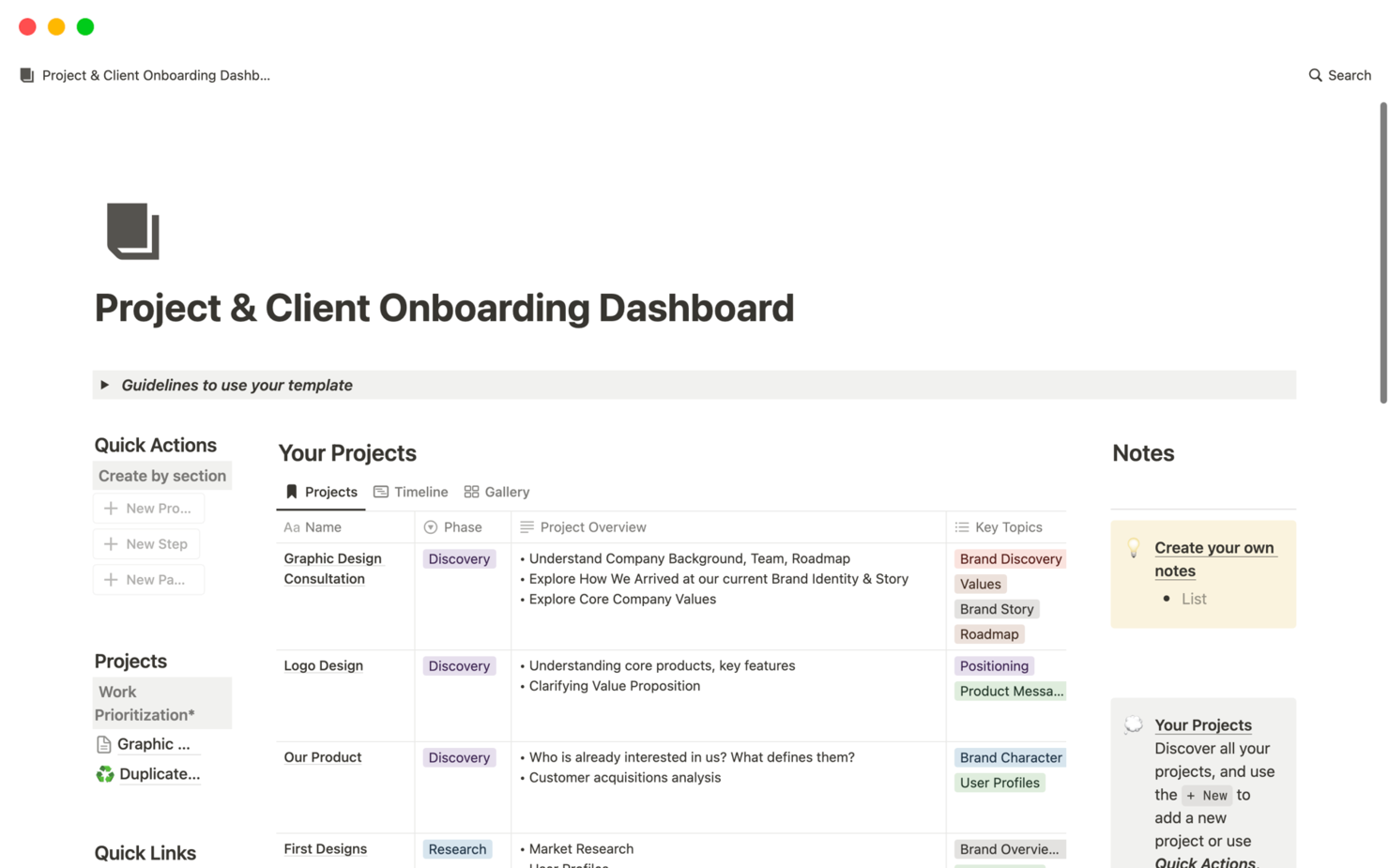
Notion is a collaborative workspace platform that combines document creation, wikis, databases, and project management tools for organizing and managing client onboarding workflows.
Who Is Notion Best For?
Notion suits small to midsize teams who want a flexible, all-in-one workspace for managing client onboarding and internal documentation.
Why I Picked Notion
I picked Notion as one of the best because I can combine docs, wikis, and project management in a single workspace—my team builds onboarding templates, tracks client progress in databases, and centralizes all onboarding resources in one place. I like that we can link onboarding checklists directly to client records and update everything in real time. The flexibility to create custom onboarding dashboards and knowledge bases makes it easy to adapt our process as client needs change.
Notion Key Features
- Guest access: Invite clients to view or edit specific onboarding pages.
- Task assignment: Assign onboarding tasks to team members or clients.
- Commenting and mentions: Collaborate on onboarding steps with in-line comments and @mentions.
- Version history: Track changes to onboarding documents and restore previous versions.
Notion Integrations
Notion offers native integrations with Slack, GitHub, GitLab, Jira, Asana, Google Drive, Figma, Zoom, and Typeform. It connects with Zapier and provides an API for custom integrations.
What's Free?
Notion offers a free-forever plan for individuals and small teams with unlimited pages and blocks. The free plan limits file uploads to 5MB per file and restricts some advanced permissions and admin controls.
Pros and Cons
Pros:
- Real-time collaboration with comments and mentions
- Custom templates support tailored onboarding workflows
- Flexible workspace combines documentation and task tracking
Cons:
- No dedicated client portal functionality
- Limited native automation for onboarding processes

Softr
Best for no-code client portals for onboarding and resource sharing

Softr is a no-code client portal builder that lets you create secure onboarding portals using data from Airtable or Google Sheets, with features for user authentication, permissions, and customizable layouts.
Who Is Softr Best For?
Softr is a good fit for small businesses and consultancies that want to build secure, no-code client onboarding portals using Airtable or Google Sheets.
Why I Picked Softr
I picked Softr as one of the best because I can build secure client portals directly from Airtable or Google Sheets without writing code. My team is able to set up granular user permissions and authentication for each client. I like that we can customize layouts and add document upload blocks to match our onboarding process.
Softr Key Features
- Drag-and-drop page builder: Arrange onboarding pages and sections visually with no coding required.
- Pre-built onboarding templates: Start quickly with templates designed for client portals and onboarding flows.
- Custom domain support: Use your own branded domain for client-facing portals.
- Email notifications: Automatically send onboarding updates and alerts to clients and team members.
Softr Integrations
Softr offers native integrations with Airtable, Google Sheets, Stripe, HubSpot, Mailchimp, Google Analytics, Intercom, Hotjar, and Google Tag Manager. It connects with Zapier and provides an API for custom integrations.
What's Free?
Softr offers a free-forever plan that includes unlimited applications and up to 5 internal users. The free plan displays Softr branding and has limited integration and customization options.
Pros and Cons
Pros:
- User authentication controls support secure access
- Pre-built templates accelerate setup time
- No-code builder simplifies creation of client onboarding portals
Cons:
- Reporting features are relatively basic
- Limited workflow automation capabilities

Airtable
Best for a spreadsheet-database hybrid for tracking onboarding progress
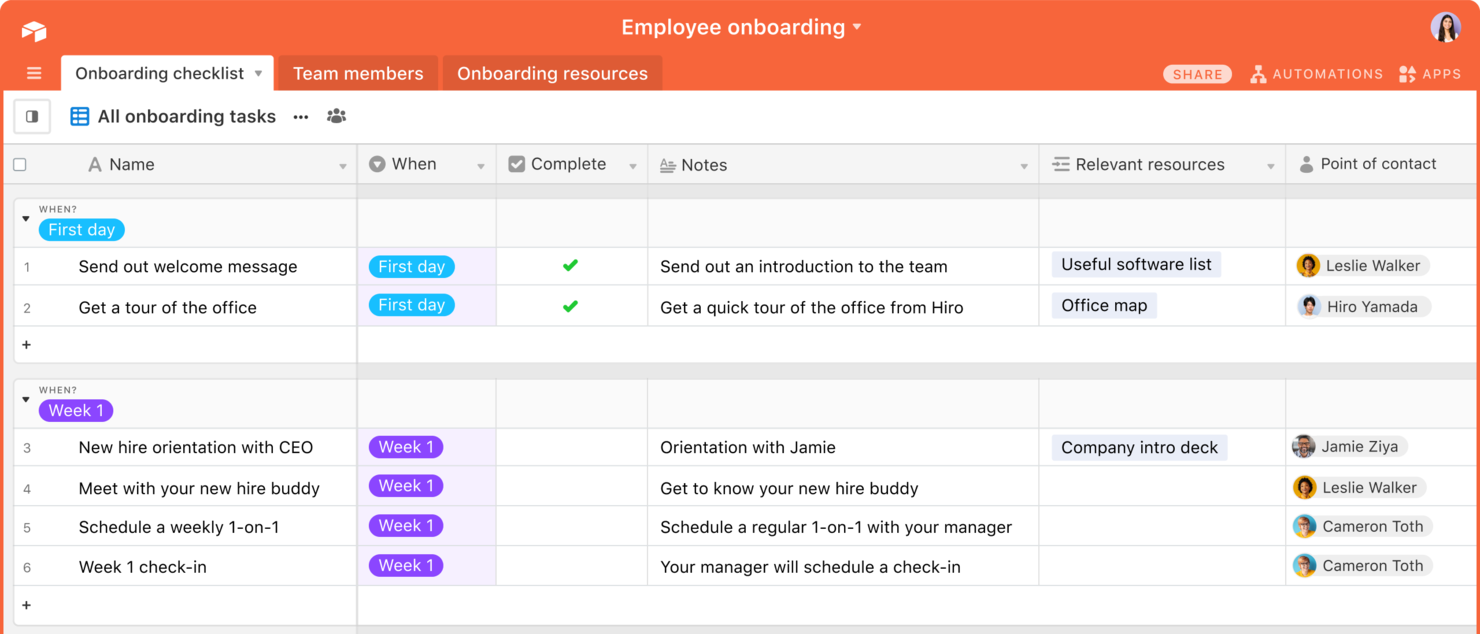
Airtable is a flexible database and workflow platform that lets you build custom client onboarding pipelines, automate processes, and organize client data using spreadsheets, forms, and visual dashboards.
Who Is Airtable Best For?
Airtable is a good fit for teams that need to design custom onboarding workflows and manage client data in a highly visual, flexible environment.
Why I Picked Airtable
I picked Airtable as one of the best because I can build custom onboarding pipelines using its visual database and automation tools. My team uses the free plan to create onboarding forms, track client progress, and collaborate in real time. I like that I can design unique onboarding templates and dashboards without code, which fits a range of client needs.
Airtable Key Features
- Views gallery: Choose from grid, calendar, kanban, and gallery views for onboarding data.
- Role-based permissions: Set granular access levels for collaborators and clients.
- Automations library: Trigger actions like notifications or record updates based on onboarding milestones.
- Attachment fields: Upload and organize client documents directly within onboarding records.
Airtable Integrations
Airtable offers native integrations with Google Drive, Slack, Jira, Salesforce, Box, and Dropbox, and connects with Zapier. An API is available for custom integrations.
What's Free?
Airtable offers a free-forever plan with unlimited bases, up to five creators or editors per workspace, and limited automation and integration options. Storage and record limits apply on the free plan.
Pros and Cons
Pros:
- Custom forms support structured client data collection
- Multiple views improve visibility into onboarding progress
- Flexible database structure adapts to custom onboarding workflows
Cons:
- Lacks built-in client communication tools
- Advanced automation features restricted on free plan

Dock
Best for client onboarding workspaces with templates and automation
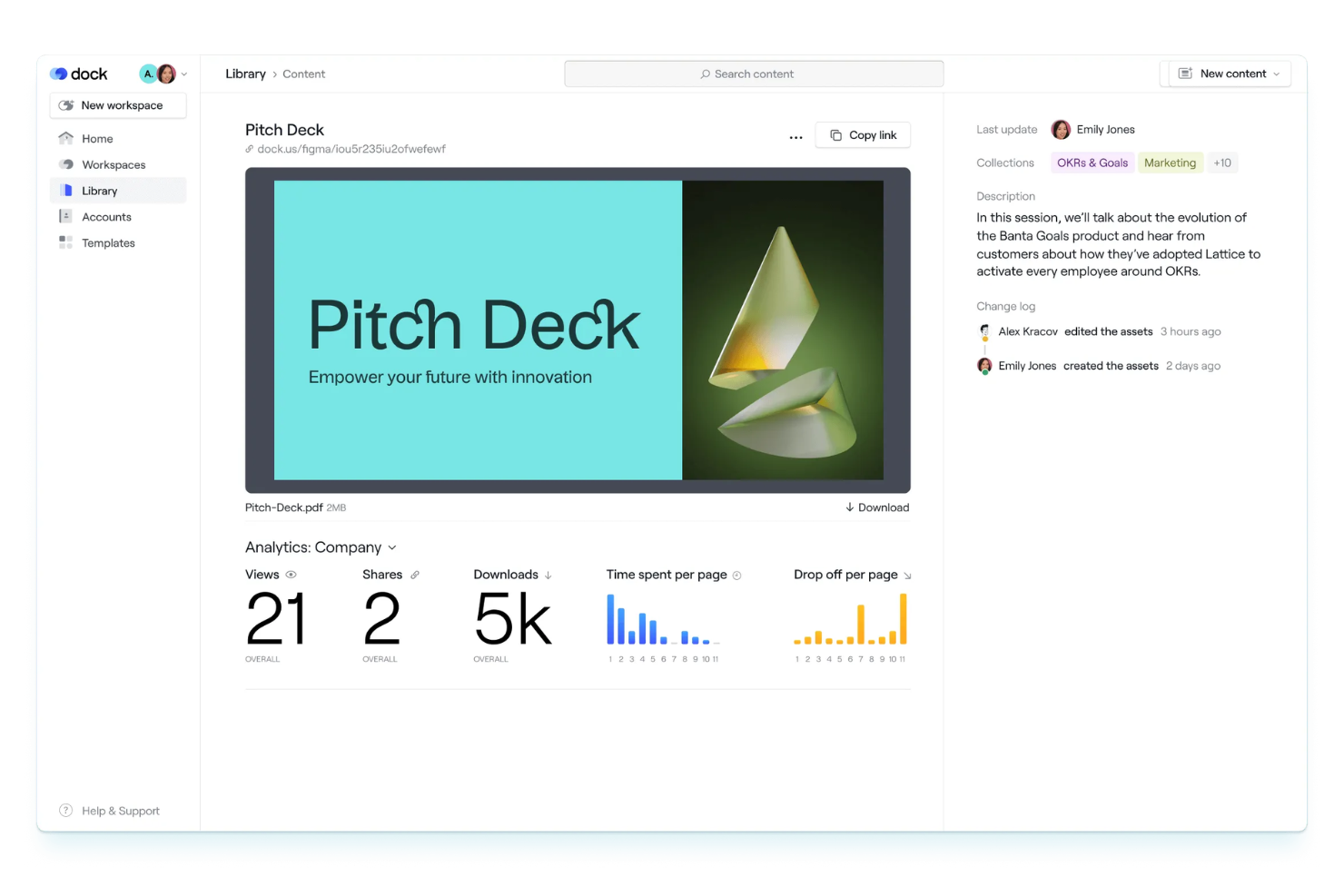
Dock is a client onboarding workspace platform that lets teams create interactive onboarding portals, automate onboarding tasks, and use customizable templates to manage client journeys.
Who Is Dock Best For?
Dock is a good fit for customer success and onboarding teams at B2B SaaS companies managing multiple client projects.
Why I Picked Dock
I picked Dock as one of the best because its onboarding workspaces let my team build repeatable client journeys with templates and automation. I like that I can assign tasks, share documents, and track progress in a single portal. The workspace templates make it easy to standardize onboarding across different client types.
Dock Key Features
- Client portal customization: Personalize each client’s onboarding portal with branding and tailored content.
- Embedded video walkthroughs: Add video guides directly into onboarding workspaces for step-by-step instructions.
- File request and upload: Request and collect documents securely from clients within the portal.
- Approval workflows: Set up approval steps for client deliverables and onboarding milestones.
Dock Integrations
Integrations include Slack, Salesforce, Gong, Zoom, Microsoft Teams, Zoom, Avoma, and Loom.
What's Free?
Dock offers a free-forever plan with limited features. The free plan restricts you to one active client workspace and does not include advanced automation or integrations.
Pros and Cons
Pros:
- Embedded video walkthroughs enhance onboarding guidance
- Customizable client portals with tailored content and branding
- Workspace templates standardize repeatable onboarding processes
Cons:
- Mobile experience less optimized than desktop
- Limited analytics for tracking onboarding performance

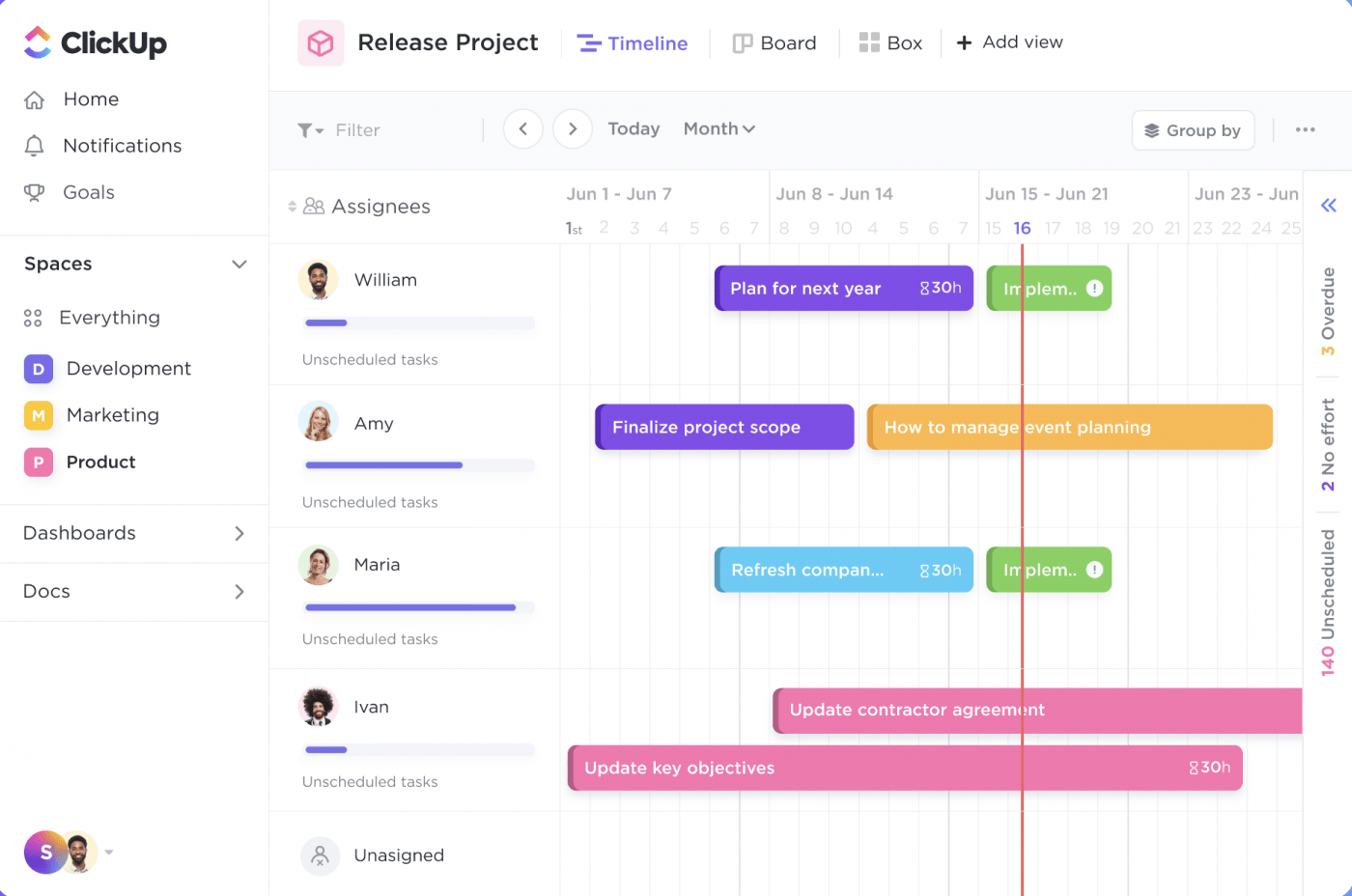
ClickUp is a work management platform that lets teams organize client onboarding with customizable SOP templates, task lists, document sharing, and workflow automation.
Who Is ClickUp Best For?
ClickUp is a good fit for small to midsize teams in digital agencies or consulting firms that need customizable onboarding workflows.
Why I Picked ClickUp
I picked ClickUp as one of the best because I can grab ready-made SOP templates for client onboarding and customize them for my workflow. I like that I can assign onboarding tasks, set dependencies, and track progress in real time. My team uses ClickUp’s document sharing to keep all onboarding materials in one place.
ClickUp Key Features
- Form view: Collect onboarding information from clients using customizable forms.
- Automations: Set up triggers and actions to automate repetitive onboarding steps.
- Custom fields: Track client-specific onboarding data with tailored field types.
- Time tracking: Monitor time spent on each onboarding task directly within the platform.
ClickUp Integrations
ClickUp offers native integrations with Google Drive, Slack, GitHub, Zoom, Microsoft Teams, Dropbox, OneDrive, Outlook, and Calendly. It also connects with Zapier and provides an API for custom integrations.
What's Free?
ClickUp offers a free-forever plan with unlimited users and tasks. The free plan limits automations, advanced reporting, and some integrations, and restricts guest access and storage.
Pros and Cons
Pros:
- Real-time collaboration improves team coordination
- Custom fields allow detailed client data tracking
- Pre-built SOP templates support structured onboarding processes
Cons:
- Mobile performance can lag on complex projects
- Automation capabilities limited on free plan

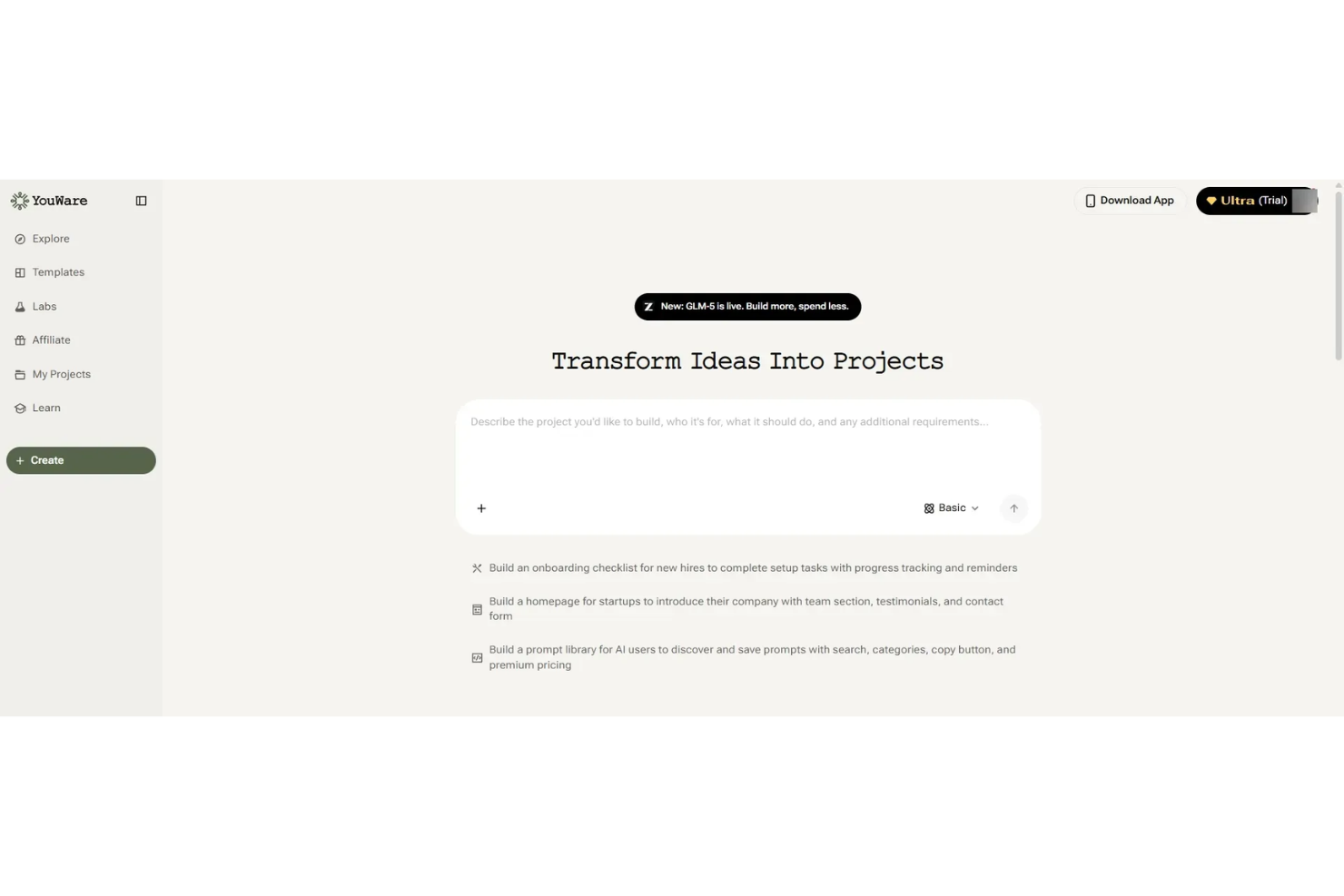
Youware is a client onboarding and portal platform designed for small teams, offering tools for client intake, document sharing, task assignment, and progress tracking.
Who Is Youware Best For?
Youware is a good fit for small teams or solo professionals who need a simple client onboarding and portal solution.
Why I Picked Youware
I picked Youware as one of the best because its free onboarding and client portal features are purpose-built for small teams. I like that I can set up client intake forms, assign onboarding tasks, and share documents in a single workspace. My team is able to track client progress and manage communication without needing to upgrade or add extra tools.
Youware Key Features
- Client portal customization: Personalize the look and feel of each client’s portal.
- Automated reminders: Send scheduled notifications to clients for outstanding tasks.
- Role-based access control: Set permissions for team members and clients.
- Activity timeline: View a chronological log of all client interactions and updates.
Youware Integrations
Integrations include Azure, Stripe, Google Cloud, Cloudflare, Supabase, Figma, AWS, Anthropic, OpenAI, and more.
What's Free?
Youware offers a free-forever plan for small teams. The free plan includes unlimited clients and core onboarding features, but advanced integrations and some customization options may be limited.
Pros and Cons
Pros:
- Built-in task tracking and automated reminders improve follow-ups
- Simple interface suited for small teams and solo users
- Free plan supports unlimited client onboarding projects
Cons:
- Basic role-based permissions lack depth
- Limited workflow automation compared to advanced tools

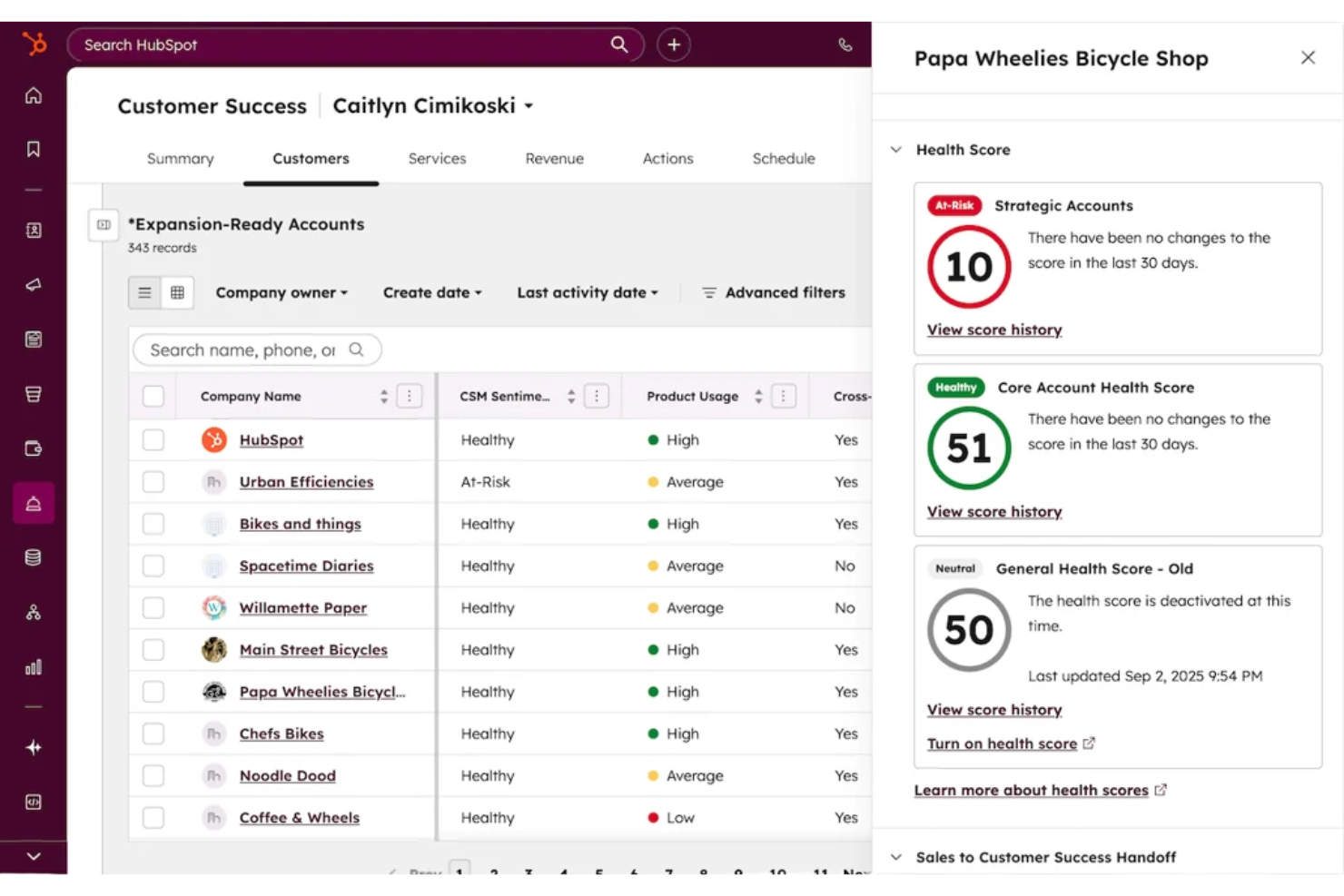
HubSpot CRM is a client onboarding and relationship management platform that combines contact management, pipeline tracking, email integration, and workflow automation for teams handling new client onboarding.
Who Is HubSpot CRM Best For?
Small to midsize businesses that need a unified platform for managing client onboarding and ongoing customer relationships.
Why I Picked HubSpot CRM
I picked HubSpot CRM as one of the best because it gives my team unlimited users and contacts on the free plan, which is rare for onboarding tools. I use its customizable pipelines to track every stage of client onboarding, and the built-in email tracking helps us keep communication organized. The contact timeline lets me see all client interactions in one place, so nothing falls through the cracks.
HubSpot CRM Key Features
- Meeting scheduling links: Let clients book onboarding calls directly from your calendar.
- Document management: Store and share onboarding documents within each client record.
- Task automation: Automatically assign onboarding tasks to team members based on triggers.
- Live chat widget: Add real-time chat to your website for instant client support during onboarding.
HubSpot CRM Integrations
HubSpot CRM offers native integrations with Gmail, Outlook, Google Calendar, Slack, Zoom, Mailchimp, Shopify, Stripe, Facebook Ads, and LinkedIn Ads. An API is available for custom integrations.
What's Free?
HubSpot CRM offers a free-forever plan with unlimited users and contacts. Some advanced features, automation, and reporting tools are restricted to paid plans.
Pros and Cons
Pros:
- Customizable pipelines for onboarding workflows
- Email tracking and logging for client communication
- Built-in meeting scheduler for onboarding calls
Cons:
- No built-in e-signature for onboarding documents
- Workflow automation is limited on free plan


Typeform is an online form builder that lets you create interactive forms, surveys, and quizzes with conversational logic for collecting client information and onboarding details.
Who Is Typeform Best For?
Typeform suits marketing teams and small businesses that want to create engaging, interactive onboarding forms for clients.
Why I Picked Typeform
I picked Typeform as one of the best because its conversational forms make client onboarding feel personal and interactive. I like that I can use conditional logic to tailor questions based on client responses. My team is able to embed forms directly on our website and collect onboarding details in a way that feels more like a conversation than a survey.
Typeform Key Features
- File upload field: Clients can securely upload documents or images during onboarding.
- Custom branding: Add your logo, colors, and fonts to match your brand identity.
- Response notifications: Get instant email alerts when a client submits a form.
- Integration with CRM tools: Connect responses directly to platforms like HubSpot or Salesforce.
Typeform Integrations
Typeform offers native integrations with HubSpot, Slack, Google Sheets, Salesforce, Mailchimp, Airtable, Trello, Asana, Microsoft Teams, and Zapier. An API is available for custom integrations.
What's Free?
Typeform offers a free-forever plan that allows one user to create unlimited forms with up to 10 questions per form and 10 responses per month. Some integrations and advanced features are only available on paid plans.
Pros and Cons
Pros:
- Custom branding enhances client-facing forms
- Conditional logic personalizes onboarding experiences
- Interactive forms improve client engagement during intake
Cons:
- Not suited for full end-to-end onboarding workflows
- Response limits restrict scalability on free plan

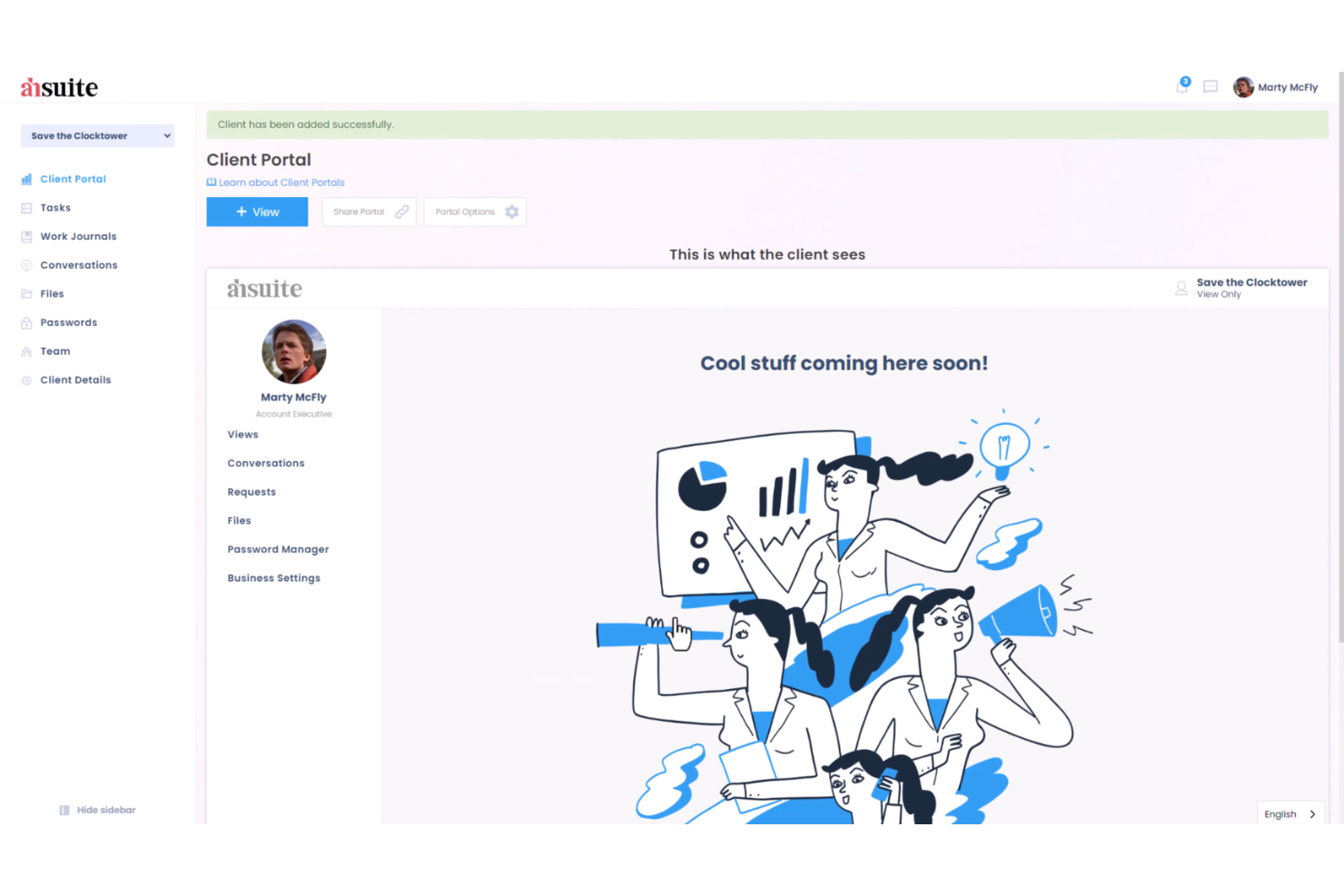
Ahsuite is a client portal platform for onboarding that lets you organize client dashboards, share files, manage tasks, and embed custom tools in a secure, branded environment.
Who Is Ahsuite Best For?
Ahsuite is a good fit for small agencies and consultants who need to onboard and manage multiple clients in one place.
Why I Picked Ahsuite
I picked Ahsuite as one of the best because it lets me onboard unlimited clients for free and organize each client’s dashboard with custom tabs, file sharing, and embedded tools. I like that I can create secure, branded portals for every client without worrying about user limits. My team is able to manage client communications, tasks, and shared resources all in one place, which is rare for a free plan.
Ahsuite Key Features
- White label customization: Add your own branding, logo, and colors to each client portal.
- Password manager: Store and share passwords securely with clients and team members.
- Client messaging: Send and receive direct messages within the portal.
- Task management: Assign, track, and organize tasks for each client workspace.
Ahsuite Integrations
Native integrations are not clearly documented
What's Free?
Ahsuite offers a free-forever plan with unlimited client portals and users. The free plan includes core features but displays Ahsuite branding and does not support white-label customization or advanced automation.
Pros and Cons
Pros:
- Custom dashboard tabs support flexible onboarding layouts
- Built-in messaging centralizes client communication
- Unlimited client portals available on free plan
Cons:
- No dedicated mobile application
- Limited automation for onboarding workflows
Other Free Client Onboarding Software
Here are some additional free client onboarding software options that didn’t make it onto my shortlist, but are still worth checking out:
- Zoho CRM
For CRM with onboarding workflow automation
- Trupeer
For AI-driven onboarding automation
- Rocketlane
For purpose-built onboarding platform with project templates
- Clustdoc
For client portal for document collection and onboarding workflows
- Appcues
For no-code onboarding flows and in-app guidance


How I Evaluate Free Client Onboarding Software
First, I define what counts as free. For client onboarding software, where you're repeating intake forms, kickoff checklists, and client portals for every engagement, a free-forever plan is required. From there, I evaluate on two layers: the core functionality a tool must have to make the list, and the differentiators that set vendors apart.
Core Functionality (Table Stakes For This List)
In addition to my free offer requirements, I also use a scoring system to select tools for my list. Here's how it works:
I rank each one on a scale from 0 (does not offer the functionality) to 5 (excels in this area) for each core functionality listed below. Then, I calculate the tool's total score into a percentage. Each tool needs to achieve a minimum total score of 65% to be considered for inclusion.
- Client Intake Forms: I check whether the free plan includes customizable forms for collecting project briefs, brand assets, login credentials, or scoping details from new clients.
- Onboarding Workflow Automation: Repeatable onboarding matters here. I look for templates or task sequences that can be cloned each time a new client signs on, rather than rebuilding from scratch.
- Client Portal or Shared Workspace: I evaluate whether clients get a dedicated space to view progress, access shared files, and interact with your team without needing a paid seat.
- Task & Milestone Tracking: Each tool should let you assign onboarding tasks, set due dates, and track milestones so nothing falls through the cracks during a client's first few weeks.
- Document Sharing & E-Signatures: I look at how the free plan handles contracts, SOWs, and onboarding packets—specifically whether clients can review, approve, or sign documents in the platform.
- Communication & Notifications: I evaluate whether the tool keeps clients and internal team members aligned through comments, @mentions, or automated email alerts tied to onboarding steps.
Once I have a list of tools that meet the criteria, I consider what sets each platform apart.
Differentiating Factors (What Sets Vendors Apart)
Here's how I compare and contrast different vendors:
Standout Features
Reusable onboarding templates save real time when you're bringing on multiple clients with similar service packages. I look for tools that let you clone a full onboarding sequence—tasks, forms, documents—and deploy it in a few clicks. A built-in contract or proposal builder also adds value by keeping the entire handoff in one place instead of bouncing between separate signing tools. I also consider whether clients can complete intake steps from their phone, since delays often happen when someone needs a desktop to respond.
Beyond Features
Free plan limits matter a lot here. I check how many active clients, team seats, and storage a tool allows before you hit a paywall—because onboarding even five clients a month can push you past tight caps. Integration support is another big factor. If the tool connects natively to your project management stack (Asana, Trello, ClickUp) or offers Zapier access on its free tier, you can hand off onboarded clients into active projects without manual re-entry. I also evaluate data security, since you're handling contracts, credentials, and sensitive client information from day one.
How to Choose Free Client Onboarding Software
It’s easy to get bogged down in long feature lists and complex pricing structures. To help you stay focused as you work through your unique software selection process, here’s a checklist of factors to keep in mind:
| Factor | What to Consider |
|---|---|
| Scalability | Will the software handle more clients or users as your business grows, or will you quickly outgrow the free plan? |
| Integrations | Does it connect natively to your existing tools (like CRM, email, or file storage), or will you need workarounds? |
| Customizability | Can you tailor workflows, fields, and templates to match your onboarding process, or are you locked into defaults? |
| Ease of use | Will your team and clients be able to navigate the system without extensive training or support? |
| Implementation and onboarding | How long will it take to get up and running, and what resources or support are available to help you migrate? |
| Cost | Are there hidden costs, upgrade triggers, or usage caps that could force you to pay sooner than expected? |
| Security safeguards | Does the platform offer encryption, access controls, and compliance with relevant data privacy standards? |
| Support availability | What support channels are available on the free plan, and are response times acceptable for your needs? |
What Is Free Client Onboarding Software?
Free client onboarding software is an onboarding solution that helps businesses manage the client onboarding process from kickoff through completion without upfront cost. These tools support teams in organizing stakeholders, reducing repetitive tasks, and improving time-to-value with structured workflows, self-service resources, and user-friendly interfaces. They are often used to optimize retention and reduce user onboarding churn by creating a consistent and guided onboarding experience.
Features of Free Client Onboarding Software
Let’s go over the features commonly found in client onboarding software, and which ones are usually included in free vs. paid plans.
Typically Free Client Onboarding Software Features
- Task management: Assign, track, and organize onboarding tasks for team members and clients to ensure nothing falls through the cracks.
- Checklist templates: Use or customize pre-built onboarding checklists to standardize your process and save time on setup.
- Document sharing: Upload and share files or forms with clients directly within the platform for easy access and collaboration.
- Basic automation: Set up simple triggers, such as auto-assigning tasks or sending reminders, to reduce manual work.
- Comments and mentions: Communicate with team members or clients using in-app comments and @mentions to keep discussions organized.
- Progress tracking: Monitor the status of onboarding steps and visualize completion rates to stay on top of client journeys.
- User management: Add multiple users or team members to collaborate on onboarding projects within the same workspace.
- Calendar integration: Sync onboarding tasks and deadlines with your calendar to keep schedules aligned.
- Activity logs: View a history of actions taken on onboarding projects for accountability and transparency.
Typically Paid Client Onboarding Software Features
- Advanced automation: Build multi-step workflows that automate complex onboarding sequences, approvals, or notifications across teams.
- Custom branding: Add your company’s logo, colors, and domain to create a branded onboarding experience for clients.
- E-signature collection: Collect legally binding electronic signatures on contracts or forms directly within the platform.
- Client portals: Provide clients with secure, personalized dashboards to track their onboarding progress and access resources.
- Reporting and analytics: Generate detailed reports on onboarding performance, bottlenecks, and client satisfaction metrics.
- Role-based permissions: Control access to sensitive information by assigning granular permissions to users and clients.
- Integration with premium tools: Connect with advanced CRM, accounting, or project management systems not available on free plans.
- Priority support: Access faster response times and dedicated support channels for troubleshooting and onboarding assistance.
- Unlimited storage: Remove file upload and storage limits to accommodate large volumes of onboarding documents and media.
- API access: Use the platform’s API to build custom integrations or automate data flows with other business systems.
Benefits of Free Client Onboarding Software
Implementing free client onboarding software provides several benefits for your team and your business. Here are a few you can look forward to:
- Standardized processes: Use templates and checklists to ensure every client receives a consistent onboarding experience.
- Improved collaboration: Assign tasks, share documents, and communicate in one place to keep your team and clients aligned.
- Cost savings: Access essential onboarding features without paying for a subscription, making it easier to manage budgets.
- Faster onboarding: Automate repetitive steps and track progress to move clients through onboarding more quickly.
- Increased visibility: Monitor onboarding status and deadlines so nothing gets missed and everyone stays accountable.
- Easy scalability: Add more users or clients as your business grows without worrying about immediate upgrade costs.
- Centralized documentation: Store all onboarding materials and client files in a single, accessible location for your team.
Costs and Pricing of Client Onboarding Software
I realize you came to this article looking for the best client onboarding software options that are available for free. However, since free plans only offer limited features, there's a good chance you'll need to scale your plan up in the future.
The table below summarizes common plans, their average prices, and typical features included in client onboarding software:
Plan Comparison Table for Client Onboarding Software
| Plan Type | Average Price | Common Features |
|---|---|---|
| Free Plan | $0 | Basic task management, checklist templates, limited document sharing, basic automation, and standard support. |
| Personal Plan | $5–$15/user/month | Unlimited tasks, more storage, calendar sync, simple integrations, and limited reporting. |
| Business Plan | $15–$30/user/month | Advanced automation, custom branding, client portals, e-signature collection, and enhanced analytics. |
| Enterprise Plan | $30–$60/user/month | Role-based permissions, API access, unlimited storage, advanced integrations, and priority support. |
Free Client Onboarding Software FAQs
Here are some answers to common questions about free client onboarding software:
What are the main limitations of free client onboarding software?
Free client onboarding software usually limits the number of users, storage space, automation rules, and integrations. You may also find restrictions on advanced features like reporting, custom branding, and client portals.
Can I migrate my data if I upgrade from a free to a paid plan?
Yes, most platforms let you migrate your data seamlessly when you upgrade. Your tasks, documents, and client records typically remain intact, but it’s smart to confirm migration details with the vendor before making the switch.
Is free client onboarding software secure enough for sensitive client data?
Yes, most reputable free client onboarding software uses encryption and access controls. However, free plans may not include advanced security features or compliance certifications, so review the vendor’s security documentation if you handle sensitive information.
Can I use free client onboarding software for multiple projects or clients at once?
Yes, most free plans let you manage multiple projects or clients, but you may hit limits on the number of active projects, users, or storage. Check the plan’s restrictions to make sure it fits your workflow.
What happens if I outgrow the free plan’s limits?
If you outgrow the free plan, you’ll need to upgrade to a paid plan to access more users, storage, or advanced features. Most vendors make it easy to upgrade without losing your existing data or workflows. As your onboarding needs become more complex, you may also want to explore AI client onboarding software for additional automation and support.