

10 Best Filecamp Alternatives for Asset Management in 2026

Best Filecamp Alternatives Shortlist


Managing digital assets can be challenging. If you use Filecamp, you may be frustrated with its limitations or need features it doesn't offer. You're not alone in seeking alternatives to simplify asset management and meet your unique needs.
In my experience, finding the right tool can save your team time and reduce stress. I’ve tested and reviewed many digital asset management solutions, focusing on ease of use, specific features, and value for money.
In this article, I’ll share my top Filecamp alternatives. You'll get insights into each tool's strengths and how they can help your team work more efficiently. Let's find the ideal fit for your digital asset management needs.
What is Filecamp?
Filecamp is a digital asset management tool designed to help teams organize, share, and collaborate on digital files. It's commonly used by marketing teams, creative professionals, and agencies who need to manage large volumes of digital content efficiently.
Filecamp's custom branding tools, easy file sharing, and user permissions help with organizing assets, maintaining brand consistency, and ensuring secure access. Overall, Filecamp provides a practical solution for teams needing to manage their digital assets.
Best Filecamp Alternatives Summary
This comparison chart summarizes pricing details for my top Filecamp alternatives to help you find the best one for your budget and business needs.
| Tool | Best For | Trial Info | Price | ||
|---|---|---|---|---|---|
| 1 | Best for user-friendly design collaboration | Free trial + free plan available | From $144/user/year (billed annually) | Website | |
| 2 | Best for brand consistency and collaboration | Free demo available | Pricing upon request | Website | |
| 3 | Best for integration with Microsoft 365 | 30-day free trial | From $7/user/month (billed annually) | Website | |
| 4 | Best for rapid content conversion | Free demo + 30-day free trial available | From $199/user/month | Website | |
| 5 | Best for GDPR-compliant asset management | Free demo + free trial available | From $500/month | Website | |
| 6 | Best for secure cloud storage with privacy | Free plan available | From $4.99/month (billed annually) | Website | |
| 7 | Best for creative video management | Free plan + free trial available | From $15/user/month (billed annually) | Website | |
| 8 | Best for AI-powered automated tagging | Free demo available | Pricing upon request | Website | |
| 9 | Best for content management across channels | Free demo available | Pricing upon request | Website | |
| 10 | Best for AI-driven customer conversion | Free demo available | Pricing upon request | Website |
Why Trust Our Software Recommendations
Our team has been testing and reviewing software since 2012. As project managers ourselves, we know how difficult—and important—it is to choose the right software.
For this guide, we evaluated tools using hands-on testing and independent research, scoring tools using our selection criteria. We also draw on insights from industry thought leaders and practicing project management experts.
Our reviews reflect our human editorial judgment, not a sales pitch.
Expert reviewers:
Best Filecamp Alternatives Reviews
Below are my detailed summaries of the best Filecamp alternatives that made it onto my shortlist. My reviews offer a detailed look at the key features, pros and cons, integrations, and ideal use cases of each tool to help you find the best one for you.
Canva
Best for user-friendly design collaboration

Canva is a graphic design platform for individuals and teams looking to create visual content. It's widely used by marketers, social media managers, and small business owners for designing everything from social media graphics to presentations.
Why it's a good Filecamp alternative: Canva offers an intuitive interface that makes design accessible to everyone. Its drag-and-drop functionality and extensive template library simplify the design process. Canva also allows for real-time collaboration, enabling team members to work together on projects. These features make it an excellent choice for teams focused on design and collaboration.
Standout Features & Integrations:
Features include vast asset libraries of stock media that you can use to create professional designs without starting from scratch. Canva's brand kit feature helps your team maintain brand consistency across all of your designs. You can also use its animation tools to add dynamic elements to your visuals.
Integrations include Google Drive, Dropbox, HubSpot, Slack, Mailchimp, Pinterest, LinkedIn, YouTube, and more.
Pros and Cons
Pros:
- Real-time collaboration
- Extensive template library
- Easy-to-use interface
Cons:
- Some features require a paid plan
- Requires an internet connection

Frontify
Best for brand consistency and collaboration

Frontify is a brand management platform designed for marketers and brand managers who want to maintain brand consistency across all communications. It helps teams manage brand assets, guidelines, and projects in one place.
Why it's a good Filecamp alternative: Frontify's tools for brand consistency and collaboration allow your team to easily access and update brand guidelines. Its digital asset management features let you organize and share brand assets. The platform's collaborative environment supports real-time feedback and editing, ensuring everyone stays aligned with brand standards. These features make Frontify a strong option for teams focused on maintaining a cohesive brand image.
Standout Features & Integrations:
Features include customizable brand guidelines that can help your team adhere to brand standards. Additionally, Frontify's analytics tools give you performance metrics that tell you how your content is used. You can also use its feedback and approval workflows to help accelerate project completion.
Integrations include Adobe Creative Cloud, Slack, Sketch, Figma, monday.com, and more.
Pros and Cons
Pros:
- Customizable brand guidelines
- Real-time collaboration tools
- Supports brand consistency
Cons:
- Not ideal for non-brand projects
- Requires initial setup time

OneDrive
Best for integration with Microsoft 365

OneDrive is a cloud storage service designed for individuals and businesses that need to store, access, and share files securely. It provides a convenient way for teams to collaborate and manage documents online.
Why it's a good Filecamp alternative: OneDrive integrates directly with Microsoft 365, making it an excellent choice for teams already using Microsoft's suite of tools. Its real-time collaboration features allow multiple team members to edit documents simultaneously. The platform's file versioning ensures you can access previous versions of documents. These capabilities make OneDrive a great fit for teams looking for a storage solution that works well with Microsoft products.
Standout Features & Integrations:
Features include offline access, allowing you to work on files without an internet connection. OneDrive's automatic photo and video backup ensures your media is always safe and accessible. You can also use its secure link sharing to set access control.
Integrations include Microsoft Teams, SharePoint, Outlook, Word, Excel, PowerPoint, OneNote, Yammer, Dynamics 365, Azure, and more.
Pros and Cons
Pros:
- Offline access capabilities
- Real-time document collaboration
- Native integration with Microsoft products
Cons:
- Requires internet for full features
- Not ideal for non-Microsoft users

Docsie
Best for rapid content conversion

Docsie is a content management platform designed for teams that need to create, manage, and publish digital documentation. It's used by technical writers and content managers to organize and distribute documentation across various platforms.
Why it's a good Filecamp alternative: Docsie offers rapid content conversion, allowing your team to efficiently deliver documents in different formats. Its collaborative editing features enable multiple team members to work on documents simultaneously. The platform also supports version control, ensuring your team always has access to the latest documents. These features make Docsie a great choice for teams focused on efficient documentation management and distribution.
Standout Features & Integrations:
Features include the ability to create custom document templates that help maintain consistency across your content. Docsie's analytics tools provide insights into how your documents are being used, helping you make data-driven decisions. You can also use its feedback collection feature to gather user input directly on your documents.
Integrations include Jira, Confluence, Microsoft 365, and more.
Pros and Cons
Pros:
- Built-in analytics tools
- Strong version control
- Quick documentation conversion
Cons:
- Some features need technical skills
- Can be complex for beginners

Best for GDPR-compliant asset management

Kontainer is a digital asset management platform tailored for businesses that need to store and share digital files securely. It's used by marketing teams and creative professionals to manage images, videos, and documents.
Why it's a good Filecamp alternative: Kontainer provides GDPR-compliant asset management, ensuring your team's data privacy and security needs are met. It has a user-friendly interface that allows you to organize and access files. The platform's customizable metadata fields help you categorize assets according to your specific needs. These features make Kontainer an excellent choice for teams that prioritize data compliance and security.
Standout Features & Integrations:
Features include customizable access rights that let you control who sees and edits your assets. Kontainer's reporting tools offer insights into asset usage and activity, helping you track performance. You can also use its collaboration features to enable team members to work together on projects.
Integrations include Adobe, Microsoft Office 365, WordPress, and more.
Pros and Cons
Pros:
- User-friendly interface
- Customizable metadata fields
- GDPR-compliant data management
Cons:
- Limited customization options on the entry-level plan
- Advanced features and integrations require an upgraded plan

pCloud
Best for secure cloud storage with privacy

pCloud is a cloud storage service designed for individuals and businesses that need secure and private file storage. It helps users with the efficient storing, accessing, and sharing of files from any device.
Why it's a good Filecamp alternative: pCloud's focus on secure cloud storage and privacy makes it ideal for teams that prioritize data security. Its encryption features also ensure your files are protected from unauthorized access. The platform provides easy file sharing, allowing you to collaborate with team members and clients. These capabilities make pCloud a suitable choice for those seeking a reliable and secure storage solution.
Standout Features & Integrations:
Features include file version control, which lets you recover previous versions of various file types with different file names. pCloud's backup feature automatically backs up files from your computer to the cloud. You can also use its media player to stream audio and video files from the cloud.
Integrations include Google Drive, Dropbox, Facebook, Instagram, and more.
Pros and Cons
Pros:
- Automatic backup options
- Easy file sharing
- Strong encryption features
Cons:
- Not ideal for large teams
- Requires an internet connection

Frame.io
Best for creative video management

Frame.io is a video collaboration platform designed for filmmakers, video editors, and creative teams. It helps users manage video projects and review content.
Why it's a good Filecamp alternative: Frame.io offers creative workflow management tools that enable your team to review and approve video content. Its time-stamped comments and annotations allow precise feedback, improving communication. The platform also supports real-time collaboration, making it easier for your team to work together on video projects. These features make Frame.io ideal for teams focused on video production and creative collaboration.
Standout Features & Integrations:
Features include advanced video review tools that let you provide frame-accurate feedback. Frame.io's version control system ensures your team has access to the latest video edits. You can also use its secure sharing options to distribute video content.
Integrations include Adobe Premiere Pro, Final Cut Pro, DaVinci Resolve, Slack, Trello, Asana, YouTube, Google Drive, and more.
Pros and Cons
Pros:
- Great for video production teams
- Secure video sharing options
- Precise video feedback tools
Cons:
- Not ideal for non-video projects
- Requires an internet connection
Canto
Best for AI-powered automated tagging

Canto is a digital asset management platform designed for marketing teams and creative professionals. It helps businesses organize, share, and collaborate on digital content efficiently.
Why it's a good Filecamp alternative: Canto provides AI-powered capabilities that make your asset management smarter and more efficient. Its facial recognition and auto-tagging features help you categorize and find your assets. The platform also offers customizable branding options, allowing you to tailor the interface to fit your brand's style. These features make Canto a strong choice for teams needing advanced asset categorization and management.
Standout Features & Integrations:
Features include customizable portals that let you share assets with external partners. Canto's reporting tools can support your decision-making by providing insights into asset usage and performance. You can also manage your brand guidelines and assets consistently through its centralized platform.
Integrations include Microsoft Windows, Slack, Hootsuite, WordPress, Shopify, Google Drive, Dropbox, Box, Salesforce, and more.
Pros and Cons
Pros:
- Easy asset sharing
- Customizable branding options
- AI-powered tagging and search
Cons:
- May need onboarding and support for setup
- Not ideal for small teams

Best for content management across channels
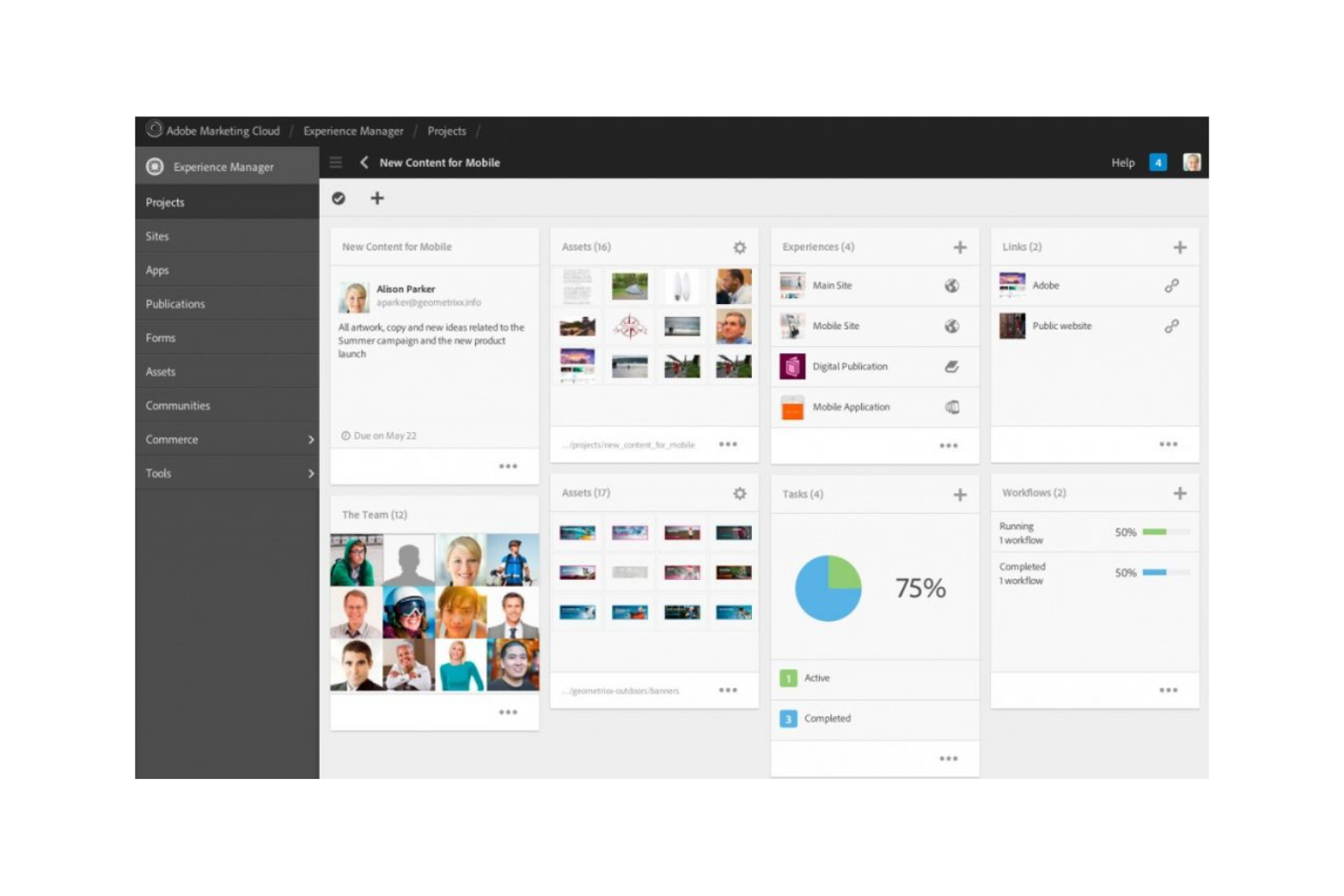
Adobe Experience Manager is a digital asset management and content management system that serves businesses needing to manage and deliver digital experiences across multiple channels. It’s primarily used by marketing teams and content managers looking to optimize their content delivery and asset management.
Why it's a good Filecamp alternative: Adobe Experience Manager's content management and digital asset management capabilities allow your team to efficiently manage web, mobile, and app content. Its automation tools help you source and adapt assets, helping you spend less time searching for and adjusting content. These tools make it a suitable alternative for teams that require extensive content management across various platforms.
Standout Features & Integrations:
Features include tools for creating responsive forms, digital enrollment, and a learning management system. You can manage and scale documentation efficiently with its cloud-native component content management system. Adobe Experience Manager also helps deliver personalized experiences to customers with its integrated tools.
Integrations include Adobe Analytics, Adobe Target, Adobe Creative Cloud, Microsoft Translator, Salesforce, and more.
Pros and Cons
Pros:
- Supports multi-channel delivery
- Integrates with Adobe Creative Cloud
- Great for large teams
Cons:
- Integrations geared toward Adobe products
- High cost for small businesses

Acquia
Best for AI-driven customer conversion

Acquia is a cloud-based digital experience platform that primarily serves marketers and IT teams looking to create and manage personalized digital experiences. It helps organizations deliver content across multiple channels and optimize customer engagement.
Why it's a good Filecamp alternative: Acquia stands out for its AI-driven content management capabilities, which allow you to automate content personalization and optimize customer conversion. Its machine learning tools can analyze customer data and predict behaviors, helping your team with the effectiveness of your marketing strategies. Additionally, it offers cloud hosting and security features that ensure your content is delivered reliably and securely. This makes Acquia a strong choice for teams needing advanced content management and personalization.
Standout Features & Integrations:
Features include a framework for building and managing websites at scale. You can also use its tools to ensure you're meeting compliance standards.
Integrations include Salesforce, Adobe Marketo, Adobe Experience Manager, Google Analytics, Microsoft Dynamics 365, HubSpot, Shopify, Amazon Web Services, Sitecore, and more.
Pros and Cons
Pros:
- Scalable for large enterprises
- Strong security features
- AI-driven content personalization
Cons:
- May require dedicated training
- Learning curve for new users
Other Filecamp Alternatives
Here are some additional Filecamp alternatives that didn’t make it onto my shortlist but are still worth checking out:
- Aprimo
For centralized asset management
- Google Workspace
For integrated productivity tools
- Censhare
For AI-enabled marketing and personalization
- Extensis
For font and asset management
- Cloudinary
For image and video optimization
- ImageKit
For real-time media transformations
- Box
For AI-driven content insights
- Brandfolder
For visual asset management
- Sirv
For 360-degree image hosting
- Wedia
For customizable asset management
- MediaValet
For enterprise-level asset storage
- Bynder
For brand consistency tools
- iMatch
For photographers and image management
- Mosaic
For project and resource planning
- Picflow
For client photo proofing


How I Evaluate Filecamp Alternatives
I split my evaluation into baseline criteria—like secure file sharing and branded client portals—and differentiators that separate the best options for agencies and brand teams.
Core Functionality (Table Stakes For This List)
When I'm selecting tools for my list, I rank each one on a scale from 0 (does not offer the functionality) to 5 (excels in this area) for each core functionality listed below. Then, I calculate the tool's total score into a percentage. Each tool needs to achieve a minimum total score of 65% to be considered for inclusion.
- File Sharing & Storage: I check whether a platform handles large creative files—like multi-layered PSDs or video rushes—with shareable links and upload portals for external contributors.
- Digital Asset Organization: Tagging, metadata, and search matter here. I look for tools where your team can find a specific logo variant in seconds rather than digging through nested folders.
- Access Controls & Permissions: I evaluate how granular the role and folder-level permissions are, especially for agencies managing multiple client accounts with different access needs.
- Branded Client Portals: The ability to deliver assets through a white-labeled, client-facing portal is a key differentiator from generic cloud storage. Tools like Brandfolder and Bynder handle this differently, so I compare the depth of customization each offers.
- Review & Approval Workflows: Creative teams need annotation and approval routing across file types. I look for proofing on PDFs, images, and video—not just basic commenting on a single format.
- Version Control: I evaluate whether the platform tracks revisions with clear history and rollback, so your team avoids the classic problem of overwriting a finalized asset with an outdated version.
Once I have a list of tools that meet this criteria, I consider what sets each platform apart.
Differentiating Factors (What Sets Vendors Apart)
Here's how I compare and contrast different vendors:
Standout Features
Creative tool integrations matter here—I look for native connections to Adobe Creative Cloud or Figma so designers can pull assets without leaving their workflow. AI-powered tagging is another differentiator, since auto-generated metadata cuts hours of manual cataloging when you're onboarding thousands of assets. I also evaluate asset expiration and licensing features, which help brand managers flag when a stock photo license runs out before it ends up in a live campaign.
Beyond Features
Pricing structure is a big one—I check whether guest and external user seats inflate costs, since agencies sharing assets with dozens of clients can see bills spike fast. Security and compliance also carry weight, especially for teams handling client IP; I look for SOC 2 certification, SSO, and audit trails. Finally, I consider how well a platform fits into existing workflows by evaluating integrations with tools like Asana, Monday, or ClickUp, plus API or Zapier access for custom automations.
Why Look for a Filecamp Alternative?
While Filecamp is a good choice for digital asset management, there are a number of reasons why some users seek out alternative solutions. You might want to look for a Filecamp alternative for the following reasons:
- You need more advanced customization options
- Your team requires better integration capabilities
- You're seeking a more scalable solution
- You want enhanced security features
- Your team needs faster customer support
- You're looking for a more budget-friendly option
If any of these sound like your thinking, you’ve come to the right place. My list includes several digital asset management options that are better suited for teams facing these challenges, with Filecamp, and looking for alternatives.
Features
To help you contrast and compare what alternative solutions offer, here are some of the key features of Filecamp:
- Granular access: Controls file and folder access for your clients and partners.
- Multiple themes: Customize the branding for different folders to match your company's style.
- Keywords/tags: Use metadata to organize and manage your digital media files.
- Custom pages: Create and manage custom pages using a WYSIWYG editor for easy content creation.
- Security: Provides a secure data center and HTTPS for file transfers.
- Request file links: Allow you to receive files from anyone and improve collaboration.
- Collections: Organize files from multiple folders to collaborate efficiently with your team.
- Auto tags: Improve searchability with automatic digital asset tagging.
- Labels: Use custom labels for indexing and proofing to keep your files organized.
- White label: Take full control of branding with the Professional plan, making the platform truly yours.
What’s Next:
If you're in the process of researching digital asset management software, connect with a SoftwareSelect advisor for free recommendations.
You fill out a form and have a quick chat where they get into the specifics of your needs. Then you'll get a shortlist of software to review. They'll even support you through the entire buying process, including price negotiations.