


Frame.io Review: Pros, Cons, Features and Detailed Pricing



Frame.io is a video collaboration tool for video production and post-production teams who need frame-accurate review, version tracking, and asset sharing across clients and collaborators. I'd mainly consider it if your team works inside Adobe Creative Cloud, as Frame.io's deep integration with Premiere Pro and After Effects gives you a tighter review-to-edit loop than you'd get with Vimeo Review, where the feedback and editing workflows stay largely disconnected.
Frame.io Evaluation Summary
- From $15/user/month (billed annually)
- Free plan + free trial available
Why Trust Our Software Recommendations
Our team has been testing and reviewing software since 2012. As project managers ourselves, we know how difficult—and important—it is to choose the right software.
For this guide, we evaluated tools using hands-on testing and independent research, scoring tools using our selection criteria. We also draw on insights from industry thought leaders and practicing project management experts.
Our reviews reflect our human editorial judgment, not a sales pitch.
Expert reviewers:
Frame.io Overview
When judging Frame.io, I think its intuitive interface and quick video commenting set it apart for creative teams. You get painless onboarding, deep integrations, and responsive support—worth the price if real-time feedback matters. While storage costs can add up, I’d still choose Frame.io for agencies, studios, or remote teams handling multiple client projects. It may feel overbuilt for simple needs, but if you value fast approvals, version control functionality, and integration with editing software, Frame.io consistently outperforms similar platforms.
pros
-
Frame-accurate commenting directly on video content
-
Real-time collaboration supports fast feedback and approvals
-
Automated version control prevents confusion between edits
cons
-
Storage limits can quickly increase costs
-
Occasional sync lag with large 4K video files
-
Lacks built-in basic editing tools or effects
Is Frame.io Right For Your Needs?
Who Would be a Good Fit for Frame.io?
Frame.io is a strong fit for creative teams and businesses handling video editing at scale who need simple, fast collaboration and feedback cycles. Media production companies, in-house marketing teams, education content creators, and agencies find the time-stamped commenting, quick file sharing, and version tracking speed up delivery and reduce communication gaps. Any role managing multiple rounds of video review or tight deadlines should get strong value from Frame.io’s features.
-
Video Production Agencies
Centralized review features and Camera to Cloud uploads make rapid feedback across post-production teams straightforward.
-
In-House Marketing Teams
Quick version sharing and approvals help manage social and advertising video projects with limited creative staff.
-
Remote Video Editors
Real-time upload, commenting, and notifications keep distributed editors and clients in sync.
-
Creative Agencies
Multiple client workspaces and branded interfaces streamline collaboration across many client projects.
-
Higher Education Media
Faculty and students use Frame.io to collaborate on video projects with secure sharing and assignment workflows.
-
Corporate Training Teams
Speedy review, approvals, and retention of feedback are a huge help for internal training video production.
Who Would be a Bad Fit for Frame.io?
Frame.io isn’t ideal for small businesses with limited video needs, one-off projects, or teams dealing primarily in formats other than video. Organizations wanting advanced integrated editing tools or storage for extremely large archives may find the platform limiting. It also isn’t built for roles focused on live streaming, non-video collaboration, or highly regulated environments with bespoke compliance requirements.
-
Small Businesses
Enterprise-grade collaboration might be overkill for occasional or simple video tasks.
-
Podcast Producers
Audio-only teams won’t use core features like frame-accurate video commenting or side-by-side versioning.
-
Legal Departments
Highly regulated firms may need more specialized, compliance-focused document collaboration.
-
Animation Studios
The lack of built-in animation-specific collaboration tools or file previews limits its usefulness here.
-
Live Event Producers
Frame.io is designed for post-production workflows, not real-time or live broadcast collaboration.
-
Nonprofit Organizations
Organizations on tight budgets or with minimal video output may not need the scale and pricing of Frame.io.
Our Review Methodology
How We Test & Score Tools
We’ve spent years building, refining, and improving our software testing and scoring system. The rubric is designed to capture the nuances of software selection and what makes a tool effective, focusing on critical aspects of the decision-making process.
Below, you can see exactly how our testing and scoring works across seven criteria. It allows us to provide an unbiased evaluation of the software based on core functionality, standout features, ease of use, onboarding, customer support, integrations, customer reviews, and value for money.
Core Functionality (25% of final scoring)
The starting point of our evaluation is always the core functionality of the tool. Does it have the basic features and functions that a user would expect to see? Are any of those core features locked to higher-tiered pricing plans? At its core, we expect a tool to stand up against the baseline capabilities of its competitors.
Standout Features (25% of final scoring)
Next, we evaluate uncommon standout features that go above and beyond the core functionality typically found in tools of its kind. A high score reflects specialized or unique features that make the product faster, more efficient, or offer additional value to the user.
We also evaluate how easy it is to integrate with other tools typically found in the tech stack to expand the functionality and utility of the software. Tools offering plentiful native integrations, 3rd party connections, and API access to build custom integrations score best.
Ease of Use (10% of final scoring)
We consider how quick and easy it is to execute the tasks defined in the core functionality using the tool. High scoring software is well designed, intuitive to use, offers mobile apps, provides templates, and makes relatively complex tasks seem simple.
Onboarding (10% of final scoring)
We know how important rapid team adoption is for a new platform, so we evaluate how easy it is to learn and use a tool with minimal training. We evaluate how quickly a team member can get set up and start using the tool with no experience. High scoring solutions indicate little or no support is required.
Customer Support (10% of final scoring)
We review how quick and easy it is to get unstuck and find help by phone, live chat, or knowledge base. Tools and companies that provide real-time support score best, while chatbots score worst.
Customer Reviews (10% of final scoring)
Beyond our own testing and evaluation, we consider the net promoter score from current and past customers. We review their likelihood, given the option, to choose the tool again for the core functionality. A high scoring software reflects a high net promoter score from current or past customers.
Value for Money (10% of final scoring)
Lastly, in consideration of all the other criteria, we review the average price of entry level plans against the core features and consider the value of the other evaluation criteria. Software that delivers more, for less, will score higher.
Core Features
Time-Stamped Commenting
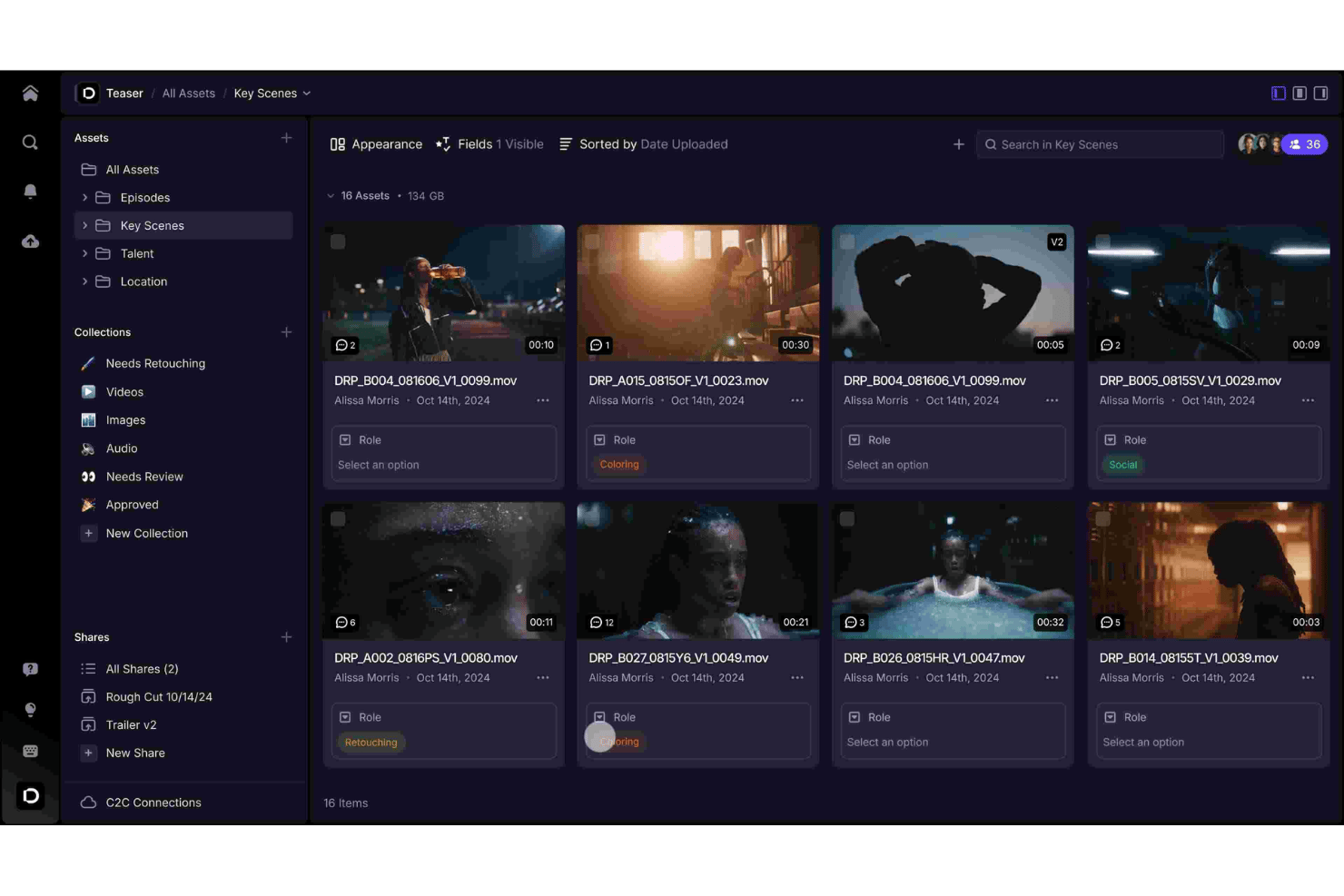
Leave feedback and annotations by clicking directly on frames and adding detailed remarks. This speeds up discussions and cuts down on misunderstandings during reviews.
Version Management
Frame.io tracks all video versions automatically as new edits are uploaded. This makes it easy to compare and revert to previous cuts at any time.
Secure File Sharing
Share watermarked review links with clients and teammates to control access. Password protection and download controls help keep content private.
Side-By-Side Comparison
Open two video versions in a split view mode for precise visual comparison. This helps users spot differences between edits at a glance.
Real-Time Notifications
Get instant alerts when someone comments, approves, or uploads new files. This keeps everyone updated so teams never miss important feedback.
Approval Workflows
Assign reviewers and set custom approval stages for each project. This gives project managers clear tracking of who’s given feedback and what’s next.
Standout Features
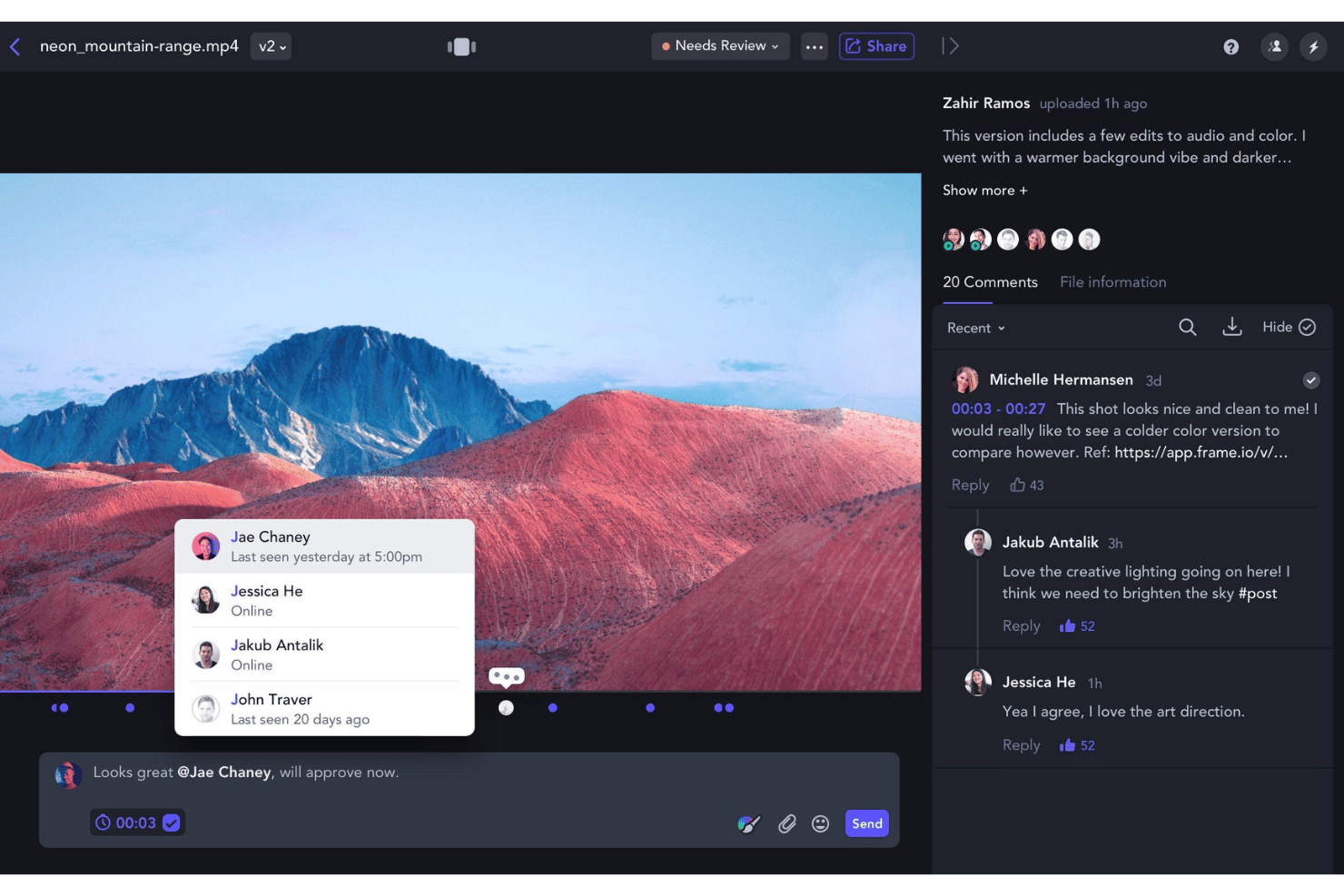
Camera to Cloud
Upload footage directly from cameras to Frame.io in near-real-time. This lets remote editors and clients review clips minutes after capture.
Large File Accelerated Uploads
Utilize accelerated file transfer tech for uploading massive video files quickly. This keeps post-production moving, even on tight delivery timelines.
Ease of Use
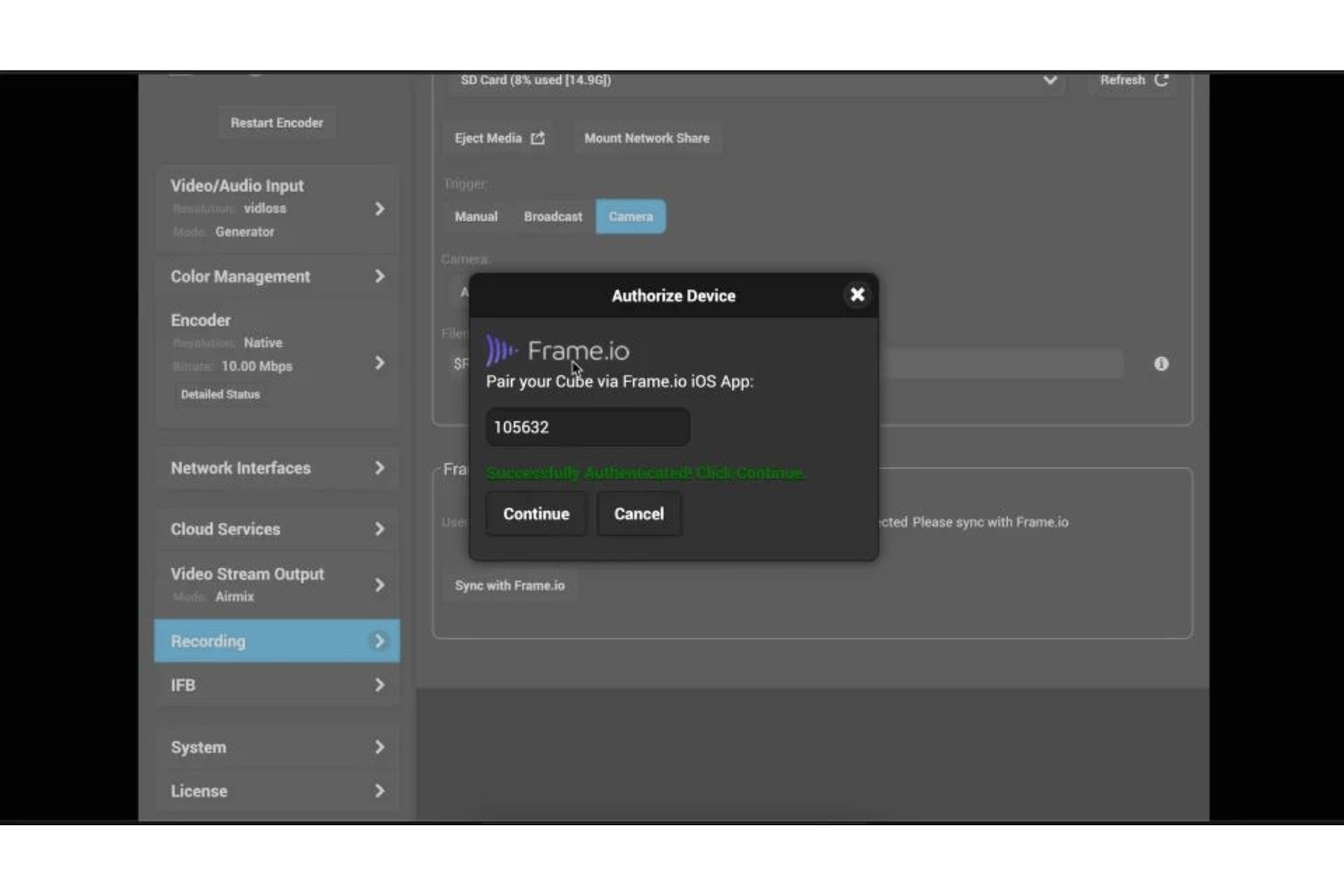
Frame.io stands out for its clean, intuitive interface that makes navigating projects and commenting on videos feel natural even for less technical users. I think clear visual marking of feedback and drag-and-drop uploads save teams time from the start. User reviews consistently mention how the review and approval flow reduces confusion.
Onboarding
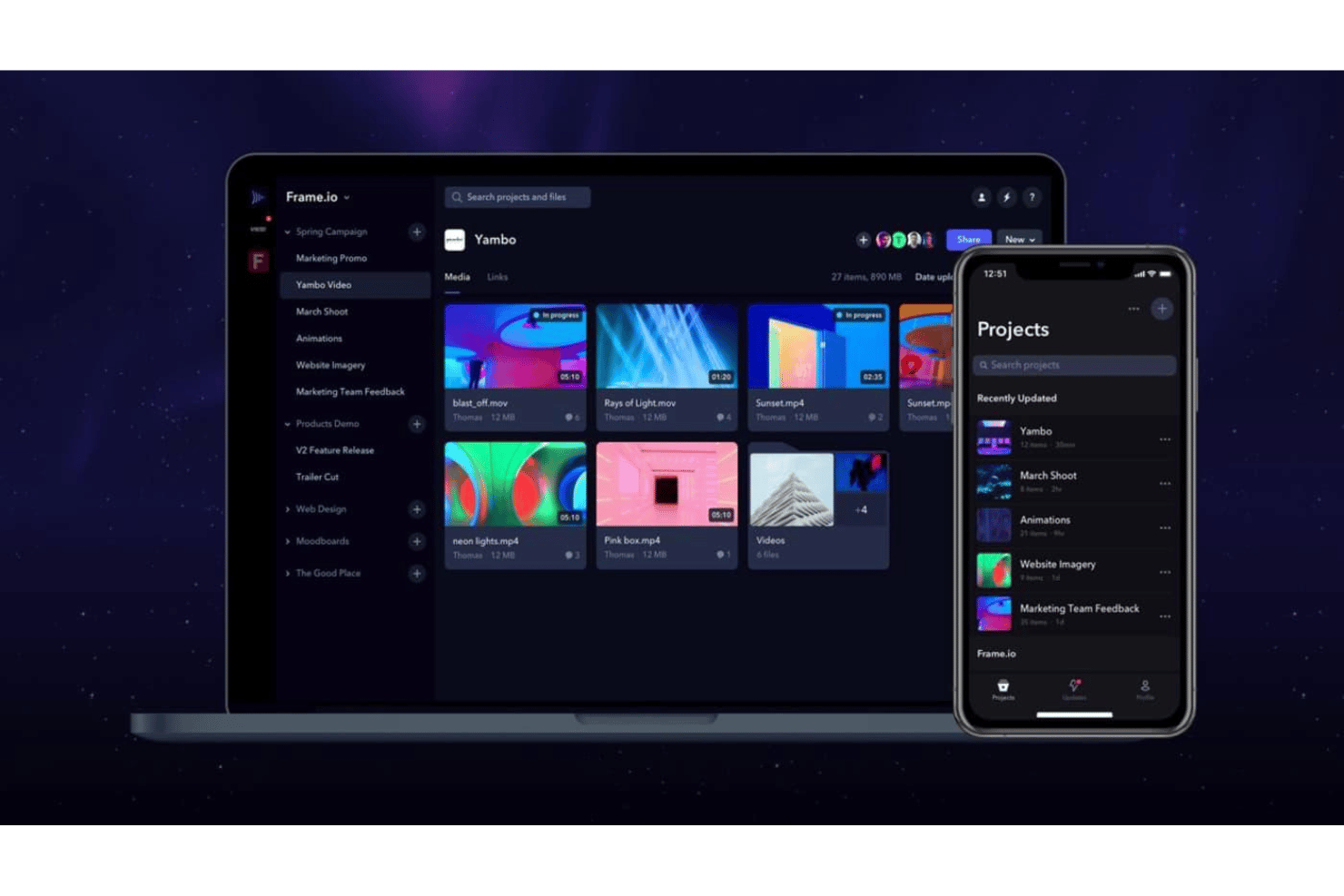
Frame.io’s onboarding feels quick, thanks to interactive guides and a hands-on walkthrough that gets you collaborating right away. I’ve seen user reviews mention helpful video tutorials and responsive chat support for solving early issues. Their support center has up-to-date docs that help new users move from first upload to collaborative review in minutes.
Customer Support
Frame.io has earned strong marks for its responsive, knowledgeable support team, with many users noting fast replies via chat and email. I think the support center’s clear self-help articles and proactive issue resolution stand out, especially during time-sensitive projects. You can expect real guidance, not just canned responses, when you need it most.
Integrations
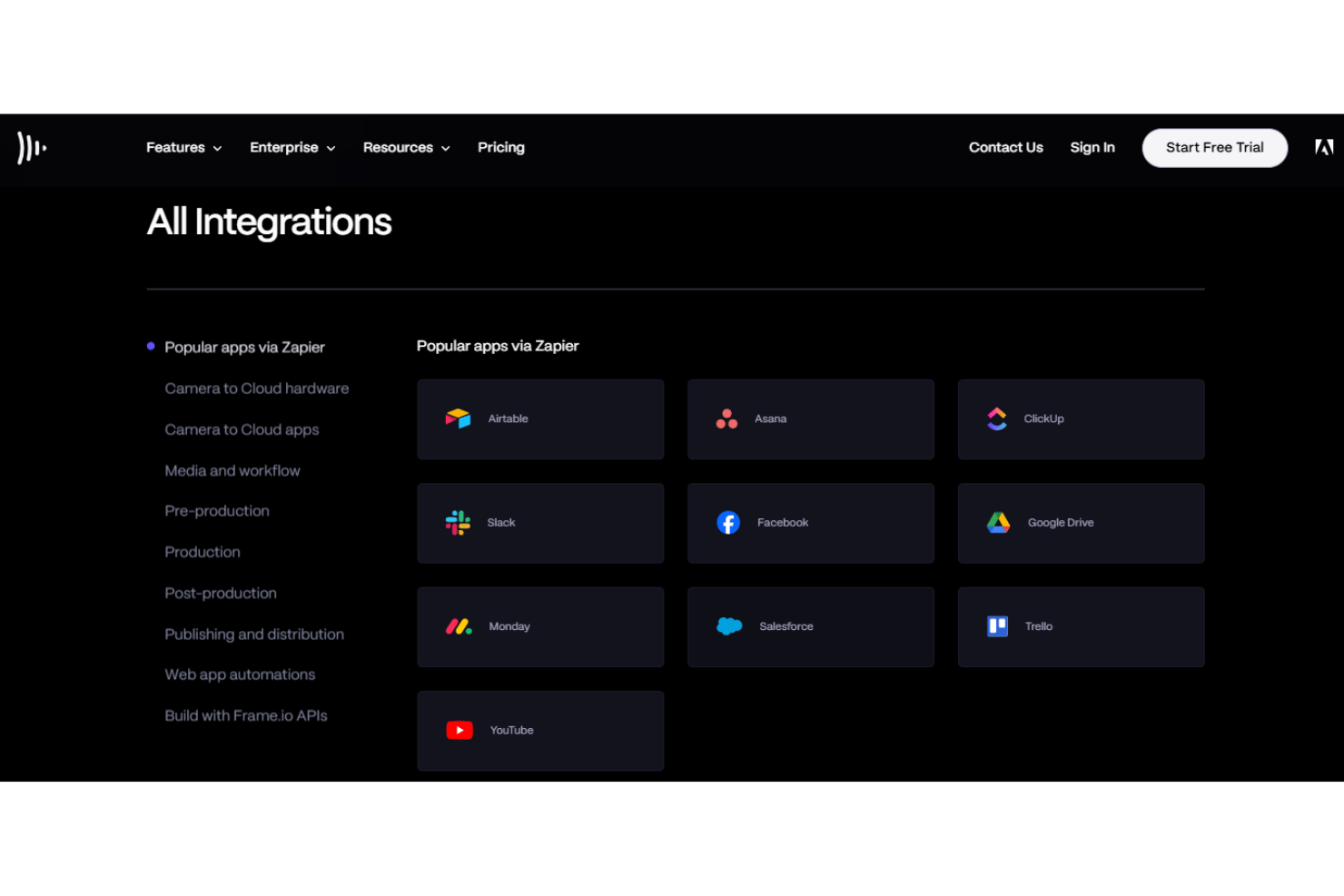
Frame.io integrates with Adobe Premiere Pro, Adobe Lightroom, ShotPut Pro, and Zapier, among others.
Frame.io also offers a developer API and SDK for custom integration and automation needs, as well as numerous community-made plugins.
Value for Money
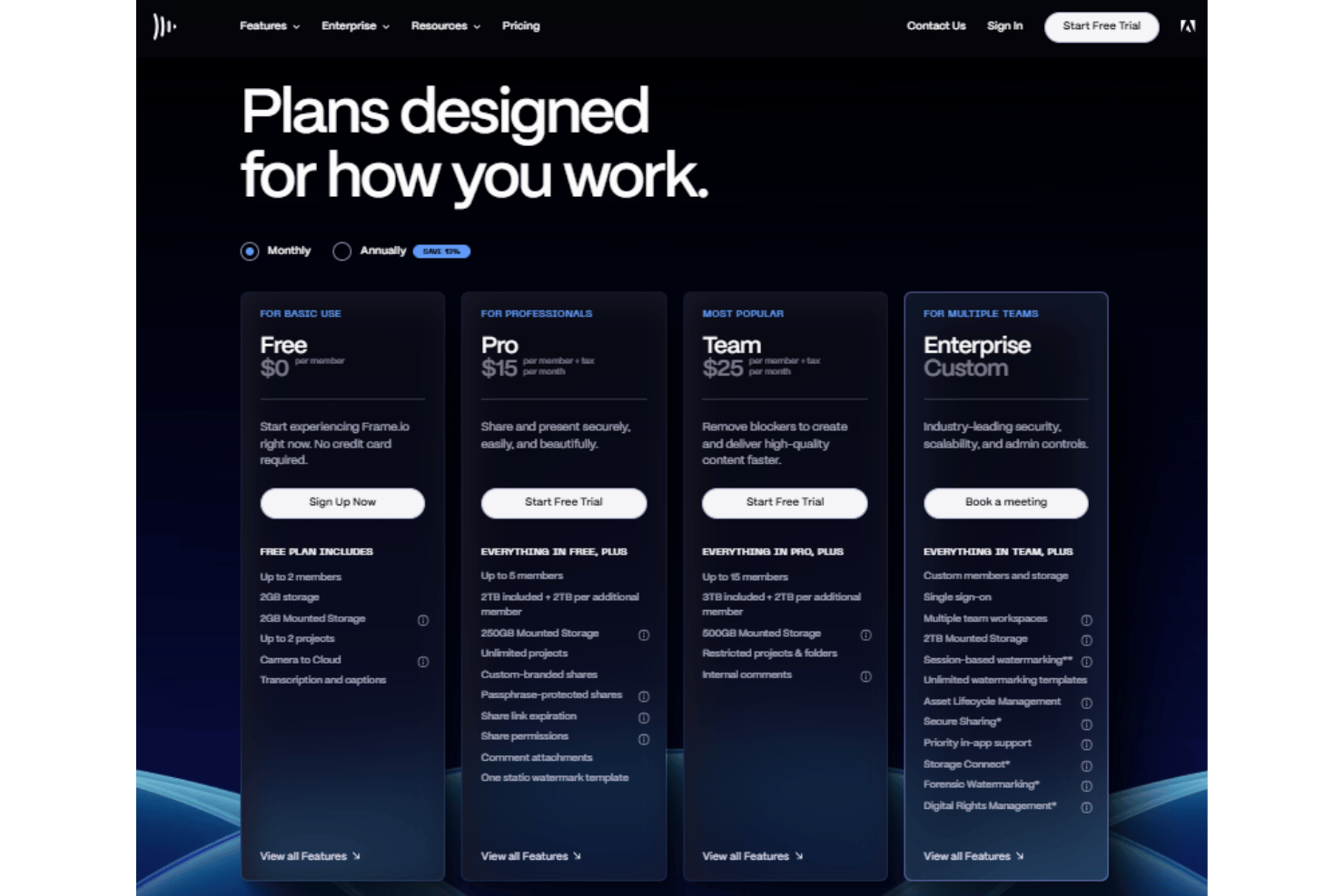
Frame.io’s value justifies its price if your team needs fast creative feedback and scalable project collaboration. User reviews often mention storage caps as a drawback but praise reliable file sharing, approval features, and responsive support as worth the monthly fee for busy creative teams.
- Free: Includes up to 2 users, 2GB storage, basic review features.
- Pro: Adds more users and projects, increased storage, and unlimited projects.
- Team: Provides advanced collaboration tools, higher storage, and restricted projects.
- Enterprise: Offers SSO, multiple team workspaces, session-based watermarking, and DRM.
Frame.io Specs
- API
- Batch Permissions & Access
- Budgeting
- Calendar Management
- Collaboration Support
- Contact Management
- Contact Sharing
- Customer Management
- Dashboard
- Dashboards
- Data Export
- Data Import
- Data Visualization
- Dependency Tracking
- Document Sharing
- Expense Tracking
- External Integrations
- File Sharing
- Gantt Charts
- Kanban Boards
- Multi-User
- Notifications
- Project Management
- Resource Management
- Scheduling
- Task Scheduling/Tracking
- Third-Party Plugins/Add-Ons
- Time Management
- Travel Management
- Workflow Management
Frame.io FAQs
How does Frame.io protect my video files and data?
Can I control who sees or comments on a specific video?
What’s the maximum file size I can upload to Frame.io?
Does Frame.io keep track of different versions of a video?
How does the approval workflow work in Frame.io?
Can Frame.io integrate with my existing editing software?
What support resources are available if I run into issues?
Is there a way to automate repetitive tasks using Frame.io?
Frame.io Company Overview & History
Frame.io, founded in 2014, is headquartered in New York City. The company is known for its cloud-based video review and collaboration platform, serving creative teams and enterprises globally. In 2021, Frame.io was acquired by Adobe, significantly expanding its reach in the post-production industry. Frame.io’s client roster includes major studios, agencies, and publishers across media, entertainment, and advertising.
Frame.io Major Milestones
- 2014: Frame.io founded by Emery Wells and John Traver.
- 2015: Public launch of the Frame.io video collaboration platform.
- 2017: Secured $20 million in Series B funding led by FirstMark Capital.
- 2021: Acquired by Adobe for $1.275 billion.
- 2021: Expanded integrations with Adobe Creative Cloud ecosystem.
- 2024: Recognized for innovation in remote video workflows and Camera to Cloud technology.