

10 Best Adobe Experience Manager Alternatives in 2026

Best Adobe Experience Manager Alternatives Shortlist


Adobe Experience Manager combines web content management, digital experience delivery, and digital asset management, which can make replacing it complicated. Some teams need an alternative to AEM Sites, others need support for AEM Assets-style workflows, and many need a platform that can handle both content operations and asset governance.
The best Adobe Experience Manager alternatives help teams manage content, deliver digital experiences, and govern digital assets without taking on unnecessary platform complexity. Some offer headless CMS flexibility, some focus on multisite publishing and personalization, and others help teams organize, govern, and distribute digital assets. In this guide, I’ll compare the top options so you can find a better fit for your team’s publishing model, technical setup, and content operations in 2026.
What is Adobe Experience Manager?
Adobe Experience Manager is an enterprise content management and digital experience platform used to manage websites, digital assets, and personalized customer experiences. Compared with many content management systems and CMS platforms, AEM combines web content management, digital asset management, workflow approvals, localization, personalization, and cross-channel delivery in one environment.
Large organizations use Adobe Experience Manager to maintain brand consistency across websites, regions, campaigns, and digital channels. Because it functions as more than a traditional CMS, the best alternative depends on whether your team needs easier content publishing, stronger digital asset workflows, more flexible headless delivery, better ease of use, or a platform that fits more cleanly into your existing tech stack.
Adobe Experience Manager Alternatives Comparison Table
This comparison table summarizes pricing details for my top Adobe Experience Manager alternative selections:
| Tool | Best For | Trial Info | Price | ||
|---|---|---|---|---|---|
| 1 | Best with headless integrations | Free trial + free demo available | Pricing upon request | Website | |
| 2 | Best for product information management integration | Free demo available | Pricing upon request | Website | |
| 3 | Best for Drupal-powered workflows | Free demo available | Pricing upon request | Website | |
| 4 | Best with extended compliance controls | Free demo available | Pricing upon request | Website | |
| 5 | Best for modular content structuring | Free plan available | From $300/month | Website | |
| 6 | Best for low-code digital experiences | Free trial available | Pricing upon request | Website | |
| 7 | Best for multisite brand management | Free demo available | Pricing upon request | Website | |
| 8 | Best with built-in accessibility scanning | Free demo available | Pricing upon request | Website | |
| 9 | Best for customizable content approval | 30-day free trial | From £4,000/month | Website | |
| 10 | Best for open-source extensibility | Free demo available | Pricing upon request | Website |
Why Trust Our Software Recommendations
Our team has been testing and reviewing software since 2012. As project managers ourselves, we know how difficult—and important—it is to choose the right software.
For this guide, we evaluated tools using hands-on testing and independent research, scoring tools using our selection criteria. We also draw on insights from industry thought leaders and practicing project management experts.
Our reviews reflect our human editorial judgment, not a sales pitch.
Expert reviewers:
Best Adobe Experience Manager Alternatives Reviews
Below are my detailed summaries of the best Adobe Experience Manager alternatives that made it onto my shortlist. These reviews look at tools across content management, digital experience management, headless publishing, and digital asset workflows so you can compare options based on the part of AEM your team needs to replace.
Best with headless integrations
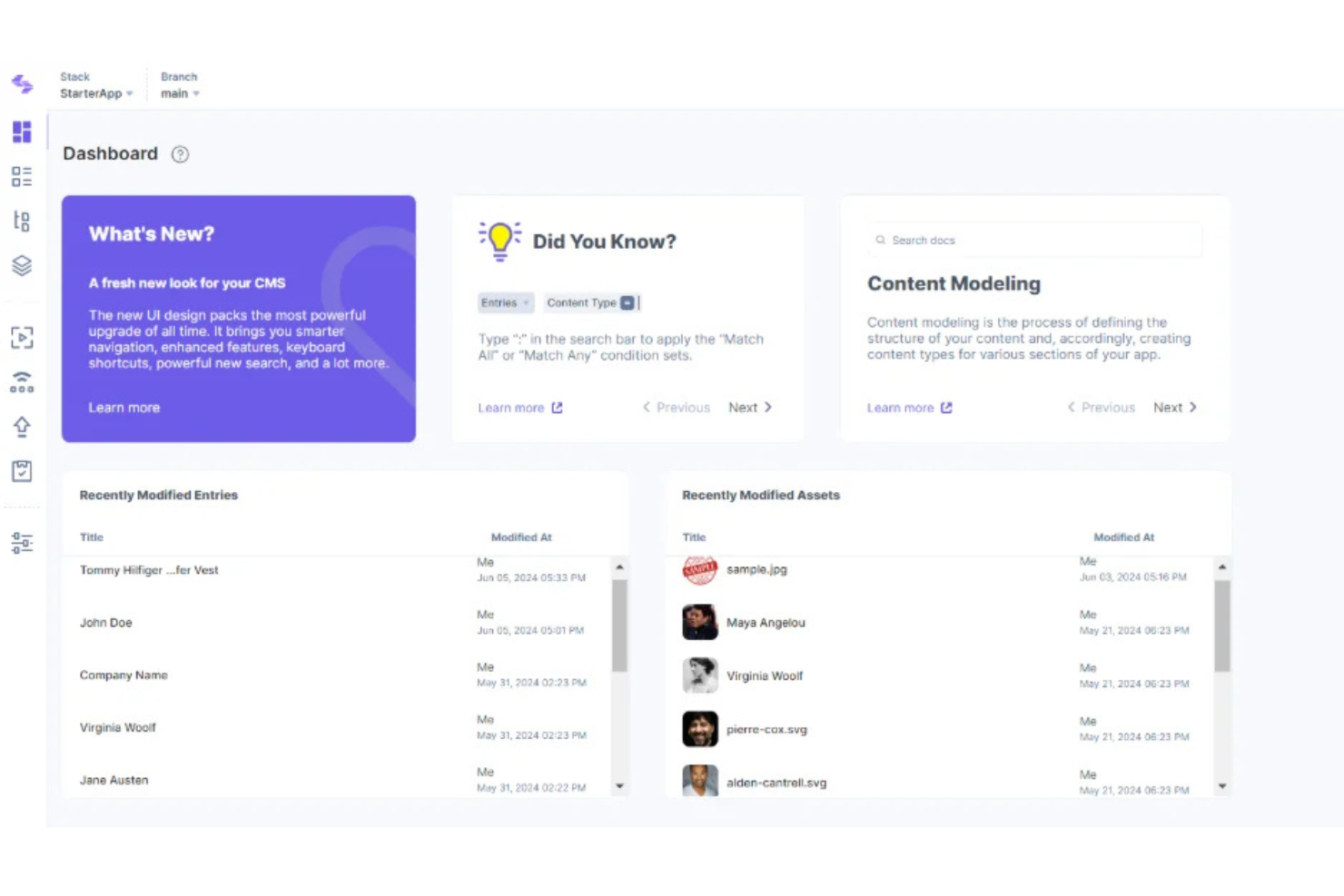
Contentstack is an enterprise content management platform designed for teams needing agility across complex digital ecosystems. You get granular control over assets, dynamic content delivery, and flexible management without a monolithic infrastructure.
Who Is Contentstack Best For?
Large content, web, and marketing teams at enterprises needing scalable asset management and cross-channel content delivery.
Why Contentstack Is a Good Adobe Experience Manager Alternative
I picked Contentstack because of how it handles headless integrations in practice. Its Automation Hub lets my team connect Contentstack directly to front-end frameworks, commerce platforms, and third-party services without custom middleware.
I also appreciate how its Live Preview feature lets editors see real-time content changes across connected channels before publishing, which cuts down on costly deployment errors. For teams managing content across multiple digital touchpoints, that combination of flexible integration architecture and editorial visibility is hard to replicate.
Contentstack Key Features
- Modular blocks: Drag-and-drop page and app components without developer dependencies.
- Taxonomy: Organize and handle complex, large-scale content structures with custom classification.
- Branches: Create independent workspaces to build and test content model changes without affecting production.
- Preview sharing: Generate secure links so stakeholders can review in-progress content without needing platform access.
Contentstack Integrations
Contentstack offers native integrations with Salesforce, Brightcove, Bynder, AWS Translate, Cloudinary, Shopify, Marketo, Optimizely, Uniform, and Gatsby. An API is available for custom integrations.
Pros and Cons
Pros:
- Automation Hub helps connect content workflows across systems
- Live Preview gives editors visibility before publishing
- Headless architecture supports complex digital experience delivery
Cons:
- Most advanced setup work requires developer support
- Not a full digital asset management replacement

Pimcore
Best for product information management integration
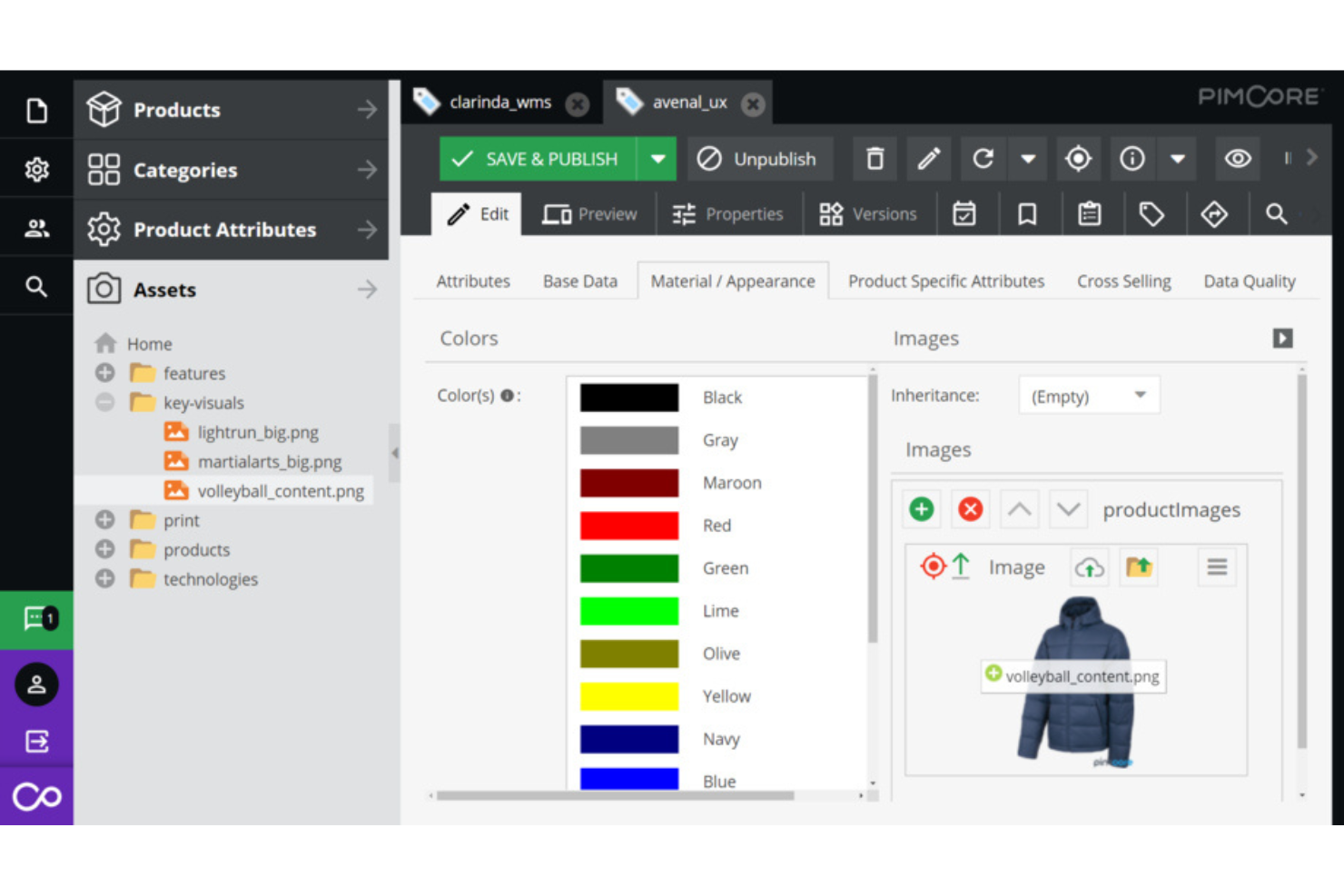
Pimcore is an open-source platform designed for organizations that need unified management of digital assets, product data, and master data across channels. Companies with complex product catalogs or multiple brands can use Pimcore to centralize, enrich, and manage their content and media for consistent omnichannel delivery.
Who Is Pimcore Best For?
Global product teams and IT departments in retail, manufacturing, and distribution who need enterprise-grade digital asset and product data management.
Why Pimcore Is a Good Adobe Experience Manager Alternative
I picked Pimcore because it natively combines a DAM with a full PIM system in a single platform—something most AEM alternatives don't offer out of the box. My team can manage product attributes, digital assets, and relationships together, so a product image and its associated specs, variants, and translations all live in one place.
I appreciate how Pimcore's data modeling lets you define custom object structures for complex product catalogs without relying on workarounds. For teams managing thousands of SKUs across multiple sales channels, that unified data layer makes multichannel publishing far more consistent.
Pimcore Key Features
- Asset metadata management: Tag, classify, and enrich digital assets with custom metadata schemas directly within the platform.
- Role-based access control: Assign granular permissions to users and teams to control who can view, edit, or publish content.
- Multi-site content delivery: Manage and publish content across multiple websites and storefronts from a single backend.
- Version control and audit trail: Track every change to assets and content with full revision history and rollback support.
Pimcore Integrations
Pimcore offers native integrations with Adobe Creative Cloud, Salesforce, SAP, Akeneo, Adobe Commerce, Shopify, and the Microsoft ecosystem, including Microsoft 365 and Azure. An API is available for custom integrations.
Pros and Cons
Pros:
- Asset relationships help connect media with product data
- Flexible data modeling handles complex catalog structures
- Unified PIM and DAM supports product-rich content operations
Cons:
- CMS experience may feel less marketer-friendly than DXP tools
- Setup requires advanced technical configuration

Acquia
Best for Drupal-powered workflows
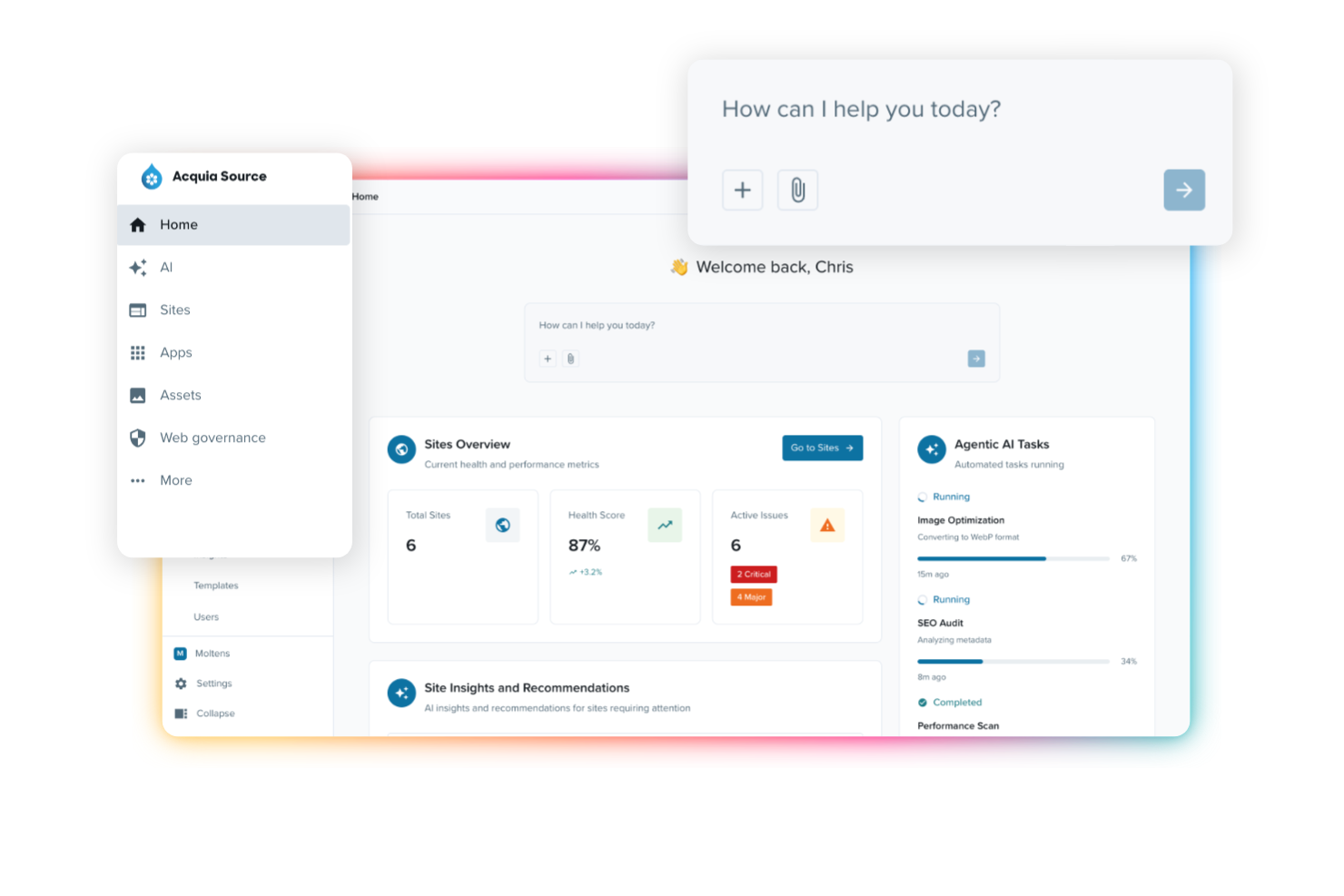
Acquia is a cloud-based platform built for teams deeply invested in Drupal who need advanced content management, digital asset organization, and marketing automation. I think you'll find it especially useful if you’re managing complex publishing workflows and collaborating across multiple digital channels.
Who Is Acquia Best For?
Acquia is a great choice for digital teams in mid-size to large organizations who need to manage, govern, and scale Drupal-based content operations.
Why Acquia Is a Good Adobe Experience Manager Alternative
I picked Acquia because it's built entirely around Drupal, which means your content workflows, governance models, and publishing pipelines all run natively on an open-source CMS your team already controls. I appreciate that Acquia's Site Factory lets my team spin up and manage multiple Drupal sites from a single dashboard, applying shared configuration and updates across all of them simultaneously.
Acquia's Campaign Studio adds built-in marketing automation directly to those content workflows, so my team can trigger personalized campaigns based on content interactions without switching platforms.
Acquia Key Features
- AI-powered auto-tagging: Automatically generates keywords, color profiles, and text extracted from files to make assets searchable without manual data entry.
- Branded portals: Build curated, branded microsites that give external teams self-serve access to approved assets and brand guidelines.
- Version control: Track file iterations while retaining associated metadata, with duplicate filename conflicts flagged and logged as new versions.
- Asset expiration and rights management: Set release and expiration dates on assets, apply watermarks, and restrict access by user role to prevent use of unlicensed or outdated content.
Acquia Integrations
Acquia offers native integrations with Drupal, Salesforce, Marketo, Google Analytics, Amazon S3, Acquia Lift, and Brightcove. An API is available for custom integrations.
Pros and Cons
Pros:
- Acquia DAM can support asset organization when included
- Site Factory helps govern multiple Drupal sites centrally
- Drupal-native workflows support structured content management
Cons:
- Product scope should be clarified between DXP and DAM use cases
- Requires Drupal expertise to manage effectively

OpenText
Best with extended compliance controls
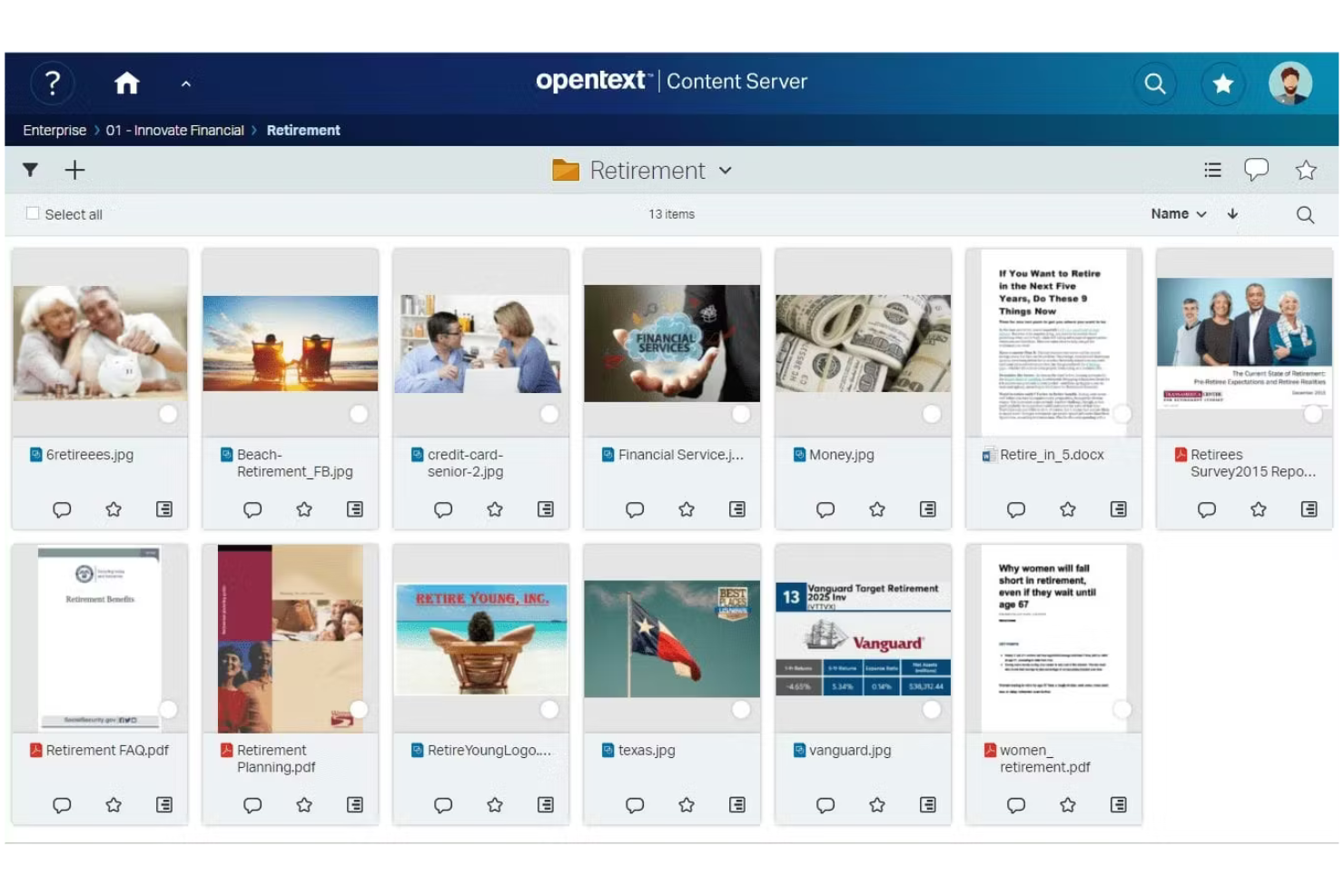
OpenText is an enterprise-grade platform designed for organizations with complex document and digital asset management needs. I think it’s a strong fit for regulated industries and teams who require advanced control over content lifecycle and information governance.
Who Is OpenText Best For?
Enterprise compliance, records, and IT teams in finance, healthcare, or legal industries who need to manage sensitive content under strict regulatory requirements.
Why OpenText Is a Good Adobe Experience Manager Alternative
I picked OpenText because its DAM and content management products are built around compliance and information governance from the ground up—not bolted on as an afterthought. For organizations in healthcare, finance, or government that need to demonstrate regulatory readiness, that distinction matters.
OpenText's Digital Rights Management and defensible deletion tools give legal and compliance teams direct control over how assets are retained, classified, and purged in line with GDPR, HIPAA, and SOX requirements.
I also appreciate that the platform supports on-premises, private cloud, and public cloud deployments, which is a real differentiator for teams whose security policies prevent them from running content infrastructure in a shared environment.
OpenText Key Features
- AI-powered asset tagging: Automatically labels images and videos using AI to make assets searchable without manual metadata entry.
- Omnichannel delivery engine: Generates and distributes adaptive asset renditions across websites, mobile apps, social media, and digital signage.
- Creative collaboration tools: Built-in review, markup, and approval workflows let internal and external teams annotate and sign off on assets without leaving the platform.
- Asset library management: Organizes assets using structured metadata, version control, and granular permissions to keep brand usage consistent across teams.
OpenText Integrations
OpenText offers native integrations with SAP, Salesforce, Oracle, Google Workspace, and has native integrations across the Microsoft ecosystem, including Microsoft 365 and Azure. An API is available for custom integrations.
Pros and Cons
Pros:
- Permissions support secure management of sensitive content
- Version control helps preserve asset history and accountability
- Governance controls support regulated content and asset workflows
Cons:
- User experience can feel heavy for marketing-led teams
- Product fit depends on the specific OpenText solution selected
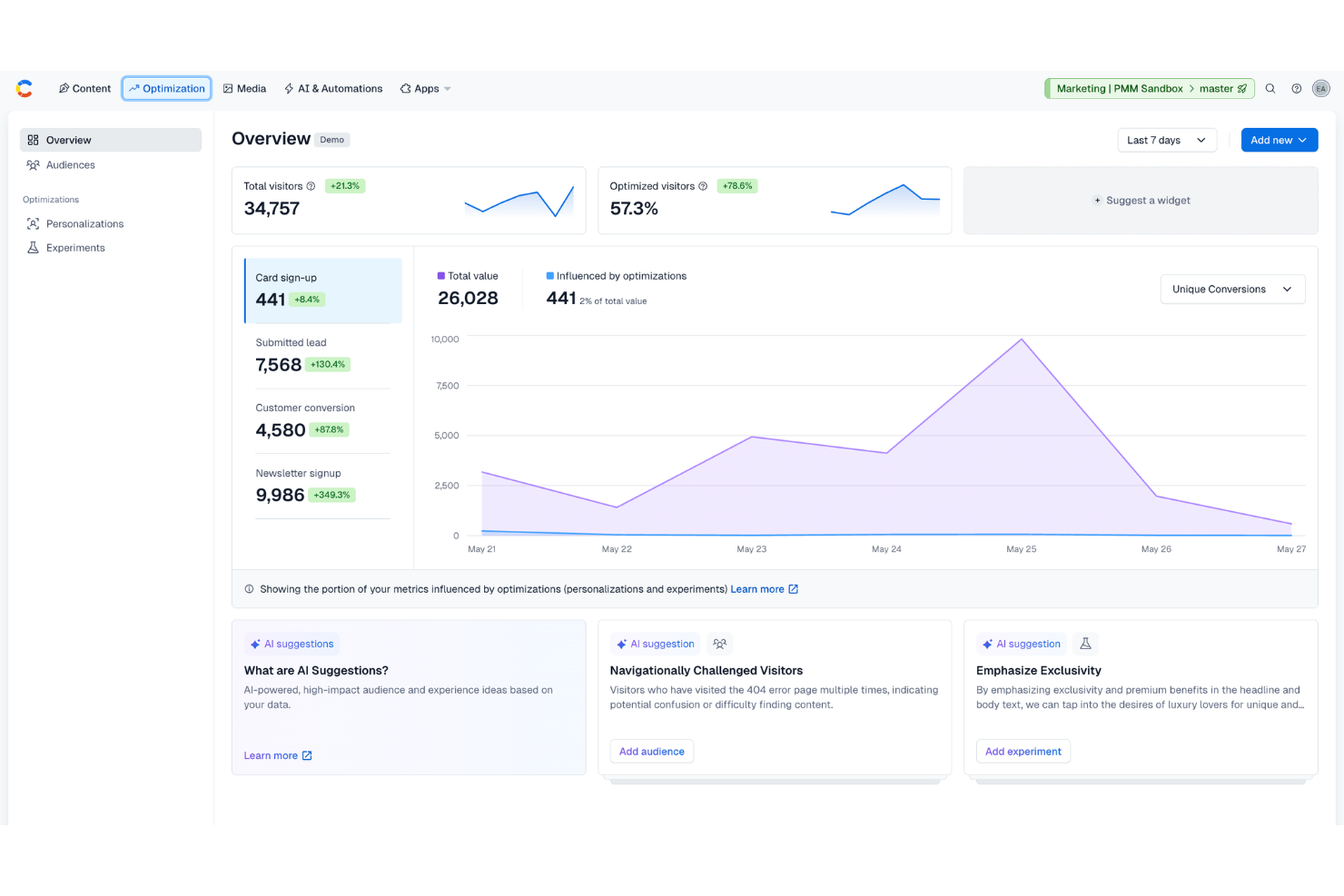
Contentful gives digital teams a flexible way to create, manage, and deliver content across multiple channels. If your organization wants to move away from monolithic systems, it offers an API-first approach that simplifies asset management and speeds up site updates.
Who Is Contentful Best For?
Contentful suits product, marketing, or web teams at growing companies that need to deliver content to multiple digital channels at scale.
Why Contentful Is a Good Adobe Experience Manager Alternative
I picked Contentful for this list because of how well its content model handles modular structuring. You can break content down into reusable components—think individual product descriptions, rich media assets, or CTA blocks—and assemble them across different pages and channels without duplicating work.
I also appreciate Contentful's structured content editor, which lets my team define content types with custom fields so assets stay organized and consistent regardless of where they're published. For teams managing large volumes of digital assets across web, mobile, and other touchpoints, that level of structural control is hard to find elsewhere.
Contentful Key Features
- Centralized asset library: Store and manage every image, video, and file in one place, with assets staying accessible and reusable across campaigns.
- Built-in localization workflows: Manage translations and region-specific content delivery directly within the platform, without external tools.
- Content timeline: Schedule, preview, and publish content updates from a single planning view so your team stays coordinated.
- Role-based access controls: Set custom user roles and permissions to enforce content governance and approval processes across teams.
Contentful Integrations
Contentful offers native integrations with Salesforce, Netlify, Gatsby, Optimizely, Cloudinary, Shopify, Algolia, Bynder, Marketo, and Google Analytics. It also provides an API for custom integrations.
Pros and Cons
Pros:
- Structured content fields help teams keep entries consistent
- API-first delivery gives developers strong front-end flexibility
- Modular content models support reuse across websites and apps
Cons:
- Visual page editing is limited compared with traditional CMS tools
- Not built for advanced digital asset governance


Sitefinity is a digital experience platform for organizations that want to deliver content across channels with minimal reliance on IT. I think it's a strong choice for marketing and web teams looking for centralized management and rapid site updates.
Who Is Sitefinity Best For?
Marketing and digital teams at midsize to enterprise organizations wanting to launch and maintain multiple sites without heavy development resources.
Why Sitefinity Is a Good Adobe Experience Manager Alternative
I picked Sitefinity because its drag-and-drop page builder and visual editing tools let marketing teams build and update pages without writing a single line of code. I appreciate how the low-code form builder and widget framework give non-technical users real control over layout and content.
In practice, that means my team can spin up landing pages, microsites, or campaign content without waiting on development sprints. For organizations that want AEM-level multisite control without AEM-level developer dependency, Sitefinity hits that balance well.
Sitefinity Key Features
- Digital asset management: Store and organize images, documents, and videos in hierarchical media libraries with built-in image editing and thumbnail generation.
- Content scheduling: Set publish and expiry dates on content items to automate when pages and updates go live.
- A/B testing: Run split tests on pages and content variants using the built-in Sitefinity Insight CDP to inform optimization decisions.
- Workflow automation: Configure multi-level approval workflows with email notifications and comments to manage content governance across teams.
Sitefinity Integrations
Sitefinity offers native integrations with HubSpot, Salesforce, Marketo, Eloqua, Microsoft Dynamics 365, Azure AD, SharePoint, and Google Analytics. An API is available for custom integrations.
Pros and Cons
Pros:
- Multisite features help manage several web properties
- Low-code tools support faster digital experience creation
- Visual editing helps marketers update pages independently
Cons:
- DAM capabilities are more basic than specialist asset platforms
- Page builder can slow down with complex layouts
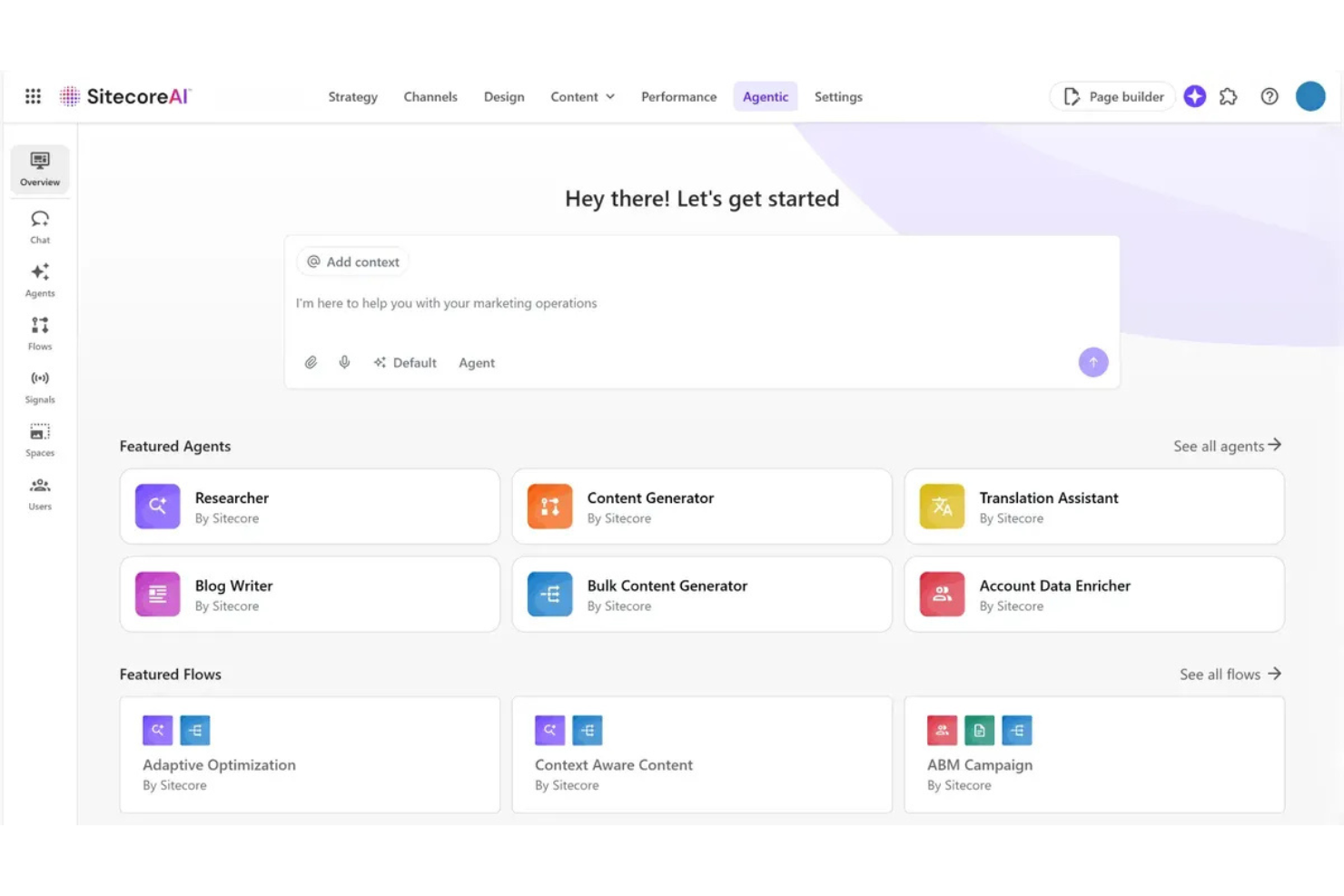
Sitecore Experience Platform is a digital experience and content management solution designed for marketing and IT teams running complex sites. I think you'll find it especially useful if you need to unify content, personalization, and asset delivery at scale across multiple domains.
Who Is Sitecore Experience Platform Best For?
Global marketing teams and IT departments in large enterprises that need to govern multiple branded sites and deliver content at scale.
Why Sitecore Experience Platform Is a Good Adobe Experience Manager Alternative
Multisite governance is where Sitecore Experience Platform genuinely earns its place on this list. I picked it because its multisite management tooling lets large enterprise teams run dozens of regional or brand-specific sites from a single platform instance, with shared content models and centralized publishing controls.
That matters most when you're managing brand consistency across markets—Sitecore's built-in multilingual support means you can localize content at the site level without duplicating your underlying structure. Pair that with its AI-powered personalization layer, and my team can serve different audiences with targeted experiences across all those sites without building separate workflows for each one.
Sitecore Experience Platform Key Features
- Experience editor: Edit and preview page content in real time directly within the browser.
- Content hub connector: Centralize and sync digital assets across sites from a single content repository.
- xDB (experience database): Track and store individual visitor interactions across channels to build contact profiles.
- Headless delivery via Sitecore JSS: Build front-end experiences in JavaScript frameworks while pulling content through APIs.
Sitecore Experience Platform Integrations
Sitecore Experience Platform offers native integrations with Salesforce, Microsoft Dynamics 365, Marketo, SAP Commerce Cloud, Sitecore Content Hub, Coveo, Brightcove, Adobe Creative Cloud, and Oracle Eloqua. An API is available for custom integrations.
Pros and Cons
Pros:
- Visitor data supports deeper content targeting and analysis
- Personalization tools help tailor digital experiences by audience
- Multisite controls support complex brand and regional governance
Cons:
- Implementation can be demanding for internal teams
- Ongoing maintenance often requires technical expertise

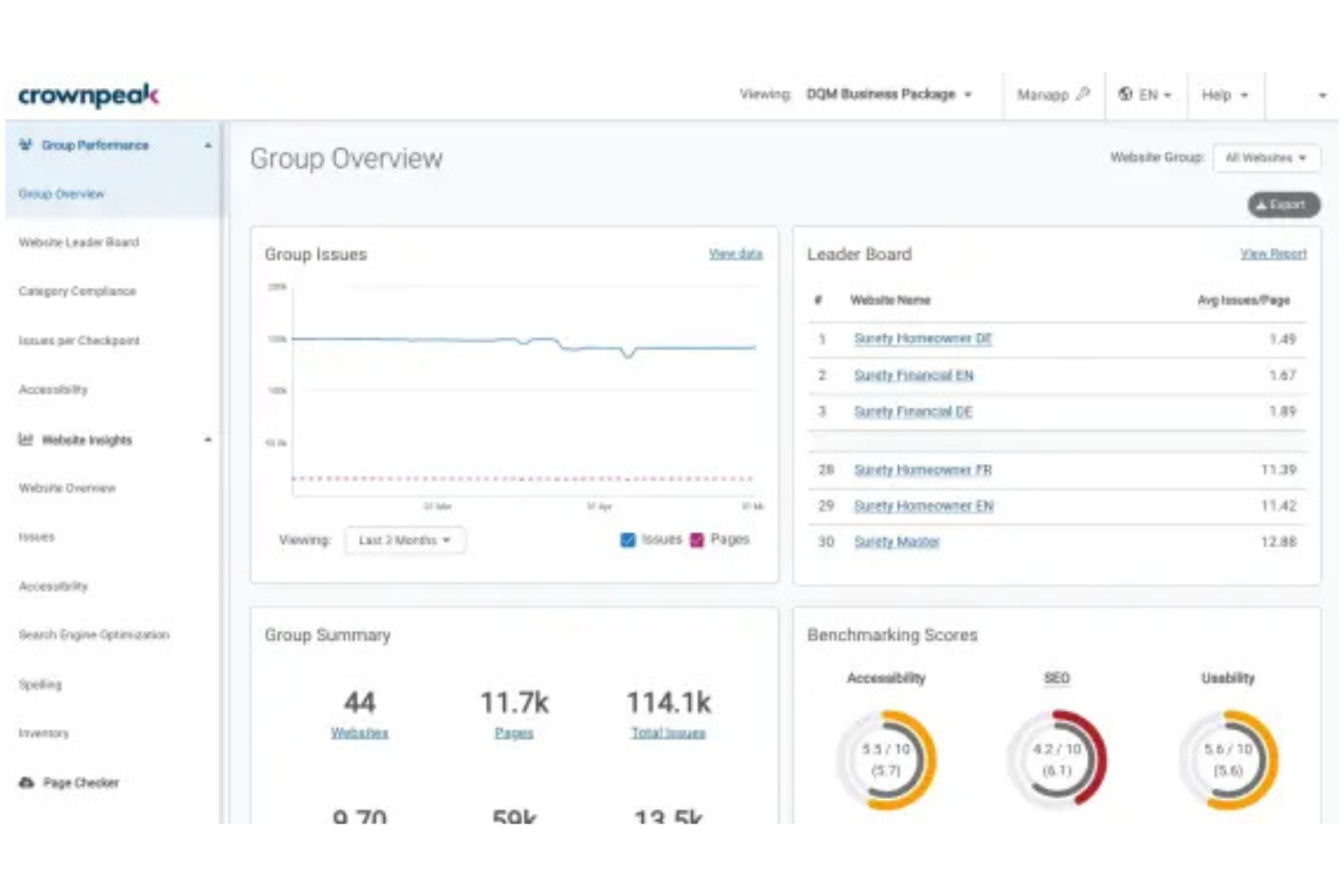
Crownpeak gives marketing and digital teams a cloud-native platform for unified content, asset management, and web experience governance. I think it’s a strong fit for regulated industries that need centralized oversight across digital channels.
Who Is Crownpeak Best For?
Global brands and compliance teams in finance, pharma, or the public sector needing centralized control and broad accessibility across web properties.
Why Crownpeak Is a Good Adobe Experience Manager Alternative
I picked Crownpeak specifically because its built-in accessibility scanning runs automatically during the content authoring process, flagging WCAG violations before pages ever go live. That's a meaningful difference from tools where accessibility is an afterthought or a third-party add-on.
I also appreciate how Crownpeak's Digital Quality Management layer monitors live pages continuously, so accessibility and governance issues don't slip through after publication. For teams managing content across dozens of locales or regulated markets, that real-time oversight is hard to match.
Crownpeak Key Features
- AI content suite: Generate, translate, and optimize content directly inside the FirstSpirit authoring environment.
- Decoupled CMS architecture: Deliver content across any channel or front-end framework through a headless, API-first setup.
- Multilingual content orchestration: Manage translation workflows and localized content variants from a single unified hub.
- Marketplace extensions: Extend platform functionality through add-ons and pre-built connectors available via the FirstSpirit marketplace.
Crownpeak Integrations
Crownpeak offers native integrations with Salesforce, Marketo, Brightcove, SAP, SharePoint, and Microsoft 365. It provides an API for custom integrations and supports marketplace extensions for additional connectivity.
Pros and Cons
Pros:
- Decoupled architecture supports flexible content delivery
- Quality monitoring helps teams manage live digital properties
- Accessibility checks support governed web publishing workflows
Cons:
- Interface can feel dated compared with newer CMS tools
- DAM functionality is not the platform’s strongest use case

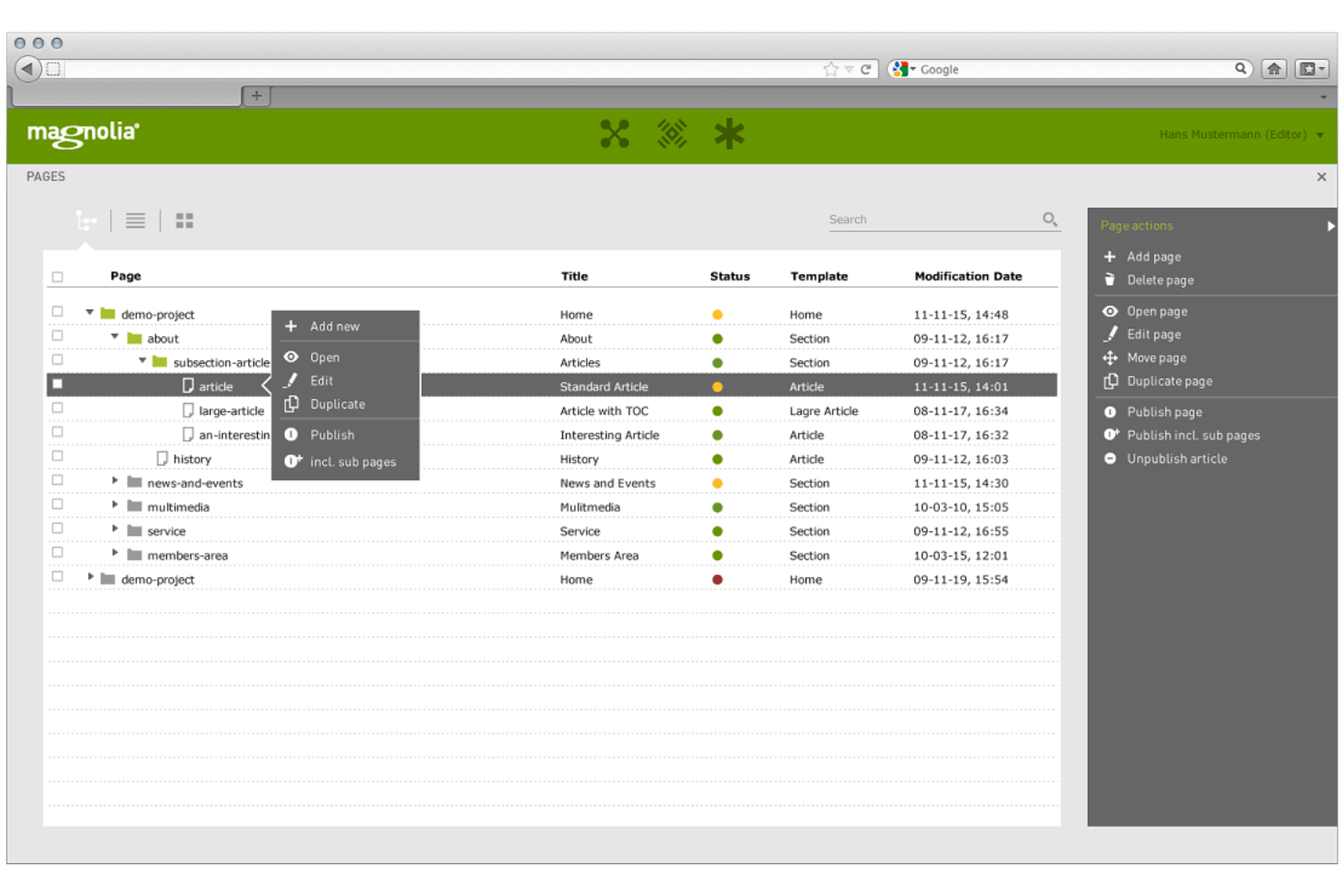
Magnolia CMS is a modular digital experience platform that gives marketing and IT teams flexible control over enterprise content and assets. You’ll want to check it out if you need advanced integrations and custom workflows for managing web and omnichannel experiences.
Who Is Magnolia CMS Best For?
Enterprise digital teams that need highly configurable content approval and publishing workflows across complex web or mobile environments.
Why Magnolia CMS Is a Good Adobe Experience Manager Alternative
I picked Magnolia CMS because its content workflows are genuinely configurable at a structural level, not just through settings toggles. My team can build multi-step approval chains that reflect how we actually review, localize, and publish content across regions. I appreciate that Magnolia's Stories editor lets content authors work visually while still respecting the approval gates we've defined.
That combination of editorial flexibility and governance control is what makes it a credible alternative for teams that need AEM-level oversight without the full AEM infrastructure commitment.
Magnolia CMS Key Features
- Visual SPA editor: Edit headless frontends built with React, Angular, or Vue directly inside Magnolia's WYSIWYG interface, without switching tools.
- Omnichannel preview: Preview content as it will appear across different channels and devices before publishing.
- Multi-site management: Manage multiple brands, regions, and languages from a single unified interface.
- GraphQL support: Query structured content using GraphQL to reduce API calls and serve exactly what each channel needs.
Magnolia CMS Integrations
Magnolia CMS offers native integrations with Salesforce, SAP Commerce Cloud, Adobe Experience Manager, Bynder, Google Analytics, and AWS S3. An API is available for custom integrations.
Pros and Cons
Pros:
- Multisite tools support regional and brand content operations
- Visual SPA editing helps teams manage headless experiences
- Configurable workflows support detailed content approval processes
Cons:
- Custom workflow setup can require technical support
- Not a dedicated DAM for complex asset lifecycle management


Jahia brings a modular content and asset management platform designed for organizations with advanced web and digital requirements. It appeals to IT teams and digital leaders who want complete control over their customer-facing experiences and digital assets.
Who Is Jahia Best For?
Enterprise IT teams and digital agencies are managing complex, multi-site digital experiences.
Why Jahia Is a Good Adobe Experience Manager Alternative
I picked Jahia because its open-source core gives development teams real freedom to extend the platform without hitting the licensing or architectural walls that come with AEM. Jahia's module-based architecture lets your team add, remove, or customize features through independently deployable components—meaning you can build exactly the content and asset management workflows your project needs.
I also like that Jahia supports both headless and traditional content delivery from a single platform, so teams managing assets across websites, apps, and portals don't need separate tools. For organizations that want to self-host and maintain full control over their data, Jahia's on-premises deployment option makes that straightforward.
Jahia Key Features
- Built-in customer data platform: Collects behavioral signals from websites and apps, then builds unified visitor profiles and real-time audience segments for content targeting.
- Multi-site content management: Manage and publish content across multiple sites and portals from a single interface, with shared asset libraries and localization support.
- GraphQL content API: Exposes content and assets via a GraphQL API, enabling headless delivery to any front-end framework or digital channel.
- Audience personalization engine: Adapts content to individual visitors based on browsing behavior, CRM data, and interaction history, with native control groups for measuring campaign impact.
Jahia Integrations
Jahia offers native integrations with Google Analytics, Salesforce, Marketo, Microsoft Power BI, and Apache Unomi, and provides an API for custom integrations.
Pros and Cons
Pros:
- Module-based design allows tailored content workflows
- Hybrid CMS supports both headless and traditional delivery
- Open-source architecture supports deep platform customization
Cons:
- Not a full DAM replacement for asset-heavy teams
- Smaller ecosystem limits ready-made implementation resources
Other Adobe Experience Manager Alternatives
Here are some additional Adobe Experience Manager alternatives and related tools that didn’t make it onto my shortlist, but may still be worth considering depending on your use case:
- Liferay Digital Experience Platform
For enterprise-scale collaboration
- Kentico Content
With omnichannel publishing features
- Brightspot
With multilingual content capabilities
- Sanity
For structured content editing workflows


How I Evaluate Adobe Experience Manager Alternatives
I evaluate each platform for the core capabilities a content operations team actually needs—DAM, structured publishing, approval workflows—then weigh differentiators that set the best apart.
Core Functionality (Table Stakes For This List)
When I'm selecting tools for my list, I rank each one on a scale from 0 (does not offer the functionality) to 5 (excels in this area) for each core functionality listed below. Then, I calculate the tool's total score into a percentage. Each tool needs to achieve a minimum total score of 65% to be considered for inclusion.
- Content Creation & Management: I look for structured editing, version history, and publishing controls that let teams move content from draft to live without juggling separate tools.
- Digital Asset Management: A centralized asset library with tagging, search, and version control matters—especially when teams reuse images and videos across multiple campaigns.
- Workflow & Approval Processes: Each tool should support configurable review stages and approvals, so a web content operations lead can route a landing page through legal, design, and marketing sign-off.
- Team Collaboration: I check for in-context commenting, @mentions, and shared views that keep feedback tied to specific content pieces rather than buried in email threads.
- Templates & Reusable Components: Platforms like Sitecore and Contentful handle reusability differently, so I evaluate whether teams can build and maintain standardized content blocks or page layouts.
- Multi-Channel Publishing: I evaluate whether a platform can deliver content to websites, mobile apps, email, and other channels through native publishing or API-based delivery.
Once I have a list of tools that meet this criteria, I consider what sets each platform apart.
Differentiating Factors (What Sets Vendors Apart)
Here's how I compare and contrast different vendors:
Standout Features
AI content assistance is a big differentiator—I look for tools that help teams draft, tag, or translate assets without leaving the platform. Proofing and annotation tools also matter when creative reviews involve multiple stakeholders marking up designs or page layouts in real time. I evaluate whether a platform offers headless or composable architecture, since teams running omnichannel campaigns need API-first delivery that doesn't lock them into a single front end.
Beyond Features
Total cost of ownership is one of the first things I evaluate, since AEM's enterprise licensing model is often the primary driver behind the search for alternatives. I also check how well each platform connects to tools like Jira, HubSpot, or Salesforce—gaps in the integration ecosystem create manual workarounds that slow content operations down. Implementation timelines matter too. Some platforms offer guided onboarding and partner networks, while others assume you'll bring an agency to get started.
Why Look For An Adobe Experience Manager Alternative?
Adobe Experience Manager is a powerful platform, but it is not the right fit for every organization. Some teams need a lighter CMS, some want a more flexible headless architecture, and others need a tool that focuses more directly on asset governance, product content, or multisite publishing.
You might be looking for an Adobe Experience Manager alternative because:
- Your team wants a simpler content editing experience
- You need more flexible headless content delivery
- Your organization wants to reduce implementation complexity
- Your marketers need faster control over site updates
- Your developers want a more modular architecture
- Your asset workflows require better search, metadata, or governance
- Your business needs stronger support for open-source or composable environments
- Your current setup feels too heavy for your team’s publishing needs
If any of these sound familiar, you’ve come to the right place. This list includes CMS, DXP, headless CMS, and DAM-focused options that can replace different parts of Adobe Experience Manager depending on your team’s goals.
Adobe Experience Manager Key Features
Here are some of the key Adobe Experience Manager features to compare against alternative solutions:
- Content management: Lets teams create, edit, organize, and publish web content across digital properties from a centralized platform.
- Digital asset management: Stores and manages images, videos, documents, and creative files so teams can locate, reuse, and distribute approved assets.
- Metadata tagging: Adds descriptive information to assets and content to improve search, filtering, classification, and governance.
- Version control: Tracks changes to content and assets so teams can review past versions, restore previous updates, and maintain content history.
- Role-based access controls: Restricts access based on user roles, teams, or permissions to support secure content and asset management.
- Workflow management: Supports review, approval, and publishing processes for teams that need structured content governance.
- Dynamic media delivery: Adapts image and video formats, sizes, and renditions for different channels, devices, and user experiences.
- Creative Cloud connection: Connects Adobe creative tools with content and asset workflows so design and marketing teams can work from approved files.
- Content personalization: Delivers targeted content based on audience segments, behavior, or contextual data.
- Reporting and analytics: Provides visibility into content performance, asset usage, and customer engagement.
- Multisite management: Helps teams manage content, assets, languages, and brand experiences across multiple websites or regions from one environment.
- Headless delivery: Supports API-based content delivery to websites, apps, portals, and other digital channels.