

10 Best SmartVault Alternatives for Client Files in 2026

SmartVault Alternatives Shortlist


The best SmartVault Alternatives offer secure cloud storage, flexible document management software, and tools that support collaboration and workflow automation. If you’re comparing SmartVault vs other platforms, you’re likely looking for solutions that improve teamwork, integrate with project management tools, and deliver a more user-friendly experience. Many options also incorporate insights from user reviews to refine features and usability, helping teams manage sensitive documents more efficiently while keeping operations smooth and scalable. In this guide, you’ll find options that help you manage documents with confidence, adapt to changing requirements, and keep your business running smoothly in 2026.
What Is SmartVault?
SmartVault is a cloud-based document management system designed for secure file storage, sharing, and workflow automation. It helps businesses organize documents, control access, and collaborate with clients or team members. SmartVault is popular with accounting, finance, and professional services teams who need to manage sensitive information and simplify document-heavy processes. Its features include encrypted storage, customizable permissions, and integration with popular business software.
SmartVault Alternatives Comparison Table
This comparison table summarizes pricing details for my top SmartVault Alternative selections.
| Tool | Best For | Trial Info | Price | ||
|---|---|---|---|---|---|
| 1 | Best for accounting document management | Free demo available | From $700/seat/year | Website | |
| 2 | Best for simple file sharing and collaboration | Free trial + free plan available | From $9.99/user/month (billed annually) | Website | |
| 3 | Best for team document collaboration | 14-day free trial available | From $7/user/month (billed annually) | Website | |
| 4 | Best for cloud document automation | Free demo available | Pricing upon request | Website | |
| 5 | Best for PDF editing and e-signatures | 7-day free trial | From $19.99/user/month (billed annually) | Website | |
| 6 | Best for enterprise content management | 14-day free trial | From CAD$21/user/month (billed annually) | Website | |
| 7 | Best for metadata-driven document management | Free demo available | From $65/user/month | Website | |
| 8 | Best for automated document workflows | 14-day free trial + free demo available | Pricing upon request | Website | |
| 9 | Best for document management in Microsoft 365 | 30-day free trial available | From $5.40/user/month (billed annually) | Website | |
| 10 | Best for secure hybrid file sharing | Free demo + 15-day free trial available | From $22/user/month (billed annually) | Website |
Why Trust Our Software Recommendations
Our team has been testing and reviewing software since 2012. As project managers ourselves, we know how difficult—and important—it is to choose the right software.
For this guide, we evaluated tools using hands-on testing and independent research, scoring tools using our selection criteria. We also draw on insights from industry thought leaders and practicing project management experts.
Our reviews reflect our human editorial judgment, not a sales pitch.
Expert reviewers:
SmartVault Alternatives Reviews
Below are my detailed summaries of the SmartVault Alternatives that made it onto my shortlist. My reviews offer a detailed look at the features, integrations, and best use cases of each document management system to help you find the best one for you.

TaxDome
Best for accounting document management
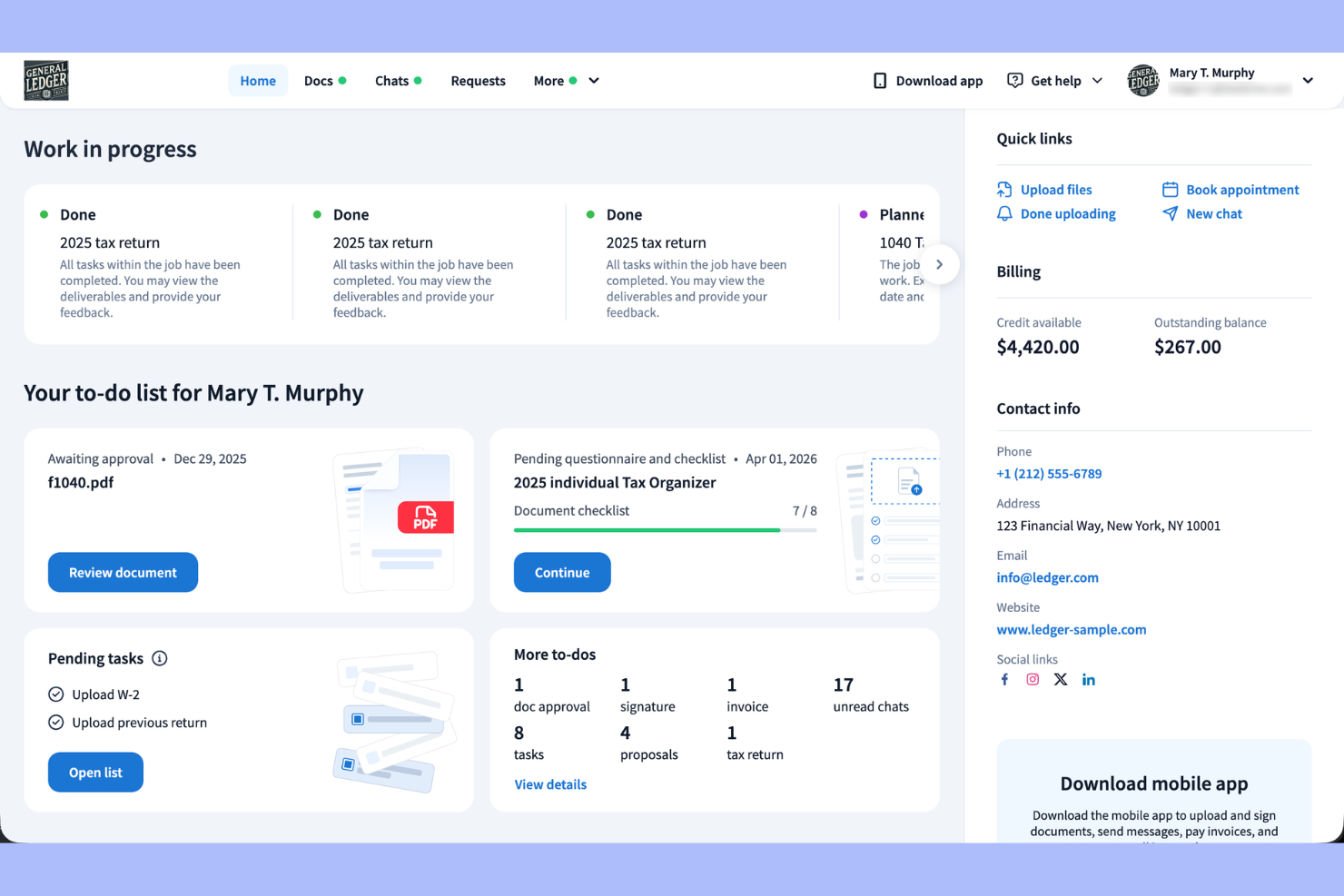
TaxDome is built for accounting and tax professionals who need a secure, all-in-one document management solution. It helps firms centralize client communication, automate workflows, and keep sensitive files organized throughout the tax season and beyond.
Who Is TaxDome Best For?
Accounting firms and tax professionals who need secure document management and workflow automation.
Why TaxDome Is a Good SmartVault Alternative
I picked TaxDome because it's purpose-built for accounting and tax workflows in a way that general document management tools simply aren't. I appreciate how the client portal lets my team request, collect, and organize signed documents without chasing clients through email. TaxDome's built-in e-signatures and document approval workflows mean I can move a tax return from draft to signed without leaving the platform. For firms handling high document volumes during tax season, that kind of end-to-end control is hard to find elsewhere.
TaxDome Key Features
- Folder templates: Apply pre-built folder structures manually or through automations to keep client files consistently organized.
- Document locking: Lock documents to unpaid invoices so files are only released to clients once payment is received.
- Color-coded document statuses: Tag documents with color-coded status labels to track what stage each file is in at a glance.
- Built-in PDF editor: Merge, annotate, and create fillable PDF forms directly inside TaxDome without a third-party tool.
TaxDome Integrations
TaxDome offers native integrations with Drake, TaxAct, CCH Axcess , Lacerte, TaxSlayer, and more, and provides an API for custom integrations.
Pros and Cons
Pros:
- E-signature included with no extra cost
- Automated document request and reminder workflows
- Built-in client portal for document exchange
Cons:
- Limited branding customization for client portal
- No offline document access capability

Dropbox
Best for simple file sharing and collaboration
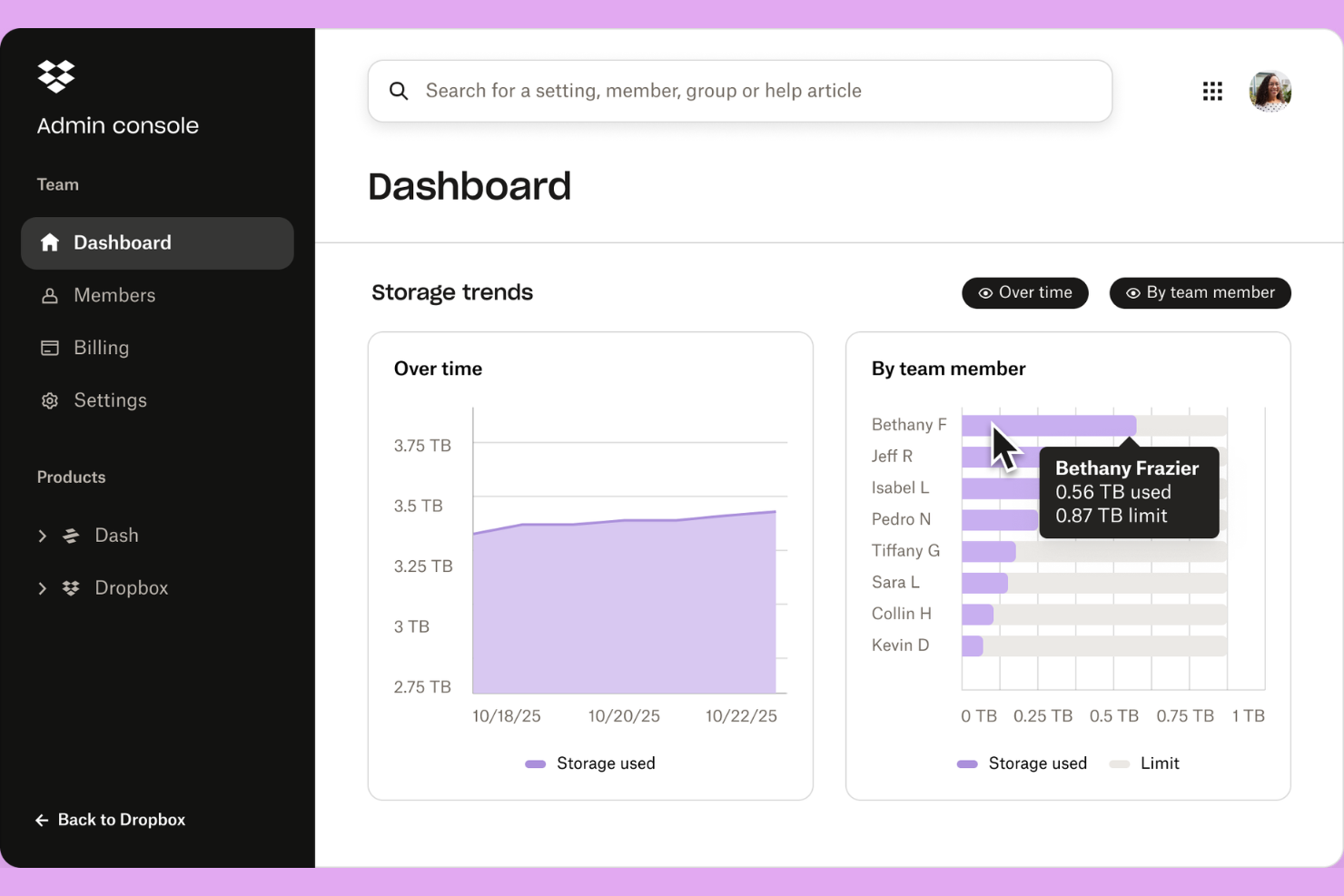
Dropbox is a cloud-based file management platform built for teams that need secure storage, easy sharing, and real-time collaboration. Dropbox Business extends these capabilities with advanced admin controls, improved security features, and scalable storage, making it a strong choice for organizations that need centralized document access, version control, and smooth file syncing across devices.
Who Is Dropbox Best For?
Distributed teams and small businesses that need secure cloud file storage and advanced collaboration tools.
Why Dropbox Is a Good SmartVault Alternative
I picked Dropbox because its file sharing and collaboration tools are genuinely hard to beat for distributed teams. I especially like Dropbox Paper, which lets my team co-edit documents, leave inline comments, and track changes without switching to a separate tool. What I also appreciate is Smart Sync, which keeps files accessible from any device without consuming local storage. For teams managing large volumes of shared documents, that combination of real-time collaboration and flexible file access makes Dropbox a practical SmartVault alternative.
Dropbox Key Features
- Version history and file recovery: Restore previous versions of any file or recover deleted files, with history going back up to one year on Advanced and Enterprise plans.
- Password-protected sharing links: Add passwords and expiration dates to shared links to control who can access files and for how long.
- Remote device wipe: Clear files and folders from a lost or stolen device's Dropbox account without touching the files stored in the cloud.
- Admin console: Monitor team activity, manage user permissions, and enforce data security policies from a centralized admin dashboard.
Dropbox Integrations
Dropbox offers native integrations with Google Workspace, Microsoft 365, Adobe, HubSpot, AutoDesk, Canva, and AWS, and provides an API for custom integrations.
Pros and Cons
Pros:
- Remote device wipe for lost hardware
- Password-protected and expiring sharing links
- Extensive file version history and recovery
Cons:
- Audit logging is basic compared to competitors
- Shared folders can create permission confusion

Best for team document collaboration
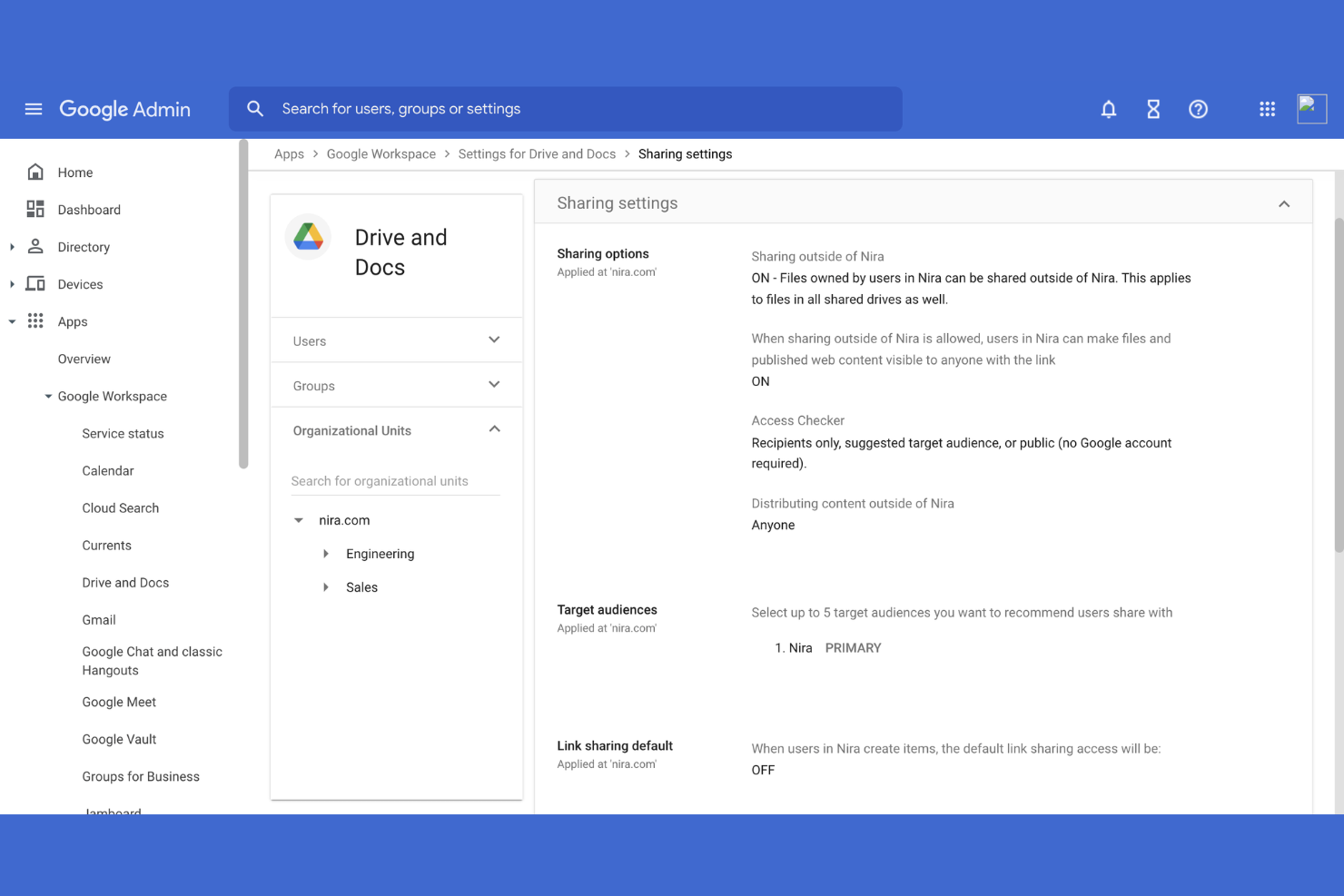
Google Workspace brings together cloud-based productivity tools for teams that need to collaborate on documents, spreadsheets, and files from anywhere. I think it’s a strong fit for businesses that want simple sharing, real-time editing, and centralized file storage without heavy IT overhead.
Who Is Google Workspace Best For?
Google Workspace is a good fit for distributed teams and small to mid-sized businesses that prioritize real-time collaboration and cloud-based document management.
Why Google Workspace Is a Good SmartVault Alternative
I picked Google Workspace because the real-time collaboration in Google Docs and Sheets is genuinely hard to match. Multiple team members can edit the same file simultaneously, with changes visible instantly and a full revision history tracking every update. I also like how Google Drive organizes shared files with folder-level permissions, so my team can control exactly who accesses what. For teams already living in Gmail and Google Calendar, having document storage and collaboration in the same environment removes a lot of unnecessary tool-switching.
Google Workspace Key Features
- Gemini AI assistant: Use Gemini directly inside Gmail, Docs, Sheets, and Meet to draft content, summarize documents, and generate insights.
- Shared drives: Store team files in shared drives where ownership belongs to the team, not individual users, keeping content accessible even when people leave.
- eSignature in Docs and PDFs: Request and collect signatures directly within Google Docs or PDF files without leaving the platform.
- Google Vault: Retain, archive, and search data across Gmail and Drive for compliance and eDiscovery purposes.
Google Workspace Integrations
Google Workspace has native integrations across the Google ecosystem, including Google Drive, Gmail, Google Calendar, Google Meet, Google Docs, Google Sheets, and Google Slides. An API is available for custom integrations.
Pros and Cons
Pros:
- Integrated AI assistant for content creation
- Centralized admin controls for file access
- Real-time editing in Docs and Sheets
Cons:
- Lacks granular audit trails for compliance
- No built-in document version approval process

DocuWare
Best for cloud document automation
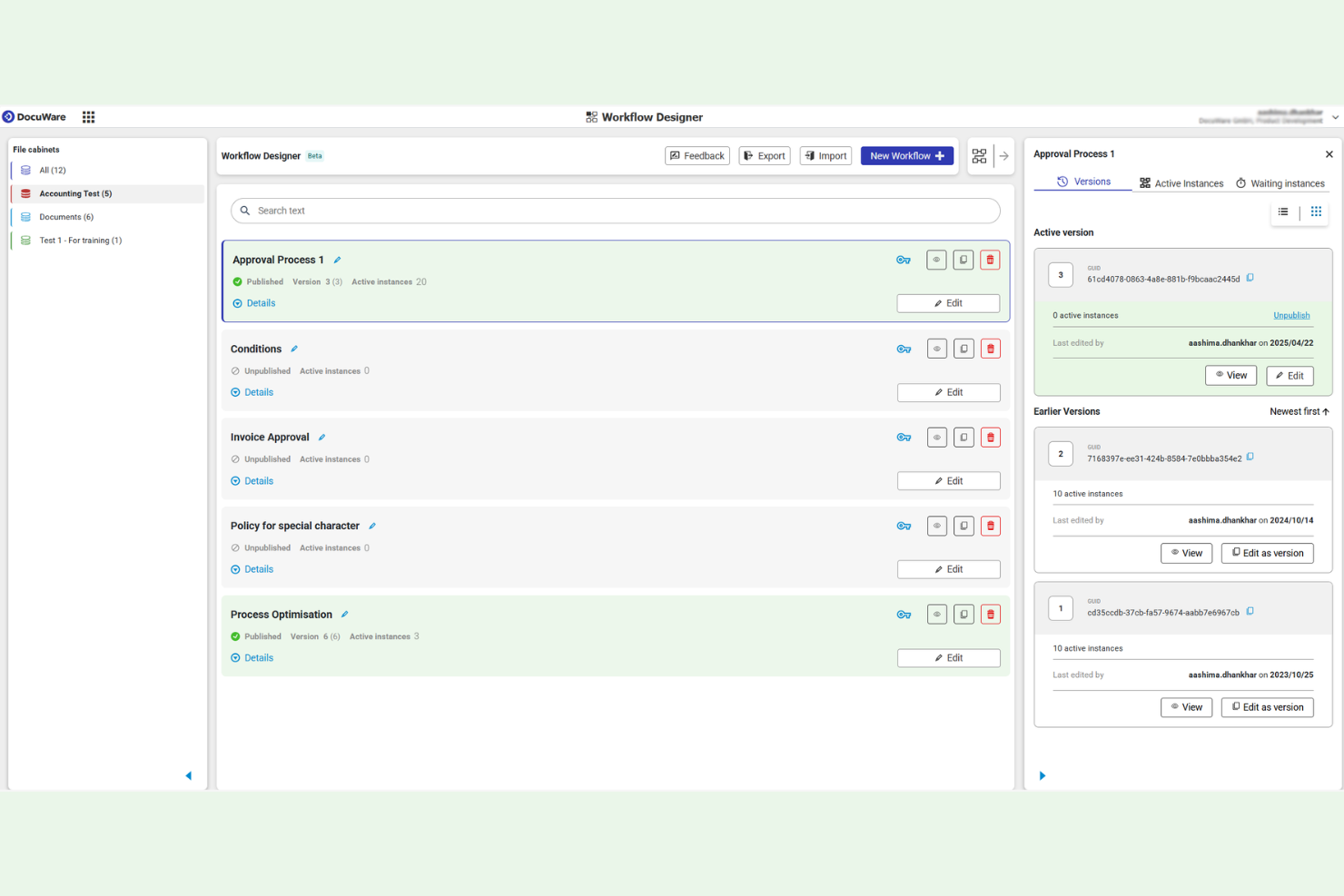
DocuWare is a cloud-based document management and workflow automation platform built for organizations that need secure, centralized control over business documents. I think it’s a strong fit for finance, HR, and operations teams who want to digitize paperwork, automate approvals, and maintain compliance.
Who Is DocuWare Best For?
DocuWare is a good fit for mid-sized businesses and enterprises in finance, HR, and operations that need secure, cloud-based document management and workflow automation.
Why DocuWare Is a Good SmartVault Alternative
I picked DocuWare because its cloud-based document management and workflow automation work together in a way that's hard to find elsewhere. I like how DocuWare's Intelligent Indexing learns from past filing behavior to automatically categorize incoming documents, which cuts down on manual sorting. My team also uses DocuWare's document trays to capture, review, and route paperwork before it ever hits a permanent file cabinet. For teams dealing with high document volumes across HR, finance, or operations, that combination of smart capture and automated routing makes a real difference.
DocuWare Key Features
- Drag-and-drop workflow designer: Build and modify document approval workflows visually without writing code, using a browser-based interface.
- Deletion workflows: Automatically remove documents and data based on preset retention rules to stay compliant with data protection requirements.
- Barcode recognition: Scan and read EAN, QR, and postal codes from documents to automatically populate index fields during capture.
- Preconfigured workflow templates: Deploy out-of-the-box workflows for common processes like invoice processing and employee onboarding without building from scratch.
DocuWare Integrations
DocuWare offers native integrations with Microsoft 365, Outlook, SAP, QuickBooks, DocuSign, and Salesforce, and provides an API for custom integrations.
Pros and Cons
Pros:
- Email capture routes messages into storage
- Template-driven invoice and contract processing
- Supports GDPR and HIPAA compliance needs
Cons:
- API documentation is limited and brief
- Upfront configuration requires technical expertise

Best for PDF editing and e-signatures
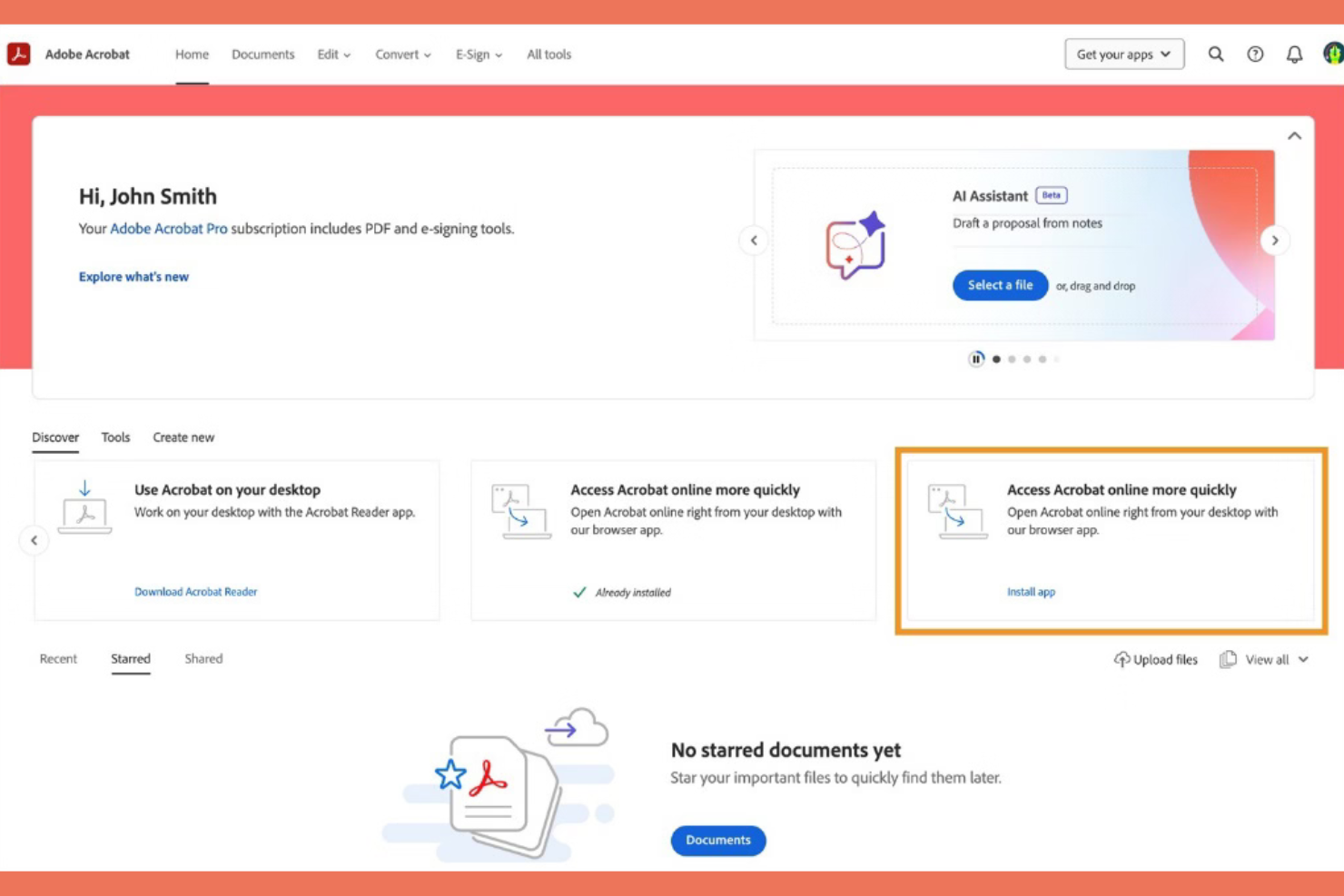
Adobe Acrobat is a trusted choice for teams that need advanced PDF editing, secure document sharing, and digital signatures. It’s a strong fit for legal, finance, and enterprise users who manage high volumes of sensitive documents.
Who Is Adobe Acrobat Best For?
Enterprise teams and professionals in legal, finance, and government who need secure, advanced PDF management.
Why Adobe Acrobat Is a Good SmartVault Alternative
I picked Adobe Acrobat because no other tool matches its depth of PDF editing and document control. I appreciate how my team can redact sensitive information, compress files, and edit text directly inside a PDF without converting it to another format first. Acrobat's document comparison feature is something I rely on heavily—it flags differences between two versions of a contract or report in seconds. For teams managing compliance-heavy documents, that level of precision is hard to replicate elsewhere.
Adobe Acrobat Key Features
- Action Wizard: Create custom sequences of automated tasks—like OCR, redaction, and watermarking—and run them across multiple PDFs at once.
- Password protection and permissions: Restrict editing, printing, and copying on any PDF, and add password protection directly during file export from Microsoft Word, Excel, or PowerPoint.
- E-signature request tracking: Send PDFs for e-signature and monitor who has signed and who hasn't from a single dashboard.
- Page organization tools: Add, reorder, delete, rotate, crop, merge, and split pages across documents using drag-and-drop controls.
Adobe Acrobat Integrations
Adobe Acrobat offers native integrations with Google Drive, Dropbox, Box, and OneDrive, and provides an API for custom integrations.
Pros and Cons
Pros:
- Supports batch processing for large document sets
- Advanced redaction for sensitive document handling
- Industry-leading PDF editing and annotation tools
Cons:
- Lacks automated document request workflows
- No built-in client portal for document sharing

Box
Best for enterprise content management
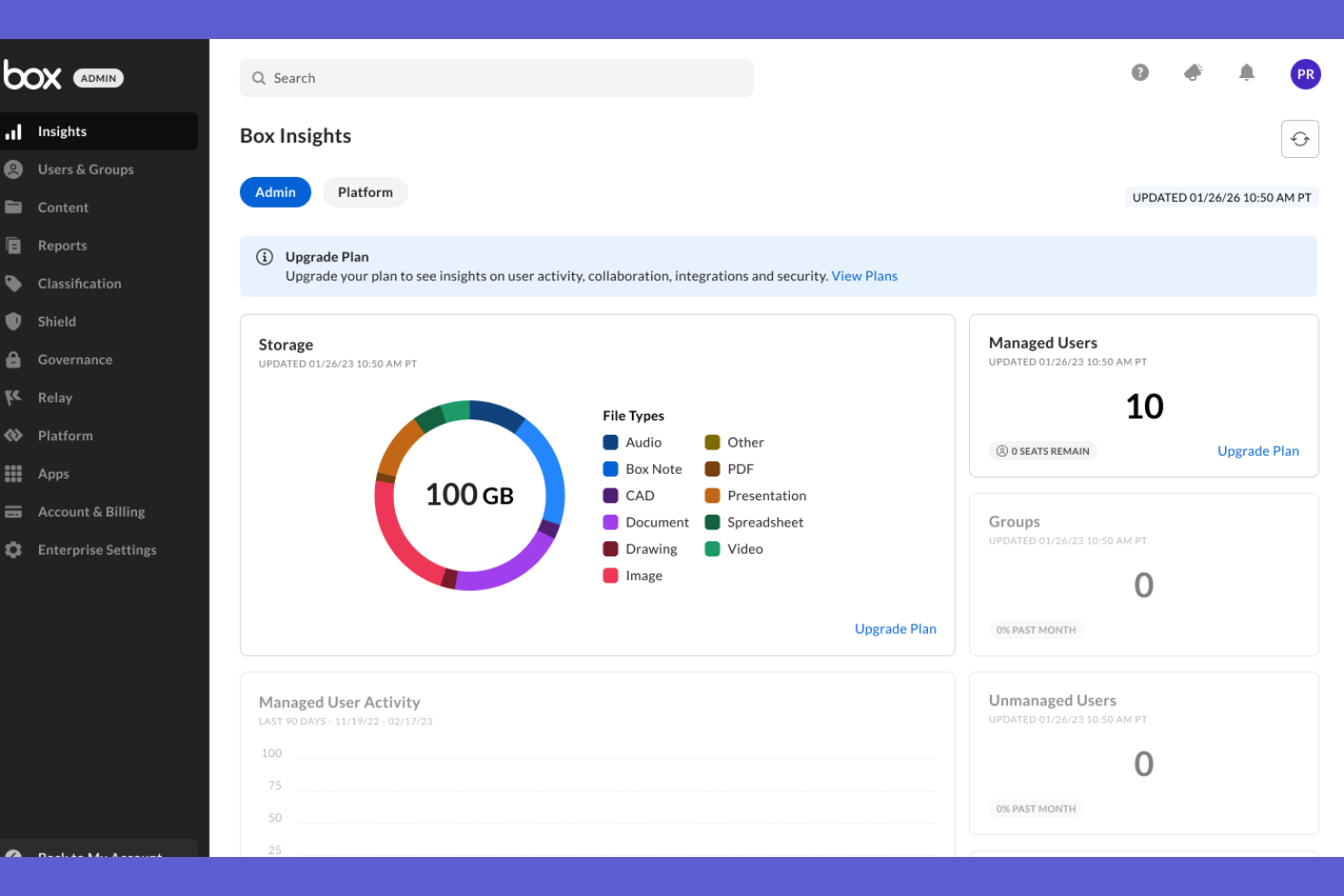
Box is a cloud content management platform built for businesses that need secure file storage, workflow automation, and advanced collaboration. I think it’s a strong fit for teams in regulated industries or any organization that needs granular control over document access and sharing.
Who Is Box Best For?
Large enterprises and regulated industries that need secure document management and workflow automation.
Why Box Is a Good SmartVault Alternative
I picked Box because its security and workflow automation features go well beyond basic file storage. What I find most useful is Box Shield, which applies automated threat detection and classification policies directly to content—so sensitive documents are protected without manual tagging. I also like Box Relay, which lets my team build no-code approval workflows that trigger automatically when files are uploaded or updated. For teams in regulated industries managing large volumes of sensitive documents, that combination of intelligent security and automated workflows makes Box a genuinely strong SmartVault alternative.
Box Key Features
- Box Governance: Set and enforce document retention and disposition policies, and run defensible legal discovery directly within the platform.
- Box KeySafe: Maintain independent control of your own encryption keys, separate from Box's infrastructure, for an added layer of data security.
- Box Hubs: Build secure, customized content portals that let teams and external users find and access files without IT involvement.
- Box Notes: Co-edit documents and collaborate on project plans in real time from any device, directly within Box.
Box Integrations
Box offers native integrations with Google Workspace, Salesforce, Slack, DocuSign, Zoom, Okta, ServiceNow, and NetSuite, and provides an API for custom integrations.
Pros and Cons
Pros:
- HIPAA, FINRA, and GDPR compliance support
- Built-in workflow automation with Box Relay
- Advanced document retention and legal hold tools
Cons:
- Desktop sync client updates can lag
- Storage expansion incurs significant extra costs

M-Files
Best for metadata-driven document management

M-Files is a document management platform built for organizations that need to organize, secure, and automate business-critical content. I think it’s a strong fit for teams in regulated industries who want to manage documents by metadata instead of folders.
Who Is M-Files Best For?
Mid-sized and large businesses in regulated industries that need advanced metadata-driven document management and workflow automation.
Why M-Files Is a Good SmartVault Alternative
I picked M-Files because its metadata-driven approach to document organization is genuinely different from folder-based systems like SmartVault. Instead of filing documents into rigid folder hierarchies, M-Files tags content with metadata so the same document surfaces in multiple relevant views automatically. I also like the built-in workflow automation, which lets my team route documents for review, approval, and sign-off without manual handoffs. For regulated teams managing contracts, compliance records, or quality documentation, that combination of dynamic organization and automated workflows is hard to replicate elsewhere.
M-Files Key Features
- Optical character recognition (OCR): Digitize printed documents and make their content searchable and taggable within M-Files.
- Electronic signatures: Collect signatures directly within the platform to complete and audit documents without leaving M-Files.
- Rule-based workflow triggers: Configure workflows to fire approvals, notifications, or status changes automatically when set conditions are met.
- Real-time workflow progress tracking: Monitor every document workflow from a centralized dashboard that shows the status of each step.
M-Files Integrations
M-Files offers native integrations with Microsoft 365, Salesforce, Google Workspace, DocuSign, Adobe Sign, and SharePoint, and provides an API for custom integrations.
Pros and Cons
Pros:
- Permission settings down to document level
- Automated document workflows for compliance-heavy teams
- Metadata search finds documents across repositories
Cons:
- External sharing setup is not always intuitive
- Folderless structure can confuse new users
Revver
Best for automated document workflows
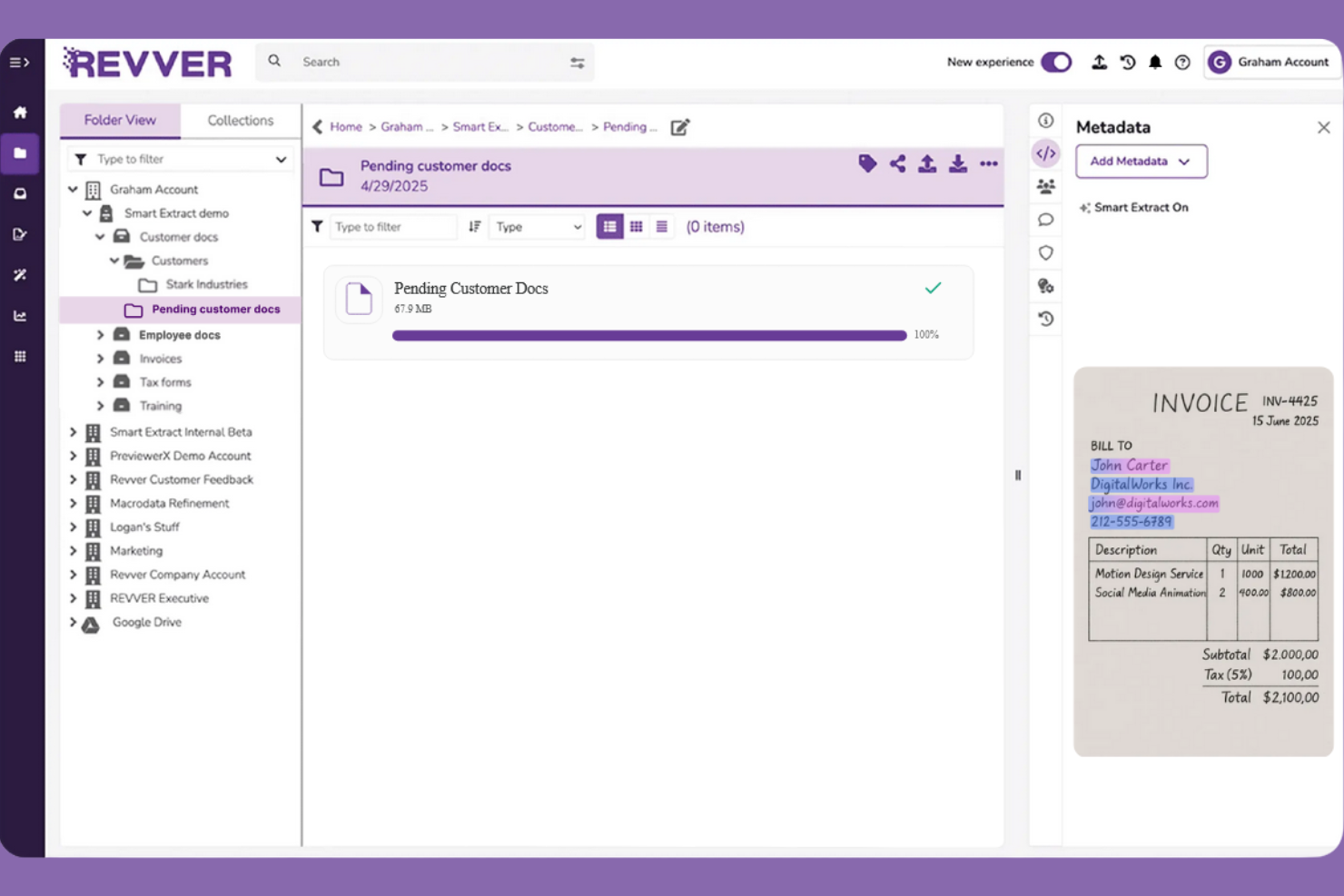
Revver is a cloud-based document management platform designed for organizations that need secure, organized, and automated control over their files. It’s a strong fit for compliance-driven teams in industries like healthcare, finance, and legal who want to simplify document workflows and reduce manual processes.
Who Is Revver Best For?
Compliance-focused teams in healthcare, finance, and legal who need automated document workflows and strict information governance.
Why Revver Is a Good SmartVault Alternative
I picked Revver because its document workflow automation goes well beyond basic file storage. I appreciate how Revver lets my team build rule-based workflows that automatically route documents for review, approval, and signature without manual handoffs. What I find especially useful is the automated folder structure, which organizes incoming files based on predefined rules so nothing gets misplaced. For compliance-heavy teams, that combination of structured storage and automated routing means fewer errors and a clear audit trail at every step.
Revver Key Features
- Built-in eSignature: Send, sign, and track legally binding documents with automated signature routing and real-time status monitoring, all within the platform.
- Zonal OCR and smart data extraction: Automatically pull structured data from uploaded documents using optical character recognition and AI-driven field detection.
- Governance and retention policies: Set automated file retention schedules, timed deletions, and compliance enforcement rules to meet regulatory requirements.
- Email import: Route emails and attachments directly into Revver folders, where they can automatically trigger downstream workflows without manual intervention.
Revver Integrations
Revver offers native integrations with Microsoft 365, OneDrive, Google Drive, and more, and provides an API for custom integrations.
Pros and Cons
Pros:
- Tracks detailed document access history
- Built-in workflow automation for approvals
- Automated filing organizes documents by rules
Cons:
- Mapping metadata fields requires manual setup
- User interface can feel dated

Best for document management in Microsoft 365

Microsoft SharePoint is a cloud-based platform for teams that need to organize, share, and collaborate on documents within the Microsoft 365 ecosystem. I think it’s a strong choice for organizations that want centralized document libraries, granular permissions, and deep integration with Microsoft tools.
Who Is Microsoft SharePoint Best For?
Microsoft SharePoint is a good fit for mid-sized to large organizations that rely on Microsoft 365 for daily collaboration and document management.
Why Microsoft SharePoint Is a Good SmartVault Alternative
I picked Microsoft SharePoint because it keeps document management inside the same environment where my team already works. SharePoint's document libraries let me set version history, co-author files in real time, and apply metadata tagging without switching tools. I also like how SharePoint integrates directly with Microsoft Teams, so my team can access, share, and collaborate on files from within a Teams channel. For organizations already running Microsoft 365, that level of native connectivity removes a lot of the friction that comes with managing documents across separate platforms.
Microsoft SharePoint Key Features
- Granular permission controls: Set access at the site, list, or individual item level to manage who can view or edit specific content.
- Content archiving: Move inactive documents to a low-cost storage tier while keeping them searchable and organized.
- AI-powered content health monitoring: Automatically identify outdated pages, broken links, and content gaps across your SharePoint environment.
- Power Automate workflow builder: Build automated document workflows using natural language across SharePoint and Microsoft Teams.
Microsoft SharePoint Integrations
Microsoft SharePoint has native integrations across the Microsoft ecosystem, including Microsoft 365 and Azure, and provides an API for custom integrations.
Pros and Cons
Pros:
- Supports large-scale document libraries
- Real-time co-authoring in Office documents
- Automated document retention and compliance policies
Cons:
- Customization often requires IT involvement
- Limited built-in PDF editing tools

Egnyte
Best for secure hybrid file sharing

Egnyte is a cloud-based platform designed for businesses that need secure file sharing, data governance, and collaboration across distributed teams. I think it’s especially useful for organizations handling sensitive data or operating in regulated industries.
Who Is Egnyte Best For?
Mid-sized and large organizations in regulated industries that need unified cloud content governance and secure file sharing.
Why Egnyte Is a Good SmartVault Alternative
I picked Egnyte because it handles content governance and secure file sharing in a way that's genuinely built for regulated environments. What I find most useful is Egnyte Protect, which scans stored files for sensitive data like PII and PHI, flags policy violations, and generates audit-ready reports—all without manual review. I also like that Egnyte lets my team set granular permission controls at the folder level, so external collaborators only ever see exactly what they're supposed to. For teams managing compliance-heavy document workflows, that combination of automated data classification and access control is hard to match.
Egnyte Key Features
- Version history and file recovery: Restore previous file versions or recover deleted files directly within Egnyte.
- Virtual data rooms: Create secure, access-controlled document rooms for M&A, fundraising, or external collaboration projects.
- Ransomware detection and recovery: Detect ransomware activity in real time and restore affected files using Snapshot Recovery.
- Dynamic watermarking: Apply watermarks to previewed files to reduce the risk of unauthorized distribution.
Egnyte Integrations
Egnyte offers native integrations with Google Workspace, Microsoft 365, Salesforce, Slack, DocuSign, Adobe Sign, Trello, Zoom, and Okta, and provides an API for custom integrations.
Pros and Cons
Pros:
- Virtual data rooms for secure collaboration
- Real-time ransomware detection and file recovery
- Strong data governance and compliance controls
Cons:
- Offline file access options are restricted
- External sharing setup can be complex
Other SmartVault Alternatives
Here are some additional SmartVault Alternatives that didn’t make it onto my shortlist, but are still worth checking out:
- Progress ShareFile
For secure file sharing and portals
- Assembly
For workflow and document collaboration
- Canopy
For tax document management
- Laserfiche
For enterprise content automation
- NetDocuments
For secure legal document management
- Karbon
For accounting document workflows
- FuseBase
For client document portals
- PandaDoc
For document automation and eSignatures
- Microsoft OneDrive
For Microsoft 365 file storage
- DocuXplorer
For secure document search and storage
- FileCenter DMS
For Windows document management


How I Evaluate SmartVault Alternatives
I evaluate each tool against baseline requirements—encrypted storage, client portals, project folder structures—then look for the differentiators that make one platform a better fit than another.
Core Functionality (Table Stakes For This List)
When I'm selecting tools for my list, I rank each one on a scale from 0 (does not offer the functionality) to 5 (excels in this area) for each core functionality listed below. Then, I calculate the tool's total score into a percentage. Each tool needs to achieve a minimum total score of 65% to be considered for inclusion.
- Secure Document Storage: I check for encrypted cloud storage with granular permissions—folder-level, file-level, and user-level controls that let you restrict access by project role.
- Client Portal & External Sharing: Each tool should give clients a secure, logged-in space to view and upload files, not just a shared link with a password.
- Project-Based File Organization: I look for workspace or folder structures tied to projects, with templates that auto-build a consistent hierarchy for each new engagement.
- Version Control & Audit Trails: Every edit, upload, and download should be logged with timestamps and user attribution so you can trace exactly who changed what and when.
- Document Requests & E-Signatures: I evaluate whether the platform lets you request specific files from clients and collect signatures natively or through a built-in integration.
- PM & Productivity Integrations: The tool should connect to PM platforms and office suites your team already uses, like Asana, Monday, Microsoft 365, or Google Workspace.
Once I have a list of tools that meet this criteria, I consider what sets each platform apart.
Differentiating Factors (What Sets Vendors Apart)
Here's how I compare and contrast different vendors:
Standout Features
Automated folder templates are a big differentiator. When a new project kicks off, the best platforms spin up a pre-built folder structure with the right permissions already in place. I also look for task and deadline automation tied to document status—like triggering a review task when a client uploads a signed contract. For AEC and field-based teams, mobile and offline access matters. I check whether the app lets you pull up drawings or specs on-site without a connection and syncs changes once you're back online.
Beyond Features
Compliance matters here. I check whether the platform holds SOC 2 Type II or ISO 27001 certifications and supports data residency options, especially for teams handling regulated client documents. Pricing structure is another factor I weigh carefully. Some platforms charge per user, others by storage or project, and a few tack on extra fees for external client access. That cost model shifts fast when you're onboarding dozens of client collaborators. I also evaluate industry fit—whether the tool offers templates and workflows built for agencies, AEC firms, or professional services.
Why Look For a SmartVault Alternative?
While SmartVault is a good choice of document management system, there are a number of reasons why some users seek out alternative solutions. You might be looking for a smart vault alternative because…
- You need more advanced workflow automation
- You want a built-in AI document search
- You require deeper integration with Google or Microsoft tools
- You need more granular permission controls
- You want a more modern user interface
- You require global data residency options
If any of these sound like you, you’ve come to the right place. My list contains several document management system options that are better suited for teams facing these challenges with SmartVault and looking for alternative solutions.
SmartVault Key Features
Here are some of the key features of SmartVault, to help you contrast and compare what alternative solutions offer:
- Secure file storage: Store sensitive documents in the cloud with encryption and granular access controls, ensuring only authorized users can view or edit files.
- Client portal: Give clients a branded, secure portal to upload, download, and eSign documents, streamlining collaboration and document exchange.
- Integrated eSignature: Collect legally binding electronic signatures directly within the platform, eliminating the need for third-party tools.
- Folder templates: Set up standardized folder structures for new clients or projects, saving time and ensuring consistency across your document management process.
- Automated document requests: Send automated requests to clients for specific documents, with tracking and reminders to reduce manual follow-up.
- Audit trail: Track every action taken on a document, including views, downloads, and edits, to support compliance and accountability.
- Outlook integration: Save emails and attachments directly from Microsoft Outlook into SmartVault, keeping all client communications and files in one place.
- Role-based permissions: Assign user roles and permissions to control who can access, edit, or share specific folders and files.
- Document versioning: Maintain a complete history of document changes, allowing users to view or restore previous versions as needed.
- QuickBooks integration: Link SmartVault with QuickBooks to attach source documents to transactions, simplifying accounting workflows and audits.