

10 Best Adobe Acrobat Alternatives for PDF Editing in 2026

Best Adobe Acrobat Alternatives Shortlist


Managing digital documents can be a headache, especially when you're juggling multiple projects. You might find Adobe Acrobat too pricey or complicated for your team's needs. You're not alone in this struggle.
In my experience, alternatives to Adobe Acrobat often offer user-friendly interfaces and cost-effective solutions. They can help your team handle PDFs and e-signatures with ease, without the extra frills you might not need.
In this article, I'll share my top picks for Adobe Acrobat alternatives. I'll provide unbiased reviews based on thorough testing. You'll get insights into features, pros and cons, and pricing, helping you find the best PDF editor for your projects.
What Is Adobe Acrobat?
Adobe Acrobat is a PDF and e-signature software that helps you manage, edit, and create PDFs. It's commonly used by professionals such as project managers, legal teams, and educators who need reliable document handling. It goes beyond a simple PDF reader, with features including PDF editing, e-signatures, and document sharing, all of which help simplify workflows and improve collaboration. Overall, Adobe Acrobat adds value by offering a versatile tool for managing digital documents efficiently.
Best Adobe Acrobat Alternatives Summary
This comparison chart summarizes pricing details for my top Adobe Acrobat alternatives to help you find the best software for your budget and business needs.
| Tool | Best For | Trial Info | Price | ||
|---|---|---|---|---|---|
| 1 | Best for user-friendly PDF tools | Free 7-day trial + free plan available | From $10/month (billed annually) | Website | |
| 2 | Best for AI-assisted productivity | 14-day free trial | From $10.99/user/month | Website | |
| 3 | Best for AI-integrated PDF features | Free plan available | From $49.99/year | Website | |
| 4 | Best for secure eSigning solutions | Free 14-day trial + free demo available | From $15/user/month (billed annually) | Website | |
| 5 | Best for PDF editing with a mobile app | Free demo available | Pricing upon request | Website | |
| 6 | Best for construction professionals | Free 14-day trial available | From $260/user/year | Website | |
| 7 | Best for AI-powered PDF editing | Free plan available | From $79.99/year | Website | |
| 8 | Best for online PDF tasks | Free plan available | From $7/7 days (one-time payment) | Website | |
| 9 | Best for cross-device document management | Free trial + free demo available | From $4.99/license/month (billed annually) | Website | |
| 10 | Best for enterprise PDF solutions | Free trial available | From $149/unit (one-time payment) | Website |
Why Trust Our Software Recommendations
Our team has been testing and reviewing software since 2012. As project managers ourselves, we know how difficult—and important—it is to choose the right software.
For this guide, we evaluated tools using hands-on testing and independent research, scoring tools using our selection criteria. We also draw on insights from industry thought leaders and practicing project management experts.
Our reviews reflect our human editorial judgment, not a sales pitch.
Expert reviewers:
Best Adobe Acrobat Alternatives Reviews
Below, I have written detailed summaries of the best Adobe Acrobat alternatives that made it onto my shortlist. My reviews offer a detailed look at the key features, pros and cons, integrations, and ideal use cases of each tool to help you find the best one for you.

Smallpdf
Best for user-friendly PDF tools
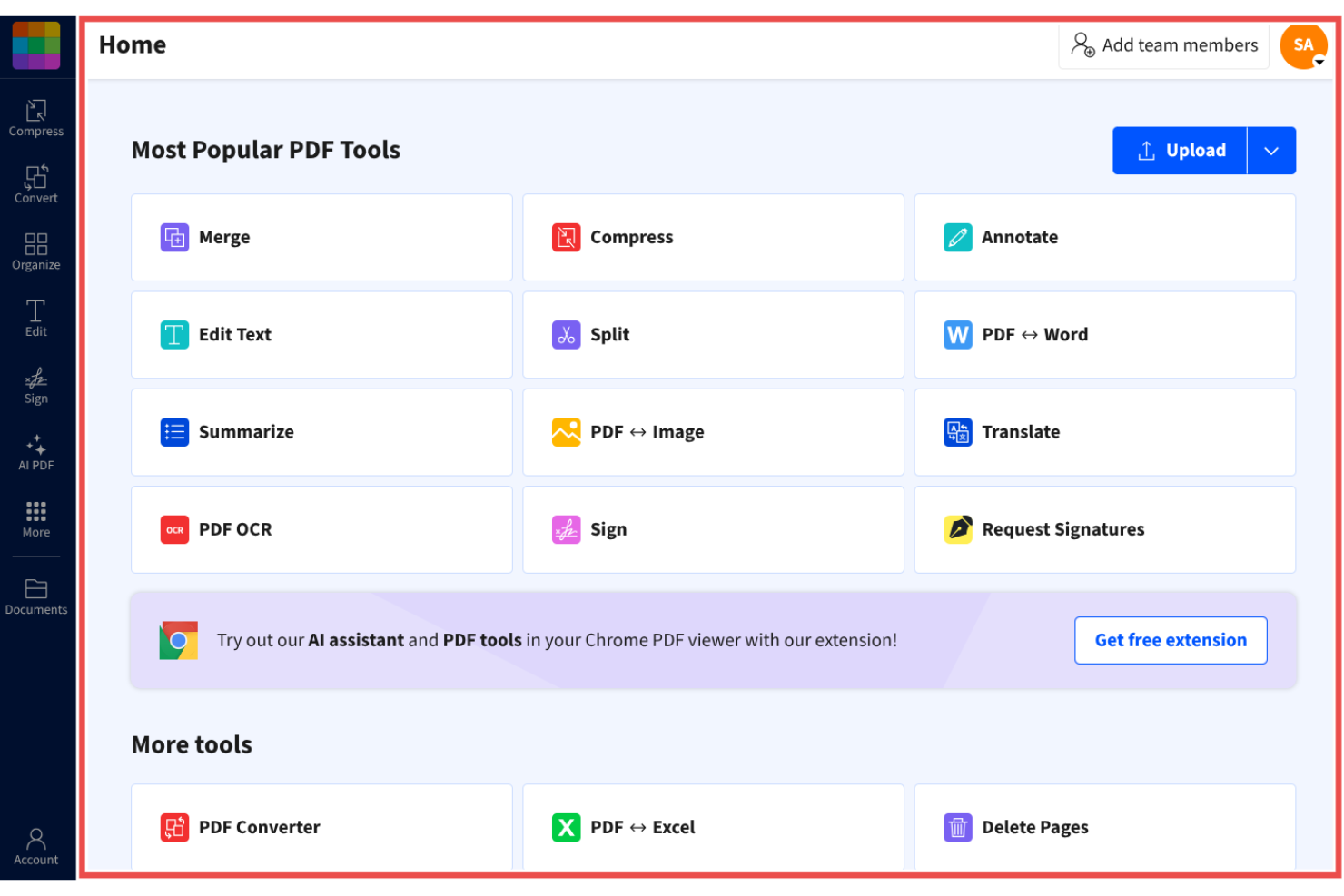
Smallpdf is a PDF management tool designed for individuals and businesses seeking a simple solution for handling documents. It's popular among users who need quick, straightforward access to PDF functionalities like conversion, compression, and editing.
Why it's a good Adobe Acrobat alternative: Smallpdf offers user-friendly PDF tools that simplify your document tasks, making it a practical choice for those looking for straightforward PDF management. Its intuitive interface provides a simple and efficient way to convert, compress, and edit PDFs. The tool is accessible from any device, making it convenient for teams on the go.
Standout Features and Integrations:
Features include PDF editing, compression, and conversion, enabling you to reduce file sizes and share them without losing quality. The conversion tools allow you to rapidly switch between different file formats.
Integrations include Google Workspace, Dropbox, Microsoft OneDrive, and more.
Pros and Cons
Pros:
- Wide range of PDF functions
- Reliable compression tools
- Accessible from any device
Cons:
- No advanced formatting
- Free version limitations
Best for AI-assisted productivity
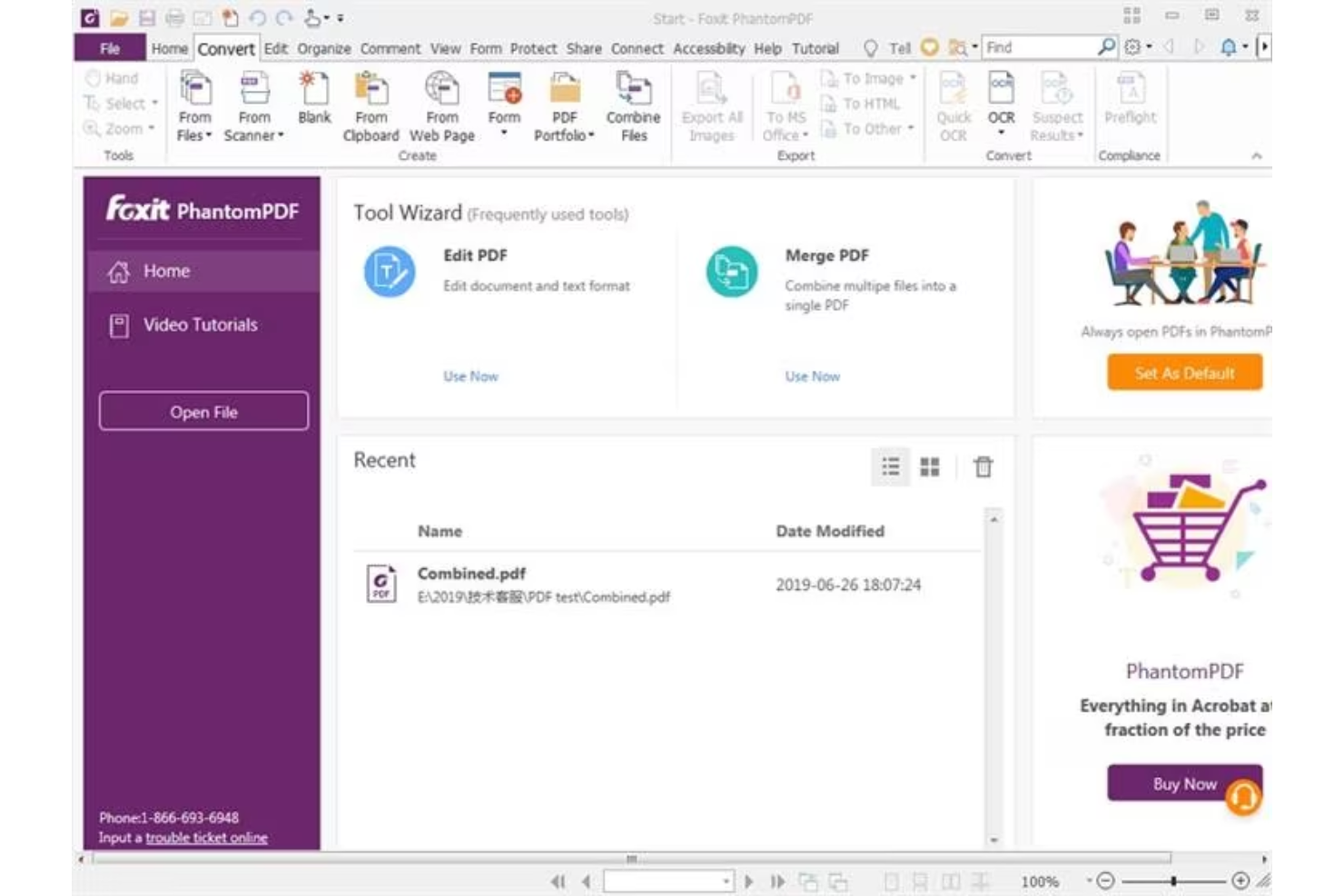
Foxit PDF Editor is designed for businesses and individuals who need reliable document management solutions. It's popular among professionals who require efficient tools for editing, sharing, and securing PDF files.
Why it's a good Adobe Acrobat alternative: Foxit PDF Editor offers AI-powered productivity features that make document handling more intuitive. With AI-powered capabilities, you can automate repetitive tasks and make your team's workflow more efficient. The software includes advanced security options to protect your docs, and it provides add-ins for Microsoft Office apps, including PowerPoint. These features make Foxit PDF Editor a practical choice for those seeking a simpler, more efficient alternative to Adobe Acrobat.
Standout Features and Integrations:
Features include advanced security measures and mobile accessibility. You can manage docs securely with encryption and permission settings. The software also supports real-time collaboration.
Integrations include Google Workspace, Dropbox, Microsoft OneDrive, Box, SharePoint, and more.
Pros and Cons
Pros:
- Real-time collaboration options
- Advanced security features
- AI-driven productivity tools
Cons:
- Heavy resource usage
- Limited advanced PDF editing tools
UPDF
Best for AI-integrated PDF features
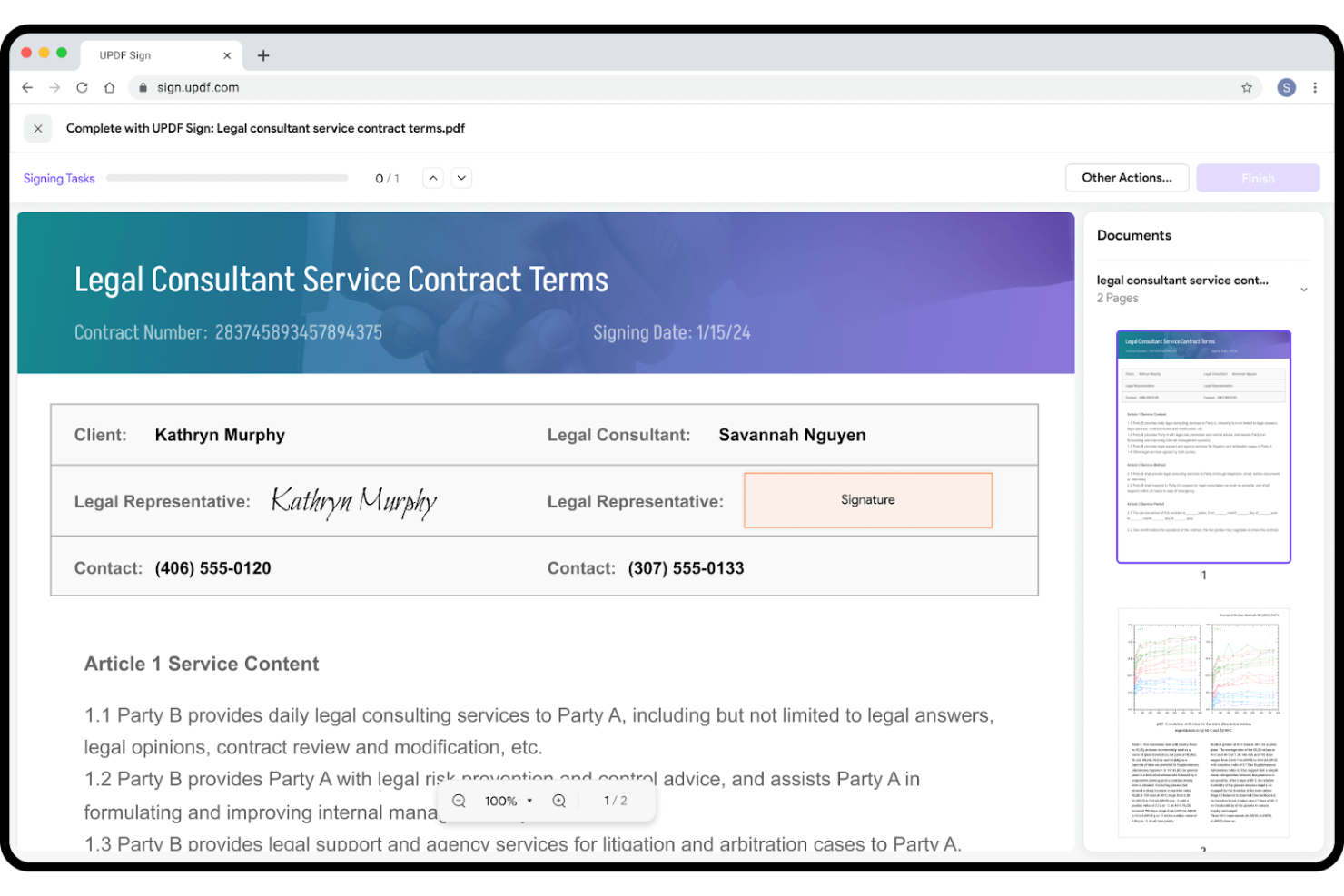
UPDF is a PDF editing software tailored for users who seek efficient and straightforward document management. It's popular among individuals and small teams that need straightforward tools for editing, annotating, and converting PDFs.
Why it's a good Adobe Acrobat alternative: UPDF offers AI-integrated PDF features that simplify your document tasks, making it an attractive choice for those wanting an efficient alternative to Adobe Acrobat. The software provides simple editing and conversion options, making it accessible for users of all levels, and AI-powered tools that allow you to automate repetitive tasks and boost your productivity.
Standout Features and Integrations:
Features include PDF annotation (with highlights and comments), conversion, and editing.
Integrations include Google Workspace, Dropbox, and more.
Pros and Cons
Pros:
- Suitable for small teams
- Efficient format conversion
- AI-powered document automation
Cons:
- Aggressive upsell notifications
- Lacks advanced enterprise tools


Nitro PDF is a PDF and e-signature software designed for businesses and professionals who need efficient document management and signing capabilities. It's widely used by teams that require secure and reliable solutions for handling PDFs and electronic signatures.
Why it's a good Adobe Acrobat alternative: Nitro PDF offers secure eSigning solutions that prioritize your document's safety. You can send, sign, and manage docs with advanced encryption and security features. The software also provides tools for collaboration and productivity, making it a great fit for teams focused on efficiency. For more features, Nitro PDF Pro is an option for those looking for an Adobe Acrobat Pro alternative.
Standout Features and Integrations:
Features include collaboration tools, document analytics, and iPhone accessibility. You can work with your team in real time and track document workflows simply and efficiently. With iPhone and iPad accessibility, you have access to your documents wherever you are.
Integrations include Google Drive, Dropbox, Microsoft OneDrive, SharePoint, Salesforce, iManage, Microsoft 365, and more.
Pros and Cons
Pros:
- Document workflow tracking
- Real-time collaboration tools
- Secure eSigning capabilities
Cons:
- Limited mobile editing tools
- Windows-centric

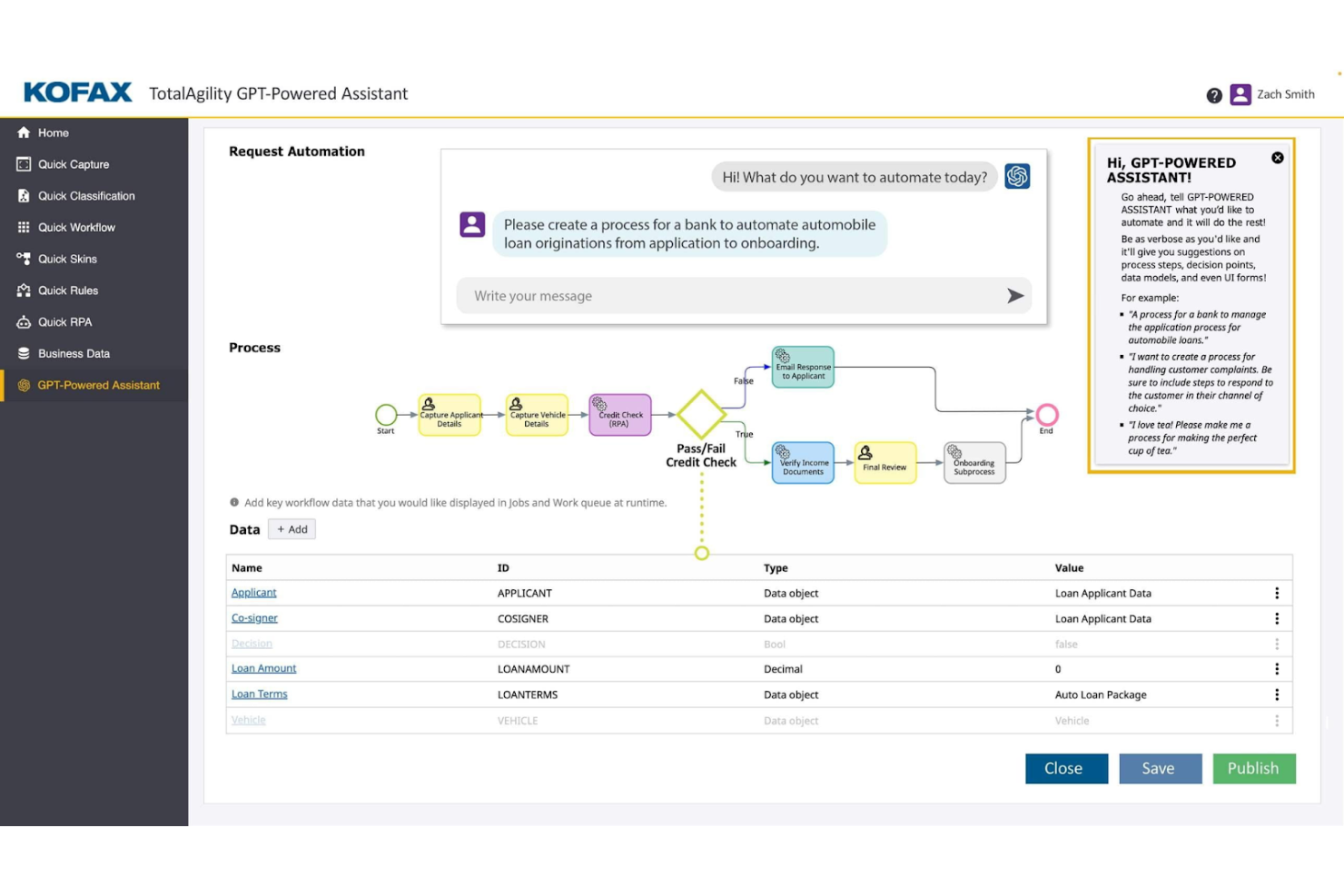
Tungsten Automation Power PDF provides PDF and eSignature solutions for professionals seeking to develop their digital document workflows. It's tailored for users needing efficient document editing and signing capabilities with AI-powered features.
Why it's a good Adobe Acrobat alternative: Tungsten Automation Power PDF offers advanced functionality and strong security support, suiting individuals and businesses. It includes user-friendly interfaces and flexible deployment options that make it simple for your team to integrate the software into existing workflows, while its compliance with ISO standards helps your documents meet industry requirements.
Standout Features and Integrations:
Features include PDF editing, secure digital signatures, and user-friendly conversion and redaction tools. You can manage documents through the intuitive interface, simplifying your workflow.
Integrations include Google Drive, Dropbox, Microsoft OneDrive, Box, SharePoint, Evernote, Salesforce, NetDocuments, iManage, Microsoft Office 365, and more.
Pros and Cons
Pros:
- Strong mobile app functionality
- Flexible deployment options
- ISO compliance
Cons:
- Weak sync between PC and mobile
- Text boxes can be buggy

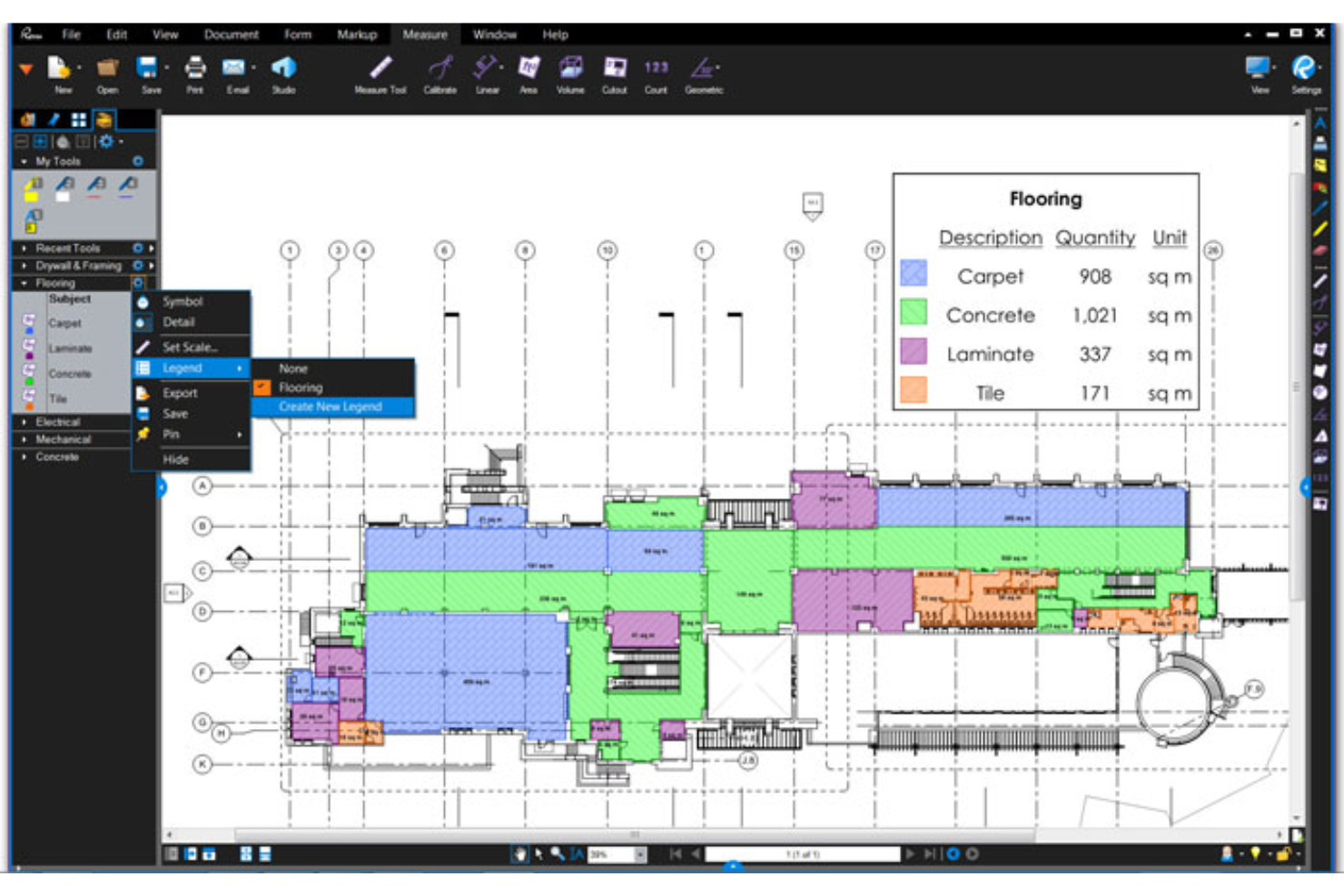
Bluebeam is a PDF software tailored for construction professionals needing efficient document management and markup tools. It's widely used by architects, engineers, and contractors to optimize project workflows and improve collaboration.
Why it's a good Adobe Acrobat alternative: Bluebeam offers specialized tools for construction professionals that support project efficiency, including advanced markup capabilities and real-time collaboration features. These functionalities make it a strong Adobe Acrobat alternative for those seeking tailored solutions in the construction industry.
Standout Features and Integrations:
Features include advanced markup tools, real-time collaboration, and project management capabilities. You can use the markup tools to add comments and annotations directly on your documents. The real-time collaboration feature allows your team to work together efficiently on projects.
Integrations include Autodesk Construction Cloud, SharePoint, ProjectWise, Box, Egnyte, Microsoft OneDrive, Dropbox, and more.
Pros and Cons
Pros:
- Real-time collaboration features
- Advanced markup capabilities
- Tailored for construction projects
Cons:
- Requires high-end PC hardware
- No full version for Mac users
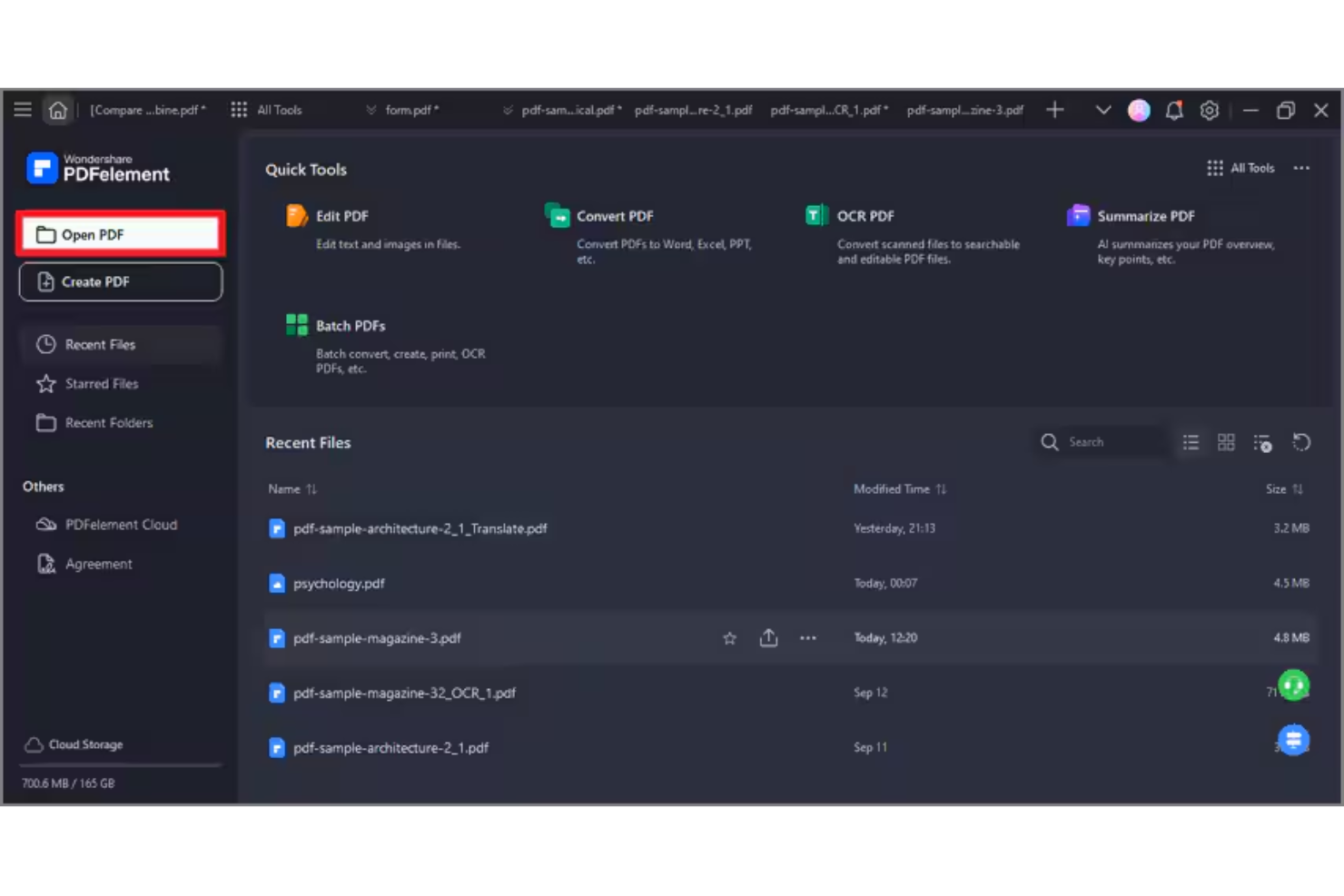
Wondershare PDFelement is a PDF and e-signature software designed for professionals who need efficient PDF document management and editing capabilities. It caters to a wide range of users, including small business teams and individual professionals, providing simple ways to create, edit, manage, and sign PDFs in Windows and Apple operating systems.
Why it's a good Adobe Acrobat alternative: PDFelement offers AI-powered editing for PDF files, which supports your document management experience. Its AI features simplify tasks such as text recognition and PDF form creation. The software also includes batch processing, helping you handle multiple files efficiently, and a perpetual license is available for teams. Overall, PDFelement provides a cost-effective solution for those looking to develop their PDF capabilities without the complexity of Adobe Acrobat.
Standout Features and Integrations:
Features include AI-powered text editing, batch processing, and form creation. The software allows you to edit PDFs with precision and ease. You also get tools for converting PDFs to various file formats, making your document workflows more flexible.
Integrations include Google Drive, Dropbox, Microsoft OneDrive, Apple iCloud, Microsoft Office 365, and more.
Pros and Cons
Pros:
- Flexible file format conversions
- Batch processing for efficiency
- AI-powered editing tools
Cons:
- AI credit limits
- Some document size restrictions

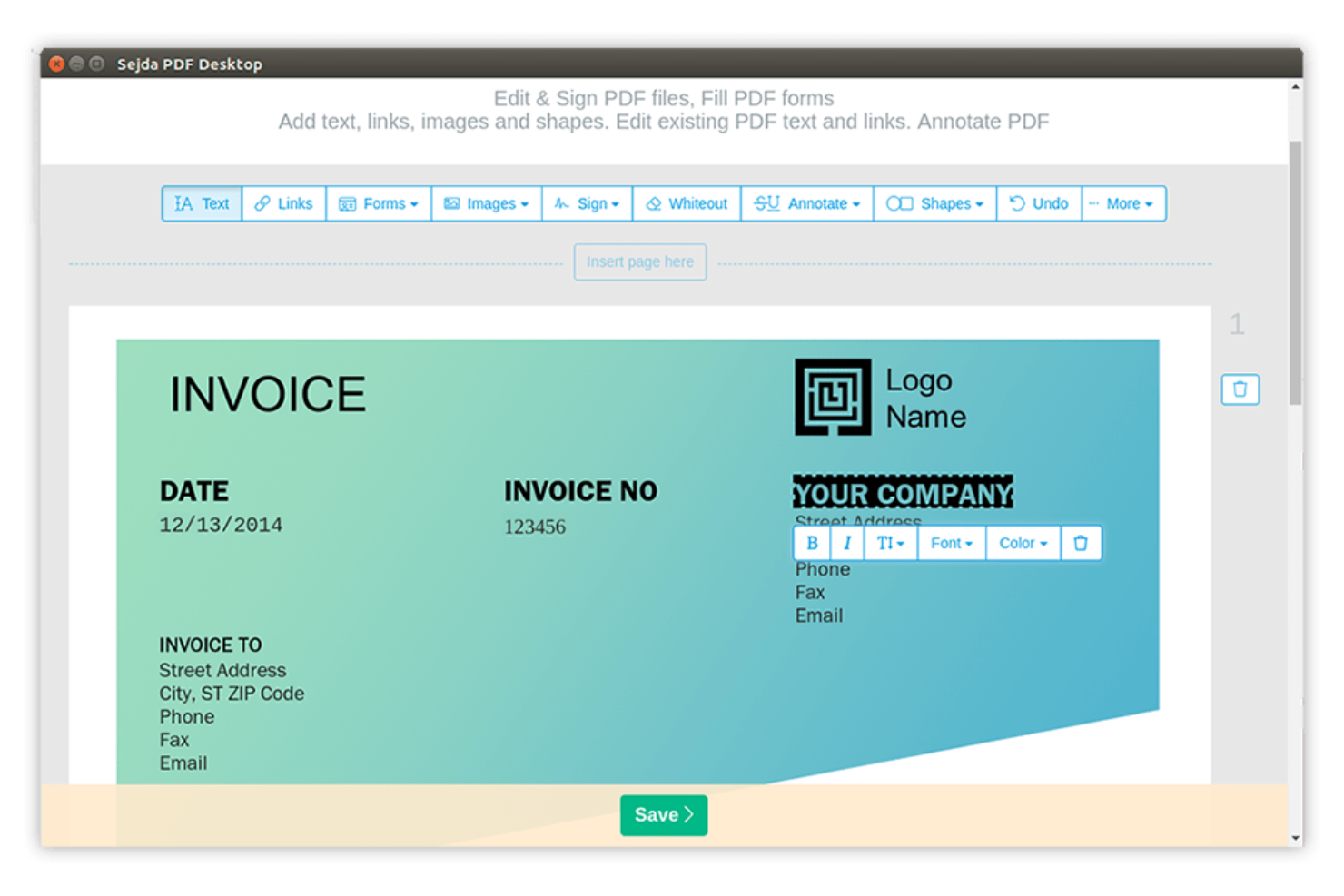
Sejda is an online PDF tool designed for users who need quick, straightforward access to PDF functionalities. It's popular among individuals and small businesses for its ability to perform tasks like editing, merging, and splitting PDFs.
Why it's a good Adobe Acrobat alternative: Sejda excels in handling online PDF tasks efficiently. You can edit and manipulate PDFs directly in your browser, making it highly accessible, while the tool's simplicity allows for quick document modifications without the need for complex software. These features make Sejda a practical choice for those looking for straightforward online PDF solutions.
Standout Features and Integrations:
Features include PDF editing, merging, and splitting, as well as custom font support. You can combine multiple PDFs into one document, while the splitting feature allows you to break down large PDFs into smaller, more manageable files.
Integrations include Google Drive, Dropbox, and more.
Pros and Cons
Pros:
- Simple document manipulation
- No software installation needed
- Efficient online PDF editing
Cons:
- Lacks batch processing tools
- Strict file size and page limits
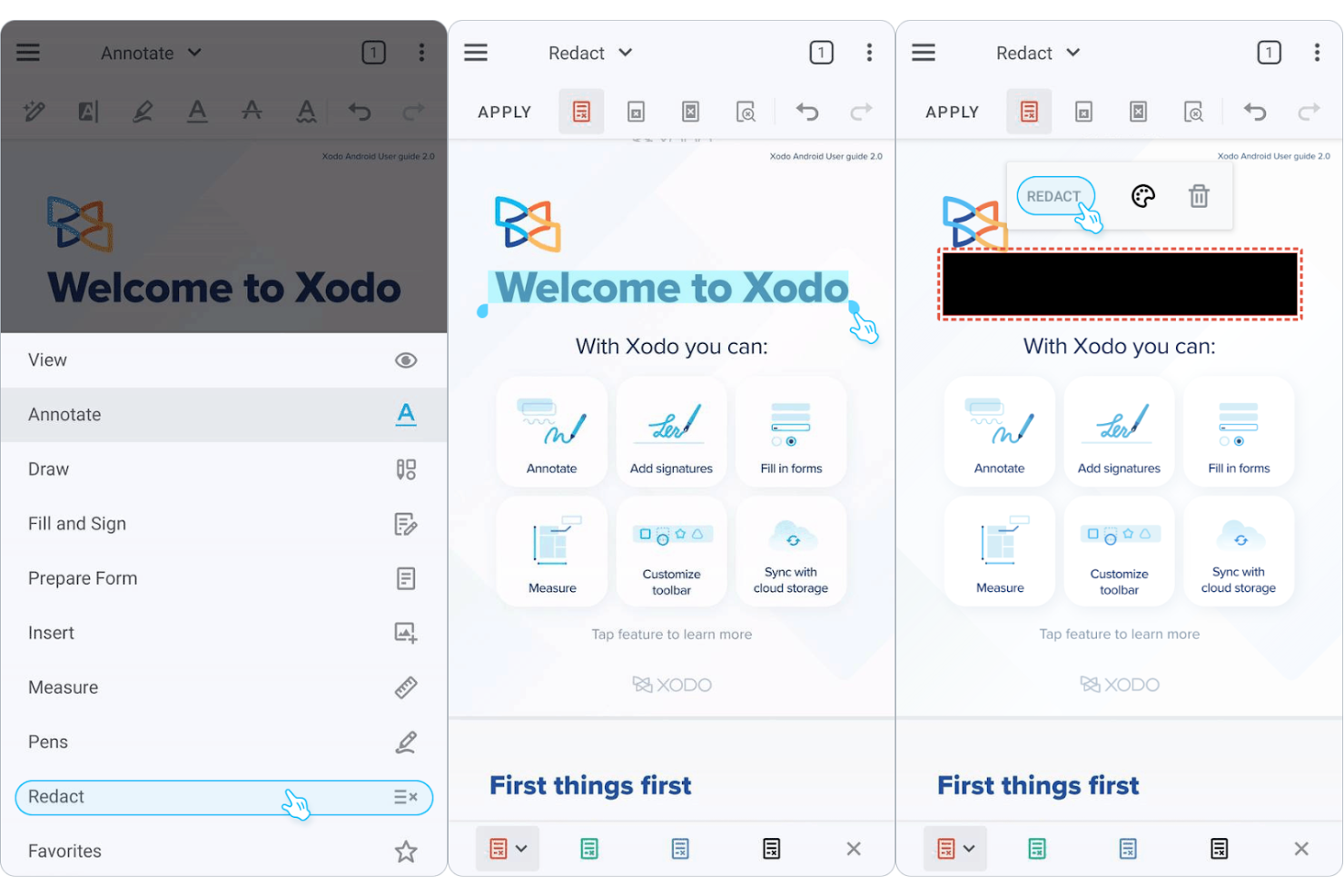
Xodo is a PDF management tool designed for users who need efficient access to documents across various devices. It's popular among individuals and teams that require reliable tools for viewing, annotating, and sharing PDFs.
Why it's a good Adobe Acrobat alternative: Xodo excels in cross-device document management, providing a consistent experience whether you're on mobile, desktop, or web. You can annotate and collaborate on PDFs in real time, thanks to sticky notes and text markup tools. The intuitive software makes it easy for your team to adapt quickly. These features make Xodo a practical choice for those wanting flexibility and accessibility in their PDF solutions.
Standout Features and Integrations:
Features include annotation tools, real-time collaboration, and cloud storage access, allowing you to highlight, underline, and add comments to PDFs while helping your team stay connected and productive.
Integrations include Google Drive, Dropbox, Microsoft OneDrive, Evernote, and more.
Pros and Cons
Pros:
- Quick adaptation for teams
- Cloud storage access
- Consistent cross-device experience
Cons:
- Weak text-reflow editing
- Laggy cloud syncing for large files

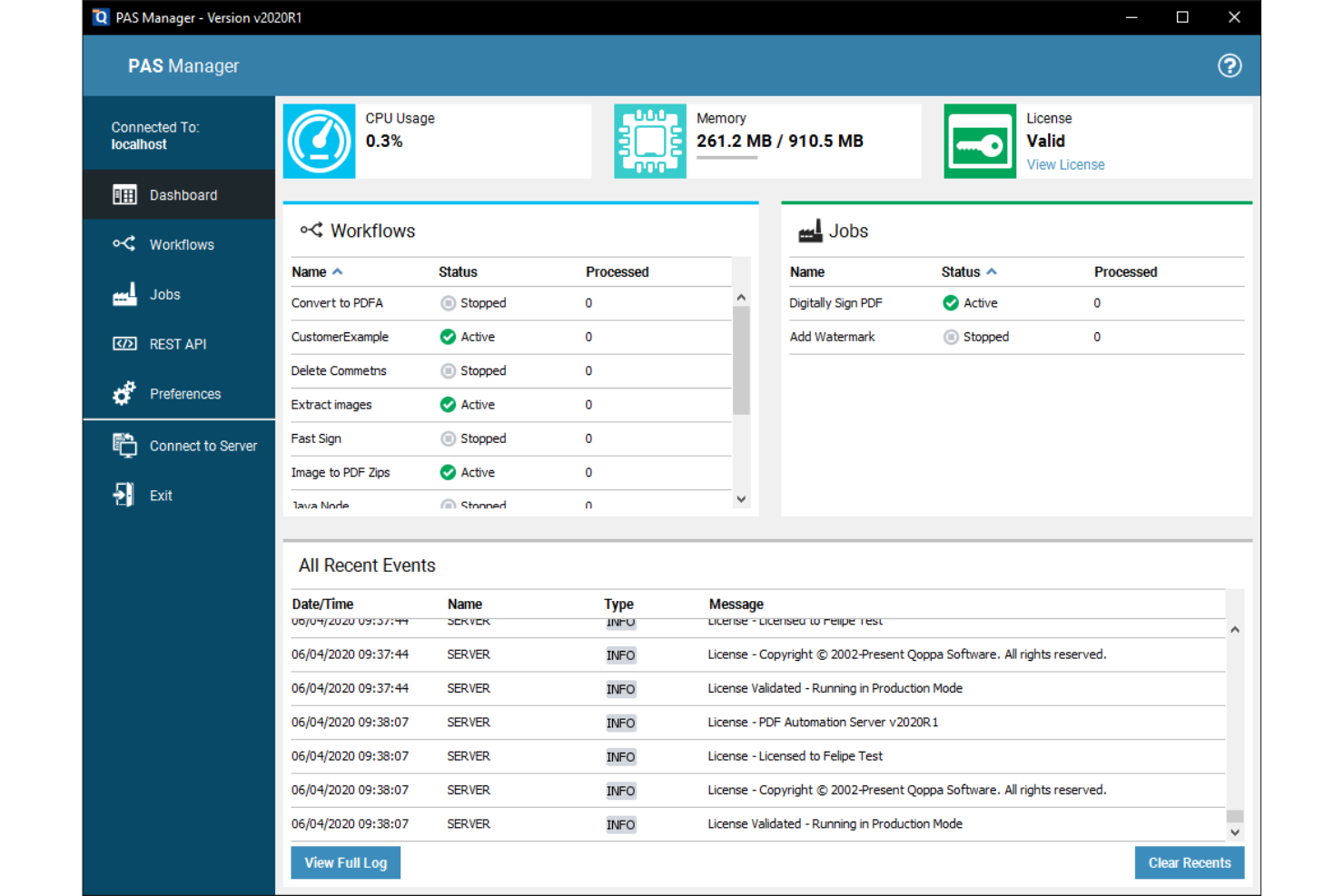
Qoppa PDF Studio provides enterprise-level PDF solutions for businesses that need advanced document processing capabilities. It's ideal for teams that need extensive tools for managing, editing, and securing PDFs.
Why it's a good Adobe Acrobat alternative: Qoppa PDF Studio offers enterprise PDF solutions that cater to complex business needs. With features such as PDF editing, form creation, and digital signature functionality, it enables your team to manage documents efficiently, while its security options help keep your docs protected. These capabilities make Qoppa PDF Studio a strong choice for enterprises looking for an alternative to Adobe Acrobat.
Standout Features and Integrations:
Features include advanced document security, batch processing, form creation, and PDF encryption and permissions. Various file manipulation tools let you split, combine, and rearrange documents.
Integrations include Google Drive, Dropbox, Microsoft OneDrive, Box, and more.
Pros and Cons
Pros:
- Suitable for large teams
- Advanced form creation tools
- Efficient batch processing
Cons:
- Scaling issues on 4K monitors
- Lacks modern AI chat features
Other Adobe Acrobat Alternatives
Here are some additional Adobe Acrobat alternatives that didn’t make it onto my shortlist, but are still worth checking out:
- PDF Expert
For Apple device users
- PDF-XChange Editor
For cost-effective PDF editing
- pdfFiller
For cloud-based document editing
- PDFgear
For fast PDF processing
- ONLYOFFICE
For AI-powered team document collaboration
- ActiveDraft
For construction teams and clients
- Tenorshare PDNob
For simple PDF editing
- Stirling
For secure document encryption
- EaseUS PDF Editor
For straightforward PDF conversion
- PDFsam
For splitting and merging PDFs
- PDF24
For browser-based PDF utilities


How I Evaluate Adobe Acrobat Alternatives
I split my evaluation into baseline criteria every tool must meet—like real PDF editing, page management, and e-signatures—and the differentiators that separate the best fit for your team from the rest.
Core Functionality (Table Stakes For This List)
When I'm selecting tools for my list, I rank each one on a scale from 0 (does not offer the functionality) to 5 (excels in this area) for each core functionality listed below. Then, I calculate the tool's total score into a percentage. Each tool needs to achieve a minimum total score of 65% to be considered for inclusion.
- PDF Editing: I check whether I can edit existing text, swap images, and adjust formatting in-place—like updating a deliverable date buried in a 40-page SOW.
- PDF Creation & Conversion: Converting a Word-based project charter or Excel risk register into a polished PDF (and back again) should preserve tables, fonts, and layout.
- Annotation & Markup: I evaluate the depth of review tools—comments, callouts, drawing shapes—and whether multiple reviewers can mark up the same document in a shared workflow.
- E-Signature Support: I look for built-in or tightly integrated e-signature workflows that let you route a contract or change order for multi-party signing with an audit trail.
- Page Management: Merging separate scope documents into one deliverable package, splitting appendices, or reordering sections should be fast and intuitive across multi-file jobs.
- Security & Redaction: I evaluate password protection, granular permissions, and true content redaction—especially for removing sensitive cost data or PII before sharing files externally.
Once I have a list of tools that meet this criteria, I consider what sets each platform apart.
Differentiating Factors (What Sets Vendors Apart)
Here's how I compare and contrast different vendors:
Standout Features
AI-powered document intelligence is a big differentiator—I look for tools that can summarize a 100-page spec or extract key clauses from a vendor contract without manual scanning. Cloud collaboration matters just as much, especially when distributed teams need to co-review a deliverable in real time instead of passing marked-up copies through email. I also evaluate form-building capabilities, since creating fillable RFIs or change order templates directly inside the PDF editor saves a surprising amount of back-and-forth.
Beyond Features
Ecosystem integrations matter a lot here—I check whether a tool connects natively to platforms like Jira, Smartsheet, or SharePoint, since that's where most project documents actually live. Licensing structure is another key factor; some vendors offer per-user subscriptions while others provide volume or site licenses that work better for a PMO with contractors rotating in and out. I also evaluate cross-platform coverage, because mixed teams running Windows, macOS, and mobile need consistent access without feature gaps.
Why Look for an Adobe Acrobat Alternative?
While Adobe Acrobat is a good choice of PDF and e-signature software, there are a number of reasons why some users seek out alternative solutions. You might be looking for an Adobe Acrobat alternative because…
- You need more affordable pricing options.
- Your team wants a simpler user interface.
- You require better mobile app functionality.
- You need features tailored to specific industries
- Your team desires a faster customer support response.
- You require offline access to documents.
If any of these sound like you, you've come to the right place. My list contains several PDF and e-signature software options that are better suited for teams facing these challenges with Adobe Acrobat and looking for alternative solutions.
Adobe Acrobat Key Features
Here are some of the key features of Adobe Acrobat, to help you compare it to alternative solutions:
- PDF editing: Allows you to create PDFs and directly modify text and images in your files.
- File conversion: Let you convert documents to and from PDF, making it easy to work with different file formats.
- E-signatures: Provide tools for adding and collecting digital signatures, simplifying the process.
- Page organization: Helps you reorder, delete, or rotate pages in your PDF, keeping your documents organized.
- Protect documents: Offer password protection and permissions settings to keep your PDFs secure.
- Collaboration and sharing: Enable you to share documents and collect feedback, promoting team collaboration.
- AI productivity: Uses AI to automate and assist with document tasks, boosting efficiency.
- Form creation: Allows you to create and fill forms, organizing data collection.
- Document comparison: Lets you compare two versions of a document to identify differences.
- Mobile access: Provides access to tools on mobile devices, so you can work anywhere.
What's Next:
If you're in the process of researching PDF and e-signature software, connect with a SoftwareSelect advisor for free recommendations.
You fill out a form and have a quick chat where they get into the specifics of your needs. Then you'll get a shortlist of software to review. They'll even support you through the entire buying process, including price negotiations.