

10 Best Dropbox Alternatives for File Sharing in 2026

Best Dropbox Alternatives Shortlist


Managing projects can be tough when your cloud storage doesn't meet your needs. Maybe you're finding that Dropbox's features or pricing aren't the best fit for your team. You need a solution that offers better integration, security, or storage options.
In my experience, Dropbox alternatives might suit your business better. I'll guide you through these options, focusing on what they offer that Dropbox might not.
You might be looking for a storage solution that aligns with your team's goals and workflow. In this article, I'll share unbiased reviews of the best cloud storage alternatives to Dropbox, helping you make an informed decision.
What Is Dropbox?
Dropbox is a cloud storage software that lets you store and share files online. It's commonly used by professionals such as project managers, freelancers, and small business owners who need easy access to their documents from anywhere. File sharing, collaboration tools, and automatic syncing help with keeping your team organized and your files up to date. Overall, Dropbox provides a convenient way for you and your team to manage and share files efficiently.
Dropbox Alternatives Comparison Table
This comparison table summarizes pricing details for my top Dropbox alternative selections.
| Tool | Best For | Trial Info | Price | ||
|---|---|---|---|---|---|
| 1 | Best for creative asset management over Dropbox | Free demo available | Pricing upon request | Website | |
| 2 | Best for cost-effective backup | Free 15-day trial available | From $6/TB/month | Website | |
| 3 | Best for privacy and security features | Free plan available | From $3.80/month (billed annually) | Website | |
| 4 | Best for backing up multiple devices | Not available | From $6.99/month (billed annually) | Website | |
| 5 | Best for self-hosted data privacy | Free trial + free demo available | From €71.29/user/year | Website | |
| 6 | Best for enterprise content governance | 14-day free trial | From CAD$21/user/month (billed annually) | Website | |
| 7 | Best for end-to-end encryption | 30-day free trial available | From $6/month (billed annually) | Website | |
| 8 | Best for Microsoft 365 integration | Free plan available | From $1.99/month | Website | |
| 9 | Best for data control and compliance | Free demo + 14-day free trial available | Pricing upon request | Website | |
| 10 | Best for low-cost data storage | 30-day free trial | From $6.99/TB/month | Website |
Why Trust Our Software Recommendations
Our team has been testing and reviewing software since 2012. As project managers ourselves, we know how difficult—and important—it is to choose the right software.
For this guide, we evaluated tools using hands-on testing and independent research, scoring tools using our selection criteria. We also draw on insights from industry thought leaders and practicing project management experts.
Our reviews reflect our human editorial judgment, not a sales pitch.
Expert reviewers:
Best Dropbox Alternatives Reviews
Below are my detailed summaries of the best Dropbox alternatives that made it onto my shortlist. My reviews offer a detailed look at the key features, pros and cons, integrations, and ideal use cases of each tool to help you find the best one for you.

Pics.io
Best for creative asset management over Dropbox
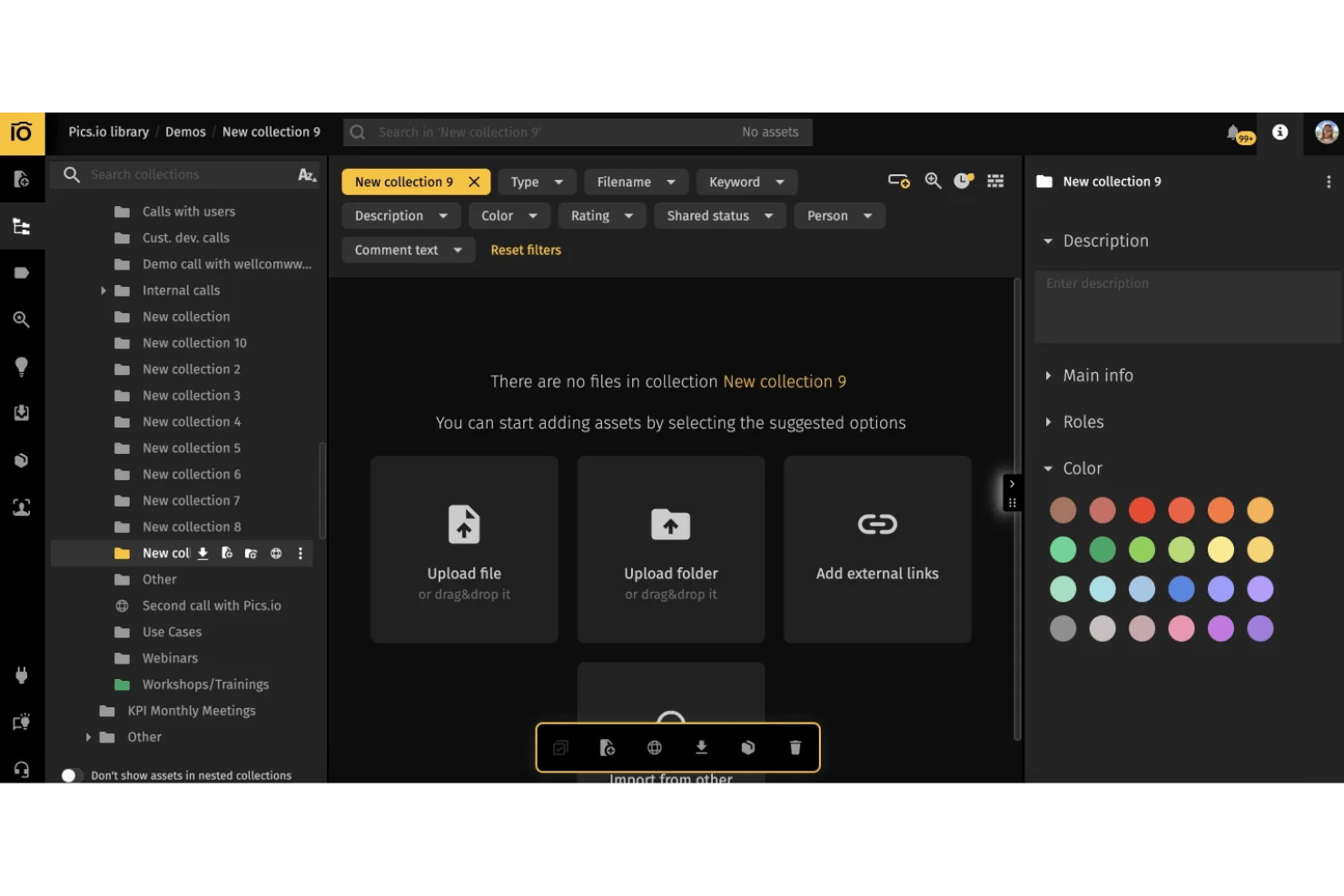
Pics.io is a digital asset management platform built for creative teams that need a stronger way to organize, share, and collaborate on media files in the cloud.
Who Is Pics.io Best For?
Creative teams and agencies that need cloud-based asset management and collaboration across distributed projects.
Why Pics.io Is a Good Best Dropbox Alternatives Reviewed
I picked Pics.io as one of the best because it’s built for creative asset management over Dropbox. Organizing large media libraries is easier with features like visual tagging, custom metadata, and collaborative review tools, so my team can quickly find, manage, and approve assets across distributed projects.
Pics.io Key Features
- Version control: Track file changes and roll back to previous versions within your asset library.
- API access: Integrate Pics.io with your existing systems using a dedicated API.
- User permissions: Assign specific roles and access rights for individuals or teams.
- Batch upload and edit: Import and modify multiple files simultaneously to save time.
Pics.io Integrations
Pics.io offers native integrations with Google Drive, Amazon S3, Slack, and WordPress, and provides API access for custom integrations.
Pros and Cons
Pros:
- Custom metadata tagging suited for creatives
- Built-in version control for creative assets
- Streamlined visual asset approval workflows
Cons:
- Interface can feel cluttered for new users
- No offline sync for local editing
New Product Updates from Pics.io
Pics.io Adds AVIF File Support
Pics.io now supports AVIF files, expanding the image formats you can upload and manage in the platform. This gives teams more flexibility when working with modern image assets. For more information, visit Pics.io’s official site.
 .
.
Best for cost-effective backup
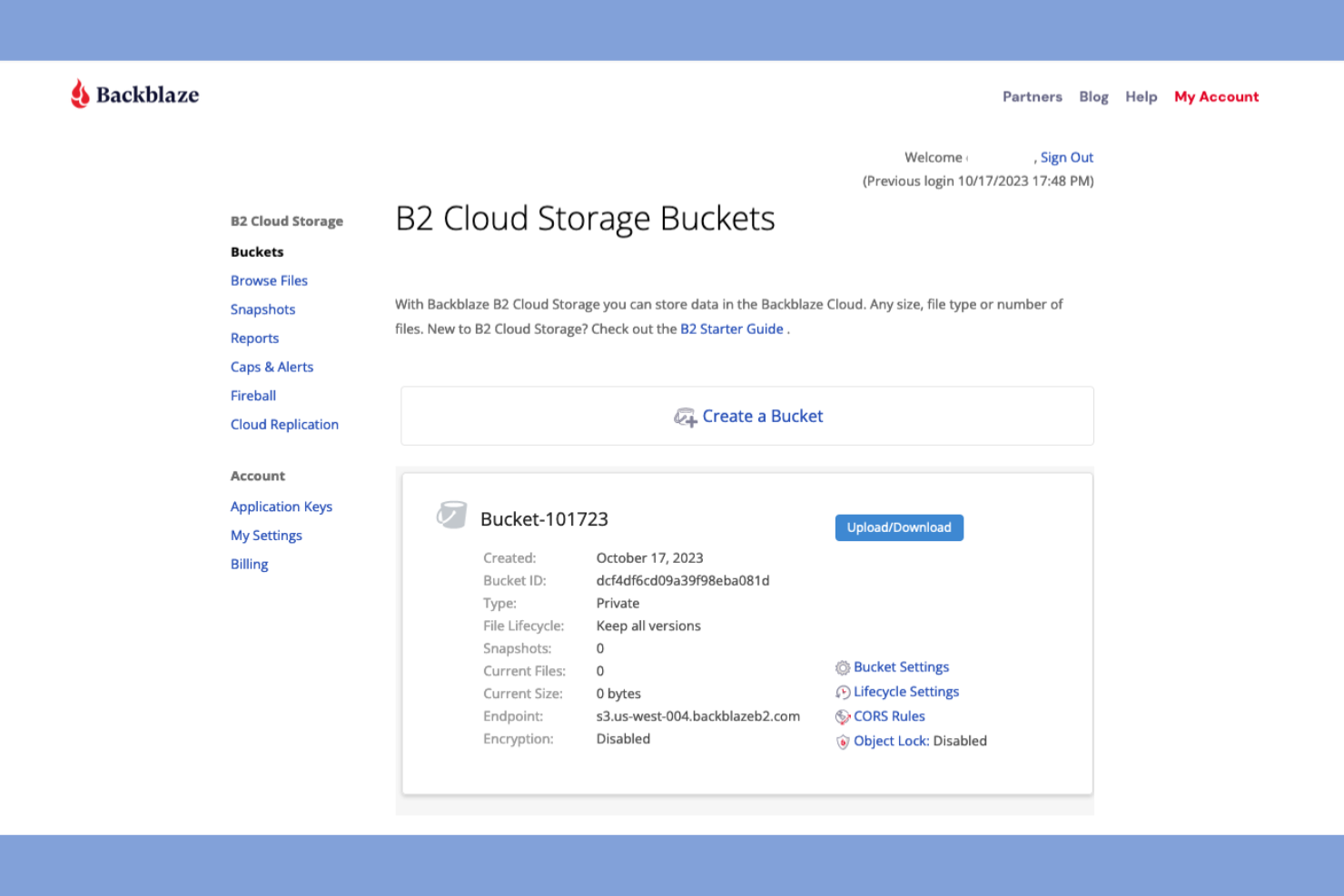
Backblaze is a cloud backup solution designed for individuals and businesses looking for affordable and secure data storage. It primarily serves users who need a straightforward and reliable way to back up their files.
Why Backblaze is a good Dropbox alternative: Backblaze offers cost-effective backup solutions, making it ideal for budget-conscious users. With unlimited backup for a flat rate, you can store as much data as you need without worrying about escalating costs. The platform's simple interface ensures that you can quickly set up and manage your backups. Backblaze B2 also provides rapid file recovery options, ensuring your data is always accessible when you need it.
Standout Features and Integrations:
Features include unlimited backup, which allows you to store all your data without restrictions. The platform's file versioning helps you keep track of changes and restore previous versions. Backblaze B2 also offers a locate my computer feature, which can help you find your device if it's lost or stolen.
Integrations include Synology, QNAP, TrueNAS, Veeam, Fastly, MSP360, iconik, Syncovery, GoodSync, Duplicati, and more.
Pros and Cons
Pros:
- Physical hard drive restore service
- Flat-rate pricing
- User-friendly interface
Cons:
- Restricted to a single device backup
- No file-sharing options

MEGA
Best for privacy and security features
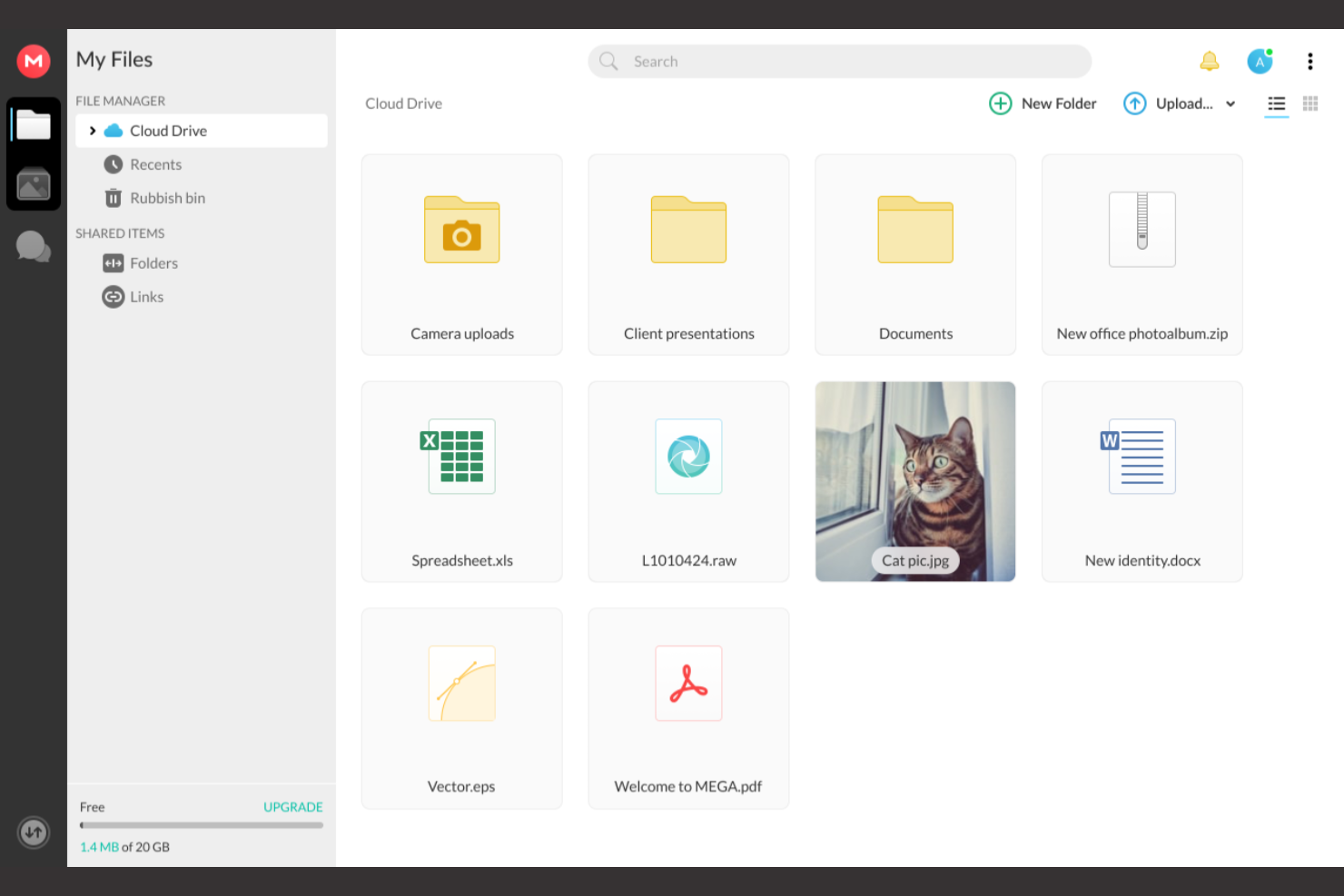
MEGA is a cloud storage service that offers secure file storage and sharing for individuals and businesses. It caters to users who prioritize privacy and security, providing end-to-end encryption for all files.
Why MEGA is a good Dropbox alternative: MEGA offers strong privacy and security features, ensuring your data is protected with end-to-end encryption. You can share files securely with password-protected links, adding an extra layer of security. Its file versioning capability allows you to recover previous versions of your documents. Additionally, MEGA provides a generous amount of free storage, making it an attractive option for those needing more space.
Standout Features and Integrations:
Features include encrypted chat, which allows you to communicate securely with others. The platform's sync client ensures your files are always up to date across devices. MEGA also offers a transfer manager, giving you control over your uploads and downloads.
Integrations include Rclone, MSP360, Synology, Duplicati, and more.
Pros and Cons
Pros:
- Native secure communication chat
- User-controlled end-to-end encryption
- Generous free storage
Cons:
- Limited bandwidth for free accounts
- Unrecoverable data if password is lost
IDrive
Best for backing up multiple devices
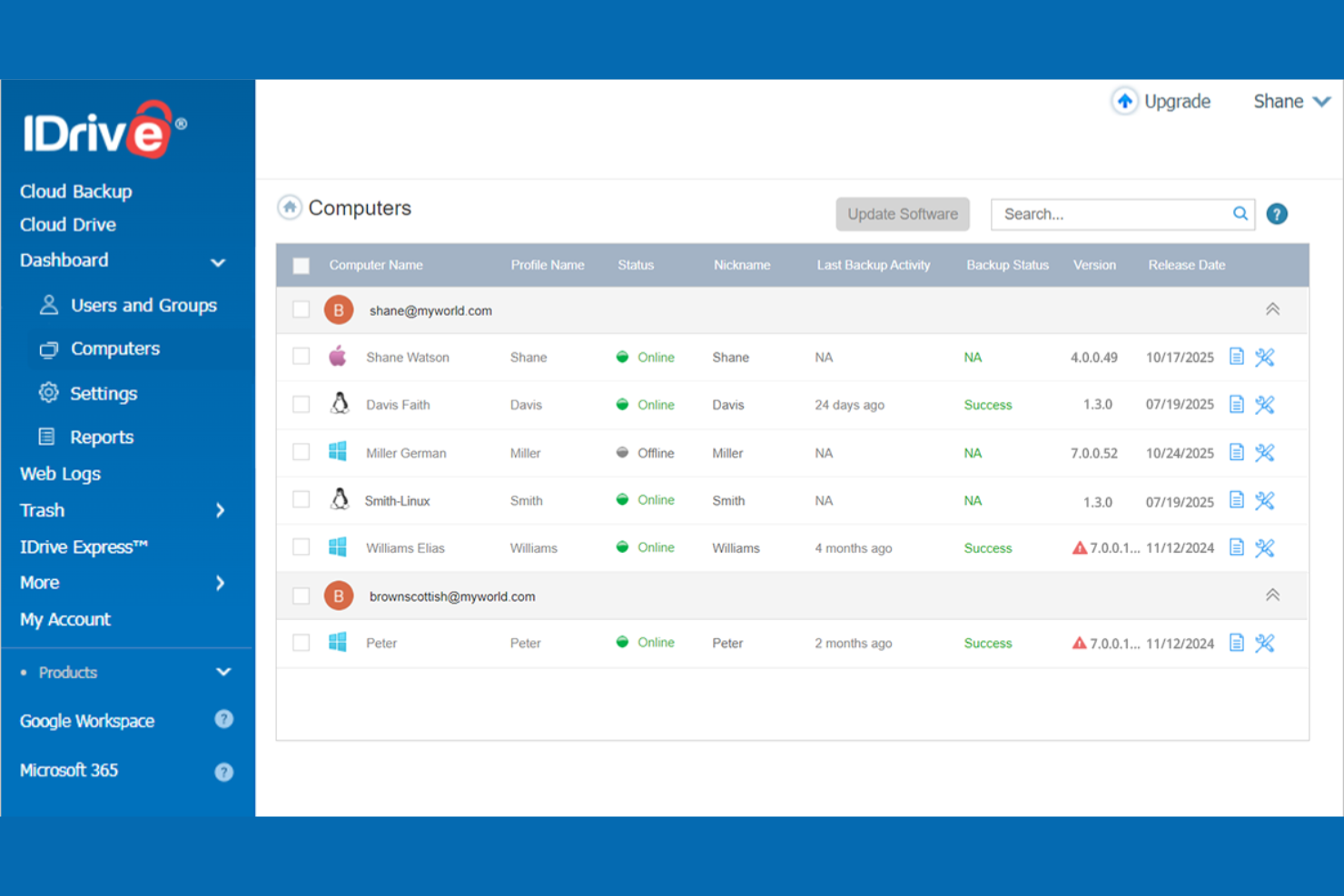
IDrive is a cloud storage solution that caters to individuals and businesses needing reliable backup and file sharing. It's popular among users who require secure storage across multiple devices, offering features, including file syncing and archiving.
Why IDrive is a good Dropbox alternative: IDrive's ability to back up multiple devices is a standout feature, making it ideal for teams working with various devices. With continuous syncing and file versioning, you can keep your data updated across all platforms. It also provides extensive storage space, which is particularly useful for businesses with large data needs. These features make IDrive a versatile choice for those seeking a complete backup solution.
Standout Features and Integrations:
Features include versioning, which allows you to retrieve previous file versions, and continuous data protection, which automatically begins a backup when files are modified. Another useful feature is its hybrid backup, enabling you to back up data both online and locally, and it offers an inexpensive add-on for backups of Microsoft and Google accounts.
Integrations include Microsoft 365, Google Workspace, Salesforce, QuickBooks, Oracle, Zendesk, and more.
Pros and Cons
Pros:
- Hybrid backup options
- Real-time file versioning
- Backs up multiple devices
Cons:
- Limited Linux support
- Limited free storage

Best for self-hosted data privacy

Nextcloud is an open-source cloud storage platform that allows businesses and individuals to host their data independently. It serves users who prioritize privacy and data control, offering features to manage files and collaborate securely.
Why Nextcloud is a good Dropbox alternative: Nextcloud provides self-hosting capabilities, giving you complete control over your data environment. With its advanced security features, you can ensure that your data remains private. The platform also supports extensive customization, allowing you to tailor it to your team's needs. This makes Nextcloud a versatile solution for organizations with specific privacy and compliance requirements.
Standout Features and Integrations:
Features include collaborative editing, which allows multiple users to work on documents simultaneously. The platform's version control helps you keep track of changes and revert to previous versions when needed. You can also use the built-in calendar to manage schedules and appointments.
Integrations include Microsoft Outlook, Microsoft Exchange, Microsoft SharePoint, Active Directory, Office Online, Collabora Online, ONLYOFFICE, Zimbra, and more.
Pros and Cons
Pros:
- Open-source flexibility
- Strong privacy features
- Highly customizable
Cons:
- No built-in official support
- Requires administrative maintenance

Box
Best for enterprise content governance
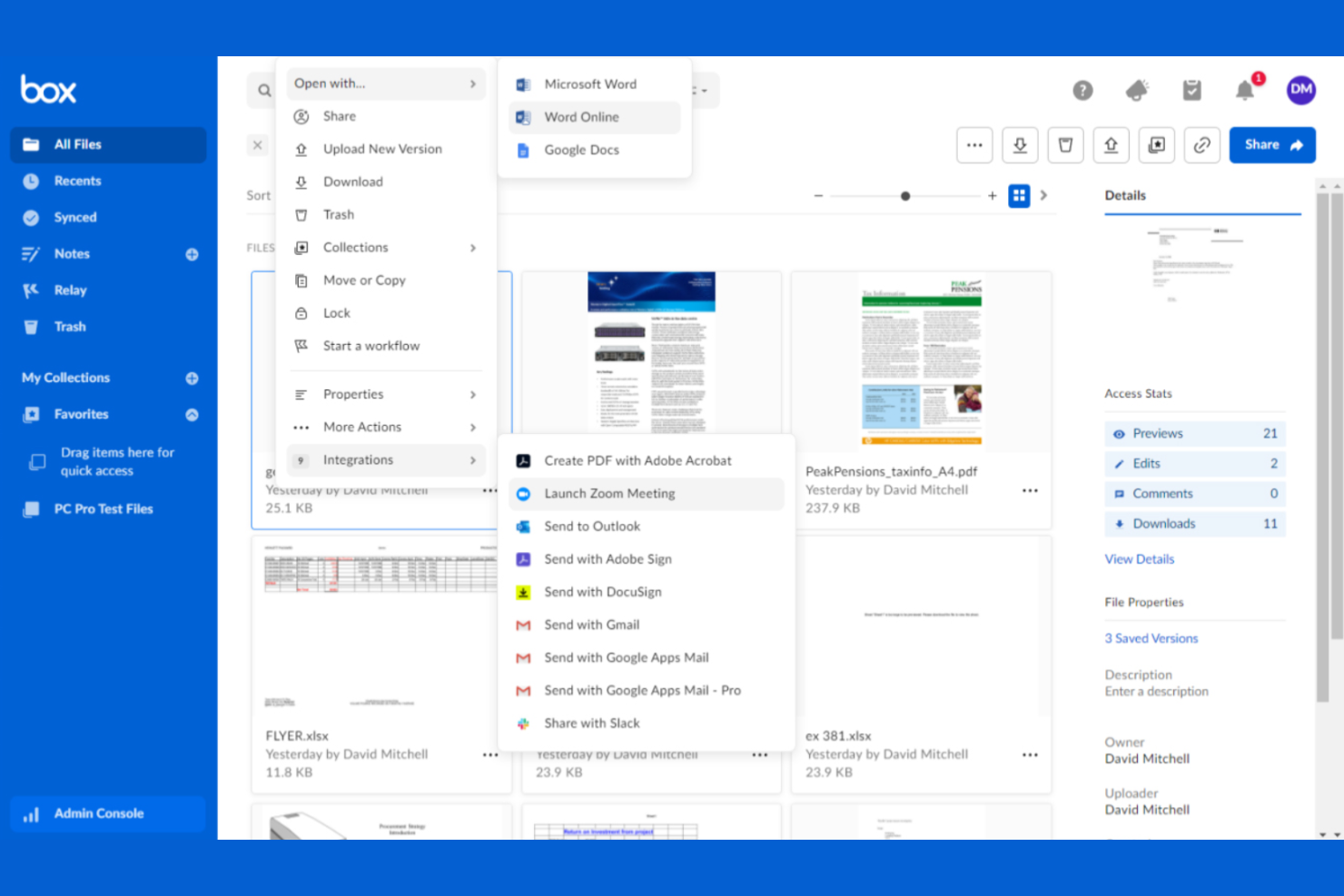
Box is a cloud storage and collaboration platform designed for businesses of all sizes needing secure file storage and sharing. It primarily serves enterprises that require advanced security and compliance features.
Why Box is a good Dropbox alternative: Box offers superior privacy and security features, making it a great choice for teams handling sensitive data. With granular access controls, you can manage who sees what in your organization. Its compliance with various data regulations, including the GDPR and HIPAA, ensures your business meets industry standards. Additionally, Box's collaboration tools increase productivity by allowing team members to work together efficiently, and all business plans have unlimited storage.
Standout Features and Integrations:
Features include advanced search capabilities, which help you quickly find the files you need. The platform's workflow automation tools allow you to simplify repetitive tasks. Box also offers an e-signature feature that could allow you to replace digital signature software and save money.
Integrations include Microsoft 365, Google Workspace, Salesforce, Slack, Adobe, ServiceNow, and more.
Pros and Cons
Pros:
- Advanced search capabilities
- Workflow automation tools
- Compliance with industry standards
Cons:
- Can be resource-intensive
- Requires training for new users

Sync
Best for end-to-end encryption
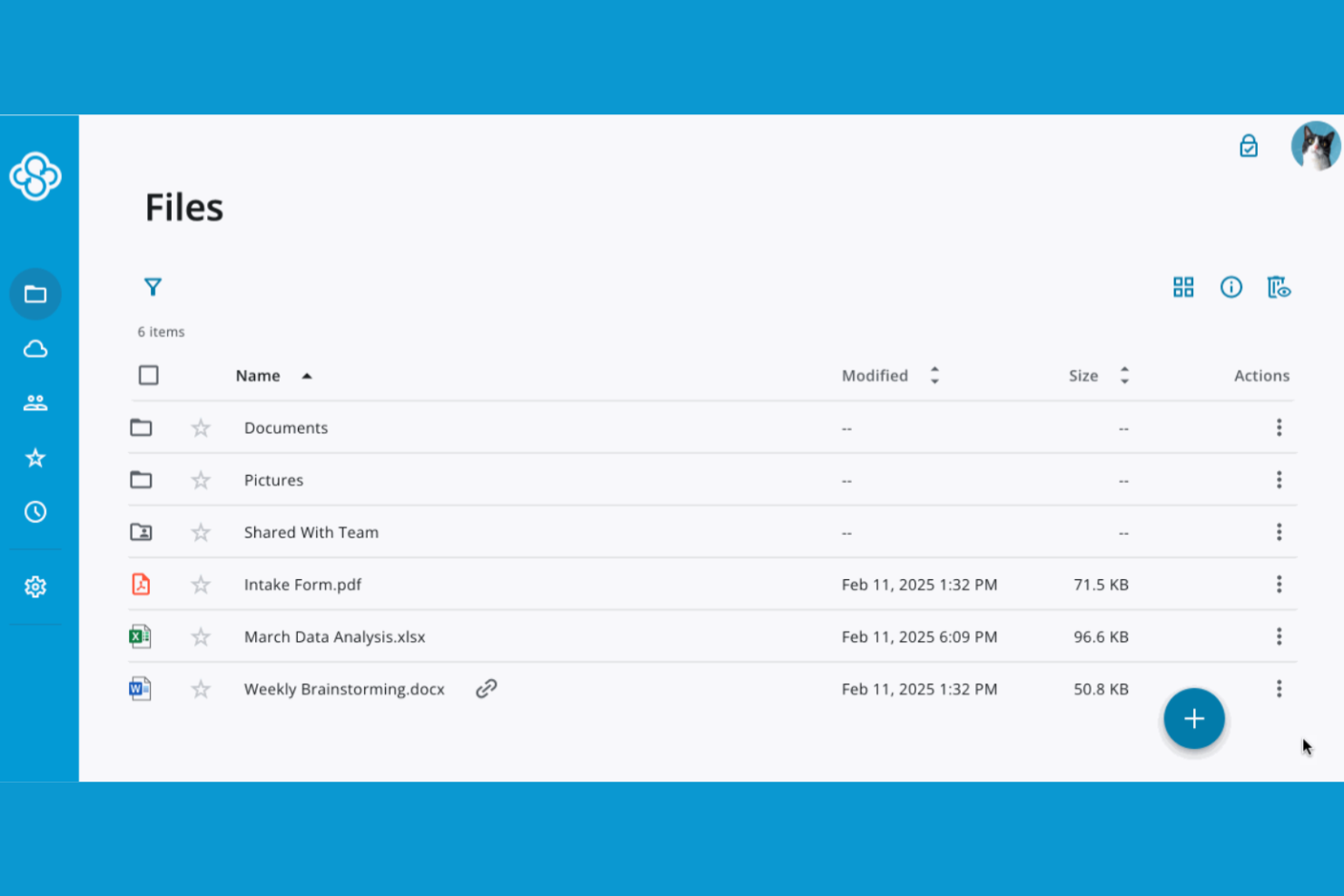
Sync is a cloud storage service designed for individuals and businesses that need secure file storage and sharing. It caters to users who prioritize privacy and data protection, offering features to keep your information safe.
Why Sync is a good Dropbox alternative: Sync offers end-to-end encryption, ensuring that only you and your team can access your files. This feature makes it a top choice for those concerned about data privacy. Additionally, Sync provides secure file-sharing options, allowing you to control who can view or edit your documents. Its zero-knowledge architecture means that even Sync can't access your files, making it a trustworthy option for sensitive data.
Standout Features and Integrations:
Features include file versioning, which allows you to recover previous versions of your documents. The platform's remote wipe feature ensures that you can remove data from lost or stolen devices. Sync also provides password protection for shared links, adding an extra layer of security to your file sharing.
Integrations include Microsoft 365, Slack, and more.
Pros and Cons
Pros:
- Custom expiry dates for shared folders
- Zero-knowledge architecture
- Strong encryption features
Cons:
- Slow sync for large files
- Limited third-party integrations


Microsoft OneDrive is a cloud storage service that caters to both individuals and businesses, providing file storage and sharing capabilities. Its main user base includes those already using Windows and other Microsoft products, as it integrates with Microsoft 365.
Why Microsoft OneDrive is a good Dropbox alternative: OneDrive's integration with Microsoft 365 offers a cohesive experience for users who rely on Microsoft's desktop apps, such as Excel and Word. With automatic file syncing, you can ensure your documents are always up to date across all devices. The platform's collaboration features, such as real-time co-authoring, boost team productivity. Additionally, OneDrive offers advanced security measures to protect your data, such as expiration dates for shared files.
Standout Features and Integrations:
Features include Personal Vault, which adds an extra layer of security for your sensitive files. With the free version, you can store up to three files in Personal Vault, while some paid plans allow you to store up to your storage limit. The platform's file restore feature helps you recover files from accidental deletion or ransomware. With offline access, you can work on your files even when you're not connected to the internet.
Integrations include Microsoft 365 and more.
Pros and Cons
Pros:
- Offline access capability
- Real-time Office 365 co-authoring
- Real-time collaboration tools
Cons:
- File size limits for uploads
- Limited non-Microsoft integration
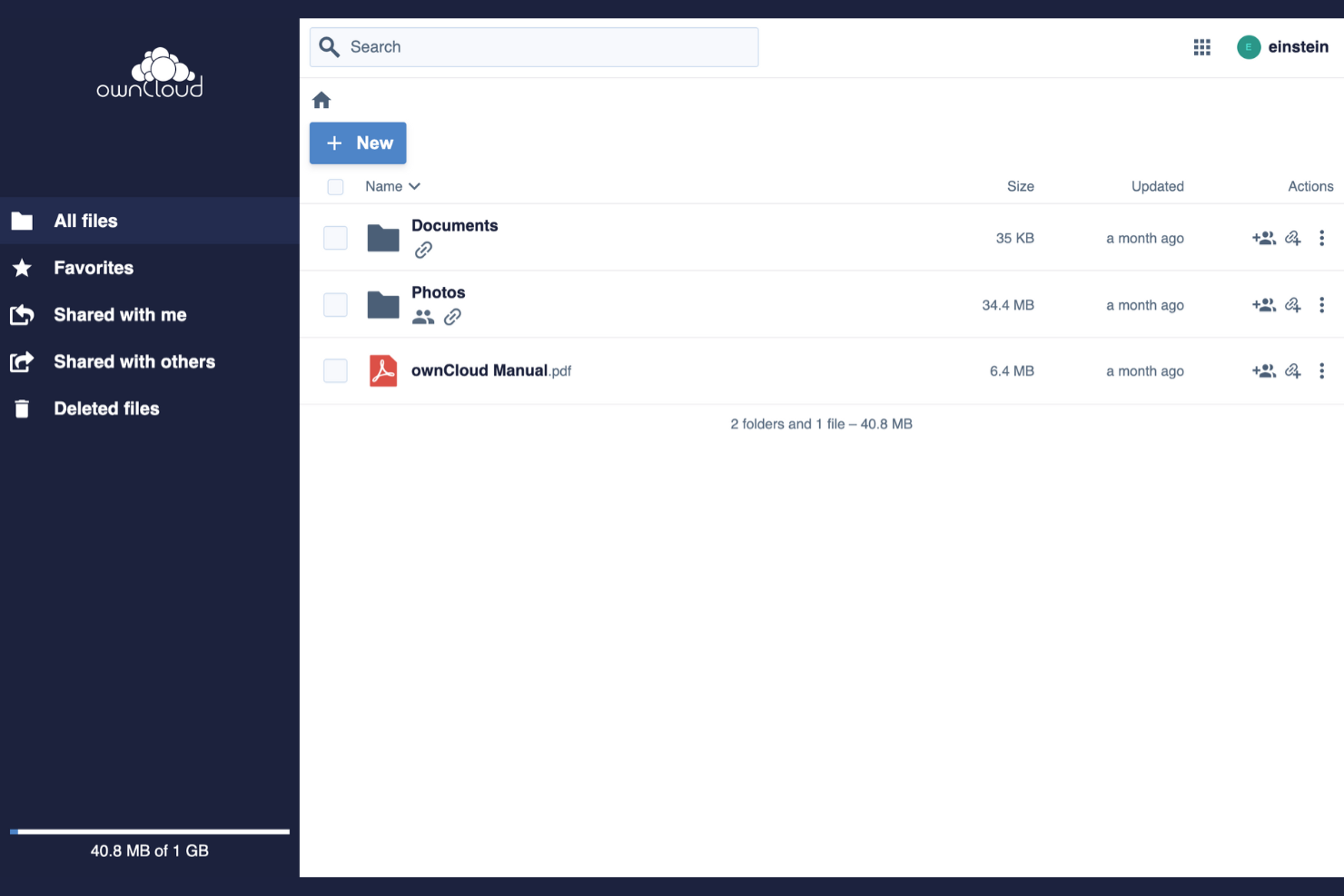
ownCloud is an open-source cloud storage platform designed for businesses and individuals who need secure data storage and sharing. It is popular among organizations that prioritize data privacy and compliance with various regulations.
Why ownCloud is a good Dropbox alternative: ownCloud offers unmatched data control and compliance features, making it ideal for users concerned about data privacy. With on-premises deployment options, you can host your data on your own servers, ensuring complete control. Its file access control and encryption features provide an extra layer of security. This makes ownCloud a great choice for industries with strict data regulations.
Standout Features and Integrations:
Features include file access control, which allows you to manage permissions and ensure data security. End-to-end encryption provides an added layer of protection for your sensitive information. The on-premises deployment option gives you complete control over your data storage environment.
Integrations include Microsoft 365, Collabora Online, ONLYOFFICE, and more.
Pros and Cons
Pros:
- Supports on-premises hosting
- Customizable deployment options
- Data privacy features
Cons:
- No built-in office suite
- Manual server infrastructure management

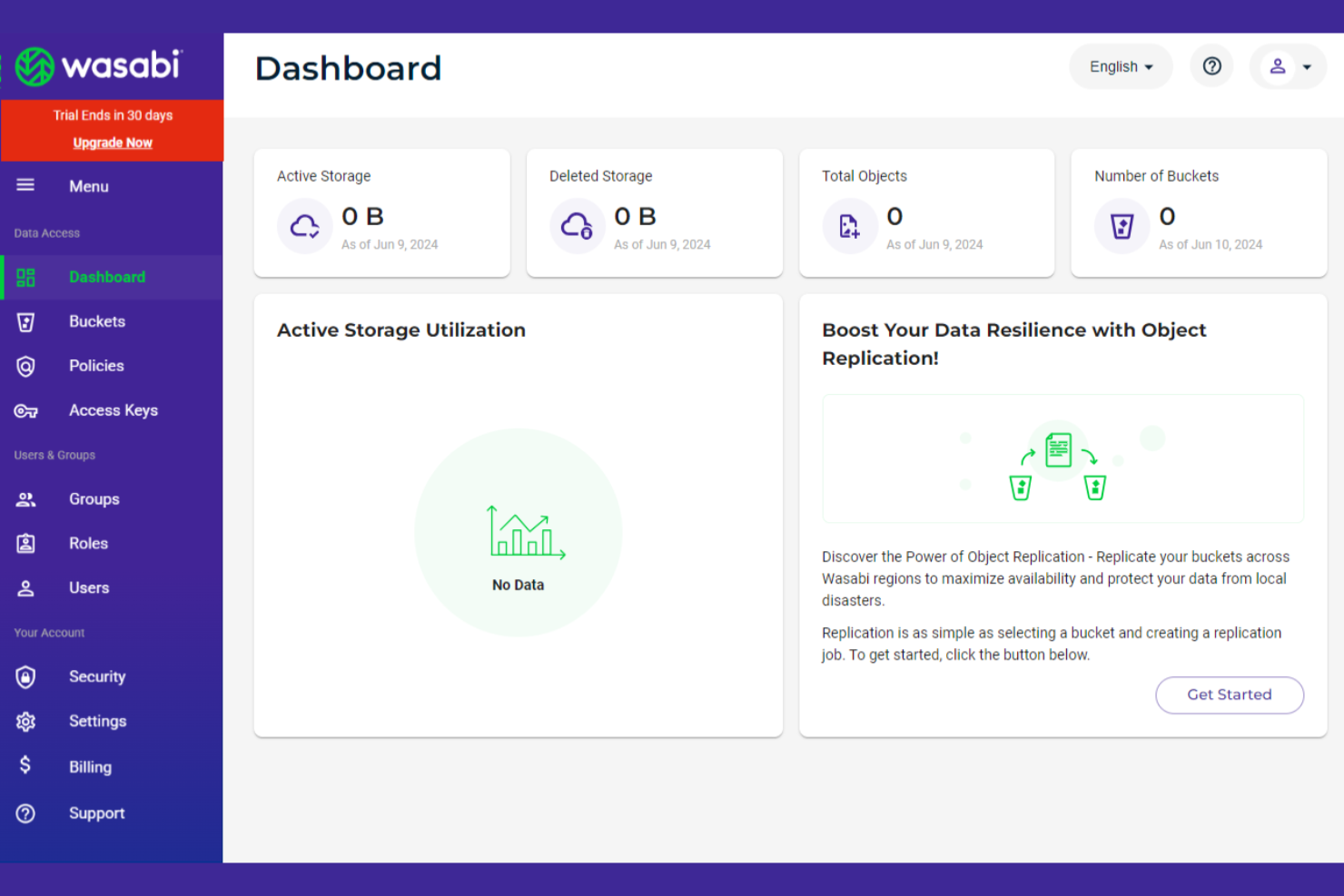
Wasabi is a cloud storage service that provides affordable and high-performance storage solutions for businesses and individuals. It mainly serves users who need cost-effective and reliable storage for large amounts of data.
Why Wasabi is a good Dropbox alternative: Wasabi offers low-cost data storage without compromising on performance, making it ideal for those looking to save on storage expenses. With no egress fees and a simple pricing model, you can accurately predict costs. The platform's high-speed data transfer capabilities ensure quick access to your files. Wasabi also provides strong security features to keep your data safe.
Standout Features and Integrations:
Features include high-speed data transfers, allowing you to quickly upload and download files. The platform's data immutability feature ensures that your files can't be altered or deleted. Wasabi also offers a simple pricing model with no egress fees, making it easy to manage your storage costs.
Integrations include Veeam, Commvault, Rubrik, Arcserve, Versity, Synology, QNAP, Panzura, and more.
Pros and Cons
Pros:
- Data immutability feature
- No egress fees
- Predictable pricing model
Cons:
- No built-in automatic backup
- Lacks native file sharing
Other Dropbox Alternatives
Here are some additional Dropbox alternatives that didn’t make it onto my shortlist but are still worth checking out:
- Proton Drive
For privacy-focused storage
- Apple iCloud
For Apple ecosystem integration
- Tresorit
For secure team collaboration


How I Evaluate Dropbox Alternatives
I look at Dropbox alternatives in two layers: what the tool must do to qualify (like version history and sync) and what separates the right pick for a creative agency versus a PMO.
Core Functionality (Table Stakes For This List)
When I'm selecting tools for my list, I rank each one on a scale from 0 (does not offer the functionality) to 5 (excels in this area) for each core functionality listed below. Then, I calculate the tool's total score into a percentage. Each tool needs to achieve a minimum total score of 65% to be considered for inclusion.
- Cloud File Storage: I evaluate each tool's storage tiers and file size limits to make sure project teams can house large deliverables like video edits or design files without constant cleanup.
- File Sync & Sharing: Each platform's sync client matters—I check for selective sync, offline access, and external link controls like password protection and expiration dates.
- Version Control & History: Restoration depth is a big deal here. I look at how far back version history extends and how easy it is to roll back a file after an accidental overwrite.
- Access Permissions & Security: Folder-level and file-level permissions, SSO, 2FA, and encryption standards all factor in, especially for teams sharing sensitive project documents with external stakeholders.
- Collaboration Features: I look at whether the platform supports co-editing, inline comments, and shared workspaces—tools like Box and Google Drive approach this differently.
- Project Tool Integrations: Connections to platforms like Asana, Jira, Slack, and Microsoft 365 get evaluated because project files rarely live in isolation from task and communication workflows.
Once I have a list of tools that meet this criteria, I consider what sets each platform apart.
Differentiating Factors (What Sets Vendors Apart)
Here's how I compare and contrast different vendors:
Standout Features
Large file transfer is a big one—when your team regularly ships video assets or CAD drawings, you need a platform that handles multi-gigabyte uploads natively. I also evaluate whether a tool offers client-facing portals, since project leads managing external stakeholders benefit from a branded space to share deliverables and collect approvals. Smart content search matters too. Being able to locate a specific contract or spec sheet across thousands of files using OCR or metadata search saves real time on document-heavy projects.
Beyond Features
Pricing structure matters because per-user costs add up fast on a 30-person project team. I compare storage-to-cost ratios against Dropbox to confirm you're actually getting more value by switching. Ecosystem depth is another factor—whether a tool connects natively to Jira, Slack, or Monday can determine how well files stay linked to active project work. Migration support also weighs in. Switching from Dropbox mid-project is risky, so I check whether vendors offer migration tools or services to move existing file structures without losing permissions or version history.
Why Look for a Dropbox Alternative?
While Dropbox is a good choice of cloud storage software, there are a number of reasons why some users seek out alternative solutions. You might be looking for a Dropbox alternative because:
- You need more storage at a lower cost
- Your team requires stronger data encryption
- You want better integration with non-Microsoft tools
- Your business needs compliance with specific regulations
- You require more advanced collaboration features
If any of these sound like you, you’ve come to the right place. My list contains several cloud storage software options that are better suited to teams facing these challenges with Dropbox and looking for alternative solutions.
Dropbox Key Features
Here are some of the key features of Dropbox, to help you contrast and compare what alternative solutions offer:
- File storage and sharing: Access and share files across devices, keeping your team connected.
- Video review: Efficiently review and approve videos, refining your team's feedback process.
- Automatic backup: Automatically back up devices to ensure your data is safe and recoverable.
- AI scheduling: Utilize AI for scheduling tasks and meetings, saving your team time and effort.
- Content organization: Organize and protect content with Dropbox Dash, making it easy to find what you need.
- Secure document sending: Send and track documents securely with DocSend, ensuring your information stays protected.
- Electronic signatures: Use Dropbox Sign to add signatures to documents, simplifying your workflow.
- Early access: Preview new product features, keeping your team ahead with the latest tools.
- Annotation tools: Annotate PDFs and manage tasks directly within Dropbox, improving team collaboration.
- Desktop and mobile apps: Access Dropbox on any device, ensuring flexibility and convenience for your team.