

10 Egnyte Alternatives for Secure File Sharing in 2026

Egnyte Alternatives Shortlist


A strong Egnyte alternative gives your team a secure file sharing solution, flexible collaboration, and granular data protection—without sacrificing easé of use or compliance. If you’re searching for Egnyte alternatives, you’re likely weighing cost-effective options to optimize your organization’s workflows, security needs, or integration requirements. With so many ai-powered cloud content collaboration tools available, it’s tough to know which scalable platforms actually deliver on reliability, active directory user management, and productivity. This list will help you quickly compare the top Egnyte alternatives for 2026, so you can find the right solution for your smb or enterprise team’s unique needs and priorities.
What Is Egnyte?
Egnyte is a cloud-based file server and collaboration tool that lets teams securely store, share, and manage files across devices and locations. It combines centralized file access without the need for a vpn, alongside file locking, advanced permission controls, single sign-on authentication, and api integration options for popular productivity apps like excel and powerpoint. Egnyte is used by organizations that need to balance collaboration with strict data security and regulatory requirements, making it a common choice for industries like healthcare, finance, and professional services.
Best Egnyte Alternatives Summary
This comparison chart summarizes pricing details for my top Egnyte alternative selections to help you find the best one for your budget and business needs.
| Tool | Best For | Trial Info | Price | ||
|---|---|---|---|---|---|
| 1 | Best with native productivity app integration | 14-day free trial available | From $7/user/month (billed annually) | Website | |
| 2 | Best for on-premises data control | Free trial + free demo available | From €71.29/user/year | Website | |
| 3 | Best with built-in video conferencing | Free trial available | From $4.00/user/month (billed annually) | Website | |
| 4 | Best for enterprise-grade workflow automation | 14-day free trial | From CAD$21/user/month (billed annually) | Website | |
| 5 | Best with advanced compliance options | Free demo + 14-day free trial available | From $14/user/month (billed annually) | Website | |
| 6 | Best for collaborative document editing | Free Dropbox plan available | From $9.99/person/month (billed annually) | Website | |
| 7 | Best for integrated messaging and file sharing | 14-day free trial | From £18/user/month | Website | |
| 8 | Best for real-time team communication | Free plan available | From $7.25/user/month (billed annually) | Website | |
| 9 | Best for task-centric collaboration | Free plan + 14-day free trial + free demo available | From $10/user/month (billed annually) | Website | |
| 10 | Best for internal knowledge management | Free demo available | From $10/user/month | Website |

Why Trust Our Software Recommendations
Our team has been testing and reviewing software since 2012. As project managers ourselves, we know how difficult—and important—it is to choose the right software.
For this guide, we evaluated tools using hands-on testing and independent research, scoring tools using our selection criteria. We also draw on insights from industry thought leaders and practicing project management experts.
Our reviews reflect our human editorial judgment, not a sales pitch.
Expert reviewers:
Egnyte Alternatives Reviews
Below are my detailed summaries of the best Egnyte alternatives that made it onto my shortlist. My reviews offer a detailed look at the features, integrations, and best use cases of each platform to help you find the best one for your team.

Best with native productivity app integration
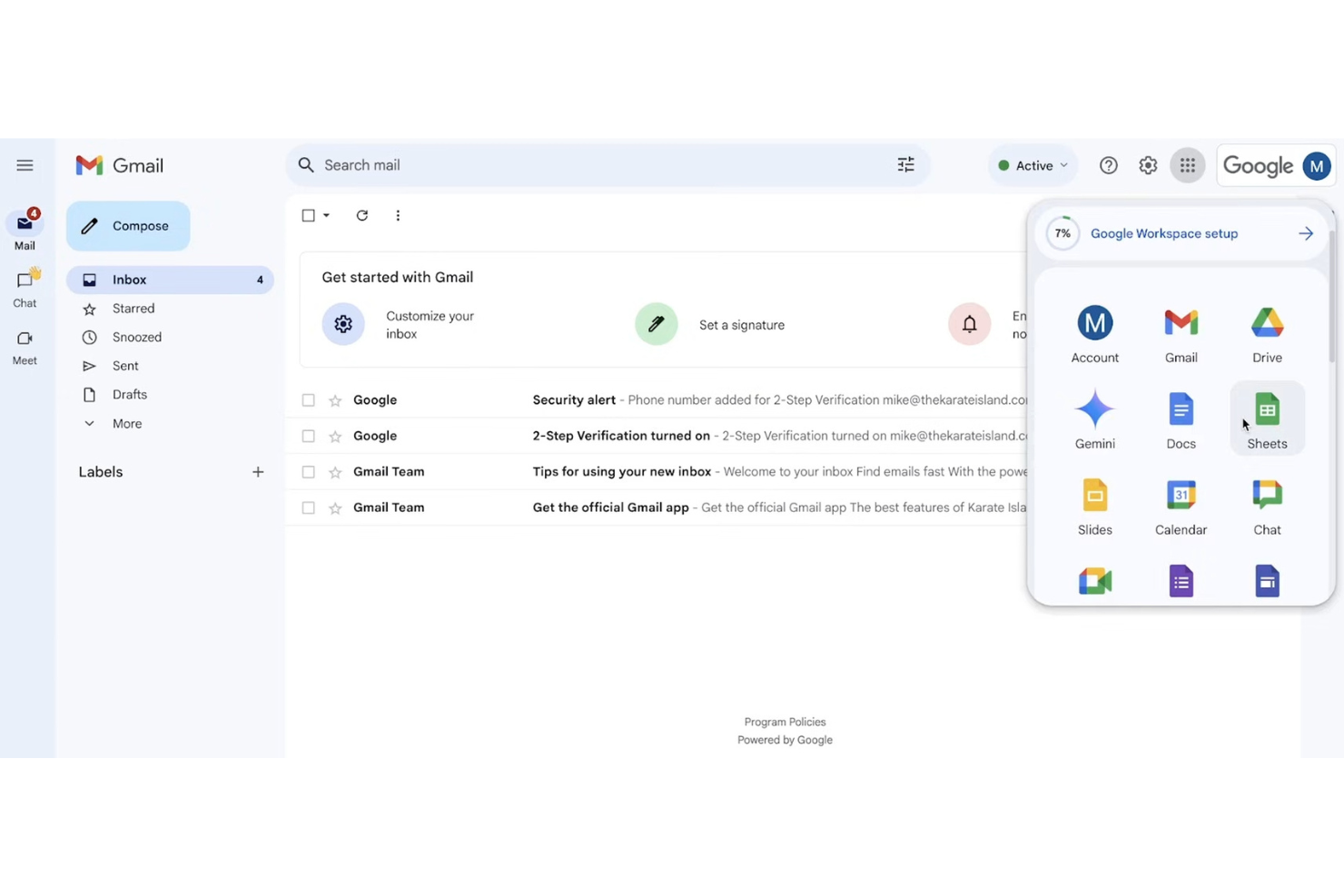
Teams that rely on Google’s productivity apps for daily work often choose Google Workspace for content collaboration. The platform brings together Docs, Sheets, Slides, and Drive, making it easy to co-edit, share, and organize files without leaving the Google ecosystem. If your workflows depend on real-time editing and seamless integration with native productivity tools, Google Workspace offers a unified experience that stands apart from Egnyte and similar solutions.
Why Google Workspace Is a Good Egnyte Alternative
For teams that want content collaboration tightly woven into their productivity apps, Google Workspace is a natural fit. I picked Google Workspace because it lets you create, edit, and share Docs, Sheets, and Slides directly from Drive, so your files and workflows stay in sync. Real-time co-authoring and built-in commenting keep feedback and version history right where the work happens. If your team values seamless transitions between content creation and collaboration, Google Workspace delivers a unified experience that Egnyte doesn’t match.
Google Workspace Key Features
Some other features in Google Workspace that support content collaboration and productivity include:
- Shared Drives: Organize files by team or project with shared storage spaces.
- Admin Console: Manage users, permissions, and security settings from a centralized dashboard.
- Google Meet Integration: Launch video meetings directly from calendar events or documents.
- Mobile Apps: Access, edit, and share files from Android and iOS devices.
Google Workspace Integrations
Integrations include Salesforce, DocuSign, Asana, Zoom, Slack, Trello, Box, Dropbox, Adobe Acrobat, and Smartsheet.
Pros and Cons
Pros:
- Excellent search engine
- Built-in video meetings
- Highly scalable storage
Cons:
- Weaker compliance tools
- Messy shared drives UI

Best for on-premises data control
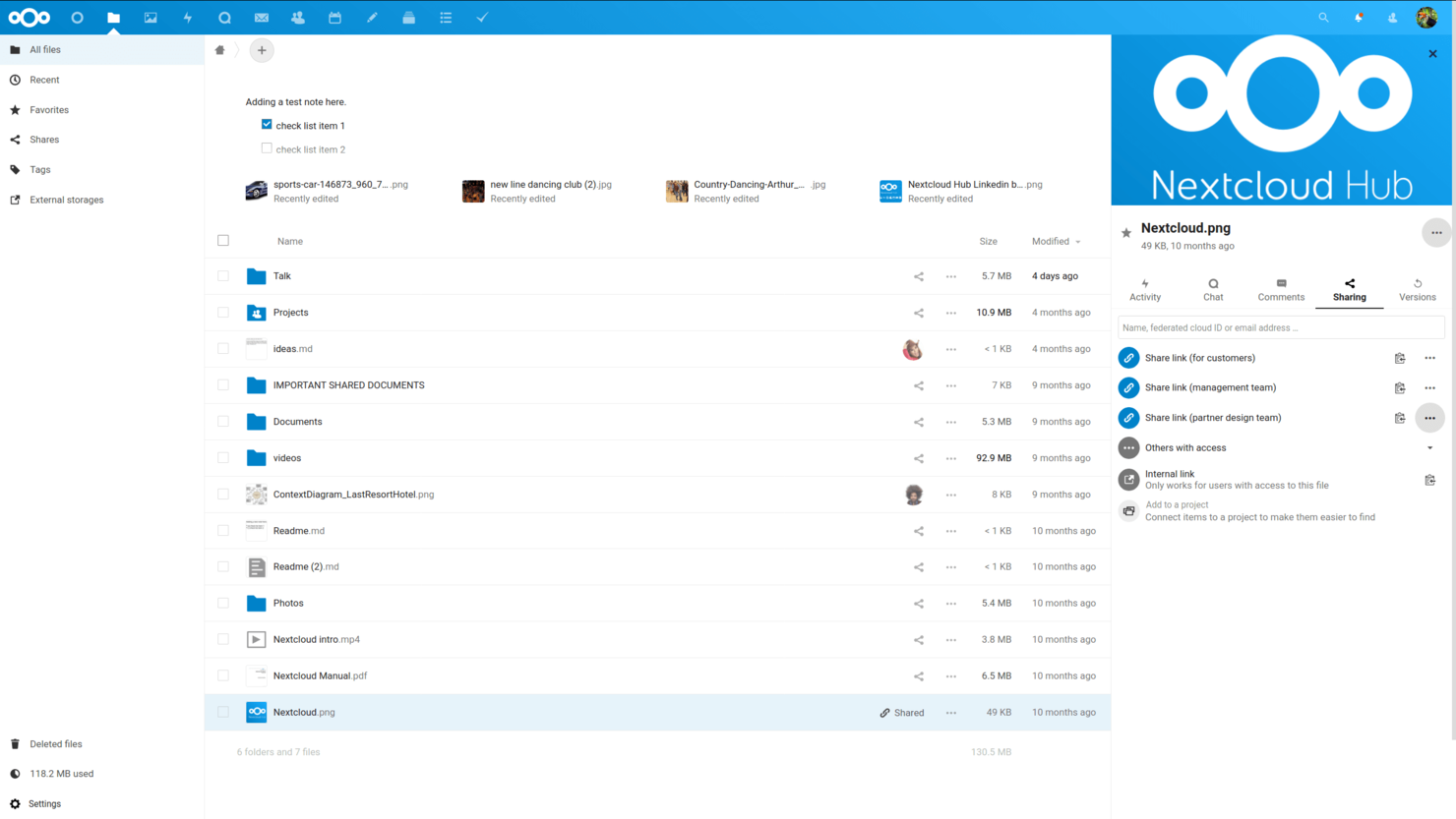
Nextcloud is designed for organizations that need full control over their data and infrastructure. It’s a strong fit for IT teams in regulated industries or any business that wants to keep files on-premises rather than in the public cloud. Nextcloud stands out by letting you customize your collaboration environment while meeting strict security and compliance requirements.
Why Nextcloud Is a Good Egnyte Alternative
Nextcloud stands out for teams that need on-premises data control, which is something Egnyte doesn’t offer natively. I picked Nextcloud because it lets you host your own servers, giving you direct oversight of where and how your files are stored. Its granular permission settings and built-in auditing tools help organizations meet strict compliance and privacy requirements. For businesses that can’t use public cloud storage, Nextcloud provides a flexible and secure collaboration environment.
Nextcloud Key Features
Some other features in Nextcloud that are useful for content collaboration include:
- Integrated Document Editing: Collaborate on documents in real time using built-in editors for text, spreadsheets, and presentations.
- File Versioning: Automatically keep track of file changes and restore previous versions when needed.
- Mobile and Desktop Sync Apps: Access and sync files across devices with dedicated apps for Windows, macOS, Linux, iOS, and Android.
- Workflow Automation: Set up custom rules to automate file handling, approvals, and notifications within your workspace.
Nextcloud Integrations
Integrations include Collabora Online, ONLYOFFICE, Microsoft Teams, Outlook, and Matrix.
Pros and Cons
Pros:
- Open-source transparency
- Custom branding options
- Lower per-user costs
Cons:
- Support costs are extra
- Lacks native hybrid sync

Best with built-in video conferencing
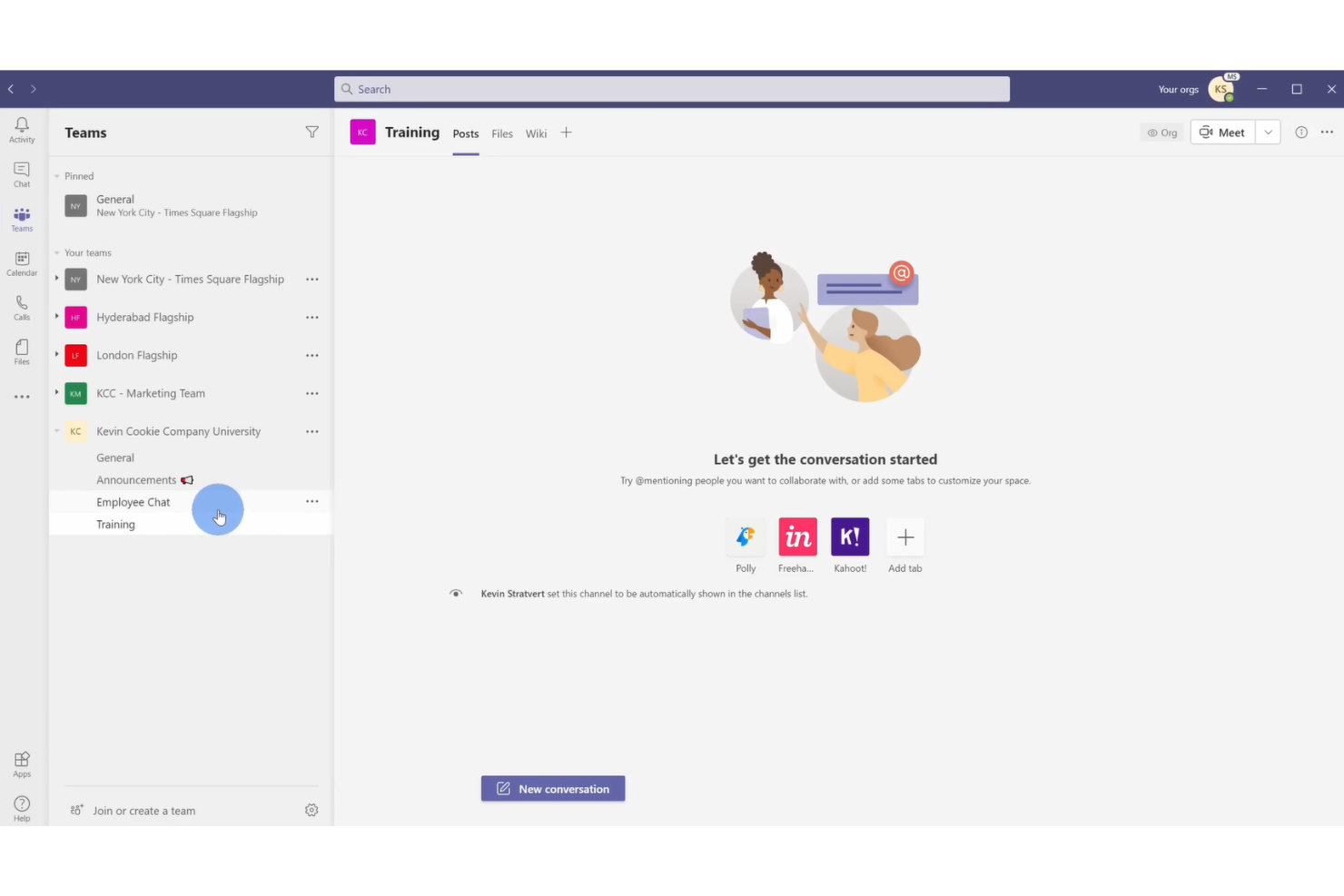
For organizations that need real-time collaboration with integrated video meetings, Microsoft Teams brings chat, file sharing, and video conferencing into one workspace. It’s a strong fit for distributed teams, especially those already using Microsoft 365, who want to manage documents and meetings without switching platforms. Teams stands out from other collaboration tools by making video calls, chat, and document co-authoring available in a single, unified interface.
Why Microsoft Teams Is a Good Egnyte Alternative
Unlike traditional file storage platforms, Microsoft Teams puts built-in video conferencing at the center of its collaboration experience. I picked Teams because it lets users launch video meetings directly from chat or document collaboration spaces, making it easy to move from discussion to action. Teams also supports real-time document co-authoring during meetings, so your team can edit files together while talking face-to-face. If your projects rely on frequent video calls and live collaboration, Teams offers a unified environment that goes beyond what Egnyte provides.
Microsoft Teams Key Features
Some other features in Microsoft Teams that support collaboration and content management include:
- Channel-Based Organization: Group conversations, files, and meetings by project or topic in dedicated channels.
- Integrated Task Management: Assign, track, and manage tasks within Teams using built-in tools like Planner and To Do.
- File Sharing with Version History: Share documents and access previous versions directly within chat or channels.
- Customizable Tabs: Add apps, files, or web pages as tabs in any channel for quick access to key resources.
Microsoft Teams Integrations
Integrations include Microsoft 365, SharePoint, Salesforce, Trello, and Zoom.
Pros and Cons
Pros:
- Massive user ecosystem
- Co-authoring natively
- Live video and chat
Cons:
- Clunky external sharing
- Hard to govern access

Box
Best for enterprise-grade workflow automation
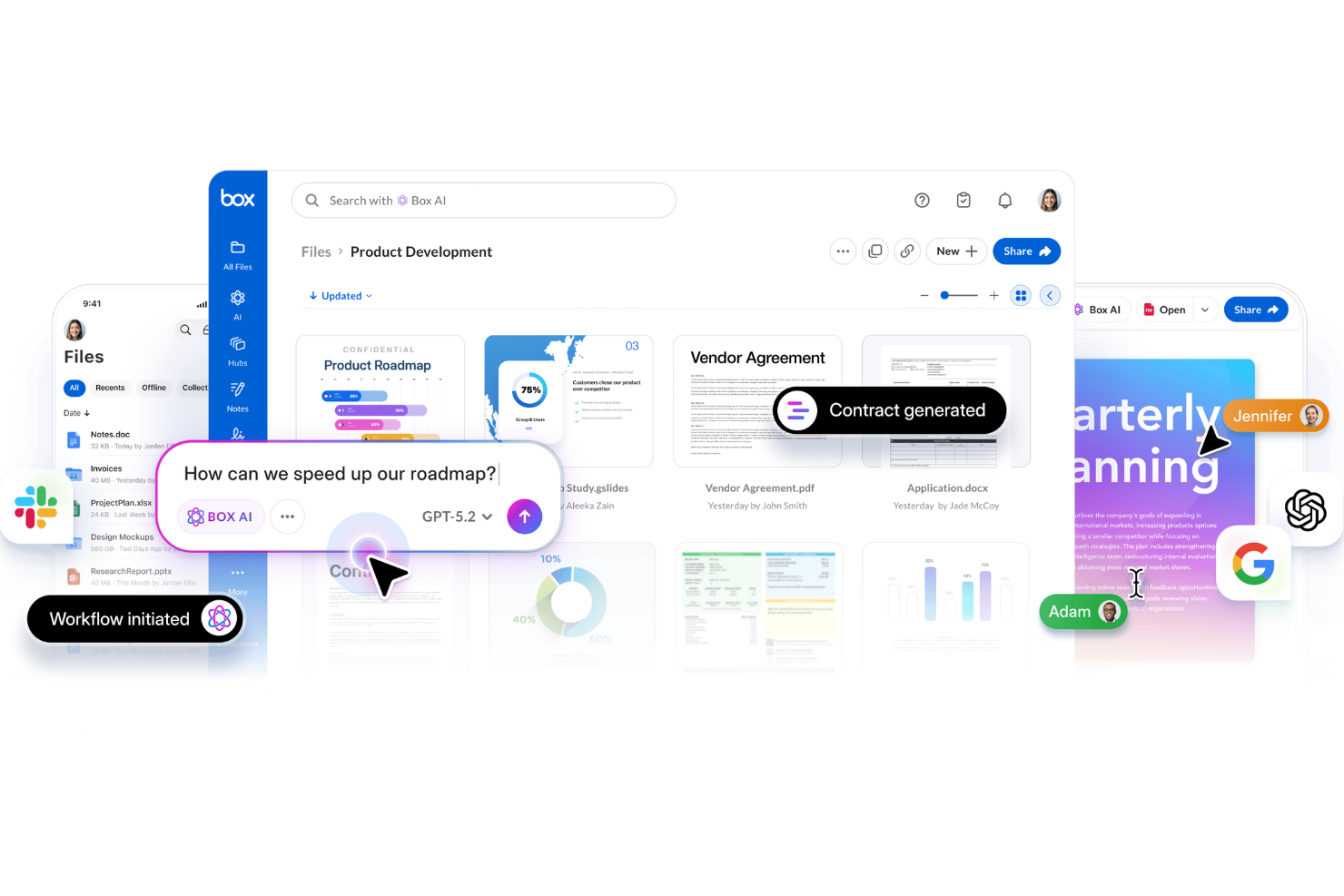
For organizations that need to automate complex content workflows at scale, Box offers a platform built for enterprise demands. Its workflow automation tools appeal to IT teams, legal departments, and regulated industries that require strict control over document processes. Box stands out from other collaboration tools by letting you design, automate, and monitor multi-step workflows directly within your content repository.
Why Box Is a Good Egnyte Alternative
Box is a strong choice if your team needs advanced workflow automation built into your content management system. I picked Box because its Box Relay feature lets you create custom, multi-step workflows for document approvals, reviews, and routing—all without leaving the platform. You can automate repetitive processes and set up triggers based on file activity, which is especially useful for teams with strict compliance or audit requirements. For organizations that want to move beyond simple file sharing, Box’s automation capabilities offer a clear advantage.
Box Key Features
Some other features in Box that help teams manage content include:
- Granular Access Controls: Set detailed permissions for users, groups, and external collaborators.
- Document Watermarking: Apply visible watermarks to sensitive files for added security.
- Version History: Track and restore previous versions of documents as needed.
- eSignature Integration: Collect legally binding electronic signatures directly within Box.
Box Integrations
Integrations include Salesforce, Slack, Microsoft 365, Google Workspace, and Zoom.
Pros and Cons
Pros:
- Excellent mobile apps
- Massive app integrations
- Top enterprise compliance
Cons:
- Complex metadata rules
- Strict storage limits

Best with advanced compliance options
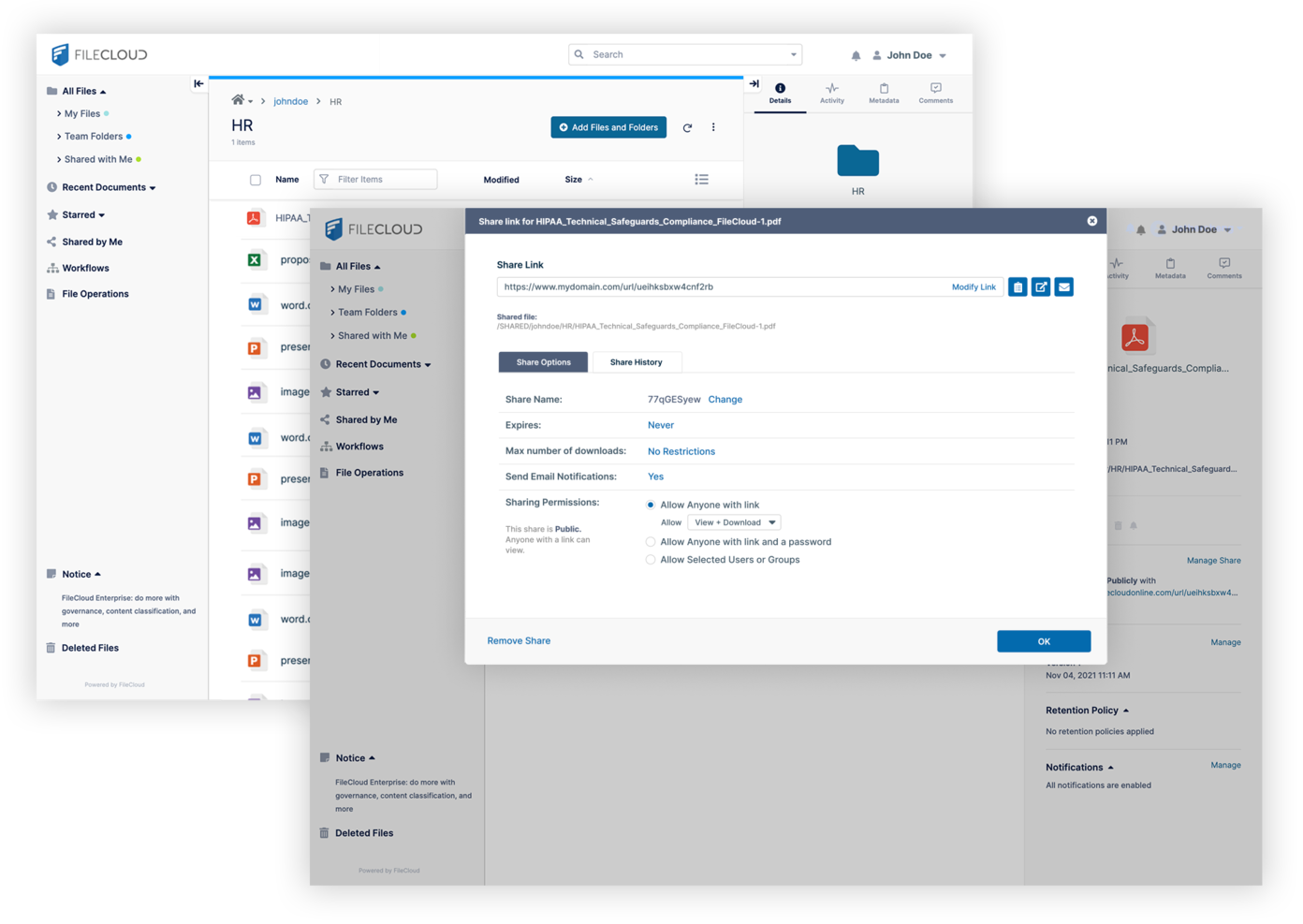
If your organization needs to meet strict regulatory requirements, FileCloud offers advanced compliance features that go beyond most cloud collaboration tools. It’s especially useful for legal, healthcare, and financial teams that handle sensitive or regulated data. FileCloud stands out by providing built-in support for frameworks like HIPAA, GDPR, and ITAR, making it easier to manage compliance directly within your file sharing environment.
Why FileCloud Is a Good Egnyte Alternative
For teams that need advanced compliance options, FileCloud offers a level of control that’s hard to match. I picked FileCloud because it includes built-in compliance templates for HIPAA, GDPR, and ITAR, which help organizations automate and document their regulatory processes. Its data residency controls and audit logging features make it easier to prove compliance during audits. If your business faces strict regulatory scrutiny, FileCloud provides the tools to manage sensitive data with confidence.
FileCloud Key Features
Some other features in FileCloud that are valuable for collaboration include:
- Granular User Role Management: Assign specific permissions and access levels to users and groups.
- Custom Branding: Personalize the interface with your organization’s logo, colors, and domain.
- Integrated File Versioning: Track changes and restore previous versions of documents as needed.
- Secure File Sharing Links: Generate password-protected and time-limited links for external sharing.
FileCloud Integrations
Integrations include Microsoft Office, Google Workspace, Active Directory, Salesforce, and Microsoft Teams.
Pros and Cons
Pros:
- White-labeling support
- Granular access controls
- Endpoint backup options
Cons:
- Weaker third-party sync
- Smaller user community

Best for collaborative document editing
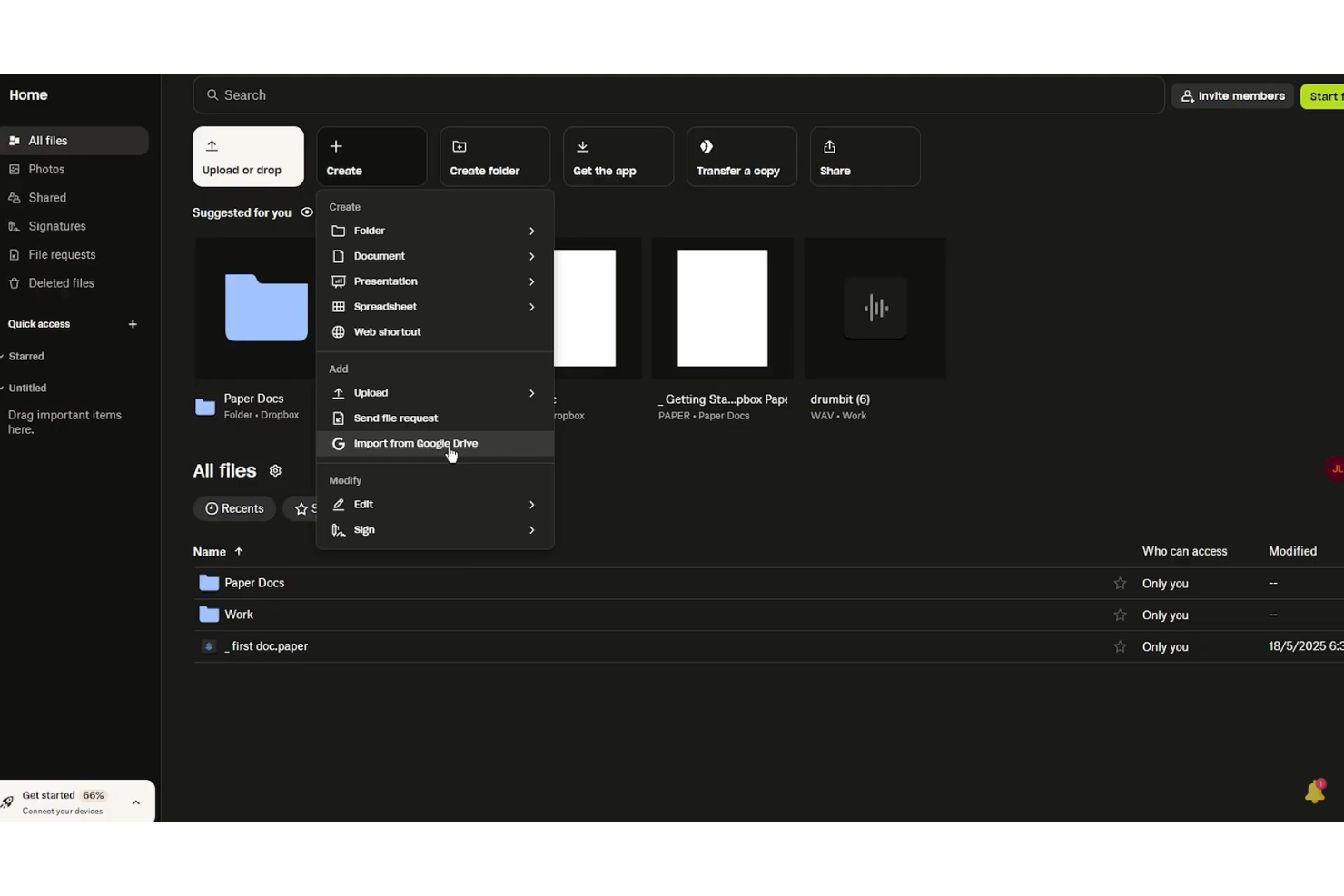
If your team needs a workspace for real-time document editing and feedback, Dropbox Paper is worth a look. The platform combines collaborative writing, task assignment, and media embedding in a single document, making it useful for creative teams and project groups. Unlike Egnyte, Dropbox Paper centers on live co-editing and in-document discussions, so your team can keep conversations and content together.
Why Dropbox Paper Is a Good Egnyte Alternative
When your team’s top priority is collaborative document editing, Dropbox Paper offers a focused solution that stands apart from Egnyte. I picked Dropbox Paper because it lets multiple users co-edit documents in real time, with instant updates and in-line comments that keep feedback visible and actionable. You can embed images, videos, and even code snippets directly into documents, supporting a wide range of project needs. For teams that want to keep content creation and discussion in one place, Dropbox Paper delivers a streamlined, interactive workspace.
Dropbox Paper Key Features
Some other Dropbox Paper features that support collaborative work include:
- Task Assignment: Assign tasks to team members directly within documents.
- Calendar Integration: Connect Paper docs to calendar events for meeting notes and agendas.
- Document Templates: Use pre-built templates for meeting notes, project plans, and brainstorming.
- Version History: Track changes and restore previous versions of documents.
Dropbox Paper Integrations
Integrations include Google Workspace, Microsoft Office, Adobe, HubSpot, Autodesk, Canva, AWS, Slack, Zoom, and Trello.
Pros and Cons
Pros:
- Links to Dropbox files
- Fast team brainstorming
- Great media embeds
Cons:
- Weak compliance controls
- No hybrid cloud setup

Best for integrated messaging and file sharing
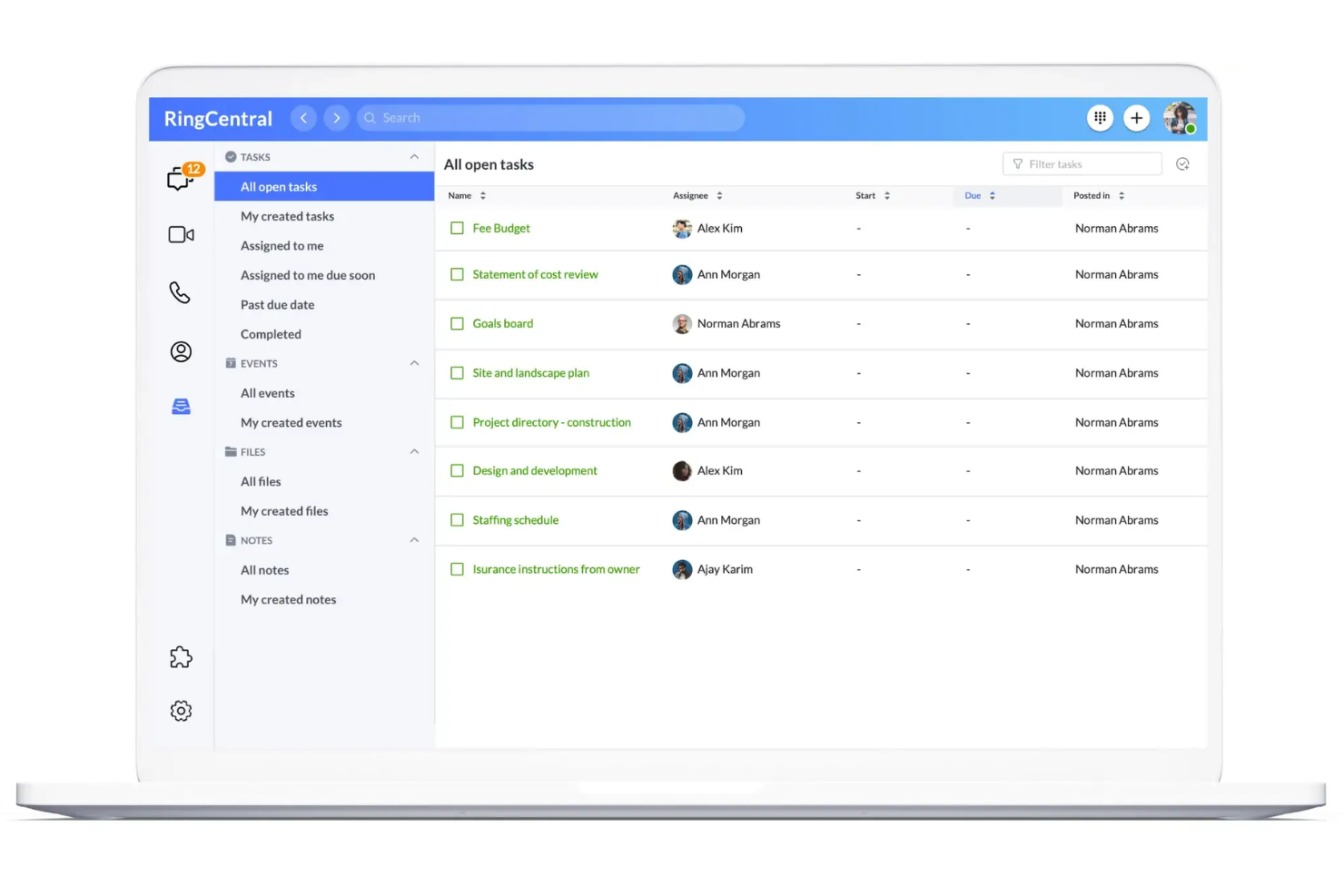
Teams looking for a unified space to message, call, and share files often turn to RingCentral. This platform is especially useful for distributed organizations that want to keep conversations and documents in one place without switching between multiple apps. Unlike many other collaboration tools, RingCentral combines persistent chat, video meetings, and file sharing in a single interface.
Why RingCentral Is a Good Egnyte Alternative
If your team needs messaging and file sharing in one place, RingCentral is worth considering. I picked RingCentral because it lets users chat, share files, and launch video meetings without leaving the platform. Its persistent team messaging keeps conversations organized alongside shared documents, so you don’t have to juggle separate tools for communication and collaboration. For teams that want to reduce context switching, RingCentral’s integrated approach is a strong fit.
RingCentral Key Features
Some other features in RingCentral that help teams collaborate include:
- Task Assignment: Assign tasks to team members directly within conversations.
- Calendar Integration: Sync meetings and events with Google Calendar or Microsoft Outlook.
- Screen Sharing: Share your screen during calls or video meetings for real-time collaboration.
- Team Workspaces: Create dedicated spaces for projects, departments, or topics.
RingCentral Integrations
Integrations include Microsoft Teams, Salesforce, Google Workspace, HubSpot, Zendesk, AWS, Slack, ServiceNow, Okta, and Box.
Pros and Cons
Pros:
- Unified comms platform
- Easy external sharing
- Great video meetings
Cons:
- No strict data residency
- Lacks hybrid deployment

Slack
Best for real-time team communication
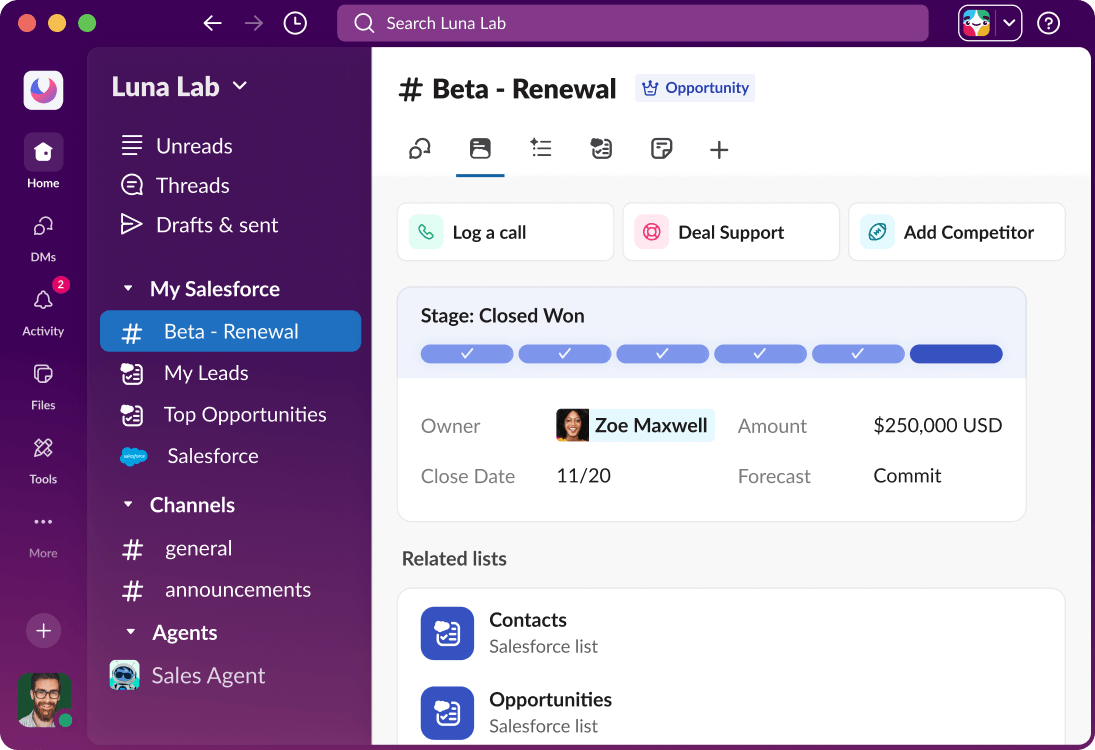
If your team needs fast, organized communication alongside file sharing, Slack is worth a close look. It’s especially useful for tech companies and distributed teams that rely on real-time messaging and searchable conversations to keep projects moving. Slack stands apart from other collaboration tools by making chat, file uploads, and app integrations instantly accessible in one place.
Why Slack Is a Good Egnyte Alternative
For teams that need instant communication tied to their content, Slack offers a different approach than traditional file storage platforms. I picked Slack because it centers collaboration around real-time messaging, letting users discuss files, projects, and updates in dedicated channels. Slack also supports threaded conversations and searchable message history, so your team can quickly find past discussions and shared documents. If your workflow depends on fast responses and ongoing dialogue, Slack brings chat and content together in a way that Egnyte doesn’t.
Slack Key Features
Some other features in Slack that support content collaboration and team productivity include:
- Workflow Builder: Automate routine tasks and processes directly within Slack channels.
- File Previews: View documents, images, and other files without leaving the conversation.
- Customizable Notifications: Set notification preferences by channel, keyword, or time to manage focus.
- App Directory: Add tools like Google Drive, Asana, and Trello to centralize work in one place.
Slack Integrations
Integrations include Asana, Box, ChatGPT, Claude, GitHub Enterprise Server, Google Drive, Linear, Notion, Outlook Calendar, and Zoom.
Pros and Cons
Pros:
- Connects with everything
- Channel-based access
- Fast file search speed
Cons:
- Lacks local drive sync
- Weak data compliance

Wrike
Best for task-centric collaboration
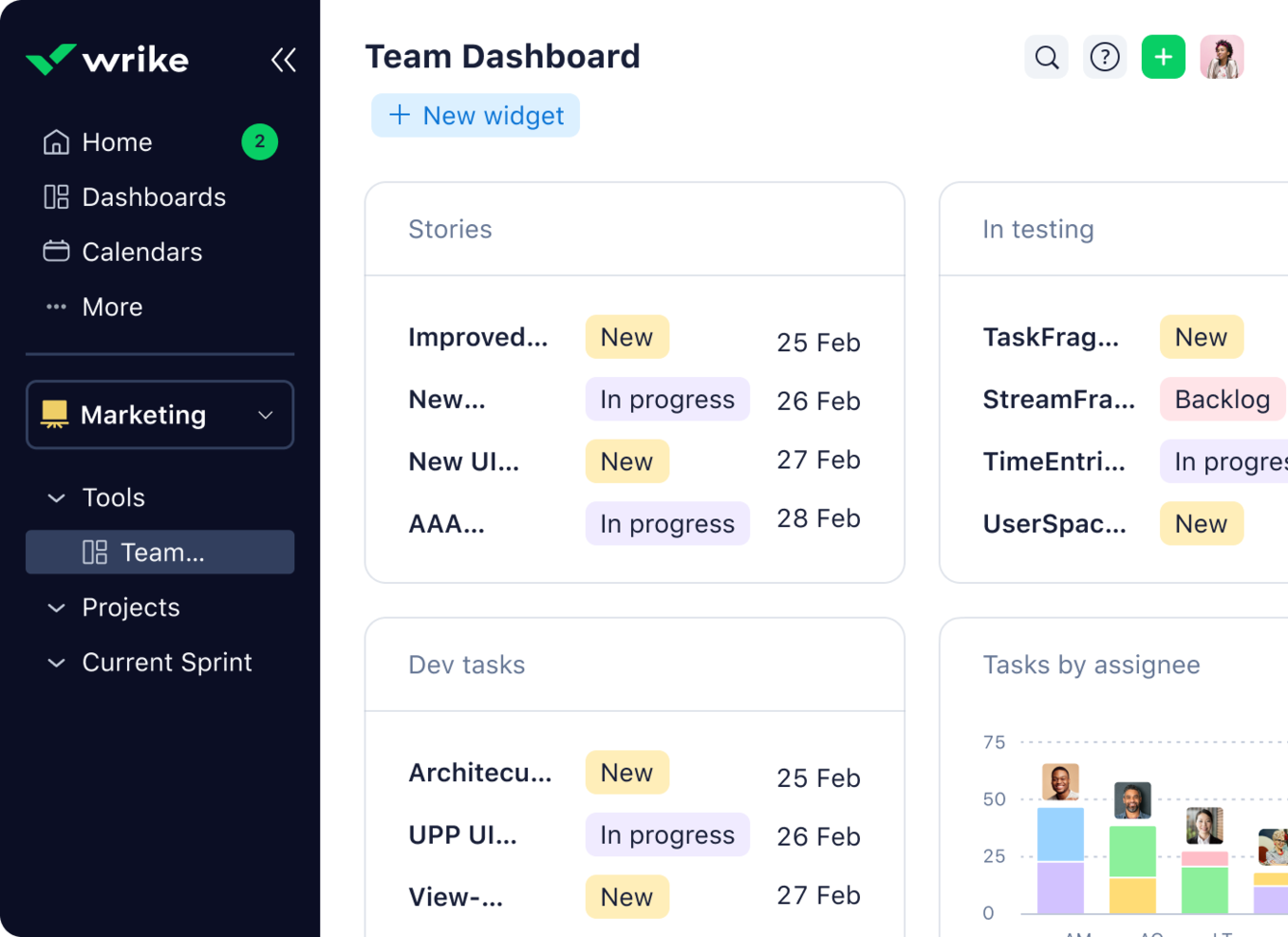
Project managers looking for a workspace that puts tasks at the center of collaboration often turn to Wrike. The platform is designed for teams that need to coordinate complex projects, track deliverables, and manage content in context with tasks. Wrike stands out from other cloud collaboration tools by tightly linking files, discussions, and approvals directly to actionable work items.
Why Wrike Is a Good Egnyte Alternative
Unlike traditional file storage platforms, Wrike puts tasks at the core of every collaboration. I picked Wrike because it lets teams attach files, comments, and approvals directly to tasks, so content always stays connected to actionable work. Wrike’s dynamic task lists and real-time activity streams help teams track progress and keep everyone aligned on deliverables. If your projects depend on clear task ownership and content tied to specific work items, Wrike offers a structure that Egnyte doesn’t.
Wrike Key Features
Some other features in Wrike that support content collaboration and project management include:
- Custom Workflows: Build and modify workflows to match your team’s unique processes.
- Document Versioning: Track changes and maintain a history of file updates within tasks.
- Gantt Chart View: Visualize project timelines and dependencies for better planning.
- Request Forms: Collect project requests and intake information using customizable forms.
Wrike Integrations
Integrations include Salesforce, HubSpot, Jira, GitHub, Microsoft Teams, Zoom, Slack, Dropbox, Outlook, and Tableau.
Pros and Cons
Pros:
- Strong timeline views
- Automates workflows well
- Great proofing tools
Cons:
- Confusing for basic sync
- Lacks hybrid deployment
New Product Updates from Wrike

Wrike Adds Quick Search to Table View
Wrike adds Quick Search to Table View with full-table search across titles, descriptions, and fields, plus highlighted matches. This helps users find tasks faster in large tables. For more information, visit Wrike’s official site.
Axero
Best for internal knowledge management
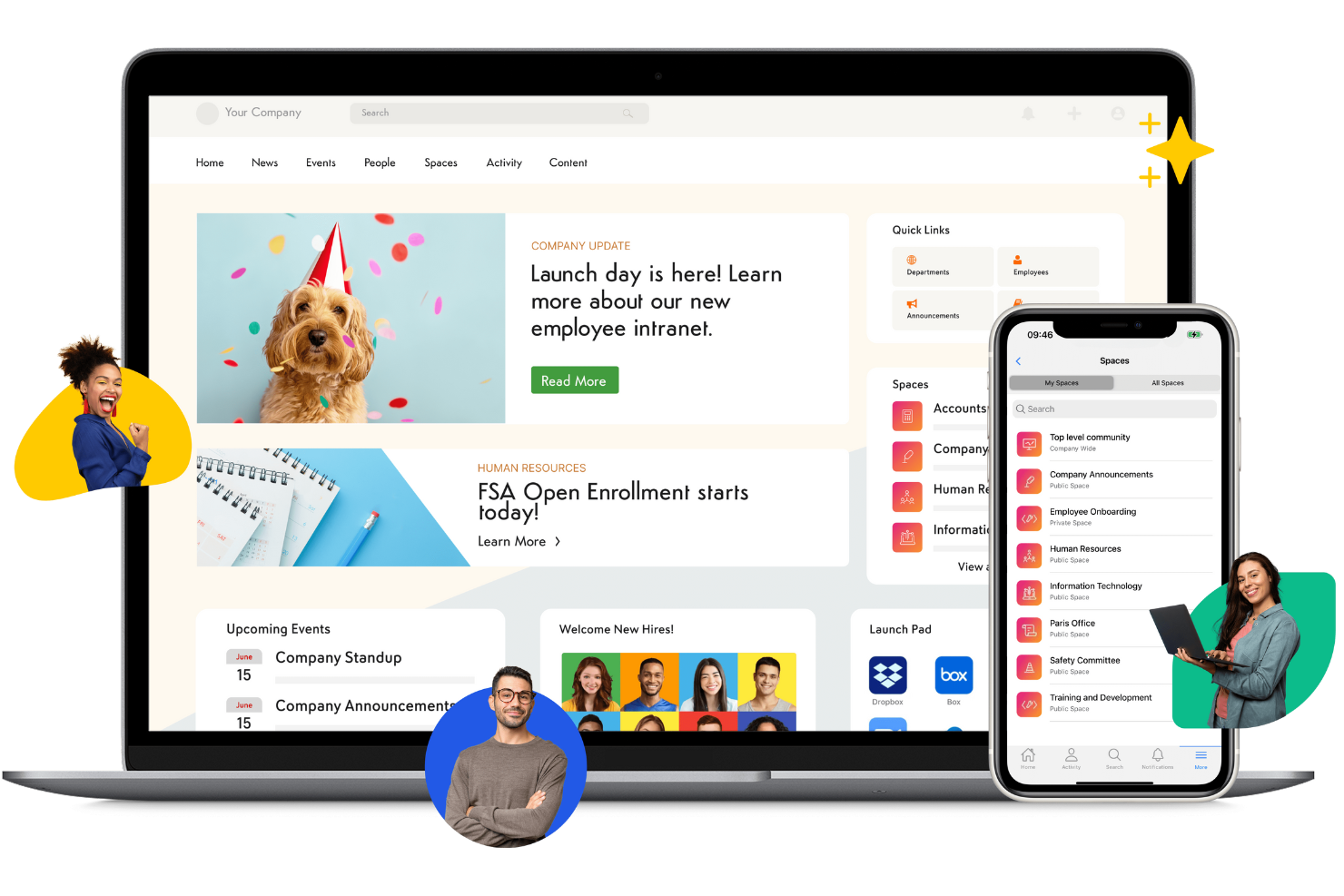
If your organization needs a central hub for internal knowledge, Axero is designed to help teams capture, organize, and share information across departments. It’s especially useful for HR, IT, and operations teams that want to build searchable knowledge bases, manage policies, and facilitate employee communication. Unlike other collaboration tools, Axero combines document management with social intranet features to support ongoing knowledge sharing and engagement.
Why Axero Is a Good Egnyte Alternative
For teams focused on building a strong internal knowledge base, Axero offers a different approach than traditional file storage platforms. I picked Axero because it combines document management with wiki-style content creation, making it easy to capture and organize institutional knowledge. Its advanced search and tagging features help employees quickly find policies, procedures, and best practices. If your priority is knowledge sharing and internal communication, Axero’s intranet-style platform stands out as a focused alternative to Egnyte.
Axero Key Features
Some other features in Axero that support collaboration and knowledge management include:
- Customizable Workspaces: Create dedicated spaces for teams, projects, or departments with tailored permissions.
- Discussion Forums: Enable threaded discussions for ongoing team conversations and Q&A.
- Document Version Control: Track changes and maintain a full history of document edits.
- Employee Directory: Maintain a searchable directory with profiles, roles, and contact information.
Axero Integrations
Integrations include Google Workspace, Microsoft 365, Slack, Zoom, Microsoft Teams, OneDrive, Dropbox, Box, ServiceNow, and Salesforce.
Pros and Cons
Pros:
- Custom portal branding
- Easy content publishing
- Good wiki knowledge base
Cons:
- Poor folder governance
- Lacks hybrid local cache
Other Egnyte Alternatives
Here are some additional Egnyte alternatives options that didn’t make it onto my shortlist, but are still worth checking out:
- OneHub
With granular user permission controls
- Confluence
For structured documentation
- Miro
For visual collaboration on shared boards
- Atlas
For connecting project updates to goals


How I Evaluate Egnyte Alternatives
I split my evaluation into baseline criteria—like encrypted sync, access controls, and compliance—and differentiators like hybrid deployment and PM integrations that matter most for project teams.
Core Functionality (Table Stakes For This List)
When I'm selecting tools for my list, I rank each one on a scale from 0 (does not offer the functionality) to 5 (excels in this area) for each core functionality listed below. Then, I calculate the tool's total score into a percentage. Each tool needs to achieve a minimum total score of 65% to be considered for inclusion.
- Secure File Storage: I check for encryption at rest and in transit, plus options like customer-managed keys that project teams in regulated industries expect.
- Granular Access Controls: Folder-level permissions and external user restrictions matter here, especially when sharing deliverables with contractors or clients.
- File Sync & Sharing: I evaluate desktop and mobile sync, selective sync options, and large-file sharing since construction and creative teams move big assets daily.
- Version Control & Co-Editing: Tracking revisions across project documents is key. I look for rollback, file locking, and real-time co-editing integrations.
- Hybrid & Multi-Cloud Support: Some teams still rely on on-prem servers alongside cloud storage. I look for hybrid sync, BYOS options, or multi-cloud connectors.
- Compliance & Governance: Audit logs, retention policies, and certifications like SOC 2, HIPAA, or GDPR signal a platform is ready for enterprise project environments.
Once I have a list of tools that meet this criteria, I consider what sets each platform apart.
Differentiating Factors (What Sets Vendors Apart)
Here's how I compare and contrast different vendors:
Standout Features
Native PM integrations are a big differentiator. I look for tools that connect directly with platforms like Jira, Procore, or Asana so teams access files without leaving their workflow. AI-powered content classification also stands out, especially for large repositories where manual tagging falls behind. For construction and creative teams, I evaluate how well a platform handles previews and transfers of CAD, BIM, or video assets. Branded client portals add value when you need to share deliverables with external stakeholders in a polished, trackable way.
Beyond Features
Deployment flexibility matters when you're moving off Egnyte. I evaluate whether a platform supports hybrid, pure-cloud, or BYOS setups since many teams still depend on local file servers at remote offices. Pricing structure is another key factor—per-user vs. per-storage models affect cost predictability as your team scales. I also check for migration tooling, because moving terabytes of project data from Egnyte or SharePoint without dedicated import utilities and onboarding support can stall a rollout for weeks.
Why Look For an Egnyte Alternative?
While Egnyte is a good choice of Cloud Content Collaboration Tool, there are a number of reasons why some users seek out alternative solutions. You might be looking for an Egnyte alternative because…
- You need more flexible workspace customization
- You want built-in project management features
- You require unlimited storage on lower-tier plans
- You need better real-time document collaboration
- You want more affordable pricing for small teams
- You require native integrations with specific tools
If any of these sound like you, you’ve come to the right place. My list contains several Cloud Content Collaboration Tool options that are better suited for teams facing these challenges with Egnyte and looking for alternative solutions.
Egnyte Key Features
Here are some of the key features of Egnyte, to help you contrast and compare what alternative solutions offer:
- Centralized cloud file storage and organization
- Granular user and folder permission controls
- Real-time file synchronization across devices
- Secure external file sharing with custom links
- Advanced ransomware and malware detection
- Detailed audit logs and activity tracking
- Native integrations with Microsoft 365 and Google Workspace
- Automated file versioning and recovery
- Hybrid deployment options for cloud and on-premises
- Mobile access with dedicated iOS and Android apps