

10 Best Project Management Software for Lawyers in 2026

Project Management Software for Lawyers Shortlist


Project management software for lawyers gives your firm a central place to organize cases, track deadlines, manage documents, and collaborate with clients and colleagues. If you’re searching for the best project management software for lawyers, you’re likely juggling complex caseloads, compliance requirements, and the need to keep everyone on the same page. The right tool can help you reduce manual work, improve visibility, and keep your practice running smoothly. In this guide, you’ll find expert-vetted options that fit the unique demands of legal work, so you can choose the best fit for your team and clients.
Why Trust Our Software Recommendations
Our team has been testing and reviewing software since 2012. As project managers ourselves, we know how difficult—and important—it is to choose the right software.
For this guide, we evaluated tools using hands-on testing and independent research, scoring tools using our selection criteria. We also draw on insights from industry thought leaders and practicing project management experts.
Our reviews reflect our human editorial judgment, not a sales pitch.
Expert reviewers:
Project Management Software for Lawyers Comparison Table
The table below compares pricing details for my top project management software selections for lawyers.
| Tool | Best For | Trial Info | Price | ||
|---|---|---|---|---|---|
| 1 | Best for automatic legal time tracking | Free demo available | Pricing upon request | Website | |
| 2 | Best for secure client collaboration portals | 10-day free trial | From $11/user/month | Website | |
| 3 | Best for all-in-one legal practice management | Free trial available | From £79/user/month | Website | |
| 4 | Best for case management and client communication | 10-day free trial and free demo available | From $50/user/month (billed annually) | Website | |
| 5 | Best for visual legal workflows and intake | 14-day free trial | From $39/user/month (billed annually) | Website | |
| 6 | Best for document-driven case management | Free trial + free demo available | Pricing upon request | Website | |
| 7 | Best for legal CRM and document management | Free demo available | Pricing upon request | Website | |
| 8 | Best for legal billing and time tracking | 10-day free trial + free demo available | From $59/user/month (billed annually) | Website | |
| 9 | Best for legal workflow and matter management | Free demo available | Pricing upon request | Website | |
| 10 | Best for customizable legal workflows | Free demo available | From $70/user/month | Website |
Project Management Software for Lawyers Reviews
Below are my detailed summaries of the project management software for lawyers that made it onto my shortlist. My reviews offer a detailed look at the features, best use cases, and integrations of each platform to help you find the best one for you.

Best for automatic legal time tracking
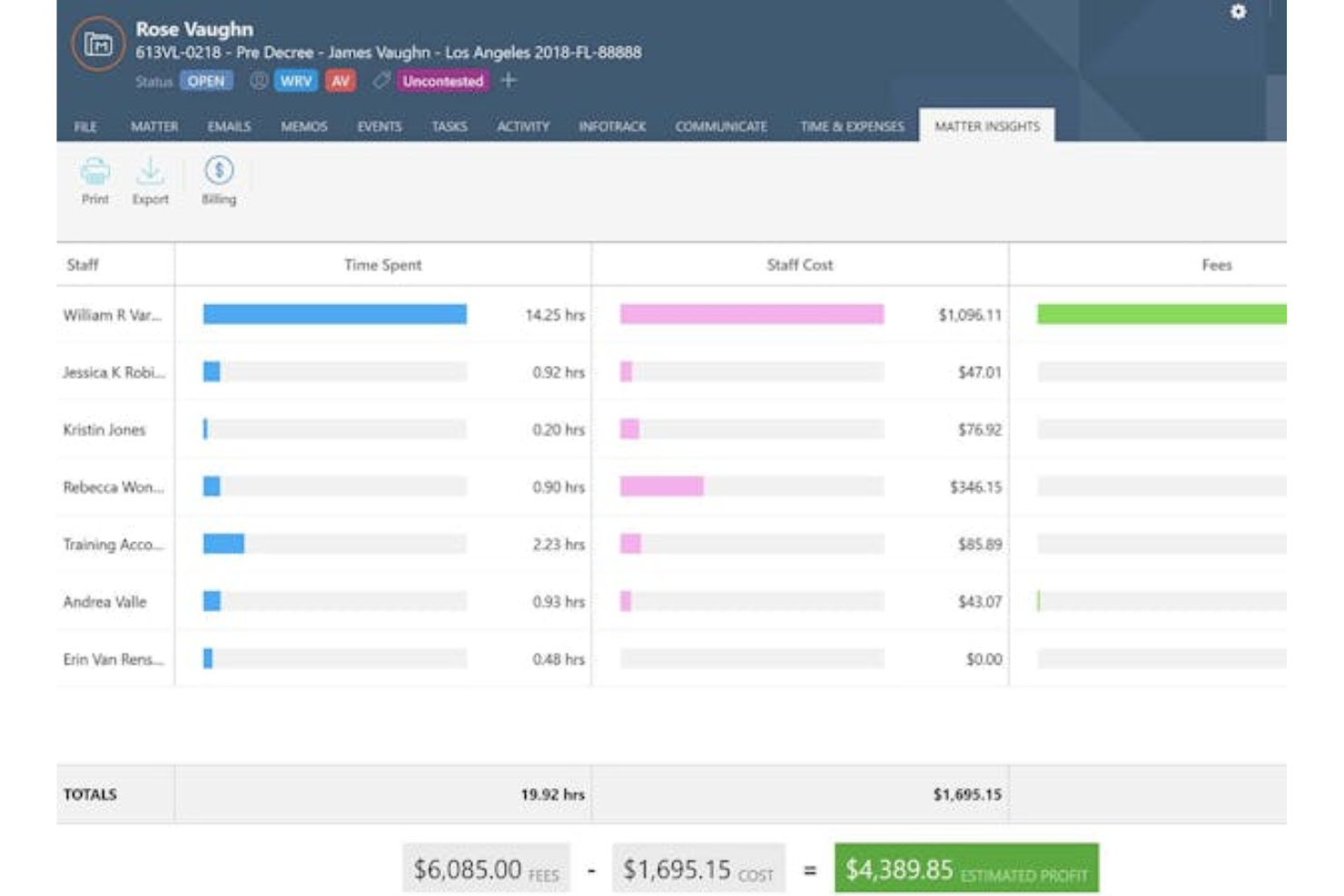
Smokeball is a legal practice management platform for law firms that combines case management, automatic time tracking, document automation, and integrated email and billing tools.
Who Is Smokeball Best For?
Small to midsize law firms that want cloud-based case management and document automation.
Why I Picked Smokeball
I picked Smokeball as one of the best because I rely on its automatic time tracking, which captures every minute spent on client work without manual entry. My team uses document automation to generate court forms and letters directly from case data. I also like how integrated email and billing tools keep everything tied to each matter.
Smokeball Key Features
- Task management: Assign, track, and organize tasks for each matter.
- Client portal: Share documents and messages securely with clients.
- Calendar integration: Sync court dates and deadlines with Outlook.
- Reporting dashboard: View firm productivity and financial metrics in real time.
Smokeball Integrations
Smokeball offers native integrations with Microsoft 365, LawPay, InfoTrack, Xero, and QuickBooks Online. An API is available for custom integrations.
Pros and Cons
Pros:
- Activity intelligence for team productivity insights
- Integrated email management within client matters
- Automatic time tracking for all activities
Cons:
- Initial data migration may require vendor support
- Windows-only desktop application for full features

Clinked
Best for secure client collaboration portals
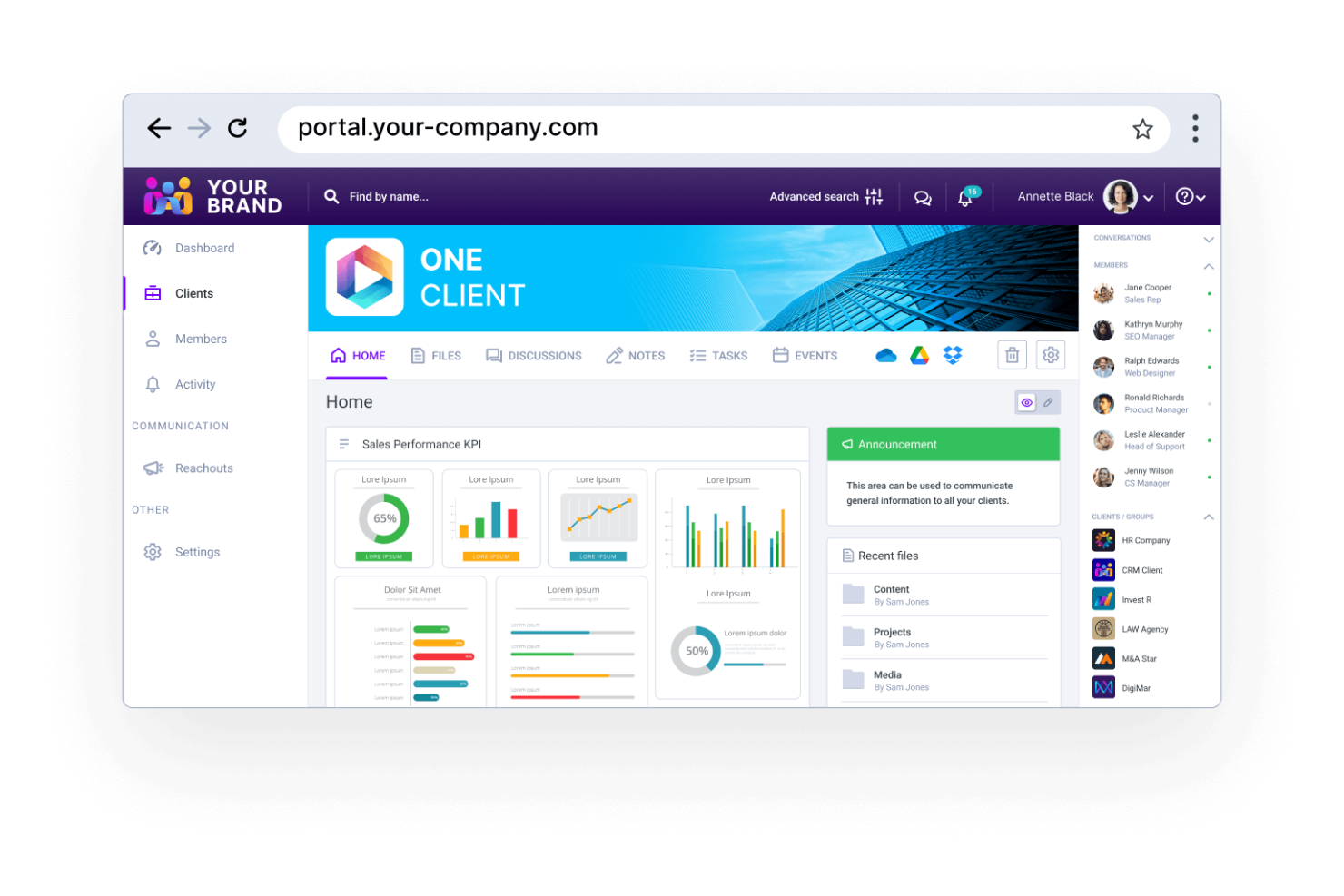
Clinked is a client portal platform for law firms that combines secure document sharing, group collaboration, task management, and communication tools in a single workspace.
Who Is Clinked Best For?
Law firms of any size that need a secure client portal for document sharing and collaboration.
Why I Picked Clinked
I picked Clinked as one of the best because I rely on its secure client portal to share sensitive legal documents and manage group discussions with clients. My team uses granular permissions to control who can access specific files and folders. I also like the built-in task assignment and real-time notifications, which help us keep clients updated on case progress.
Clinked Key Features
- White-label branding: Customize the portal with your law firm’s logo and colors.
- Document version control: Track changes and maintain a full history of document edits.
- Group chat: Communicate instantly with clients and team members inside the portal.
- Calendar integration: Sync events and deadlines with external calendar tools.
Clinked Integrations
Clinked offers native integrations with Google Workspace, Microsoft 365, DocuSign, Zoom, and Zapier. An API is available for custom integrations.
Pros and Cons
Pros:
- Real-time group chat for client discussions
- White-label branding for firm identity
- Secure client portal with granular permissions
Cons:
- Minimal integrations with legal practice software
- No court rules or deadline management

Clio
Best for all-in-one legal practice management
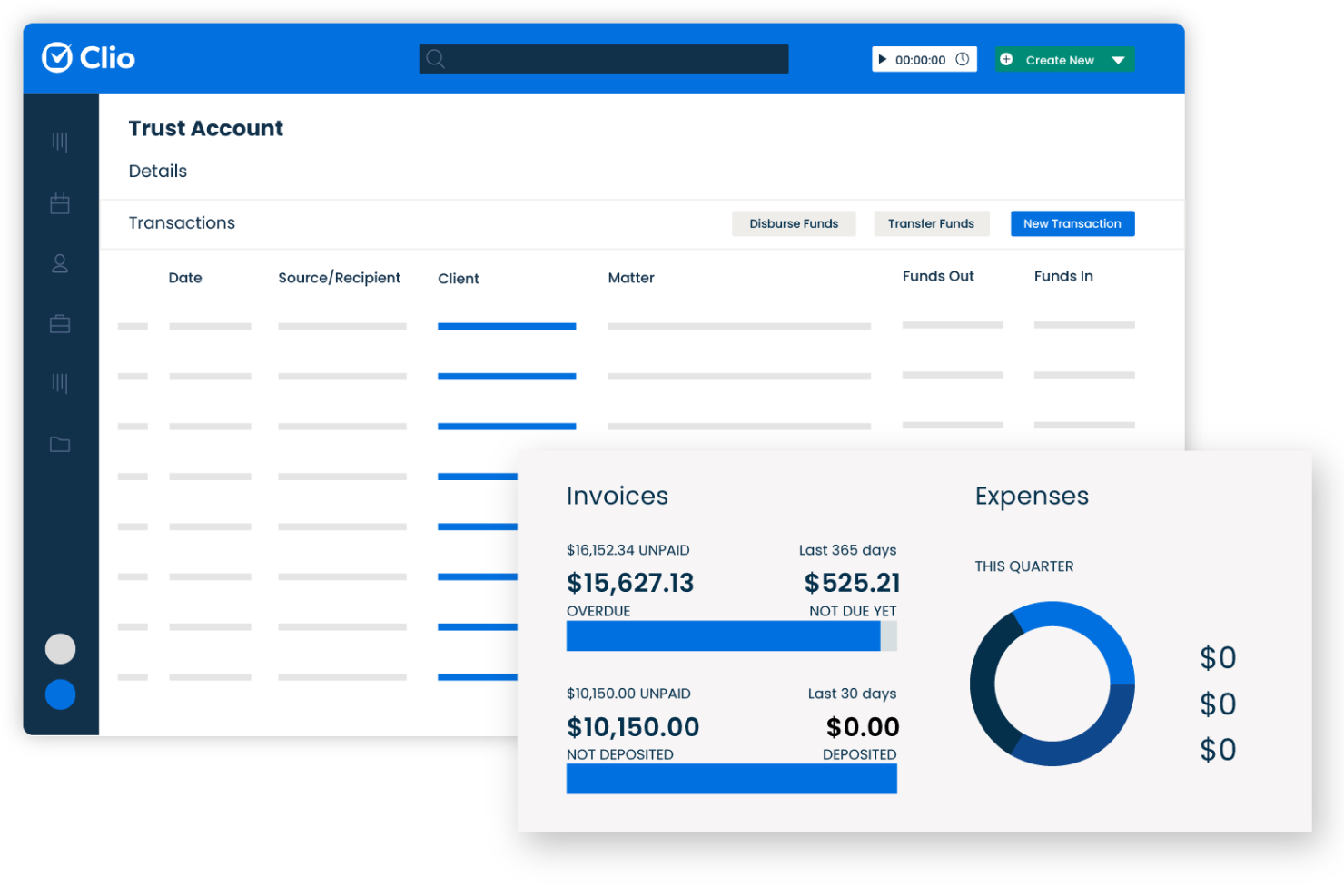
Clio is a legal practice management platform designed for law firms and legal professionals, offering case management, document storage, calendaring, billing, and client communication tools in one system.
Who Is Clio Best For?
Small to midsize law firms and solo practitioners who want integrated case, document, and billing management.
Why I Picked Clio
I picked Clio as one of the best because I can manage cases, documents, and billing all in one place without switching between tools. I use Clio’s matter-centric organization to keep every file, note, and invoice tied to the right case. The built-in billing and time tracking features let my team handle invoicing and trust accounting directly from the same dashboard.
Clio Key Features
- Task management: Assign, track, and prioritize tasks for each matter.
- Calendar integration: Sync court dates and deadlines with Google and Outlook calendars.
- Secure client portal: Share documents and messages with clients in a protected environment.
- Document automation: Generate legal documents from templates using case data.
Clio Integrations
Clio offers 200+ native integrations, including DocuSign, QuickBooks Online, Google Workspace, Dropbox, NetDocuments, LawPay, Zoom, Xero, and Zapier. An API is available for custom integrations.
Pros and Cons
Pros:
- Secure client portal for document sharing
- Extensive library of legal document templates
- Built-in trust accounting for legal compliance
Cons:
- Limited workflow automation for complex cases
- No built-in document editing capability

MyCase
Best for case management and client communication
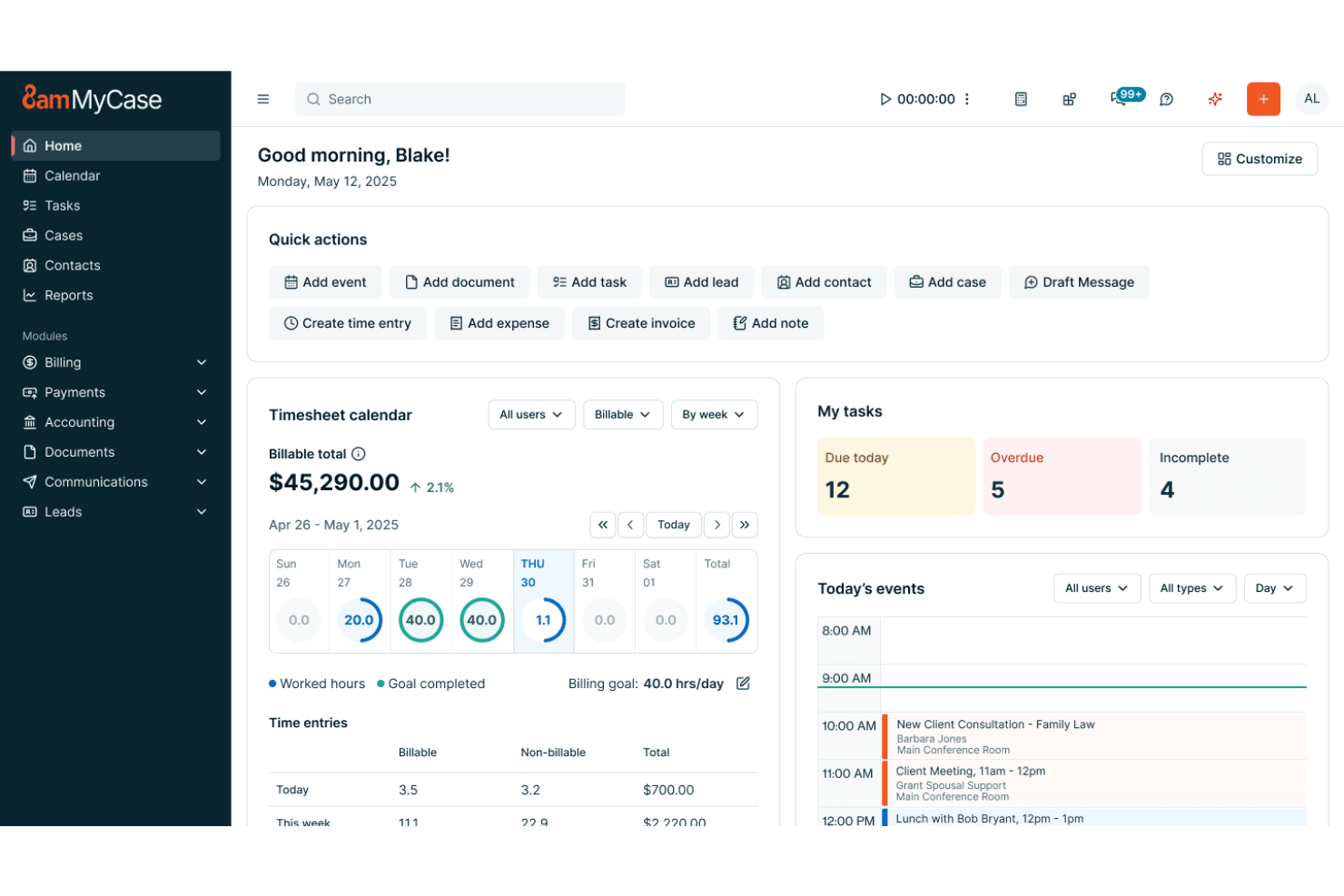
MyCase is a legal practice management platform for law firms that combines client intake, case tracking, document management, calendaring, and billing in one system.
Who Is MyCase Best For?
Small and midsize law firms that want an all-in-one platform for managing client intake, cases, and billing.
Why I Picked MyCase
I picked MyCase as one of the best because I can handle client intake, case tracking, and billing without juggling multiple tools. I use the built-in client intake forms to capture new leads and automatically create matters. My team tracks case progress, shares documents, and sends invoices—all from a single dashboard.
MyCase Key Features
- Calendar management: Syncs court dates, deadlines, and appointments.
- Secure client portal: Lets clients view case updates and share documents.
- Time tracking: Tracks billable hours directly within each case.
- eSignature integration: Allows clients to sign documents electronically.
MyCase Integrations
MyCase offers native integrations with QuickBooks Online, LawPay, Dropbox, Google Calendar, Microsoft 365, and CalendarRules. An API is available for custom integrations.
Pros and Cons
Pros:
- Case status updates visible to clients
- E-signature integration for legal documents
- Calendar syncs with court rules and deadlines
Cons:
- Bulk contact import can be inconsistent
- No native document version control system

Lawcus
Best for visual legal workflows and intake
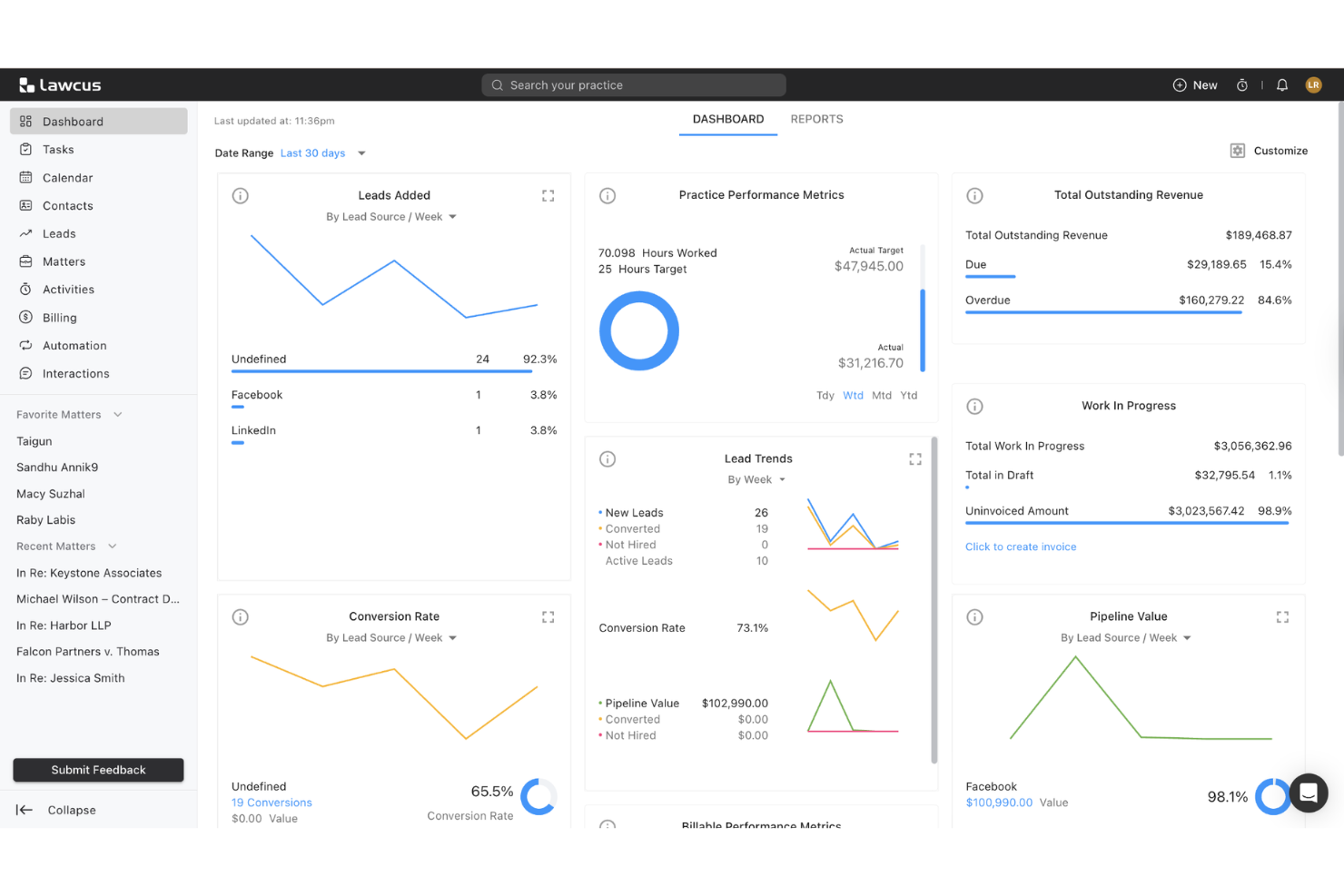
Lawcus is a legal practice management platform for law firms that combines Kanban-style matter management, workflow automation, time tracking, billing, and secure client communication.
Who Is Lawcus Best For?
Lawcus is a strong fit for small to midsize law firms that want visual workflow automation and Kanban-style matter management.
Why I Picked Lawcus
I picked Lawcus as one of the best because I like how its Kanban-style boards let me visualize every stage of a matter. My team uses the workflow automation builder to trigger tasks and reminders as cases move forward. I also rely on its customizable pipelines to match our firm’s unique processes.
Lawcus Key Features
- Time tracking: Track billable hours directly within each matter.
- Document management: Store, organize, and search case files securely.
- Client portal: Share documents and messages with clients in a secure space.
- Email integration: Sync emails with matters for a complete communication record.
Lawcus Integrations
Lawcus offers native integrations with Box, Calendly, Caramail, Clerx.ai, Confido Legal, WiseTime, Xero, YoCierge, and Zapier. An API is available for custom integrations.
Pros and Cons
Pros:
- Built-in client portal for secure messaging
- Workflow automation builder for legal processes
- Kanban boards for visual matter tracking
Cons:
- Fewer advanced billing features than competitors
- No built-in document automation tools

Filevine
Best for document-driven case management
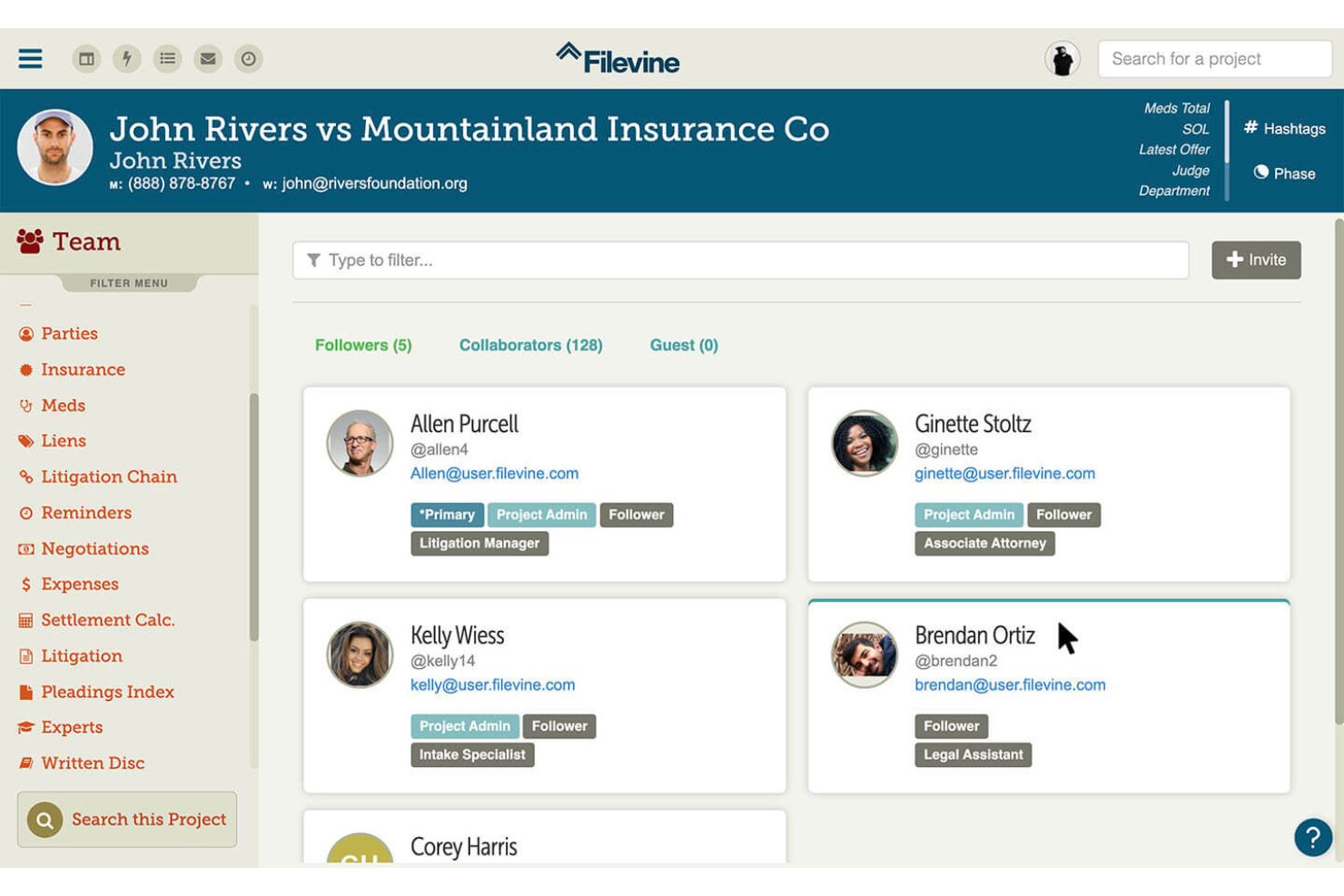
Filevine is a legal project management platform that combines case management, advanced document automation, team collaboration, and communication tools for law firms.
Who Is Filevine Best For?
Large law firms and legal teams that need advanced document automation and collaborative project management.
Why I Picked Filevine
I picked Filevine as one of the best because I rely on its advanced document automation to generate, edit, and manage legal documents directly within each case file. My team uses the collaborative commenting and task assignment features to keep everyone aligned on case progress. I also like how Filevine’s project management tools let me customize workflows for different practice areas.
Filevine Key Features
- Text messaging integration: Send and receive SMS messages directly from case files.
- Deadline chains: Automate task and deadline creation based on case events.
- Custom reporting: Build tailored reports with drag-and-drop tools.
- eSignature collection: Request and track electronic signatures within the platform.
Filevine Integrations
Filevine offers native integrations with DocuSign, QuickBooks, Lead Docket, Kenect, and RingCentral, and provides an API for custom integrations.
Pros and Cons
Pros:
- Case progress tracking with activity timelines
- Document generation with e-signature support
- Built-in texting and communication tracking
Cons:
- Notification settings lack granular user controls
- Bulk document upload speed varies by file size

Best for legal CRM and document management
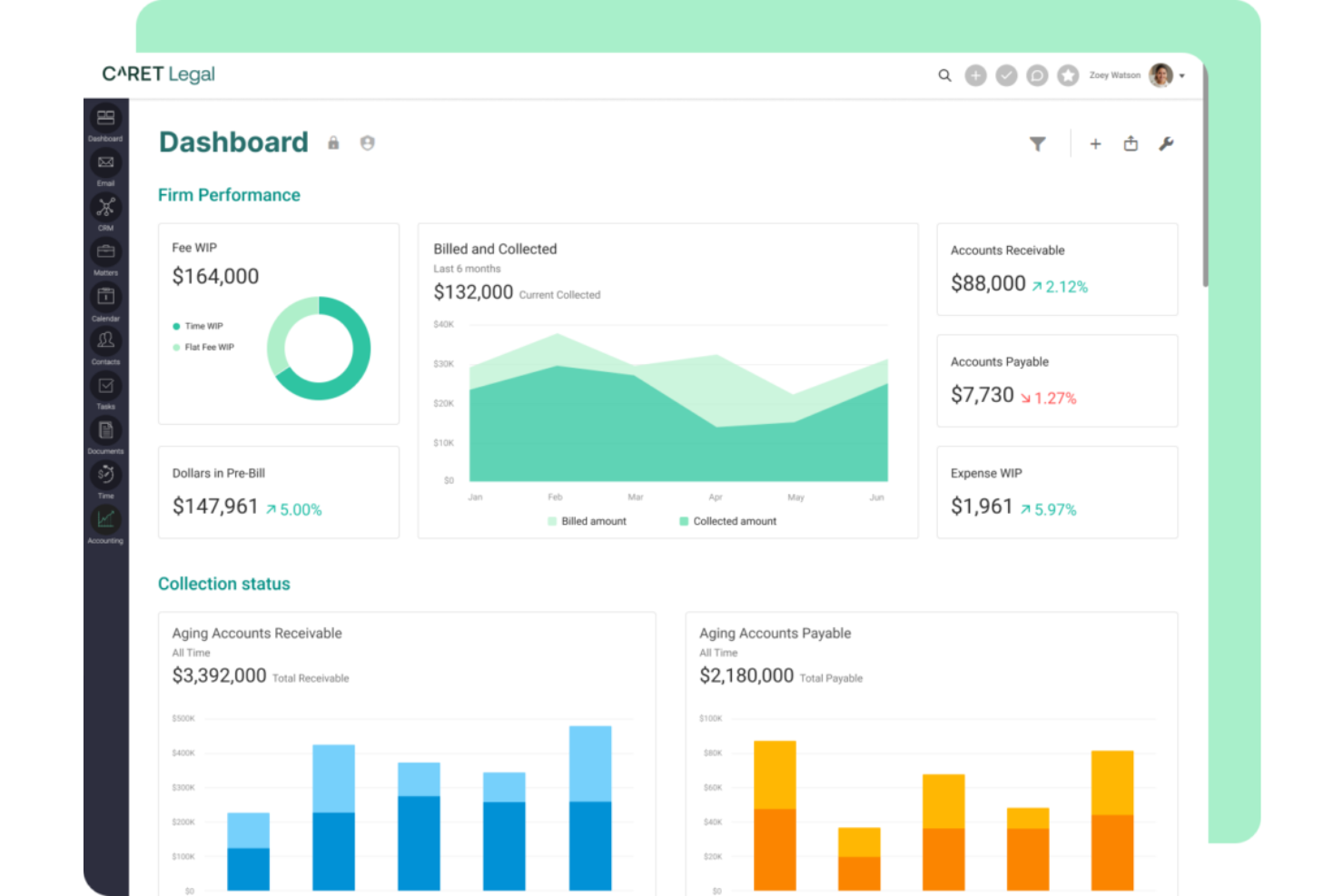
CARET Legal is a legal practice management platform for law firms that combines matter management, integrated CRM, document automation, time tracking, and built-in accounting.
Who Is CARET Legal Best For?
CARET Legal is a strong fit for midsize and large law firms that want an all-in-one platform with integrated CRM, document automation, and accounting.
Why I Picked CARET Legal
I picked CARET Legal as one of the best because I like how it combines matter management, CRM, and accounting in a single platform. My team uses its document automation to generate legal forms and contracts directly from client data. I also rely on its integrated accounting tools to handle trust accounting and billing without switching systems.
CARET Legal Key Features
- Task management: Assign, track, and prioritize tasks for each matter.
- Calendar integration: Sync court dates and deadlines with your calendar.
- Document management: Organize, store, and search case files securely.
- Time tracking: Log billable hours directly within each matter.
CARET Legal Integrations
CARET Legal offers native integrations with Microsoft 365, QuickBooks Online, NetDocuments, and more. An API is available for custom integrations.
Pros and Cons
Pros:
- Automated task workflows for legal projects
- Matter-centric email and document management
- All-in-one platform with built-in accounting
Cons:
- Onboarding may require vendor-led training
- Document search slows with large databases

Best for legal billing and time tracking
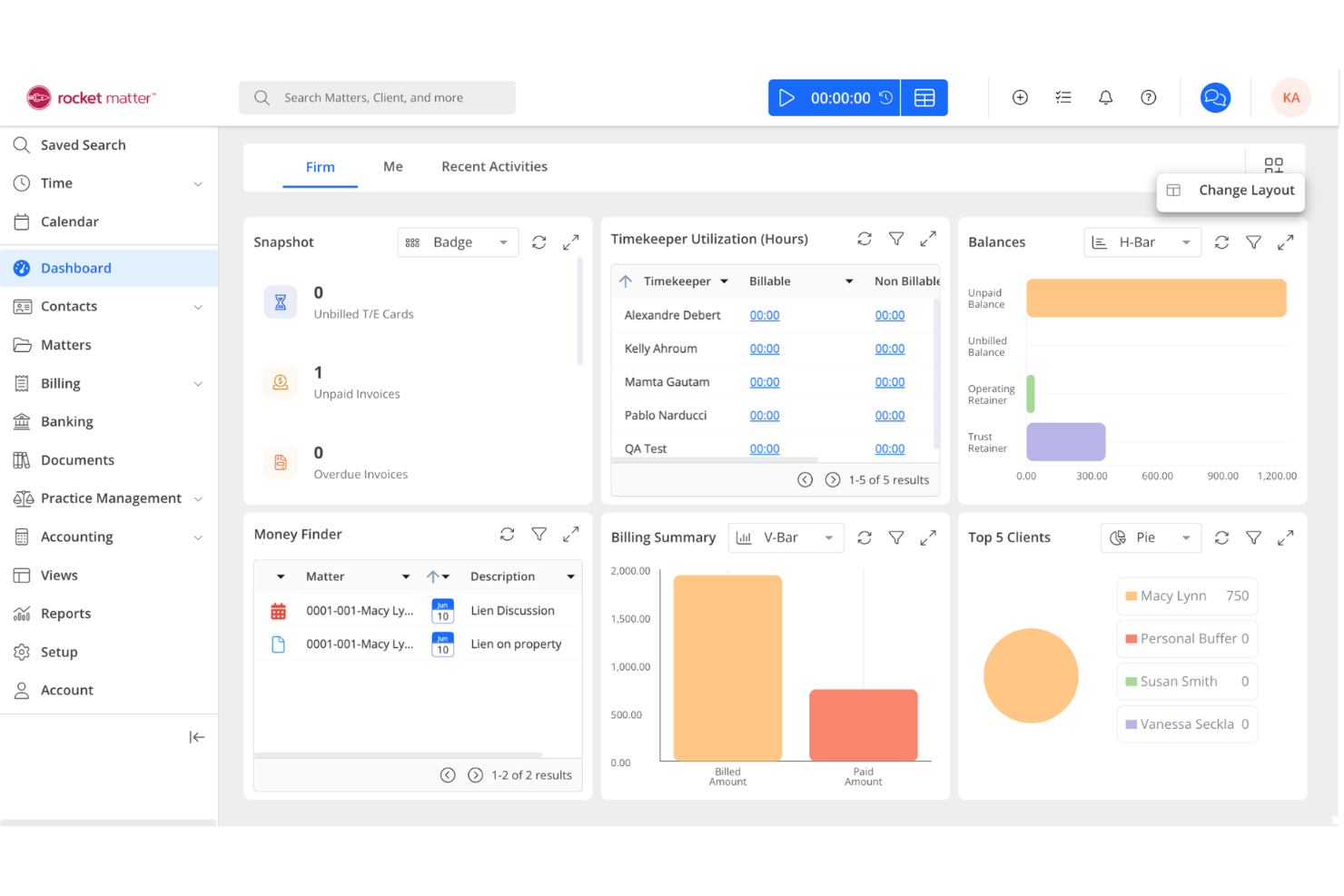
Rocket Matter is a cloud-based legal practice management platform for law firms that combines case management, time and billing, document automation, and calendaring in one system.
Who Is Rocket Matter Best For?
Small to mid-sized law firms that need cloud-based case management and integrated time and billing tools.
Why I Picked Rocket Matter
I picked Rocket Matter as one of the best because I rely on its cloud-based time and billing tools to track hours and generate invoices directly from case files. My team uses the document automation features to quickly assemble legal documents without leaving the platform. I also like how Rocket Matter’s calendaring and task management keep our casework organized and deadlines visible for everyone.
Rocket Matter Key Features
- Matter dashboards: View case status, contacts, and key dates in one place.
- Custom intake forms: Collect client information with tailored online forms.
- Trust accounting: Manage client trust funds with compliance safeguards.
- Batch billing: Generate invoices for multiple matters at once.
Rocket Matter Integrations
Rocket Matter offers native integrations with QuickBooks Online, Dropbox, Box, Microsoft 365 Outlook, Google Calendar, and more. An API is available for custom integrations.
Pros and Cons
Pros:
- Document assembly supports legal templates
- Automated recurring billing for subscription client
- Kanban-style matter management board included
Cons:
- Reporting exports limited to certain formats
- No advanced client intake automation

Best for legal workflow and matter management
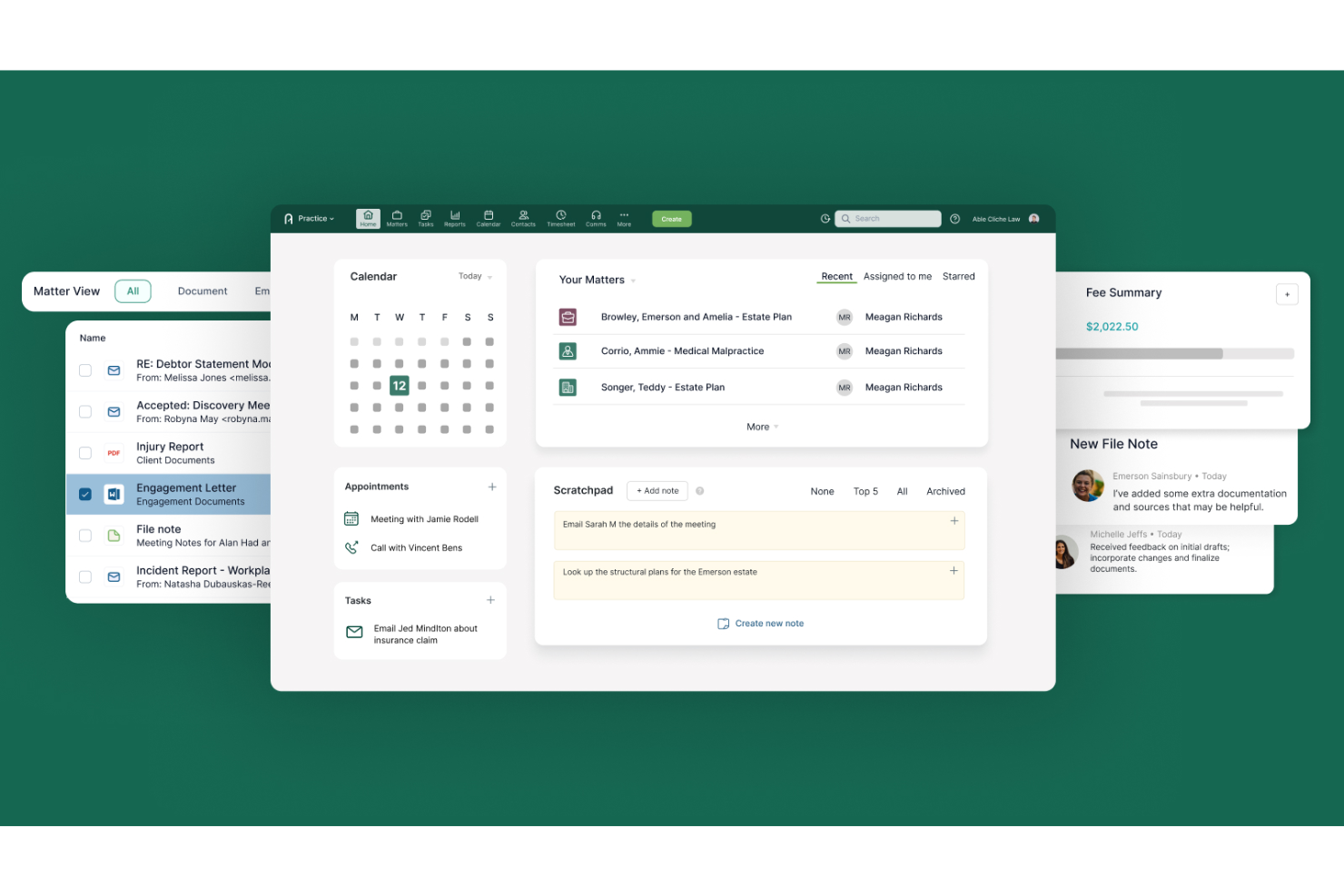
Actionstep is a cloud-based legal practice management platform for law firms that combines workflow automation, matter management, document management, and time tracking in one system.
Who Is Actionstep Best For?
Mid-sized and growing law firms that want workflow automation and integrated practice management.
Why I Picked Actionstep
I picked Actionstep as one of the best because I rely on its workflow automation to standardize legal processes and reduce manual steps across matters. My team uses the built-in document management and task assignment tools to keep everything organized in one place. I also like how Actionstep’s customizable matter types let us tailor workflows for different practice areas.
Actionstep Key Features
- Time recording: Track billable and non-billable hours directly within each matter.
- Trust accounting: Manage client trust funds with built-in compliance tools.
- Email management: Store and organize emails within client matters.
- Client portal: Share documents and updates securely with clients online.
Actionstep Integrations
Actionstep offers over 50 native integrations, including Box, Bundledocs, InfoTrack, First AML, SpeechWrite, MiTimes, Lexidesk, and connects with Zapier. An API is available for custom integrations.
Pros and Cons
Pros:
- Multi-jurisdiction support for global law firms
- Email management integrated with matter records
- End-to-end workflow automation for legal matters
Cons:
- Initial configuration can be time-consuming
- Integration with some third-party apps is limited

Best for customizable legal workflows
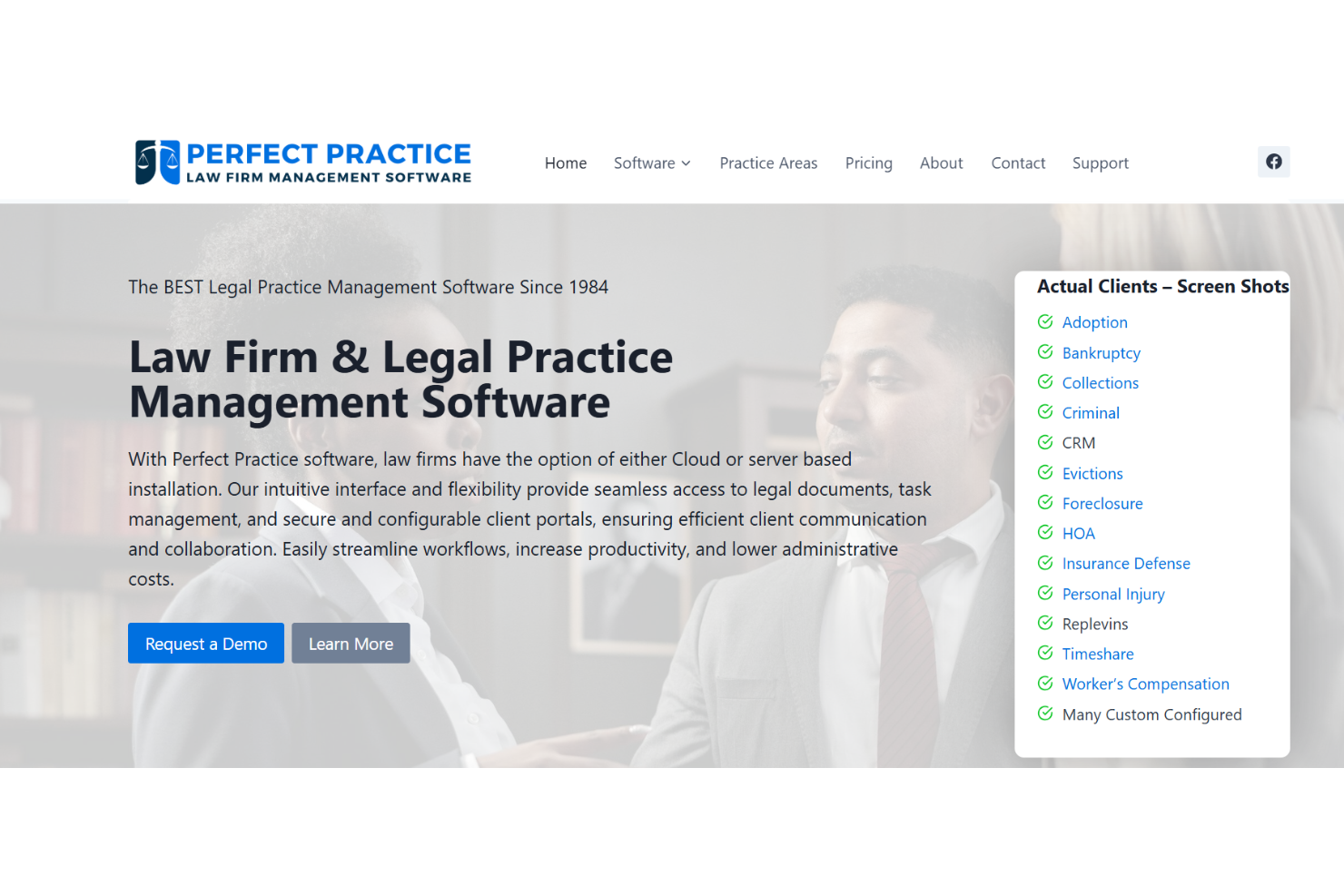
Perfect Practice is a legal practice management platform for law firms that offers workflow automation, customizable dashboards, document management, and integrated billing tools.
Who Is Perfect Practice Best For?
Perfect Practice is a strong fit for midsize and large law firms that need customizable workflows and integrated billing.
Why I Picked Perfect Practice
I picked Perfect Practice as one of the best because I can tailor workflows to match my firm’s unique processes and automate multi-step legal tasks. My team uses its integrated billing to track time and expenses directly within each matter. I also like how the dashboard customization lets me surface the data that matters most to my practice.
Perfect Practice Key Features
- Document management: Store, organize, and search case files securely.
- Calendar management: Schedule court dates, deadlines, and appointments.
- Contact management: Maintain detailed records for clients and related parties.
- Task assignment: Assign and track tasks across team members.
Perfect Practice Integrations
Native integrations are not currently listed. The tool supports integrations via API for custom connections.
Pros and Cons
Pros:
- Built-in conflict checking for new matters
- Centralized document management with version history
- Detailed permission controls for user access
Cons:
- No built-in client portal for external access
- Outdated user interface compared to competitors
Other Project Management Software for Lawyers
Here are some additional project management software for lawyers options that didn’t make it onto my shortlist, but are still worth checking out:
- Wrike
For legal workflows and collaboration
- PracticePanther
For legal workflow automation
- Basecamp
For legal team communication
- ProProfs Project
For simple legal project tracking
- LEAP
For cloud-based legal case management
- HighQ
For secure legal project management
- Trello
For visual legal task organization


How I Evaluate Project Management Software for Lawyers
I look at these tools in two layers: the matter management and deadline tracking a firm can't run without, and the differentiators that make one option a better fit than another.
Core Functionality (Table Stakes For This List)
When I'm selecting tools for my list, I rank each one on a scale from 0 (does not offer the functionality) to 5 (excels in this area) for each core functionality listed below. Then, I calculate the tool's total score into a percentage. Each tool needs to achieve a minimum total score of 55% to be considered for inclusion.
- Matter-Centric Project Organization: I look for tools that treat matters or cases as the central hub, linking tasks, documents, contacts, and notes under one record rather than scattering them across generic projects.
- Legal Deadline Tracking: Court dates, filing windows, and statutes of limitations require more than a basic calendar. I check whether a tool supports rules-based calendaring or jurisdiction-aware reminders.
- Task & Workflow Assignment: Every firm needs to delegate work across attorneys, paralegals, and staff. I evaluate how each tool handles subtasks, dependencies, and reusable workflow templates for common processes like discovery or contract review.
- Time & Billing Integration: Lawyers live by the billable hour. I look at whether time capture is built into matter workflows and how entries flow into billing, whether through native invoicing or integrations with tools like QuickBooks or LEDES-format exports.
- Document Management: Matters generate a lot of paperwork. I check for version control, matter-level folder structures, and search functionality so teams can locate the right draft of a motion or agreement without guesswork.
- Client & Contact Management: Keeping client profiles, communication history, and related-party data organized matters for both service delivery and ethical obligations. I evaluate how well each tool links contacts to matters and supports conflict checking.
Once I have a list of tools that meet the criteria, I consider what sets each platform apart.
Differentiating Factors (What Sets Vendors Apart)
Here's how I compare and contrast different vendors:
Standout Features
Automated conflict checking is a big differentiator—firms that handle this manually risk ethical violations every time they onboard a new client. I also evaluate client intake portals, since a structured intake process that feeds directly into matter creation cuts out redundant data entry. For any firm holding client funds, trust accounting compliance matters a lot, so I check for IOLTA-ready ledgers with three-way reconciliation built in.
Beyond Features
Compliance and security carry extra weight in legal software. I check for SOC 2 certification, role-based permissions, and audit trails that protect privileged client data. Legal tech integrations also matter because most firms already rely on tools like Westlaw or NetDocuments, and a platform that connects to those systems avoids duplicate work. Firm size fit is another factor I weigh, since a solo practitioner and a 200-attorney firm have very different needs around user management and multi-office support.
How to Choose Project Management Software for Lawyers
It’s easy to get bogged down in long feature lists and complex pricing structures. To help you stay focused as you work through your unique software selection process, here’s a checklist of factors to keep in mind:
| Factor | What to Consider |
|---|---|
| Scalability | Will the software handle your firm’s growth, new practice areas, or increased caseloads over time? |
| Integrations | Does it connect natively with your existing document management, billing, or calendaring tools? |
| Customizability | Can you tailor workflows, fields, and permissions to match your firm’s processes and terminology? |
| Ease of use | Will your team adopt it quickly, or will training and support be a constant need? |
| Implementation and onboarding | How long will setup take, and what resources or support does the vendor provide for migration? |
| Cost | Are pricing tiers clear, and do they align with your firm’s size, usage, and budget expectations? |
| Security safeguards | Does the platform offer encryption, audit trails, and access controls that meet legal industry standards? |
| Compliance requirements | Will the software help you meet obligations like GDPR, HIPAA, or local bar association rules? |
What Is Project Management Software for Lawyers?
Project management software for lawyers is a legal practice management software designed to help law firms organize, track, and manage legal matters, tasks, deadlines, and documents. These tools support teamwork, simplify workflows, and centralize information, making it easier to meet client expectations and regulatory requirements. They help firms manage complex projects, set and monitor milestones, and track progress while reducing bottlenecks. Many platforms also support legal research, improve client satisfaction, and improve profitability through better resource management. Often user-friendly and sometimes AI-powered, these tools are part of a broader legal technology ecosystem that supports modern legal services for firms with unique needs, including small firms.
Features of Project Management Software for Lawyers
When selecting project management software for lawyers, keep an eye out for the following key features:
- Matter management: Centralizes all case-related information, documents, and communications in one place for easy access and tracking.
- Task assignment: Lets you delegate, prioritize, and monitor tasks across your legal team, ensuring accountability and timely completion.
- Document management: Provides secure storage, version control, and search capabilities for legal files and evidence.
- Time tracking: Records billable and non-billable hours linked to specific matters, supporting accurate invoicing and compliance.
- Calendar management: Schedules court dates, deadlines, and appointments, with reminders to help prevent missed obligations.
- Billing and invoicing: Generates invoices based on tracked time and expenses, integrating with accounting systems for simplified financial management.
- Contact management: Maintains detailed records of clients, opposing counsel, witnesses, and other key contacts for each matter.
- Permission controls: Restricts access to sensitive information based on user roles, supporting confidentiality and compliance.
- Conflict checking: Identifies potential conflicts of interest before new matters are accepted, helping firms avoid ethical issues.
- Reporting and analytics: Offers customizable reports on case progress, workload, and financials to support data-driven decision-making.
Benefits of Project Management Software for Lawyers
Implementing project management software for lawyers provides several benefits for your team and your business. Here are a few you can look forward to:
- Improved organization: Centralized matter and document management keep all case information accessible and reduce the time spent searching for files.
- Greater accountability: Task assignment and tracking features make it clear who is responsible for each step in a case.
- Improved compliance: Permission controls and conflict checking help your firm meet ethical and regulatory requirements.
- Accurate billing: Integrated time tracking and invoicing ensure billable hours are captured, and clients are billed correctly.
- Reduced risk of missed deadlines: Calendar management and automated reminders help your team stay on top of court dates and critical tasks.
- Better client service: Simplified workflows and clear communication tools support faster response times and more consistent client updates.
- Data-driven insights: Reporting and analytics features provide visibility into case progress, team workload, and firm performance.
Costs and Pricing of Project Management Software for Lawyers
Selecting project management software for lawyers requires an understanding of the various pricing models and plans available. Costs vary based on features, team size, add-ons, and more. The table below summarizes common plans, their average prices, and typical features included in project management software for lawyers' solutions:
Plan Comparison Table for Project Management Software for Lawyers
| Plan Type | Average Price | Common Features |
|---|---|---|
| Free Plan | $0 | Basic matter management, limited task tracking, simple document storage, and basic user permissions. |
| Personal Plan | $5-$25/user/month | Matter management, task assignment, document management, time tracking, and basic reporting. |
| Business Plan | $25-$60/user/month | Advanced workflow automation, billing and invoicing, calendar management, permission controls, and integrations. |
| Enterprise Plan | $60-$120/user/month | Custom workflows, advanced security, compliance tools, dedicated support, advanced analytics, and API access. |
Project Management Software for Lawyers FAQs
Here are some answers to common questions about project management software for lawyers:
How is project management software for lawyers different from general project management tools?
Project management software for lawyers includes legal-specific features like matter management, conflict checking, and compliance tools. These help law firms handle sensitive data, track billable hours, and meet regulatory requirements that general tools don’t address.
Can project management software for lawyers integrate with legal billing or document management systems?
Yes, many legal project management tools offer integrations with billing, accounting, and document management systems. This helps your firm keep data consistent, reduce manual entry, and simplify workflows across platforms.
Is it difficult to migrate my firm’s data into a new project management system?
No, most legal project management software providers offer data import tools, onboarding support, or migration services. You should review what’s included in your plan and ask about support for moving matters, contacts, and documents.
What security features should I look for in project management software for lawyers?
Look for encryption, role-based access controls, audit trails, and compliance certifications. These features help protect sensitive client data and support your firm’s ethical and regulatory obligations.
How do I know if a project management tool will fit my firm’s workflow?
Test the software with a free trial or demo, and involve attorneys and staff in the evaluation. Check if you can customize workflows, fields, and permissions to match your firm’s processes before making a decision.