


MyCase vs. Filevine: Comparison and Expert Reviews for 2026



Juggling deadlines, clients, and case docs can leave you feeling buried—especially if your software doesn't keep up. MyCase and Filevine both promise to transform the way your firm works, but the best choice depends on your needs and how each tool fits your workflow. If you're still searching for that perfect project management software for lawyers, you're in the right place.
In this article, you'll find a clear comparison of MyCase and Filevine. I’ll break down their pros and cons, best use cases, pricing, security features, and usability so you can pick the right tool for your practice.
MyCase vs. Filevine: An Overview
MyCase
Filevine
Why Trust Our Software Recommendations
Our team has been testing and reviewing software since 2012. As project managers ourselves, we know how difficult—and important—it is to choose the right software.
For this guide, we evaluated tools using hands-on testing and independent research, scoring tools using our selection criteria. We also draw on insights from industry thought leaders and practicing project management experts.
Our reviews reflect our human editorial judgment, not a sales pitch.
Expert reviewers:
MyCase vs. Filevine Pricing Comparison
| MyCase | Filevine | |
|---|---|---|
| Free Trial | 10-day free trial and free demo available | Free trial + free demo available |
| Pricing | From $50/user/month (billed annually) | Pricing upon request |
MyCase vs. Filevine Pricing & Hidden Costs
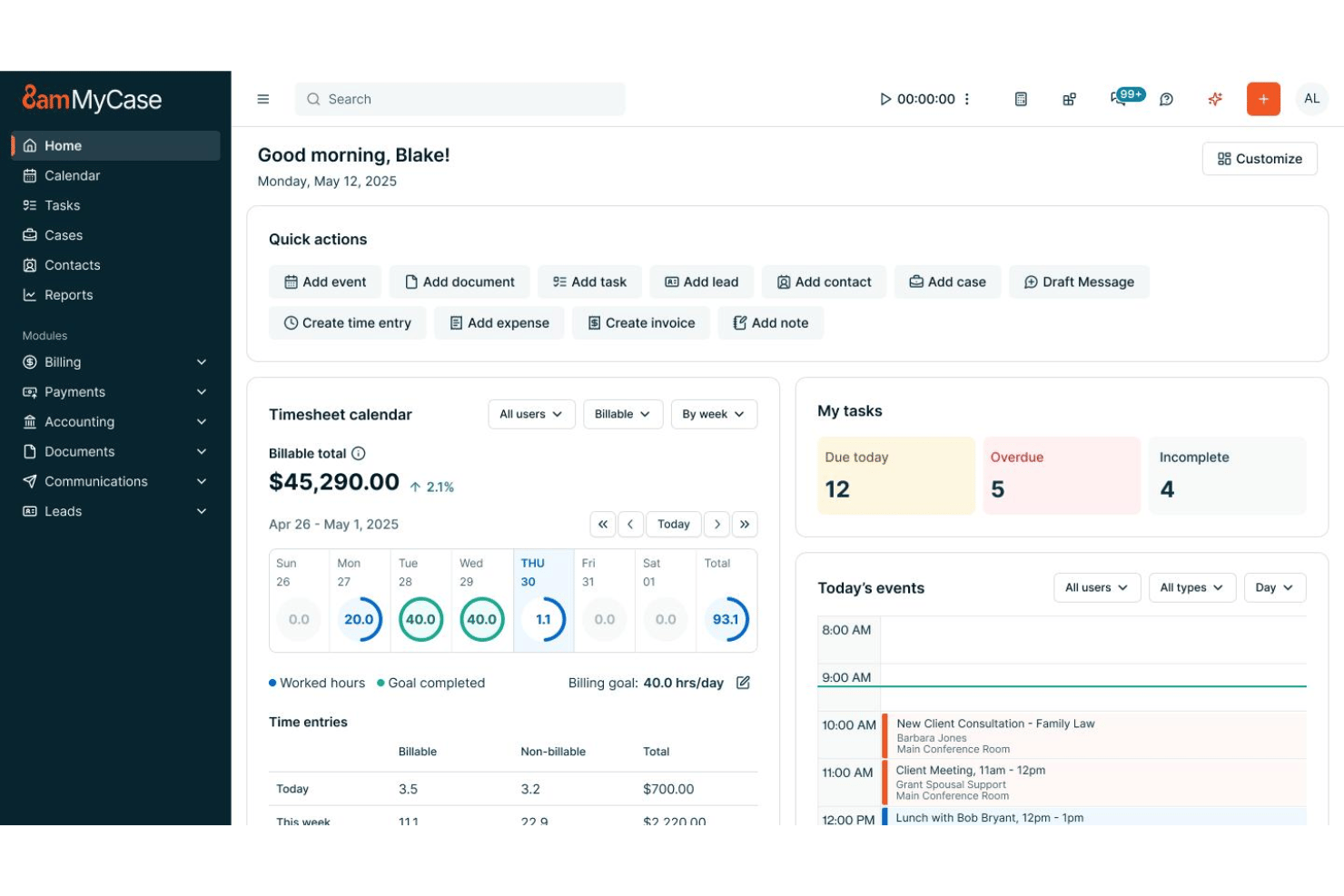
MyCase uses a subscription-based pricing model, charging per user with tiered plans based on features like document automation, AI tools, and integrations. You can expect optional add-ons for things like accounting or website services, which may increase your overall cost depending on your needs. Filevine, by contrast, uses a customized pricing approach, where plans are tailored to your firm and typically require contacting sales. Its platform is more modular, so costs can rise as you add features like analytics, client portals, or other specialized tools.
To choose the best fit, dig into each vendor’s pricing details, including what’s included in each plan and what counts as an add-on. Ask about onboarding, support, and how pricing scales as your firm grows. I’d recommend mapping your must-have features and future needs against what’s actually included—so you’re not surprised by fees down the line.
MyCase vs. Filevine Feature Comparison
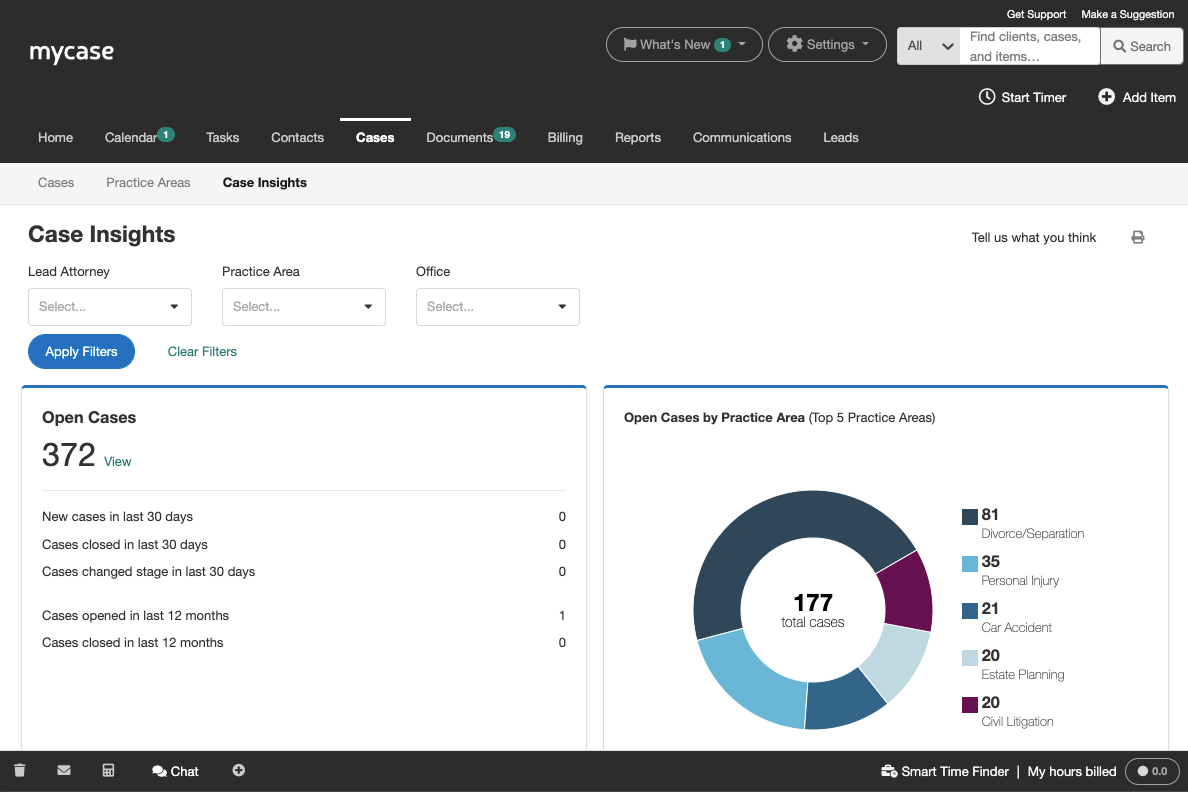
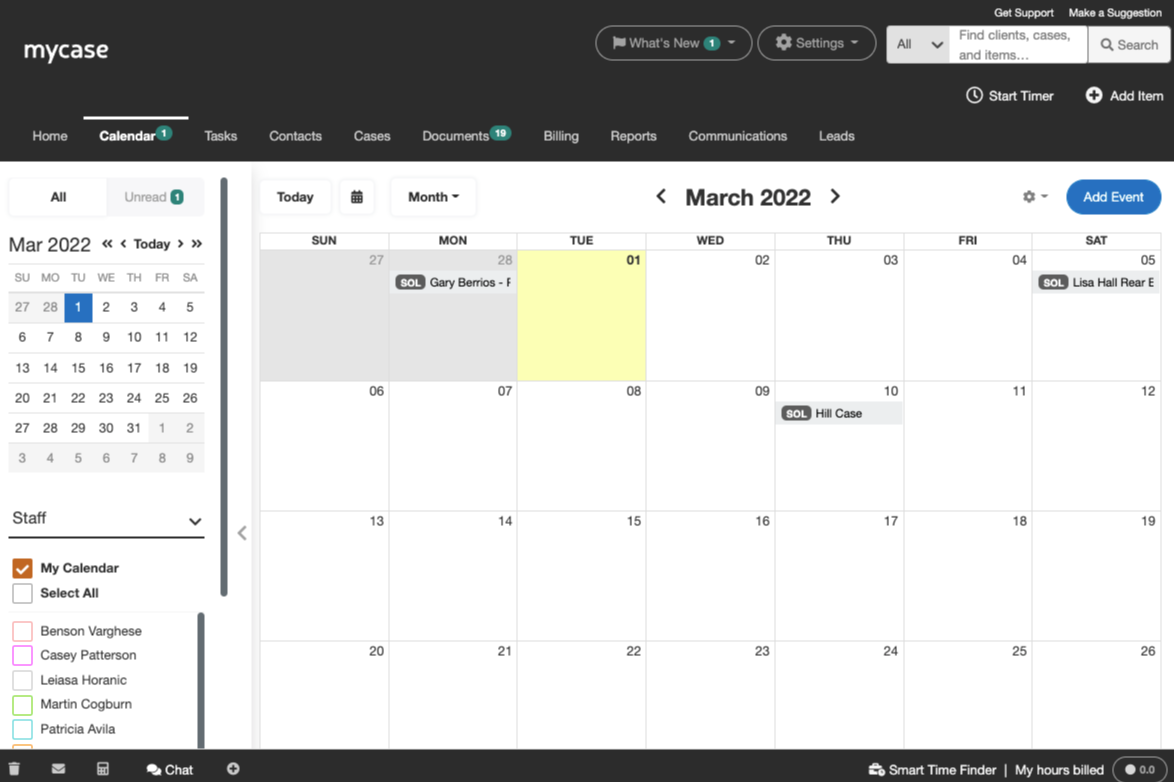
Both MyCase and Filevine cover the must-haves for legal project management. You’ll find case tracking, document management, calendar syncing, secure client communication, task lists, and time tracking in both platforms. Each tool aims to centralize your workflows and keep team members on the same page.
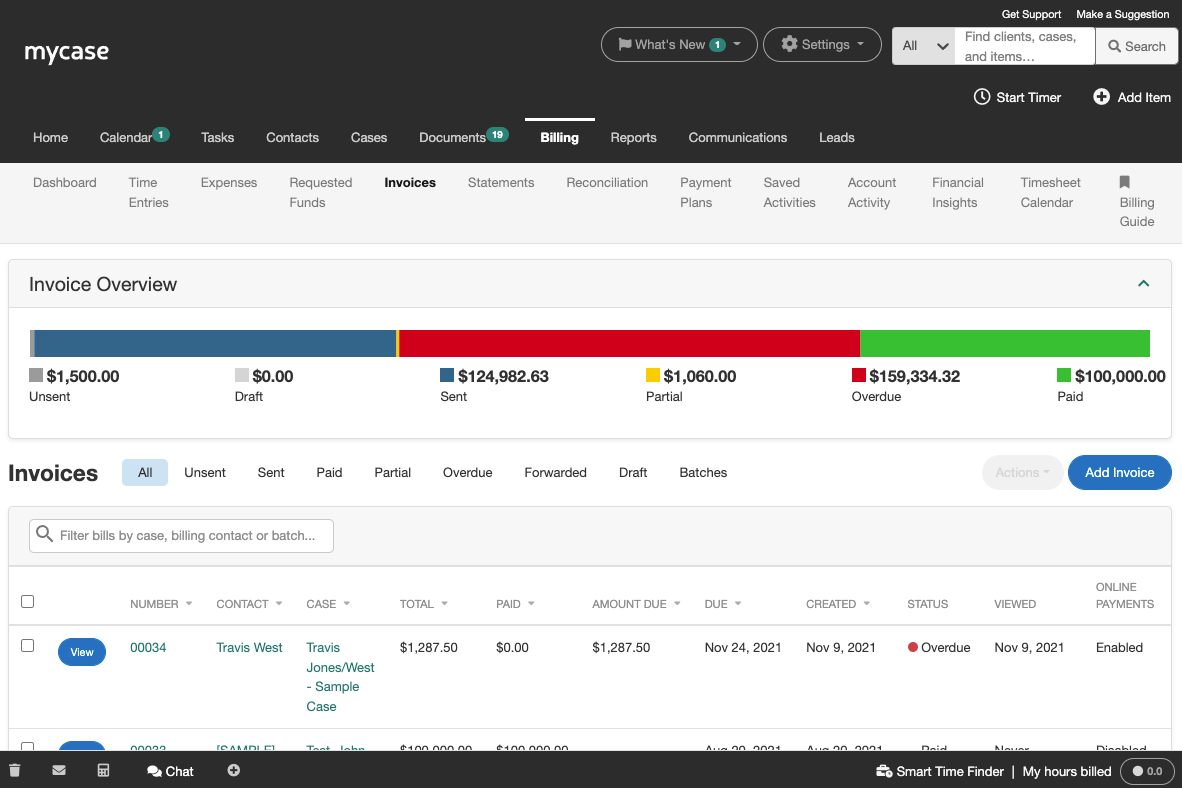
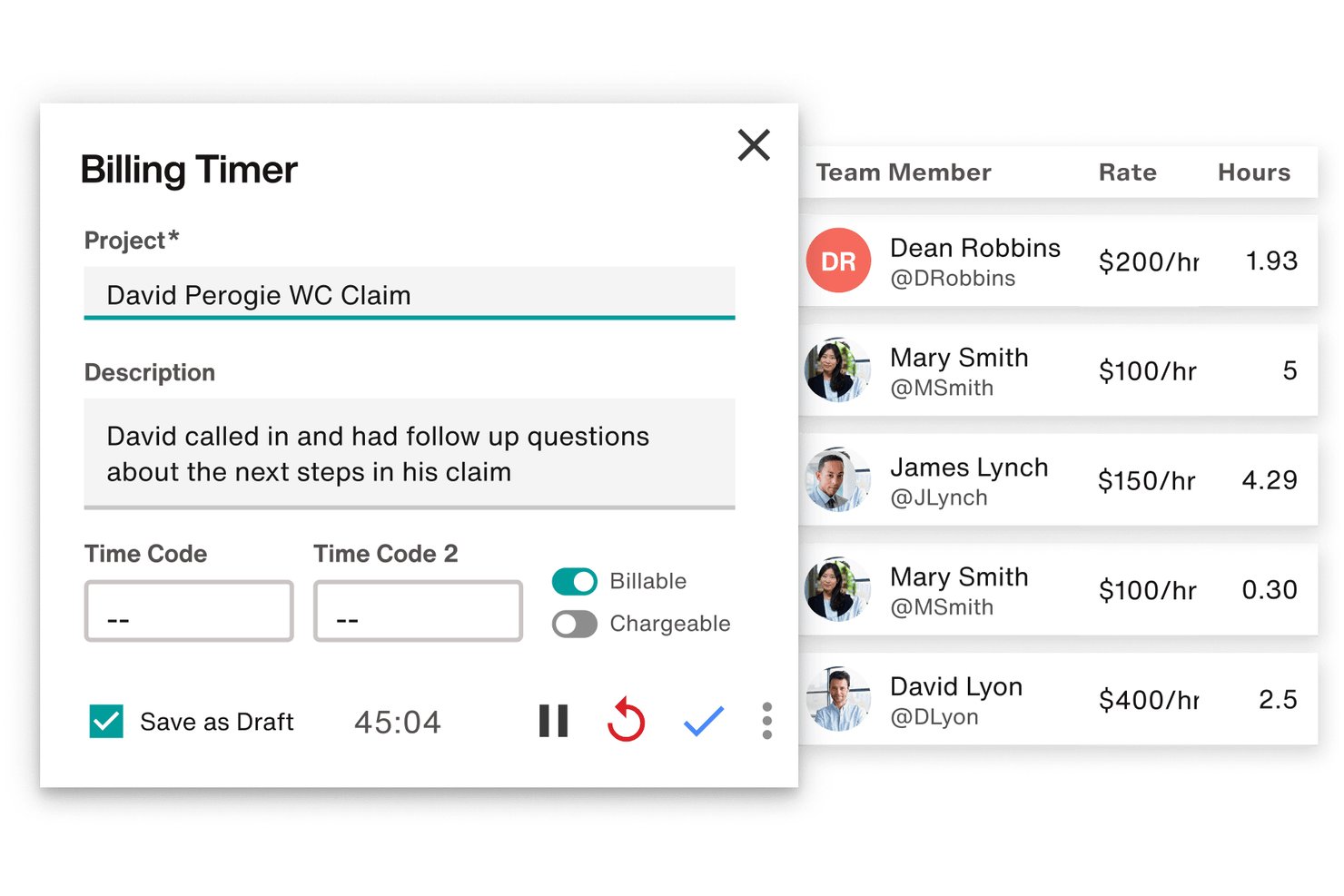
MyCase stands out with its built-in client payment processing and easy-to-use mobile app, making it simple for solo or small practices to get paid and manage work on the go. Filevine, in contrast, offers deeper document automation and flexible custom reporting, letting larger or more complex firms build tailored solutions for unique workflows.
| MyCase | Filevine | |
|---|---|---|
| 2-Factor Authentication | ||
| API | ||
| Approval Workflows | ||
| Audit Trail | ||
| Calendar Management | ||
| Compliance Tracking | ||
| Contract Management | ||
| Custom Reports | ||
| Customer Management | ||
| Data Export | ||
| Data Import | ||
| Document Management | ||
| External Integrations | ||
| Multi-User | ||
| NDA Management | ||
| Notifications | ||
| Policy Management | ||
| Scheduling | ||
| Workflow Management |
MyCase vs. Filevine Integrations
| Integration | MyCase | Filevine |
|---|---|---|
| QuickBooks Online | ✅ | ✅ |
| Dropbox | ✅ | ✅ |
| Microsoft Outlook | ✅ | ✅ |
| Google Calendar | ✅ | ✅ |
| LawPay | ✅ | ❌ |
| RingCentral | ❌ | ✅ |
| Slack | ❌ | ✅ |
| NetDocuments | ✅ | ✅ |
| Zapier | ✅ | ✅ |
| API | ✅ | ✅ |
MyCase and Filevine both cover the basics like calendar and document integrations, but Filevine stands out with its broader options—especially for larger or tech-forward teams. With both offering Zapier connection and APIs, you’ll still be able to hook them into existing tech stacks—it just might take a bit more work upfront.
MyCase vs. Filevine Security, Compliance & Reliability
| Factor | MyCase | Filevine |
|---|---|---|
| Data Encryption | Encrypts data at rest and in transit to protect client information. | Uses end-to-end encryption and routine security audits for all data. |
| Regulatory Compliance | Follows ABA and GDPR guidelines, with documented privacy controls. | Supports HIPAA, SOC 2, and ABA compliance, offering advanced audit trails. |
| Uptime Reliability | Guarantees over 99% uptime with secure, cloud-based infrastructure. | Offers geo-redundant hosting and robust disaster recovery systems. |
| Access Controls | Offers customizable user permissions and role-based access. | Provides granular permission settings and advanced user management tools. |
| Two-Factor Authentication | Offers optional two-factor authentication for extra login security. | Includes built-in multi-factor authentication to enhance account protection. |
Filevine gives you more advanced options for compliance and account controls, while MyCase keeps it straightforward and easy to manage. I think Filevine will appeal to firms with higher security needs and compliance requirements, and MyCase is great for teams who want good security without getting bogged down in policy details.
MyCase vs. Filevine Ease of Use
| Factor | MyCase | MyCase Filevine |
|---|---|---|
| User Interface | Clean, intuitive dashboard with easy navigation and quick access to key tools. | Highly customizable but takes time to master due to deep configurability. |
| Onboarding | Offers step-by-step onboarding and in-app tips for new users. | Provides dedicated onboarding specialists and detailed implementation plans. |
| Learning Curve | Minimal learning curve—most users get up to speed in days. | Steeper learning curve, especially with custom workflows and advanced modules. |
| Customer Support | Fast email and phone support, plus a user-friendly help center. | 24/7 chat support, a resource hub, and regular live training sessions. |
| Mobile Experience | Intuitive mobile app with most desktop features available on the go. | Mobile web access with fewer features compared to the desktop platform. |
MyCase is easier for new users to pick up and run with, while Filevine shines when you want deep customization and don’t mind a learning curve. I find MyCase a solid fit for anyone who prioritizes quick adoption, and Filevine a better bet for teams who want flexibility and don’t mind investing in setup.
MyCase vs Filevine: Pros & Cons
MyCase
- Case management and billing workflows are tightly integrated
- Client portal streamlines secure document sharing and communication
- Automated reminders help ensure deadlines and court dates are met
- Bulk document management options are limited
- Mobile app lacks full desktop functionality
- Reports customization isn’t as granular as some firms need
Filevine
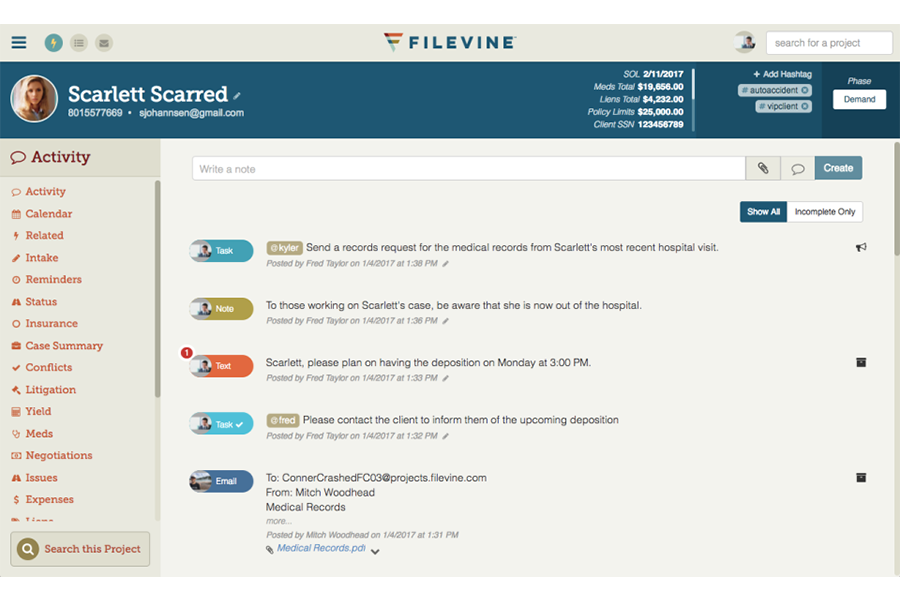
- Customizable dashboards track case progress and deadlines easily
- Automated document generation saves time on repetitive paperwork
- Built-in texting keeps clients connected in one platform
- Billing features are less robust than dedicated legal billing tools
- Reporting customizations can require Filevine support assistance
- Mobile access has limited functionality compared to desktop
Best Use Cases for MyCase and Filevine
MyCase
- Solo Practitioners MyCase streamlines all case management, invoicing, and calendaring for a solo lawyer in one place.
- Small Law Firms Small firms benefit from built-in client portal, integrated billing, and collaborative tools.
- Estate Planning Practices Automated document generation and e-signature tools fit the routine paperwork and client approvals these firms need every day.
- Family Law Attorneys Secure messaging and easy-to-use calendars help keep sensitive client information organized.
- Immigration Law Offices MyCase’s contact management and document sharing tools support high-volume legal workflows.
- Litigation Teams Custom reminders and matter-centric task tracking make it easy to manage court dates.
Filevine
- Plaintiff Law Firms Robust intake forms, automated case events, and deadline management help manage hundreds of personal injury or class action cases at once.
- In-House Legal Teams Centralized document handling and built-in approvals make it easy to track contracts and collaborate with internal stakeholders.
- Multi-Office Practices Cloud access, permission controls, and unified dashboard reporting keep everyone aligned, no matter the location.
- Mass Tort Practices Automated workflows, data tracking, and batch document management streamline the complexity of managing thousands of related cases.
- Legal Operations Managers Custom reporting, task management, and automation enable operational leaders to optimize workflow and monitor productivity.
- Litigation Paralegals Integrated communication, document automation, and case chronology make daily tracking and case prep easier and more visible.
Who Should Use MyCase, And Who Should Use Filevine?
MyCase is perfect for solo lawyers and small firms who want straightforward project management without lots of setup or training. Filevine is best for larger practices or legal teams with complex workflows, custom needs, or stricter compliance requirements. If your priority is out-of-the-box usability and fast onboarding, MyCase is the safer play. If you want deep configuration or expect to scale over time, Filevine will suit you better.
Differences Between MyCase and Filevine
| MyCase | Filevine | |
|---|---|---|
| Automation | Includes built-in automation like document templates, task reminders, and some AI-assisted features. | Advanced automation with robust document assembly, workflow triggers, and deeper process automation. |
| Custom Workflow | Offers structured workflows and case management tools that are easy to use but less customizable. | Highly customizable workflows tailored to specific case types, processes, and firm needs. |
| Document Management | Strong document management with built-in storage, search, and basic automation. | More advanced document management with deeper automation and tighter integration into workflows. |
| Payment Integration | Built-in payment processing (via LawPay) is deeply embedded and easy to use for billing and collections. | Offers integrated billing and payments (Filevine Payments), including credit cards, ACH, and flexible payment options, but may require more setup or configuration. |
| Reporting & Analytics | Standard reporting focused on billing, productivity, and case tracking. | Advanced analytics and business intelligence tools (e.g., Periscope) for deeper performance insights. |
| Read MyCase ReviewOpens new window | Read Filevine ReviewOpens new window |
Similarities Between MyCase and Filevine
| Billing & Invoicing | Each platform includes billing and invoicing capabilities tied to time tracking and case activity. |
|---|---|
| Calendar Sync | Each syncs with external calendars like Google and Outlook to keep deadlines in view. |
| Client Communication | Both include secure client portals for messaging, sharing files, and tracking updates. |
| Legal Case Management | Both platforms centralize case files, deadlines, and communication to keep teams organized. |
| Read MyCase ReviewOpens new window Read Filevine ReviewOpens new window | |
| Task Management | Both allow you to assign, track, and manage tasks within cases to keep work moving forward. |
| Time Tracking | Both provide built-in time tracking tools for billing and productivity reporting. |
| Read MyCase ReviewOpens new window Read Filevine ReviewOpens new window | |