


Clio vs. MyCase: Comparison and Expert Reviews for 2026



If you’re trying to manage client deadlines, documents, and team collaboration, choosing between Clio and MyCase probably feels like a big decision. Both promise to simplify casework, but key differences in their dashboards, integrations, and how they handle task management can affect how well your firm runs. For lawyers who need project management software or practice management software to organize tasks and operations, picking the right tool means less stress and fewer dropped balls.
In this article, you’ll get a clear comparison of Clio and MyCase, including pros and cons, typical use cases, pricing, security features, and how easy each is to use. I’ll break down what you actually need to know to choose the best fit for your legal practice.
Clio vs. MyCase: An Overview
Clio
MyCase
Why Trust Our Software Recommendations
Our team has been testing and reviewing software since 2012. As project managers ourselves, we know how difficult—and important—it is to choose the right software.
For this guide, we evaluated tools using hands-on testing and independent research, scoring tools using our selection criteria. We also draw on insights from industry thought leaders and practicing project management experts.
Our reviews reflect our human editorial judgment, not a sales pitch.
Expert reviewers:
Clio vs. MyCase Pricing Comparison
| Clio | MyCase | |
|---|---|---|
| Free Trial | Free trial available | 10-day free trial and free demo available |
| Pricing | From £79/user/month | From $50/user/month (billed annually) |
Clio vs. MyCase Pricing & Hidden Costs
Clio and MyCase both use subscription-based pricing with different tiers based on features and firm size. You’ll notice that advanced features like document automation, performance analytics, or e-signatures can be limited to higher tiers, and some add-ons—such as text messaging or premium integrations—might cost extra. Be mindful that both platforms may charge for onboarding, data migration, or extra storage if your firm’s needs grow.
To find the right fit, map out which features each tier offers and match them to the must-haves for your firm’s workflow. Ask about any additional fees before signing up, especially for add-ons or integrations you plan to use. If possible, I always recommend running a trial with your team to see if the base package really covers your daily needs or if you’ll need to upgrade sooner than you expect.
Clio vs. MyCase Feature Comparison
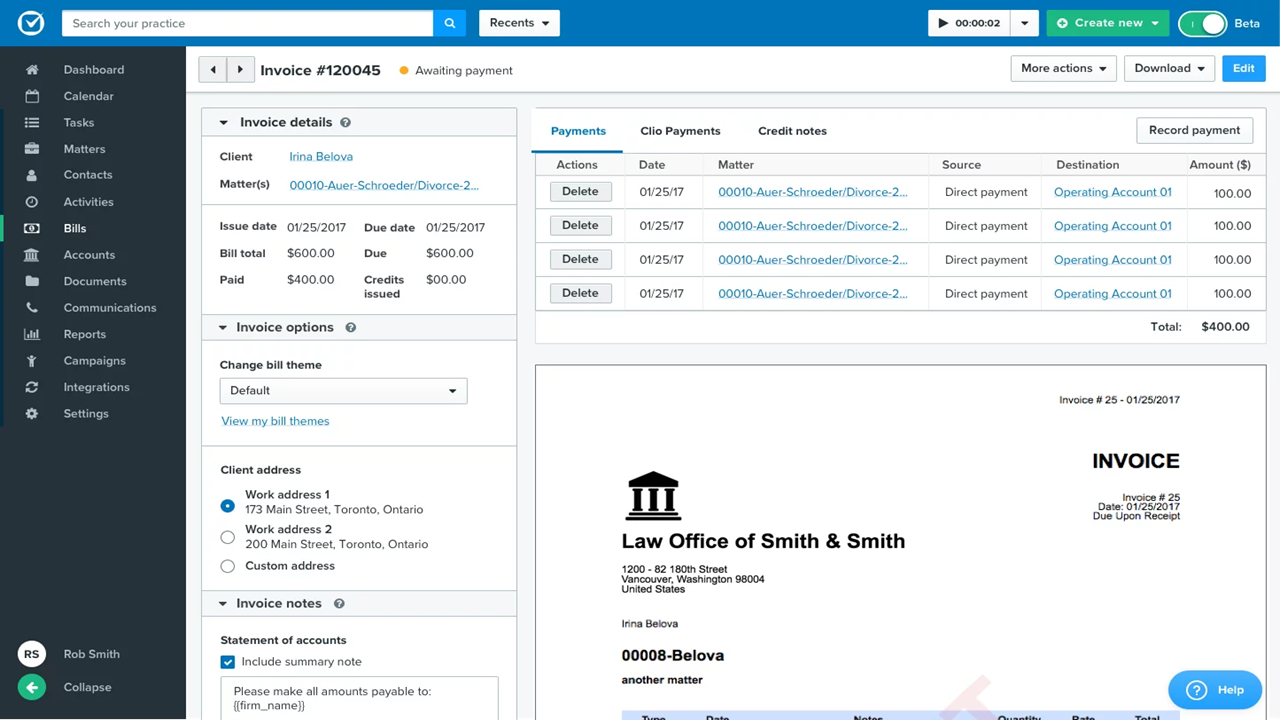
From my experience reviewing both platforms, Clio and MyCase overlap heavily on the fundamentals you’d expect from modern legal practice management software. Both give you core tools like case and document management, time tracking, billing, calendaring, and secure client communication, along with mobile apps and integrations that keep your firm running day to day. In practice, either tool can handle the full lifecycle of a matter—from client intake through invoicing—without forcing you into additional systems.
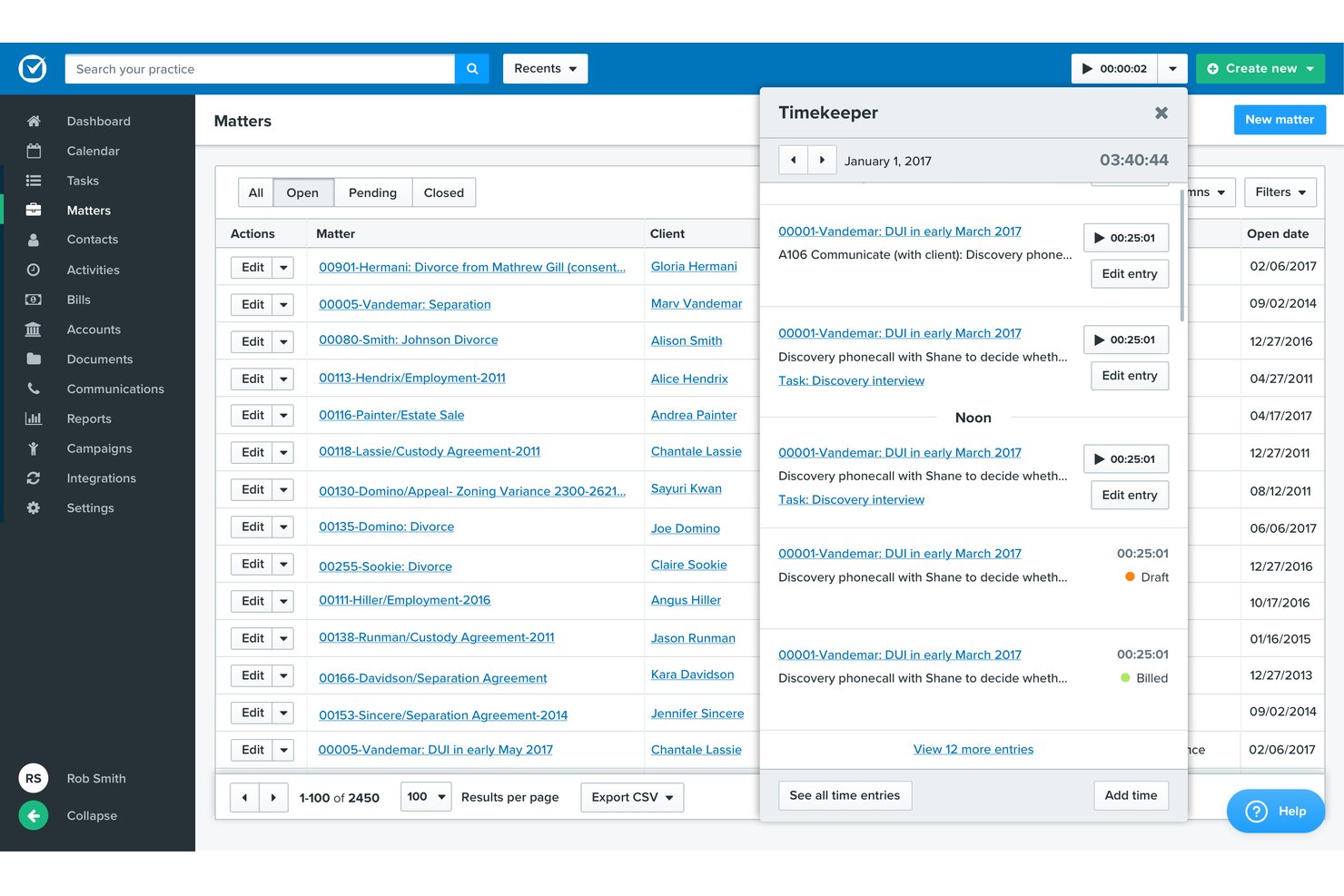
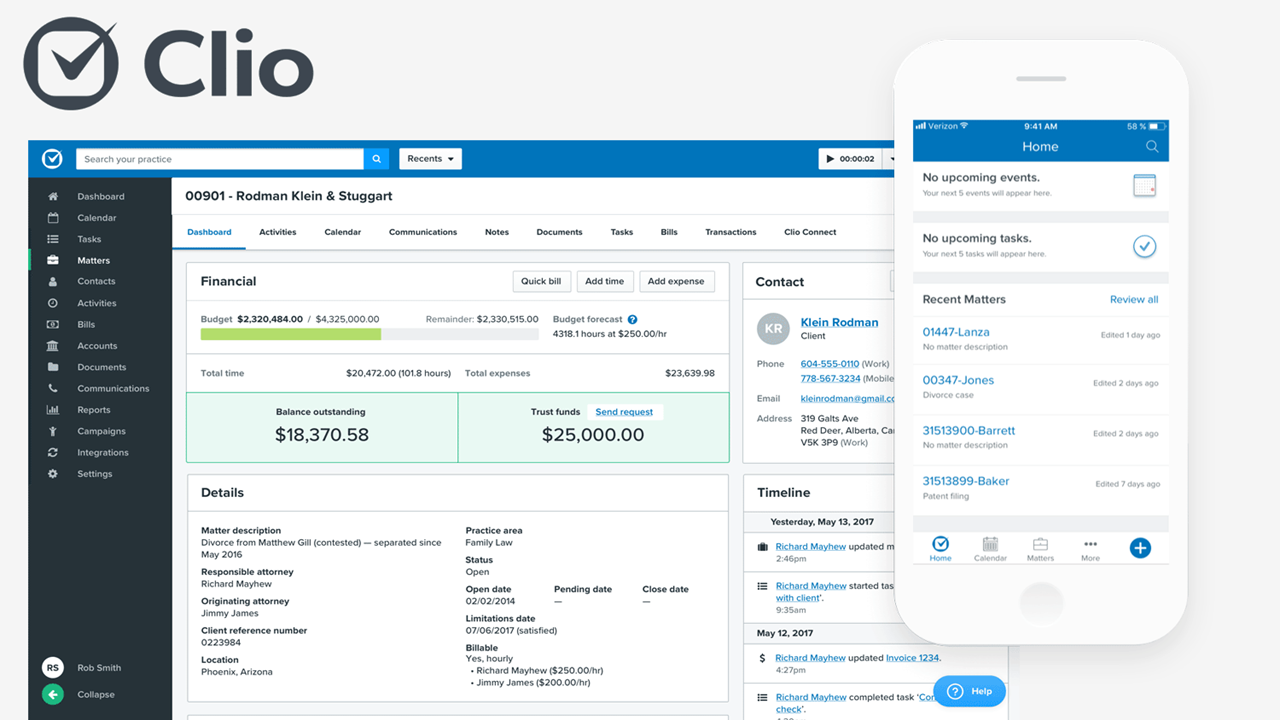
Where things get interesting is how differently they approach that same foundation. I’ve found Clio really stands out for its massive integration ecosystem and customization potential—you can connect 200+ tools and build a highly tailored workflow as your firm grows. MyCase, on the other hand, differentiates itself by going all-in on simplicity: it bundles features like built-in payment processing, client portals, and e-signatures directly into the platform, so you can get up and running faster without relying on add-ons.
| Clio | MyCase | |
|---|---|---|
| 2-Factor Authentication | ||
| API | ||
| Approval Workflows | ||
| Audit Trail | ||
| Calendar Management | ||
| Compliance Tracking | ||
| Contract Management | ||
| Custom Reports | ||
| Customer Management | ||
| Data Export | ||
| Data Import | ||
| Document Management | ||
| External Integrations | ||
| Multi-User | ||
| NDA Management | ||
| Notifications | ||
| Policy Management | ||
| Scheduling | ||
| Workflow Management |
Clio vs. MyCase Integrations
| Integration | Clio | MyCase |
|---|---|---|
| QuickBooks Online | ✅ | ✅ |
| Dropbox | ✅ | ✅ |
| Microsoft 365 | ✅ | ✅ |
| Google Calendar | ✅ | ✅ |
| DocuSign | ✅ | ❌ |
| NetDocuments | ✅ | ✅ |
| LawPay | ✅ | ✅ |
| InfoTrack | ✅ | ✅ |
| Zapier | ✅ | ✅ |
| API | ✅ | ✅ |
Clio’s integrations are much broader, especially for tools like e-signature and document management platforms. MyCase covers most essentials but is more limited for firms wanting specialized tools. Both support API and Zapier connections, so you can connect with most major apps, though Clio is likely to meet more complex integration needs out of the box.
Clio vs. MyCase Security, Compliance & Reliability
| Factor | Clio | MyCase |
|---|---|---|
| Data Encryption | Uses 256-bit SSL encryption for data in transit and at rest. | Uses 256-bit SSL encryption for all data transfers and storage. |
| Regulatory Compliance | SOC 2 Type II and GDPR compliant, designed specifically for legal practices. | Offers GDPR compliance and is built to meet legal industry standards. |
| Data Backups | Automated daily backups with geographically redundant data centers. | Nightly backups and multi-region server redundancy. |
| Access Controls | Granular user permissions and two-factor authentication. | Role-based permissions and optional two-factor authentication. |
| Uptime Guarantee | High uptime with real-time status monitoring. | High uptime SLA with continuous performance monitoring. |
Both Clio and MyCase deliver industry-standard security and reliability, but Clio pulls ahead with a stronger focus on compliance frameworks and granular access controls. I think Clio’s broad certifications and transparent uptime stats will reassure larger or more risk-sensitive firms, while MyCase still ticks every major box for most law practices.
Clio vs. MyCase Ease of Use
| Factor | Clio | MyCase |
|---|---|---|
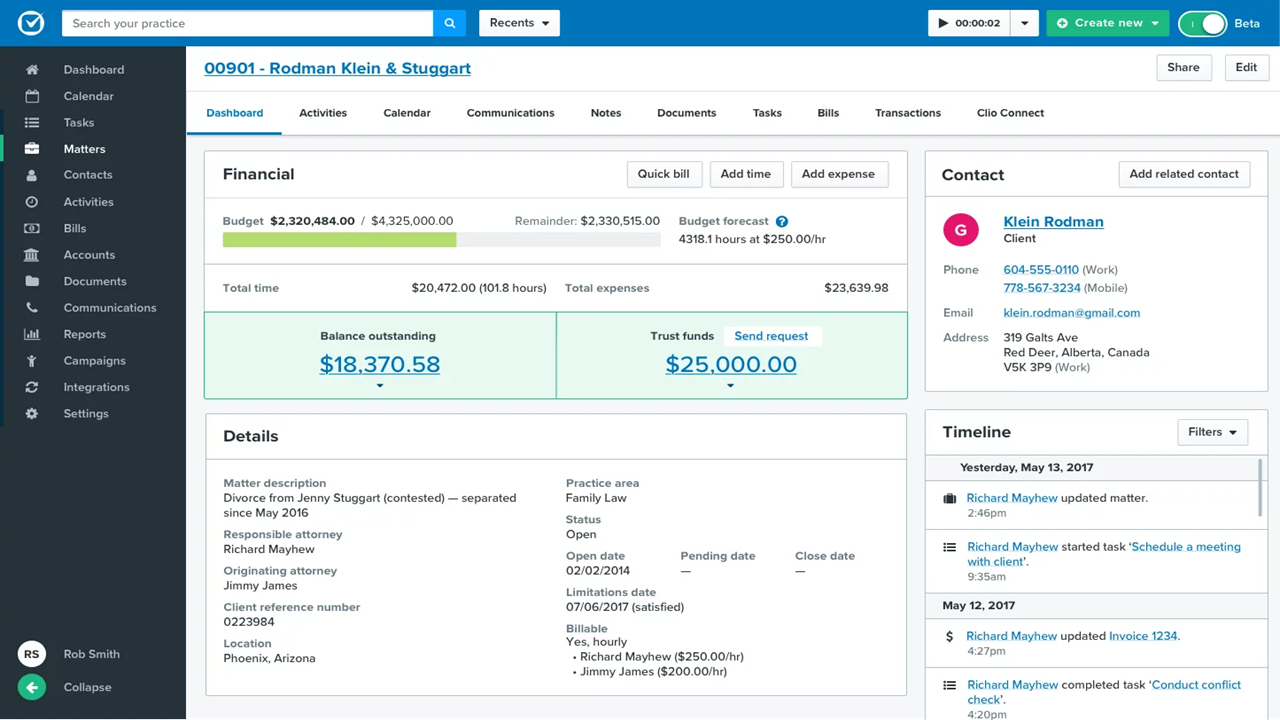
| User Interface | Clean dashboard with customizable views designed for busy legal teams. | Simple, user-friendly layout that’s easy for new users to navigate. |
| Setup Experience | Step-by-step setup wizard and helpful in-app guidance. | Quick setup with pre-configured templates for law firms. |
| Training & Support Team | 24/5 live support, knowledge base, and user community. | Live support, library of quick-start guides, and video tutorials. |
| Mobile Experience | Full-featured iOS/Android apps for on-the-go access. | Mobile app offers core features for managing cases remotely. |
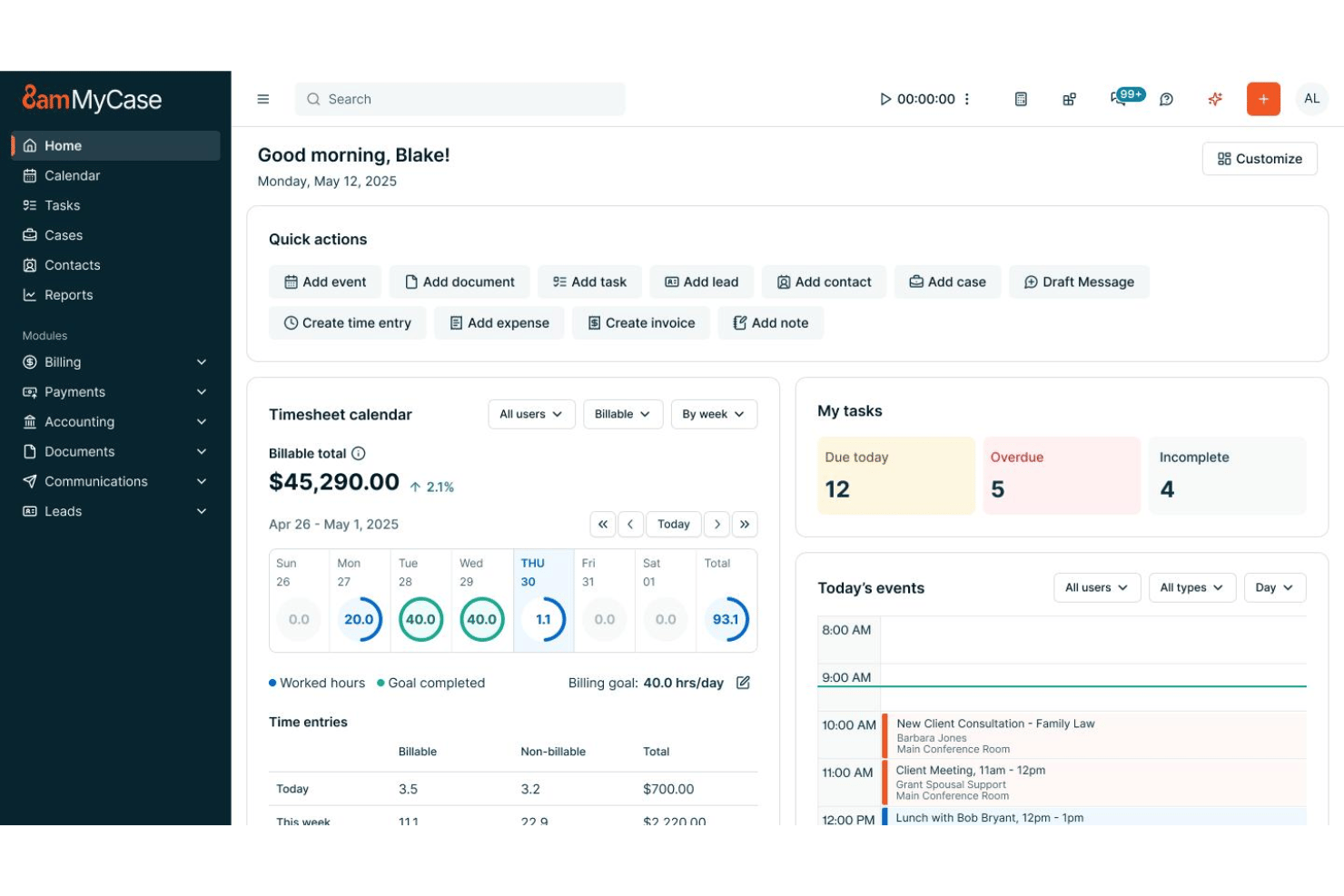
MyCase keeps things straightforward for busy lawyers, while Clio gives you more customization options if you’re willing to invest a little extra time up front. From my experience, you’ll get up and running faster on MyCase, but Clio’s layout and feature set pay off for teams willing to explore its settings.
Clio vs MyCase: Pros & Cons
Clio
- Built-in time tracking links directly to billing.
- Task lists automate recurring workflows for cases.
- Custom matter templates match legal practice areas.
- Mobile app features lag behind desktop version.
- Reporting tools feel limited for complex performance analysis.
- Automated task dependencies are missing for multi-step projects.
MyCase
- Case management and billing workflows are tightly integrated
- Client portal streamlines secure document sharing and communication
- Automated reminders help ensure deadlines and court dates are met
- Bulk document management options are limited
- Mobile app lacks full desktop functionality
- Reports customization isn’t as granular as some firms need
Best Use Cases for Clio and MyCase
Clio
- Solo Practitioners Clio’s easy setup, client intake, and end-to-end workflow tools support solo lawyers with busy caseloads.
- Small Law Firms Teams of up to 20 gain from built-in document automation, secure case files, and collaborative calendars.
- Mid-Size Law Firms Growing firms value Clio’s advanced reporting, trust accounting, and task tracking across diverse practice areas.
- Legal Administrators Admins use the platform to manage billing, client intake, and compliance tasks with audit trails and status monitoring.
- Family Law Practices Document management, deadline tracking, and client communication features suit firms handling sensitive, ongoing matters.
- Litigation Departments Calendaring, document storage, and court deadline automation streamline high-volume litigation work.
MyCase
- Solo Practitioners MyCase streamlines all case management, invoicing, and calendaring for a solo lawyer in one place.
- Small Law Firms Small firms benefit from built-in client portal, integrated billing, and collaborative tools.
- Estate Planning Practices Automated document generation and e-signature tools fit the routine paperwork and client approvals these firms need every day.
- Family Law Attorneys Secure messaging and easy-to-use calendars help keep sensitive client information organized.
- Immigration Law Offices MyCase’s contact management and document sharing tools support high-volume legal workflows.
- Litigation Teams Custom reminders and matter-centric task tracking make it easy to manage court dates.
Who Should Use Clio, and Who Should Use MyCase?
Clio is the best pick for firms that want deep customization, complex integrations, and full-featured reporting—especially larger practices or those juggling lots of software. MyCase is great for solo legal professionals and small law firms that just need everything in one place, value fast onboarding, and don’t want to get bogged down in setup.
If your team loves simplicity and quick operational wins, MyCase will feel like a fit. But if you want a scalable practice management system that connects your legal workflows to lots of other systems, Clio is the better move.
Differences Between Clio and MyCase
| Clio | MyCase | |
|---|---|---|
| Case Automation | Multi-step automations and workflow triggers. | MyCase offers task automation but with simpler options. |
| Client Communication & Portal | Strong, but some features depend on setup or add-ons. | Standout strength: fully built-in client portal with messaging and document sharing for robust client management. |
| Customization | Highly customizable workflows and system configuration. | Limited customization; emphasizes standardization and ease of use. |
| Integration Options | Large marketplace, supports many third-party tools. | Limited integrations, focused mostly on legal basics. |
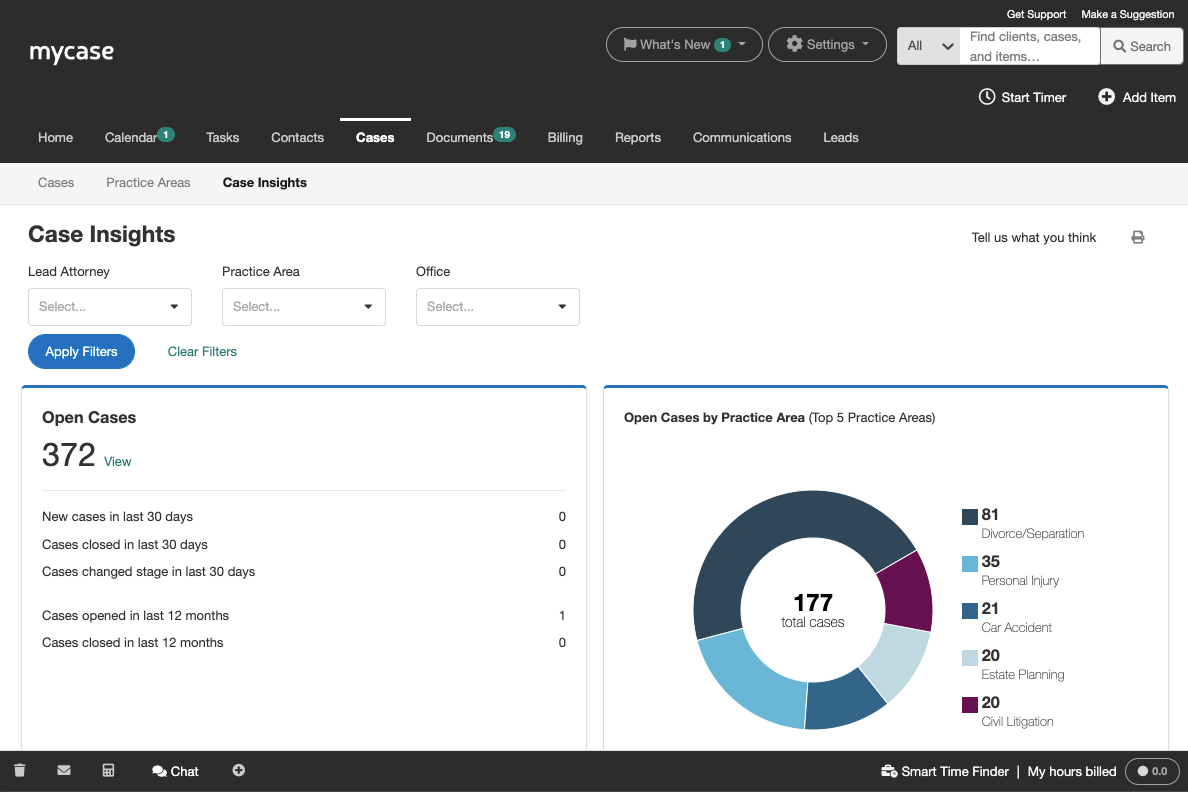
| Reporting & Analytics | Advanced, customizable reporting and insights. | Standard reporting options suitable for most needs. |
| Read Clio ReviewOpens new window | Read MyCase ReviewOpens new window |
Similarities Between Clio and MyCase
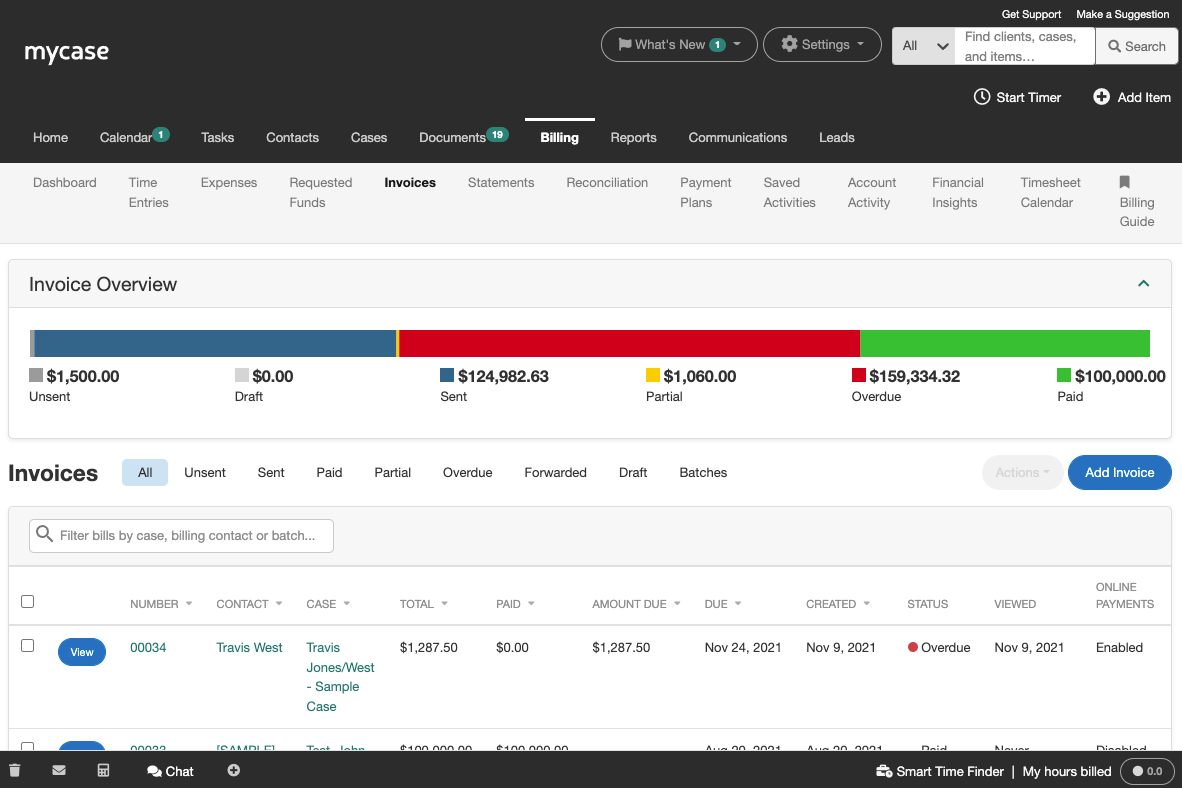
| Billing & Invoicing | Each includes legal-specific billing tools (LEDES billing, batch invoicing, trust accounting support) to streamline revenue workflows. |
|---|---|
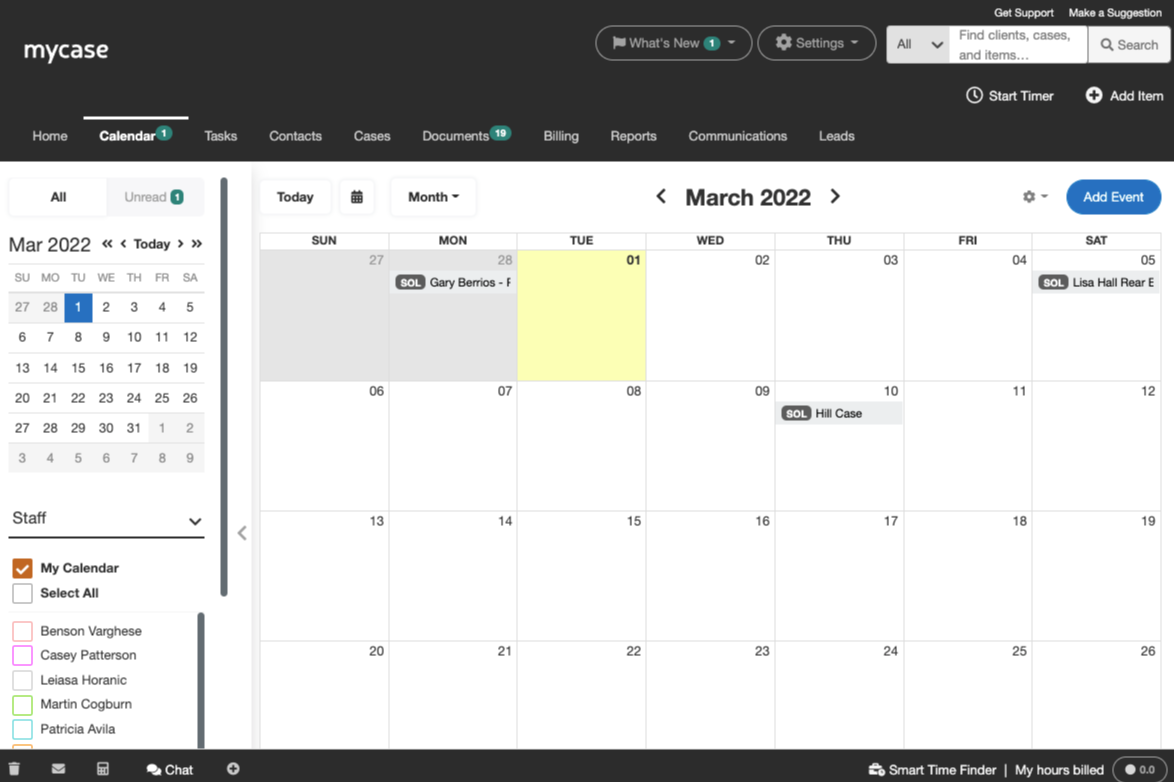
| Calendar & Tasks | Both offer built-in calendaring, deadline tracking, and task management tied directly to cases. |
| Case Management System | Both platforms centralize case data, tasks, notes, calendars, and communications in one system to manage the full matter lifecycle. |
| Legal Document Management | Both offer secure document storage, sharing, and editing functionality made for legal workflows. |
| Time & Expense Tracking | Each platform lets you log billable hours and costs directly from matters or on the go. |
| Read Clio ReviewOpens new window Read MyCase ReviewOpens new window | |