

10 Best Pipefy Alternatives for Workflow Management in 2026

Best Pipefy Alternatives Shortlist


Pipefy is a powerful workflow management tool that helps teams automate processes and improve efficiency by providing customizable templates and integrations. However, some users may seek alternatives due to specific feature needs or pricing concerns. Here, I’ll share my suggestions for the best Pipefy alternatives.
Why Trust Our Software Recommendations
Our team has been testing and reviewing software since 2012. As project managers ourselves, we know how difficult—and important—it is to choose the right software.
For this guide, we evaluated tools using hands-on testing and independent research, scoring tools using our selection criteria. We also draw on insights from industry thought leaders and practicing project management experts.
Our reviews reflect our human editorial judgment, not a sales pitch.
Expert reviewers:
Pipefy Alternatives Comparison Table
This comparison table summarizes pricing details for my top Pipefy alternative selections:
| Tool | Best For | Trial Info | Price | ||
|---|---|---|---|---|---|
| 1 | Best for an all-in-one workspace | Free plan + Free trial available | From $10/user/month | Website | |
| 2 | Best for intuitive task management | Free plan + 14-day free trial available | From €17.50/user/month | Website | |
| 3 | Best for client-focused project management | Free plan + 14-day trial + demo available | From $9.99/user/month (billed annually) | Website | |
| 4 | Best for software development teams | Free plan + 7-day free trial available | From $8.48/user/month | Website | |
| 5 | Best for chat integration | Free plan + 14-day free trial available | From $15/user/month (billed annually) | Website | |
| 6 | Best for outcome-driven enterprise | 30-day free trial available | Pricing upon request | Website | |
| 7 | Best for visual task management | Free plan + free trial + free demo available | From $6/user/month | Website | |
| 8 | Best for customizable workflows | Free plan + 14-day free trial + free demo available | From $10/user/month (billed annually) | Website | |
| 9 | Best for comprehensive project tracking | Free plan + 15-day free trial + free demo available | From $4/user/month (billed annually) | Website | |
| 10 | Best for portfolio management | Free demo available | Pricing upon request | Website |

What is Pipefy?
Pipefy is a workflow management software designed to help teams automate and streamline their processes. It is used by project managers, operations teams, and business analysts to create, manage, and optimize workflows. Pipefy improves efficiency, ensures consistency, and provides visibility into processes.
Best Pipefy Alternatives Reviews
Here’s my in-depth analysis and overview of each Pipefy alternative. I’ll cover the pros and cons, features, and best use cases for each tool.
Notion
Best for an all-in-one workspace
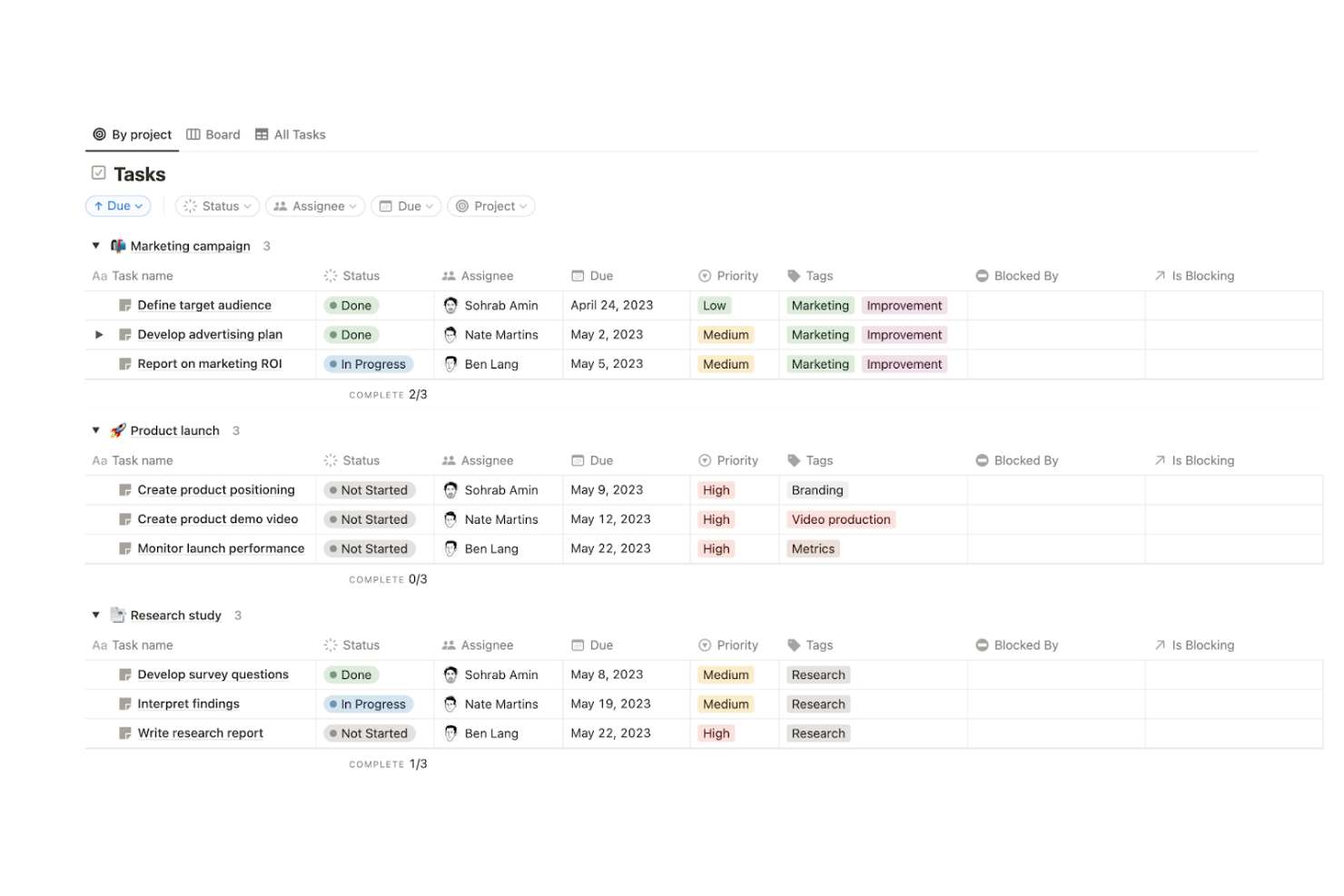
Notion is a flexible workspace platform that combines databases, Kanban boards, forms, automations, and dashboards to help teams capture information, track work, and connect their tools in one place.
Who Is Notion Best For?
Notion works well for small teams and cross-functional groups that want to consolidate docs, tasks, and project tracking into a single workspace without adopting multiple specialized tools.
Why I Picked Notion
I picked Notion as one of the best because it genuinely does what few tools can: replace a fragmented stack of docs, trackers, and spreadsheets with a single connected workspace. I love how its Kanban database views let my team move work through stages while dashboards pull in ticket overviews, pipeline-by-stage charts, and SLA-breach views from multiple databases at once. Pair that with no-code automations that trigger on property changes, and Notion handles a surprising range of process coordination without ever leaving the workspace.
Notion Key Features
- Database automations: Set triggers based on property changes or schedules to automatically assign tasks, send Slack notifications, or update records without writing code.
- Customizable forms: Build forms that feed responses directly into Notion databases, with conditional question logic available on Business and Enterprise plans.
- Granular permission controls: Assign
Can createaccess so teammates or external users can submit database entries without viewing or editing existing records. - Cross-tool integrations: Connect Notion to tools like Jira, GitHub, Slack, and Salesforce through native integrations, a REST API, webhooks, and SDKs.
Notion Integrations
Notion offers marketplace integrations with Jira, GitHub, Slack, Microsoft Teams, and Linear, plus native Google Calendar and Notion Calendar connections. Its REST API, webhooks, SDKs, CLI, MCP, and External Agents API support custom integrations.
Pros and Cons
Pros:
- Build dashboards for ticket and SLA visibility
- Adapt boards to team-specific request stages
- Connect project records with shared documentation
Cons:
- Boards lack documented conditional stage rules
- Automations cannot trigger other automations
Best for intuitive task management
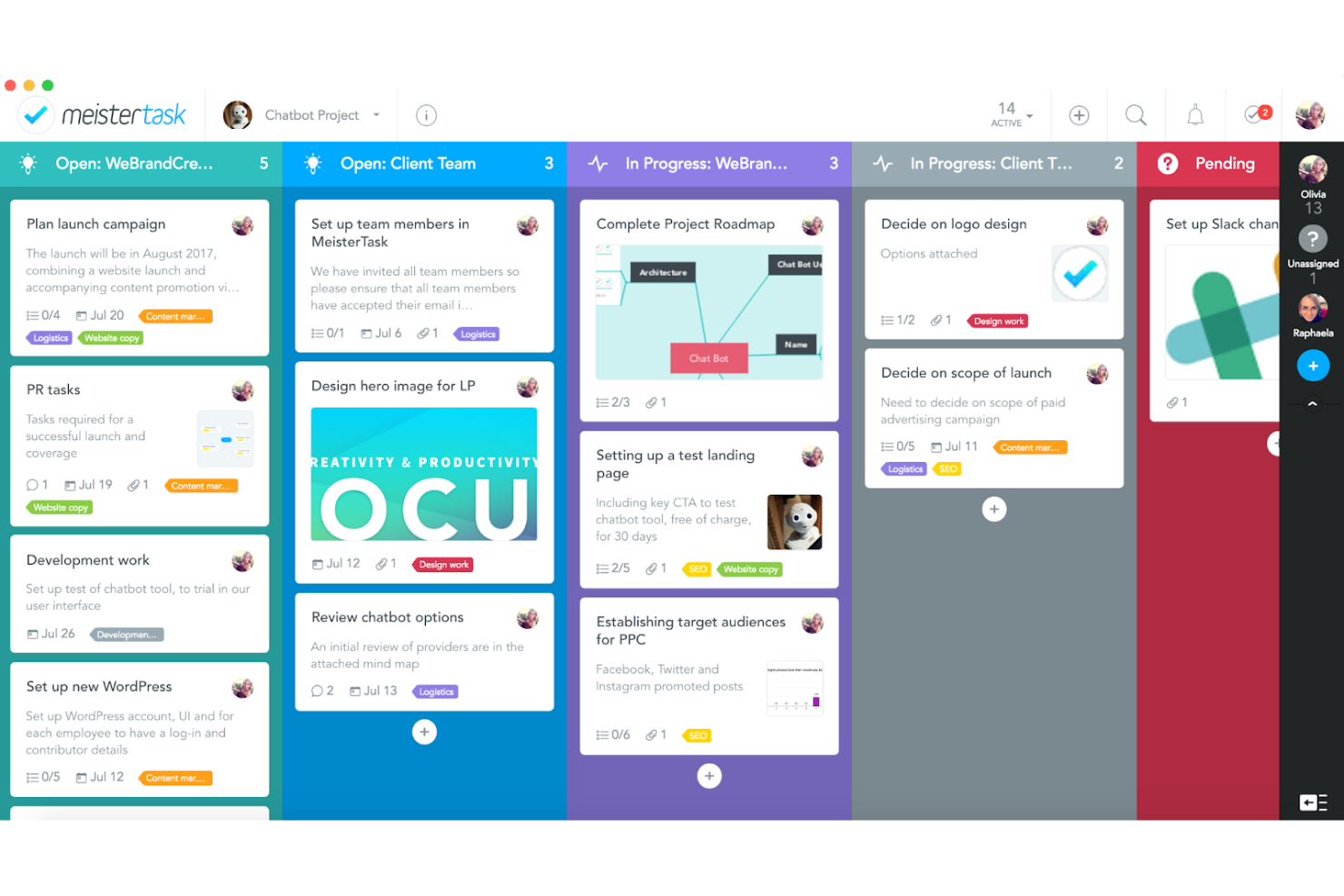
MeisterTask is a Kanban-based work management platform that combines visual task boards, section-triggered automations, time tracking, and team collaboration tools.
Who Is MeisterTask Best For?
MeisterTask is a good fit for small to mid-sized teams that want a visually clean task board without a steep learning curve.
Why I Picked MeisterTask
MeisterTask earns its spot on my shortlist because its Kanban boards make task flow genuinely easy to follow. I like how section-triggered automations handle the busywork: when a task moves into a "Review" section, MeisterTask can automatically assign a reviewer, shift the due date, and fire off a Slack notification, all without any code. The AI-generated project status drafts are also a practical touch, pulling completed tasks, overdue items, and recent comments into a ready-to-edit update.
MeisterTask Key Features
- Role-based project permissions: Assign one of five roles (Content Manager, Contributor, Guest, Commenter, or Viewer) to control what each team member can view or edit within a project.
- Time tracking with reports: Log hours directly on tasks and review time data filtered by project, assignee, or time frame, with export options to CSV or Excel.
- Task creation from email: Forward emails to MeisterTask to create tasks automatically, with the subject line becoming the task title and the email body becoming the description.
- Project import from Trello and Asana: Bring existing projects into MeisterTask using native imports from Trello or an Asana-exported CSV file.
MeisterTask Integrations
Native integrations include Gmail, Outlook, Slack, Google Calendar, Google Drive, Dropbox, and OneDrive. MeisterTask also offers a REST API with OAuth 2.0 and Zapier connectivity.
Pros and Cons
Pros:
- Email requests become trackable task cards
- Section triggers assign reviewers and due dates
- Kanban boards make request stages visible
Cons:
- No cycle-time or bottleneck reporting
- No public intake forms or approval chains

Best for client-focused project management
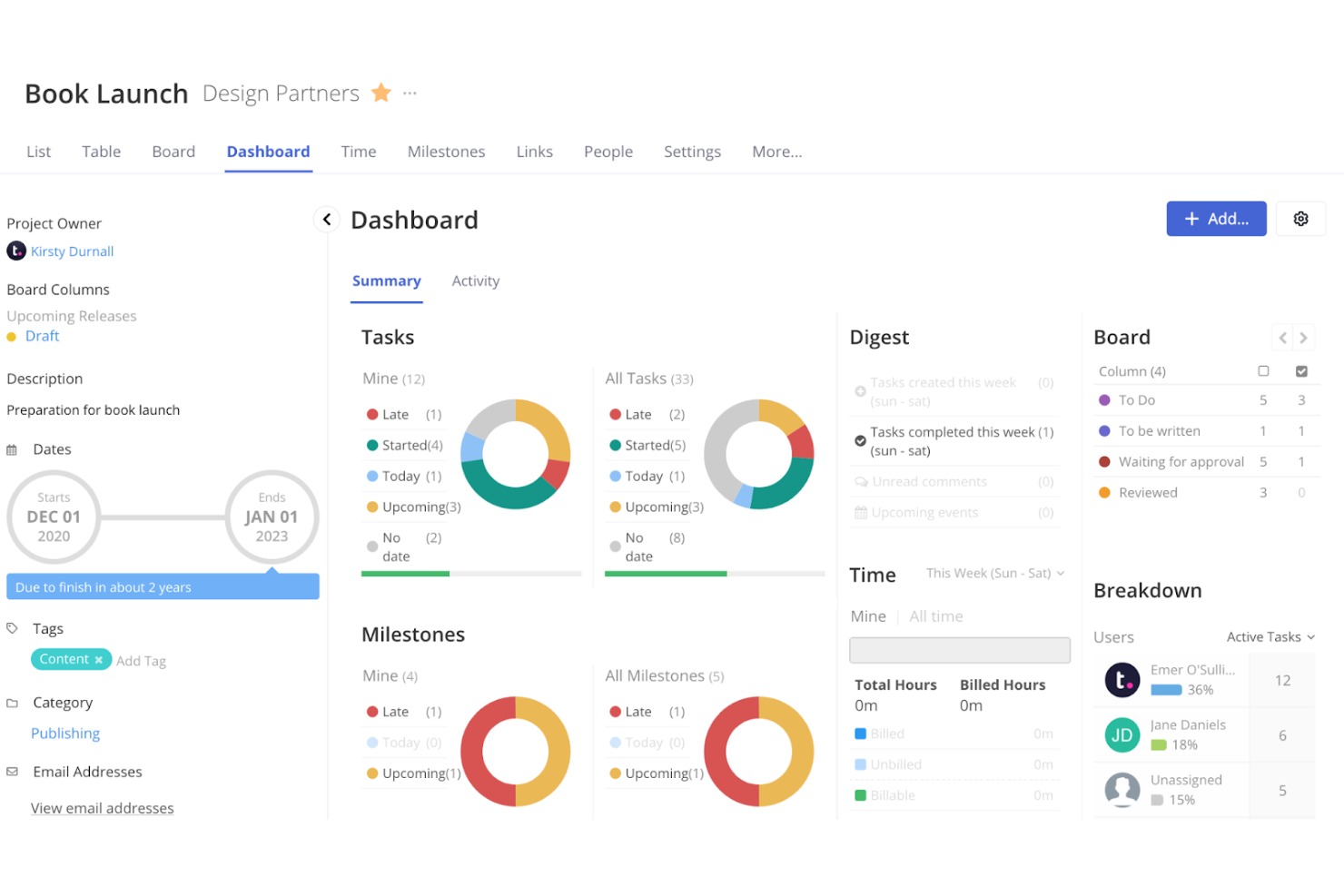
Teamwork.com is a project management platform built around client work that combines task and workflow management, time tracking, intake forms, resource planning, and billing tools in one place.
Who Is Teamwork.com Best For?
Teamwork.com suits agencies and professional services teams that manage multiple client projects and need billing, time tracking, and collaboration tools in one place.
Why I Picked Teamwork.com
I picked Teamwork.com as one of the best Pipefy alternatives because it's purpose-built for client work, which means billing, time tracking, and project delivery live in one place rather than being bolted on. I love how intake forms automatically convert client or team requests into tracked tasks, and how reusable workflow stages can be applied across every client project without rebuilding them each time. For agencies running multiple retainers, the ability to log billable time, generate client invoices, and track budget health all within the same workspace is something I haven't seen Pipefy match.
Teamwork.com Key Features
- Workload and capacity management: View team workloads day-to-day, spot capacity issues, and reassign work directly within the platform.
- Client invoicing: Generate invoices from logged billable time and sync them to accounting tools like QuickBooks and Xero.
- Project portfolio view: Monitor the health and status of multiple projects simultaneously across your entire client portfolio.
- Role-based project permissions: Control exactly what clients, collaborators, and team members can access across tasks, budgets, time logs, and forms.
Teamwork.com Integrations
Teamwork.com lists 150+ integrations, including native Slack, HubSpot, Salesforce, QuickBooks Online, Google Sheets, and Microsoft Teams connections. It also offers marketplace integrations, API and webhooks, Make, and Zapier.
Pros and Cons
Pros:
- Portfolio views show workload and project health
- Intake forms turn requests into trackable tasks
- Client work, time, and budgets stay connected
Cons:
- Automation quotas and permissions constrain scale
- Stages lack branching and cross-workflow orchestration

Jira
Best for software development teams
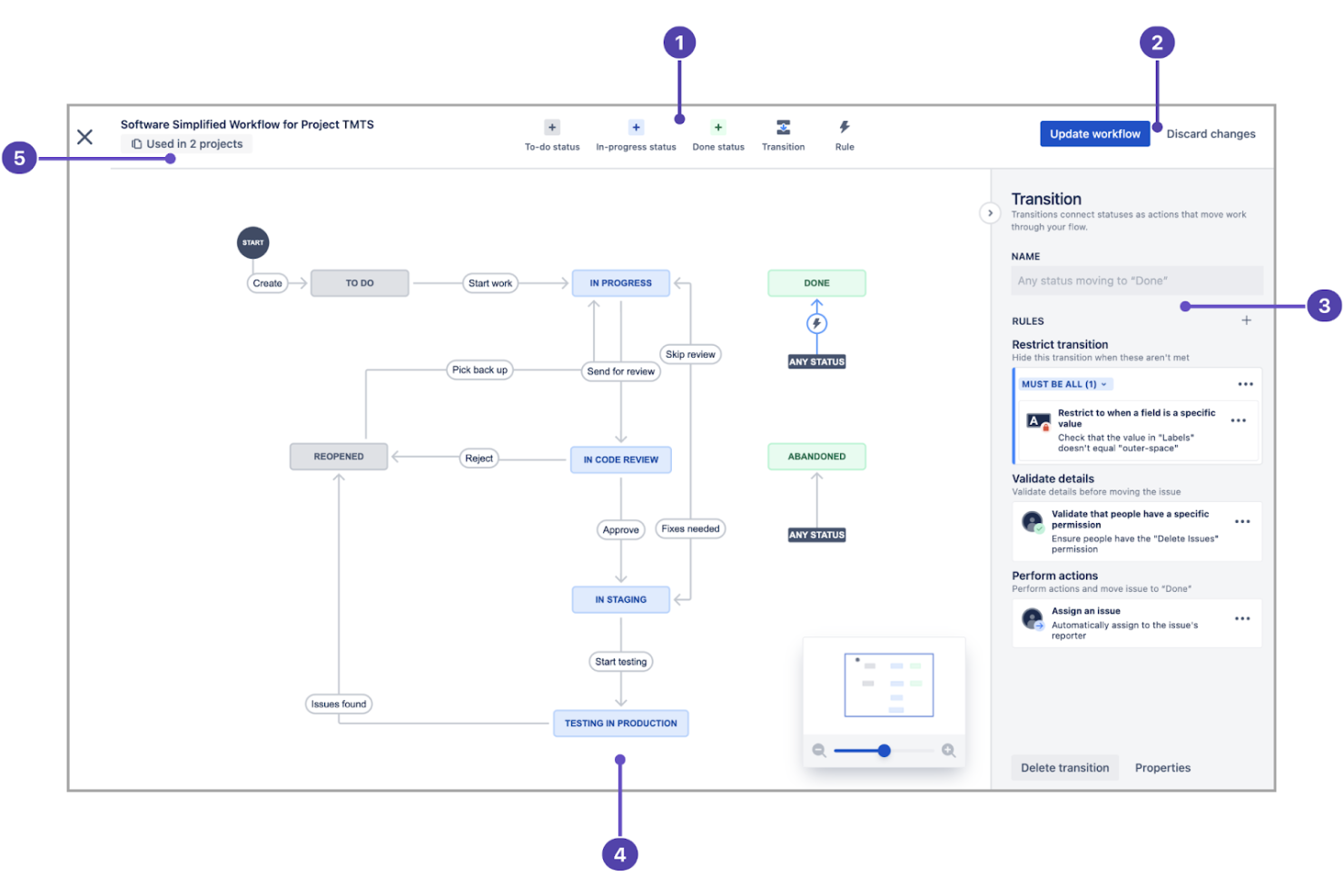
Jira is Atlassian's project management and issue-tracking platform built around configurable workflows, Scrum and Kanban boards, no-code automation, and deep integrations with development tools like Bitbucket, GitHub, and Confluence.
Who Is Jira Best For?
Jira is a strong fit for software and product development teams that need structured, configurable workflows tightly connected to their code and delivery pipelines.
Why I Picked Jira
Jira earns its spot on my shortlist because no other tool connects software delivery workflows to project tracking as tightly. I love how configurable Scrum and Kanban boards map directly to your team's workflow statuses, so a sprint task moves from "In Progress" to "In Review" to "Done" without anyone manually chasing updates. The no-code automation builder handles the repetitive work, like auto-assigning tickets when a pull request is opened or escalating stalled issues after a set period.
Jira Key Features
- Configurable workflow schemes: Define statuses, transitions, conditions, and validators for each stage of work, then reuse those workflows across multiple projects.
- Cross-team planning and dependency mapping: Build plans that span teams and spaces, map dependencies between initiatives, and model alternative scenarios to assess downstream impact.
- Public-facing forms: Share a link-accessible form that converts each submission into a tracked work item, letting external stakeholders or other departments submit requests without a Jira account.
- Audit log: Capture configuration and administration events—including workflow, permission, and user-management changes—exportable via REST API or CSV for governance and compliance review.
Jira Integrations
Jira offers 3,000+ Marketplace integrations plus native integrations with Confluence, Bitbucket, and Trello. Its REST API, web requests, and webhooks support custom connections with other business systems.
Pros and Cons
Pros:
- HR and procurement templates support requests
- Automation reduces repetitive ticket handling
- Configurable workflows map stages to team processes
Cons:
- Reports can challenge non-Agile stakeholders
- Workflow setup requires ongoing administrative oversight
Best for chat integration
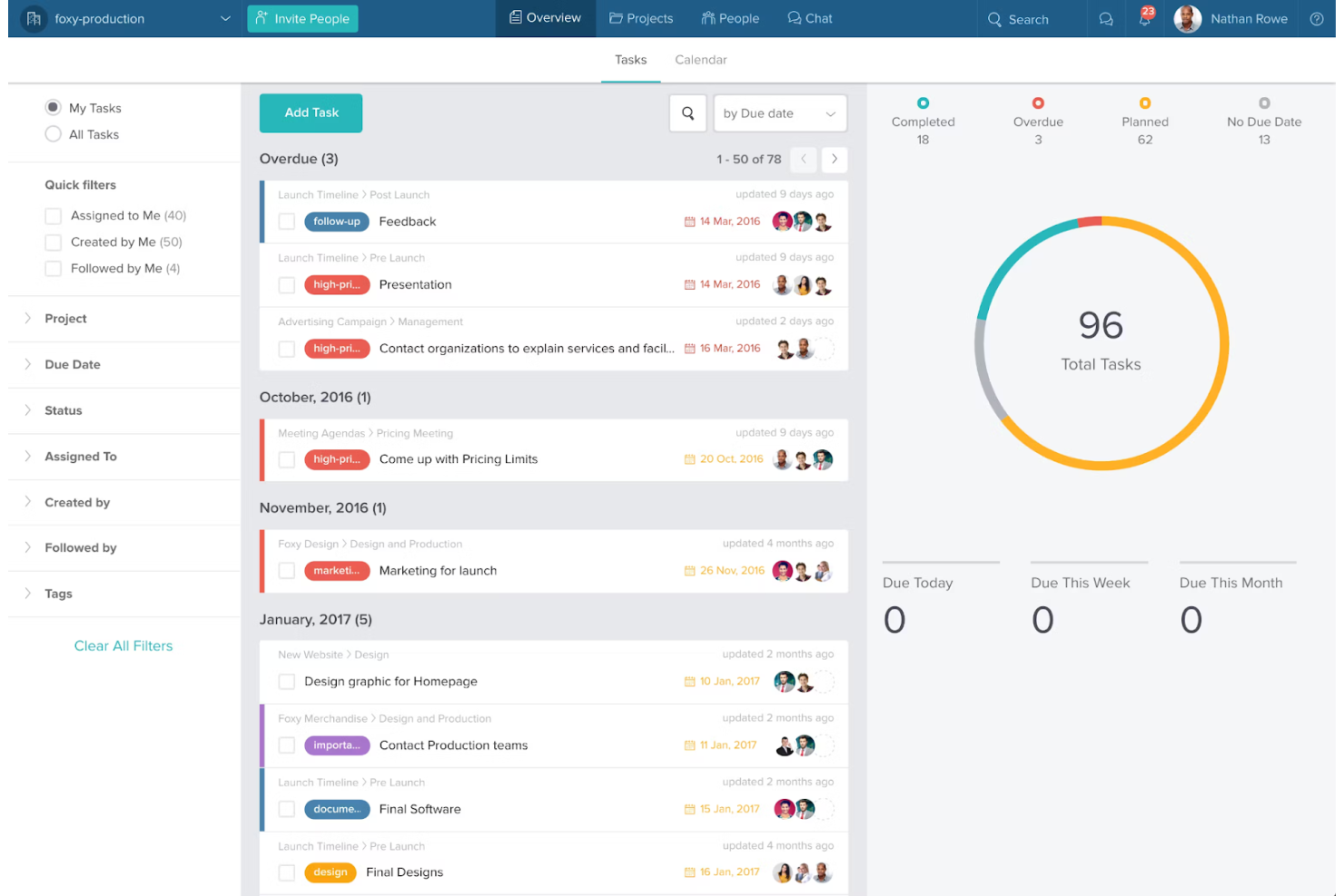
Taskworld is a project and task management platform that combines Kanban boards, timeline views, team chat, and basic workflow automation across projects.
Who Is Taskworld Best For?
Taskworld suits teams that want task management and team chat in one place, without juggling a separate messaging tool.
Why I Picked Taskworld
I picked Taskworld as one of the best because it keeps project conversations and task work in the same place, which is exactly what teams want when they're moving away from juggling Pipefy alongside a separate messaging tool. Project-specific chats sit directly alongside your Kanban boards and timeline views, so context stays attached to the work. I also like that you can spin up a Google Meet video call straight from a chat window, which cuts down on the tool-switching that slows distributed teams down.
Taskworld Key Features
- Task automation: Preset automations trigger actions like moving tasks, adding assignees, or adding followers based on due dates or task status changes.
- Timeline view: A Gantt-style view displays tasks by start and due dates, highlights dependencies, and supports downloadable Timeline Reports in CSV or PDF.
- Custom fields: Text, Number, and Dropdown fields can be added to tasks and used to sort Kanban tasklists in ascending or descending order.
- HTTP API: A documented API covers projects, tasks, messages, users, and workspaces across USA, Asia, and Europe regions, with a limit of 1,000 calls per minute.
Taskworld Integrations
Taskworld lists integrations with Microsoft Teams, Slack, GitHub, Google Drive, Outlook, Dropbox, and Zapier. Its HTTP API supports custom connections to projects, tasks, messages, users, and workspaces.
Pros and Cons
Pros:
- Project analytics show overdue and completed tasks
- Kanban boards and timelines clarify task progress
- Project chat keeps work conversations contextual
Cons:
- Reports lack cross-project process metrics
- Boards lack configurable pipeline rules

Best for outcome-driven enterprise
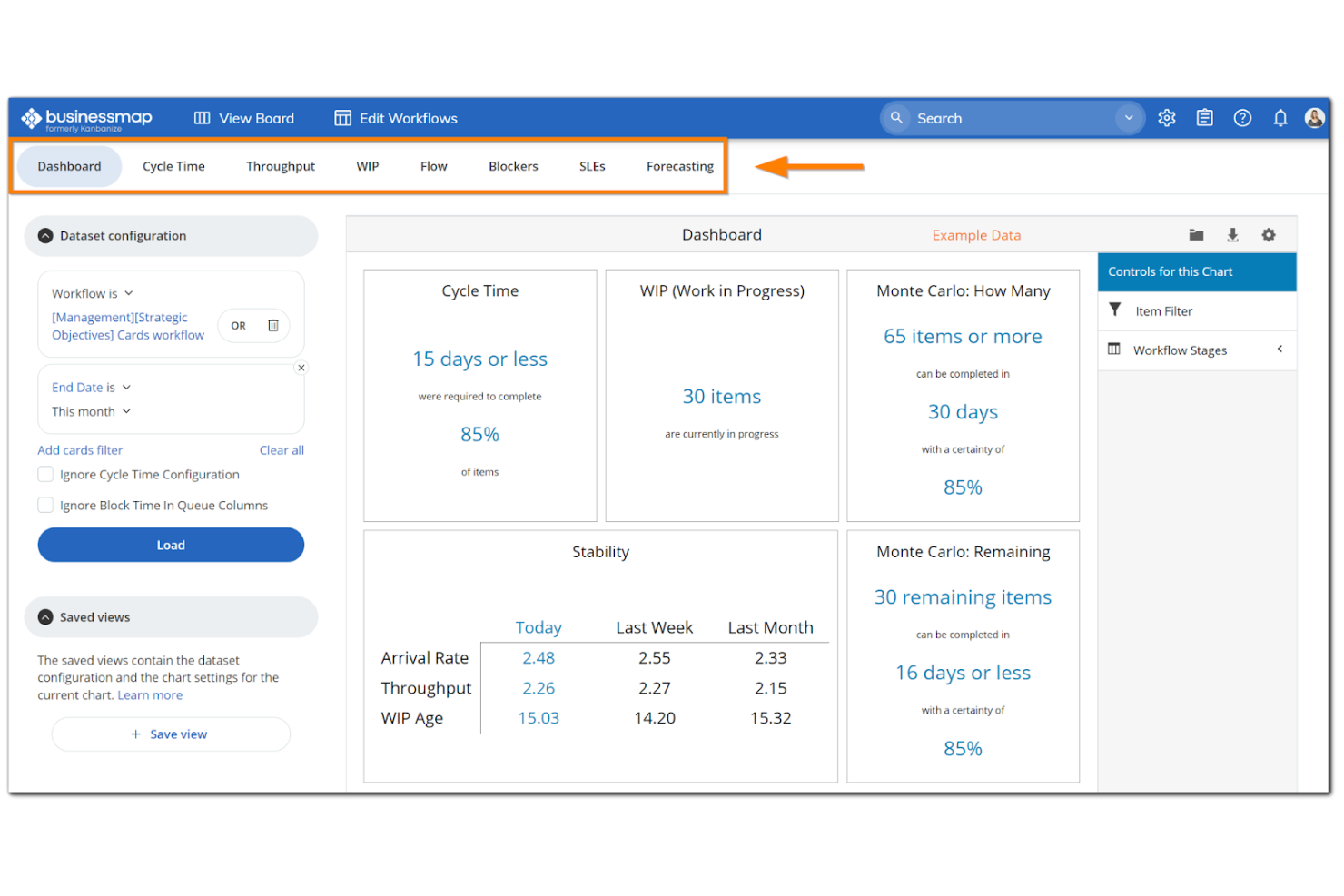
Businessmap is a project and portfolio management platform that combines multi-level Kanban boards, no-code workflow automation, OKR tracking, and cross-team portfolio visibility.
Who Is Businessmap Best For?
Businessmap suits enterprise teams that need to connect strategic goals to day-to-day execution across multiple departments and portfolios.
Why I Picked Businessmap
Businessmap earns its spot on my shortlist because it's built specifically for enterprises that need to connect OKRs and strategic goals to team-level execution, not just manage tasks. I love how linked workflows synchronize cards and statuses between team boards and management boards in real time, so a PMO can see cross-portfolio progress without chasing updates. Business Rules let my team automate multi-step actions across those linked boards, like moving a card on one board and triggering a status update on another, without writing any code.
Businessmap Key Features
- OKR and KPI tracking: Connect strategic objectives and key results directly to work items on your boards to keep execution tied to outcomes.
- Service Level Expectations (SLEs): Set maximum time limits for cards to spend in specific workflow columns or lanes and monitor compliance with those targets.
- Public-facing request forms: Publish shareable forms that anyone can submit without a Businessmap account, with submitters able to track their own requests in My Requests.
- Gantt planning and dependency management: Visualize project timelines, milestones, and cross-team dependencies on Gantt charts to manage sequencing and delivery dates.
Businessmap Integrations
Businessmap offers native integrations with Jira, GitLab, Bitbucket, Power BI, Tableau, Looker Studio, Okta, OneLogin, Microsoft Azure Active Directory, and Subversion. It also provides a REST API and integrations via Make, Microsoft Power Automate, and Zapier.
Pros and Cons
Pros:
- Tracks external requests through public forms
- Automates work across linked boards
- Connects portfolio goals to execution
Cons:
- Complex board setup takes planning
- Report customization can feel limited

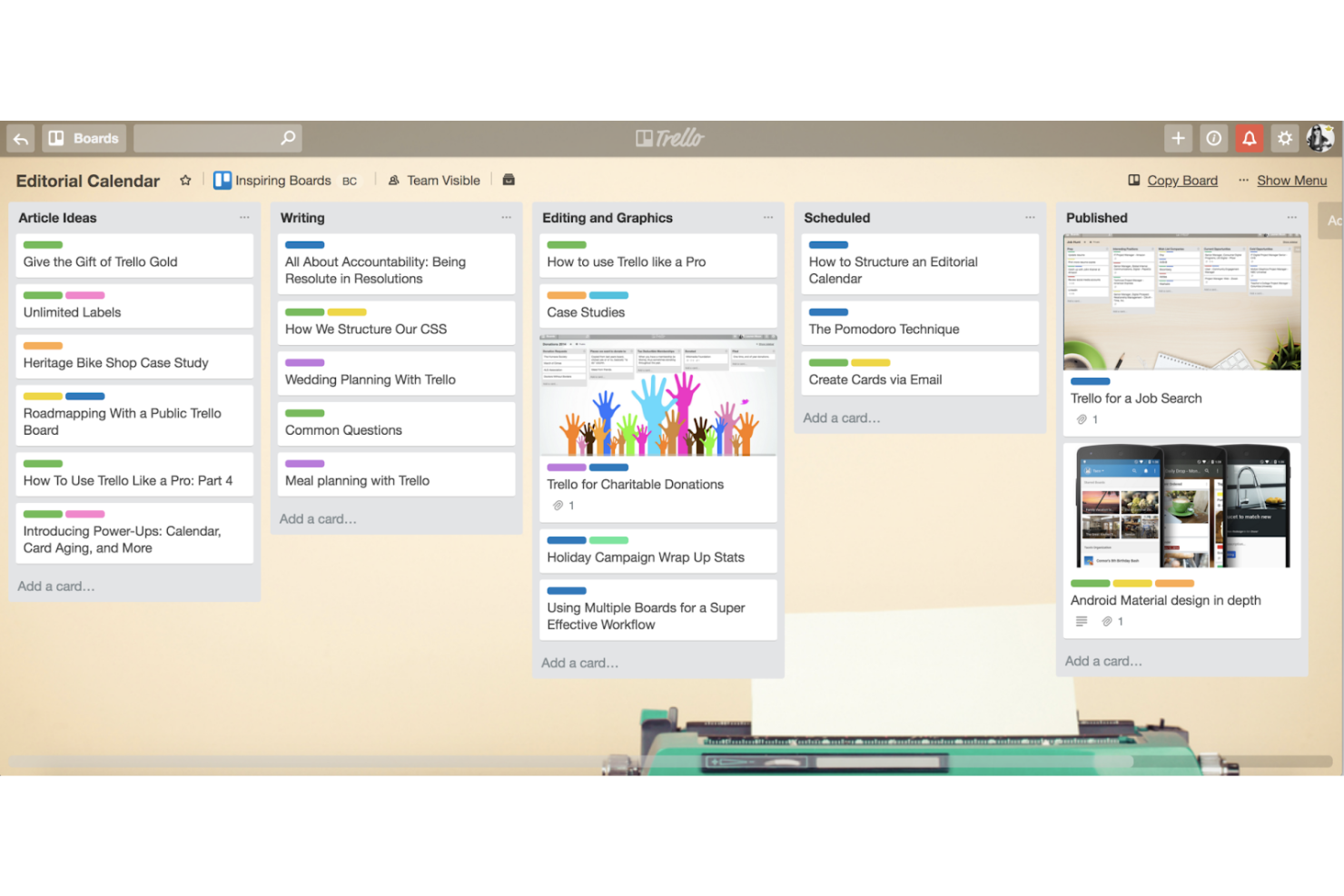
Trello is a kanban-style project management tool built on boards, lists, and cards that lets teams track tasks, automate routine workflows with its no-code Butler automation, and connect to over 200 apps via Power-Ups and a REST API.
Who Is Trello Best For?
Trello suits small teams and individual contributors who need a quick, visual way to track tasks without managing complex workflows.
Why I Picked Trello
I picked Trello as one of the best Pipefy alternatives because its kanban-style boards make task stages and responsibilities instantly visible without any setup overhead. Butler, its no-code automation engine, lets you build rules that move cards through lists automatically, like routing a completed card to an approval list the moment it's marked done. Card mirroring lets you view and update the same task across multiple boards, which keeps cross-functional work aligned without duplicating effort.
Trello Key Features
- Custom Fields: Add structured data to cards using checkbox, date, dropdown, number, and text field types to capture task-specific information.
- Dashboard view: See real-time visual insights into team progress through customizable bar graph and pie chart tiles, available on Premium plans.
- REST API and webhooks: Connect Trello to external systems programmatically, with support for creating and editing boards, lists, and cards and receiving real-time updates.
- Advanced checklists: Break cards into checklist items and assign individual members and due dates to each item, available on Standard and higher plans.
Trello Integrations
Trello lists 236 marketplace integrations, including Slack, Jira Cloud, Microsoft Teams, Gmail, and Miro. Its REST API and webhooks support custom connections for syncing boards, lists, cards, comments, and assignments.
Pros and Cons
Pros:
- Templates help launch repeatable workflows
- Butler automates routine card movement
- Kanban boards clarify task ownership
Cons:
- Reporting misses workflow bottlenecks
- Boards clutter as work scales

Wrike
Best for customizable workflows
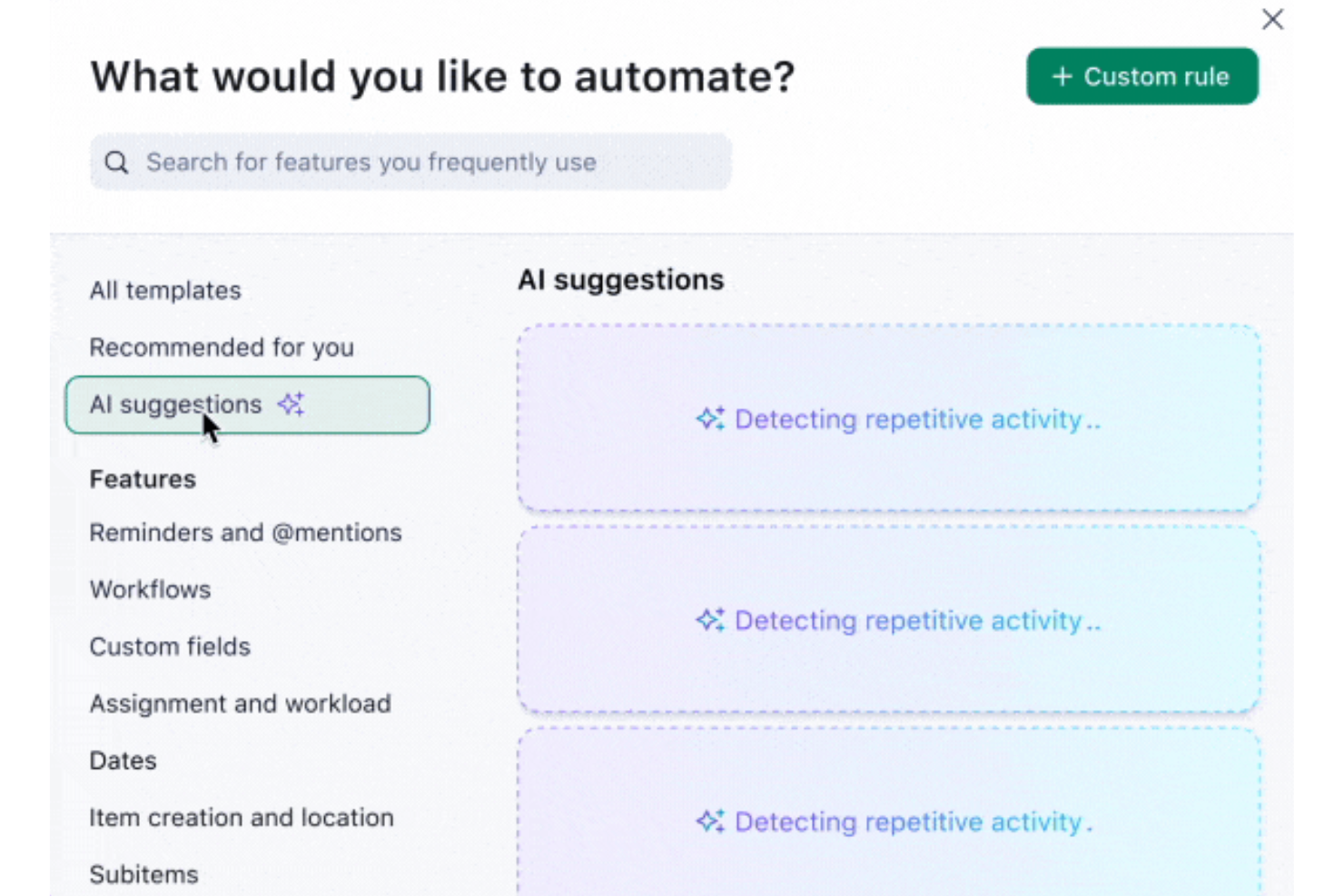
Wrike is a work management platform that combines customizable workflows, no-code automation, request forms, Gantt charts, and real-time reporting across tasks and projects.
Who Is Wrike Best For?
Wrike is a strong fit for cross-functional teams that need to build and enforce structured workflows across multiple departments without relying on engineering support.
Why I Picked Wrike
I picked Wrike as one of the best Pipefy alternatives because its customizable workflows go deeper than most: you can enforce required fields at each status transition, so a task literally can't move forward until the right data is captured. I love that this applies across different team processes simultaneously, whether that's a procurement request or a creative brief. Wrike's no-code WHEN–IF–THEN automation then handles routing automatically once those conditions are met.
Wrike Key Features
- Request forms: Collect and route internal and external work requests using conditional branching logic, available on Business plans and above.
- Public request portals: Share forms via link or embed them on a website to capture submissions from people outside your Wrike account.
- 400+ pre-built native integrations: Connect Wrike to tools like Salesforce, Slack, HubSpot, Jira, and GitHub, with an open REST API and Wrike Integrate for custom connections.
- Time tracking: Log hours worked on projects and sync that data with your finance system to inform budgeting and invoicing, available from the Business plan.
Wrike Integrations
Wrike offers 400+ pre-built native integrations, including Jira, Salesforce, HubSpot, Slack, GitHub, and Google Sheets. It also supports custom connectivity through an open REST API, webhooks, OAuth 2.0, and Wrike Integrate.
Pros and Cons
Pros:
- Request forms reduce intake back-and-forth
- Automations route approvals without manual chasing
- Required fields enforce cleaner stage handoffs
Cons:
- Workflow setup takes governance effort
- Cross-project reporting needs workarounds
New Product Updates from Wrike

Wrike Redesigns AI Agent Builder
Wrike redesigns its AI Agent Builder with a side-by-side setup, Scopes, sentence-style triggers and actions, and clearer filters. These changes make it easier to configure, test, and manage agent behavior. For more information, visit Wrike’s official site.

Best for comprehensive project tracking
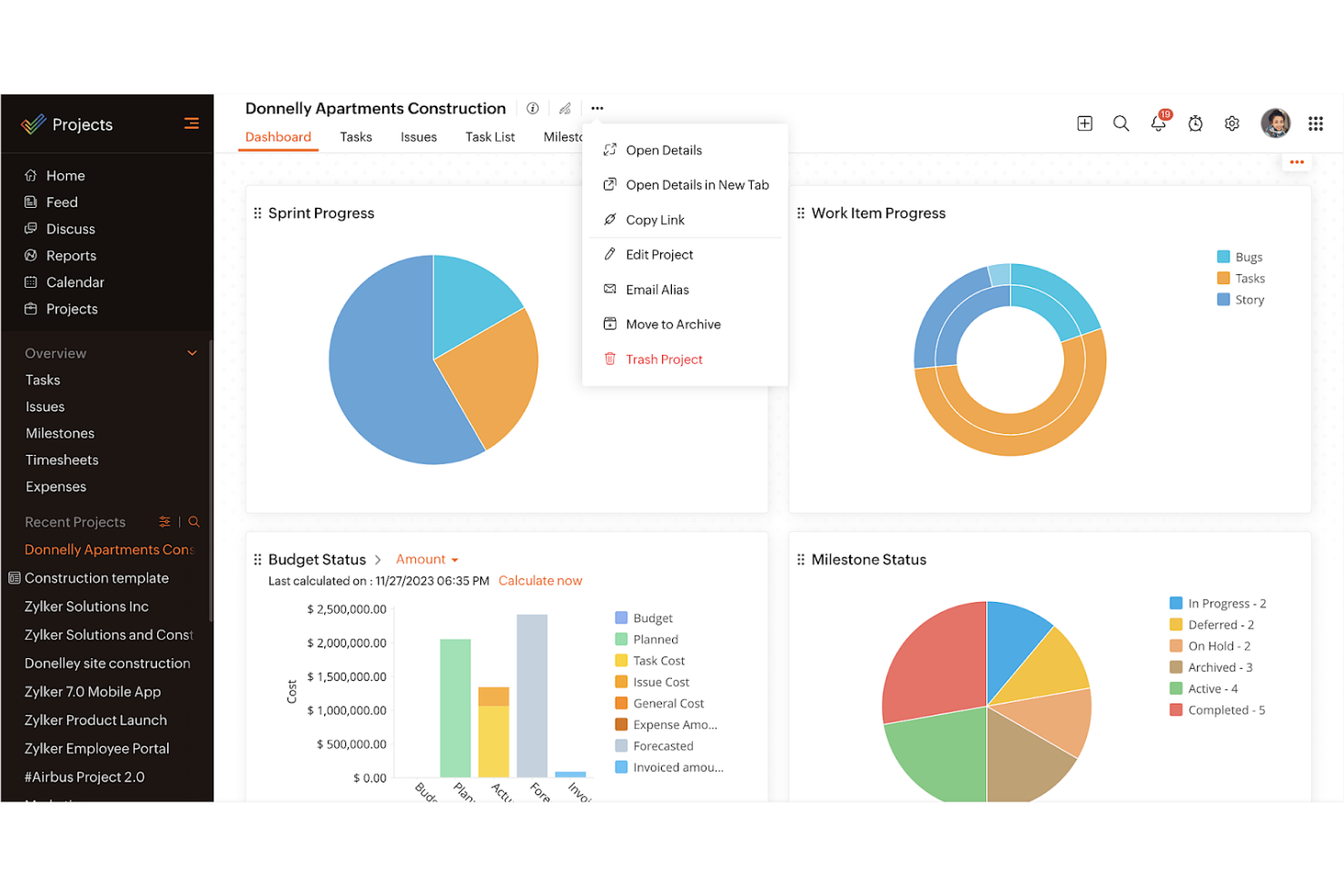
Zoho Projects is a project management platform that combines task tracking, Blueprint-based workflow automation, Gantt charts, issue management, and a broad integration ecosystem spanning the Zoho suite and third-party tools like Slack, GitHub, and Microsoft Teams.
Who Is Zoho Projects Best For?
Zoho Projects is a strong fit for IT and operations teams already using Zoho's ecosystem who need structured task tracking, Blueprint-based workflows, and cross-app integrations without a steep price jump.
Why I Picked Zoho Projects
Zoho Projects earns its spot on my shortlist because Blueprint-based workflow automation gives teams a genuinely structured way to track work through defined stages, which is exactly what you're looking for when moving away from Pipefy. I like that Blueprints let you configure which users can advance a task, which fields must be completed before a transition fires, and what actions trigger automatically afterward. Pair that with Kanban views and a broad template library spanning Software/IT, HR, and Manufacturing, and you get solid end-to-end project tracking without needing a dedicated process tool.
Zoho Projects Key Features
- Gantt charts: Visualize project timelines, set task dependencies, and track progress against your plan in an interactive chart view.
- Issue management: Log, assign, and track bugs or project issues through to resolution with SLA-based escalation rules.
- Zoho ecosystem integrations: Connect natively with Zoho CRM, Zoho Desk, Zoho Books, and Zoho Sprints to sync data across tools.
- Role-based permission controls: Configure access at portal, project, module, and field levels to control what each user can view or edit.
Zoho Projects Integrations
Zoho Projects offers 50+ marketplace integrations, including native connections with Zoho CRM, Zoho Desk, Zoho Books, Zoho Analytics, Google Drive, Microsoft Teams, Slack, GitHub, and Zendesk. It also provides a REST API and Zapier.
Pros and Cons
Pros:
- Gantt charts map task dependencies and timelines
- Reusable templates cover cross-functional project types
- Blueprints enforce required fields at transitions
Cons:
- Workflow setup can overwhelm new teams
- Process reports omit cycle-time and bottleneck metrics
New Product Updates from Zoho Projects
Zoho Projects Adds CodeX Scripts for Custom Modules
Zoho Projects now supports CodeX Scripts for custom modules, enabling conditional logic and rules for creating, updating, and deleting records. For more information, visit Zoho Projects' official site.
 .
.
Planview
Best for portfolio management
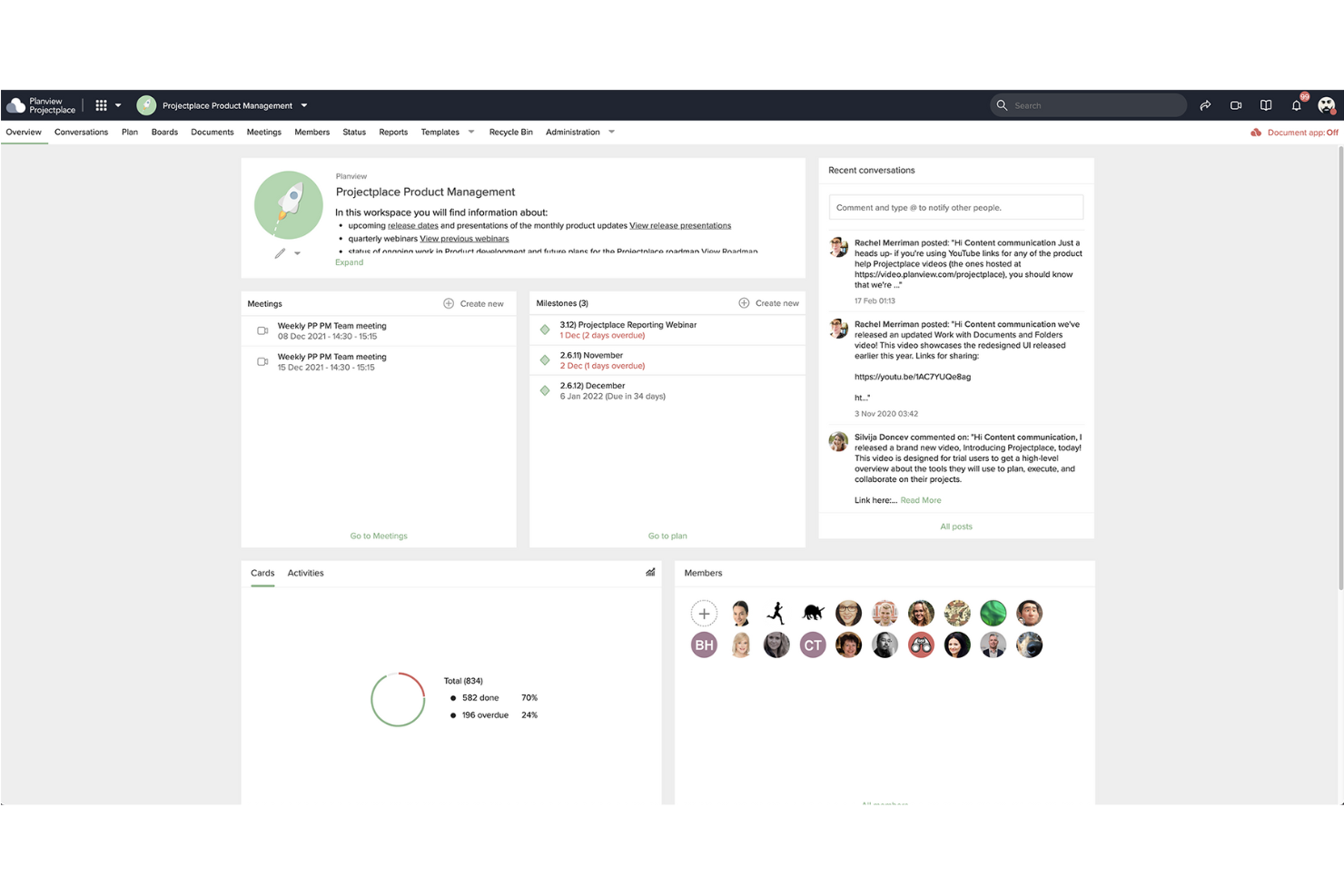
Planview Portfolios is an enterprise project portfolio management suite that connects strategy, resource planning, program delivery, and analytics across portfolios.
Who Is Planview Best For?
Planview Portfolios is built for enterprise PMO leaders and portfolio managers who need to connect strategy, resource planning, and program delivery across large, complex organizations.
Why I Picked Planview
I picked Planview as one of the best because it handles portfolio management at a scale and depth that Pipefy simply isn't built for. Where Pipefy focuses on process pipelines, Planview Portfolios connects strategy to execution through investment prioritization and scenario planning, letting you compare portfolio options and model tradeoffs before committing resources. I especially value the what-if scenario planning, which lets you visualize how shifting timelines or staffing affects outcomes across your entire portfolio.
Planview Key Features
- OKR and strategy alignment: Links organizational objectives and key results directly to portfolio investments so execution stays tied to strategy.
- Demand management: Collects and evaluates incoming project and program requests, from early ideas through to formal approval.
- Resource capacity planning: Balances people and funding across competing priorities to surface over-allocation before it becomes a problem.
- Embedded Power BI analytics: Surfaces Microsoft Power BI reports and dashboards directly inside Planview so you can investigate data without switching tools.
Planview Integrations
Planview Portfolios offers integrations with Jira, AgilePlace, Azure DevOps, SAP, Salesforce, Workday, ServiceNow, and Microsoft Power BI. Power BI reports embed directly in Planview, while Jira and AgilePlace support bidirectional data synchronization.
Pros and Cons
Pros:
- Capacity planning connects staffing to priorities
- Dashboards track resources, budgets, and progress
- Scenario planning compares portfolio tradeoffs
Cons:
- Initial setup can demand substantial effort
- Interface complexity can slow team adoption
Other Pipefy Alternatives
Below is a list of additional Pipefy alternatives that I shortlisted, but did not make it to the top list. It’s worth checking them out.
- Smartsheet
For spreadsheet enthusiasts
- Asana
For AI-driven work management
- Basecamp
For small teams
- Adobe Workfront
For marketing teams
- Freshservice
For IT service management
- ProofHub
For proofing and collaboration
- Scoro
For business management
- ClickUp
For all-in-one project management
- Airtable
For custom app building
- Nifty
For milestone tracking
- Hive
For productivity analytics
- TeamGantt
For Gantt chart enthusiasts
- monday.com
For visual project tracking
- Clarizen
For enterprise project management


Related Project Management Software Reviews
If you still haven't found what you're looking for here, check out these other project management tool reviews we've curated for you:
- Gantt Chart Maker
- Productivity Tools
- Project Tracking Software
- Project Scheduling Software
- Project Management Software
- Resource Management Software
How I Evaluate Pipefy Alternatives
I split my evaluation into two layers: the baseline a tool must meet to qualify, and the differentiators I look for to find the right fit for ops teams running procurement, HR, or IT workflows.
Core Functionality (Table Stakes For This List)
When I'm selecting tools for my list, I rank each one on a scale from 0 (does not offer the functionality) to 5 (excels in this area) for each core functionality listed below. Then, I calculate the tool's total score into a percentage. Each tool needs to achieve a minimum total score of 65% to be considered for inclusion.
- No-Code Workflow Builder: I look for a visual, drag-and-drop interface where ops teams can map out multi-stage processes—like employee onboarding or vendor qualification—without developer help.
- Process Automation & Rules: Each tool should let you set conditional triggers and auto-actions, such as routing a purchase request to a different approver based on dollar threshold.
- Custom Forms & Intake: I evaluate whether you can build dynamic intake forms with conditional fields, like an IT service request that adapts questions based on the issue category selected.
- Approval & SLA Management: Multi-step approval chains with SLA tracking matter here—think parallel sign-offs on a contract review where escalation kicks in if a deadline is missed.
- Integrations & API: I check for native connectors to tools like Slack, Salesforce, and SAP, plus a well-documented API and iPaaS support through platforms like Zapier or Make.
- Reporting & Process Analytics: Dashboards should surface cycle times, bottleneck stages, and SLA compliance so a process manager can spot where procurement requests stall week over week.
Once I have a list of tools that meet this criteria, I consider what sets each platform apart.
Differentiating Factors (What Sets Vendors Apart)
Here's how I compare and contrast different vendors:
Standout Features
Prebuilt process templates make a real difference when you're deploying workflows across HR, procurement, and finance—I look for libraries that get teams live in days instead of weeks. Public portals and guest access also matter, especially when external vendors or employees need to submit requests and track status without a paid seat. I evaluate whether a platform offers AI workflow assistance too, like auto-generating a process from a text prompt, which can cut setup time for citizen developers.
Beyond Features
Pricing structure is a big one—I check whether a vendor charges per user, per process, or by automation volume, since costs can balloon once you scale beyond a single department. Implementation speed matters too. A platform that requires weeks of professional services before your first workflow goes live may not suit lean ops teams. For regulated industries, I also evaluate compliance certifications like SOC 2 and ISO 27001, along with role-based permissions and audit logging.
Why Look for a Pipefy Alternative?
You might be looking for an alternative to Pipefy because you:
- Require more flexible and extensive customization options
- Prefer a more intuitive and user-friendly interface
- Need better integration with other tools and software
- Seek a more cost-effective solution that fits your budget
- Desire more advanced features and functionalities
Alternatives to Pipefy can provide greater customization, a more intuitive user experience, and better integration options. They may also offer more advanced features and a pricing structure that better suits your needs.
Features of Pipefy Alternatives
Here are some key features of Pipefy that your alternative software should be able to replicate or improve upon to be a good fit.
- Automation: Automatically trigger actions based on predefined events
- SLA Management: Track and manage service level agreements to ensure timely task completion
- Advanced Reports: Generate detailed reports to analyze workflow efficiency and productivity
- Secure Database: Store data securely with 256-bit encryption and other security measures
- Custom Workflows: Create and customize workflows without needing technical skills
- Integrations: Connect with other applications via open API or Zapier for seamless data flow
- Real-Time Communication: Centralize communication threads to avoid long email exchanges
- Visual Management: Use Kanban-style boards for a clear view of process stages and responsibilities
- Pre-Designed Templates: Utilize templates for common processes like task management and sales pipelines
- AI-Driven Efficiency: Leverage artificial intelligence to optimize and automate business process management