

10 Best Calendar Scheduling Software for 2026

Calendar Scheduling Software Shortlist


Calendar scheduling software lets you automate meeting bookings, manage appointments, and coordinate team calendars in one place. If you’re searching for the best calendar scheduling software, you’re likely juggling shifting schedules, cross-functional meetings, and the pressure to keep everyone aligned—without endless back-and-forth emails.
The right tool can help your team stay organized, reduce scheduling conflicts, and connect your calendar with the platforms you already use. In this list, you’ll find a range of options tailored for different workflows, helping you avoid the hassle of comparing features manually.
Why Trust Our Software Recommendations
Our team has been testing and reviewing software since 2012. As project managers ourselves, we know how difficult—and important—it is to choose the right software.
For this guide, we evaluated tools using hands-on testing and independent research, scoring tools using our selection criteria. We also draw on insights from industry thought leaders and practicing project management experts.
Our reviews reflect our human editorial judgment, not a sales pitch.
Expert reviewers:
Calendar Scheduling App Comparison Table
This comparison table summarizes pricing details for my top calendar scheduling app selections:
| Tool | Best For | Trial Info | Price | ||
|---|---|---|---|---|---|
| 1 | Best for automating team meeting coordination | 14-day free trial + free plan + free demo available | From $10/seat/month (billed annually) | Website | |
| 2 | Best for custom booking page branding | 14-day free trial and free plan available | From $14.40/user/month | Website | |
| 3 | Best for group availability polling | Free plan available | From $6.95/user/month (billed annually) | Website | |
| 4 | Best for managing client appointments | Free plan available | From $5/user/month (billed annually) | Website | |
| 5 | Best for advanced workflow automation | 14-day free trial + free plan + free demo available | From $10/seat/month (billed annually) | Website | |
| 6 | Best with Google Workspace integration | 14-day free trial | $7.56/month | Website | |
| 7 | Best for CRM meeting tracking | 15-day free trial | From $19.99/month per 1,000 contacts | Website | |
| 8 | Best for payment-enabled bookings | 7-day free trial | From $16/month (billed annually) | Website | |
| 9 | Best for simple booking link sharing | Free plan available | From $6.99/user/month (billed annually) | Website | |
| 10 | Best for open-source customization | 14-day free trial + free plan + free demo available | From $12/user/month | Website |
Calendar Scheduling Software Reviews
Below are my detailed summaries of the calendar scheduling software that made it onto my shortlist. My reviews offer a detailed look at the features, integrations, and best use cases of each tool to help you find the best one for you.

Calendly
Best for automating team meeting coordination

If your team needs to coordinate meetings without endless email threads, Calendly offers a focused solution. This tool is designed for professionals and teams who want to automate scheduling and reduce manual back-and-forth. Calendly stands out for its ability to handle complex meeting scenarios, like round-robin assignments and pooled availability, making it a strong fit for sales, recruiting, and client-facing roles.
Why I Picked Calendly
I chose Calendly because it’s built to automate the most time-consuming parts of team meeting coordination. The tool lets you set up online scheduling for shared team availability, so meetings can be automatically assigned to whoever is free, using round-robin or collective scheduling. I appreciate how Calendly handles pooled calendars, which is especially useful for sales or support teams that need to distribute meetings evenly. Its automated reminders and customizable booking links also help reduce no-shows and keep everyone on the same page.
Calendly Key Features
Some other features in Calendly that are useful for teams managing complex schedules include:
- Buffer Time Settings: Add automatic time buffers before or after meetings to prevent back-to-back bookings.
- Group Event Scheduling: Set up events where multiple invitees can book the same time slot, such as webinars or training sessions.
- Customizable Intake Forms: Collect specific information from invitees during the booking process with tailored questions.
- Time Zone Detection: Automatically adjusts meeting times to each participant’s local time zone to avoid confusion.
Calendly Integrations
Integrations include Google Calendar, Microsoft Outlook, Zoom, Salesforce, Slack, HubSpot, Zapier, Microsoft Teams, and more. Calendly also offers an API for custom integrations.
Pros and Cons
Pros:
- Provides automated reminders for invitees
- Offers customizable booking links
- Automates round-robin scheduling
Cons:
- Restrictive group event scheduling features
- Limited branding options on lower-tier plans

Best for custom booking page branding

If you need a booking tool that puts your brand front and center, YouCanBookMe is built for you. This platform is especially useful for teams and professionals who want to control every detail of their booking page’s appearance and messaging. YouCanBookMe helps businesses create a branded scheduling experience that matches their website and client communications.
Why I Picked YouCanBookMe
Branding control is a top priority for many businesses, and that’s why I picked YouCanBookMe for this list. The platform lets you customize booking pages with your own colors, logos, and messaging, so every client interaction feels on-brand. I like that you can tailor confirmation emails and notifications to match your company’s voice and style. For teams that want their scheduling process to reflect their brand identity at every step, YouCanBookMe offers the flexibility and detail needed.
YouCanBookMe Key Features
In addition to its branding capabilities, YouCanBookMe offers several other features that support scheduling needs:
- Calendar Sync: Connects with Google Calendar and Microsoft Outlook to automatically update availability.
- Time Zone Detection: Automatically adjusts booking times to the client’s local time zone.
- Buffer Times: Lets you set padding before or after appointments to prevent back-to-back bookings.
- Team Scheduling: Supports round-robin and collective booking options for teams.
YouCanBookMe Integrations
Integrations include Google Calendar, Microsoft Outlook, Zoom, Microsoft Teams, Slack, HubSpot, Stripe, PayPal, and Zapier.
Pros and Cons
Pros:
- Provides customizable intake forms
- Supports recurring appointments
- Accepts payments directly during booking
Cons:
- No native mobile app to manage bookings
- Requires a paid plan for most integrations

Doodle
Best for group availability polling

When you need to quickly find a time that works for a group, Doodle makes the process simple. This tool is especially useful for project managers, team leads, and anyone coordinating in-person meetings across multiple busy calendars. Doodle’s group polling feature stands out for letting participants vote on preferred times, which helps eliminate scheduling conflicts.
Why I Picked Doodle
For teams that need to coordinate meetings with large groups, Doodle’s group availability polling is hard to match. The tool lets you create polls where participants can select all the times they’re available, making it easy to spot overlaps and choose the best option for everyone. I like that Doodle automatically highlights the most popular time slots, so you don’t have to manually tally responses. This approach is especially helpful for cross-functional teams or external partners who don’t share a common calendar system.
Doodle Key Features
Some other features in Doodle that help teams manage scheduling challenges include:
- Calendar Sync: Connects with Google Calendar, Outlook, and other major calendar platforms to automatically update your schedule.
- One-on-One Scheduling: Lets you send a personalized booking link for direct meeting requests without group polling.
- Automatic Time Zone Detection: Adjusts poll times to each participant’s local time zone to avoid confusion.
- Custom Branding: Allows you to add your company logo and colors to scheduling pages for a more professional appearance.
Doodle Integrations
Integrations include Google Calendar, Microsoft Outlook, Microsoft Teams, Zoom, Slack, Google Meet, Webex, and more.
Pros and Cons
Pros:
- No account required for invitees
- Automatic time zone adjustment
- Group polls to vote on multiple time options
Cons:
- Limited control over poll editing after launch
- Free plan includes Doodle branding

Setmore
Best for managing client appointments
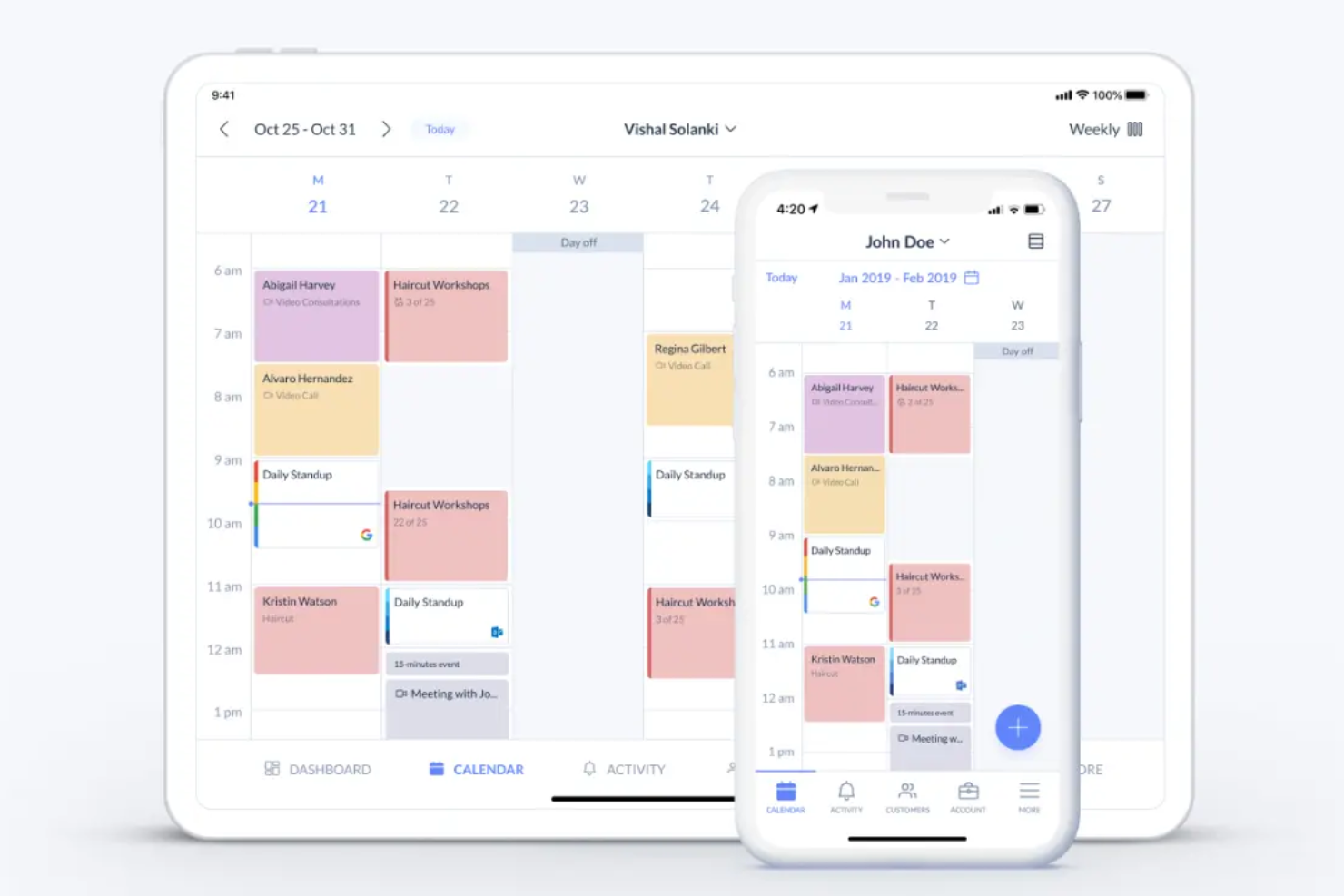
If your business relies on booking and managing client appointments, Setmore offers a dedicated solution built for service providers and client-facing teams. The platform is designed to handle recurring appointments, staff scheduling, and customer notifications all in one place. Setmore is especially useful for salons, clinics, and consultancies that need to coordinate multiple calendars and keep clients updated automatically.
Why I Picked Setmore
Managing client appointments can get complicated fast, especially for businesses with multiple staff or service offerings. Setmore stands out because it lets you create individual staff calendars, assign appointments, and manage recurring bookings all from one dashboard. I appreciate how the platform sends automated reminders to both staff and clients, which helps reduce no-shows. These features make Setmore a strong fit for teams that need to keep client appointments organized and communication clear.
Setmore Key Features
Some other features in Setmore that help businesses manage appointments include:
- Online Booking Page: Lets clients book appointments directly through a customizable web page.
- Payment Processing: Supports collecting payments at the time of booking through Stripe or Square.
- Class and Group Booking: Allows you to schedule classes or group sessions with multiple attendees.
- Mobile App: Provides access to appointment management and notifications on iOS and Android devices.
Setmore Integrations
Integrations include Google Calendar, Zoom, Microsoft Teams, Square, PayPal, Stripe, Facebook, Instagram, Slack, and more.
Pros and Cons
Pros:
- Includes HIPAA compliance options
- Allows multi-location and staff management
- Offers advanced appointment types
Cons:
- Occasional double bookings reported
- Limited mobile app functionality

OnceHub
Best for advanced workflow automation
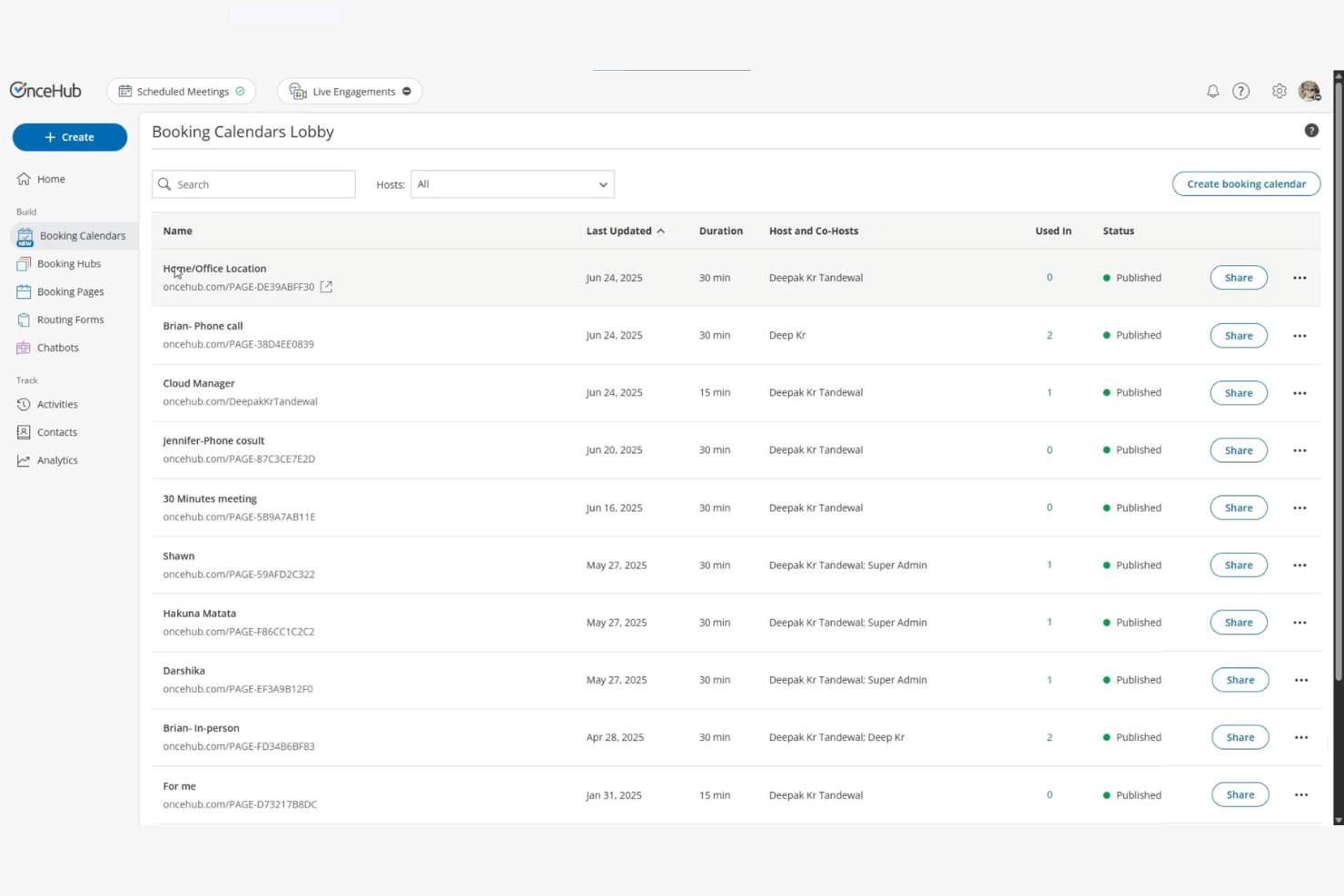
For teams that need more than just basic scheduling, OnceHub offers advanced workflow automation built into its calendar platform. This tool is a strong fit for operations, sales, and support teams that want to automate complex booking processes and route meetings based on custom rules. OnceHub helps businesses manage multi-step scheduling journeys, automate follow-ups, and connect bookings to other business systems.
Why I Picked OnceHub
What sets OnceHub apart is its focus on advanced workflow automation for scheduling. I picked this tool because it lets you build multi-step booking flows, automate meeting assignments, and trigger actions based on user responses. You can set up conditional logic to route bookings to the right team member or follow up automatically with custom messages. For teams that need to manage complex scheduling scenarios and reduce manual work, OnceHub offers automation features that go far beyond basic calendar tools.
OnceHub Key Features
Some other features that make OnceHub a strong option for scheduling include:
- Custom Booking Forms: Lets you collect detailed information from invitees before confirming appointments.
- Time Zone Management: Automatically detects and adjusts for each participant’s local time zone.
- Group Meeting Scheduling: Supports booking for group events, panels, or multi-attendee sessions.
- Calendar Sync: Connects with Google Calendar, Microsoft Outlook, and Office 365 to keep schedules up to date.
OnceHub Integrations
Integrations include Salesforce, HubSpot, Microsoft Teams, Zoom, Google Calendar, Outlook Calendar, Slack, Zapier, and more.
Pros and Cons
Pros:
- Offers automated reminders and follow-ups
- Conditional logic to routes bookings
- Workflow automation for complex scheduling
Cons:
- No built-in payment processing
- Dated user interface

Best with Google Workspace integration
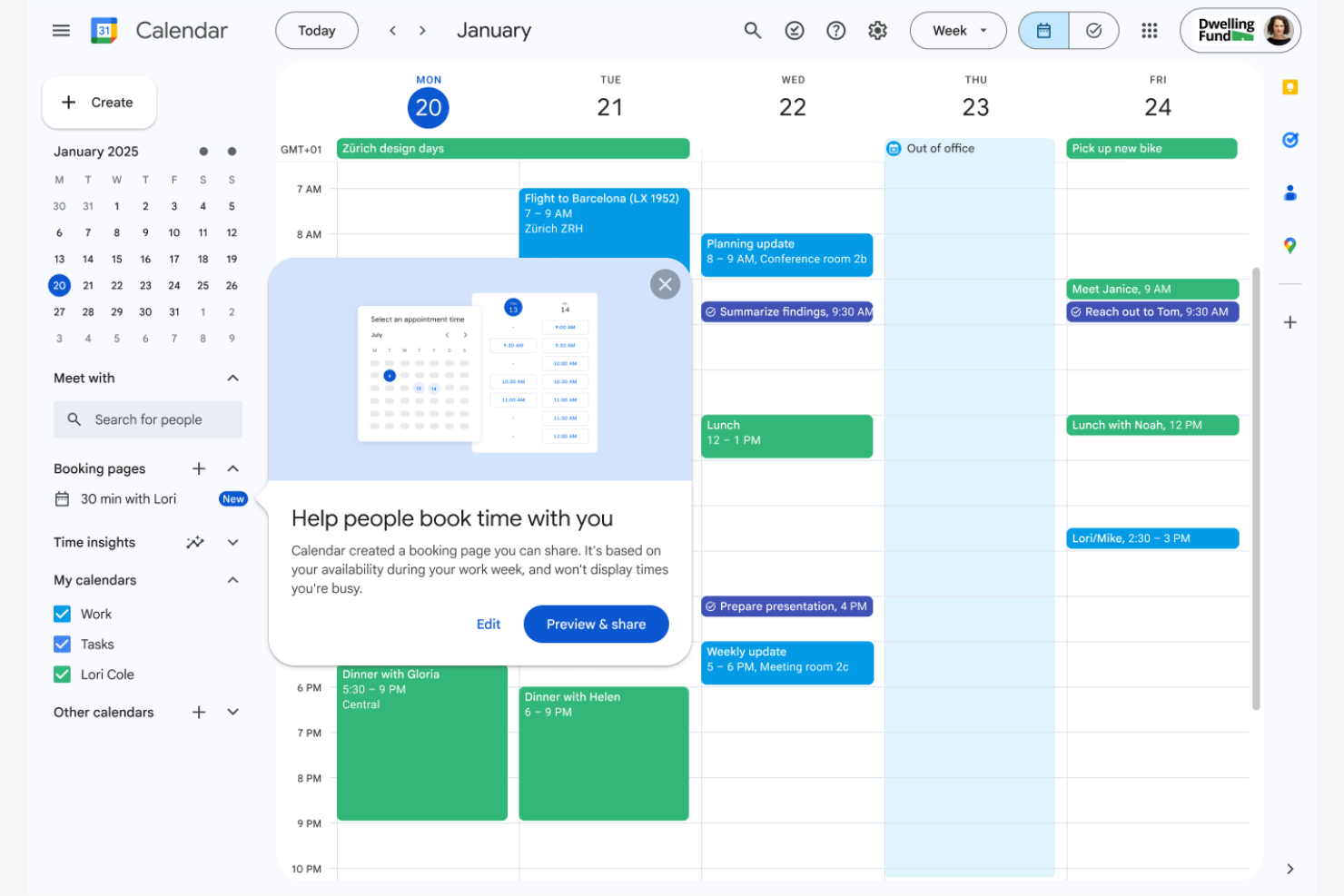
If your team already relies on Google Workspace, Google Calendar’s appointment scheduling features fit right into your existing workflow. This tool is especially useful for organizations that want to manage internal and external bookings without leaving their Google environment. Google Calendar helps you coordinate meetings, share availability, and automate invites directly from your familiar calendar interface.
Why I Picked Google Calendar
For teams already using Google Workspace, Google Calendar’s appointment scheduling stands out because it’s built directly into the tools you use every day. I picked it for its ability to let you create bookable appointment slots, share your real-time availability, and automatically update events across your organization. The integration with Gmail, Google Meet, and shared calendars means you can manage both internal and external bookings without switching platforms. This makes Google Calendar a practical choice for businesses that want scheduling to feel like a natural extension of their existing workflow.
Google Calendar Key Features
Some other features that make Google Calendar useful for scheduling include:
- Multiple Calendar Management: Lets you create and manage separate calendars for different teams, projects, or resources.
- Event Color Coding: Allows you to assign colors to events for quick visual organization.
- Mobile App Access: Provides full scheduling and booking functionality on iOS and Android devices.
- Automatic Time Zone Adjustment: Updates event times based on each participant’s local time zone.
Google Calendar Integrations
Integrations include Gmail, Google Meet, Google Drive, Google Contacts, Google Tasks, Zoom, Microsoft Outlook, Slack, Salesforce, and Asana.
Pros and Cons
Pros:
- Supports cross-platform sync
- Shared calendars for team coordination
- Integrates directly with Gmail and Google Meet
Cons:
- Limited integration outside the Google ecosystem
- Basic booking page customization

Best for CRM meeting tracking

BIGContacts offers a calendar scheduling solution designed for teams that need to track meetings alongside CRM activity. It’s a strong fit for sales teams, account managers, and client-facing professionals who want to link every meeting to contact records and deal pipelines. By connecting scheduling with CRM data, BIGContacts helps you keep client interactions organized and actionable.
Why I Picked BIGContacts
BIGContacts stands out for teams that want to connect meeting scheduling directly with CRM workflows. The platform links every scheduled meeting to contact records, so you always have context for client conversations and follow-ups. I like that you can track meeting history, notes, and related tasks all within the same system, which helps keep sales and account management organized. This approach is especially useful for businesses that rely on relationship management and need a clear record of every client interaction.
BIGContacts Key Features
Some other features that make BIGContacts useful for scheduling include:
- Automated Meeting Reminders: Sends email reminders to participants before scheduled meetings.
- Customizable Calendar Views: Lets users switch between daily, weekly, and monthly layouts.
- Task and Activity Tracking: Allows you to link tasks and follow-ups directly to meetings.
- Contact Import and Export Tools: Supports bulk import and export of contact data for easier onboarding and migration.
BIGContacts Integrations
Integrations include QuickBooks, Zapier, Google Calendar, and more.
Pros and Cons
Pros:
- Visual sales pipeline with meetings
- Tracks meeting history and notes
- Links every meeting directly to CRM
Cons:
- Strictly web-based application
- Basic scheduling logic


Acuity is designed for businesses and professionals who need to accept payments at the time of booking. It’s a strong fit for service providers like consultants, coaches, salons, and wellness practitioners who want to automate scheduling and payment collection in one step. With Acuity, you can offer clients a way to book and pay for appointments online, reducing no-shows and manual invoicing.
Why I Picked Acuity
What sets Acuity apart is its built-in support for payment-enabled bookings, which is essential for businesses that want to secure revenue at the time of scheduling. The platform lets you require clients to pay or leave a deposit before confirming their appointment, reducing no-shows and last-minute cancellations. I like that Acuity supports multiple payment processors, including Stripe, Square, and PayPal, so you can choose what works best for your business. This focus on integrated credit card payments makes Acuity a strong choice for service providers who want to automate both scheduling and payment collection.
Acuity Key Features
In addition to its payment capabilities, Acuity offers several other features that support appointment scheduling:
- Customizable Intake Forms: Collect client information and preferences before appointments using tailored forms.
- Automated Email and SMS Reminders: Send clients timely notifications about upcoming appointments to help reduce no-shows.
- Calendar Sync: Connects with Google Calendar, iCloud, Outlook, and Office 365 to keep your schedule up to date.
- Group and Class Booking: Lets you set up and manage group sessions or classes directly from your scheduling dashboard.
Acuity Integrations
Integrations include Google Calendar, Zoom, PayPal, Stripe, Square, QuickBooks, Salesforce, Mailchimp, Zapier, and Outlook.
Pros and Cons
Pros:
- Integrates with social media platforms
- Supports packages, subscriptions, and gift certificates
- Designed for service-based businesses
Cons:
- Confusing rescheduling and cancellation policies
- No free plan


If you want a straightforward way for clients to book time based on your availability, Koalendar is designed for you. This tool is especially useful for educators, consultants, and small businesses who need to send booking links without extra setup. Koalendar removes complexity by focusing on quick link sharing and easy calendar connections, so you can schedule meetings with minimal friction.
Why I Picked Koalendar
For anyone who needs to share a booking link quickly, Koalendar stands out for its simplicity. I picked it because you can generate a personalized booking link in seconds and send it directly to clients or colleagues. The tool automatically syncs with your connected calendars to show real-time availability, so you don’t have to worry about double-booking. This focus on fast, no-fuss link sharing makes Koalendar a strong fit for people who want to skip extra steps and get meetings on the calendar right away.
Koalendar Key Features
Some other features that make Koalendar useful for scheduling include:
- Customizable Booking Forms: Lets you add custom questions to collect information from invitees before they book.
- Automatic Time Zone Detection: Adjusts meeting times based on each participant’s local time zone.
- Buffer Times Between Meetings: Allows you to set breaks before or after appointments to avoid back-to-back bookings.
- Google Meet and Zoom Integration: Automatically generates video meeting links for scheduled appointments.
Koalendar Integrations
Integrations include Google Calendar, Outlook Calendar, Microsoft Teams, Zoom, Google Meet, Slack, Zapier (for custom workflows), and API access for custom integrations.
Pros and Cons
Pros:
- Provides a browser extension
- Native iCloud support
- User-friendly interface
Cons:
- Limited branding options
- Advanced features locked behind paid tier


Cal.com stands out for teams and developers who want full control over their scheduling workflows. Its open-source platform appeals to businesses with unique requirements or those needing deep customization beyond what typical SaaS tools offer. Cal.com helps you build booking experiences that fit your brand, integrate with your stack, and adapt as your needs change.
Why I Picked Cal.com
What sets Cal.com apart is its open-source foundation, which gives you the freedom to customize every aspect of your scheduling experience. I picked it because you can self-host the platform, modify the codebase, and tailor booking flows to match your organization’s branding or workflow requirements. Cal.com also supports custom plugins and integrations, so you can extend its functionality as your needs evolve. This level of flexibility is hard to find in most appointment scheduling software, making it a strong choice for teams with unique or complex requirements.
Cal.com Key Features
Some other features that make Cal.com appealing for scheduling include:
- Group Bookings: Lets multiple participants book the same time slot for events like webinars or classes.
- Custom Booking Pages: Allows you to design, brand, and embed your own booking interface for clients or team members.
- Multi-Calendar Sync: Connects with Google, Outlook, and other calendars to prevent double-booking.
- Webhooks and API Access: Enables real-time data sync and automation with your existing systems.
Cal.com Integrations
Integrations include Google Calendar, Microsoft Outlook, Zoom, Slack, Salesforce, HubSpot, Stripe, PayPal, Microsoft Teams, and Webex. Cal.com also offers an API for custom integrations.
Pros and Cons
Pros:
- Advanced customization options
- Generous free plan
- Open-source codebase for self-hosting
Cons:
- Slow direct customer support
- Overkill for simple scheduling needs
Other Calendar Scheduling Software
Here are some additional calendar scheduling software options that didn’t make it onto my shortlist, but are still worth checking out:
- Sidekick
For AI-powered scheduling suggestions
- Airtable
For customizable calendar database templates
- Connecteam
For mobile workforce scheduling
- Salesmate
For integrating meeting scheduling with sales pipelines
- Notion
For combining scheduling with knowledge management
- Asana
For linking tasks to scheduled events
- monday.com
For visual timeline and calendar views


How I Evaluate EMR Scheduling Software
I split my evaluation into two layers: the baseline scheduling and EHR integration capabilities a tool must have, and the differentiators that separate the best platforms from the rest.
Core Functionality (Table Stakes For This List)
When I'm selecting tools for my list, I rank each one on a scale from 0 (does not offer the functionality) to 5 (excels in this area) for each core functionality listed below. Then, I calculate the tool's total score into a percentage. Each tool needs to achieve a minimum total score of 65% to be considered for inclusion.
- Calendar Sync: I check whether the platform offers two-way sync with Google Calendar and Outlook so providers avoid double-bookings across clinic locations.
- Patient Self-Booking: Booking pages should let patients select visit types and schedule based on real-time provider openings, with built-in intake forms.
- Multi-Provider Scheduling: Practices with several clinicians need shared scheduling logic like round-robin or pooled availability to balance patient loads.
- Appointment Management: I evaluate how the platform handles creating, rescheduling, and canceling visits, plus whether it sends automated reminders to cut no-shows.
- EHR Integrations: The scheduling tool should connect with your EHR, practice management system, and telehealth platform so bookings flow into clinical workflows.
- Scheduling Controls: I look for configurable appointment buffers, minimum booking notice, and daily visit caps that help practices manage provider workload.
Once I have a list of tools that meet the criteria, I consider what sets each platform apart.
Differentiating Factors (What Sets Vendors Apart)
Here's how I compare and contrast different vendors:
Standout Features
Routing forms are a big differentiator. When a new patient books online, smart intake questions can direct them to the right provider based on visit type or specialty. Workflow automation matters too—I check whether the platform triggers confirmations, pre-visit paperwork, and follow-up messages without manual steps. Analytics and reporting round out my evaluation. Dashboards that track no-show rates and provider utilization help practice managers spot scheduling gaps and adjust templates.
Beyond Features
Security and compliance carry extra weight in healthcare. I look for platforms with HIPAA compliance, role-based access controls, and audit logs that protect patient data across every scheduling touchpoint. Pricing structure matters just as much—a solo practitioner and a multi-location group have very different needs, so I evaluate whether per-provider pricing stays reasonable as your practice grows. Implementation experience also factors in. A centralized admin console that lets office managers onboard new providers and configure appointment types without vendor support saves real time during rollout.
How to Choose Calendar Scheduling Software
It’s easy to get bogged down in long feature lists and complex pricing structures. To help you stay focused as you work through your unique software selection process, here’s a checklist of factors to keep in mind:
| Factor | What to Consider |
|---|---|
| Scalability | Will the software support your team as you grow, including adding users, locations, or new services? Check for user limits and upgrade paths. |
| Integrations | Does the tool connect natively with your existing calendars, CRM, video conferencing, or payment systems? Gaps here can create manual work. |
| Customizability | Can you tailor booking forms, notifications, and branding to match your workflows and client experience? Rigid tools may not fit unique needs. |
| Ease of use | How quickly can team members and clients start booking without training? Look for clear navigation and minimal steps to schedule or reschedule. |
| Implementation and onboarding | What resources are needed to get up and running? Consider data migration, setup guides, and whether you’ll need IT support or vendor assistance. |
| Cost | Are pricing tiers transparent and aligned with your usage? Watch for extra charges for SMS, integrations, or additional users. |
| Security safeguards | Does the software offer encryption, access controls, and compliance with data privacy standards? This is especially important for client data. |
| Support availability | What support channels are offered, and during what hours? Consider if you’ll need live chat, phone, or only email, especially for urgent issues. |
What Is Calendar Scheduling Software?
Calendar scheduling software is a digital tool that helps individuals and teams book, manage, and coordinate meetings or appointments. It automates tasks like sending invitations, confirming bookings, and sending reminders. These platforms often sync with existing calendars, support social media booking, and can handle multiple users or locations. By centralizing scheduling, they reduce manual coordination and help keep everyone on the same page.
Features
When selecting calendar scheduling software, keep an eye out for the following key features:
- Online booking portal: Lets clients or team members schedule appointments directly through a web-based interface, reducing the need for back-and-forth emails.
- Calendar synchronization: Connects with external calendars like Google, Outlook, or iCloud to automatically update availability and prevent double-booking.
- Automated reminders: Sends email or SMS notifications to attendees before scheduled meetings or appointments to help reduce no-shows.
- Customizable booking forms: Allows you to collect specific information from invitees during the booking process, such as preferences or required details.
- Rescheduling and cancellation management: Enables users to easily change or cancel appointments, with automatic updates sent to all parties involved.
- Group and recurring bookings: Supports scheduling for multiple participants or setting up repeating meetings, making it easier to manage classes, team check-ins, or ongoing sessions.
- Time zone detection: Automatically adjusts appointment times based on each participant’s location, helping distributed teams avoid confusion.
- Access controls and permissions: Lets administrators set who can view, book, or modify calendars, ensuring privacy and proper workflow management.
- Reporting and analytics: Provides insights into booking trends, attendance rates, and resource utilization to help optimize scheduling practices.
Benefits
Implementing calendar scheduling software provides several benefits for your team and your business. Here are a few you can look forward to:
- Reduced manual coordination: Automated booking and reminders eliminate the need for back-and-forth emails and calls.
- Fewer missed appointments: Automated notifications and confirmations help ensure everyone stays informed and on time.
- Improved visibility: Real-time calendar sync and reporting give teams a clear view of schedules, availability, and resource use.
- Greater flexibility: Easy rescheduling and cancellation options let users adapt quickly to changes without confusion.
- Enhanced client experience: Online booking portals and customizable forms make it simple for clients to schedule and provide necessary information.
- Better data security: Access controls and permissions help protect sensitive information and ensure only authorized users can make changes.
- Support for distributed teams: Time zone detection and group scheduling features make it easier to coordinate meetings across locations.
Costs and Pricing
Selecting calendar scheduling software requires an understanding of the various pricing models and plans available. Costs vary based on features, team size, add-ons, and more. The table below summarizes common plans, their average prices, and typical features included in calendar scheduling software solutions:
Plan Comparison Table for Calendar Scheduling Software
| Plan Type | Average Price | Common Features |
|---|---|---|
| Free Plan | $0 | Basic online booking, limited calendar sync, basic reminders, and support for one user. |
| Personal Plan | $5-$15/user/month | Unlimited appointments, calendar sync, automated reminders, basic reporting, and email support. |
| Business Plan | $15-$30/user/month | Team scheduling, group bookings, payment processing, customizable forms, and advanced integrations. |
| Enterprise Plan | $30-$50/user/month | Custom branding, advanced security, dedicated support, API access, and compliance features. |
Calendar Scheduling Software FAQs
Here are some answers to common questions about calendar scheduling software:
Can calendar scheduling software sync with multiple external calendars?
Yes, most calendar scheduling software can sync with multiple external calendars like Google, Outlook, and iCloud. This helps prevent double-booking and ensures your availability is always up to date across platforms.
How does calendar scheduling software handle time zone differences?
Calendar scheduling software usually detects and adjusts for each participant’s time zone automatically. This reduces confusion and helps distributed teams or clients book meetings at mutually convenient times.
Is it possible to accept payments through calendar scheduling software?
Yes, many calendar scheduling tools offer payment processing features. You can collect deposits or full payments at the time of booking, which is especially useful for service-based businesses or consultants.
What security measures should I look for in calendar scheduling software?
Look for features like data encryption, access controls, and compliance with privacy standards such as GDPR. These safeguards help protect sensitive client and business information.
Can I customize booking forms and notifications?
Yes, most solutions let you tailor booking forms to collect specific information and customize notifications to match your branding or communication style. This helps create a more personalized experience for your clients or team.