

10 Best Doodle Alternatives for Group Scheduling in 2026

Best Doodle Alternatives Shortlist


Managing your team's schedules can feel like a juggling act. You may find Doodle lacking in features or flexibility for your specific needs. Calendar software can offer tailored solutions to fit your business and team size.
In my experience, finding the right scheduling software can alleviate workflow headaches and improve team collaboration. That's why I've reviewed and tested a variety of Doodle alternatives to help you make an informed choice.
In this article, you'll discover options that cater to unique requirements, whether it's integration capabilities, privacy concerns, or industry-specific features. Let's find the best fit for your team.
What is Doodle?
Doodle is a calendar software designed to simplify scheduling and coordination for teams. It's often used by professionals such as project managers, event planners, and team leaders who need to coordinate meetings and events efficiently.
Features such as scheduling using a Doodle poll, easy integration with existing calendars, and automated reminders help with reducing the back-and-forth of scheduling and keeping everyone on the same page. Doodle's overall value lies in its ability to make scheduling quick and straightforward for you and your team.
Doodle Alternatives Comparison Table
The table below compares pricing details for my top Doodle alternatives.
| Tool | Best For | Trial Info | Price | ||
|---|---|---|---|---|---|
| 1 | Best for customizable scheduling links | Free plan + demo available | From $10/user/month (billed annually) | Website | |
| 2 | Best for client self-scheduling with branded pages | Free plan + 14-day trial + demo available | Pricing upon request | Website | |
| 3 | Best for sales team round-robin scheduling | Free demo available | From $12/user/month (billed annually) | Website | |
| 4 | Best for poll-plus-booking on a free plan | 14-day free trial + free plan available | From $7/user/month (billed annually) | Website | |
| 5 | Best for one-time lifetime booking plans | Free plan available | From $8.25/month (billed annually) | Website | |
| 6 | Best for live collaboration in Google Workspaces | 14-day free trial | $7.56/month | Website | |
| 7 | Best for sales and recruiting self-booking | 14-day free trial + free plan available | From $5.99/user/month (billed annually) | Website | |
| 8 | Best for self-booking with built-in group polls | 7-day free trial + free plan available | From $9/user/month (billed annually) | Website | |
| 9 | Best for CRM-native sales team scheduling | Free plan available | From $7/user/month | Website | |
| 10 | Best for CRM-linked round-robin booking | 14-day free trial + free plan + free demo available | From $12/user/month (billed annually) | Website |
Why Trust Our Software Recommendations
Our team has been testing and reviewing software since 2012. As project managers ourselves, we know how difficult—and important—it is to choose the right software.
For this guide, we evaluated tools using hands-on testing and independent research, scoring tools using our selection criteria. We also draw on insights from industry thought leaders and practicing project management experts.
Our reviews reflect our human editorial judgment, not a sales pitch.
Expert reviewers:
Best Doodle Alternatives Reviews
Below are my detailed summaries of the best paid and free Doodle alternatives that made it onto my shortlist. My reviews offer a detailed look at the key features, pros and cons, integrations, and ideal use cases of each tool to help you find the best one for you.

Calendly
Best for customizable scheduling links
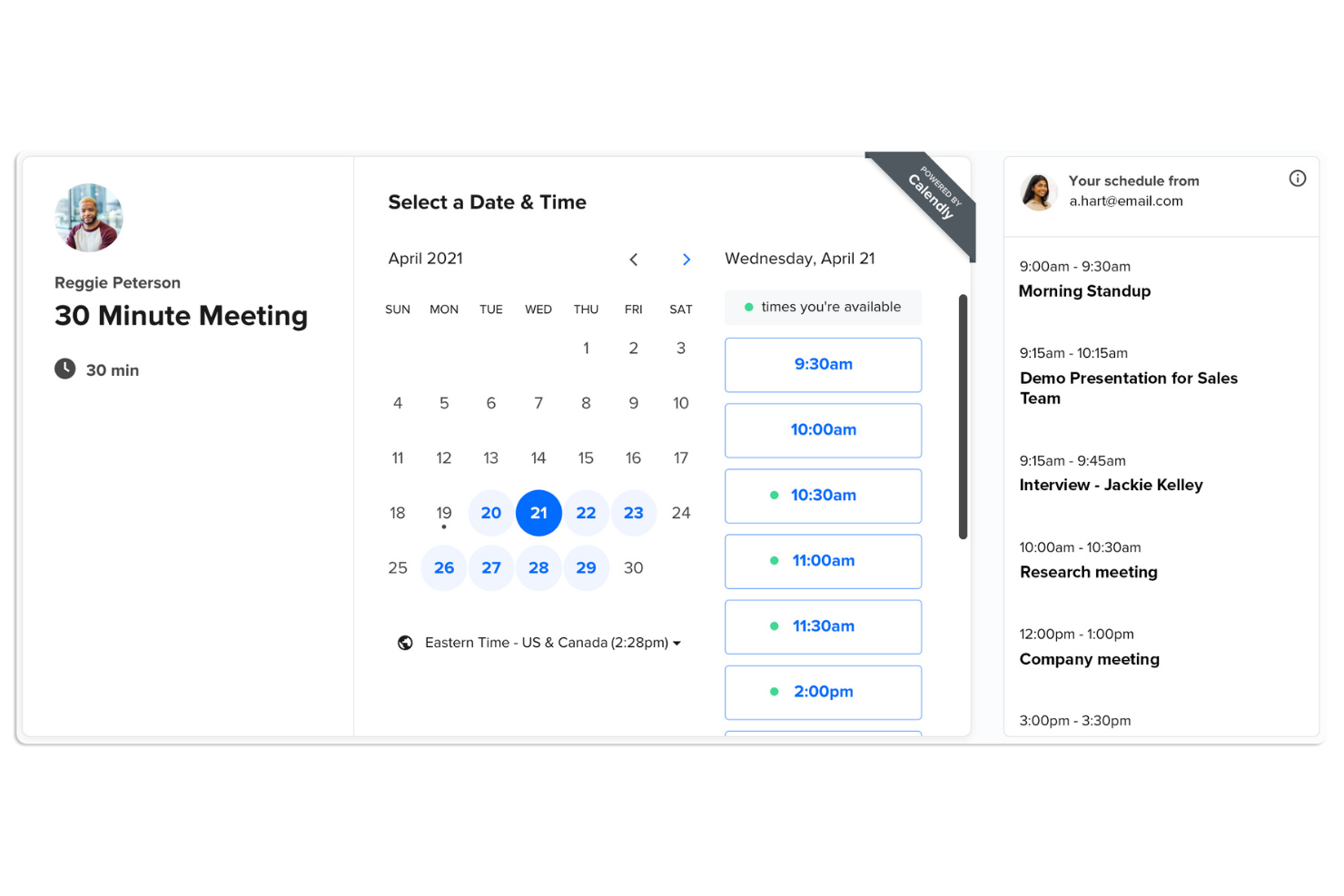
Calendly is a scheduling automation tool designed for professionals and teams to simplify meeting scheduling. It's widely used by businesses looking to eliminate the back-and-forth of email scheduling and simplify their booking process.
Why it's a good Doodle alternative: Calendly offers a scheduling poll feature and customizable scheduling links and booking forms, making client management easy. You can set availability preferences and share your link with others to find a time that works. You can connect Calendly with your CRM for automated notifications, follow-ups, and reminders, which reduce no-shows and keep everyone on track. With its focus on customization, Calendly lets you tailor the scheduling experience to fit your specific needs.
Standout Features and Integrations:
Features include the ability to create buffer times between meetings, ensuring you have time to prepare. You can set daily limits on meetings to prevent burnout. Calendly also allows for round-robin scheduling, distributing meetings evenly among team members. It also comes with an ad-free free tier, a feature normally saved for paid plans.
Integrations include Zoom, Google Calendar, Microsoft Outlook, Salesforce, Zapier, Slack, HubSpot, and more.
Pros and Cons
Pros:
- Supports round-robin scheduling
- Automated SMS reminders and notifications
- Customizable scheduling options
Cons:
- Very limited branding on cheap plans
- Can feel impersonal to some clients

Best for client self-scheduling with branded pages
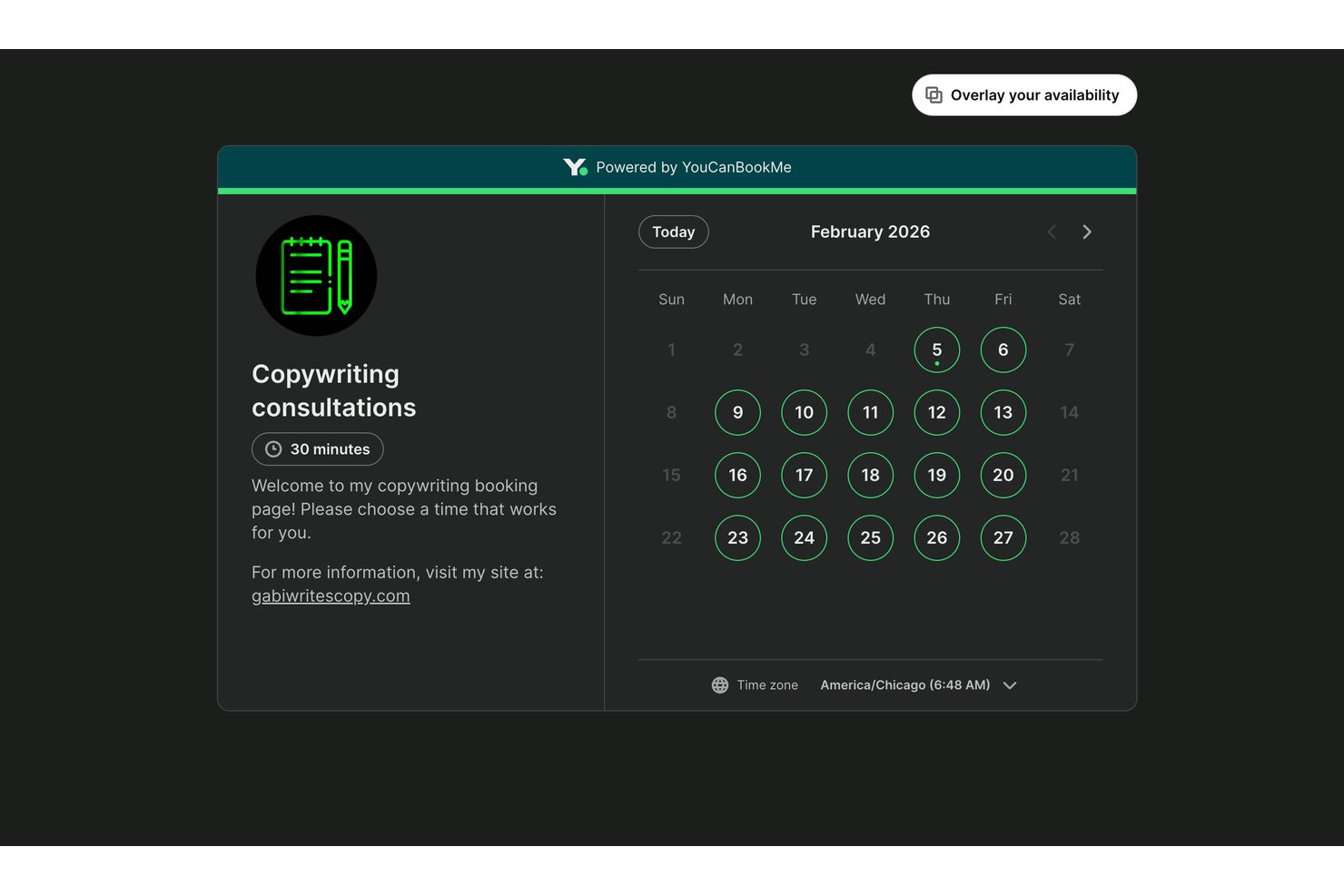
YouCanBookMe is a meeting scheduling platform for consultants, service teams, and client-facing project managers who want to coordinate appointments without the email back-and-forth.
Who Is YouCanBookMe Best For?
YouCanBookMe suits project managers coordinating external reviews or consultations who want clients to choose meeting times through a branded booking page.
Why I Picked YouCanBookMe
I picked YouCanBookMe for client self-scheduling with branded pages: clients use a booking link to choose a time without the back-and-forth of a scheduling poll. I also like its booking questions, which let project managers collect review topics before a consultation.
YouCanBookMe Key Features
- Calendar sync: Connect work and personal calendars to check availability and prevent double bookings.
- Automated notifications: Send customizable email and SMS confirmations, reminders, and follow-ups.
- Video meeting links: Automatically create meeting links for Zoom, Google Meet, or Microsoft Teams.
- Round-robin assignment: Distribute bookings among team members by availability, equal rotation, or fixed order.
YouCanBookMe Integrations
YouCanBookMe integrates with Google Calendar, Microsoft Outlook, Apple Calendar, Zoom, Google Meet, Microsoft Teams, Stripe, and HubSpot, and connects with Zapier. It also offers an API for custom integrations.
Pros and Cons
Pros:
- Intake questions capture meeting context beforehand
- Automatic timezone detection reduces scheduling confusion
- Branded pages let clients book directly
Cons:
- Delayed calendar sync risks double bookings
- Limited page styling restricts brand control

Best for sales team round-robin scheduling
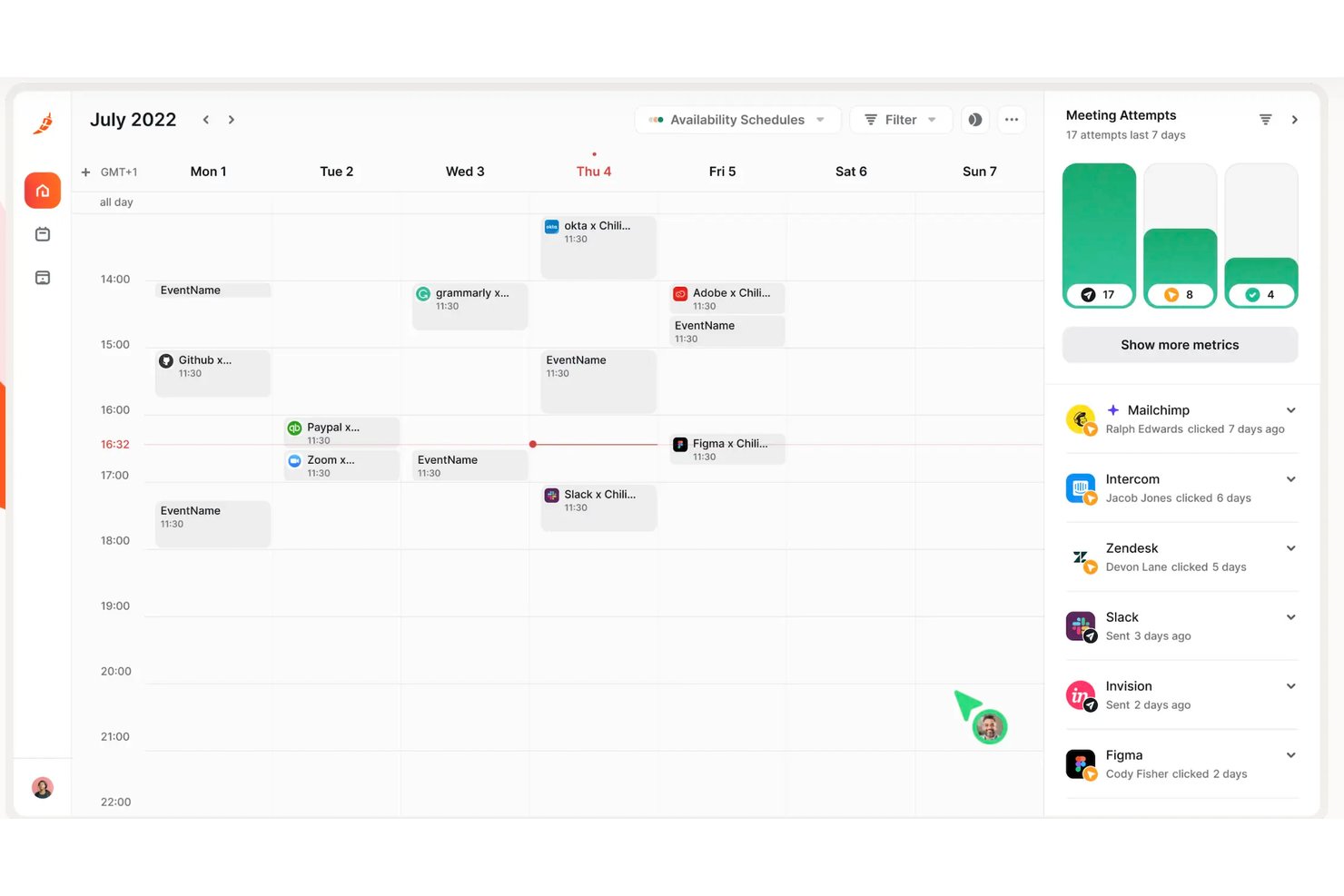
Chili Piper helps sales and revenue teams turn inbound interest into booked meetings by connecting lead capture with scheduling and calendar coordination.
Who Is Chili Piper Best For?
Chili Piper suits sales development and revenue operations teams coordinating inbound lead handoffs across multiple reps.
Why I Picked Chili Piper
I picked Chili Piper for its sales team round-robin scheduling, which connects inbound lead routing with meeting booking. Its Concierge can qualify website form submissions, assign leads to reps based on routing rules, and let prospects book with the right rep. I like this approach when a sales team needs to move from lead capture to a scheduled conversation without a manual handoff.
Chili Piper Key Features
- Calendar sync: Sync availability with Google Calendar or Outlook in real time.
- Automated reminders: Send meeting reminders by email or text.
- One-click rescheduling: Let invitees choose a new meeting time.
- CRM activity sync: Write bookings, no-shows, reschedules, and cancellations to Salesforce.
Chili Piper Integrations
Chili Piper lists 60+ integrations, including Salesforce, HubSpot, Marketo, Google Calendar, Outlook, Zoom, Microsoft Teams, Slack, and Zapier. It also offers a REST API for custom integrations.
Pros and Cons
Pros:
- Round-robin assignment reduces manual scheduling handoffs
- Books meetings directly from qualification forms
- Routes inbound leads to reps automatically
Cons:
- Less suited to open group availability polls
- Complex routing rules need admin upkeep

zcal
Best for poll-plus-booking on a free plan
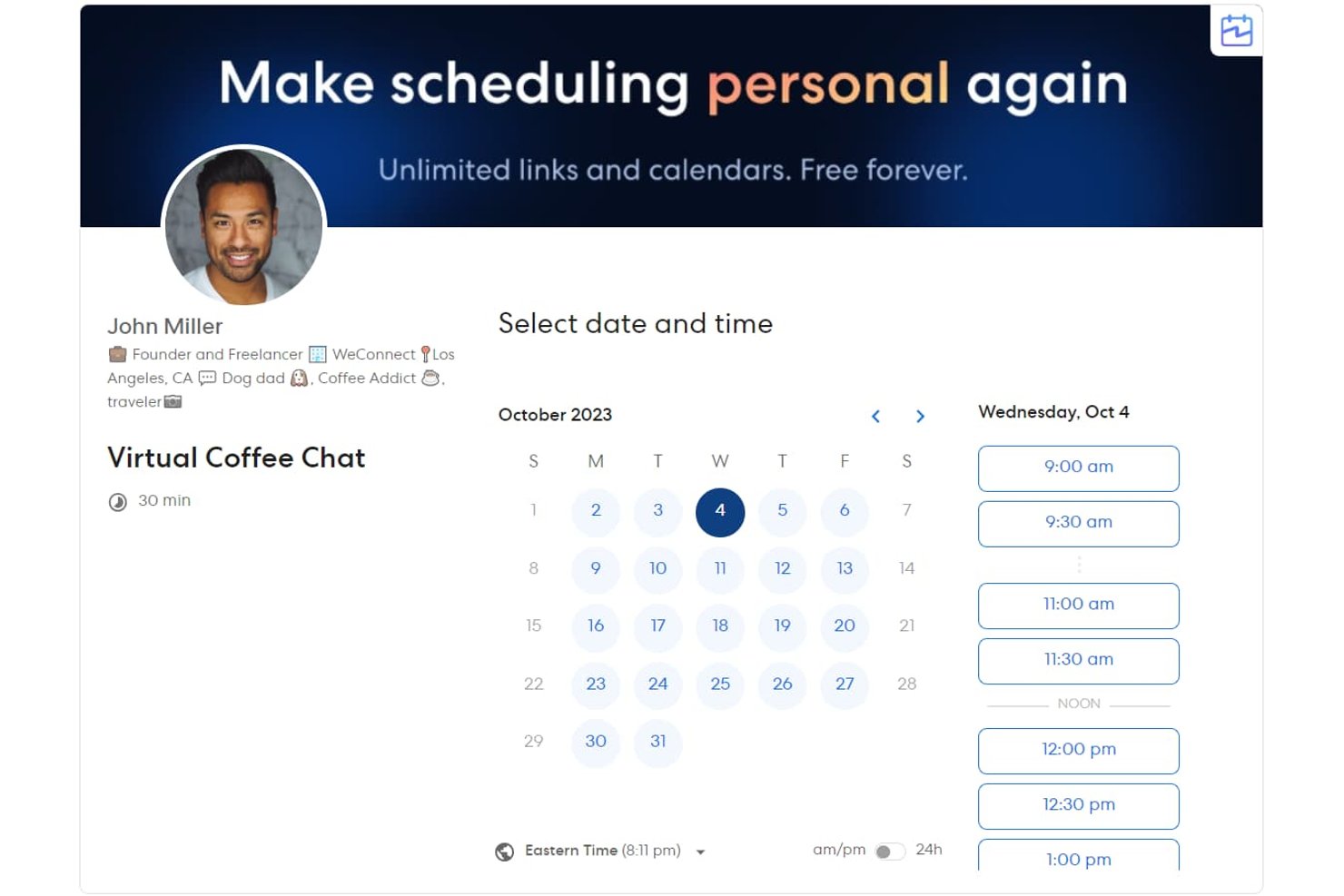
For client-facing teams and project managers, zcal is a meeting scheduling platform with customizable booking pages that helps coordinate appointments and cut down on email back-and-forth.
Who Is zcal Best For?
zcal suits solo consultants and small service teams that want to coordinate group availability with polls and let clients book follow-up meetings.
Why I Picked zcal
I picked zcal because it pairs availability polls with customizable booking pages. I can poll a project group to schedule a kickoff, then share a booking page for follow-up meetings. That’s why I rate it “Best for poll-plus-booking on a free plan”: the free plan supports both steps in one scheduling workflow.
zcal Key Features
- Calendar connections: Connect Google, Outlook, or Apple calendars to check availability and add booked events.
- Automated email reminders: Send invitees email reminders about scheduled meetings.
- Group events: Let multiple invitees reserve the same time slot.
- Stripe payments: Collect payment when invitees schedule paid sessions.
zcal Integrations
zcal lists seven integrations: Google Calendar, Microsoft Outlook, Apple Calendar, Stripe, Zoom, Google Meet, and Microsoft Teams; Pro also supports Google Analytics and Meta Pixel tracking. It connects with Zapier and supports webhooks for custom integrations.
Pros and Cons
Pros:
- Quick setup and simple shareable scheduling links
- Polished, customizable booking pages earn reviewer praise
- Combines availability polls with client booking pages
Cons:
- No native phone-call booking option
- No multiple time choices per booking link

TidyCal
Best for one-time lifetime booking plans
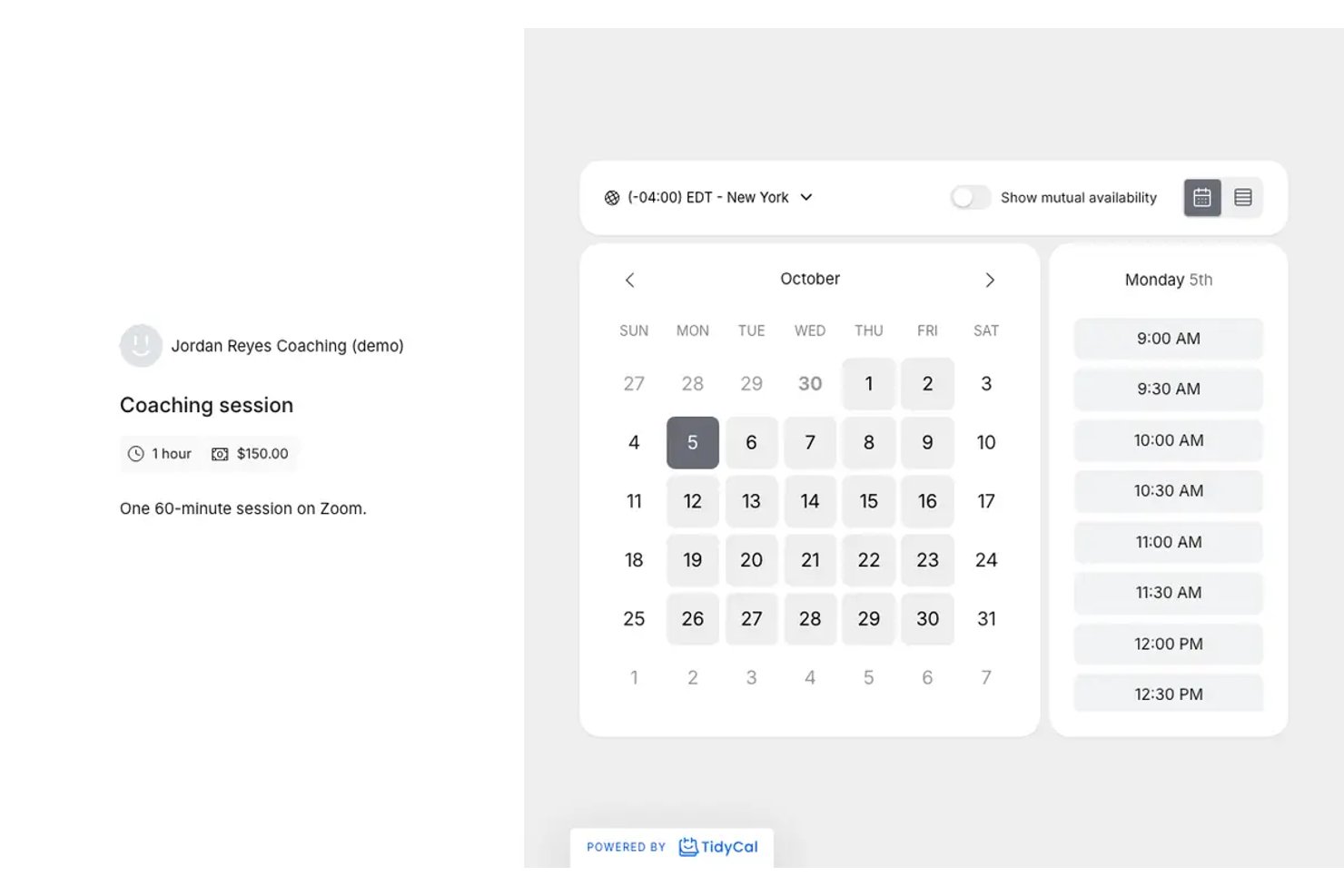
TidyCal is meeting scheduling software for freelancers, consultants, and small teams who want to share availability, let clients book time, and reduce back-and-forth emails.
Who Is TidyCal Best For?
TidyCal suits independent service providers and small teams that want to let clients book appointments without an ongoing scheduling subscription.
Why I Picked TidyCal
I picked TidyCal as Best for one-time lifetime booking plans because its shareable booking pages let clients choose an open slot without email back-and-forth. I use separate booking types for discovery calls and consultations, while the one-time plan avoids another recurring scheduling subscription.
TidyCal Key Features
- Calendar sync: Connect Google, Microsoft 365, or Apple calendars to check availability and add bookings.
- Video conferencing: Add Zoom, Google Meet, or Microsoft Teams links to eligible bookings.
- Payment collection: Accept booking payments through Stripe or PayPal.
- Email reminders: Send automatic reminders to clients before appointments.
TidyCal Integrations
TidyCal has built-in integrations with Google Calendar, Microsoft 365, Apple Calendar, Zoom, Google Meet, Microsoft Teams, Stripe, and PayPal, and it connects with Zapier. Paid plans also include API access for custom integrations.
Pros and Cons
Pros:
- Clients can book paid appointments directly
- Calendar availability sync helps prevent double bookings
- Separate booking links suit different meeting types
Cons:
- Booking-page design options remain limited
- Booking types lack variable session durations

Best for live collaboration in Google Workspaces
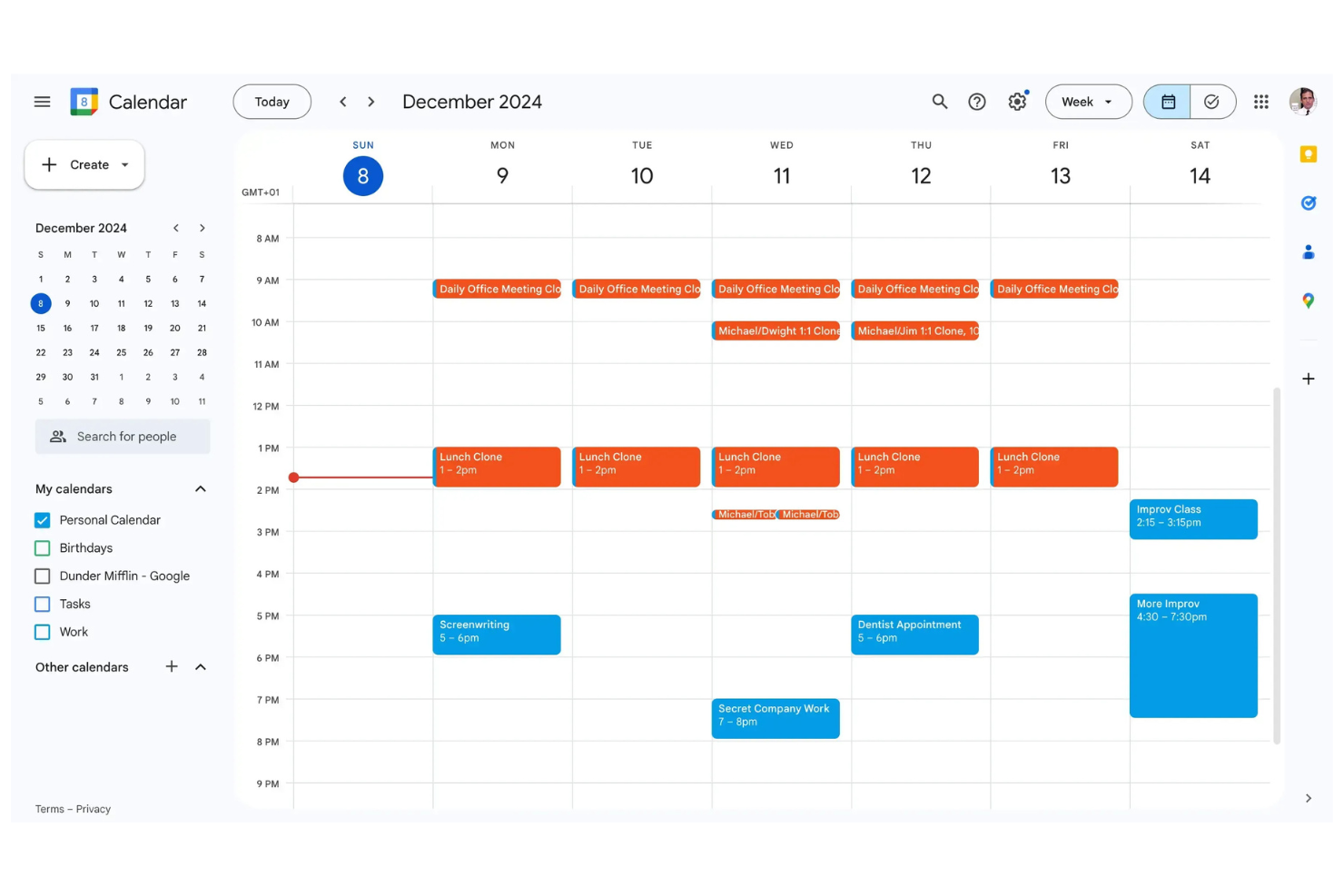
Google Calendar is a digital calendar tool commonly used by professionals and businesses to manage schedules and appointments. It serves as a central hub for scheduling meetings, events, and personal tasks efficiently.
Why it's a good Doodle alternative: Google Calendar integrates with other Google services, making it easy to coordinate your schedule with your email and contacts. With the intuitive interface, you can quickly create and manage events. You can also share calendars with your team, allowing for real-time updates and collaboration. As you can access your calendar from any device, you're always in sync with your schedule.
Standout Features and Integrations:
Features include color-coding events, setting reminders, and creating recurring events. You can also view multiple calendars in one place, so you can manage both personal and professional commitments. The "Find a Time" feature helps you quickly locate available slots for meetings with your team.
Integrations include Google Meet, Gmail, Google Tasks, Google Drive, Microsoft Outlook, Zoom, and more.
Pros and Cons
Pros:
- Supports multiple calendar views
- Real-time synchronization across devices
- Google workplace integration
Cons:
- Restricted offline access functionality
- Lack of native task management
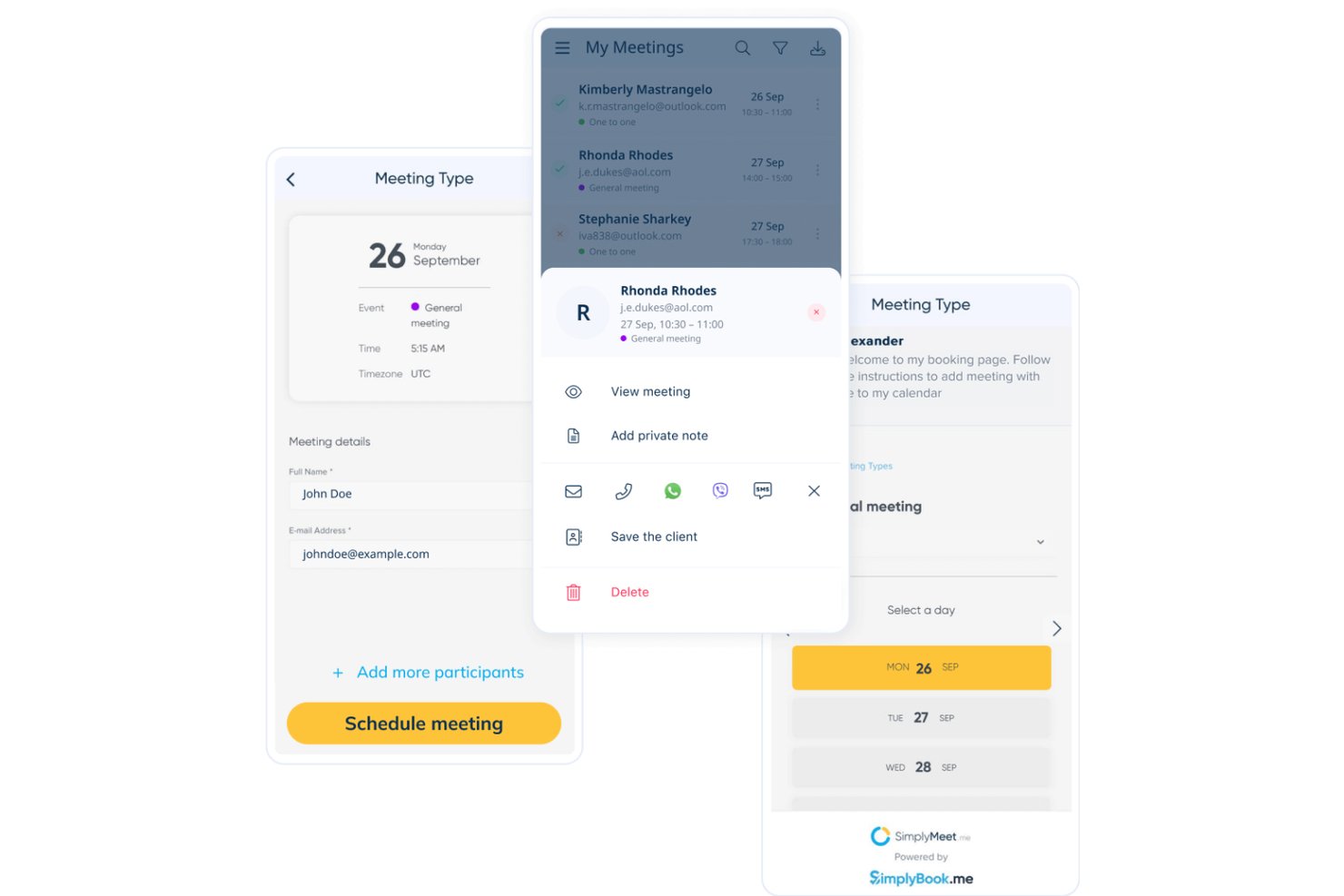
SimplyMeet.me is an online meeting scheduler for teams that need to coordinate external appointments, helping sales, recruiting, and service teams manage availability without long email exchanges.
Who Is SimplyMeet.me Best For?
SimplyMeet.me suits sales and recruiting teams that want prospects and candidates to book calls or interviews around staff availability.
Why I Picked SimplyMeet.me
I picked SimplyMeet.me as a Doodle alternative because it’s Best for sales and recruiting self-booking. I like that prospects and candidates can choose a time through a shareable booking link, while routing forms help direct them to the right appointment. Calendar sync and automatic reminders keep calls and interviews visible on both parties’ calendars.
SimplyMeet.me Key Features
- Video meeting integrations: Add links from Zoom, Microsoft Teams, Whereby, or Google Meet to appointments.
- Buffer times: Set gaps before or after appointments.
- Group bookings: Allow multiple participants to book places in the same available slot.
- Online payments: Accept appointment payments through SBPay.me.
SimplyMeet.me Integrations
SimplyMeet.me has direct calendar integrations with Google Calendar, Outlook, and Office 365, plus video integrations with Zoom, Microsoft Teams, Whereby, and Google Meet. It also connects with Zapier and provides an API and webhooks for custom integrations.
Pros and Cons
Pros:
- Automatic time zone adjustment helps global candidates
- Booking links reduce scheduling back-and-forth
- Candidates can self-book without creating accounts
Cons:
- Availability slots sometimes disappear or skip months
- Booking pages can offer only one language

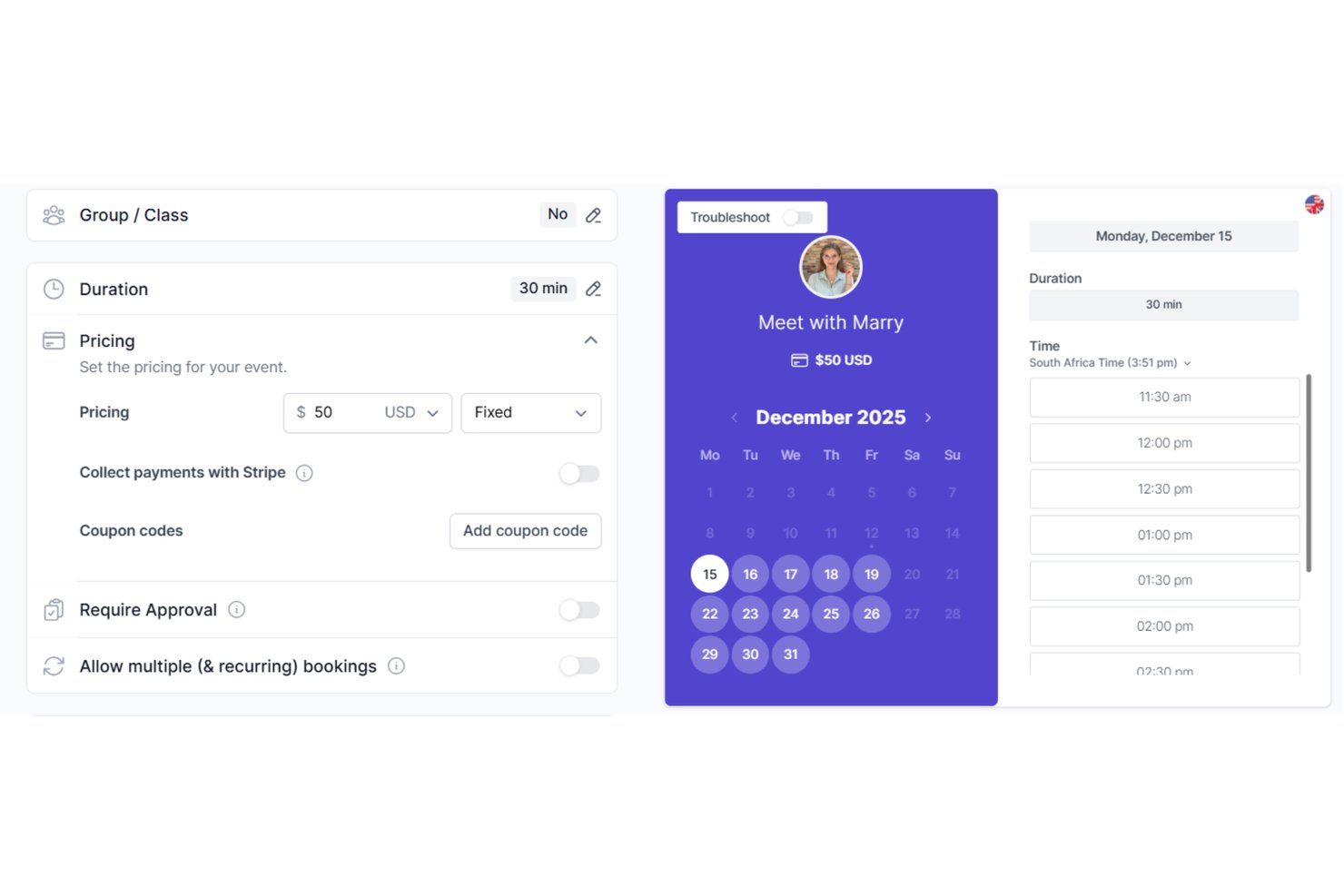
Koalendar is a calendar scheduling platform for consultants and service teams that helps coordinate appointments, manage availability, and reduce the email exchanges involved in setting up meetings.
Who Is Koalendar Best For?
Koalendar suits project coordinators and distributed teams that want invitees to self-book appointments and use group polls to find a shared meeting time.
Why I Picked Koalendar
I picked Koalendar as Best for self-booking with built-in group polls because it covers both appointment booking and shared scheduling. Invitees can choose from your available times, while polls help a distributed project team settle on a kickoff or review slot.
Koalendar Key Features
- Calendar sync: Connect Google, Outlook, or iCloud calendars to check for conflicts.
- Time zone detection: Show invitees available times in their local time zone.
- Automated reminders: Send email reminders before scheduled meetings.
- Video meeting links: Add Zoom or Google Meet links to bookings automatically.
Koalendar Integrations
Koalendar syncs with Google Calendar, Outlook Calendar, and iCloud Calendar, and offers integrations with Zoom and Microsoft Teams for meeting links. It also connects with Zapier.
Pros and Cons
Pros:
- Multi-attendee slots support group bookings
- Booking pages handle appointments after voting
- Free polls need no participant accounts
Cons:
- Recurring appointments are reportedly missing
- Polls lack calendar connections and host dashboard

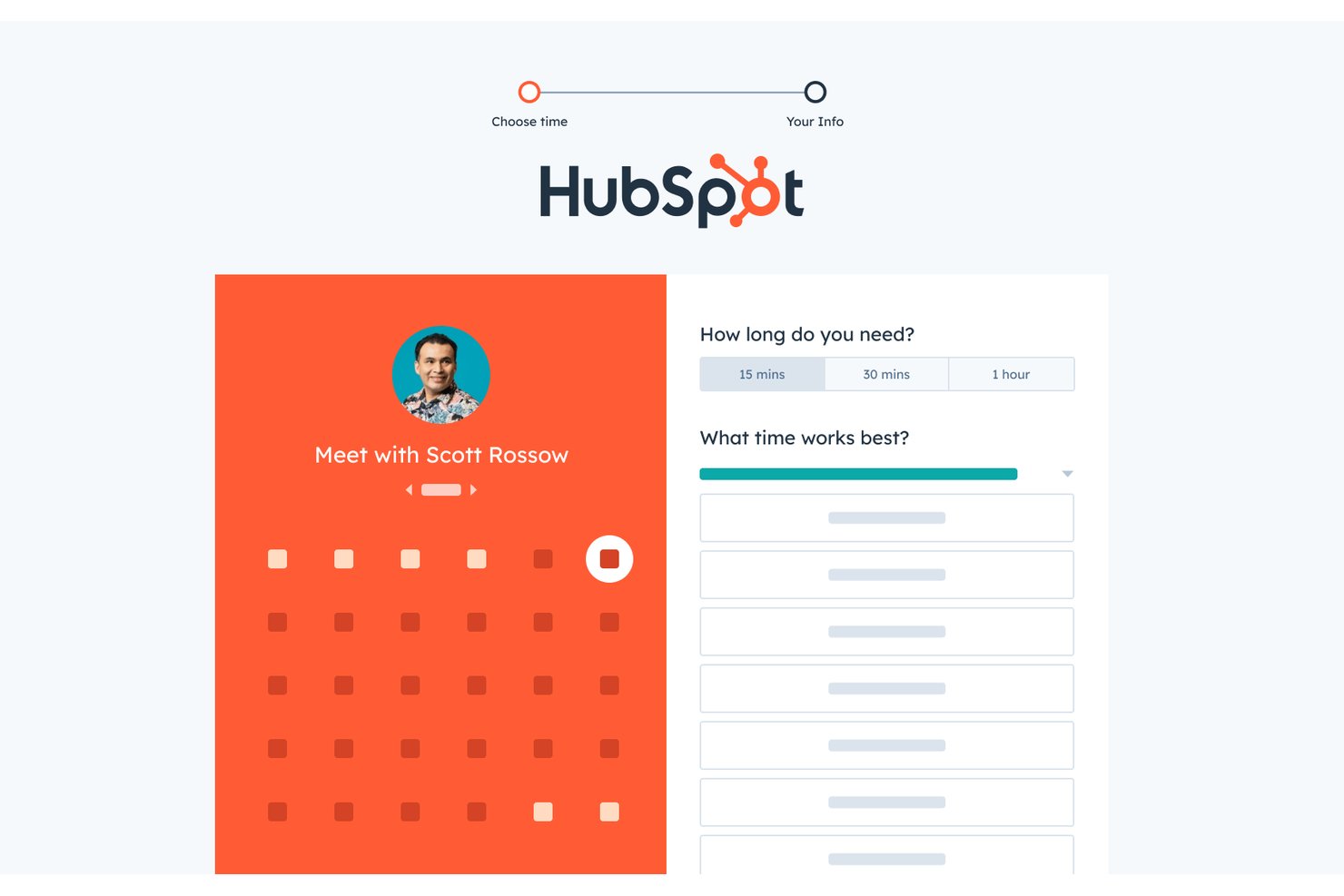
HubSpot Meeting Scheduler helps sales reps share availability, book prospect conversations, and cut email back-and-forth, making it a practical option for CRM-native sales team scheduling.
Who Is HubSpot Meeting Scheduler Best For?
Sales teams that manage leads in HubSpot and want prospects to book time with reps through shared availability links.
Why I Picked HubSpot Meeting Scheduler
I picked HubSpot Meeting Scheduler for my Best Doodle Alternatives Reviewed list because it’s Best for CRM-native sales team scheduling. Reps can share booking links so prospects choose from available times without another round of emails. I like that booked meetings connect with HubSpot contact records, keeping sales conversations tied to lead activity.
HubSpot Meeting Scheduler Key Features
- Round-robin scheduling: Route bookings to the first available team member.
- Group meetings: Let invitees book a time that works for multiple team members.
- Meeting durations: Offer different meeting lengths and set the bookable time range.
- Website embed: Add a booking calendar widget to your website.
HubSpot Meeting Scheduler Integrations
HubSpot Meeting Scheduler natively syncs with Google Calendar, Office 365, and Exchange, and booking activity connects to contact records in HubSpot Smart CRM.
Pros and Cons
Pros:
- Shared availability cuts scheduling email loops
- Round-robin links simplify rep assignment
- Bookings stay attached to lead records
Cons:
- Booking page branding feels less polished
- Round-robin can't route by prospect location

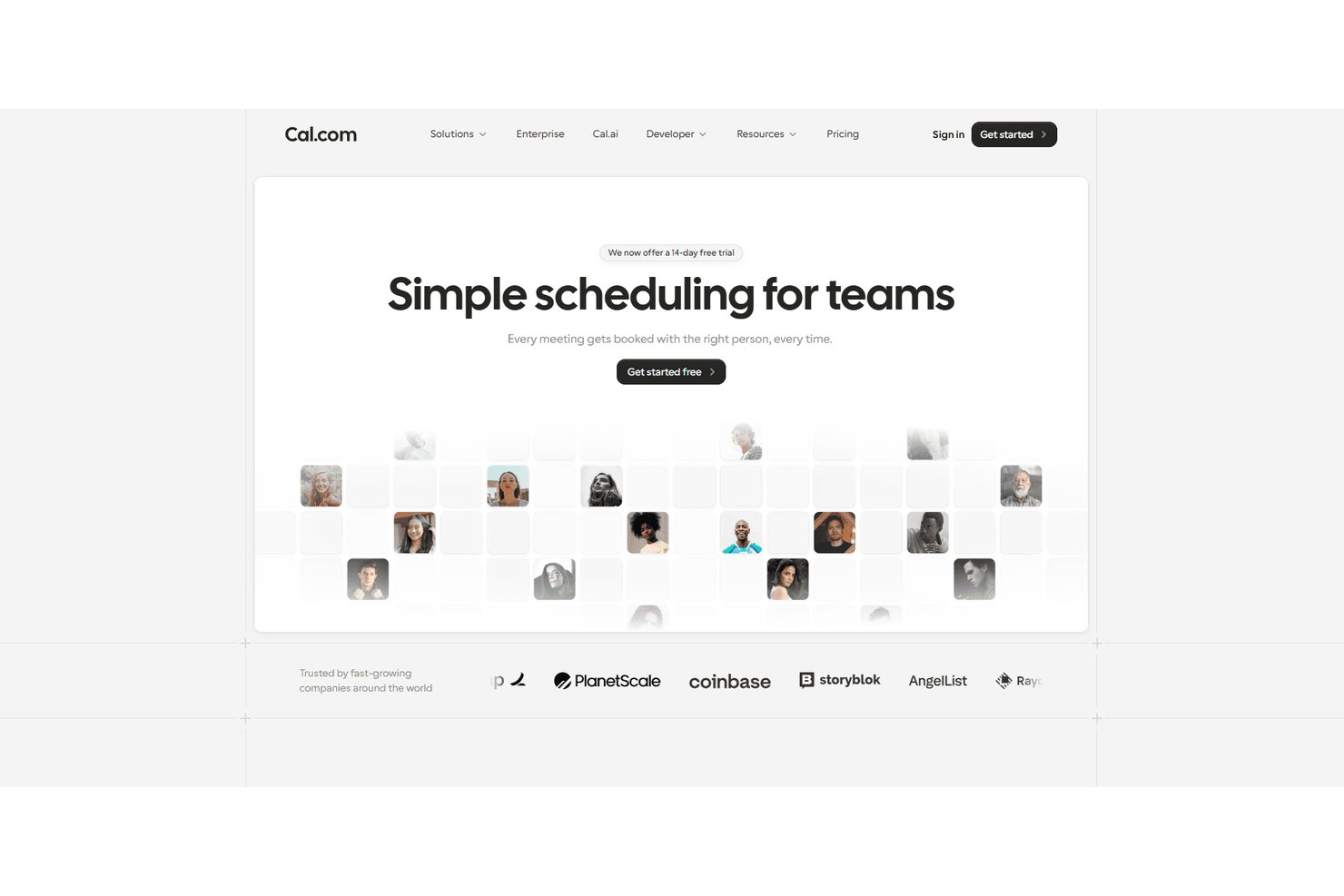
Cal.com is a meeting scheduling platform for product, sales, and customer success teams that helps coordinate availability, share booking links, and reduce back-and-forth when arranging calls.
Who Is Cal.com Best For?
Cal.com is a good fit for sales and revenue operations teams that route CRM-linked bookings across reps with round-robin scheduling.
Why I Picked Cal.com
I picked Cal.com as a Doodle alternative (Best for CRM-linked round-robin booking) because its Salesforce routing can prioritize a lead or account owner, then send unmatched prospects to a round-robin pool. I like that bookings can update Salesforce records, giving reps attendee details before calls.
Cal.com Key Features
- Event types: Set meeting durations, locations, and booking rules for different appointment formats.
- Availability schedules: Define recurring hours and date-specific availability for booking links.
- Workflows: Send automated email or SMS reminders and notifications around booked events.
- Booking embeds: Add a customizable Cal.com booking interface to your website.
Cal.com Integrations
Cal.com offers native integrations with Salesforce and HubSpot for syncing booking data and routing round-robin bookings to CRM record owners. It also supports Zapier and provides an API for custom integrations.
Pros and Cons
Pros:
- Automatic time-zone handling reduces booking errors
- Availability limits help prevent overbooking
- Round-robin rotates bookings among available reps
Cons:
- Self-hosting demands technical maintenance
- Advanced settings need clearer onboarding
Other Doodle Alternatives
Here are some additional Doodle alternatives that didn’t make it onto my shortlist, but are still worth checking out:
- Calendar App
For AI-assisted scheduling
- SavvyCal
For booking links with calendar overlay
- Setmore
For small business client self-booking
- Acuity Scheduling
For service business client self-booking
- OnceHub
For lead-routing with self-booking forms
- Jotform
For booking forms with built-in calendar sync
- Zeeg
For GDPR-hosted team booking automation
- Zoho Bookings
For Zoho ecosystem scheduling
- Fantastical
For unified multi-account calendar management
- Cronofy
For interview panel scheduling across ATS tools


How I Evaluate Doodle Alternatives
I split my evaluation into three parts. Core functionality carries the most weight—any alternative needs to poll group availability and sync with real calendars in real time. From there, I look for standout features like workflow automation triggers, then consider pricing value and onboarding ease.
Core Functionality (Table Stakes For This List)
When I'm selecting tools for my list, I score each one on a scale from 0 (does not offer the functionality) to 5 (excels in this area) for each core functionality listed below. I then convert the total into a percentage to help assess each tool's overall fit, with extra weight on any functionalities I’ve deemed essential.
- Group Availability Polling (Essential): I look for clear response tallies that help project teams find a meeting time across busy stakeholder calendars.
- Calendar Integration (Essential): I check for calendar sync that reflects current availability and helps prevent conflicts when booking client or project meetings.
- Self-Service Booking Pages: I assess whether invitees can book from a shareable page with availability rules that suit client calls or interviews.
- Automated Reminders: I look for reminders and notifications that keep invitees informed about poll responses, confirmed meetings, and upcoming sessions.
- Multi-Participant Coordination: I consider how the tool handles group scheduling, including external guests who need to join workshops or interviews without accounts.
- Time Zone Detection: I check whether participants see meeting options in their local time zones, especially when coordinating distributed teams.
Once I have a list of tools that meet the criteria, I consider what sets each platform apart.
Differentiating Factors (What Sets Vendors Apart)
Here's how I compare and contrast different vendors:
Standout Features
I look for workflow automation triggers that fire after a booking confirms—like creating a follow-up task in Asana or logging the meeting in a CRM. That kind of connection keeps scheduling from being a dead end in your project workflow. I also evaluate round-robin assignment, which matters when you're distributing discovery calls or intake meetings across a client services team without manual coordination. Custom intake forms are worth checking too; collecting agenda items or project context before a kickoff call saves the first ten minutes of every meeting.
Beyond Features
I evaluate how easy the booking experience is for external participants. Clients and candidates who hit a login wall often drop off, so no-account-required access matters for agency and consulting teams. Integration depth with PM tools like Asana or Jira is another factor—two-way data flow between a confirmed booking and a project timeline keeps coordination visible without manual updates. I also check whether pricing scales cleanly as teams grow, since some plans lock admin controls behind tiers that don't match fluctuating headcount.
Why Look for a Doodle Alternative?
While Doodle is a good choice of Calendar Software, there are a number of reasons why some users seek out alternative solutions. You may be looking for a Doodle alternative because…
- You need more advanced scheduling features
- Your team requires better integration options
- You want stronger privacy and security measures
- You need a more user-friendly interface
- Your team is looking for improved customization
- You require offline access to your calendar
If any of these sound like you, you've come to the right place. My list contains several Calendar Software options that are better suited for teams facing these challenges with Doodle and looking for alternative solutions.
Features
Here are some of the key features of Doodle, to help you contrast and compare what alternative solutions offer:
- Meeting polls: Let your team find the best meeting time for everyone.
- Sign-up sheets: Facilitate easy event registrations for workshops and webinars.
- 1:1 scheduling: Offers your clients a selection of available times for meetings.
- Booking page: Allows you to create custom intake forms to share availability and let clients book appointments.
- Integrations: Connect with various tools for smarter scheduling.
- Payment collection: Automatically collects payments when appointments are booked.
- Security: Ensures your data is safe with enterprise-level security measures.