
20 Best Accounting Project Management Software For 2026

10 Best Accounting Project Management Software Shortlist
Here’s my shortlist of the best accounting project management tools that I’ll cover in this article.


Accounting project management software lets you track project financials, budgets, and progress in real time, so you can keep budgets and schedules under control and make confident decisions from start to finish. Without the right tool, you won't have a clear view of project costs, invoices, and profitability, and your project is likely to run over budget.
I've used my 15+ years of experience managing projects to hands-on test and evaluate dozens of accounting project management software tools. With so many options out there, picking the best fit can get overwhelming fast.
Read my analysis of each tool, key features, and use cases below to find the right tool to help you keep an eye on budget usage, project expenses, and invoicing so you can keep projects (and your organization) profitable.
Best Accounting Project Management Software Summary
Use this table to compare my software picks side-by-side.
| Tool | Best For | Trial Info | Price | ||
|---|---|---|---|---|---|
| 1 | Best for automating tax firm workflows | Free demo available | From $700/year/seat (with a 3-year commitment) | Website | |
| 2 | Best for cost tracking and invoicing | 14-day free trial | From $18/user/month (billed annually) | Website | |
| 3 | Best for invoicing and billing | Free 14-day trial available + free demo available | From $19.90/user/month (billed annually) | Website | |
| 4 | Best for spend management and analytics | Free plan available | From $25/month | Website | |
| 5 | Best for existing Microsoft users | 30-day free trial | From $10/user/month (billed annually) | Website | |
| 6 | Best for work and time tracking | 14-day free trial | From $19/user/month (billed annually) | Website | |
| 7 | Best for knowledge and document management | Free plan + free demo available | From $10/user/month (billed annually) | Website | |
| 8 | Best for keeping track of multiple projects | Not available | From $39.97/month (billed annually) + free plan available | Website | |
| 9 | Best for increased efficiency | 14-day free trial | From $40/user/month (billed annually) | Website | |
| 10 | Best for client and resource management features | Free trial + free demo available | From $29/user/month (billed annually, min 5 seats) | Website |

-

Accelo
Visit WebsiteThis is an aggregated rating for this tool including ratings from Crozdesk users and ratings from other sites.4.4 -
Forecast
Visit WebsiteThis is an aggregated rating for this tool including ratings from Crozdesk users and ratings from other sites.4.6 -
Wrike
Visit WebsiteThis is an aggregated rating for this tool including ratings from Crozdesk users and ratings from other sites.4.2





Best Accounting Project Management Software Reviews
Below are detailed summaries of my picks for the best accounting project management software. I cover key features, pros & cons, integrations, and ideal use cases for each tool to help you find the best fit.


TaxDome brings together client records, documents, billing, and workflows into a single workspace built for accounting, tax, and bookkeeping firms — ideal if you run a small or growing practice and are tired of jumping between spreadsheets, email chains, and siloed tools. If you want a solution that helps your team manage jobs from onboarding to final billing while keeping your clients in the loop with a secure portal, this might be worth a close look.
Why I Picked TaxDome
I picked TaxDome because it offers workflow automation tailored specifically to accounting and tax practices, letting you define pipelines that automatically trigger tasks, document requests, reminders, or invoices as a job moves through stages. This helps your team avoid repetitive admin work — so your focus stays on billable accounting tasks instead of chasing documents or deadlines. I also appreciate its built-in time tracking and billing tied to jobs, which gives you visibility into profitability and ensures billing aligns with actual work.
TaxDome Key Features
Some other essential features of TaxDome include:
- Client Portal: This feature provides a secure platform for clients to share documents and communicate with your team, enhancing client engagement and satisfaction.
- Document Management: Unlimited cloud storage is available, allowing your firm to store and organize documents systematically.
- Email Management: Integrates email communication within the platform to ensure all client interactions are tracked and accessible.
- Reporting & Analytics: Offers reporting on time entries, jobs, invoices, and overall profitability — giving insights into firm performance and resource capacity.
TaxDome Integrations
Integrations include QuickBooks Online, Xero, Drake, UltraTax, Lacerte, CCH Axcess, TaxWise, ProSeries, and TaxAct. TaxDome also supports an API for custom integrations.
Pros and Cons
Pros:
- Provides secure document sharing and e-signature capabilities.
- Automates routine tasks, enhancing workflow efficiency.
- Offers comprehensive client management and communication features.
Cons:
- Three year commitment required
- For firms that only need basic project management, the breadth of features can feel overwhelming.

ProWorkflow is a project management and time tracking platform designed to help teams organize work, monitor progress, and maintain control over budgets. It’s well-suited to accounting professionals and project-based firms that need to connect day-to-day project activities with financial data. The software centralizes project information, making it easier to manage costs, track time, and handle invoicing from one place.
Why I picked ProWorkflow: I picked ProWorkflow for this list because it blends robust project management with the financial tools accountants need to stay on top of budgets and billing. You can manage project costs, monitor team time, and generate invoices without leaving the platform — which helps keep your financial tracking consistent and accurate.
ProWorkflow’s built-in cost tracking and invoicing functions integrate smoothly with accounting platforms like Xero and QuickBooks Online. This makes it especially useful if you already rely on external accounting software but want tighter control over project-level financials. I also like its reporting capabilities, which provide a detailed breakdown of time, expenses, and profitability across projects.
ProWorkflow Standout Features and Integrations
Features include project cost tracking, invoicing, client management, resource allocation tools, and detailed time tracking. Financial visibility is built in through real-time budget monitoring and profitability reporting.
Integrations include Zapier, Xero, QuickBooks Online, MYOB, FreshBooks, Box, KashFlow, Google Drive, Dropbox, OneDrive, SharePoint, and Google Workspace.
Pros and Cons
Pros:
- Strong reporting and visibility features
- Integrates with major accounting tools
- Effective time tracking and cost management
Cons:
- Limited advanced customization on lower plans
- Interface can feel complex initially
New Product Updates from ProWorkflow

ProWorkflow Nexus Adds Billing and Project Enhancements
ProWorkflow Nexus introduces additional measurement units, staff pay rates, split time allocation, and combined invoicing. These updates improve billing accuracy, financial tracking, and project flexibility. For more information, visit ProWorkflow’s official site.
 .
.

Scoro is a versatile work management software designed to enhance business operations by integrating project management, CRM, billing, and reporting into one platform.
Why I picked Scoro: The software offers real-time financial insights, allowing users to track project profitability and manage budgets effectively. Its automated invoicing and expense tracking capabilities simplify the financial aspects of project management, ensuring accuracy and reducing manual work.
Furthermore, Scoro’s integrated billing and cost management features are specifically beneficial for project management. The software allows for tracking of billable and non-billable hours, ensuring accurate client billing. Its cost management tools also help monitor and control project expenses, preventing budget overruns.
Scoro Standout Features & Integrations
Features include reporting and analytics for your agency's operations as a whole (rather than just per-project), which provides insights into progress, results, and future outlook in financials and agency performance. The tool also includes automatic retainer invoicing so you get paid faster and stay profitable.
Integrations include Google Calendar, Xero, QuickBooks, Sage Intacct, Exact Online, Expensify, Stripe, Jira, HubSpot, Salesforce, Google Drive, Dropbox, Okta, Azure AD, and Zapier.
Pros and Cons
Pros:
- Comprehensive features for end-to-end business management
- Good resource management capabilities
- Real-time tracking of projects and team progress
Cons:
- Mobile app could be more robust
- Customization options may present an initial learning curve
New Product Updates from Scoro

Scoro Introduces Subtasks for More Granular Work Planning
Scoro introduces subtasks and improved price list deletion warnings, enabling teams to break down work into smaller units for detailed planning while protecting pricing data from accidental changes. For more information, visit Scoro’s official site.

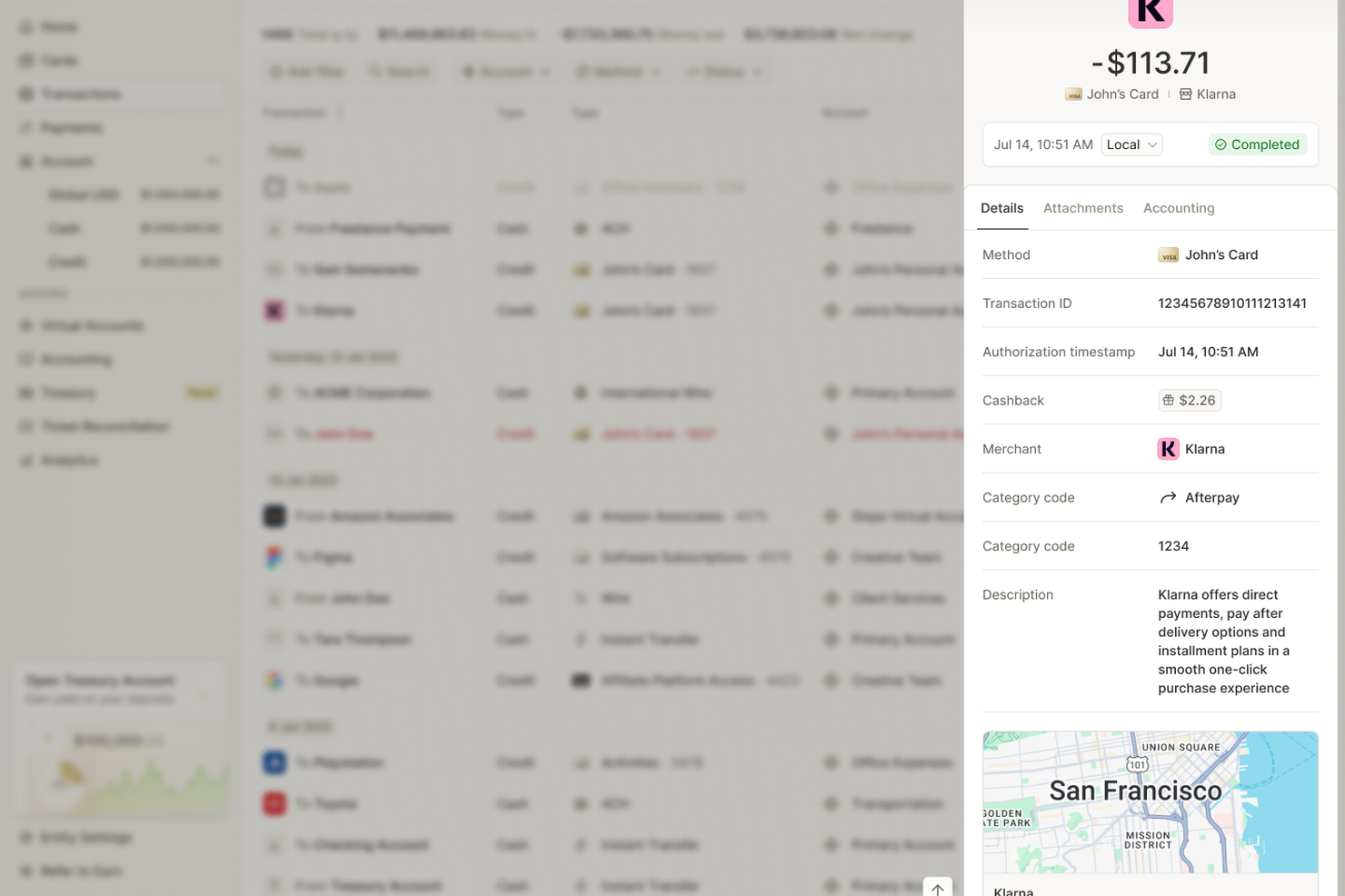
For businesses seeking an innovative approach to accounting project management, Slash offers a compelling solution with its integration of financial tools designed to streamline expense oversight and decision-making. Particularly appealing to finance teams and managers in dynamic industries, Slash provides real-time insights and automation that address the complexities of modern financial operations. By reducing manual workload and enhancing visibility into spending patterns, Slash helps your team focus on strategic growth rather than administrative burdens.
Why I Picked Slash
I picked Slash as a standout choice for accounting project management software because of its unique integration of spend management and financial analytics. The software's ability to seamlessly connect with accounting platforms like QuickBooks and Xero ensures that your financial data is always synchronized and up-to-date. Additionally, Slash's real-time analytics dashboard provides valuable insights into spending trends, empowering your team to make informed financial decisions. This combination of features makes Slash particularly adept at addressing the challenges of managing complex financial operations.
Slash Key Features
In addition to its core strengths, Slash offers several features that further enhance its value as an accounting project management tool.
- Automated Expense Tracking: This feature reduces manual work by automatically logging and categorizing expenses, ensuring accurate financial records.
- Real-Time Analytics: Provides immediate insights into spending patterns, helping your team identify inefficiencies and optimize budget allocations.
- Multi-Entity Support: Allows you to manage finances across different subsidiaries or projects, providing a centralized view of all financial activities.
- Global Payment Capabilities: Facilitates transactions in multiple currencies, including stablecoins, minimizing foreign exchange fees and supporting international operations.
Slash Integrations
Integrations include QuickBooks, Xero, and an API for custom integrations. Native integrations are not currently listed by Slash.
Pros and Cons
Pros:
- Strong security measures protect against unauthorized access
- Ability to create multiple virtual cards aids in budgeting
- Developer-friendly APIs allow for customized financial solutions
Cons:
- Limited offline access restricts functionality without internet
- Virtual card limits may not suit high-volume businesses


Considered by many to be the original project management software, Microsoft Project helps teams track project efforts and is designed to work well with traditional project structures led by a certified PM.
Why I picked Microsoft Project: Teams that are already using other Microsoft Suite projects, especially Teams and Excel, may be able to integrate Microsoft Project easily into their project processes. This platform includes seamless integration with Teams, making it a good choice for accounting projects that are already running on Teams or for firms that use teams as a primary collaboration tool. The familiar Office-based tools and environment reduces learning curves and can allow individuals who aren't super familiar with project management tools to get started quickly.
An easy-to-use Gantt-style chart supports planning and scheduling of a project, and task distribution among a small or mid-size team works well in this software. You can opt for simple use or gain experience with this software to use it for complex task dependencies and various visualization and reporting options. Because it's a tried-and-true program that's been around for a few decades, there are plenty of support options including tutorials and knowledge panels.
Tool Standout Features and Integrations
Features include advanced portfolio management tools that allow you to evaluate and prioritize projects based on financial forecasts and potential profitability, resource availability, and strategic goals. The resource allocation heatmaps also provide an overview of resource usage to prevent bottlenecks and keep efficiency high.
Integrations include Excel, SharePoint, Word, Write, GanttPro, WorkOtter, and numerous other solutions on this list.
Pros and Cons
Pros:
- Plenty of integrations
- Simple data visualizations
- Intuitive for Microsoft users
Cons:
- Limited reporting
- Complicated user management
- Some limitations on project visibility

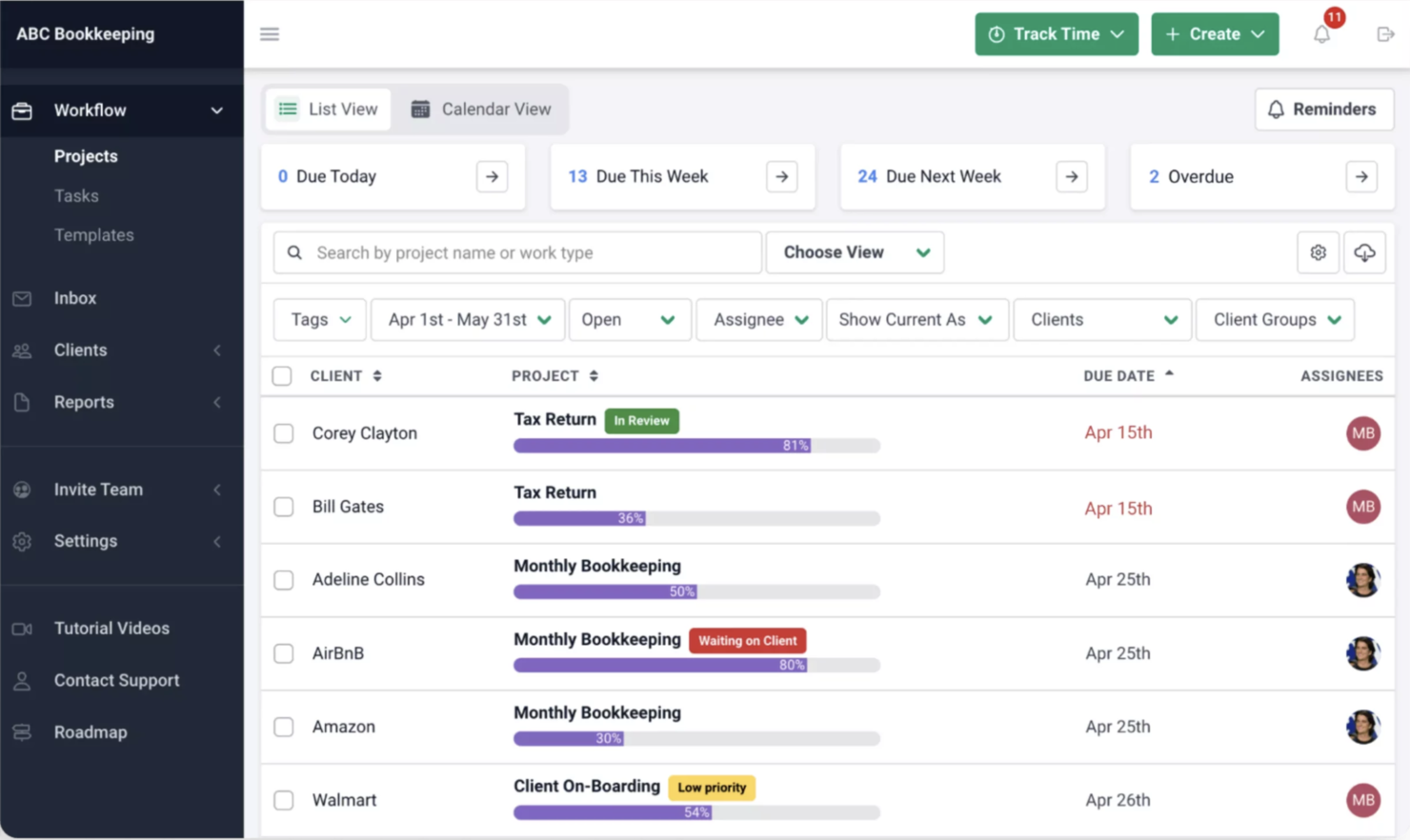
Financial Cents provides the features you need to scale projects and accounting work without losing track of the details like time spent on each job.
Why I picked Financial Cents: Financial Cents hits the top list in part because its primary audience is accountants. It includes some features designed especially for use in financial niches. It also supports robust tracking of time and work for accurate and timely billing processes.
Financial Cents is for accounting offices and financial teams that want to improve processes, scale work, or drive efficiencies. Collaboration tools let teams communicate easily wherever they are, supporting remote work or support between offices. Robust tracking tools let everyone see the status of a project at a glance.
Tool Standout Features and Integrations
Features include the ability to set up automatic reminders for your clients about paying invoices or completing a specific task, which saves you time and helps you get paid quickly. The tool also integrates with Outlook and Gmail for increased visibility into financials, operations, and client relationships.
Integrations include QuickBooks and email clients.
Pros and Cons
Pros:
- User-friendly
- Remote access for collaboration
- Easily tracks project status
Cons:
- Lack of robust reporting
- Dashboard can be confusing
- Limited integrations


Notion is a unique tool in that it connects all your notes and project roadmaps to wikis and documents to keep everyone on the same page.
Why I picked Notion: I picked Notion because it allows teams to focus on what really matters while keeping compliance rule sets, knowledge management documentation, and other resources close at hand. While it takes some practice to figure out how best to organize information and projects in Notion's tables, once teams set everything up, record-keeping, reporting, and collaboration is much easier. Notion works in a variety of environments, including apps for Android, iPhone and iPad.
Custom layouts in Notion give accounting teams the flexibility they need to support various project types. Robust support and training options reduce the burden of the steep learning curve. You can get assistance with this tool via email, chat, forums, and phone, and Notion publishes a knowledge base and offers webinars and live online training.
Notion Standout Features and Integrations
Features include custom databases to manage workflows, a web clipper to save content for later, and version history that lets you track changes over time. The tool also includes linked databases and the ability to connect information from multiple sources or other financial reporting tools.
Integrations include multiple other tools on this list, OneDrive, Zoom, Google Drive, and many others.
Pros and Cons
Pros:
- Highly customizable
- Note-style organization
- Integrated templates
Cons:
- Doesn’t work for all processes
- Sometimes slow to load
- Fairly steep learning curve


ProProfs Project is one of several ProProfs tools and is designed to provide all-in-one project management functions.
Why I picked ProProfs Project: You can easily use this tool to keep track of a variety of accounting projects. Features such as milestone and cost-to-completion tracking help project leaders and teams keep track of important details and see quickly whether projects are on track or are coming up against challenges. A client portal lets you set up appropriate client access for individual projects so teams don't need to manually send updates about efforts.
ProProfs Project offers a pricing structure that doesn't account for number of users, which may make it cost-effective for mid-size teams. You can also integrate the tool with other ProProfs solutions, including its Help Desk, for additional features and benefits.
Tool Standout Features and Integrations
Features include an intuitive dashboard that allows you to easily monitor project timelines and budgets so you can maximize profitability. The task dependency feature is also useful, as it allows teams to sequence tasks and make sure they progress smoothly from one to the next.
Integrations include numerous options when you connect through Zapier, but that may require a separate paid plan.
Pros and Cons
Pros:
- Clients can track progress
- Centralize efforts on single dashboard
- Easily see project status
Cons:
- Software sometimes lags
- No external native integrations
- Limited automations

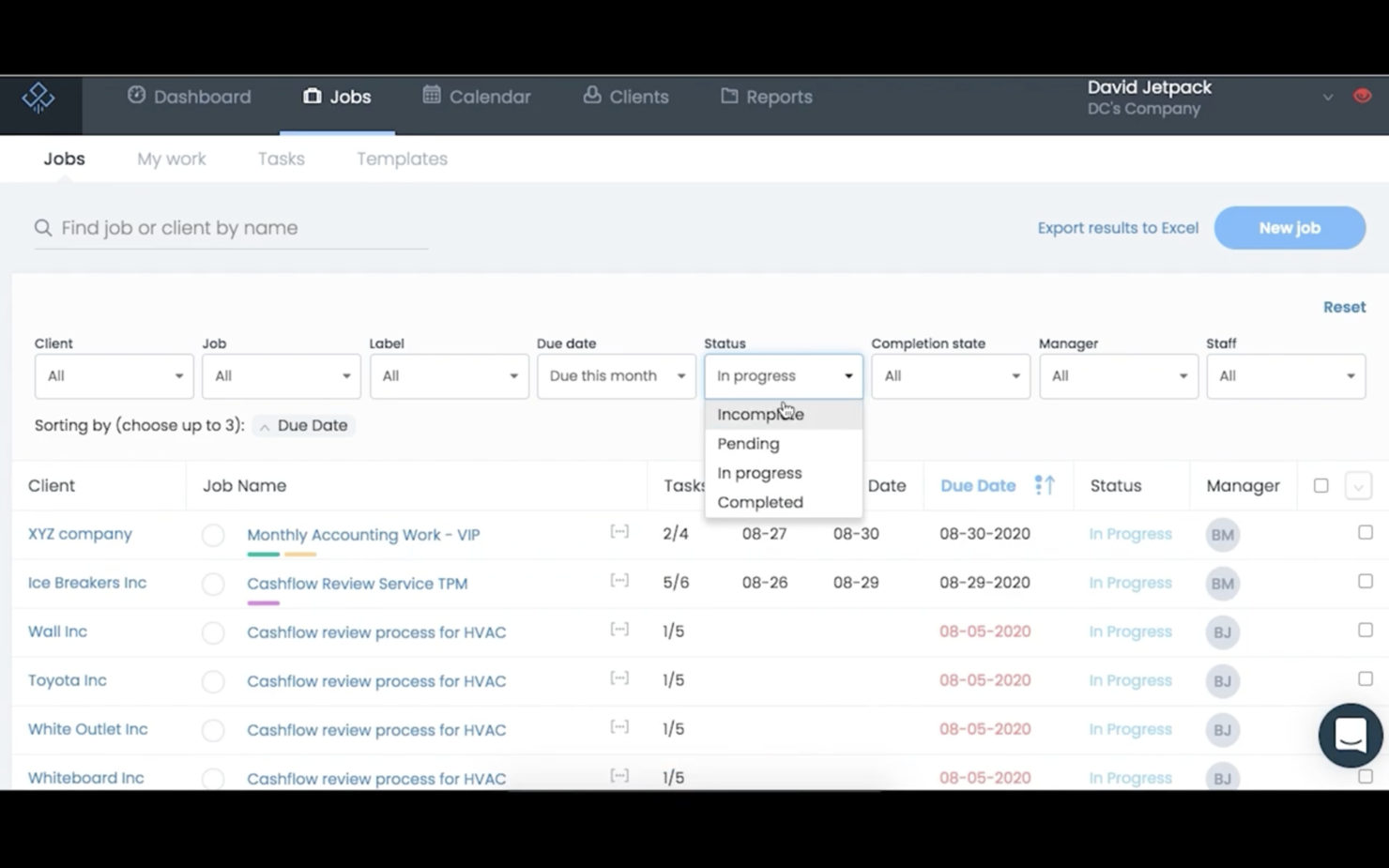
Why I picked Jetpack Workflow: I picked Jetpack for this list partly because of its flexibility in designing workflows. You can customize this solution to meet various needs and maximize your accounting staff's effort. Collaboration tools support communication without adding extra work for your team.
The ability to filter and sort in the job view lets individuals find the work they need to complete quickly, and deadline tools ensure time-sensitive tasks don’t fall through the cracks. This tool is easy to use, even for people without accounting project management experience.
Tool Standout Features and Integrations:
Features include document management capabilities that help with overall, centralized organization and save you time by avoiding the need to switch between tools to access documents. The tool also includes the ability to automate your accounting processes and create custom workflows that fit the way you work.
Integrations include Zapier, which can connect to over 2000 applications such as Slack, Salesforce, Active Campaign, and Jira.
Pros and Cons
Pros:
- Easy to collaborate
- Supports client updates
- Great for work tracking
Cons:
- Hard to edit changed templates
- Some limitations on calendar management


Ravetree is an all-in-one work management platform that covers not just project management, but client management and resource planning, too.
Why I picked Ravetree: This software made my list because of its capacity to centralize various aspects of your work management. In addition to project planning and task management tools, it also offers a built-in CRM, customer portals, and resource allocation features. For accounting firms and accountants working with multiple clients, this makes it a good choice.
Project management features specifically include breaking projects into tasks that can then be assigned to specific team members, and outlined with action items and checklists. You can also save your project plans as templates for reuse. Team members receive notifications regarding their upcoming tasks, and you can keep an eye on resource utilization with a timeline view. Time tracking is also included, allowing you to break down your estimates vs. time spent on specific projects and tasks. This data can then be used to inform your future planning.
Ravetree Standout Features & Integrations
Features include a suite of capabilities to help teams better collaborate, like board views and workflows that you can customize to better support the way your team works and hands off tasks to each other. The tool also includes a forecasting feature that you can use to determine project budgets based on required resources and time.
Integrations include Box, Dropbox, Facebook, HubSpot, Instagram, Github, Google Drive, Gmail, OneDrive, Outlook, QuickBooks, and Stripe.
Pros and Cons
Pros:
- Video and chat support
- Project, resource, and finance management in one
- Personalized onboarding
Cons:
- Limited internal communication tools
- Large feature set comes with a learning curve
Other Accounting Project Management Software
Here are a few more options that didn’t make my top list, but which are still worth your consideration.
- Oracle NetSuite
For enterprises
- ClickUp
For managing projects and tracking budgets
- monday.com
For bookkeeping templates
- Smartsheet
For accountants that need reporting
- Quire
For breaking down complex projects
- Accelo
For professional services automation
- Wrike
For workflow management
- Kantata
For stakeholder collaboration
- GoodDay
For resource management and task tracking
- Asana
For recurring accounting and bookkeeping


Related Project Management Software Reviews
If you still haven't found what you're looking for here, check out these tools closely related to accounting project management software that we've tested and evaluated.
- Project Management Software
- Resource Management Software
- Time Tracking Software
- Task Management Software
- Productivity Tools
- Project Tracking Software
- Business Intelligence Tools (BI)
- Invoicing Tools For Digital Agencies
- Best Project Management Software with Invoicing
- Project Management Software for Accountants
How to Choose Accounting Project Management Software
It’s easy to get bogged down in long feature lists and complex pricing structures. To help you stay focused as you work through your unique software selection process, here’s a checklist of factors to keep in mind:
| Factor | What to Consider |
|---|---|
| Scalability | Make sure the software can grow with your business and handle more users, projects, and data without compromising performance. |
| Integrations | Look for tools that integrate with your accounting tools, ERP system, and other critical business systems to avoid manual data entry. |
| Customizability | Choose software that lets you tailor workflows, dashboards, and reports to fit your team’s unique needs and preferences. |
| Ease of Use | Opt for a user-friendly interface with simple navigation so your team can adopt it quickly without extensive training. |
| Budget | Find a solution that aligns with your budget and offers a balance of essential features and long-term value. Look out for hidden costs. |
| Security Safeguards | Verify that the software has robust security features, such as data encryption and user permissions, to protect your financial information. |
| Reporting Tools | Make sure the software provides customizable reports to track project progress and financial performance. |
| Support Options | Confirm that the provider offers reliable customer support through multiple channels, like live chat, email, or phone, so you can resolve issues quickly. |
What is Accounting Project Management Software?
Accounting project management software is a tool that lets you track finances and manage projects together. Accountants, project managers, and business owners use it to handle budgets, expenses, and billing while staying on top of project deadlines.
With features for tracking finances and project tasks in one place, you can see exactly where your money's going and make smarter project and financial decisions every step of the way. This type of software helps improve your financial processes, reduce the risk of errors, and make sure financial data is synchronized with project progress.
Features of Accounting Project Management Software
When selecting accounting project management software, keep an eye out for the following key features:
- Task management: This helps you improve your project workflows and assign, track, and prioritize tasks for team members. It also includes workflow automations, which can reduce some manual and repetitive tasks by carrying them out for you.
- Time tracking: This feature allows you to monitor billable and non-billable hours for accurate invoicing and project cost management.
- Budgeting tools: The tool should help you set financial limits, track expenses, and compare actual spending against budgets.
- Resource allocation: This lets you make sure team members, materials, and equipment are being used efficiently across multiple projects.
- Automated invoicing: This allows you to simplify billing with pre-configured templates, recurring invoices, and integration with accounting systems.
- Document sharing: The software should allow secure, centralized access to project-related files for better collaboration.
- Reporting: The tool should allow you to generate insights into project performance, costs, and profitability for data-driven decision-making.
- Customizable dashboards: You should be able to tailor views, reports, and dashboards for quick access to relevant metrics and project details.
- Third-party integrations: Many project-based teams benefit from using project management software that integrates with QuickBooks and other tools such as ERP systems and communication platforms for cohesive workflows.
- Compliance tracking: This features helps you make sure you're adhering to financial regulations and industry standards by automating compliance checks.
Accounting Project Management Software FAQs
Here are some answers to common questions about accounting project management software.
Is Project Management Useful for Accountants?
Yes. Financial project management is useful to accountants in many ways, including:
- Being able to handle and plan for all the different accounts they handle at any given time.
- Being able to meet strict deadlines, especially around tax season.
- Collaborate with other people in their office to complete projects on time and have all relevant documentation in one place.
- Monitor multiple projects at a glance using dashboards.
What are the Key Features of Project Management Software for Accountants?
Every firm or accounting team has different needs, but some common key features are important in most cases.
- Custom template options: Templates help you avoid starting from scratch with project work, which increases productivity throughout the life of the project.
- Reporting tools: Project accounting software should have numerous options for pulling data about projects—and exporting it to other programs—help project leaders and stakeholders stay informed.
- Time tracking: Accountants know that time is money, and the ability to track project time accurately is critical when invoicing clients.
- Dashboard options: Visual dashboards that include charts, graphs, and other information let teams and leadership understand project performance at a glance.
- Collaboration tools: Teams work best together when they can quickly communicate in a variety of ways, share and delegate tasks, and keep each other informed about progress, challenges, or next steps.
What’s Next?
If you're in the process of researching email marketing software for agencies, connect with a SoftwareSelect advisor for free recommendations.
You fill out a form and have a quick chat where they get into the specifics of your needs. Then you'll get a shortlist of software to review. They'll even support you through the entire buying process, including price negotiations.