

10 Best Quip Alternatives for Team Collaboration in 2026

Best Quip Alternatives Shortlist


A strong Quip alternative combines collaborative document editing, flexible workflow management, and reliable file sharing in one platform. If you’re searching for Quip alternatives, you’re likely looking for tools that support real-time teamwork, organize information across projects, and adapt to your team’s changing needs. With so many options available, it’s tough to know which platforms actually deliver the features and integrations your projects demand. This list will help you quickly compare the top Quip alternatives for 2026, so you can find the right fit for your team’s productivity and collaboration goals.
What Is Quip?
Quip is a productivity platform that combines collaborative document editing, spreadsheets, and team chat in a single workspace. Teams use Quip to create, share, and discuss documents in real time, making it easier to manage projects and centralize communication. Its integration of documents, task lists, and messaging helps teams keep work organized and accessible, especially in fast-paced digital environments.
Quip Alternatives Comparison Table
This comparison table summarizes pricing details for my top Quip alternative selections:
| Tool | Best For | Trial Info | Price | ||
|---|---|---|---|---|---|
| 1 | Best for database-driven project tracking | Free plan available | From $20/user/month | Website | |
| 2 | Best for customizable document workflows | Free plan available | From $12/user/month (billed annually) | Website | |
| 3 | Best for file sharing with granular permissions | Free trial + free plan available | From $9.99/user/month (billed annually) | Website | |
| 4 | Best for all-in-one workspace organization | Free plan + free demo available | From $10/user/month (billed annually) | Website | |
| 5 | Best with real-time collaboration tools | 14-day free trial available | From $7/user/month (billed annually) | Website | |
| 6 | Best with integrated office productivity apps | 30-day free trial available | From $6/user/month (billed annually) | Website | |
| 7 | Best for note-taking with web clipping | Free plan + 7-day free trial available | From $8.25/month (billed annually) | Website | |
| 8 | Best for internal knowledge base creation | 30-day free trial | From $8/user/month (billed annually) | Website | |
| 9 | Best for team file management in large organizations | Free demo + 15-day free trial available | From CAD $3/user/month (billed annually) | Website | |
| 10 | Best for task and workflow visualization | Free plan available | From $10.99/user/month (billed annually) | Website |
Why Trust Our Software Recommendations
Our team has been testing and reviewing software since 2012. As project managers ourselves, we know how difficult—and important—it is to choose the right software.
For this guide, we evaluated tools using hands-on testing and independent research, scoring tools using our selection criteria. We also draw on insights from industry thought leaders and practicing project management experts.
Our reviews reflect our human editorial judgment, not a sales pitch.
Expert reviewers:
Best Quip Alternatives Reviews
Below are my detailed summaries of the best Quip alternatives that made it onto my shortlist. My reviews offer a detailed look at the features, integrations, and best use cases of each platform to help you find the best one for you.

Airtable
Best for database-driven project tracking
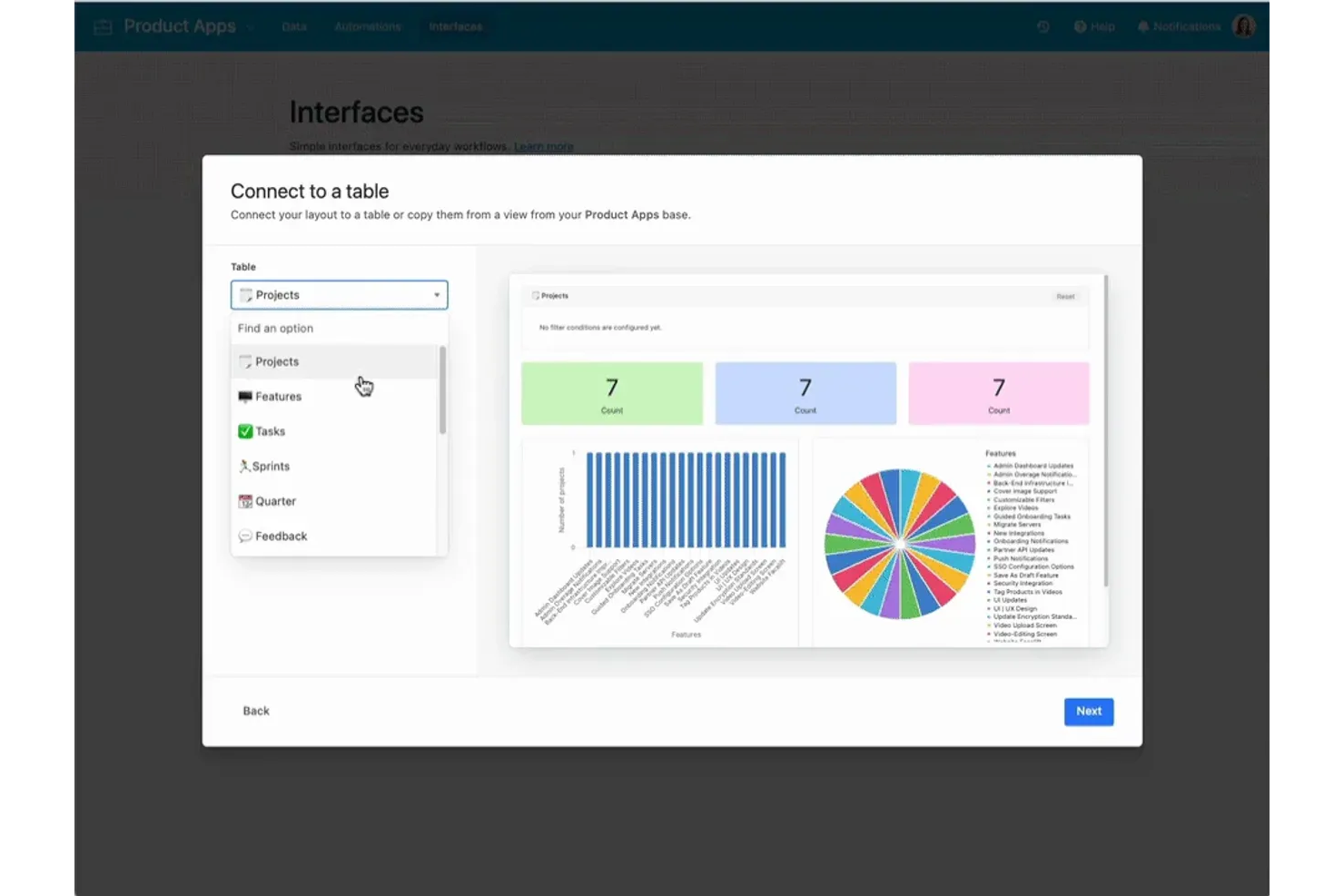
For teams that need to track projects with complex data relationships, Airtable offers a flexible, database-driven approach. It’s especially useful for project managers and operations teams who want to organize, link, and visualize information beyond what spreadsheets or document-based tools like Quip can handle. With customizable views and relational tables, Airtable helps you manage everything from tasks to assets in one place.
Why Airtable Is a Good Quip Alternative
Unlike document-based tools, Airtable gives you a way to manage projects using relational databases that adapt to your workflow. I picked Airtable because you can create custom tables, link records across projects, and build views that fit your team’s process. The platform’s grid, calendar, and kanban views let you visualize project data in multiple ways without losing the underlying structure. For teams that need more than just collaborative documents, Airtable’s database-driven approach offers a level of organization Quip can’t match.
Airtable Key Features
Some other features that make Airtable useful for project tracking include:
- Automations: Set up triggers and actions to automate repetitive project tasks and notifications.
- Form Builder: Collect structured data from stakeholders or clients directly into your project tables.
- Attachment Support: Upload and manage files, images, and documents within any record.
- Permission Levels: Assign different access rights to collaborators, from read-only to full editing.
Airtable Integrations
Integrations include Salesforce, Jira, Zendesk, GitHub, Slack, Google Workspace, and Miro.
Pros and Cons
Pros:
- Replaces messy spreadsheets
- Great for structured data
- Powerful form integrations
Cons:
- No document writing space
- Expensive per-user pricing
Coda
Best for customizable document workflows
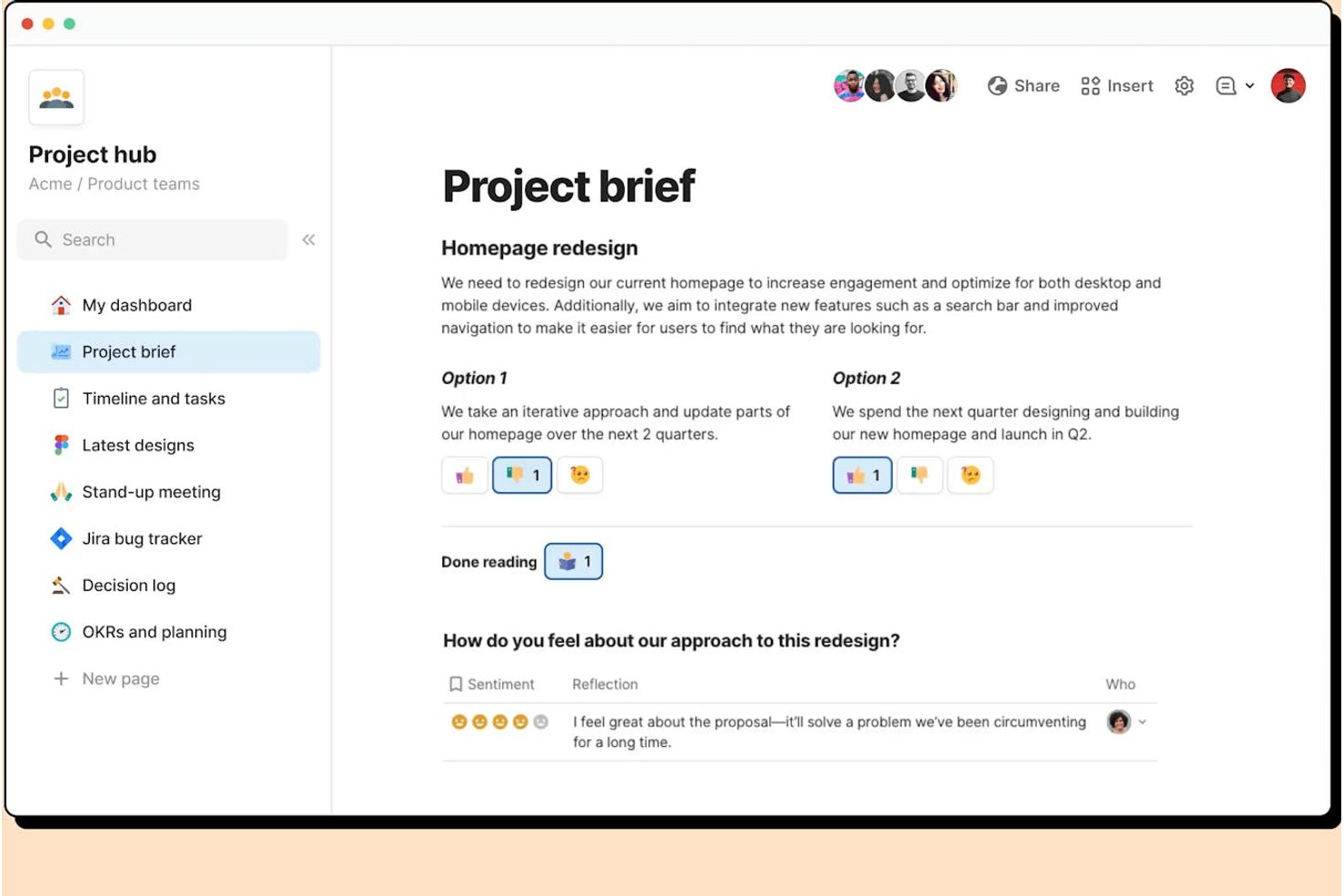
If you need a productivity platform that adapts to your team’s unique workflows, Coda offers a flexible approach to building documents. It’s a strong fit for project managers, product teams, and operations leads who want to combine text, tables, and automation in one place. Unlike Quip, Coda lets you design custom workflows and interactive docs that go far beyond standard note-taking or document sharing.
Why Coda Is a Good Quip Alternative
Coda stands out for teams that want to build customizable document workflows instead of sticking to rigid templates. You can create docs that combine text, interactive tables, and buttons, letting you automate processes right inside your documents. I appreciate how Coda’s building blocks let you design project trackers, meeting notes, or even lightweight apps tailored to your team’s needs. For anyone looking to move beyond static documents, Coda offers a level of flexibility that Quip doesn’t match.
Coda Key Features
Some other Coda features that help teams manage projects and information include:
- Pack Integrations: Connect your docs to tools like Slack, Jira, and Google Calendar to sync data and trigger actions.
- Page Embedding: Embed Coda pages within other docs or websites for easy sharing and reference.
- Granular Access Controls: Set detailed permissions for who can view, edit, or comment on specific sections or tables.
- Template Gallery: Start quickly with pre-built templates for project management, meeting notes, and team wikis.
Coda Integrations
Integrations include Slack, Google Calendar, Jira, Figma, GitHub, Salesforce, and Zendesk.
Pros and Cons
Pros:
- Interactive app-like docs
- Highly custom integrations
- Replaces Quip spreadsheets
Cons:
- Pricing scales with makers
- Lacks native team chat box

Dropbox
Best for file sharing with granular permissions

Dropbox offers teams a secure way to share and manage files with detailed permission controls. It’s a strong fit for organizations that need to collaborate on documents while maintaining strict access oversight. If your projects involve sensitive files or require clear audit trails, Dropbox stands out from Quip by prioritizing granular file security and sharing options.
Why Dropbox Is a Good Quip Alternative
Dropbox stands out as a Quip alternative because of its advanced file sharing and permission controls. You can assign view, edit, or comment access to specific users or groups, which helps protect sensitive project documents. I appreciate the detailed activity tracking that lets you see exactly who accessed or changed a file. For teams that need to manage confidential information or client deliverables, Dropbox offers a level of control that Quip doesn’t match.
Dropbox Key Features
Some other Dropbox features that support productivity and collaboration include:
- File Version History: Access and restore previous versions of files to recover changes or undo mistakes.
- Paper Document Collaboration: Create and edit documents directly in Dropbox Paper, which supports real-time team collaboration.
- Automated Folder Organization: Set up rules to automatically sort, tag, or move files within shared folders.
- Third-Party App Integrations: Connect Dropbox with tools like Slack, Zoom, and Trello to keep workflows connected across platforms.
Dropbox Integrations
Integrations include Zoom, Slack, Microsoft Office, Google Workspace, Adobe Creative Cloud, Asana, and Salesforce.
Pros and Cons
Pros:
- Paper app mimics Quip docs
- Great offline file access
- Deep third-party app sync
Cons:
- Lacks deep Salesforce sync
- High cost for large teams

Notion
Best for all-in-one workspace organization
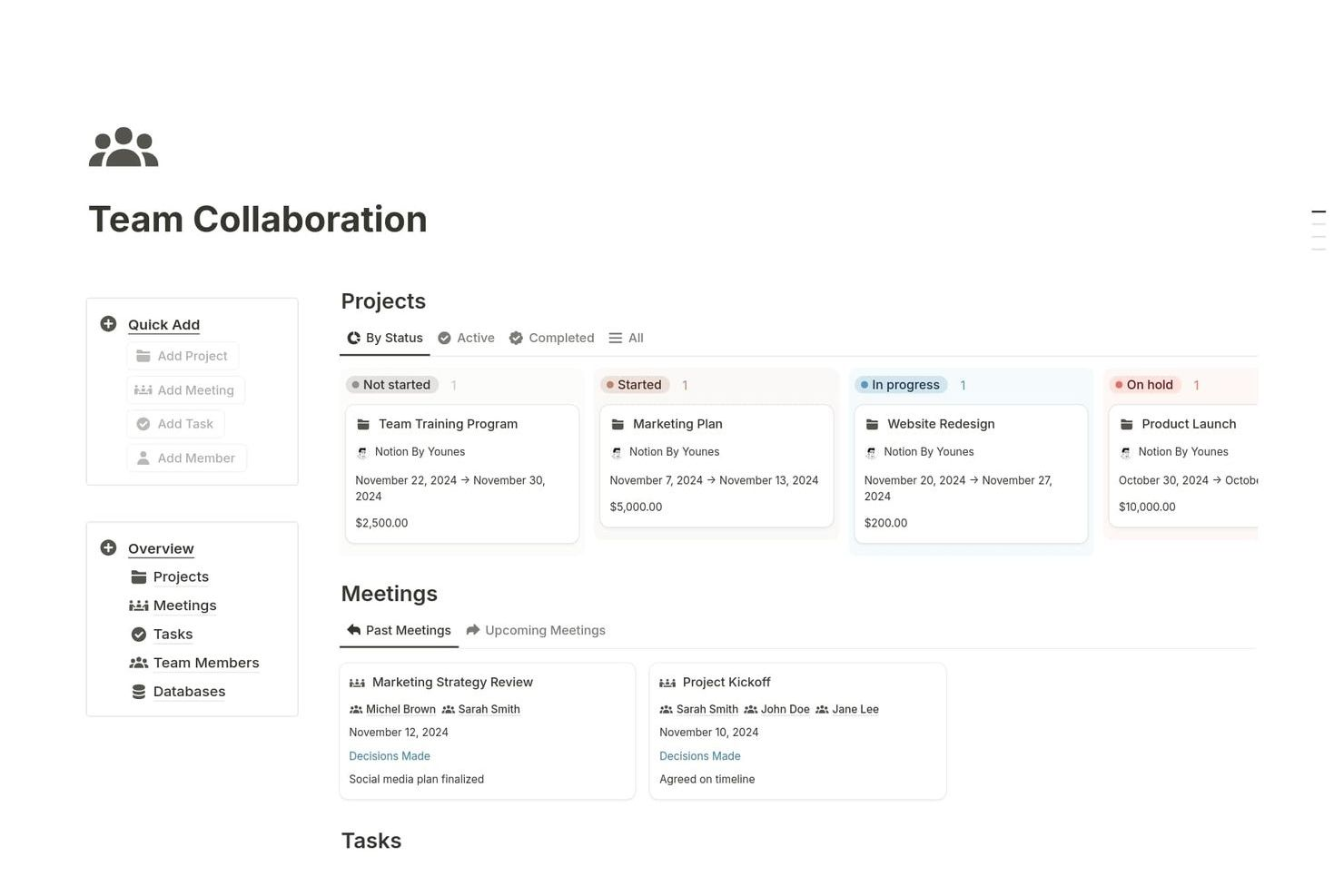
Notion brings together notes, tasks, databases, and wikis in a single workspace, making it a strong choice for teams that want to centralize their knowledge and project management. It’s especially useful for startups, agencies, and cross-functional teams that need flexible organization and real-time collaboration. Unlike Quip, Notion’s modular pages and database features let you build custom workflows and dashboards tailored to your team’s exact needs.
Why Notion Is a Good Quip Alternative
If you’re looking for a workspace that brings all your documents, tasks, and databases together, Notion is worth considering. Its all-in-one approach lets you create pages that combine text, tables, kanban boards, and calendars, so you can manage projects and knowledge in one place. I like how Notion’s database feature allows you to link information across different pages, making it easy to build custom dashboards and track progress. For teams that want to organize everything from meeting notes to project plans in a single, flexible platform, Notion offers more versatility than Quip.
Notion Key Features
Some other Notion features that help teams organize and collaborate include:
- Custom Templates: Create and reuse templates for recurring workflows, meeting notes, or project plans.
- Web Clipper: Save web pages and content directly into your Notion workspace for later reference.
- Version History: View and restore previous versions of any page to track changes over time.
- Commenting and Mentions: Add comments and tag teammates directly within pages to keep discussions organized.
Notion Integrations
Integrations include Slack, Jira, GitHub, GitLab, Asana, Google Drive, and Figma.
Pros and Cons
Pros:
- Deep external app linking
- Strong database properties
- Clean and modern interface
Cons:
- Can become very disorganized
- Spreadsheets lack formulas

Best with real-time collaboration tools
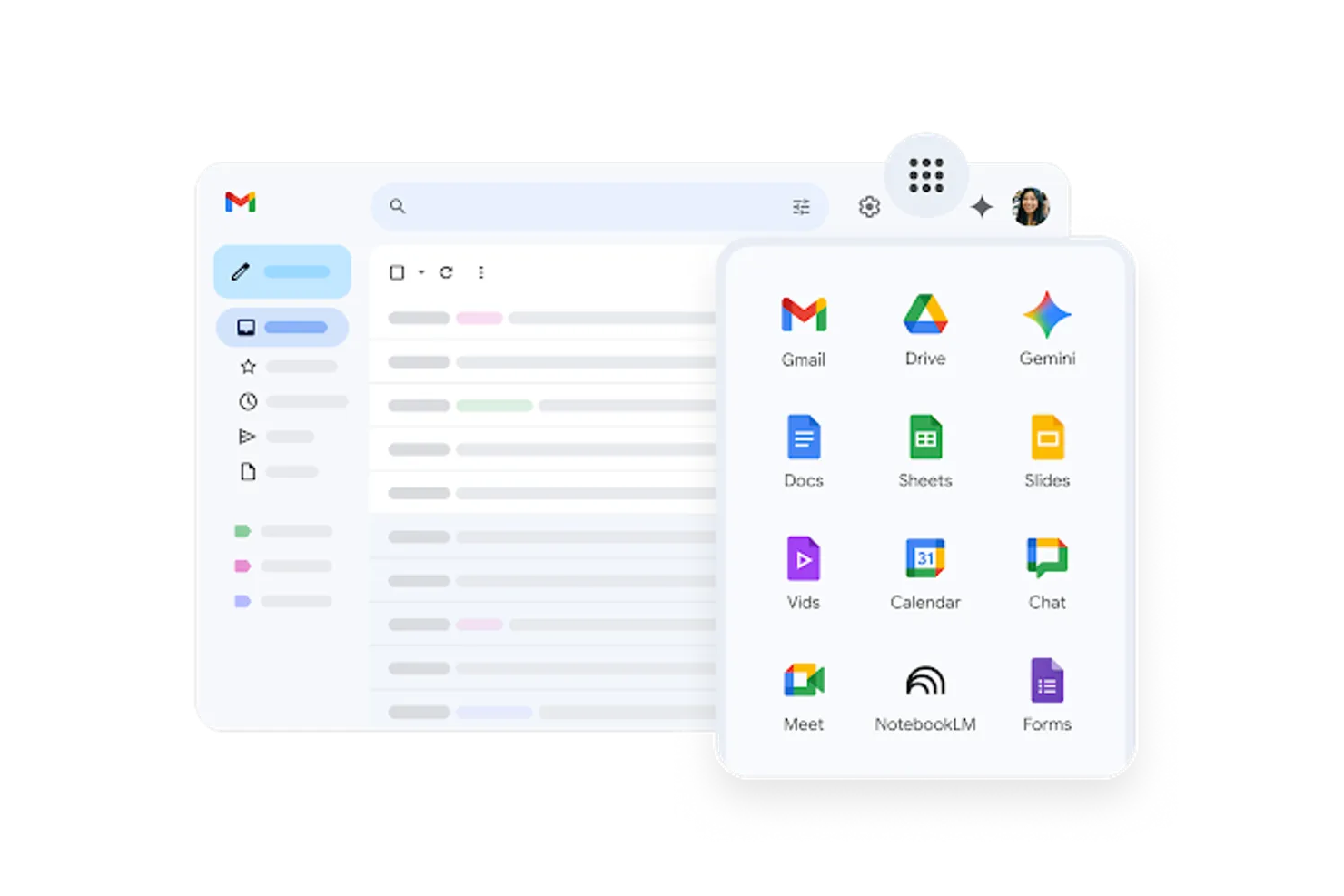
If your team relies on real-time editing and communication, Google Workspace brings together Docs, Sheets, Slides, and Chat in a single platform. It’s a strong fit for distributed teams, agencies, and fast-moving startups that need to co-author documents, manage files, and hold meetings without switching tools. Unlike Quip, Google Workspace offers deeply integrated collaboration features that work across its entire suite.
Why Google Workspace Is a Good Quip Alternative
For teams that need to collaborate in real time, Google Workspace offers a suite of tools designed for instant co-authoring and feedback. I picked Google Workspace because Docs, Sheets, and Slides all support simultaneous editing, live comments, and version history, so your team can work together without delays. Built-in chat and video meetings let you discuss changes or decisions right inside the platform. If you want a productivity solution that keeps everyone on the same page as work happens, Google Workspace delivers collaboration features Quip can’t match.
Google Workspace Key Features
Some other features that make Google Workspace appealing for productivity-focused teams include:
- Shared Drives: Organize and manage team files in a centralized, permission-controlled space.
- Calendar Integration: Schedule meetings, set reminders, and share calendars across your organization.
- Admin Console: Manage user access, security settings, and device policies from a single dashboard.
- AppSheet Integration: Build custom apps and workflows without writing code, directly from your Workspace data.
Google Workspace Integrations
Integrations include Salesforce, Slack, Asana, Jira, Zoom, DocuSign, and Trello.
Pros and Cons
Pros:
- Incredible version history
- Universal user familiarity
- Powerful Sheets app combo
Cons:
- Poor nested organization
- Clunky offline file sync

Best with integrated office productivity apps
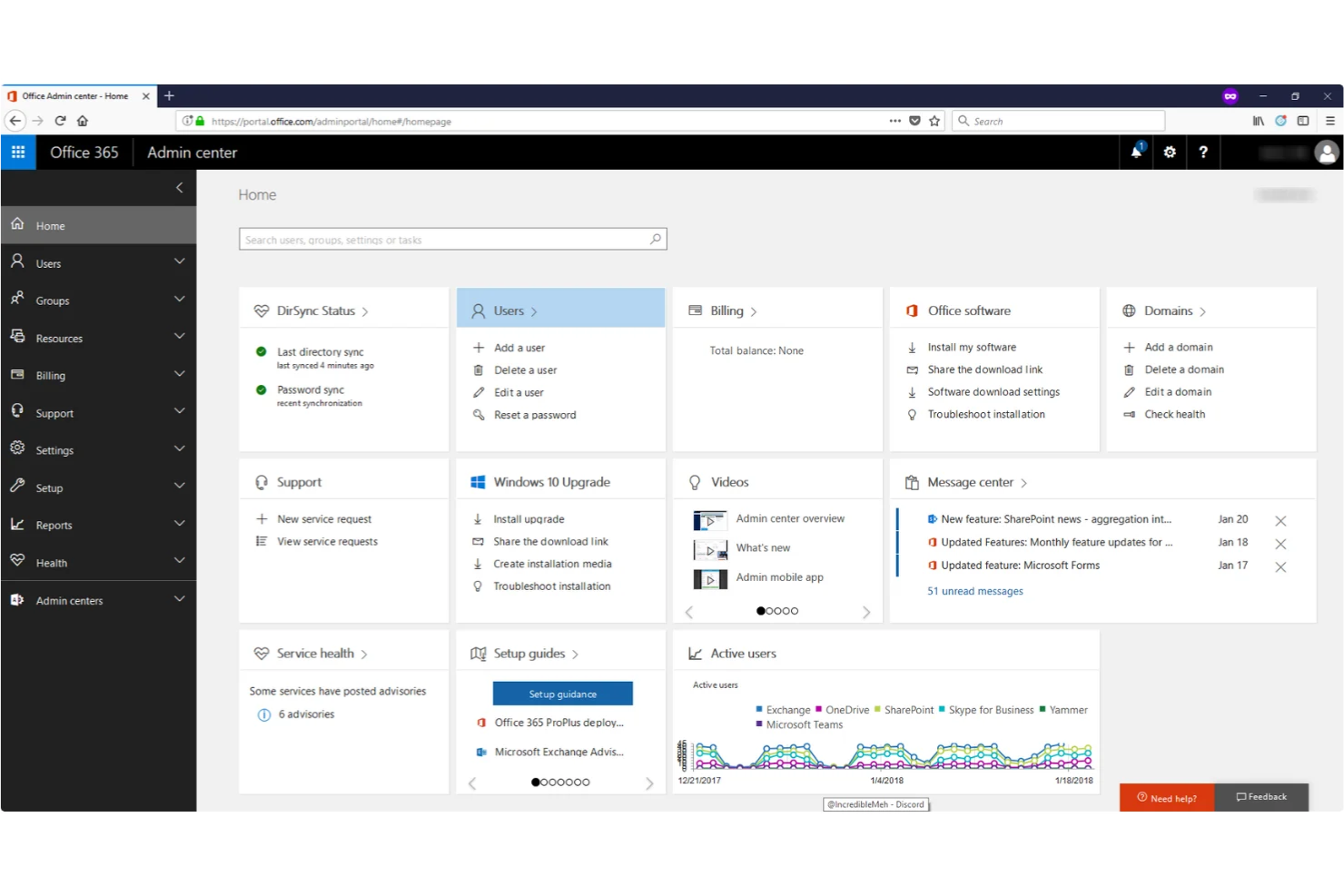
For teams that rely on familiar office tools, Microsoft 365 brings together Word, Excel, PowerPoint, and Teams in a single integrated suite. It’s especially useful for organizations that need advanced document editing, spreadsheet analysis, and real-time collaboration across departments. Unlike Quip, Microsoft 365 offers deep integration between its apps, making it easier to manage complex workflows and keep everyone on the same page.
Why Microsoft 365 Is a Good Quip Alternative
What sets Microsoft 365 apart as a Quip alternative is its suite of integrated office productivity apps. You get access to Word, Excel, PowerPoint, and Teams, all working together to support document creation, data analysis, and team communication in one place. I like that you can co-author documents in real time and move seamlessly between apps without losing context. For teams that need advanced editing tools and tight integration across their productivity stack, Microsoft 365 offers a level of depth that Quip doesn’t provide.
Microsoft 365 Key Features
Some other Microsoft 365 features that help teams stay organized and productive include:
- SharePoint Sites: Create internal websites for document storage, knowledge sharing, and team collaboration.
- Outlook Email and Calendar Integration: Manage email, scheduling, and meeting invites directly within the platform.
- OneNote Digital Notebooks: Capture notes, ideas, and meeting minutes in a searchable, shareable format.
- Advanced Security and Compliance Tools: Apply data loss prevention, encryption, and compliance policies across your organization.
Microsoft 365 Integrations
Integrations include SharePoint, Microsoft Teams, Power BI, Dynamics 365, Salesforce, SAP, and ServiceNow.
Pros and Cons
Pros:
- Highly secure data storage
- Massive enterprise scaling
- Deep Teams chat integration
Cons:
- Hard to co-author cleanly
- High enterprise licensing

Evernote
Best for note-taking with web clipping
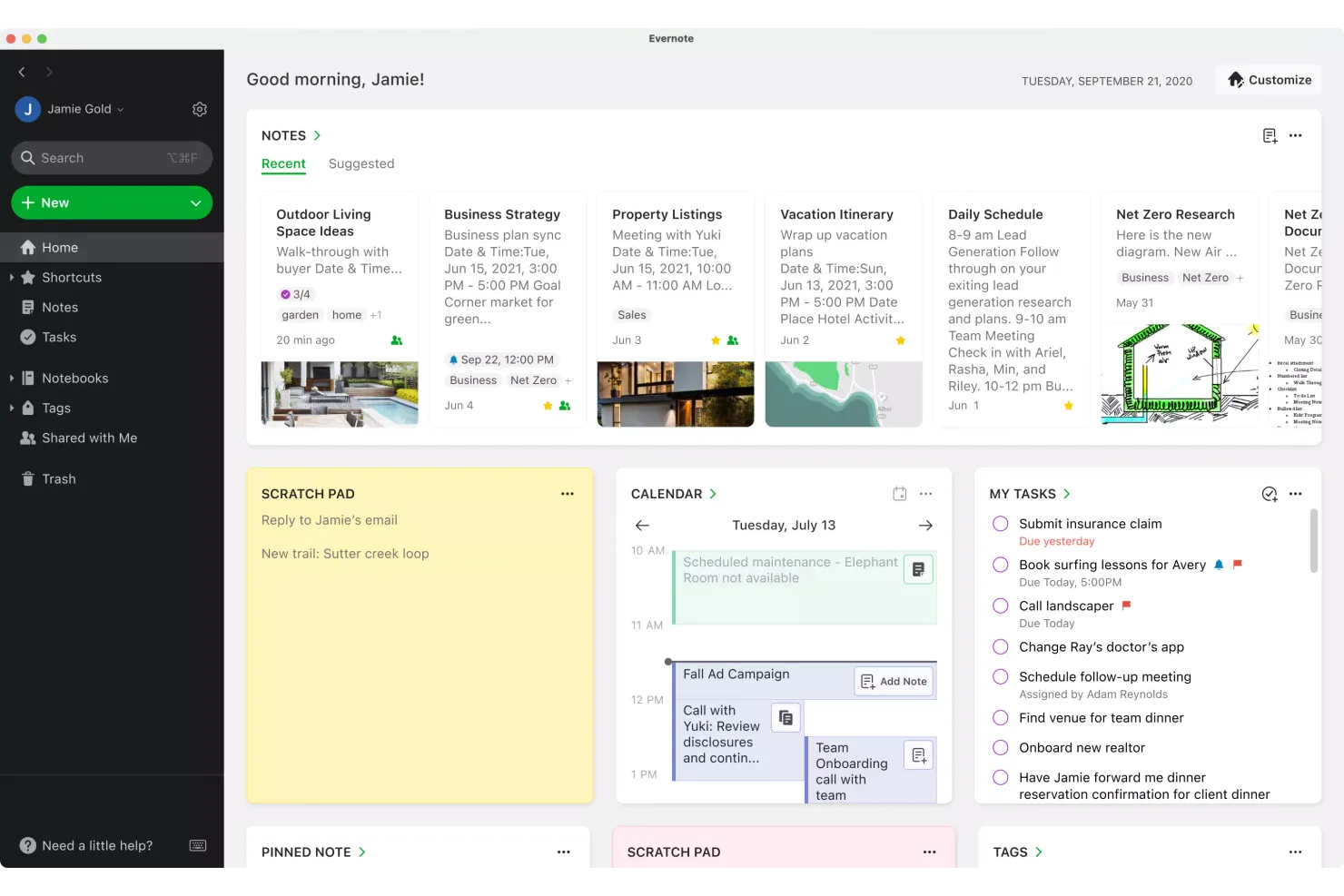
If you need a way to capture ideas, research, and web content in one place, Evernote is worth a look. It’s especially useful for project managers, researchers, and anyone who juggles information from multiple sources and formats. Unlike Quip, Evernote’s web clipping and flexible note organization make it easy to collect, tag, and retrieve everything from meeting notes to online articles.
Why Evernote Is a Good Quip Alternative
Evernote is a strong choice if you want to capture and organize information from the web alongside your notes. I picked Evernote because its web clipper lets you save articles, screenshots, and PDFs directly into your notebooks, making research and reference much easier than in Quip. You can also tag and search your notes for quick retrieval, which is helpful when you’re managing lots of different projects or sources. For anyone who needs to gather and organize content from across the internet, Evernote’s note-taking and web clipping features set it apart.
Evernote Key Features
Some other features that make Evernote useful for productivity include:
- Notebook Stacks: Group related notebooks together for better organization.
- Document Scanning: Capture and store physical documents using your mobile device’s camera.
- Task Management: Add tasks with due dates and reminders directly inside your notes.
- Offline Access: View and edit notes even without an internet connection.
Evernote Integrations
Integrations include Google Calendar, Google Drive, Slack, Microsoft Teams, Outlook, and Salesforce.
Pros and Cons
Pros:
- Easy audio note recording
- Offline access to notes
- Great document scanning
Cons:
- Lacks team chat features
- No spreadsheet capabilities

Tettra
Best for internal knowledge base creation
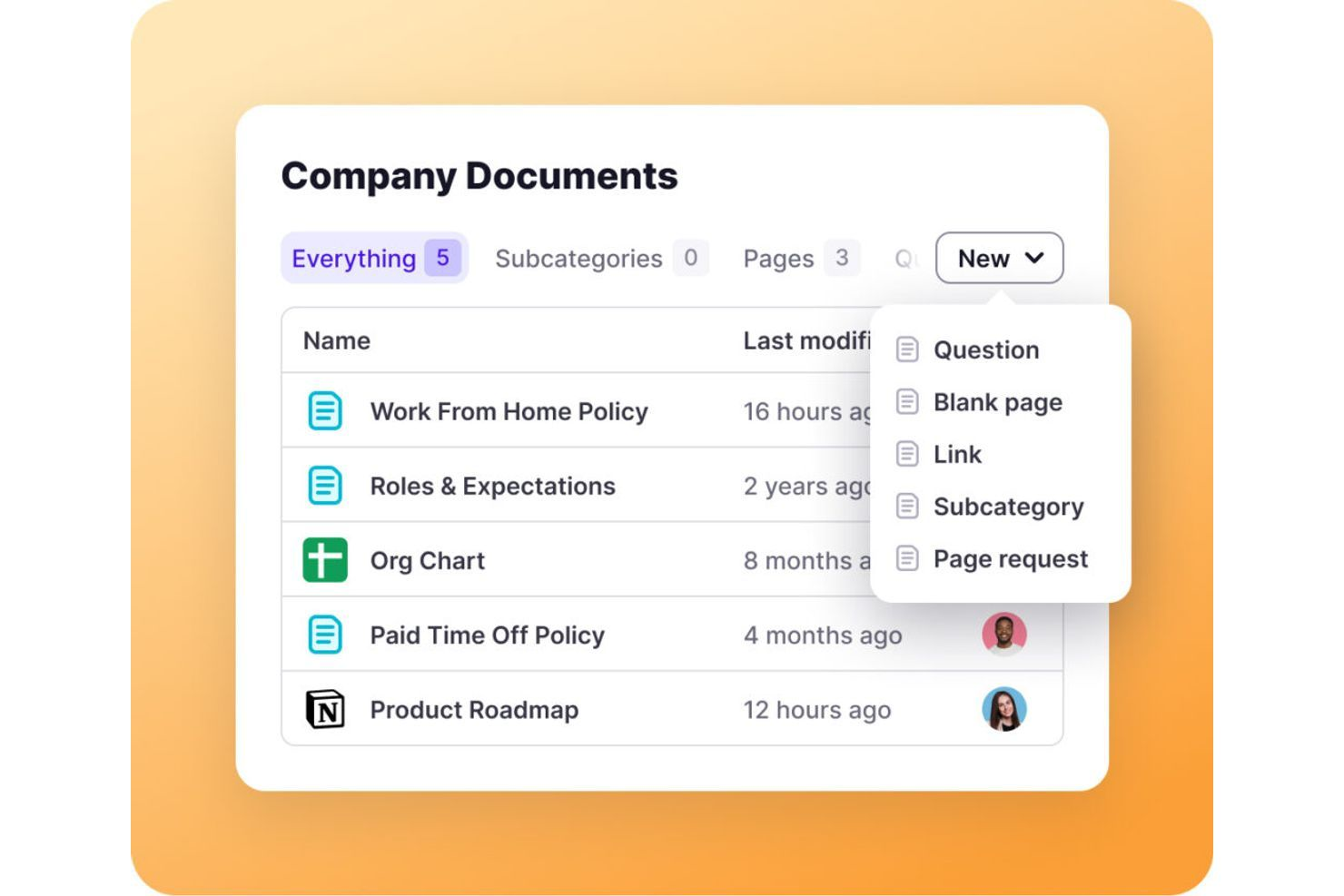
For teams that need a dedicated space to organize and share internal knowledge, Tettra offers a focused solution. It’s designed for growing companies, support teams, and operations leads who want a structured, searchable knowledge base that’s easy to keep up to date. Unlike Quip, Tettra specializes in curating internal documentation and answering recurring questions, so your team can find reliable answers fast.
Why Tettra Is a Good Quip Alternative
Tettra stands out for teams that want a purpose-built internal knowledge base rather than a general document platform. I picked Tettra because it lets you organize company policies, processes, and recurring questions in a structured, easily searchable format. Features like suggested answers and content verification help keep information accurate and up to date. If your team struggles with scattered documentation or repeated questions, Tettra’s focus on internal knowledge management offers a clear advantage over Quip.
Tettra Key Features
Some other features that make Tettra useful for building a knowledge base include:
- Slack Integration: Create and search Tettra pages directly from Slack.
- Page Request Workflow: Allow team members to request new documentation or updates.
- Permissions Management: Set granular access controls for viewing and editing content.
- Content Categorization: Organize pages with categories and tags for easier navigation.
Tettra Integrations
Integrations include Slack, Microsoft Teams, Google Workspace, GitHub, Zapier, and HubSpot.
Pros and Cons
Pros:
- Easy Q&A tracking tools
- Identifies content gaps
- Fast knowledge retrieval
Cons:
- Very narrow use case focus
- Limited formatting options

Best for team file management in large organizations
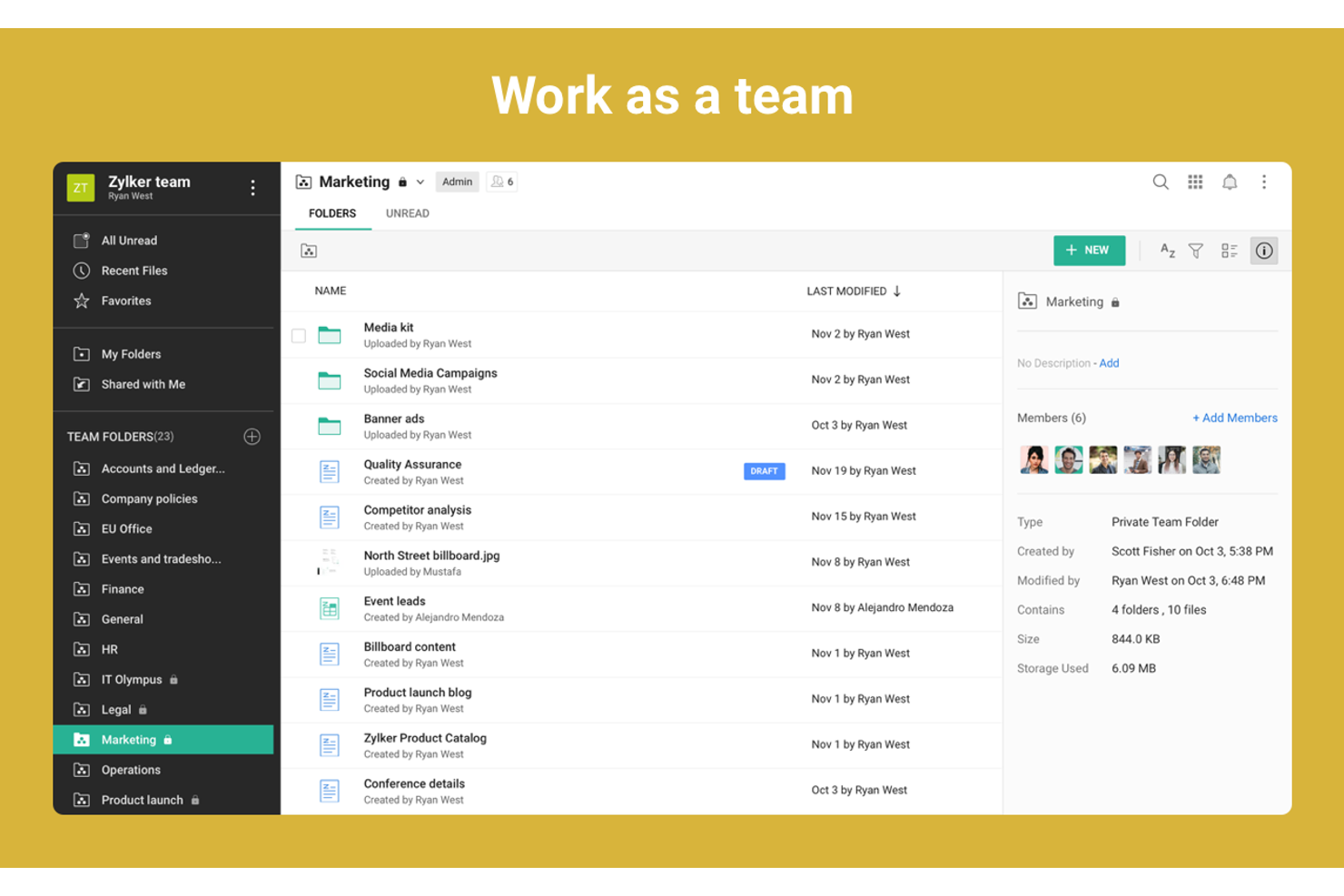
Zoho WorkDrive is designed for organizations that need secure, scalable file management across large teams and departments. It’s a strong fit for enterprises and IT leaders who want granular control over file access, team folders, and audit trails. Unlike Quip, Zoho WorkDrive emphasizes centralized document storage, advanced admin controls, and compliance features for managing sensitive business data.
Why Zoho WorkDrive Is a Good Quip Alternative
For teams that need advanced file management at scale, Zoho WorkDrive offers features that go beyond document collaboration. Its team folders let you organize files by department or project, with granular access controls for different user roles. I appreciate the built-in activity tracking and audit trails, which help large organizations monitor document changes and maintain compliance. If your business requires centralized storage, secure sharing, and detailed admin oversight, Zoho WorkDrive is a strong alternative to Quip.
Zoho WorkDrive Key Features
Some other features that make Zoho WorkDrive useful for large teams include:
- File Versioning: Access and restore previous versions of documents to prevent data loss or unwanted changes.
- Desktop Sync: Sync files between your desktop and the cloud for easy offline access and updates.
- Granular User Roles: Assign specific permissions to users, such as admin, organizer, or viewer, for better control.
- Document Preview: View over 220 file types directly in the browser without downloading.
Zoho WorkDrive Integrations
Integrations include Zoho CRM, Zoho Projects, Zoho Mail, Microsoft Office, Google Workspace, and Slack.
Pros and Cons
Pros:
- Good document versioning
- Strong access control roles
- Very affordable team pricing
Cons:
- Not an all-in-one workspace
- Weak standalone chat tools

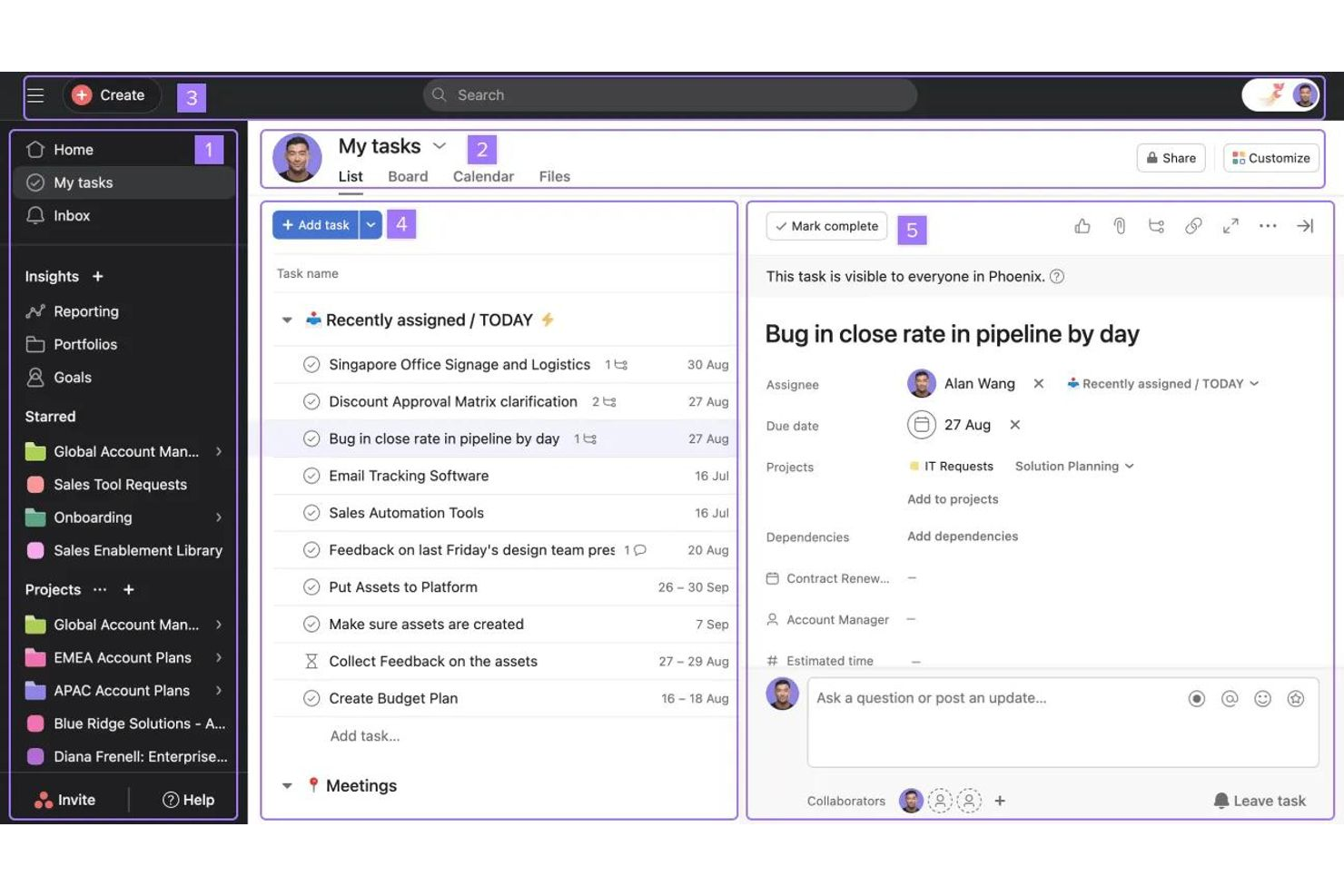
Visual thinkers and project managers looking for clarity in their workflows often turn to Asana. The platform is especially useful for teams in product development, marketing, and operations that need to map out tasks, dependencies, and timelines visually. Unlike Quip, Asana offers multiple project views—like boards, lists, and timelines—that help teams see progress and bottlenecks at a glance.
Why Asana Is a Good Quip Alternative
If your team needs to visualize tasks and workflows, Asana offers a level of clarity that Quip doesn’t provide. I picked Asana because its Kanban boards, timeline (Gantt) view, and calendar view let you see project progress and dependencies in multiple formats. You can drag and drop tasks, assign owners, and set deadlines directly within these visual layouts. For teams that want to move beyond document-based collaboration and actually map out work, Asana’s visualization tools make it a strong alternative.
Asana Key Features
Some other features that make Asana useful for productivity-focused teams include:
- Custom Fields: Add specific data points to tasks for tracking project details unique to your workflow.
- Task Dependencies: Mark tasks as waiting on others to clarify sequencing and avoid blockers.
- Workload Management: View team capacity and balance assignments to prevent overload.
- Forms: Collect and route work requests directly into projects using customizable intake forms.
Asana Integrations
Integrations include Slack, Microsoft Teams, Google Workspace, Zoom, Jira, Salesforce, and Tableau.
Pros and Cons
Pros:
- High team accountability
- Integrates with everything
- Clear project ownership
Cons:
- Lacks direct messaging
- Too complex for simple ops
Other Quip Alternatives
Here are some additional quip alternatives options that didn’t make it onto my shortlist, but are still worth checking out:
- Outline
For structured team documentation
- Collabora Online
With open-source document editing
- Confluence
For structured technical documentation and team wikis
- ClickUp
For consolidating docs, tasks, and goals in one place


How I Evaluate Quip Alternatives
I split my evaluation into two layers: the baseline a tool must cover—like live doc co-authoring and embedded task tracking—and the differentiators that separate the best options from the rest.
Core Functionality (Table Stakes For This List)
When I'm selecting tools for my list, I rank each one on a scale from 0 (does not offer the functionality) to 5 (excels in this area) for each core functionality listed below. Then, I calculate the tool's total score into a percentage. Each tool needs to achieve a minimum total score of 65% to be considered for inclusion.
- Collaborative Document Editing: I check for real-time co-authoring with inline comments, @mentions, suggestions mode, and version history—the kind of setup where a PM and three engineers can edit a PRD simultaneously.
- Embedded Spreadsheets & Live Data: I look for spreadsheets that live inside documents with formulas, charts, and cross-doc data references, not just static tables pasted in from another tool.
- Task & Project Management: Each tool should connect task assignments, due dates, and status tracking directly to docs—so a sprint planning doc and its task board actually stay in sync.
- Team Chat & In-Doc Messaging: I evaluate whether conversations happen in context, like threaded discussions attached to a specific project brief, rather than forcing teams into a separate messaging app.
- Third-Party PM Integrations: Native connections to tools like Jira, Asana, Slack, Google Workspace, and Microsoft 365 matter here, along with API or Zapier support for custom workflows.
- Mobile & Offline Access: I look for native iOS and Android apps that let you edit docs and manage tasks offline—useful for PMs reviewing deliverables between meetings or while traveling.
Once I have a list of tools that meet this criteria, I consider what sets each platform apart.
Differentiating Factors (What Sets Vendors Apart)
Here's how I compare and contrast different vendors:
Standout Features
AI-powered doc assistance is a big differentiator—tools that can summarize a 20-page requirements doc or draft meeting notes from a template save PMs real time. I also evaluate wiki and knowledge base capabilities, since teams migrating from Quip often need nested page structures and internal linking to organize project documentation at scale. Automations matter too. I look for no-code rules that trigger task creation or status updates when a doc is published or edited, cutting out repetitive manual steps.
Beyond Features
Migration path matters a lot here. I check whether a platform offers native Quip import tools that preserve formatting, comments, and folder structure—rebuilding hundreds of project docs manually is a dealbreaker for most teams. Pricing transparency is another factor I evaluate, especially guest access policies for teams that regularly collaborate with external contractors or clients. I also consider security posture, looking for SSO, SCIM provisioning, and audit logs that enterprise PMOs typically require before approving a new tool.
Why Look For a Quip Alternative?
While Quip is a good choice of productivity platform, there are a number of reasons why some users seek out alternative solutions. You might be looking for a Quip alternative because…
- You need more advanced workflow automation
- Your team requires built-in project timelines
- You want richer integrations with external tools
- You need more flexible document formatting options
- Your organization must meet strict data residency requirements
- You want better support for large-scale collaboration
If any of these sound like you, you’ve come to the right place. My list contains several productivity platform options that are better suited for teams facing these challenges with Quip and looking for alternative solutions.
Quip Key Features
Here are some of the key features of Quip, to help you contrast and compare what alternative solutions offer:
- Real-time collaborative document editing
- Integrated chat and commenting within documents
- Shared team folders for organizing files
- Task lists embedded directly in documents
- Spreadsheet functionality alongside text documents
- Document version history and change tracking
- Mobile apps for iOS and Android
- Offline editing capabilities
- Export options for PDF and Microsoft Office formats