

10 Best Milanote Alternatives for Visual Planning in 2026

Best Milanote Alternatives Shortlist


Managing projects can be challenging, as juggling deadlines, team coordination, and endless tasks can often leave you feeling overwhelmed. Productivity software such as Milanote may help, but it might not address all your needs.
Perhaps you need better collaboration tools or more flexible task management. Whatever the reason, finding the right software can transform how you work.
I've tested and reviewed various Milanote alternatives to help you make an informed choice. My goal is to offer unbiased insights into tools that could better suit your team's needs.
In this article, you'll find a well-researched list of the top Milanote alternatives, along with each of their unique features. Let’s dive into options that might just be what you’re looking for.
What Is Milanote?
Milanote is a productivity software designed to help creative professionals organize their projects visually. It's commonly used by designers, writers, and marketers who need a flexible tool for brainstorming and planning. Drag-and-drop boards, mood boards, and note-taking features help with project organization, idea sharing, and team collaboration. Overall, Milanote is a visual workspace that is used to keep projects and ideas organized.
Milanote Alternatives Comparison Table
This comparison table summarizes pricing details for my top Milanote alternative selections:
| Tool | Best For | Trial Info | Price | ||
|---|---|---|---|---|---|
| 1 | Best for simple team collaboration | Free plan available | From $6/user/month (billed annually) | Website | |
| 2 | Best for flexible task management | 14-day free trial | From $5/user/month (billed annually) | Website | |
| 3 | Best for Microsoft integration | Free demo + free plan available | From $9.99/user/month (billed annually) | Website | |
| 4 | Best for advanced note-taking | Free plan + 7-day free trial available | From $8.25/month (billed annually) | Website | |
| 5 | Best for integrated productivity tools | Free plan available | From $7/user/month (billed annually) | Website | |
| 6 | Best for complex project management | Free plan available | From $10.99/user/month (billed annually) | Website | |
| 7 | Best for AI brainstorming | Free plan available | From $6.75/user/month (billed annually) | Website | |
| 8 | Best for knowledge management | 14-day free trial + free plan available | From $9.99/month (billed annually) | Website | |
| 9 | Best for quick mood-board creation | 7-day free trial available | From $11.99/month (billed annually) | Website | |
| 10 | Best for visual note-taking tools | Free plan + 30-day money-back guarantee available | From $99/license | Website |
Why Trust Our Software Recommendations
Our team has been testing and reviewing software since 2012. As project managers ourselves, we know how difficult—and important—it is to choose the right software.
For this guide, we evaluated tools using hands-on testing and independent research, scoring tools using our selection criteria. We also draw on insights from industry thought leaders and practicing project management experts.
Our reviews reflect our human editorial judgment, not a sales pitch.
Expert reviewers:
Best Milanote Alternatives Reviews
Below are my detailed summaries of the best Milanote alternatives that made it onto my shortlist. My reviews offer a detailed look at the key features, pros and cons, integrations, and ideal use cases of each tool to help you find the best one for you.

Nuclino
Best for simple team collaboration
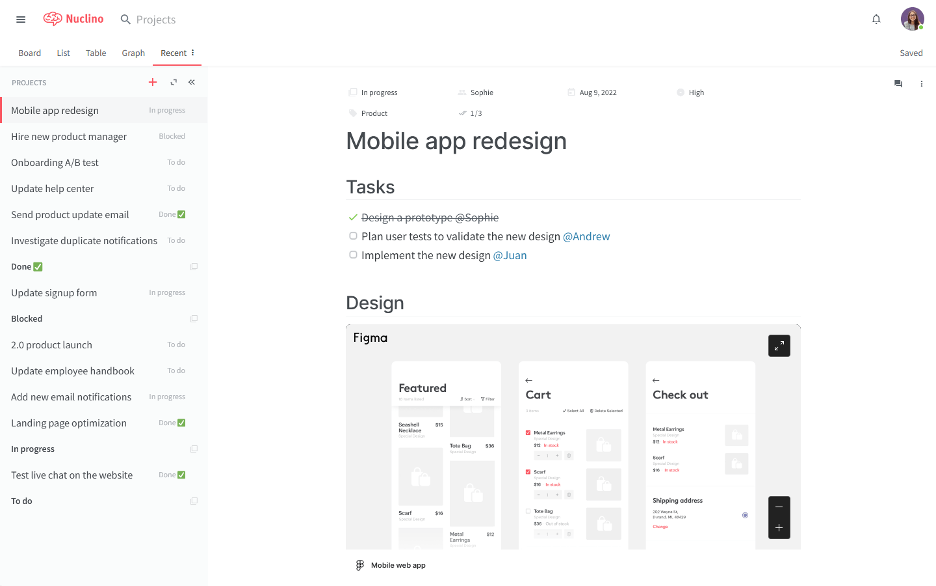
Nuclino is a collaborative workspace designed for teams to organize knowledge, manage projects, and share ideas in one unified platform. It's suitable for teams seeking a simple and fast way to collaborate on projects without the clutter.
Why it's a good Milanote alternative: Nuclino offers a straightforward and intuitive interface that aims to simplify team collaboration. Its real-time collaborative documents and user-friendly organization tools support quick setup and have a minimal learning curve. Nuclino provides a unified space for text-based collaboration and knowledge-sharing and is suitable for teams that prioritize simplicity and speed in their workflows.
Standout features and integrations:
Features include asynchronous communication features such as activity and comment menus, in addition to the ability to work together on documents in real time. The platform supports list, board, table, and graph views, offering flexibility in how you organize information. Additionally, it provides a distraction-free editor that keeps your focus on content creation.
Integrations include Slack, Google Drive, Dropbox, Microsoft OneDrive, Box, Google Calendar, and more.
Pros and Cons
Pros:
- Lightweight knowledge hub
- Low team friction
- Clean writing workspace
Cons:
- Few automation controls
- Limited layout freedom

Trello
Best for flexible task management
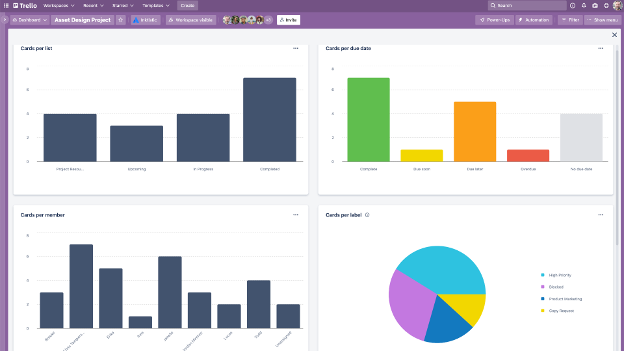
Trello is a visual project management tool that helps teams organize tasks using boards, lists, and cards. It's tailored for teams that need a flexible and intuitive way to manage projects and collaborate efficiently.
Why it's a good Milanote alternative: Trello offers a flexible task management system designed to adapt to various workflows. Its board and card system allows you to visualize tasks and projects in a way that's easy to understand. It also provides customizable workflows and task automation.
Standout features and integrations:
Features include customizable visual boards that let your team organize tasks in a way that fits your workflow. The card system allows you to add details, comments, and attachments to each task, ensuring everything is in one place. Trello also offers the ability to create rules and commands to automate project actions, messaging, and ticketing.
Integrations include Slack Power-Up, Google Calendar, Jira, Toggl, and more.
Pros and Cons
Pros:
- Flexible automation capabilities
- Visual project progress tracking
- Fast task setup
Cons:
- Scaling can cause clutter
- No native dependency logic
Mural
Best for Microsoft integration
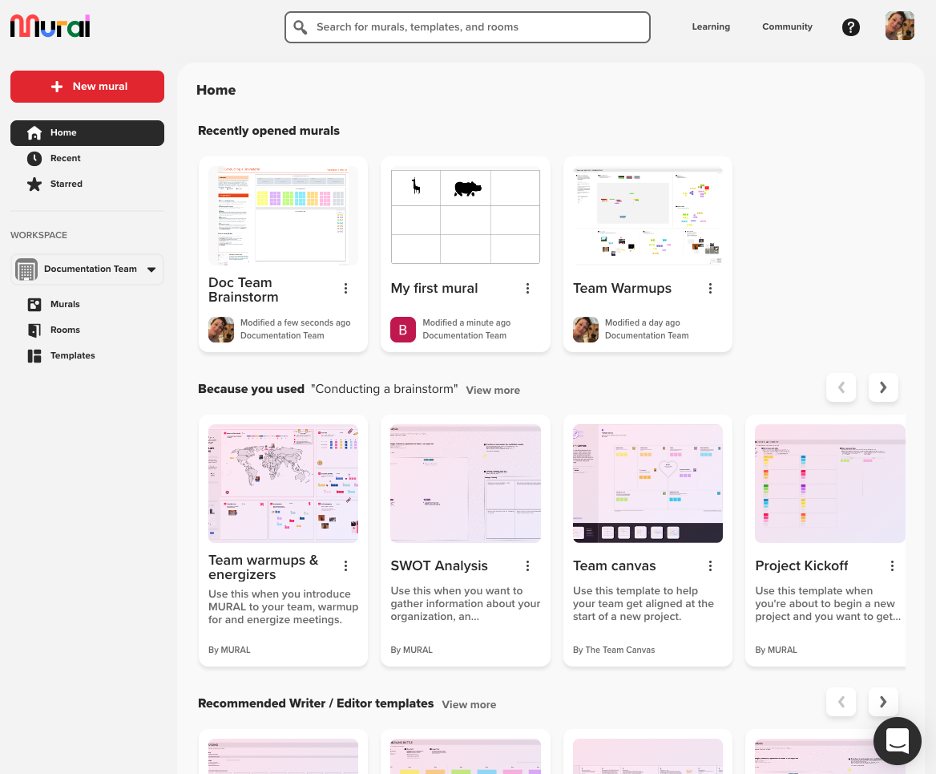
Mural is a digital workspace for visual collaboration that is compatible with Microsoft 365. It's tailored for design and innovation teams that rely on brainstorming and planning interactively to enhance creativity and teamwork.
Why it's a good Milanote alternative: Mural offers a dynamic platform for visual collaboration, making it suitable for teams that need interactive whiteboards and brainstorming tools. Its sticky notes, drawing tools, and templates can help improve workflows.
Standout features and integrations:
Features include an infinite canvas where your team can collaborate in real-time, enhancing brainstorming sessions. The tool offers strong integration with the Microsoft ecosystem so that you can unify your workflow. Mural also provides voting and timer features to facilitate decision-making during meetings.
Integrations include Microsoft Teams, Slack, Zoom, Jira, Google Workspace, Dropbox, and more.
Pros and Cons
Pros:
- Strong Microsoft ecosystem support
- High whiteboard scale
- Live group brainstorming
Cons:
- Visual noise can build up quickly
- Limited version control

Evernote
Best for advanced note-taking
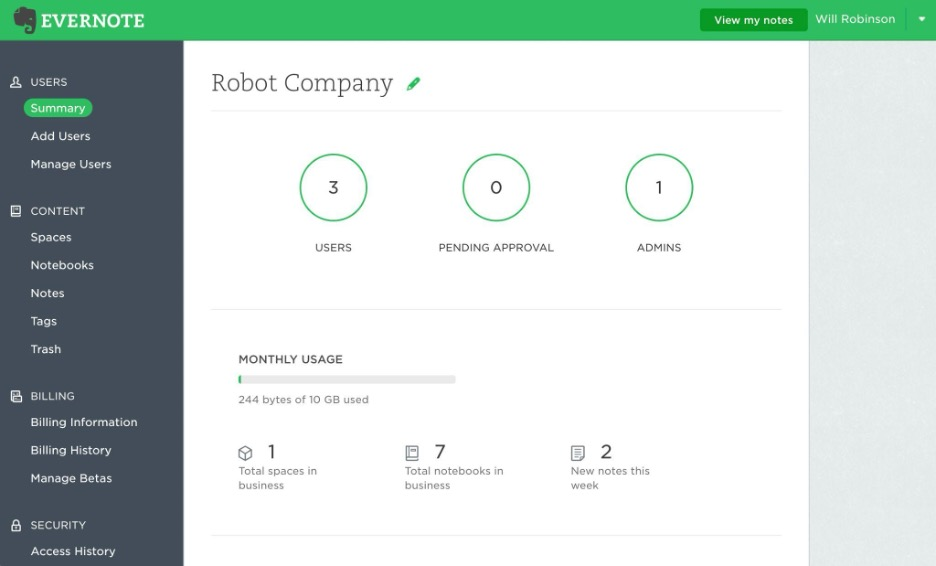
Evernote is a versatile note-taking app designed for individuals and teams who need to organize notes, tasks, and schedules in one place. It is a popular choice for professionals who value advanced search capabilities and easy access to information.
Why it's a good Milanote alternative: Evernote excels with its advanced note-taking features, making it a strong fit for users who need more than visual project mapping. Its ready-made note templates, to-do lists, and AI functionalities support detailed information capture and organization. Unlike Milanote, Evernote focuses on text-based data and task management.
Standout features and integrations:
Features include web clipping that lets you save articles, images, and PDFs directly to your notes. The app offers advanced search capabilities, allowing you to quickly find references within your notes. Additionally, Evernote's document scanning feature helps you digitize and manage paper documents.
Integrations include Google Drive, Slack, Microsoft Teams, Outlook, Google Calendar, and more.
Pros and Cons
Pros:
- Long-term note storage
- Strong document capture
- Deep search accuracy
Cons:
- Export control limits
- Slower notebook scaling

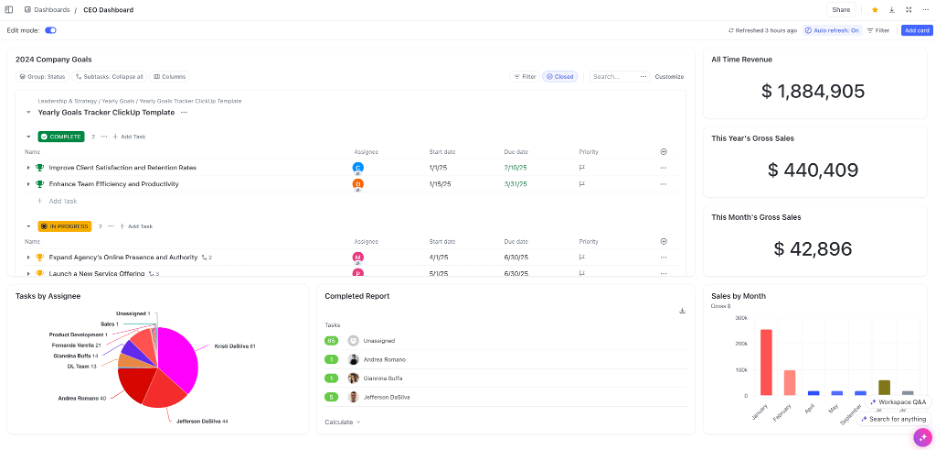
ClickUp is a versatile project management and productivity tool used by teams across various industries to plan, track, and collaborate on projects. It serves businesses needing a centralized platform for integrating tasks, documents, goals, and time management.
Why it's a good Milanote alternative: ClickUp offers an all-in-one suite of productivity tools that provide more than just visual organization. Its task management, document editing, and time-tracking features are designed to enhance team productivity. It provides a structured environment for managing multiple aspects of projects.
Standout features and integrations:
Features include task automation that can save your team time by automating repetitive tasks. The platform provides checklist templates and customizable dashboards, allowing you to tailor the interface to your project needs. ClickUp also offers goal tracking to help your team stay focused on project objectives.
Integrations include Slack, Google Drive, Dropbox, Microsoft Teams, Zoom, GitHub, and more.
Pros and Cons
Pros:
- Heavy reporting power
- Strong automation engine
- Large selection of integrations
Cons:
- Potential feature-sprawl confusion
- Complex setup process
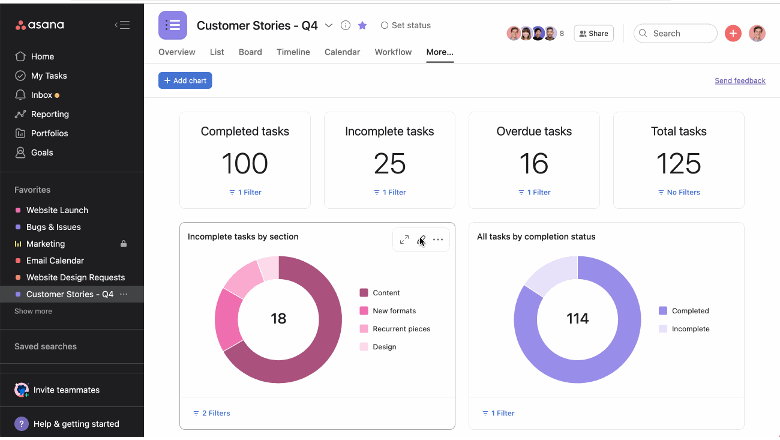
Asana is a project management tool designed to help teams organize, track, and manage their work. It's favored by businesses that need extensive project planning and task management capabilities.
Why it's a good Milanote alternative: Asana offers a range of project management features that cater to structured workflows and complex projects. Its task dependencies, timelines, and project tracking features provide a detailed overview of progress.
Standout features and integrations:
Features include a live timeline view, which helps you visualize project plans and deadlines. Asana also provides custom fields, allowing you to tailor the platform to your specific project needs.
Integrations include Slack, Microsoft Teams, Google Drive, Dropbox, Salesforce, Zoom, and more.
Pros and Cons
Pros:
- Mature workflow structure
- Clear workload views
- Strong dependency handling
Cons:
- Pricing and feature structure can create overhead for small teams
- Task nesting limits for large organizations

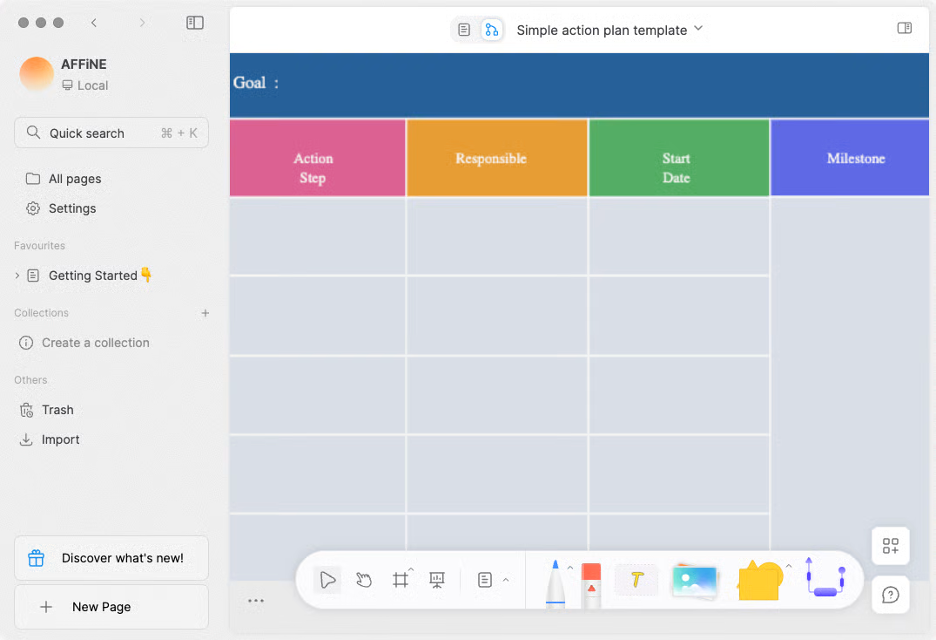
AFFiNE is a versatile knowledge-workspace that combines docs, whiteboards, databases, and an AI-powered assistant into one app. It’s aimed at individuals or teams who are looking for a flexible space for note-taking, visual brainstorming, content creation, and project planning.
Why it's a good Milanote alternative: AFFiNE offers an AI-assisted workspace where you can write, draw, plan, or design. Its AI features enable you to generate content, refine tone and grammar, and quickly turn notes into polished text or structured outlines. The platform blends freeform canvas-style whiteboarding with traditional document editing, so you don’t have to switch between separate apps.
Standout features and integrations:
Features include an infinite whiteboard (edgeless canvas) for visual brainstorming, real-time collaboration across cloud or local workspaces, and a built-in AI assistant that can help you write, summarize, and turn ideas into text or presentations. It is also available as a mobile app for on-the-go access to your projects.
Integrations are not publicly listed.
Pros and Cons
Pros:
- AI-assisted drafting
- Local-first control
- Hybrid canvas writing
Cons:
- Features are still in development
- Hybrid UI can feel complex

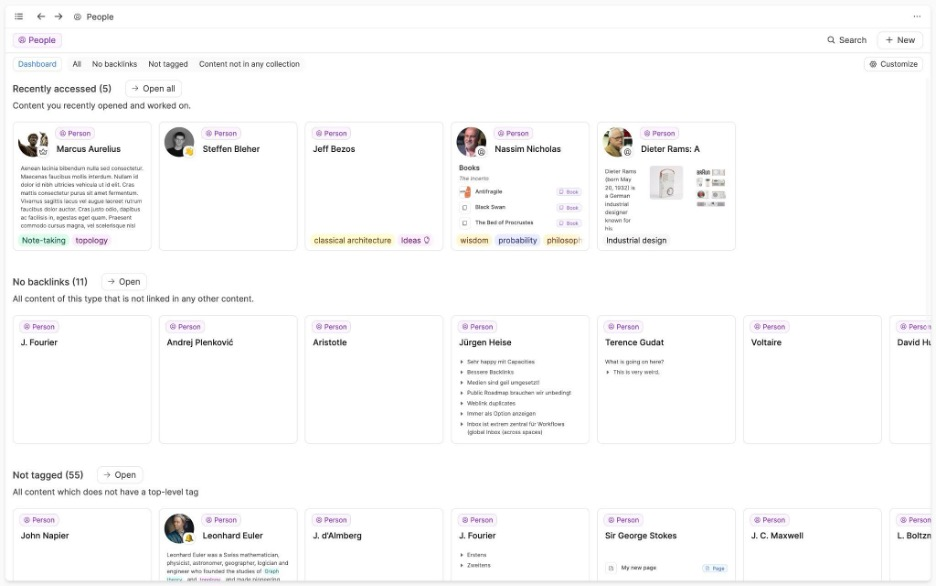
Capacities is a unique software designed to enhance creative thinking by allowing users to interact with their notes as objects rather than traditional files. It's tailored for writers, researchers, and developers who seek an interconnected approach to knowledge management.
Why it's a good Milanote alternative: Capacities offers a creative mind-mapping environment that helps you visualize and connect different elements, such as ideas and books. This approach encourages creative development, enabling you to deepen your understanding of your projects. It's suitable for users who want to break free from conventional note-taking methods and embrace a more intuitive workflow.
Standout features and integrations:
Features include an interactive workspace where you can connect and organize your thoughts visually and an intuitive interface for developing a central archive of your notes and resources.
Integrations include Google Calendar, Readwise, and more.
Pros and Cons
Pros:
- Strong tagging and linking features
- Simple writing interface
- Intuitive object-based organization
Cons:
- Lacks support for business workflows
- Designed for individual use

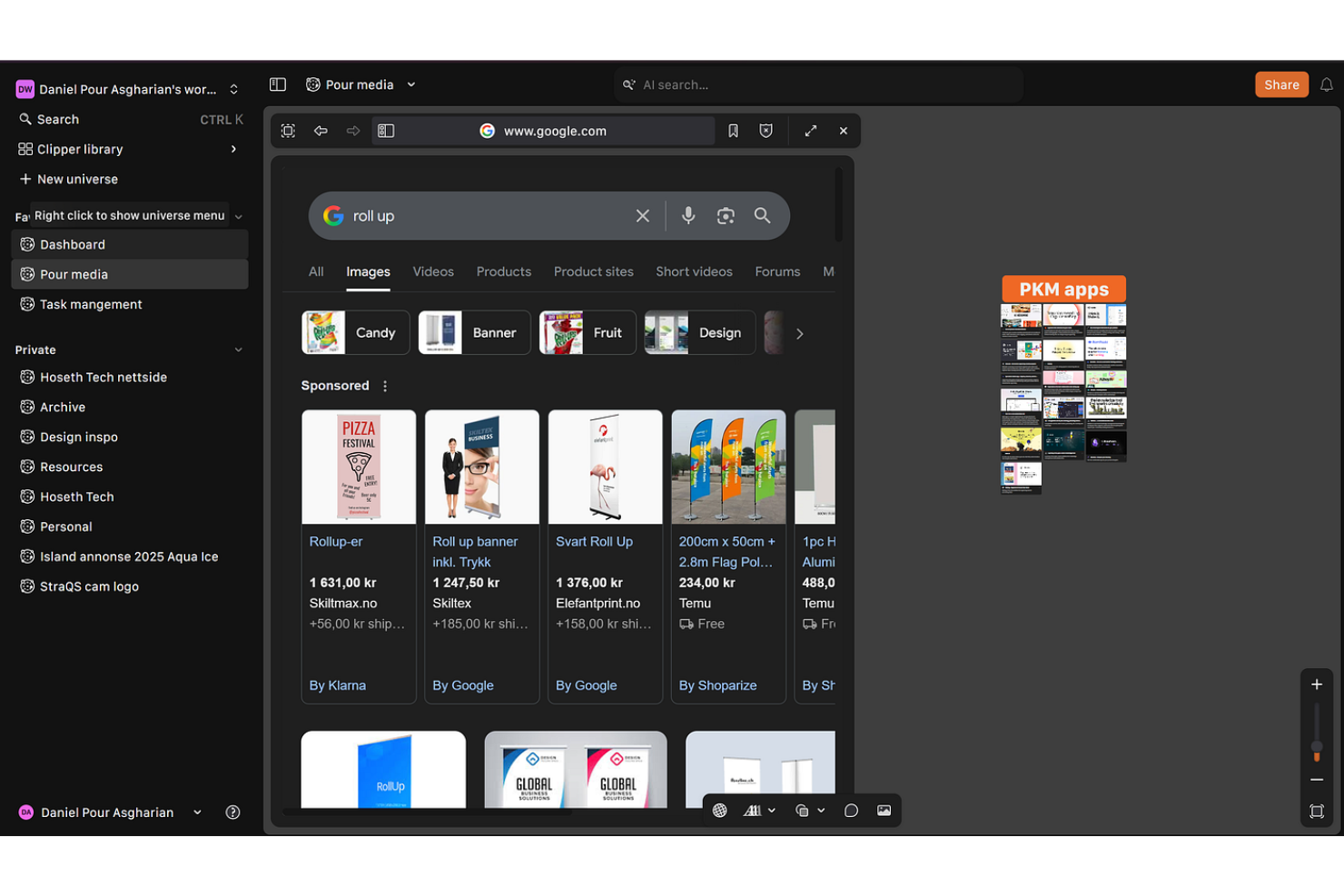
Kosmik is a digital tool designed to aid creative professionals in organizing and visualizing projects through mood boards and interactive spaces. It's mainly used by designers and artists who need a flexible platform for brainstorming and idea development.
Why it's a good Milanote alternative: Kosmik offers an intuitive interface for quick mood-board creation, making it a suitable choice for creatives who need to visualize ideas at any given moment. Its drag-and-drop functionality allows you to assemble and rearrange elements with ease. Unlike Milanote, which offers broader project management features, Kosmik focuses on visual content creation.
Standout features and integrations:
Features include a customizable canvas that lets your team create visual projects and embed videos without constraints. The tool supports real-time collaboration, enabling team members to work together from different locations. Kosmik also offers a web clipper extension that can be used to clip text, bookmark pages, and save images with source information to jumpstart your creative process.
Integrations are not publicly listed.
Pros and Cons
Pros:
- Creative layout freedom
- Smooth drag placement
- Fast visual mood boards
Cons:
- Lacks support for data-heavy workflows
- No serious project tracking
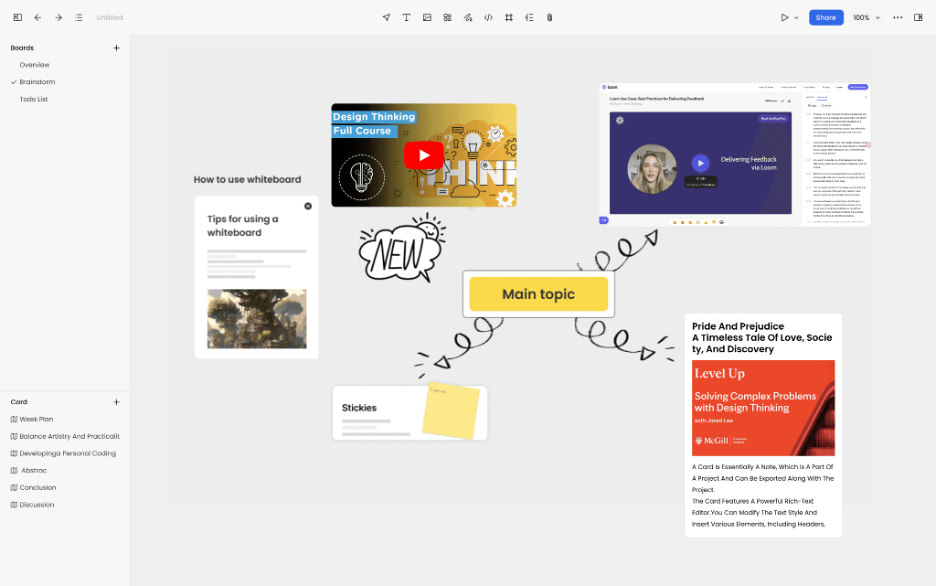
Noteey is a visual note-taking app designed for users who need to organize their thoughts using whiteboards, mood boards, and flowcharts. It serves a diverse audience, including students, researchers, and creative professionals who value visual thinking.
Why it's a good Milanote alternative: Noteey offers a variety of tools that enhance visual note-taking, making it suitable for those who need more creative options. Its whiteboarding and mood-boarding features provide a flexible canvas for organizing ideas visually. Unlike Milanote, Noteey integrates AI-driven content summarization, which can help you quickly digest information from platforms such as YouTube and PDFs.
Standout features and integrations:
Features include an offline whiteboard that allows you to work without an internet connection. The app supports local backups, ensuring your data remains safe and easily retrievable. Noteey also offers annotation tools that enable you to highlight and leave comments on documents.
Integrations are not publicly listed.
Pros and Cons
Pros:
- Support for offline creative work
- Flexible whiteboard layouts
- Strong local data control
Cons:
- Small ecosystem support
- Sparse productivity tracking
Other Milanote Alternatives
Here are some additional Milanote alternatives that didn’t make it onto my shortlist but are still worth checking out:
- Miro
For AI-enhanced team productivity
- Google Docs
For document collaboratio
- OpenProject
For data security
- Obsidian
For notes-to-wiki conversion
- Scrintal
For research-driven workflows
- Notion
For all-in-one workspace
- draw.io
For diagram creation
- MindMup
For unlimited mind-mapping
- Xmind
For Gantt chart features
- Kanboard
For simple kanban boards
- WiseMapping
For collaborative mind-mapping
- FreeMind
For open-source accessibility


How I Evaluate Milanote Alternatives
I split my evaluation into baseline criteria—like freeform canvas flexibility and mixed-media support—and differentiators that separate tools worth recommending from those that just get the job done.
Core Functionality (Table Stakes For This List)
When I'm selecting tools for my list, I rank each one on a scale from 0 (does not offer the functionality) to 5 (excels in this area) for each core functionality listed below. Then, I calculate the tool's total score into a percentage. Each tool needs to achieve a minimum total score of 65% to be considered for inclusion.
- Visual Canvas Workspace: I check whether boards support freeform spatial arrangement—like dragging reference images next to task notes—with zoom, grouping, and easy navigation.
- Multimedia Content Blocks: Each tool should handle mixed content types within a single board, from embedded links and file uploads to to-do lists and video clips.
- Real-Time Collaboration: I look for live co-editing, comments, and mentions so distributed teams can brainstorm on a shared mood board without version conflicts.
- Project Structuring Tools: Organizing dozens of boards gets messy fast, so I evaluate how each tool handles folders, workspaces, and multi-project hierarchies.
- Templates & Frameworks: A solid library of ready-made templates for briefs, mood boards, and sprint plans saves setup time and helps new users get started quickly.
- Export & Integration Options: I check for PDF and image export plus connections to tools like Slack, Asana, or Google Drive that creative and PM teams already rely on.
Once I have a list of tools that meet this criteria, I consider what sets each platform apart.
Differentiating Factors (What Sets Vendors Apart)
Here's how I compare and contrast different vendors:
Standout Features
Task and timeline views matter a lot here. Some tools let you flip a visual board into a Kanban or Gantt view, which bridges the gap between creative planning and delivery tracking. Presentation mode is another feature I look for—walking a client through a mood board without exporting slides saves real time during reviews. I also evaluate drawing and sketching tools, since freehand wireframing directly on the canvas keeps ideation moving without switching apps.
Beyond Features
Collaboration and sharing models vary widely across these tools. I look at whether you can invite external clients or freelancers as guests without burning a paid seat—this matters when running agency projects with rotating contributors. Pricing structure is another key factor, especially how costs scale as your team grows beyond a handful of users. I also evaluate data ownership and export policies, because creative teams working with client IP need clear guarantees that their work stays portable and protected.
Why Look for a Milanote Alternative?
While Milanote is a good choice of productivity software, there are a number of reasons why some users may seek out alternative solutions. You might be looking for a Milanote alternative because…
- You need more advanced task management
- Your team requires offline access
- You want better integration options
- Your projects need more visual customization
- You require support for larger teams
- You need features for global collaboration
If any of these sound like you, you’ve come to the right place. My list contains several productivity software options that are better suited for teams facing these challenges with Milanote and looking for alternative solutions.