

10 Best Legal Project Management Software In 2026

10 Best Legal Project Management Software Shortlist


Legal project management software is critical for effectively managing cases and projects at your legal practice. The right tool can help you improve communication, boost collaboration, and complete projects on time and within scope.
Here are my picks for the best legal project management software. I've used my experience managing legal projects to review and evaluate various software options so you can find the best choice for your needs.
Why Trust Our Software Recommendations
Our team has been testing and reviewing software since 2012. As project managers ourselves, we know how difficult—and important—it is to choose the right software.
For this guide, we evaluated tools using hands-on testing and independent research, scoring tools using our selection criteria. We also draw on insights from industry thought leaders and practicing project management experts.
Our reviews reflect our human editorial judgment, not a sales pitch.
Expert reviewers:
Legal Project Management Software Comparison Table
This comparison table summarizes pricing details for my top legal project management software selections:
| Tool | Best For | Trial Info | Price | ||
|---|---|---|---|---|---|
| 1 | Best for a user-friendly experience | 7-day free trial + free demo available | From $59/user/month | Website | |
| 2 | Best for scalable legal project workflows | 14-day free trial + free plan + free demo available | From $10/user/month (billed annually) | Website | |
| 3 | Best for tracking hours and billing on legal work | 14-day free trial + free plan + free demo available | From $39.97/month (billed annually) | Website | |
| 4 | Best for AI-driven legal workflow automation | Free plan available | From $10.99/user/month (billed annually) | Website | |
| 5 | Best for automating matter workflow triggers | Free demo available | Pricing upon request | Website | |
| 6 | Best for built-in trust accounting compliance | 10-day free trial | From $49/user/month (billed annually) | Website | |
| 7 | Best for court-deadline-driven matter tracking | Free demo available | Pricing upon request | Website | |
| 8 | Best for matter-specific workflow templates | Free demo available | Pricing upon request | Website | |
| 9 | Best for external counsel collaboration at scale | Free demo available | Pricing upon request | Website | |
| 10 | Best for spreadsheet-style matter tracking | 30-day free trial | From $9/user/month (billed annually) | Website |


Best Legal Project Management Software Reviews
Here are my detailed reviews of each tool’s pros and cons, features, and best use cases so you can make an informed decision for your legal practice.

Best for a user-friendly experience

PracticePanther is a customizable legal practice management software designed to simplify workflow and enhance efficiency for law firms.
Why I Picked PracticePanther: I chose PracticePanther for its customization capabilities. Its interface and flexible customization options make it ideal for law firms looking for tailored solutions for their practice management needs.
Standout features & integrations:
Features include case management, time tracking, billing, client portals, and document management.
Integrations include Dropbox, Google Drive, One Drive, Lawmatics, Jubilee, and Zapier.
Pros and Cons
Pros:
- Complete integration with popular legal and financial tools.
- User-friendly interface with intuitive navigation.
- Extensive customization options for tailored practice management solutions.
Cons:
- Limited advanced reporting capabilities.
- Steeper learning curve for new users.

Wrike
Best for scalable legal project workflows

Wrike is a project management software designed to help legal teams manage complex projects with efficiency. It offers tools for task coordination, document management, and in-platform collaboration, making it especially useful for firms handling multi-departmental or high-volume legal matters.
Why I Picked Wrike: I chose Wrike for its ability to support scalable workflows and complex legal project structures. Legal teams can create unlimited workflows, use project blueprints, and benefit from real-time dashboards that give visibility into progress across multiple matters. Additionally, Wrike’s built-in time-tracking capabilities help teams manage billing and invoicing accurately while keeping stakeholders aligned. Its in-platform communication tools also make collaboration with external parties straightforward and secure.
Standout Features & Integrations
Features include customizable request forms for standardizing approvals, project methodologies like Agile and Waterfall for structured case management, and real-time dashboards to monitor legal project performance.
Integrations include Salesforce, Jira, GitHub, MS Teams, Slack, Power BI, Google Sheets, Miro, Microsoft Dynamics 365, Google Workspace, Zoom, Dropbox, and more.
Pros and Cons
Pros:
- Robust task management capabilities
- Highly customizable dashboards
- Many integrations available
Cons:
- Can be tricky to learn how to customize the platform
- Advanced resource planning features limited to higher tier plans
New Product Updates from Wrike
Wrike Adds Klaxoon MCP Integration
Wrike’s Klaxoon MCP integration is now generally available, enabling AI agents to navigate between Wrike tasks and attached whiteboards, read task context, and manage whiteboard attachments via API. For more information, visit Wrike's official site.

Best for tracking hours and billing on legal work
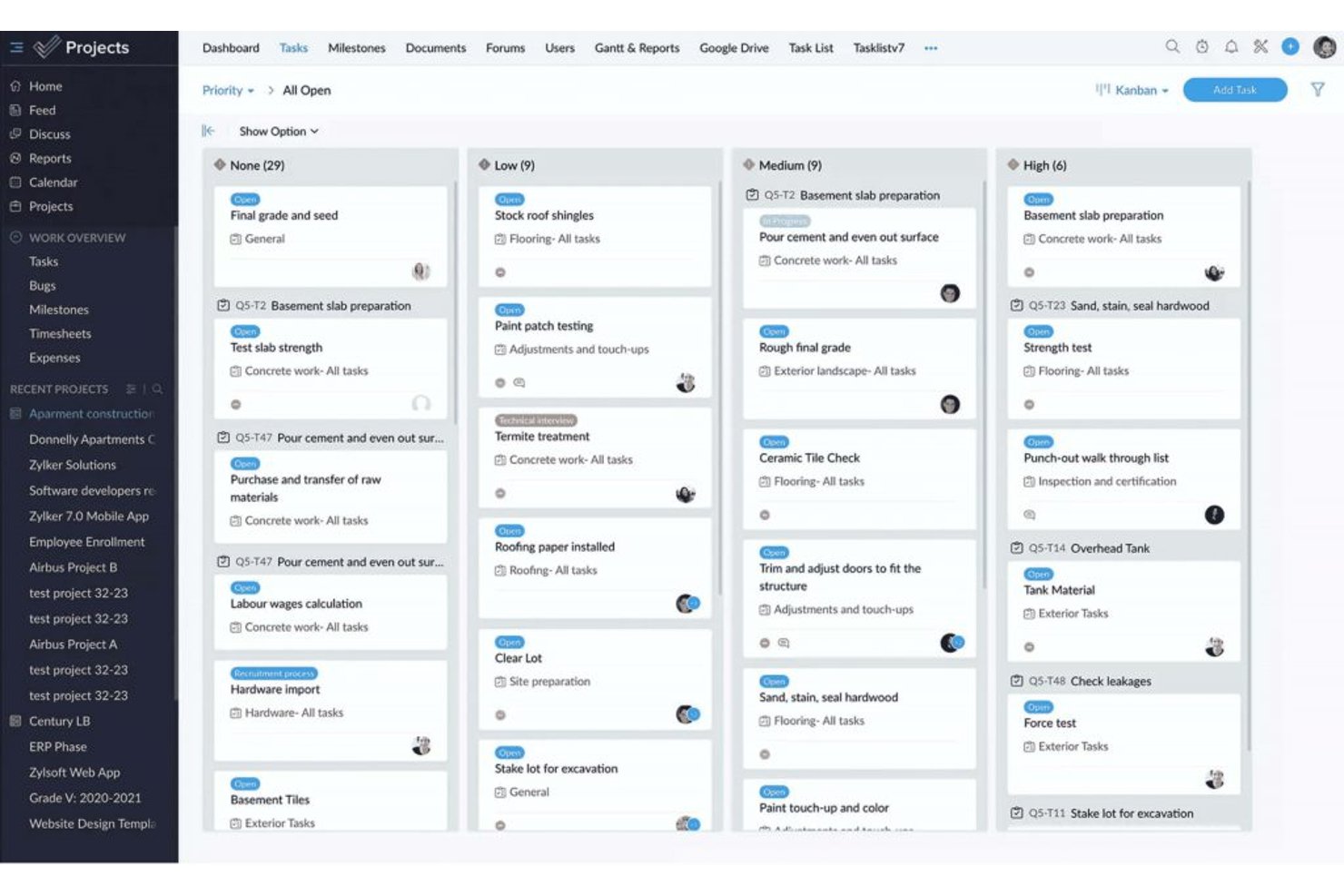
ProProfs Project is a project management tool that covers task planning, time tracking, team collaboration, and client billing across projects.
Who Is ProProfs Project Best For?
ProProfs Project suits small legal teams and solo practitioners who need straightforward time tracking and client billing without a steep learning curve.
Why I Picked ProProfs Project
I picked ProProfs Project as one of the best because it handles the two things legal teams lose the most time to: logging billable hours and turning those hours into client invoices. You can track time against specific tasks, compare actual hours to your estimates, and generate invoices directly from project data, so billing a client after a matter closes takes minutes rather than a manual reconciliation effort. Profitability reports then show margin, daily spend, and accumulated cost in one view.
ProProfs Project Key Features
- Task dependencies and baselines: Set task dependencies and capture baseline dates to compare original schedules against actual progress.
- Custom project templates: Build reusable templates from scratch or convert an existing project into a template for future matters.
- Guest client access: Add clients as guest users with configurable permissions to view updates, comment, and see estimated costs.
- Resource utilization reports: Review how team members are allocated across projects with dedicated resource and time-by-user reporting.
ProProfs Project Integrations
ProProfs Project has documented native integrations with Google Calendar, Google Drive, Dropbox, and Box. It also offers a REST API and webhooks for custom connections, but no native legal DMS, practice management, or e-billing integrations are documented.
Pros and Cons
Pros:
- Profitability reports connect hours and costs
- Reusable templates help repeat matter setup
- Billable-hour tracking supports client billing
Cons:
- No documented AFA tracking or alerts
- No legal-specific matter lifecycle controls

Asana
Best for AI-driven legal workflow automation
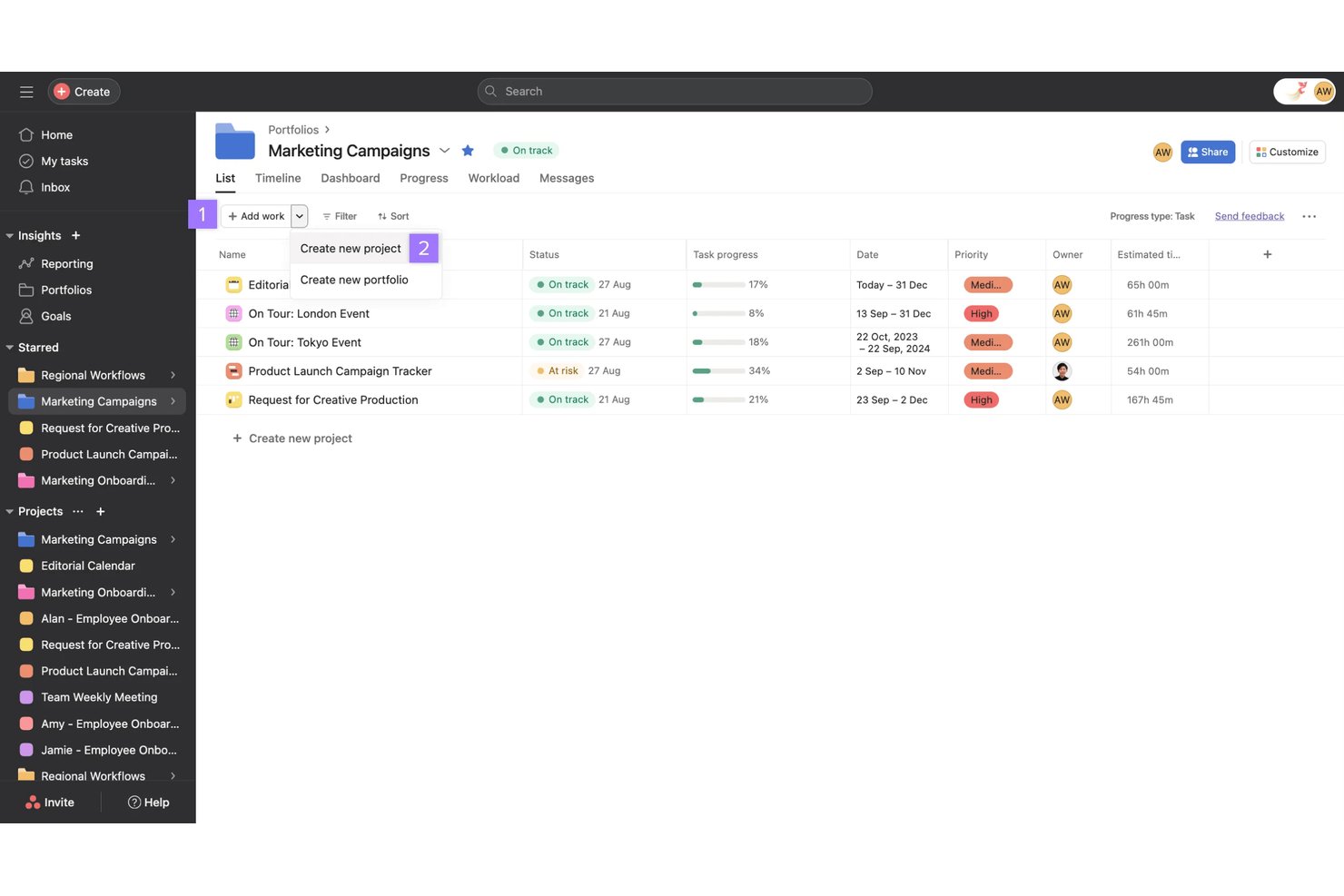
Asana is a work management platform that combines AI-powered workflow automation, task and project tracking, resource management, and reporting—adapted by legal teams for matter workflows, capacity planning, and cross-functional process standardization.
Who Is Asana Best For?
Asana works well for legal operations teams and small law firms that want to build structured matter workflows without investing in purpose-built legal software.
Why I Picked Asana
I've included Asana in my top picks because its AI Studio lets legal teams build no-code workflows that catch real operational problems, like tracking repeatedly moved due dates and surfacing patterns in workflow delays. I love that Keystone Law Group used it to build 50+ legal workflow templates with subtasks and estimated completion times, automating handoffs so the next person in a probate workflow gets notified automatically. That kind of AI-driven process standardization is difficult to replicate in generic project tools.
Asana Key Features
- Project views: Switch between list, board, calendar, timeline, and Gantt views to track matter progress across different stages.
- Intake forms with branching logic: Collect structured work requests and route them automatically based on submitter answers.
- Portfolio dashboards: View progress, health, and budget rollups across multiple matters or projects in one place.
- Workload visibility: See each team member's assigned work and capacity so you can redistribute tasks before someone gets overloaded.
Asana Integrations
Asana offers 100+ free marketplace integrations, including Everlaw, Google Drive, Microsoft 365, Slack, Jira Cloud, Salesforce, Tableau, and Power BI. It also supports Zapier, REST APIs, webhooks, client libraries, and an MCP Server for custom integrations.
Pros and Cons
Pros:
- Legal templates automate probate handoffs
- AI workflows flag recurring deadline slippage
- Reviewers value visible owners and deadlines
Cons:
- No court rules or conflict checks
- No AFA or fixed-fee tracking

Filevine
Best for automating matter workflow triggers
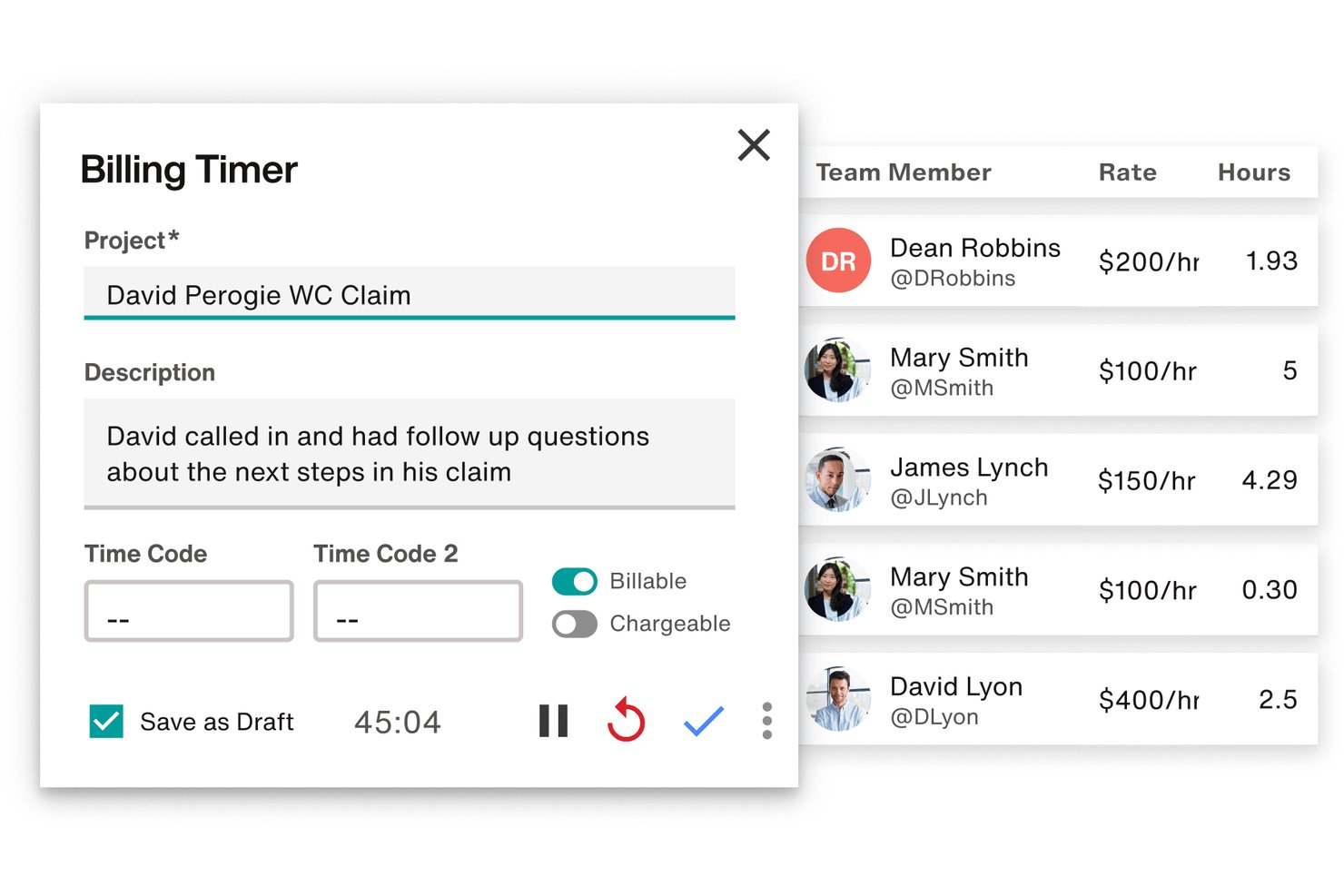
Filevine is a legal case and matter management platform that centralizes task tracking, deadline chains, document assembly, billing, and client communication across matters.
Who Is Filevine Best For?
Filevine works well for plaintiff-side and mid-size law firms that need to automate task triggers across high-volume caseloads.
Why I Picked Filevine
I picked Filevine as one of the best because its taskflow engine does something I genuinely find rare: it triggers entire task chains automatically when a matter changes phase or when a staff member clicks an action button. In a high-volume plaintiff firm, that means the moment a case moves from intake to active litigation, follow-up tasks get assigned to the right role without anyone building a to-do list manually. I also like that deadline chains calculate dependent dates from a single anchor date, including branching options for alternative scheduling scenarios.
Filevine Key Features
- Centralized case workspace: Anchors emails, calendar events, time entries, documents, and case notes directly to their matter files in one place.
- Client Portal: Gives clients secure, branded access to matter status, documents, communications, and invoices, with configurable billing and translation options.
- Conflict check section: Searches contacts across projects and your organization to surface potential conflicts, with results showing project roles, names, and phases.
- LEDES-compliant billing: Generates LEDES-formatted billing files and supports time entries, expense tracking, invoice management, and integrations with tools like QuickBooks and SurePoint.
Filevine Integrations
Filevine lists over 2,000 potential integrations, including QuickBooks, SurePoint, Soluno, Outlook, Microsoft Teams, Slack, and Google Calendar. It also supports API endpoints, webhooks, and Zapier for custom connectivity.
Pros and Cons
Pros:
- Reusable taskflows support repeatable matter processes
- Keeps case documents, notes, and communications together
- Automates role-assigned tasks when matter phases change
Cons:
- Search and activity feeds can obscure case details
- Workflow setup can demand substantial configuration effort

CosmoLex
Best for built-in trust accounting compliance
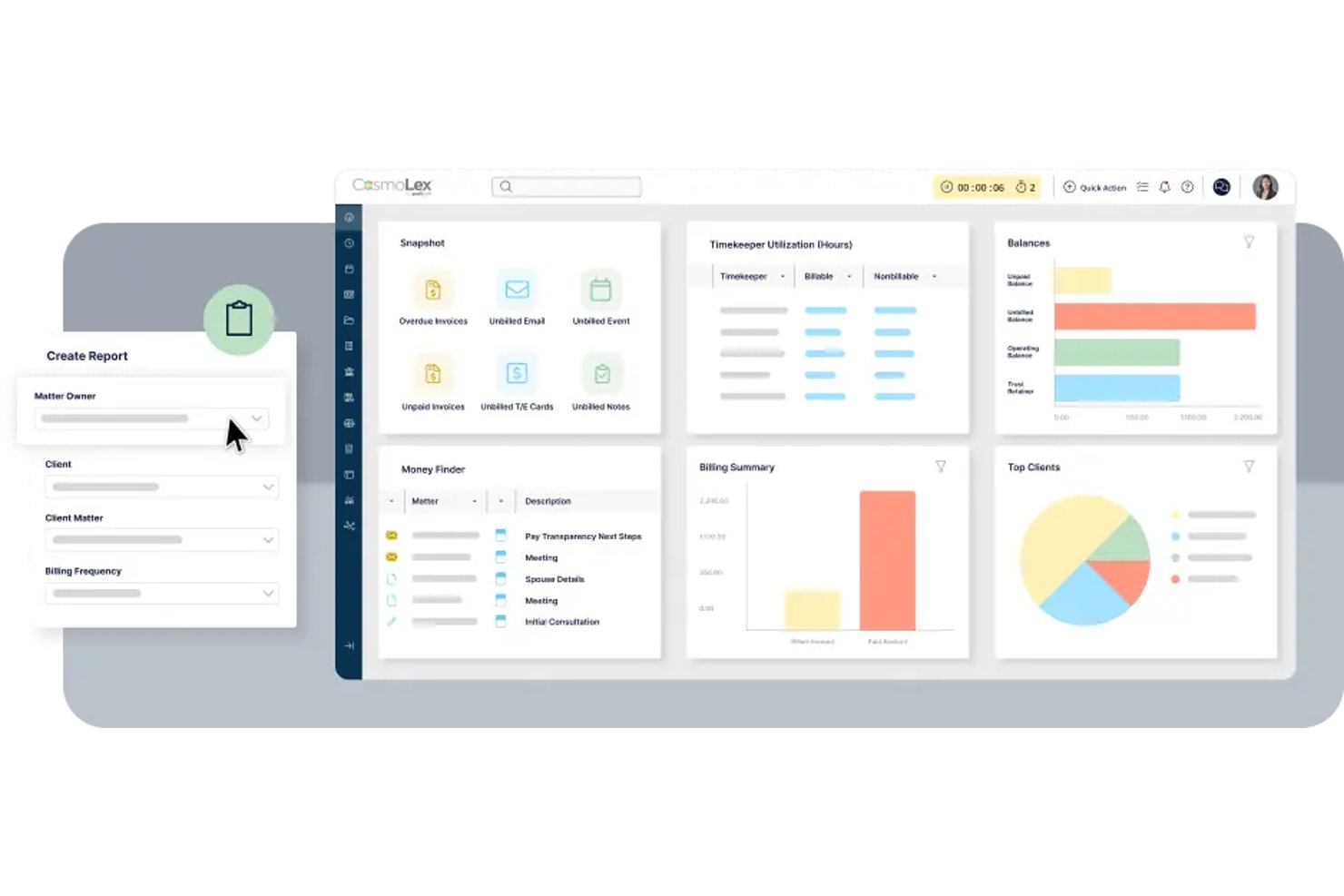
CosmoLex is a cloud-based legal practice management platform that combines matter management, task workflows, time tracking, billing, and firm accounting—including trust accounting—in a single system for law firms.
Who Is CosmoLex Best For?
CosmoLex suits small to mid-sized law firms that need billing, trust accounting, and matter management in one place without stitching together separate tools.
Why I Picked CosmoLex
I picked CosmoLex as one of the best because trust accounting compliance is baked directly into the platform rather than bolted on as an afterthought. Every client retainer flows into a separate trust ledger with automatic bookkeeping, and the three-way reconciliation reports are built to satisfy bar compliance requirements without manual prep work. I also like that matter budgets connect directly to billing data, so you can see fee performance by timekeeper or matter type without exporting to a separate tool.
CosmoLex Key Features
- Workflow automation: Create and save practice-area workflows with task dependencies, assignees, priorities, and calculated due dates, then apply them to any matter.
- Matter status boards: View and manage deadlines and matter progress across active matters from a visual status board.
- Financial productivity reporting: Track billed fees, collected amounts, hours worked, effective rates, and billing productivity by timekeeper, matter owner, or area of law.
- Conflict check tool: Search contacts to surface potential conflicts and their relationships to other matters before opening a new client file.
CosmoLex Integrations
CosmoLex offers integrations with Microsoft 365, Microsoft Outlook, Google Calendar, NetDocuments, Dropbox, OneDrive, Google Drive, Box, QuickBooks Online, and LawPay. It also provides a REST API and supports Zapier.
Pros and Cons
Pros:
- Matter reports connect fees, hours, and timekeepers
- Trust ledgers and three-way reconciliations stay connected
- Repeatable workflows generate assigned, dependency-aware tasks
Cons:
- Reviewers report limited analysis and forecasting reports
- No capacity views for balancing attorney workloads

Best for court-deadline-driven matter tracking
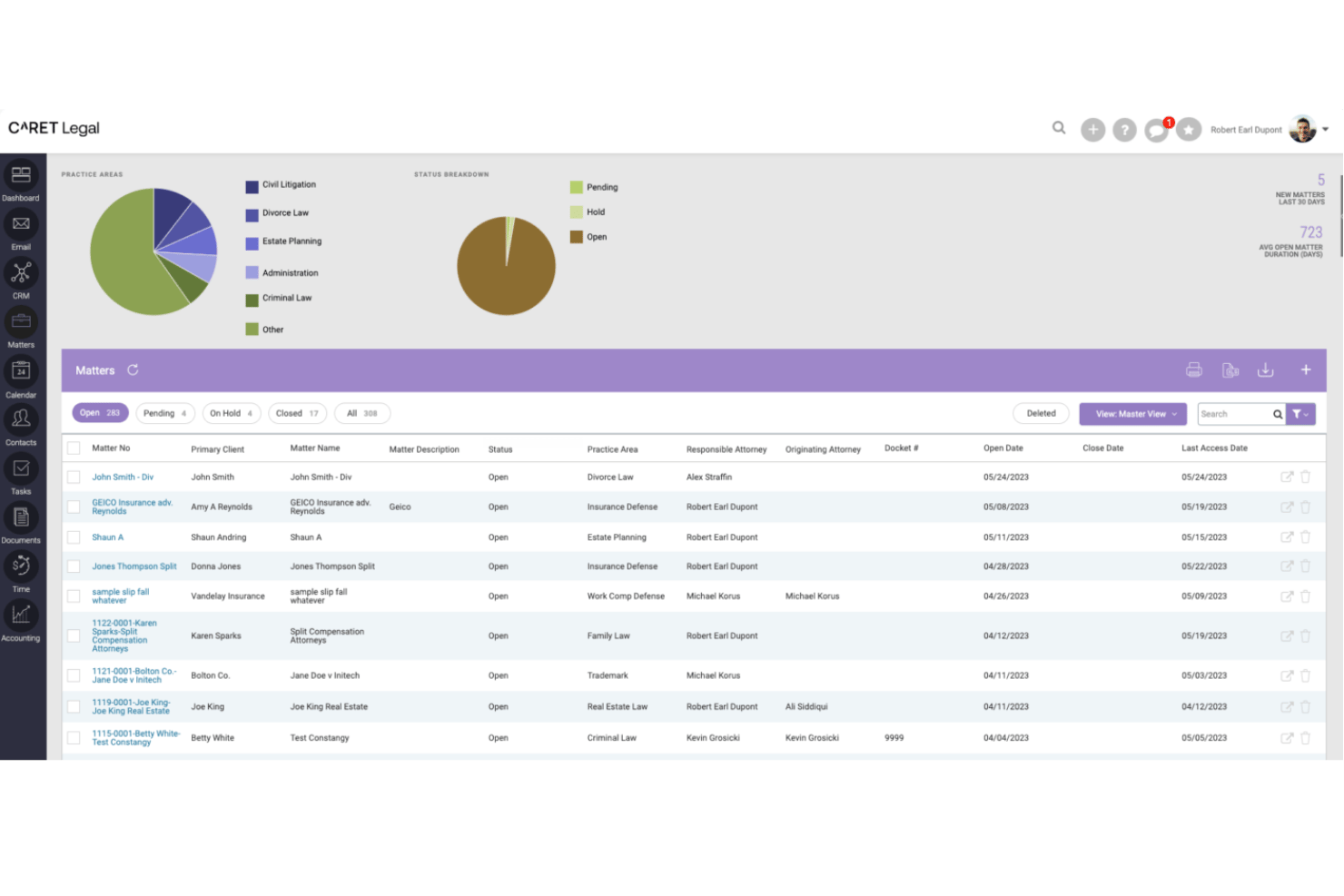
CARET Legal is a legal practice management platform that combines matter tracking, automated workflows, court-deadline calculation, billing, LEDES invoicing, conflict checking, and document management for law firms.
Who Is CARET Legal Best For?
CARET Legal suits law firms that need court-deadline-driven matter tracking built into their billing, workflows, and document management.
Why I Picked CARET Legal
I picked CARET Legal as one of the best because its Court Rules engine does something I haven't seen handled this cleanly elsewhere: it calculates matter deadlines directly from your selected venue and rule set, then reschedules dependent events automatically when a trigger date changes. Pair that with workflow templates that support dependencies, parallel steps, and matter-role assignment, and you get a system where court-driven timelines actually flow into day-to-day task coordination without manual reconciliation.
CARET Legal Key Features
- LEDES task code budgeting: Track matter spend by UTBMS activity codes to monitor billing against budget thresholds at the matter level.
- Enhanced conflict check: Search leads and matters using Boolean syntax with AND, OR, NOT, and wildcards, with results linked directly to records.
- Group-based matter permissions: Assign user groups to specific matters so only authorized staff can view or access sensitive matter content.
- Client portal with invoice delivery: Share documents and send invoices directly to clients through a branded portal, with credit card payment supported via CARET Pay.
CARET Legal Integrations
CARET Legal lists integrations with NetDocuments, Microsoft 365, Google Workspace, QuickBooks Online, Lawmatics, and CARET Pay. It also offers an API for custom integrations.
Pros and Cons
Pros:
- Matter records centralize documents, billing, communications
- Workflow automation clarifies task ownership
- Court-rule dates reschedule dependent events automatically
Cons:
- Email and calendar sync glitches disrupt work
- Reviewers report accounting and invoicing bugs

Best for matter-specific workflow templates
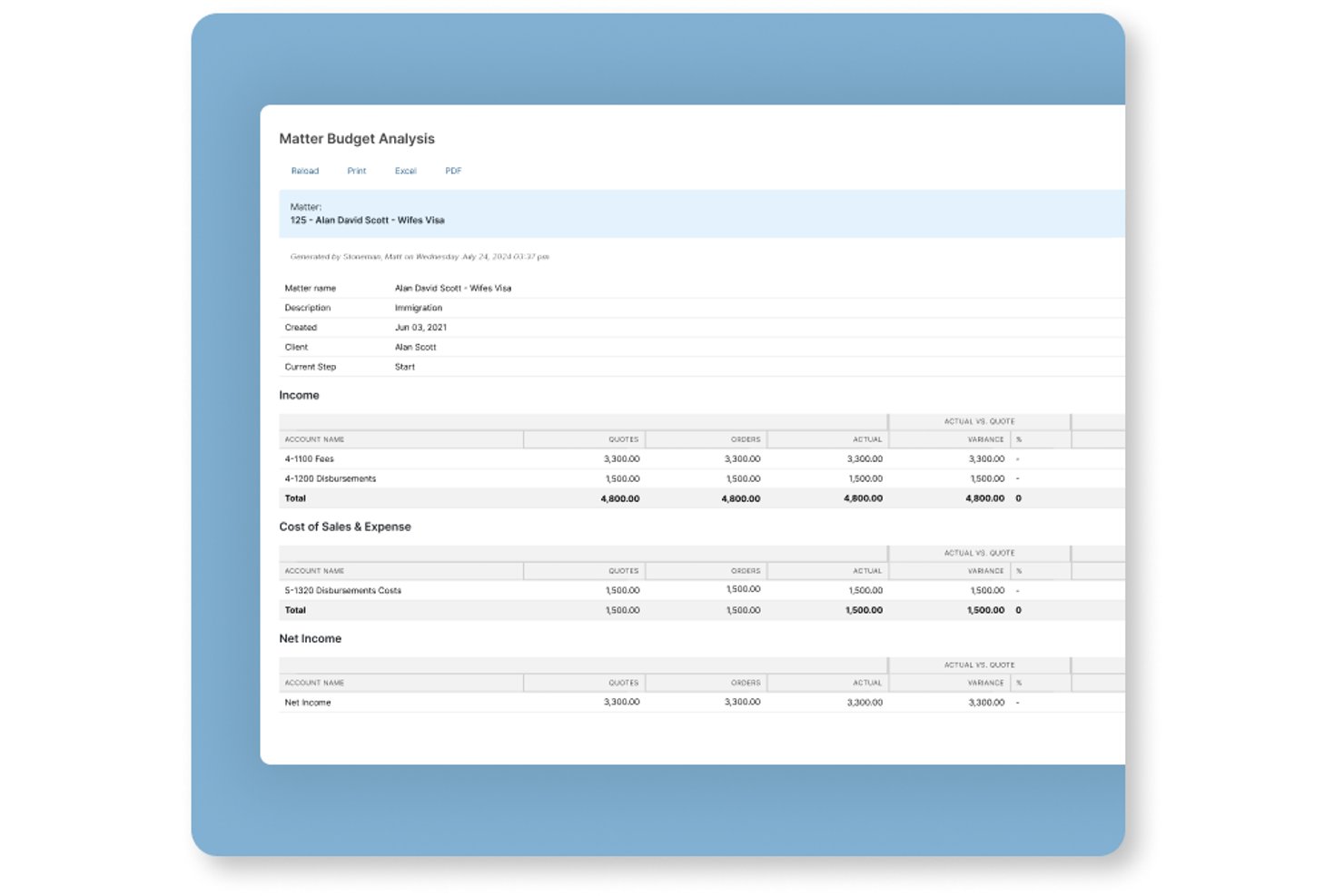
Actionstep is a law firm practice management platform that combines matter management, workflow automation, document handling, time tracking, billing, and client portal tools in one system.
Who Is Actionstep Best For?
Actionstep is a strong fit for mid-sized law firms that want to build and automate matter-specific workflows across multiple practice areas from a single platform.
Why I Picked Actionstep
I picked Actionstep as one of the best because its matter-type system lets you build fully customized workflow templates for each practice area, right down to task sequences, folder structures, document templates, and billing arrangements. One Capterra reviewer described running over 50 workflows with checklists and deadlines to standardize tax-litigation processes, which shows how deep the templating goes. I also like that certified implementation partners tailor those configurations to your firm's specific workflows before you go live.
Actionstep Key Features
- Client portal: Share matter updates, documents, and billing with clients through a dedicated portal built into the platform.
- Time tracking: Run multiple timers simultaneously and record notes against matters from different screens or the mobile app.
- Conflict check: Scan for potential conflicts of interest directly within the platform before opening a new matter.
- Resource and workload reporting: View utilization and productivity data across your team to monitor workload and identify bottlenecks.
Actionstep Integrations
Actionstep offers native integrations with Microsoft Outlook and Office 365, Gmail, iManage, InfoTrack Australia, and LawToolBox, plus marketplace integrations such as First AML and Lexidesk. It provides a REST API, REST Hooks, and Zapier for custom connectivity.
Pros and Cons
Pros:
- Client portal simplifies document exchange
- Centralized matter records improve team visibility
- Matter-specific workflows automate repeatable tasks
Cons:
- Workflow configuration takes time and effort
- Reporting dashboards can be hard to customize

HighQ
Best for external counsel collaboration at scale
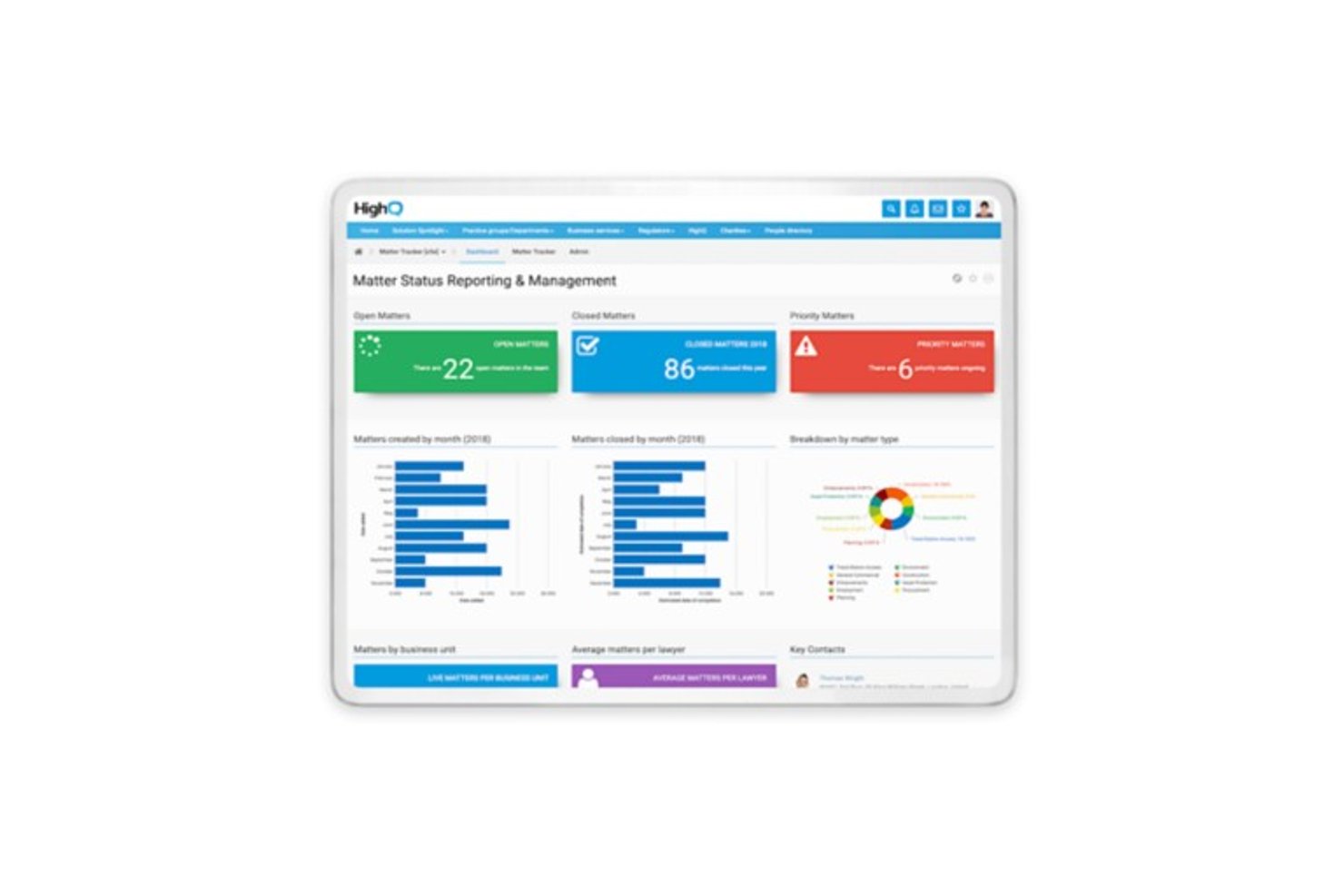
HighQ is a cloud-based legal collaboration platform from Thomson Reuters that combines secure document sharing, client portals, matter management, task tracking, and workflow automation for law firms and corporate legal departments.
Who Is HighQ Best For?
HighQ fits corporate legal departments and law firms that need to coordinate large volumes of matters and documents with outside counsel across a secure, centralized platform.
Why I Picked HighQ
I've included HighQ in my top picks because it's one of the few platforms built specifically around the reality of coordinating legal work across internal teams and outside counsel at scale. Client portals give external counsel secure, real-time access to matter status and shared documents, while the Extranet model bundles five external user seats per internal licence. I also like the site template library, which lets teams spin up structured matter sites with task lists, folder hierarchies, and workflow rules already in place.
HighQ Key Features
- Spend-vs-budget dashboards: Monitor legal spend against budgets in real time, with automated alerts when projects approach or exceed thresholds.
- Virtual data rooms: Store, categorize, and collaborate on deal and matter documents in a centralized, secure environment.
- Granular user permissions: Control access at the site, folder, and document level, with activity tracking and digital rights management across internal and external users.
- iSheets and smart forms: Capture and manage structured matter data using configurable spreadsheet-style data sheets and intake forms built directly into matter sites.
HighQ Integrations
HighQ documents integrations with SharePoint, iManage, NetDocuments, eDocs, Microsoft Office, Google Workspace, Active Directory, and SQL through connectors and partner solutions. It also provides an API for custom integrations.
Pros and Cons
Pros:
- Dashboards track matter status, spend, and risk
- Reusable templates standardize recurring legal workflows
- Secure portals coordinate outside counsel on matters
Cons:
- Complex setup and dated interface slow adoption
- AFA tracking and budget variance remain undocumented

Smartsheet
Best for spreadsheet-style matter tracking
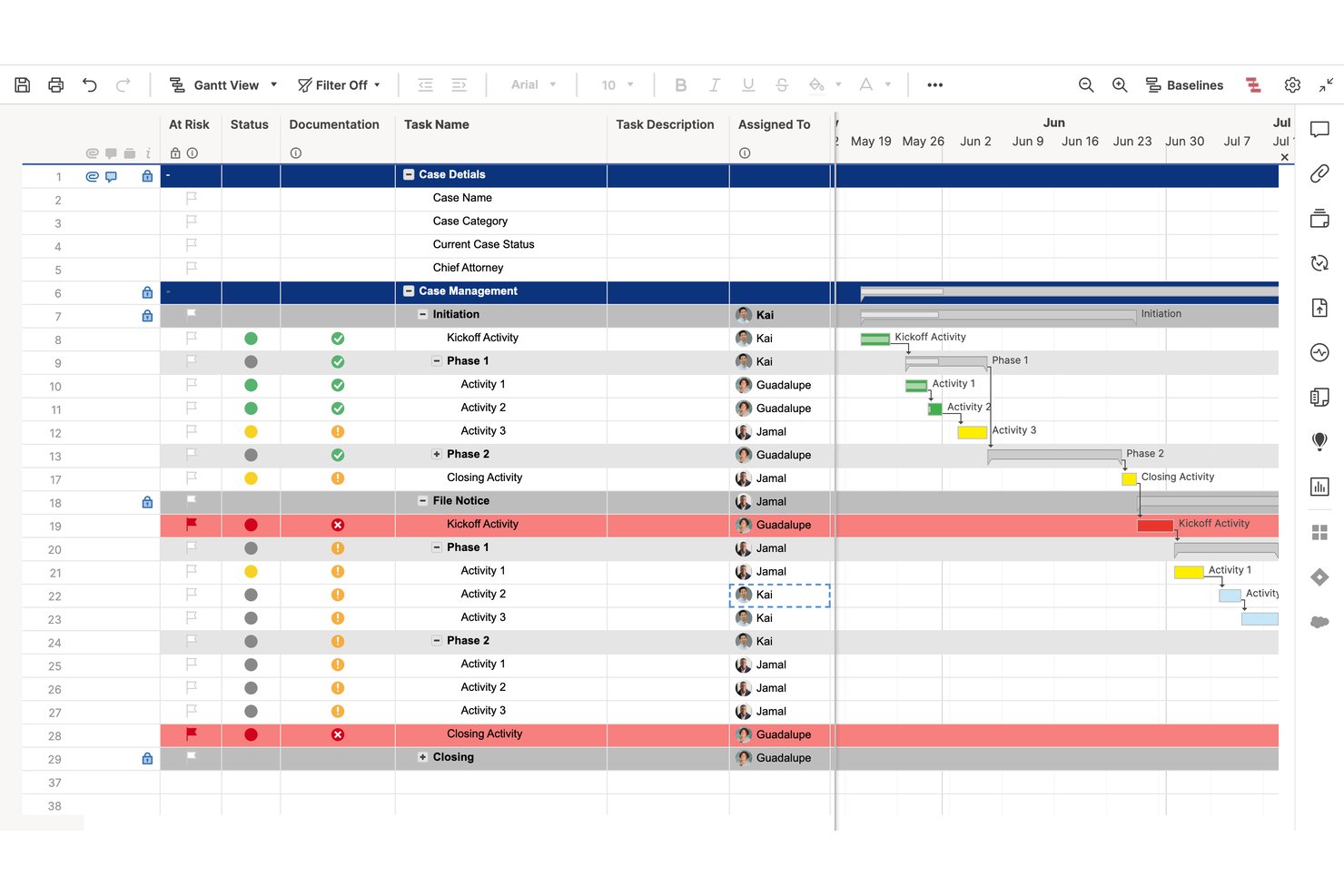
Smartsheet is a spreadsheet-style work management platform that combines project tracking, task management, automated workflows, resource allocation, and reporting across Gantt, grid, board, and timeline views—with legal case management templates built in.
Who Is Smartsheet Best For?
Smartsheet suits legal teams and law firms that already work in spreadsheets and want to manage matters, track workloads, and automate workflows without switching to an unfamiliar interface.
Why I Picked Smartsheet
I've included Smartsheet in my top picks because legal teams already living in spreadsheets don't have to relearn how to work—they just start tracking matters in a grid they already understand. The Legal Case Management Template structures case phases, associated tasks, start and due dates, and completion percentages out of the box, so you're not building from scratch. I also like that Resource Management layers workload heatmaps and capacity planning on top of that familiar grid, giving you attorney-level visibility across multiple active matters at once.
Smartsheet Key Features
- Legal Case Management Template: A pre-built template that tracks case phases, start and due dates, task completion percentages, and document storage in one shared grid.
- Automated workflow builder: A trigger-and-condition workflow tool that automates reminders, approval requests, row moves, and status alerts across active matters.
- Granular permission levels: Sheet-level access controls that let you set viewer, commenter, editor, or admin permissions for each team member or external collaborator.
- Multi-sheet reporting: A report builder that pulls data from multiple sheets into a single consolidated view for cross-matter status tracking.
Smartsheet Integrations
Smartsheet offers 175+ integrations, including Jira Software, Power BI, Salesforce, Slack, Microsoft Teams, Google Drive, and DocuSign. It also provides an API for custom integrations and Data Shuttle for scheduled CSV and XLSX imports.
Pros and Cons
Pros:
- Shared dashboards clarify attorney workloads
- Legal templates structure case phases and tasks
- Spreadsheet-style matter tracking feels familiar
Cons:
- No jurisdiction-specific court deadline engine
- No automated matter profitability analysis
New Product Updates from Smartsheet

Smartsheet Adds Non-Plan User Management in Admin Center
Smartsheet adds a Non plan users tab to the Seat types and true-up page in Admin Center. This lets system admins review non-plan users and add them to the plan or remove them from the organization in one place. For more information, visit Smartsheet’s official site.
Other Legal Project Management Software
Here are some additional legal project management tools that didn’t make my top list. Check them out if you didn’t find what you’re looking for above.
- Zoho Projects
For Zoho ecosystem budget tracking
- monday AI Workspace
For AI-driven project collaboration
- Onit SimpleLegal
For corporate legal spend and matter ops
- Clio Manage
For cloud-based matter and client portals
- Litify
For high-volume practice workflow automation
- Mitratech TeamConnect
For enterprise legal spend and matter control


Related Project Management Software Reviews
If you still haven't found what you're looking for, check out these related project management tools we've tested and reviewed.
- Project Management Software
- Resource Management Software
- Workflow Automation Software
- Task Management Software
- Collaboration Tools
- Gantt Chart Maker
How I Evaluate Legal Project Management Software
I split my evaluation into two layers: baseline criteria a tool must meet—like matter management and docketing—and the differentiators, like AFA modeling, that set the best options apart.
Core Functionality (Table Stakes For This List)
When I'm selecting tools for my list, I rank each one on a scale from 0 (does not offer the functionality) to 5 (excels in this area) for each core functionality listed below. Then, I calculate the tool's total score into a percentage. Each tool needs to achieve a minimum total score of 55% to be considered for inclusion.
- Matter-Centric Project Structure: I look for dedicated matter workspaces where teams can organize case details, parties, and key dates—not just generic project boards relabeled as "matters."
- Legal Budgeting & Cost Tracking: Each tool should support phase/task code structures like UTBMS, so legal ops teams can track spend against budgets at the matter and phase level.
- Legal Workflow Automation: I evaluate whether a platform offers prebuilt or configurable workflows for common legal processes like intake, discovery, or contract review cycles.
- Deadline & Docketing Tools: Court dates, filing deadlines, and statutes of limitations need purpose-built calendaring with automated reminders—standard task due dates aren't enough here.
- Time & Billing Integration: I check whether the tool captures time entries natively or connects to billing systems like Clio or LegalTracker to tie project tasks back to client invoicing.
- Document & Collaboration Hub: Secure, matter-linked document management with version control is essential, especially when external counsel or clients need controlled access to deliverables.
Once I have a list of tools that meet this criteria, I consider what sets each platform apart.
Differentiating Factors (What Sets Vendors Apart)
Here's how I compare and contrast different vendors:
Standout Features
Client portals are a big differentiator. Tools that give clients real-time visibility into matter status and budgets help legal teams build trust without fielding constant update requests. I also evaluate alternative fee modeling—firms moving away from hourly billing need tools that can structure, track, and report on fixed-fee or capped-fee arrangements. A strong knowledge management library rounds things out, letting teams reuse playbooks and templates from past matters to speed up intake on similar work.
Beyond Features
Legal data is sensitive, so I check whether platforms meet standards like SOC 2 Type II and support ethical walls between matters. Integration fit matters just as much—tools that connect to practice management systems like Clio or document platforms like iManage slot into existing legal workflows far more smoothly. I also consider firm size and segment fit, since a solution built for a corporate legal department often looks very different from one designed for a mid-size litigation firm handling high-volume caseloads.
How To Choose Legal Project Management Software
It’s easy to get bogged down in long feature lists and complex pricing structures. To help you stay focused as you work through your unique software selection process, here’s a checklist of factors to keep in mind:
| Factor | What to Consider |
|---|---|
| Scalability | Will the software grow with your firm? Make sure it can handle increased case loads and team expansion. |
| Integrations | Check if it connects with tools you already use, like billing and document management systems. |
| Customizability | Can you tailor workflows and dashboards to match your firm's processes and preferences? |
| Ease of Use | Is the software intuitive for your team? Look for a user-friendly interface that minimizes training. |
| Budget | Does it fit within your financial plan? Consider both upfront costs and any ongoing subscription fees. |
| Security Safeguards | Are your client data and case files protected? Look for encryption and compliance with legal standards. |
| Support | Will you have access to reliable support? Consider availability of customer service and training options. |
| Reporting | Does it offer comprehensive reporting features? Make sure you can easily track case progress and outcomes. |
Trends For Legal Project Management Software
Here are some of the more notable trends shaping legal project management software.
- AI-powered analytics: Legal project management software increasingly offers AI features such as advanced analytics and predictive insights. These AI algorithms analyze historical case data to identify patterns, forecast outcomes, and optimize resource allocation.
- Better collaboration tools: Collaboration features within legal project management software are encouraging communication and teamwork among legal professionals. Vendors are offering more sophisticated real-time document editing, task assignment, and chat functionalities.
- Integration with legal research tools: Legal project management software increasingly integrates with legal research platforms to simplify the research process and improve your decision-making. You can make more informed decisions by accessing relevant case law, statutes, and regulations within the software.
- Mobile accessibility: With the growing prevalence of mobile devices in the legal industry, legal project management software often offers mobile apps and responsive web interfaces. This lets you manage cases, communicate with clients, and track billable hours on the go.
- Cybersecurity improvements: As data security concerns continue to rise, legal project management software vendors are implementing strong cybersecurity measures to protect sensitive client information. Features such as encrypted communication, multi-factor authentication, and secure document storage help make sure confidential data remains safe.
What Is Legal Project Management Software?
Legal project management software is a centralized platform for organizing case-related information, tracking deadlines and milestones, and collaborating with team members and clients.
Legal professionals and law firms use it to manage and oversee legal projects and cases, communicate with clients, organize documents, and assign tasks. The software is essential for streamlining workflows, improving productivity, and making sure legal projects are completed effectively and within specified timelines.
Features of Legal Project Management Software
Here are key features to look for in legal project management software.
- Case & document management: This lets you manage cases from initiation to resolution, as well as improve productivity and organization.
- Client communication tools: Centralized communication and document-sharing features help maintain client satisfaction and transparency.
- Time tracking: This allows for precise billing, fair compensation for services rendered, and improved profitability.
- Document management & storage: This simplifies document retrieval, promotes collaboration among team members, and helps you stay compliant with data security regulations.
- Billing and invoicing: This helps improve cash flow management, minimize billing errors, and improve your firm's financial health.
- Calendar and deadline management: This helps you complete tasks on time and maintain efficient case progression.
- Task tracking and assignment: This feature improves accountability and task prioritization.
- Reporting and analytics: This lets you make decisions based on hard data, identify areas for improvement, and optimize firm operations.
- Mobile accessibility: This lets you manage tasks from anywhere, which improves flexibility and productivity.
- Templates: Pre-designed structures or formats can be used as a starting point for new documents or projects.
- Timelines: Visual representations of the chronological order of events or tasks within a project help you stay organized.
- User-friendly interface: An interface that is easy to use and navigate encourages a productive workplace.
- Notifications: Alerts that inform users about important events or updates can help with planning and organization.
- Project planning: You should be able to define the scope, objectives, and steps necessary to complete a project. This keep timelines and projects on track.
- Status updates: The software should help you provide regular updates on the progress of tasks or projects so you can keep all stakeholders informed.
- To-do lists: This includes lists of tasks that need to be completed by you and your team.
- Workflow automation: The software should let you automate repetitive tasks within your workflows to speed up processes.
Benefits of Legal Project Management Software
Here are the main benefits of implementing legal project management software.
- Improved organization: Legal project management software helps you stay organized and meet deadlines by centralizing case information, deadlines, documents, and communications.
- Improved collaboration: The software encourages collaboration among team members so you can work together effectively on legal matters, share documents, and communicate real-time updates.
- Increased productivity: With features like task assignment, automated workflows, and time tracking, legal project management software helps you manage your workload more efficiently, complete tasks faster, and deliver better client outcomes.
- Better client communication: Legal project management software allows for transparent communication with clients by providing them access to case updates, documents, and progress reports. This fosters stronger client relationships and builds trust.
- Better compliance: Legal project management software helps organizations maintain compliance with regulatory requirements. It also mitigates the risk of errors or oversights by making sure all legal processes and documentation are correctly managed.
Costs & Pricing For Legal Project Management Software
Below, I've outlined the plan options, prices, and common features.
| Plan Type | Average Price | Common Features |
|---|---|---|
| Free | $0 | Basic task management, limited document storage |
| Standard | $30/user/month | Task management, document storage, collaboration tools |
| Professional | $50/user/month | Advanced task management, document automation, reporting |
| Enterprise | Custom pricing | Customizable workflows, advanced reporting, API access |
Legal Project Management Software FAQs
Is legal project management software suitable for solo practitioners or small law firms?
Yes, many legal project management software solutions offer plans tailored for solo practitioners and small law firms. These solutions provide essential features at affordable prices to meet the specific needs and requirements of smaller teams.
How does legal project management software differ from generic project management software?
While generic project management software may offer broad functionality suitable for various industries, legal project management software is specifically designed to address the unique needs and workflows of legal professionals. It offers specialized features such as legal document management and client communication tools.
Can legal project management software integrate with other legal software?
Yes, many legal project management software solutions offer integrations with popular legal software applications such as legal billing, practice management, and e-discovery tools. This simplifies data exchange and workflow automation.
Is legal project management software cloud-based or on-premise?
Most modern legal project management software solutions are cloud-based, so you can access your data and work from anywhere with an internet connection. However, some solutions may offer on-premise options for organizations with specific security or compliance requirements.
How do I choose the right legal project management software for my law firm?
When choosing a legal project management software solution, consider factors such as your firm’s size and budget, the specific features and functionality you require, ease of use, customer support, and integration capabilities. It’s also helpful to take advantage of free trials or demos to test the software before deciding.