

10 Best AI Mind Mapping Tools Reviewed in 2026

Best AI Mind Mapping Tools Shortlist


Brainstorming and planning get messy fast. Research, briefs, meeting notes, and half-formed ideas pile up across tabs and documents. AI mind mapping tools help bring order to all of it by turning text, PDFs, and prompts into clear visual maps that highlight themes and connections you might miss.
That means less time rearranging nodes and more time actually thinking. Many tools can generate branches from a prompt, summarize long documents, suggest new ideas, and turn parts of your map into tasks or outlines. They’re especially useful for product and project managers, strategists, researchers, students, and content leads who work with complex information every day.
I’ve been testing AI tools since the early boom and reviewing software for years, so I know which features truly help and which fall flat. In this article, I’ll share my top picks for AI mind mapping tools and what they do best. You’ll see how they can support real workflows, from brainstorming features to mapping user research or planning content.
Let’s dive in.
Why Trust Our Software Recommendations
Our team has been testing and reviewing software since 2012. As project managers ourselves, we know how difficult—and important—it is to choose the right software.
For this guide, we evaluated tools using hands-on testing and independent research, scoring tools using our selection criteria. We also draw on insights from industry thought leaders and practicing project management experts.
Our reviews reflect our human editorial judgment, not a sales pitch.
Expert reviewers:
AI Mind Mapping Tools Comparison Table
This comparison table summarizes pricing details for my top AI mind mapping tool selections.
| Tool | Best For | Trial Info | Price | ||
|---|---|---|---|---|---|
| 1 | Best for remote team use | Free plan + 14-day free trial available | From $8/user/month (billed annually) | Website | |
| 2 | Best for turning brainstorms into tasks | Free plan available; 14-day free trial | From $10/user/month (billed annually) | Website | |
| 3 | Best for visual storytelling | Free plan available | From $10/user/month (billed annually) | Website | |
| 4 | Best for free AI tools | Free plan available | From $4.08/month (billed annually) | Website | |
| 5 | Best for team collaboration | Free plan available | From $13/user/month (billed annually) | Website | |
| 6 | Best for interactive workshops | Free plan available | From $9.99/user/month (billed annually) | Website | |
| 7 | Best for creative brainstorming | Free plan available | From $4.92/month | Website | |
| 8 | Best for personalized mapping | Free plan available | From $8.30/month (billed annually) | Website | |
| 9 | Best for user-friendly design | Free plan available | From $9.99/month | Website | |
| 10 | Best for AI-driven suggestions | Free trial available | From $0/month | Website |


Best AI Mind Mapping Tool Reviews
Below are my detailed summaries of the best AI mind mapping tools that made it onto my shortlist. My reviews offer a detailed look at the key features, pros & cons, integrations, and ideal use cases of each tool to help you find the best one for you.

Miro
Best for remote team use
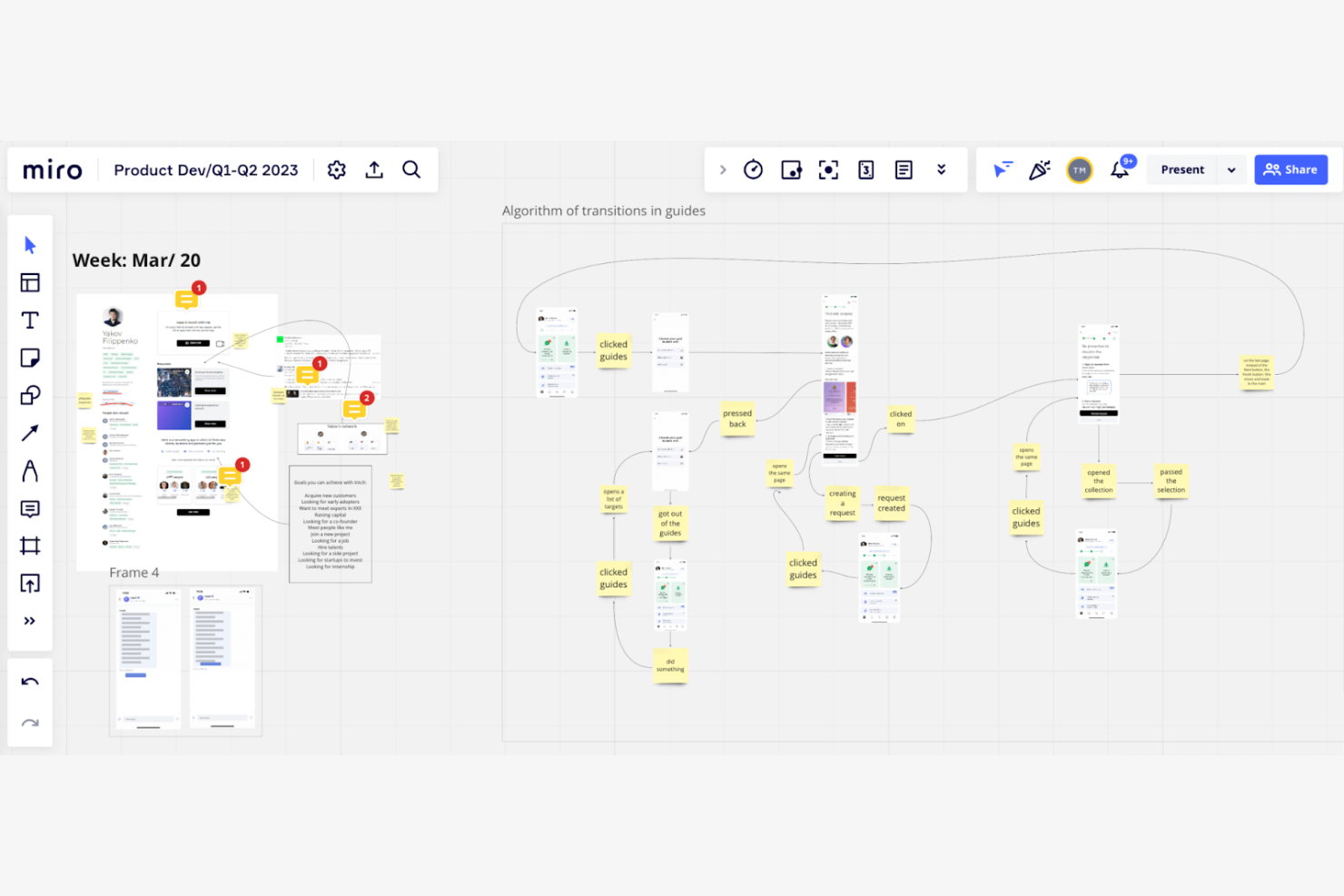
Miro is an online collaborative whiteboard platform designed for distributed teams to brainstorm and plan creatively. It's tailored for remote teams, offering AI-powered tools for collaboration and improved project visualization.
Why I picked Miro: Miro provides an ideal environment for remote teams with its AI features that facilitate real-time collaboration and idea generation. The platform's smart algorithms help you organize and prioritize tasks. Its visual tools allow your team to map out projects clearly, even from different locations. This makes Miro a valuable tool for teams needing strong support for remote collaboration.
Standout features & integrations:
Features include an extensive template library that helps you start projects quickly. Miro supports real-time collaboration, allowing your team to work together from anywhere. The platform's visual tools make it easy to create and share ideas.
Integrations include Slack, Microsoft Teams, Google Drive, Jira, Asana, Trello, Zoom, Dropbox, Confluence, and Notion.
Pros and Cons
Pros:
- Visual tools for idea sharing
- Real-time collaboration boosts team productivity
- Extensive template library speeds up project start
Cons:
- Requires a stable internet connection
- Limited amount of boards with free plan
New Product Updates from Miro
Miro Adds Japan Data Residency for Enterprise Customers
Miro has introduced Japan data residency for enterprise customers, offering in-region storage for production data, backups, and metadata, plus in-region compute infrastructure. For more information, visit Miro's official site.

Wrike
Best for turning brainstorms into tasks
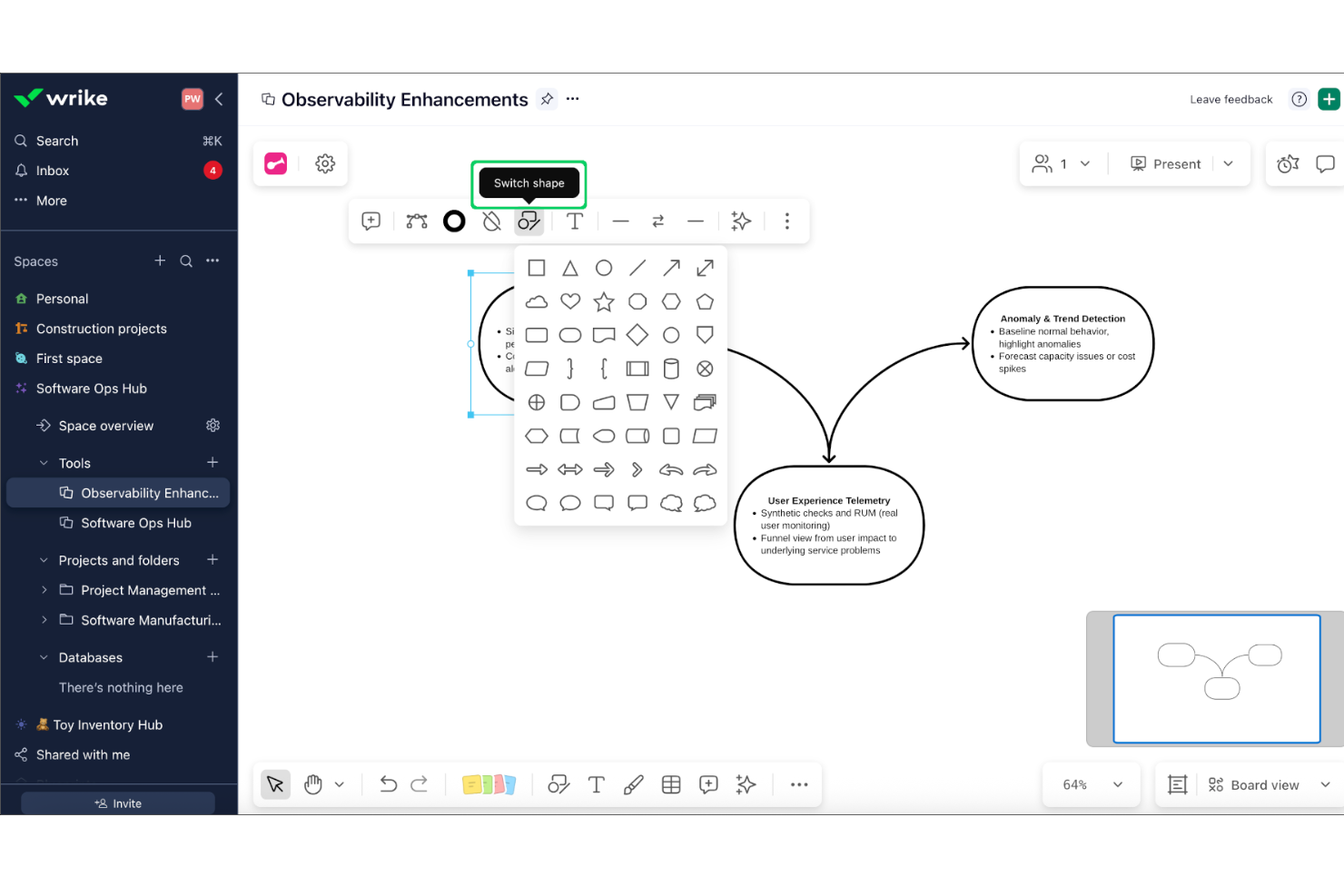
Wrike is a work management platform designed for mid-to-large organizations that require high-level project visibility. Its Whiteboard feature, powered by Klaxoon, provides a flexible canvas where teams can brainstorm and map out complex ideas directly within their project workspace.
Who Is Wrike Best For?
Wrike suits cross-functional teams and mid-sized to large organizations that need structured project management and collaborative planning.
Why I Picked Wrike
I chose Wrike because it bridges the gap between creative ideation and project execution more effectively than standalone mind mapping tools. While other apps focus on the visual map itself, Wrike is able to turn unstructured thoughts into actionable work. Using AI, it can interpret sticky notes and group them into tasks with assignees and due dates, ensuring that the momentum from a brainstorming session translates immediately into your team's real-world workflow.
Wrike Key Features
- Visual project timelines: Lets you map out tasks and dependencies using an interactive view.
- Bi-directional task syncing: Drag existing project tasks onto the whiteboard to visualize dependencies and see updates reflected across both platforms in real time.
- Interactive Engagement Tools: Facilitate high-energy workshops using built-in live polls, quizzes, and word clouds on the infinite canvas.
- External Collaboration: Invite clients or freelancers to join whiteboard sessions via secure access links, even if they don't have a Wrike license.
Wrike Integrations
Wrike offers 400+ native integrations, including Google Drive, Microsoft Teams, Slack, Salesforce, Jira, GitHub, Box, Dropbox, Adobe Creative Cloud, and Zoom. It connects with Zapier and provides an API for custom integrations.
Pros and Cons
Pros:
- Versatile templates for Agile, marketing, and product design
- Direct link between ideation and task management
- Enterprise-grade security and compliance options
Cons:
- Whiteboard requires an additional monthly fee
- Free plan restricts integrations and automations
New Product Updates from Wrike
Wrike Adds Klaxoon MCP Integration
Wrike’s Klaxoon MCP integration is now generally available, enabling AI agents to navigate between Wrike tasks and attached whiteboards, read task context, and manage whiteboard attachments via API. For more information, visit Wrike's official site.

Best for visual storytelling
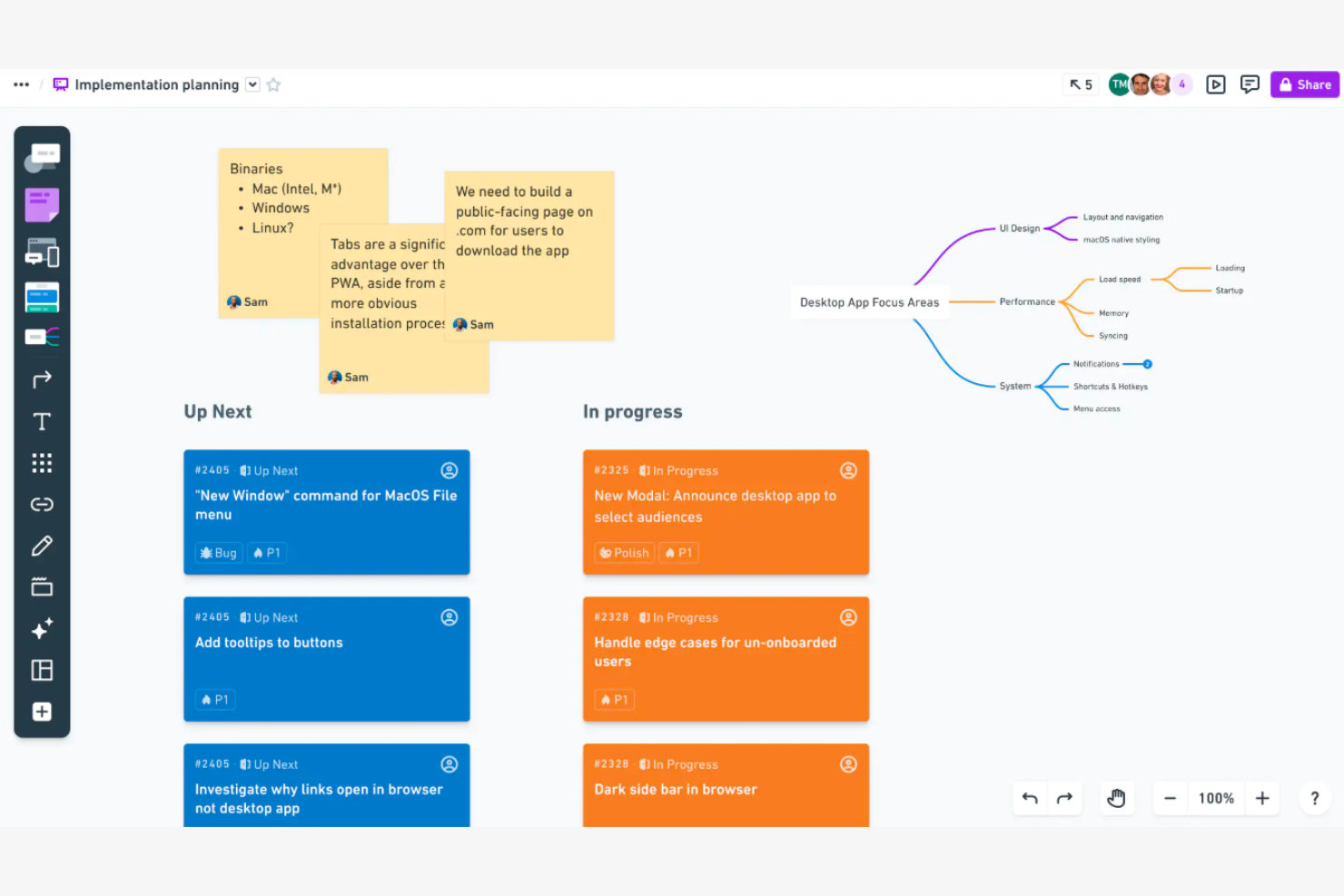
Whimsical is a visual workspace tool designed for teams and individuals who need to create diagrams, flowcharts, and mind maps. It serves professionals across various fields by offering AI-powered features for visual communication and storytelling.
Why I picked Whimsical: Whimsical is good for visual storytelling with its intuitive interface and smart AI features. It offers AI-assisted diagram creation, making it easy to turn ideas into visual stories. The tool's real-time collaboration capabilities allow your team to build and refine projects together.
Standout features & integrations:
Features include a user-friendly drag-and-drop interface that simplifies creating diagrams. Whimsical offers pre-built templates to help you get started right away. The tool also supports real-time collaboration, enabling your team to work together.
Integrations include Slack, Jira, Confluence, Google Drive, Microsoft Teams, Trello, Asana, GitHub, Notion, and Zoom.
Pros and Cons
Pros:
- Pre-built templates
- Real-time collaboration for teamwork
- AI-assisted diagram creation for storytelling
Cons:
- Free plan is limited in features
- Limited offline functionality

GitMind
Best for free AI tools
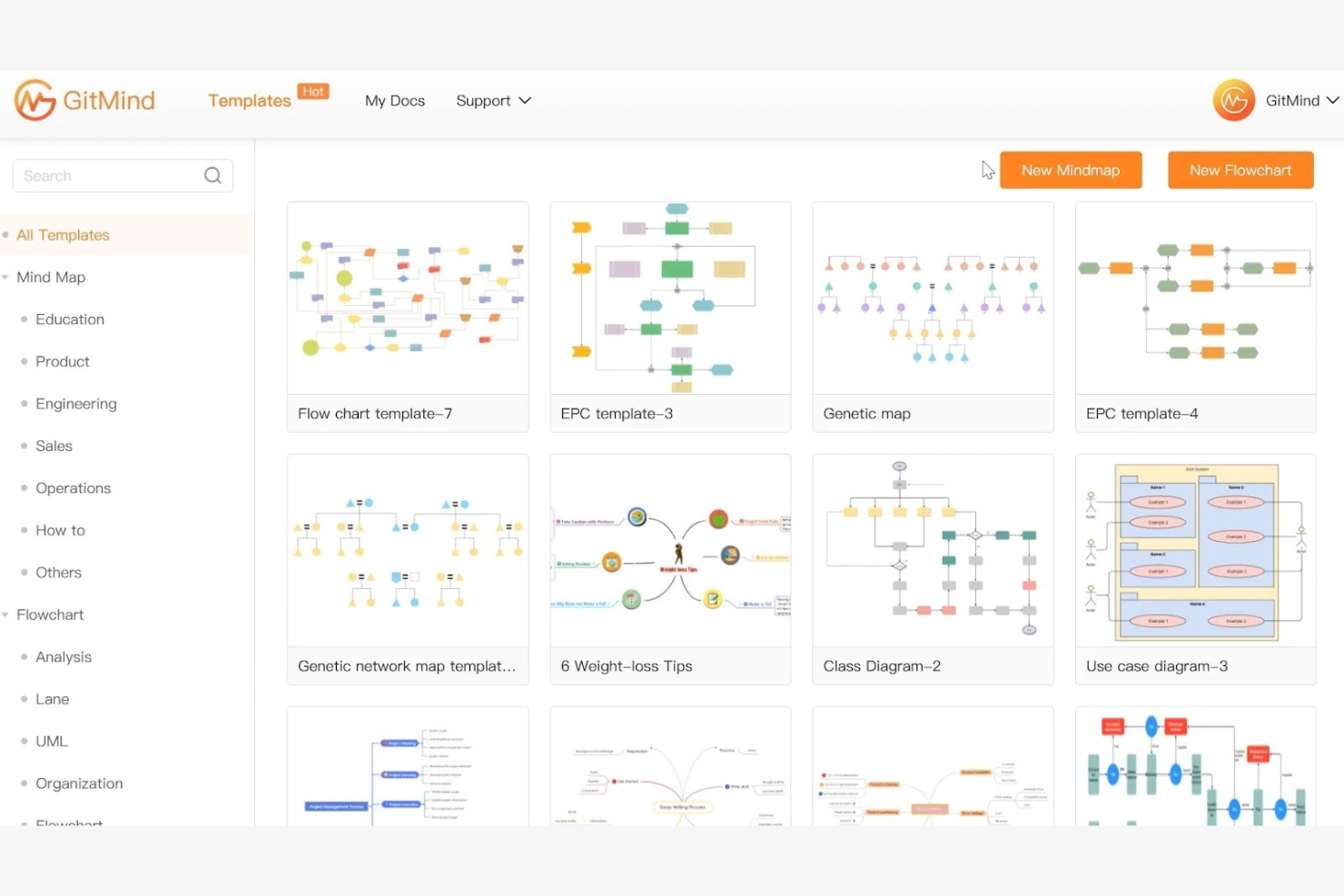
GitMind is a free mind mapping tool that caters to individuals and teams looking for an accessible way to organize and visualize ideas. It provides AI-driven features for brainstorming and project planning, making it a resource for users seeking cost-effective solutions.
Why I picked GitMind: GitMind offers a range of free AI tools that help with idea generation and organization. Its AI features suggest connections and structures, helping you create detailed mind maps. The tool's intuitive interface ensures you can focus on your projects without being overwhelmed by complexity. This makes GitMind a great choice for those seeking AI capabilities without the cost.
Standout features & integrations:
Features include an intuitive drag-and-drop interface that simplifies map creation. GitMind offers a variety of templates to kickstart your projects quickly. The tool also supports collaboration, allowing your team to work together in real-time.
Integrations include Google Drive, Dropbox, OneDrive, Trello, Slack, Evernote, Microsoft Teams, Jira, Asana, and Confluence.
Pros and Cons
Pros:
- Variety of templates for quick starts
- Intuitive interface simplifies learning
- Free AI tools for brainstorming
Cons:
- May lack customization options
- Limited advanced features

Ayoa
Best for team collaboration
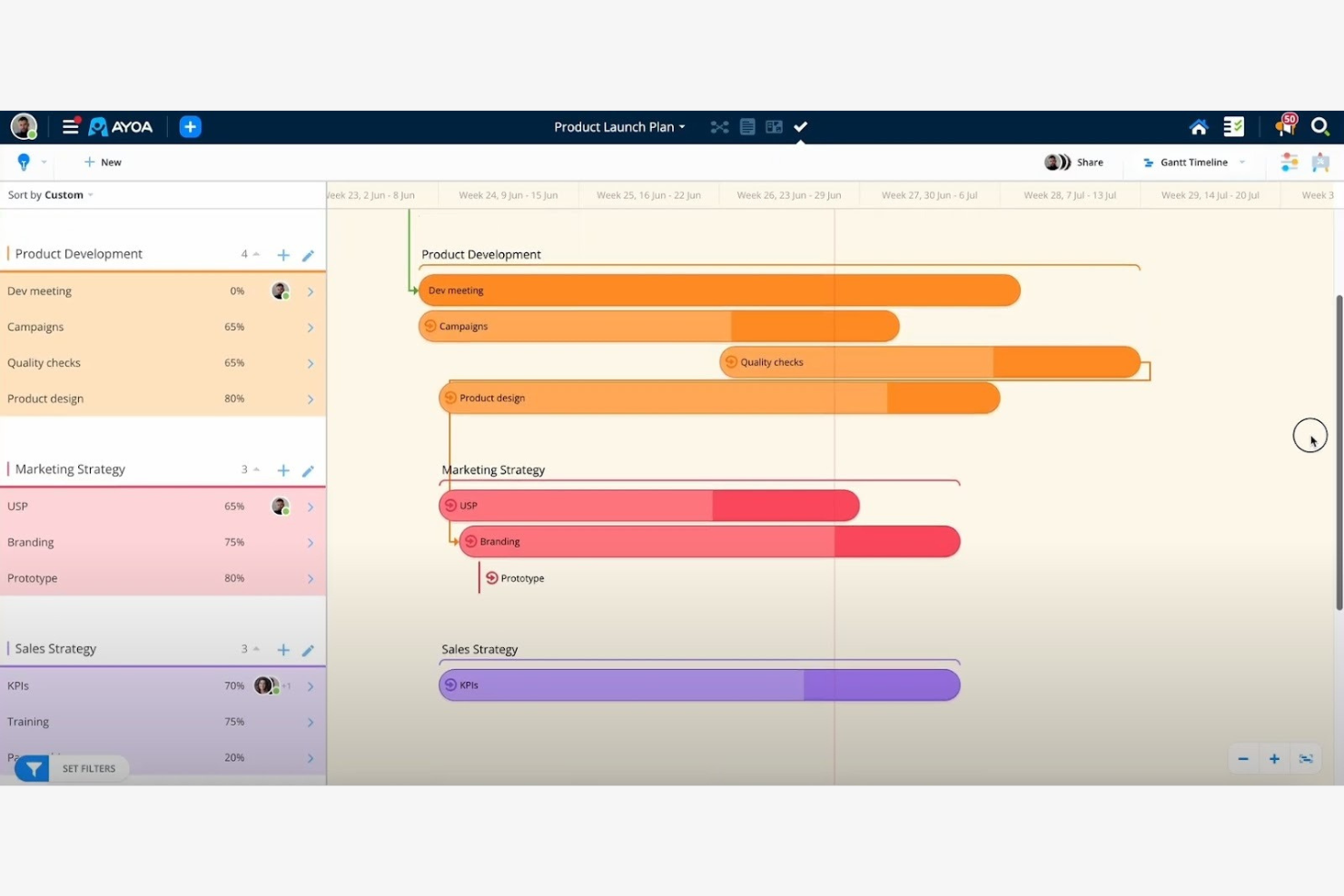
Ayoa is an AI-driven productivity tool that combines mind mapping, task boards, and whiteboards into one workspace. It's designed for diverse users, including teams, educators, and professionals, with an emphasis on enhancing creativity and organization through AI capabilities.
Why I picked Ayoa: Ayoa is great for team collaboration, its AI features can quickly generate mind maps and help simplify complex projects. The AI integration lets teams visualize ideas and project management processes. Its customizable templates and idea bank foster creativity and make project initiation easier. This makes Ayoa a great choice for teams looking to boost their collaborative efforts.
Standout features & integrations:
Features include mind mapping, task boards, and whiteboards in one platform. Ayoa offers customizable templates to kickstart projects. The idea bank is useful for saving and organizing team thoughts.
Integrations include Google Drive, Dropbox, Evernote, Slack, Google Calendar, Zoom, iMindMap, Trello, and Microsoft Teams.
Pros and Cons
Pros:
- Visual organization aids in effective planning
- Customizable templates for easy project start
- AI-generated mind maps for creativity
Cons:
- Learning curve for new users
- Limited offline capabilities

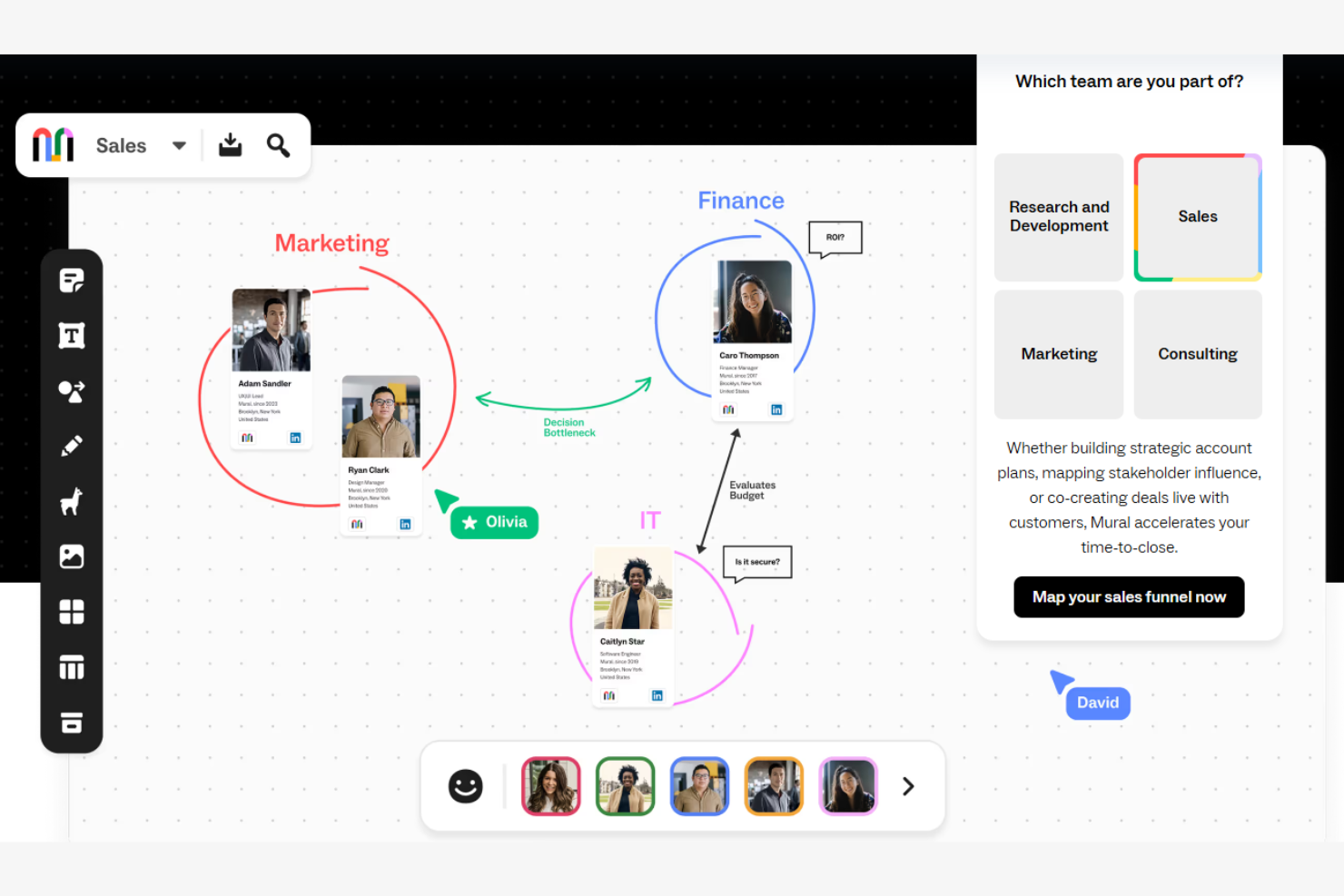
Mural is a digital workspace designed for visual collaboration, catering to teams that conduct workshops and creative sessions. It helps users visualize and organize ideas with AI-powered tools for interactive collaboration.
Why I picked Mural: Mural is good for interactive workshops due to its AI features that facilitate creative brainstorming. The platform's AI capabilities help with organizing and visualizing ideas, making workshops more engaging. Its real-time collaboration tools let your team work together, no matter where they are. Mural could be a good asset to consider for teams that rely on interactive and collaborative sessions.
Standout features & integrations:
Features include a library of templates to help start your projects. Mural supports real-time collaboration, allowing your team to interact and brainstorm together. The platform's visual tools help you to create engaging and interactive content.
Integrations include Microsoft Teams, Slack, Google Drive, Dropbox, Zoom, Jira, Confluence, Trello, Asana, and Microsoft Office.
Pros and Cons
Pros:
- Visual tools boost workshop engagement
- Real-time collaboration for teamwork
- Template library aids project starts
Cons:
- Requires stable internet connection
- Only basic integrations with the first-tier paid plan

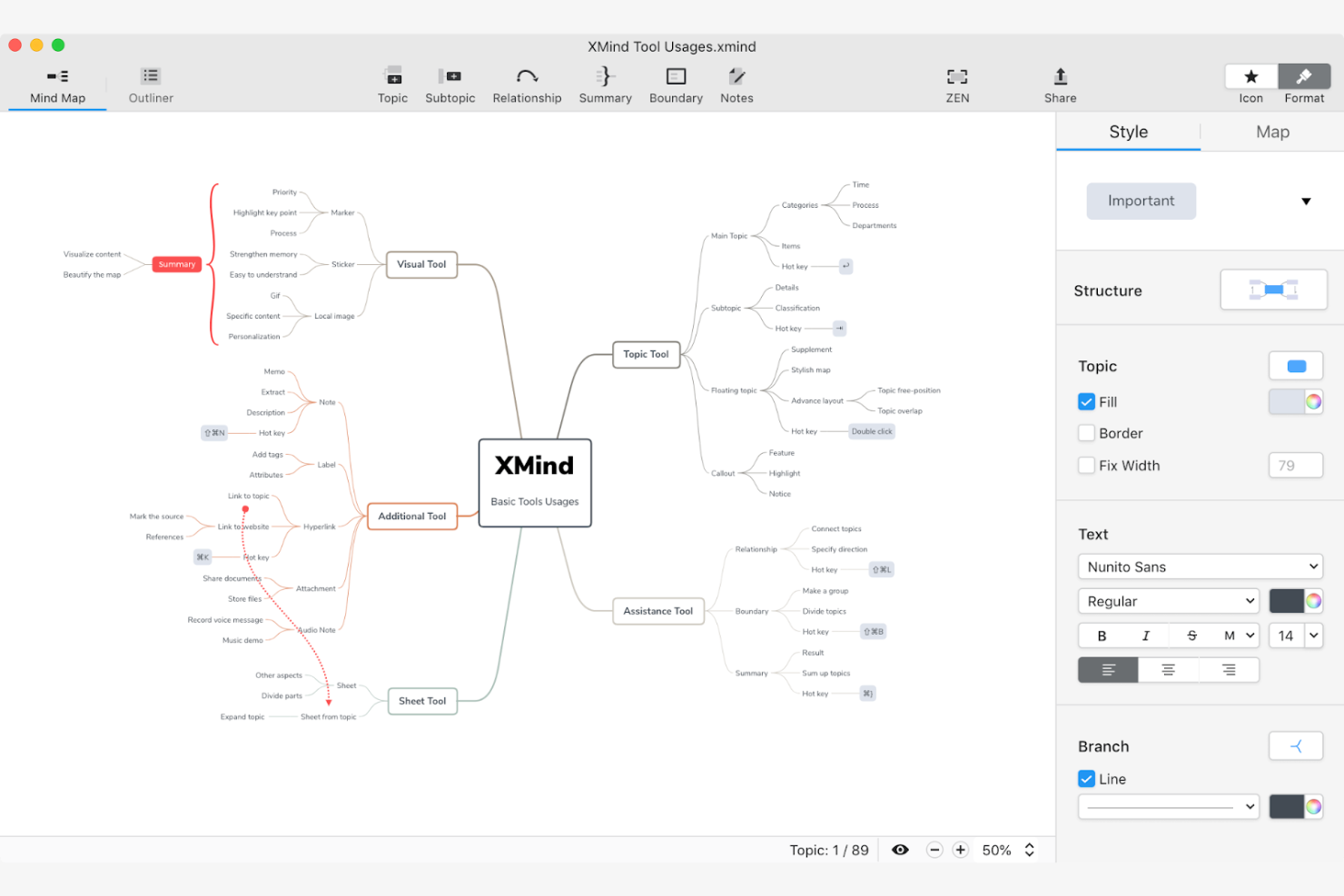
Xmind is a versatile mind mapping tool designed for individuals and teams focused on creative thinking and idea organization. It's widely used by professionals and educators for brainstorming sessions, with AI features that facilitate the visualization of complex ideas.
Why I picked Xmind: Xmind is good for creative brainstorming with its AI-powered features that help you generate and organize ideas in an effective and useful way. The tool offers smart algorithms to suggest connections, making your brainstorming sessions more productive. Its intuitive design ensures you can focus on creativity without being hindered by technical complexities. This makes Xmind a top choice for those with creative processes.
Standout features & integrations:
Features include an intuitive drag-and-drop interface for the mind mapping process. Xmind offers a wide range of customizable themes to personalize your maps. The tool also supports offline access, allowing you to work without an internet connection.
Integrations include Microsoft Office, Evernote, Dropbox, Google Drive, OneDrive, Trello, Jira, Slack, Zoom, and Microsoft Teams.
Pros and Cons
Pros:
- Customizable themes for personalization
- Offline access supports uninterrupted work
- Intuitive interface simplifies mapping
Cons:
- Can be resource-intensive on devices
- Limited advanced AI features

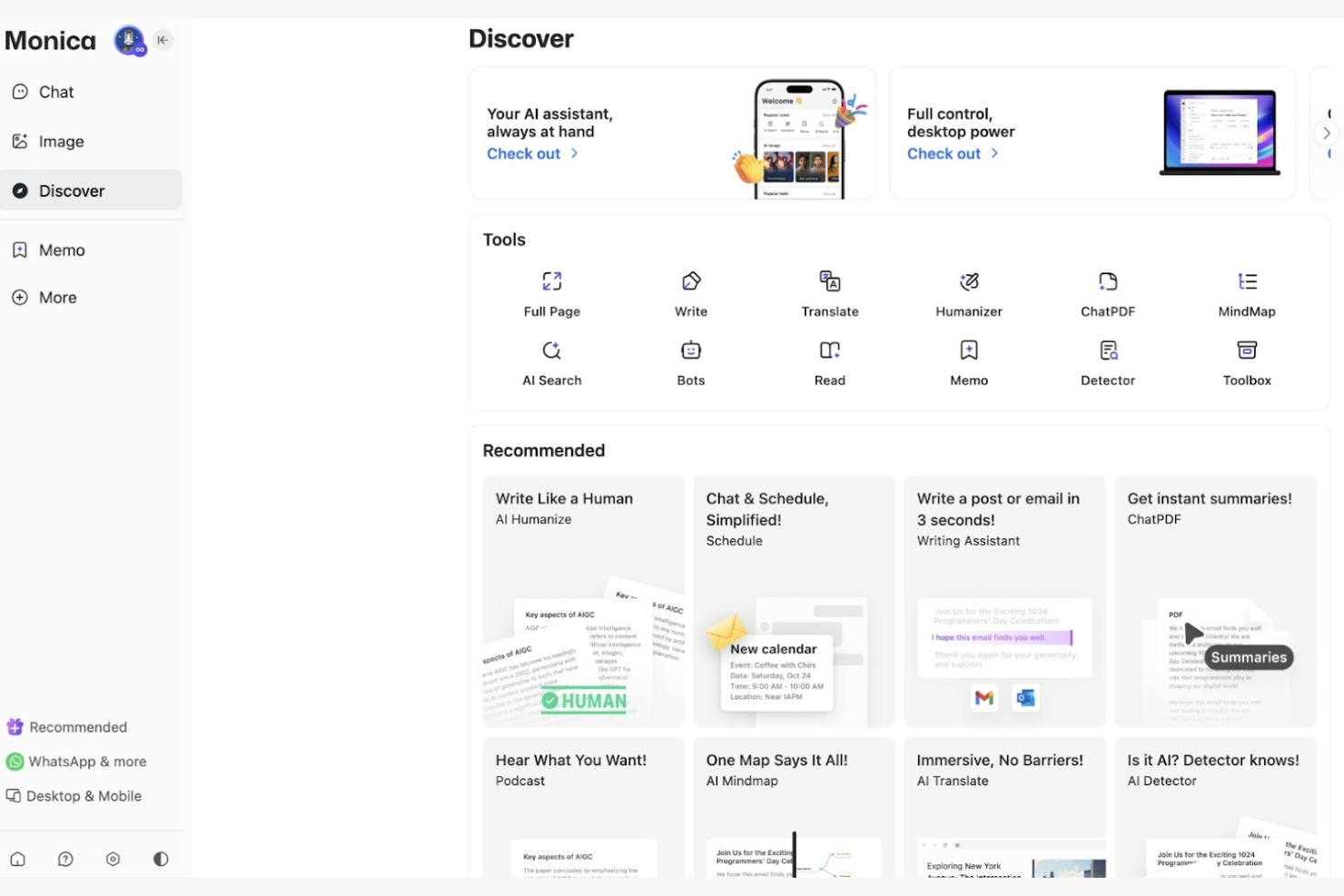
Monica is an AI-driven mind mapping tool designed for individuals and teams who need to organize their thoughts and projects visually. It caters to users looking for a personalized approach to mind mapping, with AI features that aid creativity and idea management.
Why I picked Monica: Monica offers personalized mapping experiences with AI features that adapt to your unique needs. The tool's AI capabilities suggest relevant connections and organize information effectively. Its customization options allow you to tailor maps to your personal style and project requirements. This makes Monica ideal for users looking for a tailored mind mapping experience.
Standout features & integrations:
Features include customizable templates that let you design maps suited to your needs. Monica supports real-time collaboration, so your team can work together. The tool also offers intuitive navigation, making it easy to manage complex projects.
Integrations include Google Drive, Dropbox, Slack, Microsoft Teams, Trello, Asana, Jira, Confluence, Zoom, and Evernote.
Pros and Cons
Pros:
- Real-time collaboration for teamwork
- Customizable templates fit various projects
- AI suggestions personalize the mapping experience
Cons:
- Free plan only offers basic features
- Limited offline capabilities

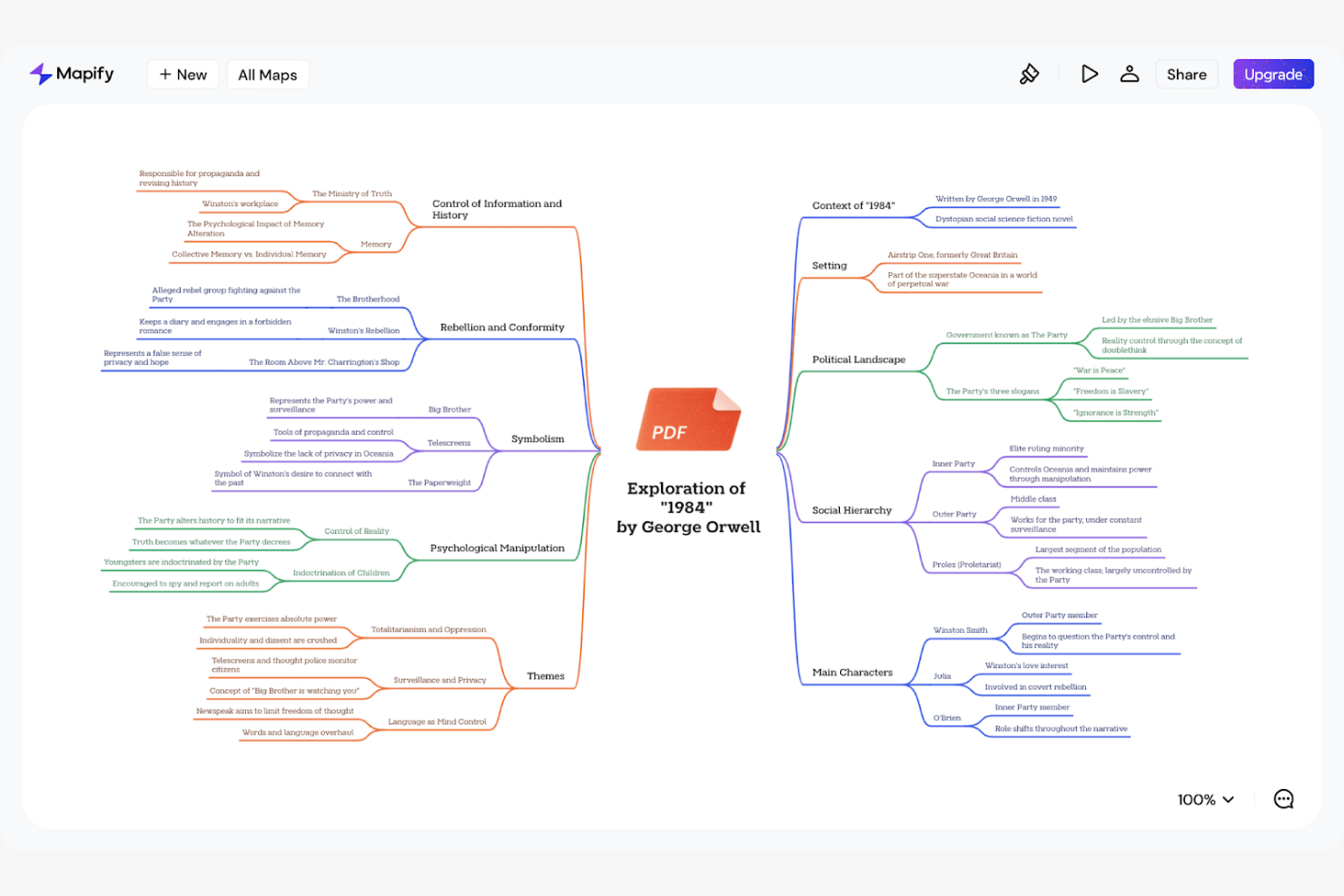
Mapify is an intuitive mind mapping tool built for professionals and creative teams to organize their ideas visually. It enables brainstorming and structuring of ideas, with AI features to help build the mapping process.
Why I picked Mapify: Mapify is known for its user-friendly design for the mind mapping experience. Its AI capabilities provide smart suggestions, helping you connect ideas and visualize complex concepts. The clean interface helps you to focus on creativity without technical distractions. This makes Mapify a great choice for teams looking for a brainstorming session with minimal fuss.
Standout features & integrations:
Features include an intuitive drag-and-drop interface for the mind mapping process. Mapify offers customizable themes to personalize your maps to suit your style. The tool also supports real-time collaboration, allowing your team to work together.
Integrations include Google Drive, Dropbox, Slack, Microsoft Teams, Trello, Asana, Jira, Confluence, Zoom, and Evernote.
Pros and Cons
Pros:
- Customizable themes personalize the user experience
- AI suggestions for your brainstorming sessions
- User-friendly design aids easy navigation
Cons:
- May require an internet connection
- Limited advanced features


MyMap.AI is an innovative mind mapping tool that leverages AI to assist professionals and teams in organizing and visualizing their ideas. It targets users who seek intelligent suggestions for their brainstorming and planning processes.
Why I picked MyMap.AI: MyMap.AI offers AI-driven suggestions that help you structure and connect ideas. The tool's algorithms analyze your input to generate relevant connections, making your mind maps more thorough. Its intuitive interface aids in focusing on creativity rather than technical details. MyMap.AI could be good for users looking to build their idea generation with AI insights.
Standout features & integrations:
Features include an intuitive user interface for navigation and usage. MyMap.AI offers a variety of templates to help you get started. The tool supports real-time collaboration, allowing your team to work together.
Integrations include Google Drive, Dropbox, Slack, Microsoft Teams, Trello, Asana, Jira, Confluence, Zoom, and Evernote.
Pros and Cons
Pros:
- Variety of templates for quick starts
- Intuitive interface aids in creative focus
- AI suggestions for idea structuring
Cons:
- No pricing info available online
- Limited offline capabilities
Other AI Mind Mapping Tools
Here are some additional AI mind mapping tools options that didn’t make it onto my shortlist, but are still worth checking out:
- Ideamap
For idea organization
- MindMap AI
For AI-driven insights
- Lucidchart
For diagram diversity
- Canva
For graphic design integration
- FigJam
For collaborative sketching


How I Evaluate AI Mind Mapping Tools
I look for tools where AI delivers real value—like turning a project brief into a structured WBS or converting meeting notes into actionable maps. I split my evaluation into the core functionality a tool needs to qualify and the differentiating factors that separate good options from great ones.
Core Functionality (Table Stakes For This List)
When I'm selecting tools for my list, I rank each one on a scale from 0 (does not offer the functionality) to 5 (excels in this area) for each core functionality listed below. Then, I calculate the tool's total score into a percentage. Each tool needs to achieve a minimum total score of 65% to be considered for inclusion.
- AI-Powered Map Generation: I check whether a tool can take a short prompt—like "product launch plan Q3"—and produce a structured, multi-level map worth editing, not just a flat list of generic nodes.
- AI Expansion & Suggestions: Each tool should offer contextual subtopic suggestions when you expand a branch, helping you flesh out areas like risk factors or task dependencies without starting from scratch.
- Visual Mind Mapping Canvas: I evaluate the canvas experience itself—drag-and-drop, layout options (radial, tree, org chart), and the ability to add icons or attachments that make maps useful beyond brainstorming.
- Document-to-Map Conversion: I look for the ability to feed in a project brief, meeting transcript, or requirements doc and get back a structured map, not just a dumped wall of text split across nodes.
- Real-Time Collaboration: Tools should support live co-editing so distributed teams can work together during planning sessions, with presence indicators, comments, and permission controls.
- PM Tool Export & Integration: I evaluate how maps translate into action—whether that's exporting to CSV, syncing tasks to tools like Jira or Asana, or mapping branches to assignees and due dates.
Once I have a list of tools that meet this criteria, I consider what sets each platform apart.
Differentiating Factors (What Sets Vendors Apart)
Here's how I compare and contrast different vendors:
Standout Features
I look for tools that convert mind maps directly into Gantt charts or timelines—this bridges the gap between brainstorming and actual project scheduling. PM-specific AI templates matter too, like prebuilt WBS, RACI, or retrospective frameworks that save setup time on repeatable workflows. Presentation mode is another differentiator I value, since PMs often need to walk stakeholders through plans without rebuilding content in a slide deck.
Beyond Features
Integration depth is a big one—I check whether a tool connects directly to the PM platforms your team already uses, since a map that doesn't feed into your task tracker creates extra manual work. AI data handling policies also matter here; I evaluate whether vendors train models on your project data and what opt-out controls exist. Finally, I consider how AI usage scales with team size, especially whether generation limits are generous enough for PMOs running multiple concurrent projects.
How to Choose AI Mind Mapping Tools
It’s easy to get bogged down in long feature lists and complex pricing structures. To help you stay focused as you work through your unique software selection process, here’s a checklist of factors to keep in mind:
| Factor | What to Consider |
|---|---|
| Scalability | Can the tool grow with your team? Consider if it can handle more users and larger projects as your needs expand. Avoid tools that may limit future scalability. |
| Integrations | Does it connect with your current tools like Slack or Trello? Ensure the tool can integrate smoothly with your existing workflow to avoid disruptions. |
| Customizability | Can you tailor it to fit your specific needs? Look for tools that allow customization of templates and layouts to match your team's processes. |
| Ease of use | Is the interface intuitive? A complex tool can slow down productivity, so prioritize user-friendly designs that require minimal training. |
| Implementation and onboarding | How long does it take to get started? Assess the time and resources needed for setup and training. Quick onboarding can save time and reduce frustration. |
| Cost | Does the pricing fit your budget? Compare the costs of different plans, and watch out for hidden fees or extra charges for essential features. |
| Security safeguards | Are your data protected? Look for tools with strong encryption and compliance with data protection regulations to keep your information safe. |
What Are AI Mind Mapping Tools?
AI mind mapping tools are digital platforms that use artificial intelligence to help users visualize and organize their thoughts and ideas. These tools are generally used by professionals like project managers, educators, and creative teams for brainstorming and planning activities. AI-driven suggestions, automated layout optimization, and real-time collaboration capabilities help with structuring ideas, improving productivity, and fostering teamwork. Overall, these tools offer a smarter and more efficient way to map out complex ideas.
Features
When selecting AI mind mapping tools, keep an eye out for the following key features:
- AI-driven suggestions: These help users generate and connect ideas more effectively, making brainstorming sessions more productive.
- Automated layout optimization: Automatically arranges mind maps to enhance readability and organization, saving time and effort.
- Real-time collaboration: Allows multiple users to work on the same mind map simultaneously, improving team communication and coordination.
- Customizable templates: Offers pre-designed layouts that can be tailored to fit specific project needs, speeding up the mapping process.
- Integration capabilities: Connects with other tools like Slack or Trello for workflows and maintains continuity across platforms.
- Data visualization tools: Enhance the representation of complex data, making it easier to interpret and analyze information.
- Cross-platform accessibility: Ensures that mind maps can be accessed and edited from various devices and operating systems.
- Security safeguards: Protects user data with encryption and compliance with data protection regulations, ensuring privacy and security.
Benefits
Implementing AI mind mapping tools provides several benefits for your team and your business. Here are a few you can look forward to:
- Enhanced creativity: AI-driven suggestions help spark new ideas and connections, making it easier to create mind maps that support deeper brainstorming. Tools powered by GPT or ChatGPT can also act as a built-in summarizer when you need quick clarity.
- Improved organization: Automated layout options arrange thoughts logically, giving you a clear starting point for mapping concepts and understanding how it all fits together.
- Increased collaboration: Real-time editing features allow team members to work together from anywhere, whether they’re on desktop, iOS, or Android devices.
- Time savings: Templates, autofill features, and the ability to generate structure from prompts reduce repetitive work, letting teams focus on content instead of formatting.
- Better decision-making: Visual organization tools help teams see relationships between ideas, making decisions faster and easier.
- Flexibility in access: Cross-platform support means you can keep building or updating mind maps wherever you go, whether you’re reviewing notes or exploring how it works across different devices.
- Data security: Strong security measures protect your maps and related information, giving users confidence that their data remains private and secure.
Costs & Pricing
Selecting AI mind mapping tools requires an understanding of the various pricing models and plans available. Costs vary based on features, team size, add-ons, and more. The table below summarizes common plans, their average prices, and typical features included in AI mind mapping tools solutions:
Plan Comparison Table for AI Mind Mapping Tools
| Plan Type | Average Price | Common Features |
|---|---|---|
| Free Plan | $0 | Basic mind mapping, limited templates, and core collaboration tools. |
| Personal Plan | $5-$15/user/month | Advanced templates, AI-driven suggestions, and basic integrations. |
| Business Plan | $15-$30/user/month | Enhanced collaboration features, additional integrations, and customizable templates. |
| Enterprise Plan | $30-$50/user/month | Full feature set, advanced security safeguards, dedicated support, and extensive customization options. |
AI Mind Mapping Tools FAQs
Here are some answers to common questions about AI mind mapping tools:
Can I export mind maps from AI mind mapping tools to different formats?
Yes, most AI mind mapping tools allow you to export your maps to formats like PDF, PNG, or Word documents. Whether you’re creating quick visual mind maps, a detailed concept map, or organizing subtopics for ideation, exporting makes it easy to include your work in project documents, webpages, or presentations. Many mind map generators and mind map makers also support markdown exports for users who prefer text-based formats.
Can AI mind mapping tools handle large projects?
Yes, most AI mind mapping tools can manage large projects by allowing extensive maps with multiple branches and nodes. Good mind mapping software and AI-powered mind mapping platforms are designed to support growing ideas, whether you’re building a roadmap or using a mind map app to outline research. Performance can vary based on the tool and your device, so it helps to test a sample project, especially if you’re creating complex visual mind maps.
Are updates to AI mind mapping tools automatic or manual?
Most cloud-based AI mind mapping tools update automatically, so you always access the latest version when you log in. Desktop versions may require manual installation to stay current. If you’re using an all-in-one mind map generator or a free mind map tool, automatic updates can help you access new shortcuts, templates, and improved layouts without any extra steps.
Is it possible to recover deleted mind maps in AI mind mapping tools?
Often, yes. Many tools include a recycle bin or history feature that lets you restore accidentally deleted maps for a limited time. This is especially helpful when working on detailed mind maps with multiple subtopics or when using mind map apps for note-taking. Check the tool’s documentation to understand the recovery process and how long deleted items are stored.