

10 Workato Alternatives for No-Code Automation in 2026

Best Workato Alternatives Shortlist


If you're managing projects, you know the hassle of juggling multiple tools and systems. An Integration Platform as a Service (iPaaS) can help by connecting your apps and automating workflows, but maybe Workato isn't fitting your needs.
Perhaps you're looking for features that Workato doesn't offer, or want different pricing model options. Whatever the reason, exploring alternative integration tools is a smart move for your team.
In this article, I'll share my top picks for Workato alternatives. I've tested and reviewed these tools to give you an unbiased guide. You'll find solutions that cater to various business and automation needs, so you can make an informed decision.
What Is Workato?
Workato is an iPaaS that connects apps and helps business users build workflows. It's generally used by IT professionals, project managers, and business operations teams seeking to boost productivity. Features such as drag-and-drop automation, pre-built connectors, and real-time data syncing help simplify complex integrations and improve operational efficiency. Overall, Workato offers value by enabling your team to work smarter and faster through automation.
Best Workato Alternatives Summary
This comparison chart summarizes pricing details for my top Workato alternative selections to help you find the best one for your budget and business needs.
| Tool | Best For | Trial Info | Price | ||
|---|---|---|---|---|---|
| 1 | Best for user-friendly integration | 30-day free trial | Pricing upon request | Website | |
| 2 | Best for all-in-one data integration | Free plan available | From $79/month (billed annually) | Website | |
| 3 | Best for visual workflow builders | Free plan + free demo available | From $9/month (billed annually) | Website | |
| 4 | Best for AI-driven automation | 30-day free trial | From $99/month | Website | |
| 5 | Best for AI-powered data management | Free demo available | Pricing upon request | Website | |
| 6 | Best for hybrid cloud integration needs | 30-day free trial + free demo available | From $200/month (billed annually) | Website | |
| 7 | Best for large enterprises using Oracle systems | 30-day free trial + free demo available | Pricing upon request | Website | |
| 8 | Best for no-code automation | Free plan available | From $19.99/month (billed annually) | Website | |
| 9 | Best for API-led integrations | Free trial + free demo available | Pricing upon request | Website | |
| 10 | Best for complex SaaS workflow automation | Free demo available | Pricing upon request | Website |
Why Trust Our Software Recommendations
Our team has been testing and reviewing software since 2012. As project managers ourselves, we know how difficult—and important—it is to choose the right software.
For this guide, we evaluated tools using hands-on testing and independent research, scoring tools using our selection criteria. We also draw on insights from industry thought leaders and practicing project management experts.
Our reviews reflect our human editorial judgment, not a sales pitch.
Expert reviewers:
Best Workato Alternatives Reviews
Below are my detailed summaries of the best Workato alternatives that made it onto my shortlist. My reviews offer a detailed look at the key features, pros and cons, integrations, and ideal use cases of each tool to help you find the best one for you.

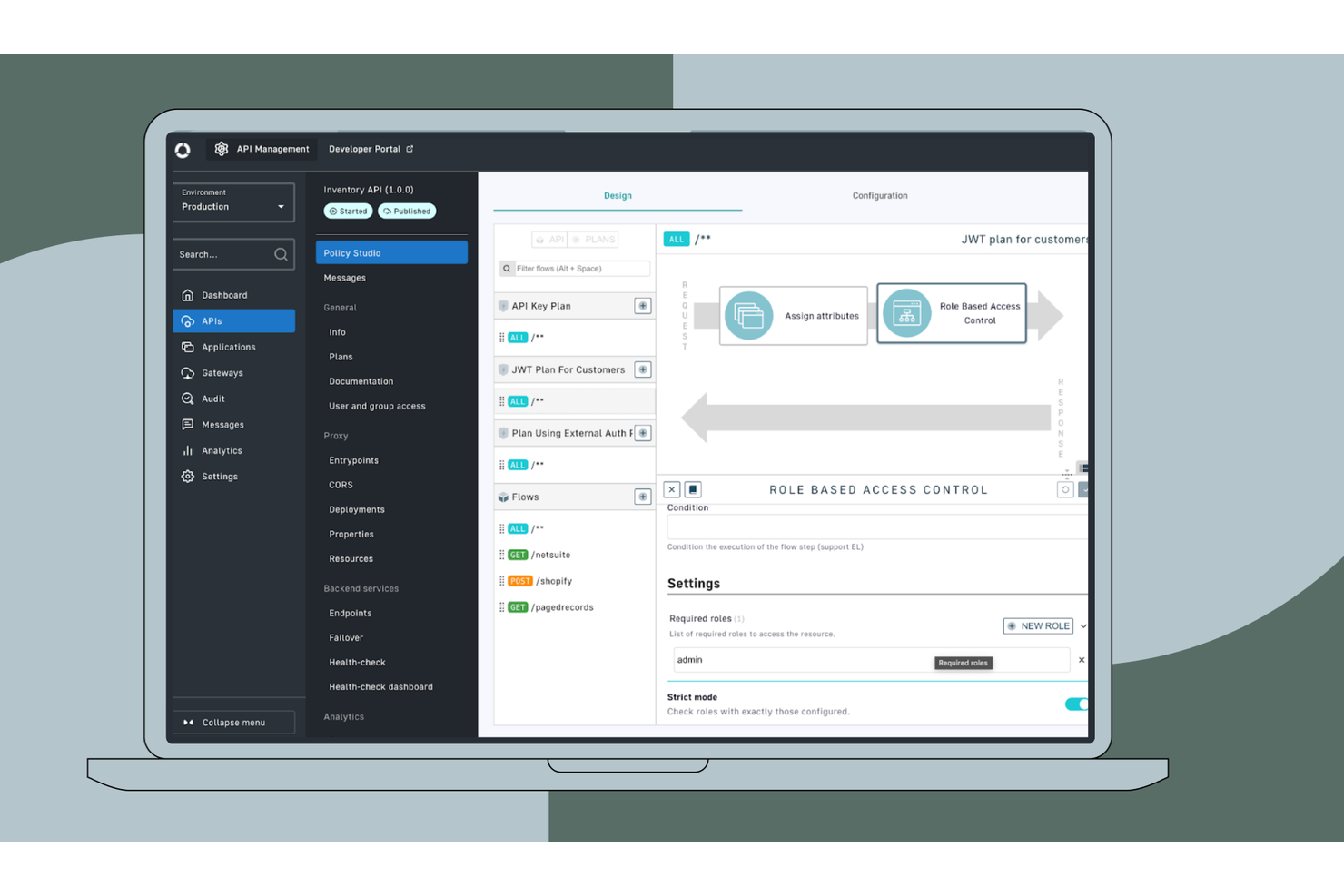
Celigo is an integration platform that simplifies connecting applications and automating workflows for businesses. It's primarily used by IT professionals and business teams looking to upgrade operational efficiency.
Why Celigo is a good Workato alternative: Celigo offers a user-friendly interface that makes it easy for your team to create and manage integrations. The platform's IT-governed templates and customization options allow for quick setup and adjustments. Its intuitive design supports efficient workflow automation without needing extensive coding knowledge.
Standout Features and Integrations:
Features include AI-guided design and reusable intelligence for creating integrations, pre-built connectors for common workflows, and a single platform for every integration to simplify operations. These features help your team implement and manage integrations effectively.
Integrations include Snowflake, PostgreSQL, Google BigQuery, NetSuite Analytics Warehouse, Shopify, Amazon, Zendesk, Freshdesk, Drift, and more.
Pros and Cons
Pros:
- Visual designer for integrations
- Role-based permission setting for flows
- Easy to customize workflows
Cons:
- Complex for non-tech users
- Requires occasional technical support
New Product Updates from Celigo
Celigo Expands Microsoft Entra Authentication for SQL Connectors
Celigo’s Azure Synapse and MS SQL connectors now support Microsoft Entra service principal authentication via client secrets and certificates, so you can connect securely without relying on SQL credentials. For more information, visit Celigo’s official site.
 .
.
Skyvia
Best for all-in-one data integration
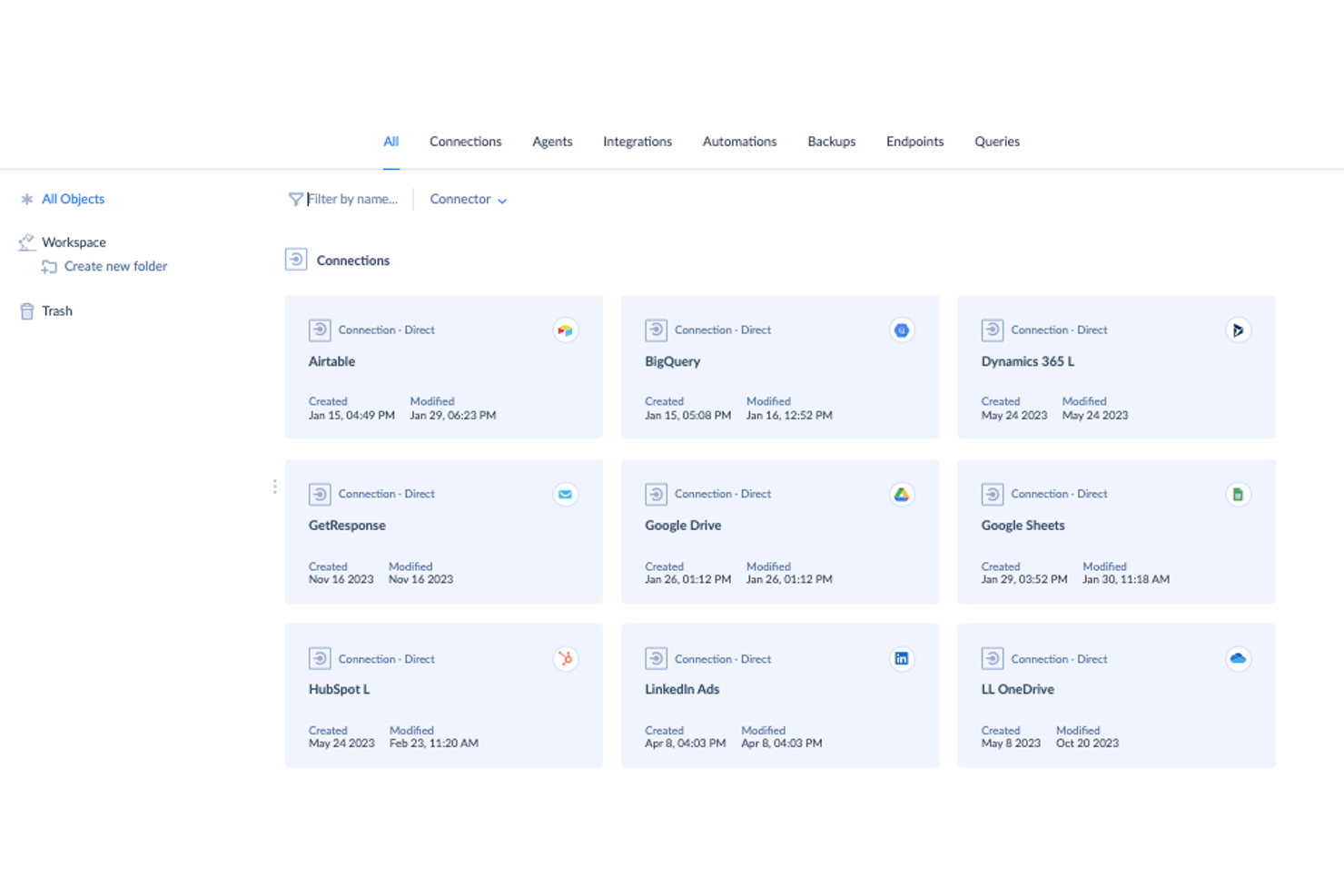
Skyvia is a cloud-based data integration platform that caters to businesses looking to manage and integrate their data efficiently. It's primarily used by businesses and IT professionals to connect various data sources and automate data workflows.
Why Skyvia is a good Workato alternative: Skyvia offers an all-in-one data integration solution that simplifies data management. Its user-friendly interface and powerful data transformation tools make it easy for your team to handle complex data tasks. The platform's versatility supports a range of data operations, making it suitable for diverse business needs.
Standout Features and Integrations:
Features include data import and export for excellent data movement, cloud backup to protect your data, and data synchronization to keep information up to date. These tools help your team manage data effectively and securely.
Integrations include Salesforce, Google Apps, HubSpot, Dynamics 365 PostgreSQL, SQL Server, Oracle, Amazon S3, Snowflake, Azure Synapse, and more.
Pros and Cons
Pros:
- Bi-directional cloud data synchronization
- Powerful data transformation tools
- All-in-one data integration
Cons:
- Performance can be slow
- No built-in data storage repository

Make
Best for visual workflow builders
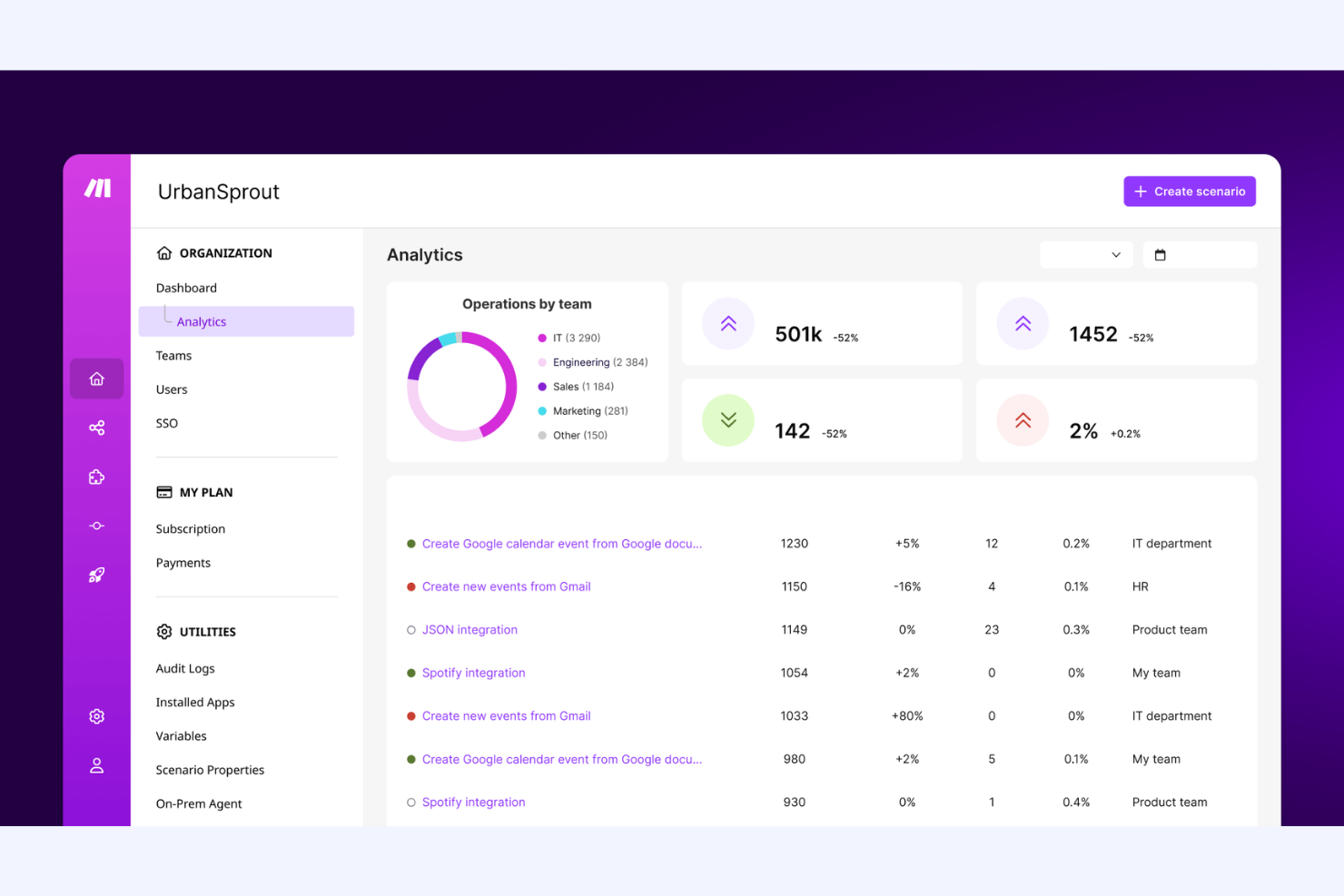
Make is an Integration Platform as a Service that enables users to automate workflows and connect applications. It's used by businesses and developers to enhance productivity and streamline operations.
Why Make is a good Workato alternative: Make fits teams that prefer to see and control every step of a workflow. You can build multi-step scenarios using a visual canvas with clear logic paths. It supports advanced routing, filtering, and data handling in one view. This works well if your team wants hands-on control instead of recipe-based automation.
Standout Features and Integrations:
Features include a drag-and-drop scenario builder that shows the full workflow layout. It supports error handling and execution controls at each step. You can also review run history to troubleshoot and adjust logic over time.
Integrations include Google Sheets, Slack, Airtable, Notion, Google Gmail, Google Drive, Shopify, HubSpot CRM, Stripe, OpenAI, and more.
Pros and Cons
Pros:
- Flexible scenario building
- Fine-grained logic control
- Clear visual workflow design
Cons:
- Requires logic planning
- Error-handling can be complicated

Boomi
Best for AI-driven automation
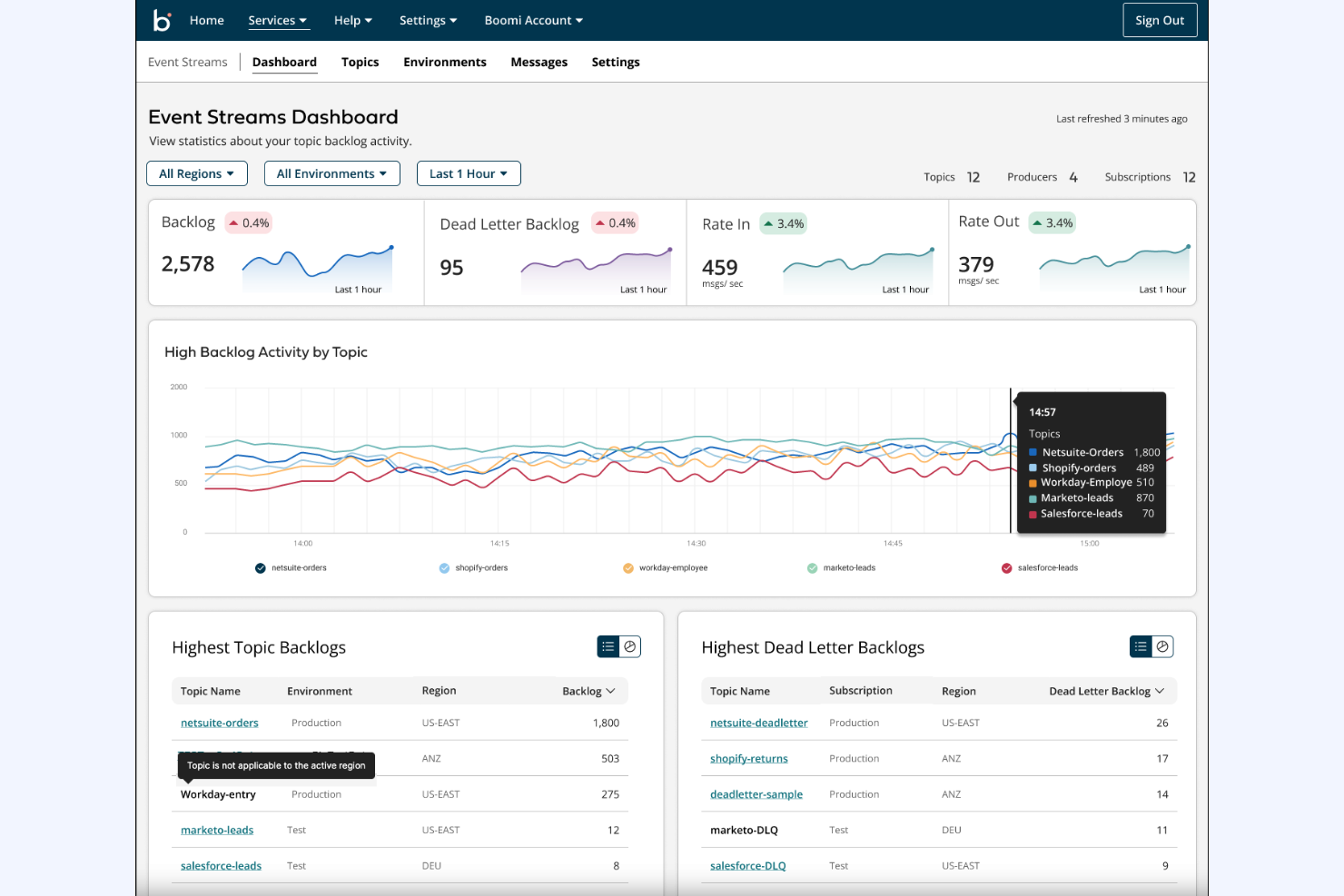
Boomi is an integration platform that connects applications and automates processes for various business functions. It's widely used by IT professionals and business operations teams to increase productivity and efficiency.
Why Boomi is a good Workato alternative: Boomi's AI-driven automation, low-code development, and real-time integrations support quick and efficient workflow management. These features help your team automate complex tasks with ease. The platform's versatility across industries, including finance, healthcare, and retail, makes it a solid choice for diverse business needs. It's compliant with a number of standards, including SOC 2, GDPR, and HIPAA.
Standout Features and Integrations:
Features include pre-built connectors that allow you to automate data exchange between applications and data sources, access to over 300 million self-learning integrations, and automatic platform updates that deploy synchronized changes to your integration processes. These tools allow non-technical users to integrate and automate without extensive coding knowledge.
Integrations include SAP, Salesforce, AWS, NetSuite, Google Drive, Microsoft Teams, Oracle, Workday, ServiceNow, Slack, and more.
Pros and Cons
Pros:
- Supports real-time data integration
- Low-code development platform
- Automated data mapping and suggestions
Cons:
- Complicated user interface
- Expensive pricing tiers
Best for AI-powered data management

Informatica is a data integration platform that helps businesses manage and process data across various systems. It's primarily used by large enterprises and IT professionals looking to strengthen data-driven decision-making.
Why Informatica is a good Workato alternative: Informatica offers AI-powered data management, enabling your team to automate and optimize data workflows. Its focus on data quality and governance ensures reliable data processing. The platform's scalability makes it suitable for enterprises needing broad data solutions.
Standout Features and Integrations:
Features include AI-driven automation, advanced data quality tools for ensuring data accuracy, and cloud data integration for straightforward access. These features support your team in maintaining high data standards.
Integrations include Salesforce, SAP, Microsoft Azure, Google Analytics, Oracle, Snowflake, Tableau, IBM, Workday, and more.
Pros and Cons
Pros:
- Massive library of prebuilt transformations
- Focus on data quality
- Strong data management capabilities
Cons:
- Legacy design lacks flexibility
- Requires significant IT infrastructure

IBM App Connect provides enterprise integration and automation software for organizations running mixed cloud and on-premises systems. It's used by large teams that need to connect applications, manage APIs, and automate processes across environments.
Why IBM App Connect is a good Workato alternative: IBM App Connect supports hybrid cloud setups where your team runs workloads across on-premises and cloud systems. You can build integrations and workflows that span different environments without moving everything to one platform. It includes tools for application integration, messaging, and API management under shared governance. This suits teams that need tighter control across distributed systems rather than cloud-only automation.
Standout Features and Integrations:
Features include centralized policy management to control how integrations run across environments. It supports event-based messaging for real-time data handling. You can also manage integration lifecycles with monitoring and version control tools.
Integrations include AWS, Salesforce, Microsoft Teams, Microsoft Dynamics 365, Mailchimp, monday.com, Shopify, Dropbox, Google Gmail, HubSpot, and more.
Pros and Cons
Pros:
- High scalability for enterprises
- Works well with on-premises systems
- Strong hybrid cloud support
Cons:
- Heavy platform footprint
- Requires skilled admins


Oracle Cloud Infrastructure (OCI) is a cloud platform that provides enterprise software for integration, automation, and data management. It's used by large organizations that need integration capabilities that can connect systems, automate processes, and manage complex data flows.
Why Oracle Cloud Infrastructure is a good Workato alternative: OCI fits teams that already run core systems on Oracle technology. You can build integrations, automate workflows, and manage data movement inside the same cloud environment. It supports complex enterprise processes with built-in governance and control tools. This works well if your team wants automation tightly aligned with Oracle systems rather than a standalone platform.
Standout Features and Integrations:
Features include visual integration design tools that help your team build and manage flows. It supports event-driven automation for business processes. You can also monitor and manage integrations with built-in tracking and error handling.
Integrations include Amazon S3, HubSpot, Microsoft Outlook, Salesforce, SAP, ServiceNow, Spotify, Workday, and more.
Pros and Cons
Pros:
- Fits Oracle-based ecosystems
- Handles complex process logic
- Scales well for large enterprises
Cons:
- Slower onboarding for teams
- Heavy setup effort

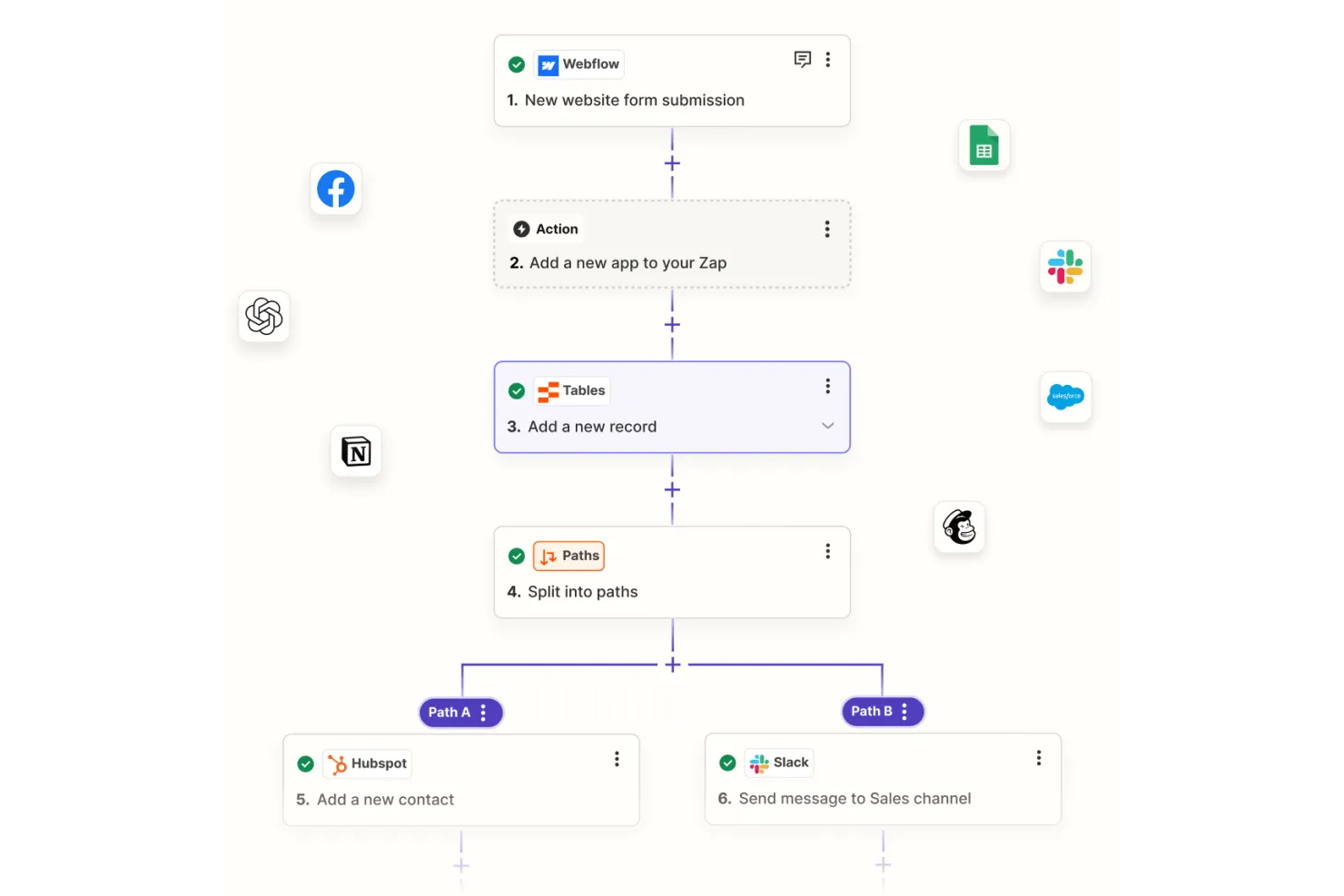
Zapier is an automation tool that connects various apps and services to automate workflows without needing any coding. It's popular among small businesses, freelancers, and teams looking to save time on repetitive tasks, such as syncing emails to a CRM.
Why Zapier is a good Workato alternative: Zapier's no-code automation platform is user-friendly, allowing you to set up workflows and pipelines quickly. With its intuitive interface, you can create Zaps to automate tasks across different applications. The platform is accessible to those with minimal technical knowledge, making it perfect for teams that need simple, efficient automation solutions.
Standout Features and Integrations:
Features include a simple drag-and-drop editor for creating workflows, customizable templates to get you started quickly, and built-in task history for monitoring. These tools make it easy for your team to automate tasks and focus on more important work.
Integrations include Google Gmail, Slack, Trello, Google Sheets, Mailchimp, Stripe, HubSpot, Facebook Lead Ads, Notion, Salesforce, and more.
Pros and Cons
Pros:
- Large selection of templates
- No coding required
- Intuitive user experience
Cons:
- Can get costly with scale
- App restrictions on free plan

MuleSoft is an integration platform that focuses on connecting applications, data, and devices with an API-led approach. It's primarily used by IT teams and developers to facilitate smooth communication between systems and elevate digital transformation initiatives.
Why MuleSoft is a good Workato alternative: MuleSoft offers API-led connectivity, which allows your team to design, build, and manage custom integrations efficiently. The platform provides Anypoint Studio, a user-friendly interface for creating integration flows, and Anypoint Exchange, a library of pre-built connectors and templates. These features make it an ideal choice for businesses that rely heavily on API integrations for their operations. It also offers enterprise-grade security features.
Standout Features and Integrations:
Features include a visual interface for building integrations, an extensive API management suite, and advanced monitoring tools. These enable your team to effectively manage and optimize the performance of your integrations without extensive coding.
Integrations include Salesforce, SAP, AWS, Microsoft Dynamics 365, Oracle, ServiceNow, Workday, Zendesk, Slack, Google Drive, and more.
Pros and Cons
Pros:
- Supports complex integrations
- Extensive library of connectors
- Strong API management capabilities
Cons:
- Consumption-based pricing by API calls
- Requires Java or XML knowledge


Tray is an integration and automation platform built for teams that need to connect SaaS tools and automate complex processes. It's used by technical teams that manage large volumes of workflow logic and data movement.
Why Tray is a good Workato alternative: Tray fits teams that build advanced automation across many SaaS tools. You can create multi-step workflows with detailed logic and data handling. It supports custom connectors and reusable workflow components for scale and helps simplify Extract Transform Load (ETL) tasks. This works well if your team needs deep control over SaaS automation rather than guided recipes.
Standout Features and Integrations:
Features include a visual workflow builder designed for advanced logic control. It supports custom scripting for handling complex data cases. You can also manage workflow versions and execution at scale.
Integrations include Salesforce, HubSpot, Slack, Zendesk, NetSuite, ServiceNow, Atlassian Jira, Workday, Snowflake, Marketo, and more.
Pros and Cons
Pros:
- Strong customization options
- Scales well for SaaS teams
- Handles complex workflow logic
Cons:
- Less suited for small teams
- Excessive control for simple use cases
Other Workato Alternatives
Here are some additional Workato alternatives that didn’t make it onto my shortlist, but are still worth checking out:
- Flowgear
For quick integration solutions
- Jitterbit iPaaS
For AI-powered enterprise automation
- Unito
For team collaboration sync
- SnapLogic
For real-time data integration


How I Evaluate Workato Alternatives
I split my evaluation into two layers: the baseline functionality any iPaaS tool must hit—like visual workflow builders and native PM connectors—and the differentiators that set the best options apart.
Core Functionality (Table Stakes For This List)
When I'm selecting tools for my list, I rank each one on a scale from 0 (does not offer the functionality) to 5 (excels in this area) for each core functionality listed below. Then, I calculate the tool's total score into a percentage. Each tool needs to achieve a minimum total score of 65% to be considered for inclusion.
- Pre-Built App Connectors: I check the connector library for depth across PM, CRM, ITSM, and finance apps—especially tools like Jira, Asana, Salesforce, and ServiceNow.
- Visual Workflow Automation Builder: The builder should support conditional branching and multi-step logic so PM ops teams can design syncs without writing code.
- Triggers & Actions Framework: I evaluate whether automations can fire on real-time events, run on schedules, and chain multiple actions in a single workflow.
- Data Transformation & Mapping: Field mapping between tools like Monday and HubSpot often requires reformatting—I look for formula support and lookup tables.
- API & Webhook Support: For apps without native connectors, I check REST/SOAP API access and webhook options to confirm you can build custom connections.
- Monitoring & Error Handling: Execution logs, auto-retries, and failure alerts matter when a broken sync between your PM tool and billing system stalls a sprint.
Once I have a list of tools that meet this criteria, I consider what sets each platform apart.
Differentiating Factors (What Sets Vendors Apart)
Here's how I compare and contrast different vendors:
Standout Features
Pre-built recipe templates are a big differentiator—they let PM ops teams spin up common automations like a Jira-to-Slack status sync in minutes instead of building from scratch. I also look for human-in-the-loop steps, where a workflow pauses for approval via Slack or Teams before promoting a project to the next phase. Governance features like sandbox environments and role-based access matter when multiple teams build automations across a shared PMO toolchain.
Beyond Features
Pricing model matters a lot here. Some platforms charge per task or workflow run, which can get unpredictable when your PMO scales automations across dozens of projects. I evaluate whether the licensing structure stays manageable as volume grows. Time-to-value is another factor I weigh—platforms with strong PM-focused templates and low learning curves let ops teams ship their first automation in days, not weeks. I also check for SOC 2 and ISO 27001 certifications, especially when workflows move sensitive project data between systems.
Why Look for a Workato Alternative?
While Workato is a good choice of Integration Platform as a Service (iPaaS), there are a number of reasons why some users seek out alternative solutions. You might be looking for a Workato alternative because…
- You need more flexible pricing options
- Your team requires simpler user interfaces
- You're looking for better customer support
- You need more advanced data analytics
- Your business operates in restricted regions
- You're seeking easier onboarding processes
If any of these sound like you, you've come to the right place. My list contains several Integration Platform as a Service (iPaaS) options that are better suited for teams facing these challenges with Workato and looking for alternative solutions.
Workato Key Features
Here are some of the key features of Workato, to help you contrast and compare what alternative solutions offer:
- Integration and automation: Connects various applications and automates workflows to boost productivity for integration.
- Security and compliance: Provides powerful security measures and governance protocols to protect data.
- AI-driven solutions: Use AI to improve workflows, providing real-time diagnostics and insights.
- Universal connectivity: Integrates with modern SaaS, on-premises systems, and legacy infrastructure for broad connectivity.
- Agentic features: Offer a low-code environment for designing and managing intelligent agents.
- Enterprise MCP: Supports the creation, sharing, and secure exposure of enterprise skills and workflows.
- Orchestration capabilities: Manage workflows, applications, data, and APIs for real-time business operations.
- Operational transparency: Provides real-time tracking of performance and system health with built-in diagnostics.
- Always-on infrastructure: Ensures high availability with zero-downtime upgrades and auto-scaling.
- Support and resources: Offer 24/7 global support and access to extensive user resources for assistance.
- Robotic process automation (RPA): Uses bots to automate repetitive, rules-based tasks.
What's Next:
If you're in the process of researching Integration Platform as a Service (iPaaS), connect with a SoftwareSelect advisor for free recommendations.
You fill out a form and have a quick chat where they get into the specifics of your needs. Then you'll get a shortlist of software to review. They'll even support you through the entire buying process, including price negotiations.