

10 Best SmartDraw Alternatives for Diagramming in 2026

10 Best Visio Alternatives Shortlist


As a project manager, you know the headaches that come with diagramming tools. Visio might be popular, but it’s not always the best fit for your team’s unique needs. Maybe you’re struggling with its complex interface or high costs.
In my experience, finding the right tool can make all the difference in productivity and collaboration. I’ve tested and reviewed various alternatives to Visio to help you find a better match.
You’ll discover tools that are user-friendly, cost-effective, and tailored to different industries. This article offers an unbiased review of my top picks, focusing on features that address your challenges. Let’s find the perfect diagramming tool for your team.
What Is Visio?
Visio is a diagramming tool used to create flowcharts, diagrams, and organizational charts. It's popular among IT professionals, engineers, and business analysts who need to visualize complex data and processes. Visio's drag-and-drop interface, extensive template library, and integration with Microsoft Office help with creating detailed and professional diagrams efficiently. Overall, Visio provides a structured way to communicate information visually within your team.
Best Visio Alternatives Summary
This comparison chart summarizes pricing details for my top Visio alternative selections to help you find the best one for your budget and business needs.
| Tool | Best For | Trial Info | Price | ||
|---|---|---|---|---|---|
| 1 | Best for AI-driven design and prototyping | Free plan available | From $16/user/month | Website | |
| 2 | Best for AI-powered real-time brainstorming | Free plan available | From $3/user/month | Website | |
| 3 | Best for AI-driven collaborative whiteboarding | Free plan available | From $5/month (billed annually) | Website | |
| 4 | Best for extensive templates | Free plan available | From $41.99/user/month (billed annually) | Website | |
| 5 | Best for user-friendly interface | Free demo available | From $9.95/user/month (billed annually) | Website | |
| 6 | Best for AI-driven real-time previews | Free trial + free plan available | From $10/user/month (billed annually) | Website | |
| 7 | Best for privacy-focused storage | Free plan available | Free to use | Website | |
| 8 | Best for AI-assisted Confluence integration | Free plan available | From $3.80/user/month (billed annually) | Website | |
| 9 | Best for project collaboration | 14-day free trial + free plan available | From $5/user/month (billed annually) | Website | |
| 10 | Best for text-based diagrams | Free to use | Free to use | Website |
Why Trust Our Software Recommendations
Our team has been testing and reviewing software since 2012. As project managers ourselves, we know how difficult—and important—it is to choose the right software.
For this guide, we evaluated tools using hands-on testing and independent research, scoring tools using our selection criteria. We also draw on insights from industry thought leaders and practicing project management experts.
Our reviews reflect our human editorial judgment, not a sales pitch.
Expert reviewers:
Best Visio Alternatives Reviews
Below are my detailed summaries of the best Visio alternatives that made it onto my shortlist. My reviews offer a detailed look at the key features, pros and cons, integrations, and ideal use cases of each tool to help you find the best one for you.

Figma
Best for AI-driven design and prototyping
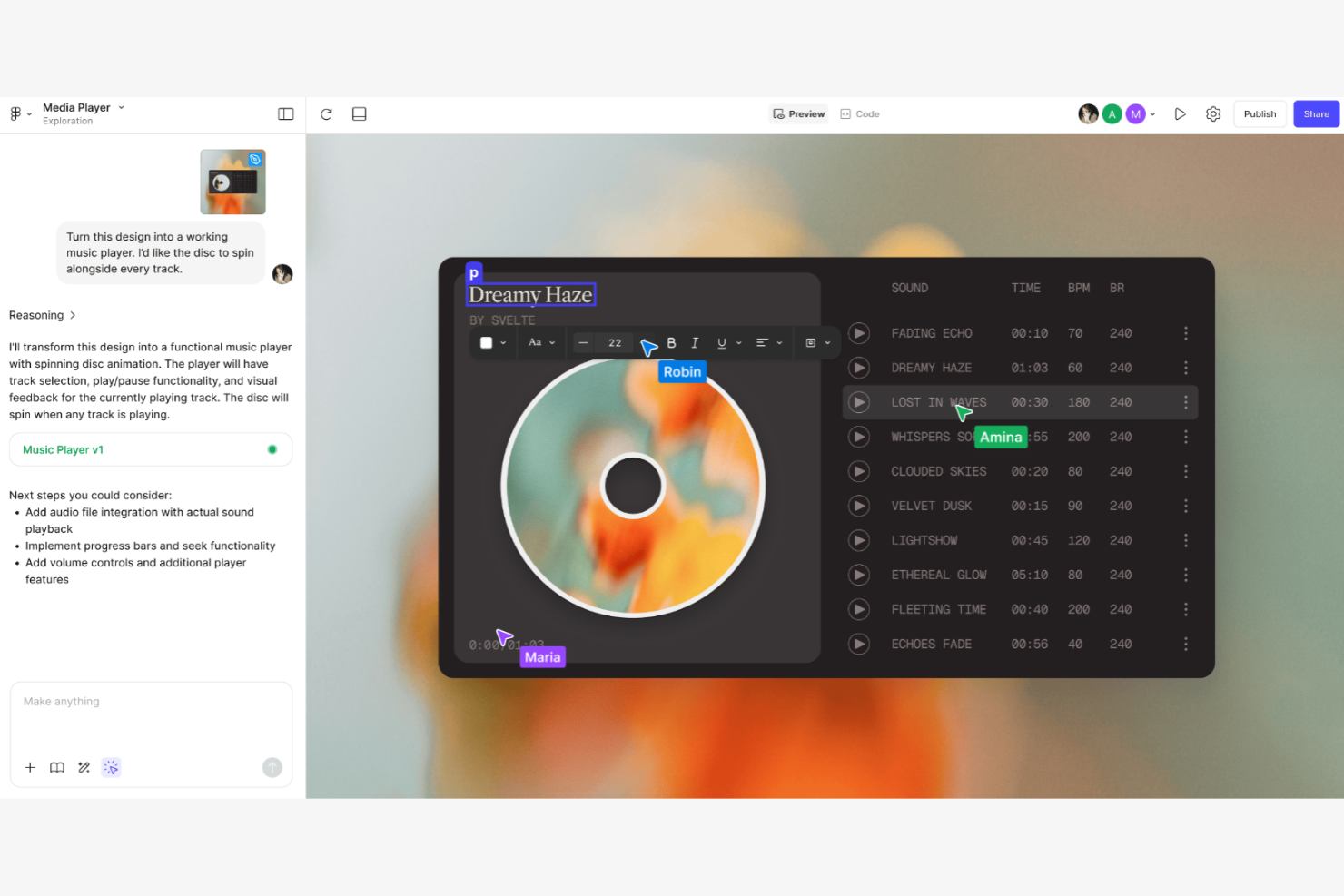
Figma is a web-based design tool used by UI/UX designers and creative teams to design and prototype digital products. It allows for real-time collaboration on wireframes, mockups, and prototypes.
Why Figma is a good Visio alternative: Figma offers integrated design and prototyping features that let your team move smoothly from design to testing. Its cloud-based nature enables real-time collaboration, ensuring everyone is on the same page. The tool includes advanced design features, improving precision and creativity. It uses shapes and connectors that snap to the grid to map out flows. Unlike Visio, Figma focuses on user interface design, making it ideal for digital product teams, and it has an ecosystem of plugins that extends its functionality.
Standout Features and Integrations:
Features include vector editing, which allows for precise design work. You can use prototyping features to create interactive and clickable prototypes. Figma's component system helps your team maintain consistency across design projects.
Integrations include Slack, Microsoft Teams, Jira, Trello, Dropbox, Notion,, and more.
Pros and Cons
Pros:
- Ideal for digital products
- Integrated design and prototyping
- Web-based and cross-platform
Cons:
- Lags with very large/complex files
- No true offline editing mode

FigJam
Best for AI-powered real-time brainstorming
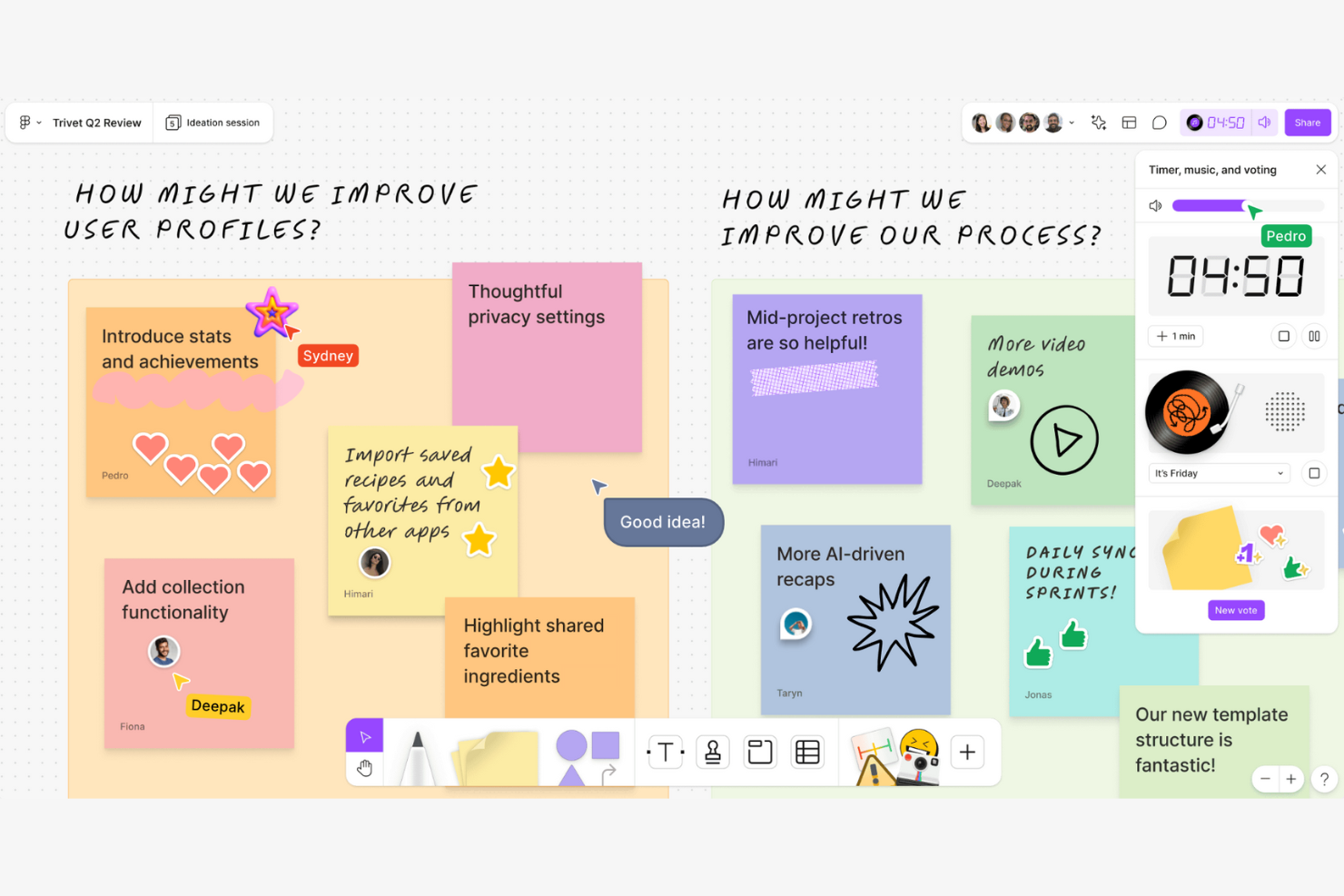
FigJam is an online whiteboard tool designed for collaborative brainstorming and team workshops. It serves designers, product teams, and educators who need to ideate and plan interactively.
Why FigJam is a good Visio alternative: FigJam offers real-time brainstorming capabilities that allow your team to collaborate and share ideas instantly. The tool includes sticky notes, drawing tools, and emojis to make sessions more interactive. Its infinite canvas provides flexibility, letting you explore ideas without constraints. Unlike Visio, FigJam focuses on fostering creativity and interaction, making it perfect for brainstorming sessions.
Standout Features and Integrations:
Features include sticky notes for jotting down quick ideas during meetings. You can use drawing tools to sketch concepts directly on the canvas. FigJam also offers voting features, helping your team prioritize ideas effectively.
Integrations include Slack, Microsoft Teams, Jira, Trello, Zoom, Asana, and Airtable.
Pros and Cons
Pros:
- Infinite canvas
- Interactive brainstorming tools
- Real-time collaboration
Cons:
- Higher cost for larger teams
- Fewer templates than Miro or Mural

Creately
Best for AI-driven collaborative whiteboarding
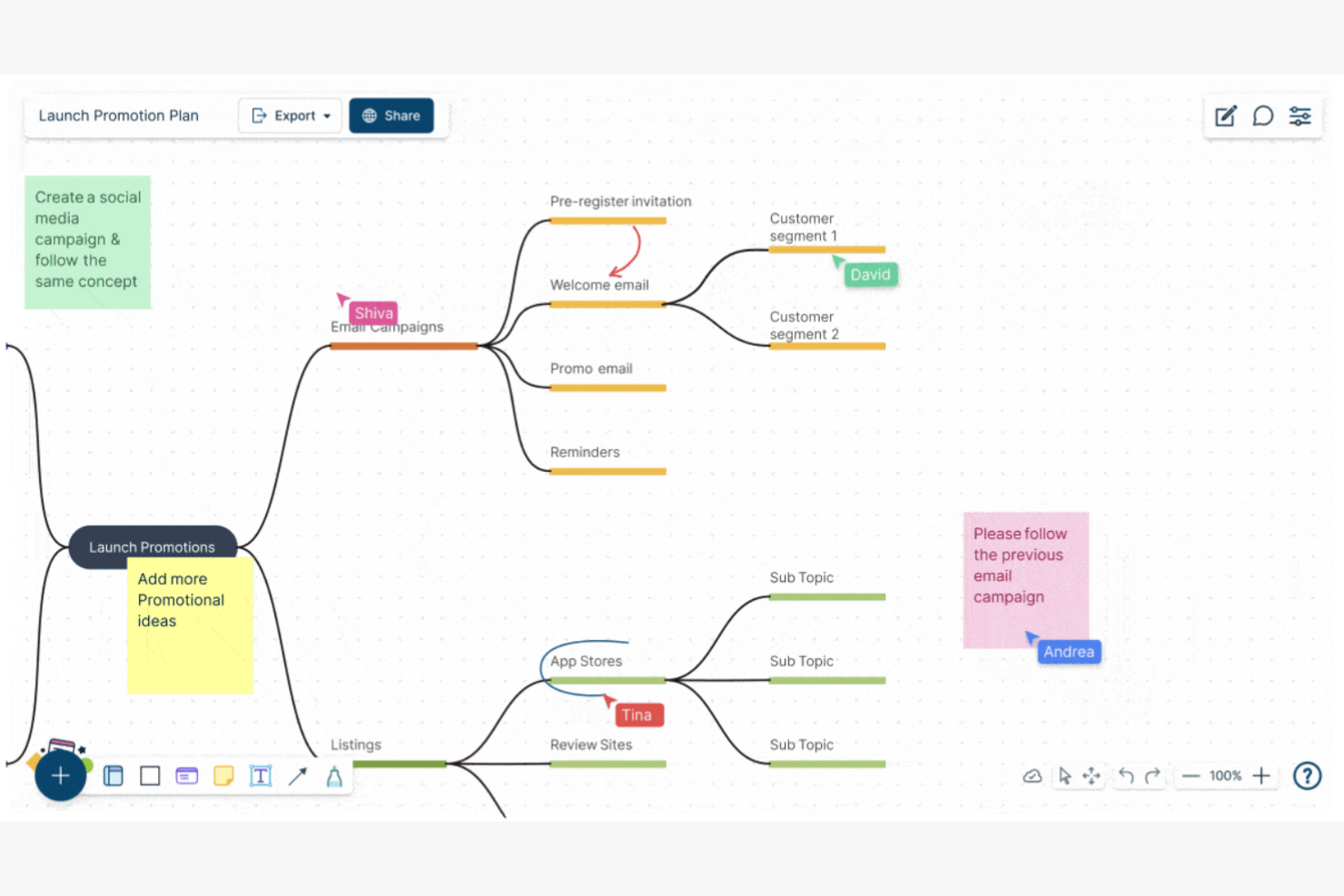
Creately is a visual collaboration tool used for diagramming and whiteboarding, ideal for teams in education, design, and project management. It helps users map processes, brainstorm ideas, and create visual content collaboratively.
Why Creately is a good Visio alternative: Creately offers collaborative whiteboarding features that enable your team to work together on a shared canvas. The tool provides a wide range of templates and shapes that simplify diagram creation. Its AI-driven, intuitive interface allows even non-technical users to contribute effectively. Unlike Visio, Creately's emphasis on collaboration makes it a more engaging option for team projects.
Standout Features and Integrations:
Features include real-time collaboration, which keeps everyone on the same page. The ability to add notes and comments directly on the canvas helps your team communicate ideas clearly. You can also track changes and revisions to ensure everyone is aligned with the project goals.
Integrations include Google Drive, Slack, Confluence, Microsoft Teams, and more.
Pros and Cons
Pros:
- Easy onboarding process
- Track changes and revisions
- Collaborative mindmapping
Cons:
- Occasional sync delays for teams
- Laggy with complex, large diagrams

EdrawMax
Best for extensive templates
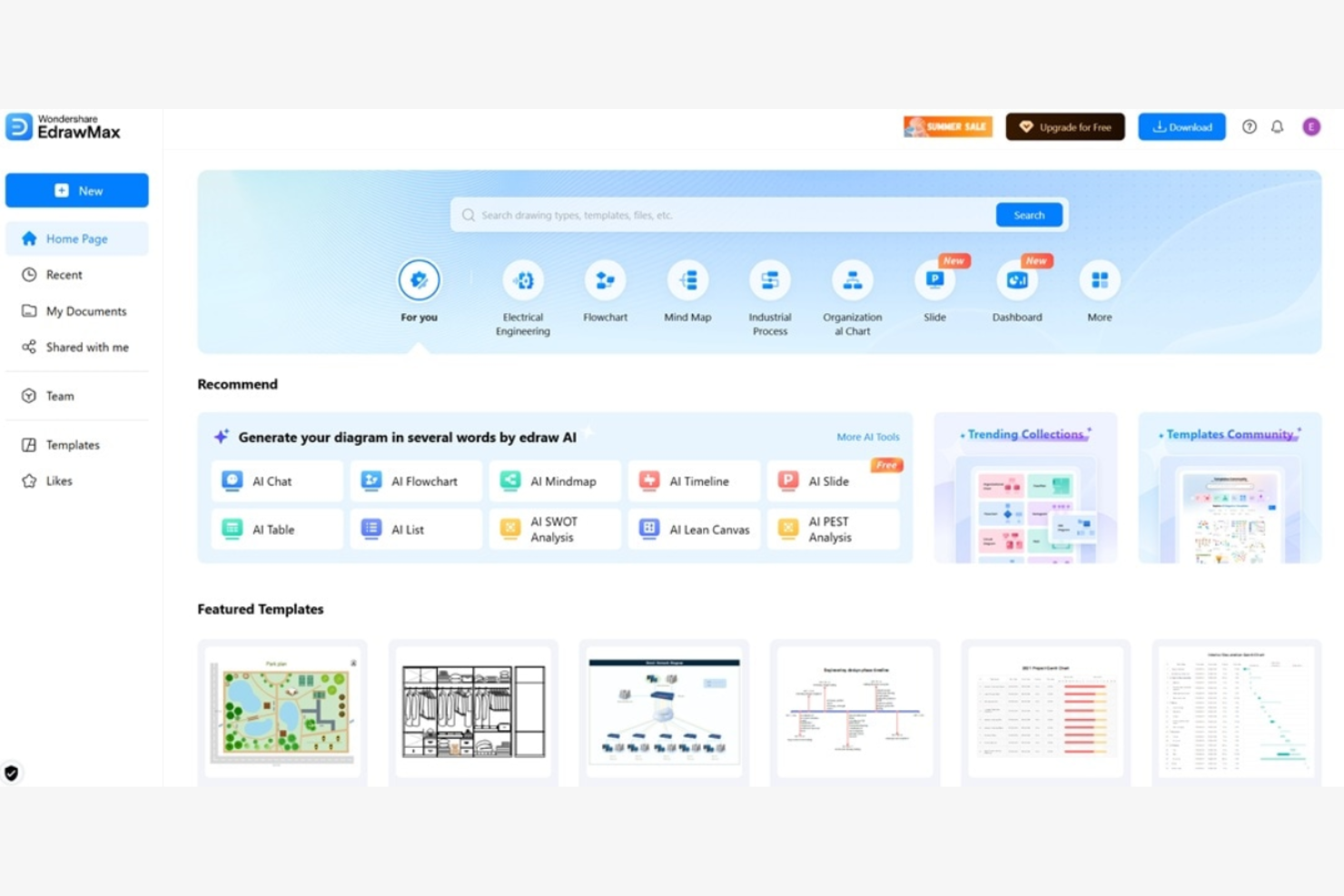
EdrawMax is a versatile diagramming tool used by professionals in engineering, design, and education to create detailed visuals. It helps users design flowcharts, mind maps, and floor plans efficiently.
Why EdrawMax is a good Visio alternative: EdrawMax offers an extensive library of templates and symbols that cater to various industries, allowing your team to start projects quickly. Its interface is intuitive, allowing even first-time users to create complex diagrams. EdrawMax provides more customization options than Visio, boosting creativity and flexibility.
Standout Features and Integrations:
Features include vector-based drawing, which ensures clarity in your diagrams. You can use the drag-and-drop functionality to simplify the diagram creation process. The software also supports multi-page diagrams, allowing your team to organize complex information effectively.
Integrations include Microsoft Office, Google Workspace, Dropbox, and GitHub.
Pros and Cons
Pros:
- Supports a wide range of diagram types
- Supports vector graphics
- Extensive template library
Cons:
- Inconsistent importing of Visio files
- Lacks depth in specialized features

Best for user-friendly interface
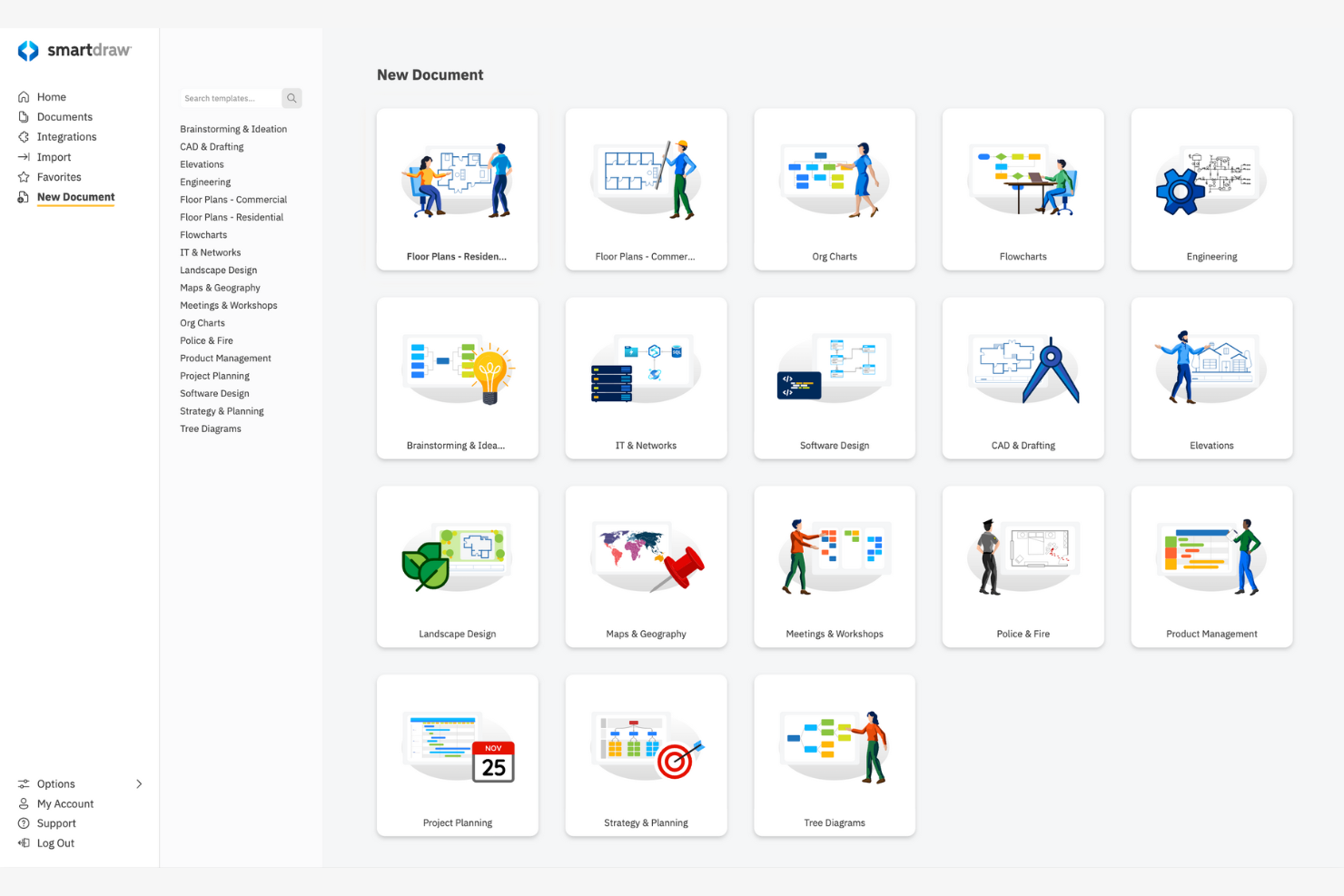
SmartDraw is a diagramming software designed for creating flowcharts, org charts, and other visuals. It serves business professionals, project managers, and architects who need to visualize data and processes.
Why SmartDraw is a good Visio alternative: SmartDraw's user-friendly interface allows your team to quickly create professional diagrams without extensive training. SmartDraw offers the leading import for Visio files and stencils, allowing you to convert files accurately. SmartDraw is more intuitive than Visio, making it accessible for users of all skill levels.
Standout Features and Integrations:
Features include intelligent formatting that keeps your diagrams neat as you edit. You can access an extensive library of templates and symbols to jumpstart your projects. The ability to export diagrams to various file formats makes sharing your work straightforward.
Integrations are not publicly listed.
Pros and Cons
Pros:
- Suitable for all skill levels
- Intelligent diagram formatting
- User-friendly interface
Cons:
- Free trial blocks all exports
- Weak real-time collaboration

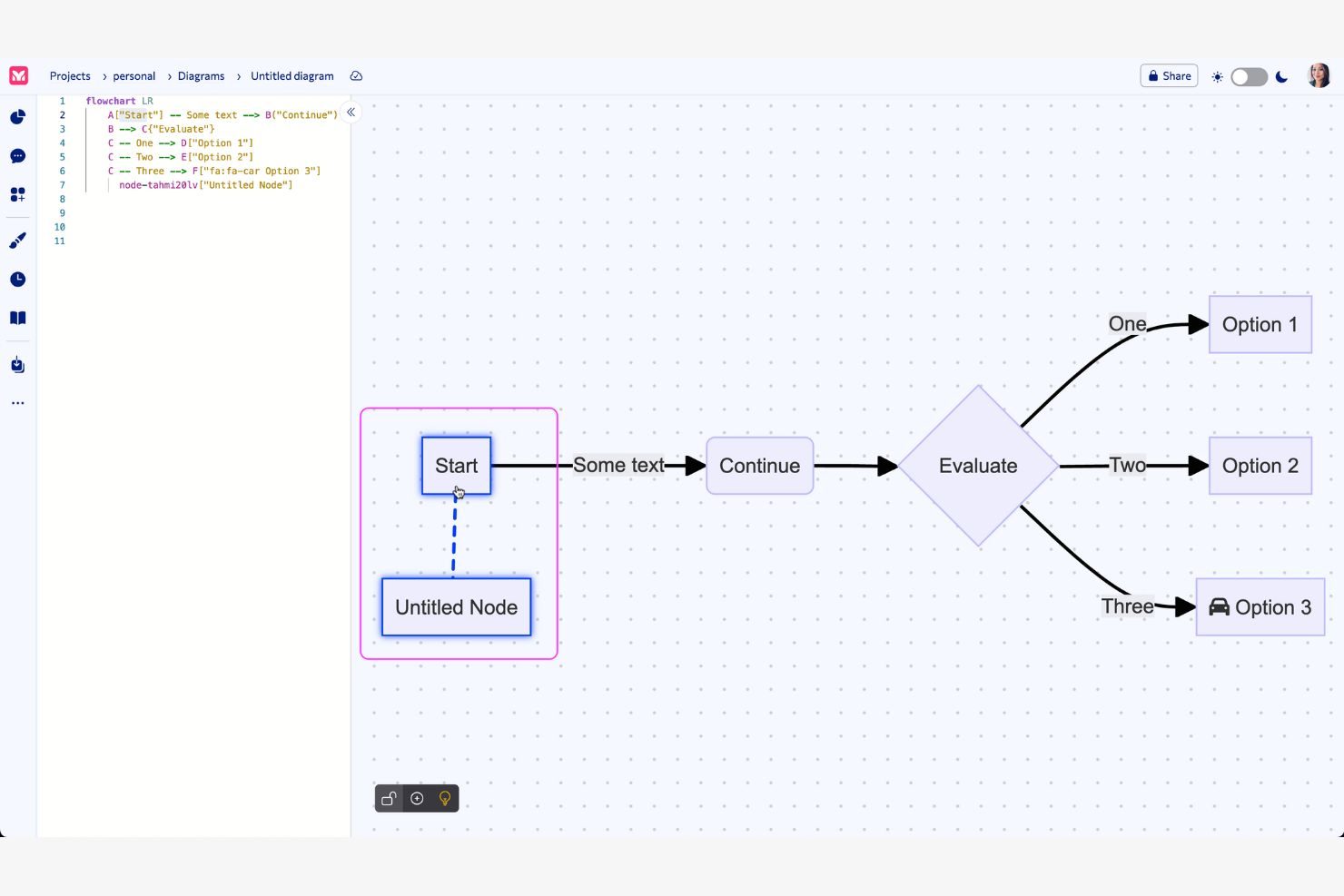
Mermaid is a text-based diagramming tool used by developers and technical teams to create visual diagrams through simple text definitions. It facilitates the creation of flowcharts, sequence diagrams, and more, transforming text into visual charts.
Why Mermaid is a good Visio alternative: Mermaid simplifies the creation of complex visuals with straightforward text input. This method supports efficient version control and integrates well into coding workflows. The tool's simplicity allows for quick diagram updates as projects evolve, and it offers AI-powered real-time preview functionality, allowing you to see changes to your code immediately. Mermaid caters to users who prefer writing code over using graphical interfaces.
Standout Features and Integrations:
Features include the ability to render diagrams from text-based input, which simplifies the creation and editing process. You can collaborate in real time with your team, increasing productivity. Additionally, Mermaid supports multiple diagram types, offering flexibility for various project needs.
Integrations include Visual Studio Code, GitHub, Confluence, Jira, ChatGPT, and more.
Pros and Cons
Pros:
- Ideal for coding workflows
- Real-time preview functionality
- Create diagrams from plain text
Cons:
- Lacks drag-and-drop features
- Limited styling

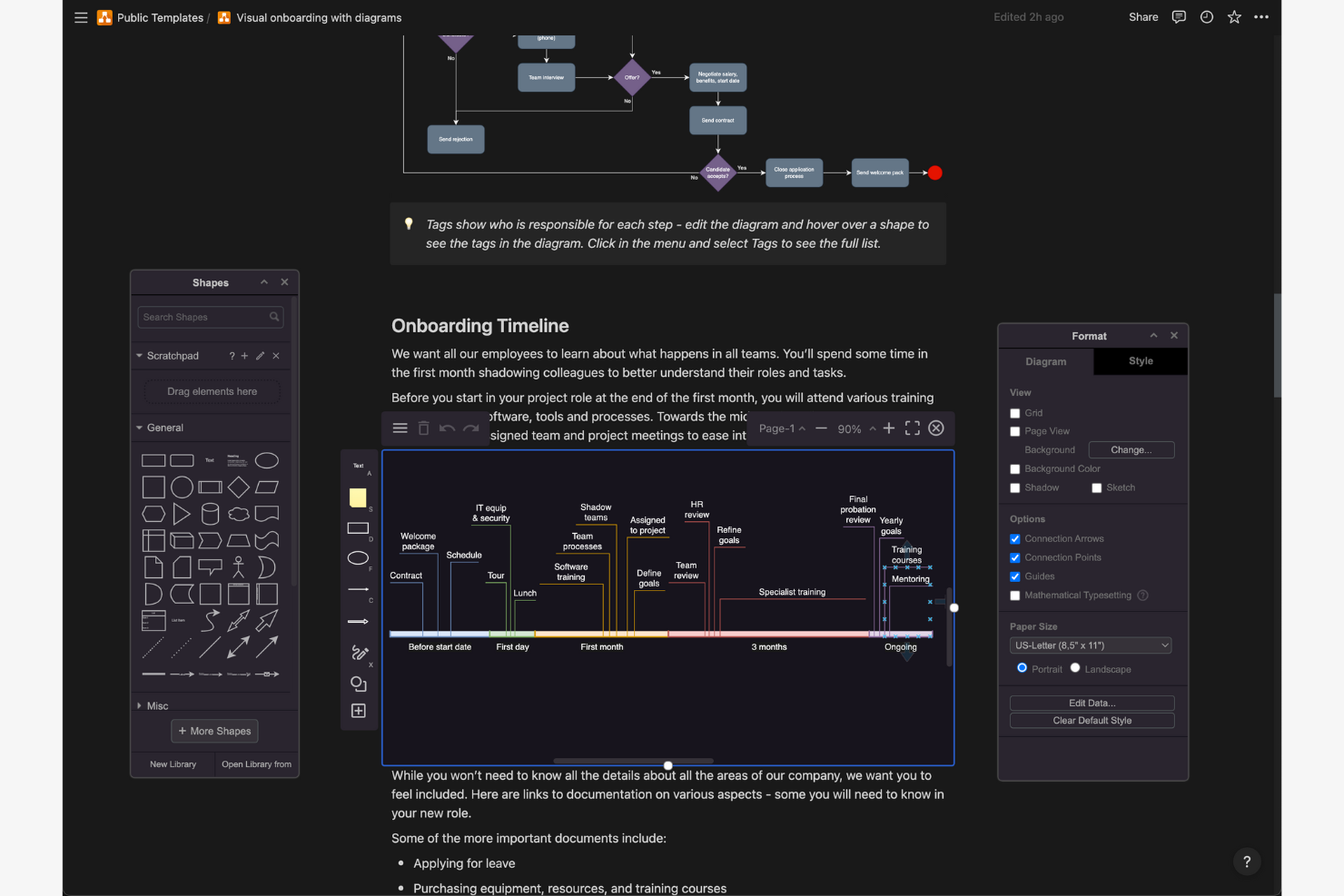
draw.io is an online diagramming tool used by teams who need to create flowcharts, network diagrams, and more. It's popular with professionals in IT, engineering, and education for visualizing processes and systems.
Why draw.io is a good Visio alternative: draw.io offers privacy-focused storage options, allowing your team to choose where to save your diagrams. Its open-source nature means you have more control over your data. draw.io desktop is a stand-alone, offline application available for Windows, macOS, and Linux, which is ideal if you want the security of a desktop application with no reliance on an internet connection. The tool has a simple interface that doesn't require extensive training. This free Visio alternative is accessible for budget-conscious teams.
Standout Features and Integrations:
Features include a user-friendly drag-and-drop interface that simplifies diagram creation. You can access a wide range of templates to quickly start your projects. Version control helps your team track changes and collaborate effectively.
Integrations include Google Drive, Microsoft OneDrive, Microsoft SharePoint, Dropbox, GitHub, and more.
Pros and Cons
Pros:
- Free version available
- Open-source flexibility
- Privacy-focused data storage
Cons:
- Limited performance with large, complex diagrams
- Manual line snapping is tedious

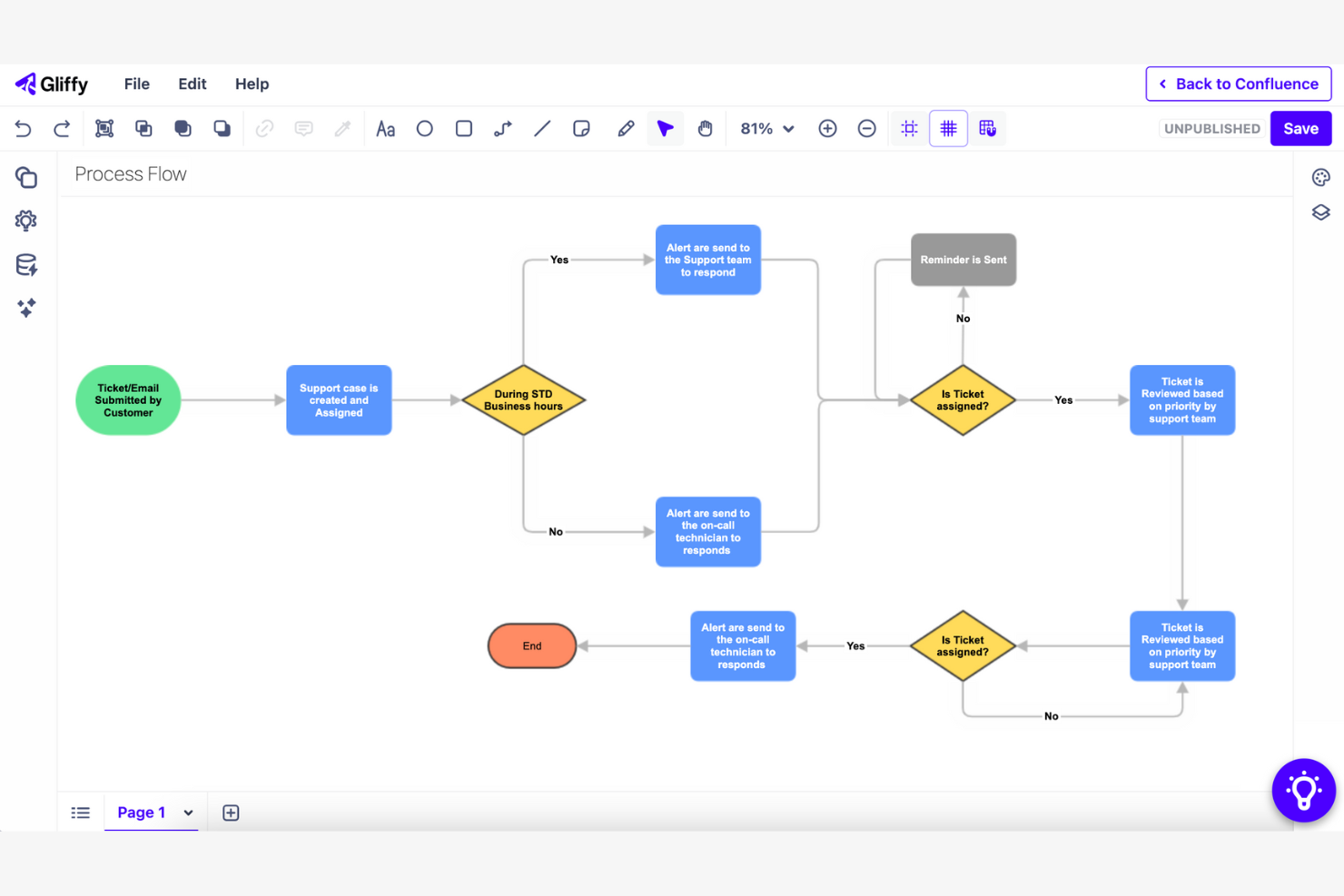
Gliffy is a web-based diagramming tool that helps teams create flowcharts, wireframes, and network diagrams. It is popular among project managers, developers, and IT professionals who need to visualize processes and systems.
Why Gliffy is a good Visio alternative: Gliffy integrates with Confluence, allowing your team to embed diagrams directly into your Confluence pages. This feature boosts collaboration by keeping everyone on the same page. The tool provides an intuitive interface, allowing your team to start diagramming without extensive training. Gliffy is designed to work within your existing Confluence environment, simplifying workflow integration.
Standout Features and Integrations:
Features include a drag-and-drop interface that simplifies diagram creation. You can use a variety of templates to quickly start your projects. Gliffy also offers automatic diagram updates, ensuring your visuals stay current as your projects evolve.
Integrations include Confluence, Jira, Slack, Mermaid, and more.
Pros and Cons
Pros:
- Automatic diagram updates
- Drag-and-drop interface
- Confluence integration
Cons:
- Can be slow with complex diagrams
- No mobile app


Cacoo is a cloud-based diagramming tool used by teams in design, marketing, and project management to create and share diagrams. It supports collaborative work on flowcharts, wireframes, and network diagrams.
Why Cacoo is a good Visio alternative: Cacoo offers project collaboration features that allow multiple users to edit diagrams simultaneously, ensuring everyone is aligned. With its extensive template library, your team can quickly start new projects. The tool supports the exporting of PNG, SVG, PDF, PS, and PPT files. Cacoo focuses on boosting teamwork and real-time communication, making it ideal for collaborative environments.
Standout Features and Integrations:
Features include real-time collaboration, which keeps your team connected during diagram creation. You can comment directly on diagrams, facilitating clear communication. Cacoo also provides version history, allowing you to track changes and revert if needed.
Integrations include Slack, Google Drive, Google Docs, Dropbox, Adobe Creative Cloud, and Visio.
Pros and Cons
Pros:
- Manage work visually with Kanban boards
- Direct commenting on diagrams
- Real-time editing
Cons:
- Less suitable for specialized teams
- Dated interface and UX elements

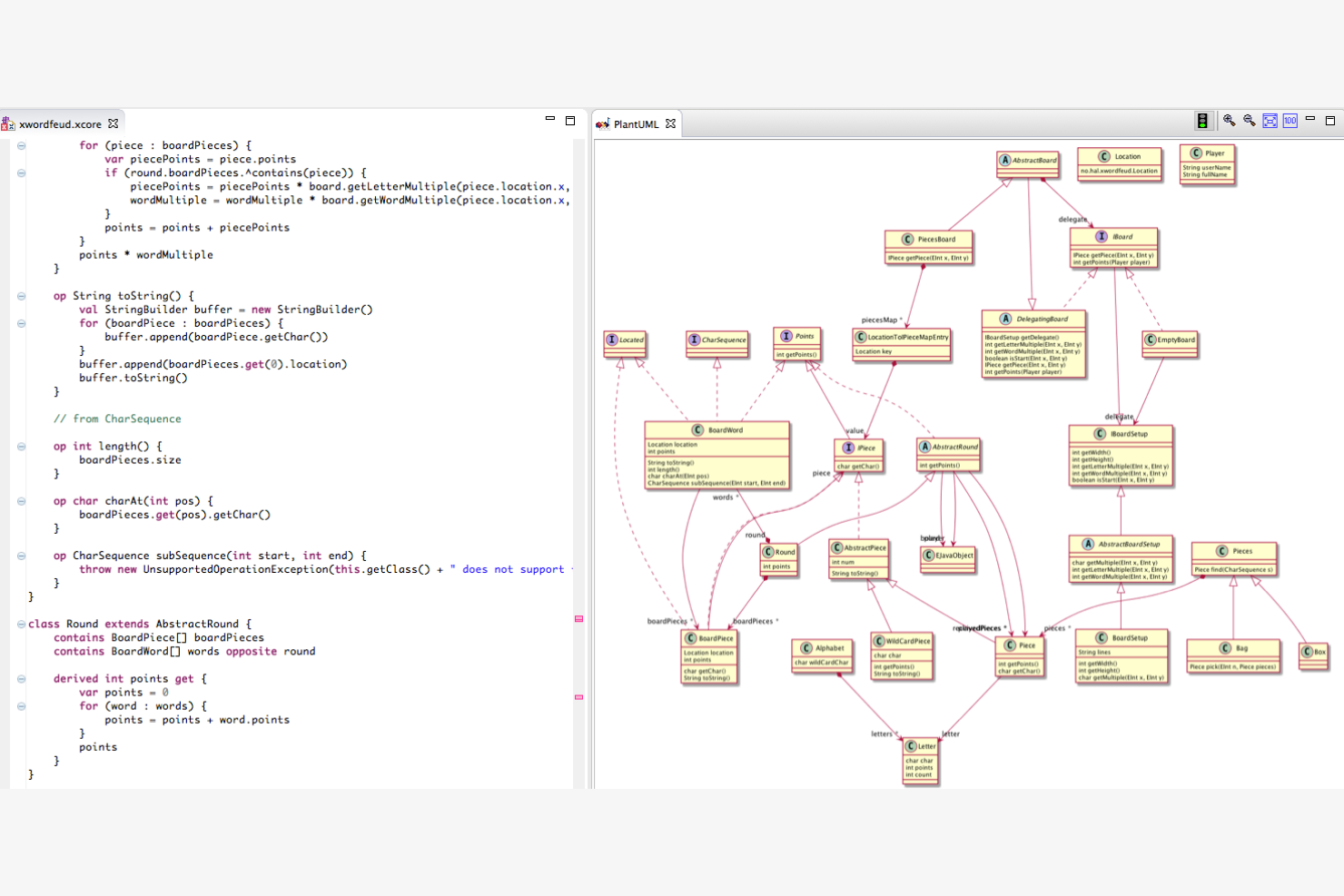
PlantUML is a tool for creating UML diagrams using a simple text description, catering mainly to developers and technical teams. It helps visualize complex systems and processes through diagrams for sequence, use case, and activity.
Why PlantUML is a good Visio alternative: PlantUML's text-based diagramming approach allows your team to generate diagrams quickly by writing simple code. This method makes version control easier and supports integration with development workflows. The tool is lightweight, making it suitable for environments where resources are limited. Unlike Visio, PlantUML is ideal for teams that prefer a code-centric approach to diagramming.
Standout Features and Integrations:
Features include the ability to create diagrams through text scripts, which simplifies the diagramming process. You can update and maintain diagrams as your projects evolve. The software supports a wide range of UML diagram types, providing flexibility for different project needs.
Integrations include Visual Studio Code, IntelliJ IDEA, Eclipse, Microsoft Word, and more.
Pros and Cons
Pros:
- Straightforward version control
- Lightweight software
- Text-based diagram creation
Cons:
- Limited visual customization
- Requires coding knowledge
Other Visio Alternatives
Here are some additional Visio alternatives that didn’t make it onto my shortlist, but are still worth checking out:
- Miro
For AI-powered team collaboration tools
- Lucidchart
For AI-driven diagrams
- yWorks
For graph visualization tools
- Visual Paradigm Online
For AI-powered UML diagram creation


How I Evaluate Visio Alternatives
When a PM needs to document a release process or map a RACI, the tool has to do more than draw shapes—I evaluate each option on baseline diagramming capability first, then on what sets it apart.
Core Functionality (Table Stakes For This List)
When I'm selecting tools for my list, I rank each one on a scale from 0 (does not offer the functionality) to 5 (excels in this area) for each core functionality listed below. Then, I calculate the tool's total score into a percentage. Each tool needs to achieve a minimum total score of 65% to be considered for inclusion.
- Diagramming & Flowchart Creation: I evaluate how many diagram types each tool supports, from basic flowcharts to swimlanes, BPMN process maps, and network topology diagrams.
- Templates & Shape Libraries: A solid template library matters when you need to spin up a sprint workflow or org chart fast. I look for PM-specific stencils and shape sets.
- Real-Time Collaboration: I check whether multiple team members can co-edit a diagram at once, leave contextual comments, and track version history across revisions.
- Visio File Compatibility: Teams migrating from Visio need clean .vsdx import and export. I evaluate how well each tool handles round-trip fidelity with existing Visio files.
- Cross-Platform Accessibility: Visio's Windows-only desktop app is a common reason teams look elsewhere. I look for web-based access and support across macOS and Linux.
- PM Tool Integrations: Project diagrams live inside broader workflows, so I check for native connections to tools like Jira, Confluence, Microsoft Teams, and Google Workspace.
Once I have a list of tools that meet this criteria, I consider what sets each platform apart.
Differentiating Factors (What Sets Vendors Apart)
Here's how I compare and contrast different vendors:
Standout Features
AI-assisted diagramming is a big differentiator. Tools that generate flowcharts from text prompts or auto-arrange complex process maps save real time during sprint planning. I also look for data-linked diagrams that pull live data from spreadsheets or databases, keeping resource maps and status dashboards current without manual updates. Presentation mode matters too, especially when you need to walk leadership through a release plan without exporting to a separate slide deck.
Beyond Features
Pricing structure is one of the first things I evaluate. Some tools offer generous free tiers for individual PMs, while others require per-seat licensing that adds up fast across a PMO. Security and compliance also weigh heavily—I check for SOC 2 certification, SSO/SAML support, and role-based access controls, especially for enterprise teams handling sensitive project data. Migration tooling deserves attention too. When you're moving hundreds of Visio files, I look at how well each vendor supports bulk .vsdx imports and library migration.
Why Look for a Visio Alternative?
While Visio is a good choice of diagramming tool, there are a number of reasons why some users seek out alternative solutions. You might be looking for a Visio alternative because…
- You need a more affordable option
- Your team wants easier collaboration tools
- You require better integration with other apps
- You prefer a simpler user interface
- You need a tool available on all devices
- Your team needs more customization options
If any of these sound like you, you’ve come to the right place. My list contains several diagramming tool options that are better suited for teams facing these challenges with Visio and looking for alternative solutions.
Visio Key Features
Here are some of the key features of Visio, to help you contrast and compare what alternative solutions offer:
- Diagram creation: You can create various types of diagrams and save them in SharePoint or OneDrive, making it simple to organize and access your projects.
- Editing tools: Rich formatting options for text and shapes, along with standard editing functions, help you customize your diagrams effectively.
- Embedding: You can embed diagrams in web pages and SharePoint, which is useful for sharing visual content within your organization.
- Search functionality: Find specific text within diagrams quickly, saving you time when navigating complex visuals.
- Collaboration: Real-time co-authoring and commenting features facilitate teamwork by allowing multiple users to work on diagrams simultaneously.
- Offline access: The desktop version allows offline editing, ensuring you can work on diagrams without an internet connection.
- Sharing: Share diagrams via links to provide quick access to your team.
- Navigation: Zoom in and out and navigate between pages to view and edit your diagrams with ease.
What’s Next:
If you're in the process of researching a diagramming tool, connect with a SoftwareSelect advisor for free recommendations.
You fill out a form and have a quick chat where they get into the specifics of your needs. Then you'll get a shortlist of software to review. They'll even support you through the entire buying process, including price negotiations.